
This is the Sony a7S III, a camera that many filmmakers, myself included, were starting to believe might never be released. I’m going to review it from the perspective of a wedding filmmaker and tell you why I believe the a7S III has the least compromises and is the most well-rounded camera available for wedding filmmaking today.
And if you’re cross-shopping rather than sold already, the a7 IV is the camera most people are weighing this one against, so I put the two of them head to head over here.
For the sake of ethics, I want you to know this video isn’t paid for or sponsored by Sony in any way. Sony loaned me a pre-release version of the a7S III to try out, and the camera I’m holding here I paid for with my own money. The opinions are all my own.
Camera Build Quality
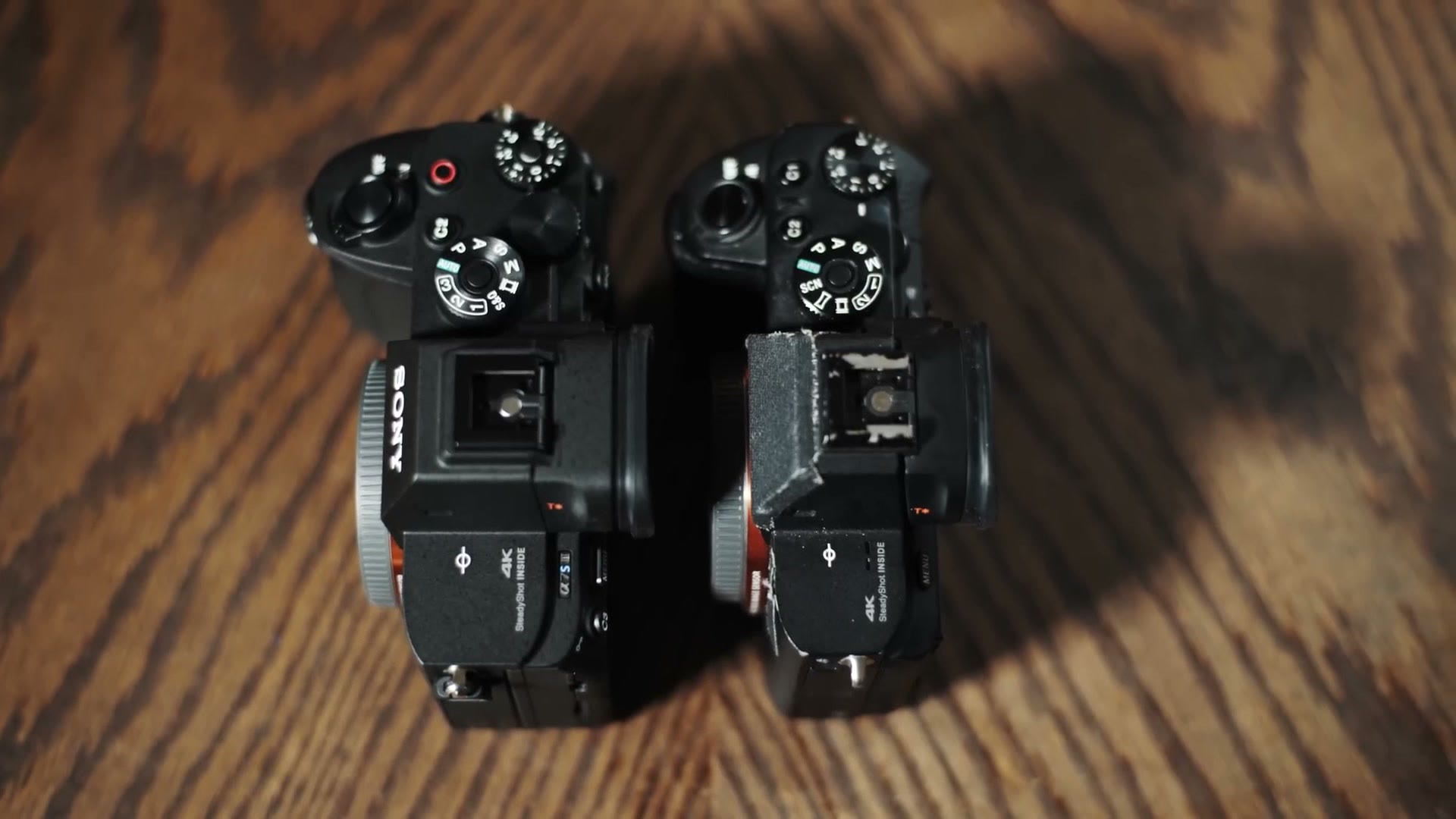
I want to start with build quality, because I believe this is one of the best built Sony cameras I have ever owned.
Sony has always prioritized small camera bodies, which as a wedding filmmaker holding a camera all day I genuinely appreciate, because it is easier on my arms and my back. But that quest for a small camera has also led to the A series being harder to hold and less ergonomic than the competition. The grip on my older a7S II was usable, and I filmed with that camera for five years, but there were some hot Texas summer days where I started to get a little sweaty and worried I might drop it. Then I used the Panasonic GH5 and went, oh, that’s what a camera should feel like. Small and manageable, but still giving me a grip I could hold all day at a wedding.
It’s a balance, though. Throw the Canon R5 into the mix and it didn’t even get the memo that mirrorless cameras are supposed to be smaller than DSLRs. That thing feels like holding a 5D to me. It’s thick.
Back to Sony, and I do have good news, because each generation of Alpha cameras has improved in ergonomics. The a7 II was bigger than the original a7, the a7 III was larger still, and now the a7S III is the thickest and heaviest a7 series camera to date. On the surface that sounds bad, right? More to carry, who wants that? But we’re coming from the original a7, which was arguably too small. So with the a7S III we’re finally growing into the right size. This is the Goldilocks principle at work. Remember that story? The three bears and the porridge? That’s what I’m saying.
The grip is deeper than ever before, it feels slightly heavier but well balanced overall, and I am not worried about dropping this thing anymore when my hands are sweaty on a wedding day.
The Flippy Screen
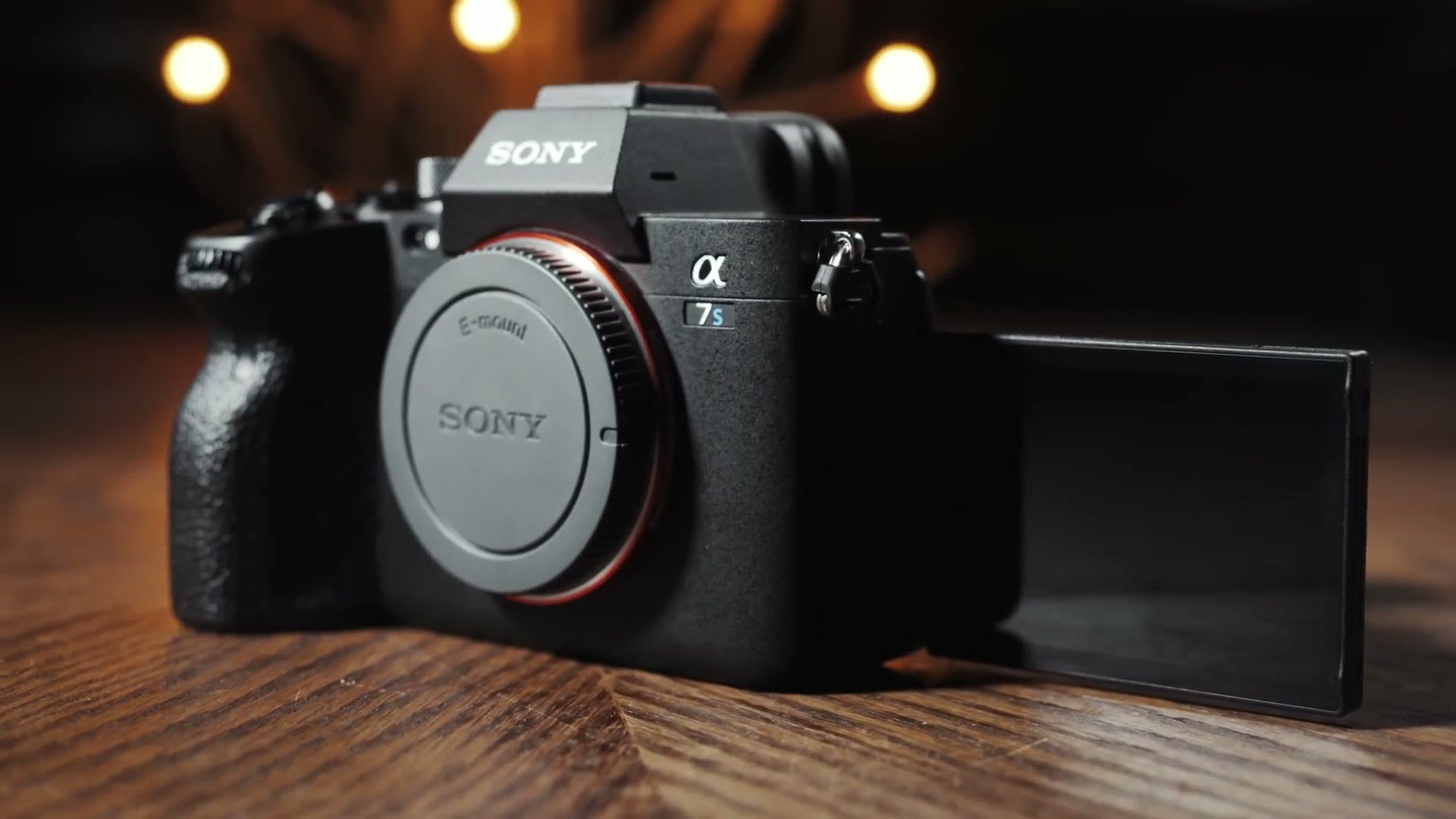
The biggest change you’ll notice is probably the flippy screen, which is a welcome improvement for most filmmakers. Notice I said most, because it isn’t necessarily a game changer for wedding filmmakers. Let’s be honest, the only time you use a flip out screen is whenever you’re filming yourself, and at a wedding you’re not filming yourself unless you’re shooting behind the scenes like I do.
Personally I was very happy with the tilting screen on the a7S II, and I liked that it let me film high or low without increasing the camera size by having a screen hanging off the side. I can think of one way wedding filmmakers will be happy about the flip out screen though, and that’s filming weddings with a gimbal. Some gimbals, like my Crane 2 and 2S, can block the camera’s screen, so being able to flip it out makes it much more visible.
Enough about the flippiness. How is the actual screen quality? Sony has a reputation for middling screens in the past, especially the dimming when recording in 4K that made them hard to see outdoors, and inconsistent screen colors. The a7S III fixed the dimming, and I’ve had the opportunity to look at four different a7S III screens so far. Across all of them the colors were consistent and accurate, with no weird color shift or tint to be found. The screen is also noticeably brighter than my a7S II. I filmed with it outdoors in the bright Texas sunlight and I could still easily see the screen. If you’re one of those people who had to buy a monitor just to see your Sony camera screen, you may not need one anymore.
There’s also that tiny screen inside it. There has been a lot of hype about the a7S III’s EVF, which has the highest resolution and largest size of any mirrorless camera. But of course, we’re filming weddings here, so I don’t use the EVF very often. It’s there if you need it, and it looks really pretty.
Fancy New Buttons And Presets
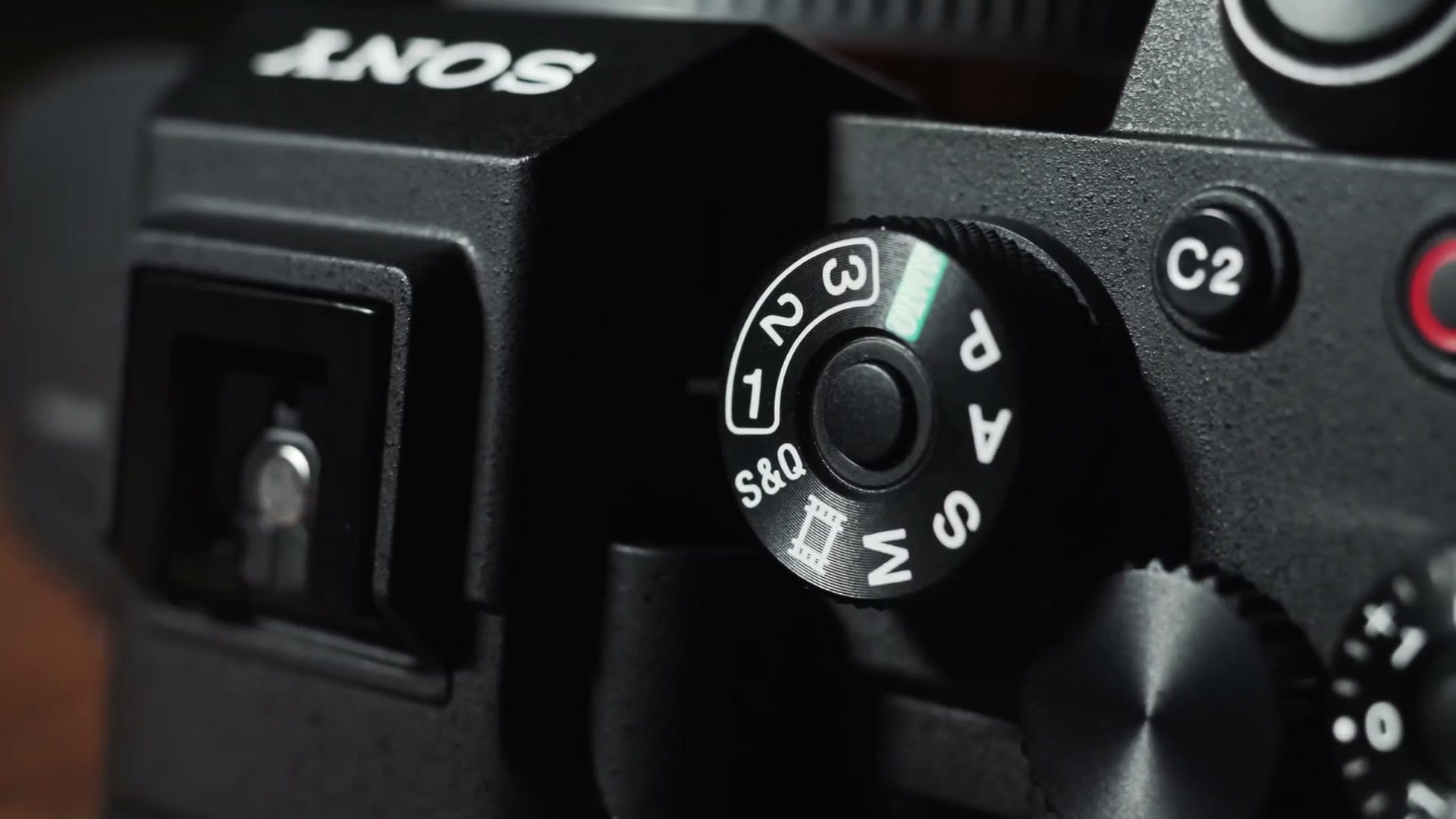
Two final things about the build, and they’re both on top. First, I was pleasantly surprised the a7S III now has a mode dial with three custom presets on it. If you’ve watched my camera setup video for the a7S II from a few years back, I had my mode dial set up as presets for the frame rates I shoot at, namely 24 and 60. With the a7S III I’m planning on setting my presets to 24, 60 and now 120 frames per second, so I can nearly instantly change between them. I did end up making that full fast filmmaking setup video, so go watch that if this is the part you actually came for.
Second, Sony has yet again moved the video record button. On the a7S I and II it was an awful afterthought button on the side of the camera that I immediately reprogrammed to a custom button. The a7 III moved it to a much more comfortable thumb friendly position, and now that everyone who has ever shot with a Sony camera has their muscle memory set to press that button to record, they moved it to the top of the camera. Good news is you can still reprogram C1 to be the record button, or you can do what I’ve done and set the shutter button to record, because I ain’t taking photos with this thing. Who takes photos with the a7S III?
Revolutionary New Menus
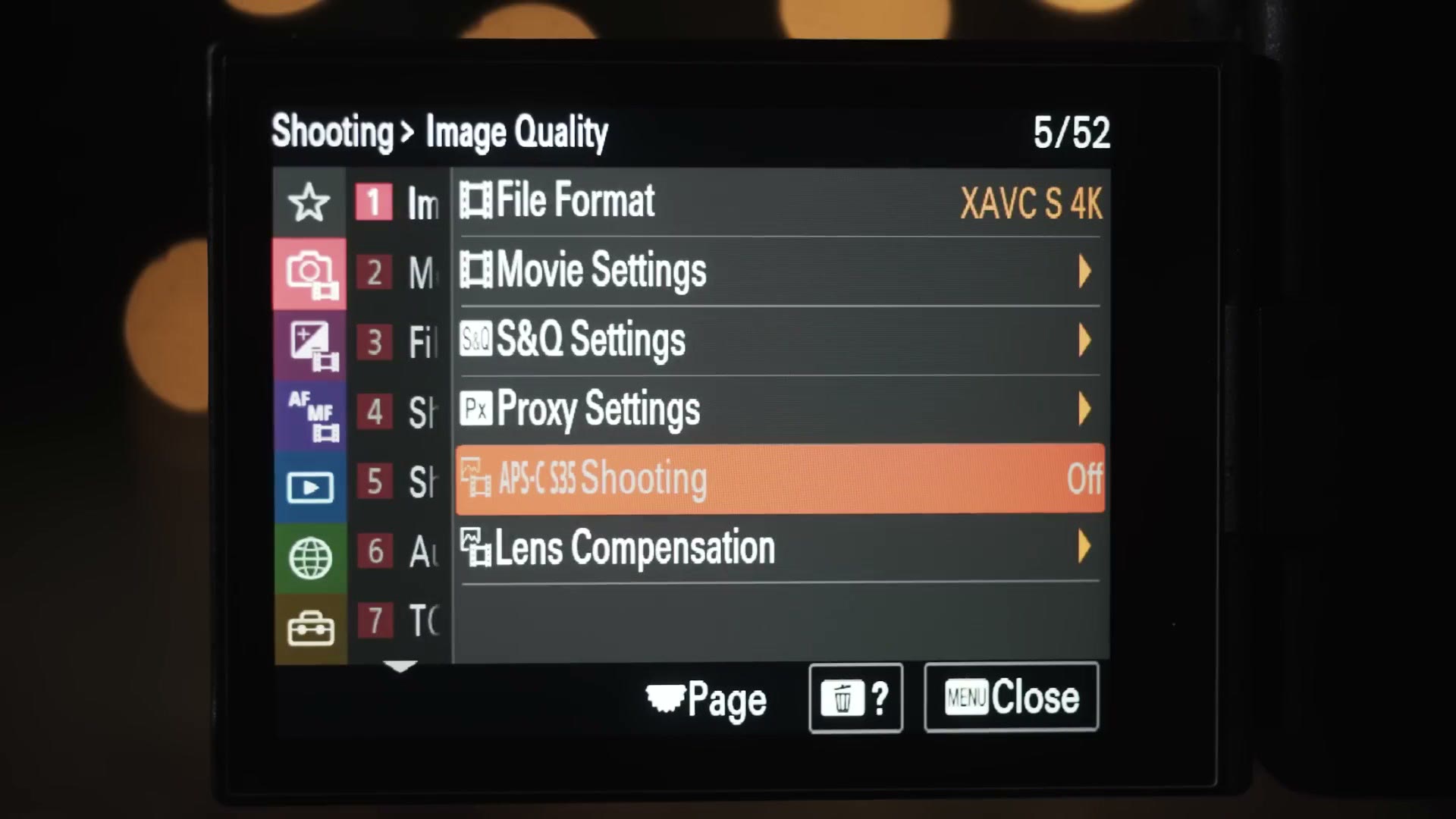
For many years now one of the biggest complaints Sony has received is the convoluted menu system. It took me quite a while to learn the menus on my a7S II, and even today if you ask me where a setting is, it’s easier for me to get there by muscle memory than to tell you which page it’s on.
That said, just like the build quality, every generation Sony has made slow improvements. Even on the a7S II, the custom buttons and function menu kept me from needing to dive deep into the menu on a wedding day. With the a7 III, Sony introduced a custom menu you could program with settings you can’t reach from the function menu or custom buttons. That works well once you get it set up, but the setup process itself is daunting, which leaves a lot of filmmakers with a camera that is very powerful and very intimidating.
Thankfully someone at Sony realized they needed to completely revamp the menus with usability in mind, and the a7S III is the first Sony camera with the new one.
The Biggest Menu Change (Not What You Think)
If I handed you the camera and asked what the biggest menu change was, you’d probably say the colors. Red, green, purple, blue. We’ve got all the Teenage Mutant Ninja Turtles in here, and we almost have all of the original Power Rangers. But hold on, because those colors are not the biggest change.
The biggest change is that Sony has taken a page from Panasonic, and the a7S III only shows you the settings available for the mode your camera is in. If you don’t see why that’s huge, let me explain. One of the biggest issues people have with Sony menus is that there are just so many options and no way to tell at a glance whether an option even applies to video or if it’s photo only. Fellow Sony users, tell me how many times you’ve gone looking for your frame rate settings and gotten caught up in flash settings, going I know it’s one of these over here, under the toolbox I think. It’s crazy.
That won’t happen any longer. Switch the camera to video mode and all the photo settings are no longer visible. You only see what you need, and that makes setting the camera up for filmmaking much easier. Are there still a ton of settings even with the photo ones gone? Of course there are. But all the customization from previous Sony cameras is still here, which makes everything easier overall.
There’s also a helpful explainer feature now, where hitting the trashcan button on most menu settings pops up a window telling you what the setting does. Some of these are more clear than others, but it makes learning the camera easier, so that’s a win.
Never Miss A Shot With This Feature
Digging deeper, you may notice a setting called Emph disp dur REC. No, that isn’t an alien language. Let me tell you why it matters.
Tell me if this has ever happened to you. I was filming a wedding reception, everyone was dancing, and I brought the camera up, hit record, filmed a great shot, brought the camera down and stopped recording. Or at least I thought I did. In reality I hadn’t pressed stop, so I was now filming the ground. That’s not the bad news. The bad news is that when I brought the camera back up to film another shot and pressed record, I was actually stopping the recording. I have missed moments because I thought the camera was recording when it wasn’t.
Emphasize display during recording can prevent that. Press record and the entire screen gets a nice red border around it, so you can tell at a glance that you’re rolling. You don’t have to hunt for some tiny recording icon. The camera is now screaming at you, I’m recording! I love that.
APS-C Crop Mode And Workarounds
Now there is something I don’t love about the a7S III. What? Matt doesn’t love every single thing about this camera? I’m sorry, it doesn’t make tacos. If it made tacos it’d be the perfect camera, but there’s no tortilla press here that I’m seeing.
Aside from not making tacos, the a7S III is also not capable of using an APS-C crop mode when recording in 4K. While it’s a full frame camera, it is only a 12 megapixel camera, which means it has essentially just enough pixels to record 4K at 3840 by 2160 in full frame. That’s why the image quality is so good, because the camera isn’t pixel binning or throwing away pixels, but it also means it can’t crop in on the sensor and still record 4K. There isn’t enough pixels, Captain.
What that means for you is that if you want to use lenses made for APS-C sized sensors on the a7S III, like the Sigma 18-35mm that people love, you’re going to get a ton of vignetting on the sides of the image. You may notice there is an APS-C crop option in the camera settings, but spoiler, that crop only works when recording in 1080p, which is a bummer because you’re probably buying this camera to record 4K.
Sony does include a feature called Clear Image Zoom that lets you zoom your video by 1.5 times, which happens to be just enough to remove that vignette with an APS-C lens. But please be aware this is more of a band-aid than a true fix. The camera won’t remember the zoom level when you turn it off and back on, so you’ll have to zoom in again. It’s a pain, and I would only use it as a workaround if you absolutely have to.
Here’s the key takeaway. If you buy the a7S III, I would highly recommend investing in full frame lenses for it as well. Don’t skimp and think you can save some money on budget APS-C lenses and hope they’ll work well. You’re not gonna have a good time in 4K if you do that.
Change Color Temp While Recording (Finally)
Back to good things. There are two features of the a7S III that I absolutely love, and I made a whole separate video going in depth on both of them.
First, you can finally change your white balance while you’re recording. Panasonic users are already preparing to comment, we’ve had this forever. Well, it’s new to us Sony users, okay! You can change the preset or the Kelvin value, and as an added bonus there’s a Shockless White Balance feature, so instead of an instant jump from orange to blue you can set it to be a much more gradual transition. That is very useful if you’re filming a ceremony in a church where the lights at the front are a different temperature than the lights over the aisle. You can now adjust smoothly as you pan without needing to stop recording.
The other addition I love is that the a7S III is significantly more sharp when you magnify the image to check focus. On previous Sony cameras magnification was usable but a bit blurry. Now it’s crystal clear, which makes manual focusing a dream.
Autofocus Is So Good
Speaking of focus, we need to talk about autofocus, because as a staunch supporter of manual focus, this camera is starting to tempt me.
In my over a decade of filming weddings, I have never had a camera capable of good video autofocus. The first video camera I owned that supported autofocus was the Sony FS100, and it would hunt constantly and was unreliable. My a7S II only used a contrast based system, meaning that while it would work sometimes, I often found it focusing on the wrong thing. I even shot a wedding with the GH5, but we’re not going to talk about that camera’s autofocus, that just seems mean.
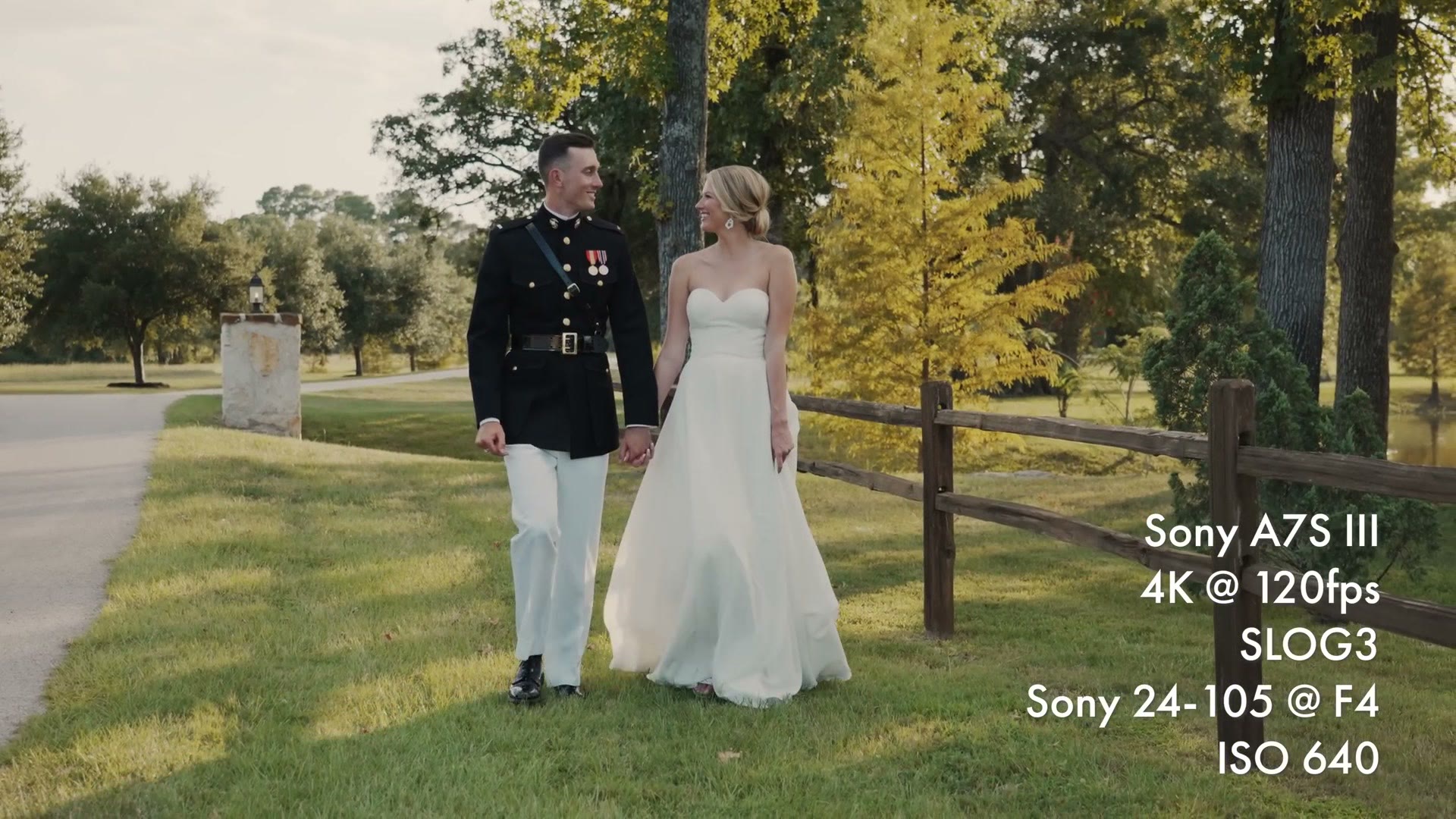
I tell you all this because when I shot my first wedding with the a7S III, my contact at Sony who loaned me the camera also loaned me a 24-105mm and a 24mm. Both supported autofocus, and having heard good things about Sony’s improvements, I was interested in trying it. Skeptical, but interested.
While Sony has supported face detect autofocus for many years, even back to my a7S II, the a7S III is only the second Sony camera ever to support eye detect autofocus while recording video, and it is a very impressive improvement. The autofocus is so good it’s almost like the camera is reading your mind. There are shots I got with this camera that I never would have gotten with manual focus.
Two examples. First, I was filming a group of groomsmen walking toward the camera with the 24-105. That is always an incredibly challenging shot in manual focus, and challenging for a lot of cameras that support autofocus too. There’s a moving subject heading toward the camera while the camera itself is panning sideways, and there is a group of seven faces with fourteen eyes the camera can choose from. Somehow the a7S III nailed it and focused perfectly on the groom without me telling it. I don’t know how. I really don’t.
Second, I was filming the couple walking toward me at 120 frames per second, and partway through I realized I wanted to shift my angle and get them from the side instead. So I stopped recording, ran around, and pressed record as I began to lift the camera up. Within a second the camera had found the bride’s eye, focused on her, and let me get the shot. Stunning. I know for a fact that if I’d been filming with my a7S II, I would have whipped that camera up, tried to find focus, and missed the moment, because it happened so quickly.
IBIS Improvements
Let’s talk about IBIS. Not irritable bowel syndrome, that’s IBS. IBIS. In-body image stabilization.
At first glance this doesn’t look like an area Sony has improved. When I first used the camera with my usual non-native manual focus lenses, the stabilization performed very similarly to my a7S II. Sony has done two really cool new things though.
The first is called active image stabilization, and whenever I first heard about it I was worried it was going to be some sort of gross electronic stabilization that warps and bends your footage. Thankfully I was wrong. Active image stabilization is actually a 1.1 times crop of the sensor, so the sensor has a bit more room to move and stabilize. It isn’t a huge jump in stability, but it does bring the a7S III closer to the competition. If you’re coming from Panasonic and you’ve never been impressed by Sony’s stabilization, give it a try. You may be surprised.
There is one con: the camera will not use active image stabilization at 120 frames per second. My theory is the camera already crops 1.1 times to record 120, so turning it on would crop even further and you’d lose too much resolution. The good news is that if you’re shooting 120 and slowing it down, it should look pretty stable anyway, because 120 frames per second slowed down is pretty slow.
The second improvement is gyroscopic data. Every movement, shake, turn and wiggle of the camera is recorded, and that data can be used to stabilize footage in post using Sony’s Catalyst software. The main con is that it competes with the camera’s own in-body stabilization, so if you apply gyroscopic stabilization to footage recorded with IBIS turned on, the footage can look worse. To get good results you need to turn IBIS off. But if the gyroscopic data fails you, you’re in trouble with a bunch of shaky footage. So if you’re filming a wedding, which is a one take event with no do-overs, I would just shoot with IBIS and use active image stabilization as necessary.
Battery Life At High Frame Rates
Whenever I use the words battery life, filmmakers who used earlier Sony cameras cringe a little, and filmmakers who use newer Sony cameras smile and say it’s great.
Every Sony camera from the a6400 back took the rather small NP-FW50 battery. With my a7S II I could expect about one hour of battery life at best when recording 4K. That was a big sticking point for a lot of filmmakers considering switching to Sony, because all of Sony’s competition were selling cameras that would get you through an entire wedding day on a few batteries, while Sony required you to almost buy them in bulk. And they weren’t cheap either.
Then Sony introduced the NP-FZ100 with the a7R III, and that Z battery improved battery life by over 2.5 times. The a7S III uses the Z battery, which sounds great, but I was actually a little apprehensive. Up until now, Sony cameras have all been recording a maximum of 4K at 30 frames per second, and Sony has had five years to make that as power efficient as possible. Suddenly you’re looking at 4K at up to 120 frames per second at much higher bit rates, which is going to require more power. I was nervous the Z battery might not be up to it.
My fears were unfounded. The a7S III has fantastic battery life, even if you’re spending a lot of time at high resolutions and high frame rates. For comparison, with my a7S II I could expect to go through four to five batteries on a wedding day. With the a7S III, when I filmed an entire wedding all in 4K at a mix of frame rates, I used two batteries. Two. Caveat: this wedding didn’t have a ton of dancing, because pandemic, but had I filmed more dancing even at higher frame rates, I’d have expected to use 25 to 50 percent of a third.
In short, you do not need to go out and buy a ton of batteries to shoot a wedding with this camera. I think you’ll be fine with three.
Low Light Performance
Over the years I’ve filmed many weddings with the a7S II and pushed its low light capabilities to the extreme in moonlight, torchlight and various other dark conditions, and through it all it has been phenomenal. My go-to ISO on that camera was 16,000 for dancing, and I filmed comfortably up to ISO 32,000. Anything higher required de-noising in post, but I filmed in moonlight at ISO 64,000 when I absolutely needed to.
That capability has been invaluable to me. In fact this is what kept me from switching to the GH5 back in 2017. I enjoyed so many aspects of that camera, but its inability to go above ISO 1,600 or so without a lot of noise made me not want to film a wedding with it. I can already hear GH5 filmmakers furiously typing, lights, Matt, use lights. I love lights. I bring lights to every wedding. But there will be weddings where you don’t have full control of the lighting, and having a camera that still works in those conditions is incredibly important.
Now, the S in a7S has always stood for sensitivity. With the a7S III, Sony has said the S now stands for Supreme, as in superior to all others. So does it still have a sensitive side? I’m happy to tell you this camera is still quite sensitive, and you will see it crying every time a Hallmark movie is on.
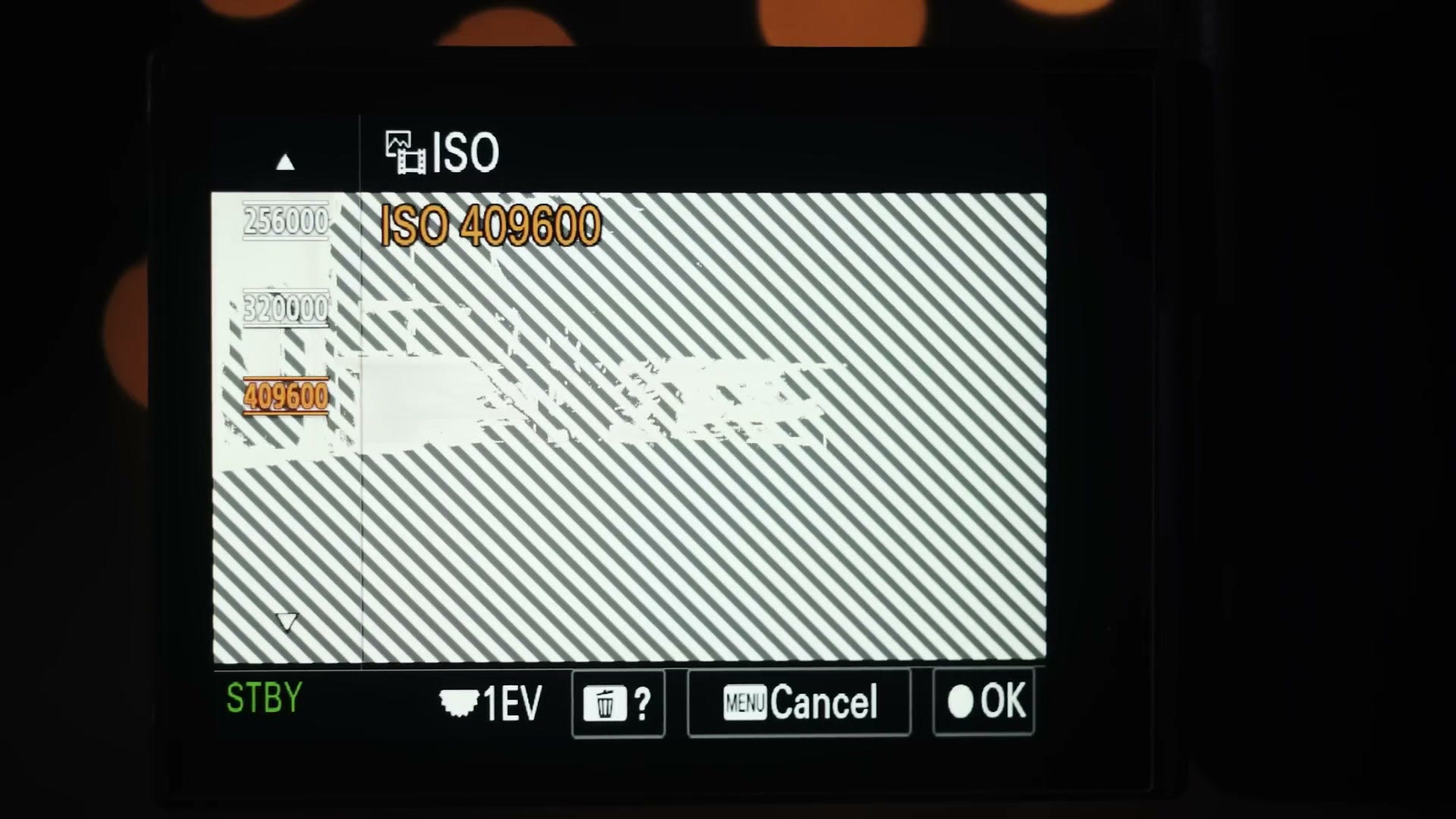
Jokes aside, the a7S II held the low light crown for mirrorless for five years, and the a7S III is the new low light king. Hearing me say that, you may be confused, because the a7S III has the same maximum ISO of 409,600 as the a7S II. How can it be better if the number didn’t go up?
Two improvements and one weird quirk. First, while it has the same max ISO, the a7S III has less noise at higher ISOs. Going up to 32,000 the two cameras are quite similar, but once you break 32,000 the a7S III stays usable all the way up to 102,400. Let’s be real, are you ever actually going to use ISO 102,400? Well, I went to 64,000 on the a7S II, and if I can have that ISO but cleaner, I’ll take it.
The second improvement is the one I’m significantly more excited about, because you’re going to appreciate it every single time you film a wedding. In my experience with the a7S II and a7 III, both cameras performed their best in regards to noise when recording 4K at up to 30 frames per second. 1080p at 60 was fine too. But once you switched those cameras to 1080p at 120 frames per second, low light performance got significantly worse. High frame rate plus high ISO was a recipe for noise, which led to me avoiding filming basically anything at 120 in low light and sticking to 60 instead.
The a7S III does not have this issue. Two examples. I filmed a couple cutting their cake in a dimly lit reception hall using the 24-105 at a maximum aperture of only f/4, at 60 frames per second, at a 1/125 shutter, in SLOG3, which requires you to overexpose some if you don’t want noise in your shadows. That is arguably not the best lens or frame rate or picture profile for the situation, so to compensate I cranked it to ISO 40,000. And wouldn’t you know it, no noise. The image still looked fantastic and was easily usable. Mind blown.
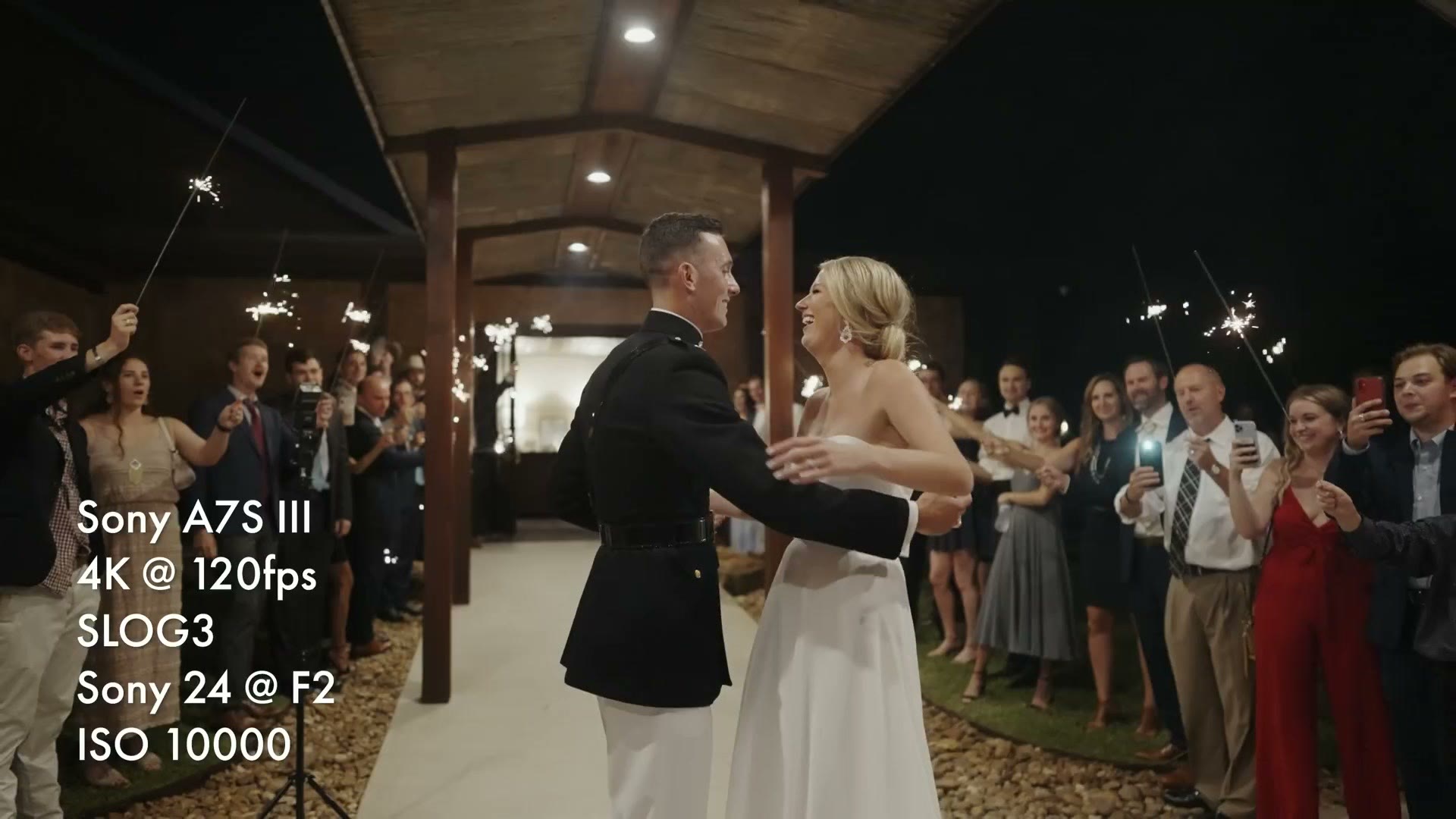
Second, I filmed the couple’s exit. There were sparklers and overhead lighting so it was brighter than the reception hall, but it was still hours after sundown. Better lens choice this time, a 24mm at f/2, but I pushed the camera harder and went for 4K at 120 frames per second with a 1/250 shutter, which required ISO 10,000 to properly expose in SLOG3. That is a shot that would have looked gross from noise on my a7S II, and the a7S III handled it beautifully.
Dual Gain ISO Quirks
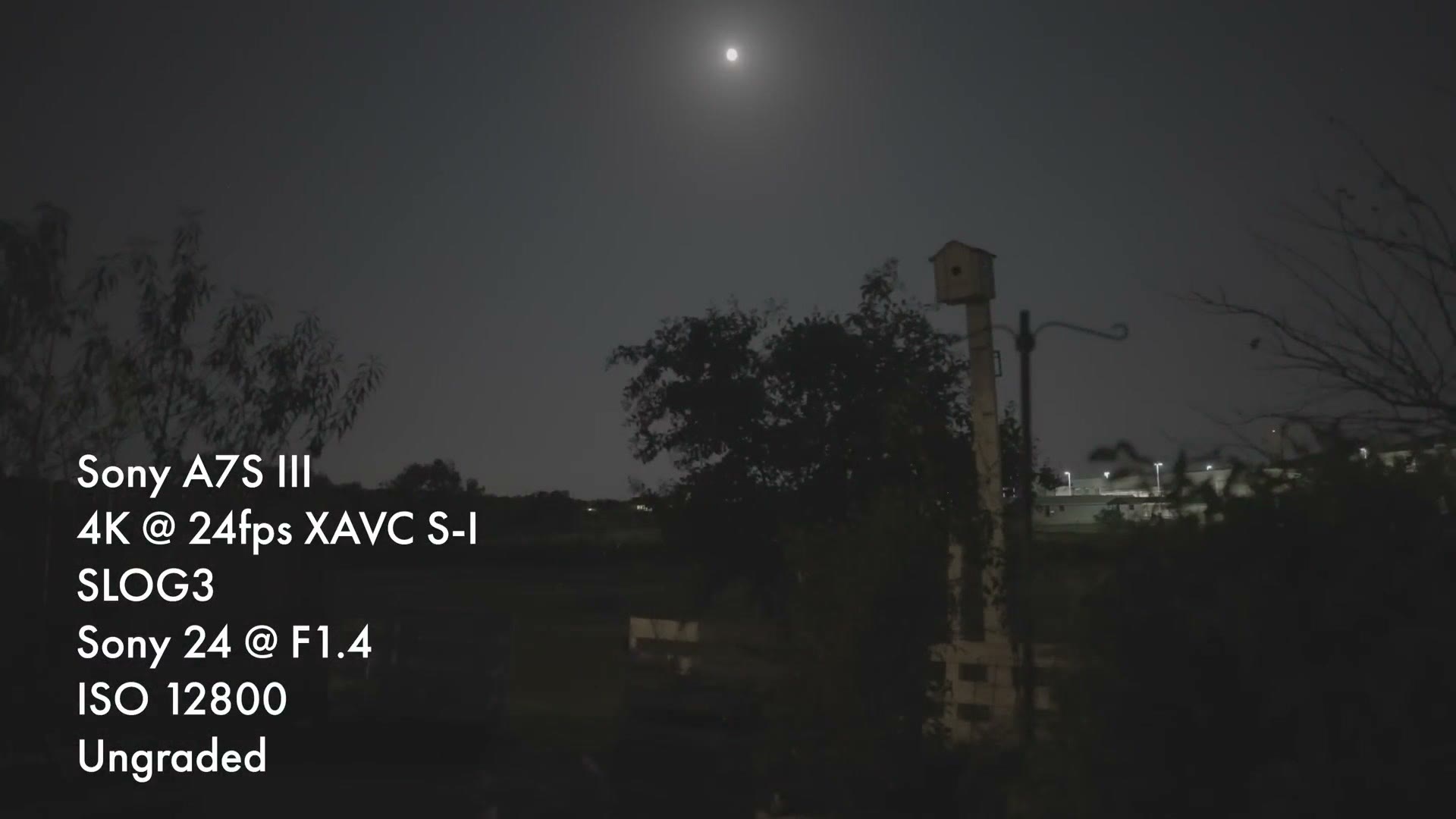
Now, a confession. Look at that exit shot ungraded and you can see noise up in the shadows. What happened there? Matt, you said this camera wasn’t noisy, you’re a liar. Well, here’s where I actually screwed up while filming, and this is also the weird quirk we need to talk about.
The a7S III’s sensor is what’s known as a dual gain ISO sensor. In simple terms, most cameras without dual ISO, say my a7S II or the GH5, give you a very clean image at low ISO, and once you start raising it they get noisier and noisier until the image is basically unusable. With a dual ISO camera, the camera is still clean at low ISOs, but as you raise it you’ll see it get noisy much more quickly. ISO 3,200, then 6,400, then 8,000, noise increasing. 10,000 is quite noisy. But switch to 12,800 and bang, it’s super clean and the noise disappears. That’s the dual ISO at work, and on the a7S III that switch is at ISO 12,800 when you’re recording SLOG3.
Bring that back to the exit. I filmed it at ISO 10,000, which we have just established is the noisiest ISO you can shoot at before the camera flips over to the much cleaner 12,800. Why did I do that? I could tell you it was a cinematic choice and I wanted some natural looking film grain, but in reality I just forgot. Brand new camera, I’m thinking about white balance, I’ve got it on a gimbal, autofocus, so many things running through my mind. Here’s the funny part: at the very end of the exit, as the couple were saying bye to their family, I realized what I’d done and switched to 12,800 right there. The ISO is higher, and the image is much cleaner.
So what do we learn? I’d generally try to avoid shooting between ISO 6,400 and 10,000 in SLOG3 and skip straight to 12,800 if you want the least noisy image. As a counter-argument, though, as long as you properly expose SLOG3 like I did and you have room to bring your shadows down and hide the noise, add a little YouTube compression over the top and you may start seeing comments saying that exit footage looks so clean. When in reality you know you shot at the wrong ISO, and nobody else does. So maybe don’t worry about it.
Image Quality: Why 10-Bit Is Awesome
Time to get into what you really want to know. Let’s start with color bit depth, and let’s get nerdy.
All Sony mirrorless cameras, the a7S II, a7 III, a7R IV, a6400, a6600, literally all of them, like twenty cameras, record video in 8-bit color. One of the biggest new features of the a7S III, and one of the most begged for, is that this is the first Sony mirrorless camera able to record in 10-bit.
What is 10-bit? In summary it’s how many colors your camera can record. Cameras record video in red, green and blue and mix those together. Older Sony cameras recording 8-bit capture 256 shades of red, 256 of green and 256 of blue, which gives you 16.7 million color combinations. Doesn’t sound bad, right? The a7S III recording 10-bit captures 1,024 shades of each, which gives you 1.07 billion. Not a bad jump.
What that means for you is that your colors are going to look better, because the camera is literally recording more information. Subtle changes in color and finer gradients will be visible. It also means you have far more flexibility to adjust and grade your video before it starts to break down, and for wedding filmmakers especially that is a big deal. Unlike a commercial or a film shoot where you have full control over your lighting, you are filming a wedding where you have very little control and have to work with what you’re given. Gross orange lighting shining in from everywhere, figure out how to make it look good. DJ’s lights looking a little too green? Tough, make it work.
I’ve made great looking films with the a7S II in 8-bit, but there were many times while color correcting where I wished I had just a bit more flexibility, a bit more room to push the colors harder. With the a7S III and 10-bit, that’s finally possible.
Dynamic Range In The Real World
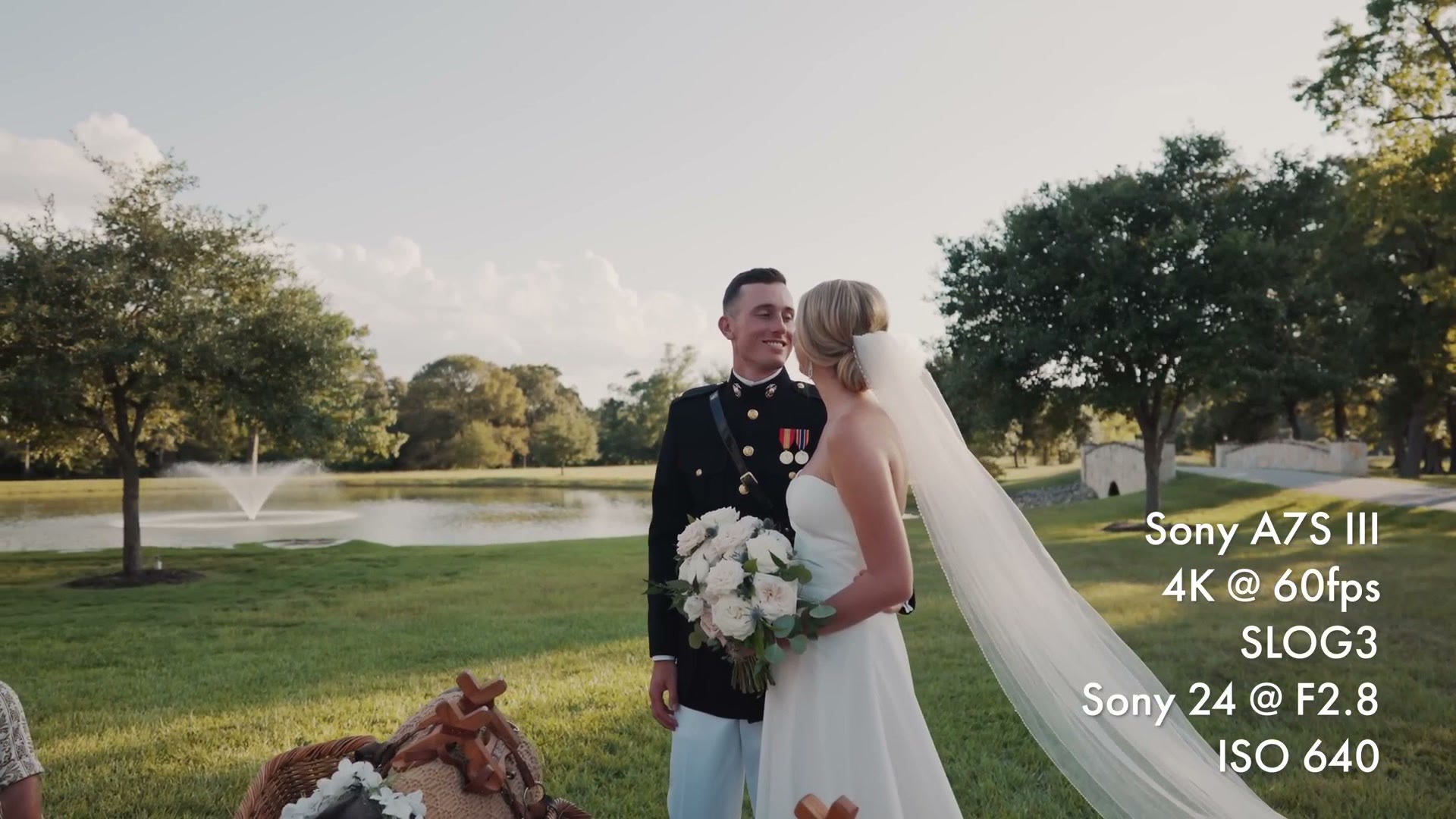
Sony claims the new sensor has much more dynamic range than their previous mirrorless cameras, specifically up to 15 stops, which is very good. But what do those stops actually mean for you as a wedding filmmaker? Can you film in a dark room and still expose for the brightly lit window outside? Spoiler, yes.
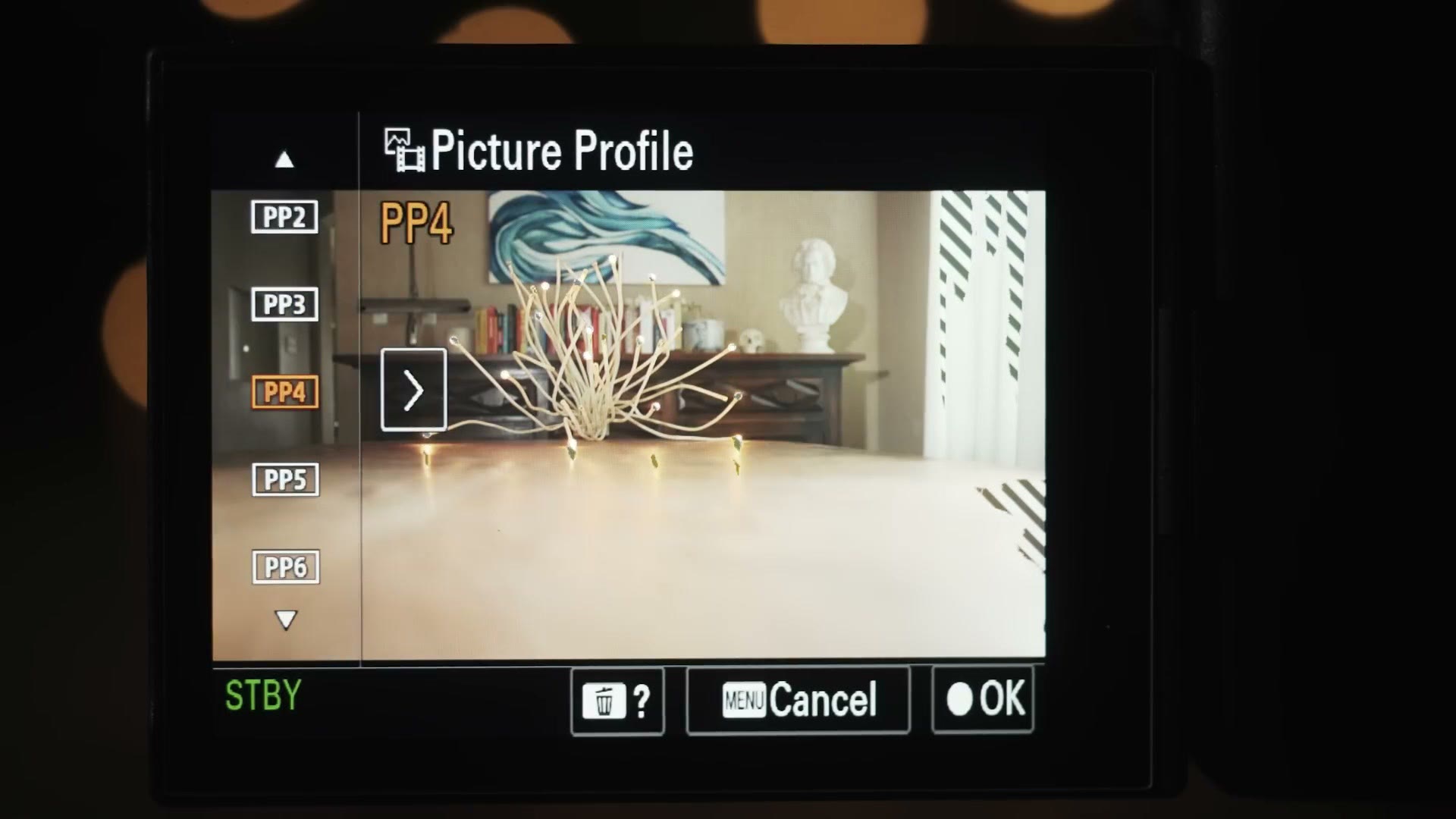
And that leads to the thing I really want to tell you. As I said, you’re getting a lot more color information whenever you film in 10-bit, but that is not actually the main thing that excites me about it. The really exciting part is that 10-bit finally lets you record properly in the SLOG picture profiles.
Sony has always given us plenty of picture profiles. Cine4, Movie, SLOG, a ton of options for how your colors and highlights and shadows come out of the camera. The problem is that all the previous cameras only recorded 8-bit, so if you chose one of the very flat profiles like SLOG to maximize dynamic range, the camera wasn’t recording enough color data for parts of the image, and you’d get color banding. Literal bands of color on anything with a subtle gradient, like a blue sky, a colorful wall, even skin tones. Because of that banding, I never recommended filming SLOG on the a7S II or a7 III. It was too compromised a picture profile.
Not only has Sony put a new sensor in this camera with more dynamic range, the camera is also recording 10-bit, meaning it is finally feasible to record SLOG without color banding, which means you can finally maximize the dynamic range you’re recording with. I do not want you to underestimate how big a deal this is. 10-bit unlocks SLOG, which unlocks more dynamic range, which gives you a more cinematic image. Pair that with easier to grade 10-bit footage, throw in that the a7S III can now record SLOG3 at ISOs all the way down to 160, and it makes for an amazing combination.
Are you starting to grasp why I love this camera? Are you starting to understand why I pre-ordered more than one?
One last thing on 10-bit: the a7S III gives you the ability to record 10-bit in every single frame rate and resolution it’s capable of. Contrast that with the Panasonic GH5 or S1, which can only do 10-bit in 4K at up to 30 frames per second. Switch to 4K 60 and they drop to 8-bit. With the a7S III you don’t have to choose between color depth and frame rate. This camera gives you both.
Why Sony Took So Long To Give Us 4K60
All previous Sony mirrorless cameras were only capable of recording 4K at up to 30 frames per second. My a7S II was one of the first that could do it, and then year after year Sony kept releasing cameras with that same maximum. We saw better autofocus and dramatically better battery life, but it’s like development on frame rates and resolution stalled for five years.
I’m not saying Sony wasn’t working on it. My theory is that they were waiting on one thing before they could roll out a huge change, and that thing is overheating. Many Sony cameras struggled with overheating even at 4K 30. a6300 and a6500 owners, comment below if it’s true that if you even looked at your camera weird while it was recording 4K it would probably overheat. Sony clearly pushed these bodies to the limit of what they could do at that size, and it has taken five years of improvements to sensor design, processors and heat sinks to get them ready to push past 4K 30. If they’d done it earlier the camera may just have burst into flames as soon as you started recording. And then you’d have something like the R5. Is that too soon to make that joke?
Look at the competition. I’ve been saying for several years that filmmakers want three simple things: a mirrorless camera that records 4K, at 60 frames per second, in full frame. Panasonic released the GH5 in 2017 and it does 4K60, but on a micro four thirds sensor two times smaller than full frame. Canon released the EOS R in 2018, full frame, but only 4K30 with a 1.8 times crop. Around the same time Nikon released the full frame Z6, 4K but only 30. Then Panasonic released the S1 in 2019, their first full frame, and it was so close: 4K, 60 frames per second, 1.5 times crop. Surely the S1H, which costs significantly more and is more video focused, would get the trifecta? No. 4K, 60fps, 1.5 times crop.
It’s almost like these three things are hard to do in a compact camera body or something. History lesson over.
It’s 2020. I think we can all agree this year has been pretty much an unmitigated disaster, but could this be the year we finally see 4K60 in full frame? Yes, actually. We got three. Canon fired the first shot, coming out of nowhere with the R5, touting 8K raw and 4K at up to 120. No compromises. One compromise: it overheats, badly. I bought one and tested it, and my conclusion was that the camera is too unreliable for professional filmmakers to use. At the same time Canon announced the R6, which from the reports I’ve seen overheats worse than the R5. I would not trust either of these to film a wedding in 4K.
Last chance. After five long years, Sony announces the a7S III, a camera that not only records 4K at 60 frames per second in full frame but goes above and beyond to give you 4K at up to 120, albeit with a 1.1 times crop. And in a move much less like Canon and more like Panasonic, it does not overheat, at least not in any typical wedding filmmaking scenario. I made a whole video testing it across B-roll and a wedding ceremony, and my conclusion is that as long as you don’t film your ceremonies in 4K at 120, you should never have to deal with overheating on a wedding day.
One more thing on frame rates: this camera also records 1080p at up to 240 frames per second. For context, I have filmed weddings with the Sony FS700, a camera that cost eight thousand dollars when it came out and whose main claim to fame was 1080p at 240. Sony is now giving us that in a thirty five hundred dollar camera. That is awesome, and I am so excited to film more at this frame rate.
Bit Rates (Hold Onto Your Beard)
Didn’t we just talk about this? No. We talked about bit depth, which is color. Bit rate is how much data is being written to your memory card.
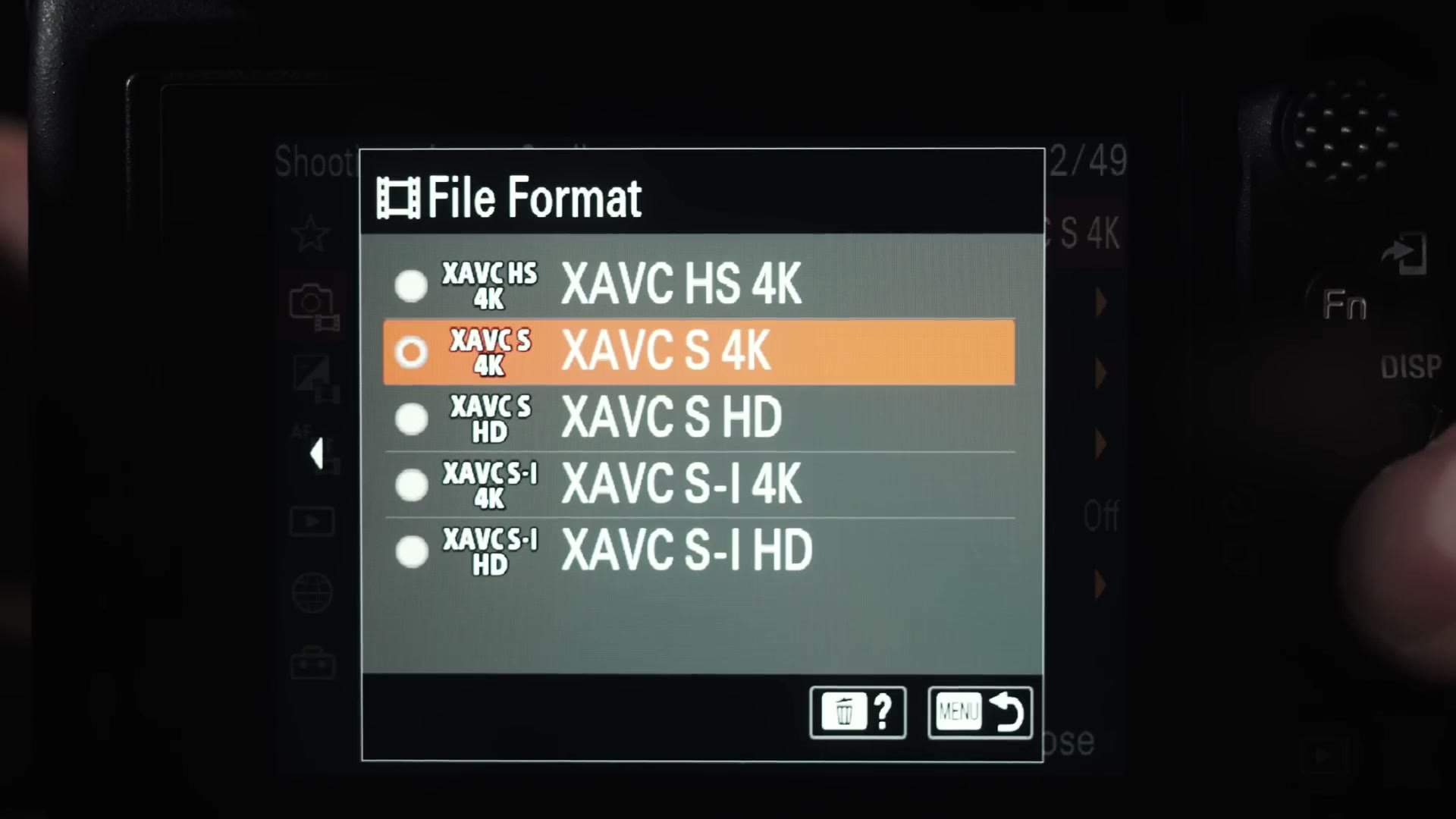
Just like the frame rate ceiling, every previous Sony camera also recorded 4K at a maximum of 100 megabits per second. Does the a7S III buck the trend? Hold onto your beard. Sony has given you three video formats that record across a wide variety of bit rates.
First is the same XAVC S codec using H.264 that was in previous Sony cameras. At 4K up to 24 frames per second it is still 100 megabits per second, and what’s really surprising is that this footage is also 10-bit. Sony has decided 100 megabits is still enough even with all that extra color data. Switch to 4K 60 and it goes up to 200, and 4K 120 is higher still at 280. If you have experience with previous Sony cameras, XAVC S is going to feel very familiar to edit with.
Second is XAVC HS, which uses H.265 compression instead of H.264. That’s a big deal because it means similar quality in half the file size. 10-bit 4K at 24 frames per second can be recorded at only 50 megabits per second. This codec is incredibly compressed, which gives you very small files considering the quality and resolution. Keep in mind that because it’s so compressed, it is not going to play back smoothly on most computers, so if you want to save card space and film in it, I’d highly recommend creating proxies.
Last is XAVC S-I, which is a much higher bit rate and much larger file size but gives you the maximum quality this camera can record internally. To explain why simply: video is a sequence of frames played back fast enough that your brain thinks something is moving. Scientists way smarter than me worked out that to compress video, the camera doesn’t need to record every single frame, it can just record what moves between frames. Imagine filming a wedding ceremony where everyone is standing still and the only person moving is the officiant. The camera only needs to record the officiant. That saves a ton of space and gives a great balance of quality to file size.
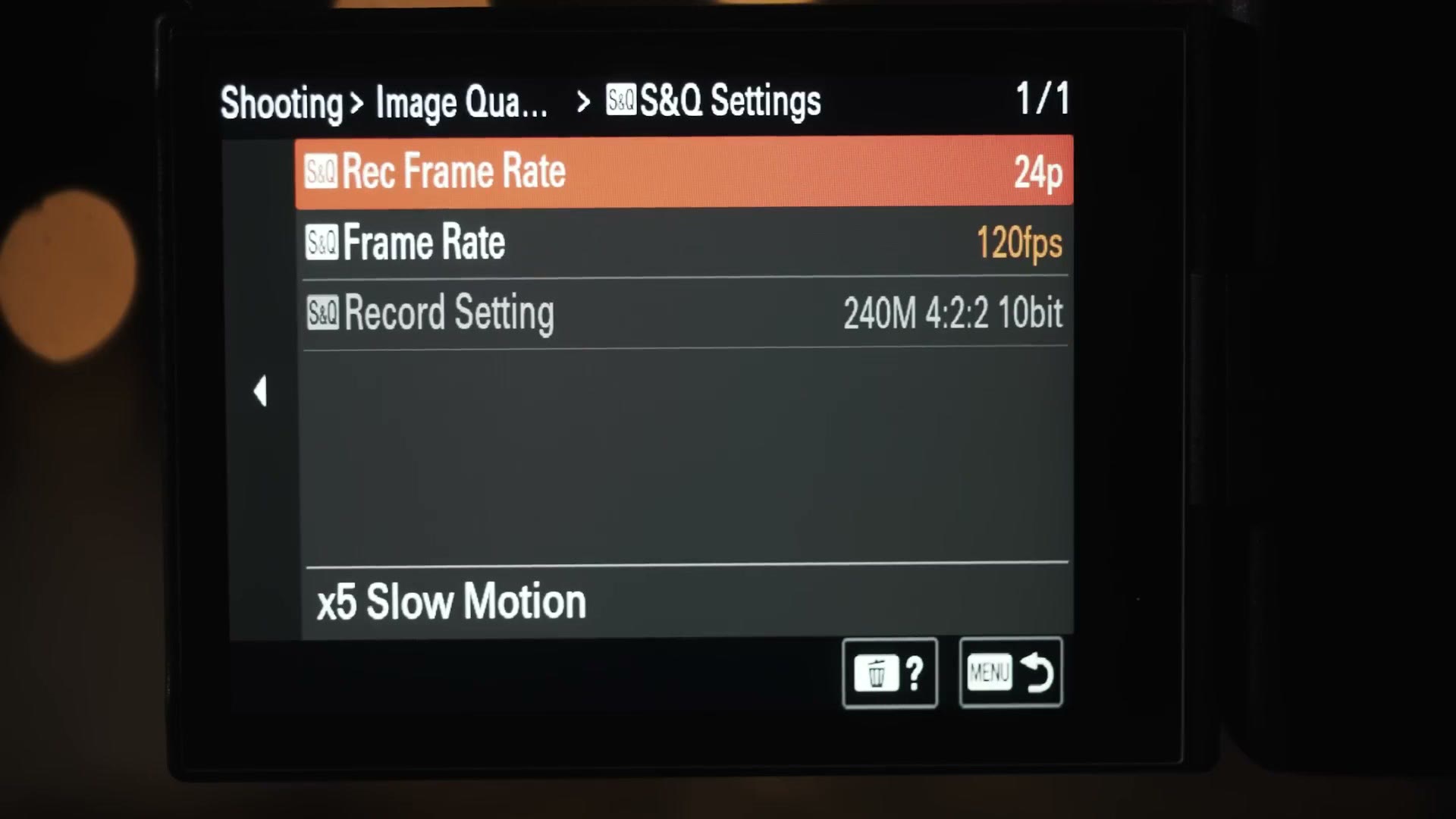
Whenever you tell the camera to record XAVC S-I, the camera says forget that, I’m recording every single frame regardless of how big the files get. So where 24fps in XAVC HS is 50 megabits per second and in XAVC S is 100, that same frame rate in XAVC S-I is 240. Crank the frame rates and 4K 60 is 600 megabits per second, and 4K 120 is 1,200. Your hard drives are going to be begging for mercy.
So what does all this mean for you as a wedding filmmaker? Should you go all out and film an entire wedding in XAVC S-I? My recommendation is to film in XAVC S in 10-bit 4:2:2, because that gives you a great balance between video quality and file size. If you want to go deeper, I’ve written more about which Sony video format settings to use and when not to use them.
Memory Cards And Dual Card Slots
All that footage needs to go somewhere. This camera has dual memory card slots that pull double duty, letting you use either SD cards or CFexpress Type A. Coming from an a7S II with a single SD slot, that is a very welcome upgrade.
With two slots you can either set the camera to auto switch media, meaning it records to one card and automatically continues onto the second when the first fills up, or you can set it to simultaneous record, which writes the same video to both cards at once so you have a backup if one fails. Which should you choose? If you’re filming a wedding, which is a one take event where you don’t get any do-overs, I would highly recommend simultaneous recording. I’m planning on using it for every wedding I film, and I’d highly recommend you spend the extra money on cards so you can do the same.
As for which cards to buy, I made a full memory card buyer’s guide for the a7S III, but here’s the summary. It is possible to film with every single frame rate, bit rate and resolution on this camera using V90 SD cards, except for exactly two: 4K at 120 frames per second in XAVC S-I, and 1080p at 240 frames per second, also in XAVC S-I. Everything else works on SD. So take a hard look at those two bit rates, and if you don’t see yourself filming in them often, you’ll probably be much better off saving your money and buying SD cards instead of CFexpress. Personally I’m planning on buying 256GB SD cards.
Do Wedding Filmmakers Need ProRes RAW?
The a7S III is also capable of recording ProRes RAW externally using an external recorder like the Atomos Ninja. Heads up: this link goes to the newer Atomos Shogun. I don’t own one and I have no way of testing it, but I’m planning on getting a recorder like that in the future to try out.
To remind you what I said earlier, I personally don’t prefer filming with an external monitor or recorder, because it adds significantly to the bulk of gear I have to carry around all day. For a wedding, I think the video quality of the a7S III internally is quite good, and really all that you feasibly need. But if you film more than weddings, corporate or commercial or narrative work, I could definitely see ProRes RAW being very useful to you with this camera.
Conclusion: Why The a7S III Was Worth The Wait
Considering all the specs and features and capabilities I’ve shared with you, it has been a long wait, much longer than me or arguably any filmmaker wanted. But I think it has been worth it. I believe the a7S III is the least compromised, most capable camera you can buy for wedding filmmaking today. Every single major critique and alteration I have ever hoped Sony would make to this camera has been made, and save for very few minor quibbles it is as close to perfection as you can get for wedding filmmaking.
Am I saying other cameras suck? Are the Panasonic S5, Canon C70, Fuji X-T4 and Blackmagic Pocket 6K all terrible now? No, not at all. We have so many good cameras available in 2020. But if we’re talking wedding filmmaking specifically, and you want a camera that covers every single need you could have in that scenario, the a7S III has it.
Do you want 4K at 60 frames per second? It will do that and more. Do you need good autofocus? This camera’s eye detect will read your mind and get you shots you never thought possible. Do you want a camera that will never overheat on a wedding day? This is it. Do you need great battery life? It has phenomenal battery life even at high frame rates. Do you need in-body stabilization? Well, that’s still an area that could use improvement, but Sony is clearly at least trying with active image stabilization and gyroscopic data. Do you need excellent dynamic range and 10-bit color so you can film in challenging mixed lighting? It’s finally here. Do you need the world’s best low light performance in a mirrorless camera for even the darkest reception? This camera will see better than your eyes can, and that’s at 120 frames per second.
Looking at the competition, the a7S III stands alone as the camera with the most usable features and the least compromises. Even compared to Sony’s other mirrorless cameras, it is a comprehensive upgrade of nearly every single feature. For me, as a wedding filmmaker, it’s no contest. My a7S II gave me five years of joy, and while I hope the a7S IV doesn’t take five more years to get here, I know I’m going to be very happy with the a7S III in the meantime.
Look, 2020 has been hard, but the cameras we’ve seen released this year have been a bright spot. With all the bad that has happened, I didn’t know if my heart could take it if Sony didn’t get this camera right. Thankfully, they knocked it out of the park.
Everything I Mentioned
The kit and the coverage:
- My Sony a7S III filmmaking kit
- Menu setup: fast filmmaking settings for the a7S III, which is the setup video I promised in this review
- The new a7S III features nobody is talking about
- Will the a7S III overheat filming a wedding?
- a7S III memory cards guide: CFexpress vs SD
- How to record 4K 120fps in XAVC S-I
- How to film in SLOG3 and my favorite picture profile for this camera
- How to use proxy files to edit fast in Premiere Pro
The cameras I compared it to:
- My a7S II five year review
- A wedding filmmaker’s review of the Panasonic GH5
- The Canon R5 from a Sony filmmaker’s perspective and whether it overheats filming a wedding
- The Canon R6
- The Sony FX6, which is this camera in a cinema body
My LUTs, my courses, and the rest:
- WhoisMatt LUTs for the a7S III, or the full LUT packs
- All my favorite wedding filmmaking gear
- Learn wedding filmmaking
- Join the discussion in my Facebook group
This entire review has been about filming weddings. If you film weddings, you probably want to book more couples and film more of them. To help with that I made a free guide that walks you through practical steps you can take right now in your business, and you can download it here.
This review is from October 2020, written after the first weddings I shot with the camera. The a7S III has had several firmware updates since, and the lineup around it has moved a long way, so read the comparisons as a snapshot of where things stood at launch rather than as current buying advice.
Sony loaned me a pre-release a7S III and did not pay for or sponsor this review. Some of the links above are affiliate links, and I’m required to tell you I take part in affiliate programs for Amazon, B&H, SoundStripe, ArtList, Musicbed, Google and Adobe.