
I want to answer one question: will the Canon R5 overheat if you use it to film a wedding?
If you’re a wedding videographer like me, you need to record B-roll in the morning, then a long continuous take like a ceremony, then even more B-roll through a whole reception. I’ve put this camera through a wide range of tests to tell you whether it can do that, and because I respect your time I’m going to spoil the conclusion right now.
Yes. Yes it will. It’s guaranteed to happen, and it will most likely happen within your first hour of filming on a wedding day. Once it overheats, you can expect the rest of the entire day to be limited to line skipped 4K at 30 frames per second, maximum. No 4K 60. No 4K 120. Definitely no 8K. Because the R5 cannot recover its ability to use those higher resolutions and frame rates as long as you keep using it.
Professional filmmakers should not rely on this camera. If you want to know how I got there, keep reading.
One important thing first. This is not paid or sponsored by Canon or anyone else in any way. I’m not one of the people who was sent this camera weeks ahead of time. I woke up early on July 9th and preordered it as soon as I could, it was delivered on launch day, July 30th, and I spent $3,900 of my own money on it plus way too much on memory cards. I want you to know nobody is paying me to skew these results in either direction.
Why Another Overheating Test
There are already a lot of R5 overheating tests out there. Here’s my issue with them. Most of them are somebody turning the camera on and recording nonstop until it dies. Outside in the sun until it overheats. Inside in air conditioning until it overheats. Often in 8K or 4K 60 or 4K 120 while doing it.
That’s great data. But those tests ignore half the ways most people actually shoot.
Most filmmakers I know shoot in two modes. First, long takes of people talking, 30 minutes or more, an interview or a conference speaker or a wedding ceremony. The existing tests come close to telling you how the camera behaves there, even though the filmmakers I know are shooting those in 4K at 24 frames per second. Not 60. Not 120. Definitely not 8K.
Second, and I’d argue this matters more, the camera has to be able to record short clips of B-roll over an extended period. The majority of my time on a wedding day is spent filming B-roll. Camera on, film for five to thirty seconds, camera off. And I’m in the menus switching frame rates constantly, because some shots want 4K 24 or 30, some want 4K 60, occasionally 4K 120, and sure, why not, maybe a detail shot or two in 8K. Canon has marketed this camera as capable of all of that.
Nobody had covered how the R5 handles the slow buildup of heat over a day of that. So I tested it.
How I Tested The Ceremony
A wedding ceremony happens in one of three environments: indoors in air conditioning, outdoors in direct sun, or outdoors in the shade. Out of the hundreds of weddings I’ve filmed, every single one has been in one of those three.
More good news: I live in Texas, one of the hottest states in America, and Canon for some reason chose to release the R5 in August, the hottest month of the year. Temperatures that week routinely averaged 98 degrees Fahrenheit, and I assure you the camera got a lot hotter than that.
Every ceremony test used the exact setup I’d use at a real wedding. The R5 on a 70-200mm, tripod mounted by the lens ring so the camera had free airflow around it. IBIS off, because you don’t need it on a locked off tripod shot. Autofocus off.
Here’s where I diverge from the other tests. I shot these at 24 frames per second, because the vast majority of wedding filmmakers I know shoot ceremonies at 24. I shot ALL-I in UHD rather than DCI, because that’s what most filmmakers I know use. Every test ran from a cold start, meaning I let the camera cool until it reported its maximum available recording time before beginning the next one. And I took routine readings with an infrared thermometer on the back of the camera directly behind the sensor, recording the maximum temperature it hit.
Filming A Wedding Ceremony
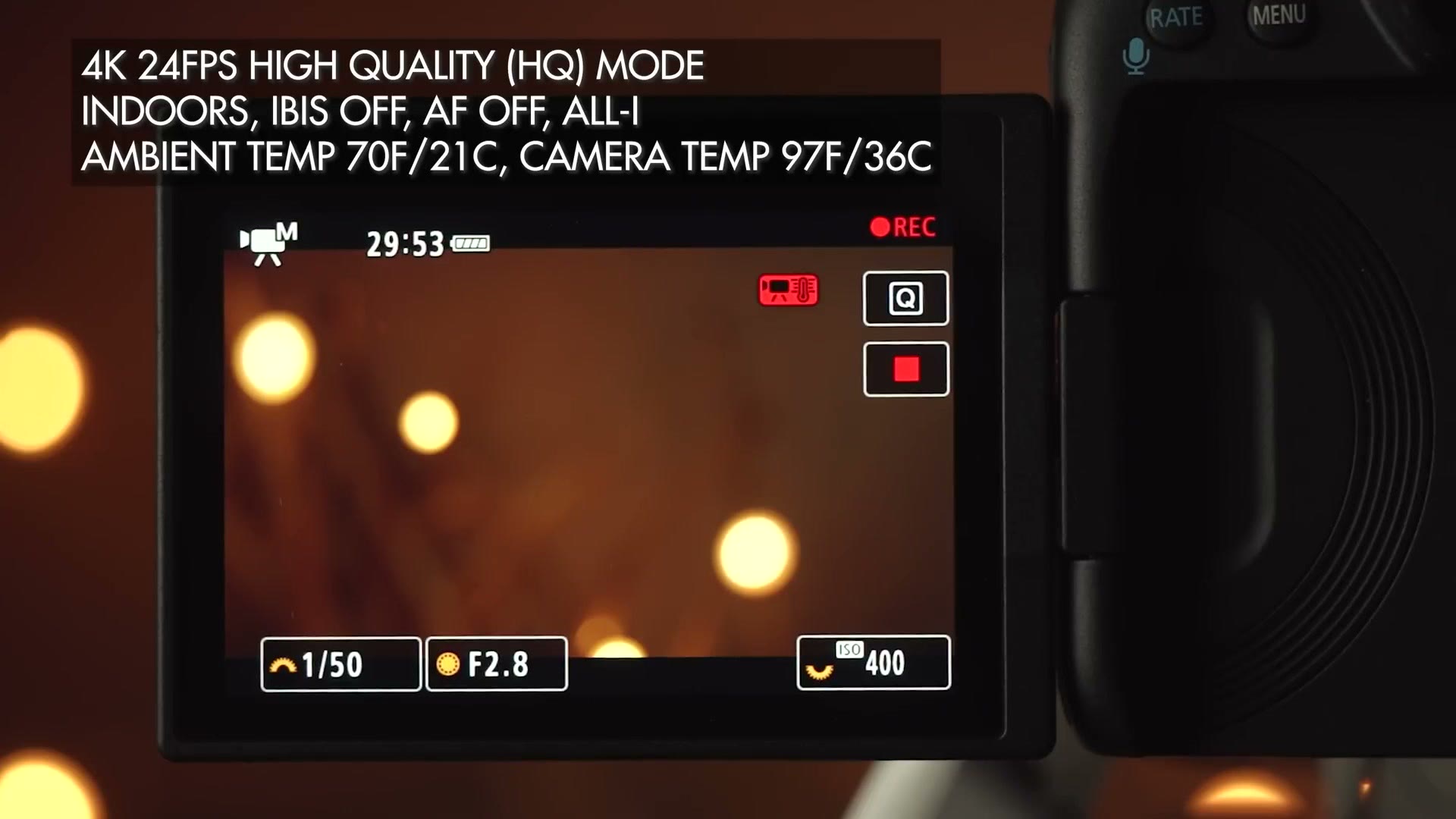
The indoor air conditioned result mirrored a lot of what I’d seen from other testers. 29 minutes before overheating in 4K HQ, the mode that’s oversampled from 8K.
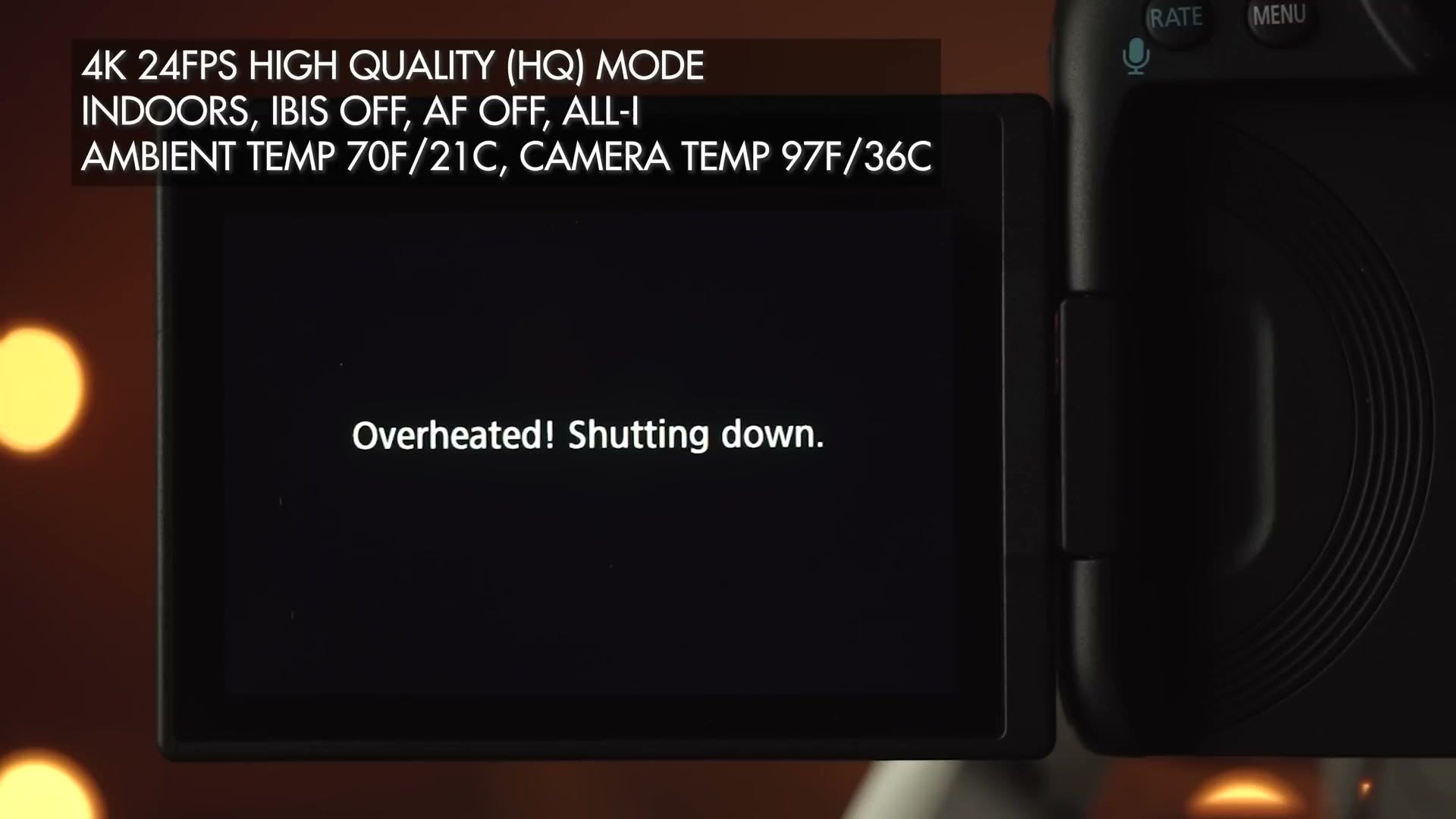
In 4K line skipped non-HQ, it then ran for two hours and 19 minutes before the battery died.
Moving outdoors to simulate a late afternoon shaded ceremony, the R5 ran a similar 27 minutes in 4K HQ, in 100 degree weather. Again it didn’t overheat at all in non-HQ, and ran an hour and 45 before the battery gave up.
Then harsh direct Texas sunlight. 28 minutes in 4K HQ with an ambient air temperature around the camera of 113 degrees Fahrenheit.
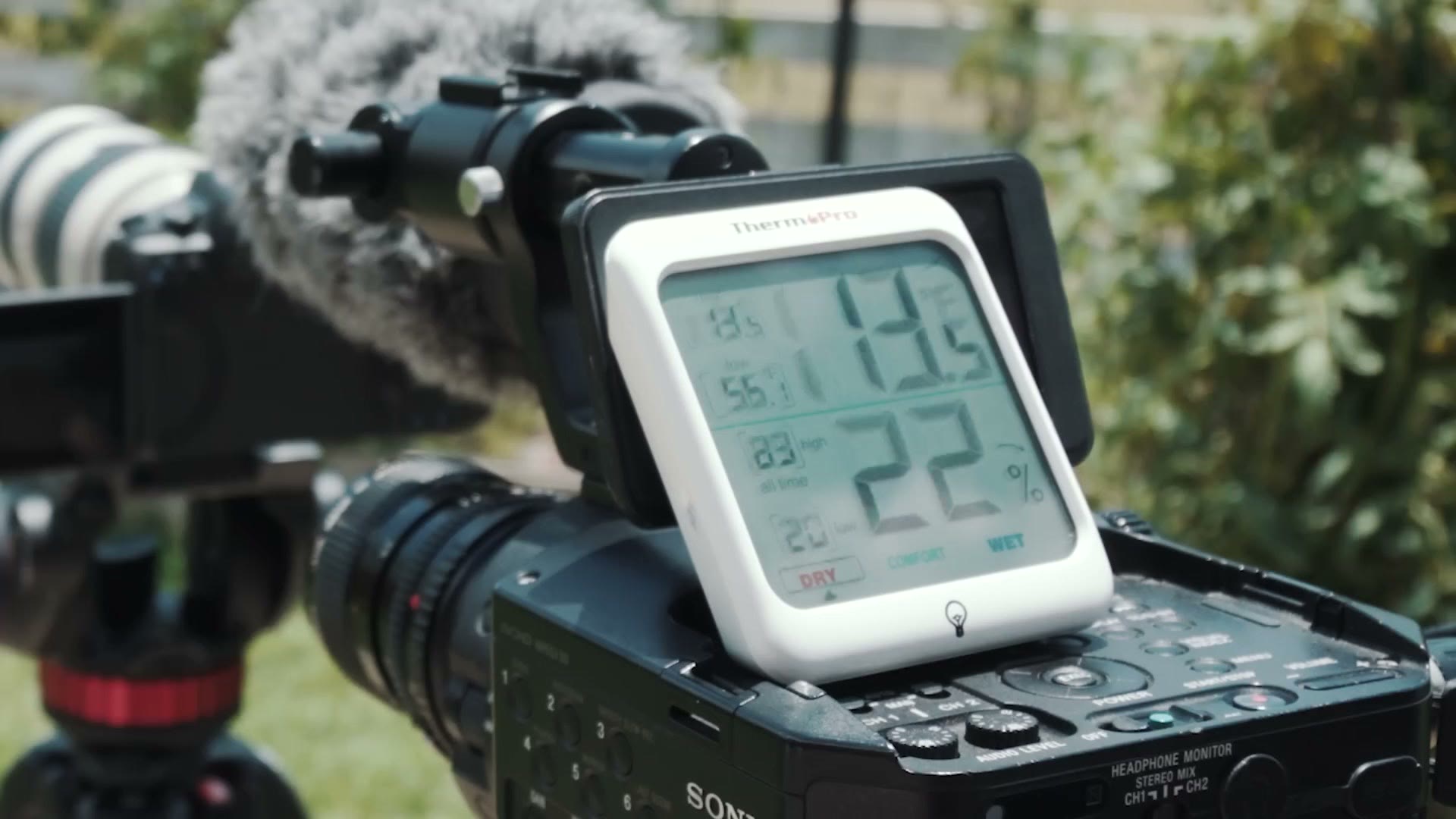
Trying to break it in even worse conditions, the R5 recorded in 4K 24 non-HQ for two hours and two minutes with an ambient temperature of 120 degrees and the back of the camera reading 144. Toward the end it did show me an overheating warning, but I was shocked it never actually stopped.
What does that mean? It’s curious, but it confirms what other reviewers have said. These results suggest the R5 doesn’t overheat from absorbing external heat like sunlight. It’s so well insulated that it overheats from its own sensor and processor cooking it from the inside.
Here’s the takeaway. Filming from a cold start in 4K HQ at 24 frames per second, expect 27 to 29 minutes, regardless of whether the ceremony is indoors or outdoors and regardless of temperature. Shoot the ceremony in 4K non-HQ at 24 instead and it will run until the battery does, indoors or out. You can record for virtually unlimited time as long as you stay in 4K non-HQ line skipped and don’t go above 30 frames per second.
Don’t Shoot A Ceremony In 8K
I know some of you are ready to furiously comment, Matt, the camera records 8K, can you shoot a ceremony in 8K? Don’t. I tried it indoors in air conditioning and it recorded for nearly 20 minutes and then overheated. It is not worth trying.
B-Roll Is Where It Falls Apart
Now the bad news, and this is where things get significantly worse.
Remember what I said at the start: most of my time filming a wedding is B-roll. A few hours of the couple getting ready, then up to an hour of ceremony, then straight back into B-roll for sometimes six hours or more of reception.
We’ve established the R5 overheats after 29 minutes of constant 4K 24 HQ. But what if you aren’t filming constantly? Unfortunately the R5 doesn’t only build heat from recording. It builds heat over time, and heat is generated every time you turn the camera on.
Turn it on for the first time on a wedding morning and you’ll see a number in the top left. In 4K HQ at 24 it says 25 minutes. That’s the camera’s estimate of how long you can record before it overheats.
While you’re here, take a look at BMPCC 6K: Blackmagic will give you what Canon won’t!.
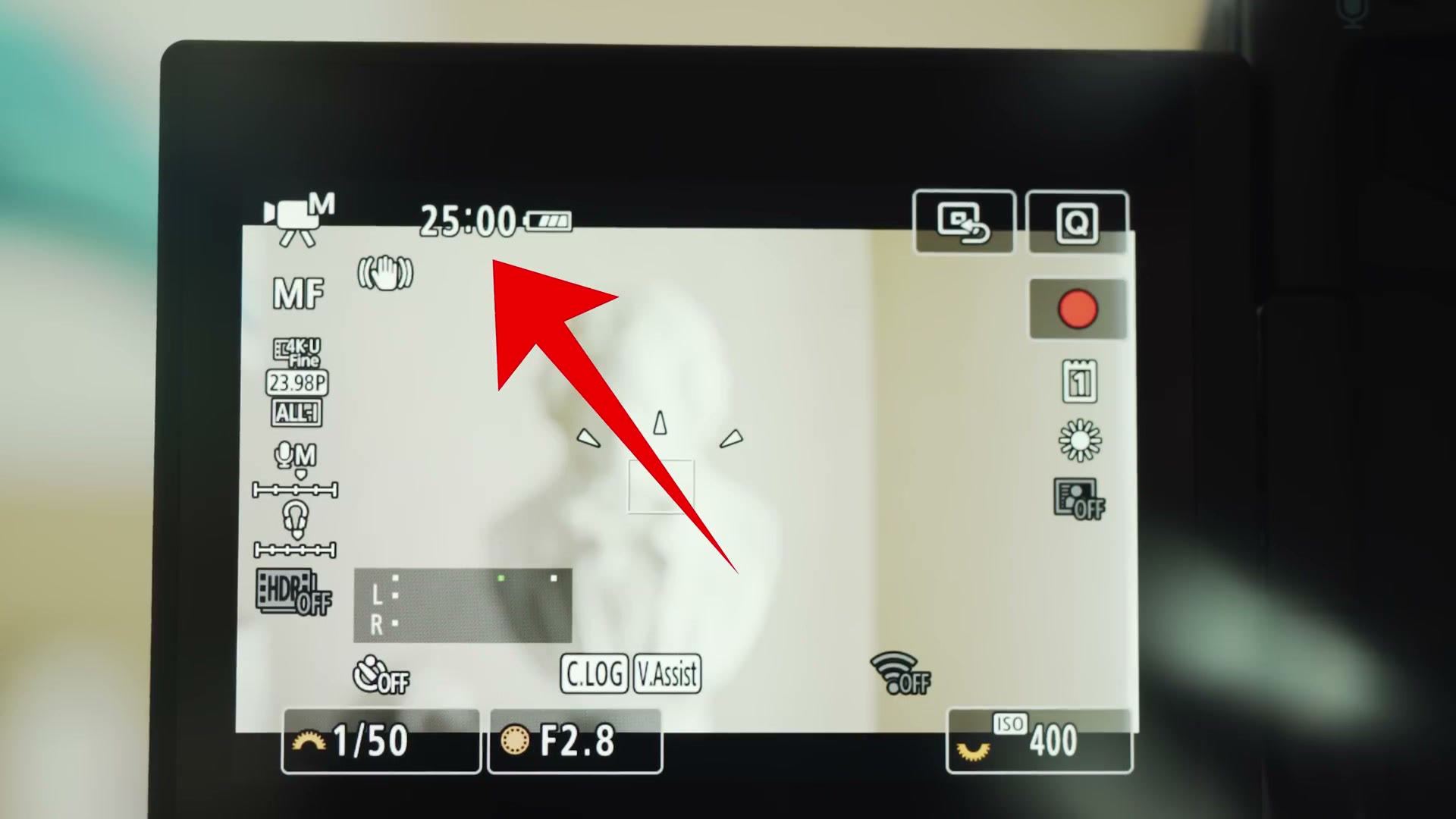
But by turning the camera on at all, you’ve started a countdown. The timer may still read 25 minutes, but in the background those numbers are already falling. Browse the menu, it’s warming up. Record a clip in 4K HQ, it warms faster. Record a quick clip in 4K 60, warmer. Take a photo, and who buys this camera to take pictures, but it doesn’t matter, it’s still heating up inside.
So I simulated filming bridal prep exactly how I normally would. Camera on, clip of less than 30 seconds, camera off. Wait a bit, back on, another clip. All handheld with IBIS on. Mostly 4K 24 and 4K 30, occasionally 4K 60 or even 4K 120 if the shot warranted it, and a few clips in 8K, because come on. It’s 8K. You’re telling me you’d buy this camera and not shoot a single shot in 8K?
Using the 4K 24 HQ timer as my benchmark, after only ten minutes of intermittent B-roll the estimate had dropped from 25 minutes to 20.
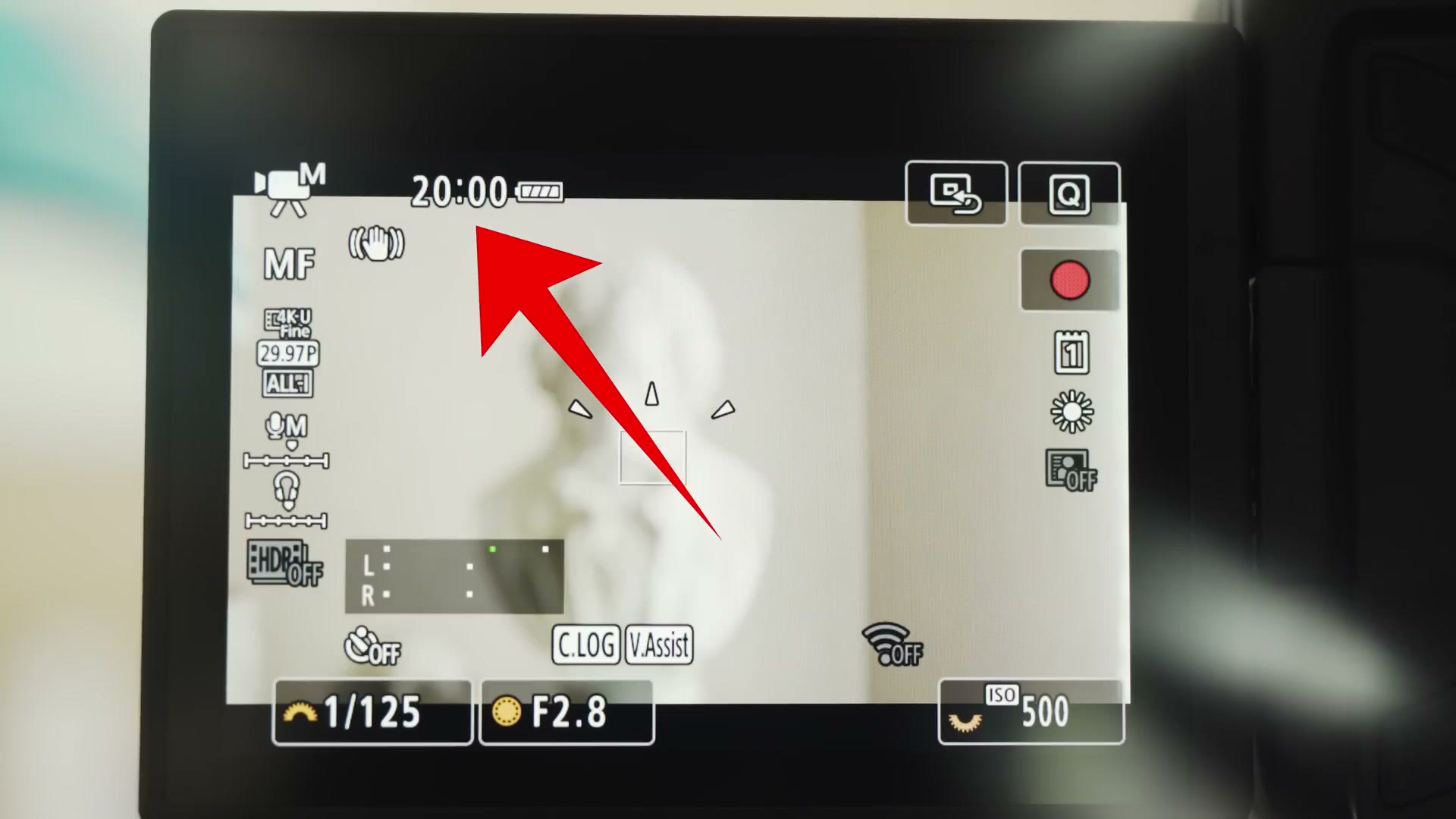
Oh, oh. Do you see where this is going? In total I could only shoot intermittently for 45 minutes before the camera overheated.
You may be thinking that isn’t a big deal, because you can just drop to 4K non-HQ and keep filming. But you’re forgetting something. The non-HQ mode only records 4K up to 30 frames per second. That means no oversampled 4K HQ, which looks significantly better. No 4K 60. No 4K 120. Definitely no 8K. The camera basically becomes a glorified EOS R. Heads up: this link goes to the newer Canon EOS R6 Mark III.
And It Does Not Recover
Remember how I said the R5 is so well insulated that external temperature barely affects it? That works against you here too, because it also means the thing will not cool down.
So you might think, fine, I’ll switch to 4K non-HQ and keep shooting until it recovers. I tried that. After the B-roll test overheated it at 45 minutes, I carried on shooting non-HQ at up to 30 frames per second, and the camera never recovered any time at all. It still read zero minutes available.
The only way the R5 gets its higher resolutions and frame rates back is to be completely turned off and left alone. My testing gave erratic results there, somewhere between four and ten minutes of recording time back after 20 minutes switched off.
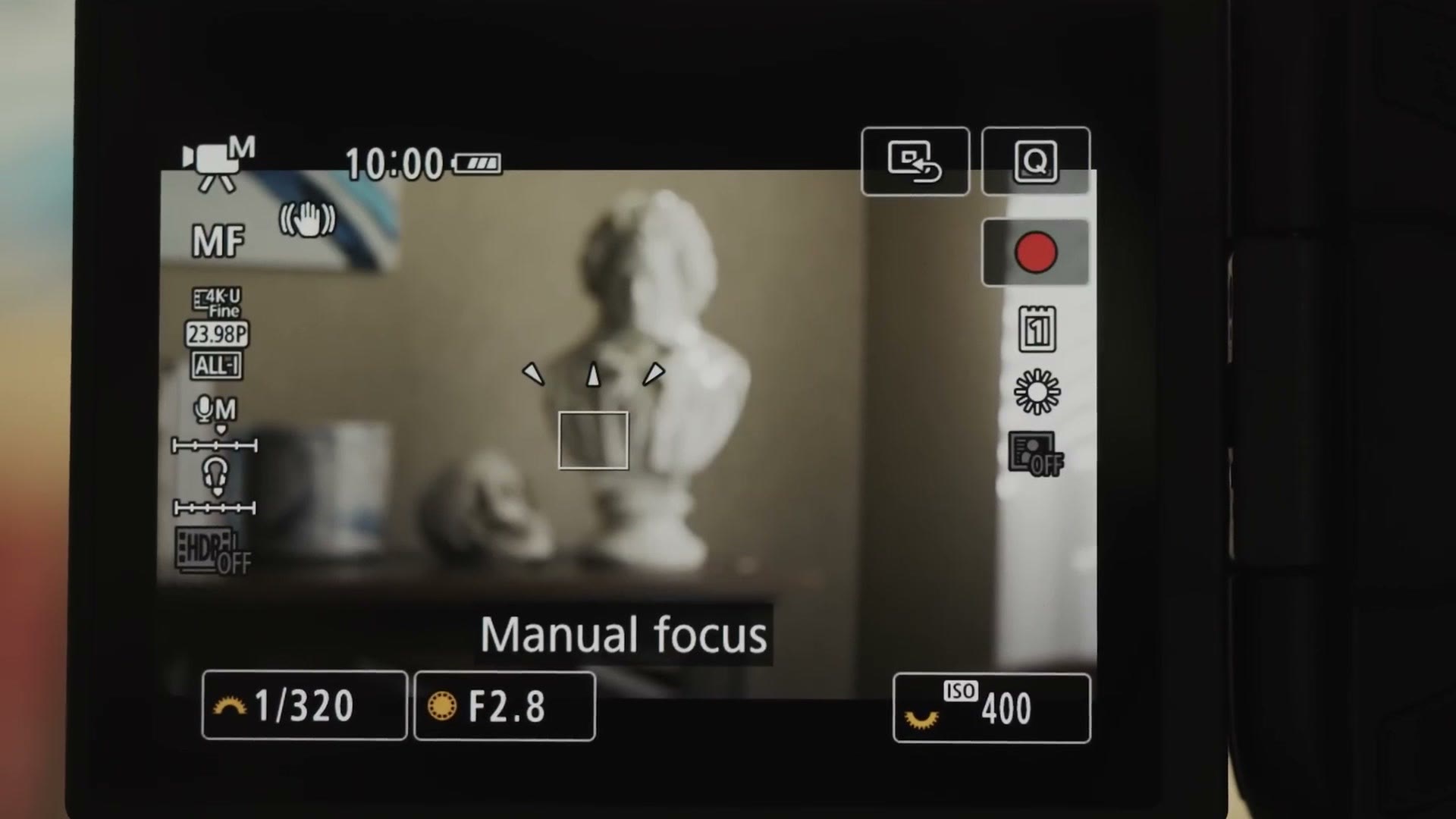
And you need at least two hours off if you want the full 25 minutes of 4K HQ back. Turn it on to check, or record anything at all, and you significantly prolong the recovery.
So Should You Film A Wedding With It?
Can you film a wedding with the R5? Yes. But if you want to record more than the first hour of the day in high quality at high frame rates, that isn’t going to happen. The rest of the day, the couple finishing getting ready, the ceremony, the entire reception with all its dancing from beginning to end, you’ll be stuck on line skipped 4K at 30 frames per second, or dropping to 1080p, because the camera cannot recover unless you stop using it entirely.
Canon marketed this camera on 8K RAW and 4K 120. To their credit, after a short while Canon was also honest about the overheating and published expected recording times, and I applaud that honesty. But I don’t want to see filmmakers deceive themselves either. I’ve seen people post things like, oh, I’ll just film a little bit in 4K 60, I mostly shoot 24 anyway. Take it from me, that won’t work, because after a short time you won’t have the option to shoot even a little bit in 4K 60.
A wedding is a full day event. You need to be able to record in a variety of frame rates the whole day, and the R5 is incapable of that. For that reason I would not recommend using this camera to film weddings. A wedding is a one time event. You get one chance, there are no do overs, and you cannot rely on this camera as a professional filmmaker.
If you want more on this body, I’ve also written about what the R5 looks like from a Sony filmmaker’s perspective, and about the Canon R6, which is the cheaper body most people should probably be looking at instead. I later ran the same overheating test on the Sony a7S III if you want the comparison.
And if you’re a wedding filmmaker yourself, you probably want to book more couples and film more weddings. I’ve written a free guide with practical steps you can take right now in your business to do that. Completely free gift to you.