
In the video review, I go in-depth with the pros and cons of the Sony FS5 video camera, while keeping focused on its uses for wedding cinematography.
Continue reading
In the video review, I go in-depth with the pros and cons of the Sony FS5 video camera, while keeping focused on its uses for wedding cinematography.
Continue reading
The first camera I ever owned was a little Sony point and shoot that could record up to 12 minutes of video to a 512mb memory card. This camera still shoots AVCHD, and the format has come a long way since I tested its quality back in 2008. I’ve come a long way since then, and up until October I was shooting with the Sony FS100. It has been a real workhorse that was capable of handling weddings, corporate promos, and short films (not to mention, this review vide0). But lately I have been feeling the limitations of not being able to record in higher resolutions than 1080p and with Sony’s newest color profiles such as S-Log3.
When the Sony A7S2 (or ii, or mark 2, or whatever else you wanna call it) was released by surprise in September, I was one of the first to pre-order from B&H. Thanks to B&H’s excellent shipping, mine arrived on the same day the camera was released. Over the past month and a half, I have used it to film multiple weddings in a variety of conditions, both indoor and outdoor.
The same week that the A7S2 arrived, I was having a conversation with my friend Chris about cinematography, and he suggested that I start creating reviews, tips, and training videos aimed at wedding cinematographers. I realized this was a pretty good idea, and that when I was starting to film weddings I had wished I could have free training that would help me get better. Fast forward two months, and this is my first vlog, of what will hopefully be many, aimed at helping wedding cinematographers. So if you are a wedding cinematographer/videographer/friend that was randomly asked to film a wedding/uncle bob in the back of the church with a camera/whatever, and you want to get better at filming and editing weddings, I hope this series will be helpful to you.
With that in mind, I wanted my first video to be useful and specific. Too often I find myself watching a review video of a camera where the reviewer is filming a wall, plant, or test chart and talking about settings for 15 minutes. I want real world examples! Show me what the image looks like on a real shoot! I have tried to do this for you with this review of the Sony A7S2.
Here’s the whole review written out, in the same order as the video. I got the camera in mid October, the day it came out, and by the time I made this I had shot two full weddings on it.
This thing is light. I have a battery grip on it and it is still about half the weight of my old Canon 7D, and that matters more than it sounds like it should, because you are carrying this camera for twelve hours. This is not a set with a crew and a DP standing at a monitor. This is you and the camera, all day.

People complain that it’s too small and awkward to hold. Get the battery grip and most of that goes away, because suddenly your pinky has somewhere to live and the whole thing sits right in your hand.
Coming from Canon, where you buy image stabilized lenses that cost roughly double the non-stabilized ones, having stabilization built into the body and always on regardless of what glass is mounted is incredibly helpful. And if you’re on a lens that isn’t electronically connected, like I am, you just tell the camera the focal length in the menu and it works great. Mine lives on 50mm.

It’s good enough that handheld is genuinely usable, and it stacks on top of whatever else you’re using, a Glidecam or a Ronin or a Movi, so you get stability without doing any post work for it.
Four custom buttons. Mine are white balance, punch-in for focus checking, and record. That last one matters, because the actual record button is on the side of the body and you have to bend your thumb into a weird position and you’re never quite sure you hit it. Map C3 to record and it behaves like a normal DSLR with a much more satisfying click.
You need those shortcuts, because the menus on this camera are a maze. Six main headings and up to nine subheadings per section. I love that everything is customizable, who doesn’t, but actually finding the thing you want is another matter.

The function button opens twelve slots. Mine hold SteadyShot focal length, gamma display assist, peaking level, zebra level, SteadyShot on/off, audio recording level, ISO, and a couple I haven’t touched yet. Between four custom buttons and twelve function slots, you can reach almost everything without ever opening the menu during a wedding.
This is a con of most CMOS sensors and not really this camera specifically, but at full frame, if you’re shaking the camera around, you will see it. Most wedding work is smooth and slow enough that it never comes up, and I’ve personally never noticed it on the Glidecam or even handheld. But I do have friends who shoot weddings on shoulder rigs to get that subtle realistic shake, and if that’s you, this may not be your camera, or you may want to live in crop sensor mode.
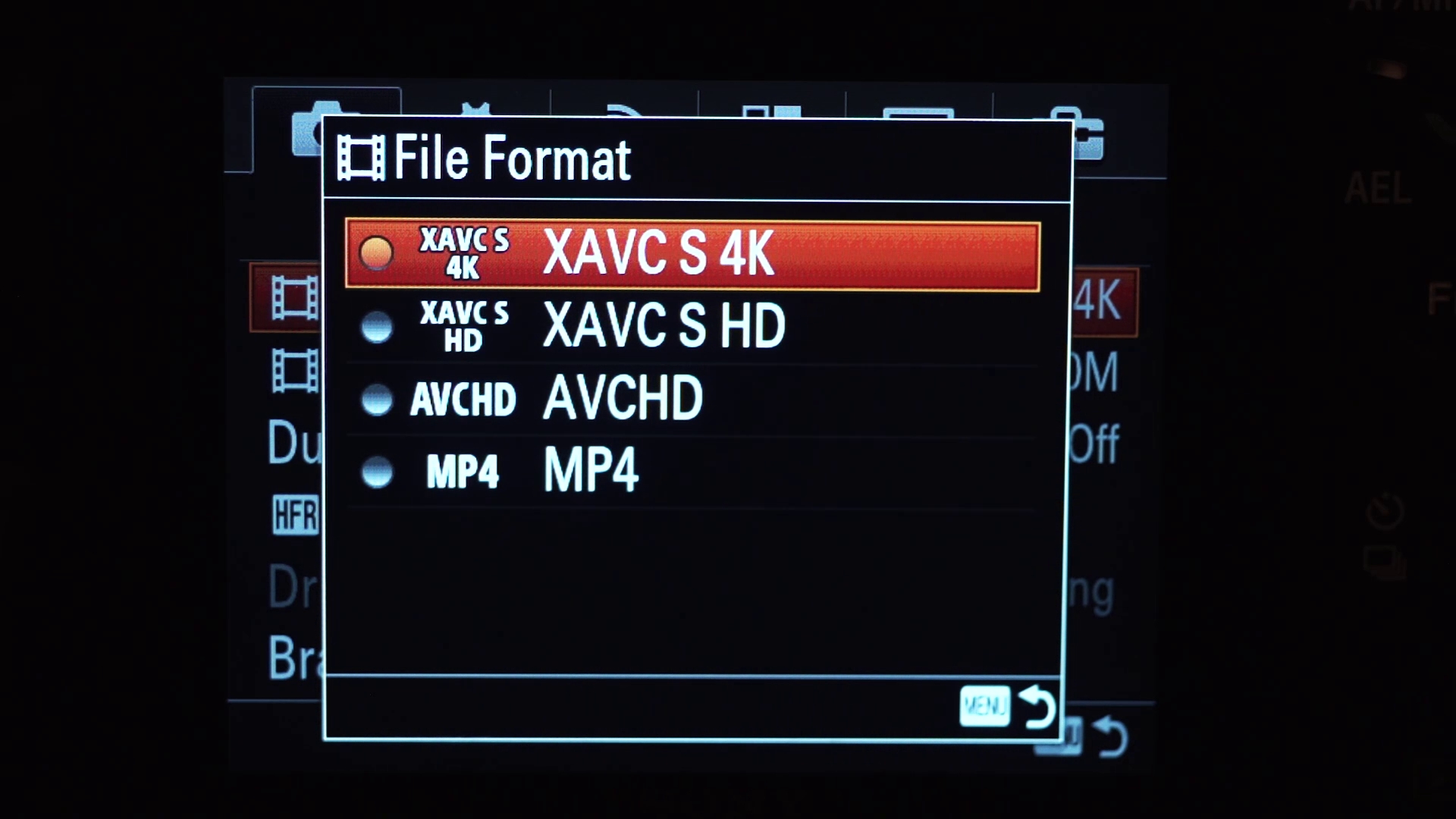
Internal 4K. I love it, it’s amazing, it’s beautiful. Shoot 4K and deliver 1080p and you get a really high quality image, which I first put to the test filming baby chickens in 4K that you can also punch into, which is a lifesaver at a wedding where you’re stuck up in a balcony and you can zoom all the way in with the lens and then crop in digitally on top of that and basically count the couple’s nose hairs during the vows.

Here’s the catch, and it is a real one. You cannot use APS-C crop mode while recording 4K. The sensor is only 12 megapixels and apparently can’t be cropped down that far. So if your lenses are crop sensor glass, something like a Canon 17-50, you are not shooting 4K on this camera, you are getting a ridiculous vignette. You can still record 1080p in APS-C mode and it looks really darn good, but 4K was the headline feature and it’s full frame only. For some people that is a deal breaker.
120fps at 1080p, which is awesome, except that it crops in 2.2x on the sensor. That matters more than it sounds. I love filming the couple in slow motion during the little window I get with them after the ceremony, and you almost never get that window. It’s a dream of mine to have an hour with a couple. What I actually get is “you have five minutes.”

So picture the five minute version: you’re shooting full frame, it looks great, you flip to 120fps, and suddenly you’re 2.2x tighter than you were and way too close, and now you’re backing up and re-blocking a shot with time you do not have. Just know it’s coming.
Which is why I mostly use 60fps instead. It’s 1080p, no crop, still full frame, and it is beautiful. 120 is usually slower than I actually want anyway.
I ignore basically every mode on the dial except aperture priority for timelapses. Slot 1 on the memory recall is 4K. Slot 2 is 1080p at 60fps. That’s it. Whenever I’m shooting reception dancing and I see one shot at normal speed and another that wants to be slow motion, it’s one flick of the switch and I’m rolling again.
One more thing on recording: you’re capped at 30 minutes per clip, which I believe is a European tax rule about what counts as a camcorder. Completely arbitrary. Just remember that if you’re covering a ceremony that runs long, somebody has to walk over and start it again.
I shoot Sigma Art lenses in a Nikon mount, and the reason is portability between systems: Nikon glass adapts to almost anything, so the same lens works on Canon bodies and Sony bodies with the right adapter. The other benefit is declicked aperture. It’s like butter.

Right now I’m on a Fotodiox Pro Nikon to Sony adapter, and I have their ND Throttle version arriving this week, which is a lens adapter with a variable ND built into it. I’m genuinely excited about that one and hope to review it.

Until the throttle shows up I use Xume magnetic adapters, which sit on the front of the lens so an ND snaps on and off instantly. This solves a very specific and very real wedding problem: you’ve been shooting inside all morning, the couple says let’s go outside, and it is a bright Texas afternoon. Even stopped all the way down at ISO 50 you’re blown out.
Being able to slap an ND on and say “okay, ready” beats standing there going “hold on, let me screw this in, try not to cross-thread it, no, don’t kiss yet, let me finish this.” You do not have to live like that.
You are going to need some stinkin’ fast cards. I’m on SanDisk 95 MB/s SD cards and they’re working great. Do not buy anything smaller than 128GB if you’re shooting weddings at 4K, because 4K at 24fps gives me two hours and forty-four minutes on a 128GB card, which is nowhere near what I’m used to from HD.

And yes, it does feel like every few years I have to reinvest in newer, faster cards that cost the same as the old ones did. That’s the deal.
If you read any online forum about any camera in the Sony a7 line, you’ll find people claiming the battery dies in five minutes. That’s not true at all. You get a bit over an hour per battery, which is short, sure, but we are not shooting an all-day corporate event with the camera rolling continuously. We turn it on, get a few shots, turn it off. I go through three or four batteries across a twelve hour wedding day.
My advice is to get the official battery grip and real Sony batteries. Batteries are not where I skimp, because I’ve read enough horror stories about short circuits with off-brand grips, and if you’re dropping three grand on a camera you can drop a bit more on the thing that keeps it running.
The grip’s best feature is that it drains the two batteries individually and shows you both levels, then switches over automatically when one dies. Pull the tray, swap the dead one, keep shooting. It isn’t quite hot swapping but it’s close enough that I’ve never run out of power on a wedding day, and I own six batteries and have never had to charge mid-wedding. A dual charger with a Sony mount is worth having too.
Sony put S-Log3 in this thing. The same cinema gammas from their F5 and F55 are now in a three thousand dollar mirrorless body, which is a little crazy, and I’m not complaining. I shot one of those two weddings entirely in S-Log3 and the other in a modified Cine4 profile, and the range is significantly better than anything I got out of the FS100 or any Canon I’ve owned.

Here’s why a flat profile matters so much at a wedding specifically: you have essentially no control over the lighting. I bring a light for the dance floor, but I am not walking into the bride’s getting-ready room and setting up three softboxes, and I am not building a lighting setup around the guys hanging out. There’s no time. It’s a wedding. So a camera that holds a wide dynamic range and lets you fix a mixed lighting nightmare in post, tungsten on one side and fluorescent on the other and daylight coming through a window, is doing real work for you.
You can shoot S-Log2 or S-Log3 and have the viewfinder show you an artificially graded image instead of the flat gray mush. It boosts saturation and contrast just enough that you actually know what you’re looking at while you shoot. I would not want to work in log without it.
First, the minimum ISO in S-Log is 1600. That’s better than the original a7S at 3200, but it still means you’re bright outdoors, so plan on stopping down and bringing an ND.
Second, this is an 8-bit camera, so if you push the grade too hard you’ll get banding, usually in a blue sky. If it’s a super sunny outdoor day with a lot of open sky, maybe shoot a different profile. Or just shoot in the dark, which brings me to the good part.
The low light on this camera is stupid. It sees better than my eyes do at night, though in fairness I wear contacts, so maybe I’m not the reference you want.

Three places this changes your day. One, you can take a couple outside in the evening once it’s genuinely dark, while the photographer is complaining that their autofocus has given up, and keep working. Two, a reception that the couple wants dark and moody stops being a problem, where on a 5D Mark II it would be grainy garbage even with a 50mm 1.2 on it. I have shot 60fps at a 1/125 shutter at ISO 20,000 and ISO 30,000 with this camera and it looks fantastic.
Three, and this is the one nobody talks about, it frees up your lens choice during a dark ceremony. Normally you’re stuck: your long lens is f/2.8 or f/4 and too slow, and the fast 1.4 is too wide from where you’re standing. With this camera you just put the long lens on and raise the ISO as far as you need. That is a lifesaver.
Overall this camera is a real workhorse. It handles highlights with S-Log, it handles near total darkness at absurd ISOs and stays clean, it shoots 4K internally, it stabilizes whatever lens you put on it, and the battery life is a non-issue with a grip. Can you tell I like it? I’m in love with it. It’s glorious.
The honest caveat is that S-Log3 is a beast and takes real work to grade properly, so if you’re on a tight turnaround, or shooting a same-day edit, I probably wouldn’t shoot log at all. But if you want enormous dynamic range in both bright light and darkness, this is the camera.
So: is it perfect? No. Do I wish it shot at ten million ISO and also made me tacos? Yes, obviously. But if you’re shooting weddings, I am having a hard time finding anything that works better than the a7S II.
And at the end of this video I mention wanting to try the new Sony FS5 as an A camera alongside this one. I did, and I reviewed it: a wedding filmmaker’s review of the Sony FS5. Spoiler, I sent it back.
A note if you’re reading this well after the fact: this review is from late 2015, when the a7S II was brand new and about three thousand dollars. Sony’s lineup and the prices have moved considerably since.
Thanks for watching! Please let me know if you have any questions or comments about the review video or the camera. If I don’t know the answer, I will do my best to find it out for you. And big thanks to the couple who let me use clips from their wedding throughout this review.
The full list lives on my film gear page. This is what’s in the bag now, which has changed a good bit since 2015:
Everything is graded with my own WhoisMatt LUTs, and the music comes from Sound Stripe (coupon code “WHOISMATT” for 10% off), Art List (free extra 2 months through that link), or Musicbed.
If you want more, my wedding film editing course covers the edit end to end, there’s a free Learn Wedding Filmmaking Facebook group, and I have a free quick tips guide on how to book more wedding film clients. Whenever I need help with an edit I use Archaius Creative, who’ll take 10% off your first project. You can also follow along on Instagram.

Everything was shot on the Sony A7S Mark 2 in 4K, handheld, and using the S-LOG3 Picture Profile. The lens is a Sigma ART 50mm 1.4 Nikon Mount with a Commlite adapter.
Continue reading
Konova’s new Stability Arm is an incredibly useful, yet simple design. I’m amazed that no one thought of it until now.
Continue reading
The Master Pan replaced both my tabletop dolly and my handheld slider pans. How to set it up, what it does for timelapses, and the two things to watch out for.
Continue reading
The new Master Pan is Konova’s solution to the shortcomings of all tabletop dollys. It attaches to any Konova Slider and allows for precise, easily replicated, and smooth panning while sliding.
Continue reading