
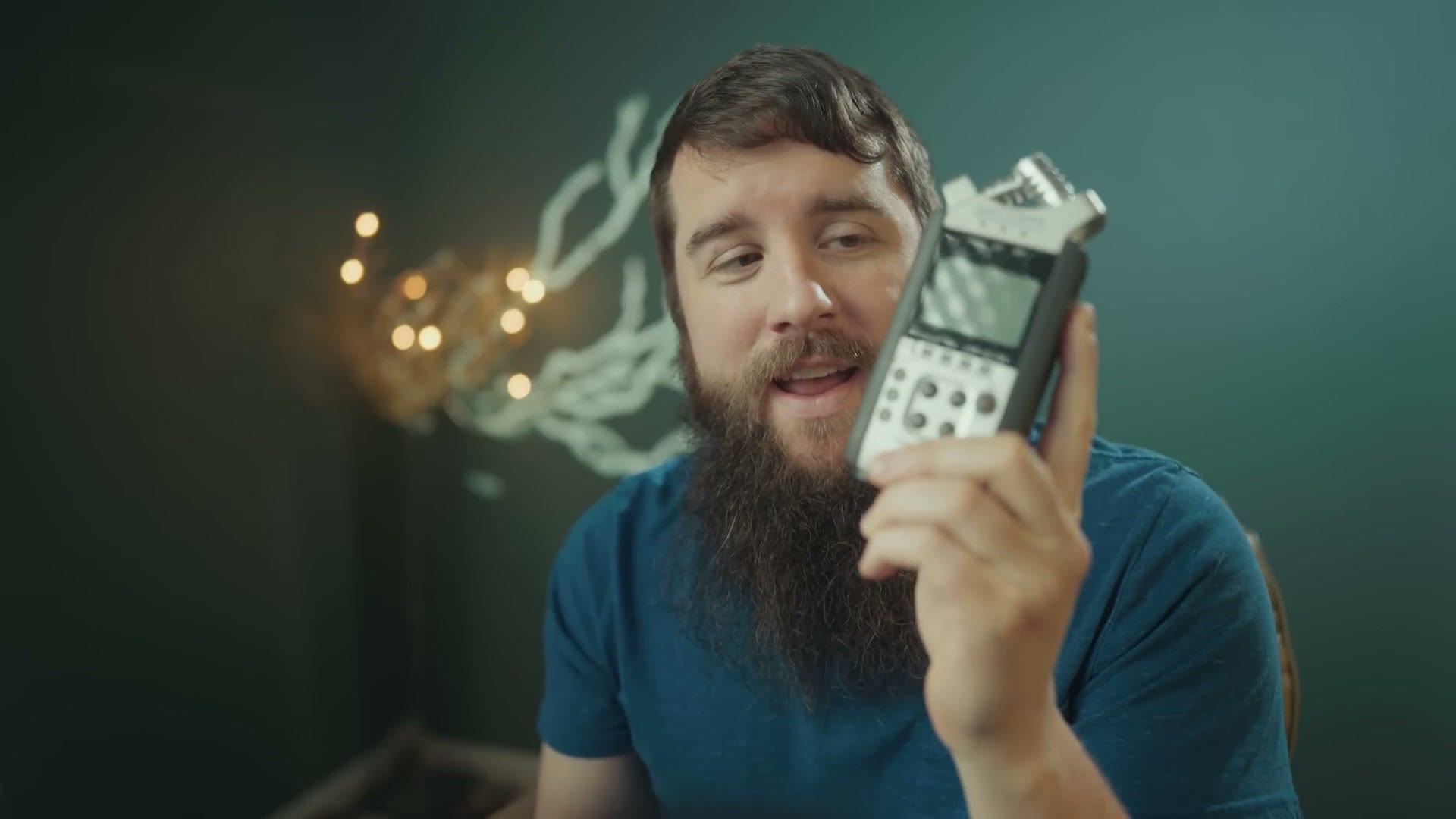
For over a decade now, my go-to audio recorder for plugging into the DJ soundboard at weddings has been the Zoom H4n. Heads up: the Zoom H4n has been discontinued, so this link goes to its replacement, the Zoom H4essential. But there’s a new recorder in town.
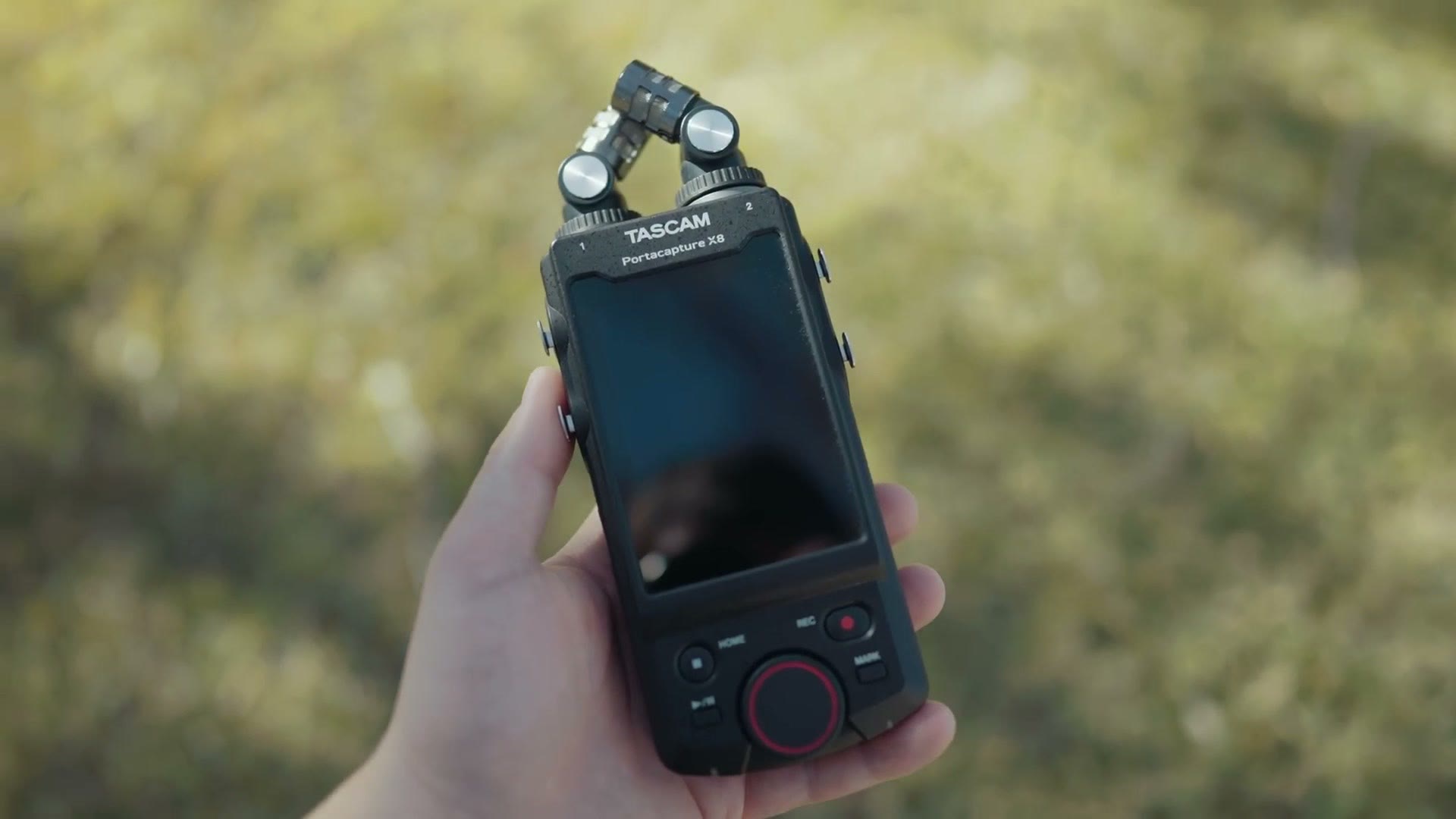
This is the Tascam Portacapture X8, and I want to review it from the perspective of a wedding filmmaker and tell you why I think it’s one of the best, most powerful and surprisingly affordable recorders you can buy for wedding work.
Before we start, for the sake of ethics, I want you to know this video isn’t paid or sponsored by Tascam in any way, but they did send me this recorder so I could make the review. The first time you see this is the same time they will, and this unit will sadly be shipped back to them very soon.
What Is 32-Bit Float Audio?
The main reason I’m upgrading, and the main reason you may want to consider the X8, is that unlike the H4n this recorder records 32-bit float audio.
What the heck is that, Matt? Well, imagine you’re filming a wedding, you’ve plugged into the DJ soundboard or the back of a speaker to record toasts, and you get home and realize your audio is peaked and blown out because you didn’t set your levels right. If you film weddings long enough, this has happened to you, and it sucks. On a traditional recorder like the H4n, which only records 24-bit, you’re basically screwed, because there’s no real way to recover peaked audio. Just like overexposing video and blowing your highlights, once it’s gone it’s gone.
All of that changes with 32-bit float, and here’s why it’s such a big deal. Imagine never dealing with peaked audio again. And imagine never dealing with audio that’s too quiet again either.
I realize that sounds kind of magical, so to break it down a bit more scientifically: recorders capable of 32-bit float, like the X8, include dual analog to digital converters, which lets them capture an incredibly wide range of audio, dramatically more than a traditional 24-bit recorder can. The X8 is basically recording everything from the quietest whisper to standing-inside-a-jet-engine levels of noise.
What that means for you is that you press record, and anything too quiet you can bring up without raising the noise floor, because the dynamic range is that good, while anything too loud that would normally be clipped, you just drag back down and recover.
As a quick aside, I do want to warn you that you can still record audio on the X8 that’s peaked and unsalvageable. But the odds are it won’t be the X8’s fault. It’ll be your microphone. Microphones have a maximum volume they can handle, and you’ll probably hit the mic’s ceiling before you hit the recorder’s.
Tascam X8 Build Quality & Features
So why this recorder, considering there have been other 32-bit float recorders around for a while, like the Zoom F6 and the Sound Devices MixPre-6? For me it comes down to two things: the build and the price.

The X8 has a well built plastic construction that’s easy to hold in one hand, with a nice heft to it that isn’t too heavy. It has built in microphones on top that you can actually detach and replace with 3.5mm lav mics for recording someone speaking, which is pretty cool. There’s a power switch with a hold function on the side, a microSD card slot that takes cards up to 512GB, and a slot on the bottom for a Bluetooth control module so you can control the X8 remotely from Tascam’s Portacapture Control app.
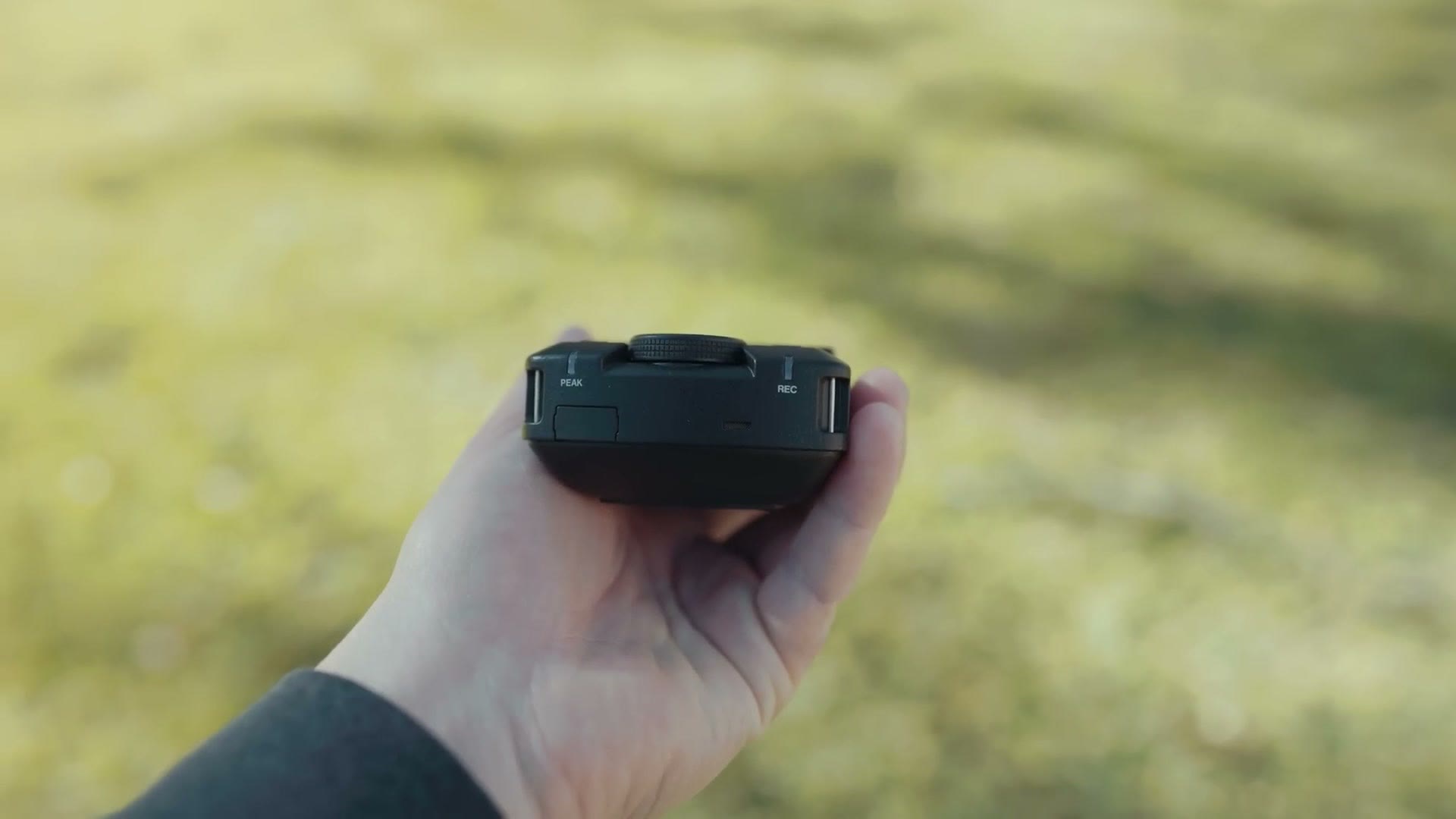
You can’t monitor audio remotely over Bluetooth, but you can see your levels and confirm the recorder is actually rolling, which is great.
And most importantly, this recorder has four combo XLR and quarter inch jacks for plugging into things like a DJ soundboard.
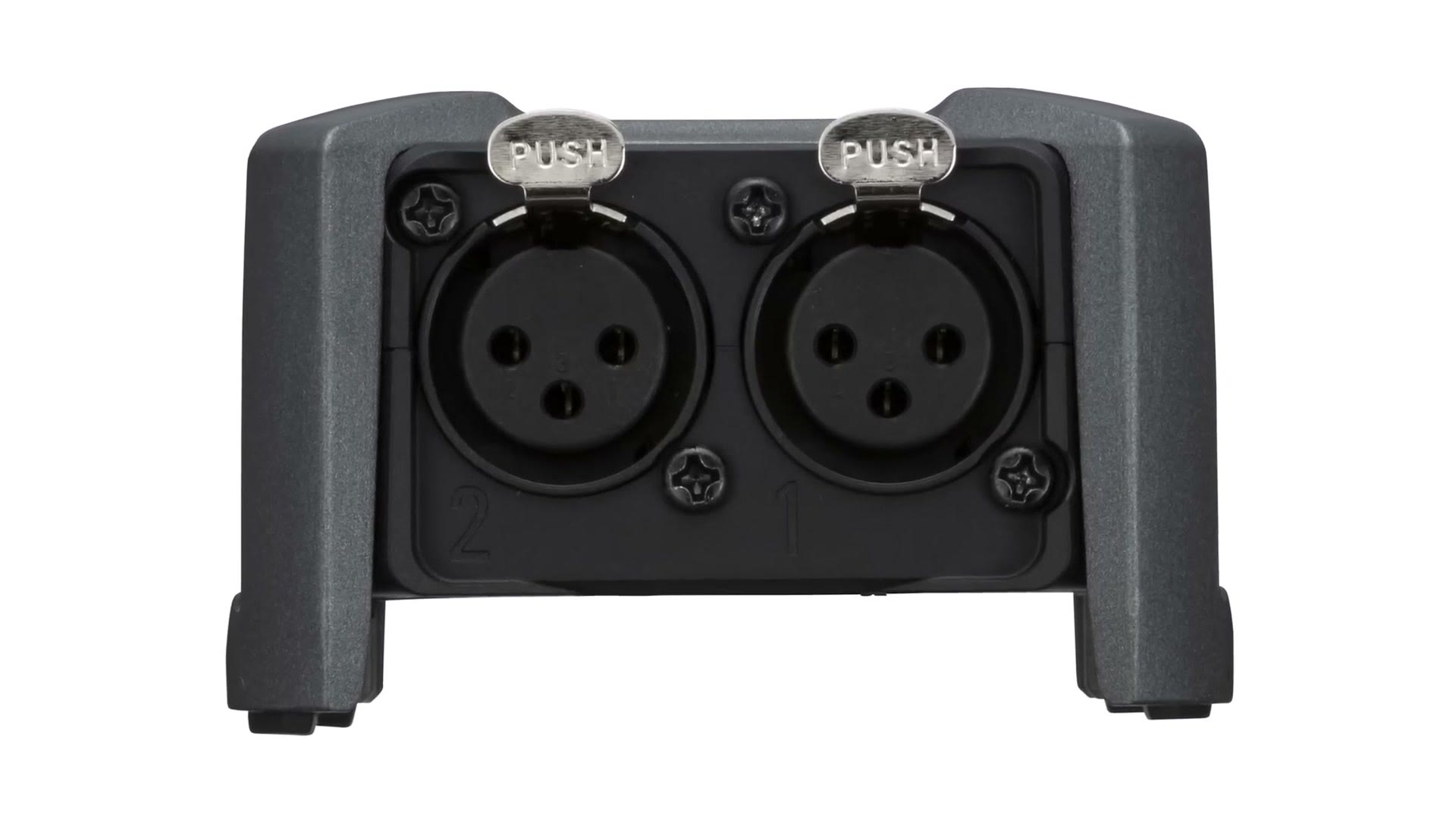
Those combo jacks are what really sets this recorder apart from its 32-bit float competition, because at the time of writing the X8 is the only 32-bit float recorder at this price point offering them. Look at the Zoom F6. It has more inputs, six instead of four, but they’re XLR only, so you have to buy separate adapters if you want to plug in quarter inch cables.
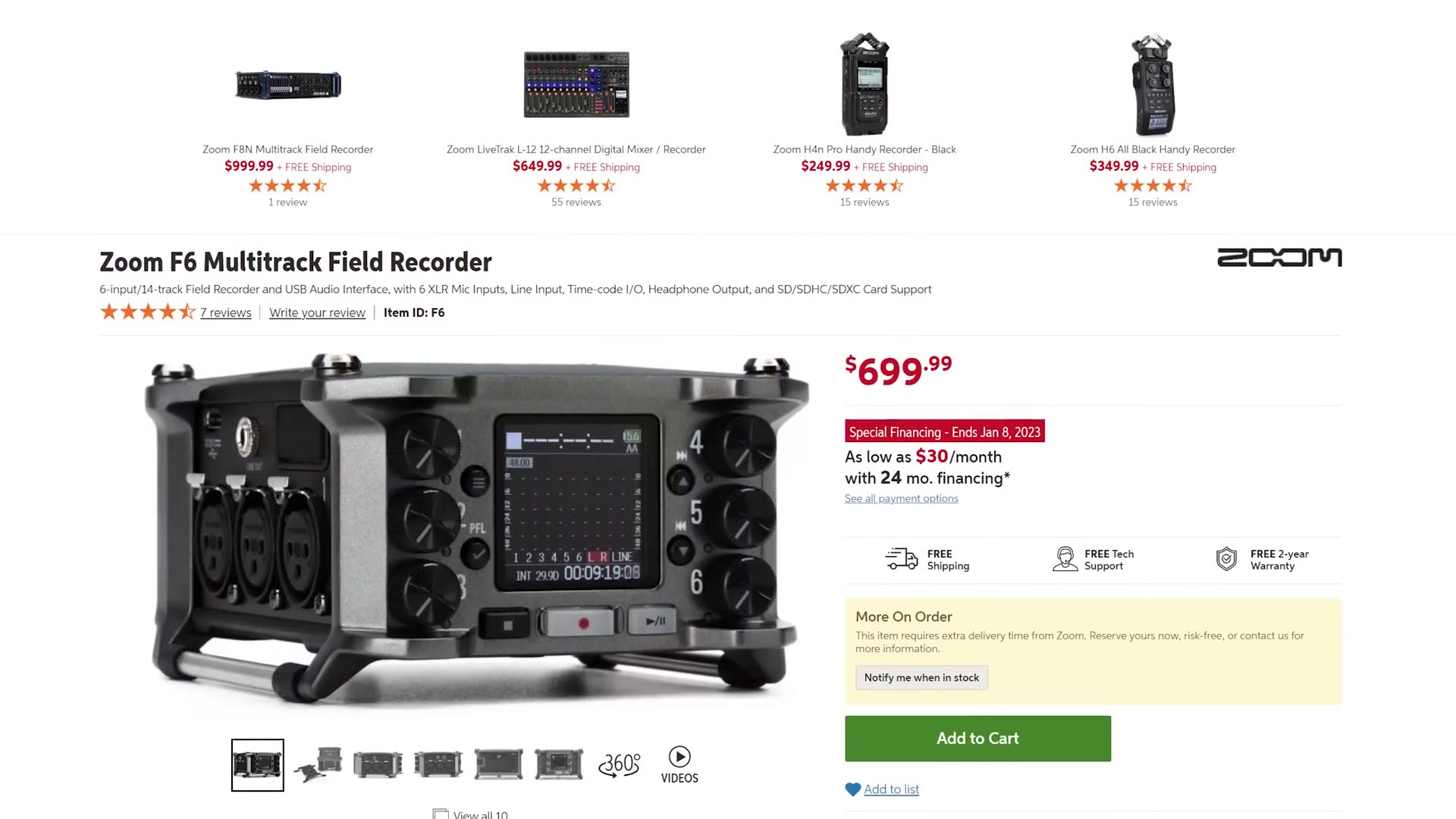
To be clear, quarter inch to XLR adapters aren’t expensive. But combo inputs mean one less cable you have to remember to bring, and that’s a real plus.
Battery Life
Most of the X8’s weight comes from the four AA batteries that power it. Tascam says you can expect 11 hours with alkalines, nine and a half with rechargeables, and 18 with lithiums.
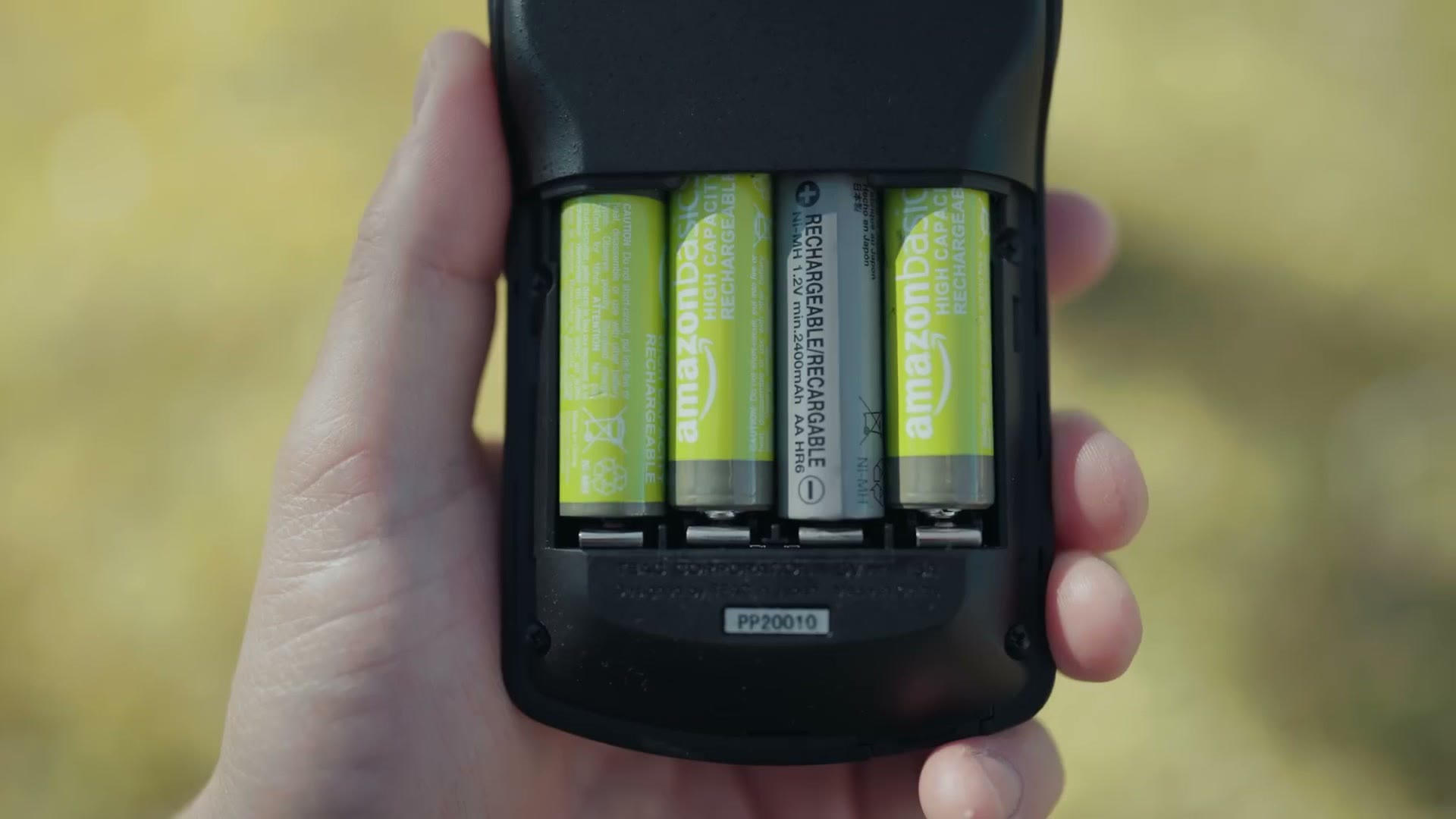
I didn’t have a chance to pick up lithiums to test, but with my admittedly year and a half old rechargeables, I got 8 hours and 38 minutes before it died. And as a big plus, there’s a USB-C port on the side, so you can power it from any USB-C cable or a battery pack, which could potentially get you days of runtime.
The Screen!
The first thing you notice using the X8 is this big glorious screen on the front. The best thing about it is that it’s big enough that someone might mistake you for holding a really large smartphone, one of those ultra rugged ones construction workers carry that survive being run over by a dump truck.
Unfortunately it doesn’t take phone calls, and it’s definitely not a retina display, but the screen is fairly high quality and, most importantly, the touchscreen is quite responsive. I was worried it might be slow or laggy, but even on this prerelease unit I found it snappy.
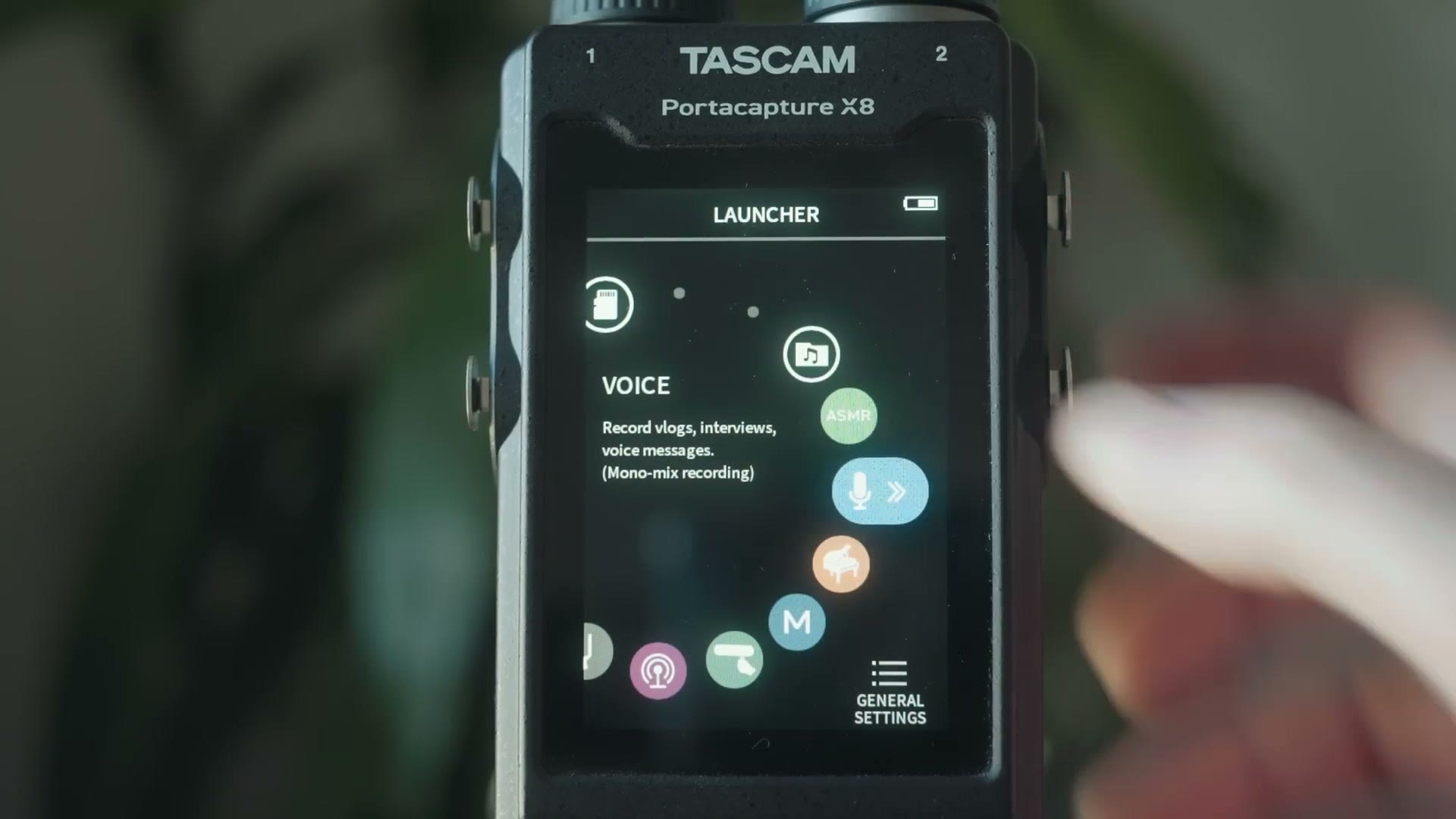
Turn it on, it powers up in a few seconds, and you land on the launcher screen with a variety of presets. There’s music recording, field recording, podcast, a tuner, a metronome, even ASMR recording if you’re into that. As a plus, it also works as an SD card reader when plugged into your computer, and as a USB-C microphone interface if you want to use it as a computer mic.
For me though, and for most wedding filmmakers, you want the Manual preset, which gives you multitrack recording with up to six input channels, all customizable.
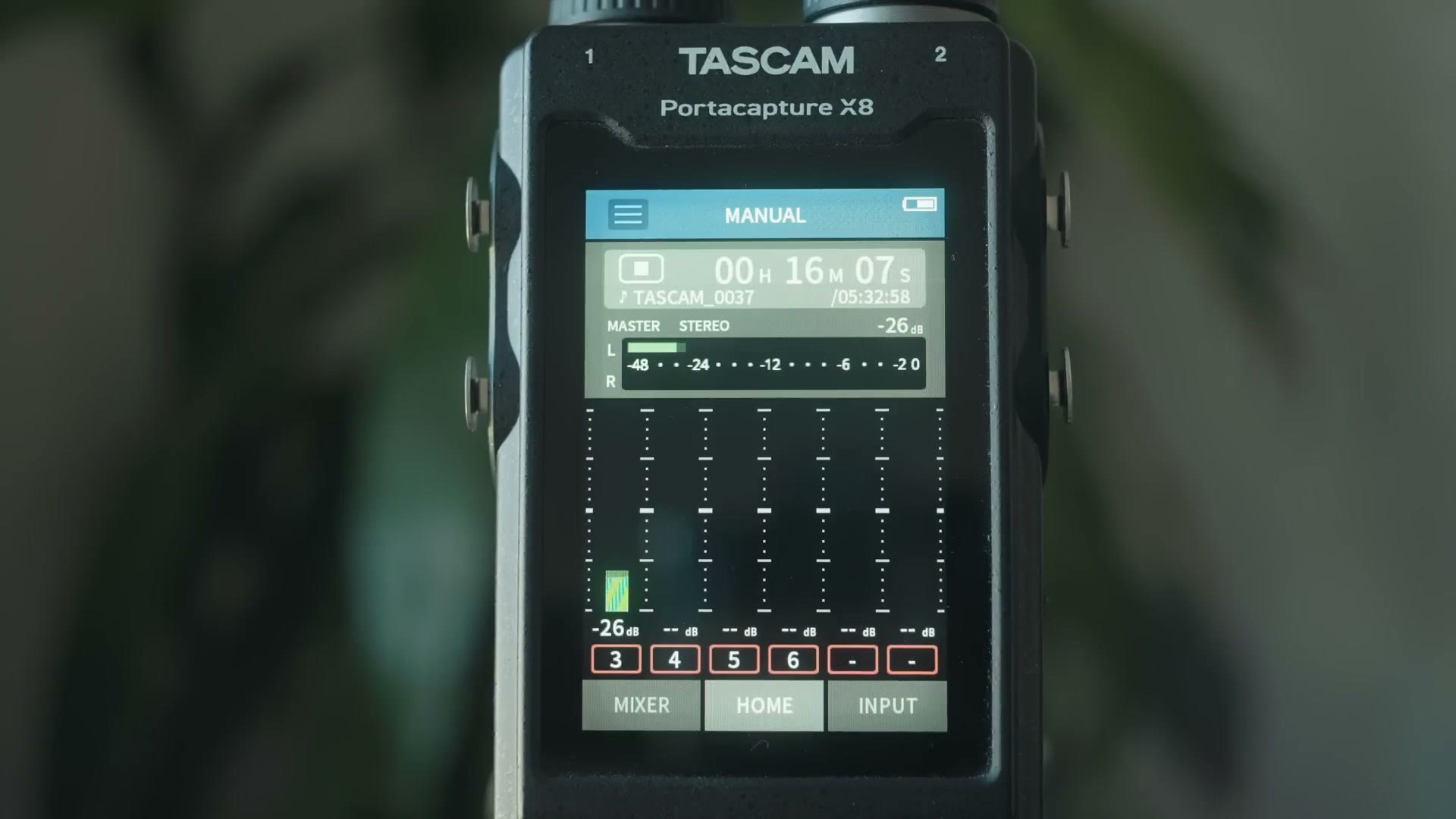
In Manual you dig into the recording settings and tell the X8 you want 32-bit float, plug in your inputs, XLR or quarter inch from the DJ’s soundboard, use the input gain to get your levels sounding good, and press record. And because you’re recording 32-bit float, if the volume changes and gets too loud or too soft, you should be able to recover it. I’ve written up every setting I’d change on this recorder if you want the full walkthrough.
Audio Quality Test
I recorded the audio for the entire video this came from using my Deity S-Mic 2 plugged into the X8 over XLR, so the whole thing is the audio test. Heads up: this link goes to the newer Deity S-Mic 3.
You may be thinking, dang, that sounds pretty good. But hold on, because any recorder is only going to sound as good as the microphone you use with it. Having 32-bit float is amazing, but pair it with a really crappy mic and your audio will still sound terrible.
So if the microphone is the important part, what effect does the recorder actually have on quality? In the past, if your recorder was running too soft and you had to lift the levels, that would sometimes introduce a lot of noise, that electronic hiss I’m sure you’ve heard in some YouTube videos. And if it was running too loud, you got peaking that destroyed the audio and made it sound distorted. You’ve heard that too.
I also walked through Best Settings for the Tascam X8 Audio Recorder, Best settings for the Tascam DR-10L Audio Recorder, and Best Settings For The Tascam DR-10L Pro Audio Recorder, which will save you a bunch of fiddling in the menus.
So with older recorders it was always a balancing act, trying to land your levels in the Goldilocks spot of not too soft and not too loud. That was pretty easy to do even at a reception where you’re running around like crazy, as long as you had a minute or two to plug in and test.
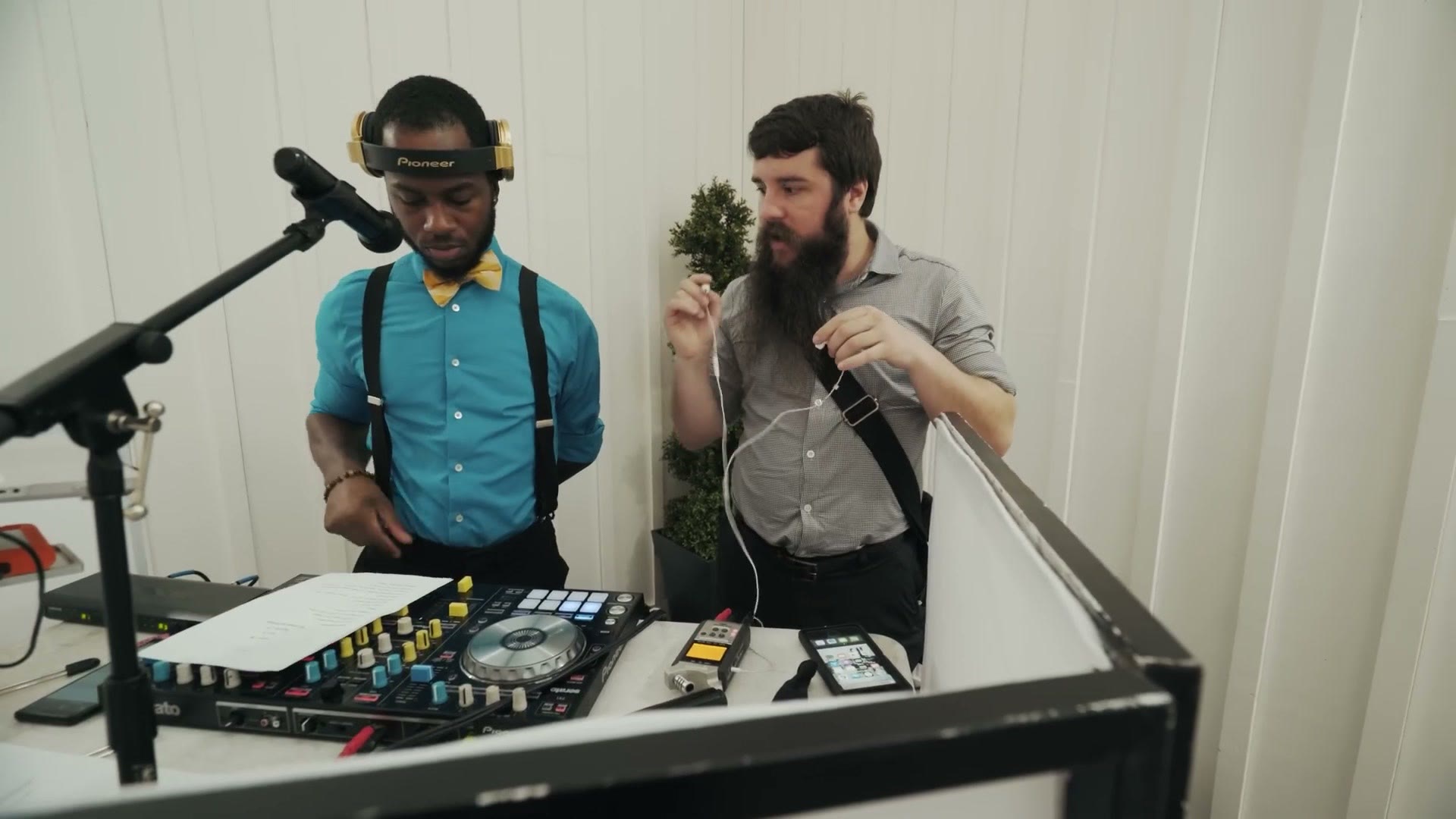
Note that I said usually, because inevitably, if you film enough weddings, something is going to go wrong. A groomsman is going to go rogue and start screaming into the microphone and peak your levels. Or you’re going to get the softest voiced bridesmaid ever, barely whispering into a mic she’s holding two feet from her mouth.
In the past you could salvage a little of that, but for the most part the audio you recorded was the audio you were stuck with, which is one reason I always recommend having backups for everything. With the X8? Well, yes, I still recommend backups for everything. But a recorder like this is going to save you in exactly those edge cases when things go sideways and your levels get out of whack. That’s where 32-bit float shines and saves your butt, and that’s the point where buying a recorder like this becomes worth it.
The Price vs Zoom F6 And Sound Devices MixPre-6
Now the price, which is genuinely the most intriguing part and one of the main reasons I wanted to make this review at all.
Prices can always change, especially with all the supply chain craziness happening right now, but at the time of writing Tascam has set the X8 at $499. Hey, that’s still a hefty chunk of change. But let’s compare it to the competition.
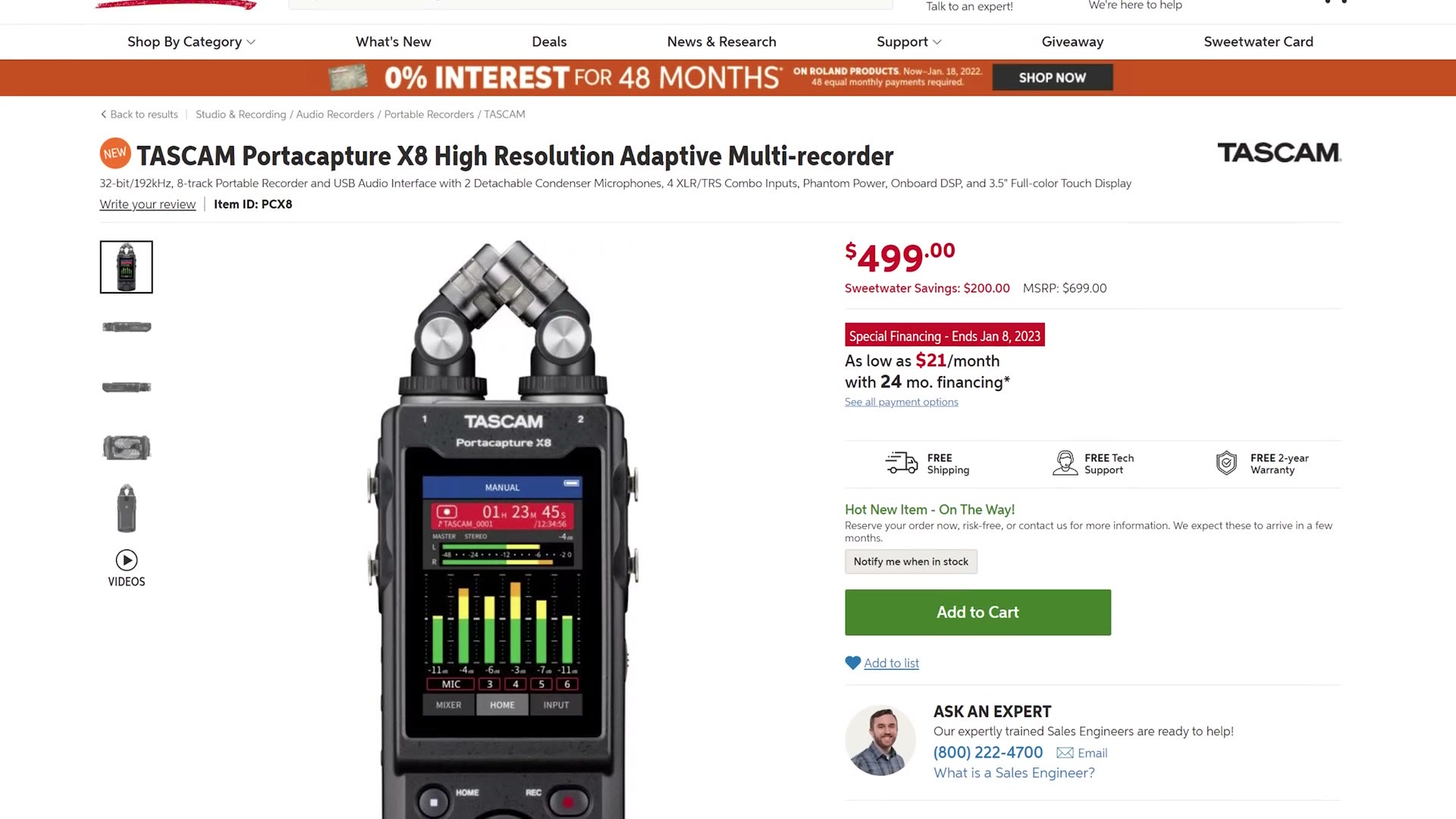
First you have the Zoom F6, also capable of 32-bit float, and it comes in at $700. That’s $200 more than the X8. Are you seeing why I’m intrigued?
Well, hold on, because remember the X8 also takes XLR and quarter inch inputs, something the much more expensive F6 cannot do without an adapter. In fact, if you wanted a 32-bit float recorder with combo XLR and quarter inch inputs before Tascam announced the X8, you’d have had to spend an eye watering $1,060 on the Sound Devices MixPre-6 II. Which, to be clear, is a fantastic recorder.
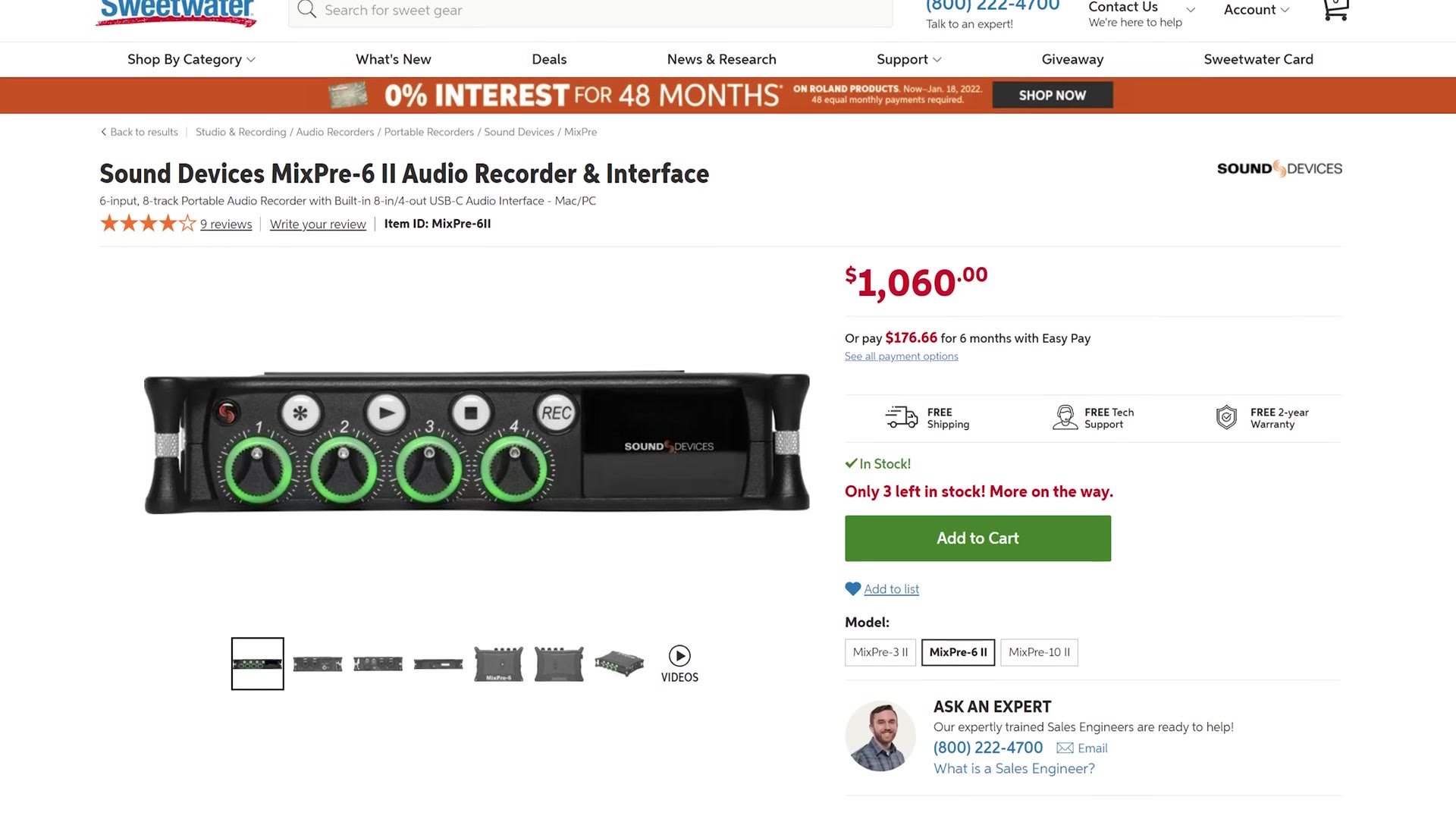
But as a wedding filmmaker interested in saving myself and you money, whenever I see the X8 at half that price, I’m definitely going to be intrigued. And having spent time with it and really liking its features, I have no problem saying that if you want a 32-bit float recorder for wedding filmmaking, YouTube videos, corporate work or basically anything else, the Tascam X8 is the recorder you should buy. It’s at Sweetwater, Amazon, B&H and Adorama.
What About The Zoom F3?!
Matt from the future here for one quick second. As always happens, I recorded this a few weeks before I was ready to post it, and in that time Tascam’s main competitor Zoom announced a new recorder, the Zoom F3.
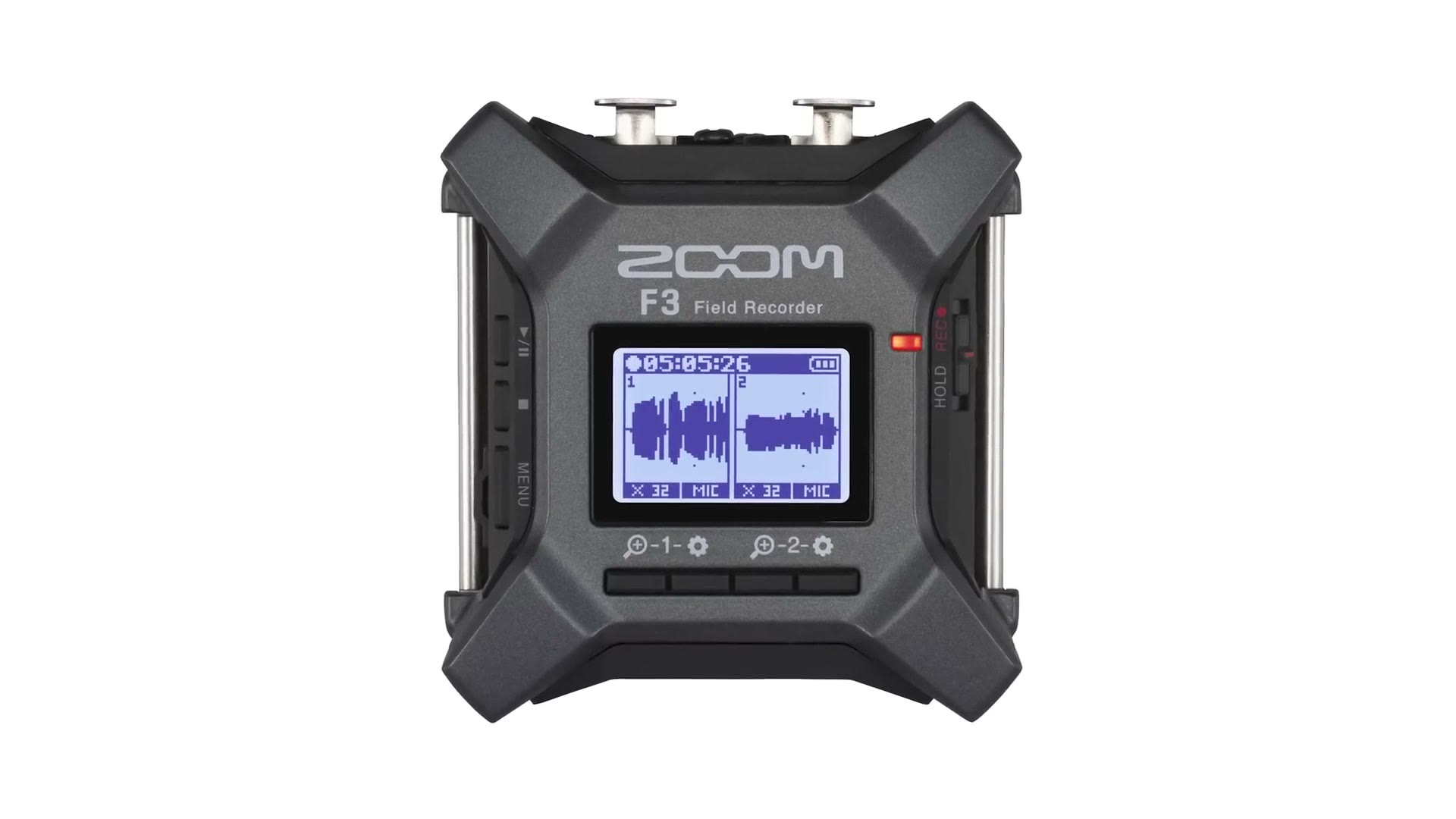
It’s quite small with only two XLR inputs, but it does include 32-bit float recording and it looks very promising. Zoom hasn’t announced the price yet as I write this. But because I know a lot of you are going to comment asking what I think about the F3, let me just say it looks pretty cool and I’m going to try to pick one up and tell you how it compares.
Matt from further in the future here: I did. Here’s my full Zoom F3 review, and here’s the head to head comparison between the F3 and the X8.
If you happen to be a wedding filmmaker like me, you probably want to book more couples and film more weddings, and I’d love to help. I made a free guide that walks you through practical steps you can take right now in your business to do exactly that, and you can download it right here.

The footage here is graded with my own color presets at whoismatt.com/luts, and if you film weddings, come join us in the Learn Wedding Filmmaking Facebook group.
Thanks so much for reading, and have a great day!