
Deity PR-4, Zoom F3, Tascam FR-AV2. Three 32-bit float audio recorders sitting on my desk, and the question I keep getting is which the heck of these should you actually buy?
Spoiler, because I respect your time like that. If you’re on a low budget and you want something simple to use, just get the Zoom F3. But if you want the best user experience, especially if you use timecode, there’s no competition, get the Deity PR-4. And I guess if you see the Tascam FR-AV2 on sale, it does have more features than the F3.
Also, for the sake of ethics, I want you to know this is not paid or sponsored by any of these audio recording companies. Sweetwater sent me the F3, and both Tascam and Deity sent me their recorders so I’d be able to make reviews of them.
Anyways, here’s the deep dive.
Size, Shape, And Mounting Points
Line these recorders all up next to each other and you’ll see that the FR-AV2 and the PR-4 are roughly the same size. They’re pretty darn close. But then you have the F3, and it’s definitely more of a square boxy shape, and it’s also a bit taller, mostly because Zoom decided to add these giant metal bars to it as their attempt to sort of give it a cage of some sort.
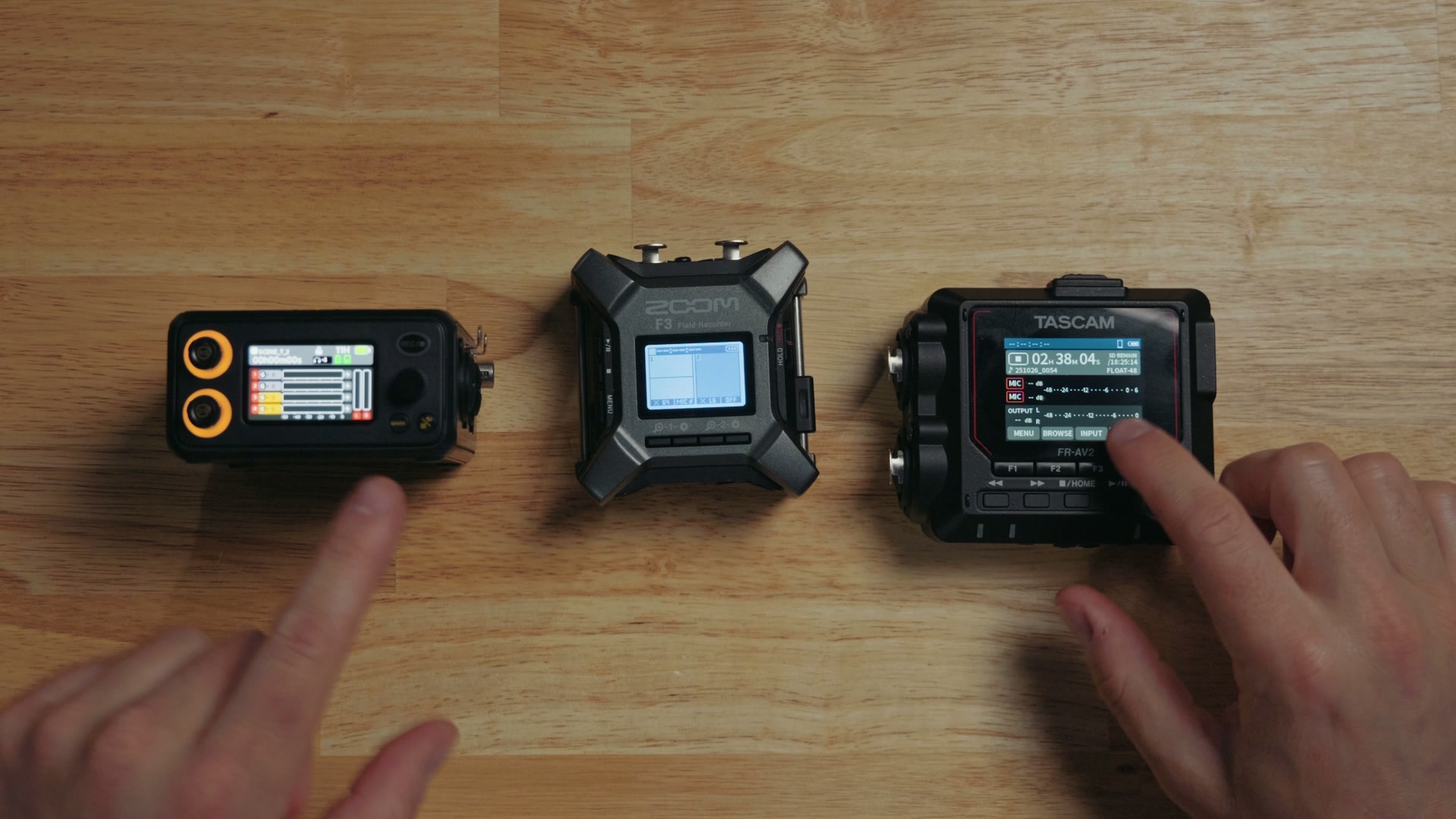
But if we’re talking about cages and mounting points, both the Zoom and the Tascam only have one mounting point on the bottom of the recorder. Deity actually offers a mounting point on the top, a mounting point on the bottom, and heck, you can get a whole cage that they make for it, which is 60 bucks at the time of making this video. Dang, it’s pretty cool. It adds a ton of mounting points to this recorder.
Alternatively, SmallRig does make a little mounting block for the F3 that goes on the bottom. That thing’s cool! Or I guess there are screen protectors for the FR-AV2, which I did find. Sorry, Tascam, there’s not much available for you. SmallRig, what are you doing? Make some accessories for this thing!
The Screens
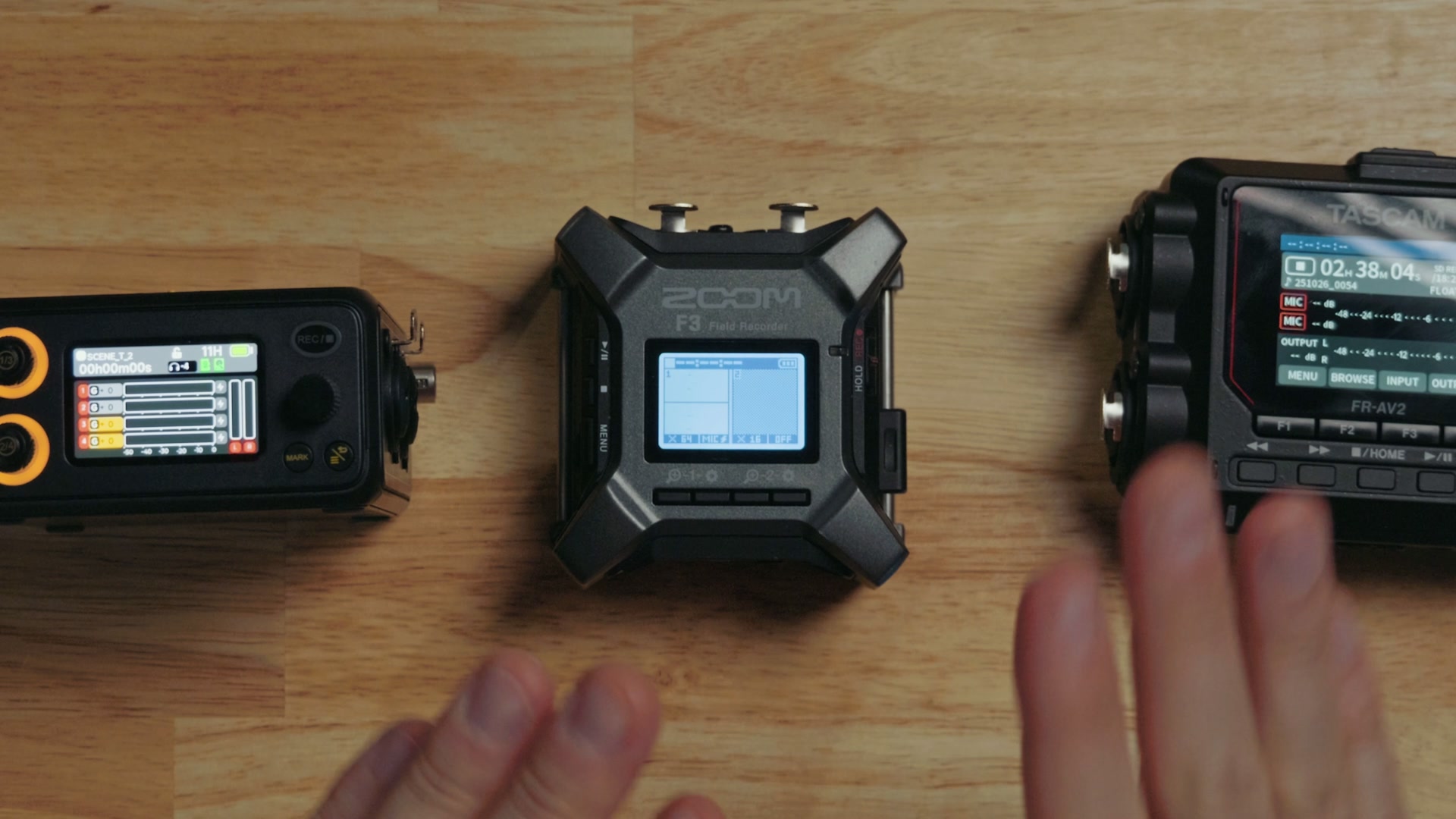
Anyways, the Zoom and Tascam screens are on top while the Deity’s is on the side. And while I kind of like the Game Boy aesthetic of the F3 with its black and white screen, the color screens on the Tascam and the Deity are also far better.
Which One Is The Easiest To Use?
Looking at these, there are a lot of buttons and even some knobs. But this is an area where the Zoom F3 really shines, because this recorder is designed to only be capable of recording in 32-bit float, and it does not have any gain controls on it. You can change the volume by going in here and boosting it or lowering it, but that’s only gonna change what you’re hearing in your headphones, not what’s actually on the audio file that’s being recorded.
Which means that whenever it comes time to set this recorder up, all you have to do is tell it whether the input has phantom power or not, throw a memory card in, and press record. As long as you’ve got that memory card in there, it’s gonna record high quality audio.
It is truly a set it and forget it device, which is why I absolutely love and recommend the Zoom F3. It’s easily the most beginner friendly of these audio recorders and great if you are just getting started. If you do pick one up, I’ve also written out the best settings for the Zoom F3 so you can get it dialed in on day one.
Where Zoom Cut Corners
But hold up, because it’s not all sunshine and rainbows. I have bad news for you. Zoom also cut some corners to hit the cheaper price of the F3, and one of those corners they cut aside from the black and white screen was that the F3 is only capable of receiving XLR inputs.
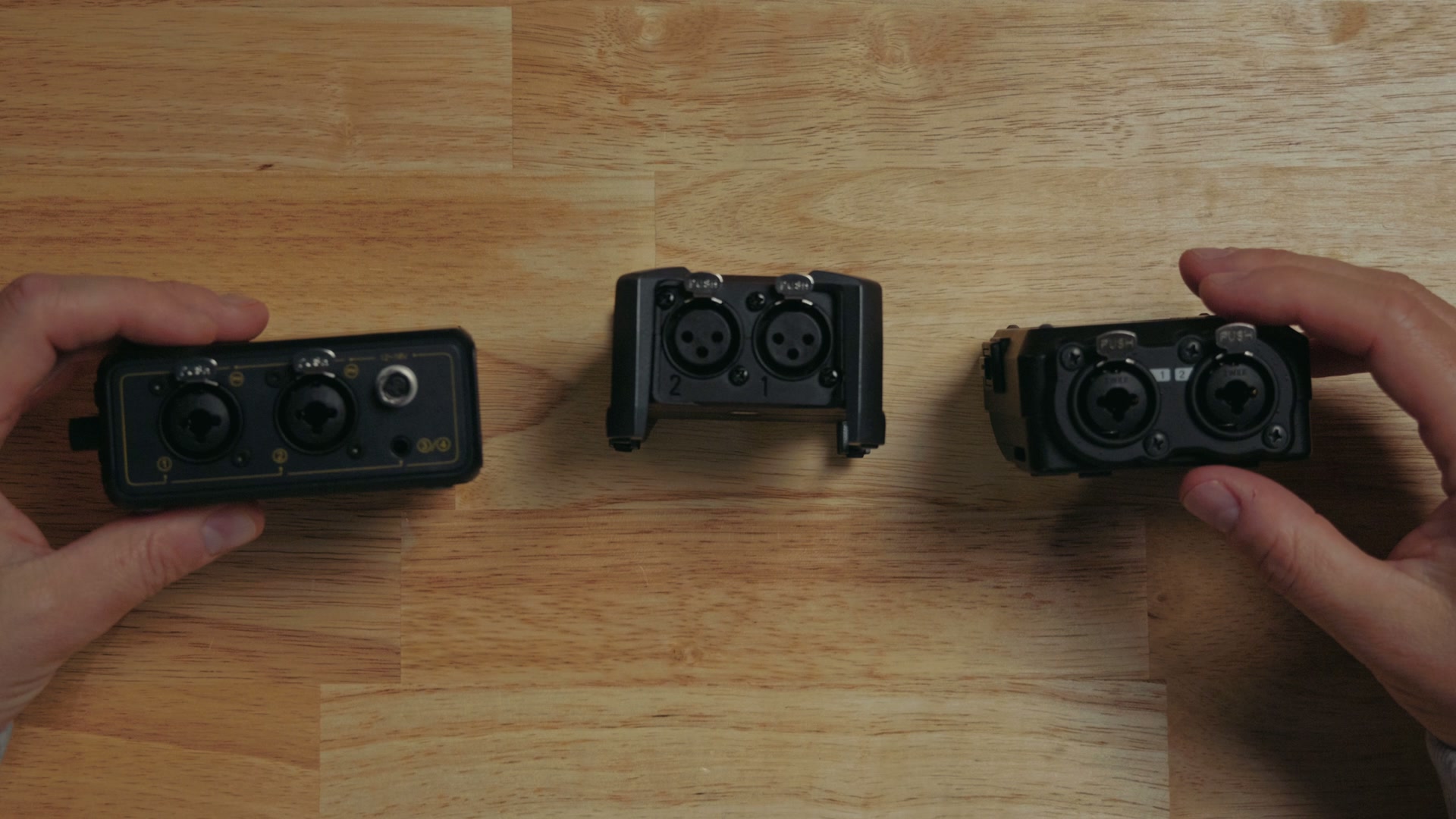
No, there is no combo quarter inch jack here like you can find on the Tascam or the Deity, and no 3.5 millimeter input like you get on the PR-4 as well. Now of course you can use adapters to get around this XLR limitation, but I really prefer the extra versatility of the Tascam and the Deity.
And if you’re looking for audio cables that will work with any of these audio recorders, or any other audio recorder for that matter, you should check out my audio cables that I made in collab with my friends at Kondor Blue. You get a carrying pouch with XLR, quarter inch, and RCA cables all organized, which are the three most common audio cables you’d be using whenever you’re filmmaking, and all of them have an XLR connection on the other end so they connect right up to any of these three recorders. Best of all, it comes with a lifetime warranty, and not just the bag, the cables too. That is a rarity these days, right?
Bluetooth: Built In Versus A $70 Dongle
All three of these devices support Bluetooth, but Zoom and Tascam opted to take a very similar approach to it, in that whenever you purchase these devices they are cheaper, but neither of them comes with Bluetooth enabled by default.
Yes, it’s very strange, but they actually have a separate Bluetooth dongle that inserts into the device that you have to purchase. For Zoom, the BTA-1 dongle is gonna cost 50 bucks to enable Bluetooth support. And for Tascam, their dongle is a little bit more protected over here on the side, so you have to work to get it out, but once you fish it out of there, that AK-BT2 adapter actually costs 70 bucks and adds more features.
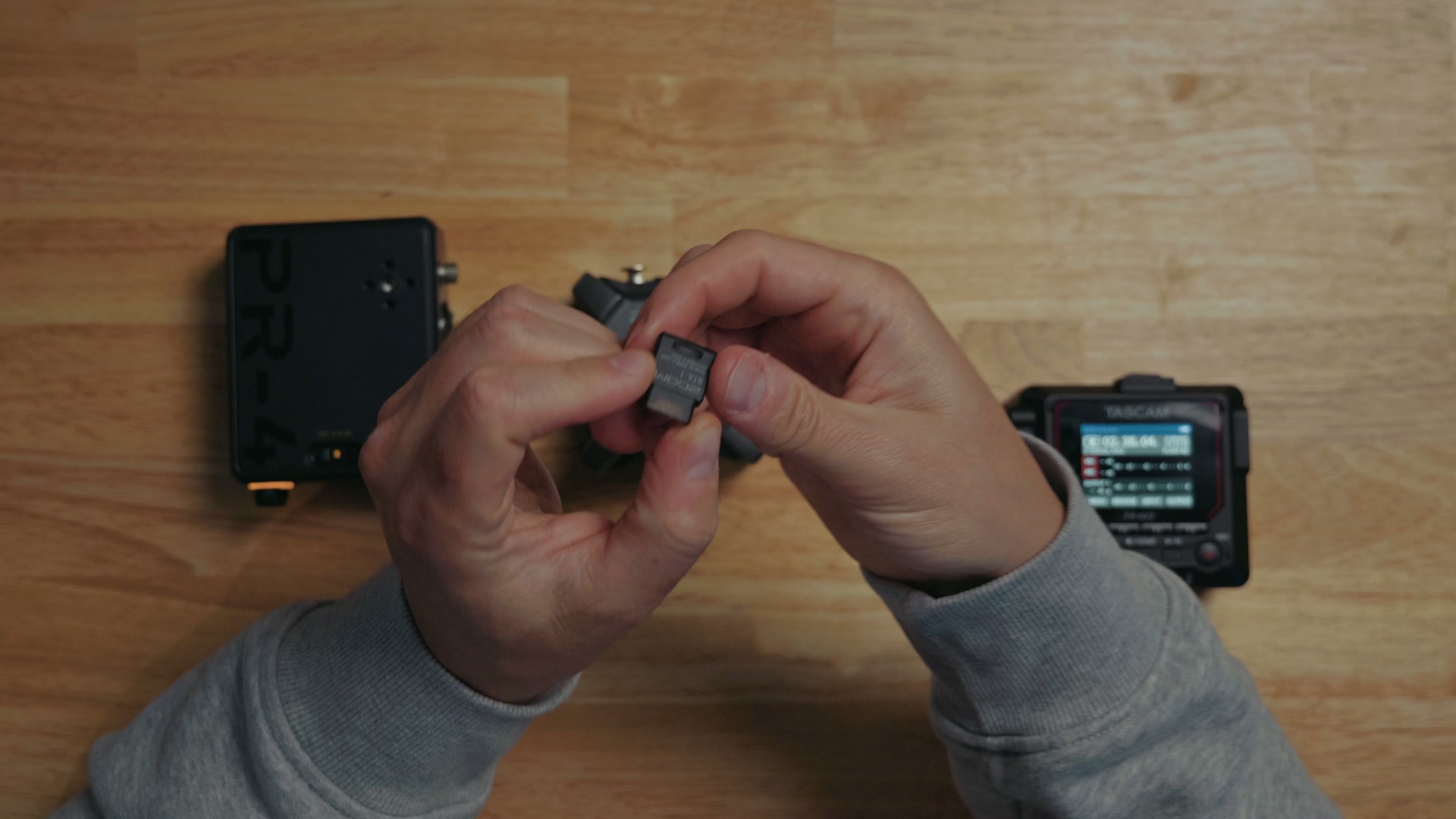
I do want you to factor that into your cost analysis whenever you’re purchasing either the Zoom or the Tascam. Because if you’re someone who likes Bluetooth, like me, who doesn’t? Okay, Bluetooth is not great. I don’t love Bluetooth, but I love the controls that I get from it. As a standard it’s still kind of janky, right? Nobody loves Bluetooth fully.
Alternatively, on the other hand, you have Deity, which took a more modern and normal approach I would say, where they just threw Bluetooth support into the device. They’re like, “Oh, you want Bluetooth? Yeah, it’s just built in.” Thanks, Deity, wow! That seems really smart, right? There’s no dongle to insert and keep track of.
The Apps
And that really leads us into talking about the apps for each of these three recorders. For context, the Tascam phone app will let you connect up to five devices over Bluetooth to control them. Zoom will let you connect to ten. And Deity’s over here like, how many devices do you want? How about 48? Yes, it’s pretty awesome!
And if I had to compare the apps between these three devices, both Zoom and Tascam feel like very 1.0 app versions, even though they’ve been out for many years now. They’re not pretty to look at, they’re very utilitarian, and their app designers have never heard of transition animations.
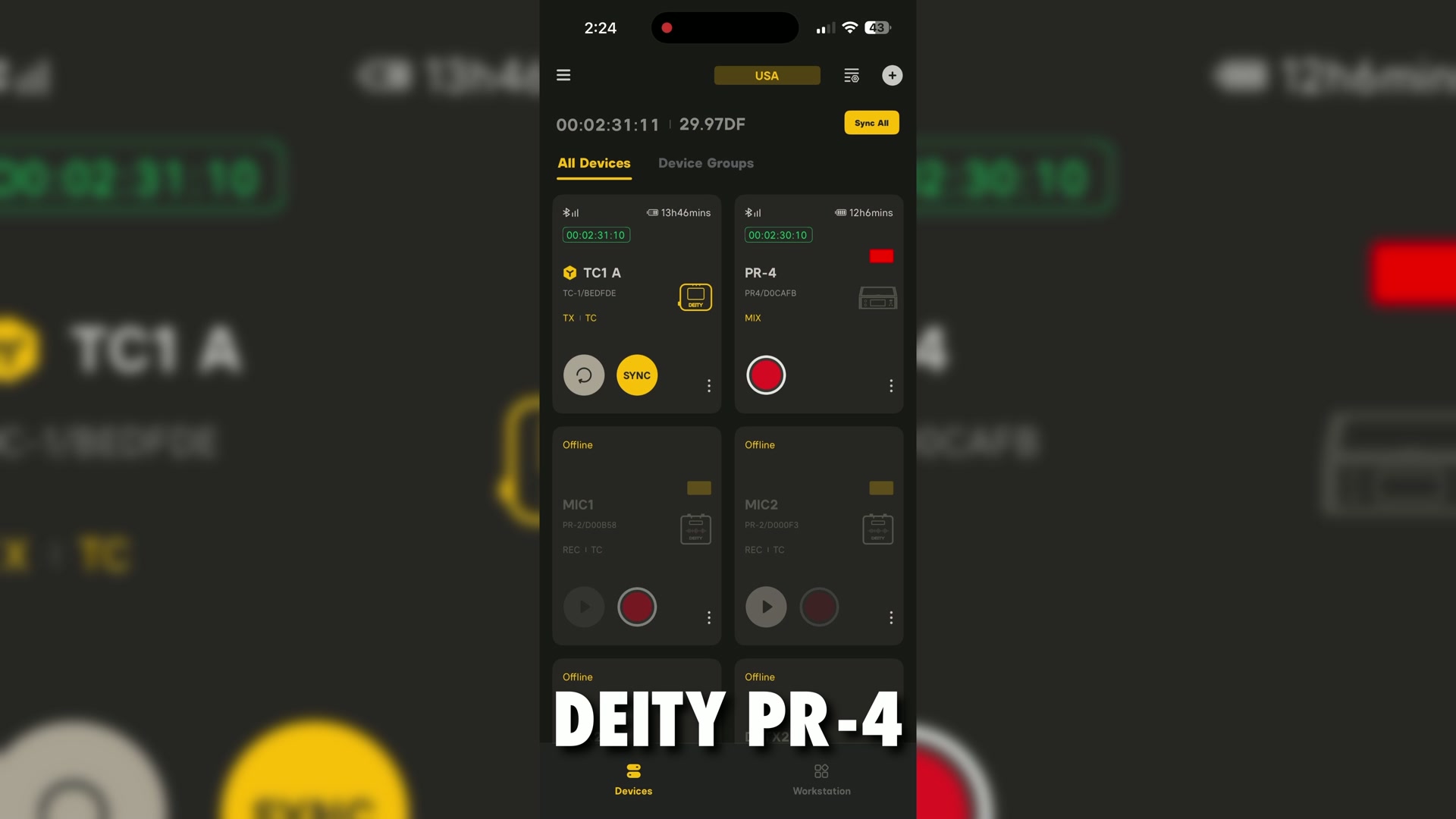
But then you have Deity with their Sidus Audio app, and you can tell they’re throwing tons of money at it. It’s clean, it’s intuitive, it feels modern, it’s just a joy to use, and it actually works. I love this thing! And it’s made even better because it works with all of their devices, unlike Zoom, which requires you to actually download a separate app for each separate model of audio recorder that you own. It’s weird, dude. I don’t know why they do that, but they do.
Timecode, And This Is The Big One
All three of these devices support timecode. But remember, you will need to purchase the Bluetooth adapter for the F3 and the FR-AV2 to enable wireless timecode support.
And you should also know that both Zoom and Tascam farmed out their flavor of timecode to Atomos, and they use Bluetooth timecode. I know Atomos is working on this and I really like them as a company, but it’s been so many years since we’ve seen any updates to their UltraSync timecode devices and they’re falling behind. The screen sucks, the interface sucks.
Look, we’re getting into the weeds here. My point is that Bluetooth timecode kind of sucks with both of these recorders. I have a full tutorial on syncing audio with timecode on the Tascam and Zoom recorders, so it absolutely can be done, but it’s a pain.
And if it does anything, it just makes Deity’s timecode system look so much better, because it actually uses radio waves and not Bluetooth. And I know Bluetooth is also a radio wave, but my point is that it’s a different kind of radio wave. Deity’s timecode creates a mesh network that enables all of their devices to talk to each other, and in short, it’s more reliable.
It’s really an ecosystem they have fully built out, where you can buy the timecode devices, a TC-SL1 timecode slate, the PR-2 pocket audio recorder, THEOS wireless mic packs, and now the PR-4 too. All of that can work together wirelessly using the same exact timecode standard, with everything being controlled from a smartphone app, which makes a ton of sense and works extremely well.
What’s that mean? Hydrogen bomb versus one coughing baby. The PR-4 is the bomb and the Zoom and Tascam are the baby, at least whenever it comes to timecode.
That said, whenever it comes to cross platform timecode compatibility with the F3, sorry, it’s the budget option, and you are limited to only using timecode over Bluetooth with other proprietary UltraSync devices.
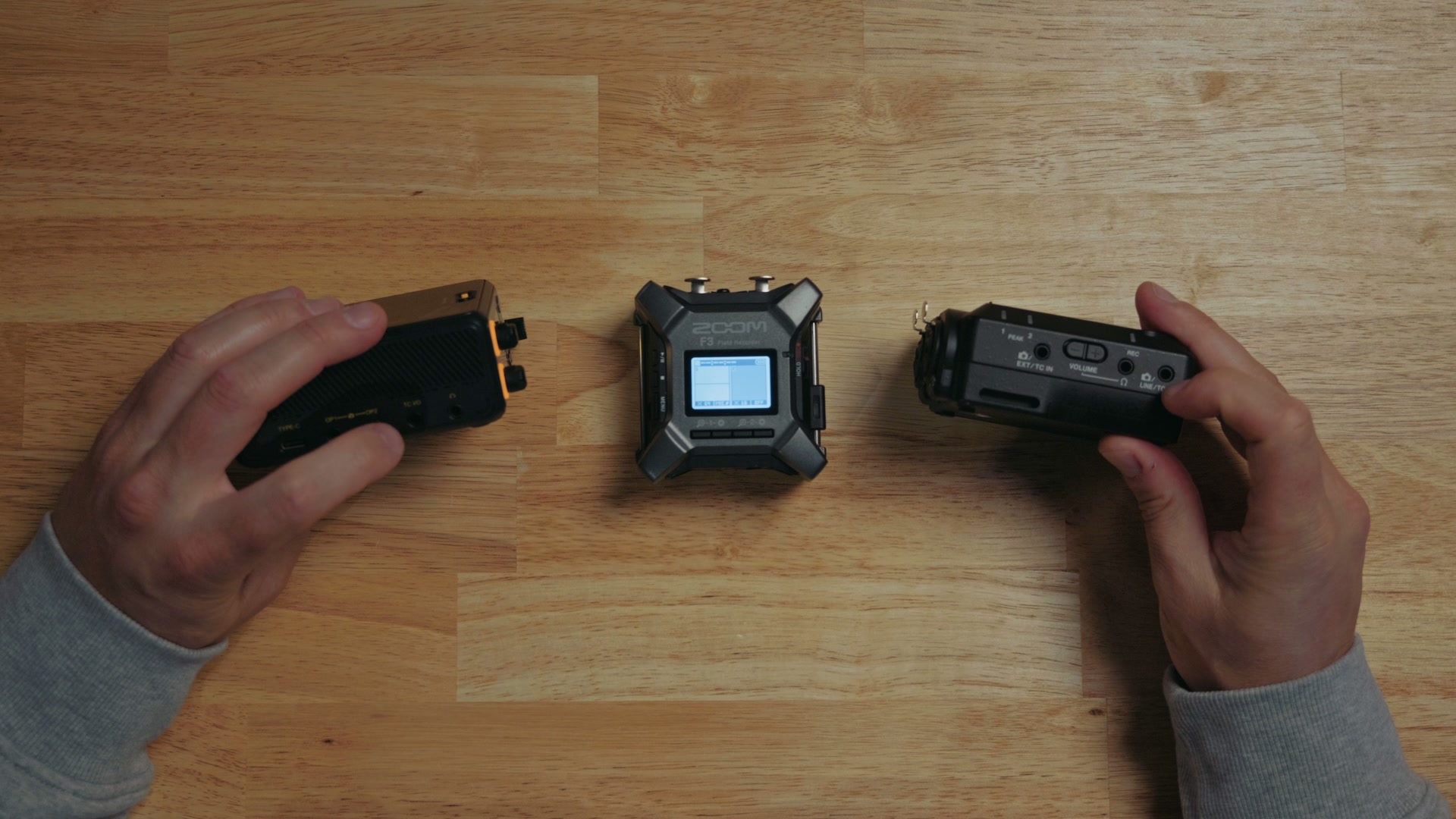
But with the FR-AV2 and the PR-4 on the other hand, both of these devices include timecode input and output ports, which are just 3.5 millimeter jacks that will enable them to send or receive linear timecode to any other device. So if you already have a lot of Atomos timecode devices or Tentacle Sync timecode devices, you could still use them with either of these recorders through those 3.5 millimeter jacks. I really appreciate that, because it’s a way of helping everything communicate and work together for free.
So if you care about timecode, at the very least I would buy the FR-AV2. Or if you want wired timecode as well as the best wireless timecode in my opinion, the PR-4 is so far ahead that it’s a no brainer. And if getting your audio synced up fast in post is the reason you care about any of this in the first place, my free Edit Videos Like A Pro guide walks through how I keep the rest of my edit moving just as quickly.
Storage
As far as storage goes, both Zoom and Tascam take very common microSD cards. You just pop it in and out, really easy to use, with the F3 supporting cards up to one terabyte and the Tascam supporting cards up to 512 gigabytes. Both of which are fine, by the way. If you need to record even half a terabyte of audio, we’re talking weeks upon weeks of recording straight here.
Here’s where it gets really interesting though, because not only does the Deity PR-4 have a full size SD card slot that supports cards up to one terabyte, it is also the only one of these three devices that comes with a built in 64 gigabytes of storage on an SSD.
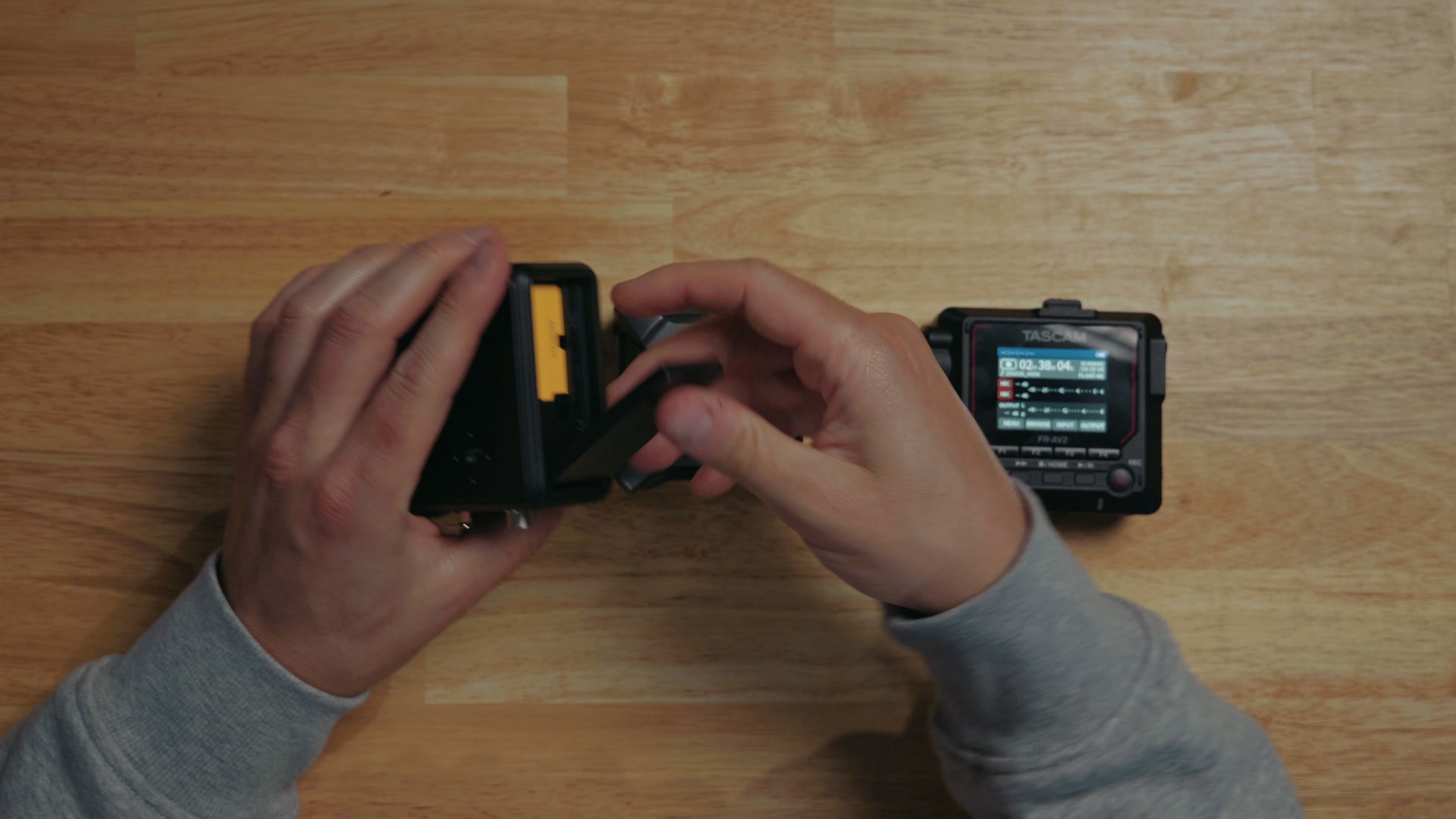
Which means that whenever you’re considering the cost between these three devices, keep in mind that you may not even need to buy a memory card for the PR-4, because it already has storage built in.
The Great Battery Debate
Anyways, let’s talk power, and here’s where all three of these audio recorders differ. The F3 takes two AA batteries, the FR-AV2 takes three AA batteries, and the PR-4 is the odd man out because it doesn’t support AA batteries at all. Instead it uses NP-F550 rechargeable batteries, which are very common in the video camera space.
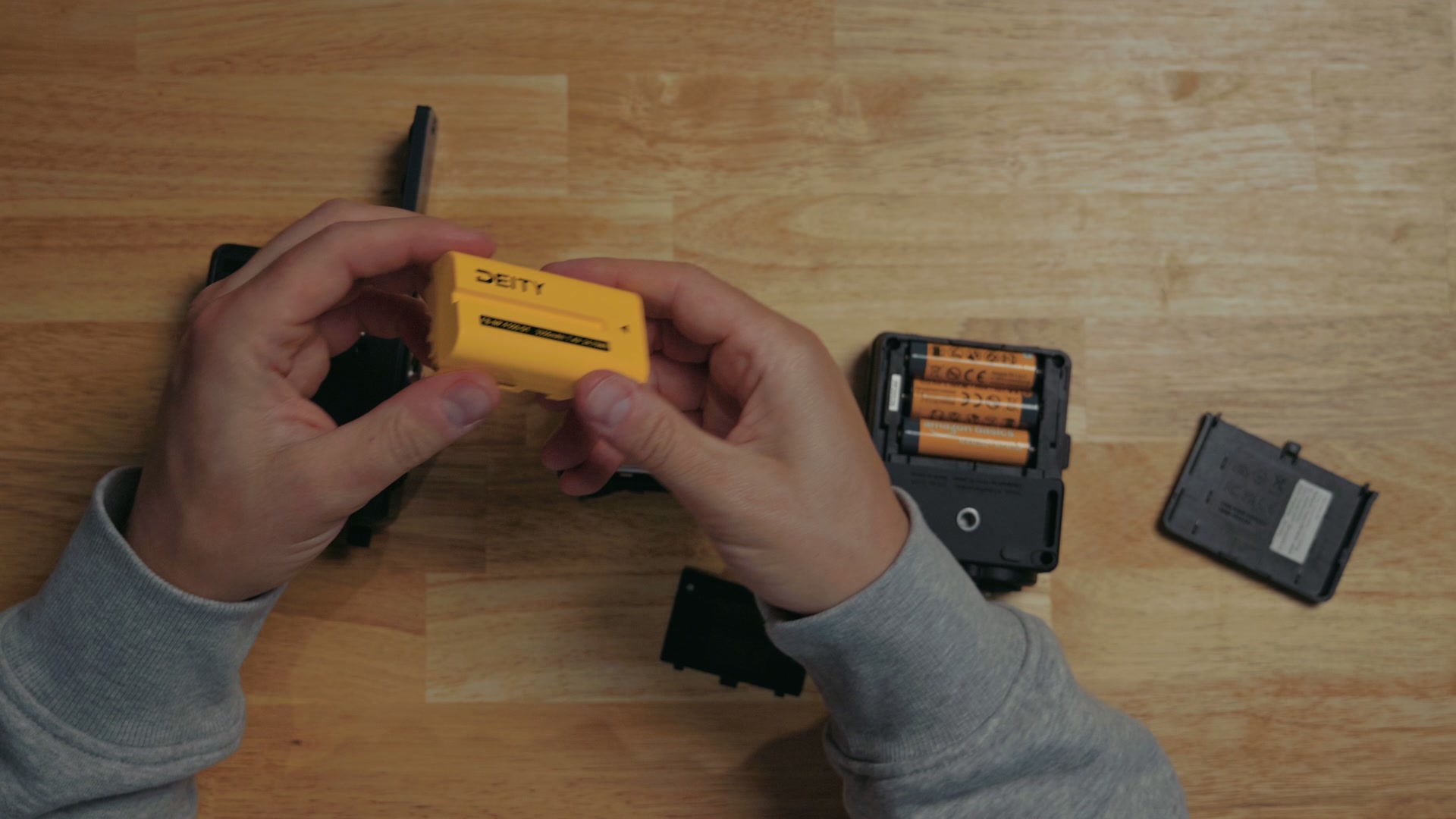
Some people love using replaceable AA batteries, and I know I’ve been a fan of using them for many years because they’re so easy to get and quick to buy. Any store has them if you’re out of juice and you’re like, oh crap, I gotta get batteries right now. You can do that. And in addition, you can also just buy rechargeable batteries one time and use them for many years.
But here’s the issue, and it comes down to battery life. Remember, not all AA batteries are made equal. While alkaline batteries are the cheapest, they also have the shortest battery life, with a good set of rechargeable batteries lasting longer, but by far the longest lasting batteries are gonna be single use lithium. Side note, any time any of these audio recorder companies make their battery life claims, they do it with lithium batteries, because they last way longer. But they’re also single use and far more expensive.
I’m not going to take a side here one way or the other in regards to batteries, but I do want you to know that a Deity NP-F550 battery only costs about 40 bucks if it isn’t on sale, and that’s gonna give you a similar battery life as running lithium batteries on the FR-AV2 and F3 by my testing. But the difference is this battery is rechargeable and you only have to buy it once, and if you are filming a lot, you’re quickly gonna start saving money on batteries with the NP-F550 in the long run.
Not to mention that if you plug a charger into the USB Type-C port on the side of the PR-4, that will charge the internal NP-F550 battery as well, unlike the Zoom and Tascam. Which basically means you can treat the PR-4 like it has an internal battery if you wanted to and just charge it, but you can also buy a few extras in the event that you needed to swap them. That’s really the best of both worlds in my opinion.
USB-C And The Audio Interface Trick
Side note, by the way, since I just mentioned USB Type-C. All three of these recorders have USB Type-C ports, and all three of them can also be used as a USB audio interface, which is fantastic! It’s best if you want to use a high quality mic for a Zoom call or a podcast.
Audio Quality And Preamps
Cool, Matt, USB-C, got it. What about audio quality? Because it would be wild if we had this huge discussion and I finally dropped on you at the end that the sound quality on one of these audio recorders sucks or something like that.
But no. All three of these audio recorders sound incredibly good in my opinion. And if you don’t want to just take my word for it, each of my individual reviews was completely recorded with that specific audio recorder, so you can listen to how all of them sound for yourself: my Deity PR-4 review, my Zoom F3 review, and my Tascam FR-AV2 review.
The main thing you need to know is that from a preamp standpoint, all three recorders have a very low noise floor. I’ve used the F3 and the FR-AV2 for multiple years now and I’ve never had any issues with clipping or noise from bringing up the audio levels, and even though I haven’t had the PR-4 for as long, I don’t expect any issues with it either. So basically, from an audio quality standpoint, all three of these are a tie.
So Which One Should You Buy?
But you know what isn’t a tie? Which one of these audio recorders you should buy.
Buy the Zoom F3 if you’re a beginner filmmaker purchasing one of your first audio recorders, or if you’re someone who wants a dead simple audio recorder that will literally turn on, make sure the memory card’s inside, and then you can hit record on it knowing that you’re getting high quality audio. It also happens to be the cheapest option, coming in at 300 bucks at the time of recording this. But it’s been out for quite a while and I’ve definitely seen it for cheaper, so it’s worth checking the current price.
Buy the Tascam FR-AV2 if you find it on sale. It has some nice upgrades over the F3, especially combo XLR and quarter inch inputs, a color screen, and a 3.5 millimeter timecode input and output, which is wonderful to see and does make it far more versatile whenever you’re working with other flavors of timecode than just what you’d get from Atomos with the F3. The main thing you need to keep in mind is that if you want to be able to wirelessly control this recorder or the Zoom F3, you’re going to need to purchase that Bluetooth dongle, which is gonna cost you anywhere from 50 to 70 bucks. And whenever you factor that 70 bucks into the cost of the FR-AV2, yes, you do get wireless monitoring over Bluetooth headphones with this recorder, which you do not get with either of the competition, but the FR-AV2 costs 400 bucks at the time of recording this, and that is without the $70 Bluetooth adapter.
Buy the Deity PR-4 if you want the best of all of it. It wins on timecode, it wins on battery with its NP-F550, it wins with two more channels of audio, and it has Bluetooth built in with no adapter required, for 450 bucks. That’s $20 less than the FR-AV2 with Bluetooth.
So let me put it this way. If you can find an FR-AV2 on sale where it is significantly cheaper, that’s where it starts to make sense. But otherwise, the Zoom F3 for a lower budget and the PR-4 for a higher budget make a lot more sense in my personal educated opinion.
And if you want to see all the rest of the gear I actually use, I put together a free Wedding Videographer Gear Guide that shows you all the best equipment I recommend for wedding filmmaking and filmmaking in general. It’s in a nice PDF format with links, you’re gonna love it, and you can download it completely for free.