
The Deity PR4 is, in my opinion, the best audio recorder you can buy today. It gives you four channel recording, the best time code support on the market, and a built-in SSD for backups. I got to test it as a wedding and freelance filmmaker, and it earned that spot fast. For the sake of ethics, this is not sponsored by Deity, but they did send me the recorder so I could put this review together.
Right out of the gate, the size is great. It easily fits in the palm of your hand, and it is much smaller if you are coming from something like a Zoom F6. Somehow Deity crammed a ton of power into this little device.
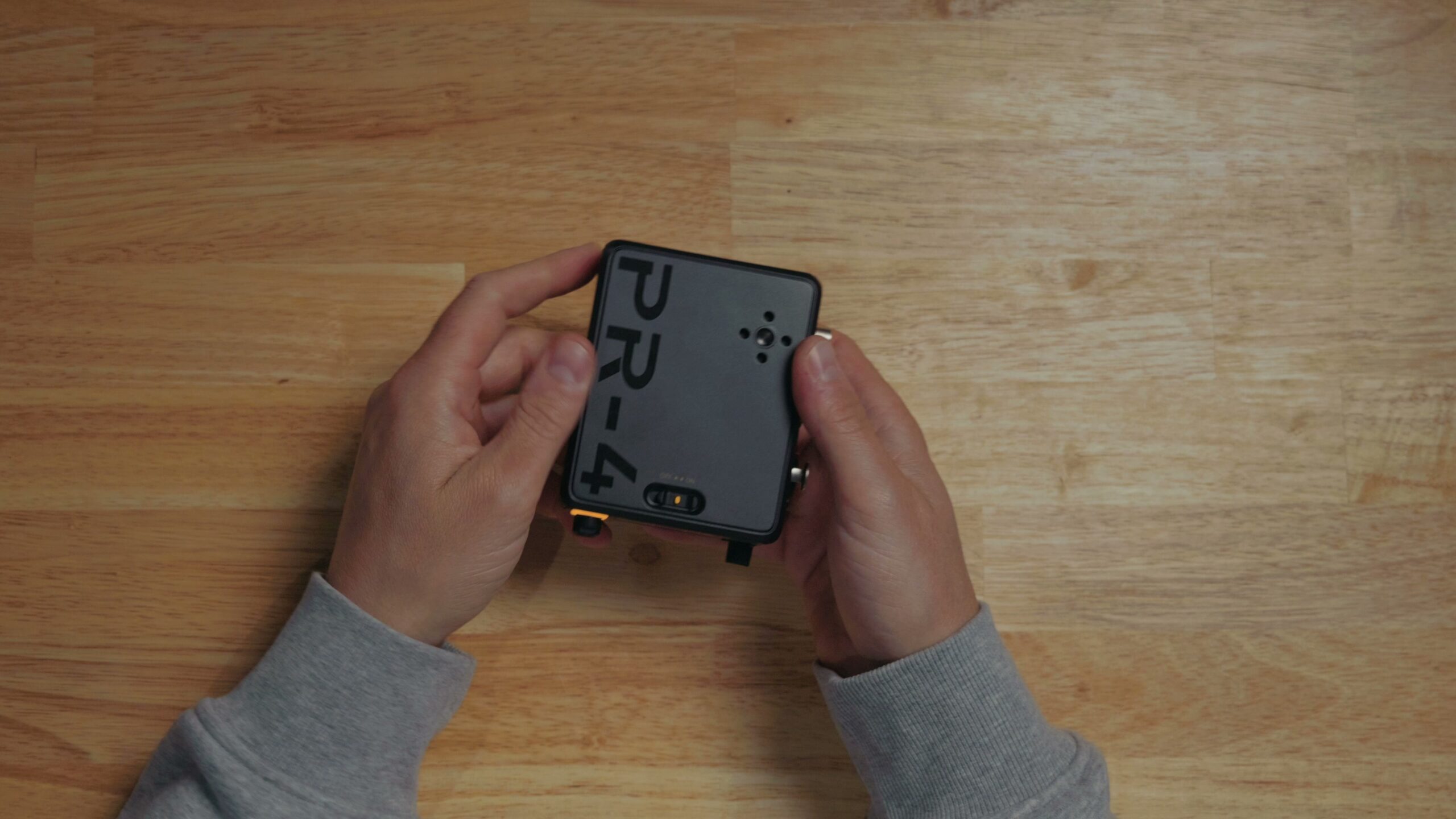
Time code is where the PR4 shines
Let’s start with what Deity is mostly known for as a company: time code. They started by making time code sync devices, then a time code slate, then the PR2 standalone recorder, and now this. To me the PR4 is the culmination of all of that work, and it is the missing piece that ties the whole ecosystem together.
You can use the PR4 as your master time code generator, or use any of Deity’s other devices for that. And here is the part people have been waiting for: all of this time code works wirelessly using Deity’s very robust wireless time code system. If you are using anything that supports Deity, you can connect it all wirelessly, and it works with the Sidus Audio app, which makes syncing way easier. You can control up to 48 devices from your phone and make sure they are all synced up.
No need to buy a weird Bluetooth dongle like you do with a Zoom or a Tascam recorder. I understand that keeps those recorders cheaper, but the moment you buy one you end up wishing you had Bluetooth, so you buy the dongle anyway.
And it is not just wireless. On the side you get a time code in and out 3.5mm jack, so if you want the PR4 to work with any other time code system, like Atomos, Tentacle Sync, Zoom, Tascam, or your camera, you can plug it in and run a linear time code signal. In short, if you care at all about time code, or you are thinking about getting into it with your camera, Deity’s ecosystem is the best and most full featured out there, and the easiest to use, which makes the PR4 a really easy recommendation.
A built-in SSD, and dual recording as a backup
My second favorite feature after time code is one I have never seen on a larger audio recorder, and I want to see it on everything going forward, cameras included. In a world’s first, the PR4 not only has a full size SD card slot that takes cards up to one terabyte, it also has a built-in 64GB SSD that gives you hours of recording time with no memory card required.
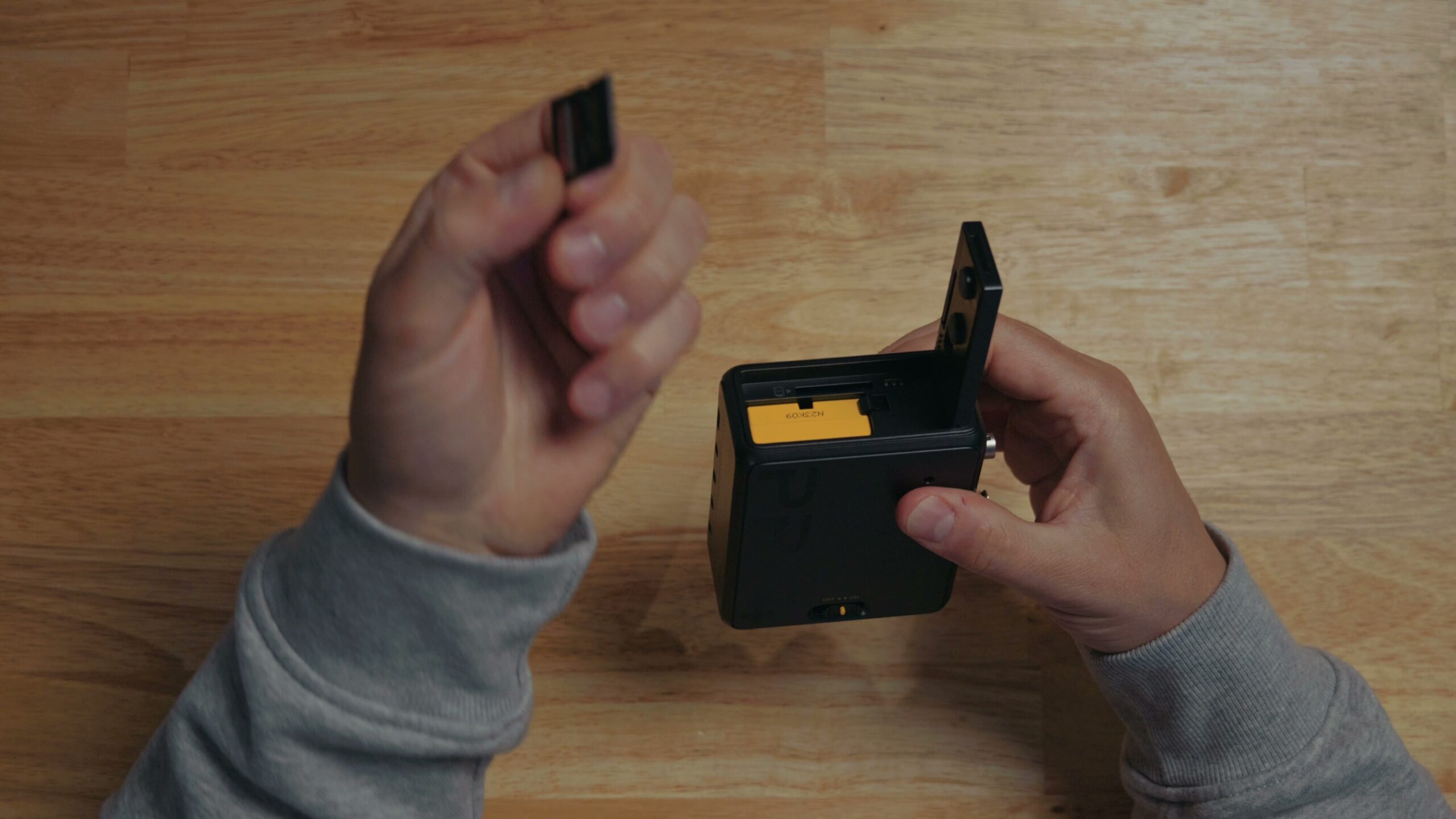
So if you are someone who sometimes forgets your memory cards, and yes, that is me too, you are really going to appreciate the extra built-in storage. Even better, if you put an SD card in, the PR4 can dual record to both the memory card and the SSD at the same time as a backup in case of a card failure. That is a first for an audio recorder like this.
Have you ever been filming a wedding and had the DJ or band pull your memory card out of your recorder while it was still recording? I have. I know other people it has happened to. An internal backup is a great way to keep from losing your important recordings.
You can even have the PR4 record a poly file with all channels to the SSD, and set the SD card to just record left and right stereo audio. That makes it really easy to hand the client a simple stereo file while keeping the fuller poly file, with more control, for yourself.
The controls and that swipe interface
The screen is a full color OLED that looks really good and is clear and easy to understand. Even more interesting, it is also a touchscreen. But if you are looking at all the tiny buttons thinking this looks difficult, do not worry. It is not a traditional touchscreen where you adjust every setting by tapping.
Instead, the screen detects which direction you swipe. Swipe down to adjust settings for the next take, swipe up for the last take, swipe right for your recording settings, and swipe left for your time code settings.
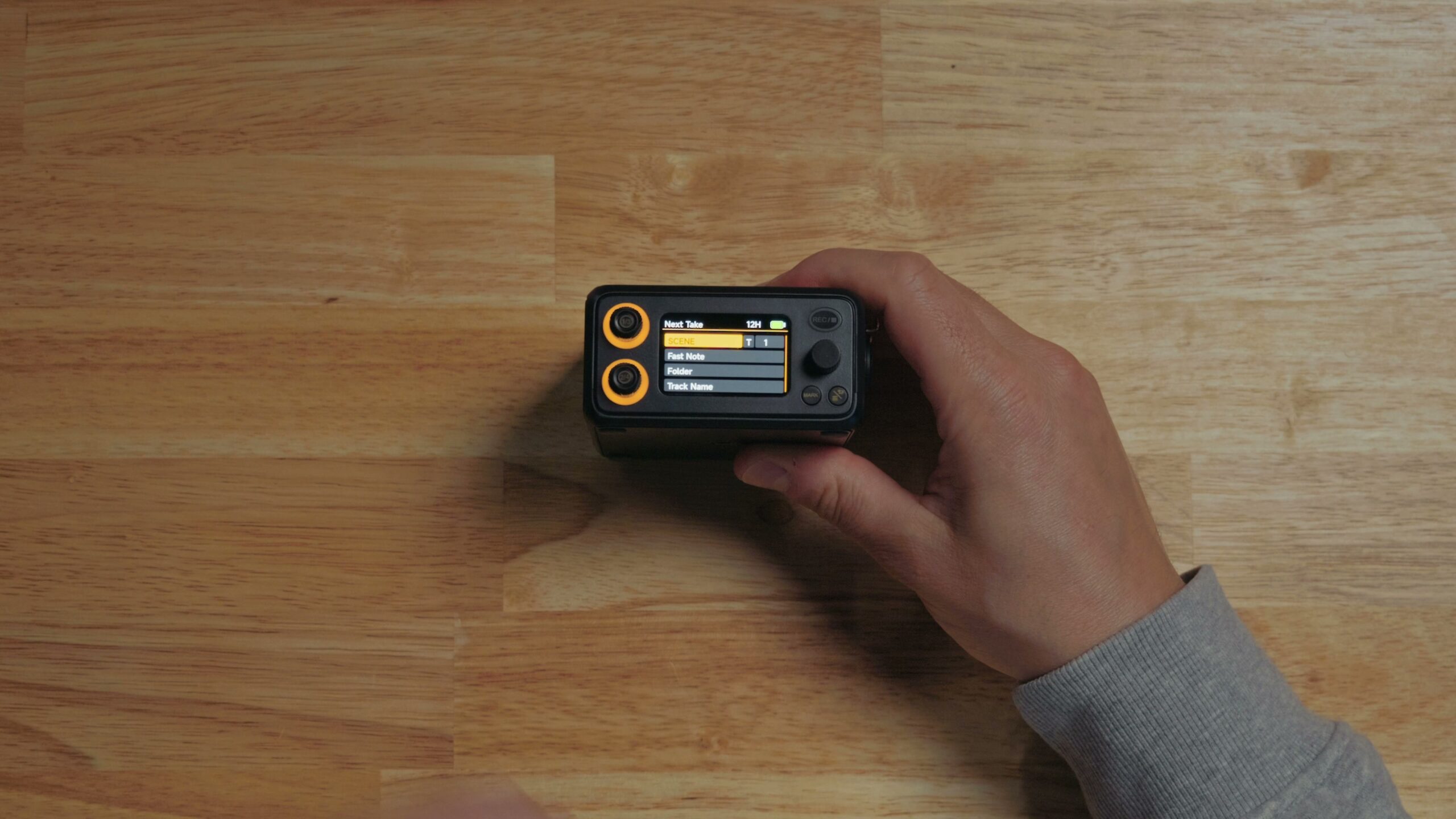
Otherwise you have knobs on the left to adjust the gain for each input, and if you want the other two inputs, you just tap the screen once and adjust them too. Press in on the right knob for more quick settings. Between the shortcut swipes and the knobs, you really do not have to dive into the menu much while you are actually recording, which is really nice.
I will say the touch interface is not the most intuitive until someone tells you how it works. So it is a good thing I told you, because it took me a bit of Googling to figure it out my first time.
On the front there is also a mark button, which I really like. Press it and it saves a marker to the time code that your editing software can read. So if you are recording an interview and someone says a great line you want to remember, press mark right after and that section gets flagged in the time code.
The hidden tally lamp on the back
Flip the recorder around and there is a very cool hidden feature. You can faintly see the word Deity on the bottom, but once you press record, it lights up red. It is a tally lamp built right into the recorder.
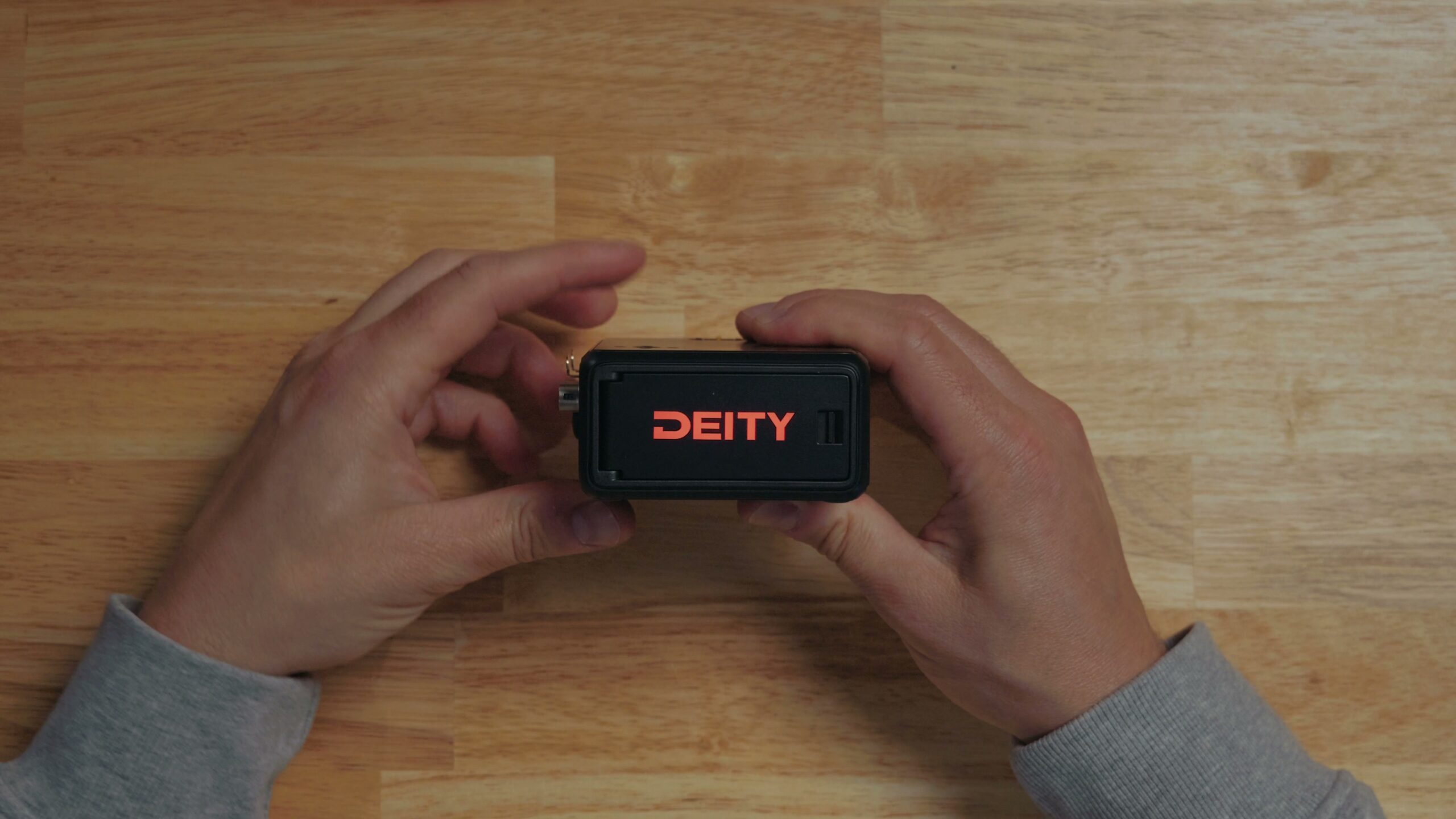
If you are filming yourself with the recorder mounted on top of your camera, the screen is not facing you, but the back is. So you can tell at a glance that it is recording because the logo is glowing red. And of course, you can go into the settings and disable the tally lamp if you want to.
How does it actually sound?
As cool as this device is, if the audio sucked, who cares. It would not be worth buying. Thankfully, in all of my testing, the audio quality is stellar. For context, this entire review was recorded with a Deity S-Mic 3 running into a Deity PR4. So everything you heard is straight from the PR4. If it sounds good to you, I think you will be really happy with this recorder.
New Regain preamps
The PR4 has new preamps, and a small spoiler, I have been told these are also coming to the new Deity PR2 Mark II, so subscribe if you want a review of that recorder when it drops. These are called Regain preamps, and no, that is not a hair regrowth supplement, that is Rogaine.
Deity says the new preamps deliver up to 60dB of gain, which is basically on par with the Zoom F3 and the Tascam F5 V2, neither of which I have any complaints about. In short, your audio should sound great whether it is recorded very quietly or very loudly. And if you use a mic that needs a lot of gain, like a Shure SM7B for a podcast, you do not need a separate Cloudlifter. The PR4 has enough gain to handle it easily.
VoiceAware AutoMix and the Live Hit Denoiser
The PR4 also includes something Deity calls VoiceAware AutoMix. If you are recording from multiple microphones, it dynamically adjusts the gain of each one to keep them all roughly at the same level. I have used this in my Tascam recorders and I am very happy to see it here. It makes the PR4 really awesome for podcasts.
If you are not recording a podcast and you are in a much louder environment, there is another feature called the Live Hit Denoiser, which boosts the human vocal range while reducing ambient background, wind, and traffic noise. In my testing this is a very subtle effect on its own, only canceling up to about six decibels of background noise. But there is a way to strengthen it, which I will get to in a moment.
Expert mode, and the pro-level features
Switch the PR4 from basic to expert mode and the dials immediately change from orange to blue, because I guess blue is for pros. It also changes how the dials work. Instead of adjusting gain by default, they now control the fader setting, which only affects your monitoring of the audio, not the actual recorded volume, unless you dive into the settings.
While you’re here, take a look at Feature Packed Audio Recorder WITH Timecode! – Deity PR-2 Review.
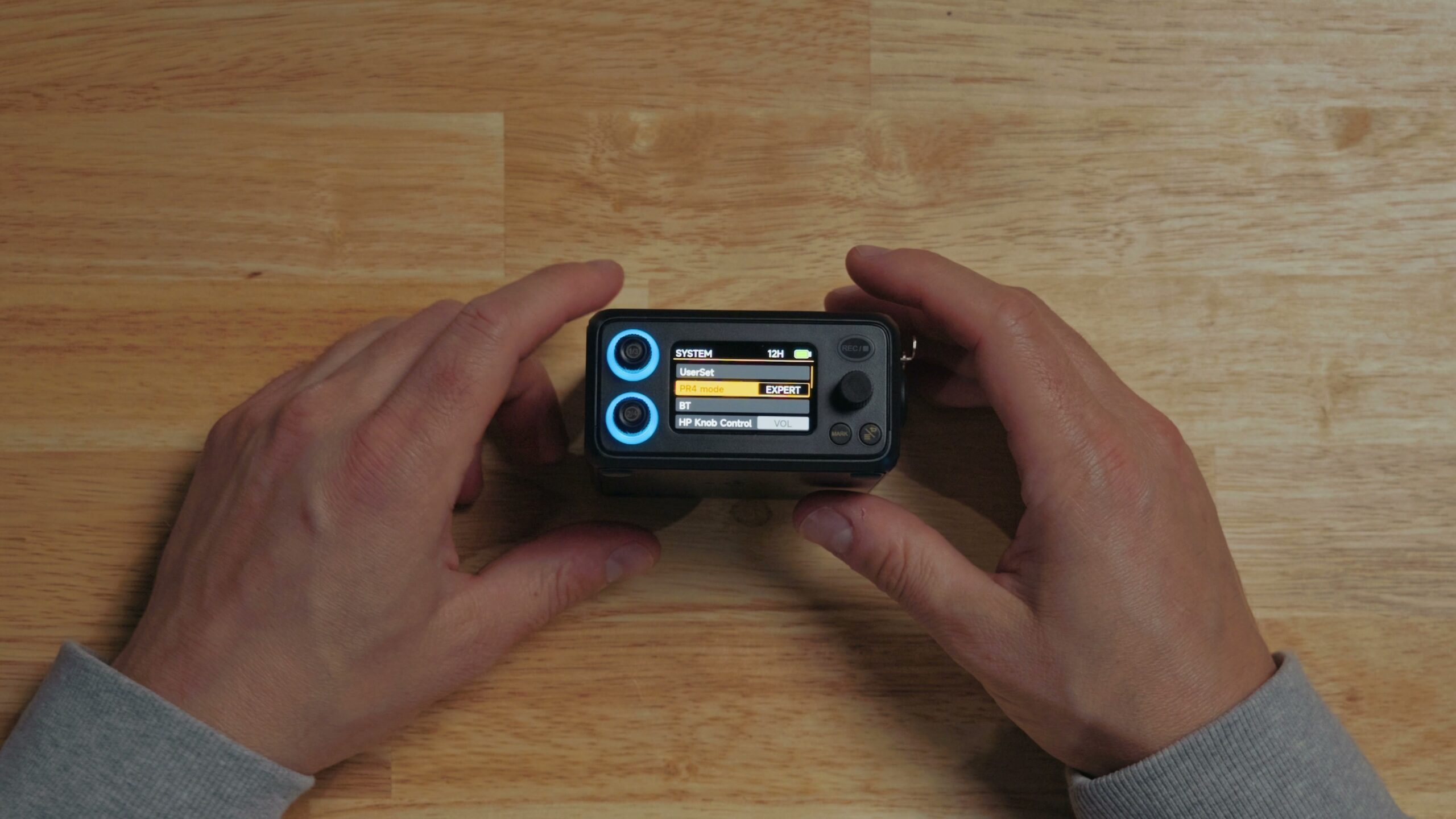
And if you do dive deep, there is a lot here. You can set whether audio is recorded pre or post fader. You get routing settings for each channel, so you can dial in which input lands in the left or right channel. There is an output delay setting to sync the recorder’s audio to your cameras. And very impressively for pros, there is AES3 and AES42 protocol support.
If your eyes are glazing over, I understand, but if you know audio you may have just perked up. Basically, if you want to connect high-level multi-channel wireless receivers into this recorder, or run straight into a large mixing console, you will be excited about AES3. And if you use AES42 digital microphones, which require 10 volts of digital phantom power, the PR4 supports that too. That really expands the versatility of the PR4 and makes it significantly more professional.
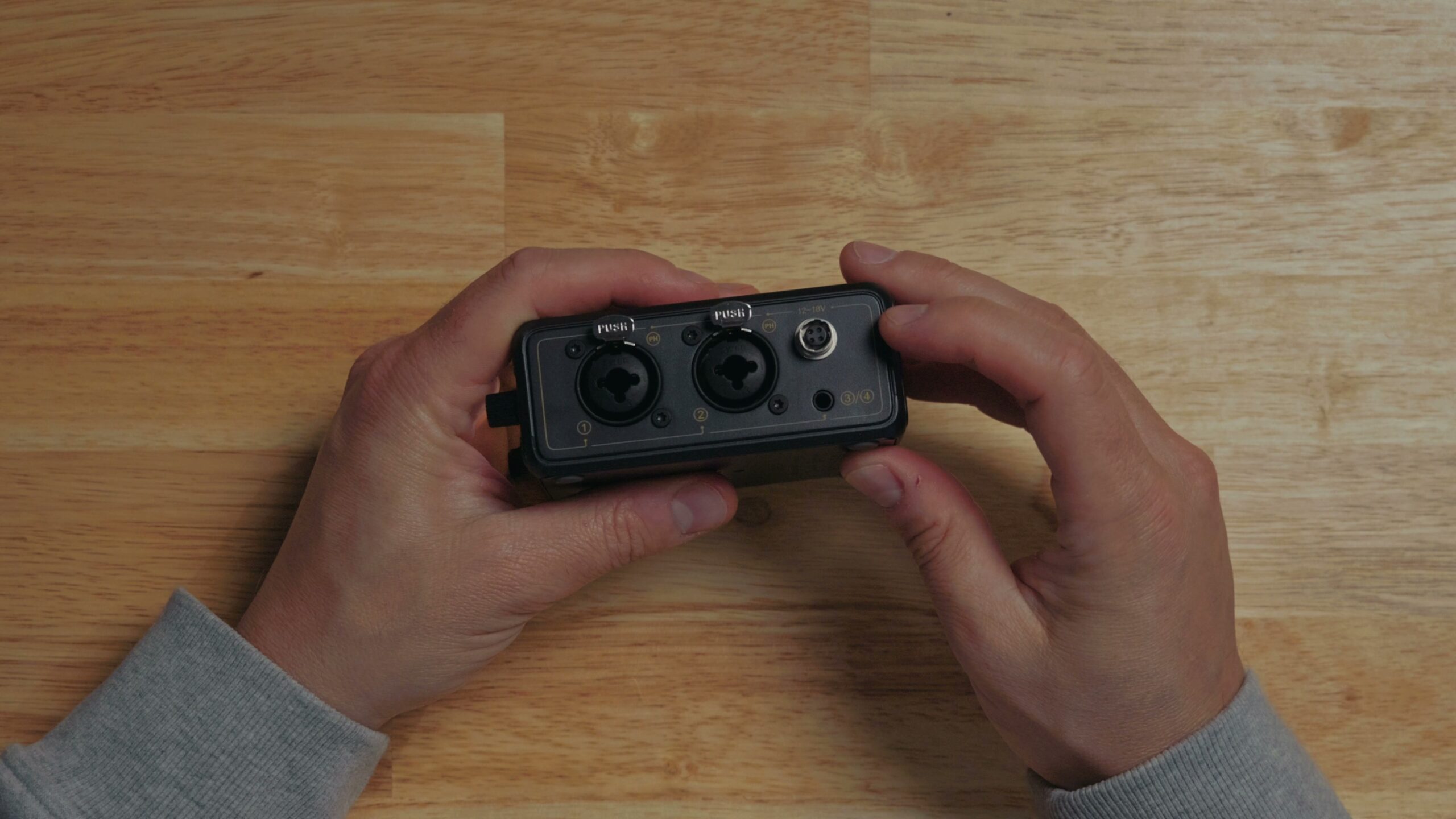
There is one more pro touch on the input side: a weird four-pin locking power input port. This is not something you normally see on a recorder like this, but if you are an audio professional already running a lot of power equipment, you are going to love this locking input. It is one of the gold standards for powering very high-end production gear, and it was surprising to see, but I am definitely not upset about it.
And remember the Live Hit Denoiser that was not very strong? Enable expert mode and you can make it significantly stronger, up from six decibels to 20 decibels of noise reduction. In my rain-sound test, the difference between no reduction, six decibels, and the full 20 decibels in expert mode is very real. If you need it, this feature is really nice to have, and not something you commonly see in an audio recorder like this.
Inputs, outputs, and power
On the inputs, you get dual locking combo XLR and quarter-inch inputs, which is great to see.
You also get a 3.5mm input on the side, and on the other side that time code input we talked about, plus a headphone jack and two analog 3.5mm outputs you can run to multiple cameras. There is also a USB Type-C port, and it does double duty: not only can you power the PR4 over USB-C, if you connect it to your computer it also works as a USB audio interface. That is something you kind of expect these days, but it is nice to have.
Pop open the back cover and you will see how it is powered. No AA or AAA batteries here. Instead it uses the very common NP-F550 battery, which you probably already have lying around. If you do not, Deity makes a pretty yellow one with a higher 3320mAh rating. You can either swap batteries with an NP-F charger, or just leave the battery in and charge it over the Type-C port. You can basically pretend this thing has a built-in battery and never change it. It has a built-in battery and a built-in SSD, which is pretty cool.
As for battery life, in my testing with a fully charged battery, 48 volt phantom power on, and recording for as long as possible, the PR4 lasted eight hours and 35 minutes. That is not bad and it is pretty comparable to the competition. If you are filming a very long event, grab a spare battery, or just plug in a USB-C battery bank and keep it running for literally days.
Mounting and the cage
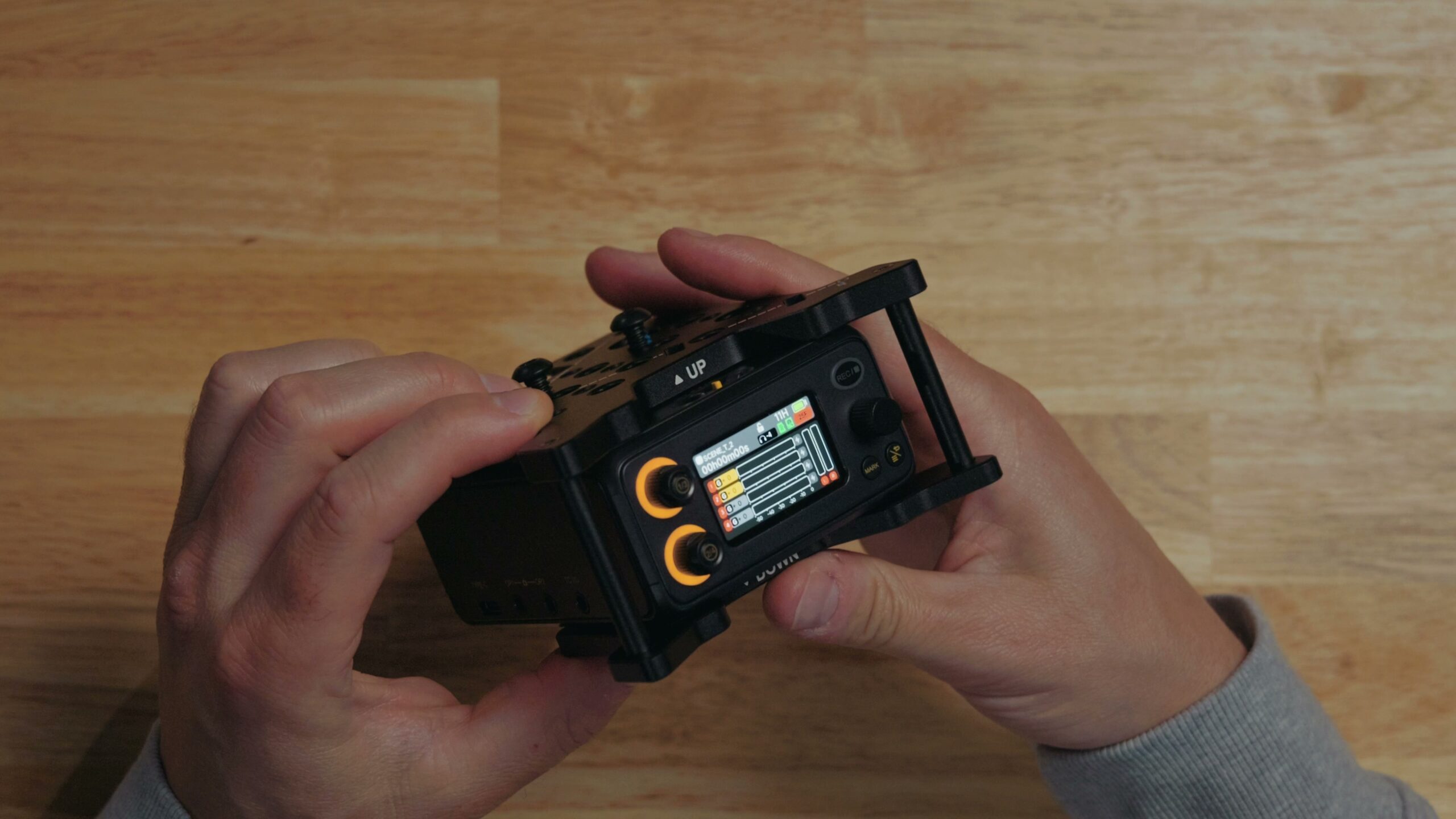
The PR4 gives you a ton of features in a very compact package, and if you want extra mounting points, Deity makes a cage for it. It protects the recorder and lets you mount it basically anywhere. It locks in, you screw it down, and you are left with a well-built cage that looks really awesome.
Is it worth $450?
At $450 at the time I am writing this, the PR4 is up against some healthy competition, most of which is cheaper. But when you consider the pro-level features you are getting, the math changes. You are looking at the best and easiest time code ecosystem, built-in Bluetooth with no extra dongle to pay for, an app that is genuinely a joy to use, and a built-in SSD so you do not even have to buy an SD card if you do not want to. On top of that you get features that really feel like they cater to audio pros, like a four-pin power port, AES3 and AES42 support, and a common NP-F550 battery.
It all comes together to make it feel like Deity knocked it out of the park with this recorder. If you value time code, or you just want to future-proof your setup, the PR4 is a great buy. Audio gear is only half the wedding kit, so if you want the full picture, here is my wedding video shot list and my favorite on-camera microphone.
And once your footage is recorded, if you want to get better at putting it all together, check out my Edit Videos Like A Pro guide. I actually wrote it myself to help you edit videos better, and no, it is not written by AI, which is a weird thing to have to say these days, but here we are. Thanks so much for reading, and have a great day.