
The Tascam FR-AV2 is one of the most full featured compact audio recorders that I have ever used, and if you are looking for a 32-bit float audio recorder that you can plug into virtually any soundboard or microphone, and it supports virtually any kind of timecode, I think this recorder is an absolutely stellar choice.
Spoiler out of the way for how I feel about this thing, because I respect your time.
I am going to be reviewing this recorder from the perspective of a wedding and professional filmmaker, because half of your time recording audio at a wedding is going to be spent plugging into the soundboard for a ceremony or a reception with a recorder just like this one.
Also, for the sake of ethics, I want you to know this video is not paid or sponsored by Tascam, but they did send me this recorder earlier so I could make this review in time for when it launched.
Size, Screen, And Buttons
Looking at the FR-AV2 now, as you can see, it is quite small. It can fit in your hand, and on top you have this really big, very nice color screen, which is not a touchscreen. But that is fine, because this recorder has plenty of buttons and it is relatively simple to use. I do not feel like it has any need for a touchscreen at all.
You have a record button, play buttons, and a row of function buttons that let you change menu settings and so on. Like I said, plenty of buttons. I also do like that the plastic is slightly raised next to the record button, which makes it really easy to tell that you are about to press it.
Combo XLR Jacks, And Why They Matter
The first thing I want to draw your attention to is the two locking combo XLR and quarter inch jacks. Yes! It is so great to see combo jacks on a recorder of this size, especially considering that with Tascam’s earlier compact recorder, the Portacapture X6, that recorder only had XLR and there was no quarter inch cable support.
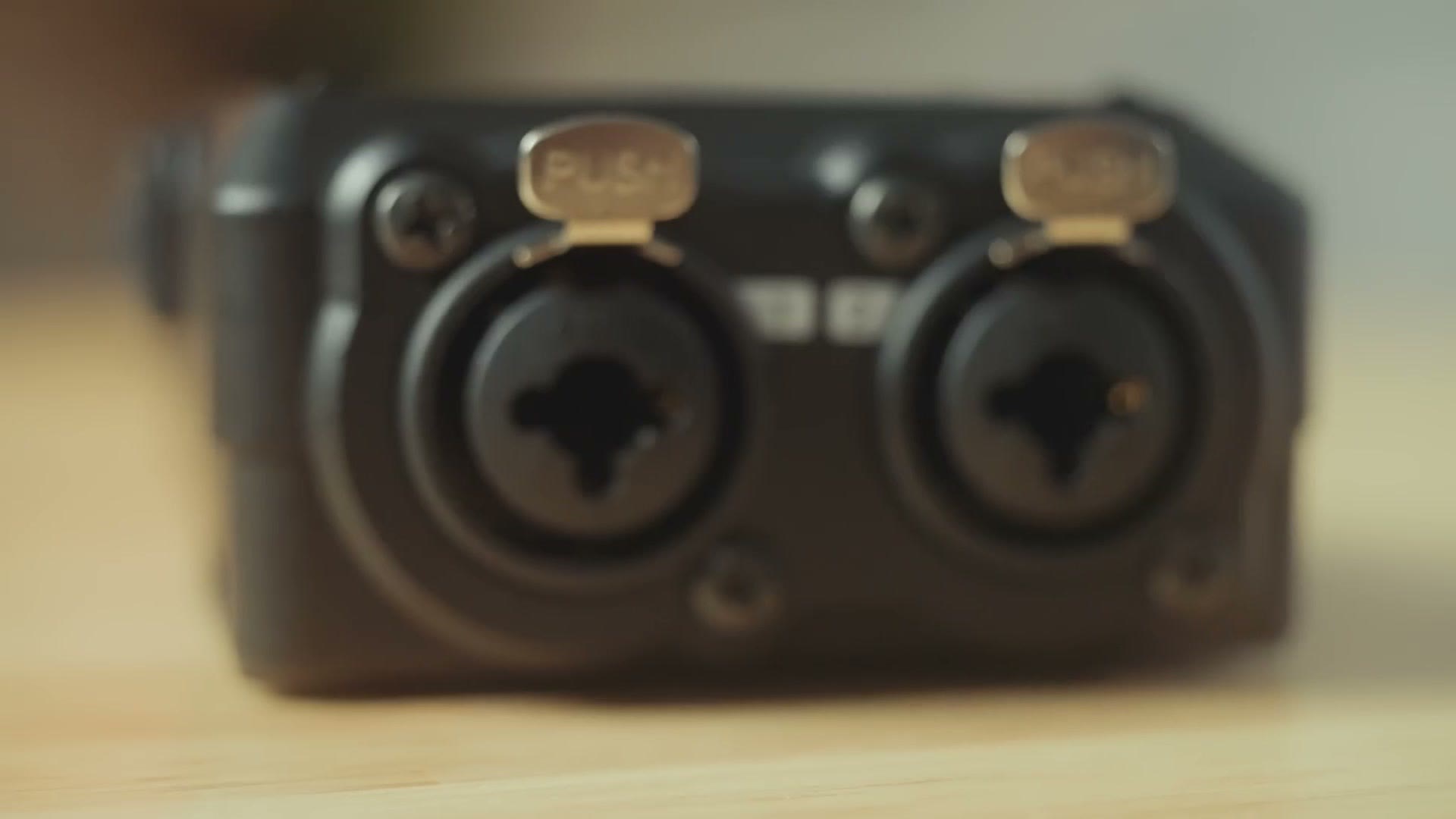
And if you are wondering why the heck you would want both XLR and quarter inch compatibility on a recorder, this not only makes the FR-AV2 more versatile overall because it is compatible with more types of cables, but if you happen to be filming a wedding in particular, the odds are that you are going to need to have either an XLR or a quarter inch cable, so it is great to see that both types are supported here.
Side note, by the way, if you want an amazing set of cables, you need to check out my audio cable pack that I made in collaboration with my friends at Kondor Blue. There is an excellent XLR cable, an XLR to quarter inch cable, and an XLR to RCA cable for plugging into virtually any soundboard, and there is also this very convenient carrying pouch that is going to help you keep all of your cables organized. You can buy them altogether as a pack or buy them completely separately if you want to.
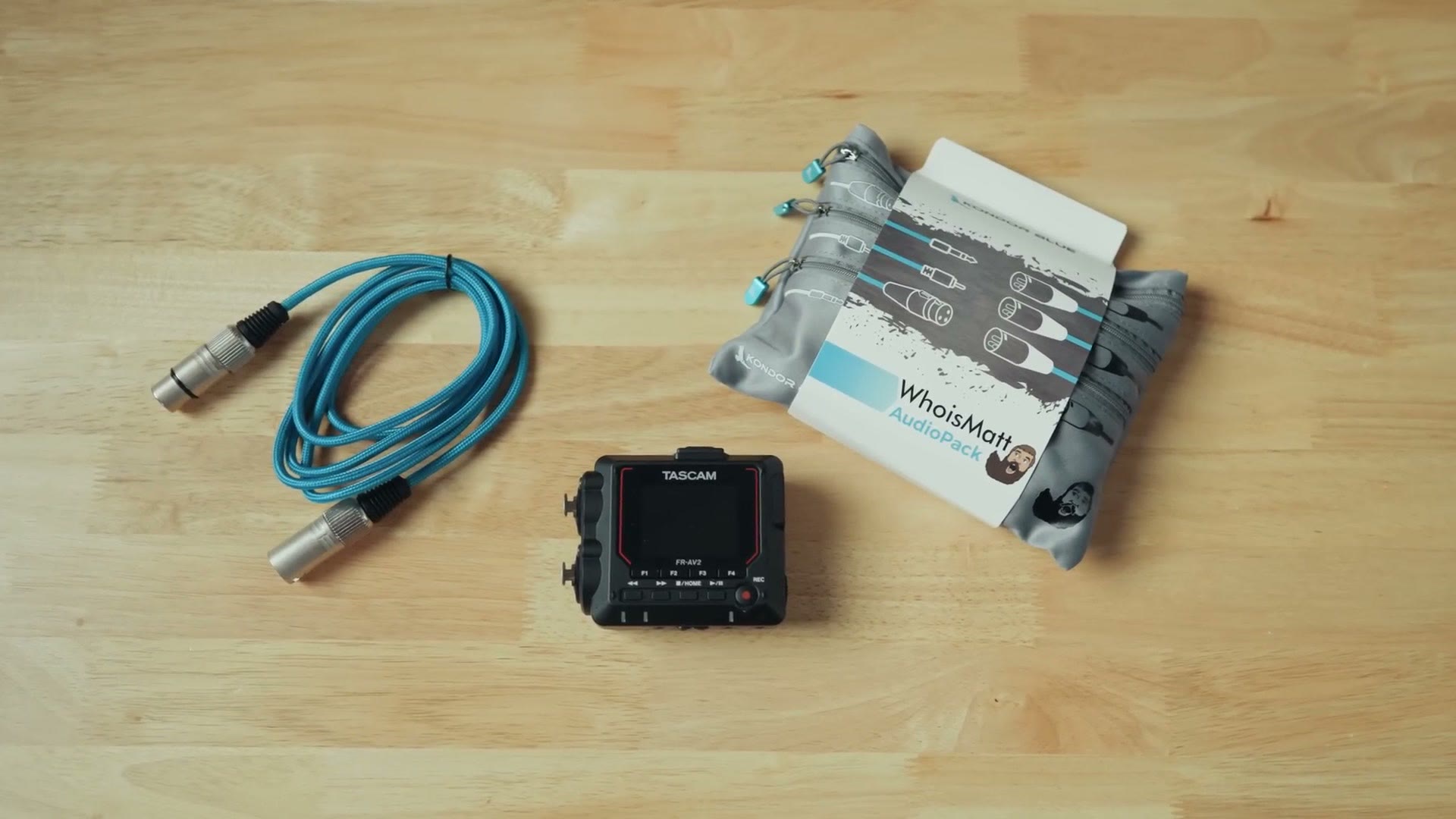
Anyways, really nice XLR and quarter inch combo jacks out of the way, and looking at the back of the recorder now, notice that you have a quarter inch screw mount, but you also have two slots on the back where you can strap this recorder to something if you wanted to, say, attach it to a boom pole or a speaker. This is a really nice touch.
Battery Life Test
Pop open the battery door now, and this is where things get even more interesting, because even though this recorder is quite compact, it still takes three AA batteries. Remember though, it has that color screen on the front, so it is not exactly a surprise that it requires three batteries to power it.
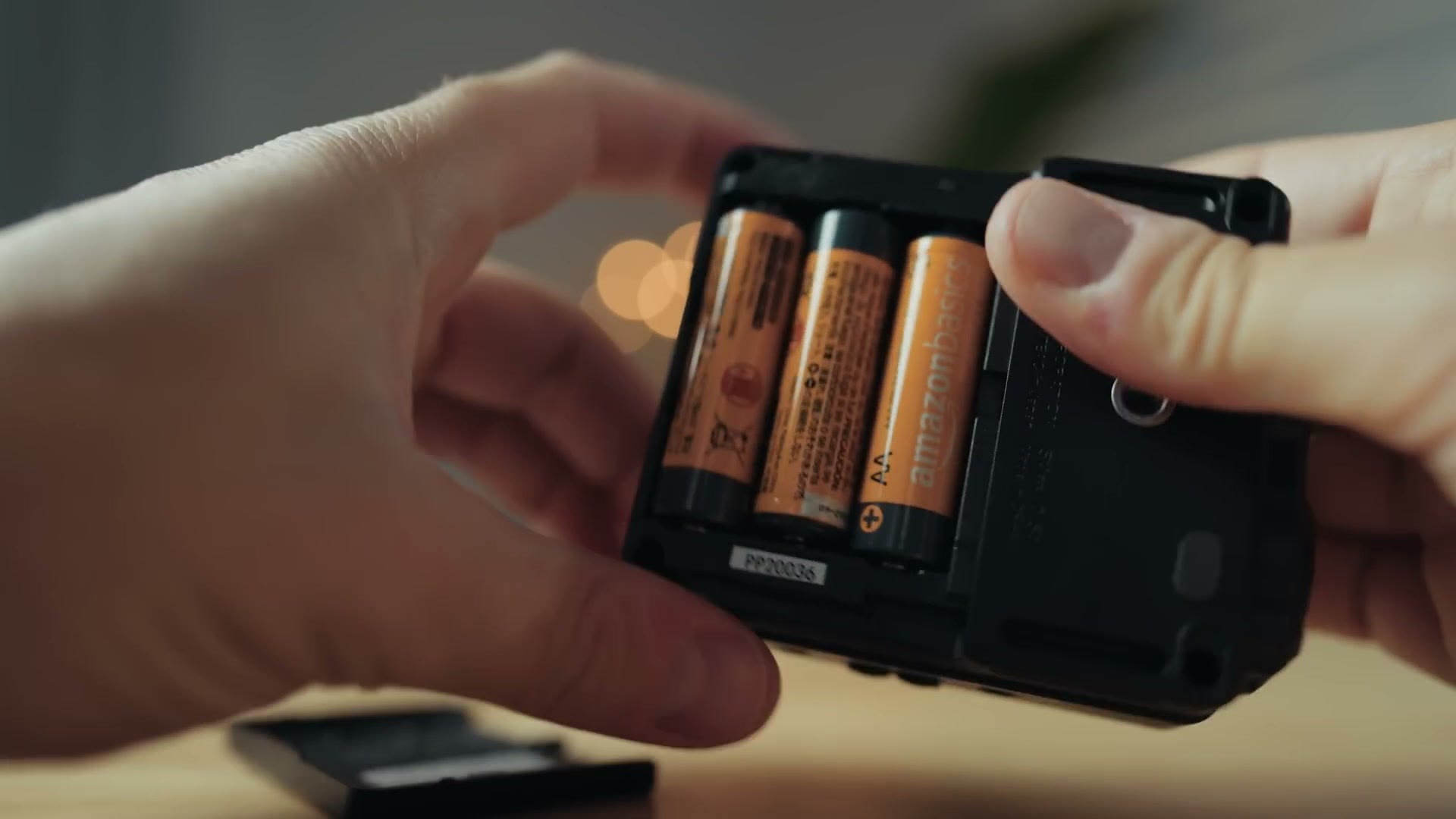
Tascam says battery life with lithium batteries is expected to be approximately 15 hours with the phantom power turned off, and ten hours with it turned on. So whenever I tested this, throwing in a set of three lithium batteries, which I always recommend using if you want the longest battery life, I found that the batteries lasted for ten hours and 54 minutes, almost 11 hours, while recording in 32-bit float at 48kHz with phantom power enabled.

I think this is quite solid, and if you are not going to be using phantom power, like say plugging into a soundboard, in that case you can probably expect 15 plus hours of recording just like Tascam says. I also want you to know that there is an auto power save setting in the menu, as well as a power save mode that you can enable, and whenever you do this it is going to disable recording at any higher kilohertz than 48,000, which should in theory give you even longer battery life.
USB Audio Interface And Memory Card Size
Moving on to the other side of the recorder now, you have the sliding power switch, a USB-C port that will not only power the recorder but also allow it to be used as a USB audio interface, and a microSD card slot which has a really nice cover over it. I always love how Tascam does their covers. This is great. Very protective. Take note, Zoom. You can do better, like Tascam. Okay.
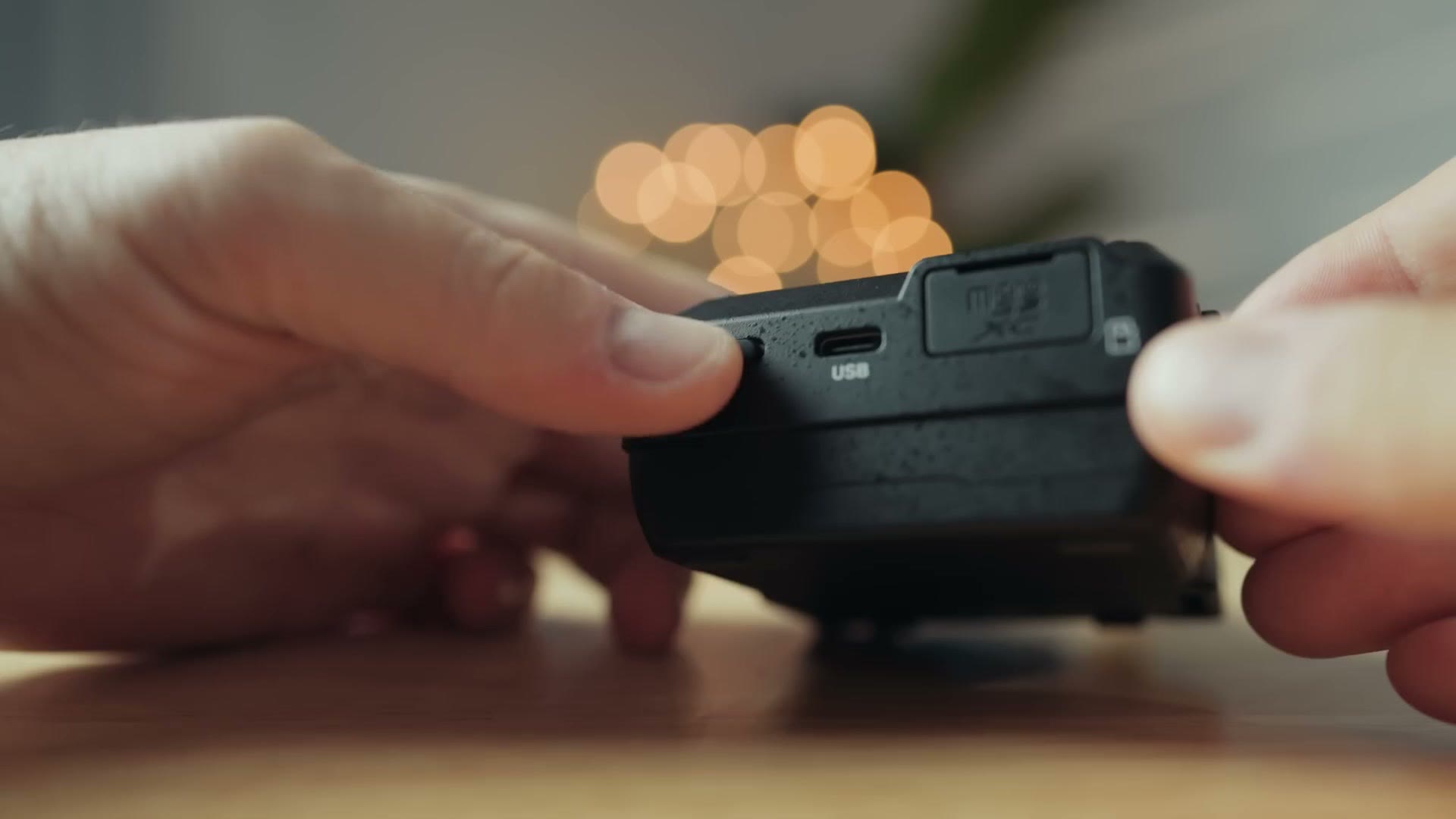
Anyways, this recorder can take memory cards up to 512GB in size, which is massive and means you can record for many days with this thing as long as you have power.
Bluetooth Control And Monitoring, Finally
On the top you have a slot where you can insert Tascam’s AK-BT2 Bluetooth adapter. Yes, I said BT2, because this is an updated adapter from their BT1. What makes this one different is that it not only lets you wirelessly control up to five of these FR-AV2 recorders and synchronize them using timecode over Bluetooth, but it will also enable you to wirelessly monitor your audio over Bluetooth too.
But hold up, because this is where things get weird. Unlike other devices that let you monitor your audio wirelessly using an app, with the FR-AV2 you need to actually connect a set of Bluetooth headphones to the device in the menu of the recorder, and then you can monitor the audio over Bluetooth as you are recording. There is unfortunately no way to do this in the app itself, but I think this is mostly due to Tascam not wanting to be sued by a company called Zaxcom that currently holds a patent on wirelessly monitoring audio from an external recorder.
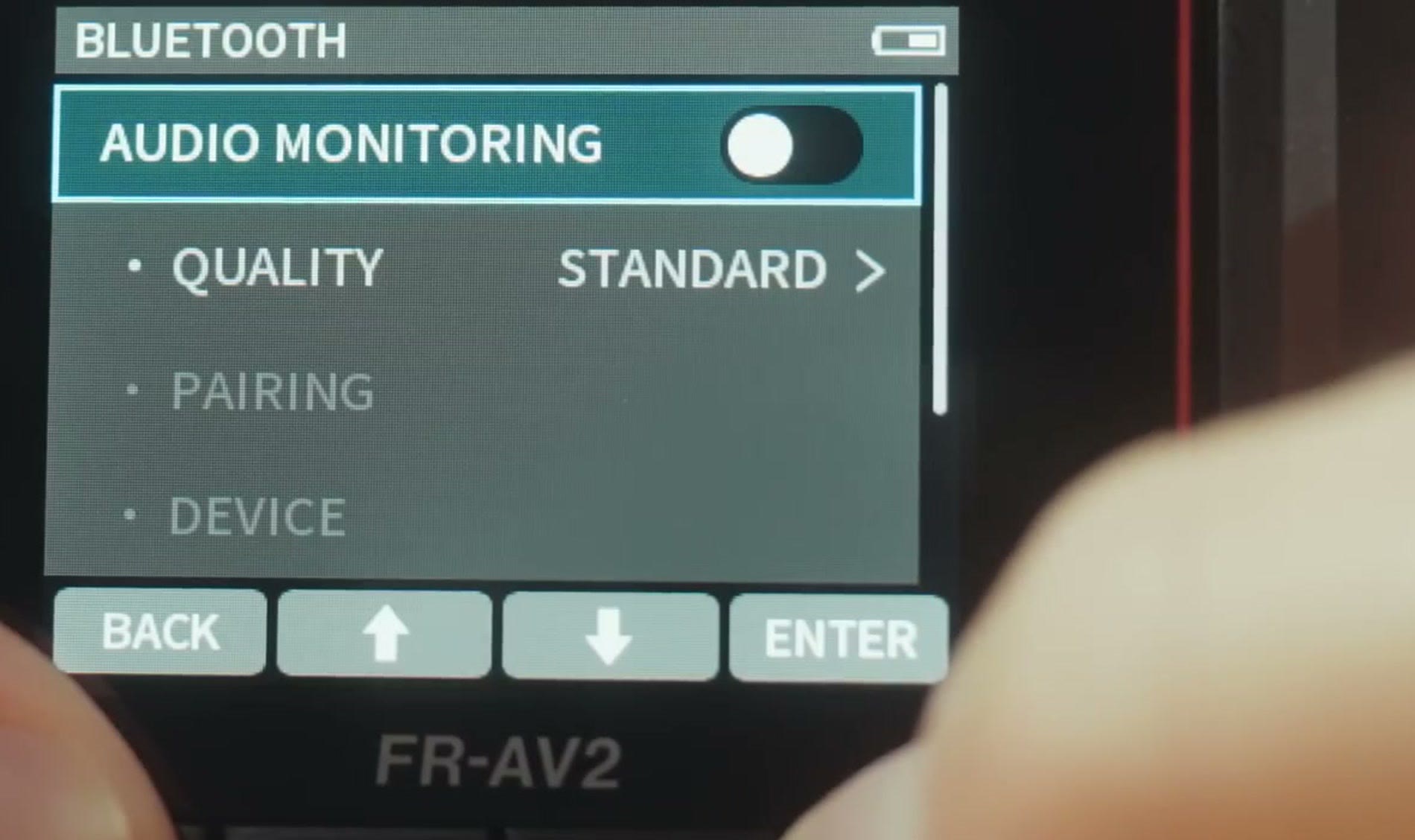
Anyways, my recommendation to you is to purchase a cheap, dedicated set of Bluetooth headphones that you can pair to your FR-AV2 and always have connected. That should be the easiest way to monitor your audio, and while it is a bit more complicated to set up than using an app, I still really do appreciate that wireless audio monitoring is supported with this device at all.
Linear Timecode Support, Finally Again
Moving down to the bottom of the recorder now, and I will be honest, I have saved the best for last, because there is a really cool feature that Tascam has added to this recorder that has not been in their previous recorders, not even the Portacapture X8.
Here on the bottom you have a red recording light that will tell you if the recorder is recording, and you are also going to see there are two peaking lights that will blink if the audio is peaking. But hey, even if this is peaking, it is recording 32-bit float audio, so that does not matter. You also have a headphone jack where you can monitor your audio and adjust the volume with these buttons here.
And then here is where things get really interesting, because this recorder has both a 3.5mm input where you can plug in something like a lav mic or connect the recorder to a camera, as well as a 3.5mm line output where you can run the audio out from this recorder to another device. But that is not new. Pretty much all recorders have had that. Notice the other text here, though. TC IN and TC OUT.
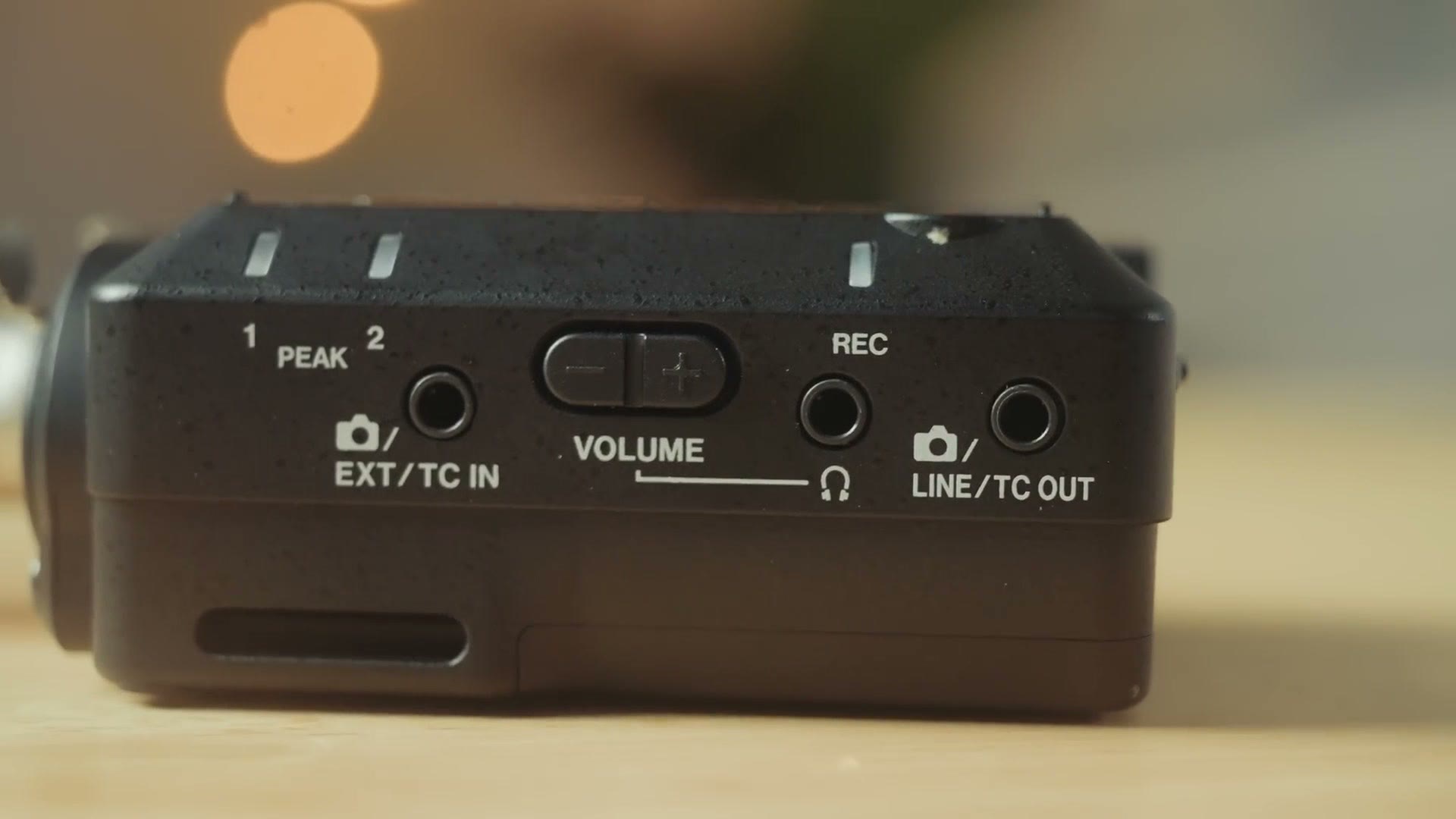
And this is really cool, because TC stands for timecode, and that means the FR-AV2 is one of the first Tascam 32-bit float audio recorders that not only supports timecode over Bluetooth using their Bluetooth adapter and Atomos UltraSync systems, but it also has even more versatility because it supports linear timecode in and out, which means that you can very easily use it with something like the much loved Deity TC-1 timecode devices as well.
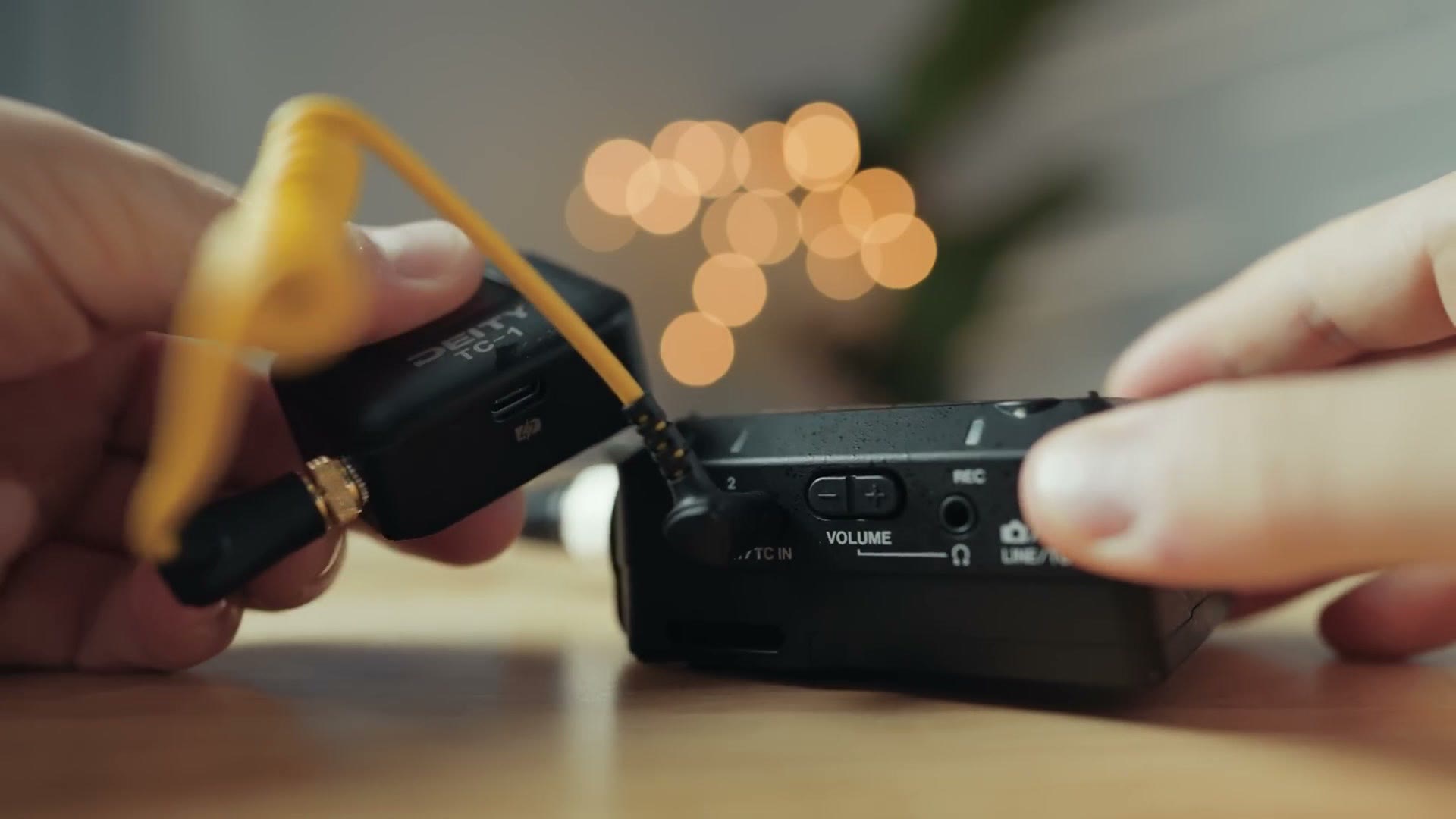
Simply plug in your timecode device, go to the timecode menu in the settings, and choose whether you want the FR-AV2 to be the timecode generator or the receiver, and timecode just works, guaranteeing all of your devices are synced up.
This is so great to see, because for so long with other Tascam recorders, Bluetooth timecode using Atomos devices was the only choice. But now this recorder just became way more versatile, because in regards to timecode, as long as you have a timecode device that supports linear timecode over a headphone jack, it will work with this recorder. And that is so wonderful to see.
Heck, do not just take my word for it. Take the word of a bona fide timecode expert, Justin Porter, who gave this thing his firm stamp of approval. You can jam sync timecode from any timecode generator, which means you can use it with a Tentacle, you can use it with a Deity, and you can jam timecode wirelessly with the Atomos UltraSync BLUE, so if you have already invested in the Atomos ecosystem, this works with it wirelessly too.

Audio Quality Test
Now, all of these new fancy features on the FR-AV2 would not matter if the audio quality was not good, but I am also happy to tell you that in my testing, the audio quality from this small device is very good. As an audio test, if you are wondering about the quality, I actually recorded the entire video for this review using a Deity S-Mic 2 plugged straight into the FR-AV2. Heads up: this link goes to the newer Deity S-Mic 3. So if you like how the audio in that video sounds, I think you are going to be really happy with this recorder. It has been working great.
24-Bit Audio?
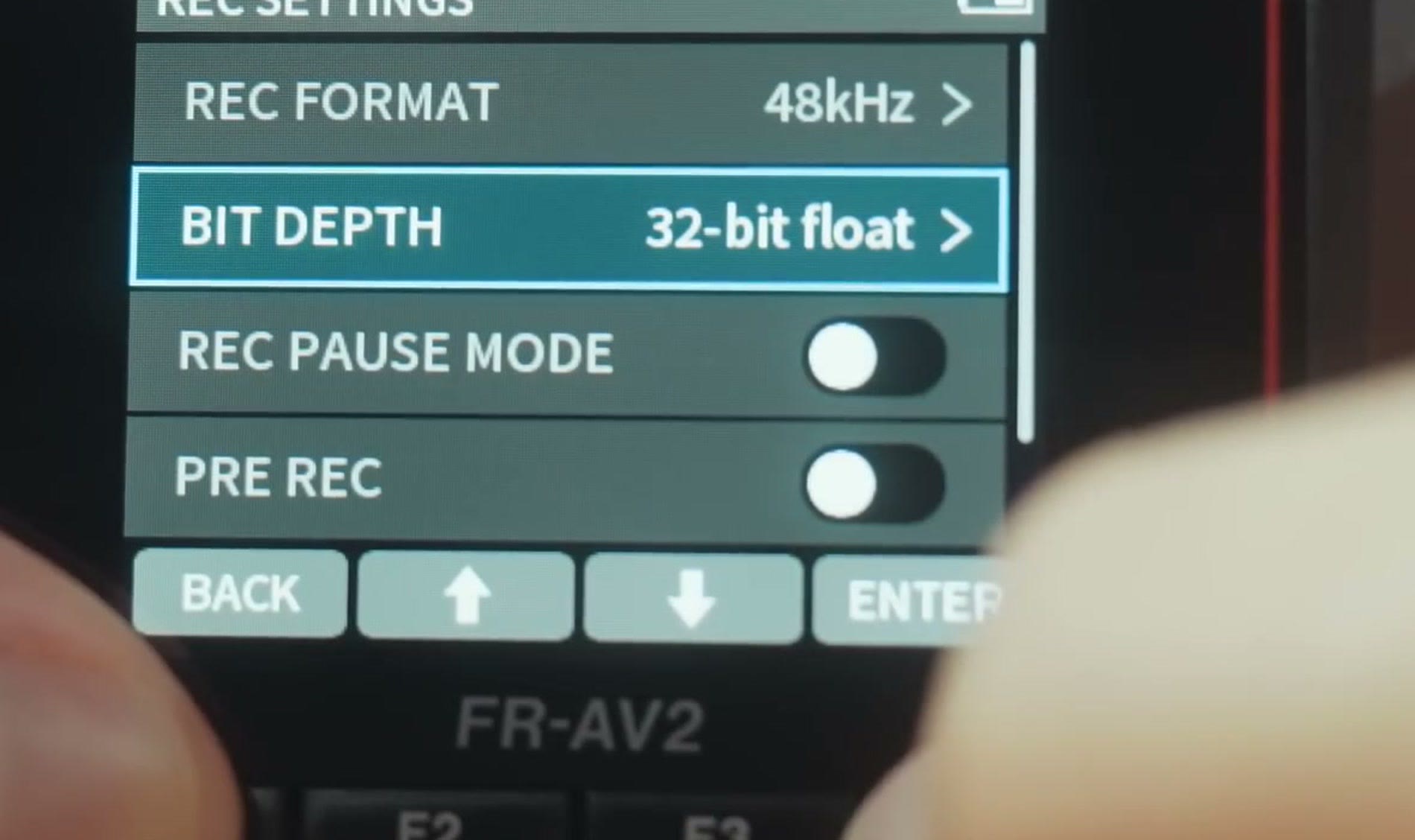
In addition, because we are not quite done talking about the features yet, while this recorder does support 32-bit float up to 192kHz, I want you to know that you can also turn the bit depth down to 24-bit if you want, but I would not recommend it, because 32-bit float gives you so much more versatility in post. If your audio is too quiet you can bring up the levels, and if it is too loud you can bring them down, all without ruining your audio. I love 32-bit float. Just use it.
No Hold Switch?!
Because you may be a bit confused by this, and I know that I was whenever I first started using the FR-AV2, notice that there is no hold switch anywhere on the recorder that will disable the buttons whenever it is recording. This made me a bit nervous, because on other recorders they almost always have it integrated with the power button, where if you flip it up then it is going to hold and the audio buttons are protected.
But I have good news, because if you go into the record settings of the recorder you are going to notice that there is a record hold setting, which means that whenever you start the recorder recording, it is going to disable the record button, and if you actually want to stop recording you have to hold down the much harder to press home button down here in the middle, which is a bit more recessed, to actually stop the recorder.
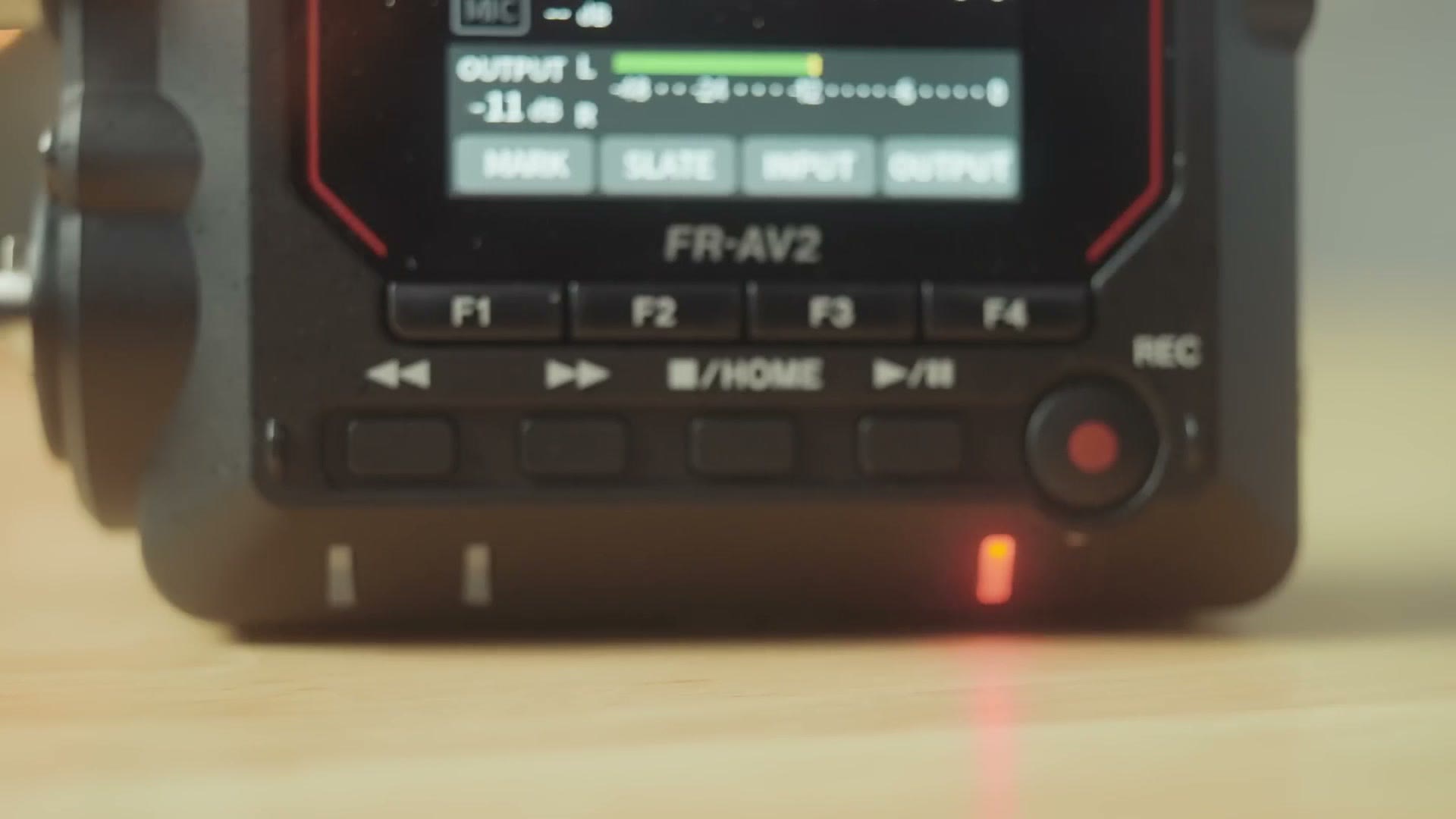
Please be aware, though, that while you cannot stop the recording while it is going, you can still use the F1 through F4 function buttons here to adjust some of the settings on the recorder, like turning phantom power on or off, while the recorder is recording. And that does make me a little bit nervous, because someone could go in and mess with something like phantom power, which could ruin the recording. But also, if someone wanted to ruin your recording, they could just pop the batteries out of the back of the recorder. So I do not think this lack of a dedicated hold switch is a big deal, and it is still nice to know that if you start mashing these buttons while it is recording, it is probably not going to mess anything up.
The Price, And Should You Buy It?
At a price of 399 bucks at the time of making this video, especially considering that you are getting such a compact device that still has dual XLR and quarter inch combo jacks, excellent audio quality, and even more versatile timecode capabilities with the addition of timecode in and out ports, as well as Bluetooth control and wireless monitoring and wireless timecode if you want that too, the FR-AV2 is a full featured and extremely well thought out audio recorder.
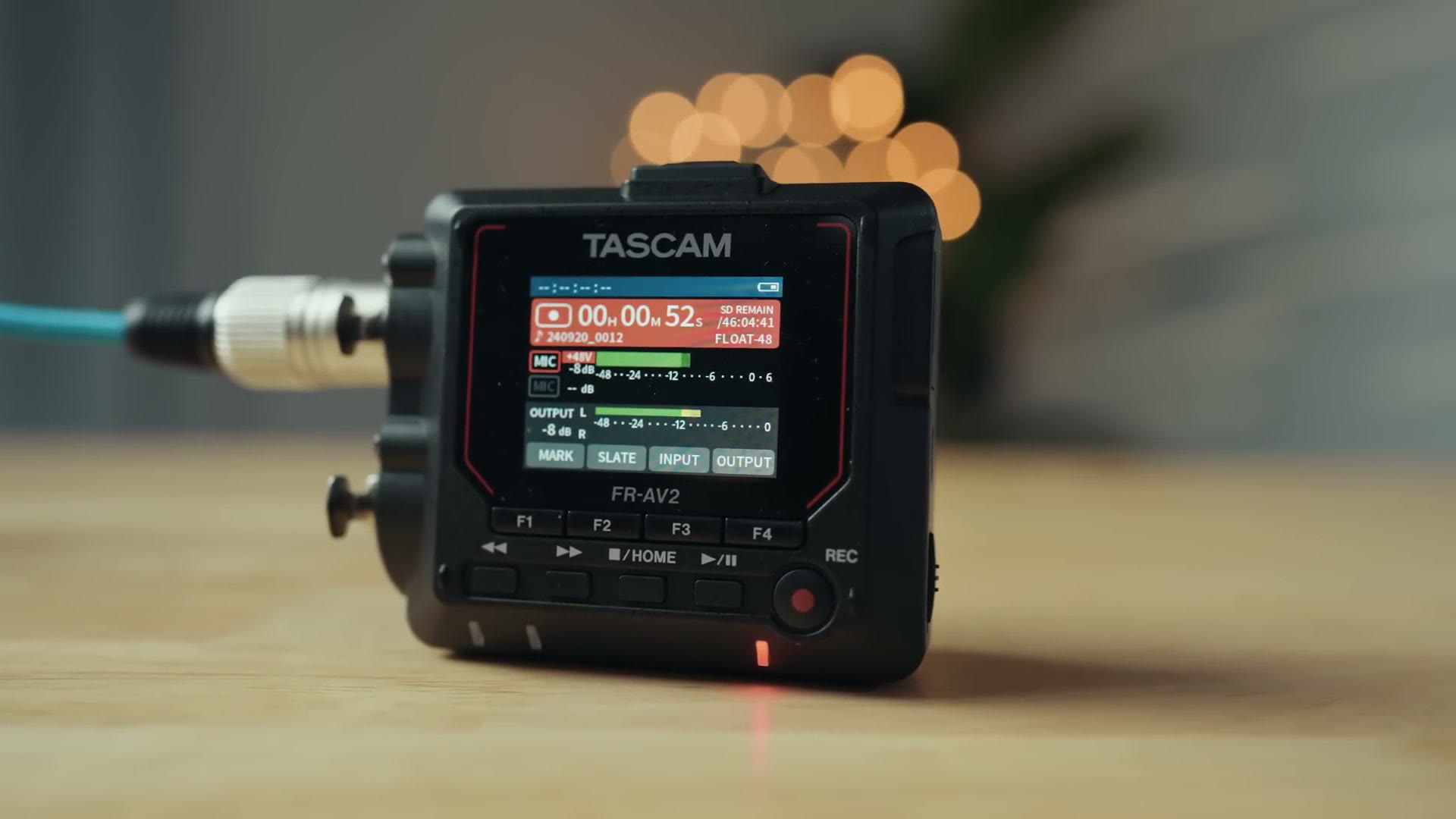
The only thing that would give me pause about it is if you needed a recorder with a microphone built in, like the Portacapture X8 or X6. Keep in mind that this recorder does not have a built in microphone, so you are going to have to supply your own mic if you want to use it. But hey, if you were planning on doing that anyways, just get the FR-AV2. It checks all the boxes you will need and then some.
Also in regards to the price, from what I have seen, Tascam loves to release a product at a certain price and then pretty soon after that they are going to drop the price significantly. Just look at how the Portacapture X8 launched for $500 and now you can currently find it available for $370, or how the DR-10L Pro launched for $220 but you can now get it for $150. My point is that Tascam is not afraid to be very competitive with their pricing, and I am sure they are aware of Zoom currently charging 300 bucks for their F3 recorder.
So I say all that to say, do not just take my word for it that the price is 399. Take the time to use the links in this post to check the updated FR-AV2 prices for yourself and see if it has changed. You may be pleasantly surprised, especially if you are reading this in the weeks and months after I made it.
And if you want to see how this recorder stacks up head to head against that Zoom F3, I put the two of them in the ring against each other in this recorder battle, where I go through price, size, timecode, and battery life for both.
Speaking of being pleasantly surprised, I would love to help you be pleasantly surprised with making more bookings for your wedding videography business, and so I have put together a free workshop that is going to help you book your next wedding in 30 days or less. Even if you have never filmed a wedding before and you have been considering getting into wedding filmmaking, this workshop is going to be extremely helpful to you and I would highly recommend checking it out.
And do not forget, my audio cables that I made with Kondor Blue work great with this audio recorder.
Thanks so much for reading and have a great day!