
At the start of 2019 I put together a list of the exact parts you need to build a 4K video editing PC for $700. We’re now toward the end of the year, a lot of you have asked for an update, and I’m happy to say the price has gone down and the power has gone up. This is a 4K video editing PC for $650.
I love it when that happens.
This machine will comfortably edit HD and 4K in Premiere Pro and DaVinci Resolve, and it’ll mix music, stream to Twitch and game while it’s at it. It should stay powerful for years.
Four quick things before the parts list. Every part is linked below and organised on my Gear page. This covers what to buy, not how to assemble it, so follow my step by step build guide for that, since these parts go together the same way. Some parts have an upgrade option if you have room in the budget. And if you have a lot more budget, there’s a much higher-end build for 4K, 6K and raw.
Motherboard
This is where everything else plugs in. I recommend the MSI B450-A Pro. You get a good mix of features for the money, and it should work with future AMD CPUs, so if you upgrade the processor later you don’t also have to replace the board.
CPU
The brain of the computer, and arguably the most important part of this build, because a CPU with more cores and threads makes a noticeable difference to how fast you edit and render.
AMD released their 3000 series in summer 2019, which is a nice jump over the previous generation. The better news for us is that it pushed the price of the 2000 series down, which makes them perfect for a budget build.
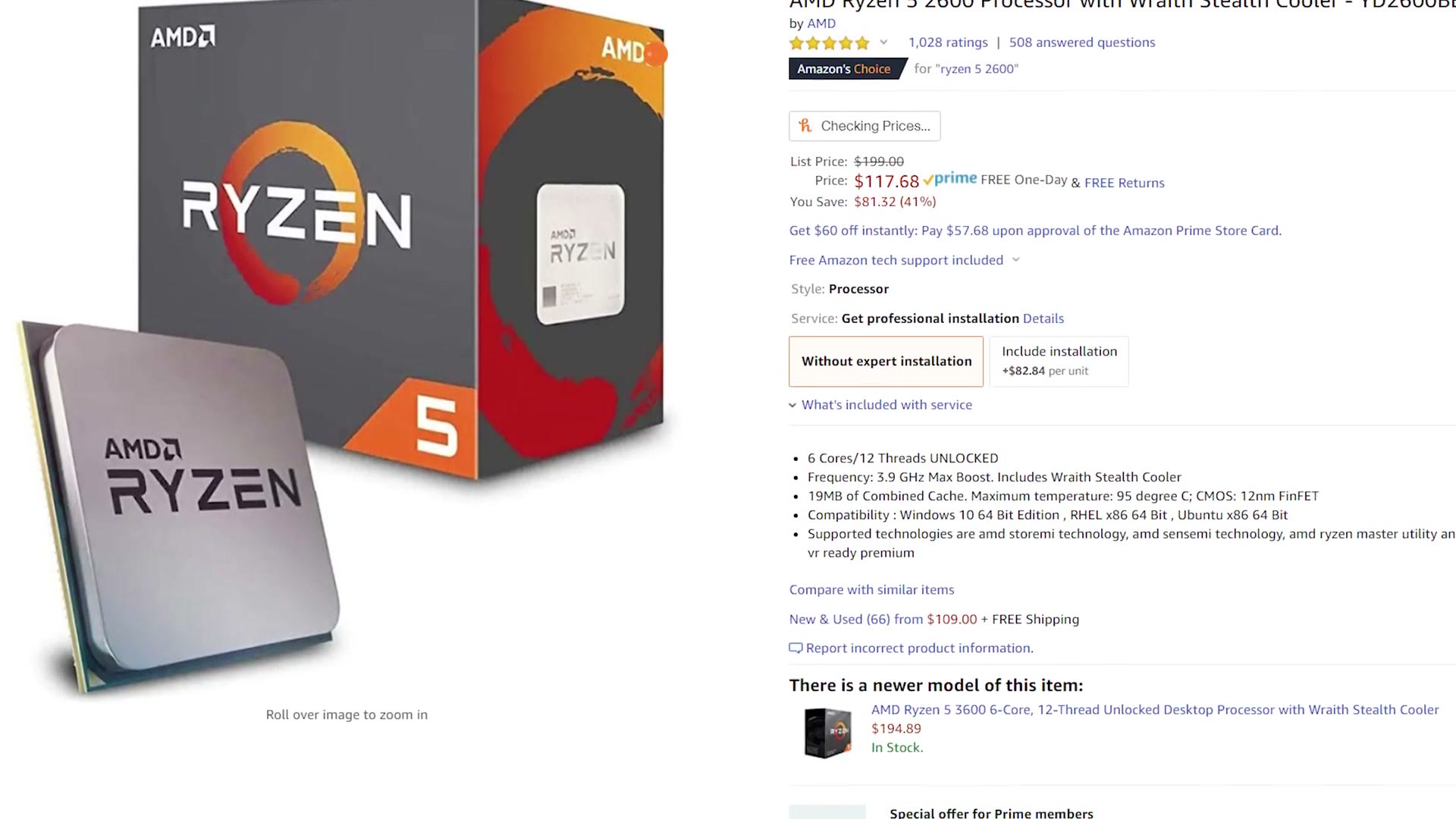
So I recommend the Ryzen 5 2600, the same chip I recommended last time, because it has dropped to an average of $120. That’s a fantastic price to performance ratio for six cores and twelve threads.
If you have a bit more, AMD has also dropped the Ryzen 7 2700 to around $170, which gets you eight cores and sixteen threads. Two extra cores and four extra threads makes a significant difference to editing speed, and this is the upgrade I’d make first.
RAM
16GB of Corsair LPX at 3000MHz. That’s enough for 4K editing, though I wouldn’t run many other programs alongside it.
As an upgrade, especially if you multitask or cut a lot of longer 4K videos, go to 32GB of Corsair Vengeance LPX at 3200MHz. I ran that amount in my own desktop for years and it worked great for 4K.
SSD
The very fast drive your operating system and programs live on. For a fast budget option I’d take the Samsung 970 EVO Plus NVMe 250GB at $70. If you want more room, the 500GB is around $120, and there’s a 1TB at $213 if you want to go crazy.
Important: to edit as fast as possible, I only recommend keeping programs on the SSD, not your video files. I travel a lot, so I edit off an external SSD, and there’s an external hard drive for bulk. This case will also take internal SSDs and internal hard drives if you’d rather keep it all in the box.
Graphics Card
Everybody’s favourite part. For this build, the Radeon RX 570, which works well if you’re editing in Premiere with a lot of effects applied.
As an upgrade, consider the MSI Armor OC Radeon RX 580 at around $180, or a Gigabyte Gaming RX 590 at $209. Both are a bit faster.
But if you only have a little extra to spend, upgrade the CPU before the graphics card. Editing software still leans on the processor more.
Power Supply
The bit that gives every component the juice it craves. I recommend the EVGA 600W, which I know some of you will think is overkill for this machine. It is. But it’s consistently on sale around $40, which is a great price, so I think it’s a great choice.
I do one of these every year, so Build a Budget 4K Video Editing PC for $700 in 2019! | Ryzen Computer Guide is still up if you want to see how much has changed.
Keep in mind it is not modular, so the cables are permanently attached, which makes cable management harder but keeps the cost down. If you have extra money and want a cleaner build, the EVGA BQ 600W is semi modular for not much more.
Case
One of my favourite current cases is the NZXT H510, which is pretty but still looks professional. No RGB, no crazy colours, just a well built case that looks good on or under a desk, and the roughly $70 price isn’t bad either. You’ll also want a 4 pin Molex to 3 pin fan adapter to power the case fans.
One Thing To Know About Expansion Bays
The H510 has no 5.25 inch bays, which means you can’t install a Blu-ray or DVD burner inside it. The good news is that an external DVD burner is about $25 and an external Blu-ray burner is under $100.
If you really want an internal optical drive, take the Cooler Master HAF 912 instead. It isn’t as pretty as the H510, but it has great airflow and thousands of people love it.
Everything Else
And that’s your $650 video editing PC. I’m sure some of you are thinking, Matt, what about mice, keyboards, speakers, monitors? Don’t worry, I have you covered: a keyboard with macros for editing, a 1080p monitor that won’t make you poor or a 27 inch 4K one, the best mouse I’ve ever used, a USB wifi adapter and some affordable but good speakers.
Everybody has a different opinion on this stuff, but that’s what I’d buy. I’d pay particular attention to the monitors, and if you’re planning to edit 4K, I’d strongly recommend a 4K monitor to go with it.
For the operating system, Windows 10, and this Tom’s Hardware article shows you how to get it very cheaply or even free.
One last thing. Prices on these parts move day to day. If anything here has gone significantly more expensive or out of stock, leave a comment and let me know so I can update the links and the Gear page with something that’s actually available.
And if you’d rather not build at all, I’ve also put together prebuilt recommendations under $1,000.