
Today I want to show you three of the best prebuilt 4K video editing PCs you can buy for less than $1,000.
Now, if you’re on a budget, I would actually not buy any of these, and I’d tell you to build your own instead. It isn’t hard, I’ve made videos showing the exact parts to buy and walking you through the whole assembly, and my $650 budget build guide is by far the best value for your dollar in my opinion. There’s a $1,400 build too if you want more machine.
But maybe you don’t have time to build. Maybe you want guaranteed tech support if something breaks. I get it. So let’s look at some prebuilt 4K editing PCs for under a grand, cheapest to most expensive. Everything here is on my full list of prebuilt video editing PCs as well.
CyberPowerPC, $750
First up is a desktop from CyberPowerPC that currently retails for $749 at Best Buy, with a 6-core Ryzen 5 3600 and a Radeon RX 580 graphics card.
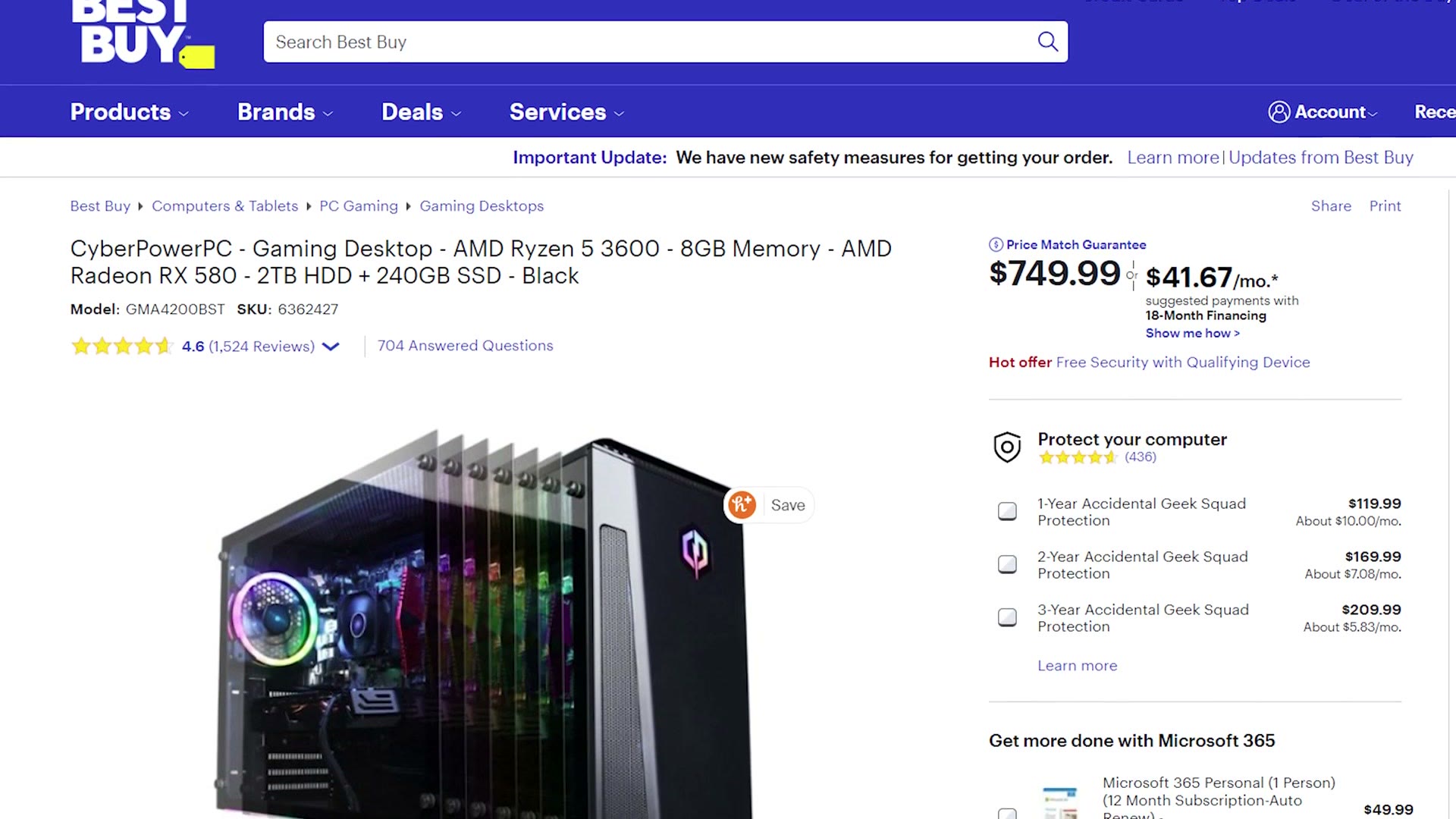
That’s going to work well for budget 4K editing in Premiere Pro and DaVinci Resolve, and it’s good for After Effects, music production, streaming on Twitch and, yes, gaming.
Be aware though that at this price it only comes with 8GB of RAM, and for 4K video editing I’d want at least 16GB. Thankfully RAM is one of the easiest parts to install in a computer. Pop the old sticks out, pop the new ones in, done. Here’s the 16GB upgrade I’d buy for it, or the 32GB version, and here’s a video showing how to install it.
HP Pavilion TG01, $900
Next is a jump in price but also a nice jump in power. This is the HP Pavilion TG01, and you can configure it with a Ryzen 7 3700X 8-core processor and an NVIDIA GTX 1650 for a reasonable $900 at the time I priced it. That processor is a significant speed upgrade over the one in the previous machine.
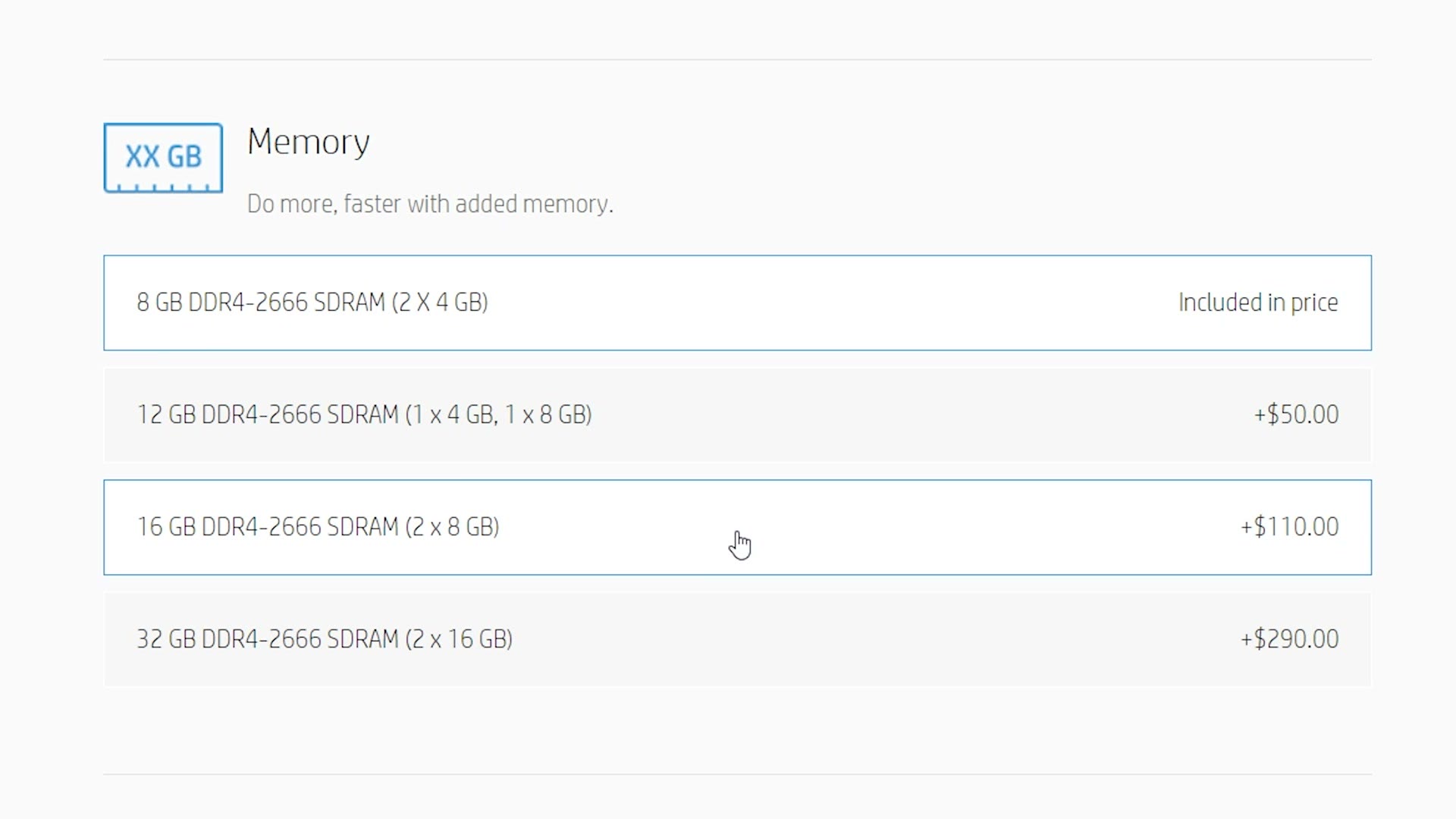
Keep in mind that the $900 already includes switching the hard drive to a 256GB SSD, which is a necessity in 2020. I’d still highly recommend taking the RAM to 16GB, and the good news is you can do it right on HP’s configurator for another $110, no opening the case at all.
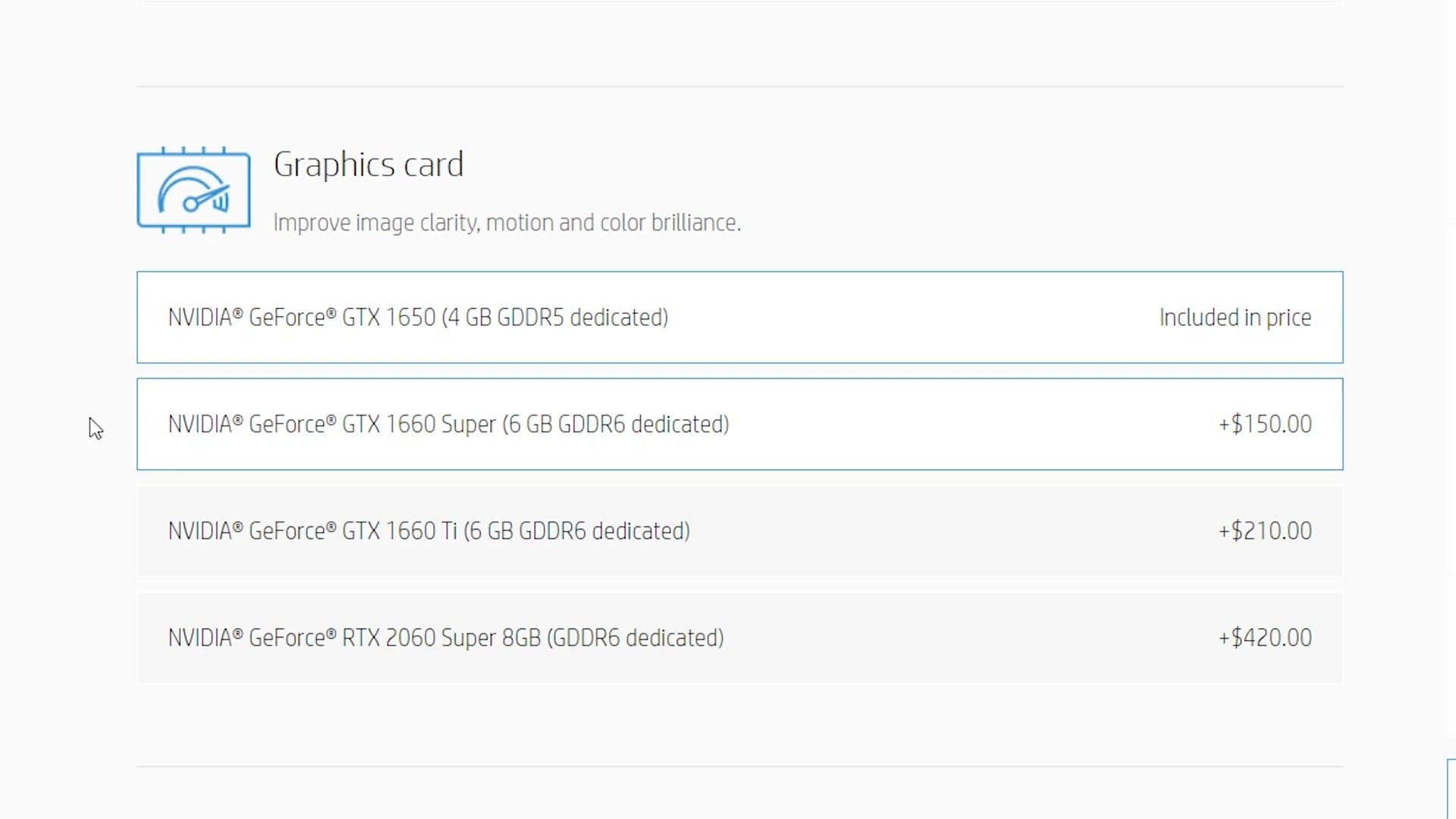
While you’re in there, and this part is completely optional, if you have the budget I’d also look at the 1660 graphics card upgrade. The 6GB of video memory comes in handy editing 4K.
Lastly, take the $10 upgrade to the 400 watt power supply so the machine has enough power.
With the RAM upgrade, which is mandatory in my opinion, plus the optional graphics card and power supply, this computer lands at $1,170. Which is above the $1,000 budget for this guide. So let’s look at one more.
CyberPowerPC Gamer Master, $950
Video editing PC number three is the CyberPowerPC Gamer Master Gaming Desktop. Don’t be thrown off by how many times the word gaming gets thrown at you in that title. There’s a very large overlap between gaming and video editing whenever you’re looking at a PC’s raw power.
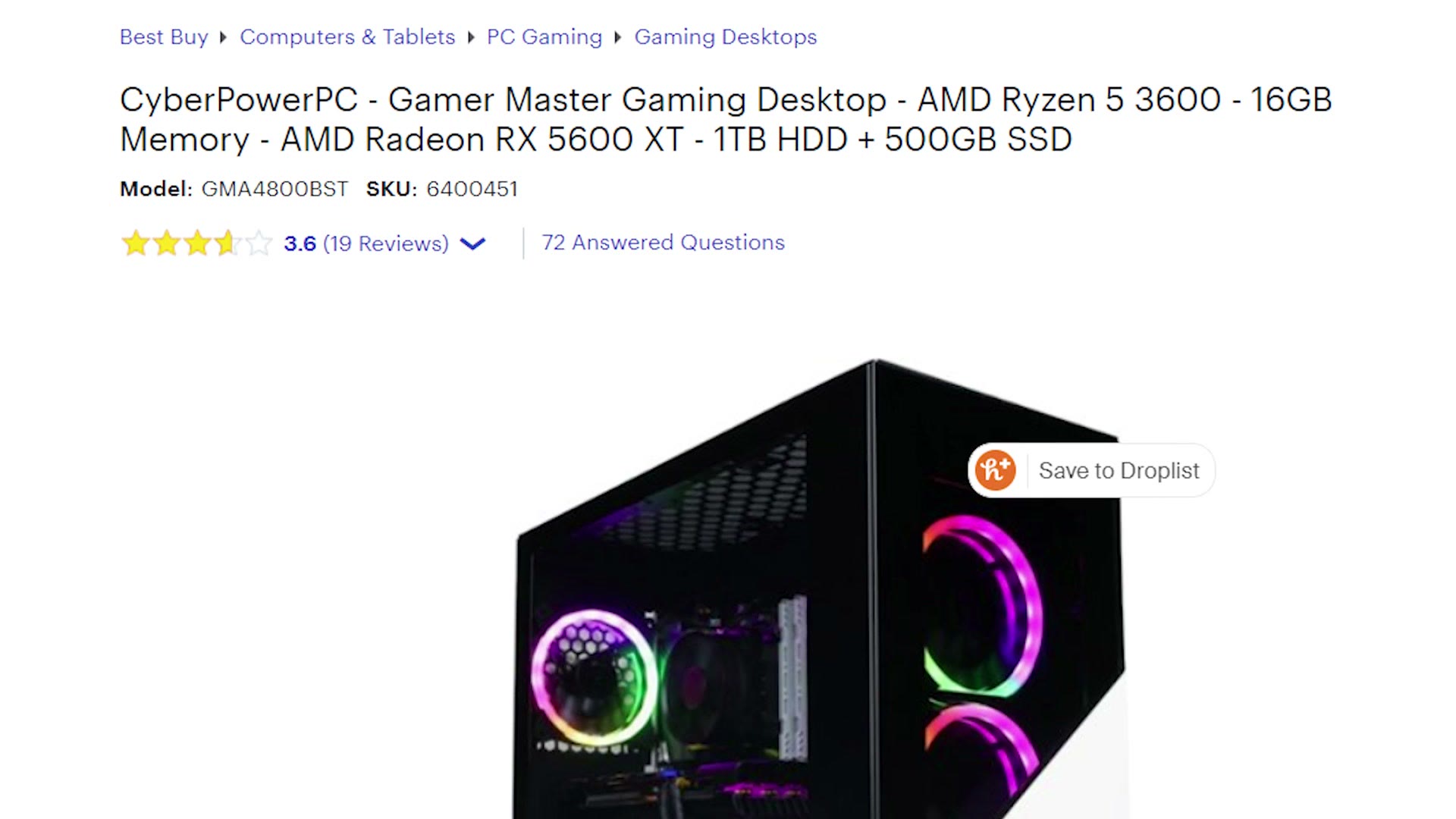
This one has an AMD Ryzen 5 3600, a Radeon RX 5600 XT graphics card, and 16GB of RAM already in it, which means you shouldn’t need to open it up at all. At the time of this video it retails for $950, comfortably under budget.
Here’s Buy A Prebuilt 4K Video Editing PC For Under $1000 In 2022 too, and honestly it’s kind of wild seeing the difference.
So Which One Should You Buy?
The $750 CyberPowerPC from Best Buy that needs a RAM upgrade, the $900 HP that’s easy to upgrade but climbs past a grand once you do, or the $950 CyberPowerPC that you never have to open?
I already said I think you should build your own and save the money. But if I had to choose, I’d take the $750 option and do the RAM myself.
When You Buy Matters Almost As Much
Here’s the thing I want you to know if you’re buying a prebuilt. Almost as important as what you buy is when you buy it.
There are plenty of stores selling these: Amazon, Newegg, Best Buy, B&H. And a lot of them run sales with genuinely steep discounts. So if you don’t need a computer today, waiting for a major holiday is worth real money. Black Friday, Cyber Monday, Fourth of July, Amazon Prime Day, World Beard Day. If you can think of a holiday there’s probably a sale going on somewhere.
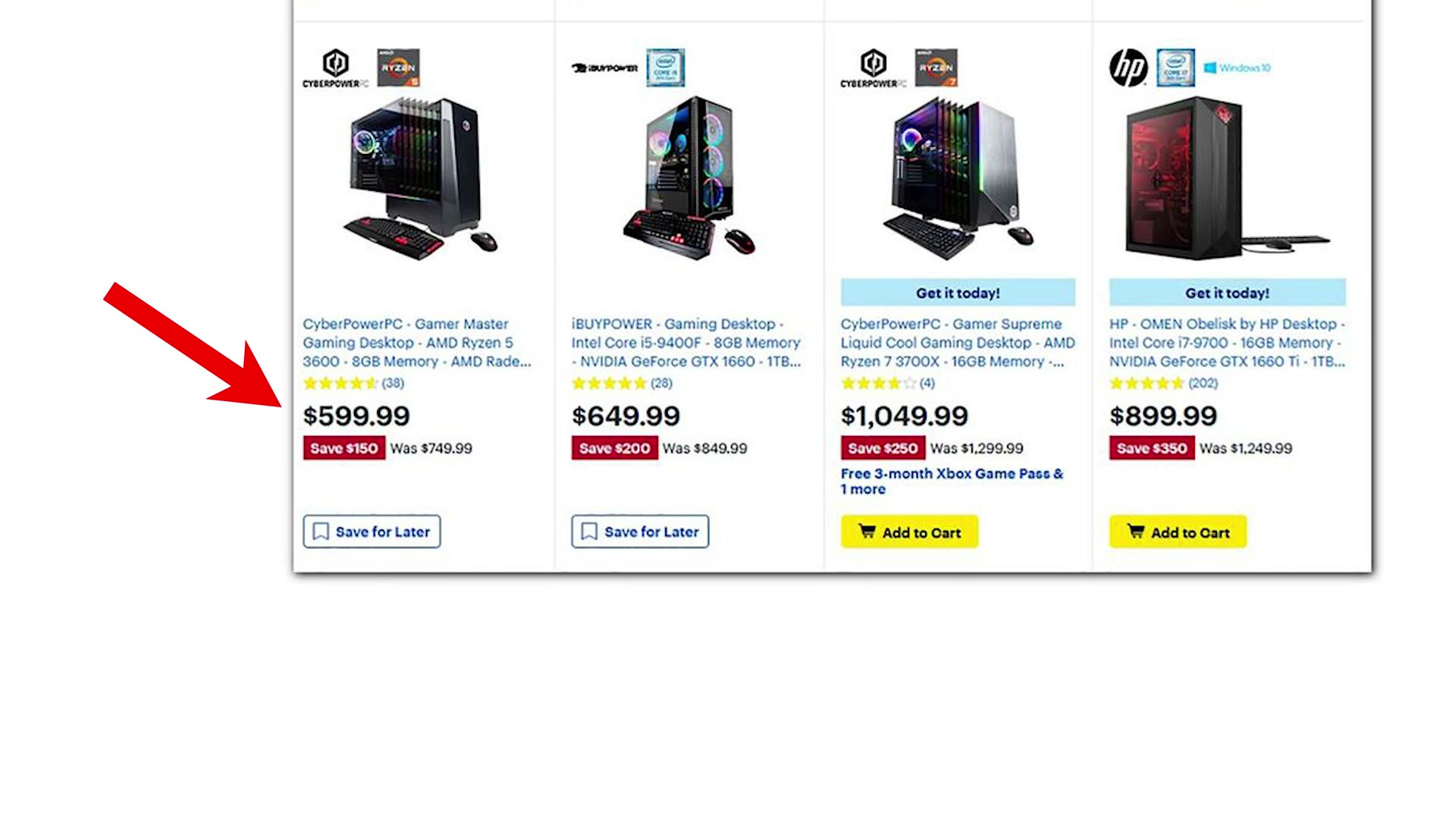
The CyberPowerPC I recommended first, the one that’s $750 right now, was marked down to $600 on Black Friday. Such a good deal.
Prices fluctuate constantly and things go in and out of stock all the time, so if one of these three disappears, leave a comment and let me know and I’ll replace it with a roughly equivalent option at hopefully a roughly similar price.
I’m sure some of you are thinking, Matt, there’s still a lot we need to talk about, what about mice and keyboards and speakers and monitors? Don’t worry, I have you covered. Here’s what I’d recommend: a keyboard with macros for editing, a beautiful and affordable 1080p monitor or an even more beautiful 27 inch 4K one, the best mouse I’ve ever used, some affordable but good speakers, a cheap USB DVD drive or a budget friendly USB Blu-ray drive, a fast external SSD for footage, and a large capacity external hard drive for the rest of it.
Everybody has a different opinion on this stuff. That’s just what I’d buy.