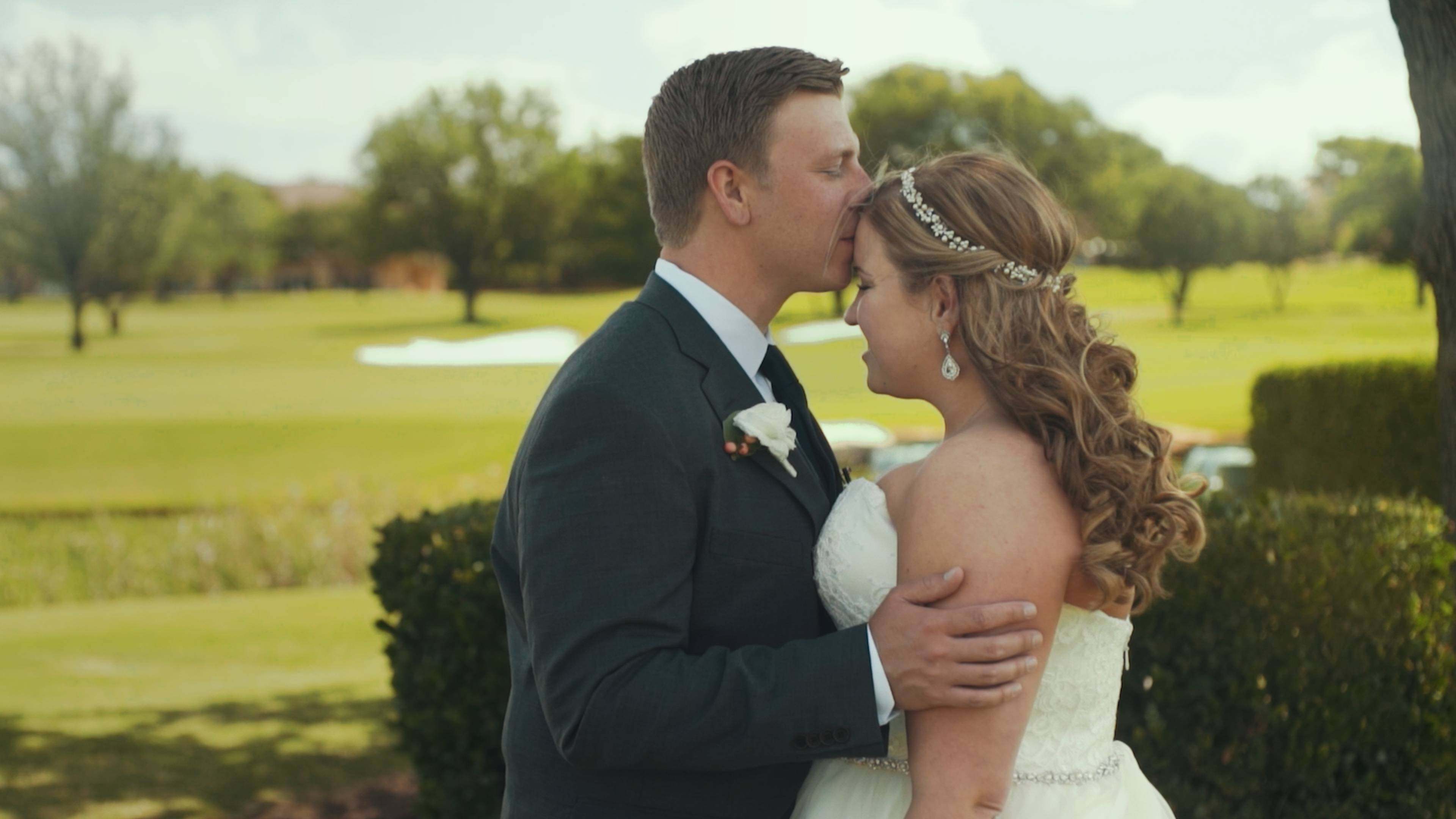
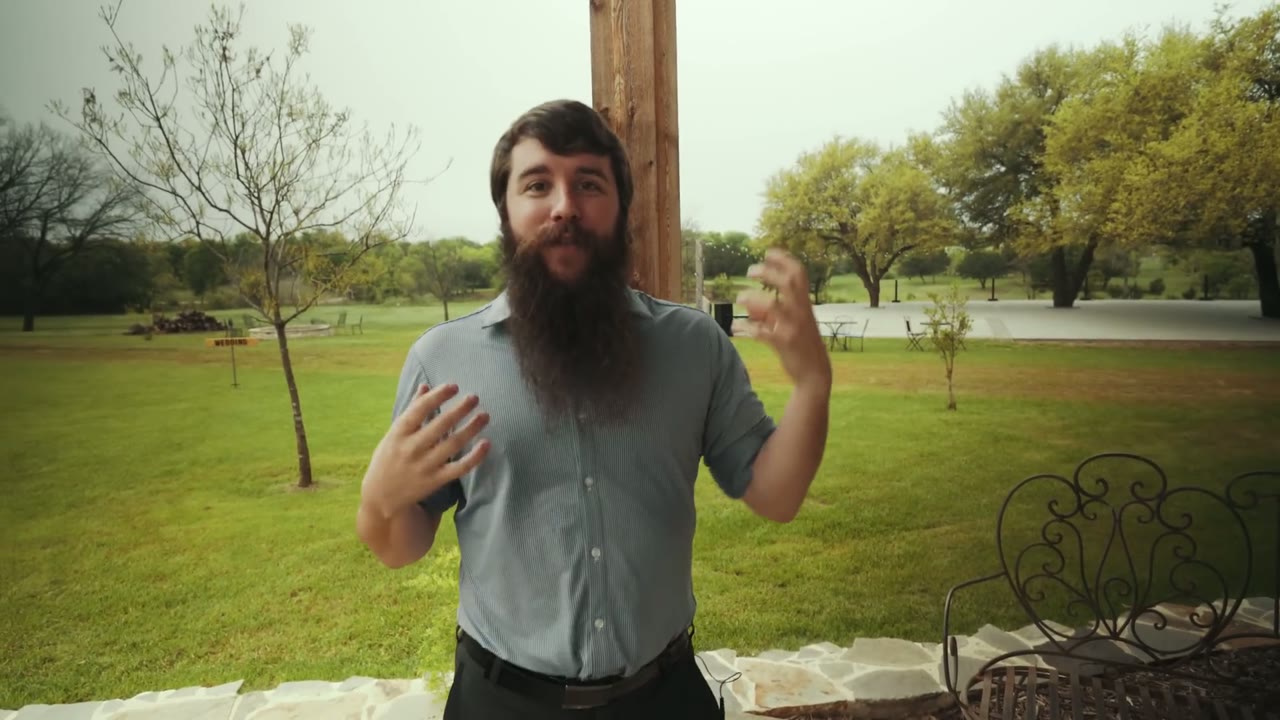
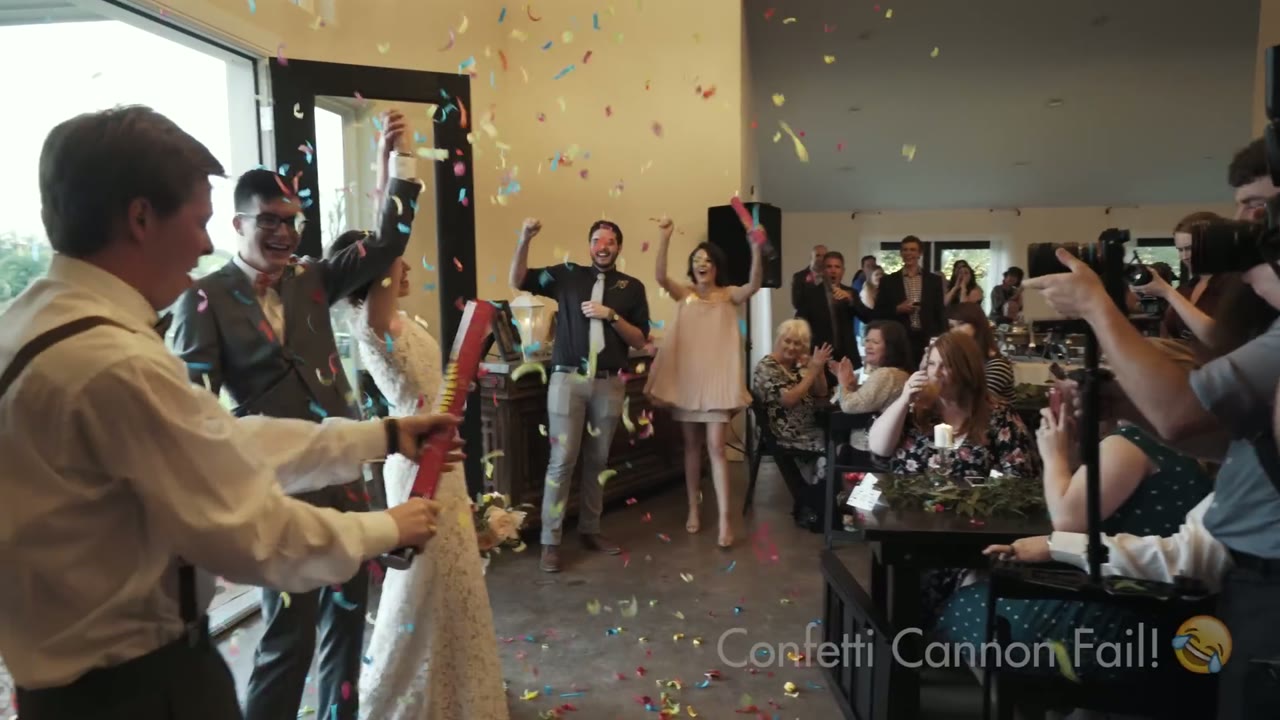
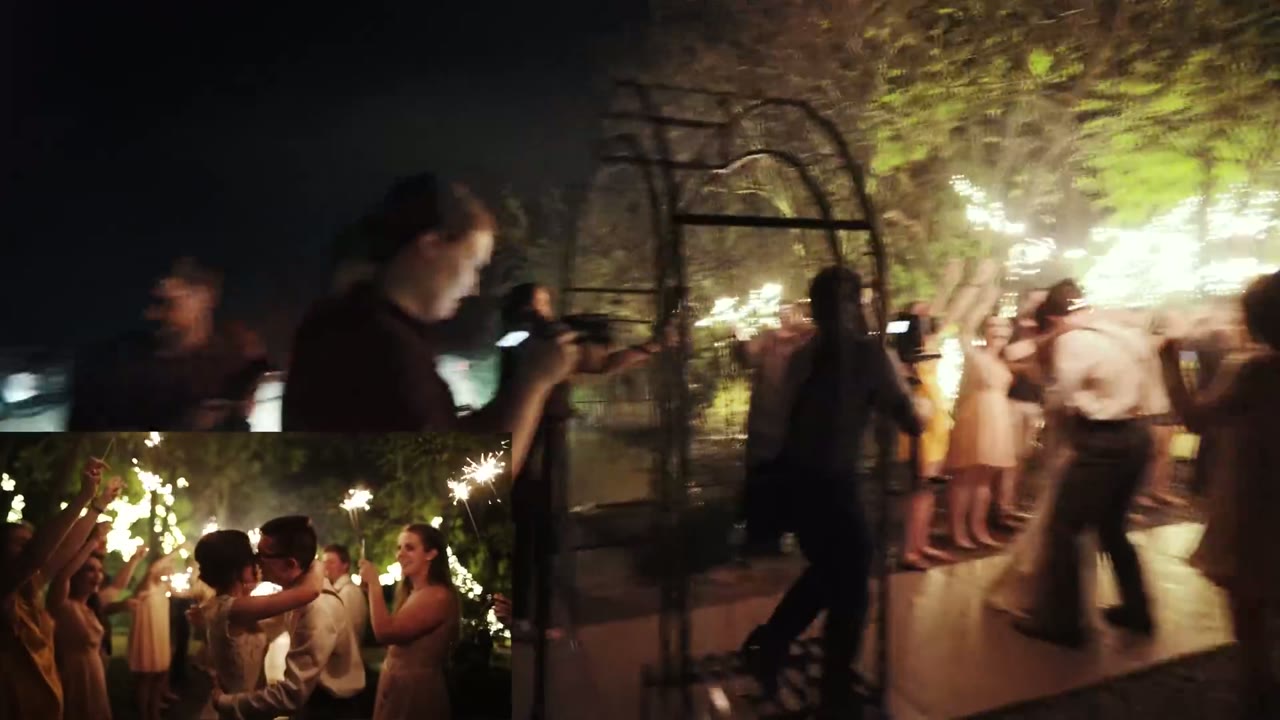
Our friends Sarah and Chris are what Rachel and I like to call “undercover awesome”. I first experienced this phenomenon when I met Sarah my sophomore year of college. She’s one of those people that once you meet them, they keep popping up in conversations until it reaches the point that you wonder if they know everyone on the planet. True story: there were times on campus that I would name-drop Sarah when I met someone new, thus instantly befriending them. Undercover awesome.
Years after college, Sarah met Chris, and then Rachel and I had the pleasure of meeting him too. Put a saxophone, guitar, piano, accordion, or Microsoft Excel in front of him and he will quickly prove he can make music (or spreadsheets) with all of them. Undercover awesome.
Undercover Awesome.
If you’re at a party with them, you won’t see them as the center of attention, dancing on tables, or causing any sort of scene. But if you mention their names to anyone, there will immediately be a glow of recognition, a story about them, and lots of laughter. Their laid-back vibes, insurance sales, and accounting lifestyle belie two of the coolest people in the room, and two of the coolest people Rachel and I have had the pleasure of filming. I guess this film means their awesomeness isn’t quite so undercover anymore.
If you’re getting married (and especially if you are undercover awesome), we would love to film it, please get in touch.
Iceland is a country that even after visiting, I still have difficulty believing exists. Snow-capped volcanoes piercing the skies, centuries-old glaciers covering the landscape like a quilt, dark water the color of ash folding up onto a black sand beach, and don’t even get me started on the sunsets that last for hours.
While incredibly harsh, this land is also graceful, full of quiet moments where all you hear is the tiny whisper as snowflakes fall on your face and melt, all you feel is the gentle spring of the moss that covers everything beneath your feet, and all you see is the Aurora Borealis dancing overhead. These and hundreds of other experiences are what I attempted to capture in this film of one of my favorite countries on Earth.
For me, Iceland is a reminder that God created a jaw-droppingly beautiful world, full of moments that are constantly reminding us of himself. When I traveled across this country I remembered who I was, his child. I hope you get to travel there as well one day and share the same experiences.
I’m also very excited to announce that I filmed a behind-the-scenes of this film, showing exactly how I captured the shots that you see in it. So if you’ve ever wanted to film a travel video yourself, I hope you will find it helpful! I’ll be posting the behind-the-scenes soon.
Many of the sound effects used in this film were either used with permission from Freesound.org (credits below), or from the amazing Archetype Sound Effects package from Lens Distortions.
The narration was handled expertly by Holly Lindin. She’s an amazingly talented voice-over artist from Canada, that I would highly recommend for any of your video projects.
I would also like to thank my wife Rachel for traveling to Iceland with me, putting up with my needs for “one more drone shot!”, and feeding me snacks throughout this trip.
This week I had the opportunity to not only be on a podcast, but host it! My good friend Jordan Bunch, the regular host of The Wedding Film Academy Podcast (which I was on back in March), reached out to me about interviewing him about a topic that I didn’t know much about: volume wedding film brands. Usually he runs the show but in this case, considering he wanted to talk about his own company, we decided it would be a great idea to have me ask the questions.
There are many ways to run a wedding film business, and one of the most interesting is the concept of a volume company – one that films hundreds of weddings per year, usually at a lower cost than competitors. To hear Jordan describe it, his company Ladybird Wedding Films is the Toyota of wedding filmmakers: cheap, reliable, and with good gas mileage (not sure about that last one in regards to wedding films). Because he runs this company very differently than how I run FilmStrong Productions, I ended up having a ton of questions about everything from video quality to business sustainability. I would highly recommend checking out the podcast on Jordan’s site or on iTunes if you would like to learn more about different styles of wedding filmmaking businesses.
Have any questions? Please feel free to get in touch!
As promised in my Mavic Pro review, here is my favorite picture profile for the DJI Mavic Pro. This is the exact profile I use for filming weddings, travel videos, and any other professional shoot, and with a bit of color grading I find it gets genuinely beautiful footage out of this tiny drone.
I’m putting all the settings right at the top, because I hate whenever I’m watching a picture profile video and it’s fifteen minutes long and fourteen of those minutes are somebody talking about their cat, with one minute of actual settings buried in the middle, and heaven forbid they put it in the description. It bugs me to no end. So here it is, and if that’s all you came for, you’re done.
My Mavic Pro Settings
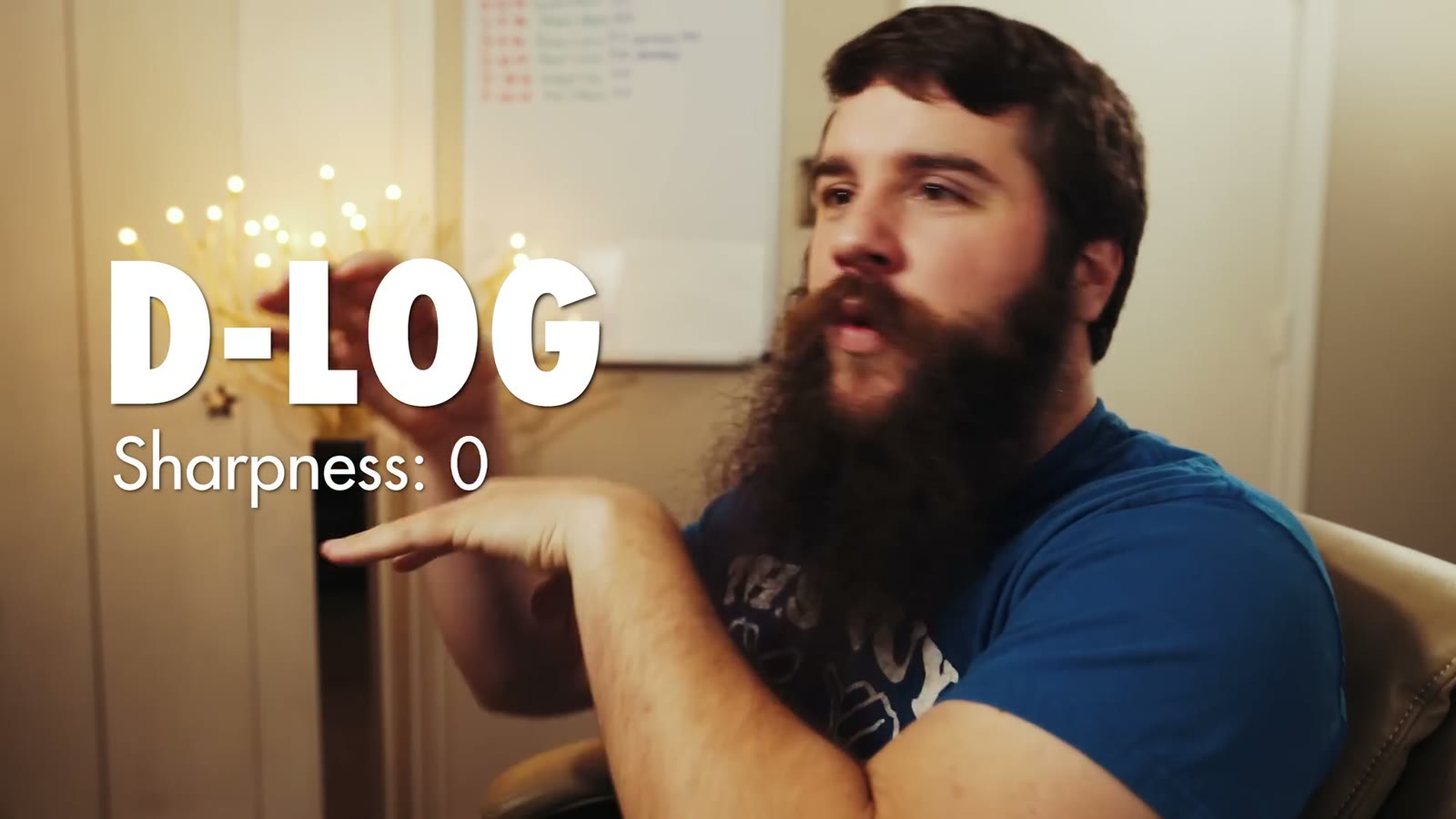
The whole profile, on screen, in the first thirty seconds. D-Log, sharpness 0.
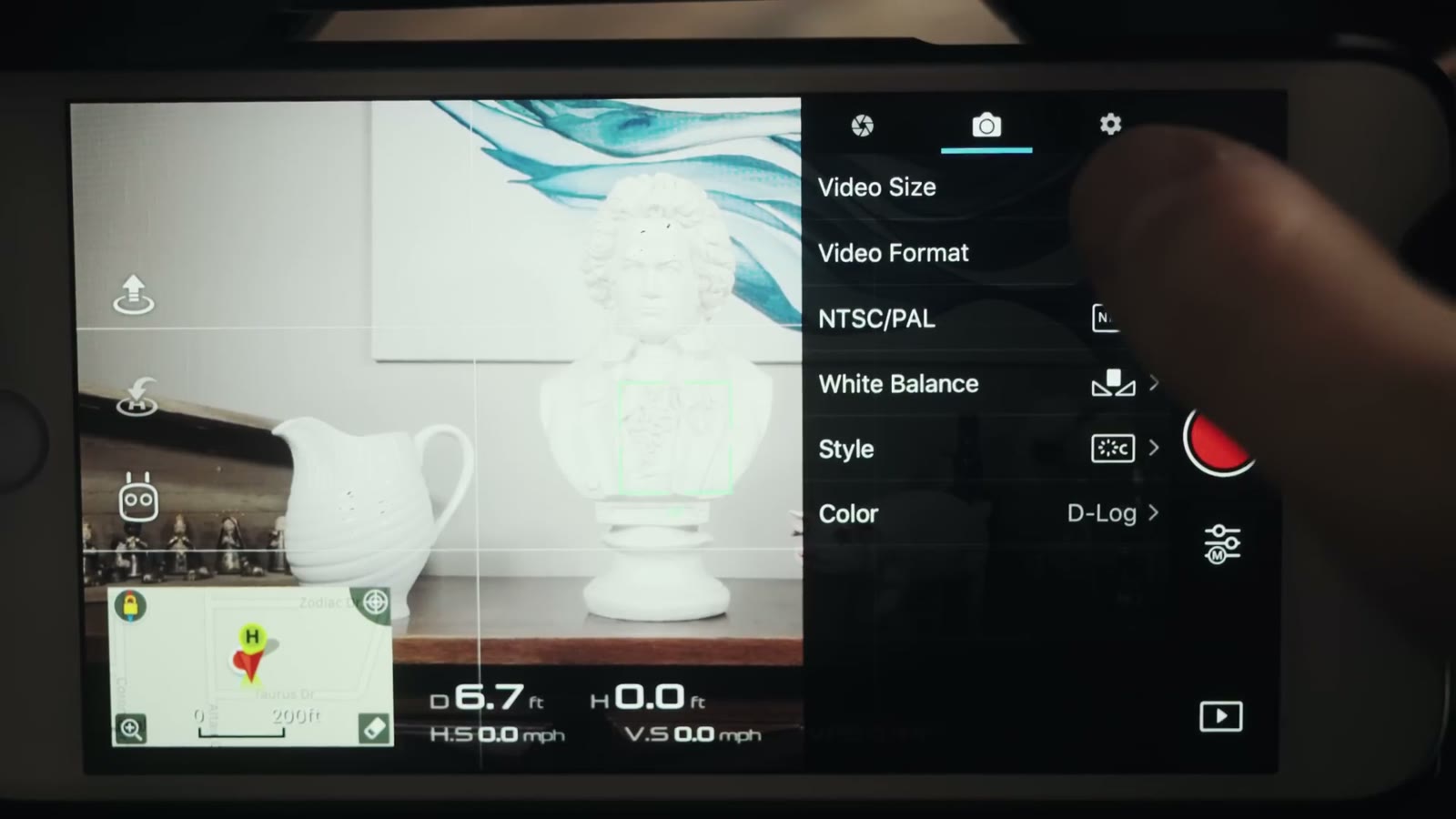
Picture profile: D-Log, sharpness 0, contrast -1, saturation -1. (Sharpness goes to +1 in a very high dynamic range scenario. More on that below, because it matters.)
Video format: MP4, not MOV
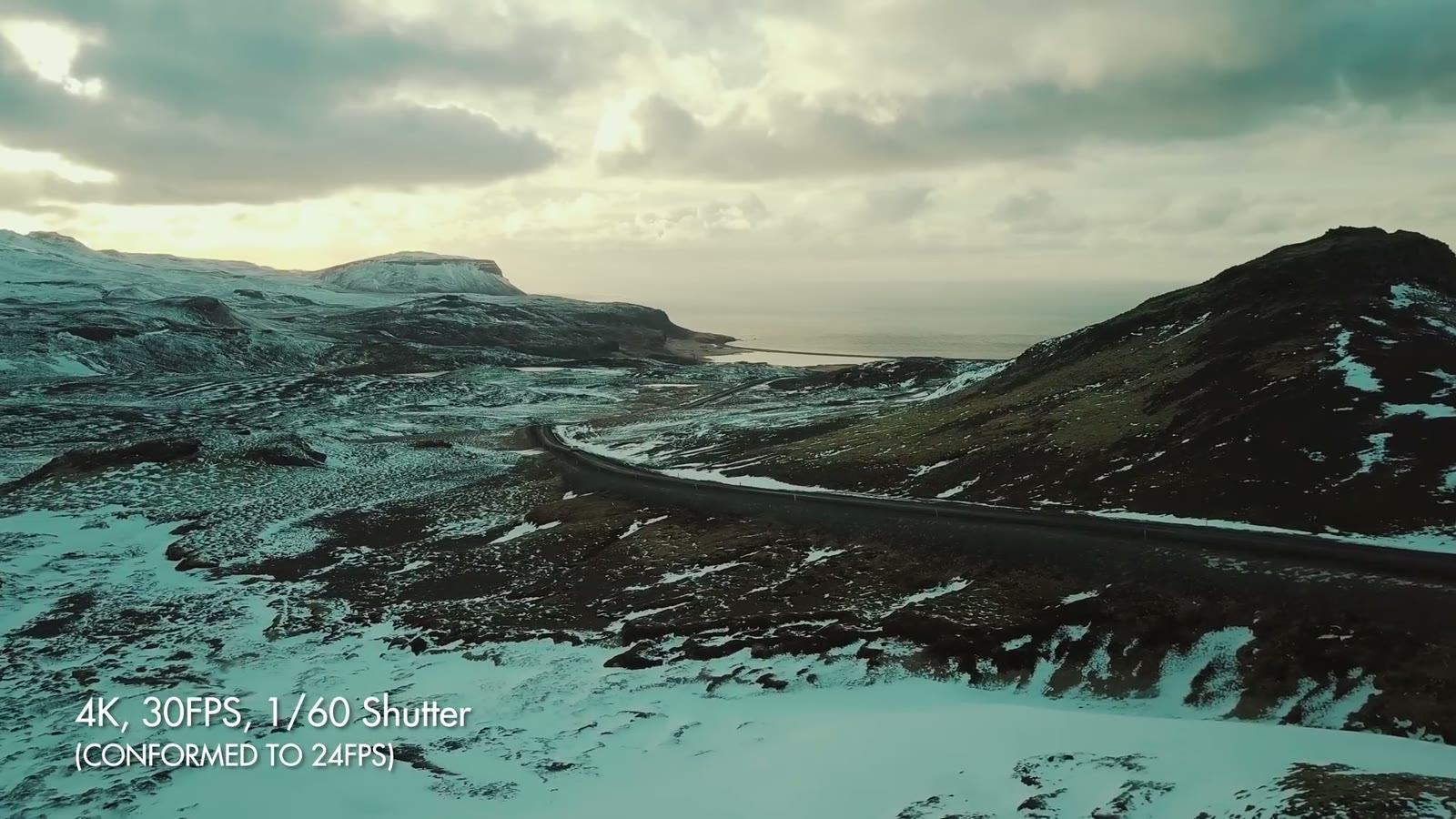
Resolution and frame rate: 4K at 30fps, conformed in post to 24fps
EV meter: hold it at 0.0, or +0.3 or +0.7, never below zero
White balance: manual, using Custom and dialing in a Kelvin value. Usually 7000K on a bright to partly cloudy day.
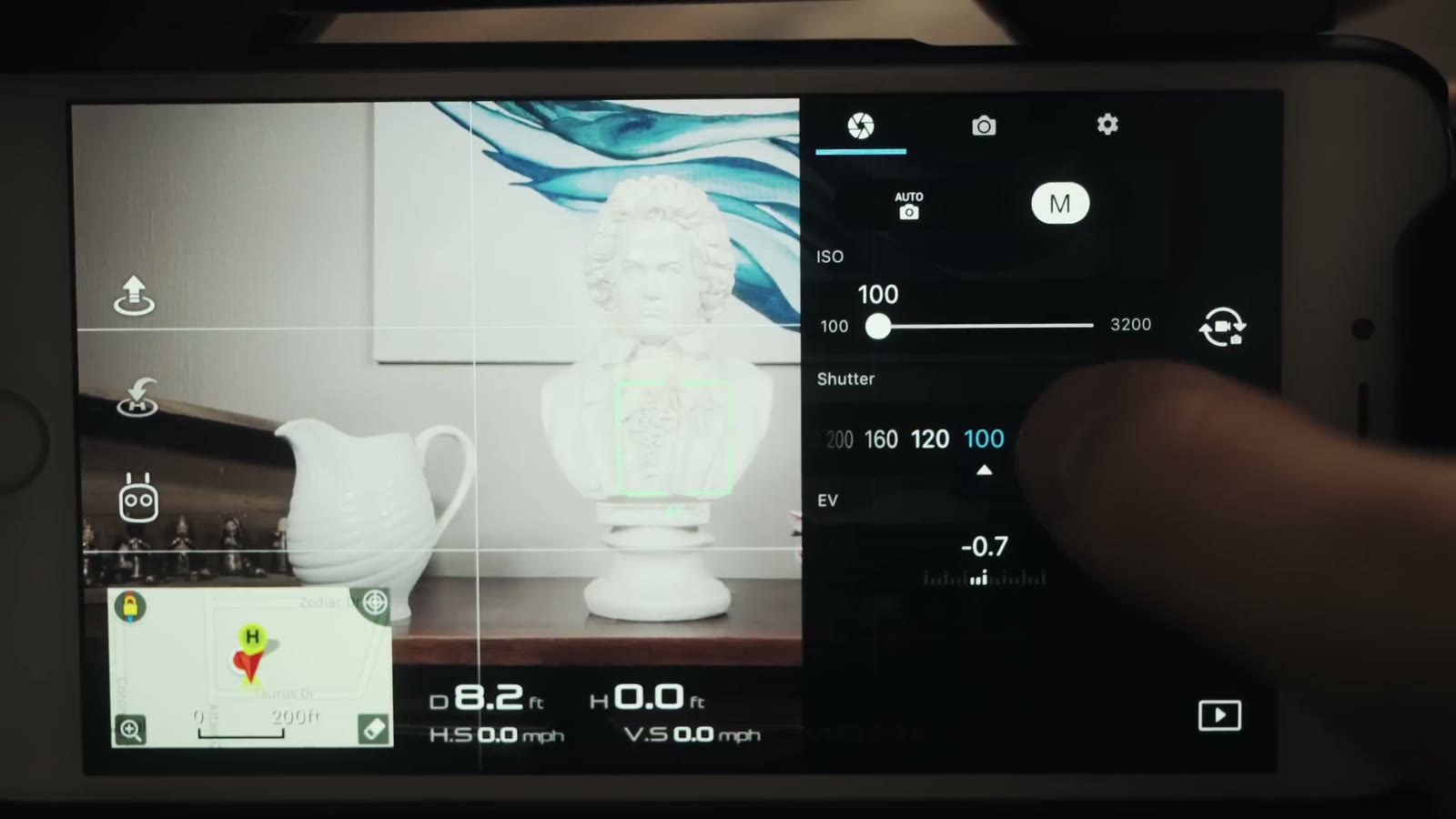
ISO: 100 wherever possible
Recording mode: Manual
That’s the whole profile. The rest of this is the why, so you’re not emailing me asking why I picked any of it.
Why D-Log
Color is set to D-Log. That is the setting everything else in this post is built around.
D-Log gives the best dynamic range and the most flexibility when it comes to color grading. The sensor on the Mavic Pro is really tiny, so any chance I get to boost dynamic range and image quality, I’m taking it.
Worth knowing: DJI put out a firmware update that made D-Log look substantially better than it did at launch. So if you bought your Mavic early, tried D-Log, and decided it looked gross, go try it again. It’s a different picture now.
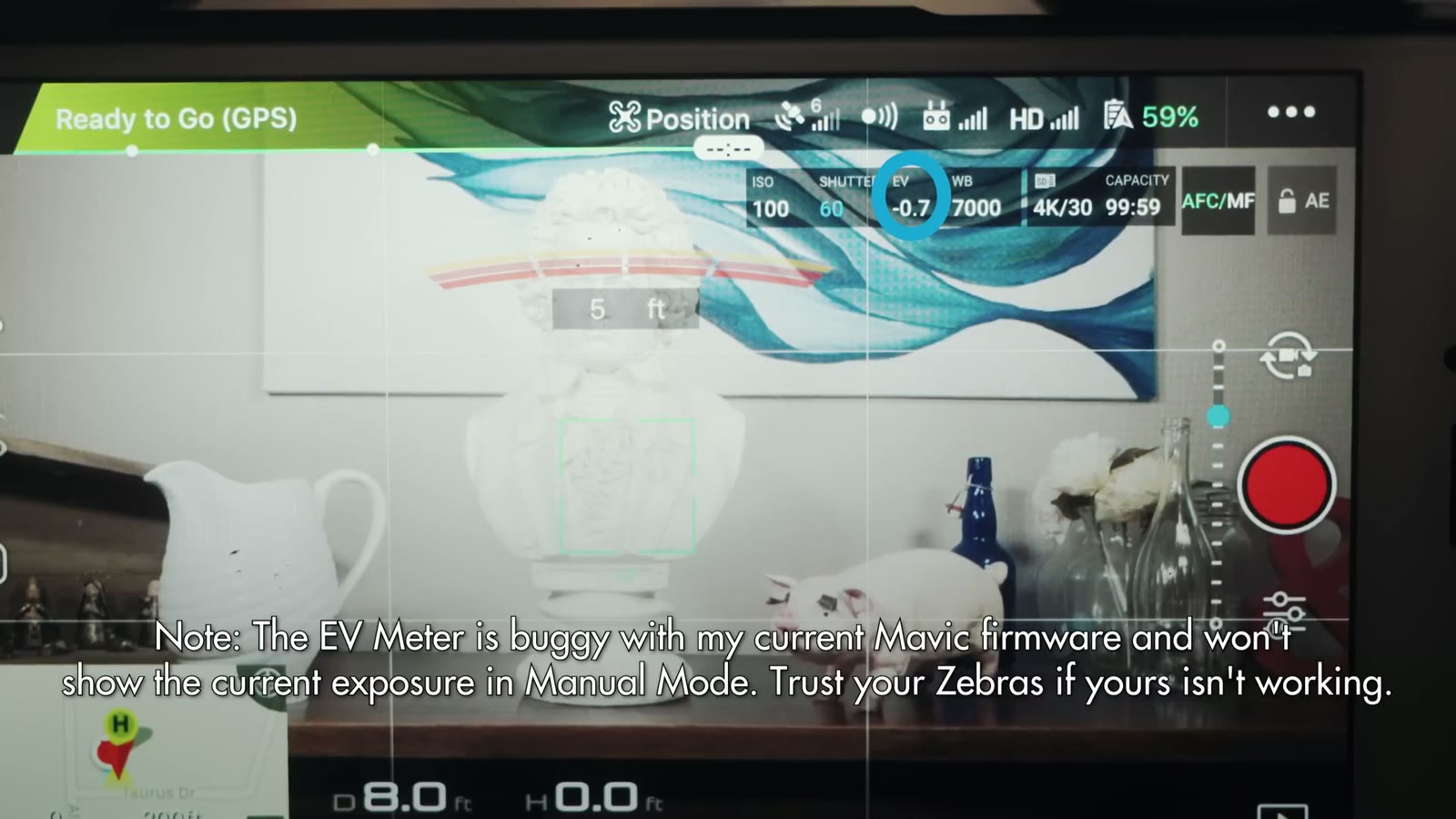
The EV meter is buggy on my firmware and will not show current exposure in Manual. Trust your zebras if yours is doing this too.
Quick warning while we’re in the app: on my firmware the EV meter is buggy and doesn’t show the current exposure in Manual mode at all. If yours isn’t working either, trust your zebras instead.
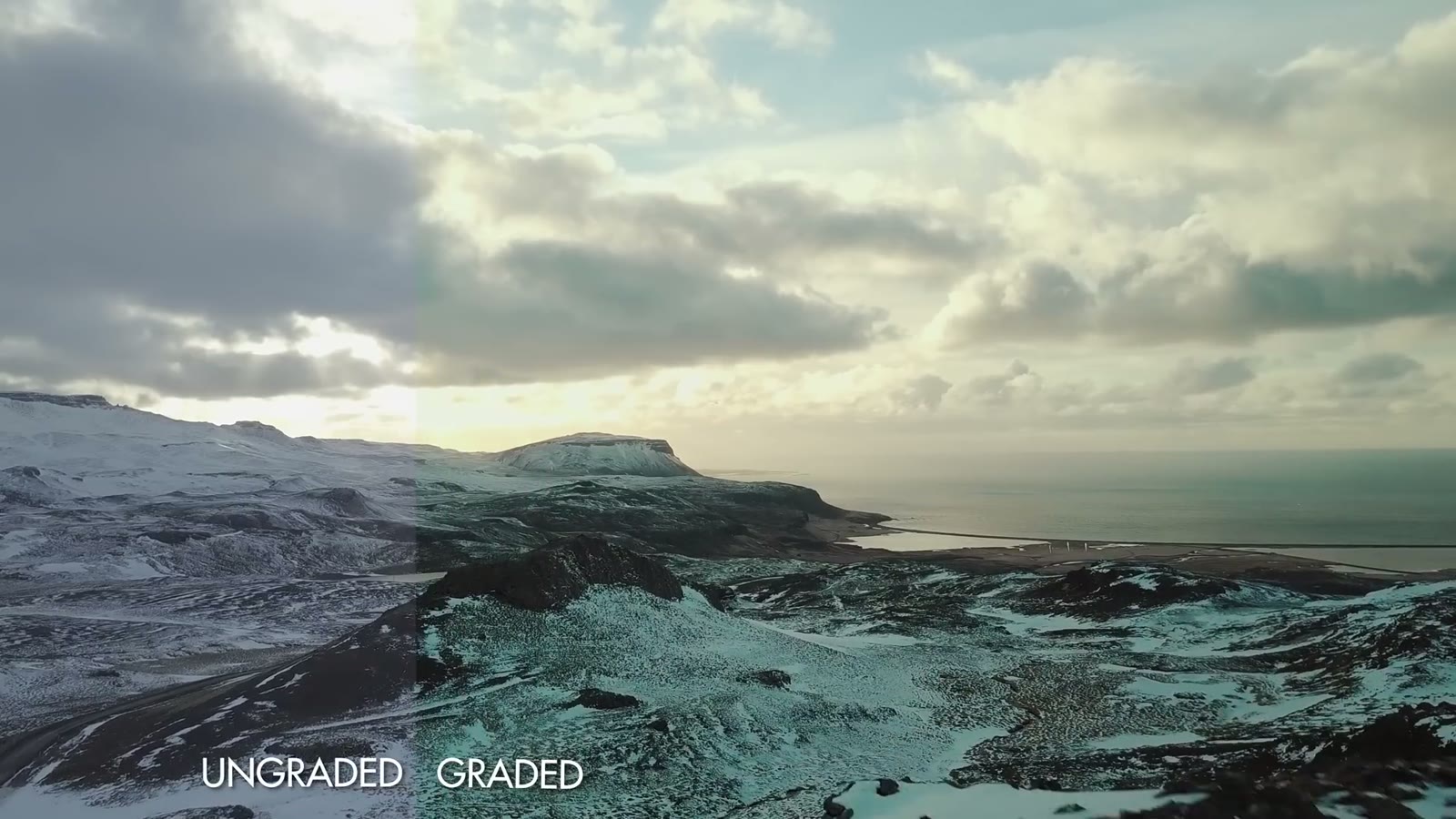
D-Log ungraded on the left, graded on the right. That is the range you are buying.
Sharpness, And The Noise Reduction Trap
In most shooting situations I keep sharpness at 0. I never take it to -1, -2, or -3, because that starts making all the colors run together and you get the watercolor effect people complain about. At 0 I don’t deal with that at all.
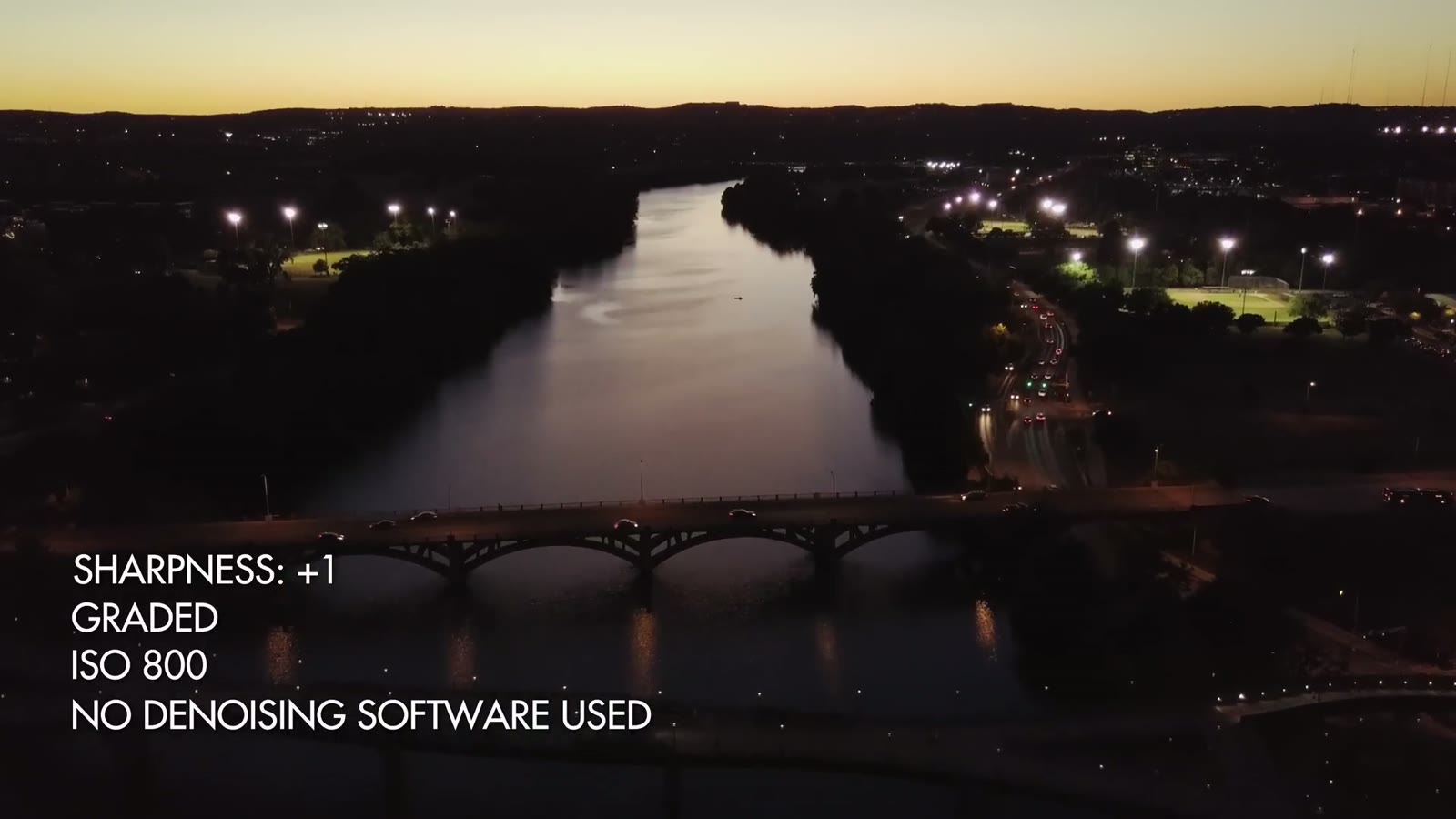
Sharpness at plus 1 and ISO 800, with no noise reduction applied. This is why I do not go negative on sharpness.
The one time I go to +1 is a very high dynamic range scene, say flying toward a bright sunset with shadowy trees underneath. Here’s the reason, and it is not obvious: DJI built in a noise reduction algorithm that is active from -3 all the way up through 0 on the sharpness scale. In a high dynamic range scene that algorithm makes some things look sharp while muddying everything else, and you end up with a weird image that just doesn’t look right. Setting sharpness to +1 turns the algorithm off.
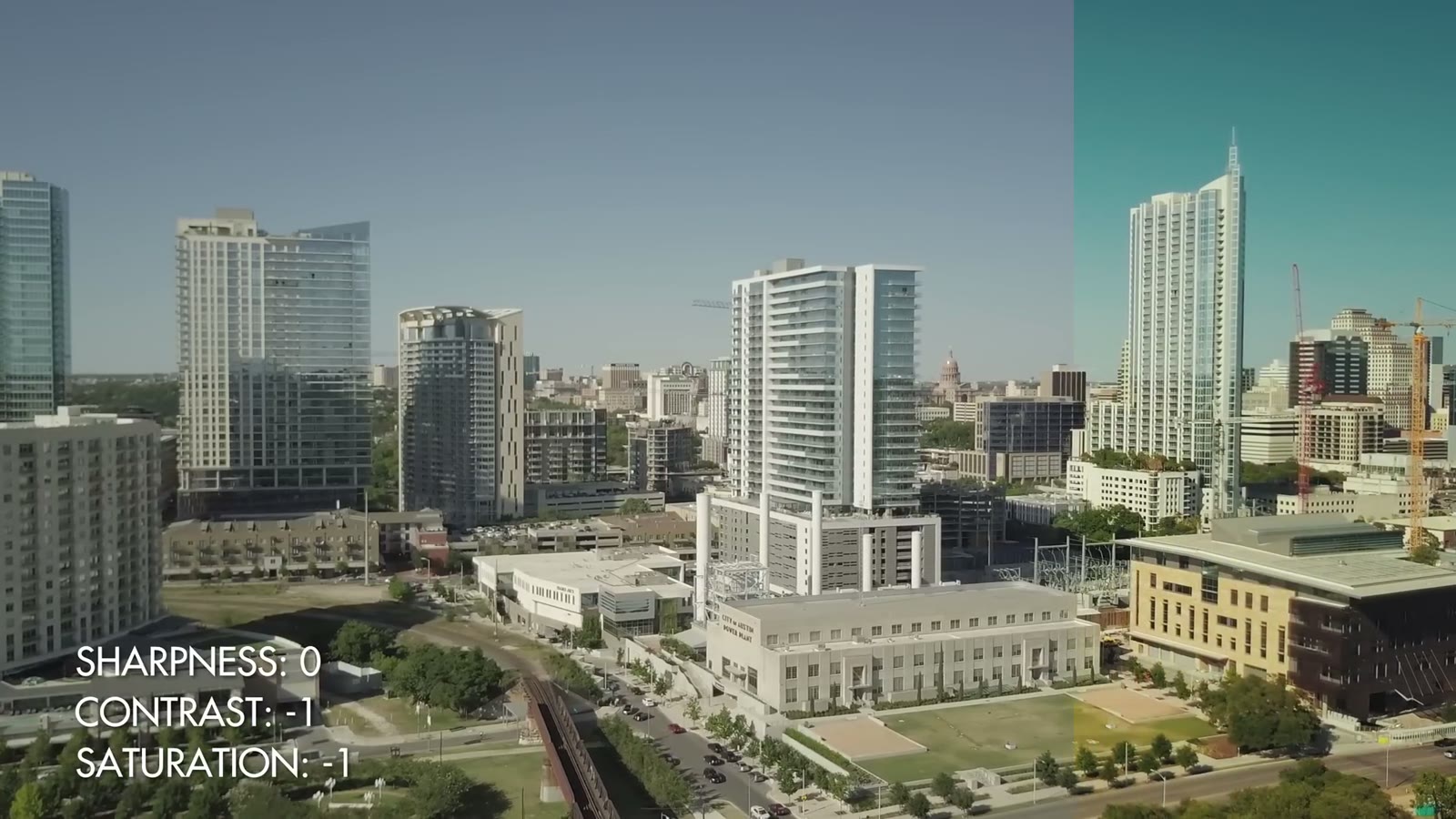
Sharpness 0, contrast minus 1, saturation minus 1. Flat enough to grade, not so flat that it falls apart.
You’re probably wondering why I don’t push these to -2 or -3 and go as flat as possible. The answer is that D-Log is already really pretty flat and it doesn’t need to be flatter. At -1 I still have plenty of range to grade the image however I want, without giving up so much contrast that I’m fighting to build it back.
MP4, 4K, And Why Not 1080p
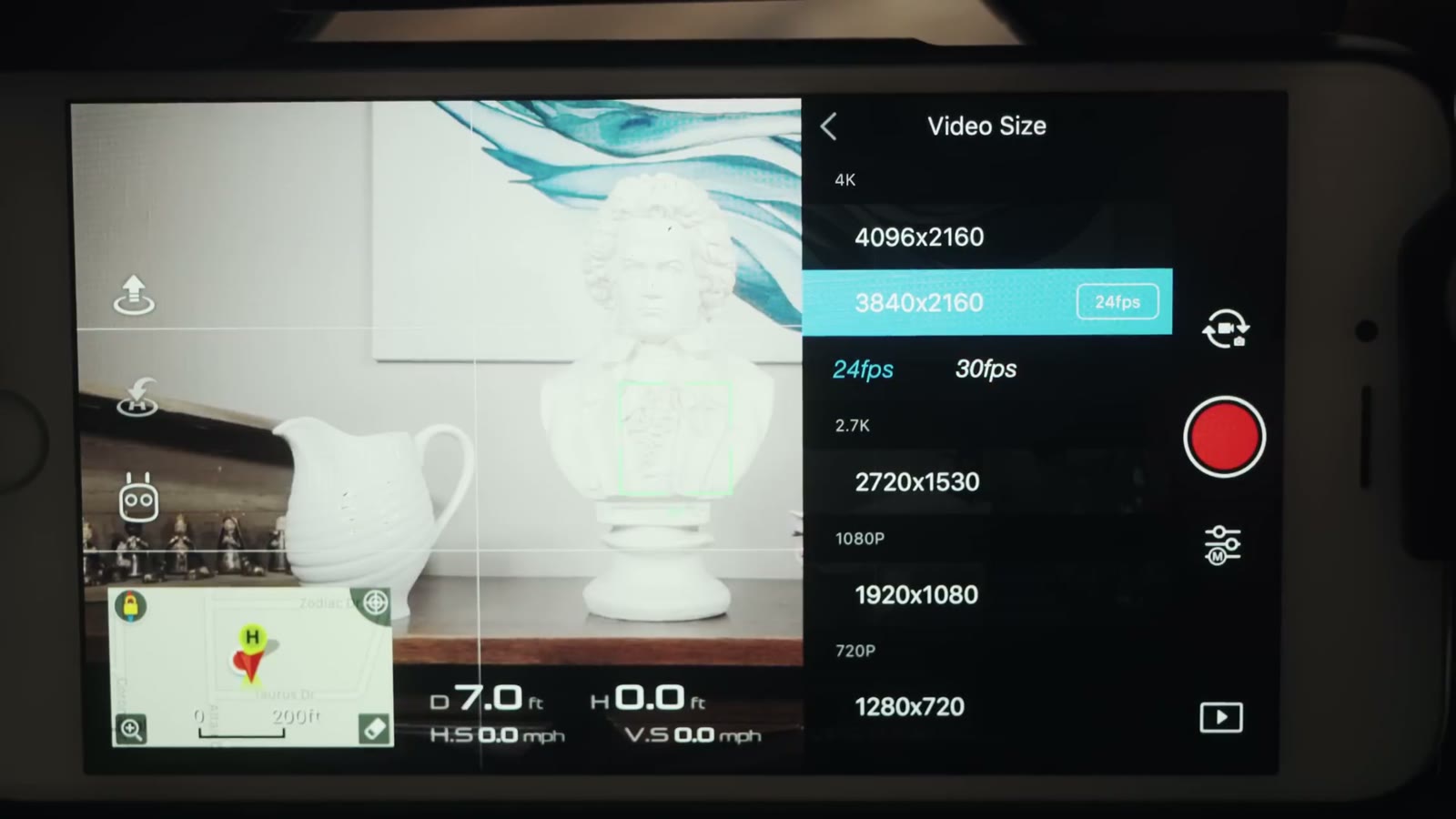
3840 by 2160. Do not shoot this drone in 1080p, at any frame rate.
I shoot MP4 rather than MOV, mostly because I read a few forum posts with horror stories about MOV files and figured MP4 works fine for me. I see no quality difference between them.
I shoot 4K because I shoot 4K with everything and I’m uploading in 4K. You’ve probably seen the forum posts arguing 2.7K is better. Through all my own testing and all the videos I’ve watched about it, I do not see a real quality difference between 2.7K and 4K, so I stay in 4K to maximize what I’ve got. If you’re delivering in 1080p, 2.7K might genuinely suit you better. Test it yourself.
What I will say without hedging: do not record with this drone in 1080p. Not 1080/24, not 1080/60. The bit rate isn’t high enough and the image falls apart fast, watercolor effect everywhere. This drone is not built for 60fps. If you need that, buy a Phantom 4 Pro. Keep the Mavic at 2.7K or 4K.
30fps Conformed To 24
Manual mode, ISO pinned at 100, shutter set by hand.
You’re thinking that’s weird, shouldn’t cinematic be 24, that’s what the movies are. I still export at 24. I shoot at 30, import at 30, conform in Premiere to 24, and export.
The reason is that the roughly 20 percent slowdown you get going from 30 to 24 smooths out any little gimbal shakes and general weirdness. Everything still reads as real time, you genuinely can’t tell it’s slowed, but the motion is a little cleaner. That’s the whole trick.
1/60th Shutter And ND Filters
Shot at 30 and conformed to 24. The roughly 20 percent slowdown irons out the small gimbal shakes.
1/60th is double my 30fps frame rate, which is the shutter rule, and I can hold it in bright sun because of the PolarPro Cinema Series ND filters with polarizers. That’s the second time I’ve mentioned them and it won’t be the last, because on a drone with a fixed aperture, NDs are your only exposure control.
The reason I care about 1/60th is motion blur. Shoot at 1/1000th and you get a jagged, sharp looking image where you can practically see every individual frame. At a lower shutter it just looks right to the human eye.
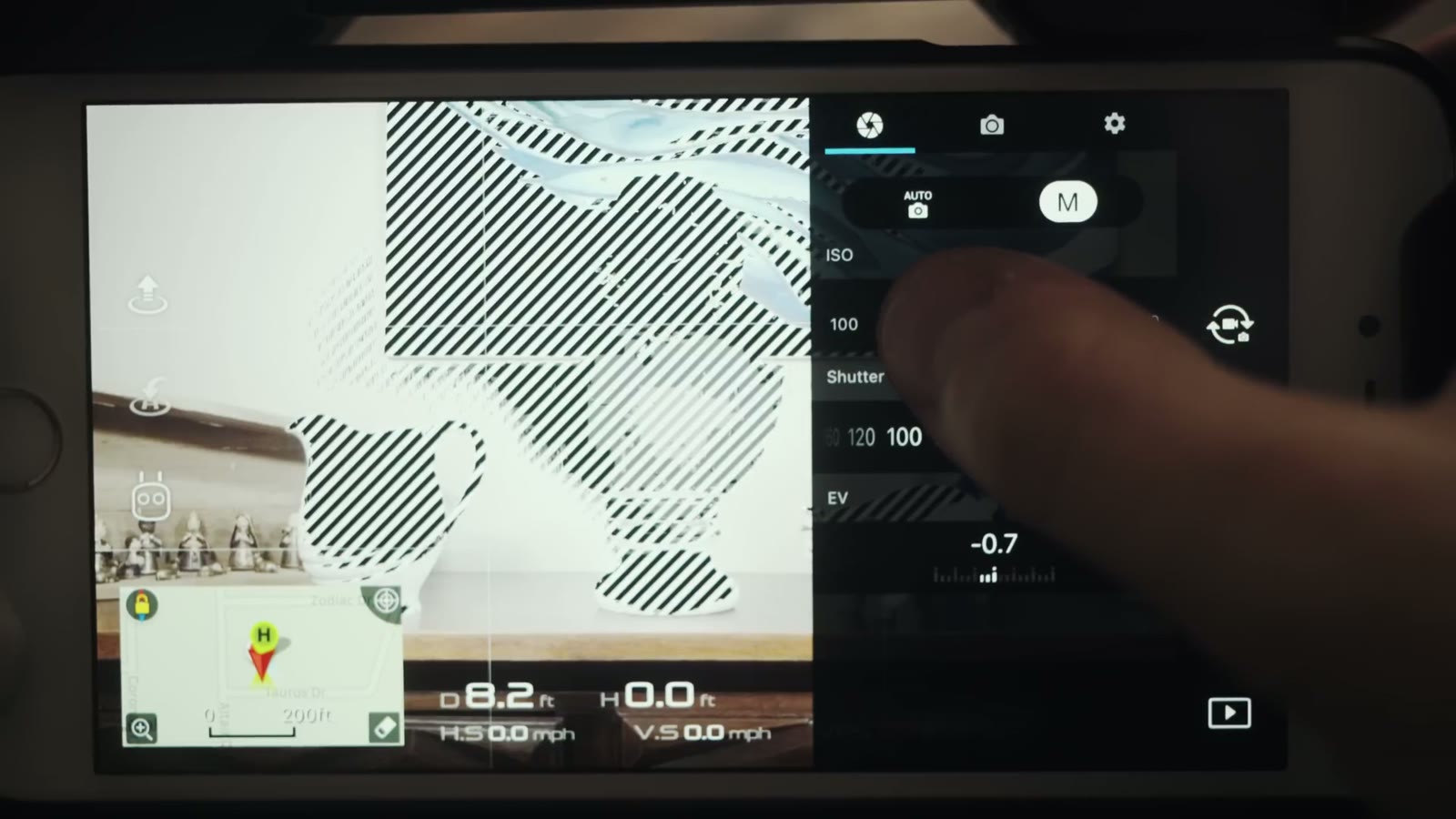
Zebras. When the EV meter will not tell you the truth, these will.
Turn the overexposure warning on. It puts zebra stripes over anything blown out, so at a glance I know where I stand. Sometimes I want that, filming straight into the sun for example. Filming ground and landscape, I definitely don’t.
Alongside the zebras I watch the EV meter, and I want it at 0.0, maybe +0.3 or +0.7. The reason is that log formats are hungry for light. They want a bright image that you then grade back down. What I never want to see is EV in the negatives, because once you introduce darkness into a log image, pulling those levels back up is so much harder and so much uglier.
So in practice: expose almost to the point where zebras appear, then back off just below that. That’s your level. And since the Mavic has a fixed aperture, the way you get there is with ND filters, not by opening up.
ISO 100, And What The Mavic Can’t Do
ISO 100 whenever possible. The moment you start climbing, 200, 400, 800, you’re introducing noise, because the sensor is just so gosh darn tiny. In a twilight situation, if you can keep it under 400 you’ll be okay. Past 800 it gets muddy fast, you’re reaching for denoising software, and it still won’t be as sharp as you wanted.
So let’s be straight about it: this drone does not excel in low light. If you need to shoot at night, get something with a bigger sensor, a Phantom 4 Pro or an Inspire. But for daylight shooting, I love the Mavic. It looks so great and it makes me so happy.
More
Some of the b-roll in this video doesn’t look very Texas, and that’s because I took a trip to Iceland and could not help sharing a few of the clips.
This was filmed in May 2017 on the original Mavic Pro and the DJI Go app of the time, so menu names and firmware behavior have moved on, and the EV meter bug I mention was fixed in later firmware. The reasoning holds: shoot log, protect the highlights with zebras, keep ISO down, and control exposure with NDs rather than with the shutter.
I’m required to state that I’m part of affiliate programs for Amazon, B&H, Soundstripe, Artlist, Musicbed, and Adobe, and that some of the links above are affiliate links.
Kelsey and Jacob’s full wedding film, shot on their family ranch in the Texas Hill Country, from campfires and two-step dances to a ceremony next to the pig barn and a petting zoo at the reception.
Before you do anything else, go watch the wedding trailer this behind the scenes is about: “Not just in Love, in Joy with each other”. It’s one minute long. Otherwise you’ll spend this whole thing going “wait, what am I looking at?”
Done? Good.
I’ve wanted to make this video for about a year and a half. Back in my very first video blog aimed at wedding filmmakers, a review of the Sony a7S II, I said I wanted to film a behind the scenes of a real wedding so you could watch me work on a real day with real people and understand how I actually do it. So whenever my friend Noah told me he was getting married and asked me to film it, I brought along my friend Paul Bailey to shoot a behind the scenes of Rachel and me shooting the wedding.
And to be clear about scope: this is twenty minutes of behind the scenes covering one minute of trailer. I filmed hours and hours more. You can probably extrapolate how long the full-day version is going to be.
The Gear We Shoot A Wedding With
We’re both on the Sony a7S II. This one’s mine, that one’s Rachel’s. We always shoot on the same body. I don’t really know why we do that, that’s just how we do it.
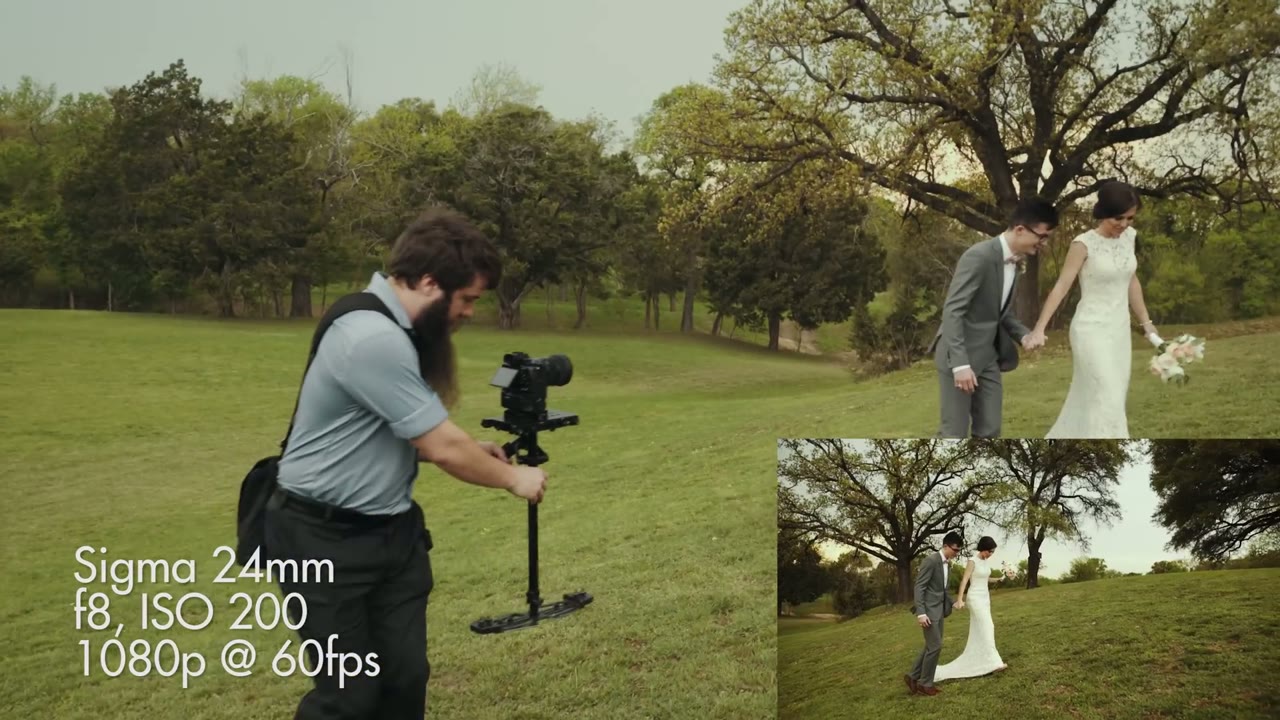
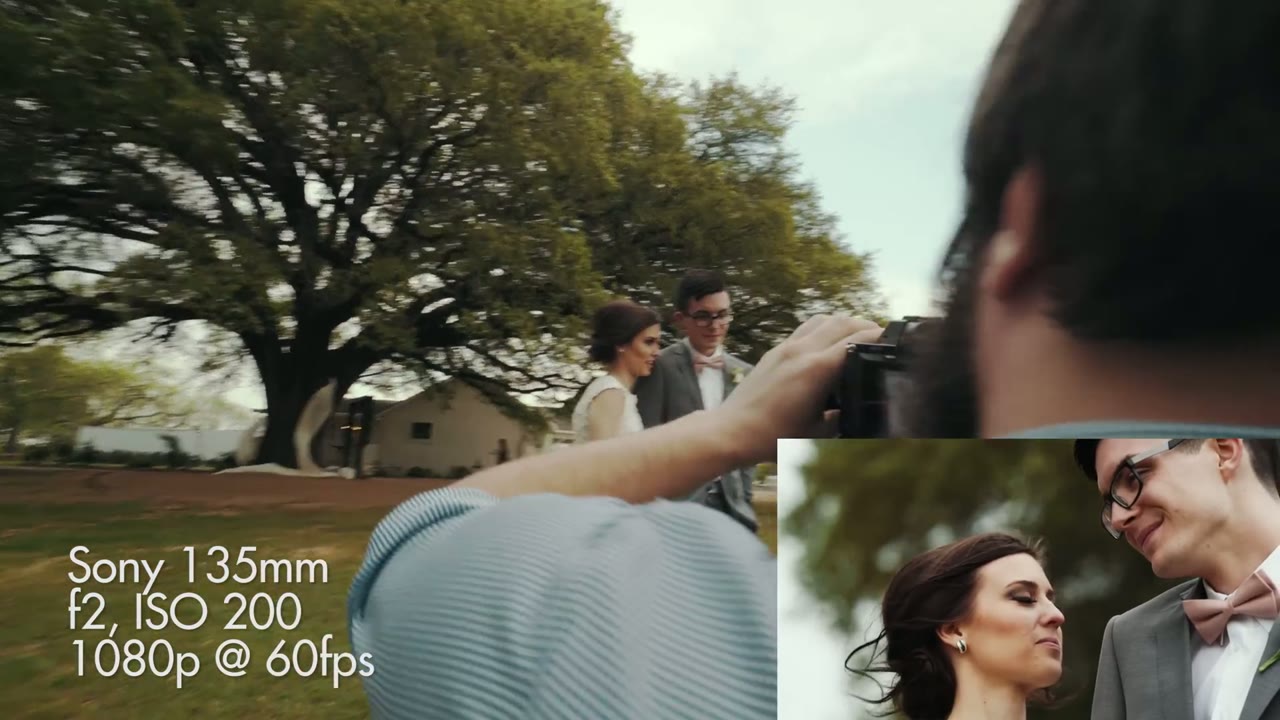
I shoot wider, Rachel shoots tighter. I’m on a 24mm or a 50mm depending on what I need. She’s usually on a 50mm or a 135mm, and she loves that 135.
The lens set is a hodgepodge. A Canon lens, a Sony lens, two Sigma Arts, and adapters to make whatever we need work. Someday I dream of owning one cohesive set. Hasn’t happened yet. We’re not perfect, I’m sorry.
Honestly, if I have a 50 and a 24 I’m good all day. I could shoot the whole wedding on those two and be totally happy. That comes with a caveat though: I have a second shooter getting the tight stuff, so I’m free to be closer in on emotion, faces, hands, rings, the details, without ever getting in the photographer’s way.
What’s Always In The Bags
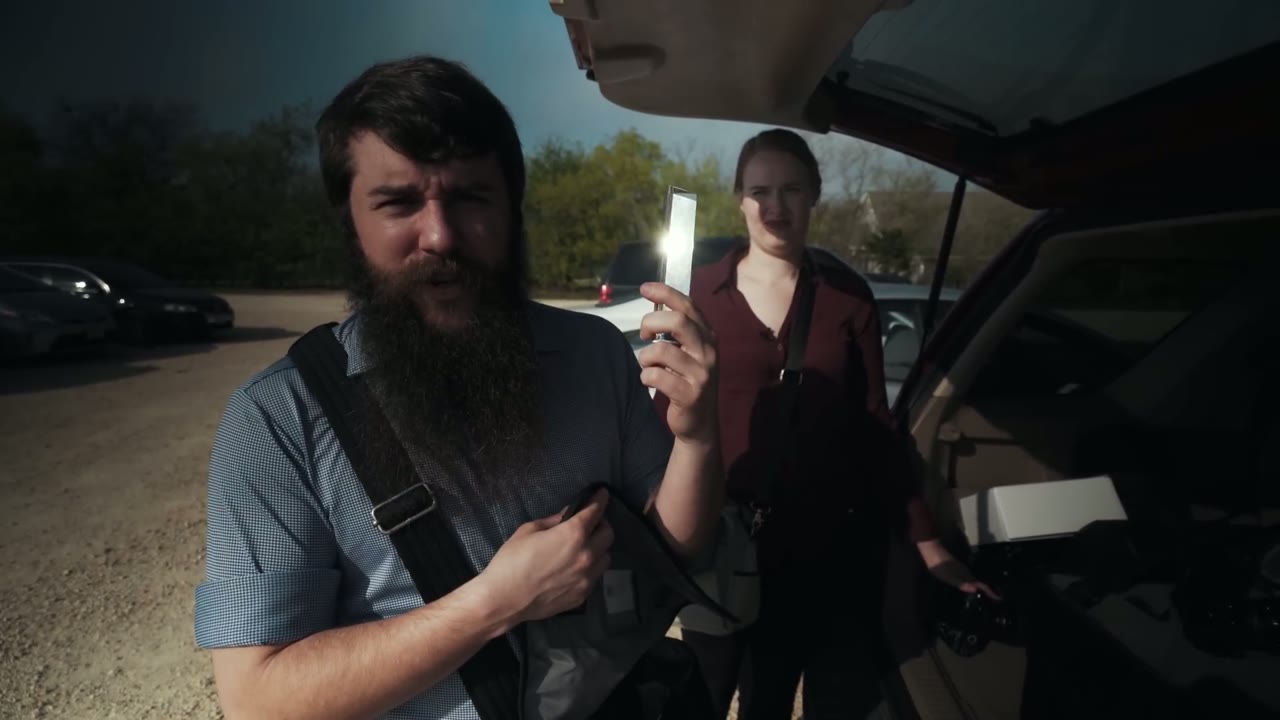
Rachel carries a lens cleaning cloth and I hand her a variable ND filter, a magnetic one so it fits every lens she’ll touch. She also carries a mirror for trick shots, because she likes them, plus her water and a couple of lenses.
My shoulder bag holds whichever lens I’m not currently using, with the caps already off so I can grab it fast, the adapter I’ll need for it, and a sensor air blower, because you never know when you’ll find dust on your sensor mid-day. And I carry Mr. Prism, because a prism is a cheap and effective way to get really pretty reflection shots.
We also carry a buttload of batteries. Twelve Sony NP-FW50s, all charged beforehand. That sounds like overkill until you’re twelve hours into a wedding day with two a7S IIs, and on this day Paul was on one too. So we charged all day long, which is easy enough whenever you’re at one venue: set the chargers up in a room, plug them in, and grab what you need.
Divide And Conquer During The Rehearsal
Nothing important is happening yet, they’re just running the rehearsal, so we split. Rachel goes to grab establishing shots of the grounds and to sit in on the rehearsal, checking whether anything about how people are standing needs tweaking before it counts.
I go fly the drone. Do I need an excuse? The sun isn’t high yet and the light is good, so it’s the right time. It’s also a drone.
On the Phantom 4 I run PolarPro Cinema Series filters, which have a polarizer built in alongside the ND. I put the ND6 on, because I’m shooting D-Log, which has a fixed ISO of 500, and I’m in bright sunlight.
I never know exactly what I’m getting until I’m up there. I know I want the buildings and the tree, but past that it’s a bit of a crapshoot until you’re in the air looking down going “oh, that’s pretty.” Sometimes a venue gives you something incredible. Sometimes you get a few nice shots of the buildings and you land without going crazy, and that’s fine too.
Every Shot’s Settings, On Screen
Throughout the video the lens, aperture, ISO, resolution, and frame rate are burned into the corner of every shot, so you can see exactly what I was on at each point in the day rather than guessing.
The Chandelier Problem, Solved Months In Advance
Here’s the piece I’m proudest of, and it happened long before the wedding day.
We’d filmed at this venue about four months earlier, and the chandeliers in the reception hall flicker horrendously. Bad enough that a photographer working that day was getting banding in her stills. That’s how bad.
So I told the bride and groom about it. And because they’re good friends who care about our creativity and about getting a good film, they said sure, we’ll just move everything outside. Toasts outdoors, bouquet and garter outdoors, dancing on the deck. Only the cake cutting and dinner stayed inside.
That’s the lesson. By talking to the couple early and building that relationship, you can make changes to the wedding itself that will make your film better. No amount of gear buys you that.
And Then Everything Went Wrong
So much for my dream of showing you a behind the scenes where everything goes perfectly and I have no problems at all.
The forecast that morning said a 10% chance of rain. By evening there was a severe thunderstorm watch on my phone and a wall of weather coming across the field that frankly looked a bit like a tornado.
We weren’t planning to take the couple out for portraits until after dinner, around 6:30. With the storm coming we asked instead: can we borrow you for five minutes right now? Grant took them out into the field, we followed, got some great stuff, and then he and I worked together to shift things and get images we were both excited about.
Then the whole reception moved indoors. Every single thing I’d spent months arranging to happen outside, back under the flickering chandeliers. Toasts inside, so a light had to go up. New angles to figure out. And you just roll with it, because on a wedding day you cannot predict anything.
Dancing, And ISO 16,000
That’s a Canon 50mm at f1.8, ISO 16,000, 1080p at 60fps. Which is exactly the argument for this camera: a dance floor at night is where an a7S II stops being a preference and starts being the reason you got the shot at all.
Shoutout to Grant Daniels Photography for shooting this wedding and giving some great commentary in this video, and to Paul Bailey for filming the behind the scenes.