
Quick note before we get into it: in the video I’m using an FX30 as a stand-in on my desk, because I had to return the FX5 that Sony loaned me. Everything below comes from my hands-on time with the actual camera.
Internal RAW: X-OCN vs ProRes RAW
The biggest thing most people are talking about, other than the price, is that both of these cameras can record RAW video internally. That is also where they diverge significantly, because the Sony FX5 records to Sony’s in-house developed X-OCN format, while the Panasonic Lumix S1 II records in the third-party, Apple-developed ProRes RAW format.
X-OCN on the FX5 records in 16-bit with 280 trillion colors and multiple compression options that are small enough to fit onto an SD card, which is what makes RAW actually feasible to film with on this camera. That’s really exciting, and if you want to know exactly which cards handle which formats, I put together a full Sony FX5 memory card guide that breaks it all down.
The S1 II’s ProRes RAW, on the other hand, lets you choose between standard and HQ, and I have to say even the standard file sizes are quite massive. 2.8 gigabits per second for standard and 4.2 gigabits per second for HQ, which means you’re gonna need some very large memory cards. That’s also why I don’t see many filmmakers actually recording in ProRes RAW when they’re filming. It usually isn’t worth the quality versus the file size, but you can tell me if you disagree.
So in the area of RAW video recording, I have to give the edge to Sony. But if you’re worried this is a Sony fanboy post, hold up, because I’m filming with a Panasonic S1R II right now, and the S1 II is about to get a lot, and I mean a lot, of wins.
The S1 II Records To An SSD, The FX5 Can’t
That argument I just made about needing a bunch of large memory cards for the S1 II? That was actually a lie, because the S1 II, like all of Panasonic’s cameras for many years now, lets you skip memory cards entirely and connect an external SSD to the camera over USB-C. If you already own a big SSD, that can save you a ton of money.
This is a fantastic feature, and I’m honestly still upset that Sony has not included it with their cameras. Heck, the FX5 has dual USB-C ports, Sony! One of those could connect to an SSD. Come on!
Panasonic wins this one by default.
Resolution, Frame Rates, And 4K 240 In 2027
The S1 II uses a partially stacked full-frame sensor capable of recording 6K at up to 60 frames per second, while the FX5 has a fully stacked full-frame sensor capable of up to 5K at 60 frames per second. From a pure resolution standpoint, the S1 II wins.
In my opinion though, if you’re delivering in 4K like most filmmakers still do these days, both 4K and 5K give you a ton of room to reframe in post, and in some situations you may actually want the smaller 5K file to keep your file sizes down.
Anyways, we ain’t done with resolution yet, because both cameras can also record 4K at up to 120 frames per second, which is great. Where they start to diverge is that Sony says they’re adding 4K at 240 frames per second in RAW in a firmware update in 2027, and from what Philip Bloom said, it’s gonna have a 1.3x crop, which is not bad at all for 4K 240. We’ll see if there are any other limitations, but Sony wins the future 240 FPS category. You didn’t even know that was a category, but guess what, it is!
Open Gate: Where Panasonic Buries Sony
Open Gate is a feature filmmakers literally begged Sony for, for years, while Panasonic filmmakers have been enjoying it for almost a decade. I think it came out in the GH5 back in 2017. So yes, it is a little sad.
Regardless, the FX5 is the first Sony camera that isn’t a Venice or a Burano capable of filming in Open Gate, and it can do 3:2 in 5K at up to 60 frames per second in RAW, plus anamorphic de-squeeze options from 1.3 to 2.0. That’s solid. Unfortunately, that’s all the FX5 can do here, and the S1 II sorely beats it.
With the S1 II you can film 6K 3:2 at up to 30 frames per second, and 5.1K at up to 60 frames per second, plus a much greater variety of resolutions and aspect ratios like 4:3 and 2.35:1 CinemaScope.
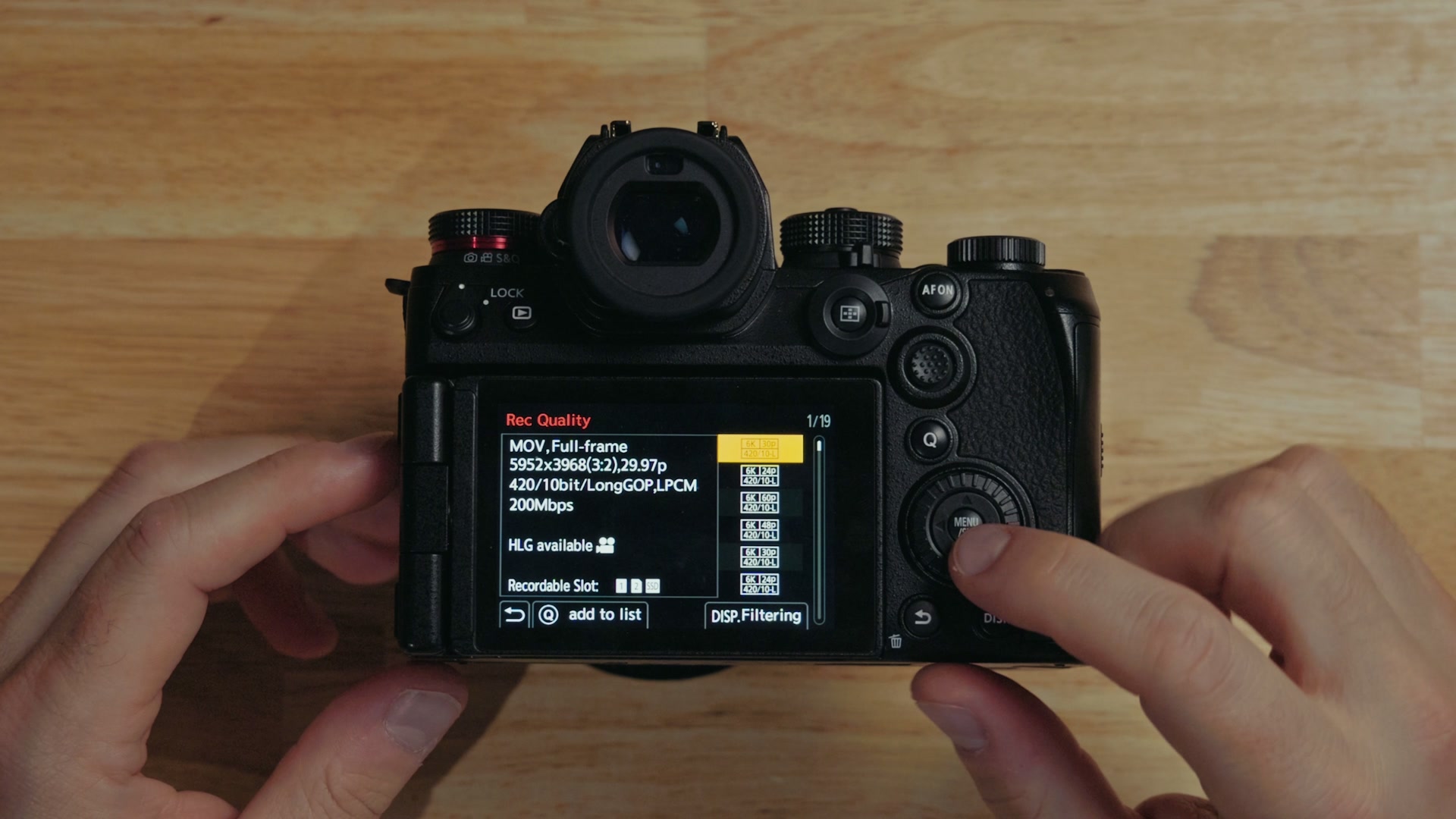
Then we get to the more important differentiation, in my opinion. The S1 II doesn’t require you to film in RAW to record in Open Gate. You can choose compressed formats, which makes the file sizes much more manageable, and I really appreciate that. The FX5 gives you no such choice.
On top of that, the FX5 also loses its ability to autofocus whenever you’re using anamorphic de-squeeze, which is a very weird limitation. From my research, it only loses it when the de-squeeze is applied internally, so if you use an external monitor you can get around it. Very strange, but there it is.
The Menu Difference Nobody Talks About
The S1 II also wins in how the camera presents all those resolutions, frame rates, and aspect ratios to you, which is really important to the usability of any camera.
With the FX5 you open the menu and change the resolution, frame rate, and format, but it’s confusing, because the camera will switch from recording in RAW to non-RAW and not tell you unless you go check the menu. On top of that, the camera restarts constantly. Any time you switch from RAW to non-RAW, or from 24 FPS to 30 FPS or higher, it restarts, and it’s very strange and annoying.
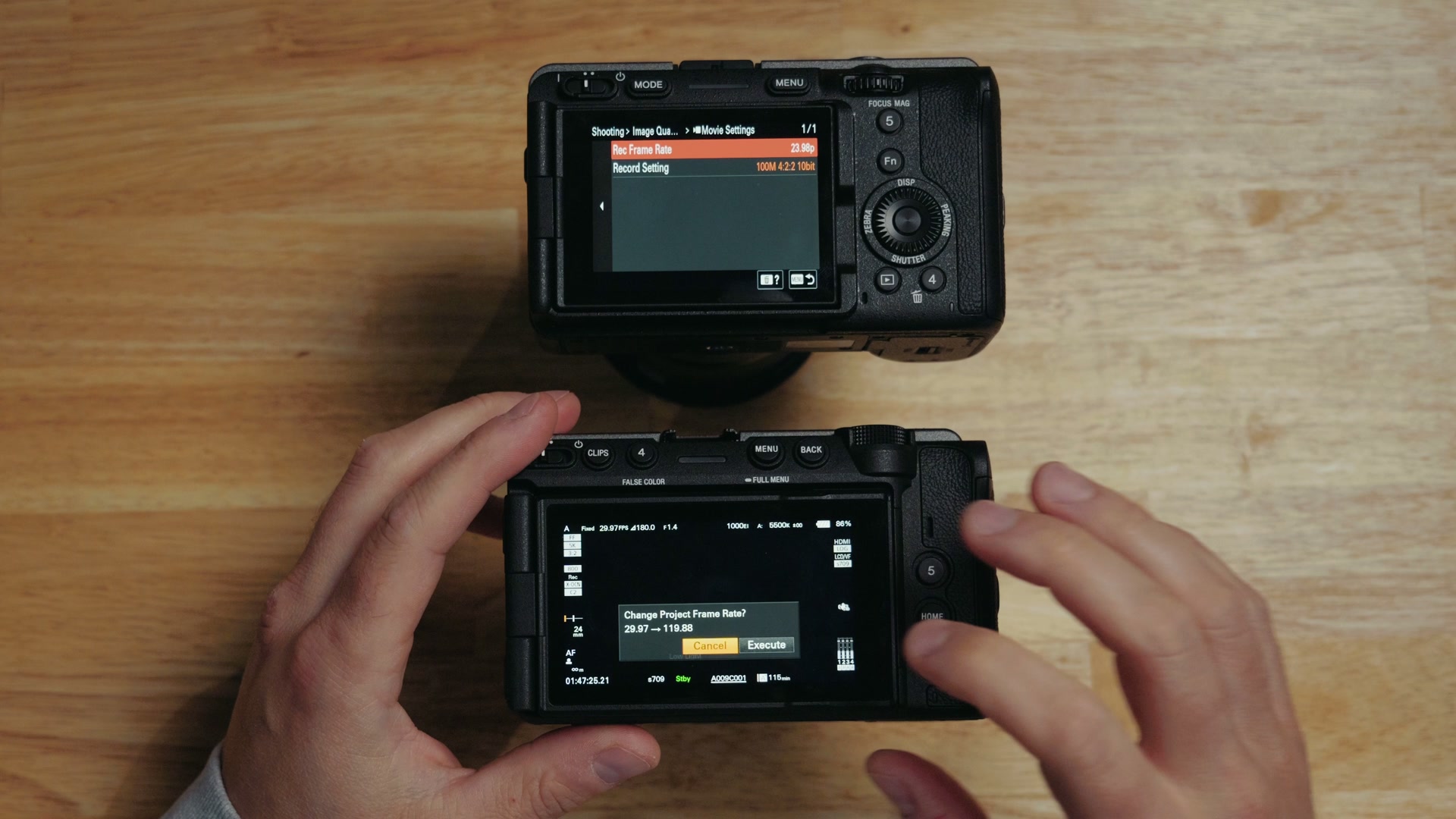
The S1 II, on the other hand, doesn’t have to restart at all. And Panasonic knew that having over 100 different combinations of formats, frame rates, and resolutions would be very confusing to filmmakers, because there are 19 pages of formats in there. It’s crazy. So they give you a very helpful sorting solution built into the camera called display filtering. You tell it you only want to see frame rates at 60 frames per second, and it shows you every resolution and aspect ratio that can record at 60 FPS. Drill it down even further to 4:2:0 10-bit L, and now you’re down to just ten results.
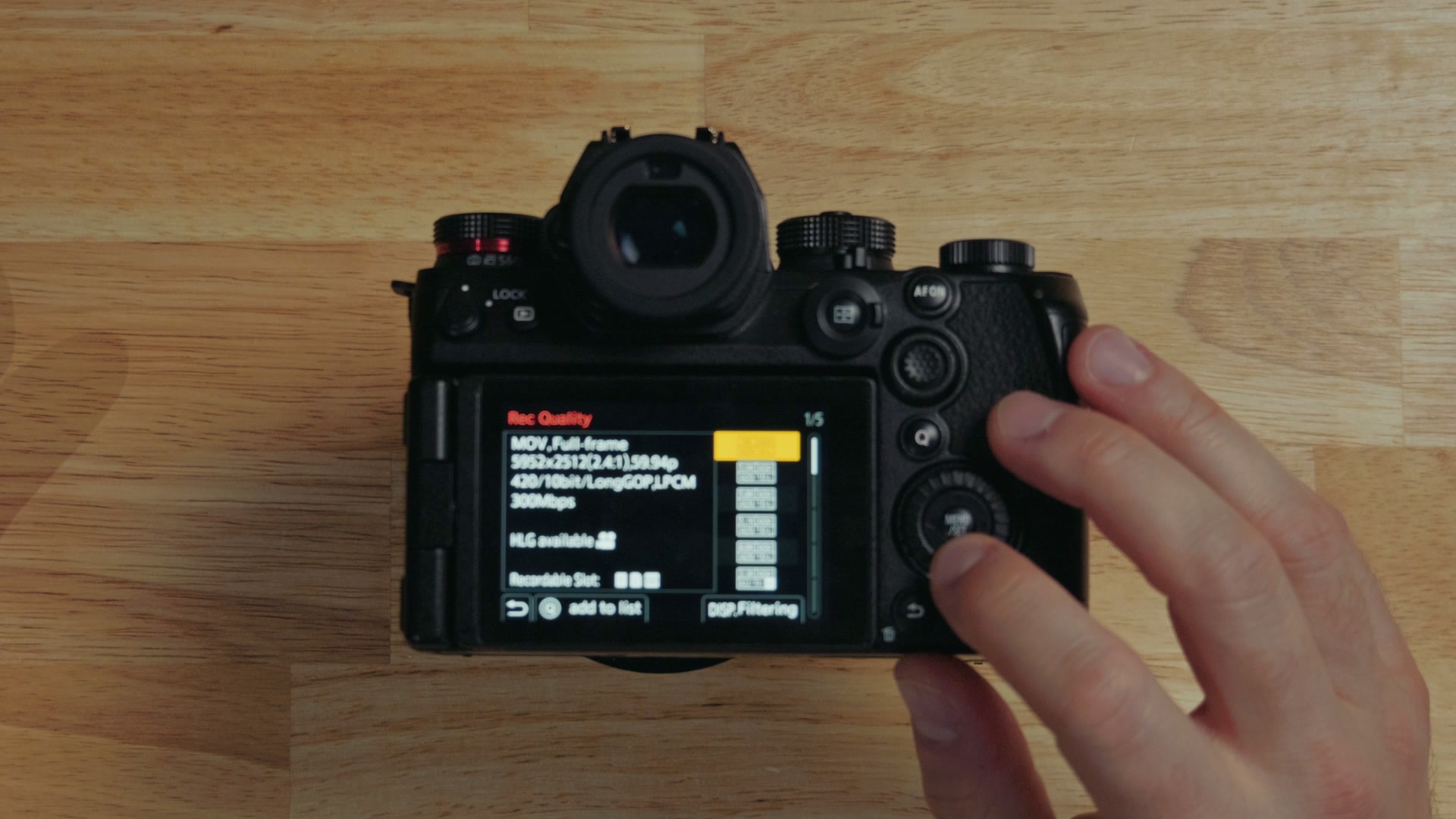
You simply pick the resolution, codec, and frame rate you want, and the camera shows you the supported options, which makes changing settings dramatically easier and much more intuitive than Sony does it. If you want to get your own S1 II dialed in fast, I walk through all of it in my Panasonic S1 II menu setup guide.
The S1 II easily wins the menu usability department, not to mention it wins on frame rates and resolutions again, simply because it doesn’t make you stop what you’re doing and wait ten seconds for a restart.
Cinema Camera vs Hybrid: Why The FX5 Can’t Take Photos
Here’s one of the biggest differentiating factors between these two cameras, and in my opinion it really comes down to the markets they are trying to hit.
Look at the S1 II. This would be considered by most people to be a hybrid camera, capable of fantastic filmmaking but still in a photo camera mirrorless form factor, and it can still take RAW photos. It is quite a capable photography camera, and I have used mine for paid photo shoots.
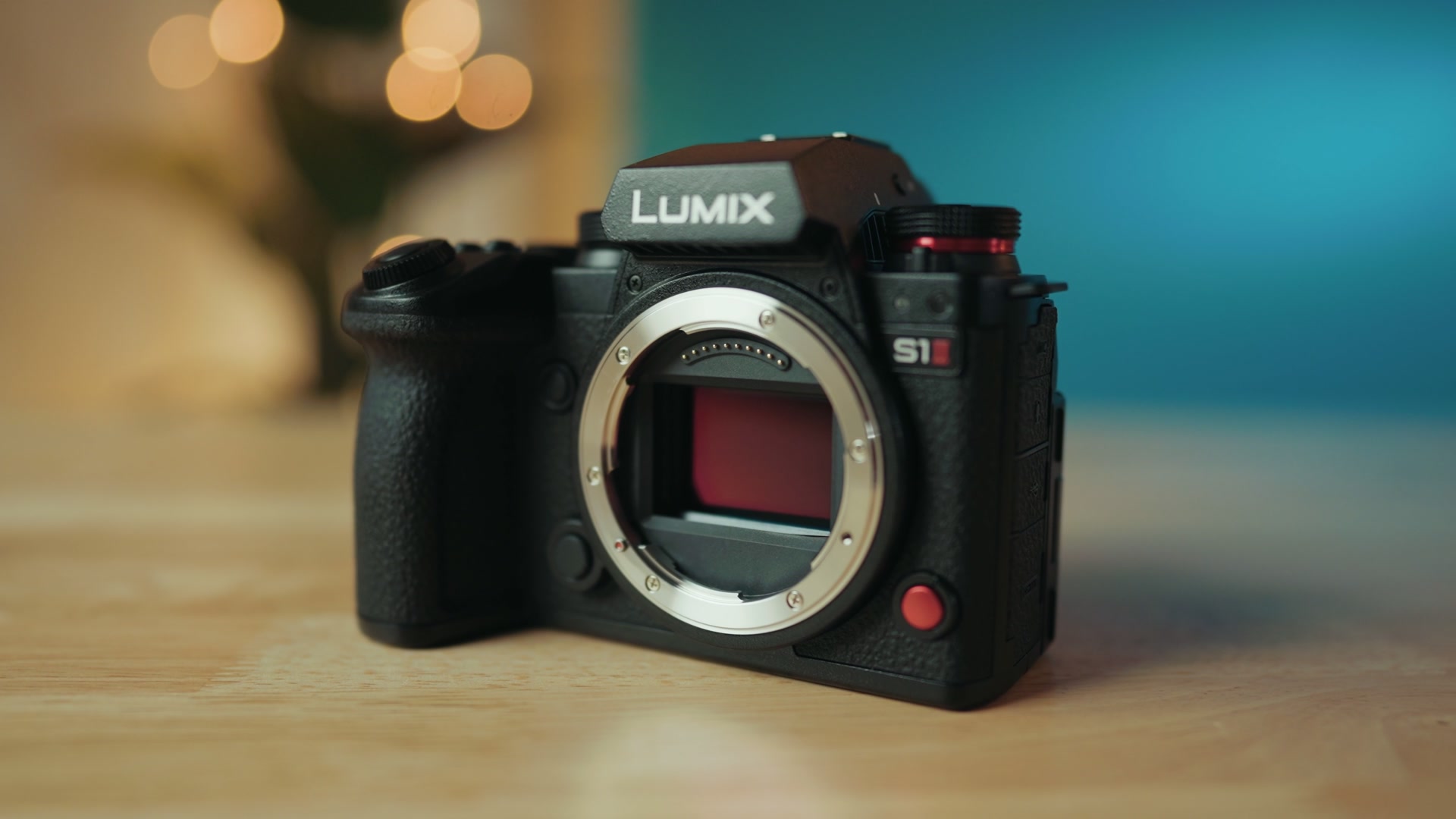
Then you have the FX5, which Sony is positioning much more as a cinema camera. It shares an extremely similar body to the FX3, a camera that took its menus from Sony’s photography-focused Alpha line and could still take RAW photos even though it didn’t have an EVF. The FX5, on the other hand, takes its menus from the Venice and Burano, and just like those cameras, it is not capable of taking RAW photos at all.
Some people are very upset about this, understandably. But do you see filmmakers complaining about not being able to use the Venice to take photos? No, that would be ridiculous. I think the issue is more that the FX3 could take RAW photos, so it feels like Sony is taking things away from us. The design really does still feel like a photo camera in some ways, and most importantly, why can’t Sony just give us the ability to take RAW photos? It should be possible, and it feels like a weird arbitrary limitation of the cinema line menus they shoved into the FX5. If you’re weighing those two against each other specifically, I broke it all down in my FX5 vs FX3 comparison.
So the S1 II easily wins in the area of RAW photography by default, because it’s a hybrid camera that’s actually capable of taking RAW photos.
The Detachable EVF And That Big Screen
Another weird choice on the FX5 is that it is capable of using a detachable EVF. So the FX3 has no EVF but takes RAW photos, and the FX5 has an EVF but no RAW photos? Matt confused. Why use a lot of words when few words do trick?
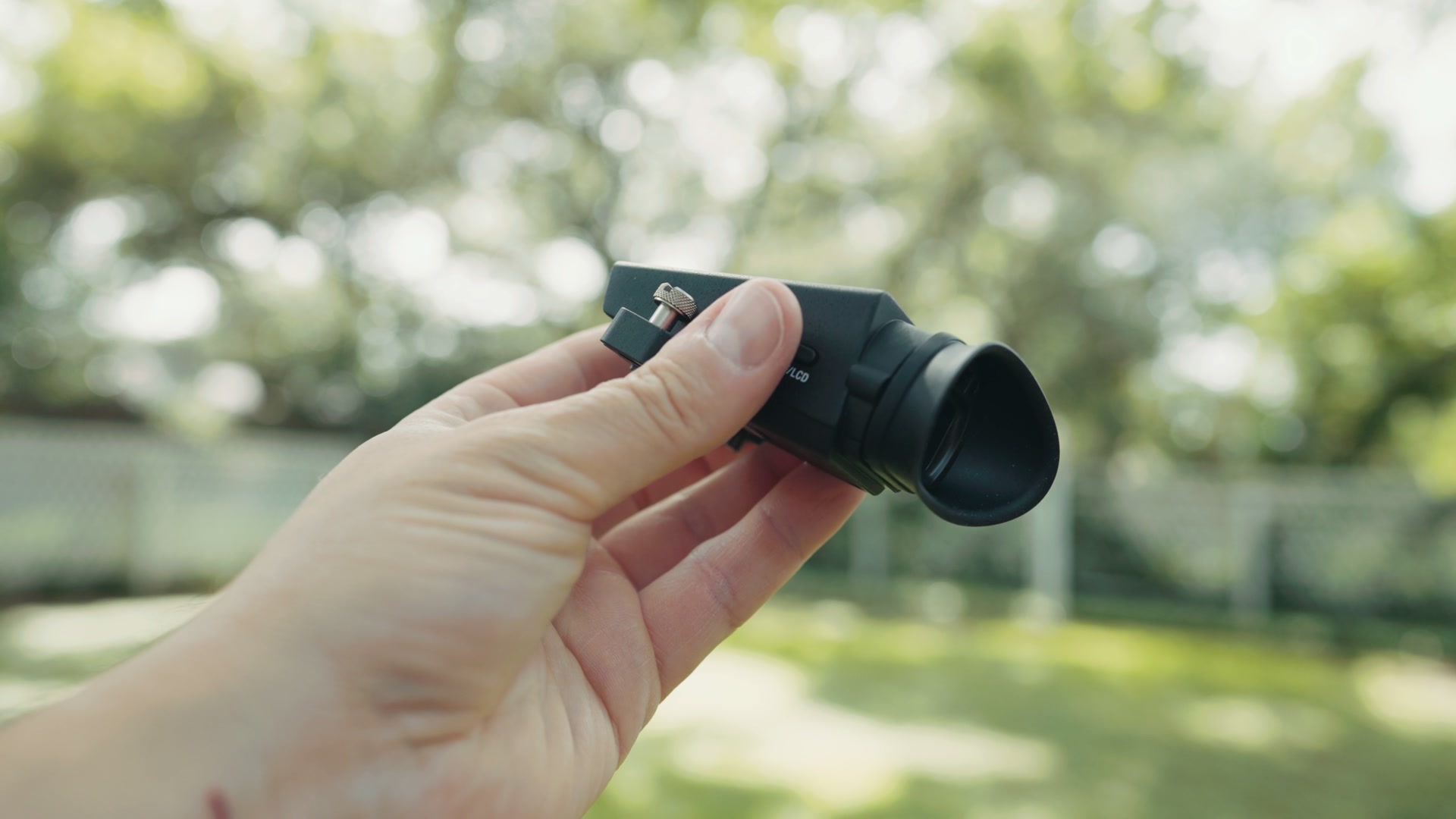
The S1 II has a normal built-in EVF, which works great just like you would expect it to. I do think it’d be cool if Panasonic offered an S1 II body with a detachable EVF though. They could make it smaller, chop off the top, maybe add some mounting screws, basically just build an FX5 body with Panasonic tech inside it. S1H II maybe? Come on! There’s your idea, Panasonic. Let’s call the EVF department a tie.
The screens tie in one way, because both of them are fully articulating, which is fantastic. I love that you can flip it out, rotate it, and tilt it at different angles. Sony does get a win here though, and they desperately need one at this point, because the screen on the FX5 is larger and nicer. Wow, this thing is good! All cameras need bigger screens. The Nikon ZR still wins with its four-inch screen, but the FX5 is a close second, and once you go big, you’re not gonna want to go back. Even the S1 II screen just feels so tiny now. Dang it!
32-Bit Float Audio And The XLR Handles
Both cameras are capable of recording 32-bit float audio, but sadly both of them also require an XLR handle that you have to purchase separately. The Panasonic DMW-XLR2 adapter runs $530, and Sony’s handle for the FX5 is $800, though you can bundle it with your FX5 purchase for only about 600 bucks extra at the time of recording this.
The FX5 is more expensive on its own, but it does get a slight edge because the handle is far more robust. I would not recommend picking up the S1 II by the XLR adapter. They don’t call it a handle, they call it an adapter, okay? And there’s a reason for that, because it’s a little fragile.
Regardless, honestly, both of these cameras lose to the Nikon ZR here, which can record any signal into its 3.5 millimeter mic jack in 32-bit float. Great job, Nikon! You didn’t know you’d be winning in an S1 II versus FX5 comparison, but you’re winning on the screen and you’re winning on the mic jack.
Low Light And Sony’s Triple Base ISO
The FX3 was considered the low light king for many years with its base ISOs of 800 and 12,800. I have to say the S1 II, with base ISOs of 800 and 5,000, is still extremely good in low light, and you can push it far above 5,000 and crank it up to 25,600 if you want to. It does have noise at higher ISOs, but it’s a lot less mushy than the FX3 because of less noise reduction, and a lot of filmmakers preferred that.
That said, the FX5 does beat the S1 II in low light in three areas. First, you have the higher base ISO of 12,800, which is over double 5,000, so that’s an obvious win. Next, the FX5 is Sony’s first triple base ISO camera, with a third base added between 800 and 12,800 at 4,000, which is quite close to the 5,000 on the S1 II. Lastly, and here’s the big clincher: unlike the S1 II, you can adjust the level of noise suppression in the camera, or even turn it off completely, which can give the FX5 a sharper image at high ISOs. Extra controls like that are a really good thing that filmmakers will appreciate.
Overheating: The FX5 Never Flinched
Panasonic cameras have built a reputation over many years for being basically impossible to overheat, but that all changed with the launch of the S1R II and S1 II, as filmmakers discovered soon after launch that both of those cameras could overheat in as little as eight minutes recording outdoors on a hot day. Whenever I tested the S1 II, I got 33 minutes before it overheated, which was a concern considering the camera does have a fan.
Thankfully, Panasonic heard the feedback and released a firmware update that greatly improved the overheating performance of both cameras by two to four times, which is great.
But whenever you compare that to the FX5, this is where things get interesting. When I tested the FX5, it passed with flying colors, not showing a single sign of overheating even while recording 5K at 60 FPS in RAW outdoors on a hot and sunny day. It literally ran until the battery ran out. No overheating. It was extremely impressive, and you can watch the whole thing in my FX5 overheating test in the Texas sun.
So while the S1 II has made great strides to improve, and I doubt you’re gonna deal with overheating at 24 FPS, if you’re recording a lot at 60 FPS you may still run into it. It’s a matter of the S1 II possibly overheating versus the FX5 never overheating, which matters a lot to wedding filmmakers and other people who have to record outdoors for a long time, like at a wedding ceremony. The FX5 wins overheating.
Timecode, And Panasonic’s Atomos Problem
Both cameras support timecode, which is fantastic, but they differ wildly in how they implement it.
Sony makes it really simple. You buy a USB-C to timecode adapter cable, pop open the side of the camera, plug it into the port, and then connect the other end to any timecode device. Deity, Tentacle Sync, Saramonic, Atomos, you name it, it works, and everything syncs up.
Panasonic chose to go with something that looks better on paper: Bluetooth wireless timecode, so no USB-C adapter cable required. Great, right? But here’s the big but. That wireless Bluetooth timecode is proprietary to Atomos and their UltraSync BLUE devices, which are flimsier than the competition. They don’t have an iPhone app, they’re more expensive, and I could go on. In short, the Atomos timecode system is arguably the worst out of all your options, and you’re essentially locked into it when using the S1 II, which really kinda sucks.
Panasonic, you let us record to an SSD over USB-C. Let us use timecode over USB-C too, come on, please! If you want to see how timecode actually works in practice, I’ve got a full walkthrough on syncing audio faster with timecode.
IBIS And Autofocus
Let’s give Panasonic a win, and it’s clearly an obvious one that they’ve enjoyed for many years. IBIS on Panasonic cameras has been great all the way back to the GH5, and the S1 II doesn’t change that. Sony’s FX5 is better than the FX3, and it has their newer dynamic active stabilization mode, but the S1 II still wins on sheer brute force handheld IBIS usability. It’s stellar. Sony’s still good, I would say, but Panasonic keeps on winning and making our footage look stable.
Just like I gave the edge to Panasonic on IBIS, I’m also gonna give the edge to Sony when it comes to autofocus. Panasonic was always playing catch-up to Sony for years with that gross contrast-based autofocus, and Sony keeps on making improvements with AI subject detection that works extremely well.
But I will give credit where it’s due. The S1 II was a massive, and I mean massive leap in autofocus capability, and I would put it very close to the FX5. I’m filming with the S1R II right now, and the S1 II has been my go-to YouTube camera for my talking head for years now. The autofocus is very fast, reliable, and accurate. The only area where I find Sony winning is in edge cases, like where a person isn’t fully facing the camera or only part of their body is visible, which the FX5 can just keep holding focus through, and the S1 II may start to wander. It’s close, to be clear, closer than it has ever been, but Sony still pulls ahead.
Dynamic Range And Dual Gain
The sensor in the S1 II is one of the best in any camera today. Whenever reviewers like Gerald Undone tested the dynamic range, it showed it was hitting about 13.4 stops, much higher than something like the FX3’s 12.5 stops. But then you have the FX5, which is capable of hitting 13.9 stops, basically 14, which is even more impressive.
More importantly, both cameras use a feature called dual gain, or what Panasonic calls dynamic range boost, where the camera essentially records a brighter and a darker image together and combines them to give you much better highlight and shadow detail. With the S1 II, dual gain is limited to certain frame rates, namely it only works up to 30 frames per second, so if you want to record in 60 or 120 you don’t get the extra dynamic range. But the FX5 keeps it working all the way up to 60 frames per second, which I know a lot of filmmakers will appreciate.
So not only does the FX5 have an edge in dynamic range, it can also achieve that extra dynamic range in more frame rates.
The Price
And this all brings us to the big enchilada. The biggest difference between these two cameras, and the deciding factor for a lot of filmmakers, is of course the price.
At the time of recording this, the FX5 comes in at $4,900, plus an extra 800 bucks if you want the XLR handle, or you can get a combo for about $5,500 that gives you both as a bundle. Alternatively, the S1 II comes in at a significantly cheaper $2,900, plus $530 for the XLR adapter.
That extra $2,100 for the FX5 is clearly a lot of money, getting close to double the cost of the Sony. And whenever you look at all the specs we talked about, yes, Sony gets the edge in a decent number of areas over the S1 II, but very few of them are a slam dunk. The S1 II clearly has slam dunks, like the freaking ability to take RAW photos, or record over USB-C, which the FX5 cannot do at all.
Or let’s look at things another way. The S1 II gives you 90% of what the FX5 can do, for way less money. There’s a reason I’ve been using the S1 II as my A-roll camera for YouTube for over a year now. It is such a great value with a ridiculous amount of features!
So Which One Should You Buy?
Here’s what I would do if I were in your position of buying one of these cameras.
Get the FX5 if you want to film in RAW with file sizes that are actually small enough to be usable without completely filling up all your memory cards and hard drives, and you want all that RAW color control. If you want uncompromising low light performance, stellar timecode support, zero chance of overheating, and the future hope of 4K at 240 frames per second, then it is unquestionably better than the S1 II in those areas. Many of them are why I have it pre-ordered, because it is worth the cost premium to me.
Get the S1 II if you want to occasionally take photos, if you want dynamic range that’s better than basically any camera other than the FX5, if you want the most Open Gate choices, more resolution, better IBIS, low light that’s still extremely good, USB-C recording to an SSD, and you’re okay with risking the camera overheating if you’re recording outdoors for a long time on a hot day. Oh, and you want to save over $2,000. It’s a stellar camera. I absolutely love mine!
And if you still aren’t sure, both of my full reviews go even more in depth: the Sony FX5 review and the Panasonic S1 II review.
Whenever you’re ready to buy cards for the FX5, I did a lot of research to create an FX5 Memory Card Cheat Sheet, which shows you literally all of the camera’s resolutions and frame rates and exactly which kind of memory card you should buy to record with it. It’s gonna be extremely helpful, and you can download the guide completely free right here.
And once you’ve got the footage, my free Edit Videos Like A Pro guide will help you turn it into something you’re proud of. Thanks so much for reading, and have a great day!