
Here is the part that should genuinely surprise you: the FX5 can record 16-bit X-OCN linear RAW to a regular SD card. You do not have to buy a CF Express Type A card to unlock RAW on this camera. An SD card you probably already own can do it, and the footage looks absolutely gorgeous.
That said, there are real limits, and there is one trap that can hand you completely unusable footage without ever warning you. So let’s go through RAW first, then the non-RAW XAVC formats and I will tell you all of the memory cards you should use for this camera.
Free Download
There are a lot of numbers in this post, so I turned all of them into a one page cheat sheet. It shows the exact card you need for every single video format the FX5 can film in, both X-OCN RAW and XAVC, and how long each card size will actually record.
What a V60 SD card gets you in RAW
Let’s start with the good news. If you have at least a V60 speed SD card, which runs about a hundred bucks at the time I am writing this, you are already in RAW territory. The rating is printed right on the sticker as a little V followed by the number.
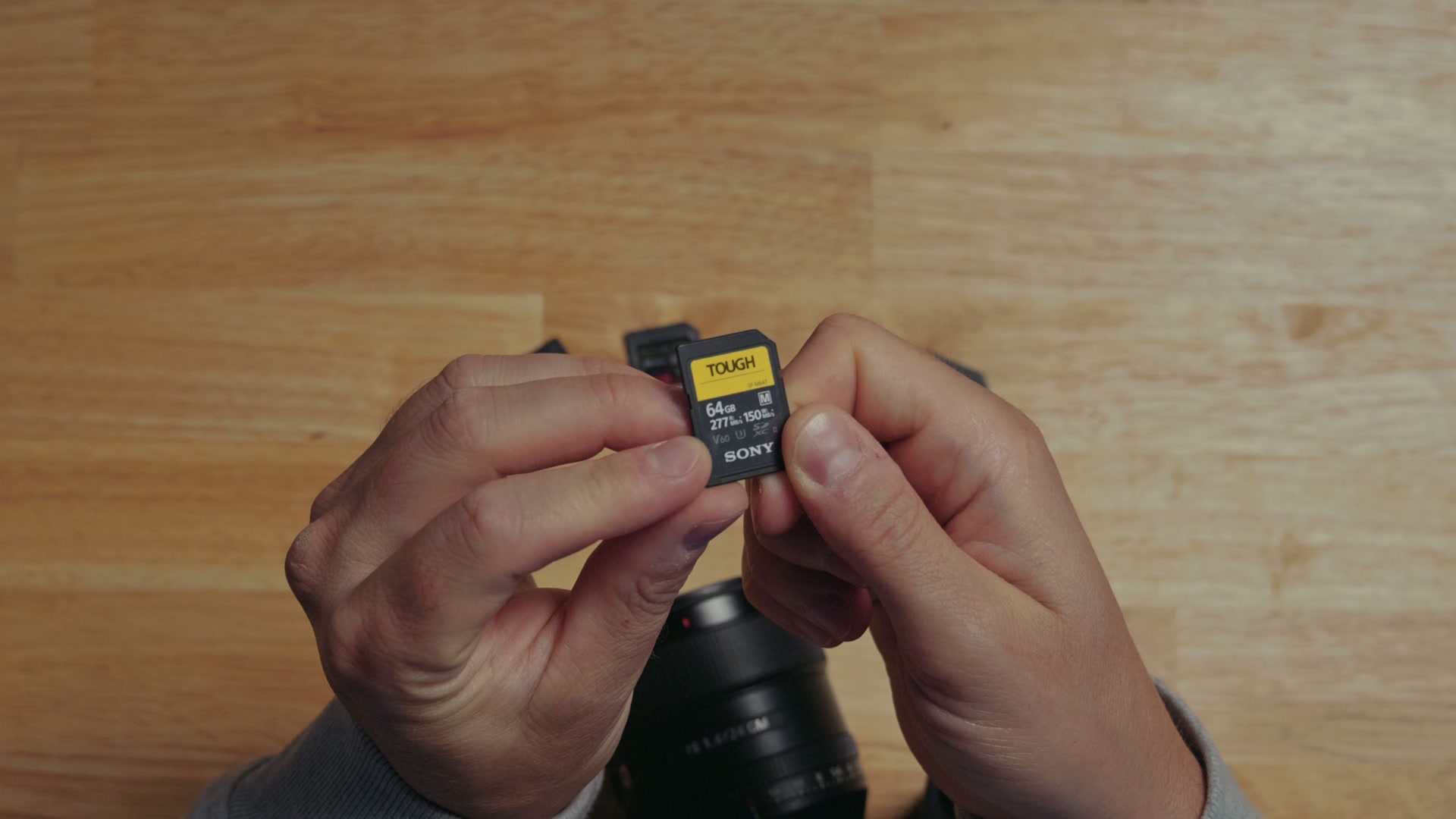
That card should be capable of recording 16:9 5K at up to 30 frames per second in X-OCN C2, and up to 24 frames per second in X-OCN C1. Sadly, no SD card supports X-OCN LT.
Personally, I would just film in C2 all the time anyway. It is a smaller file size and you still get all the benefits of 16-bit linear RAW, it is just more compressed. Being able to film up to 30fps in RAW to a card you already own is extremely impressive, and it is easily the highest quality video you have probably ever recorded to a card like this.
Even better, that same V60 card will handle 3:2 open gate at 24 FPS in X-OCN C2. The bitrate is just low enough to squeak under what the card can do, which is awesome.
If you have V30 cards, none of them can record RAW at all. They are simply too slow. Anything higher than 5K at 30 FPS in RAW is going to need a faster V90 card.
What a V90 SD card adds
Are your eyes glazing over yet? Do you see why I made the cheat sheet? It is a lot of numbers to keep track of, even for my brain.
But if you have a V90 SD card, which comes in at less than 200 bucks right now, I have good news. This faster card unlocks 3:2 open gate at up to 30 frames per second in X-OCN C1 or C2 as well.
At this point I am sure you are asking, “Matt, what about 60 FPS? Can I record 60 FPS RAW to an SD card?” Sadly, my friend, the answer is no.
The warning that matters more than anything else here
If you take one thing away from this entire post, make it this one, because otherwise you may end up with completely unusable footage.
Whenever you put an SD card into this camera, it will tell you that it is not guaranteed media. That is basically the camera saying it does not know whether it can write all that footage to the card fast enough.
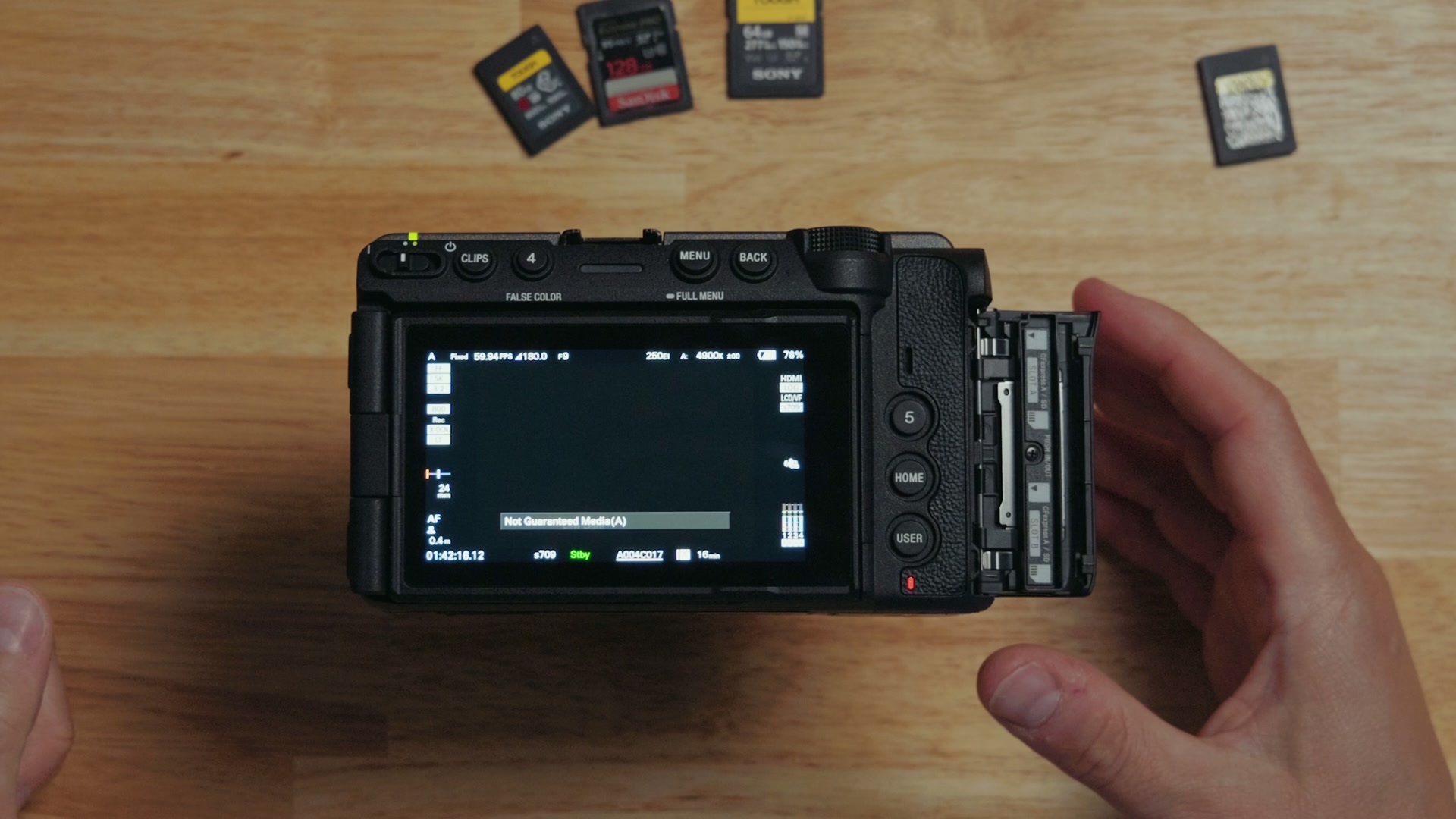
And here is the really scary part. If you try to record at a higher frame rate, say 5K RAW at 60 frames per second in X-OCN LT, the camera will not warn you that the card is too slow. It just records as normal. You press record, it lights up, it says it is recording, everything looks great.
Then you copy the footage to your computer and discover that it stutters incredibly badly and drops frames, because the card was never fast enough. There is no warning other than that little pop-up when you first insert the card. You have no idea until you are done shooting that your video is useless, which is terrifying.
So be very careful about which video formats you choose when you are using SD cards with this camera.
CF Express Type A is simpler, with one catch
We have officially maxed out what SD cards can do for RAW, so let’s talk about CF Express Type A. Things get a lot simpler here, because I really only have one warning for you.
The vast majority of CF Express Type A cards will handle every RAW format and resolution the FX5 can film in. But different cards have different speed ratings, and unlike SD cards with their V60 or V90 rating, CF Express Type A cards use a VPG rating, which stands for Video Performance Guarantee. These range from 200 up to 800.
If your card is rated VPG 400 or 800, you are good. You can film everything this camera does, and those start at under 300 bucks.
If you have a VPG 200 card, you will not be able to record 3:2 open gate 5K at 60 FPS in X-OCN LT. The bitrate is just too high for the card. The good news is you can still use X-OCN C1 or C2 and keep using your card.
So if you do not want to stress about your FX5 at all, just buy a CF Express Type A card with at least a VPG 400 rating and you should be good to go.
One wrinkle coming in 2027
Sony is planning a firmware update in 2027 that will add 4K RAW recording at up to 240 frames per second. I expect that to be an even higher bitrate, and I am not sure whether it will go over 400 megabytes per second, which is the peak of a VPG 400 card. If it does, you would want to be looking at VPG 800. Keep that in mind, and I will post an update whenever that firmware actually ships.
Use both card slots
Keep in mind that the FX5 has dual memory card slots. If you want to help guarantee your data is safe, I would record to both cards at the same time whenever you are filming something important like a wedding. So maybe pick up two cards rather than one.
But remember, the camera is not going to warn you if one of the two cards is too slow. Be especially careful if you are mixing a CF Express Type A card and an SD card together, because some of those formats will not be available on the SD side and you could end up with a corrupted video file.
If you are not shooting RAW, 5K quietly becomes 4K
Now let’s turn to the non-RAW formats, and I need to tell you something important that even the camera does not make clear.
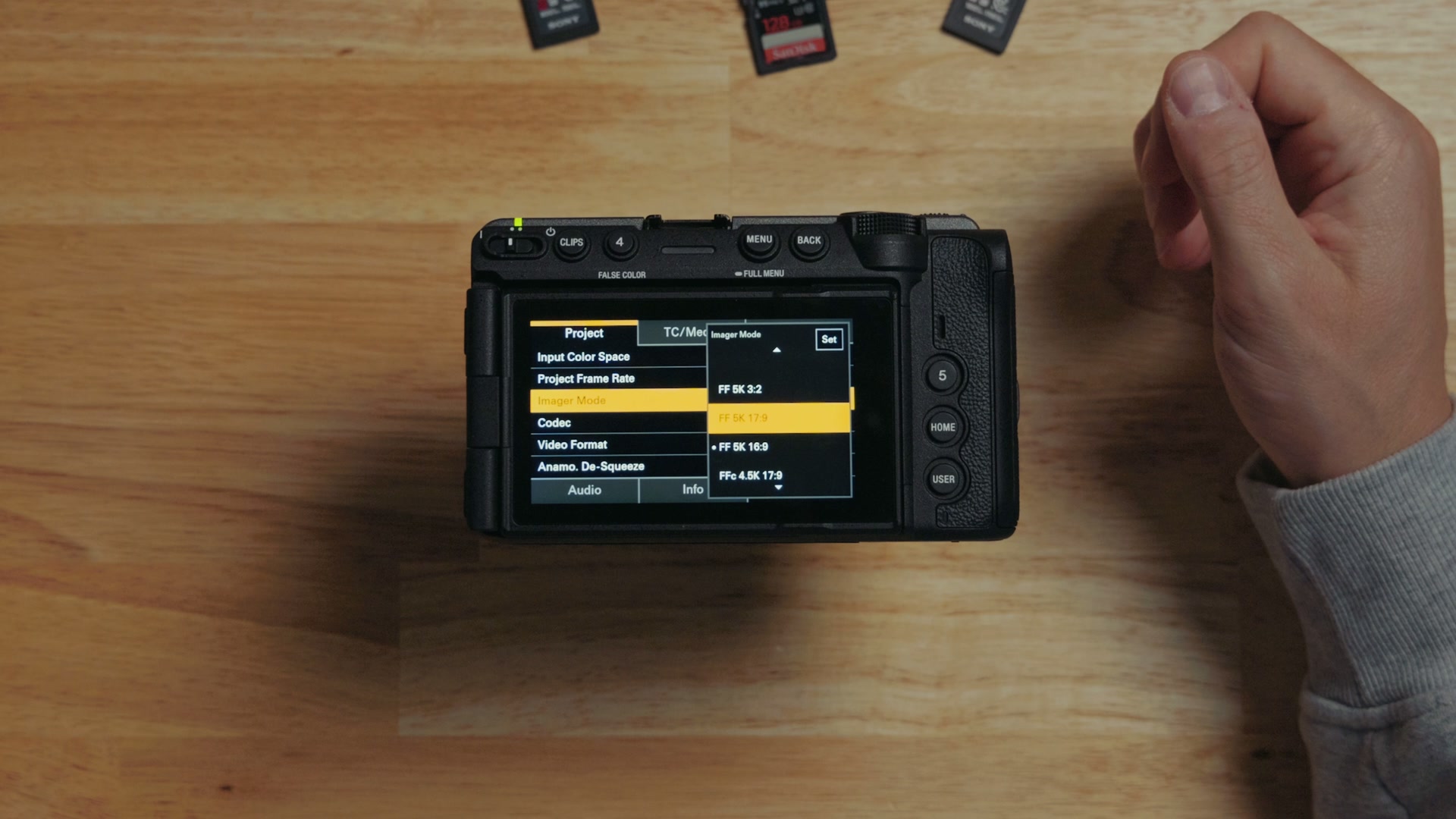
If you want to record in 5K resolution, you have to do it in RAW. If you choose not to film in RAW and you select 5K, you go down and pick XAVC HS-L, the camera reboots, and it will still tell you 5K at the top of the menu. But look at the lower part of the menu. Imager Mode says FF 5K 16:9, and directly underneath it, Video Format says 3840x2160P.
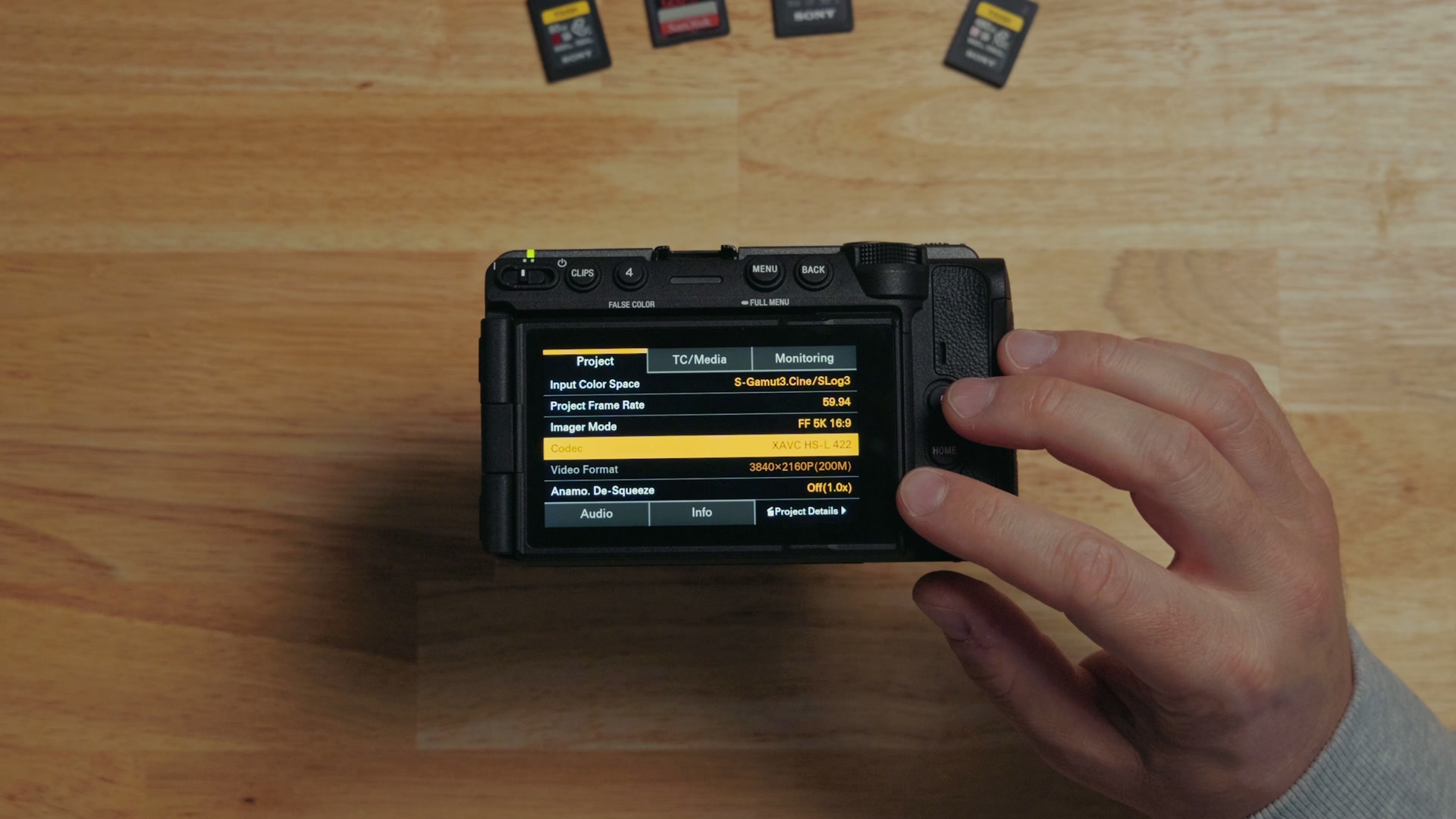
Yes. If you choose not to film in RAW, the camera’s maximum resolution drops to 4K.
That said, Sony says they are working on a firmware update that will add 3:2 open gate recording in the non-RAW XAVC S-I format, and that is also coming sometime in 2027.
Which XAVC format should you actually use?
Just like earlier Sony cameras, the FX5 can film in XAVC HS-L, XAVC S-I, and XAVC S-L.
I put together How Wedding Videographers Can Make More $$ With Raw Footage and Sony a7 IV Memory Cards Guide for Filmmakers – Do you need CFexpress?! as well, which cover the part I skipped over here.
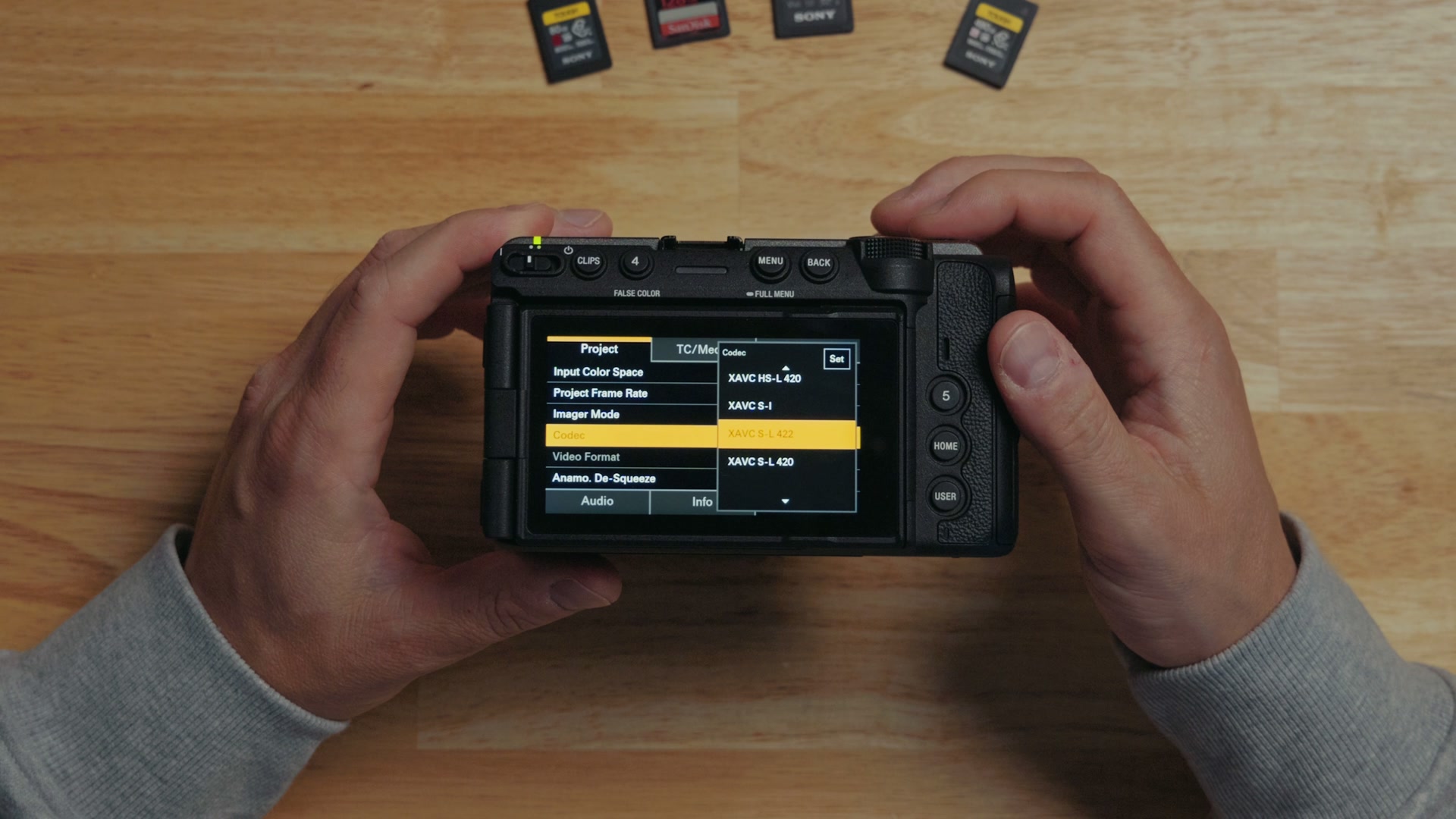
- XAVC S-L is the older H.264 format with arguably the worst quality.
- XAVC HS-L offers the best compression ratio relative to quality.
- XAVC S-I offers the least compression and the highest quality other than RAW.
But I have to say, between XAVC S-I and XAVC HS-L, it is basically neck and neck. I would recommend mostly shooting XAVC HS-L 422, since that gives you the best image quality with the smallest file size if you are not recording in RAW. If you want to go deeper on this, I wrote up the best Sony video format settings and when you should not use them.
For XAVC, a cheap V30 card does almost everything
Here is the good news on cards. If you want to record in almost all of this camera’s resolutions, even 4K at 120 frames per second, you can do it to an ultra cheap V30 SD card. Yes, really. You do not need a V60 or a V90, and you can pick a V30 up for about 50 bucks.
Specifically:
- XAVC HS-L 422: everything up to 4K at 60 FPS works on a V30 card.
- XAVC HS-L 420: you can go all the way up to 120 frames per second on a V30 card.
- XAVC S-I: a V30 only gets you up to 24 frames per second. A V60 will give you up to 30 FPS, and you will need a V90 if you want 16:9 or 17:9 4K at 60 frames per second.
XAVC S-I is also the format that lets you film in the 17:9 aspect ratio, which you select up in Imager Mode.
One last note: the camera does not give you the option to record 4K at 120 frames per second in XAVC S-I at all.
Card brands I trust, and the ones I would avoid
Now that we have covered speeds and types, brands matter too. My favorite brands, the ones that in my experience are the most reputable with the least issues, are SanDisk, ProGrade Digital, Sony, Lexar, and Nextorage. I have had great experiences with these cards over the years.
You also have companies like Samsung, OWC, and Delkin, which I have less experience with, but they have also been very good lately.
The only card brand I have heard consistently has issues is Angelbird, so I would be careful there.
Most importantly, if you see some random brand you have never heard of that looks way too cheaply priced and you think “wow, what a bargain,” do some research before you buy that card and make sure it is not a scam.
Check that your card is not a fake
Speaking of scams, this matters far more than the brand on the sticker. You need to actually check whether you bought a fake card. There are a ton of scammers making counterfeit memory cards that look completely real, right down to a convincing SanDisk or ProGrade Digital sticker on the front. The card will either lie about how much storage it has and corrupt your data when you use it, or it will be dramatically slower than what the sticker claims.
I have a full guide on how to avoid buying fake memory cards, including a free app I built that will test your cards and confirm they are real.
The main thing to know is that you want to be cautious when you are buying from sites like Amazon, Newegg, Best Buy, and Walmart, because they all use third-party sellers, and those sellers could be shipping you a fake. Every card I link below points to a reputable site and seller.
Do not forget you are also going to want a memory card reader. This is the reader I use with the FX5, and it is fast.
Every memory card I recommend for the FX5
Here is every card I recommend, grouped by what it can actually do in this camera.
CF Express Type A: records every format the FX5 has
V90 SD: up to 5K30P open gate RAW, plus all non-RAW
V60 SD: up to 5K30P RAW, plus all non-RAW
V30 SD: all non-RAW formats, and nothing in RAW
The rest of the kit
- Fast memory card reader for the FX5
- My free memory card test app, to confirm a new card is not a fake
Grab the free cheat sheet
All of these numbers are a lot to hold in your head, which is exactly why I built a cheat sheet. It lists the exact card you need for every single video format the FX5 can film in, both X-OCN RAW and XAVC, and it tells you how long you can expect to record to different card sizes in each format. You can download it completely free right here. While you are at it, take a look at my color presets, which work fantastically with the FX5.
If you want more on this camera, I put together my full FX5 review and a list of 10 things Sony got wrong with the FX5. And once you have all this beautiful RAW footage on your drive, my Edit Videos Like A Pro guide will help you turn it into something worth watching.