
So, will the iPhone 18 Pro overheat? Yes, eventually, and so will the 17 Pro. I set them up side by side recording 4K 60 in the direct Texas sun, and at exactly eight minutes to the second, both phones stopped recording with an overheat error I had never seen before on an iPhone. But the 18 Pro kept its screen dramatically brighter for almost that entire time, and if you film outdoors, that is the part that matters the most.
Will the iPhone 18 Pro Overheat?
I live in Texas, which is crazy hot, even in September when Apple releases their new iPhones. So I mounted the iPhone 18 Pro right next to the iPhone 17 Pro on the same tripod, set both of them to record 4K at 60 frames per second in H.265 using the Blackmagic Camera app, and left them sitting in direct sunlight to see which screen would dim first.
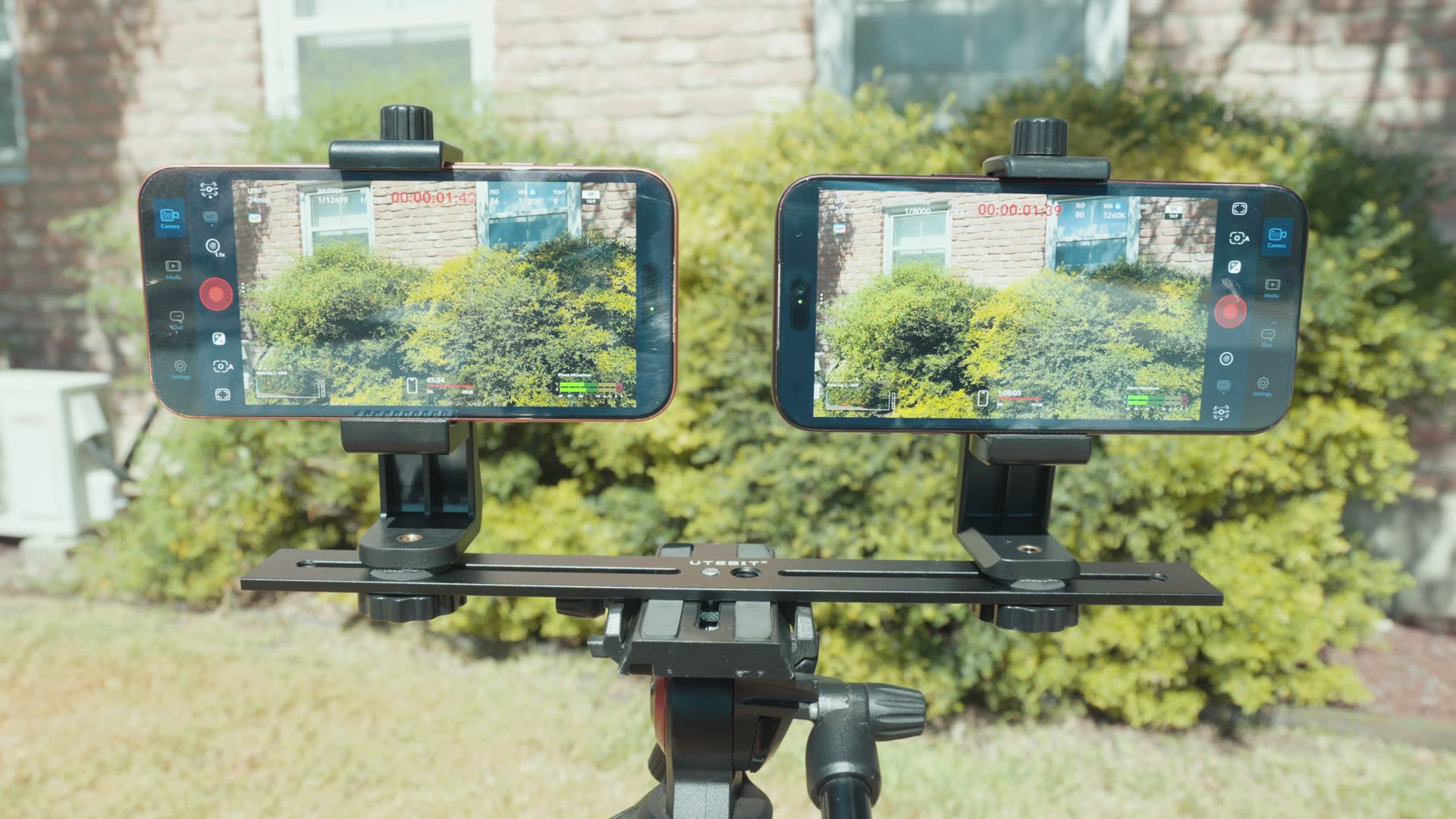
The Bigger Vapor Chamber and 2nm Chip
I want you to remember that the iPhone 17 Pro was the first iPhone to introduce a vapor chamber for enhanced cooling. The 18 Pro takes that a step further with a much larger vapor chamber, as well as a smaller two nanometer processor, and both of those should help with overheating. I covered the rest of what changed this year in my filmmaker’s review of the iPhone 18 Pro, so this post sticks to the heat.
Why Screen Dimming Matters
If you’ve ever recorded on your iPhone outdoors on a hot day, you know it usually doesn’t take very long for the screen to dim. Recording in 4K is very taxing on the processor, and the phone heats up quickly with nowhere for that heat to go, so it dims the screen to cut back on the heat it’s generating.
And whenever your screen gets dim in the sun, you can’t see what you’re filming. That’s why I track dimming, not just whether the recording stops.
An Upset: The 18 Pro Dims First
I did not expect this. Only one minute and 50 seconds in, the iPhone 18 Pro screen dimmed before the 17 Pro did. What?!
But hold up, because a few seconds later at 1:57, the 17 Pro started to show some weakness. It doesn’t just dim once, it dims four times over the course of a few seconds, and by the end of that it’s a bit darker than the 18 Pro.
My Free Apple Log 2 Conversion LUT
Side note, all of the iPhone 18 Pro footage in this video is color graded with my new iPhone 18 Pro LUTs, which I made specifically for the 18 Pro, and they work with the 17 Pro too. If you record in Apple Log 2 and want great looking colors, you can download my Apple Log 2 conversion LUT completely for free. It’s gonna save you a ton of time! And if you film on more than your phone, all of my LUTs for other cameras are in one place.
The 17 Pro Keeps Getting Darker
Back at it! At two minutes and 21 seconds, only about 20 seconds after its last drop, the 17 Pro dimmed again, and it was now much harder to see than the 18 Pro. It’s wild how quickly it drops, but even more impressive is how the 18 Pro kept holding on to its brightness after that one initial dip.
Both phones kept right on rocking for a little over two minutes, and then the 17 Pro decided it needed to dim the screen even more. This is a huge difference. I could barely see the 17 Pro screen, while the 18 Pro still had not dropped since that first dim at 1:50.
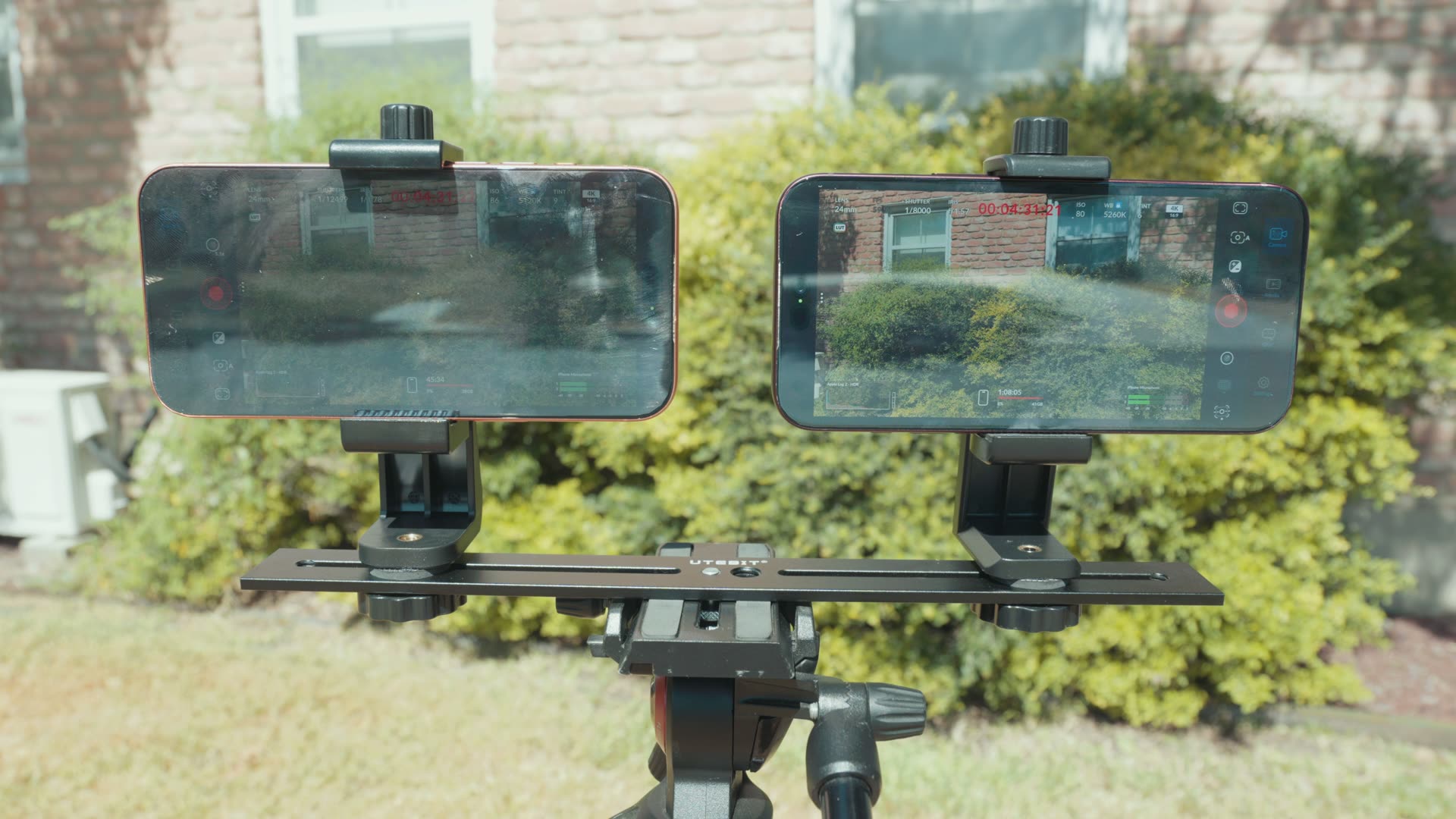
This is really showing us that the bigger vapor chamber is doing its job of getting rid of the heat. If you film with your iPhone often, especially for longer periods, that alone could make the 18 Pro significantly more worth it for you as a filmmaker.
Both Phones Stopped at 8 Minutes
Here’s where things get absolutely crazy. I kid you not, this is easily the wildest thing that has happened in any of the camera overheating tests I’ve done, and I’ve done a few of these, like when I tested whether the Sony FX5 would overheat recording 5K open gate RAW.
At eight minutes on the dot, both the iPhone 17 Pro and the 18 Pro stopped recording at the same time.
And look at the brightness of both screens right before they stopped. The 18 Pro is still dramatically brighter than the 17 Pro and easily usable, because it was still so bright.
A New Blackmagic Overheat Warning
The Blackmagic Camera app says the temperature is too high and your iPhone needs to cool down before you can keep using Blackmagic Camera. This is a new error, and I have never seen it before on an iPhone.
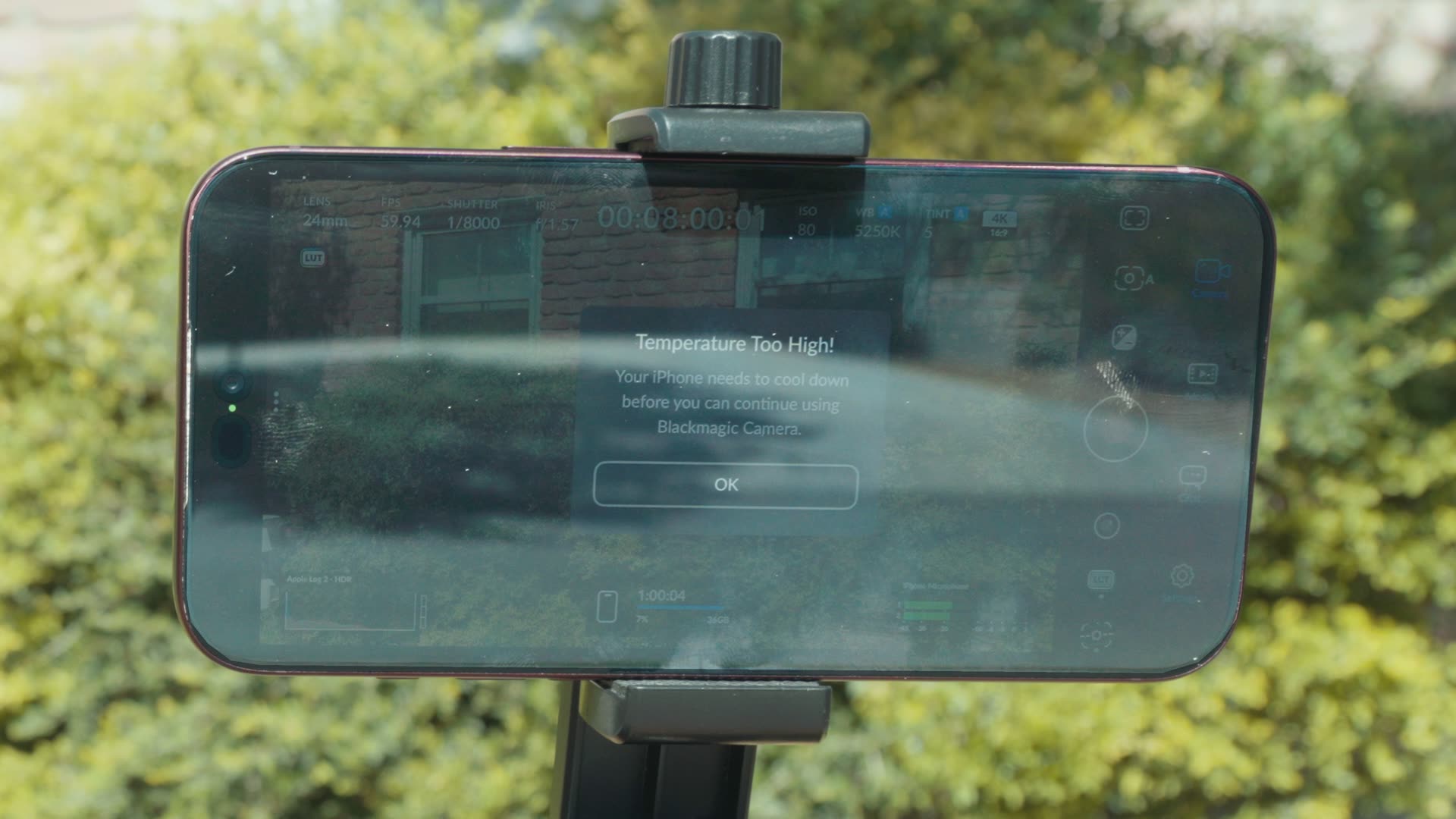
Blackmagic has clearly added this overheat warning to the app on purpose, which makes it a lot clearer why the recording stopped. But it’s also really suspicious that both phones stopped at the exact same eight minutes, especially when the 18 Pro still had quite a bright screen, which tells me it was handling the heat relatively well.
Why Last Year’s Test Stopped Sooner
Whenever I ran a similar test last year, in my iPhone 17 Pro overheating test (you can watch that one on YouTube here), I set up the iPhone 16 Pro and 17 Pro recording 4K 60 in ProRes. The 17 Pro made it five minutes and 47 seconds before Blackmagic Camera stopped with an unknown error.
The main setting I changed this year was switching from recording ProRes internally to H.265. Once I did that, the phones made it up to eight minutes, but gave us this new error instead. If you do want ProRes on the 17 Pro, I walked through the whole setup in how to film ProRes RAW with the Blackmagic Camera app on the iPhone 17 Pro, just know that is the setup that stopped at 5:47 last year.
Can You Just Hit Record Again?
No. As soon as I noticed the recording had stopped, I went back over and pressed record again on both phones. Within a few seconds, both gave me the overheating warning again, which tells us this really is an overheating limit and both phones needed time to cool before they could record again.
Keep that in mind if you want to film outdoors with your iPhone on a very hot day for an extended period of time. Be prepared that you may run into overheating, on either phone.
My Verdict for Filming Outdoors
Regardless of the eight minute cutoff, I would still take the iPhone 18 Pro over the 17 Pro, because the screen stayed so much brighter for so much longer. If you film outdoors often and need your phone at max brightness, the iPhone 18 Pro looks like a great upgrade, as long as you aren’t recording for too long in one go.
If you already own a 17 Pro, it still made it the same eight minutes, it just got a lot harder to see along the way. You can read how it holds up in everything else in my iPhone 17 Pro filmmaker’s review.