
Apple got about two thirds of the way to fixing one of the most annoying things about filming on an iPhone, and then handed us a brand new problem in exchange. So because I respect your time like that, I’m gonna spoil my conclusion right now: if you are on an iPhone 15 Pro or newer, wait, because this is an S year. But if you are filming on anything older than an iPhone 15 Pro and you film things for a living, or you just film a lot, the iPhone 18 Pro is the biggest jump the iPhone camera has made in years.
For most people this is one of the least exciting iPhones Apple has released in a long time. New color, better battery, cool. But if you film things, it is a way bigger deal than it looks, and I’m gonna show you exactly why.
Also, for the sake of ethics, I want you to know this is not paid or sponsored by Apple. I bought this iPhone with my own money, and I’ve been filming with it as my primary camera, the same way I’ve used every iPhone since I started filming weddings with an iPhone years ago.
Quick note before we dig in: I built a set of LUTs specifically for this phone. The Apple Log 2 to Rec. 709 conversion LUT is completely free to download, and if you want the creative look I used on all the iPhone footage in this review, that is the full iPhone 18 Pro LUT pack.
What the iPhone 18 Pro’s variable aperture lens actually does
This is the thing filmmakers and photographers have been asking for for years, because one of the biggest drawbacks of literally every single iPhone was that the lens was essentially permanently wide open. And if you are someone who always films wide open anyway, you’re probably wondering what the problem is, because I used to be exactly the same way. F1.4 all day, baby!
But eventually I realized that professional photography is all about control, and the more control you have over your image, the better you can make it. That is why every pro camera has a lens with a variable aperture, and the iPhone 18 Pro finally joins them.
You can finally stop the lens down instead of clamping on an ND filter
Here is the part I’m genuinely excited about, and I think it’s gonna excite you too. You can now stop your iPhone camera lens down. That can make your footage look a bit sharper at F2.8, but the real win is motion blur. If you’re someone like me who prefers to film at 24 or 30 FPS and you want accurate motion blur from the right shutter speed for your frame rate, you always had to mount an ND filter onto your phone just to get the image dark enough to hit 1/48th or 1/60th of a second.
That meant a case, or a weird clamp, or one of a dozen other workarounds. With the iPhone 18 Pro you can just change the aperture while you are recording.
Even cooler, the native camera app limits you to hard stops of F1.4, F1.8, F2.8 and F4, but third party apps will be able to make that aperture transition smooth, anywhere in between. Just like the clickless aperture ring on higher end Sony lenses. You don’t always have to have an ND filter on your phone anymore, which is fantastic news!
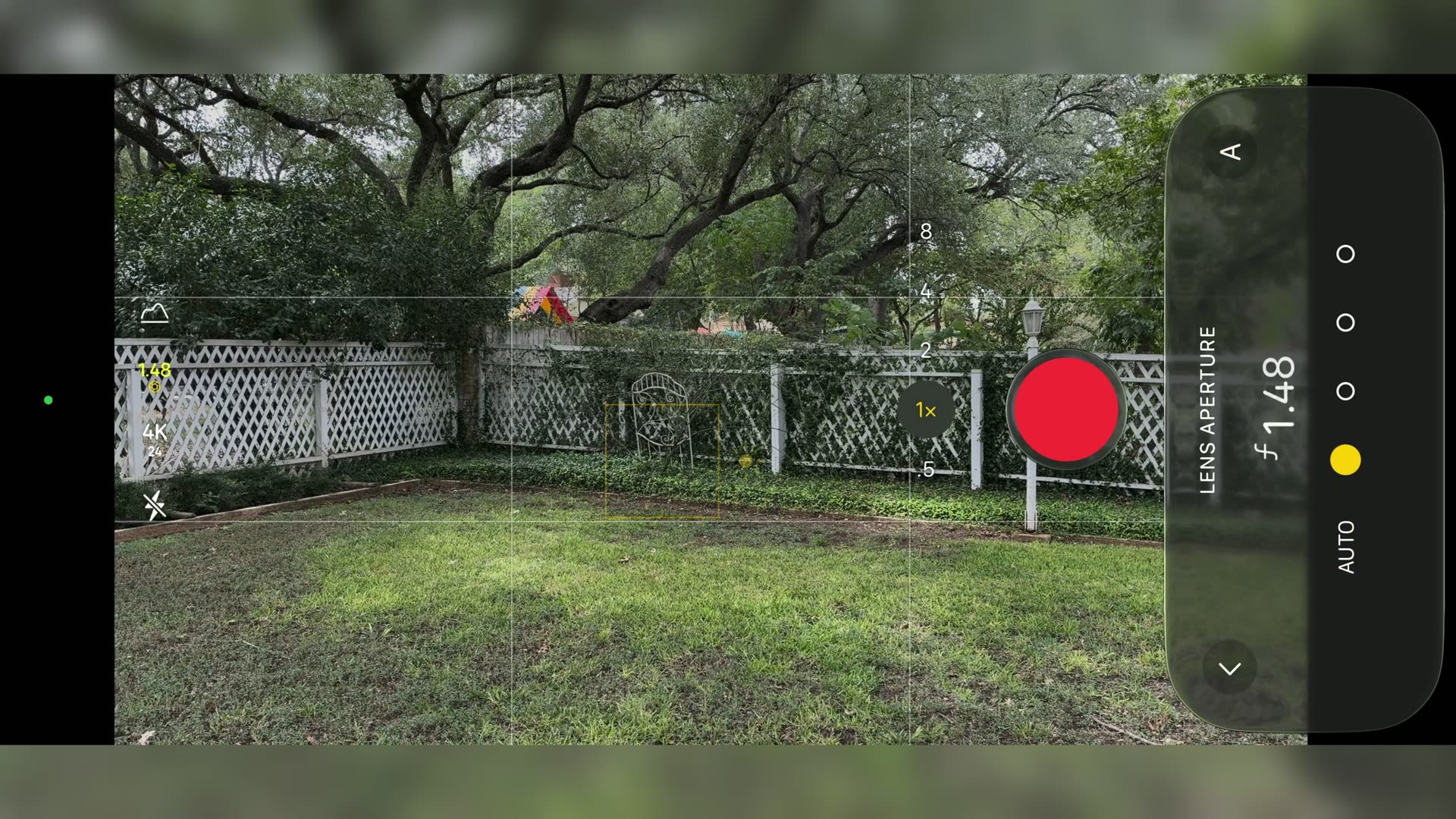
Now, is this ability to stop down perfect? No. Stopping down to F4 is like putting an ND8 on it, so it cuts about three stops of light, which is plenty for overcast weather or indoor video, but you are still going to want an ND filter on a very bright and sunny day. For those days I use the PolarPro LiteChaser 18 iPhone case with the SmallRig CO-F1 clip-on VND filter.
The catch: sun stars on every light in your frame
Whenever you stop down to F2.8 or F4, you get sun stars on every point of light in your frame. And I want to be very clear about this: it is baked into your clip. There is no getting rid of it later.
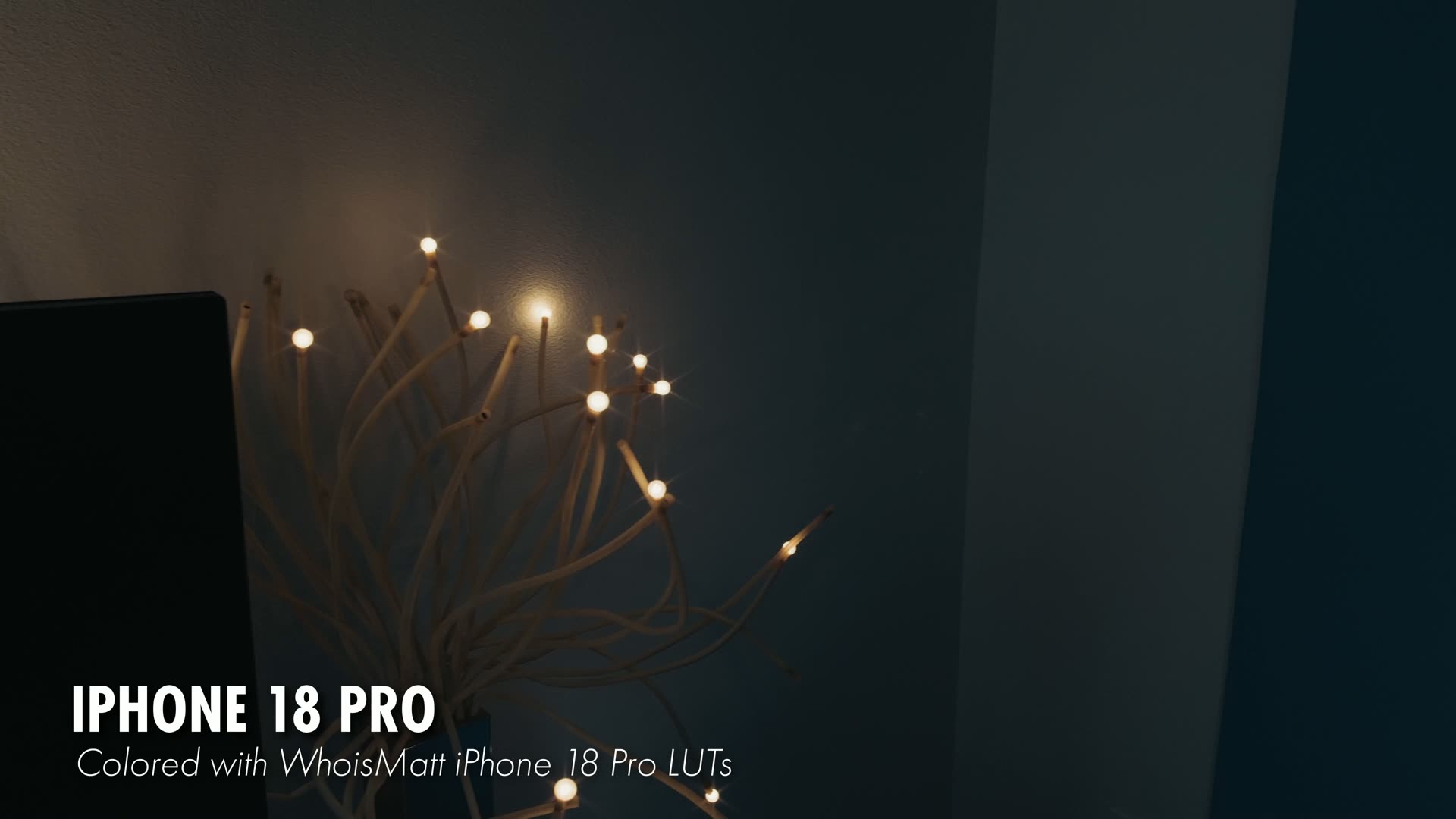
So if you’re filming a reception with string lights strung everywhere, this is the thing to think about before you stop down instead of reaching for an ND. It’s a compromise, and honestly that’s the whole story of this phone.
The lens flare Apple still has not fixed
There is one area I have been waiting and begging Apple to fix for filmmakers for years now, and it is still here: the reflections you get off the iPhone’s lenses whenever you’re filming in low light. Film anything with exposed lighting in it and you will see these little dancing orb reflections that move around as the sensor stabilizes itself.
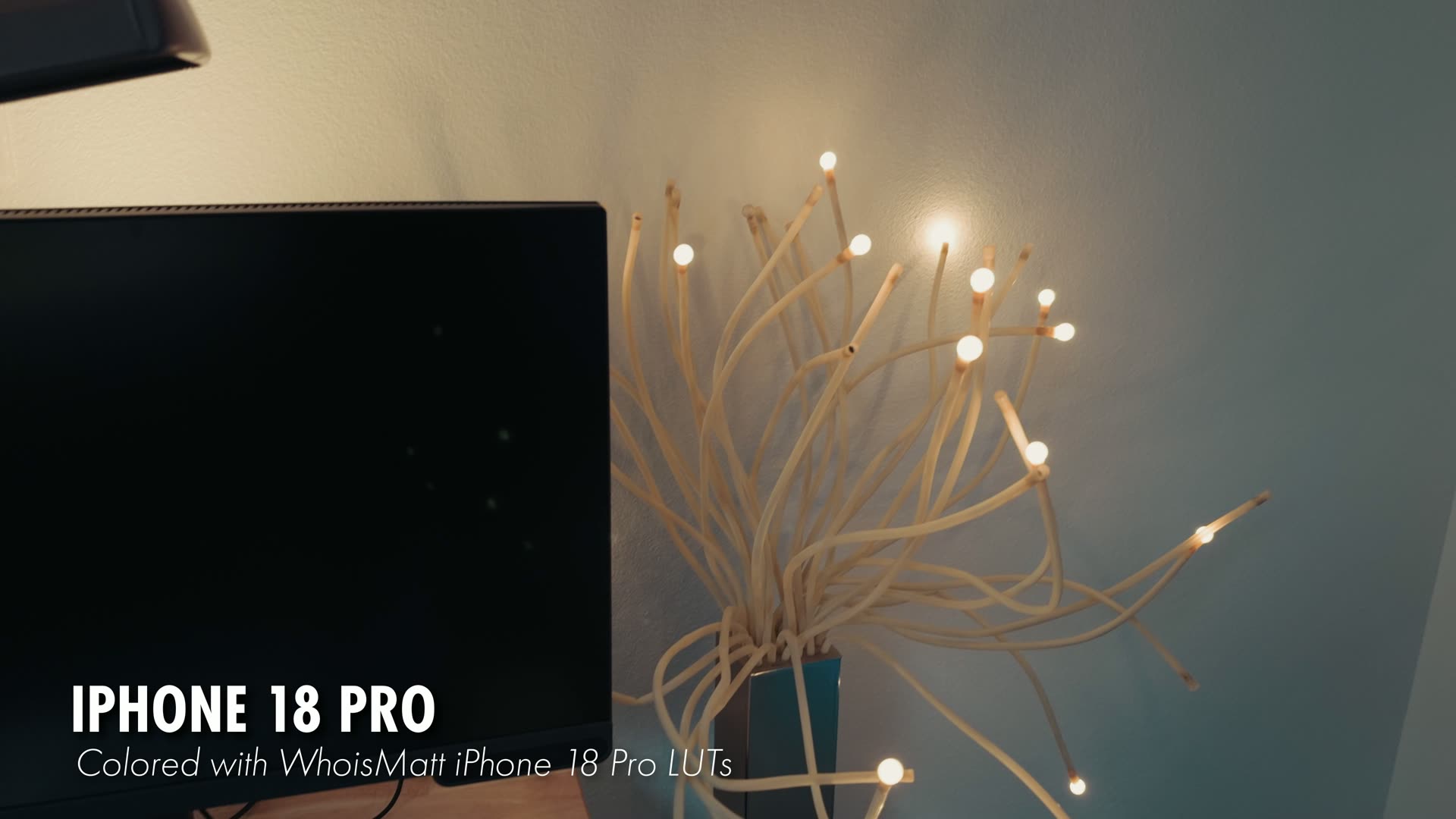
A lot of Apple’s competitors have already fixed this with better lens coatings. Apple hasn’t, and it’s a big pain.
Here’s the interesting part though, and it connects right back to the aperture. The flare and ghosting get noticeably worse wide open and they clean up as you close down. So for the first time you actually have a lever for this. It’s just that the lever costs you sun stars. Do you want little orbs, or do you want sun stars? Those are your choices.
How the new sensor compares to the iPhone 17 Pro
Apple says there is a new sensor in here, so I tested it across a wide range of scenarios: midday, bright sun, dark shadows, and night. In my testing this looks like a great sensor with a really beautiful image. To me it looks a bit better than the Apple iPhone 17 Pro, a bit cleaner and a bit sharper, and not in an overly digital way.
But everything I showed in the video was graded with the LUTs I made for this phone, so I also filmed one pair of clips on both phones completely ungraded, straight off the camera, so you can judge it for yourself.
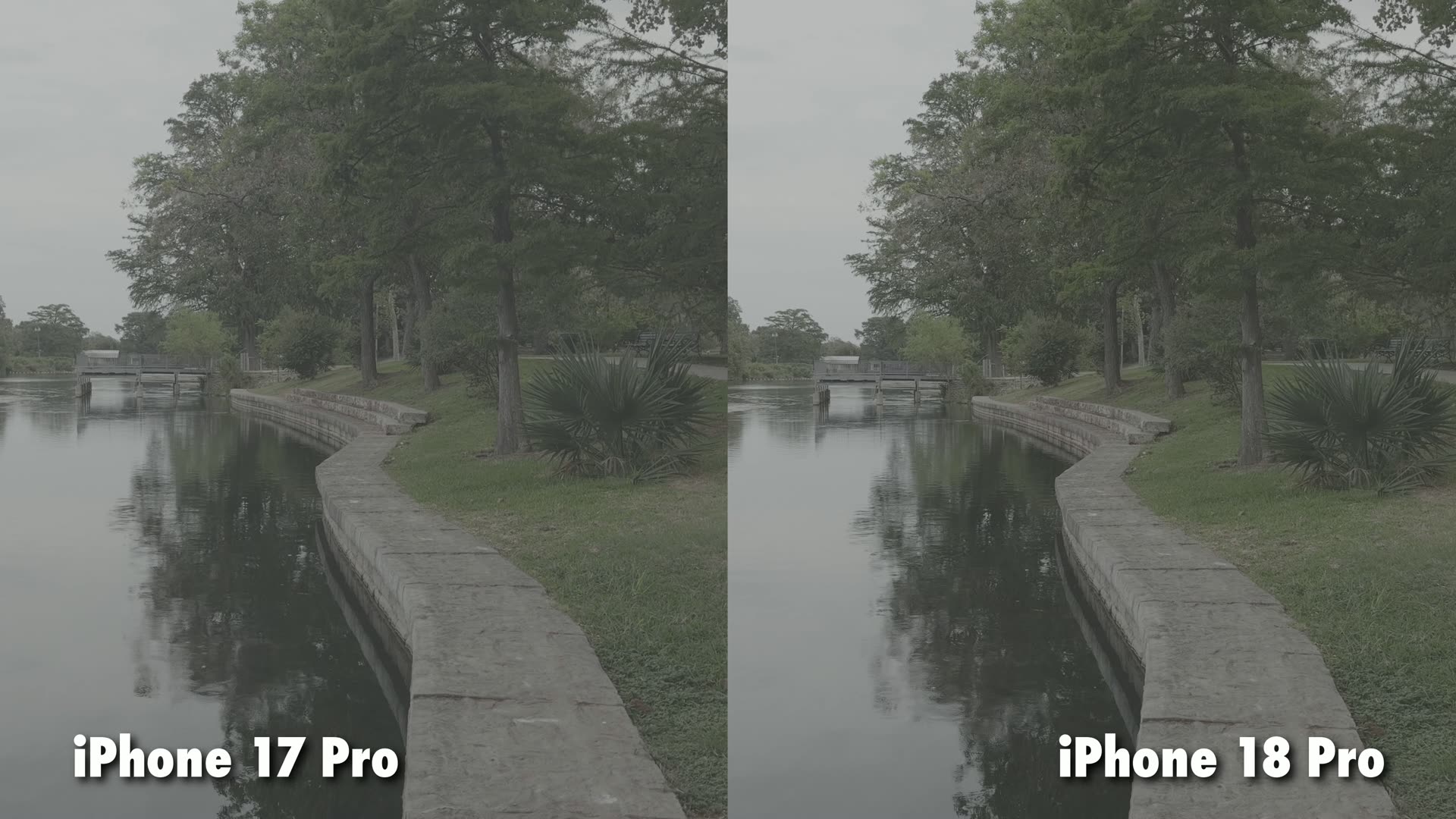
The aperture illustrates the upgrade better than anything else, because this lens is about half a stop brighter at F1.48 compared to F1.78 on the 17 Pro. That is a modest jump on paper, but it matters more than it sounds on a sensor this small, because it means better low light video with less noise. If you want the longer version of that comparison, it is all in my filmmaker’s review of the iPhone 17 Pro.
If you want to grade this footage without fighting it, I built a set of presets specifically for this phone. One is a conversion LUT that takes you from Apple Log 2 to Rec. 709, and it is completely free to download, because I want to help you film faster. The other is a creative LUT that gives it a really filmic look, and you can grab the full iPhone 18 Pro LUT pack here.
The iPhone 18 Pro camera app got a pro level redesign
The camera app still opens like normal and it looks normal, but whenever you dive into the advanced settings, things start to look significantly more pro. These are controls that until this year you had to use a third party app for. And fair warning, Apple has locked a lot of these behind the iPhone 18 Pro even though they are purely software, so maybe they come to earlier phones later, but it is a very weird omission.
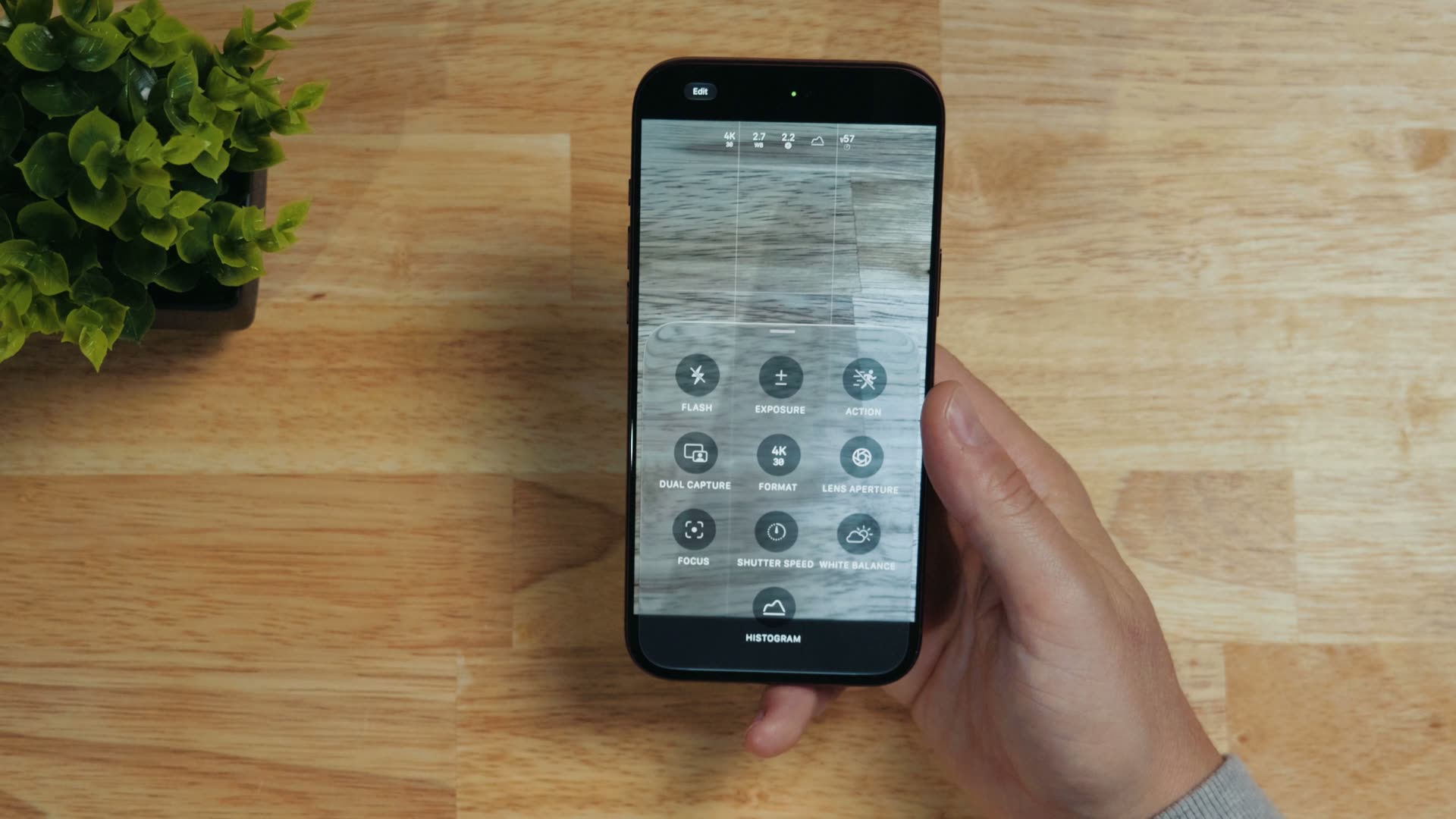
You want white balance controls? Oh yeah, we have white balance now! This is incredibly useful, because I have lost track of how many times I’ve been trying to film a quick video for Instagram and the auto white balance just fails on me, because I’m under mixed lighting or I’m filming a warm table against a blue background and the colors go all kinds of wonky. Being able to finally lock white balance fixes that without any drama.
It is a little weird, though. Apple shows white balance as a decimal, so you’re sitting at “2.7” when what they mean is 2,700 Kelvin. I have never seen white balance represented that way on a camera in my life, but it works. Apple’s just being a little squirrely with it.
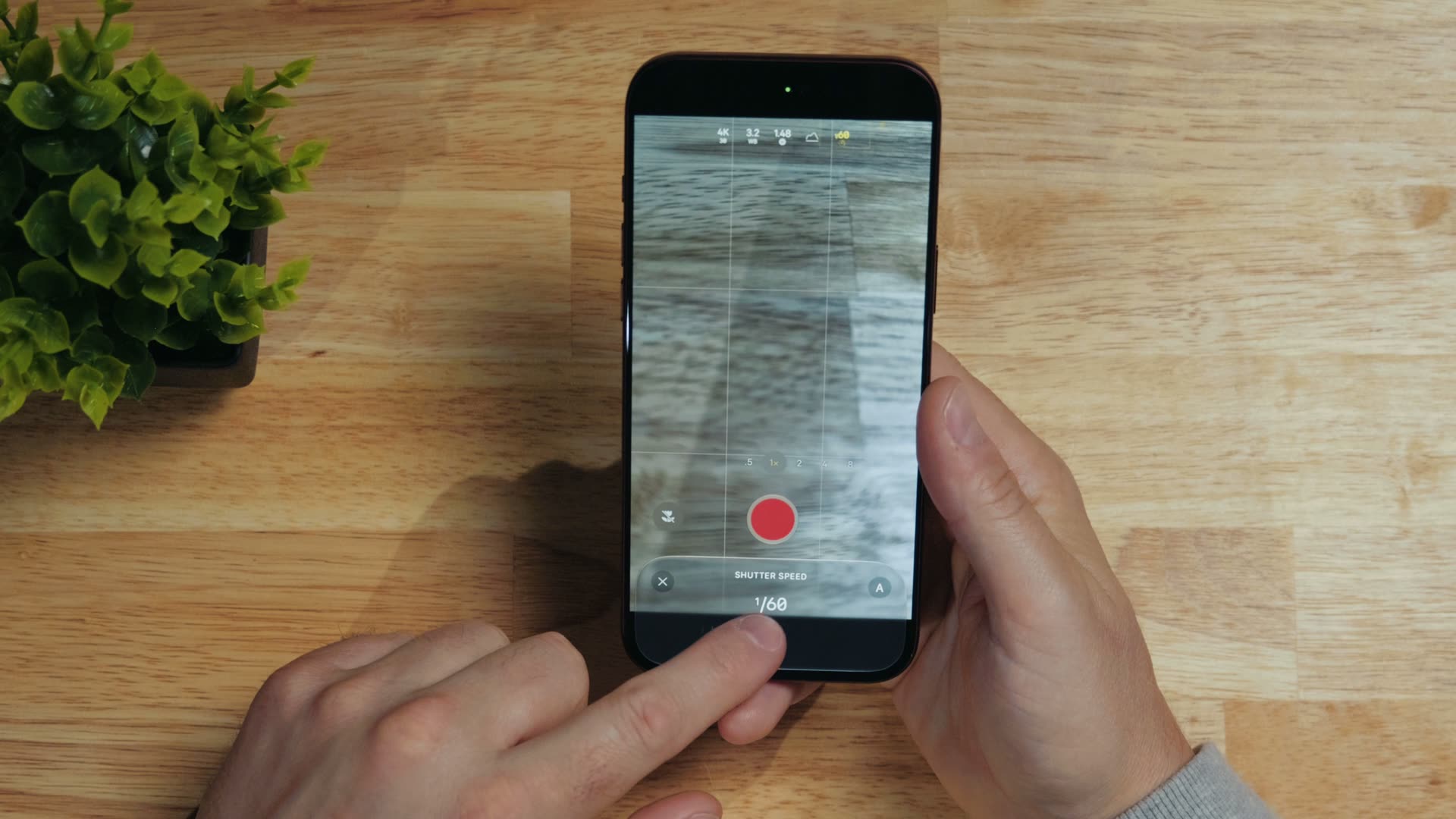
Next, shutter speed controls are finally in the native camera app too, so you can at last lock your shutter speed and your aperture just like a pro camera and get the correct level of motion blur whenever you’re filming at 24 FPS.
Time-lapse, cinematic mode, and smart focus tracking
Time-lapse got a welcome update and now does 4K time-lapses with HDR, which is a big jump over being stuck at HD with no HDR. I would still use a third party app that actually takes photos for pro work, but it’s good to see the improvement.
Cinematic mode also got an update, and now, just like portrait mode for photos, you can apply it to any video you have already filmed, and it supports up to 60 FPS. I’m really glad to see this, because Apple added the feature years ago and then kind of abandoned it, and this update actually makes it useful. I wouldn’t use it for anything playing on a large monitor, but for Instagram reels and other small phone videos I’m probably gonna enable it on some of them for the look. Sadly there is still no Apple Log 2 support with cinematic mode, but maybe that comes later.
Speaking of Apple Log 2, there’s a new histogram that works with it correctly to show your exposure, which is very welcome.
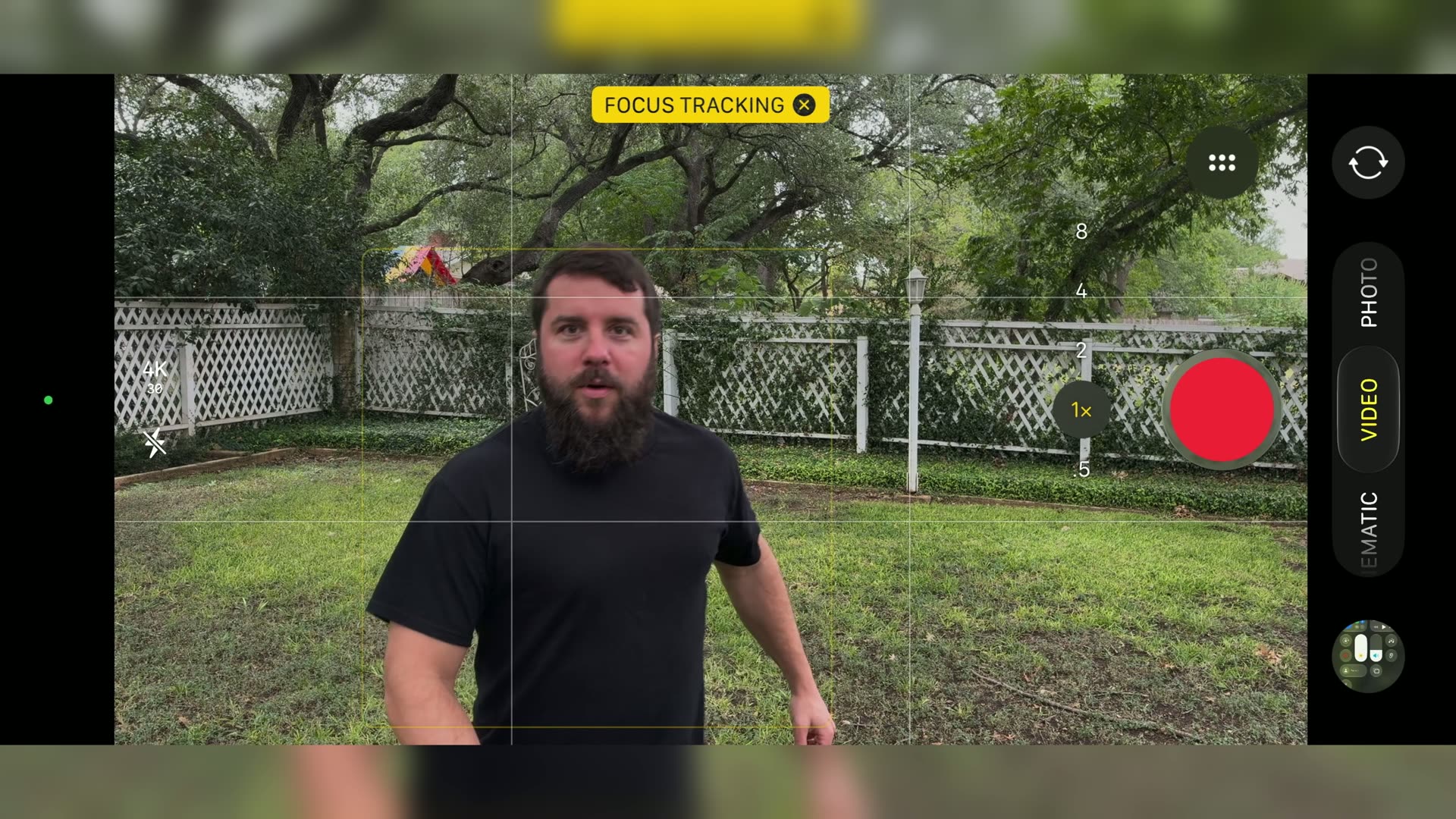
And one of the coolest features, which I feel like Apple glossed right over, is the new smart focus tracking. You can lock onto a single moving subject and track it through the frame. That is something you normally only see on much higher end cameras, and in my testing it works really well.
Four things I still want Apple to add to the camera app
There’s a rather long list of things I’d love Apple to add to the native camera app. Here are my biggest four.
- Apple Log 2 in H.265 instead of ProRes. We can already do this with third party apps like Blackmagic Camera and Final Cut Camera, so bring it to the native app.
- LUT preview support. Right now if you record log in the native camera app you are stuck staring at a really low contrast, desaturated preview. Let us load a custom LUT so we can see how the footage is actually going to look while we film.
- Manual ISO control, at least for video. I know this is tough, because Apple uses what is essentially a dual gain recording mode to expand the iPhone’s dynamic range. But I want more control over exposure and noise, and I want Apple to figure out how the heck to offer it.
- False color. They have already proven they’re willing to put pro level features in this new settings menu, so why not give us a little button for a LUT preview and false color? Just give filmmakers more pro tools.
The vapor chamber is the real sleeper upgrade
Apple usually talks about the upgraded vapor chamber cooling in terms of gaming and AI processing, but for filmmakers this is one of the most useful changes in the whole phone.
You know the problem I’m talking about. It’s sunny outside, so you have your screen brightness cranked to maximum, you start recording in 4K, and within what feels like a couple of minutes your screen dims and gets very dark and you’re standing there squinting at it going, is this thing still recording?
Whenever I was testing this phone outside, running around and filming a ton of different clips on my iPhone 18 Pro Max, I was genuinely impressed by how the screen stayed bright and let me keep seeing it while I was filming. The vapor chamber is doing its work. For a passively cooled phone that fits in your pocket and records 4K, that’s a really great sleeper update!
So, should you buy the iPhone 18 Pro?
If you’re coming from an older iPhone, anything before the Apple iPhone 15 Pro, go for it. It’s fantastic in both the video and photo departments, and you’re gonna be extremely happy with Apple Log 2, ProRes RAW, a much better selfie camera, and the variable aperture all landing at once.
But if you have an iPhone 15 Pro or newer and you can make it one more year, I would wait a bit longer and save your 1,200 bucks. This feels like an S year with smaller upgrades overall, and I bet the next iPhone is gonna be really special.
And whichever way you go, grab the free Apple Log 2 conversion LUT before you edit anything, because it’s gonna save you a ton of time. If you want the creative look I used on all the iPhone footage in this review, that is the full iPhone 18 Pro LUT pack. The rest of my color presets are here too, and if you want the editing side of this sorted out as well, my free Edit Videos Like A Pro guide is a good place to start.