
The short version of my Panasonic SHX1 review: this camera takes essentially everything from the much loved Panasonic S1 II, like 6K recording, in-body image stabilization and very usable autofocus, and puts it into the box cinema camera shape a lot of filmmakers have been asking for. Then it adds the big one: it’s the first camera not made by Blackmagic that can record Blackmagic RAW straight to an external SSD, no external recorder required. There are some quirks, but if you can look past them, it’s arguably a better Blackmagic camera than the ones Blackmagic actually makes!
Also, for the sake of ethics, I want you to know this review is not paid or sponsored by Panasonic, but they did loan me this camera long-term so I could make this review, and they paid for me to fly out to Japan to test it. Aside from the flight, free hotel breakfast and a dinner where they had a camera made out of cake (which was very cool), they didn’t require me to make a video, didn’t even ask me to make one, and they had literally zero input on it.
And if you’re shopping for a new camera like the SHX1, I put together a free gear guide for filmmakers with all the gear I personally use and recommend.
Blackmagic RAW Straight To An SSD
The headlining feature of the SHX1 is something that has never been built into a cinema camera that wasn’t made by Blackmagic Design: Blackmagic RAW recording. To be clear, I’m not gonna call it internal RAW, because it doesn’t record to an internal memory card, even though I repeatedly told the LUMIX employees in Japan that we want that. Just know that I made sure Panasonic is aware that we want internal RAW, okay? Who knows, maybe it will happen in the future.
Regardless, BRAW to an external SSD is very exciting because it’s really easy to do. You take any USB SSD, plug it into the USB-C port on the back of the camera, switch the menu setting to BRAW, and hit record. It works great!
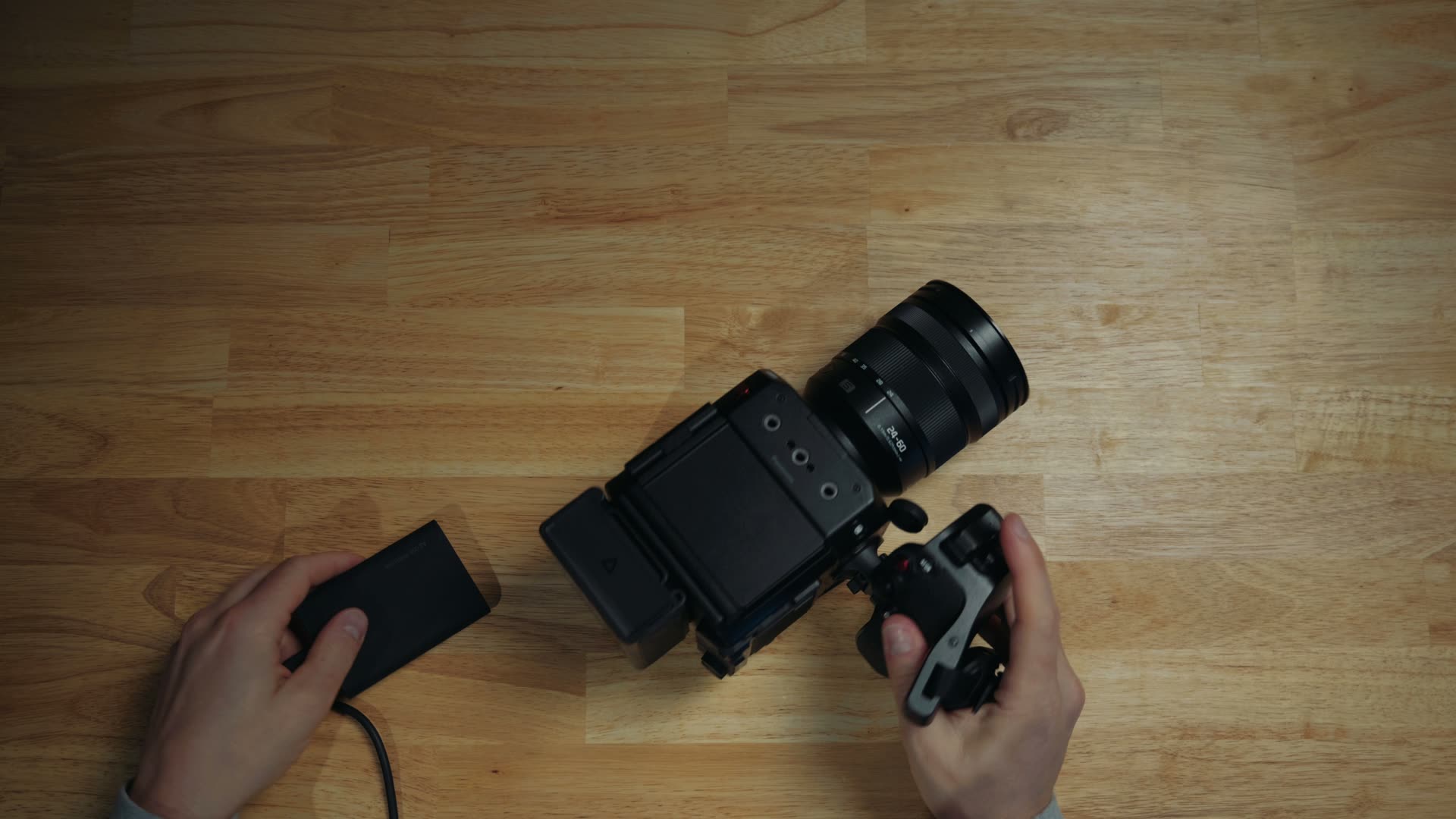
Even better, this is full-featured BRAW with the constant bitrate compression ratios you’d expect from the format, from 3:1 all the way up to 12:1, which is a pretty darn compact file size for RAW video and is quite usable. In my opinion that’s far better than ProRes RAW, which this camera can also record to internal memory cards just like the S1 II. I really enjoyed roaming around Osaka filming in BRAW with this camera, and I think the footage looks absolutely gorgeous.
The BRAW Quirks You NEED To Know
Like I said, there are some quirks to this workflow that make filming in BRAW a bit more difficult, so let’s talk about them:
- Startup time. Without an external SSD, the SHX1 starts up in only a few seconds, which is fantastic. With an SSD, the camera has to connect to it and confirm it’s working, which takes about 10 seconds, so if you need to record something quickly you may want to leave the camera on so you don’t miss the moment.
- No 32-bit float audio in BRAW. The camera supports 32-bit float, but whenever you record BRAW you’re limited to 24-bit. That’s a big bummer, and I’m not really sure why the limitation exists.
- No in-camera playback without a proxy. You can’t play back your BRAW footage in camera unless there’s an SD card in the camera with proxy recording turned on. My advice is to always keep an SD card in there and leave proxy recording on whenever you’re filming BRAW.
- No anamorphic de-squeeze with proxies. With proxy recording enabled, the camera can’t de-squeeze anamorphic footage, so you can have a de-squeezed preview or a proxy you can play back, but not both.
- No custom LUTs. There are no custom LUTs available whenever you’re recording BRAW, so if you like monitoring with your own LUT, like one of my LUTs, or de-squeezing while recording proxies, you’ll need an external monitor.
Are any of those deal breakers? To me, not really. After using the camera for a while I was able to easily work around all of them, and when you consider the strengths of this camera, like the IBIS and autofocus, they’re easily worth looking past. That said, they are weird quirks, and I’d be doing you a disservice if I didn’t tell you about them. I’m really hoping Panasonic can fix at least a few of them with a firmware update.
IBIS: A RARE Cinema Camera Feature
If you commonly film with an S1 II or FX3, you’re probably like, whatever Matt, IBIS isn’t a big deal. But in the larger cinema camera space, IBIS is quite a rarity. The PYXIS doesn’t have it. The FX6 doesn’t either. Looking around, the only other box camera I see with IBIS is the $25,000 Sony Burano. So when I say this is a big deal and a very welcome feature on the SHX1, I really mean it.
With most cinema cameras, to get steady footage you have to put them on a shoulder rig or an Easyrig or mount them to a large gimbal. But I was able to walk around Osaka with just the camera and the grip and get very stable, usable footage without any of the micro jitters you’d normally get without some form of external stabilizer. In short, I really love it!
Autofocus Blackmagic Can’t MATCH
Along with IBIS, this is the feature that truly separates the SHX1 from a Blackmagic cinema camera. Blackmagic cameras support autofocus now, but they’re nowhere near the level of what you get from Panasonic or Sony. The autofocus on the SHX1 is quite good. It’s not quite at the level of Sony’s newest cameras, especially in low light, but I still fully trust it, just like on the S1 II, and I think you’re gonna be really happy with it in 95% of situations.
If you want a camera that records BRAW with IBIS and autofocus, this camera checks all the boxes, and it’s why you may be willing to overlook the BRAW quirks and buy it over a Blackmagic camera.
A True Box Camera That’s Actually USABLE
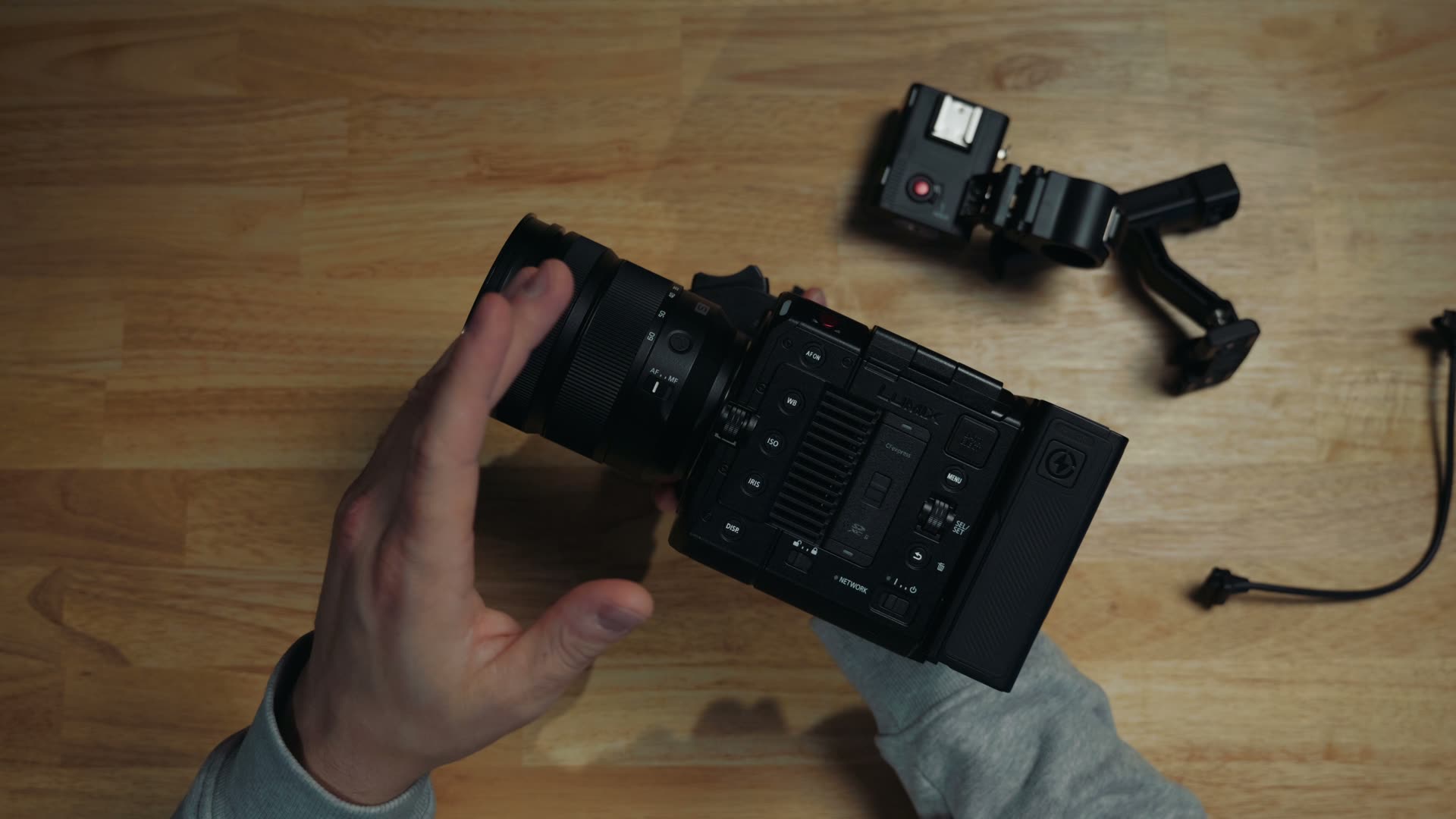
This is a box camera in the truest sense of the word. It’s a literal cube with a lot of mounting points on it, giving you virtually unlimited rigging options, so you can build it out however you want. But what makes it so usable is that out of the box it feels like it has very few compromises and is essentially as full featured as the S1 II, aside from one big missing feature I’ll get to later.
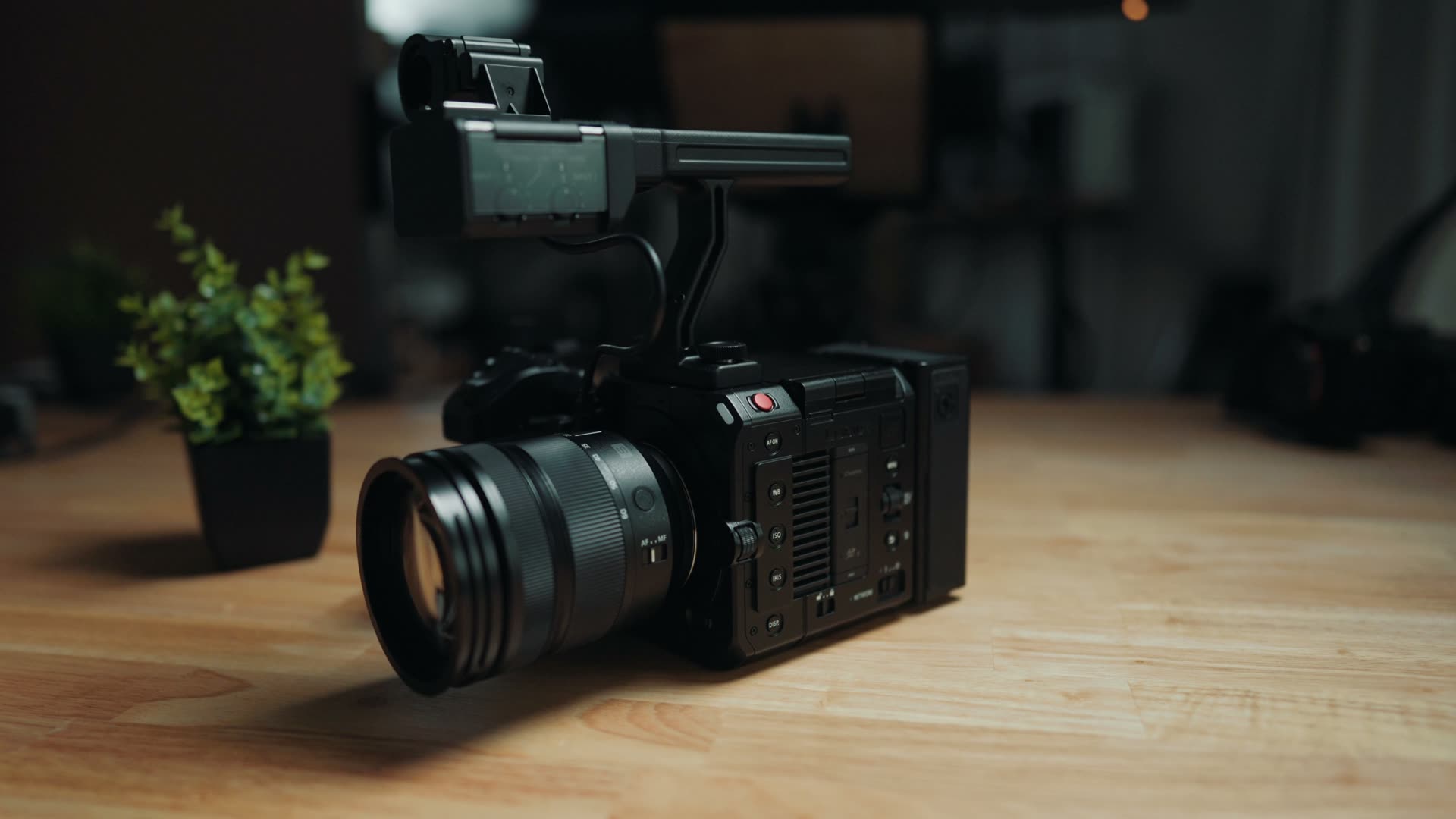
Compare that to a RED Komodo, which has a tiny screen on top and needs a lot of accessories to be ergonomically useful, or the Blackmagic PYXIS, which is a great budget cinema camera (I covered it in my Blackmagic PYXIS 6K review) but has an unmovable screen permanently attached to the side, essentially requiring an external monitor or EVF unless you want to hold the camera sideways the whole time. The SHX1 comes with everything you need to film with it in the box.
You can buy the camera as just the box if you want to, but I highly recommend spending the extra 800 bucks for the version with the top handle, XLR audio module and side grip, which at the time of recording saves you about 350 bucks over buying them separately. For a lot of filmmakers, that’s all you’re gonna need. For most of my time filming I ran around with just the side handle attached, and the camera was extremely useful and quite comfortable. It’s definitely heavier than the S1 II, but I even vlogged with it and it was still quite usable.
The S1 II Screen, On TOP
Another reason this camera is usable is the screen. It isn’t ultra small like on a RED or on the side like a PYXIS. It’s the same fully articulating screen from the S1 II, mounted to the top of the camera. The first box cinema cameras I ever owned and used for years were the Sony FS100 and FS700, and both feel like they inspired this design, but those old Sonys could only flip up and rotate, while the SHX1’s screen can also flip out, which lets you film at a lot of different angles, especially when you’re below the camera.
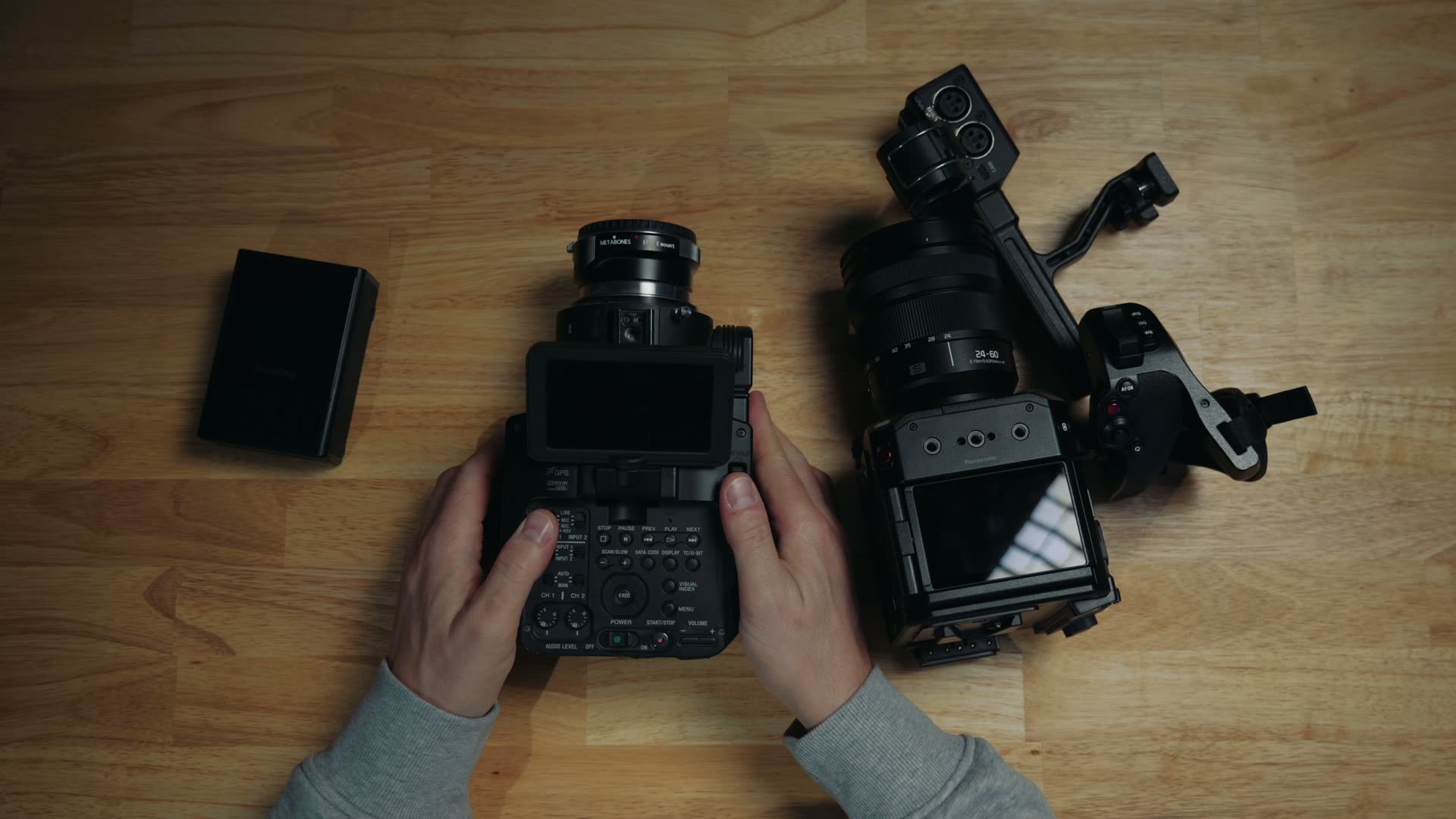
Personally, I would have loved an even larger screen. The Sony FX5 has a larger one and the Nikon ZR’s screen is massive, so I was a little sad going back to the smaller size, but I quickly got used to it and it’s still quite usable.
Built-In Mics And 32-Bit FLOAT Audio
Just like the Sony FX6, the SHX1 has built-in mics in the body, so you don’t need the handle attached to record scratch audio. A lot of the time I treated it just like I would an S1 II, wearing a lav mic and syncing it with the camera’s scratch audio, and it worked great. Even better, there’s a 3.5mm mic jack on the side of the body that supports 32-bit float audio, which may be all you need right there. I do wish it had a hot shoe on the body for something like Panasonic’s hot shoe mic, but that’s forgivable considering what you get with the audio module.
The top handle takes an audio module, just like on the FX6. The handle is a little taller because it has to clear the screen flipping up and tilting out. It’s a tight squeeze, but it works. And here’s where the magic happens: the audio module on the front of the handle is detachable. It has mounting points on the back and the bottom, so you can attach it directly to the camera for a much smaller setup, or to a cage. It’s so cool!
You still get two XLR inputs that support 32-bit float, just like the handle for the S1 II. Unlike the FX6, though, you do have to use a locking USB-C cable from the camera body to power the module. The only thing I can see some filmmakers asking for is at least one XLR input on the body itself, but with the 32-bit float 3.5mm jack you could work around that with an adapter. Overall I really love how modular the audio is. Just remember what I said earlier: none of this 32-bit float works when you record BRAW, not even with the XLR module. It drops to 24-bit, so if 32-bit float is a must have for you, record in one of the non-RAW formats.
The MOST Anamorphic Support Yet
Panasonic was already pretty much leading the pack on anamorphic, and just like the S1 II, the SHX1 has basically every de-squeeze option you could want in the menu. It also supports in-body image stabilization with anamorphic lenses while de-squeezing, which is something the FX5 can’t do right now, because on the FX5 turning on de-squeeze turns off IBIS.
Vertiscope: Filming Anamorphic SIDEWAYS
Then we get into the weird and fun stuff. The SHX1 supports a new feature Panasonic calls Vertiscope, where you turn the camera on its side so it’s filming vertically, mount an anamorphic lens, and de-squeeze on the horizontal axis. With a 2x anamorphic lens, that essentially gives you an IMAX style 4:3 image. Even better, it gets rid of rolling shutter whenever you pan side to side. If you’re filming a rocket launch you might still get some when you tilt vertically, but that’s far less common. I love seeing experimental stuff like this, and I’m really excited to see how filmmakers use it.
Just remember the quirk from earlier: whenever you record anamorphic with de-squeeze, the camera can’t record a proxy alongside BRAW, so you can’t play that footage back until you’re at your computer. Thankfully there’s a workaround. Turn off de-squeeze in the camera, keep proxy recording on, and de-squeeze in an external monitor instead. You can still frame properly and play back in camera; it’ll just look squeezed on the camera screen.
Image Quality And FREE ARRI LogC3
In my testing, the non-RAW footage looks extremely similar to what you’d get from an S1 II. It’s extremely sharp, especially at 6K, the colors look fantastic in V-Log, and low light performance is quite good. Panasonic rates the sensor at the same 15 stops of dynamic range as the S1 II with dynamic range boost turned on, and it comes with the same limitations: it only works below 30p, it limits your ISO, and it adds a bit more rolling shutter. But it looks stellar.
There’s a reason I’ve been using the S1 II to record all my A-roll for over a year now (here’s my full Panasonic S1 II review): I love how the footage looks. Even better, unlike the S1 II, which required you to pay extra to unlock the ARRI LogC3 profile, the SHX1 includes it out of the box. No extra purchase required!
Menus IDENTICAL To The S1 II
The SHX1 was incredibly easy to pick up and start using quickly, and that extends to the interface and menus. Panasonic didn’t try to reinvent the wheel or migrate people to a separate cinema line the way Sony did with the FX5, whose menus are completely different from the FX3 because Sony wanted it to be more like their Venice and Burano lines (more on that in my Sony FX5 review). The SHX1 menu is essentially identical to the S1 II. I kid you not, it feels like an S1 II in a box camera body, and that’s definitely not a bad thing.
If you already use an S1 II or an S5IIX, you’re gonna be able to pick up this camera and use it in less than five minutes, and settings like the ones in my Panasonic S1 II menu setup guide will feel right at home. That really makes the SHX1 a great entry-level cinema camera for a lot of people, in my opinion.
No Photos, But A NEW Low Pass Filter
The SHX1 uses essentially the same 21-megapixel sensor as the S1 II, and it cannot take photos. I know that’s a hot-button issue with the FX5 right now, but keep in mind this is a box cinema camera, and most box cinema cameras can’t take photos either.
What Panasonic did add is an optical low-pass filter, which softens the very finest detail just slightly before it hits the sensor. That really helps cut down on moire and aliasing, AKA the weird rainbow patterns on someone’s very detailed shirt or the jagged lines on brick walls and fences. If you’re filming an interview and someone’s wearing a checkered shirt, you’re gonna really appreciate it.
A Bigger Fan, NO Overheating
Another benefit of the box body is a much larger, more robust fan, which means you basically never have to worry about overheating, even filming 4K at 120 frames per second. Panasonic says you can essentially film indefinitely until your memory card fills up or the battery runs out. Overheating was a concern with the S1 II at launch until a firmware update greatly reduced it, and after seeing the size of this fan, I have no worries.
Unfortunately the weather has cooled down here in Texas, so I couldn’t do one of my peak summer overheating tests. But I spent a lot of time filming with Jordan Drake from PetaPixel in Japan, and he told me he accidentally left his camera on in his bag for quite a while. When he opened it, it was very hot, but it had not overheated. A weird bag overheating test, but that has to be worth something, right?
V-Mount Power And Hot SWAPPING
Power is quite easy, with no proprietary Panasonic batteries required. You can power the camera over USB-C or with a V-mount battery, and considering how plentiful and compact V-mount batteries are these days, I think that’s really great. I spent most of my time filming with a compact SmallRig 50Wh V-mount battery, and I roamed around Osaka for about four hours, filming a ton, and only used about 30% of it. You can also put a really big V-mount on there to run the camera all day.
Plus, you can hot-swap batteries: run a USB-C cable from a V-mount battery into the USB-C port on the bottom of the camera, swap the V-mount on the back, then disconnect the first battery from the USB-C port. That’s really awesome.
12G SDI And Timecode, FINALLY
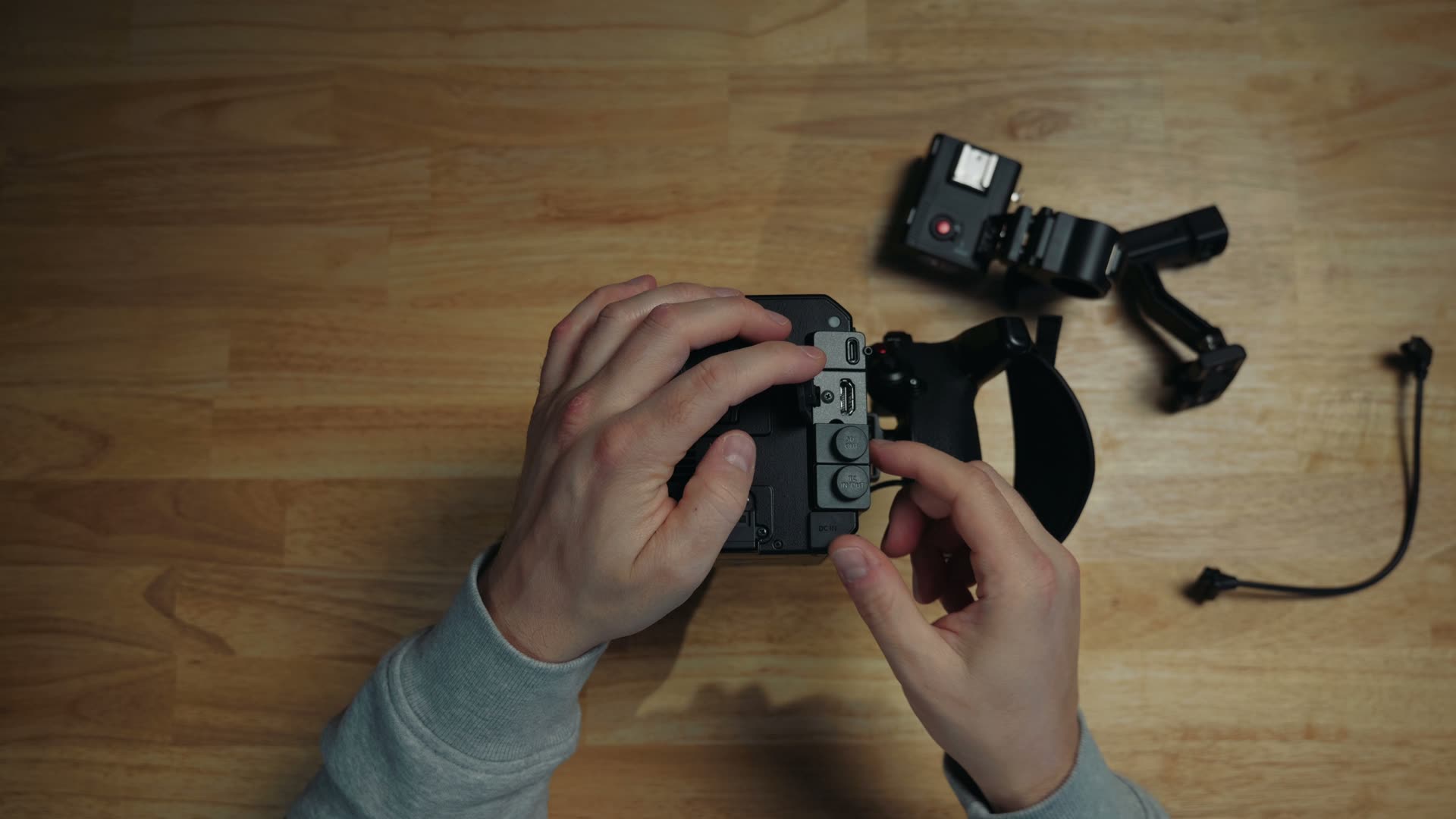
A lot of filmmakers will tell you a cinema camera needs plenty of video outputs, and the SHX1 has not only an HDMI output like the S1 II, but also a 12G SDI output, which is very professional grade and you really don’t see all the time, plus timecode in and out. Considering the S1 II didn’t have a dedicated timecode port, this is fantastic to see.
What I DON’T Like
Of course there are some things I don’t like about this camera, and some of them I’m hoping Panasonic can fix with a firmware update. Others can’t be fixed.
The BIGGEST Con: No Built-In ND
Sadly, the biggest con of this camera by far is that the SHX1 does not have built-in ND filters. Most larger cinema cameras have them, but Panasonic told me they weren’t able to make the camera this size and fit ND filters inside it. Put it next to an FX6 and you can see how much taller the FX6 is to fit its ND filter glass, which is fantastic, by the way. This won’t be a deal breaker for everyone, but it will be for some people, and if you love built-in ND, I would pause and think harder before buying this camera.
There is one workaround that may interest you. LUMIX brought in Tilta while designing this camera, and Tilta sells a very impressive electronic variable ND filter with native integration: you attach it, rotate the dial on the grip, and the camera adjusts the ND. It’s not built-in ND, but I still think it’s a nice option.
Buttons You Can’t FEEL
The other thing that can’t be fixed is the buttons on the side of the SHX1. They don’t have a very tactile feel, and if you’re not looking it can be really hard to tell which button you’re pressing. I’d love them a little more raised, and I wouldn’t mind a few more custom buttons either, especially considering how much larger this camera is than the S1 II. The side grip adds a lot more buttons, but I kind of wish it had a thumb dial on the back too. If they just chopped off the side of the S1 II and put that on the grip, I’d love it even more.
The Confusing Front DIAL
My biggest complaint, and one I’m hoping a firmware update fixes, is the front dial on the grip. On the firmware I tested, rotating it lights up either the shutter speed or the aperture, and you press in on the dial to pick one. The problem is that once you select one, nothing shows you that it’s selected; it’s lit up exactly the same as when you’re switching between the two. I lost count of the times I thought I was changing shutter speed or aperture and was actually just blindly switching between the two settings. Ideally Panasonic would let you set the dial to control just aperture or just shutter speed.
Panasonic SHX1 Review Verdict: Should You BUY The SHX1?
At $4,699 for the body or $5,499 for the kit with the top handle, audio module and side grip at the time of recording, the SHX1 is highly competitive with the FX5. It’s a big jump over the S1 II at 3,200 bucks and basically double the PYXIS at $2,250. But you get a very full featured box cinema camera that’s actually usable at that price, which you can’t say for all box cinema cameras, since usually you have to buy a lot of accessories to make them work. Throw in recording to SSD, IBIS, SDI and timecode, 32-bit float audio and more, and it’s a very compelling camera for filmmakers who’ve been looking for a box style cinema camera with very few compromises.
But I want to be really clear here. If the only reason you’re looking at this camera is Blackmagic RAW, those quirks (no 32-bit float audio, no playback without a proxy, and no custom LUTs) are gonna annoy you. The reason I still think this is a fantastic camera is the IBIS and the autofocus, two really big wins you just can’t get from any Blackmagic camera, and for a lot of filmmakers those are worth looking past a few quirks.
That said, as a wedding filmmaker I prioritize a compact, lightweight setup, and even though I was able to vlog all day with this camera in Osaka, my arms were really tired afterwards. Since this camera is basically the S1 II in a box camera design, if you’re a wedding filmmaker, I would save your money and just buy the Panasonic LUMIX S1 II, which gives you essentially the same video quality in a more compact and lightweight body.
And if built-in ND filters are a must have for you, take a look at the Sony FX6 instead, since it has fantastic ND filters built in (here’s my original Sony FX6 review). Just remember that one doesn’t have IBIS.
For everything else I personally use and recommend, grab my free gear guide for filmmakers.