
The Blackmagic Pyxis is an extremely riggable 6K raw shooting camera with a fantastic price point. But should you get it if you film weddings or corporate or commercial videos? And the answer is, it depends entirely on you and your filmmaking style. So in this review I’m going to talk about the filmmaking style that I think works best with this camera and help you decide if you should purchase it.
I also want you to know that I’ve put together a free Wedding Filmmaker Gear Guide that shares with you all the equipment I recommend you use for wedding filmmaking, and it’s completely free.
Also, for the sake of ethics, I want you to know this review is not paid or sponsored by Blackmagic. They just reached out to me and said, hey, we have the new Pyxis, do you want to borrow it for a month? And I said, great, I’ve seen a lot of people talking about this camera and I would love to check it out.
The Filmmaking Style You Need To Use With This Camera
When the Pyxis arrived, in a big box was the camera itself, which is really just a box with a sensor, a side screen and a lot of mounting points. And this leads right into the first and main filmmaking style you’re gonna need to adopt if you want to film with the Pyxis. This isn’t like the Blackmagic Pocket 6K or other cameras you may have used in the past. This is a camera that comes as bare bones as possible, and it’s up to you to build it out in the way that you see fit.
In short, if you are not a filmmaker that enjoys building out a rig and tinkering with it to get the perfect position and layout for you to film with, this is not the camera for you.

That’s why Blackmagic makes the Pocket 6K. With that camera you can throw a lens on it, toss in a battery, and you’re good to go. But you do that with the Pyxis and it’s going to be a pain to hold, because it’s really just a box. And if you needed more of a clue, on the box it comes in, Blackmagic calls it the world’s most riggable camera. So keep that in mind. If you’re someone that wants to build out a rig and use a lot of support gear, you are going to love the Pyxis.
Personally, I would not consider myself someone that commonly builds out big camera rigs. I film weddings and I want to use as small and lightweight of a setup as possible, because I’m going to be using it all day, so I naturally gravitate toward smaller mirrorless cameras like those from Sony that give me a very small footprint. But I wanted to give this camera a chance and experiment with rigging it out, so I reached out to my friends at Kondor Blue, who by the way I make a set of audio cables with, and they sent me an entire cage for the Pyxis as well as a carrying handle. Plus I had some other rigging gear like rails, so I was really able to build out a nice feeling shoulder rig for this camera.
Notice that I also had to use a V mount battery to power this whole system, because this camera is so stripped down that it doesn’t even come with a battery in the box. Just an AC adapter so you can plug it into a wall. It’s funny, that’s exactly how I had to use the camera for the first week of testing it, because the batteries it takes run something like $400 each and I didn’t have one on hand. What? No. So I decided to just wait for Kondor Blue to send me accessories to power it.
Why You Want A Rigged Out Camera
Anyways, once you get this camera rigged out, I have to say that’s whenever I, someone who regularly uses small mirrorless cameras, started to really get it. Because big rigged out cameras like this are really cool. There’s something genuinely impressive about this setup, and if you show up to film with a client and you have a rig like this, they are going to be impressed and they’re going to think that you’re a professional and that the money they’ve spent on you is totally worth it.
It’s kind of like filmmakers putting a matte box on their camera lens. I have friends that own a matte box just for the purpose of putting it on a camera to impress their clients. They don’t even put any filters in it. They just want to make their cameras look bigger and more professional so the clients think they’re getting their money’s worth, and a matte box is a relatively cheap way to do that.
Never mind that you can get similar video quality from a smaller rig. That doesn’t matter. What matters is that whenever you’re filming on a corporate or commercial set and the employee of the company that hired you is standing right behind you watching, and they say, oh wow, that’s a cool camera, they feel more confident in their choice to hire you.

The Aggressive Price
That leads into talking about the price of the Pyxis, which is not something I usually do until the end of my reviews, but in this case the reason the Pyxis turned so many heads and had so many filmmakers talking about it whenever Blackmagic announced it earlier in 2024 was due in no small part to the price, which is, in short, incredibly aggressive for this style of camera.
Come back in time with me now. The year was 2009, and I’d been filming with a Sony Handycam for a couple of years and I was looking to upgrade. Spoiler, I ended up purchasing a Canon 7D as my first DSLR, and I filmed my first wedding a few months later, and that was really my genesis as a professional filmmaker. Back in 2009 though, before I purchased that 7D, I remember talking to a lot of my filmmaker friends about how rumors were circulating that RED was working on a dramatically cheaper and more affordable camera, with the main pitch being that it would be a 3K resolution raw filming camera that would only cost $3,000. 3K for 3K.
Of course, we know that never ended up happening. But here we are about a decade and a half later, and Blackmagic shows up announcing a camera that is not 3K for 3K like the rumors I heard back in 2009 said. No, this new camera would be 6K for 3K. Yes, 6K resolution and raw for right around $3,000.

That sounds like a pretty good deal, doesn’t it? And whenever you consider that if you want to purchase a comparable camera like this from the competition you’re looking at spending significantly more money, you can start to understand why Blackmagic turned so many heads. It’s pretty darn awesome, and it’s really filling a niche that people have been asking for, which is why filmmakers were so excited about it.
But as I said earlier, whenever you buy this camera it just comes with the camera in the box. There’s no battery, there’s not even really a way to hold it comfortably, meaning you are going to need to spend more than that base price to get it ready to film with. And then once you get it fully rigged out however you like, you need to consider that this is still a camera with quirks and limitations, like all cameras.
Build Quality And Menu Interface
To start, if you’ve used another Blackmagic camera like the Pocket 4K or 6K or the Ursa, the Pyxis is going to feel very familiar to you, because it has a similar menu system, similar buttons and a similar interface overall. And I think that once you learn it, it’s a really good set of camera controls. It’s also really well built with a very solid feeling construction. If you had to use it as a weapon, it would work really well as a blunt object and keep filming while you defended yourself with it.
The Side Screen Issue
The main limitation you’re going to need to work around when it comes to rigging is that the main screen of the camera is permanently built into its side.
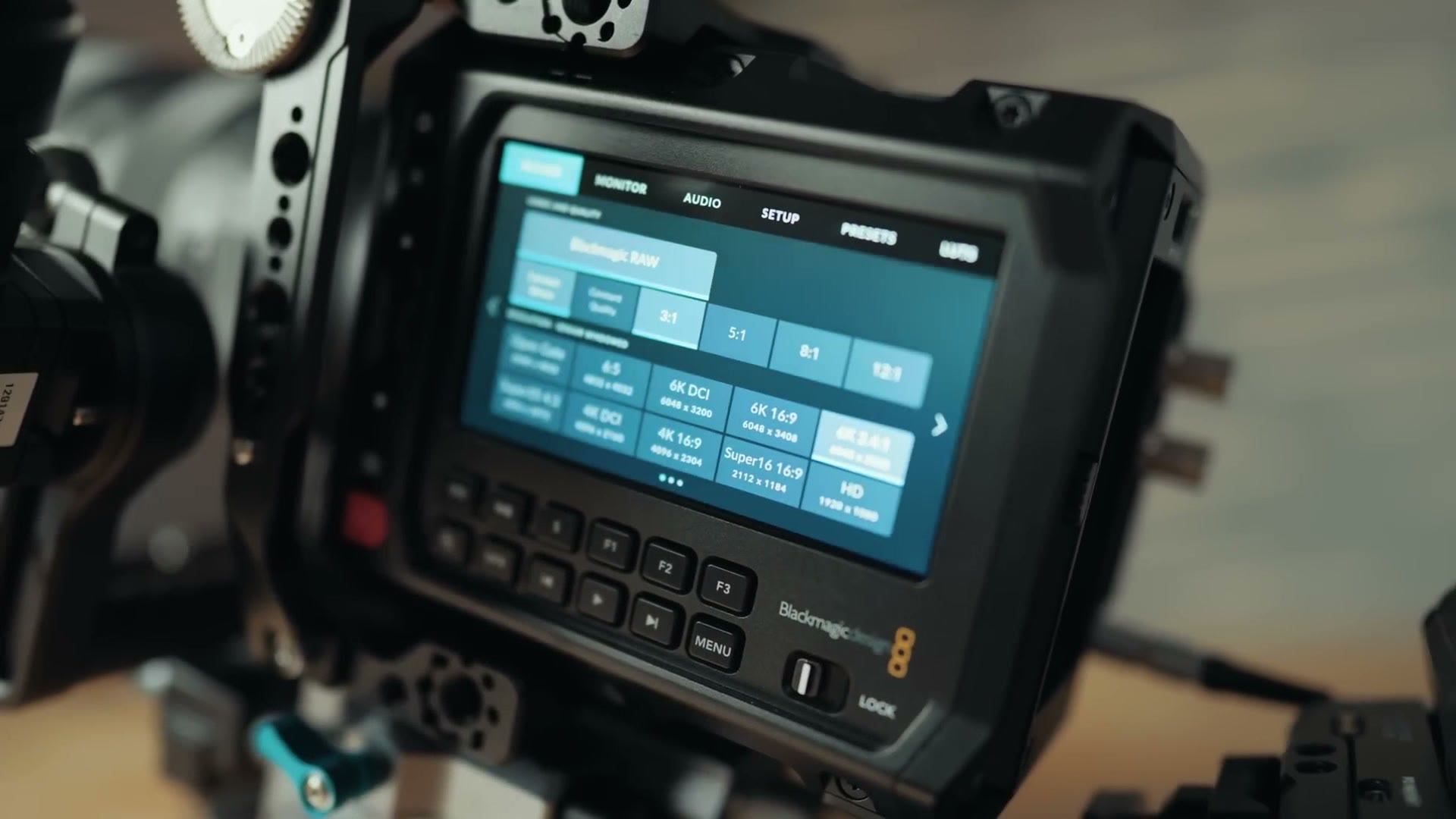
This means that unlike a mirrorless camera or the Pocket 6K, which you can point directly at the subject you’re filming and watch the screen as you film them, you’re going to need to turn your camera to the side while filming if you want to use the screen. This isn’t a huge deal, especially if you wanted to use an Easyrig, because you could have the camera turned on its side as you were filming and still be able to easily view the screen. But for any other rigging situation, you’re going to either want to mount an external monitor to your camera, or use something like the Blackmagic EVF that they sent me over to test with this camera.
The good news is that Blackmagic has announced an external monitor with all the touchscreen controls and capabilities, made specifically for the Pyxis, but unfortunately it was not available at the time I recorded this review so I have not been able to test it. Considering how much people love Blackmagic’s other external monitors, I’m betting this one is going to be good as well. In addition, the Pyxis has an SDI out on the back, so you can use an external monitor with that as well.
Memory And Storage
As far as memory and storage goes, I’m happy to tell you this camera has two CFexpress Type B recording card slots, and you can also plug an external SSD into the USB Type-C port and record to that as well.
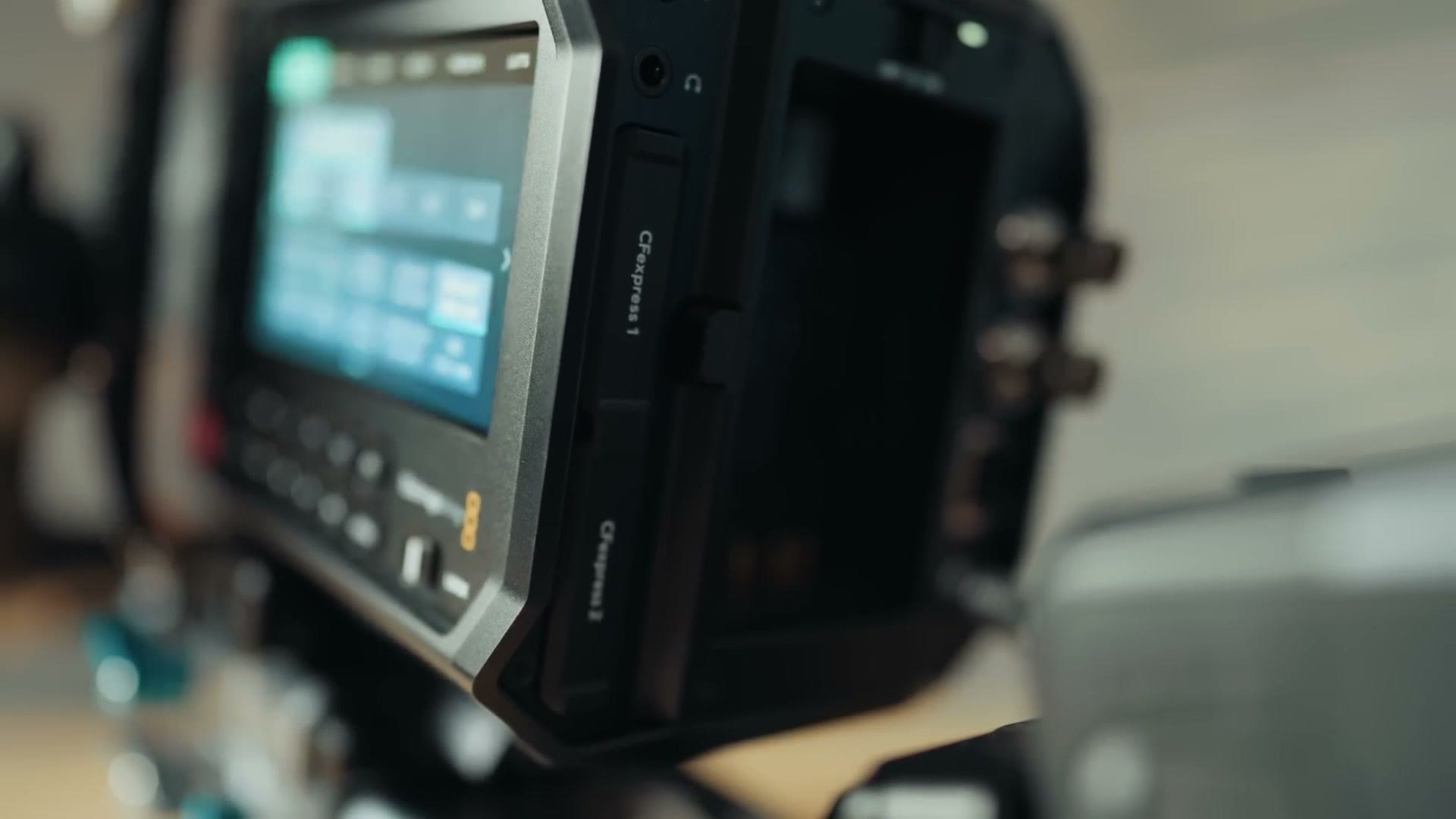
But unfortunately, while the dual CFexpress cards can be hot swapped for continuous recording, they cannot be recorded to at the same time for backup recording, which feels like a weird omission and something I would definitely like to see Blackmagic add in a firmware update. Regardless, it definitely feels like Blackmagic wants you to record to an SSD if possible, because considering how little they included with this camera in the box, they still saw fit to include an SSD side plate for you to strap an external SSD to.
ND Filters And Lenses
Back to the limitations of the camera. Keeping in mind that Blackmagic really wanted to hit this price point, it’s no surprise that the Pyxis does not come with built in ND filters. Nope. Unlike something like the Pocket 6K Pro, which has them included, if you want ND filters you’re going to need to add them to the end of your lenses yourself.
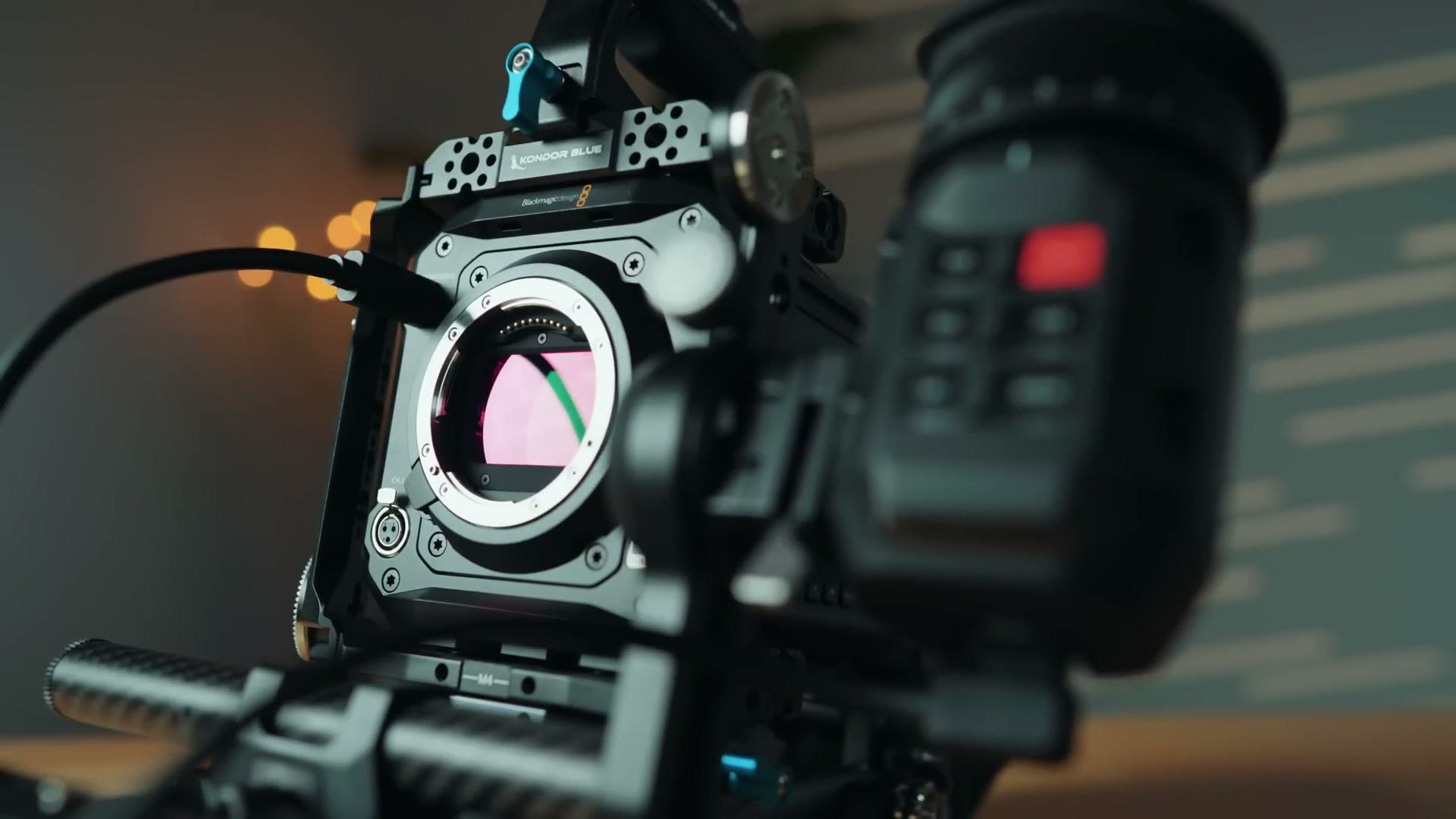
Speaking of lenses, and talking lens mounts for a moment, there are actually a few different flavors of lens mount you can choose when purchasing your camera, including Canon EF mount, L mount, or PL mount. Personally I wanted the L mount version, and even though I do not own any L mount lenses, I was able to reach out to my contacts at Sigma and they were kind enough to send over one of their new 28-105mm f/2.8 lenses as well as a 35mm f/1.2, both of which are beautiful lenses. Thank you. They were very nice to film with. Thankfully too, the Pyxis has an active L mount, meaning all of the lens controls worked, like aperture adjustments and so on.
Autofocus Performance
There is one feature I wish this camera had in regard to lenses, and none of the other Blackmagic cameras have it either, and I’m sure you can guess it. It is continuous autofocus, or the lack thereof.
With the Pyxis you can press the autofocus button on the side of the camera to adjust its focus, or you can even use one of the programmable buttons on the lens to do that. But there is no continuous autofocus here. No face or eye or animal or bird or plane autofocus. Just press the button to adjust focus one time and that’s it.
And this is a bummer, because we’re living in an era where autofocus systems for video are getting extremely good from companies like Sony, Canon and even Panasonic, and this is really an area where I feel like Blackmagic is starting to fall behind. Now, I’m sure the argument could be made that this is a cinema camera and cinema cameras don’t need autofocus, there’s going to be a dedicated focus puller on set. But in my experience, many of the budget conscious filmmakers looking to purchase a Pyxis aren’t going to have a dedicated focus puller. And that argument really starts to fall apart whenever you consider that you have companies like Sony putting really great autofocus in their cinema cameras, and RED cameras have had autofocus for years as well.
I would love to see Blackmagic invest in some research and development and give their cameras a great autofocus system as well. For now, you just need to be aware of this limitation if you are considering buying the Pyxis, because I still think it’s a great deal as a camera, especially considering the video quality you can get from it. It is just lacking certain features that its competition already has.
Impressive Video Quality
Speaking of video quality, let’s talk more about that. The Pyxis has a full frame sensor with 13 stops of dynamic range that can record 6K at up to 60fps, and 6K open gate at up to 36fps. Just like with pretty much all other modern Blackmagic cameras, the 12 bit raw footage from this camera is completely gorgeous, and I don’t think you’ll have a problem getting a fantastic looking image from it, especially with the amazing color grading tools in DaVinci Resolve.
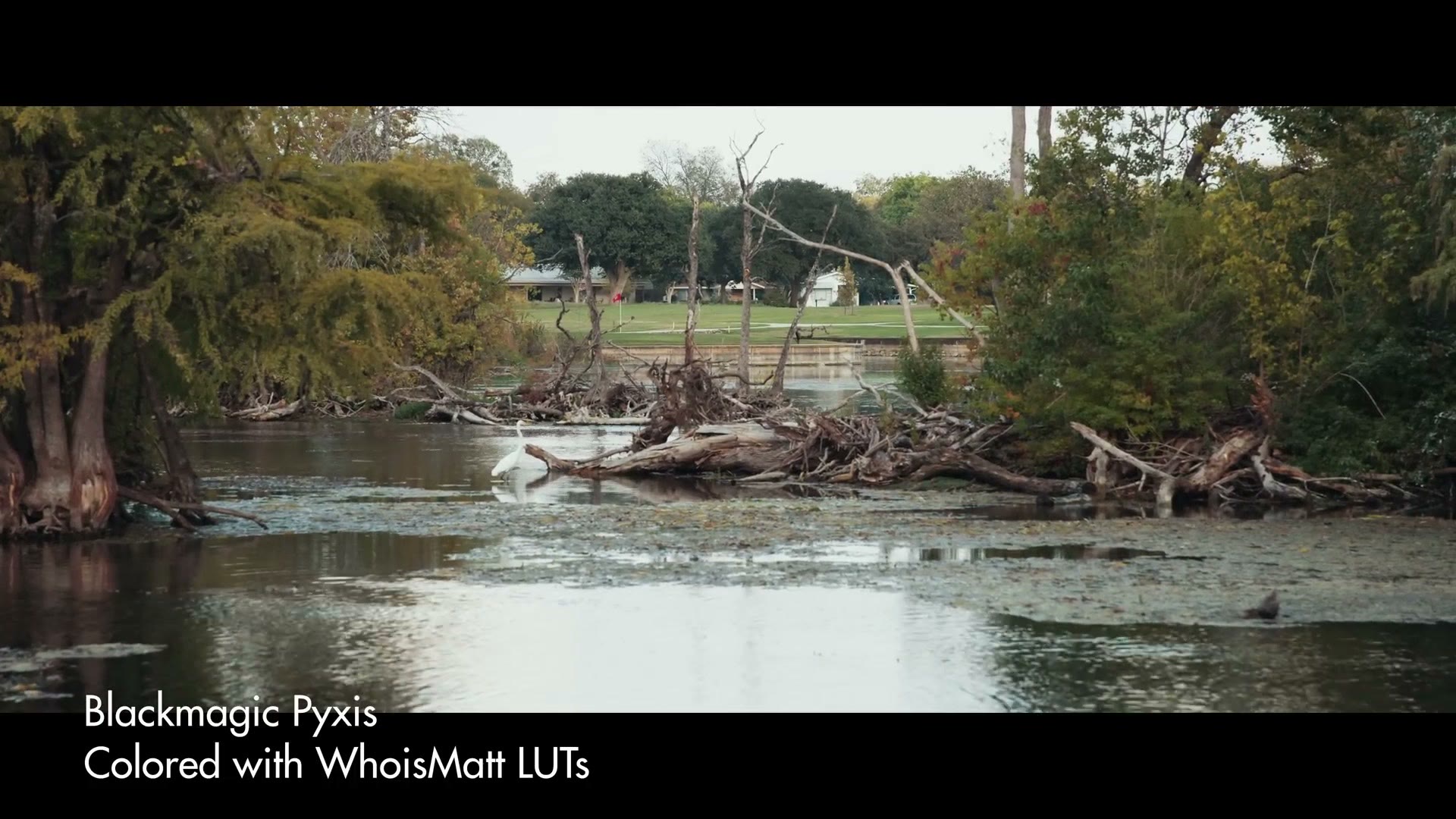
I really love how this footage looks. Every sample in this review was graded with my color presets, if you’re curious.
The Lack Of IBIS
That said, there is another big limitation of the sensor we need to talk about, because just like how there’s no continuous autofocus, there’s also no in-body image stabilization either.
And yet again, I’m sure I will hear the argument that it’s a cinema camera and they don’t have in-body image stabilization. But that argument doesn’t really work for me either, because Sony recently introduced the Burano, a cinema camera that notably costs over eight times more than the Pyxis, but it also includes in-body image stabilization. And you cannot tell me that Sony is not planning on introducing this technology into future versions of their cinema cameras as well, which is going to help drive the price down lower to something where you may consider purchasing one of those cameras versus the Pyxis.
My point is, this is just another area where I’d like to see Blackmagic work on this specific technology, because I want to see their cameras improve and get better. And I bet you do too.
By the way, while the Pyxis does not support in-body image stabilization, like many other Blackmagic cameras it does support gyro stabilization in DaVinci Resolve, meaning the camera has a gyroscope in it that saves information on the camera’s position, like pitch, tilt and roll, to the metadata of the video clip, and that information can then be used to help stabilize the footage in post. In my testing this can help the footage look better, but it still can’t compare to having dedicated in-body image stabilization.
Lowlight Performance
The Pyxis sensor is a dual gain ISO sensor, meaning it looks best at a lower ISO of 400 or a higher ISO of 3200. And while this is nowhere close to something like the Sony FX3, which has a second base ISO of 12,800, I found I was comfortable pushing the Pyxis up to about ISO 6400 before it got too noisy.

To be clear, the camera will let you go much higher, all the way up to 25,600, but there’s going to be a lot of noise in the footage and you’re gonna have to do some noise reduction magic to attempt to get it to a usable place. So in short, if you were thinking about buying a Pyxis, you’re going to need money for rigging and you’re going to need money for lights. Which to be clear, I always recommend you buy lights, even if you have a camera that performs extremely well in low light.
Rolling Shutter
Sticking with the sensor, let’s talk rolling shutter, because that was definitely a concern I’ve seen brought up a lot online whenever this camera was announced. Whenever I first turned on the Pyxis and it was set to record 6K open gate at 24, I started moving it around a bit and looking at the screen on the side, and there definitely was some rolling shutter visible. If you’re someone that films handheld in a shakier style, especially in 6K open gate, this may be an issue you have to deal with.
Thankfully, if you film in a lower resolution the rolling shutter will not be as bad. And personally I’m someone that prefers to film with smoother camera movement and less shake, so I’m not as concerned about this and I don’t think it’s going to be a deal breaker. But going back to what I said at the beginning, this is a camera that’s going to work great for a certain style of filmmaker, and if your style of filmmaking is a ton of camera shake and whip pans back and forth, you definitely may notice some rolling shutter.
Audio Inputs
What about audio? Well, I’m happy to tell you the Pyxis has one mini XLR input on the front that you can use to rig up a microphone with phantom power, as well as a 3.5mm TRS input. So while you’re not getting dual XLR inputs like you would on certain cinema cameras, considering Blackmagic was trying to keep the price down this is not surprising. But you will need to keep it in mind if you’re wanting to do something like run dual microphones for an interview where two people are speaking.
Should You Buy The Blackmagic Pyxis?
Let’s go back to the question I brought up at the start of this review. With a fantastic price of right around $3,000, should you buy the Pyxis, especially if you film weddings or corporate or commercial videos? Like I said, it’s really going to come down to you and your filmmaking style.
If you are someone that likes to build out a bigger cinema camera rig and you’re okay with building out a shoulder mount or using an Easyrig, especially if you want to impress your clients, that’s where I think you need to heavily consider the Pyxis, because it’s coming in at a great price. Come on, 6K resolution for 3,000 bucks. It’s fantastic!
But I still want you to be aware of the limitations of this camera that Blackmagic had to implement to hit this price point. There’s no continuous autofocus. There’s no in-body image stabilization. There are no ND filters.
And when it comes down to it, if you are either not interested in spending the extra money to really rig out this camera, or you are like me and you prefer to film your videos with a much more stripped down and minimalist setup, that’s where I have difficulty recommending the Pyxis. Instead, if you’re okay with using a camera that does not have internal raw but still comes with significantly more features like autofocus and IBIS, I would look at something like a Sony FX3, which you can pick up for about 3,500 bucks used these days, or 3,900 brand new. And if you consider everything you’re going to need to purchase to rig out the Pyxis, like an external monitor, an Easyrig, batteries and so on, you’re looking at a very similar price anyways for what is, in my opinion, a more complete package that also happens to be better in low light.
To be clear, it will not look as impressive as the Pyxis fully rigged out. But if you buy something like Caleb Pike’s Camera Foundry Sendit kit, you can probably get it pretty close.
Speaking of pretty close, if you would like to get pretty close to booking your next wedding film, I would highly recommend watching my free wedding film booking workshop that’s going to show you how to book your next wedding in 30 days or less. This workshop is completely free.
Thanks so much for reading, and have a great day!