
Musicbed moved to subscription pricing and launched SyncID to clear YouTube Content ID claims automatically. Here is how both work.
Continue reading
Musicbed moved to subscription pricing and launched SyncID to clear YouTube Content ID claims automatically. Here is how both work.
Continue reading
Why the Tascam DR-10L is the best audio recorder a wedding filmmaker can buy, feature by feature, and how many of them you actually need.
Continue reading
I’m here with the Drone Master himself Jay Worsley to talk to you about all things aerial video!
Check out Jay’s Drone Master Class here: http://geni.us/dronemasterclass and use the coupon code, “whoismatt20” to save 20%
Jay and I will be teaching at Venture Workshop in November! Signup here: http://www.ventureworkshop.co Other livestreams from the same run: a drone Q and A with Tyler Herrinton and an audio one with Oliver J Hughes.
You can become a member of the channel by hitting the “Join” button next to the subscribe button or visiting: http://geni.us/sponsormatt
Follow Jay Worsley!
http://www.dronemasterclass.com
http://www.jayworsley.com/
https://www.everlyfilms.com/
http://www.instagram.com/jmworsley
https://www.facebook.com/jaymworsley/
🎥Want to learn to film weddings? I’m now offering one-on-one filmmaker consulting! Check it out at:
– https://whoismatt.com/consulting
😃My Facebook: http://www.facebook.com/whoismattcom
😉My Instagram: http://www.instagram.com/whoismatt
👰My Wedding Film Company Facebook: http://www.facebook.com/filmstrong
Edited using Adobe Premiere. Download a free trial here: http://bit.ly/premierepro_trial
Signup for notifications about new videos and news from me here: http://go.whoismatt.com/
Music licensing sites I recommend:
🎧 Sound Stripe – http://bit.ly/sound_stripe (use the coupon code “WHOISMATT” for 10% off a yearly or monthly subscription!)
🎷 ART LIST – http://geni.us/artlistmusic (free extra 2-months when you subscribe using this link!)
🎵 Musicbed – http://geni.us/musicbed (signup for Membership for unlimited downloads!)
🎤 Filmstro – http://bit.ly/filmstro (use the coupon code “WHOISMATT20_ANN” for 20% off all yearly licenses)
SEND STUFF TO:
Matt Johnson
2177 Buckingham Road #553
Richardson, TX 75081
USA
I’m required to state that I’m a part of affiliate programs for Amazon, B&H, SoundStripe, ArtList, Filmstro, and Kit – AKA – I make a bit of $$ when you click on those links in my video descriptions. It costs you nothing, and helps me grow my beard. 🙂

❗ Get a free trial of Backblaze · 😲 Sign up for Google Workspace
Let’s talk about one of the least glamorous but most important parts of filmmaking: backing up your footage so it isn’t lost forever.
Over the years I’ve tried most of the online backup services out there, looking for one that offers unlimited storage of terabytes of footage while also being cheap. To be clear up front: nobody is paying me to make this video and none of these companies sponsored it. I’ve just done a lot of research on this over the years, and I would have killed for a video like this whenever I was starting out.
The first half is local backups, which we’re not covering in depth today. Short version: back your footage up to multiple hard drives, and do not store those drives in the same place in your house. If one drive fails you still have the other, and if somebody breaks in and takes your stuff, there’s a better chance they don’t get both.
The second half, and the part this is about, is an offsite backup. In the event your house burns down and everything is gone, or somebody breaks in, steals your things, and then burns your house down, you and your clients are still okay, because there’s a copy somewhere else.
Here’s the good news: there are a ton of online backup services and a lot of competition. Here’s the bad news: filmmakers are not who any of them are targeting. We’re small business owners, so we don’t want to spend a fortune, and we simultaneously need vastly more space than a normal customer. That combination is why this is hard.
If you’re new to filmmaking and don’t have a big budget for backups, because hey, you’ve got cameras to buy, I’d highly recommend Backblaze. At the time of this video it was $5 a month, or $50 a year, for unlimited backups of everything on your computer.
For $5 you’re wondering what the catch is. There are two.
Backblaze is almost too simple. You install it, it starts backing your computer up to the cloud, and that’s the whole experience. Lovely for most people.
But if you just shot a wedding and you want that footage uploaded first, there’s no way to say so. Backblaze picks what it backs up and it’ll get to your new files eventually, when it decides to. A lot of people love set-it-and-forget-it. I wanted a bit more control.
Backblaze will back up external hard drives, but it requires that you plug each drive back into your computer at least once every 30 days to confirm the files are still there and still wanted. If you don’t, they delete those files from their system.
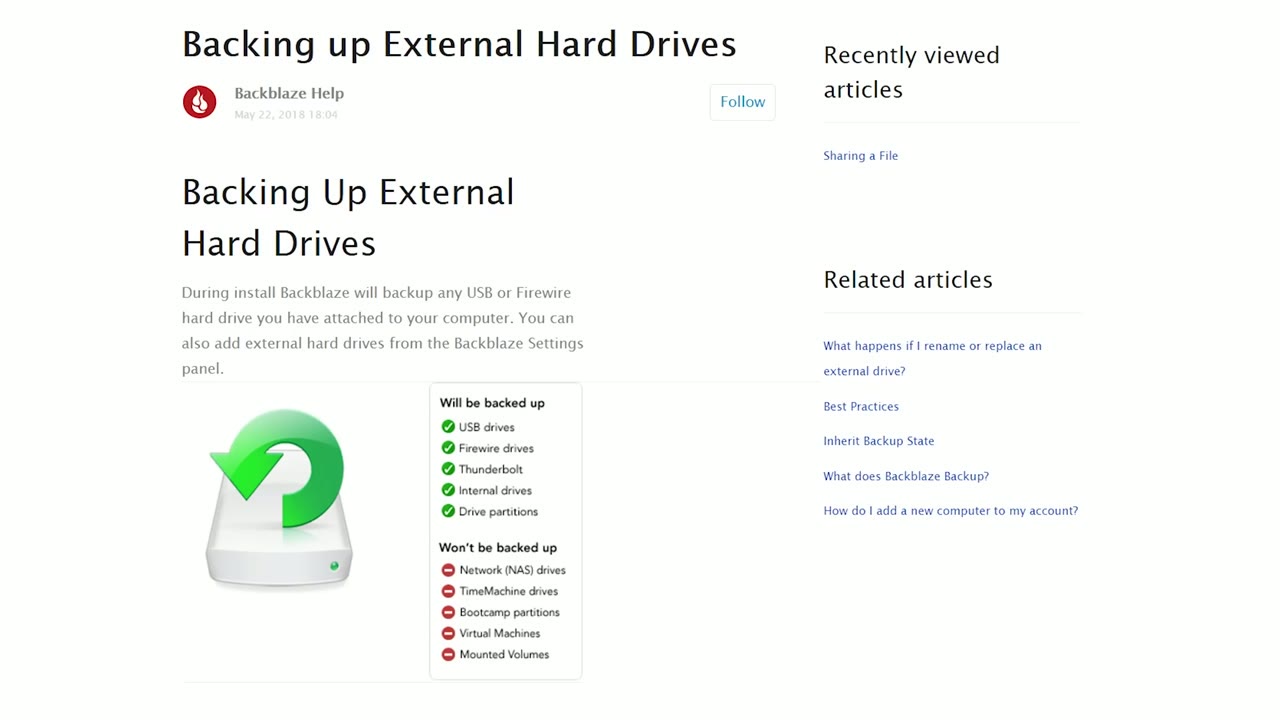
Not a big deal whenever you’re starting out with a couple of drives. A very big deal if you’re me, with an archive spread across thirty or forty drives bought over the years. Once a month, let me just plug in all of these, hold on. That would suck.
Otherwise, that’s genuinely it for cons. Backblaze is a phenomenal option, especially if you don’t have any offsite backup at all right now, and there’s a free trial here if you want to see how it feels.
You can probably tell by now that I don’t use Backblaze. What I use, and what I recommend if you want more features and control, is Google Workspace. (It was called G Suite whenever I made this video. Same thing, new name.)
It’s all of Google’s services, Gmail, Calendar, Docs, Drive, but for businesses, with one enormous difference: at the time, it offered unlimited Drive space. I currently have over 40 terabytes of footage sitting in there. Seriously, it’s awesome.
It almost felt like a Google loophole. Log into regular Google Drive and ask for more space and you’re looking at $1.99 a month for 100GB, on up to $299.99 a month for 30TB.
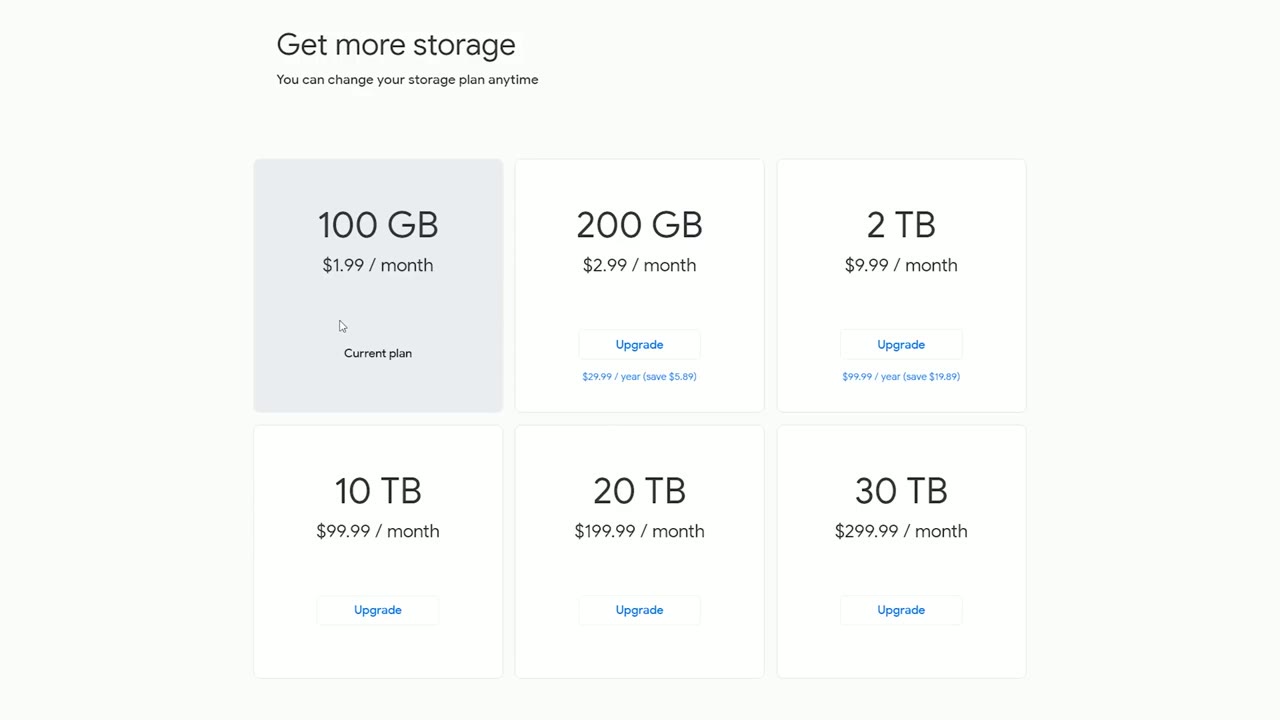
Sign up for Workspace instead and unlimited was $50 a month. Which, hey, beats $300.
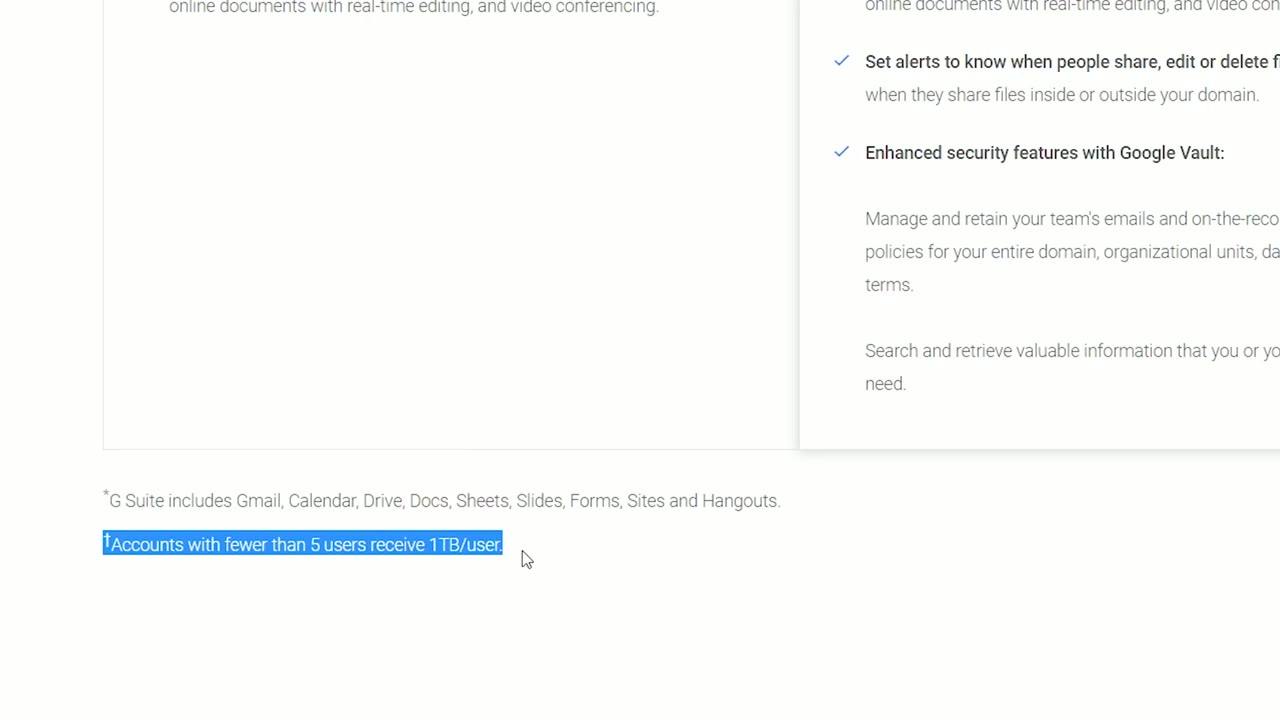
Note the fine print, though: you can sign up for $10 a month, but the unlimited Drive space requires at least five users. So I signed up, created four more users, and that unlocked it.
You’re saying $50 versus $5, is it really ten times better? Here’s my case.
The normal interface. Drag and drop straight into the browser, make folders, organize things however you want, do everything you already know how to do, without the stress of running out of room.
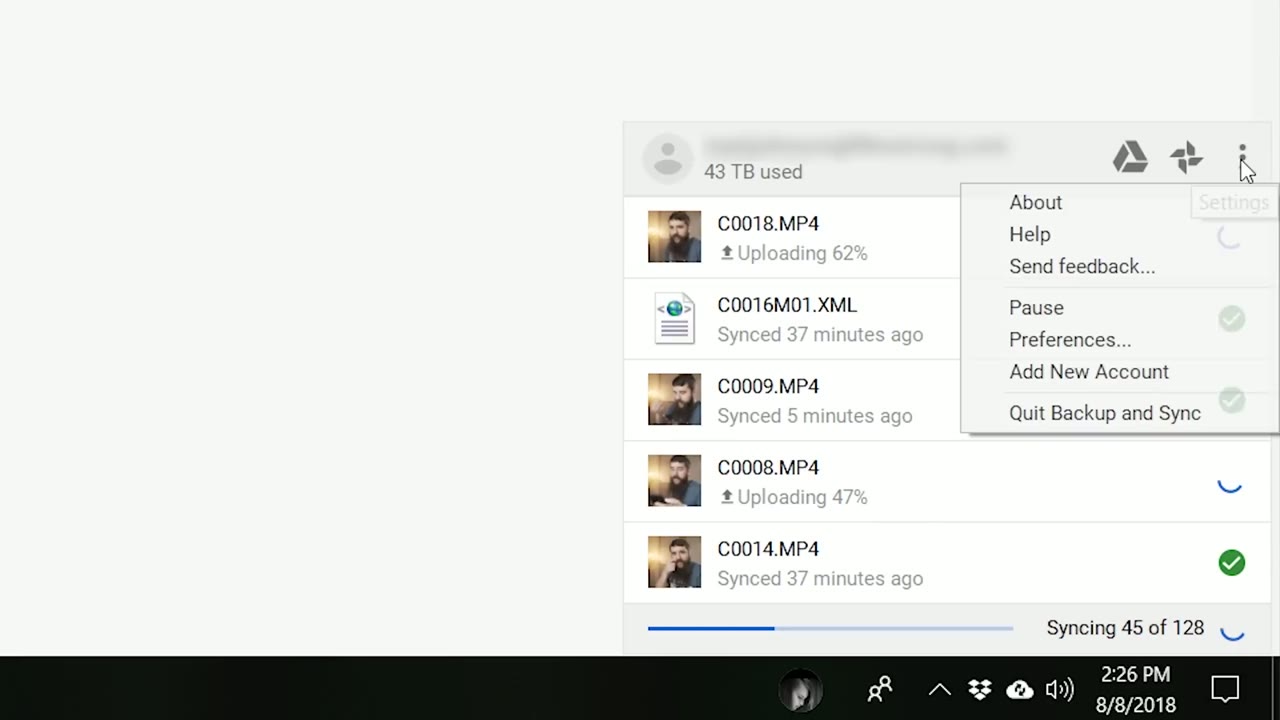
Google’s Backup and Sync software lets me pick exactly which files go up. I get home from a wedding, copy everything to my computer, select just those video files, and they start uploading immediately. That’s the direct fix for the Backblaze prioritization problem.
While you’re here, take a look at How to Backup UNLIMITED Footage Online for Cheap.
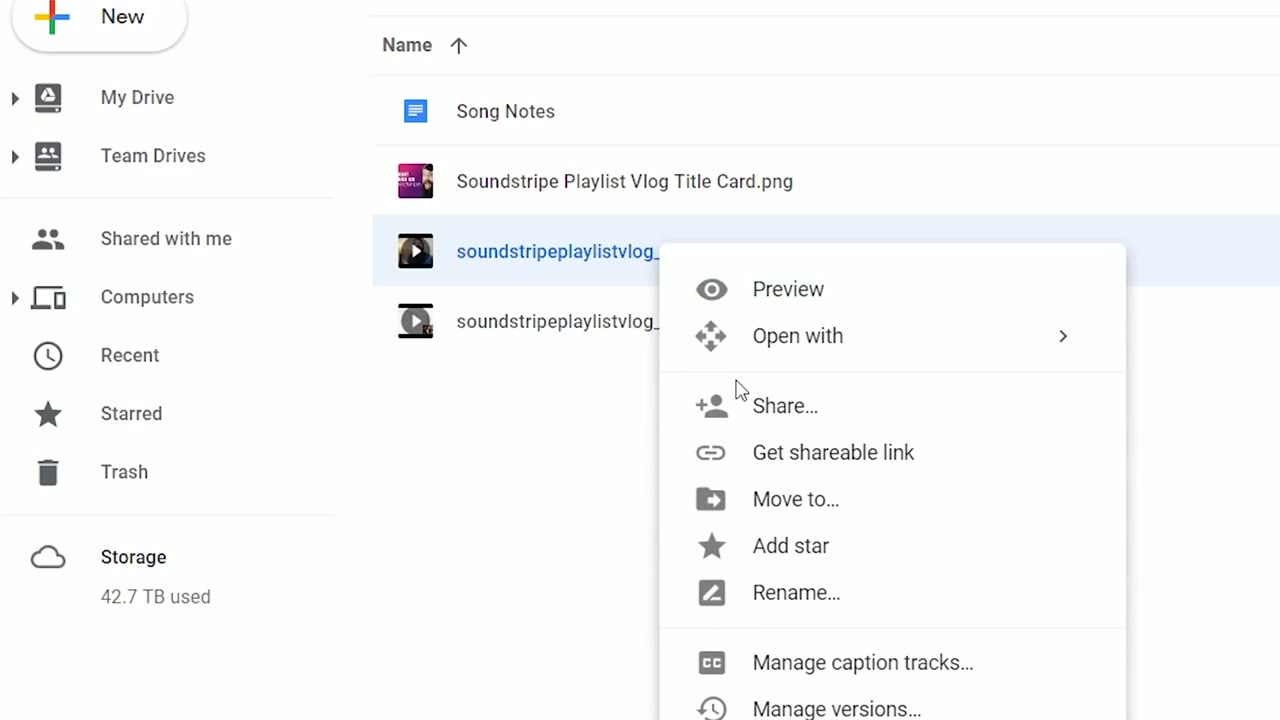
This one is huge. I can deliver finished wedding films to clients straight out of Drive. Send them a download link, and whenever they click it they get a familiar YouTube-style player to preview the film before they download it.
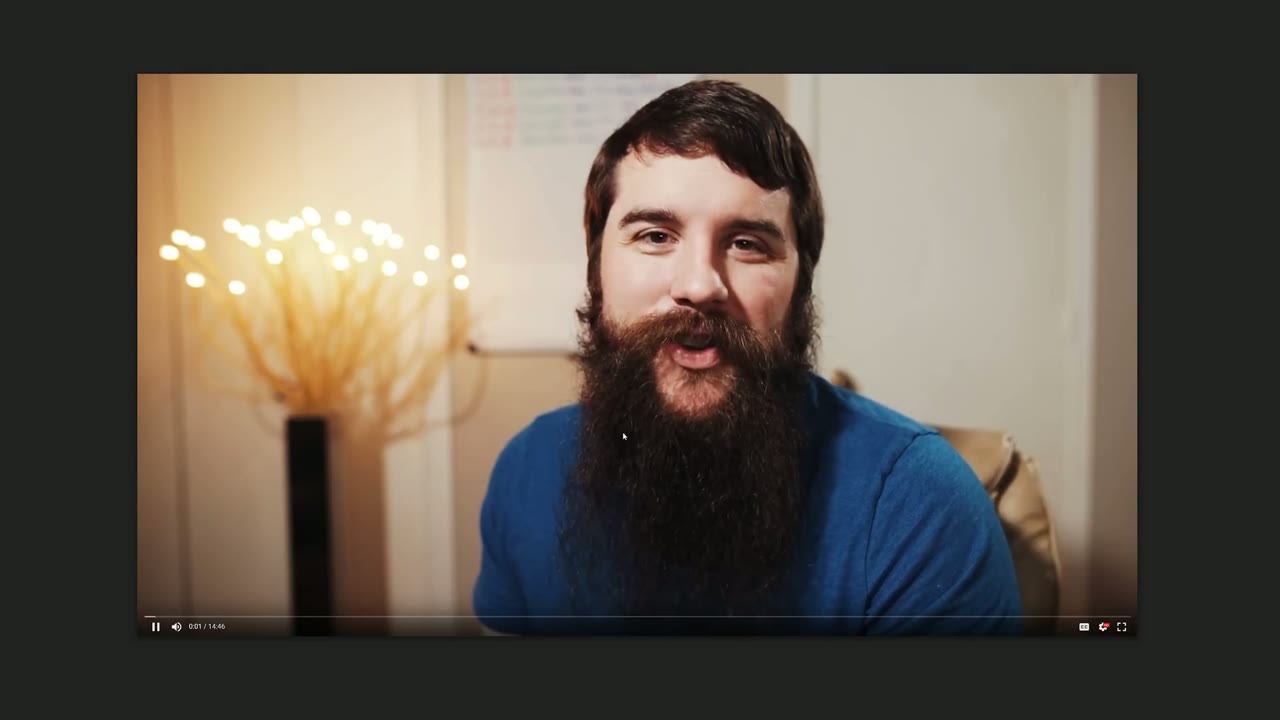
It isn’t as pretty as Vimeo Pro or MediaZilla, but it covers a lot of the same core function, so you can skip paying for a separate delivery service if you want to save the money.
And because the space is unlimited, I keep every client’s download link live forever. No digging through an old drive whenever somebody asks for their film again three years later. It’s still sitting there.
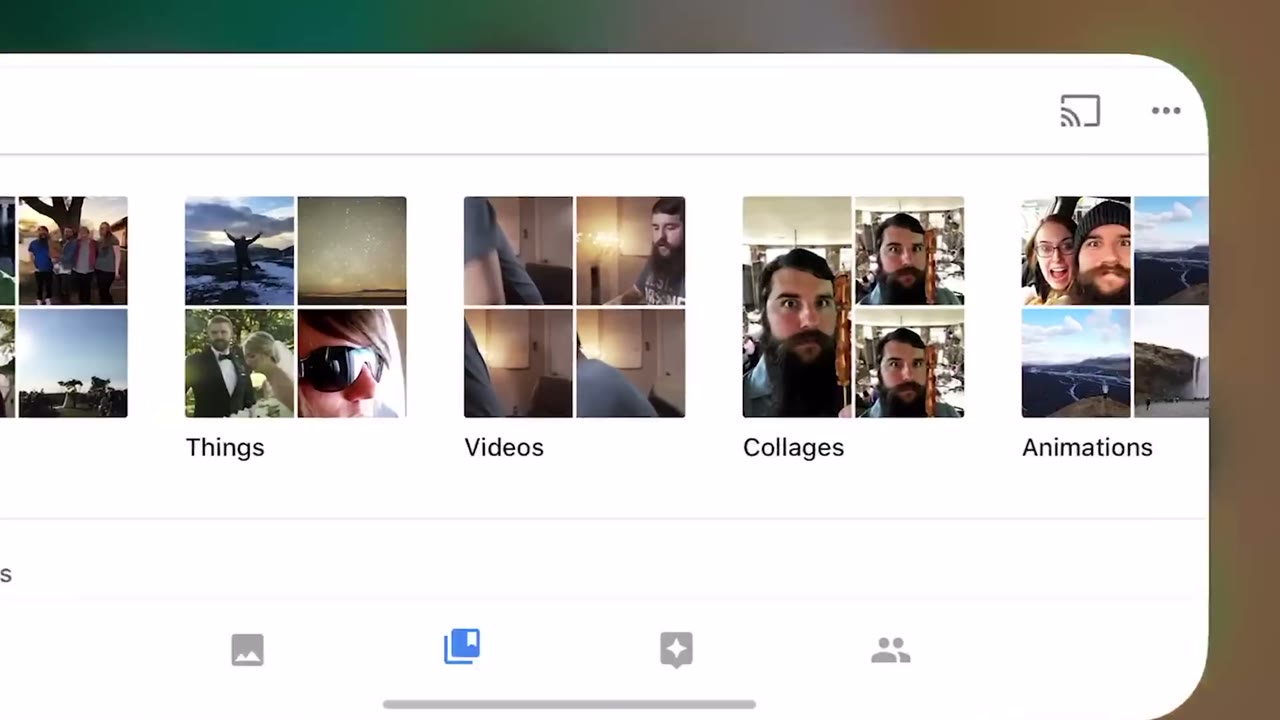
I shoot a lot of high resolution photos and 4K video on my phone and I want all of it backed up. Using my Workspace account with the Google Photos app means those go up at full resolution rather than compressed.
As a filmmaker shooting many terabytes a year, I value being able to back up all of it and share all of it. And Workspace has none of Backblaze’s two cons: no plugging in forty hard drives every thirty days, and full control over what uploads and when. So I’m sticking with it.
If you’re starting out and don’t have anything offsite yet, start with Backblaze today. Five dollars is not a reason to have no backup.
Whether you’re brand new or you’ve been at this a long time, using an online backup service is only going to help you: it protects your footage and it keeps your clients happy.
One note since this video went up: the prices and the unlimited storage terms above are what they were at the time. Check the current plans before you sign up.
Special thanks to Scott McKenna, who is the first person who told me about this and made me go “that is incredible, I need to sign up right away.” Go check out his videos.
If you’d like a follow-up video about my local backups, which hard drives I use and how I organize them, leave a comment and I’ll look into making it.

Vertical sequence setup, export settings and the bitrate that actually decides how your video looks. Written for IGTV in 2018; the Premiere half still applies.
Continue reading
Fifteen Soundstripe tracks split into ambient, epic and dance, with notes on exactly where each one goes in a wedding edit.
Continue reading