
The Dell XPS 17 9700 is one of the best video editing laptops I have ever used, and I recommend it, especially if you’re editing 10-bit footage. You can get it at Best Buy here.
For the sake of ethics, I want you to know that this video is not paid or sponsored by Dell in any way. This is my own XPS 17, which I bought.
Why I Needed A Powerful Laptop
If you’ve watched my previous videos you know I reviewed the XPS 15 9570 that I bought back in summer 2018, and you also know I’m someone who likes to stick with a computer for a good long while. So why upgrade only two and a half years later?
If you’ve edited video for any length of time I’m betting this has happened to you, or it’s happening to you right now. I bought a new camera in 2020, the Sony a7S III, which is an absolutely fantastic camera with a gorgeous image that I love. That gorgeous footage comes at a price though, in the form of very high bit rate 10-bit files, and those files need a lot of power to edit. My XPS 15, with the best processor I could buy in 2018, a six-core Intel i9, just wasn’t enough anymore.
Build Quality
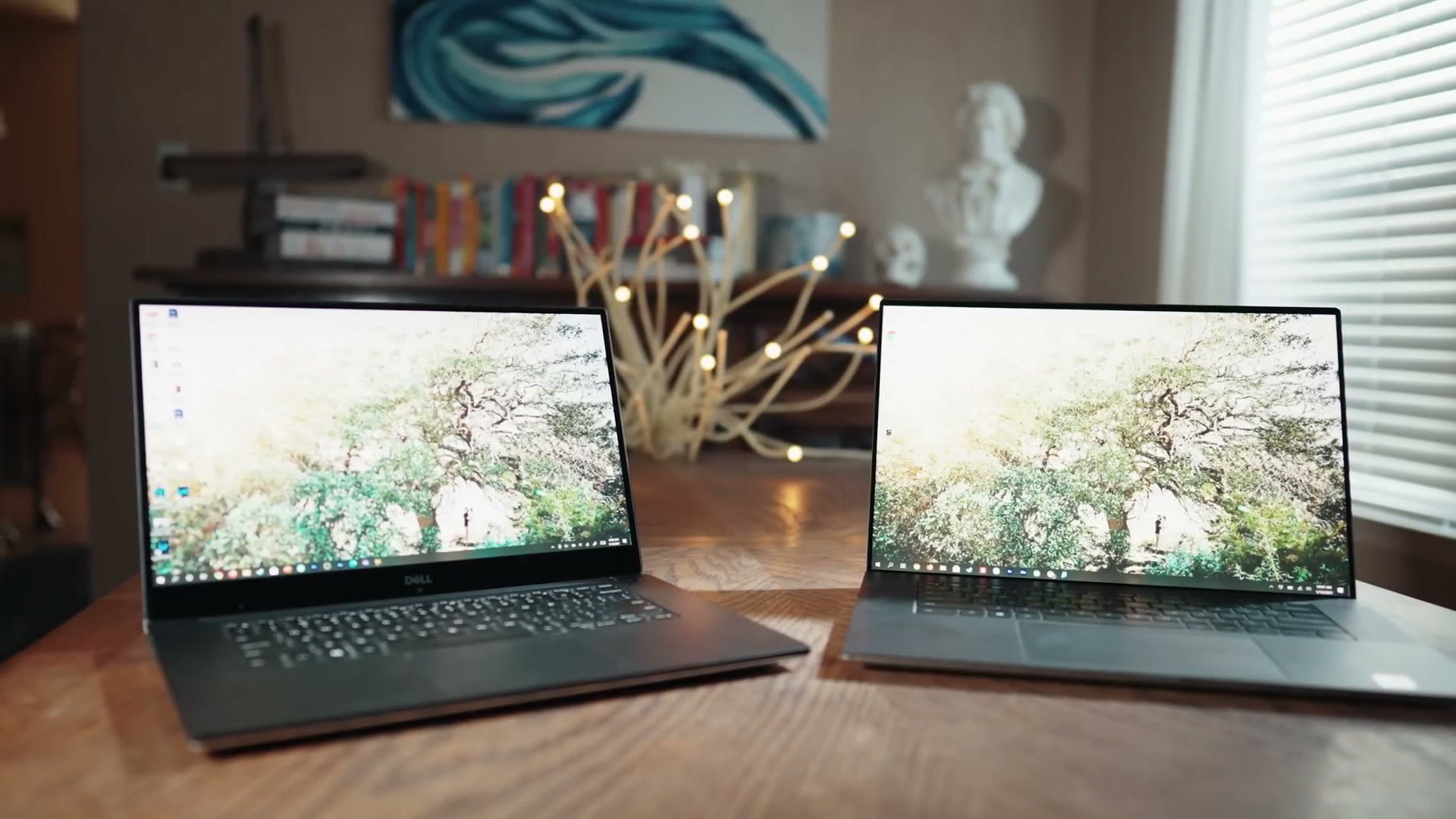
I’ve been very happy with my XPS 15’s build quality over the past couple of years, but the XPS 17 is on a whole other level, and I do not say this lightly whenever I say it’s one of the best built Windows PCs I have ever used. I’d say it easily rivals or surpasses Apple’s MacBooks in a lot of ways.
It keeps the design language of the earlier XPS machines, aluminum chassis and a carbon fiber hand rest, but everything is more refined. The lines are cleaner, everything is tighter, there’s no gaps, no chassis flex, no wasted space. Open it with one hand and the screen comes straight to life, the keyboard lights up, and within a second Windows Hello logs you in with the new webcam, which has finally been moved to the top of the screen where it belongs. Yes, this laptop has face identification, it feels magical, and I’m honestly kind of shocked that Apple still hasn’t brought Face ID to their MacBooks.
Keyboard And That Trackpad
The keyboard feels very similar to the XPS 15’s, which was already stellar and one of the best I’ve used on any laptop. Because the 17 is a bigger machine overall, it’s even more comfortable over a long editing session, because there’s more room to rest your wrists.
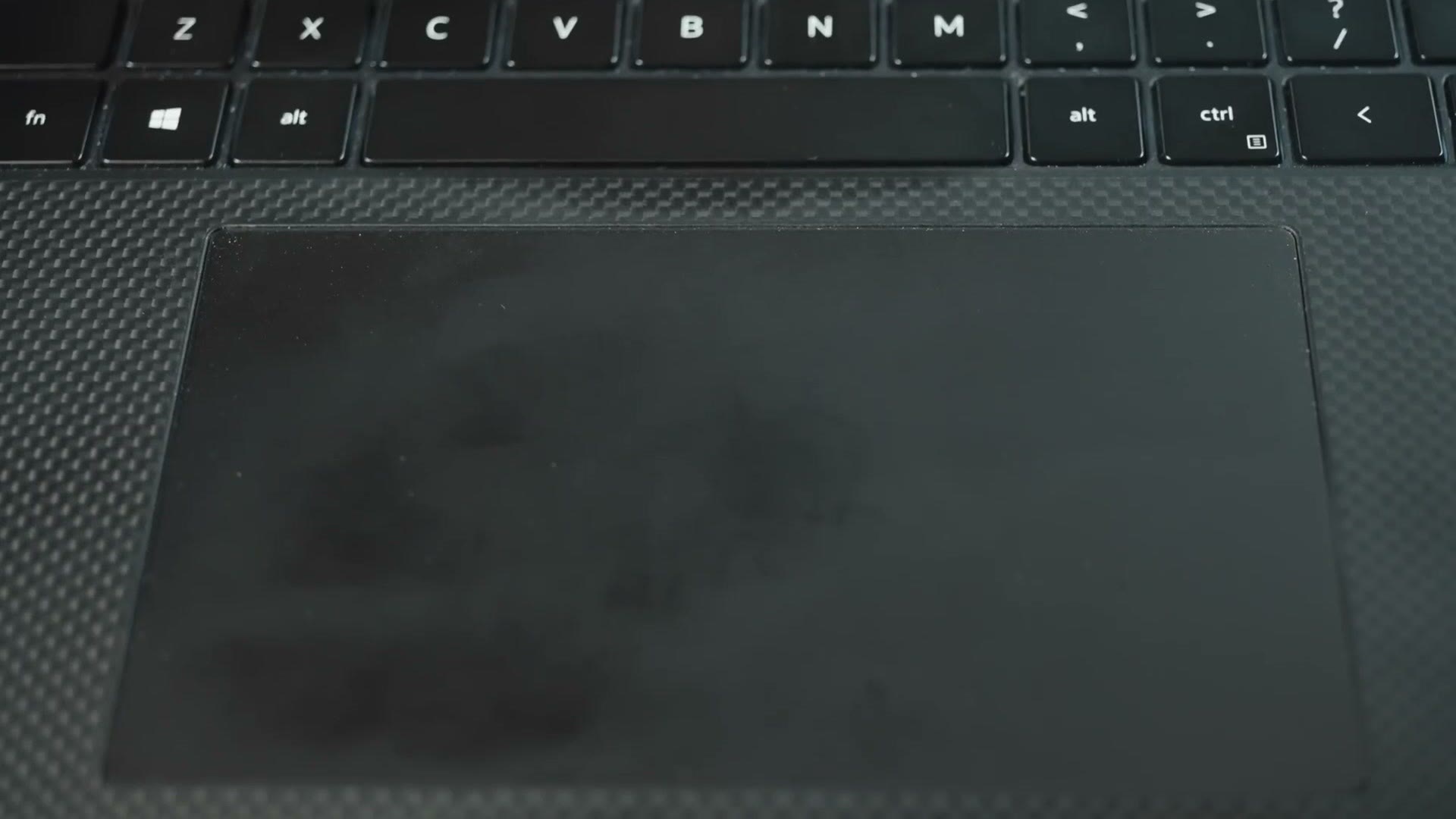
Come on now though. Just like whenever you look at my face your eyes constantly get drawn down to the beard, whenever you look at this keyboard your eyes are going to get drawn down to the trackpad, because it is impossible to miss. This thing is massive, and I’m so glad Dell finally took a page from Apple here. It’s a joy to use and I haven’t had a single palm rejection issue or unintended input. Keep in mind it’s a traditional trackpad, with left and right buttons that depress in the bottom corners, so there’s no force touch.
Speakers
The extra width means Dell could fit a much better set of speakers either side of the keyboard. What’s funny is that whenever I first turned this laptop on I thought they sounded horrible, and it turned out Dell ships some junky Max Audio Pro software that was throwing a really weird EQ over everything. Disabled it and they instantly sounded twice as good.
They’re some of the best speakers I’ve used on a Windows laptop, and a huge upgrade over the XPS 15’s, which fired downward and always picked up echo depending on what surface the laptop was sitting on. These fire upward and I actually enjoy listening to them. If you’re editing though, use headphones.
Fan Noise When Editing
Much more pleasant than the XPS 15. The 15’s fan was high pitched and you could absolutely hear it whenever you were editing or rendering. The 17’s is much lower in tone. Still noticeable, still wear headphones, but much improved.
Ports, Welcome To Dongle Life
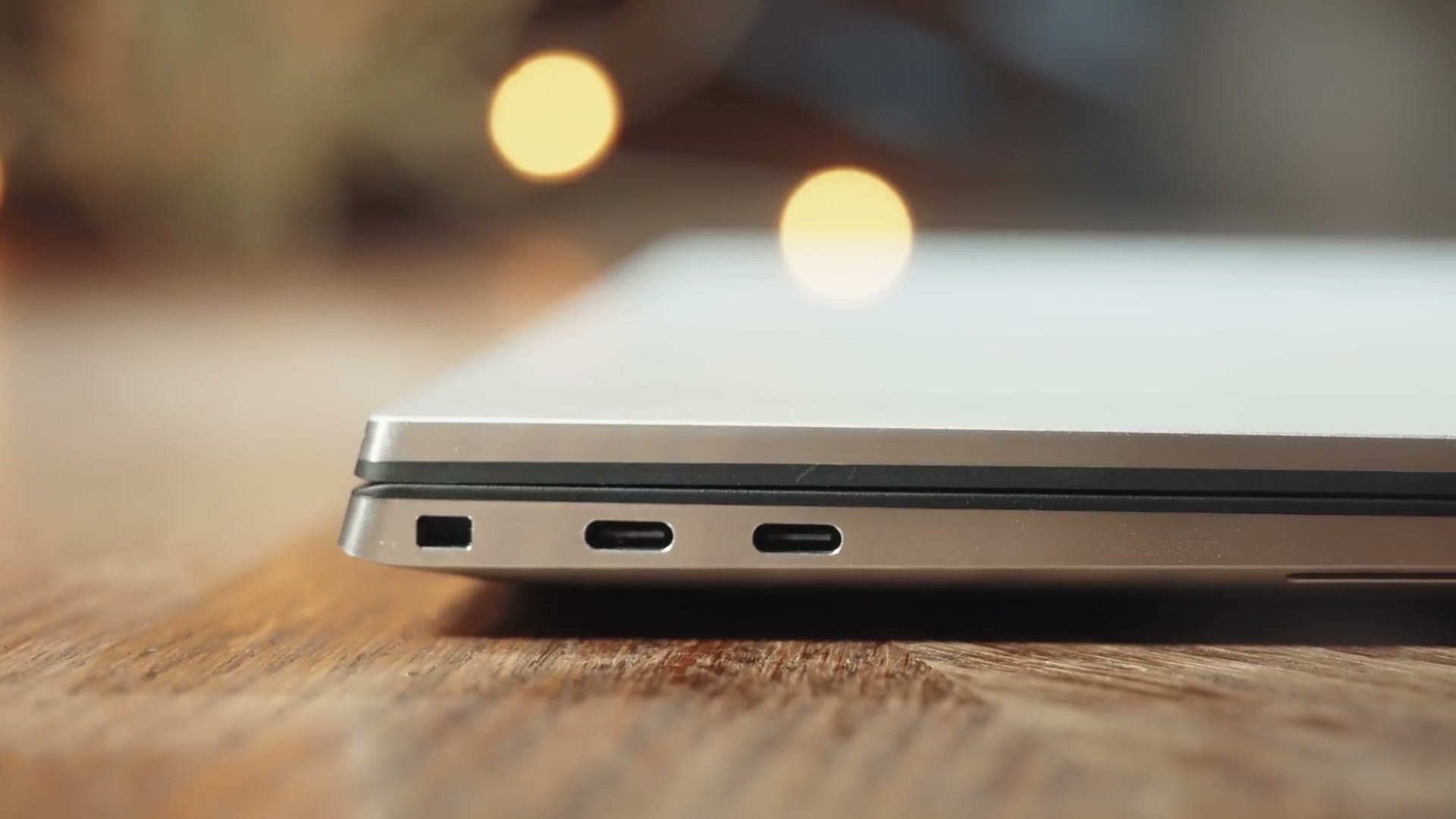
This is where it gets interesting. My XPS 15 had a big pile of ports, USB-A and USB-C and HDMI. The XPS 17 has taken a page from Apple’s book and gone with four multifunction USB-C ports that handle power, USB, Thunderbolt and external displays. Welcome to dongle life.
As a nice touch, Dell includes a USB-C to USB-A and HDMI combo adapter in the box, which is compact and works well. And more importantly, I’m very thankful to report that Dell did not do away with the SD card reader. Whenever Apple moved to all USB-C, losing the card reader was one of the biggest complaints filmmakers and photographers had, and having it here makes copying footage so much easier.
I also really appreciate that the laptop charges over USB-C now, because it makes it a lot easier to find a compatible power adapter in the event that you, say, travel to a foreign country and forget yours. Which may have happened to me recently.
Screen Quality
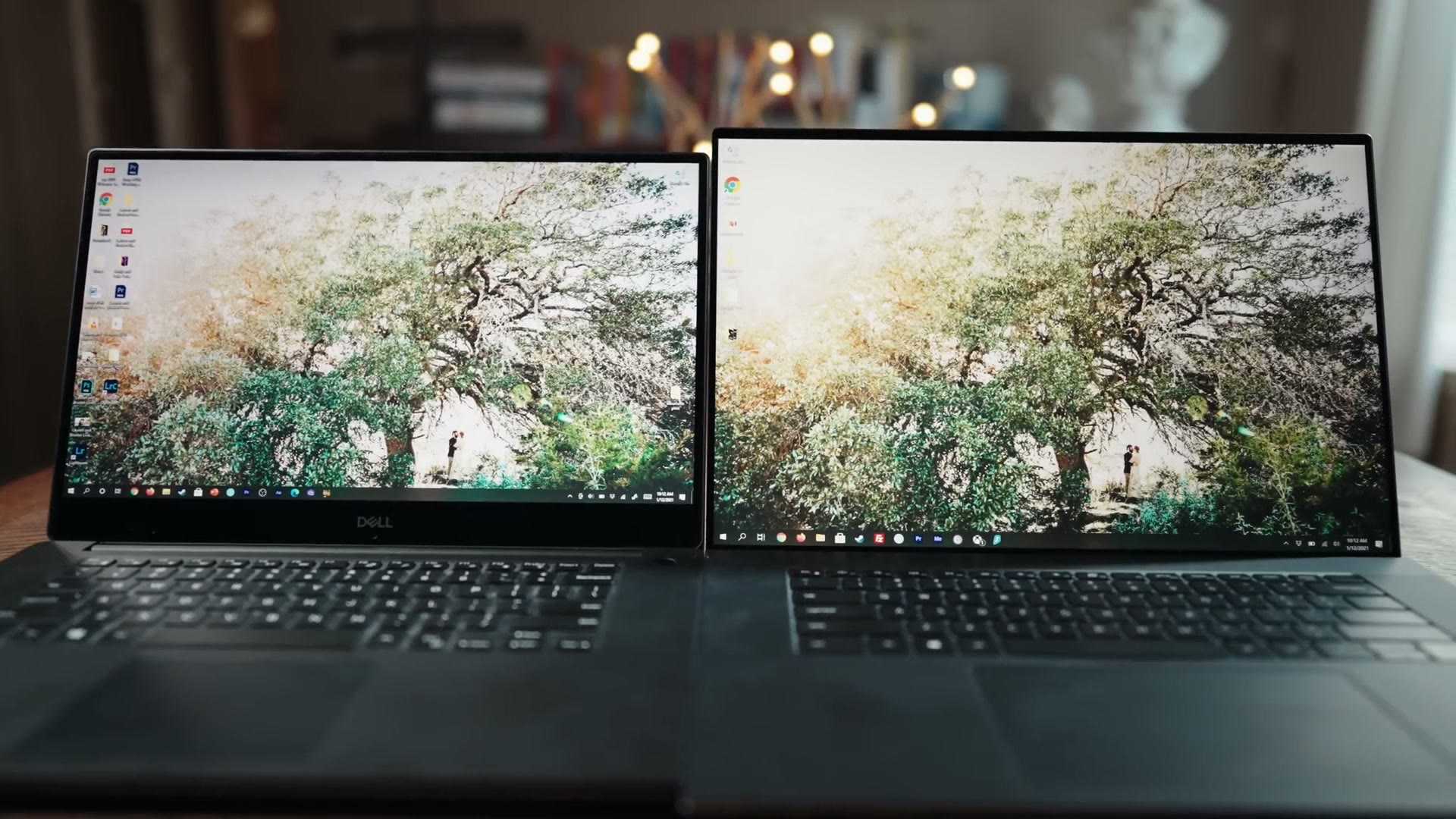
Wow. And I say that as somebody who has used and loved the XPS 15 screen for years. This is a big jump in quality and easily one of the nicest screens I’ve ever used on a laptop or on anything else for that matter. It’s edge to edge, and there’s something genuinely impressive about opening it up and watching the screen stretch all the way from the top down to the keyboard.
This isn’t just 15 inches to 17 inches, either. Dell also went from 16 by 9 to 16 by 10, which means significantly more vertical real estate, and that real estate matters a lot if you edit video, because once you’re into a complex edit with a lot of tracks on your timeline you are going to want the extra room to see them. Now that I’ve used a 16 by 10 screen I have zero interest in going back.
Like the 15, it’s highly color accurate and well suited to color correction and grading. One nice improvement is Dell’s Premier Color software, which lets you pick which picture profile the machine uses, so you can sit on a neutral profile whenever you’re grading and then push the saturation and contrast up whenever you’re just watching YouTube.
Weight And Battery Life
Keep in mind that as beautiful as this thing is, it’s also one of the heavier laptops I’ve used. Physically it’s still compact, especially compared to my much older 17 inch gaming laptop, which is approximately the size of an aircraft carrier, but the XPS 17 is dense and it feels noticeably heavier than the 15.
Part of that is the battery, which is 97 watt hours, just shy of the 100 watt hour maximum you can put in a laptop and still legally fly with it. Dell rates it at seven and a half hours. Editing video off the battery is a lot more taxing, and there I get around four to five hours, which is enough to get through a quicker edit but means you’re bringing the charger.
Timeline Editing Speed
Mine is the maxed out configuration: Intel i9-10885H, NVIDIA RTX 2060, 2TB SSD, and 64GB of RAM. If yours is configured differently, expect it to be slower.
Render times are the simple metric everybody wants, and we’ll get to those, but arguably the more important question is how the thing handles normal everyday editing. How fast and responsive is it whenever you’re scrubbing around and playing back on the timeline?
My old XPS 15 could easily handle the 8-bit 4K files I shot on the a7S II. But whenever I moved to the a7S III and its 4K 10-bit files at up to 120 frames per second, I started hitting major slowdown in Premiere Pro. Stuttering playback, multiple seconds of waiting whenever I scrubbed, and often Premiere would freeze and then keep playing for ten seconds after I told it to pause before it finally caught up.
Thankfully you can think of Premiere kind of like a muscle car, where you throw more horsepower at it and it gets faster, except here the horsepower is CPU cores. Going to the XPS 17 took me from six cores and twelve threads to eight cores and sixteen, and it is absolutely noticeable. Playback is quicker, scrubbing is smoother, and I feel comfortable recommending this laptop with this processor to you if you’re editing 10-bit footage.
Be aware you will know this computer is doing heavy lifting. The fans crank up and it gets very warm around the function row while the CPU works. That said, I’ve seen no visible signs of throttling, and even after hours of editing it doesn’t slow down from thermal limits.
Video Rendering Speed
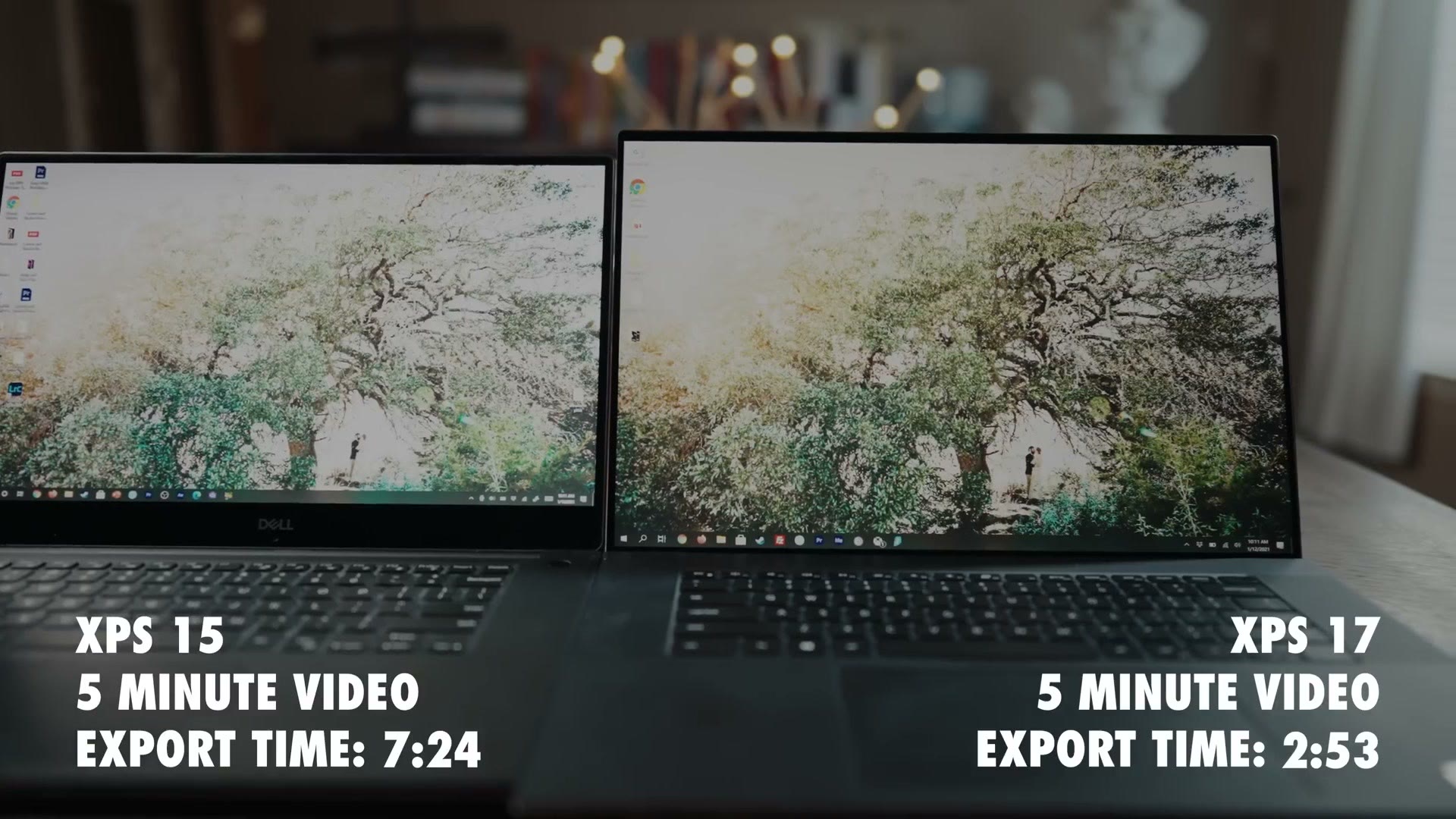
I exported a five minute wedding film, complete with effects and color grading and my LUTs, on both machines. The XPS 17 did it in 2 minutes 53 seconds. The XPS 15 did the exact same film in 7 minutes 24 seconds.
Over twice as fast. That is a stunning improvement, especially considering the 17 is only two years newer than the 15. So between the timeline responsiveness and the render times, I have no qualms at all recommending the i9 model.
Ways To Save Money Buying This Laptop
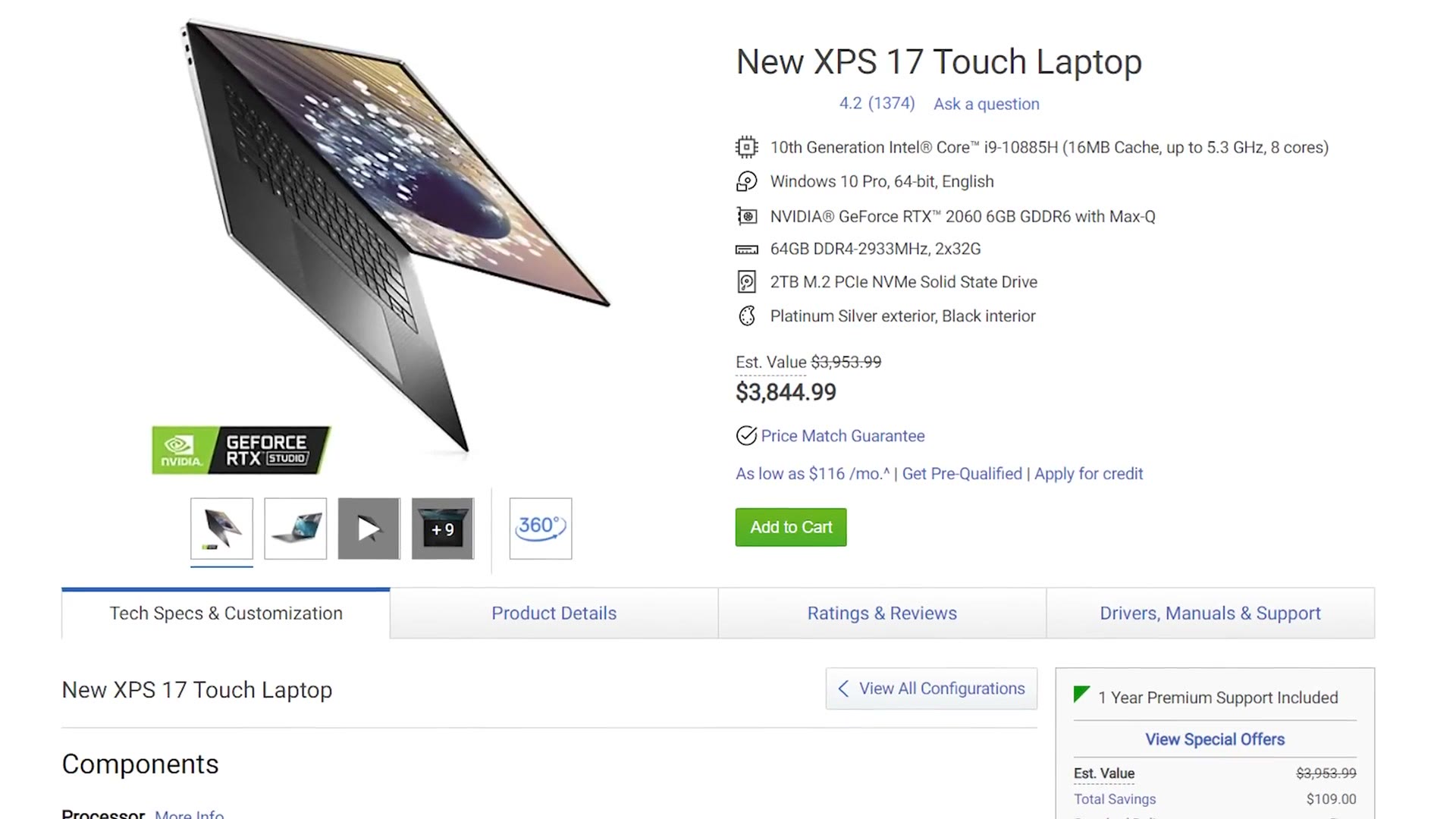
Mine is the maxed out version though, and maxed out is not cheap. Select every upgrade at checkout and you’re at $3,844 at the time I’m making this. If you have the budget and you don’t want to stress about which specific options to pick, tick them all and hit buy. But if you want to be smart about it, here are three ways to save yourself hundreds.
- Skip the i9. You do not need the top of the line i9-10885H to edit 4K. Intel’s cheaper i7-10875H offers almost the same performance and can retail for hundreds less.
- Buy your own RAM. Dell will configure this from 16GB up to 64GB, but you get far better value ordering the minimum 16GB and upgrading it yourself. The sweet spot for 4K is 32GB. If you’re editing 6K or 8K, go to 64.
- Wait for a sale. Dell is typically very aggressive about discounting, so if you can be patient, check their site often.
Should You Buy The XPS 17?
The XPS 17 is a fantastic laptop, easily the best Windows laptop I have ever used, with a lot of power crammed into a body that’s pretty small for a 17 inch screen. If you’re looking for one of the best video editing laptops on the market today, this is it. Since then I have also reviewed the newer Dell Pro Max 16 Premium.
I have exactly one hangup, and it’s one you’re going to hear me repeat a lot going forward. At the time I’m making this, Apple is in the process of shaking up the entire computing industry with their Apple Silicon machines, and so far all we’ve seen is the MacBook Air and the 13 inch MacBook Pro. If you need a laptop right now, buy this one. If you can wait, I’d hold off until later in 2021 and see what Apple has up their sleeve, because those computers have the potential to be revolutionary for video editors.
If a laptop isn’t actually what you need, I have a whole pile of videos about computers for video editors, including build guides for putting together your own desktop for a fraction of what this thing costs. The full playlist of build guides is here.
And lastly, as I’m sure you spotted from that render test, I happen to film weddings. If you film weddings too, you probably want to book more couples, so I put together a free guide that walks you through practical steps you can take right now in your business to do exactly that.