
If you want to edit video on a Windows laptop, I think this is one of the best options out there.
Mild spoiler for how I feel about it out of the way. This is a review of the Dell Pro Max 16 Premium from the perspective of a video editor, so if you have been looking for a powerful editing laptop, you have a healthy budget, and you want to stay on Windows, read on.
For the sake of ethics, I want you to know this is not paid for or sponsored by Dell, but they did provide the laptop so I could make the review.
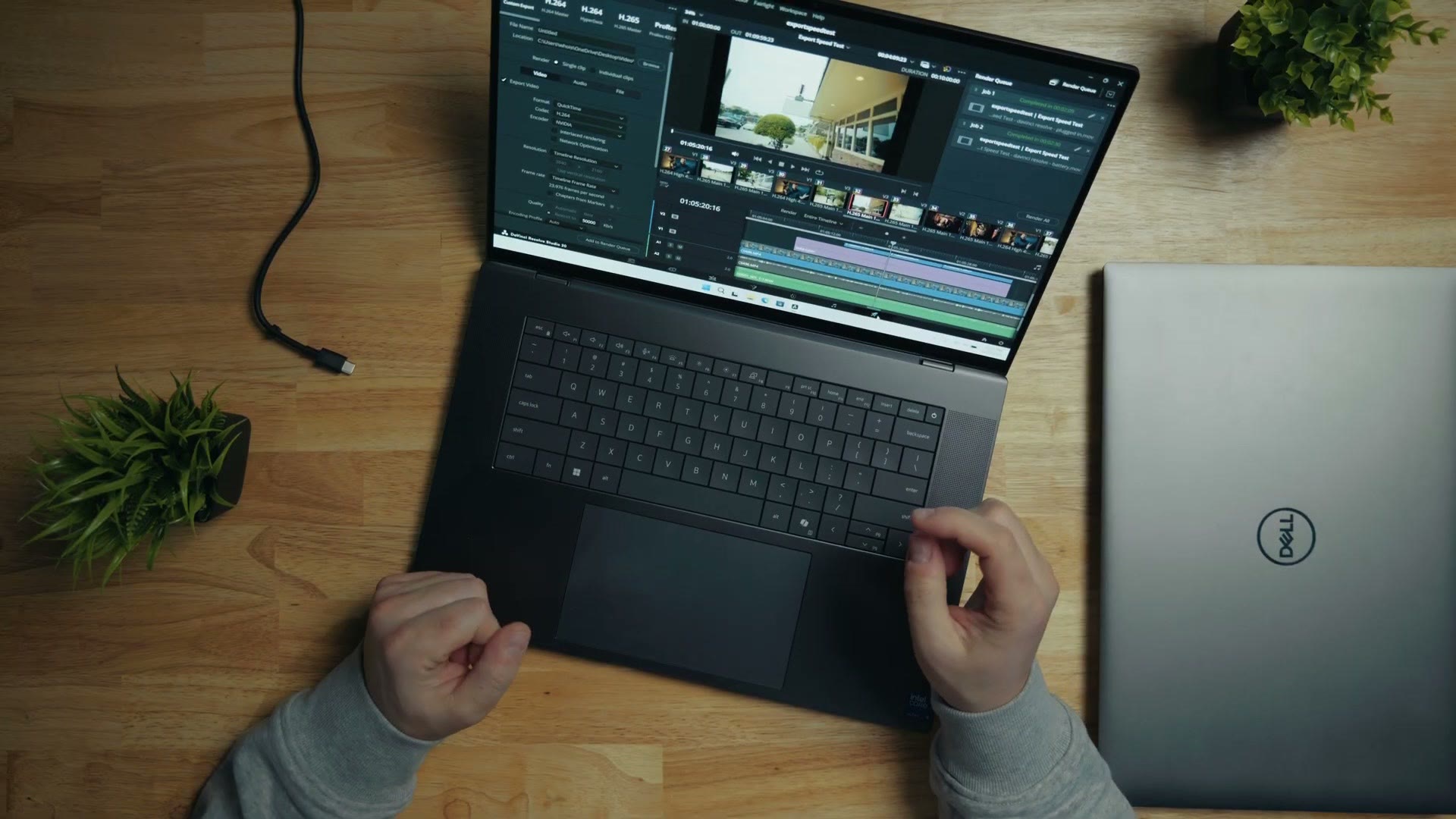
Weird Naming Conventions
To understand this review at all we have to start with the name, because Dell has been on quite a ride.
For years they had XPS, their higher end consumer laptops, and Precision, their ultra high end workstations like this one. Then in early 2025 they threw all of that out, killed XPS and Precision, took a page from Apple and started calling everything Pro or Max. That was confusing. And as an update, in early 2026 Dell has reversed course and brought XPS back.
I am not going to attempt to understand or explain their reasoning.
What matters is that by renaming everything Pro or Pro Max with sub-versions called Plus and Premium, it has become genuinely difficult to work out which laptop you are buying and what it actually has.
So let me clarify one thing. I have seen other reviews of Dell 16 Premium laptops that were quite negative, because Dell did a lot of things to those machines to make them look nicer at the expense of usability. Those reviews are fully justified. But this higher tier Pro Max 16 Premium does not make those sacrifices, and it is a much better laptop as a result.
Build Quality & Size
Coming from the Precision I got back in 2024, the Pro Max has a significantly different design language, and one I really like. Side by side it is noticeably boxier with less rounding and tapering, which made me think it was bigger. Put them next to each other and they are about the same size.
There are subtler improvements too, like a cutout near the trackpad that makes it easier to open than earlier Dell laptops. I appreciate that more than I expected to.
Keyboard Improvements & One Complaint
The keyboard is a major redesign over the Precision, moving away from chiclet keys and making them slightly larger. They feel a bit quieter than earlier Dell laptops and overall very comfortable.
This is also where the lower tiers matter, because some Dell laptops have removed the function row and replaced it with a strip of capacitive buttons, which suck, to put it plainly. This one has real function keys, and people greatly prefer that.
There is one annoying con, and I want to preface it by saying this is a Microsoft problem, not a Dell one. A couple of years ago Microsoft started requiring every new laptop to have a Copilot key. I use the right control key constantly when editing, I really miss it, and I keep summoning Copilot by accident. It is super annoying. Other than that, I loved this keyboard.
The trackpad is great too. Really nice haptic feedback, and you can tell Dell put a more powerful motor under there to simulate the click. No complaints. Worth noting that lower tier versions of this laptop go for cleaner aesthetics and hide the trackpad edges, leaving you pressing blindly below the keyboard and hoping. That is a nightmare, and I am thankful Dell did not do it here.
Ports & Inputs
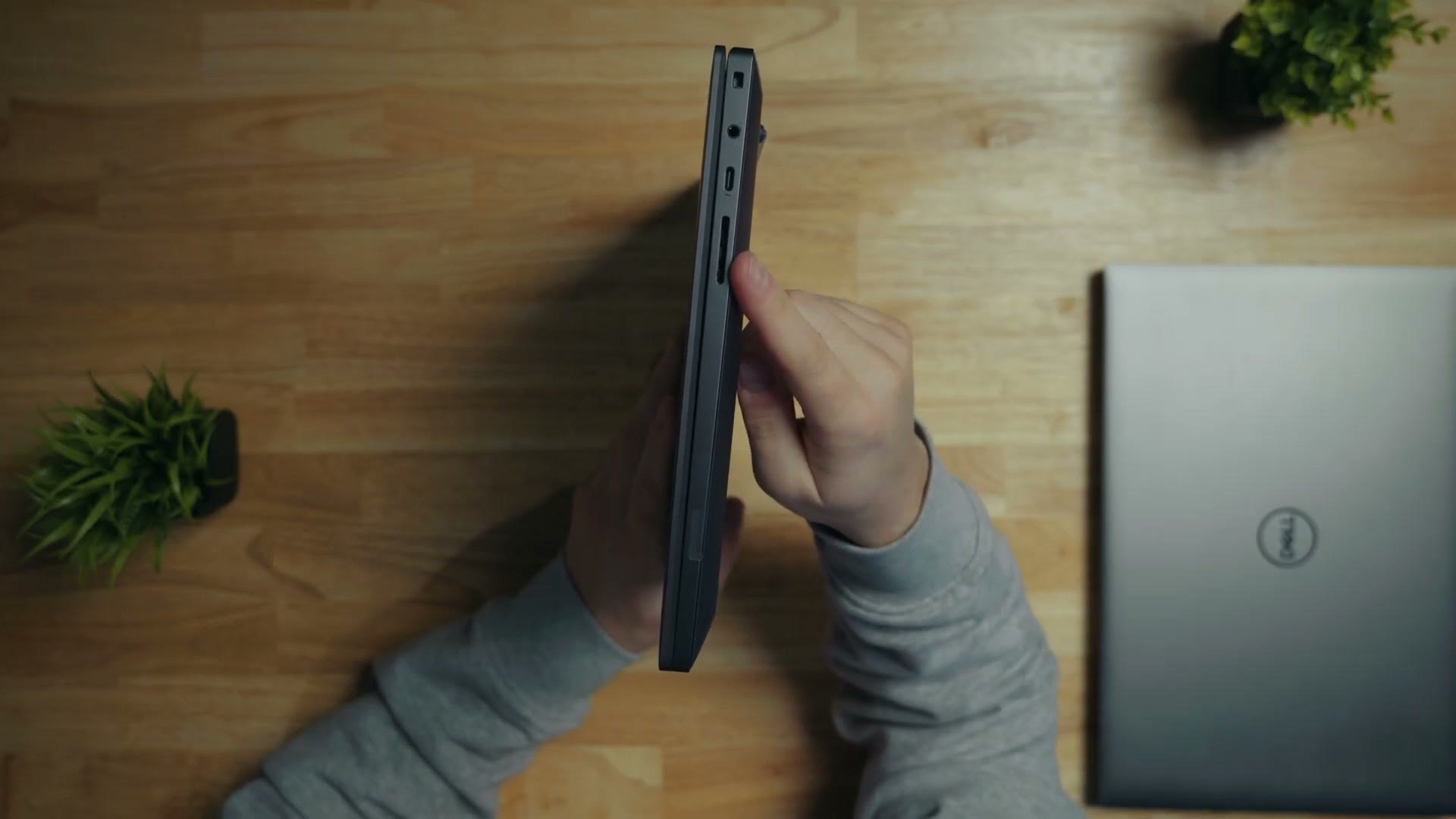
On the side you will find something that is getting rarer and that I am always glad to see: a full size SD card slot. If you are copying footage off cards, that matters enormously.
Why am I making a fuss? Because on their smaller and cheaper laptops, Dell and much of their competition have switched to microSD, which is basically useless for most filmmakers and photographers. Throw in HDMI on the other side and I am very happy with this setup. It competes well with a MacBook Pro, which has very similar ports.
Speaker & Sound Quality
Two speaker grilles either side of the keyboard, and I am genuinely impressed. Fuller with better bass than previous Dell laptops I have used. I would still edit with headphones, but if you need to show a video to someone on the laptop itself, I would not be embarrassed by these.
Screen Quality & Color Accuracy
Dell has been putting OLED panels in laptops for years and the Pro Max Premium is no exception. Colors are ultra vibrant and detailed out of the box and the contrast is, unsurprisingly, perfect.
But how accurate is it? I put my Spyder X2 Ultra on it.
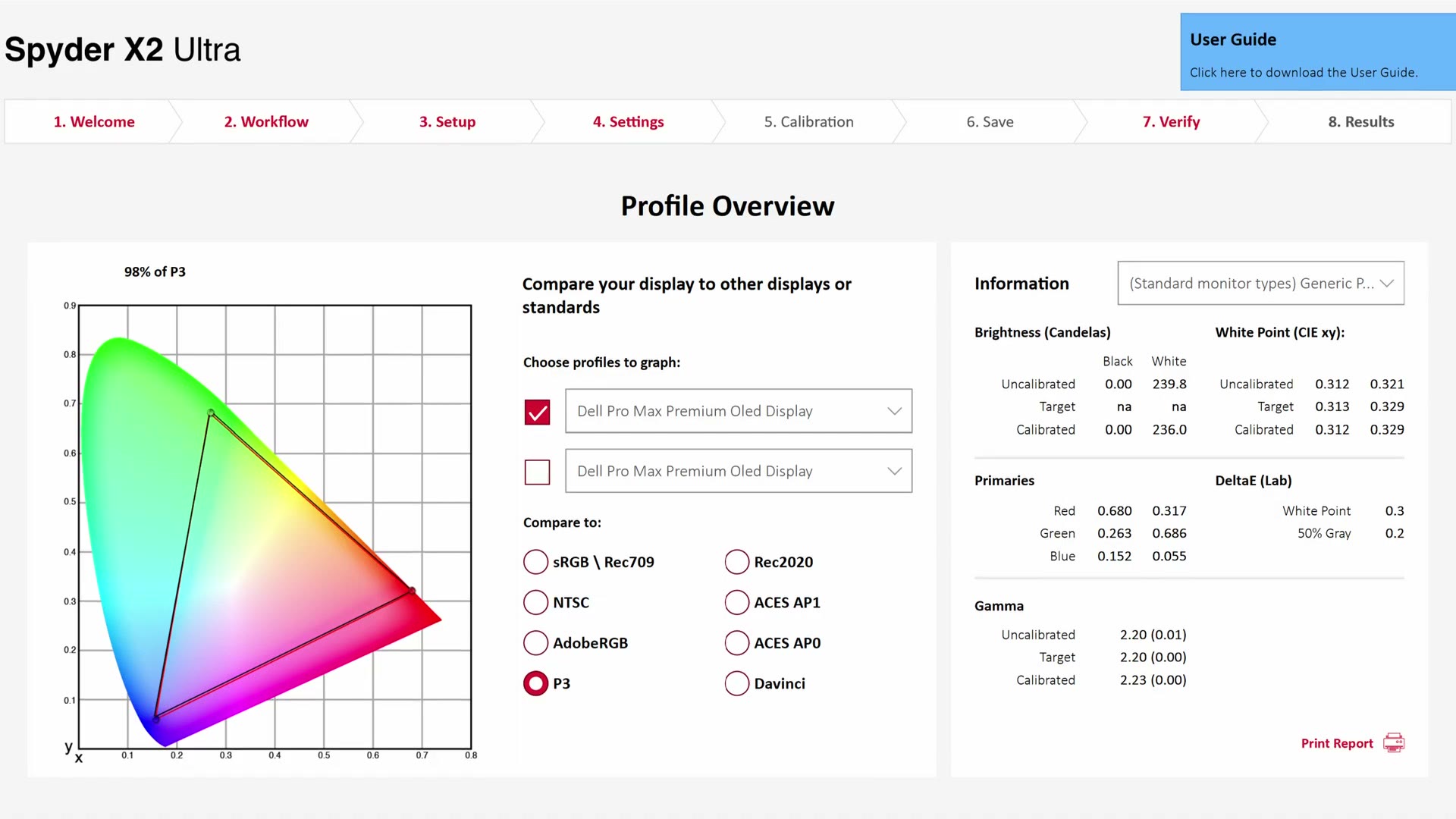
Out of the box it hit 100% of Rec.709 and 98% of DCI-P3. And after calibration the results stayed the same, which tells you this is an extremely color accurate screen to begin with. Brightness measured 239.8 candelas uncalibrated and 236.0 after, with a white point DeltaE of 0.3. Dell has done a great job here. You will be very happy grading on it.
Battery Life
This is where the Pro Max holds its own against other PC laptops but falters against MacBooks, and there is a clear reason.
Apple’s M series chips are some of the most efficient you can buy, giving good battery life even under heavy load, and they are significantly more power efficient than AMD or Intel. On the Dell, battery life is still good for a PC, but I would expect three to four hours when video editing, which is a very power hungry task.
Surprising Performance Results On Battery
There is a bigger issue than raw battery life, and it has plagued Windows laptops basically forever: unplug a PC laptop and, even if you have told Windows to use maximum power, Windows does its own thing and throttles you anyway.
Dell is well aware of it. It has been improving every few years, but it still crops up constantly when I test machines. On a Mac, battery performance is virtually identical to plugged in. On Windows, editing and rendering on battery has felt and measured slower for years.
Which is where the Pro Max Premium pleasantly surprised me.
Timeline Performance
Editing on this laptop is quite fast. I had no slowdowns or stutters cutting a mix of H.265 and RAW footage at 4K and 6K in DaVinci Resolve while plugged in.
And here is where a Windows laptop would normally fall over. On battery power, zero stutters. It scrubbed through the same footage like a champ. I am really impressed. Great job, Dell. I am not sure whether that is better efficiency from Intel or extra speed from Nvidia, but I will take it.
For context, this machine has an Intel Core Ultra 9 285H, 64GB of RAM and an Nvidia RTX Pro 3000 Blackwell GPU. That last part matters for us specifically: with the Blackwell generation, Nvidia added 4:2:2 video encoding and decoding, so it is much faster than previous cards for video editing in particular.
Export Speed Tests
You spend far more time editing than rendering, so timeline speed is what really counts. But rendering gives you a stopwatch, which makes it a great benchmark.
I exported a 10 minute 4K YouTube video with my LUTs applied, in H.264 at 50Mbps.
| Machine | Time |
|---|---|
| Dell Pro Max 16 Premium, plugged in | 2:09 |
| Dell Pro Max 16 Premium, on battery | 2:30 |
| M4 MacBook Air, on battery | 4:18 |
Twenty-one seconds of penalty for being on battery. For comparison, the Razer Blade Pro 14 I tested recently took roughly double the time on battery. This is a really good improvement from Dell. Not quite MacBook level at holding its speed unplugged, but much closer than Windows laptops used to get.
And the M4 Air being slower is worth its own note: that is one of the cheapest laptops Apple makes with the lowest tier chip, so it losing to a workstation is not exactly a scandal.
Heat Dissipation & Fan Noise
Rendering makes everything hot, and that heat has to go somewhere, so there are fans. The question is what they sound like.
Good news: these have a deeper tone that is less noticeable, and unlike earlier Dell laptops I have reviewed such as the Precision 5680 and the XPS 17, they run significantly less often and quieter. It feels like Dell is dialing in their thermal management. The slightly boxier design may be helping with dissipation too.
Should You Buy The Dell Pro Max 16 Premium?
If your choice is between this and a MacBook, both have their pros and cons. The Dell has comparable build quality, comparable ports and comparable speed, especially plugged in. The Mac still wins on battery life, and if you regularly edit for hours away from a power outlet, the MacBook is the clear winner.
But if you want to stay on Windows, either because you prefer the operating system or because you want to game on the thing occasionally, this is one of the best PC laptops you can buy today. Good build quality, a great screen, a reliable trackpad and an Nvidia GPU that supports the latest 4:2:2 codecs.
And if you want to get better at the editing itself, my Edit Videos Like A Pro guide covers the rules that took me years to learn, whatever software you use. It is completely free.