
You are looking at these two cameras and you are wondering which one you should buy, or whether you should upgrade from the FX3 to the FX5. So let’s break down the differences that will actually affect you as a filmmaker, and then I’ll tell you exactly what I would buy.
They look almost identical until you turn them on
At first glance the FX3 and the FX5 look very similar, with the FX5 being just slightly thicker, and weight wise they are very close. The FX5 is only about 5% heavier than the FX3. Side note, because I know you are already getting ready to comment, yes, I am using an FX30 in this comparison because I did not have an FX3 handy, but the FX3 and the FX30 share the exact same body.
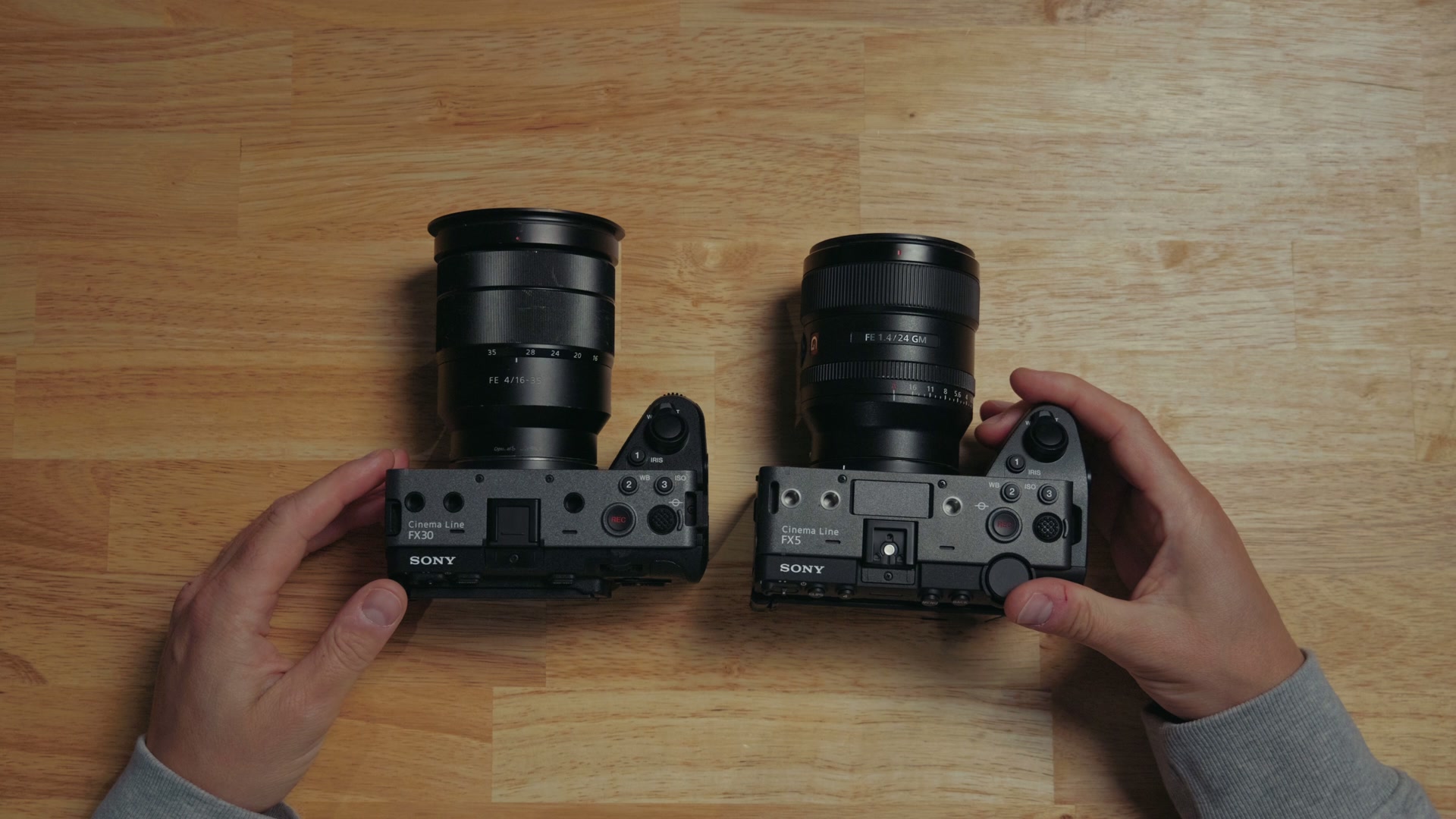
Now turn the cameras on, and here is where you see the big difference. The FX3 pulls a lot of its DNA and its styling from the Alpha photo camera line, while the FX5 pulls a lot of its DNA from the Venice and the rest of Sony’s cinema line. What that means is that the FX5 is really a stepping stone camera, meant to get you more familiar with how Sony’s higher end cinema cameras work. So whenever you want to upgrade from an FX5 to something like a Burano, it is going to be a very easy transition, because the buttons and the interface are so similar.
16-bit RAW, and 280 trillion colors
Keeping with that DNA sharing trend from the Venice, the FX5 is also the first Sony cinema camera that is not one of their ultra high end ones to be capable of recording RAW video internally. This camera records the same X-OCN and LT codec as those high end cameras in 16 bit RAW, and it looks incredible. It should mix incredibly well with footage from those cameras if you were shooting on a bigger production.
Even better, the compression for the FX5’s RAW footage is very good, and it results in file sizes that are not much larger than the non-RAW footage you would be filming with the FX3. Some of it you can even record onto an SD card you may already own, which still kind of blows my mind. I put together a full breakdown of which cards actually work with the FX5 if you want the details on that.
The FX3, on the other hand, is not capable of recording RAW video internally. It still gives you a really great image that filmmakers have loved for many years, and if you want to record RAW externally over HDMI it will output 16 bit, but then it is going to get down converted to 12 bit on the recorder from Atomos or Blackmagic.
I have to point out too, there is a very big difference in the colors you can record between the internal 10 bit of the FX3 and the 16 bit RAW of the FX5. The FX3 is no slouch, 10 bit records over 1 billion colors. But 16 bit RAW on the FX5 records over 280 trillion colors. It is such a jump, and it gives you so much more flexibility whenever you sit down to color grade, so keep that in mind. If you want a head start on the grade itself, all of my footage is colored with my LUTs and presets, and if you are still building out your editing workflow, my free Edit Videos Like A Pro guide will get you moving faster.
5K, open gate, and 4K at 240 frames per second
With the FX5 you can record in 5K resolution at up to 60 frames per second in RAW, unlike the FX3, which is limited to 4K. The FX5 is similar to the FX3 in one way though, because if you do not record in RAW, you are limited to 4K just like the FX3 is.
Next, what have filmmakers been asking for forever? Open gate recording. And I am so happy to tell you that the FX5 is capable of recording open gate, in the 3:2 aspect ratio, in 5K, in RAW. Sony says they are also working on a firmware update to bring open gate recording to XAVC S-I as well. Sadly this is not a feature the FX3 ever got.
As for frame rates, the FX5 does 5K at up to 60fps and 4K at up to 120fps, just like the FX3 can. But Sony says they are working on an update that will add 4K recording up to 240 frames per second in 2027, which is crazy and so exciting. Everything’s gonna be in slow motion!
The Super 35 crop the FX3 never got
A lot of other Sony cameras that are not the FX3 or the a7S III have the ability to record a Super 35 crop of the sensor, which basically operates as a free zoom and gives you extra versatility whenever you are using different lenses. That feature never made it to the FX3, because the sensor’s lower megapixel count never had enough resolution to crop in without losing quality. The FX5 has a new 16 megapixel sensor, which means it has enough resolution for the Super 35 crop to work, and it works very well.
Where the FX3 actually wins
Do you want to give the FX3 a win? Yeah, let’s give the FX3 a win. Remember that the FX3 pulls more of its DNA from the Alpha camera series, so this camera is actually capable of taking RAW photos, which is great.
The FX5, on the other hand, is a video camera in the purest sense of the term, and it is incapable of taking still photos. It has a button, it looks like you would be able to take some photos with it, but it does not work for that. Sorry, no photo capability here, just video. That said, Sony says they are working on a firmware update that will let you pull screen captures from your videos in camera. In short, do not buy the FX5 for RAW photography unless you want to record RAW video and then pull stills from that.
A third base ISO, and you can finally turn off noise reduction
The FX3 was absolutely legendary for its dual base ISOs at 800 and 12,800, but one of the biggest complaints was that there was no base ISO in the middle. It was a big gap between both of those. So what is great is that with the FX5, Sony added a third base ISO at 4000, which is really the Goldilocks ISO level. It is not too bright, it is not too dark, it works great, and it is probably what you are gonna have your camera set to a lot of the time.
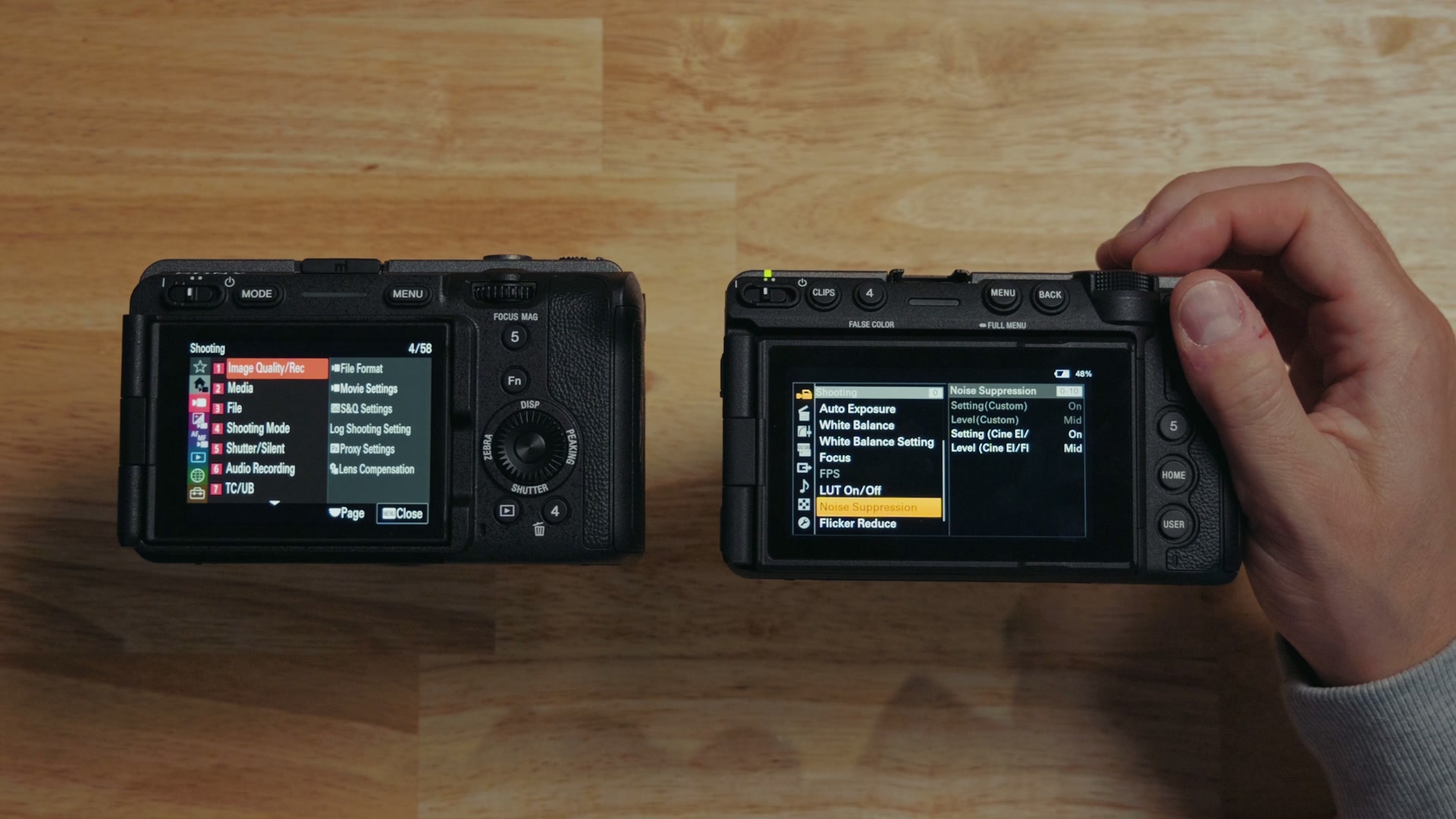
Even better, one of the biggest complaints with the FX3 was that it was not possible to disable the noise reduction whenever you were filming at high ISOs, which could make the image look mushy. Go into the settings on the FX5, scroll down to the noise suppression setting, and check this out. You can completely disable the noise reduction, just like you can on higher end Sony cameras. This is a fantastic upgrade!
Dual gain and over 16 stops of dynamic range
One area where people really did not have any complaints with the FX3 was dynamic range. It has been really great with over 15 stops. But the FX5 joins the a7R VI in including a feature called dual gain, which you get to by going to the base ISO setting and selecting ISO 800 dual gain.
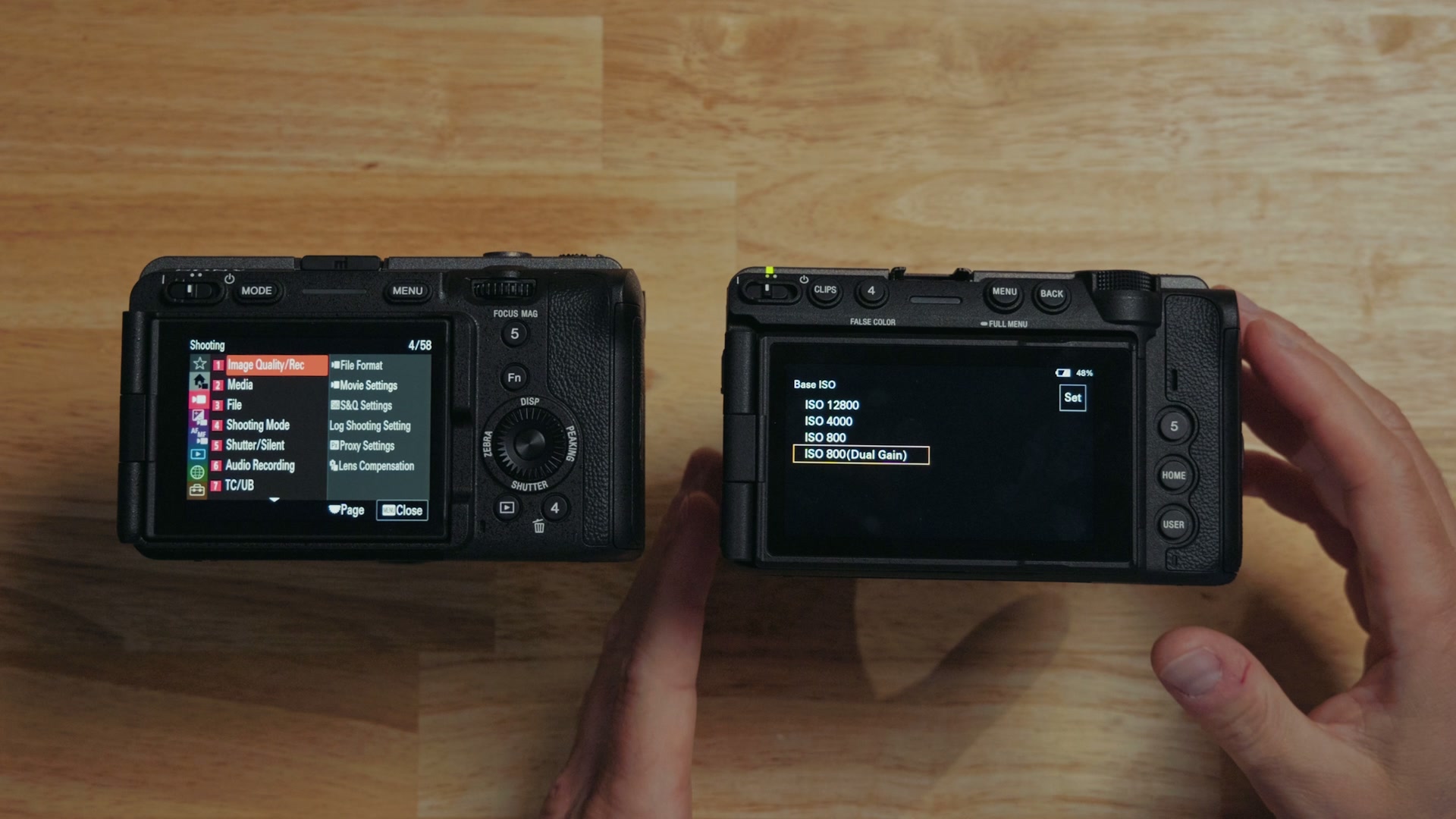
The way this works is that it essentially combines the different base ISOs into one video, giving you more highlight and shadow detail and improving the dynamic range of the camera to over 16 stops. Which I have to say is really impressive, and it gives the FX5 easily the best quality video and dynamic range I have seen from any Sony camera other than the Venice and the Burano. It is so good, and it is noticeably better than the FX3. If you want to see what that same sensor tech does in a hybrid body, I broke it down in my a7R VI review.
The screen is a huge upgrade
This is probably the thing you are going to notice first whenever you pick up the camera, because it is very obvious. The FX5’s screen is massive. It is significantly larger, and more importantly it is in the widescreen 16:9 aspect ratio, which is probably what you are going to be filming in most of the time as long as you are not shooting open gate.
By giving you that aspect ratio, the image preview fits the screen so much more while you are filming, and if you turn off all the controls you get a nice clean full screen view. Oh, it looks so good. It is such an immersive filmmaking experience.
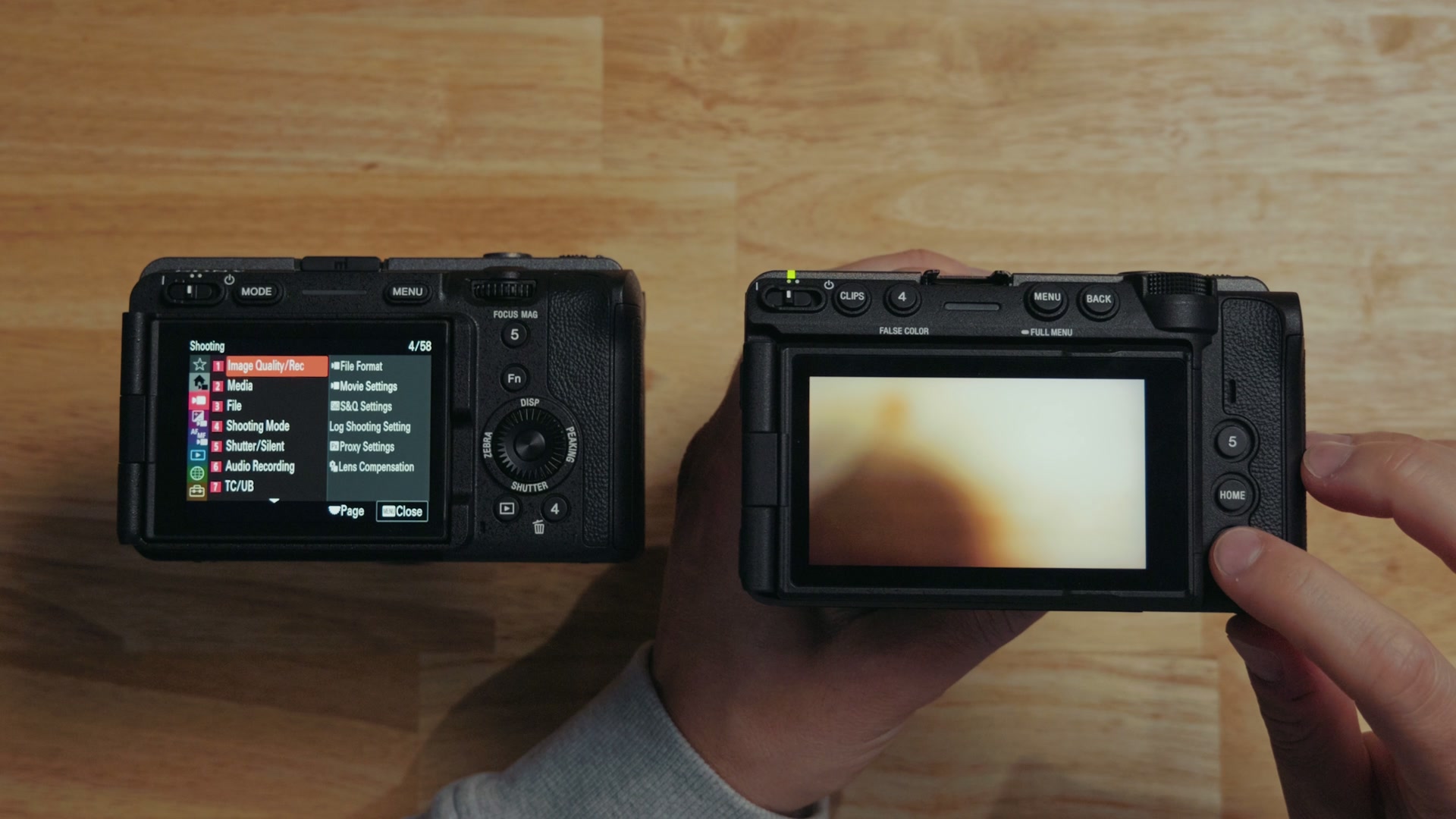
Throw in the ability for the screen to tilt up and down as well as out, and this screen is a huge upgrade over the FX3, which can only rotate in and out and is also smaller. The FX3’s screen is fine, it is still good, but wow, FX5 screen, fantastic. Great work, Sony!
The EVF and the XLR handle are now sold separately
Speaking of smaller screens, the FX3 never came with an EVF. There was no eye cup, no nothing like that. I thought Sony was gonna take the tilting EVF from the FX2 and put it on the FX5, but they opted instead for a detachable EVF that is sold separately, and I love that this is optional.
Another optional piece is the XLR handle, which adds 32-bit float audio recording to the FX5. With the FX3 you were required to purchase the XLR handle that came with it, but the FX5 handle is sold separately, which Sony says helps keep the price lower. I always really liked how the handle was included with the FX3, so that is a bit of a bummer, and I want you to remember that it is included in the price whenever you are comparing what these two cameras cost.
Rapid fire: ports, autofocus, scopes, and stabilization
Okay, rapid fire feature time, because we have a lot more to talk about.
- Tripod mounts. The FX3 gives you one on the bottom. The FX5 gives you two, which really helps with stability and keeps the camera from rotating on a tripod.
- Ports. The FX3 has one USB-C on the side plus one of Sony’s custom ports that is basically micro USB, which you use for timecode and remote control. The FX5 gives you two USB-C ports, and there is a new USB-C timecode cable to go with it, so you do not have to worry, because there was not a timecode cable that worked over USB-C before this. The FX5’s added thickness also gave Sony room for an ethernet port, which is going to be interesting for you if you use Sony cameras for remote shooting.
- Autofocus. The FX3 had fantastic autofocus and it is still so good, but the FX5 improves it even more with the BIONZ XR2 processor and a built-in AI chip that enables even more accurate and faster autofocus. It is fantastic on both of these cameras, but even more fantastic-er on the FX5.
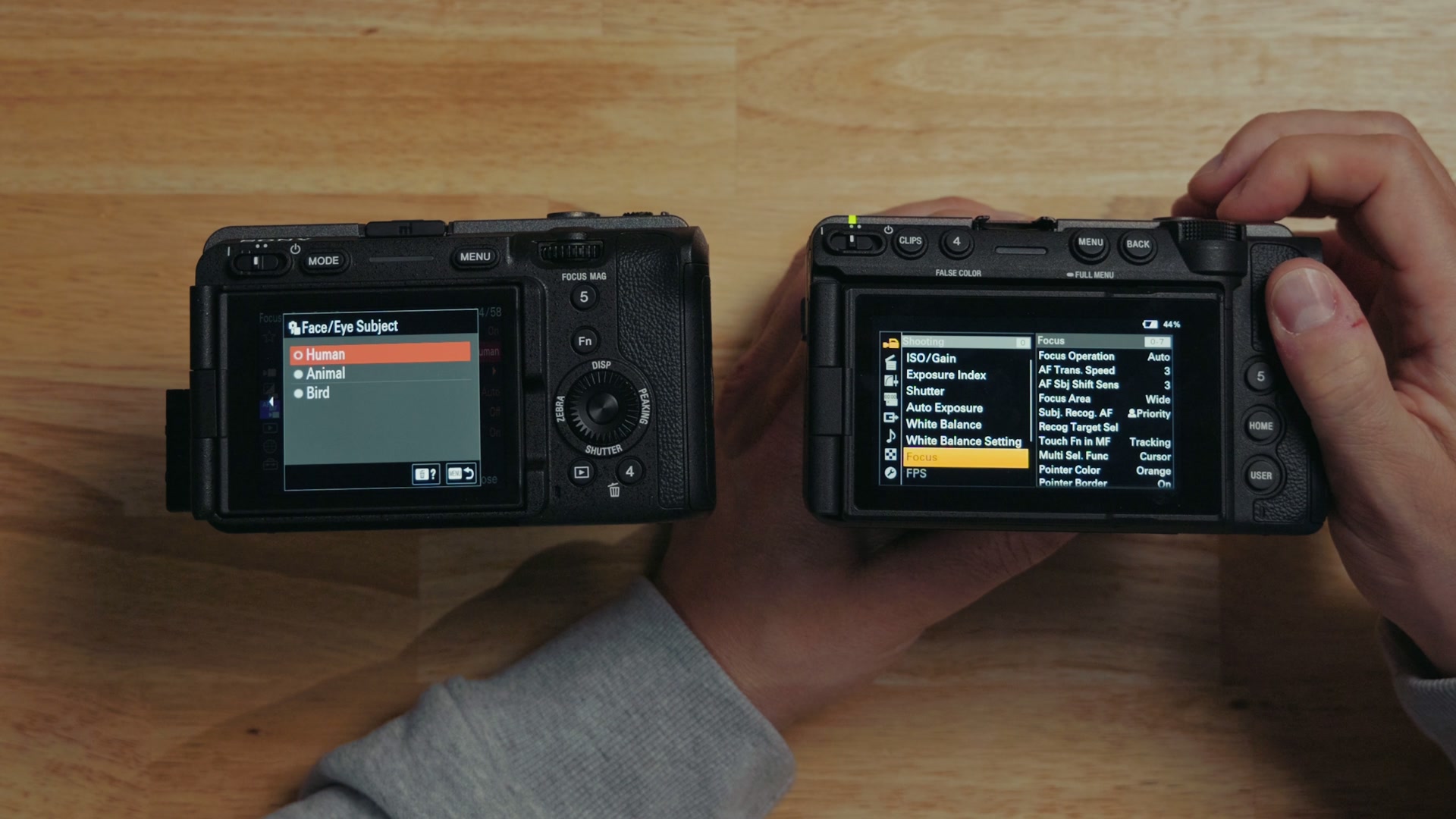
There is one more autofocus difference worth knowing about. On the FX3, if you dive into the settings and tell it to focus on an animal or a bird, it lets you select that in the menu in video mode, but it does not actually work. The camera will only focus on humans. On the FX5, Sony fixed it. Go into your focus settings and you can choose between humans, animals, or birds, and it will actually do it, and it works really, really well. Thank you, Sony! While you are in there, it is worth changing a few other autofocus settings too if you are on an FX3 or an a7S III.
Both cameras support Sony’s lossless clear image zoom, but the FX5 improves on it by letting clear image zoom work in conjunction with your zoom lenses, which can essentially turn your 70 to 200 millimeter lens into a 70 to 300. Pretty great.
False color, waveforms, and vectorscopes, finally
One of the biggest complaints about the FX3 over the years is the lack of exposure tools other than zebras. That is about all you get with that camera. The FX5 improves on this immensely. Press one button and you have got false color built in, and it looks really, really good.
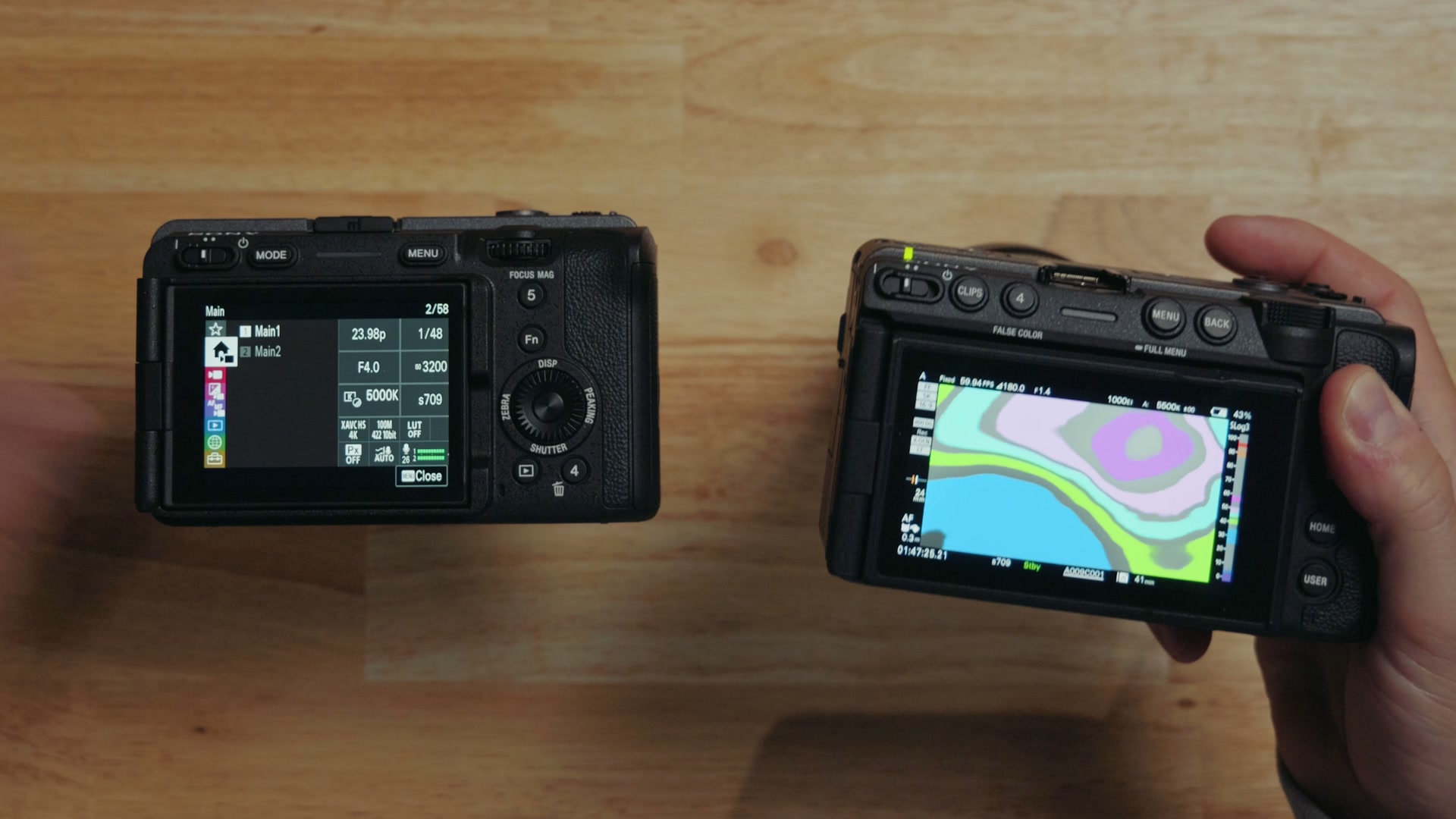
And you are telling me that is great, but what about vectorscopes and waveforms? Go down here, press this, and there are your waveform settings. Tap again and there is your vectorscope, all available for you to view, built right into the camera.
Finally, Sony. We have been waiting and begging for this for a long time, just like with open gate, and I am glad it is finally here. It makes this camera feel far more professional.
Stabilization, and a sensor you can lock
In-body image stabilization has been improved over the FX3, and it will better handle camera roll. You also get a really nice level on the side of the screen that is just always there. If you tilt the camera, I love it, it works so well. The FX5 has also been improved in the area of supporting Sony’s dynamic active stabilization, which basically mimics a gimbal, so that is cool if you are filming handheld.
Even more interestingly, you can send your FX5 into the Sony service center and they will lock the sensor. That basically removes IBIS from the camera, because even with IBIS turned off the sensor can shake some. Once it is locked it cannot move at all, so if you want to use the camera as a crash cam or something like that, it is going to work so much better for that use case. This is something filmmakers have honestly been asking for, and it is really nice to have Sony offer it.
Overheating and battery life
I also have to tell you that whenever I tested overheating with the FX5, it performed just as well as the FX3, even with its higher bit rates and data. You can film with both of these cameras in extremely hot temperatures with the confidence that neither of them is going to overheat. I was recording 5K 60 full RAW and there was not even a sign of overheating. It is great! I put the camera through the wringer in the Texas sun to test exactly that if you want to see how it held up.
As far as battery life goes, people never really complained about the FX3, it was quite solid, but the FX5 improves on it with 20 minutes longer battery life. This thing just keeps on rolling. The only con is that to get that extra battery life it has to use Sony’s new proprietary NP-SA100 style battery, so unfortunately, if you own a lot of Sony batteries already, they are not compatible with this new camera.
So which one should you buy?
Clearly the FX5 has a lot of upgrades, but that does not diminish what an absolutely legendary camera the FX3 has been for many years. And the fact that Sony is still selling it alongside the FX5 tells you how good it is. They know people are gonna keep on buying this camera.
So here is my take.
Buy the FX3 if you have no interest in recording RAW video, you want an absolute workhorse that is going to be extremely reliable and give you a great image in a ton of situations, and you want to take RAW photos. It is such a great camera to this day, and while it costs $4,300 new at the time I recorded this, you can usually find one on sale or used for cheaper, because it has been around for a while. So I would try not to pay full price.
Buy the FX5 if you want to film in RAW video and you want a basically future-proof camera that you will not have to upgrade from for many years. Same gorgeous 16-bit internal RAW as the Sony Venice, 32-bit float audio recording with the XLR handle, 5K recording resolution, a better screen, better autofocus, an external EVF, and everything else above. My full FX5 review goes deeper on all of it.
Now, if you calculate out all of the added cost of the FX5 with the other accessories, the XLR handle and some memory cards and a new battery and so on, let’s say it costs $2,000 more. Yes, the FX5 is going to cost you more. But if you consider that you are probably going to own it for at least five years, divide that cost by five and you are looking at only 400 bucks per year. And if you are a working filmmaker who can make that back in paid gigs, that is where the FX5 starts to make a lot more sense.
And hey, you can use this argument with your girlfriend, boyfriend, wife, or lover. Tell them you are gonna make it back in paid gigs, and that Matt gave you permission to buy the FX5. So that makes it okay, right? Just saying. How do you think I am doing convincing my wife here?
Anyways, if you want to see how the FX5 stacks up against a camera that also records RAW for a lot less money, I put the two head to head in Sony FX5 vs Nikon ZR: Both Record RAW, So Why Pay Double?
Grab my free FX5 memory card cheat sheet
I put together a memory card cheat sheet that shows you the exact memory card you need to buy for the different camera formats, and it is going to help you save money by buying the correct card the first time instead of guessing. You can download the guide completely free right here. Thanks so much for reading, and have a great day!