
Today I’m going to show you the parts you need to build an extremely powerful, high-end monster of a video editing PC for approximately $2,000 in 2021.
This build makes it easy to edit 4K, 6K, 8K, literally whatever resolution you want, in Premiere Pro and DaVinci Resolve or basically any other editing software other than Final Cut, which is Mac only. And as a side note, if you want to edit photos, mix music, or game and stream, this’ll be a fantastic choice, because it can literally do everything.
Two quick things first. Every part is linked below and organised on my Gear page. And this covers what to buy, not how to assemble it, though I made a full build-along from opening the boxes to switching it on, and those instructions still apply here. It isn’t hard. It’s kind of like Lego.
If you’d rather spend less, there’s my $1,500 mid tier 6K build and my $750 budget 4K build.
CPU
The brain. More cores and threads means faster, and oh boy, do these have a lot of them.
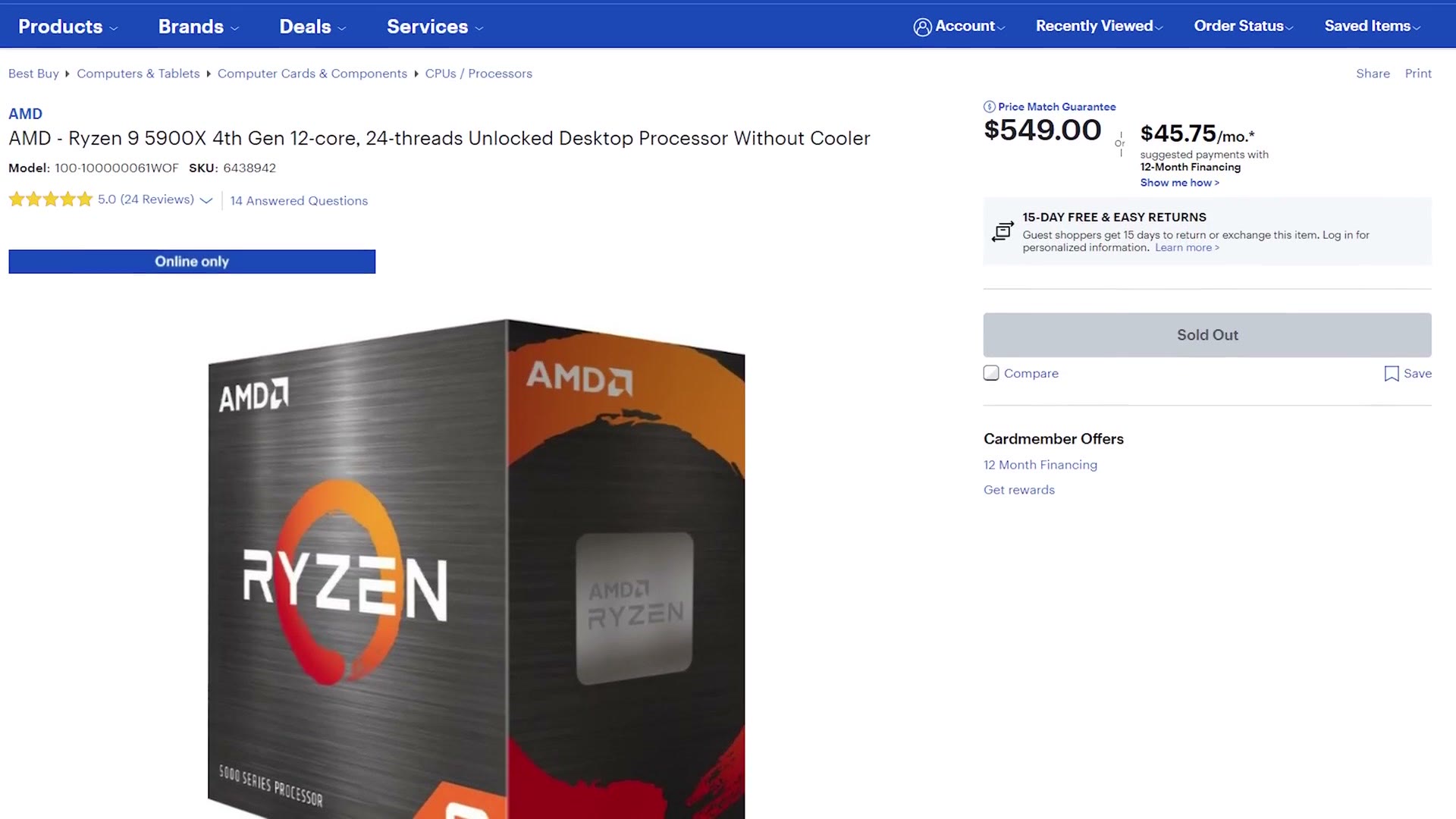
I recommend the AMD Ryzen 9 5900X, twelve cores and twenty four threads, at $549. For context, that is literally double the cores and threads of the CPU in my budget build guide. It’s also one of AMD’s newest processors, so you’re pretty bleeding edge.
Now, I hear you. Just like that Kylo Ren meme, you’re yelling at me: more, more. I get it. Hold onto your lightsaber, because if you have a bit more cash, the top of the line Ryzen 5950X is for you. How does sixteen cores and thirty two threads sound? This processor is going to laugh at you while you edit Blackmagic raw in 12K. It’s stupid. I love it. Buy it if you’ve got the cash.
CPU Cooler
Unlike AMD’s cheaper chips, neither of these comes with a cooler, so you have two options.
If you want easy and you aren’t planning to overclock much, the Cooler Master Hyper 212 Evo air cooler. It’s like putting a Dyson hand dryer in your machine, but quieter, and it’ll keep things cool.
If you want to step up to water cooling, because come on, water cooling is great and it makes you sound cool, and it genuinely helps on long renders, I’d take the NZXT Kraken X63. And if liquid cooling intimidates you, don’t let it. This is an all-in-one, completely sealed. You don’t fill it with anything. You clamp it to the CPU and attach the radiator and fans to the case. It’s very easy, I promise.
Motherboard
I recommend the Gigabyte X570 Aorus Elite Wifi. Aorus. I don’t actually know how you pronounce it. It’s a very popular board with pretty much every feature you could need for fast editing, plenty of inputs for internal and external drives, and built-in wifi that’s stellar.
One thing to know. Because both CPUs above are so new, there’s a chance you’ll need to update the motherboard BIOS to make them work. If that sounds like a foreign language, don’t worry. All you need is a USB flash drive and another computer to download a file on, and this article walks you through it. It’s easy.
Memory
We’re going high end, so you want a lot of it. 64GB of Corsair Vengeance LPX at 3200MHz will handle 4K and 6K easily.
If you’re editing higher resolutions than that, or often cutting videos over an hour long, go all the way to 128GB. That should be plenty for anything.
SSD And Drives
One of the fastest drives available right now is the Samsung 980 Pro, and this build can take full advantage of it. It goes up to 1TB, but for this build 500GB will be fine. If you need more, the Western Digital Black SN850 is also seriously fast and comes in up to 2TB.
Keep the SSD for programs only. For the fastest editing you want one drive holding your programs and another holding your video files, and in your case, since you’re going high end, make that second one an SSD too. If you travel a lot like me, an external SSD or external hard drive to edit from, and the case below will also take internal SSDs and internal hard drives if you’d rather.
Graphics Cards, And How To Actually Find One
This is where this guide differs from every PC build I’ve written before.
There have been a ton of excellent cards released recently, and there are currently major supply chain problems keeping them in stock. It’s a perfect storm: a shortage of workers building them because of the pandemic, everybody at home wanting to play games because of the pandemic, cryptocurrency mining, which is always an issue with high end cards, and scalpers running bots that buy up the supply the moment it lands and resell it on eBay at double or triple MSRP.
So instead of recommending one brand and model like I usually would, I’m going to give you several, so you have the best possible chance of finding something in stock at a sane price.
On brands: you’ll see ASUS, MSI, EVGA, Gigabyte, Zotac, PNY and plenty of others. In my experience it doesn’t make a huge difference for video editing which one you buy, and right now we’re much more concerned with finding a card at all. So if you find one from any of those and it doesn’t have horrible reviews online, you’re probably good.
I do one of these every year, so $1500 – $2000+ Video Editing PC Build Guide 2022 is still up if you want to see how much has changed.
On models, three cheaper options and two expensive ones. Cheaper: the NVIDIA RTX 3080, the AMD RX 6800 and the 6800 XT. MSRP of $580 to $700 and extremely powerful, and if you can find them new and not at an outrageous price, they’re great.
And if you want to max things out and price is no object, the AMD 6900 XT and the NVIDIA 3090, at an eye watering MSRP starting at $1,000 and going to $1,500. These cost more than most computers. But wow, they are blisteringly fast.
I’ve linked all of them, but I can’t promise anything stays in stock, because it changes hour to hour. Set up stock alerts at Amazon, Newegg and B&H so you’re notified the moment they return. And if you live near a Micro Center or a Best Buy, going into the store in person gives you a genuinely better chance.
Last thing on cards. If you find a store with stock, come back and leave a comment so other people can sort by newest and get one too.
Case
The NZXT H510. A beautiful case that doesn’t look too flashy, and building computers has taught me I’d rather spend less on the case with good airflow and put the savings into what goes inside it. You’ll want a case fan adapter to power the fans.
If you want a 5.25 inch bay for an internal Blu-ray or DVD burner, personally I’d rather buy an external DVD drive or external Blu-ray drive. But if you want it internal, the Phanteks Enthoo Pro M TG costs a bit more and looks professional.
Power Supply
The bit that gives this computer the sweet, sweet electrical juice it craves.
Base build with no upgrades, the EVGA BQ 850W is plenty. Taking any of the upgrades, especially the higher end graphics cards, go for the EVGA 1000W P2 Platinum. Both are fully modular, so cable management is easy and your wiring will look its best.
Everything Else
And that’s your roughly $2,000 video editing PC. You’ll also need a mouse, keyboard, speakers and a monitor, and a lot of that comes down to personal preference, but here’s what I use: a keyboard with macros for editing, the best mouse I’ve ever used, some affordable speakers, a USB wifi adapter, and either an affordable 1080p monitor or a 27 inch 4K one.
Building something this powerful, I’d definitely take the 4K monitor.
For the operating system, Windows 10, and this Tom’s Hardware article covers getting a copy free or very cheap.
Prices move and parts go out of stock. If anything here looks too expensive or has disappeared, let me know and I’ll update the link. And if you’d rather not build at all, there are my prebuilt recommendations instead.