
The Tascam DR-10L Pro is the successor to one of the most beloved audio recorders that I, and many filmmakers, have ever used. Because of that, it has massive shoes to fill.
So did Tascam pull it off? Yes. And then some.
I’m reviewing this from the perspective of a wedding filmmaker, so if you film weddings or documentaries or literally anything else, and you’ve been looking for a compact recorder you can set and forget, where you throw it on whoever’s speaking, hit record and know you’re going to have great audio, you’re going to love this.
Also, for the sake of ethics, I want you to know this video is not paid or sponsored by Tascam, but they did send me this recorder early so I could make this review.
It’s Smaller
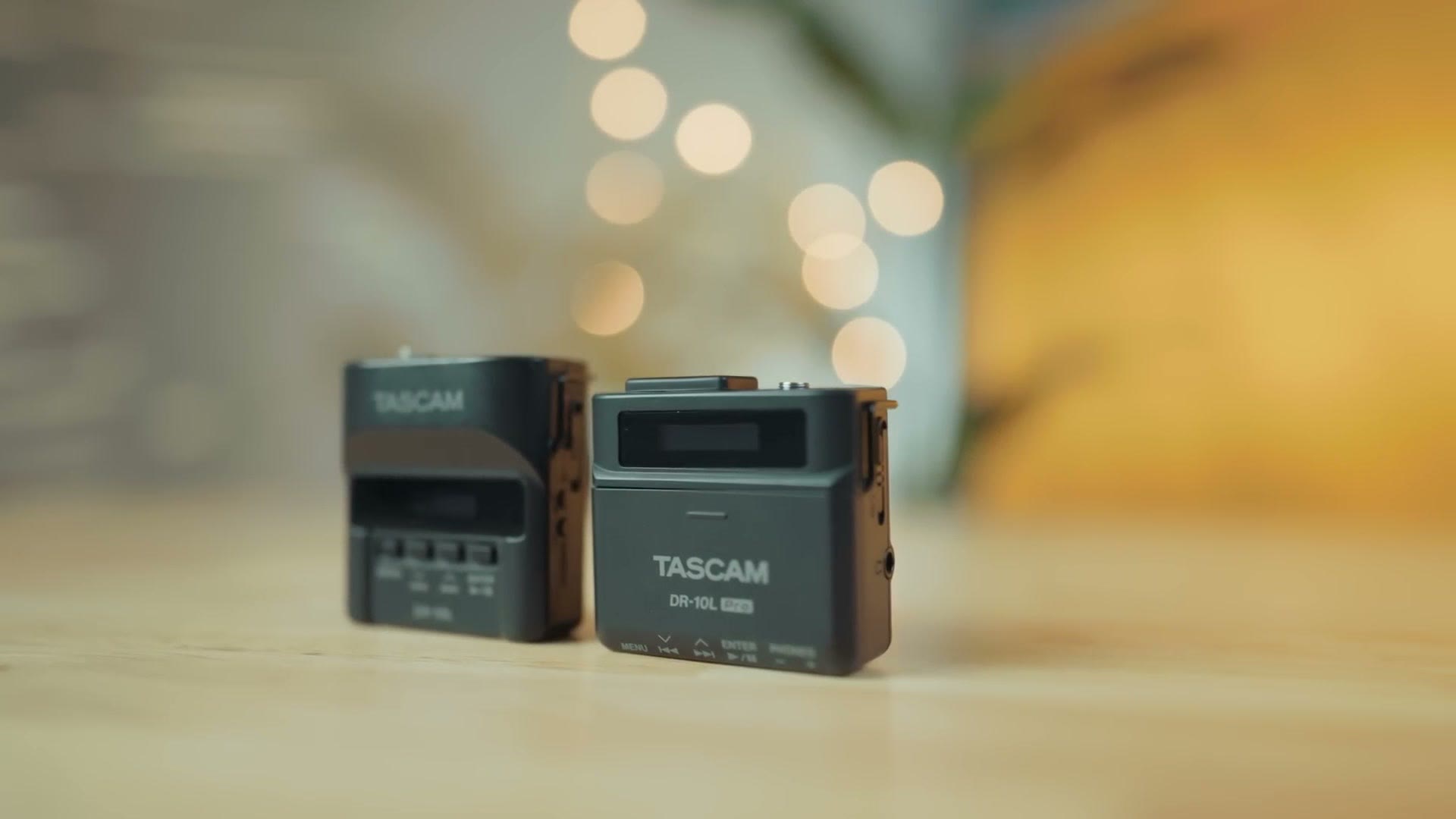
This is the original Tascam DR-10L, a recorder I’ve probably been responsible for thousands of filmmakers buying at this point, because I haven’t been able to shut up about it. It’s compact, it’s reliable, it’s everything you could want. Heck, I’ve bought four of them over the years and I use them at every single wedding I film.
So whenever Tascam reached out and broke the news that they were working on a new model, I found myself wondering what could possibly make it better. There was obvious stuff, like adding 32-bit float. But the original had so few shortcomings that I wasn’t sure what else they could improve.
Clearly I wasn’t thinking big enough, because in essence Tascam improved everything.
To start, put the new one next to the original and you’ll see that it is smaller. I’ve never been one to complain about the size of the DR-10L, but smaller is pretty much always better whenever you need to hide a microphone pack on somebody.
What Tascam Kept The Same
It’s actually quicker to just tell you what they kept the same.
You have the same screen on the front that tells you the recorder is working. No complaints there, it’s a great screen and significantly better than something like the Zoom F2 or the Tentacle Sync Track E, which make you rely on LED lights.
You have the same power and record switch on the side, which I absolutely love and which makes it virtually impossible to stop recording by accident. I’ve actually had grooms at weddings tell me they stopped the recorder when they went to the bathroom, and whenever I checked, nope. They couldn’t figure out how. Which is awesome.
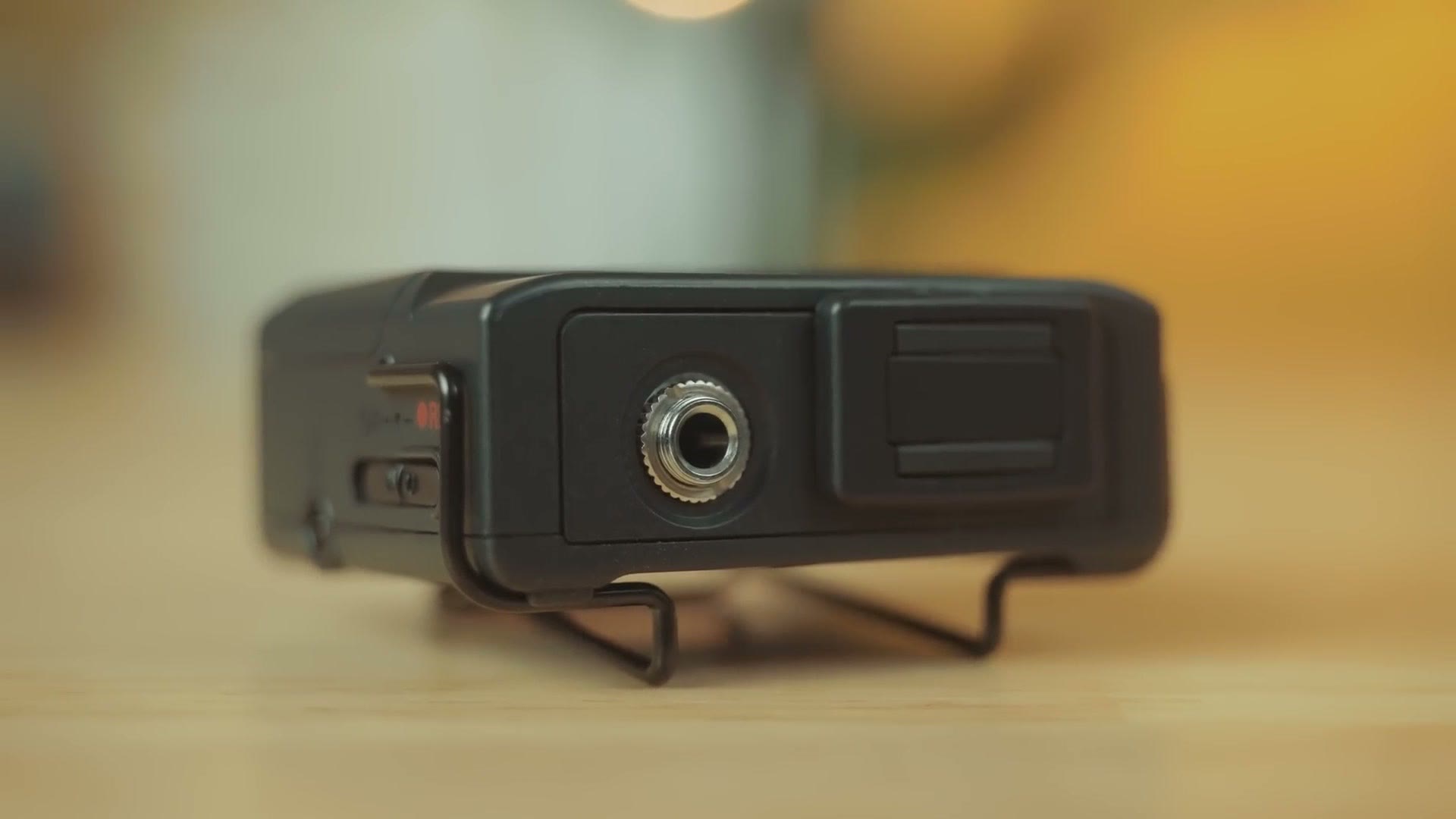
On the top you’ll find the exact same locking microphone jack, and in the box you’ll find the exact same microphone the original used. I think that’s a great mic that I’ve never found the need to upgrade, though there are plenty of options if you want to.
Micro SD Card Size Upgrade
On the side you’ll see the same micro SD card slot and little floppy plastic flap as the original. But while the slot looks the same, this recorder is now capable of taking cards up to 512GB, a massive upgrade over the original, which only supported cards up to 32GB. So if you want to record for literally weeks, you can now do that.
Mindblowing Battery Life
Now I’m sure you’re thinking, Matt, it’s cool that I could record for weeks, but we both know the battery wouldn’t handle that. And you’re right, because if I had to pick one shortcoming of the original DR-10L, it was battery life. That recorder had room for one AAA battery, and while that kept the weight and size down, it also meant a maximum of approximately 10 hours with lithium batteries, which I do recommend using.
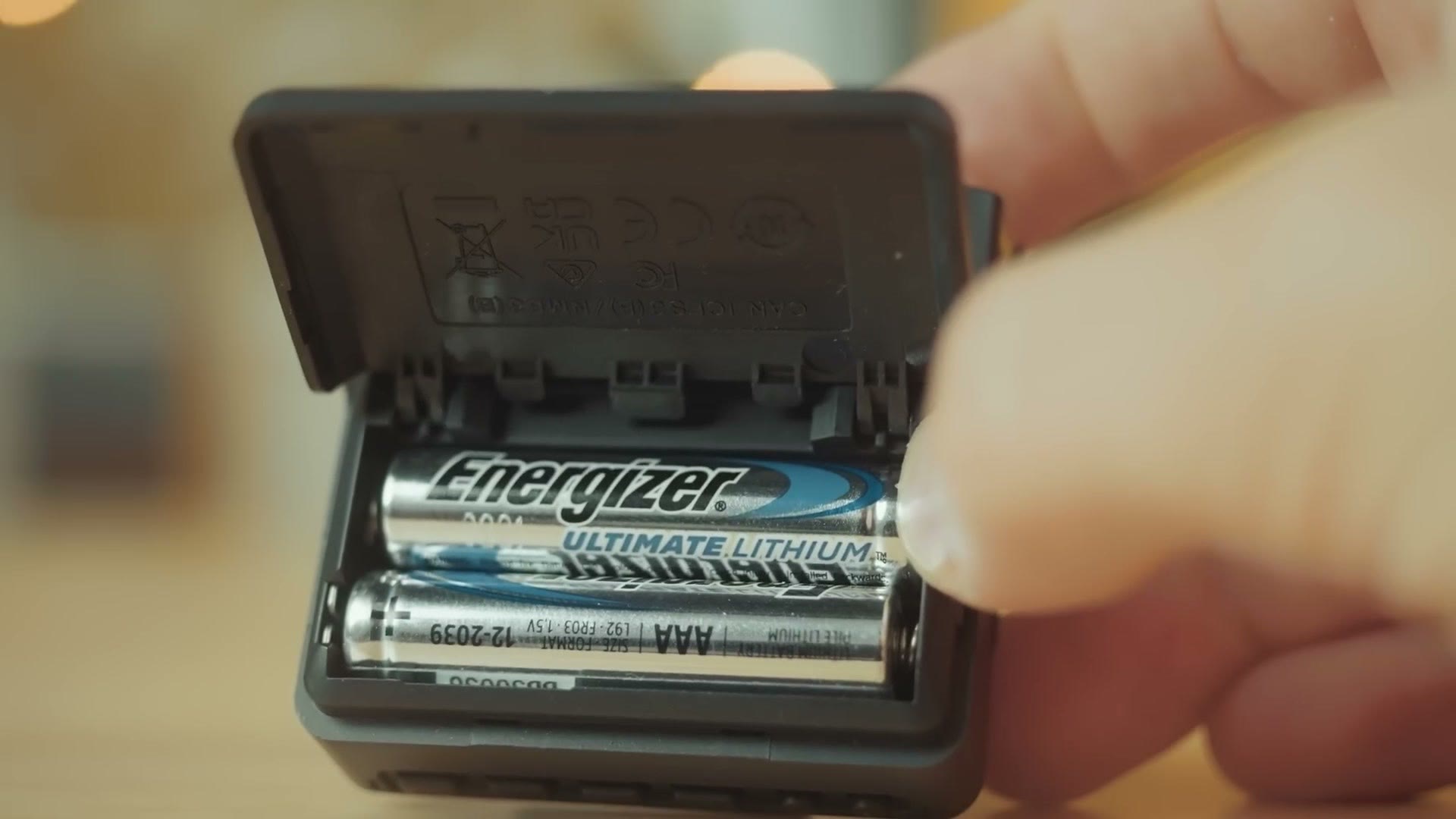
Remember how I said Tascam somehow made this smaller while cramming more inside? The new DR-10L Pro now holds two AAA batteries. And with that extra battery comes over double the battery life, realistically almost triple.
Tascam claims at least 24.5 hours with lithium batteries. When I tested it with two brand new AAA lithiums, this recorder ran for 28 hours and 17 minutes before stopping, which blew even Tascam’s own estimate away and is frankly insane. I set it up, left it on for over a day, came back, and it was still going.
Updated Controls
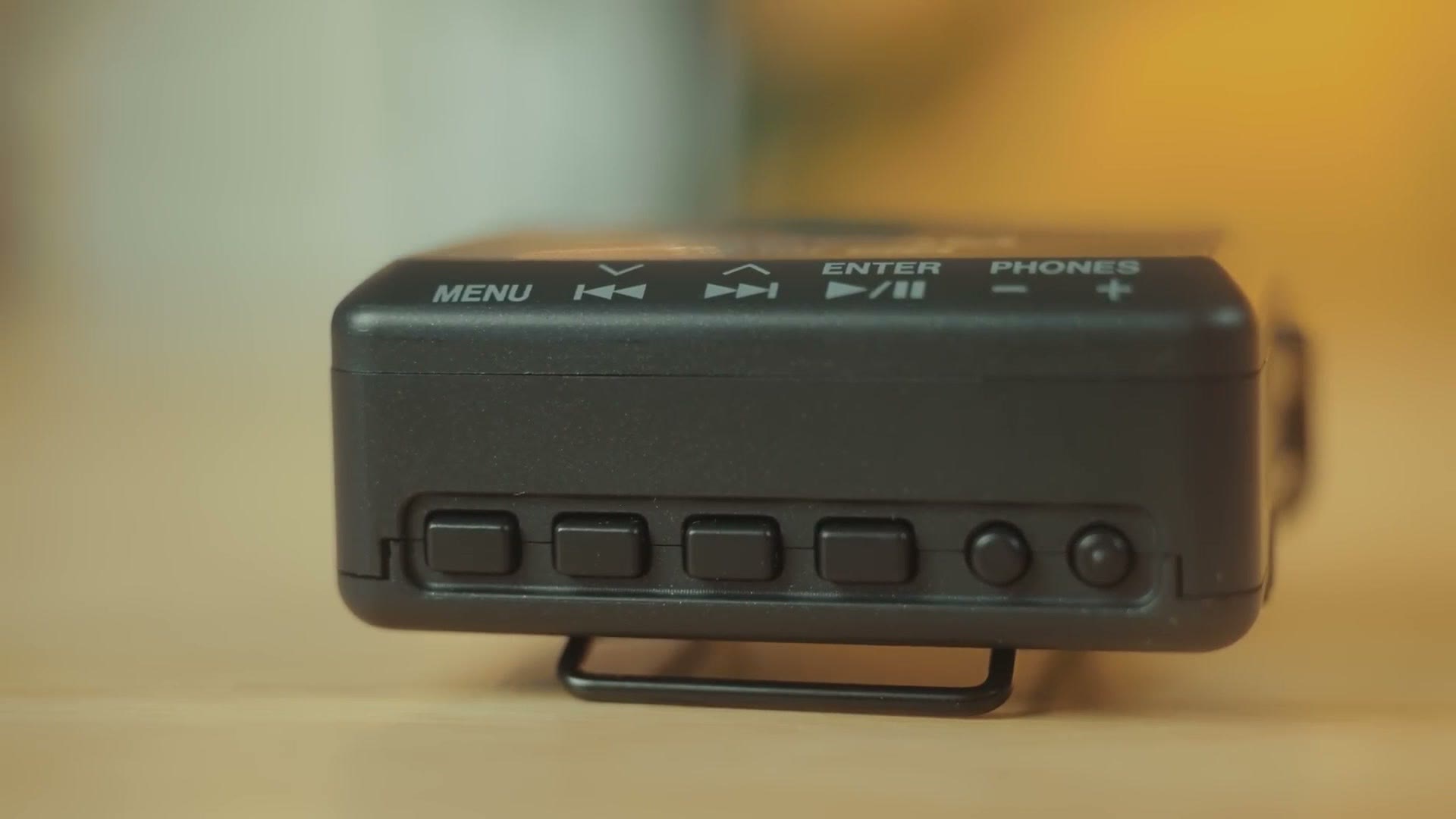
Those batteries had to go somewhere, so Tascam moved all of the buttons to the bottom of the recorder, toward the back, instead of being recessed on the front.
You may be concerned they could get pressed while recording, but remember that whenever the DR-10L Pro is rolling it automatically locks all of the buttons, so you don’t need to worry about that. Otherwise the controls are exactly the same as the original.
USB-C Power And A Bonus Feature
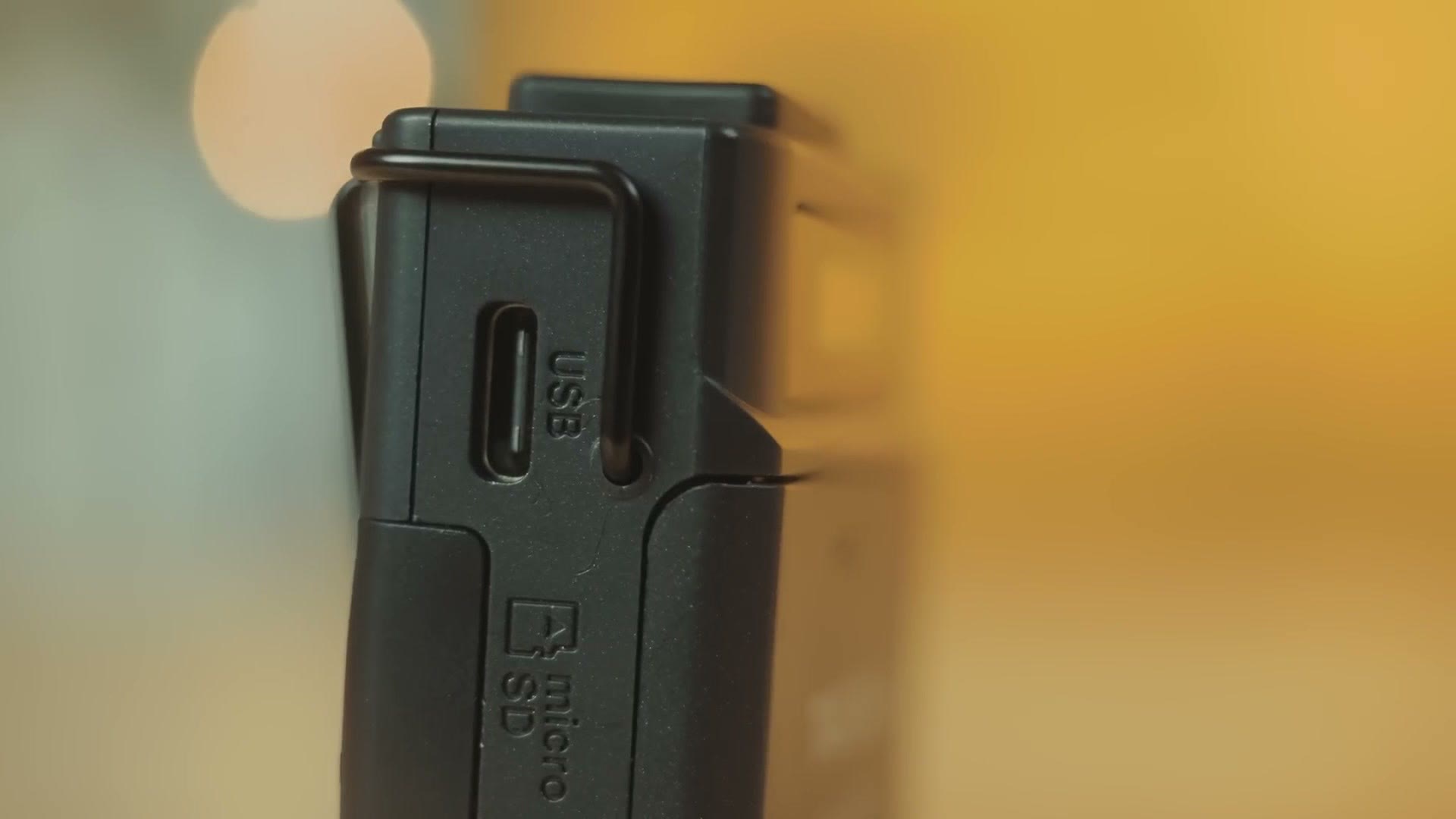
Next to the memory card slot you’ll find a nice upgrade in the form of a USB-C power input. You can use this to power the recorder indefinitely off a USB battery pack, which may actually help you hit that multiple-weeks recording time you get with the larger cards.
More interestingly, this port has another trick. You can now use the card slot as a micro SD card reader by connecting the recorder to your computer over USB-C. Unfortunately it’s only USB 2.0, so large transfers may take a while, but if you don’t have another way to copy your cards, it’s nice to have.
Menu Upgrades
The menus look incredibly similar to the original, but there are a couple of small improvements and one really big one.
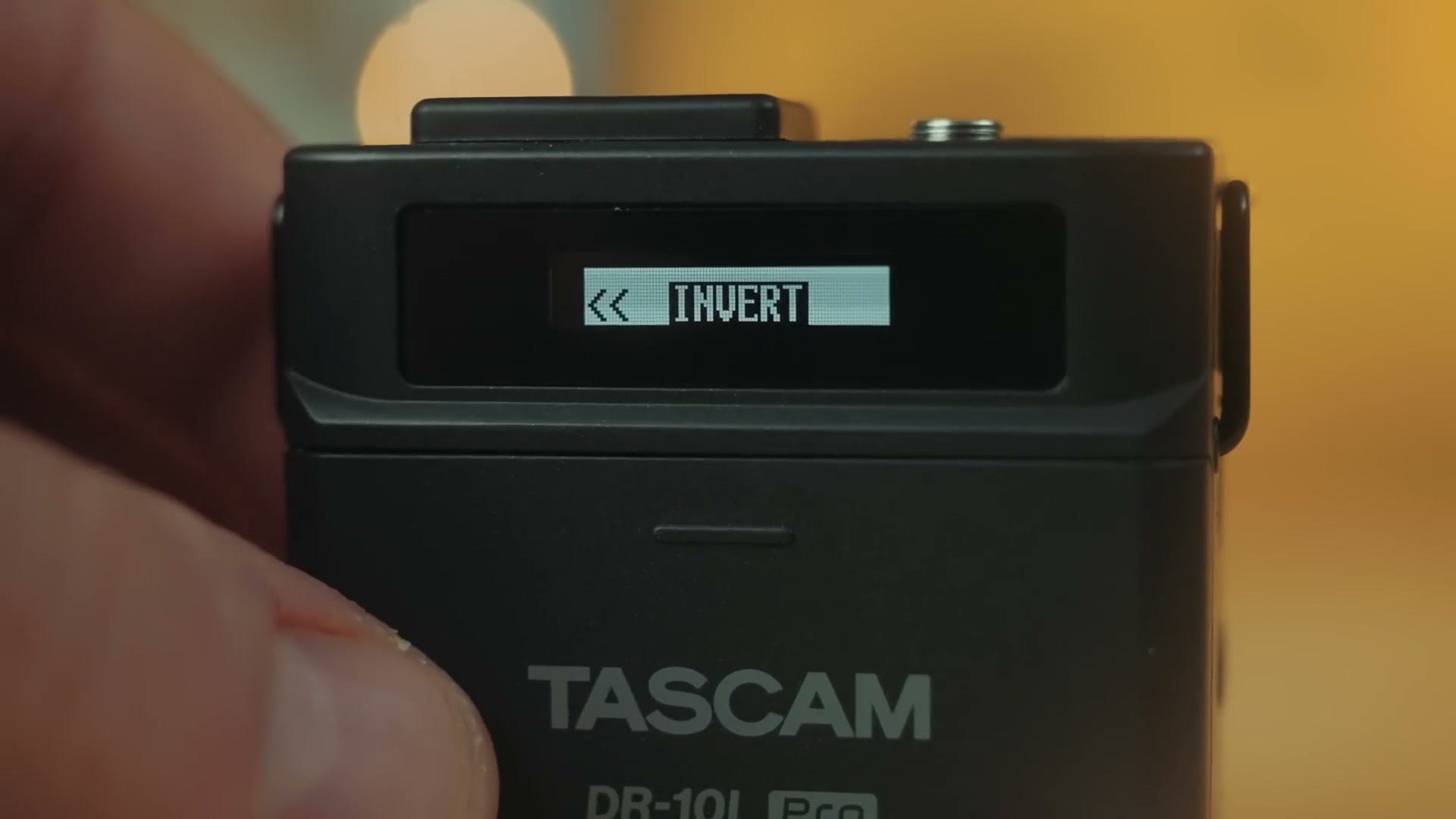
You have the same controls for recording level, limiter and auto level, plus a new option to invert the phase of the recorder. That’s incredibly useful if you’re using two recorders with the microphones placed near each other, since there are rare instances where the audio can get messed up. So if you’re putting two of these on one person, you can invert one of them and keep the audio clean.
Now, digging through the menus, you may be surprised to notice that a feature from the original is missing, and this may concern you. That feature was called track increment, and I always recommended it as one of the first things to turn on.
Track increment existed because Tascam knew disaster could strike while you’re recording. The recorder gets dropped while running, the batteries fall out, or you have a groom who goes rogue and pulls the batteries after the ceremony, and the audio track never finishes writing, which deletes your file and potentially ruins the audio for your whole video. What it did was seamlessly save the track every 15 minutes and start a new one, so if something went wrong you’d only lose up to 15 minutes instead of everything. I loved it. It gave me so much peace of mind.
But that option is no longer in the menus of the DR-10L Pro, and you may be concerned, like I was.
Here’s where things get really cool, because the reason there’s no track increment is that instead of saving your audio every 15 minutes, this recorder saves it every 20 seconds. For real.
And no, that doesn’t mean you get a new file every 20 seconds to deal with in the edit. The DR-10L Pro is saving to the same file every 20 seconds. Which means that even if the batteries are pulled out mid recording, you lose at most 20 seconds of audio. This is so cool. I tested it, and it worked.
The Big Enchilada: 32-Bit Float
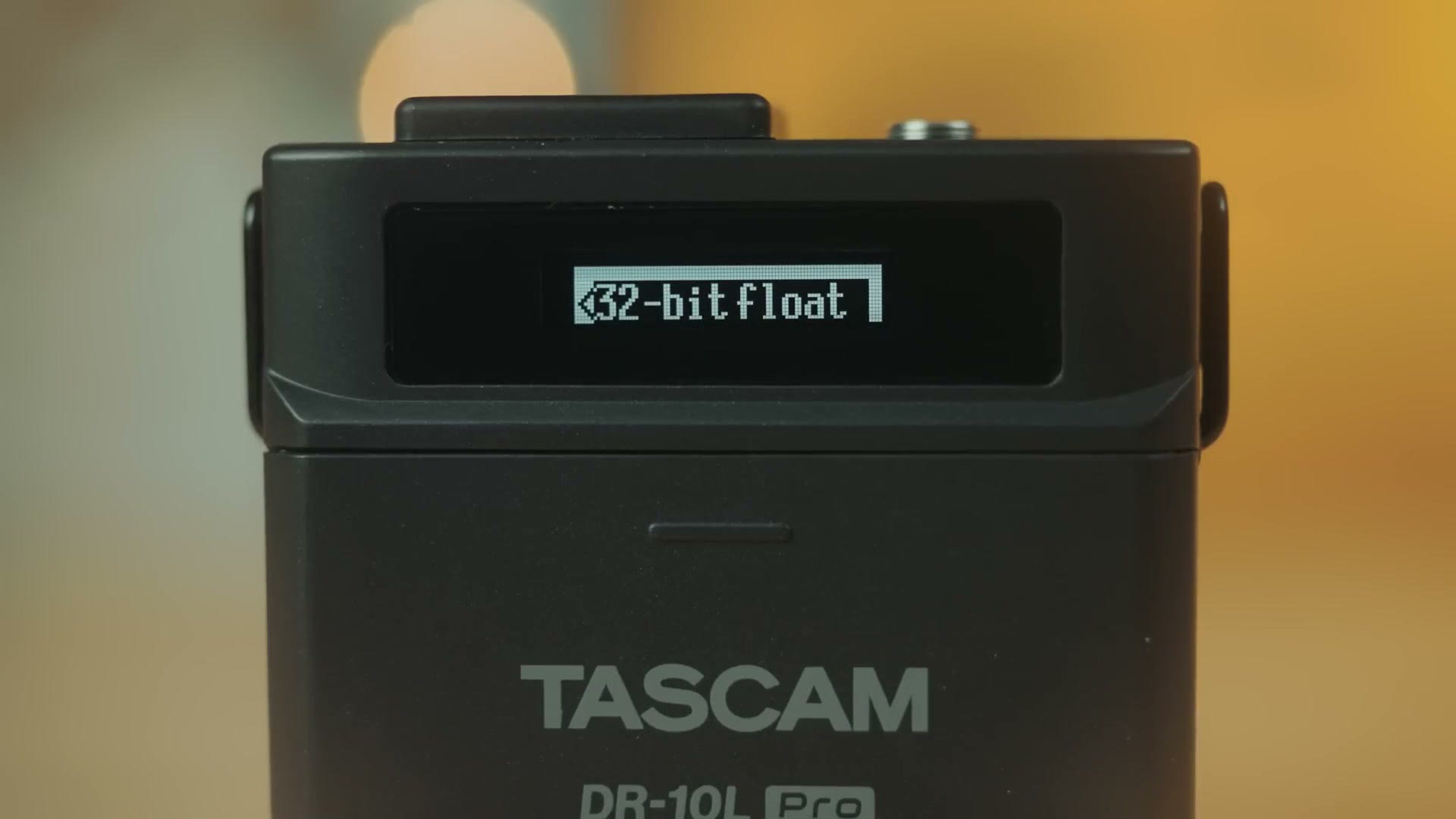
Just like many of Tascam’s other new recorders, and recorders from competitors like the Zoom F2, the DR-10L Pro now supports 32-bit float recording.
This makes it an even more set-it-and-forget-it recorder than the previous version, because now you don’t even need to worry about your levels. If your audio is too quiet you bring it up, and if it’s too loud and peaking you bring it down, without degrading quality. 32-bit float is really magical.
What’s great too is that while I’d never really recommend turning it off, unlike the Zoom F2 which was only 32-bit float, the DR-10L Pro lets you record in 24-bit or 16-bit as well. Which is honestly why I think this recorder still lets you set your gain in the menus. If you’re recording 32-bit float I don’t think you need to worry about levels at all, so I’d just set the gain to HIGH-MID and raise or lower in post.
And if it isn’t clear enough that Tascam designed this as a 32-bit float recorder, they removed the dual recording option that let the original DR-10L record a safety track up to 12dB lower in case the audio peaked. With 32-bit float you don’t need that, because you can just move the levels in post, so I’m not surprised it’s gone.
Audio Quality Test

This recorder sounds incredibly similar to the original DR-10L, which is not surprising considering it uses the same microphone. I ran it at the HIGH-MID gain setting and it sounded like it was working really well, quiet passages and loud ones alike.
Whenever you get one set up, I put together Best Settings For The Tascam DR-10L Pro Audio Recorder and Best settings for the Tascam DR-10L Audio Recorder so you can get dialed in fast.
The Spicy Burrito: Bluetooth
While I called 32-bit float the big enchilada, if we keep on this delicious Mexican food trend, we still have a big spicy burrito to talk about.
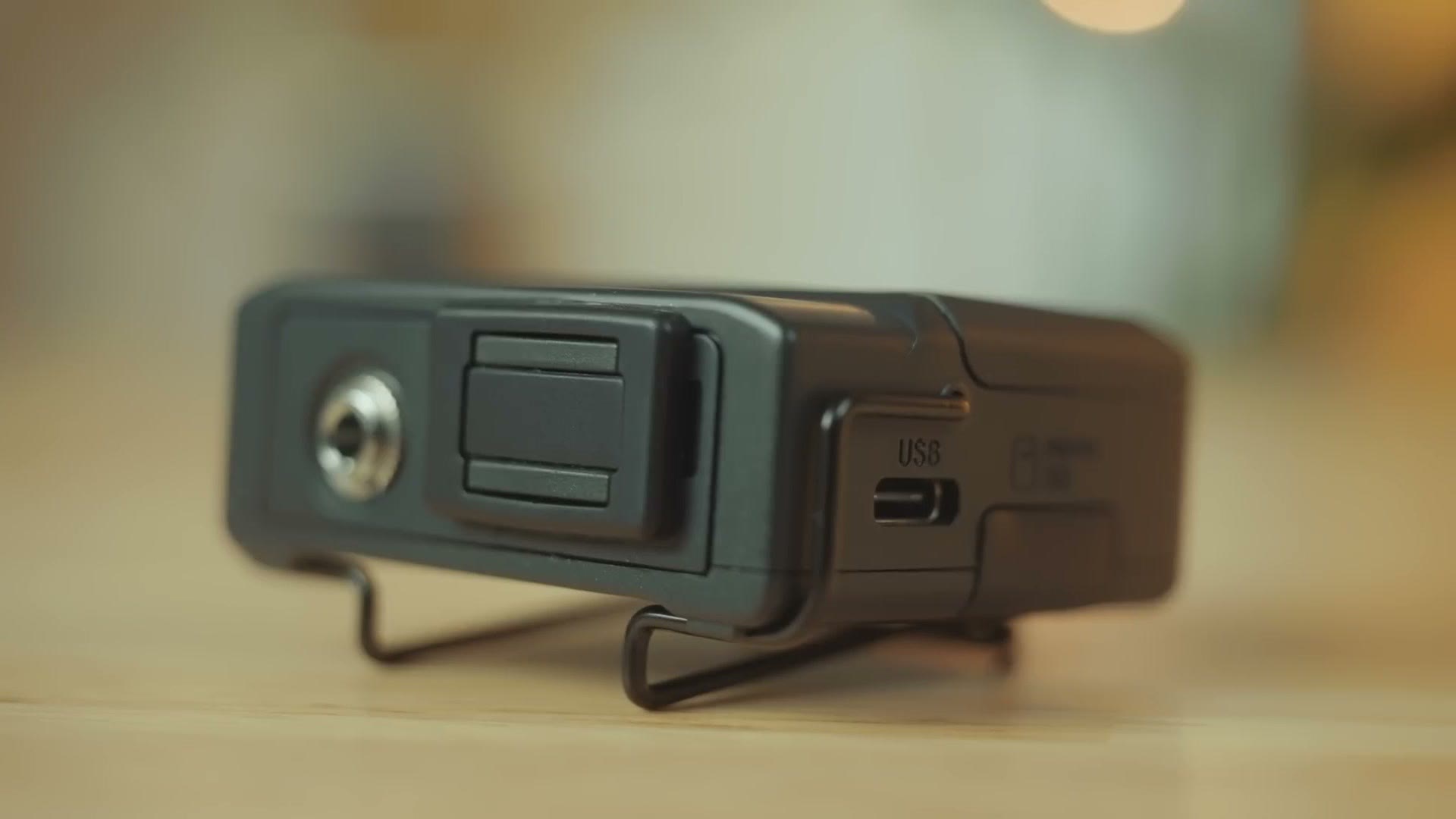
Look at the top of the recorder and you’ll find a new bulge next to the mic jack. I had no clue what it was when I first saw it, but it’s genius. This is a port for Tascam’s AK-BT1 adapter, which means this recorder supports Bluetooth.
Unlike the original DR-10L, which had no wireless capability at all, the Bluetooth adapter unlocks a ton of features here.
First, I love that Tascam made Bluetooth an optional add on. Compare that to Zoom with the F2, which makes you choose a Bluetooth version or a non-Bluetooth version up front and then locks you in forever. I have one of each and I never grab the non-Bluetooth one. Why do I have you? You’re not needed. With Tascam you buy the recorder standalone and then add the adapter whenever you want.
Bluetooth Phone App
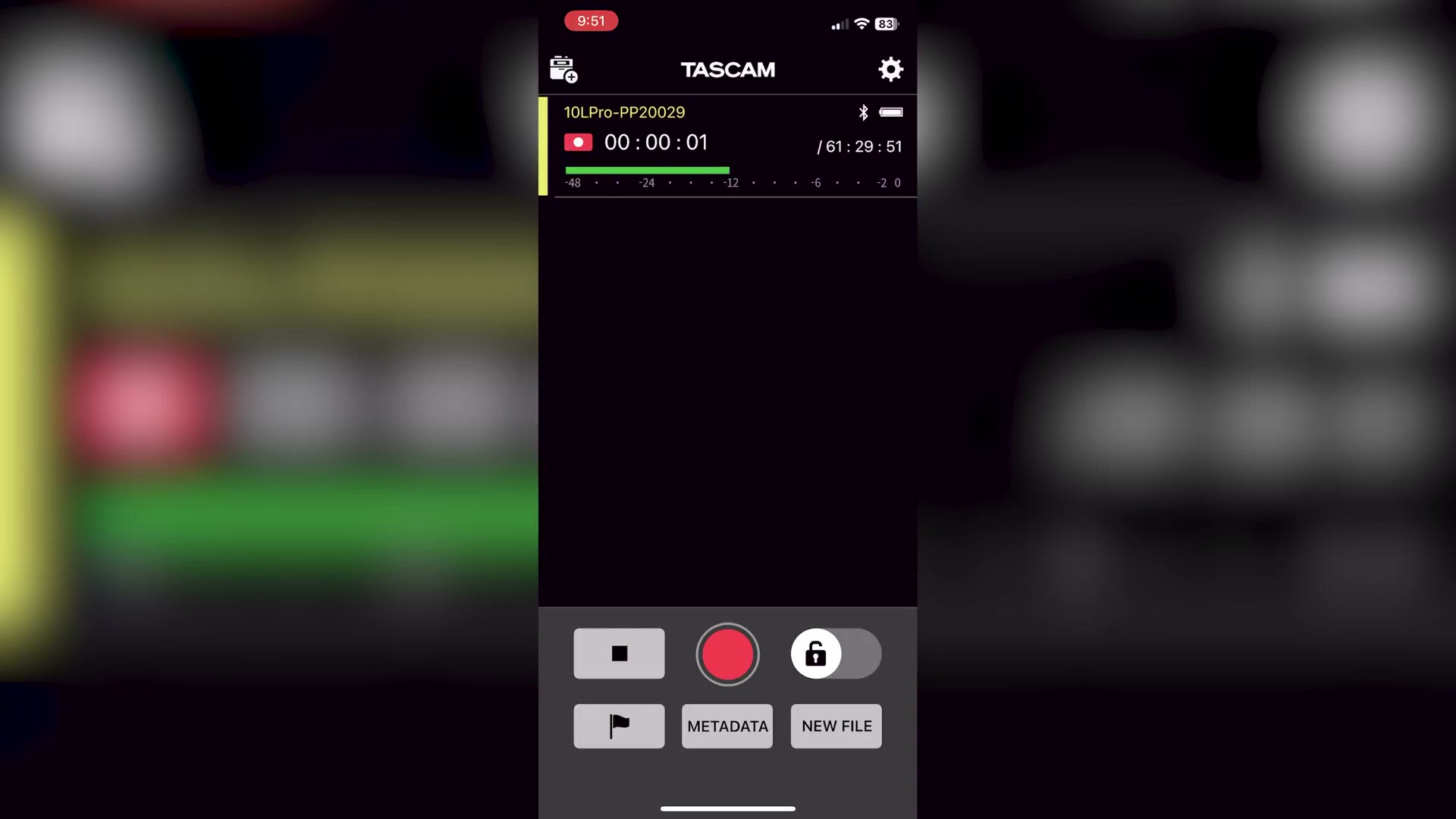
The adapter lets you use Tascam’s DR-10L Pro Connect app to wirelessly connect to the recorder and do things like start and stop recording and change file names. Even better, the app lets you connect to and control up to five DR-10L Pro recorders at once.
Which should be great for everybody who isn’t named Justin Porter, who at the time of making this uses seventeen lav mics at weddings. Yeah. He’s awesome. So he’s going to need to look for a different setup, but for the rest of us, five is plenty.
Because I know I’ll get comments about this, unfortunately you cannot wirelessly monitor and listen to the audio over Bluetooth. But the app will show you a waveform of what’s being recorded, so you can at least visually tell the recorder is working.
Don’t get me wrong, I wish you could monitor wirelessly. But considering all the times I recommended the original DR-10L, where all you could do was hit record and pray until you got home to your computer, being able to visually confirm it’s rolling from across the room is definitely still an upgrade.
Timecode Sync Too
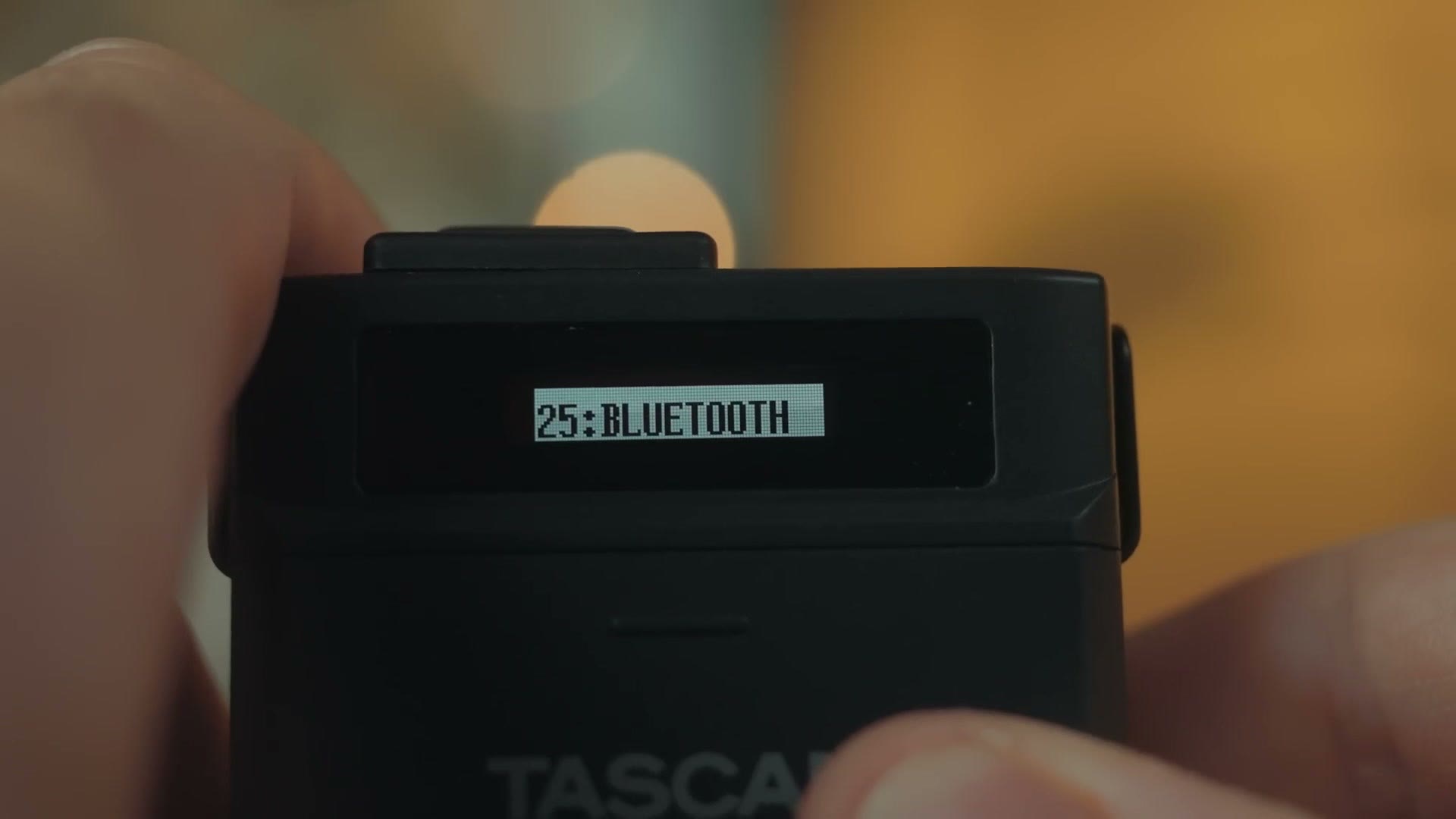
The Bluetooth adapter also includes support for wireless timecode sync, which is great to finally see. One of the biggest shortcomings of the original DR-10L was the lack of timecode, something competitors like the Tentacle Sync Track E excelled at.
That said, be aware that because this timecode runs over Bluetooth, it’s only compatible with the Atomos UltraSync flavour of timecode, meaning you’ll need something like an UltraSync BLUE or UltraSync ONE to make it work.
The Surprising Price
Way back in 2016, whenever Tascam launched the original DR-10L, it sold for $200. Here we are many years later with its successor, and I’m so happy to tell you that even with all these upgrades, Tascam only raised the price by twenty bucks. It’s $220.
Of course, factor in that this does not include Bluetooth out of the box. But the good news is that at the time of making this, the AK-BT1 adapter only costs about $40. So you’re looking at roughly $260 for a total powerhouse of a recorder.
And whenever you consider that it’s smaller than the original, has dramatically longer battery life, supports much larger memory cards, records 32-bit float, and adds Bluetooth control and timecode, this recorder is a total no brainer. Just like the original, I can easily see myself buying four of them, and recommending that you do the same.
I’ll also link my review of the original DR-10L, if you want to save a bit of money and buy that one instead, especially if you can find one used, because everybody is upgrading to the new hotness.
Like The Colors In This Video?
If you like the colors here and you want them too, regardless of what camera you film with, you’re going to love my color presets.
And if you want to level up your video editing, my free Edit Videos Like A Pro guide is going to help you out a ton.
Thanks so much for reading, and have a great day!