
Three budget video editing laptops you can buy today for under $1,000. All of these will edit up to 4K video in Adobe Premiere, DaVinci Resolve, or basically any other editor except Final Cut, which is Mac only. They’ll also be fine for sound mixing, After Effects graphics work, photo editing, basically any content creation.
What These Laptops Can Do
There has to be a catch, right? How do you get a good laptop for under a thousand bucks?
Here’s the catch. If you’ve tried to buy a computer in the last year or so you’ve noticed it’s been very hard to find parts at affordable prices, thanks to shortages brought on by the pandemic. One of the hardest parts to find has been graphics cards, and that has pushed most laptops with a dedicated GPU over $1,000.
So to compensate, these budget laptops use an integrated AMD GPU. Which, to be clear, is still good, just not absolutely fantastic. You’ll still be able to edit 8-bit 4K video. If you want to edit 10-bit 4K, 6K, or raw, you’ll want to look at something higher end.
$650: The Cheapest One
The ASUS VivoBook M515UA-NS77. Just rolls off the tongue.
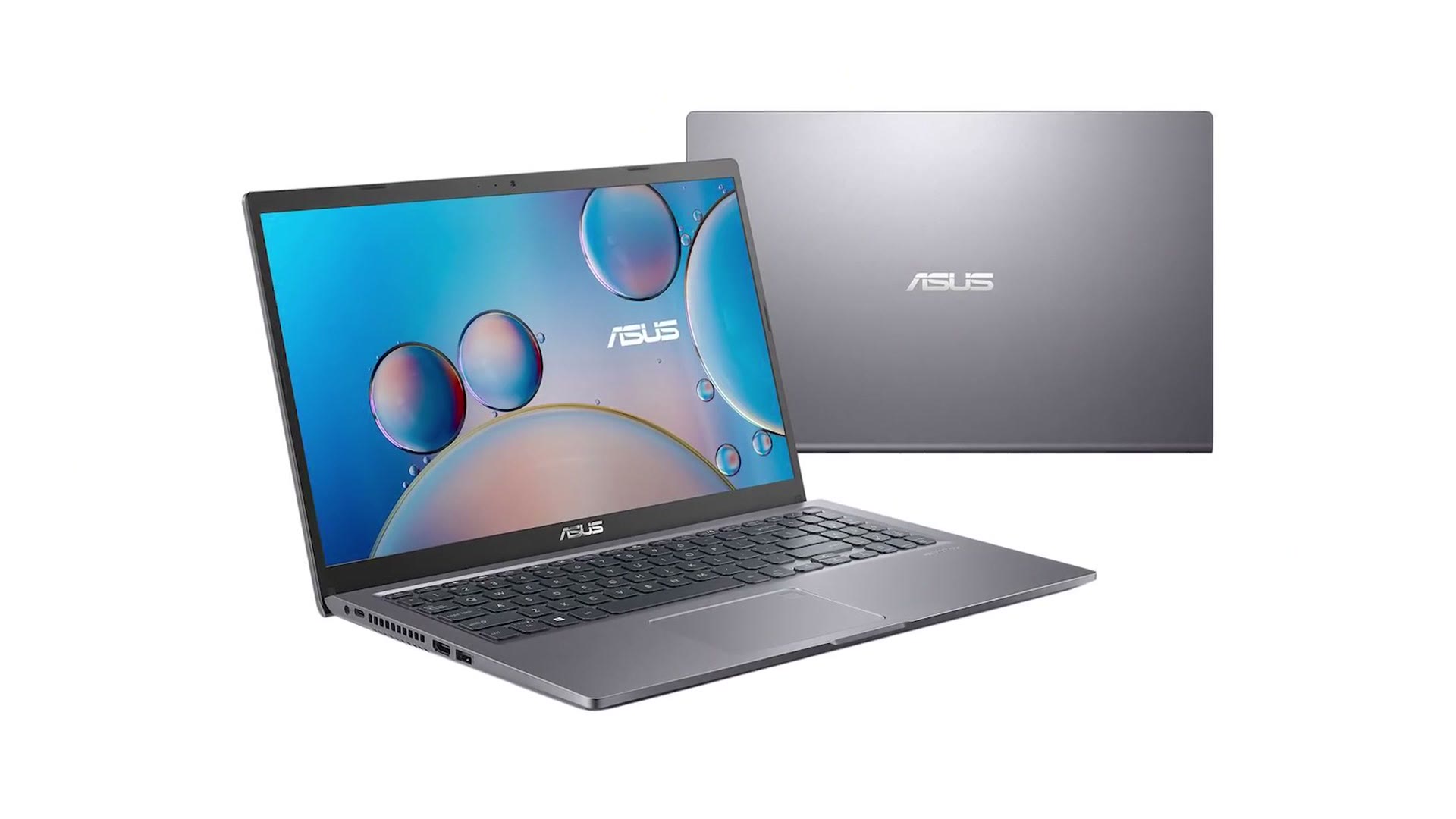
It comes in at $650, which is surprisingly reasonable. I haven’t been able to find a ton of reviews for it because it’s so new, but the specs look good and the VivoBook line is usually well built for the price. A 512GB SSD, 16GB of RAM, and two USB 3.2 ports, one of them type C.
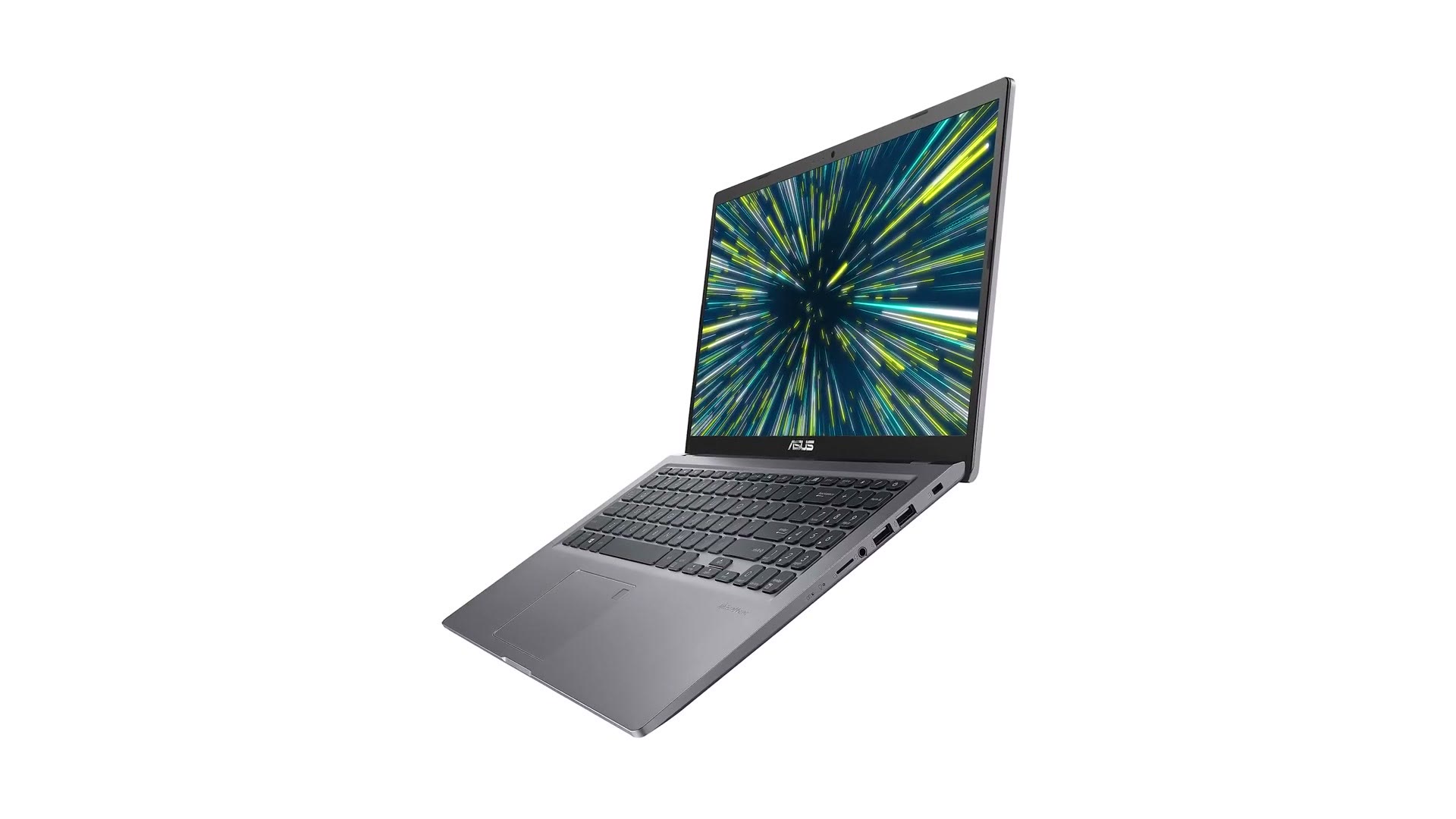
It also includes two USB 2.0 ports, which are practically ancient and really only fast enough for a mouse. Please do not plug an external drive into one of those and try to edit from it. You’ll be wondering why everything is so slow.
While we’re here, let’s knock out battery life for every laptop in this post at once. Regardless of what the manufacturer claims, video editing is intensive. Lots of processor, lots of drive reading, and generally a bright screen for color work. Expect three to five hours, whatever the box says.
Back to the positives. The biggest one by far is that ASUS crammed a Ryzen 7 5700U in here, which is 8 cores and 16 threads, exactly the kind of performance you want for editing. I’m frankly a bit shocked they put that CPU in a $650 laptop, but I’m not complaining.
We can’t end on a positive though, because the screen is mediocre. It’s dim, and worse, it’s not very color accurate. It’ll be fine for the actual editing part of video editing, but if you’re planning to color correct or grade, make sure you already have a color accurate external monitor, or look at one of the others below.
$750: Buy This If The First One Isn’t Available
The next one doesn’t have a better screen than the VivoBook. But if the VivoBook is out of stock, the Lenovo Flex 5 at $750 is a good purchase.
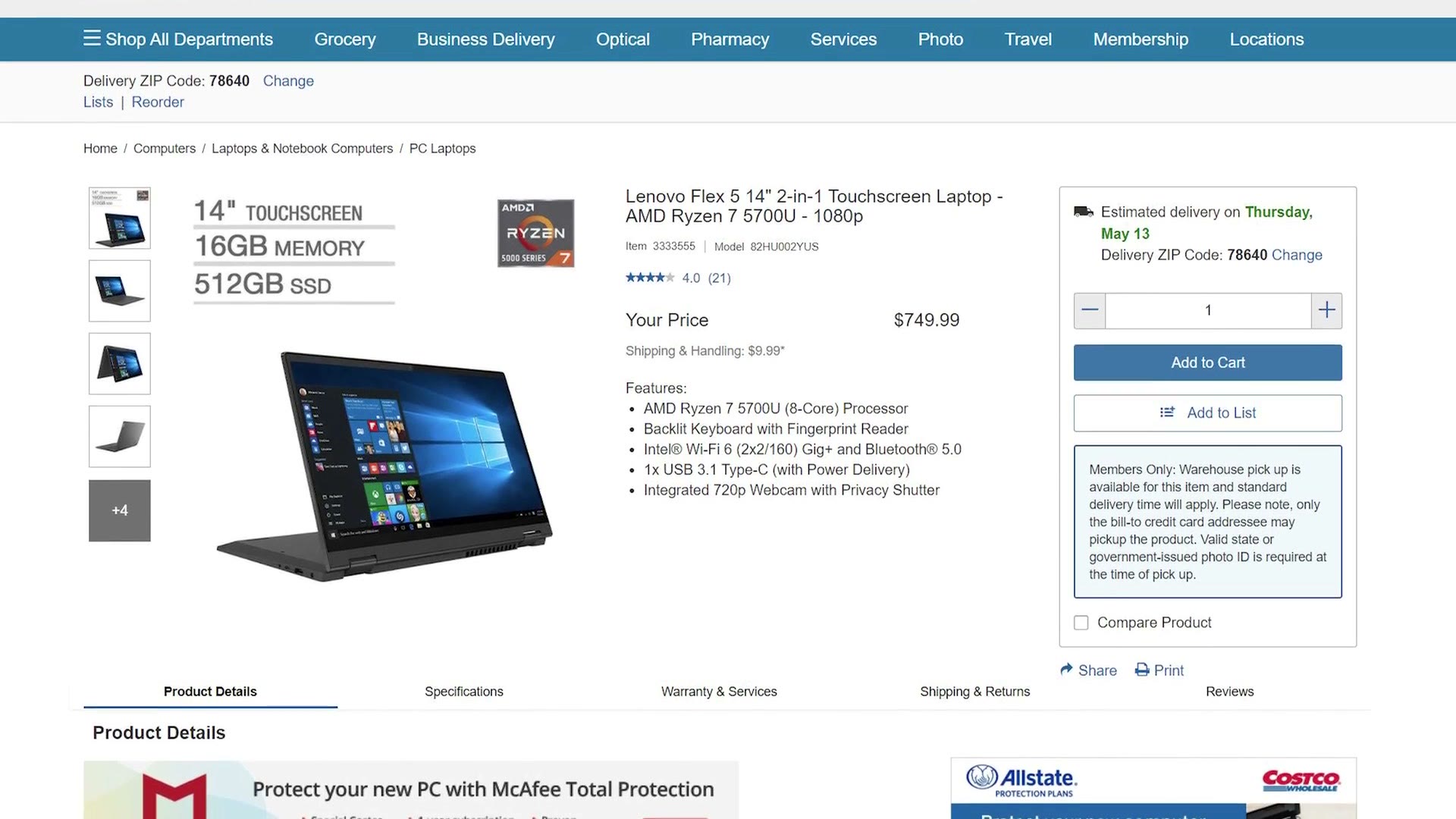
It has a decent keyboard and trackpad, a 512GB SSD, USB 3.2 type A and type C, an HDMI 2.0 port, and even an SD card slot. The “Flex” in the name is literal, too: you can flip the screen over and use it as an admittedly chunky tablet.
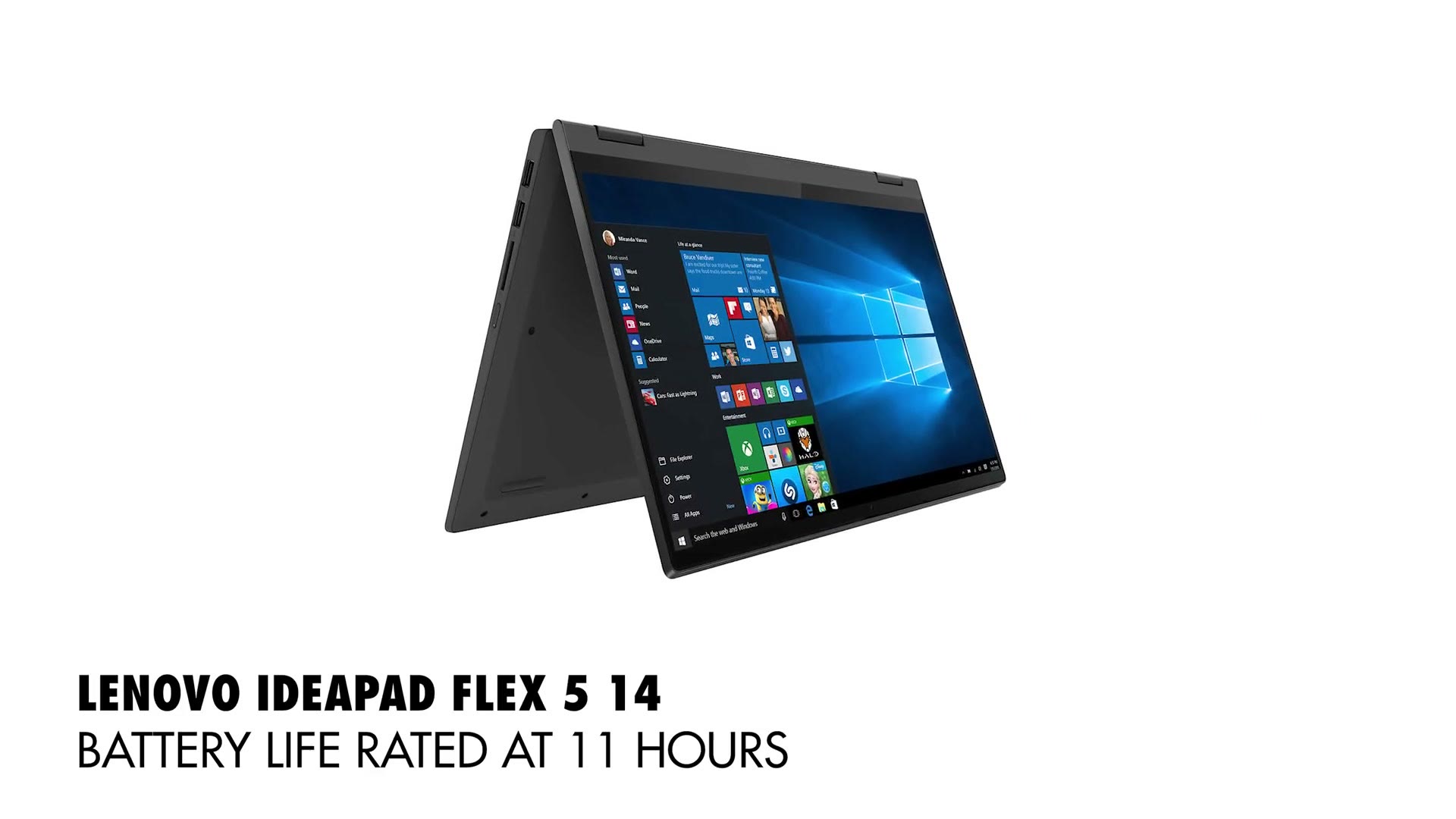
Speaking of the screen, this is where it goes from great deal to just okay. Same as the VivoBook, it’s a 60Hz panel that isn’t very color accurate, so again, editing yes, grading no, unless you have an external monitor.
If you go with the Flex 5, know that Lenovo sells a lot of different IdeaPad models, so make sure you buy the one with the AMD Ryzen 7 5700U and 16GB of RAM. Eight cores and sixteen threads, and relatively power efficient with it.
The reason I’m so insistent about the 16 gigs is that Lenovo solders the RAM to the motherboard. Unlike other laptops where you unscrew the bottom, pop the chips out and put faster ones in, you can’t do that here. You can unscrew it. You can look at the RAM. You cannot change it. 16GB is the minimum I recommend for editing.
$980: The Best Video Editing Laptop Under $1,000
The HP ENVY x360, specifically the 15z-eu000.
At $700 you may be thinking, wait, that’s cheaper than the Lenovo. It is, but this one needs a few upgrades. At base it only comes with a 6 core, 12 thread Ryzen 5 5500U, 8 gigs of RAM, and a display with very low color accuracy. This is where HP’s customization page earns its keep.
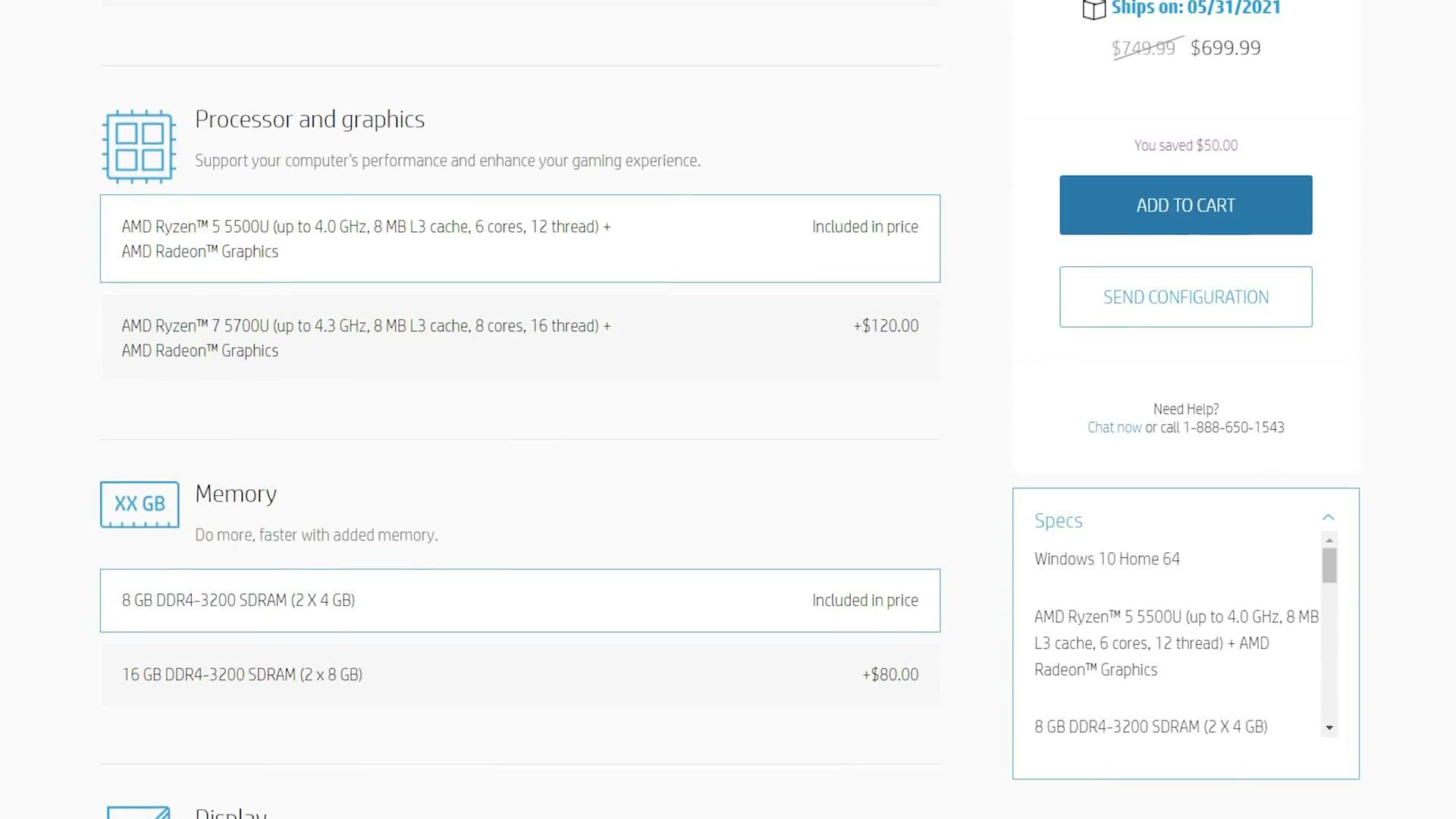
What I’d spend:
- $120 to upgrade the CPU to the Ryzen 7 5700U
- $80 to upgrade to 16GB of RAM
- $80 for the 400 nit screen, and this is the important one
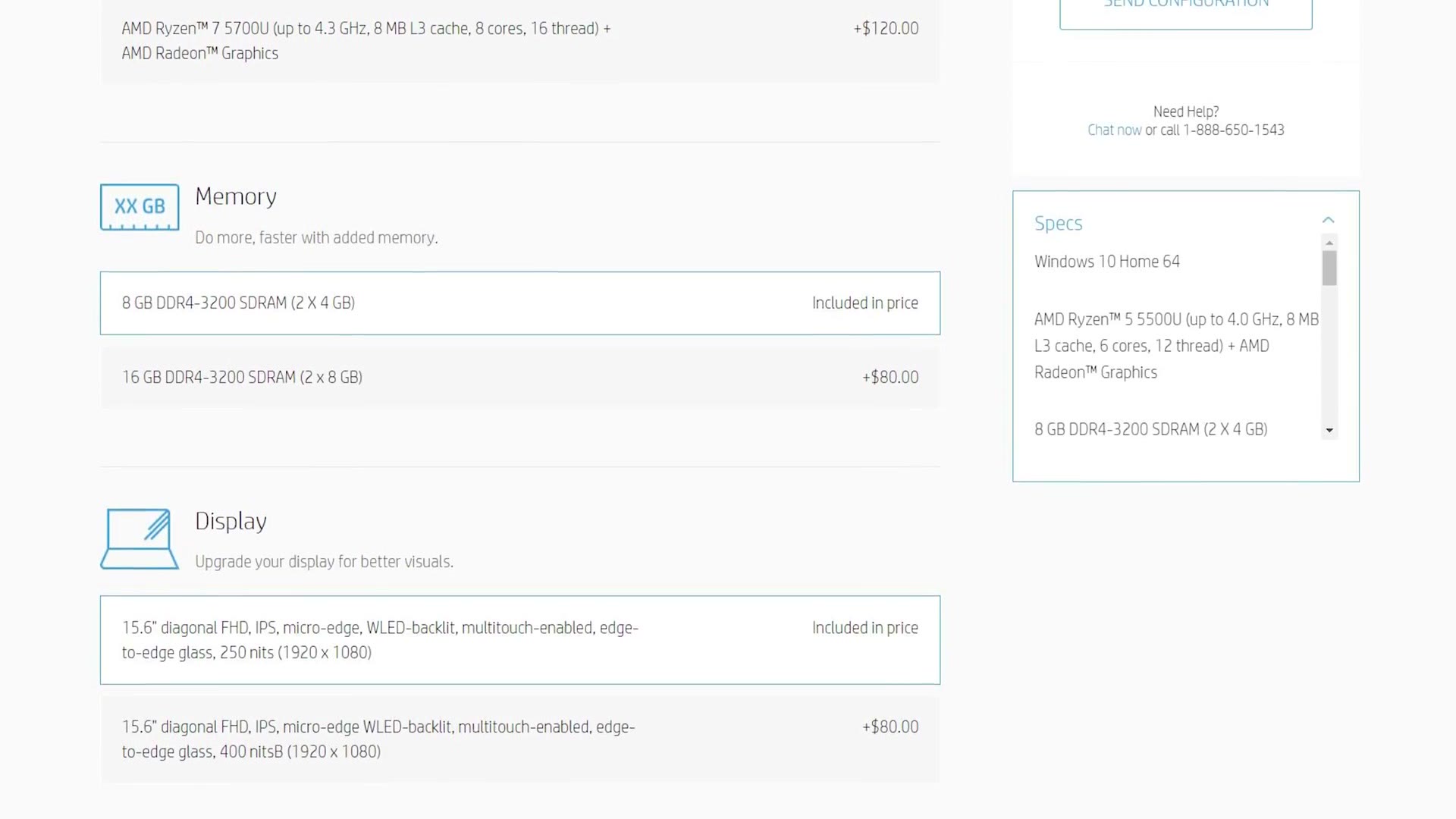
The screen upgrade matters because the 400 nit panel covers 100% of sRGB, which means it should be genuinely color accurate for correction and grading. That spec was hard to find, too. HP doesn’t list it anywhere on their site. I had to chat with one of their salespeople before they’d divulge it.
At that point the ENVY sits at $980, still under budget. If you can afford a little more, spend another $60 to take the drive to at least 512GB. You’ll have a much easier time fitting all your programs on it. Fully upgraded it comes to $1,040.
Here are Build a Budget 4K Video Editing PC for Under $1000 in 2024!, Build a Budget 4K Video Editing PC for Under $1000 in 2022! Intel Computer Build, and Should you buy the Sony a7S II in 2021? too, and honestly it’s kind of wild seeing the difference.
Not the cheapest, but considering the specs and especially that color accurate display, this is my favorite recommendation in the whole video.
Bonus: The MacBook Air
Hold on, because we’re not quite done.
If you’d asked me a couple of years ago whether we’d ever see an Apple laptop capable of 4K video editing for under a thousand bucks, I’d have laughed. Apple has often charged multiple thousands for a machine powerful enough for serious editing. Then the M1 MacBook Air and Pro landed in 2020 and shook everything up.
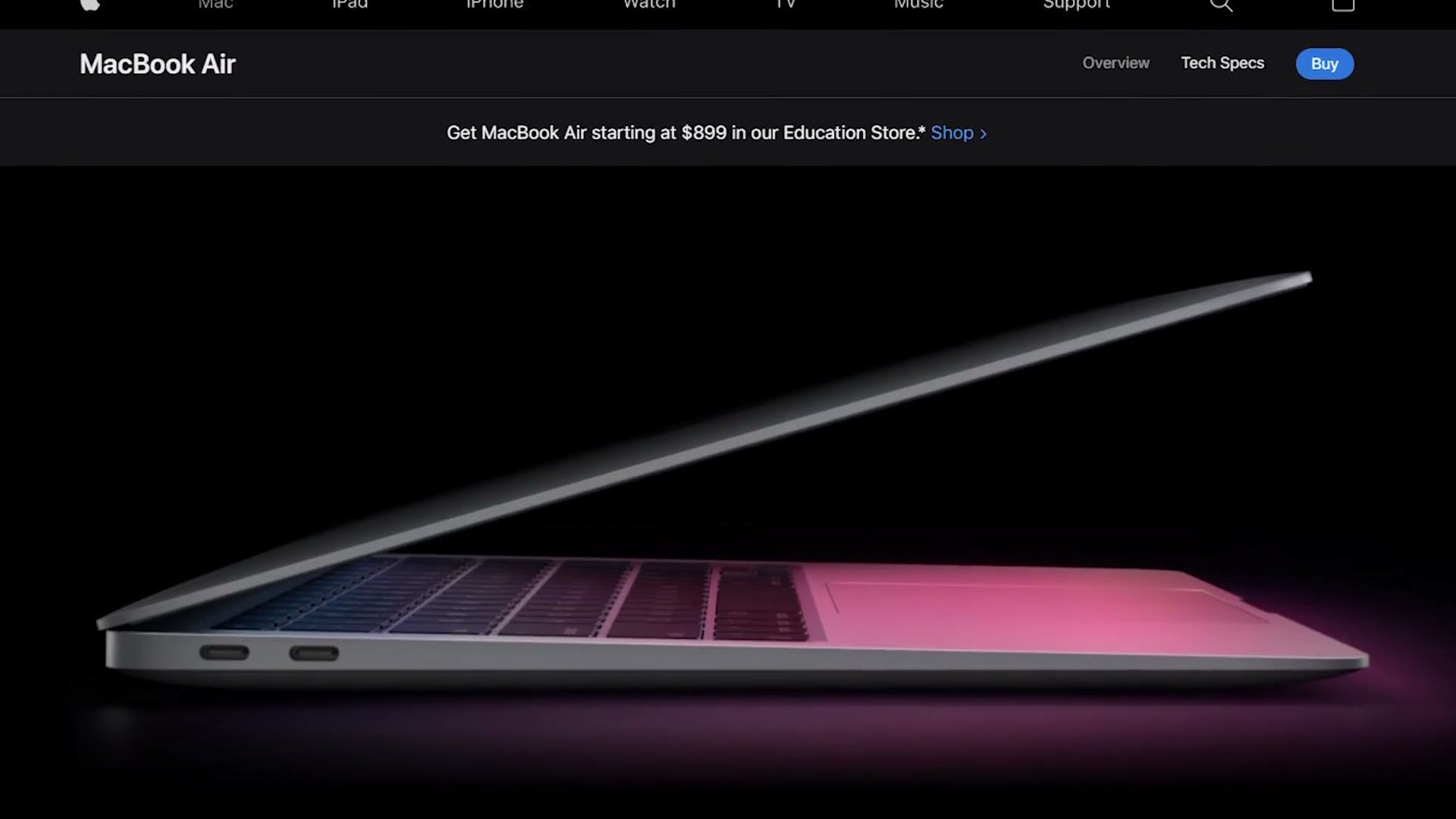
So, squeaking in right under the limit at $999, consider the MacBook Air. The M1 chip is surprisingly powerful and perfectly capable of editing 4K. Stellar battery life, a fantastic color accurate screen. Overall a great choice.
The main thing to keep in mind is that it’s still a 13 inch screen. If you want something larger, look at the 15 inch ENVY.
Also, as of this writing, Premiere Pro is still in beta for M1 Macs, so it may not be as full featured as it is on Windows or on Intel Macs. That will change, I just don’t know when. DaVinci Resolve is already natively supported and runs very well on M1. And if you want Final Cut you have to use a Mac anyway, and from the benchmarks I’ve seen it runs incredibly well on M1, at which point the MacBook Air is a no brainer.
What If None Of These Are Right?
To be clear, these aren’t the only laptops capable of 4K editing at this price. There are plenty of others. These are just the ones I like. All of them are in one list here.
If you have a bigger budget and want something faster, you’ll want a machine with a dedicated GPU.
And if you find yourself editing mostly from home, save the money and build your own. My build guide walks through every part you need for a 4K video editing PC for $750. If you want more headroom, there’s a $1,500 build and a $2,000 build that handles 4K, 6K and 8K raw.
Individual links, if you want them: the ASUS VivoBook at Newegg, the Lenovo Flex 5 at Costco, the HP x360 15z at HP, and the MacBook Air M1 on Amazon or at B&H. If you’re going the external monitor route because of the screens above, here’s a budget color grading monitor and a 4K one, plus the fast external SSD I keep footage on.
Every price and every stock situation here is from May 2021, in the middle of the parts shortage. Configurations change constantly and HP’s upgrade pricing in particular moves around, so treat the numbers as the shape of the decision rather than today’s checkout total. The previous year’s version of this guide is here.