
Today I want to answer one question: will the Sony a7S III overheat when you use it to film a wedding?
If you’re a wedding videographer like me, you need a camera that can work all day. B-roll off and on, then long continuous recording like a ceremony, then even more B-roll through a reception. I’ve put the a7S III through a wide range of tests to tell you whether it can do that.
There’s also one big way this test is different from other a7S III overheating tests you may have already seen. My friends at Sony sent me an advance copy, but this is the exact same hardware and firmware as the final model that will be in stores. The earlier overheating tests going around were not done on the final production model, so what you’re about to see should be more accurate about what you can actually expect.
In the interest of ethics, I also want you to know that this video isn’t paid or sponsored by Sony. They literally loaned me this camera and said, “Do whatever the heck you want with it, just don’t sell it.”
The Conclusion, In Case You Don’t Read The Whole Thing
Just like my Canon R5 overheating tests, I’m going to spoil the conclusion up front.
Will the a7S III overheat if you use it to film a wedding? No. Not at all. I actually cannot think of a single typical filmmaking scenario on a wedding day where it would be possible to make this camera overheat. It’s that good.
How am I so confident? I’ve already filmed an entire wedding with this camera in the Texas heat and it didn’t come close. After that wedding, plus the tests below, I’m confident I will never have to deal with an overheating a7S III on a wedding day, and I highly doubt you will either.
The Testing Setup
Most filmmakers I know shoot in two ways, so that’s how I structured this.
The first is long takes, 30 minutes or more, of people talking. An interview, a conference speaker, a wedding ceremony. Those are usually shot at 24 frames per second, because why would you want slow motion while somebody’s lips are moving. But I know some of you prefer to shoot everything at 60, so I tested that too.
The second is B-roll, and honestly it matters more. Most of my time on a wedding day is spent on B-roll. Camera on, film for five to thirty seconds, camera off. I’m in the menus switching frame rates and settings constantly.
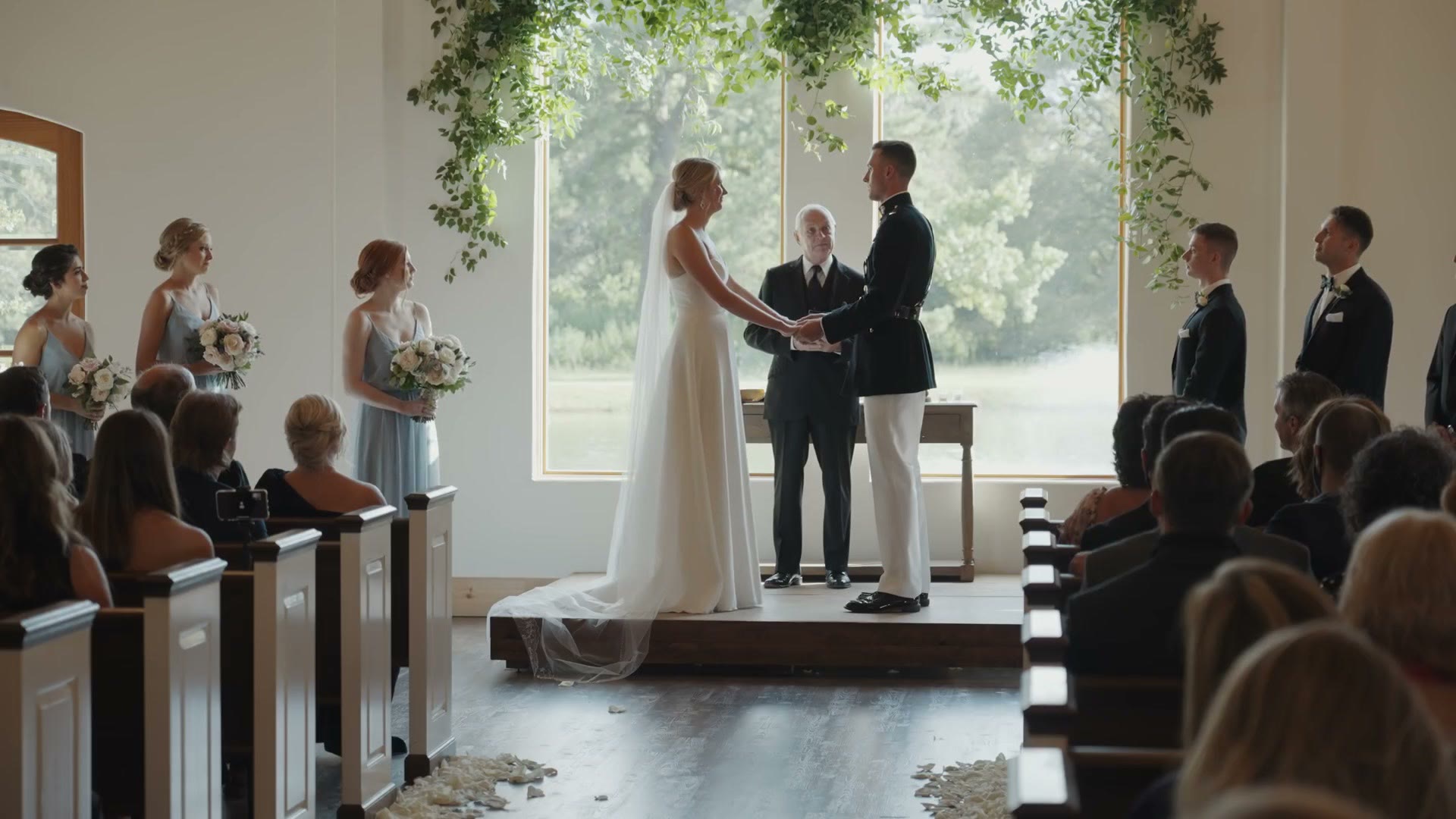
A wedding day is very taxing on any camera. Most wedding videographers are filming for at least eight hours. I’ve filmed wedding days as long as 19 hours. You need a camera that will hold up across a whole variety of scenarios over an entire day, and that’s what I’ve tried to simulate.
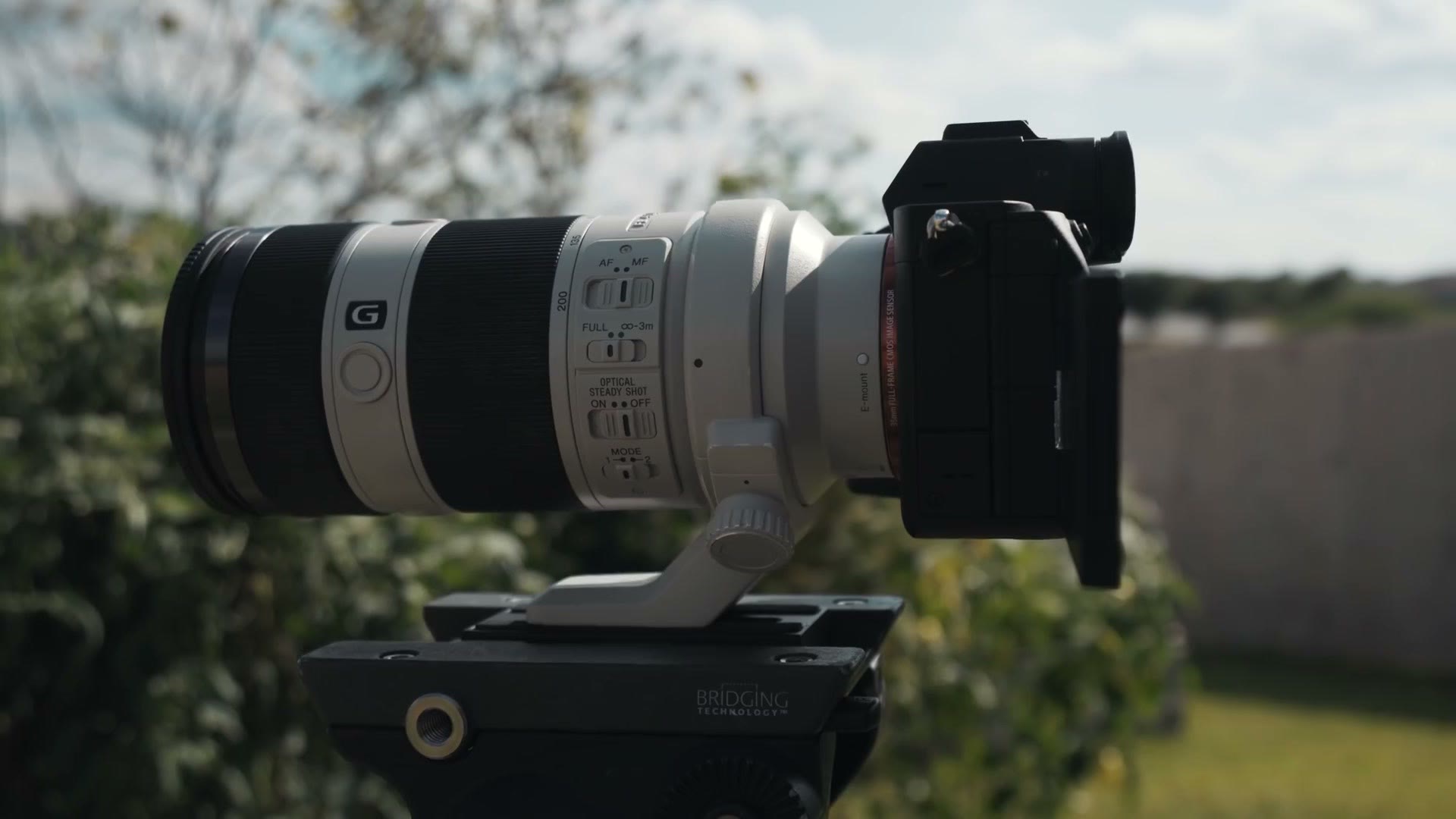
For every ceremony test I used a setup very close to what I’d use at a real wedding. The a7S III on a tripod with a 70-200mm mounted by the lens ring, so the camera has free airflow all the way around it. IBIS off, because you don’t need it on a stationary tripod shot. Autofocus off. Everything recorded in 4K ALL-I at the highest bitrate possible, to generate the most heat I could. And unless I say otherwise, every test was from a cold start, with enough time between tests for the camera to cool down.
I ran these at the end of August, the hottest month in Texas. Temperatures that week hit 100 degrees Fahrenheit, and I can assure you the camera got much hotter than that.
4K 24FPS Overheating Tests
Indoors, in air conditioning, the a7S III recorded 4K 24 for two hours and 14 minutes, until the battery died, without ever overheating. That lines up with what I saw at the real wedding. That indoor ceremony ran about 15 minutes from the bride walking down the aisle to the exit, and the camera didn’t overheat with me recording the whole time.
Then outdoors. I took it out on an afternoon the weather report called 97 degrees, to simulate a sunny ceremony with scattered clouds.
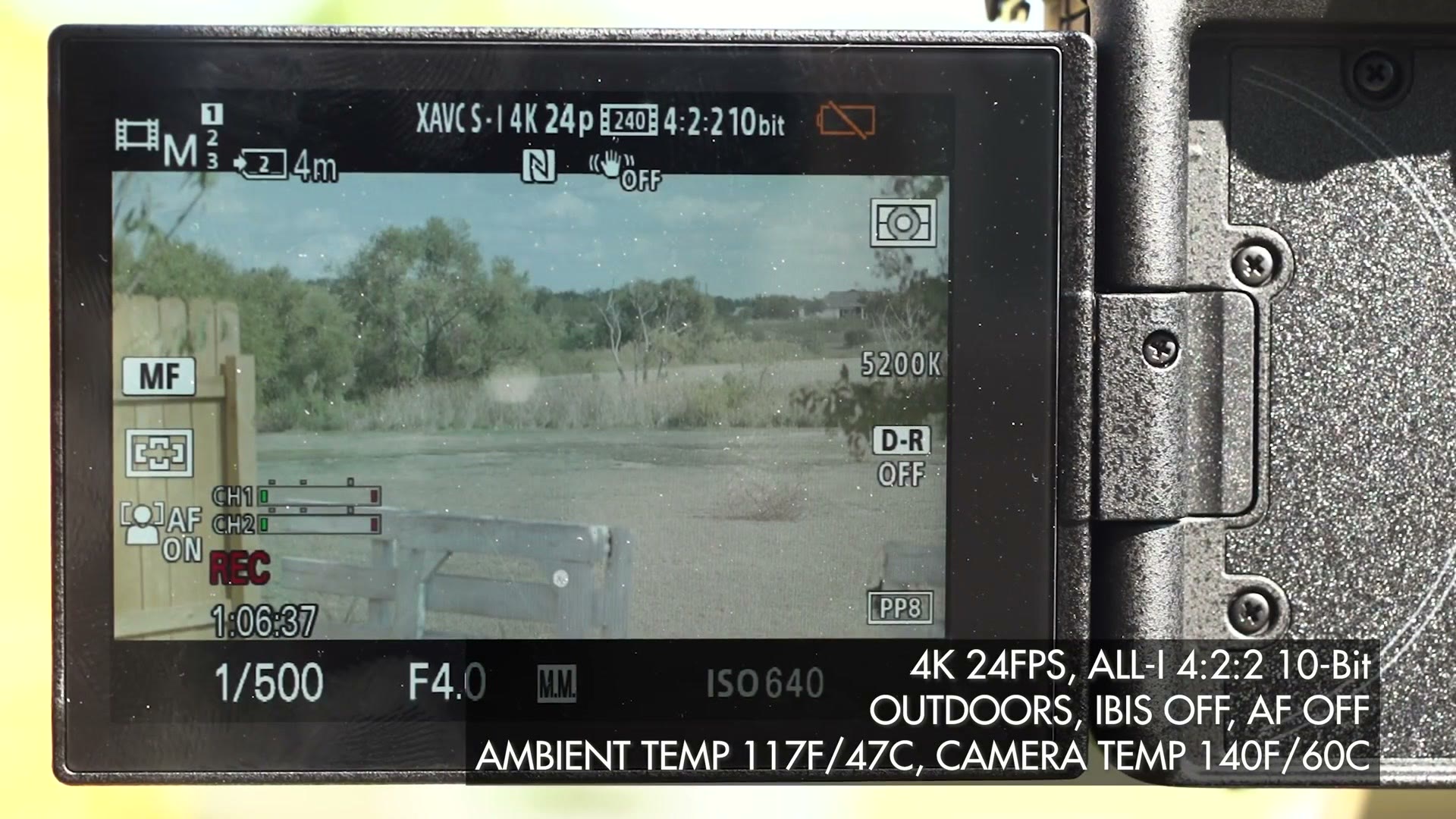
It recorded 4K 24 ALL-I for two hours and 17 minutes before the battery died. Ambient temperature got to 117 degrees Fahrenheit.
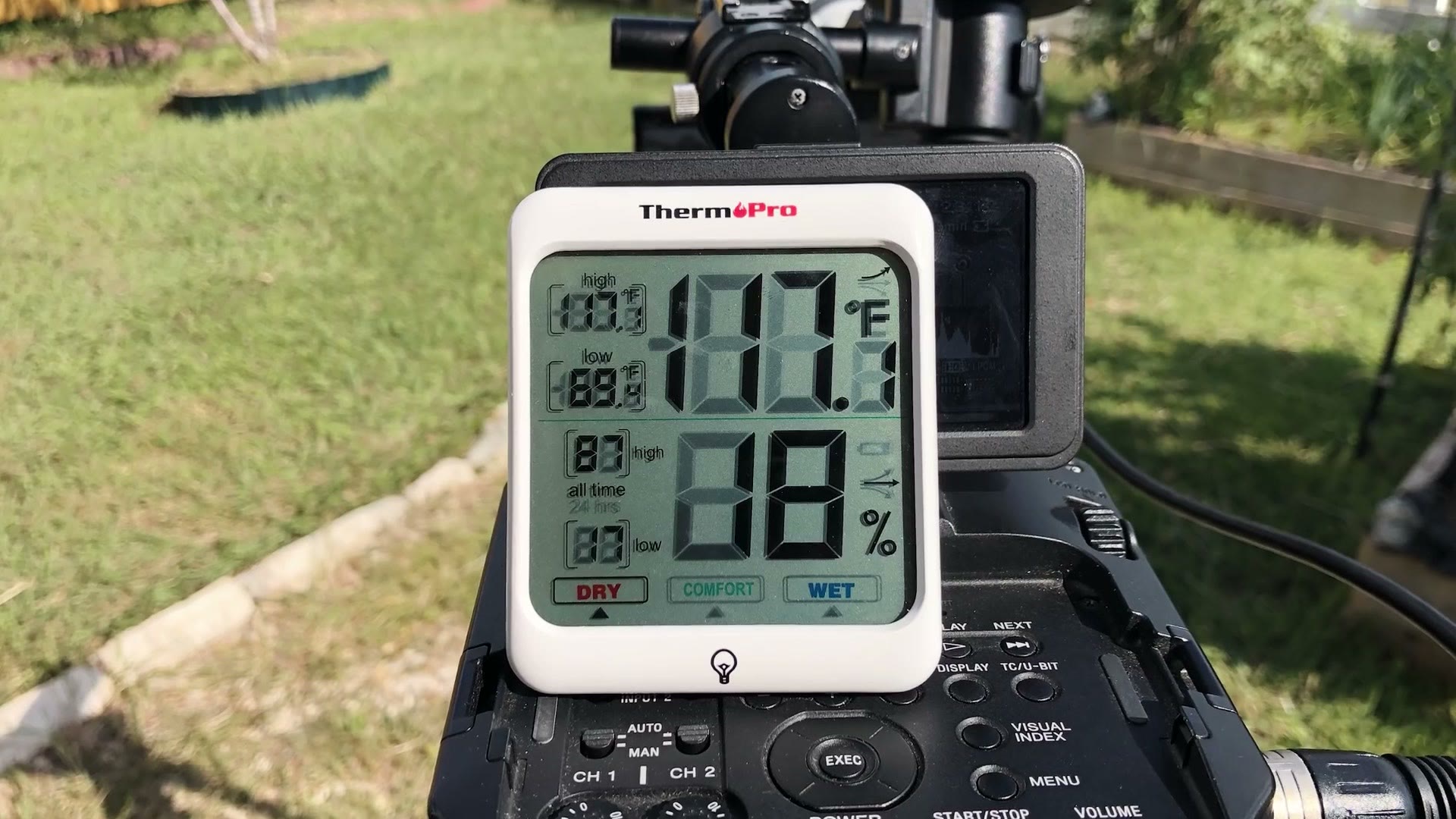
The back of the camera reached 140 degrees. It never overheated.
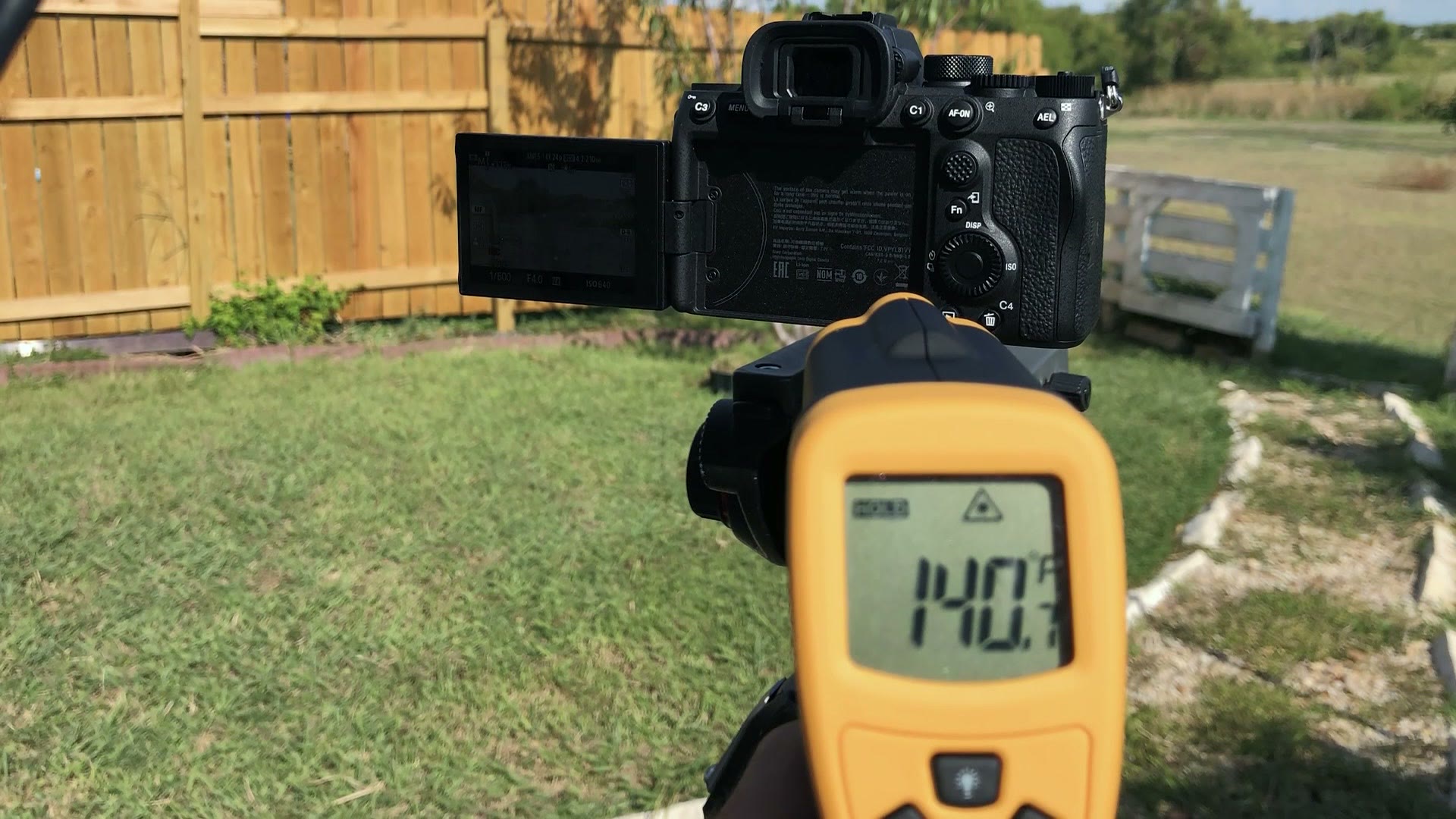
So I feel very confident telling you that you can film a wedding ceremony in 4K 24, indoors in air conditioning or outdoors in direct sunlight at very high temperatures, no matter how long the ceremony runs. If it survives this Texas heat it should survive pretty much anything you throw at it.
4K 60FPS Overheating Tests
I know some of you out there, and you know who you are, would rather shoot an entire wedding day in 4K 60, ceremony included. So of course I simulated that too.
Indoors in 4K 60 ALL-I, the camera recorded for one hour and 44 minutes before the battery died. Zero overheating. Impressive, but that’s not the number you want to see.
Outdoors on a partly cloudy day, weather report 99 degrees, ambient temperature up to 106:
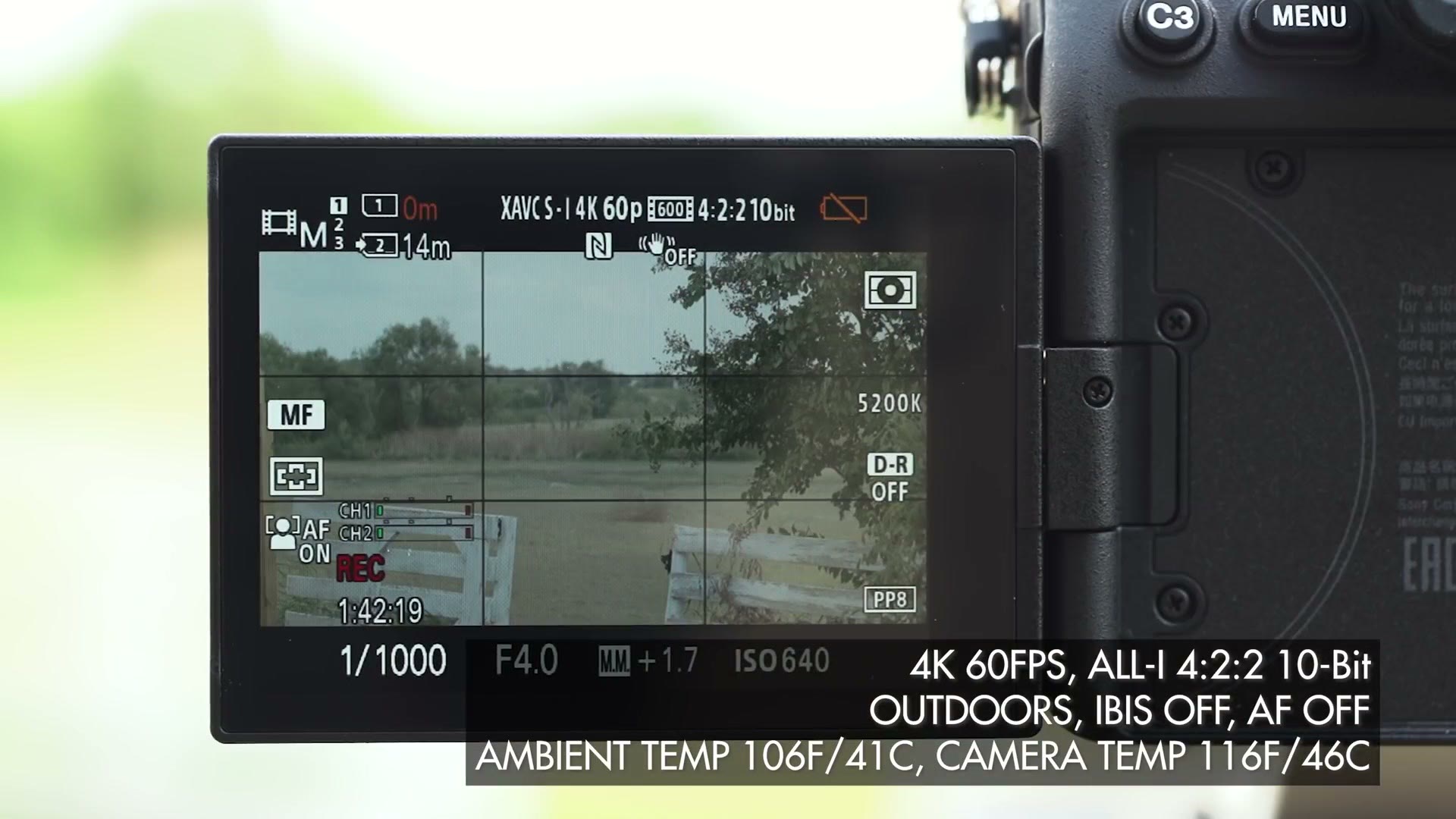
It recorded for one hour and 42 minutes until the battery died. The back of the body behind the sensor hit 141 degrees Fahrenheit and it kept going.
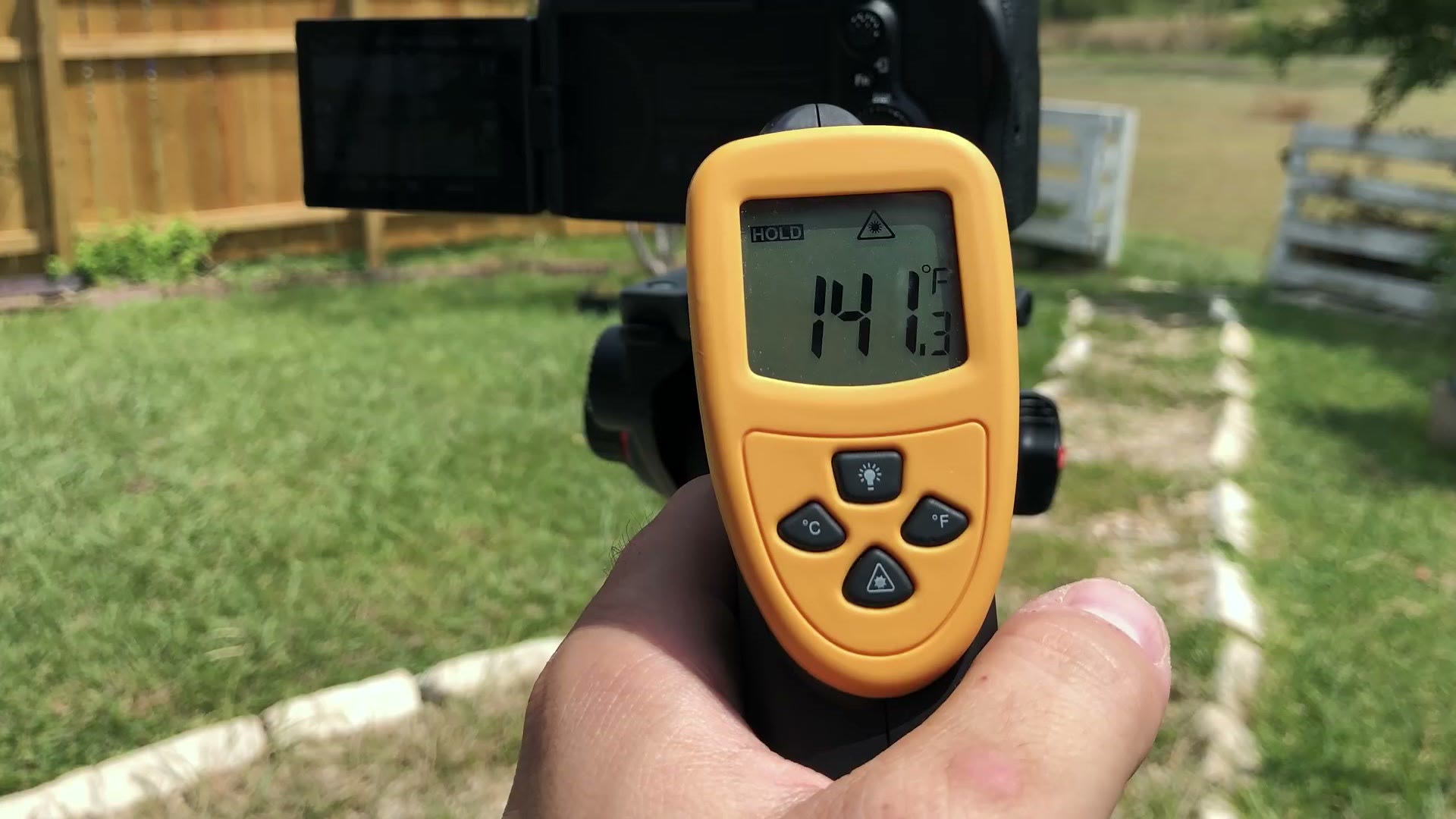
No sign of overheating. Not even an overheat warning. So if you want to shoot the whole day in 4K 60, ceremony included, you can do that.
4K 120FPS Overheating Tests
I know this camera records 4K 120, and I would never recommend shooting a wedding ceremony at that frame rate, that’s ridiculous. Of course I tested it.
One caveat you need to know. To record 4K 120 in the highest quality ALL-I format you need CFexpress Type A cards, and those aren’t on sale yet. So I could only record in the lower quality XAVC S 4K at 120.
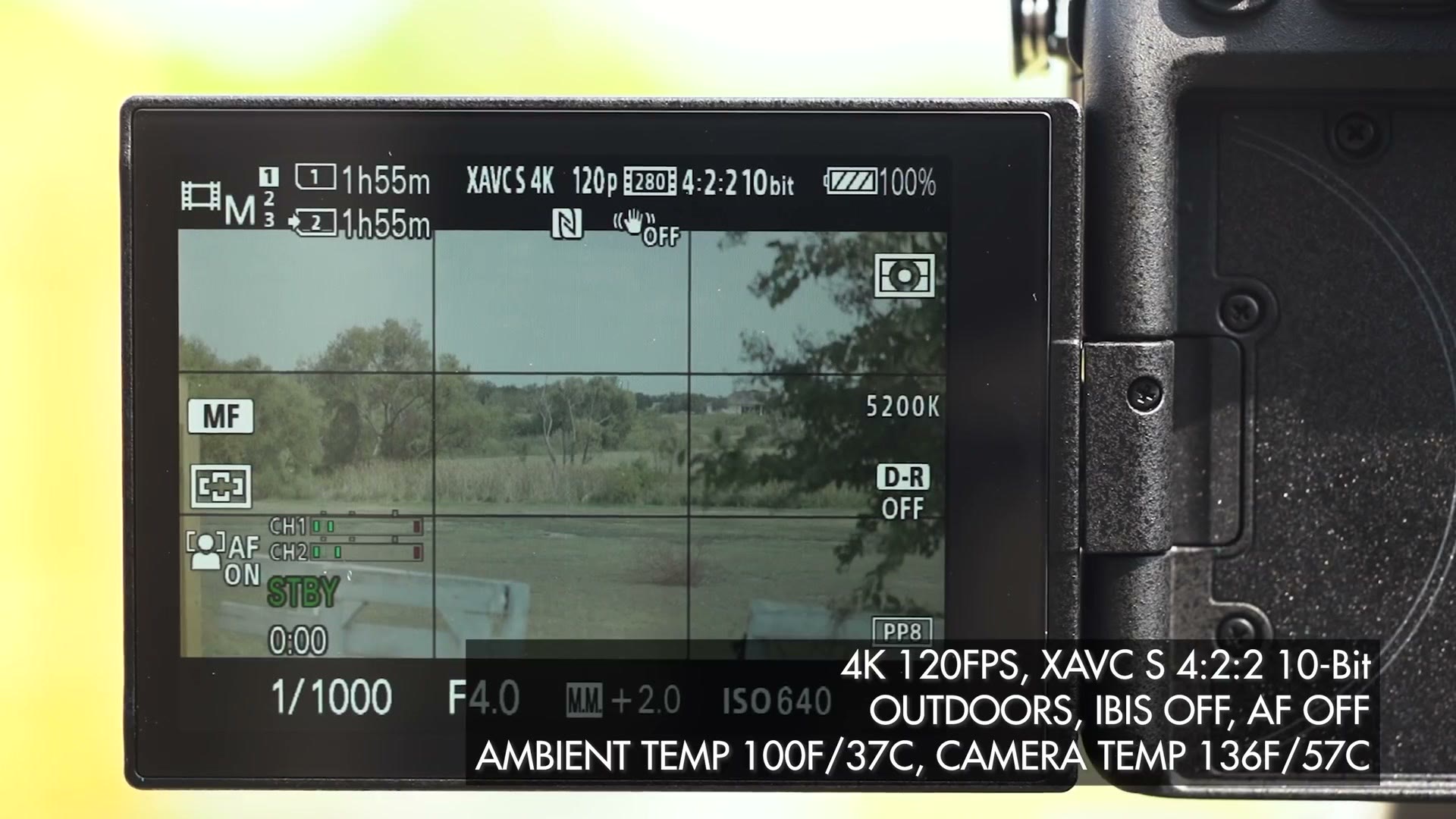
With that out of the way: are you finally ready to see the a7S III overheat? Because it finally did.
Indoors at 4K 120, it recorded for 55 minutes before overheating and shutting down. Honestly, I’m impressed a camera this size with no fan lasted that long.
Outdoors, partly cloudy, 100 degree ambient temperature, it recorded 4K 120 continuously for 13 minutes before overheating.
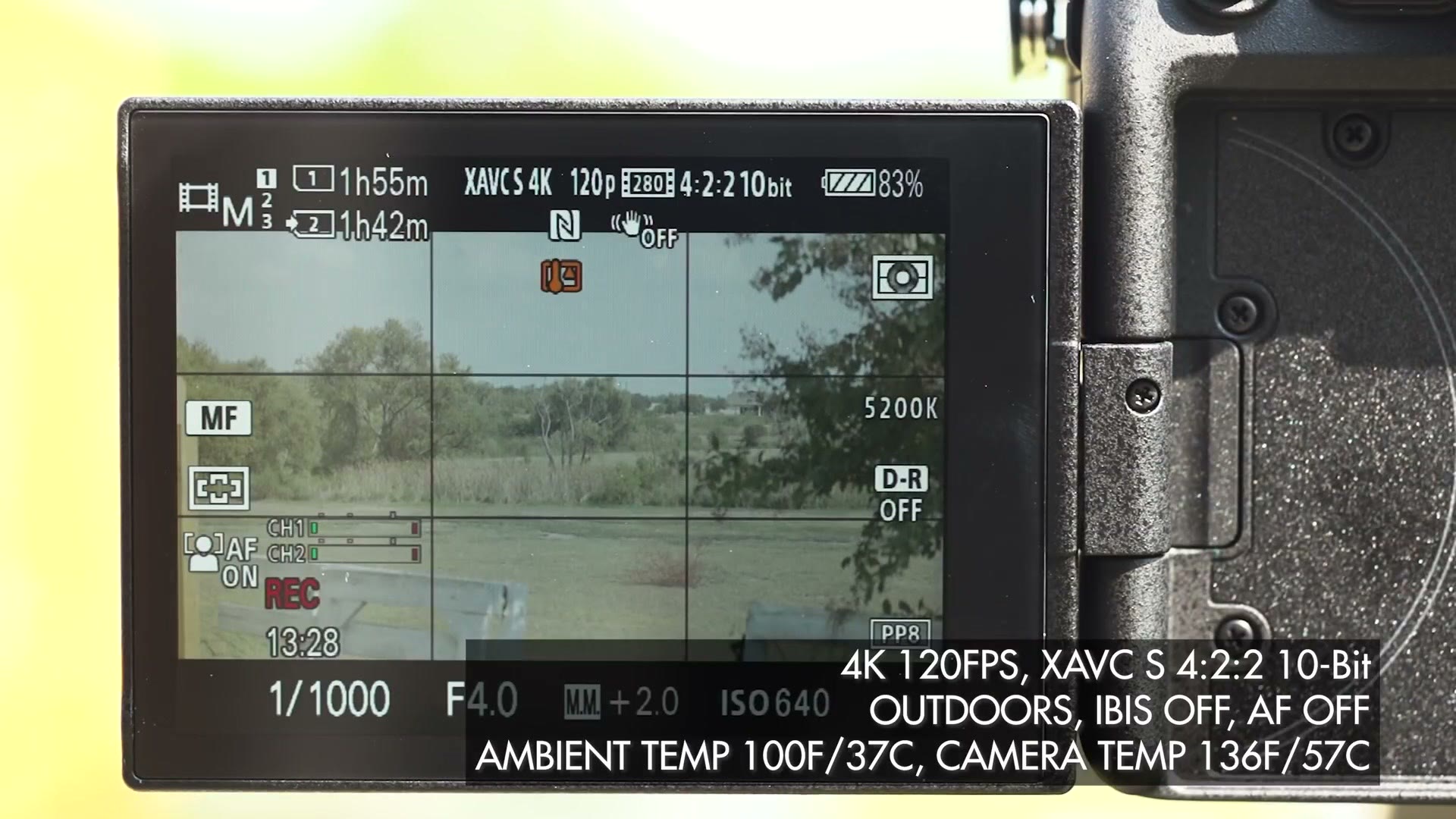
Like I said, I would never shoot a full ceremony at 120 frames per second and I’d highly encourage you not to either.
Here’s the main takeaway from all the ceremony testing. If you film ceremonies at 4K 24, or even 4K 60, expect to record an unlimited amount of time indoors or outdoors at any temperature without overheating.
B-Roll Overheating Test
But how does it handle B-roll? I film a few hours of the couple getting ready, then up to an hour of ceremony, then straight back into another six hours or more of reception coverage.
Good news: I didn’t need to simulate this, because I already filmed a wedding with it. The ultimate simulation is a real world test.
That B-roll was a mix of handheld and gimbal, indoors and outdoors, with IBIS turned on and autofocus occasionally on. I filmed some in 4K 24, some 4K 30, some 4K 60, and 4K 120 whenever I thought a shot warranted it. The high that day was 98 degrees, and with the humidity it felt much hotter.
Throughout the entire wedding day the a7S III never showed a hint of overheating. Even when I filmed ten minutes of almost nonstop 4K 120 B-roll of the couple, it handled it like a champ.
Overheating Recovery Time Test
We should also talk about how long this camera takes to recover.
When I tested the Canon R5, I found that filming B-roll it would build up heat over time and eventually overheat, even with shorter clips and the camera off between shots, because it never got enough time to cool. You should also know that since making that R5 video, new discoveries seem to point to Canon having implemented an artificial overheating timer so they don’t cannibalize sales of their cinema line. But that’s a story for another day.
In contrast, the a7S III showed no buildup of heat over time and no sign of an artificial timer. I’m confident you can film B-roll clips in any frame rate or resolution without worrying about it.
But say you did manage to make it overheat. How long until you can shoot again?
I forced it by recording 4K 120 for 15 minutes in the hot sun. Then:
- Left the camera off for two minutes, still sitting out in the sun.
- Turned it back on and got two more minutes of 4K 120 before it overheated again.
- Rested it another two minutes, powered up, switched to 4K 60, and recorded for one hour and 16 minutes until the battery died.
So as long as you aren’t filming ceremonies in 4K 120, you’re fine. And even if the camera does overheat, it recovers within two minutes and you can record again immediately.
Will The A7S III Overheat Filming A Wedding?
The way I film, shorter B-roll clips in 4K at everything from 24 to 120 frames per second, and ceremonies in 4K 24, I’m confident that even on the hottest day I will never have to deal with this camera overheating at a wedding. And if you’re a filmmaker who shoots primarily 4K 60 all day, including a long outdoor ceremony, I can confidently say I don’t believe you’ll have overheating issues either.
The only way I found to make it overheat is shooting 4K 120 for a long extended period, and I don’t know any wedding filmmakers who film ceremonies at 120 frames per second. Now, if you’re filming a couple who has chosen to elope in Death Valley and you’re stacking 4K 120 shots back to back because for some reason 60 isn’t slow enough, sure, you may deal with some overheating then. But I have to imagine a scenario that extreme to find one. It’s that good.
When Sony first announced this camera and said it didn’t have a fan, I was nervous. Recording 4K at high frame rates generates a lot of heat. But the cooling system in the a7S III is very impressive, and I’m glad they clearly put so much work into it.
Weddings are a one time event. You don’t get do-overs if your camera overheats. I believe the a7S III is a reliable tool for professional filmmakers that will not overheat, and I intend for it to be the camera I film weddings on for the foreseeable future.
If you’re picking one up, it’s on Amazon and at B&H.
Also, if you happen to be a wedding filmmaker, you probably want to book more couples and film more weddings. I made a free guide with practical steps you can take right now in your business to do that, and you can download it here. If you want to go deeper, my wedding filmmaking courses are here.
These tests were run at the end of August 2020 on a pre-release production model, before CFexpress Type A cards were on sale, which is why the 4K 120 tests are XAVC S rather than ALL-I. Firmware has moved on since.