
Because I respect your time, I am going to spoil the conclusion right now: if you film with more than one camera, the Portkeys LH5P III is the on-camera monitor I would buy, because it can reach out and change the settings on up to four other cameras from its own screen, wirelessly, from as far as 165 feet away. It is also one of the smallest and lightest five-inch monitors I have used, it is ridiculously bright, and it was color calibrated at the factory, which are the boring things that actually matter whenever you are staring at a little screen for eight hours straight.
Also, for the sake of ethics, this video is sponsored by Portkeys, which makes it more of a showcase than a review.
Here is the problem this monitor is built to solve. If you film weddings with more than one camera, you probably spend the entire ceremony running back and forth between all of your cameras making sure the settings are still correct, and I know that is what I do. I have been filming weddings for over 15 years, and I have done that walk during a real wedding day with rain coming down as they walked up the aisle, which is exactly when you do not want to be crouched behind a camera in the back of a room tapping at a menu. The LH5P III is the first monitor I have used that genuinely fixes that.
Tiny, Light, And Still Aluminum
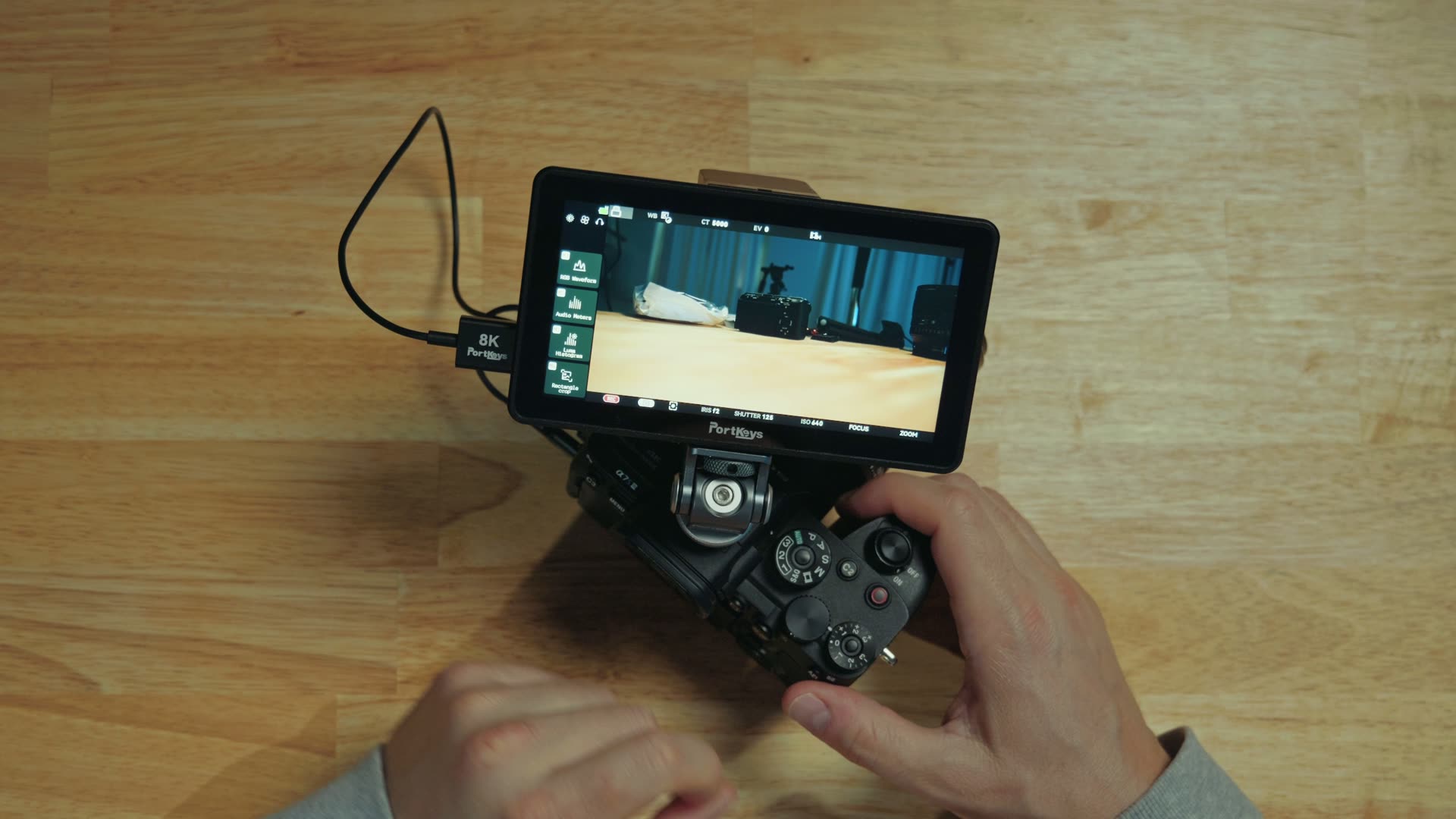
Coming in at 5.7 inches, this is one of the smallest and most lightweight five-inch monitors that I have used. At 235 grams it is 50 grams lighter than the LH5P II, but it still has an aluminum alloy body, which is quite strong. That lighter weight also means it does very well hanging out on top of your camera even on a long day, and a long day is what a wedding is.
Calman Calibrated 10-Bit Color
The screen is 1080p HD, it is very sharp for the size, and it gives you 10-bit color. It has also been Calman color calibrated from the factory, and Portkeys includes a report you can actually view, which means the color, the contrast, and the saturation are accurate out of the box rather than whatever the factory felt like that day. It is capable of hitting 100% of the P3 color space, which is a wider range of color than most on-camera monitors can even display.
Best of all, this monitor goes up to 2,200 nits of brightness, which is ridiculously bright! Take this thing outside on a sunny day and it does not matter, you are still going to be able to see the screen, which is excellent and is the single thing most cheap monitors get wrong.
Log Stops Make Exposing Log Footage Easy
Just like the Portkeys LH7C that I made a video about before, this monitor comes with one of my favorite features I have ever used on an external monitor, and that is called Log Stops. If you film in any log picture profile, so S-Log3, V-Log, N-Log and so on, Log Stops are going to be your new best friend.
Think of it as an ultra advanced form of false color. With traditional false color, the monitor is basically guessing at the correct exposure levels to show you, but Log Stops on Portkeys monitors actually understand the specific camera and the picture profile your camera is filming in. You select your camera type, then the gamut and the log curve, and from there it shows you the exact exposure levels for everything on your screen. You can see where your highlights are clipping and where your skin tones look their best, and it makes filming in log significantly easier. If you have ever fought with filming in Sony’s S-Log3 picture profile and guessing at your exposure, this is the tool that ends the guessing.
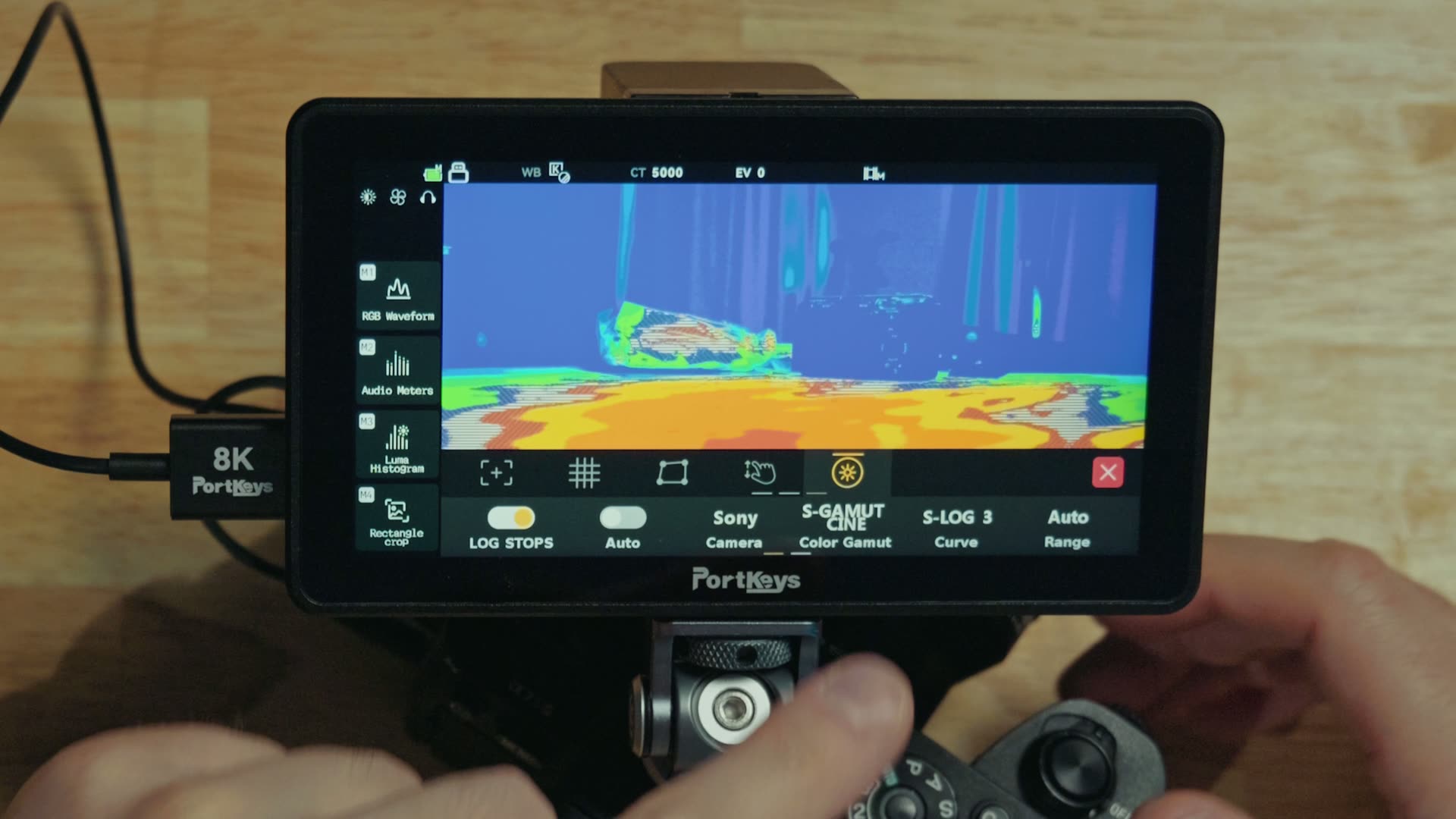
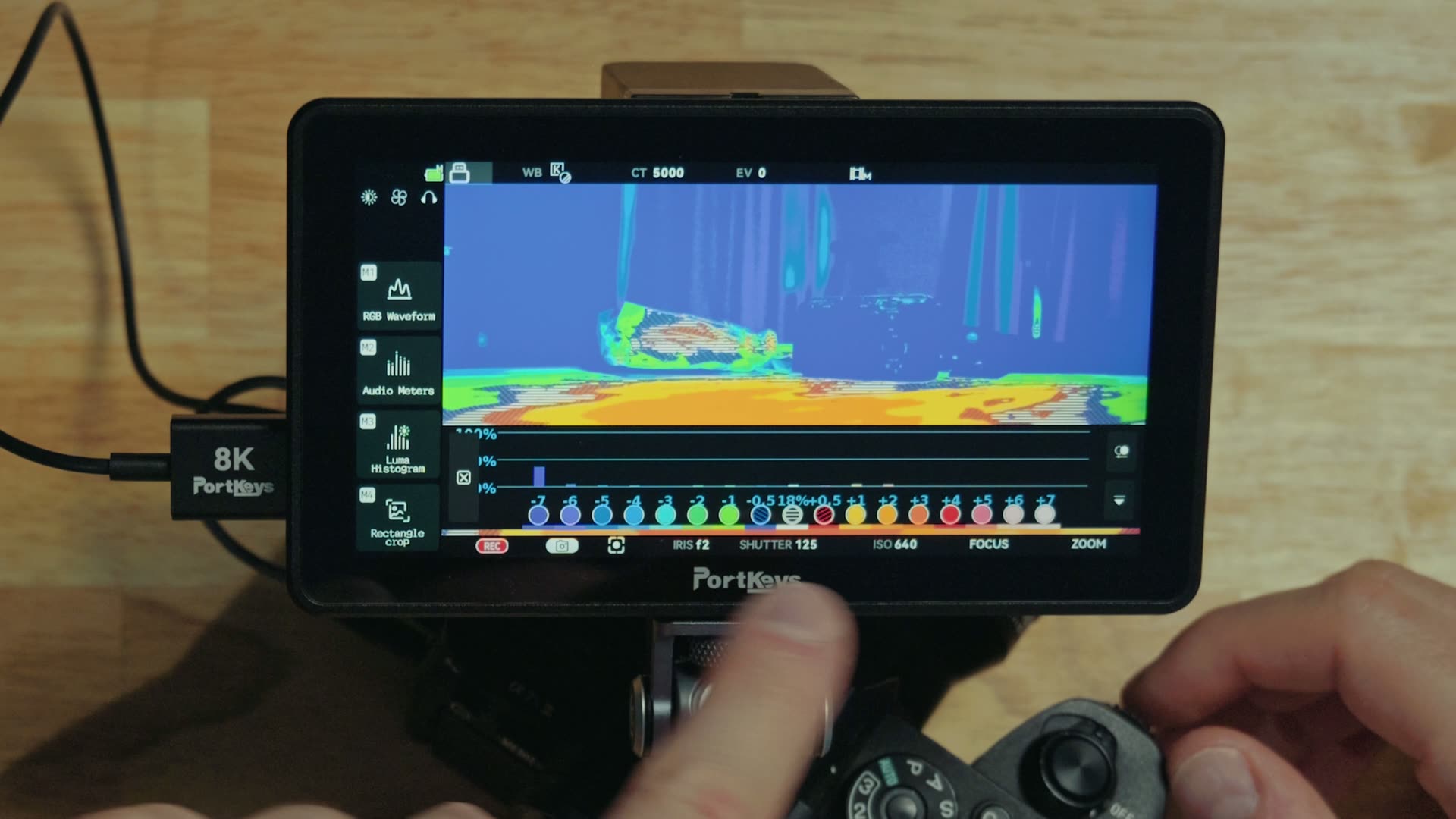
Even better, you can customize the Log Stop levels themselves. So if you are somebody who likes to overexpose a little bit, like me, to keep noise out of your shadows in S-Log3, you can go in and customize the Log Stop colors for each exposure level, which makes it incredibly useful for your style of filmmaking instead of somebody else’s.
Mounting Points On Every Side, Plus A Vertical Menu
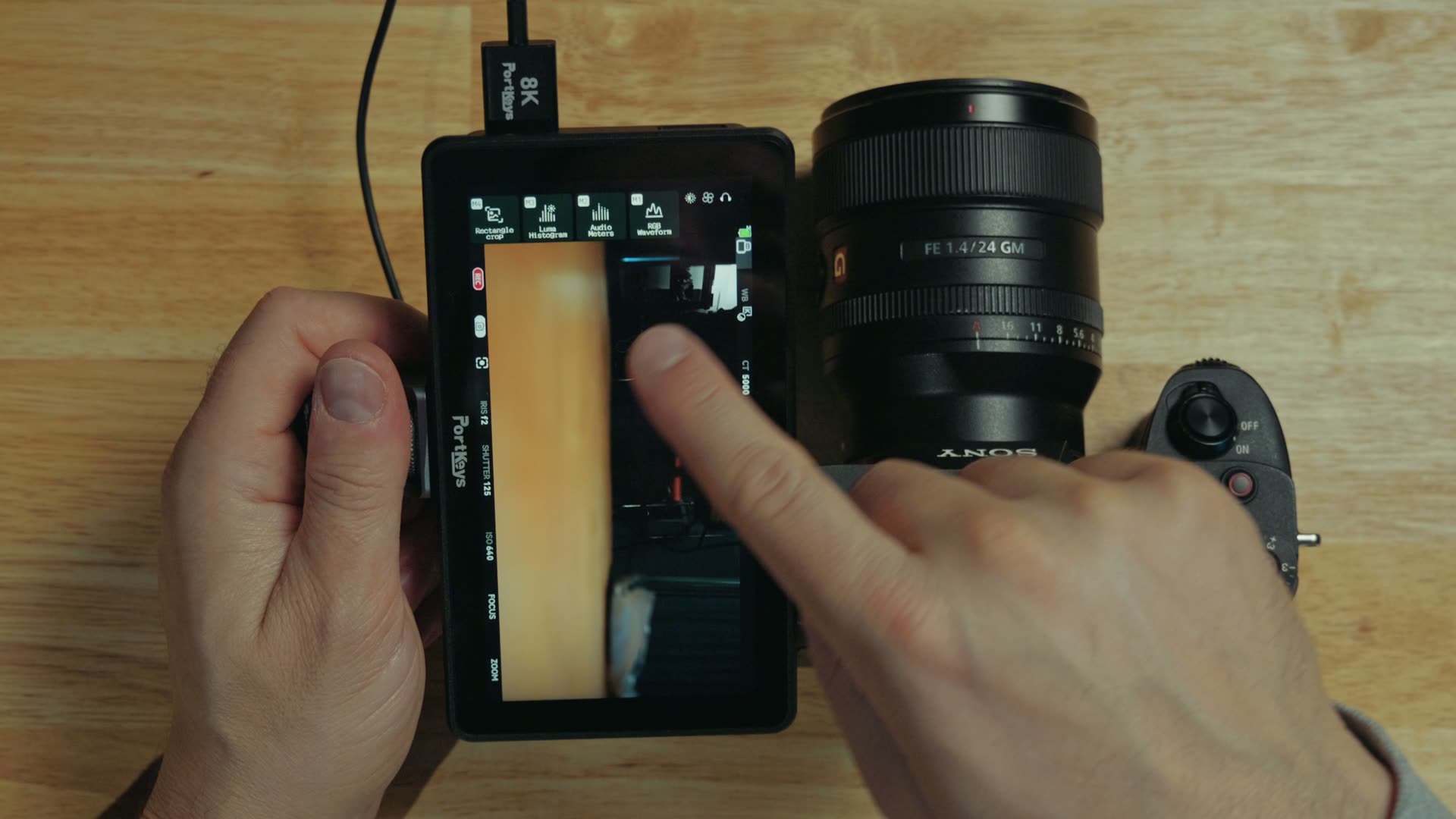
Just because this monitor is rather small does not mean it skimps on mounting options. There are threads on the bottom, so you can mount something like a hot shoe mount, and there are also threads on the side, which makes it really easy to integrate into any cage.
Those side mounting points matter more than they sound like they do, because the LH5P III’s menu system now has vertical orientation for some of its on-screen display. So if you have been wanting to use this monitor for recording vertical video, Instagram Reels, TikToks and so on, you can now mount the monitor vertically and still get to the shortcut buttons you would normally use, except now they are vertical and much easier to enable and disable. Worth knowing: it is some of the on-screen display that rotates, not the entire menu system, so go in expecting the shortcuts rather than a full vertical rebuild. Once you have filmed it, my best export settings for Instagram Reels in DaVinci Resolve will get it out the door looking right.
Wired Camera Control From The Monitor Itself
This monitor has an HDMI input and an HDMI output, so it can pass a 4K 60p signal through to a wireless transmitter or a client monitor. But the feature it inherits from the LH7C is the good one, and that is wired camera control.
Here is the deal. Most camera monitors are just a big, dumb external screen. If you want to change any of your camera settings you still have to go back to the camera itself, flip out the screen, tap around, and use the buttons on the back of it to adjust anything. Portkeys, on the other hand, has put a ton of work into building camera control into their monitors.
All you do is take the two-in-one HDMI cable they give you, plug one end into the monitor and the other into the camera’s HDMI port, and then run the second USB-C cable into the camera’s USB Type-C port. Whenever you do that, the monitor instantly recognizes the camera that is connected to it and gives you access to all of the camera settings on the monitor itself. White balance, ISO, aperture, all of it, just by tapping and dragging. It is so quick and so easy, and throughout all of it you still have a full screen image preview.
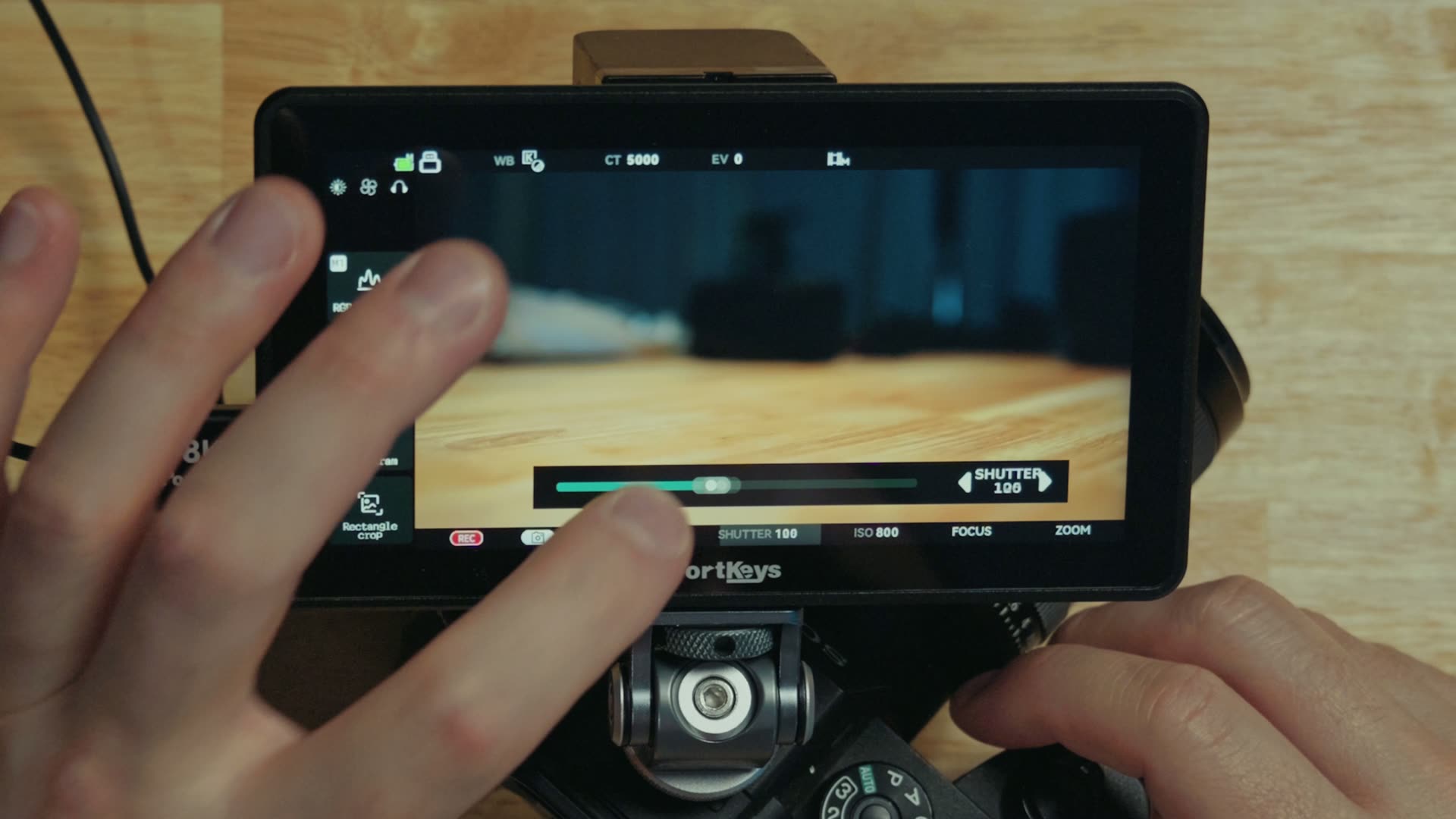
Tap to focus and track to focus are here as well, so you can simply tap on whatever you want it to track and it works just like it does on your Sony camera, except it is working through the monitor. That is the part that makes this feel less like an accessory and more like an extension of the camera.
Now The Camera Control Goes Wireless
But we ain’t done yet! This monitor also supports wireless camera control, meaning you do not need that USB-C cable connected at all.
That sounds like a small thing and it really is not, because it unlocks a much longer HDMI cable. If you have a setup where the camera is 20 feet away from where you are standing, all you have to do is run one HDMI cable, and because the monitor can control the camera wirelessly you can still adjust every camera setting from where you are. It is so useful.
Control 4 Cameras From One Screen
The second new capability is the one the whole video is named after, and it is called the One to Many Control System. To get to it you tap the settings and then tap Collaborative Control.
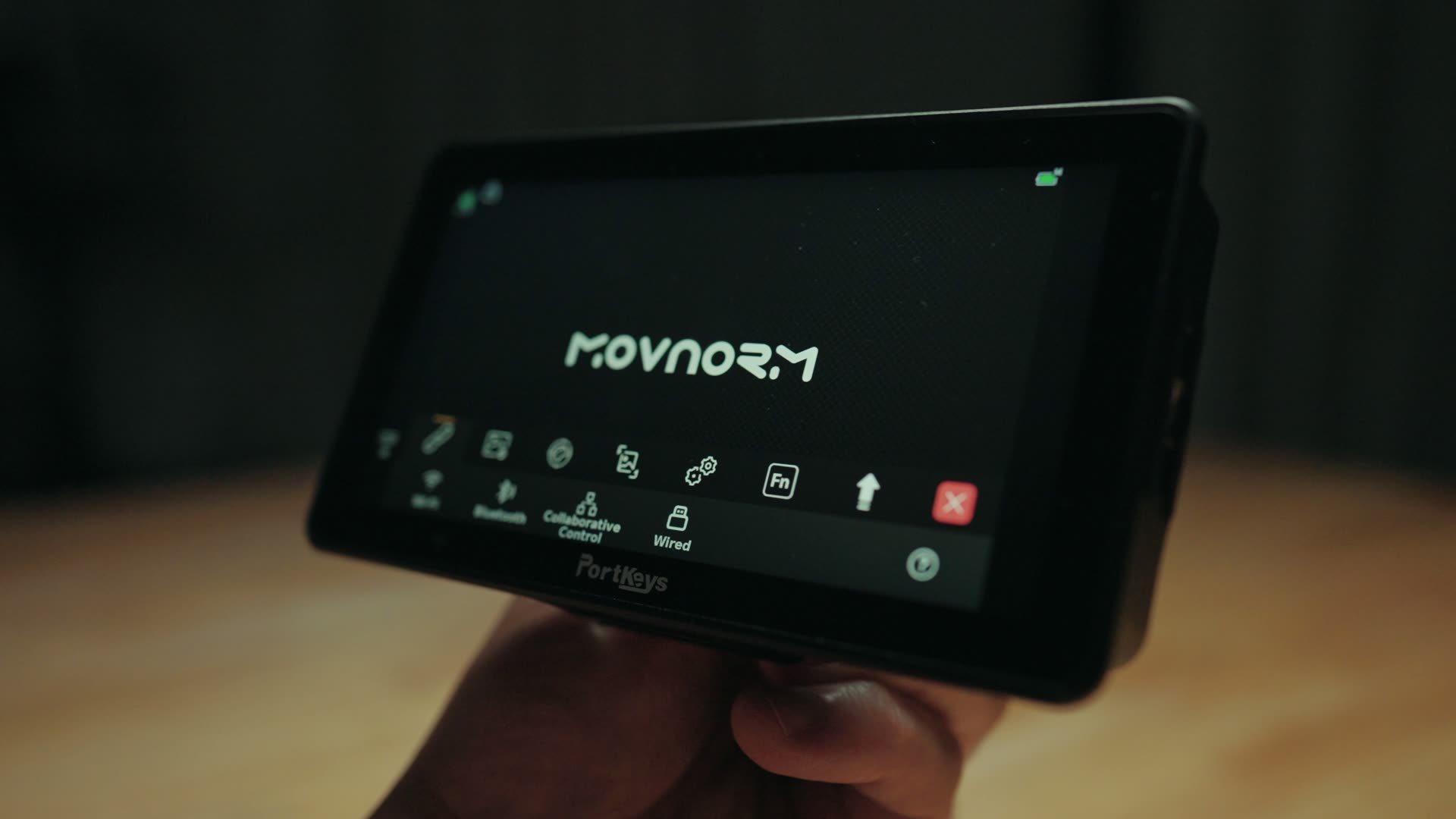
The way it works is that you designate one monitor as the main control monitor, and then you connect it to your other Portkeys monitors and control up to four other monitors, and the camera settings on the cameras attached to them, completely wirelessly, up to 165 feet away.
So let’s say you are filming a wedding ceremony with four cameras, or maybe it is a multi-camera podcast, it does not matter. If those four cameras are connected to four Portkeys monitors that all support wireless camera control, you can literally adjust the settings for all of them from your one main monitor. There is no need to run around to your other cameras to check your settings and make sure they are actually recording. You can do all of that from one screen. For anybody who has ever tried to keep a multi-camera wedding setup honest during a live ceremony, this is a huge time saver.
I do want to be straight with you about the catch, because it is a real one: the four cameras you are controlling need to be on Portkeys monitors that support wireless camera control. So a four-camera version of this is four monitors, not one, and that is a spend you should do the math on before you get excited about it.
So Should You Buy The Portkeys LH5P III?
If you are a filmmaker who uses multiple cameras when filming, and you want a compact monitor with a ton of functionality including the ability to wirelessly adjust the settings for several cameras at once, while still being color accurate and extremely bright, I think this monitor is a fantastic choice.
But if you are mostly a one-camera user and you do not need to control several cameras at once, the previous generation Portkeys LH5P II still supports wireless camera control of a single camera, and you are only giving up a bit of brightness and color accuracy, so that could save you some money. And if you want a larger screen instead, check out the Portkeys LH7C, which I also have a video about on my channel.
While you are here, you can also download my free Filmmaker Gear Guide, which walks you through all of the camera gear I actually recommend, and if the footage on the monitor is the easy part and the timeline is where you get stuck, my free Edit Videos Like A Pro guide is the one to grab next. Thanks so much for reading, and have a great day!