
Today I’m reviewing this little fella, the Zoom F2 audio recorder, as well as its bigger brother the F2-BT. I’m going to tell you why these recorders pack some of the most revolutionary new technology we have ever seen, or heard I guess, and whether you should invest in them if you’re a wedding filmmaker.
Before we get started, for the sake of ethics I want you to know this video isn’t paid for or sponsored by Zoom in any way. That said, it is sponsored by my friends at Sweetwater, who were kind enough to send these recorders over so I could make the review. To be clear, neither company has had any say in it, and the first time they see it is the first time you do.
Why These Recorders Are Revolutionary
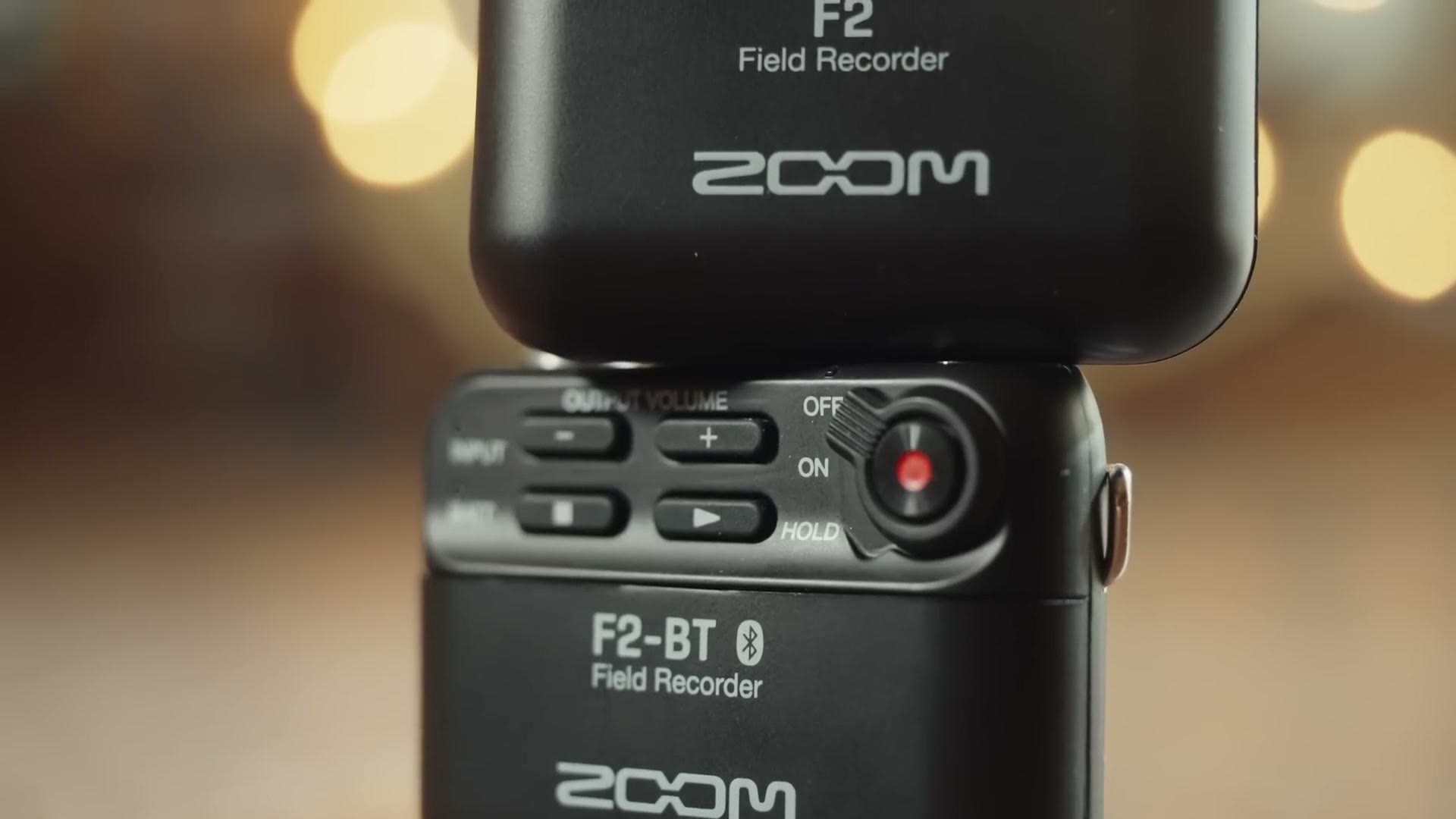
You’re probably wondering why I’d call an audio recorder revolutionary. I mean, audio recording hasn’t changed that much, right? That’s how I used to think. And then companies like Zoom and Sound Devices started releasing recorders capable of 32 bit float audio.
What the heck is that? To put it as simply as possible, 32 bit float audio is to audio what raw video is to video. Just like raw video lets you change your ISO and white balance after you’ve recorded it, 32 bit float gives you far more control over your audio after the fact. There’s a lot of math that goes into it and you don’t need to know any of it. What you do need to know is that if you use a 32 bit float recorder, in the vast majority of situations you will never have to deal with your levels being too quiet or too loud and peaky ever again.
Bold claim, I know. But imagine filming a wedding and never having to worry that the officiant isn’t speaking loudly enough, or filming a reception where someone is screaming a toast into the microphone. The promise is that you will always be able to recover it. It sounds like magic. It’s math, which is kind of magical to me.
This is already really cool, and it’s about to get cooler, because whereas the earlier 32 bit float recorders were much larger, like the Zoom F6 and the Sound Devices MixPre-3, we’re now starting to see much smaller ones. Recorders like the F2.
If I had to come up with a theme for this recorder it would be revolutionary technology, hampered by some cost cutting. You’ll see what I mean.
Build Quality And Ease Of Use
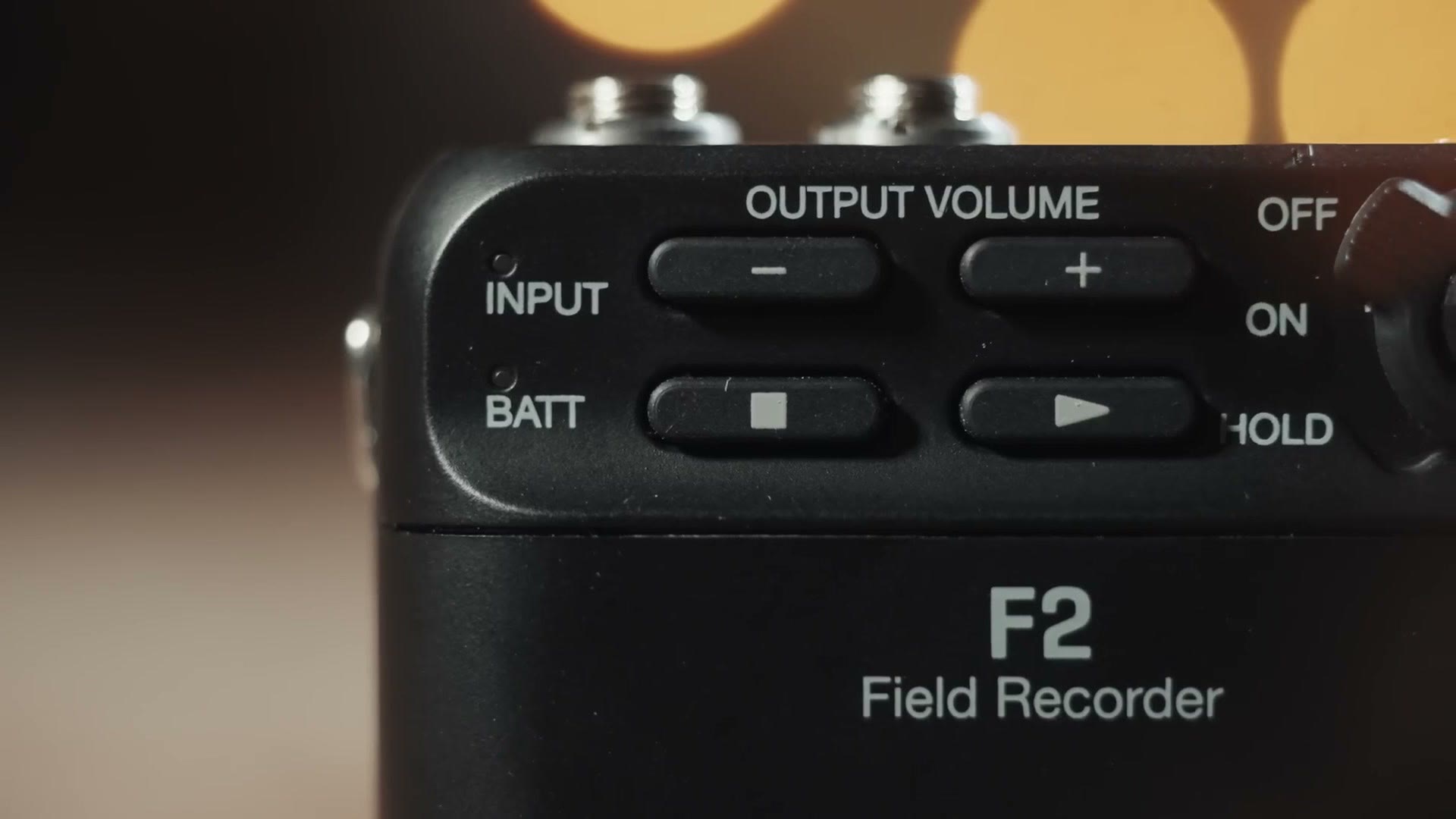
Both the F2 and F2-BT are compact and lightweight, and what you’ll probably notice first is that these things are dead simple. There’s no screen to be seen, just five buttons, three lights and a switch. Once you start using it you’ll realise four of those buttons really don’t matter, and that using this recorder is as simple as flipping the switch on and hitting record. There are no settings to change, because remember what I said: it uses 32 bit float, which means you don’t need gain or limiters or auto leveling. It just works.
The three lights on the front tell you basically everything. When the battery light is on, the recorder is on. Green is full, orange is 50 percent, blinking orange is 25, and blinking red means it’s almost dead. No rhyming intended. Above that is the input light, which glows green to tell you the mic is receiving signal, and red if it’s peaking, which because of 32 bit you probably won’t be seeing. Last is the record light, red when you’re recording, or orange if you’re connected to the F2-BT over Bluetooth with the phone app.
Battery Life Tests
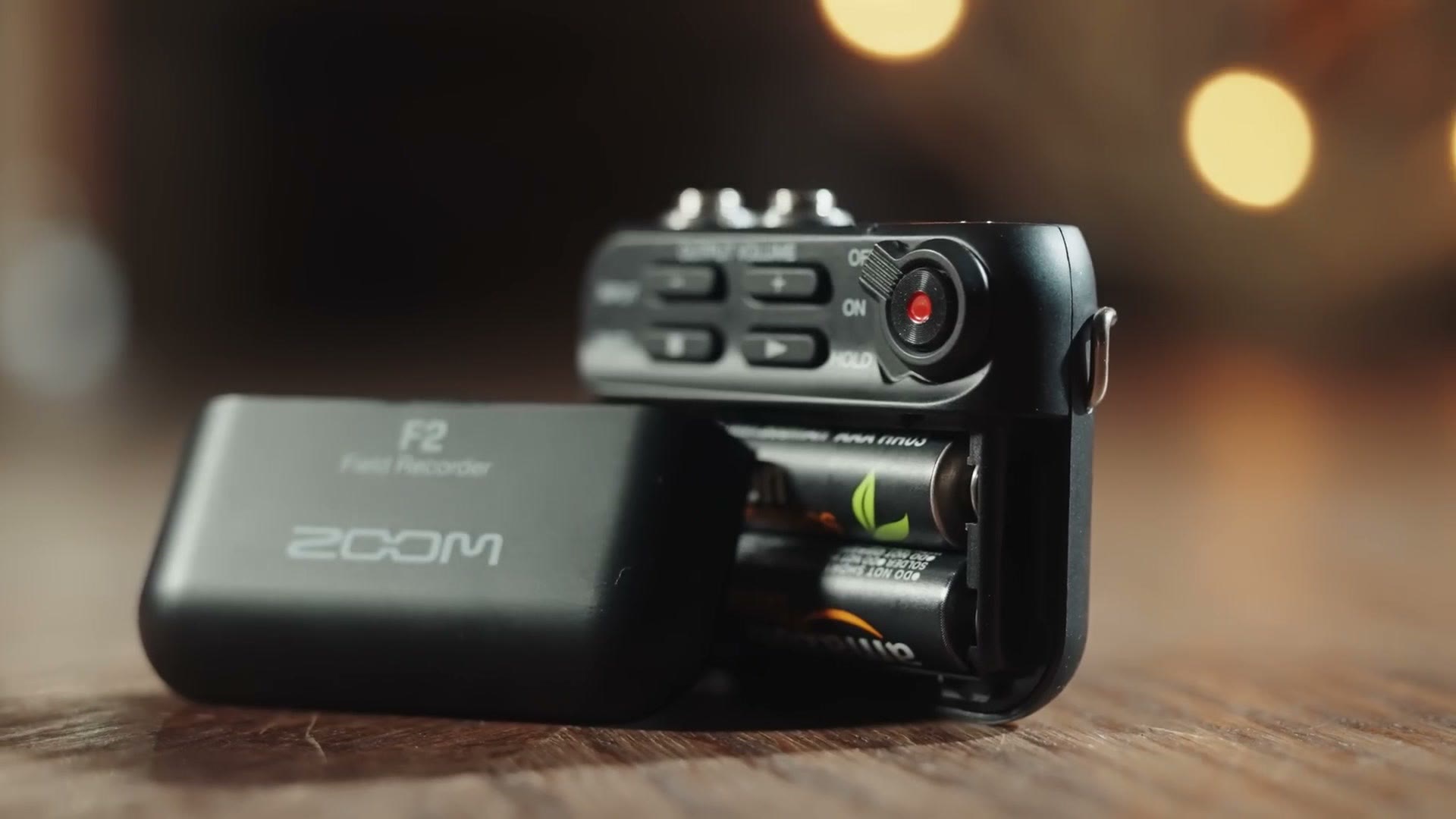
The F2 takes two AAA batteries, and Zoom says you can get up to 15 hours of recording. In my testing reality was a little less, with alkalines letting me record for 12 and a half hours. Surprisingly, when I ran the same test with rechargeable NiMH batteries they lasted slightly longer at 13 hours. As one final test I tried my favorite batteries, Energizer lithiums, and they recorded for an astonishing 21 hours. Almost a full day straight.
So whatever you choose, you should get through even the longest wedding ceremony. But if you’re someone who wants to mic your couple at the start of the day and leave it on them, or if you film multi-day events, lithiums give you almost double the life and are definitely the way to go.
Ease Of Starting And Stopping Recording
One of my fears when I first saw this recorder was that it might be easy to stop recording after it had started. I was worried the power switch could be flicked accidentally, turning it off and leaving me with no audio.
I’ve filmed weddings where the groom came up to me afterwards and said he’d had to go to the bathroom before the ceremony, so he turned off the audio recorder, but don’t worry bro, I turned it back on, everything’s fine. Cue my nervous sweating. In that case he was wearing my Tascam DR-10L, which is very difficult to turn off, so it was actually okay and he hadn’t stopped recording at all.
Thankfully my fears about this switch were unfounded. You flip it down to turn the recorder on, press the button to start recording, then flip it down again to the hold position, which disables every button on the recorder. The switch is recessed enough and takes enough pressure to move that I don’t think you’ll ever deal with it being flipped by accident.
Cost Cutting
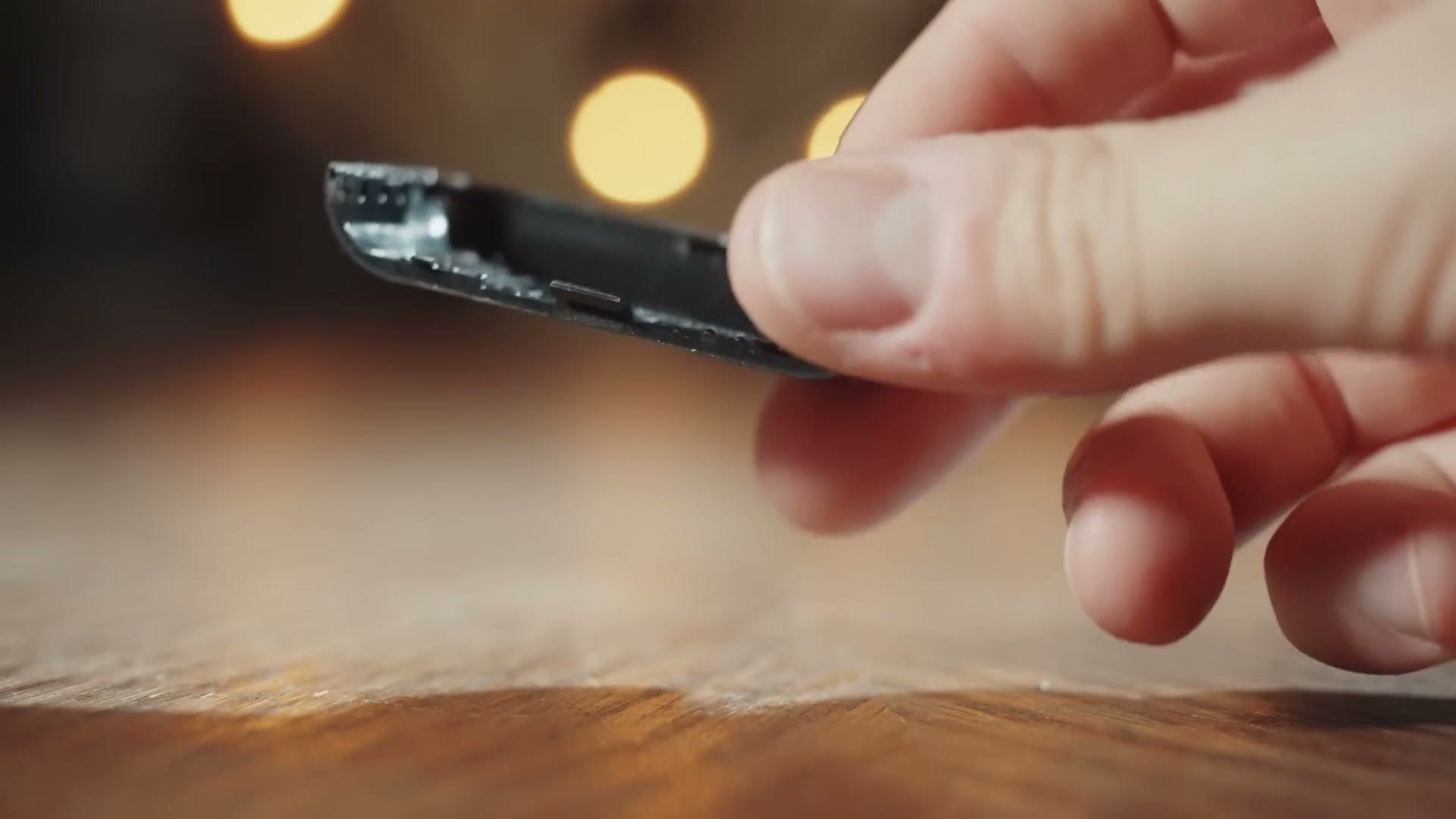
Remember the theme: revolutionary technology hampered by some cost cutting. Here’s the cost cutting.
The battery door is just difficult enough to remove to make you feel nervous about breaking it, and combined with how thin the plastic is, you’re going to want to be careful, especially in a rush on a wedding day. The micro SD card door on the back is made of incredibly cheap plastic too. This is honestly a trend with Zoom and SD card doors. Type F in the chat if you’ve ever had one break.
One pro on the SD front, though: the F2 takes micro SD cards up to 512GB, so you have the ability to record literally weeks of audio if you wanted to.
Mic Jack Popping And Peaking
I want to address a build quality concern you may have if you watched other reviews right after this recorder came out. There were reports, in groups online and from some reviewers, that the F2 had an issue with the mic jack: screw the lav mic in, apply horizontal pressure to the jack, and a bad connection would cause a very loud pop that would turn the input light red, peak the audio, and essentially ruin that section of the recording.
That led to a ton of doom and gloom. This recorder is awful, never buy it, Tascam for life bro. Well, hold on, because I emailed Zoom about it, and they replied saying this is a known issue, they will replace any F2 that has it, and they’ve changed their manufacturing process so it doesn’t happen again. Case closed, crisis averted. Don’t let those reports keep you from buying this recorder. There may be other things that keep you from buying it, and we’re going to talk about them, but don’t let that be the reason.
The Weird Formatting Issue
Up to now I’ve talked positively about how stripped down this thing is, where there are no settings to change and you just turn it on and hit record. That’s appealing. But what if you do need to change a setting? What if you need to tell it you’re using a different type of battery, or do something as basic as format the memory card?
Formatting is interesting, to say the least. For context, I’m a big fan of formatting my cards in the device I’m using them with. If I’m shooting on an a7S III, I want to format the card in the camera first so it has the right file structure and files record to it properly.
Here’s where the F2 gets weird, because it is not possible to format its card on the recorder. There’s no screen and no secret Konami code of buttons. So my next thought was, fine, I’ll format it in the phone app. Except there’s no way to do it there either, which does make sense given the phone app only works with the Bluetooth version, and it’d be strange if only one of the two recorders could format its card.
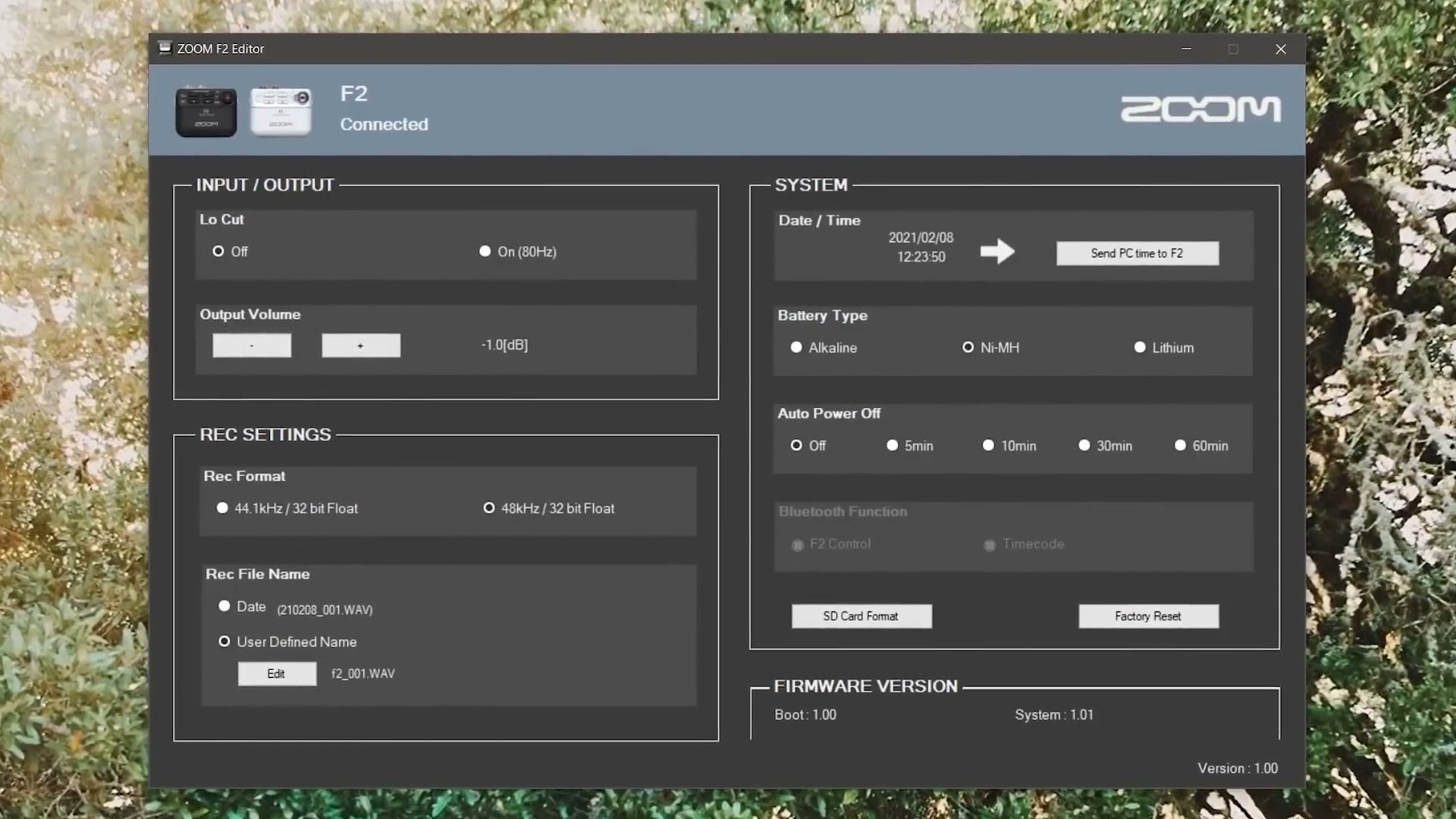
Which leaves exactly one way. You have to use the Zoom settings app for the F2 on a Mac or PC, which means plugging the recorder into your computer. All you have to do is grab the USB-C cable that comes with the, wait. The F2 doesn’t come with a USB-C cable. Good thing I had one. But this is definitely something to keep in mind, especially if you haven’t made the transition to USB-C and don’t have spares lying around. Remember the cost cutting? Case in point.
Once it’s plugged in, it’s a simple matter of pressing the format button in the app. But I really want you to be aware of how weird this is. If you’re out filming a wedding using a smaller card, and you forgot to format it the day before, so the card is full, then without a laptop and a USB-C cable you are not going to be able to delete anything off that card. That could leave you with no way to record audio.
Personally I don’t think it’s a very big deal, because I format my cards before every wedding I film. But if you’re someone who likes to record multiple weddings onto one card and just keep filling it up as a sort of backup, be aware that you really do not want your cards to completely fill up. You’re going to be in trouble.
Other than that, the settings app is fine. Low cut filter, battery type, the basics.
The Phone App
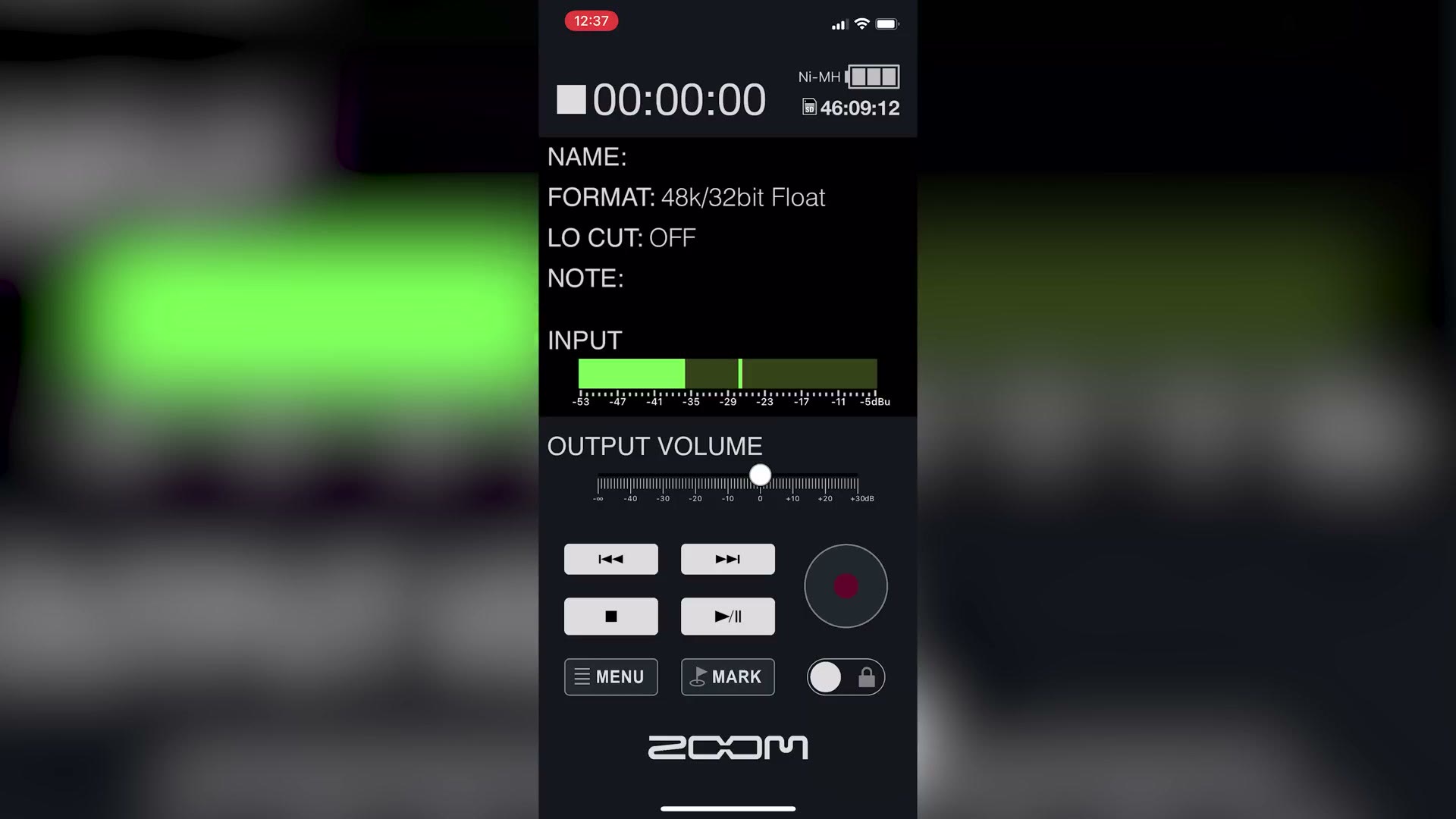
Now the phone app, which is on iOS and Android. If you pony up an extra 50 bucks for the F2-BT you can use it with your recorder, and I really like it. It gives you nice functionality, tells you how much battery life is left, and gives you an estimated recording time remaining on the card.
I saved my favorite feature for last. Whenever the F2 is connected over Bluetooth and the record light is orange, you cannot start or stop recording using the buttons on the recorder. You have to use the app. So even if someone wanted to stop it, short of turning the whole thing off, they can’t without access to your phone. Remember the story about the groom. I really like that added difficulty.
If you want to go deeper, I’ve also got The Sony a9 iii Global Shutter Sensor is REVOLUTIONARY For Filmmakers.
Overall this app gives you peace of mind. If you’re a semi-paranoid wedding filmmaker like me who spends a ceremony constantly wondering whether you actually pressed record, it is very reassuring to open your phone and confirm the audio is rolling. The only con of the app is one I’ve already covered: you can’t format the card from it.
Audio Quality Tests
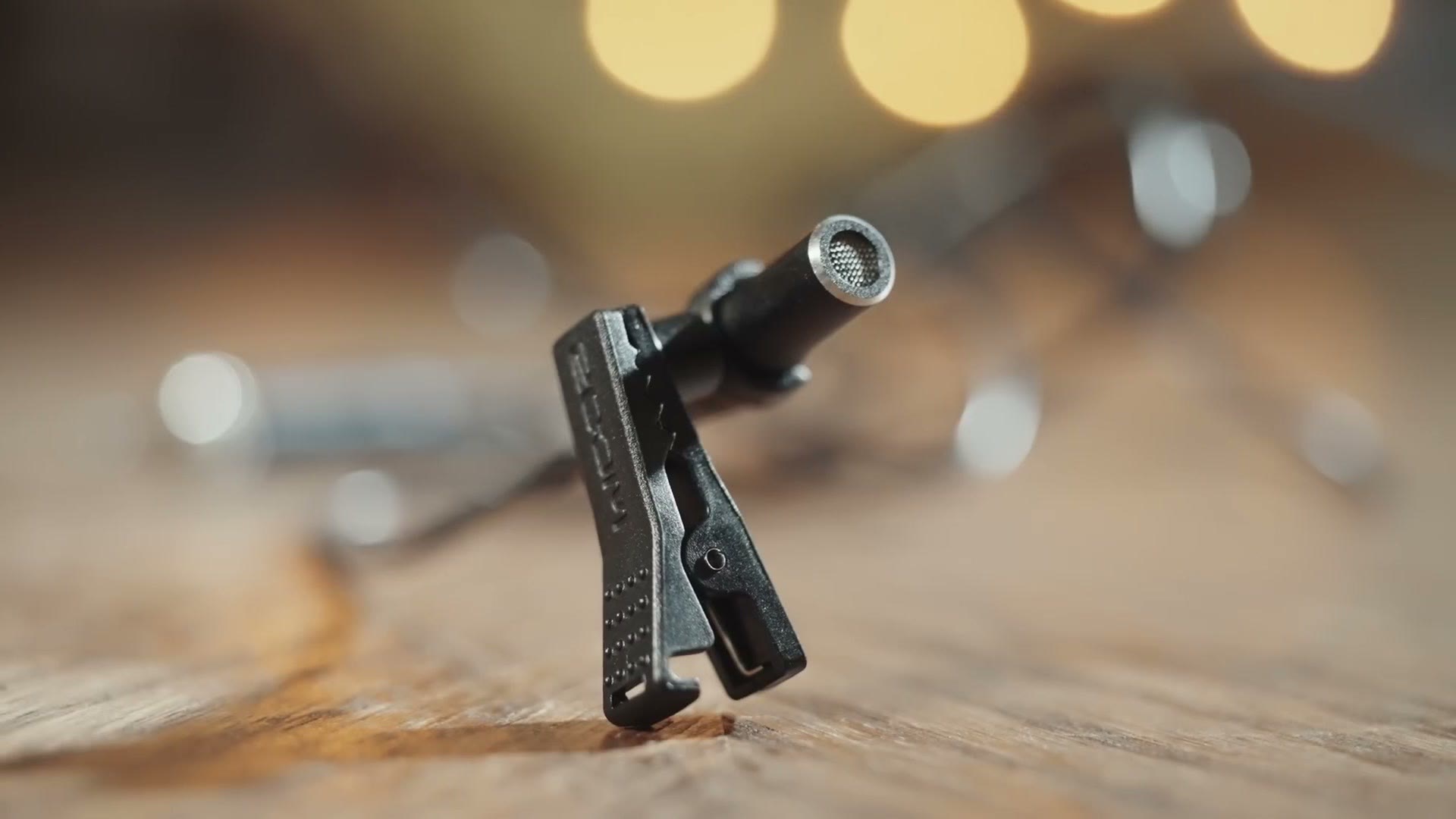
We’ve talked about the magic of 32 bit float, which is going to give you some of the highest quality audio you’re capable of recording. But you need to be aware of one big caveat: even with 32 bit, the quality you get is directly tied to the quality of the microphone you use, and out of the box the F2 comes with a rather cheap lav mic.
It’s not a bad lav, believe me, I’ve heard worse. But if you’re used to higher quality mics there’s a chance you’ll notice. Why only a chance? Because I’ve been wearing and using the F2’s own lav for this entire video. Surprise. How’s that for an audio test. I did apply EQ and some effects to make it sound better, and in the video you can hear an unprocessed sample with nothing but loudness normalization on it.
If you’re just getting started and on a tight budget, I think this lav will work fine. If you want to step up and spend a bit more, the upgraded mics I recommend are linked below.
Can You Use The F2 With A DJ’s Sound Board?
When the F2 was announced, wedding filmmakers were really excited about the idea of plugging it straight into the DJ’s soundboard with an XLR or quarter inch to 3.5mm cable. The thinking was that because it does magical 32 bit float, it’ll work in any situation no matter what you plug it into.
Sorry to burst your bubble. The F2 is made to record at a volume known as mic level. DJs typically output at line level, which is a much louder signal, and in most situations even 32 bit can still peak. If you want to go deeper and nerdier on this, I’d recommend watching my friends at KEJ Productions, who are both actual audio engineers and can explain it in far more detail than I can.
Price And The Hidden Costs
At $150 for the F2 and $200 for the Bluetooth version, this is quite an affordable recorder. But I want you to be aware of some hidden costs.
Whichever one you buy, you’re of course going to need a micro SD card, and more surprisingly a USB-C cable as well if you don’t have one lying around, because connecting to your computer is the only way to properly format the card of either recorder, and the only way to change settings at all on the base F2. And if you aren’t happy with the stock lav, a better mic is another cost on top.
Should You Buy The Zoom F2 Or F2-BT?
Overall I think the F2 is a fantastic audio recorder, and as long as you’re gentle whenever you change the batteries and swap cards, it should last you a long time.
The simplicity, the set it and forget it nature of turning it on, pressing record, and that’s it, makes it a stellar choice for new wedding filmmakers. When I started filming weddings I would constantly deal with my audio being too loud or too soft, usually because I hadn’t got my settings right. The F2 handles all of that for you, which I absolutely love. So if you’re a new filmmaker who hasn’t invested in any audio equipment yet, buy the F2, or ideally the F2-BT if you can afford it.
But if you’re already established, you’ve invested in a lot of audio gear, and you own multiple Tascam DR-10L recorders, I don’t think the F2 is going to be a huge upgrade. With those recorders’ auto leveling and dual recording, I don’t find myself wishing I had 32 bit float, which is really the main draw here.
That said, if you’re a paranoid filmmaker who spends every ceremony thinking did I press record, then the F2-BT is going to be great for your peace of mind, because you can pull out your phone and confirm it at any time. That may be absolutely worth it on its own.
Everything I Mentioned
The recorders, at Sweetwater, who sent them over:
- Get the Zoom F2 at Sweetwater
- Get the Zoom F2-BT at Sweetwater
- Zoom F2 at B&H or at Amazon
- Zoom F2-BT at B&H or at Amazon
The hidden costs, so you can buy them at the same time:
- Micro SD cards: 32GB, 64GB, 128GB or 512GB
- A USB-C cable, which the recorder does not come with and which you cannot format the card without
- Batteries: alkaline, rechargeable, or the lithiums that got me 21 hours
- Lav mic upgrades: the Countryman B6 at Amazon or the Sanken COS-11D at B&H
Everything else:
- Zoom F2 vs Tascam DR-10L, which is the head to head comparison I promised in this review
- How to mic the bride
- KEJ Productions’ Zoom F2 review, for the line level versus mic level explanation from actual audio engineers
- WhoisMatt LUTs, which is what this footage was graded with
- Join the discussion in my Facebook group
And if you happen to be a wedding filmmaker like me, you probably want to book more couples and film more weddings. In fact I would basically guarantee it. So I made a free guide that walks you through how to do exactly that, and you can download it here.
This review is from February 2021, when the F2 was $150 and the F2-BT was $200. Zoom has shipped firmware since and prices have moved, so check the current numbers before you buy.
Zoom did not pay for or sponsor this review. Sweetwater sponsored the video and sent the recorders. Some of the links above are affiliate links.