
The new Panasonic Lumix S9 is here, and at a price of only 1,500 bucks this camera packs a lot of capabilities into a very compact body. But in my opinion, due to a maximum recording time limit of only 15 minutes and the lack of a headphone jack, this camera does not hit the baseline that’s required for any new video camera if you’re going to use it for professional work.

So it’s hard for me to recommend the S9 if you want to use it to film weddings, or corporate or commercial videos, or even YouTube videos. That said, if you’re brand new to filmmaking in general and you know you’re not going to hit that 15 minute limit, and you want a fun compact camera that will get you into the Lumix ecosystem at an affordable price while still being quite powerful, that’s where the S9 starts to make sense.
There’s the spoiler for how I feel about this camera, because I respect your time. I’m reviewing it from the perspective of a wedding and professional filmmaker, but I’m also going to consider how well it would work for you as a brand new filmmaker.
Also, for the sake of ethics, I want you to know this review is not paid or sponsored by Panasonic. But they did fly me out to Japan to see the launch of this camera, which is why there’s a nice hotel room background in the video. This camera is also on loan from Panasonic and I plan on giving it back whenever they ask for it.
Build And Size
Lumix really created a beautiful camera here. It’s full frame, but it’s small. It’s compact, it fits into your hand really easily, and if I’m allowed to say this, it feels a little bit reminiscent of a Leica. Don’t get mad at me for saying that. It just looks clean. Maybe that’s just me. Maybe I’m crazy.

Emphasizing the size for a second. In the past, Lumix has always made cameras I would consider, in a word, chunky. I remember even the Micro Four Thirds Panasonic GH5 that I reviewed back in 2017, and while it’s been a while, that camera was quite hefty compared to my full frame a7S II. That said, it had great ergonomics and no overheating issues, so that’s a win. But with the S9 this is different, because this is a quite compact camera and it’s nice to see from Lumix.
Buttons And Dials
Here’s where it gets interesting, because as with most other small cameras, there’s not much room to put buttons on it. But what I want to draw your attention to is not necessarily what’s lacking on the S9, but what has been included.
What’s lacking first though. I can’t help but wish this camera had an extra dial on it. You have one on the top, you have one on the back, but I’d really like another one right on the front. I feel like my finger could just go so perfectly right there and spin something. And I’m really not a fan of the back dial being what you need to adjust the shutter speed, because there’s always a chance you’re going to bump it. Oh crap, I just changed my shutter speed. Whenever I’m filming with any camera I prefer to leave that dial inactive unless I press a button first and then adjust it. That’s just me personally.
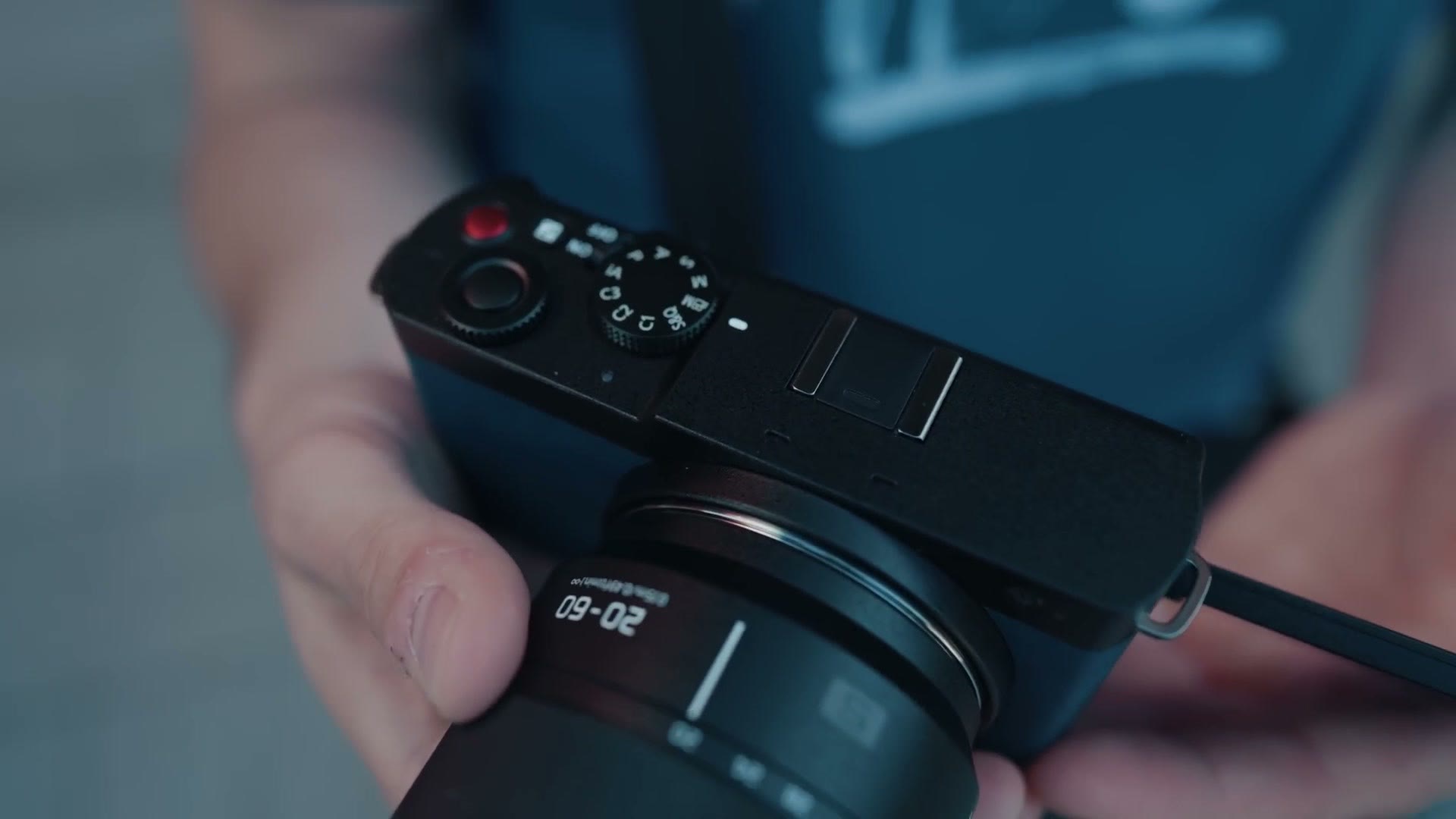
Now let’s talk about what has been included, because this is where this camera starts to get really fascinating. First off, I’m glad to see Lumix added a nice big red record button, emphasizing that they care about video recording, which I do too. Of course you can reprogram it if you want.
Look at the back of the camera and you have a lot of buttons that are typical for Panasonic. You’ve got your ISO, Q for quality settings, a trash can. All pretty common. Look at the top and you have an AF ON switch. Typical. But next to it, what is this? A lock button?
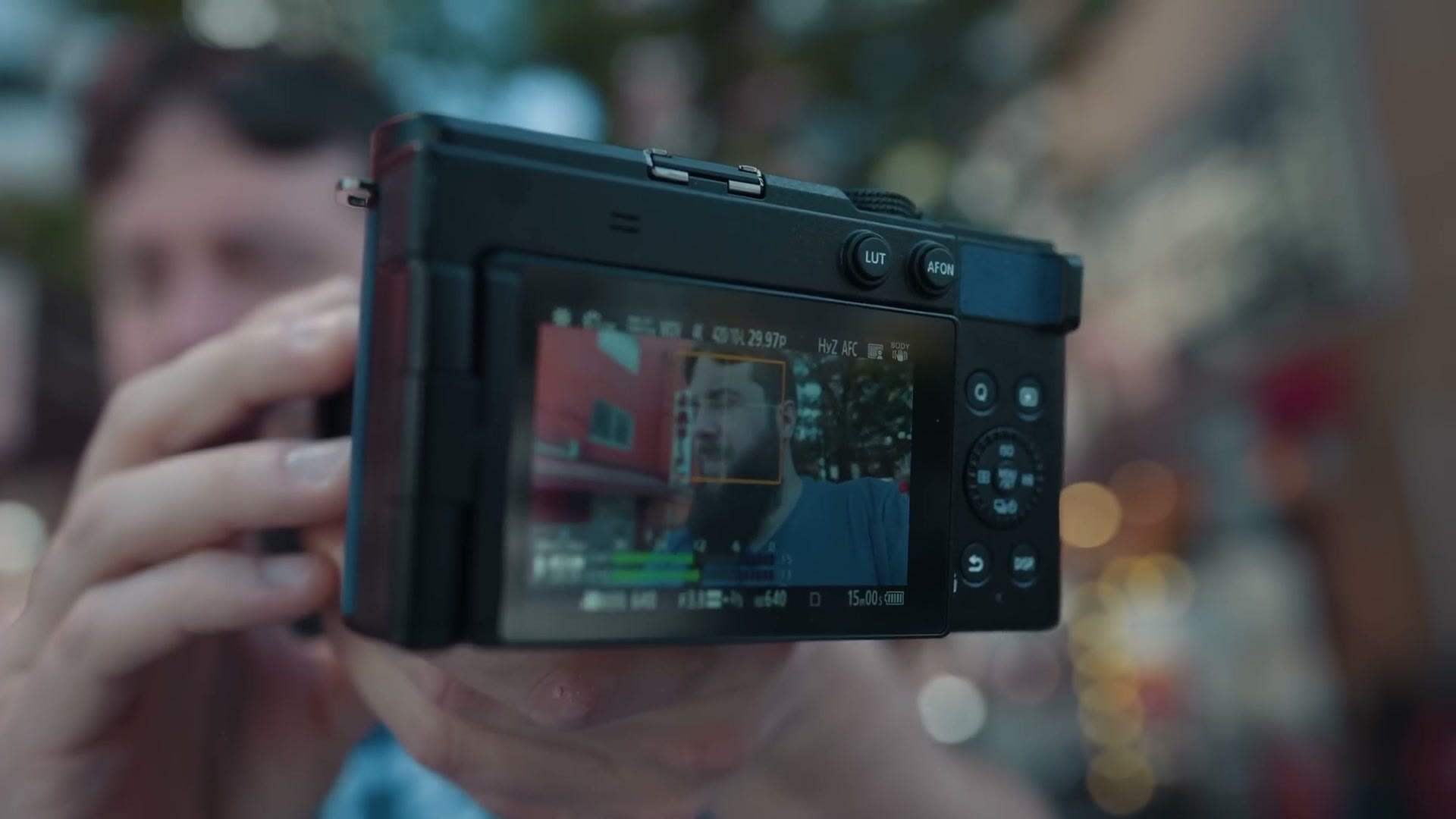
LUT. Yes, really. This camera supports LUTs like most new cameras do, but Panasonic has seen fit to include a dedicated LUT button on it. And the reason for that is actually super cool and really compelling for the future of Lumix cameras.
Massive New LUT Features
Why did they feel the need to include a LUT button? It all comes down to the level of customizability Lumix wanted to offer with the S9. They know that a lot of filmmakers use LUTs, and they’ve really created an entire ecosystem around letting you create, modify and add your own LUTs to this camera. It’s super cool.
Here’s how it works. The S9 supports up to 39 different custom LUTs inside it, and there are a few that come pre-installed. Any LUT you install can be heavily customized in camera as well, and you have the option to adjust the opacity of the LUT if it’s too intense.
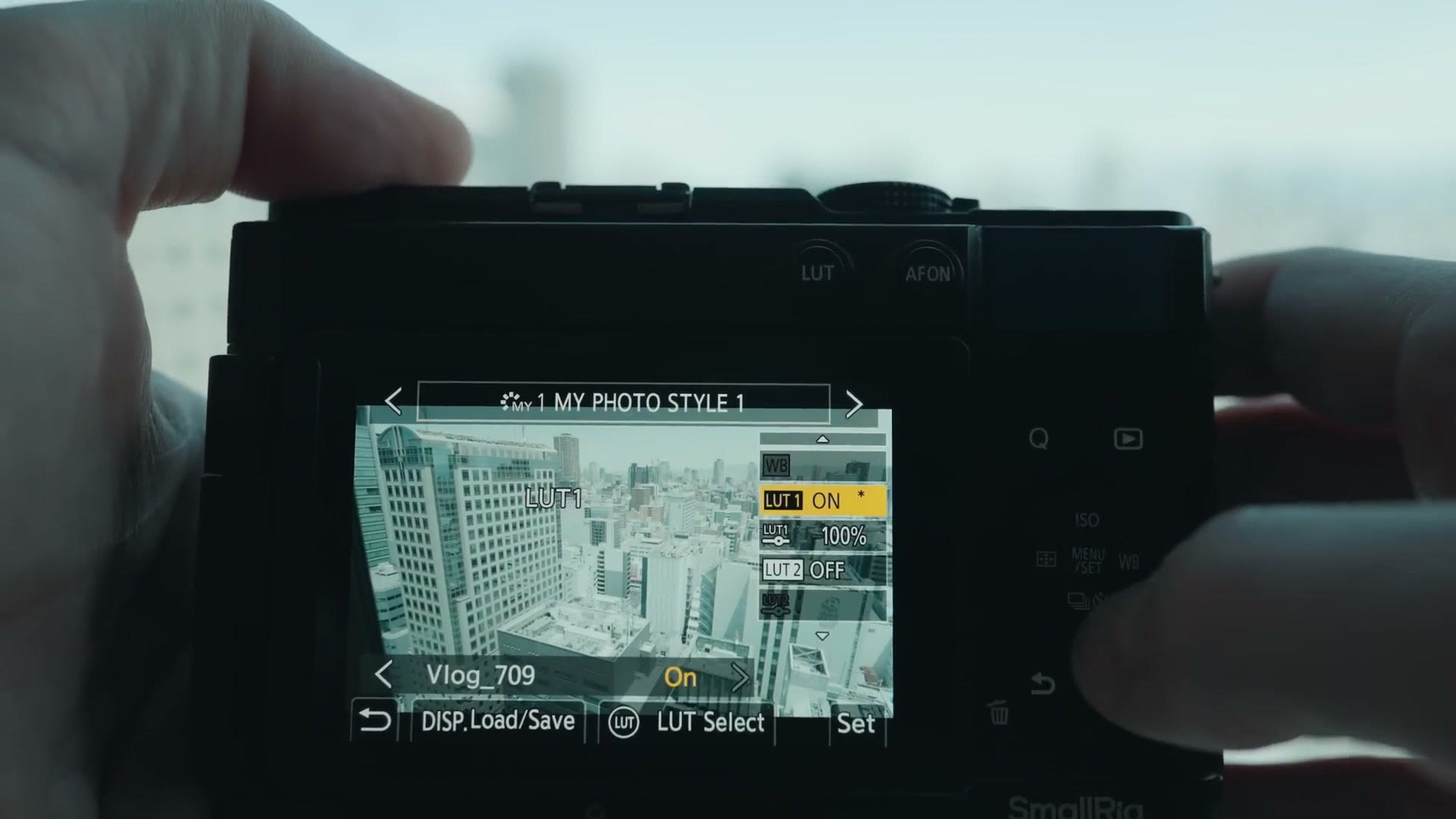
And here’s where it gets really crazy. You can apply two different LUTs at the same time. Here’s an example of why that’s so powerful. Imagine you want to add a conversion LUT you prefer to use, so the camera converts from V-Log to Rec.709 in camera, and then you also want to add a creative LUT on top of that to adjust the look of your footage. Well, you can now add two LUTs with this camera, combine them, and adjust the opacity and intensity for each of them. It’s awesome, and I don’t know of any other camera manufacturer letting you do that, even on a high end cinema camera.
The Lumix Lab App
There’s an app. Of course there’s an app. Do you know what year it is? There’s an app for everything, including a new one for this camera, and it’s called Lumix Lab. I like the alliteration there.
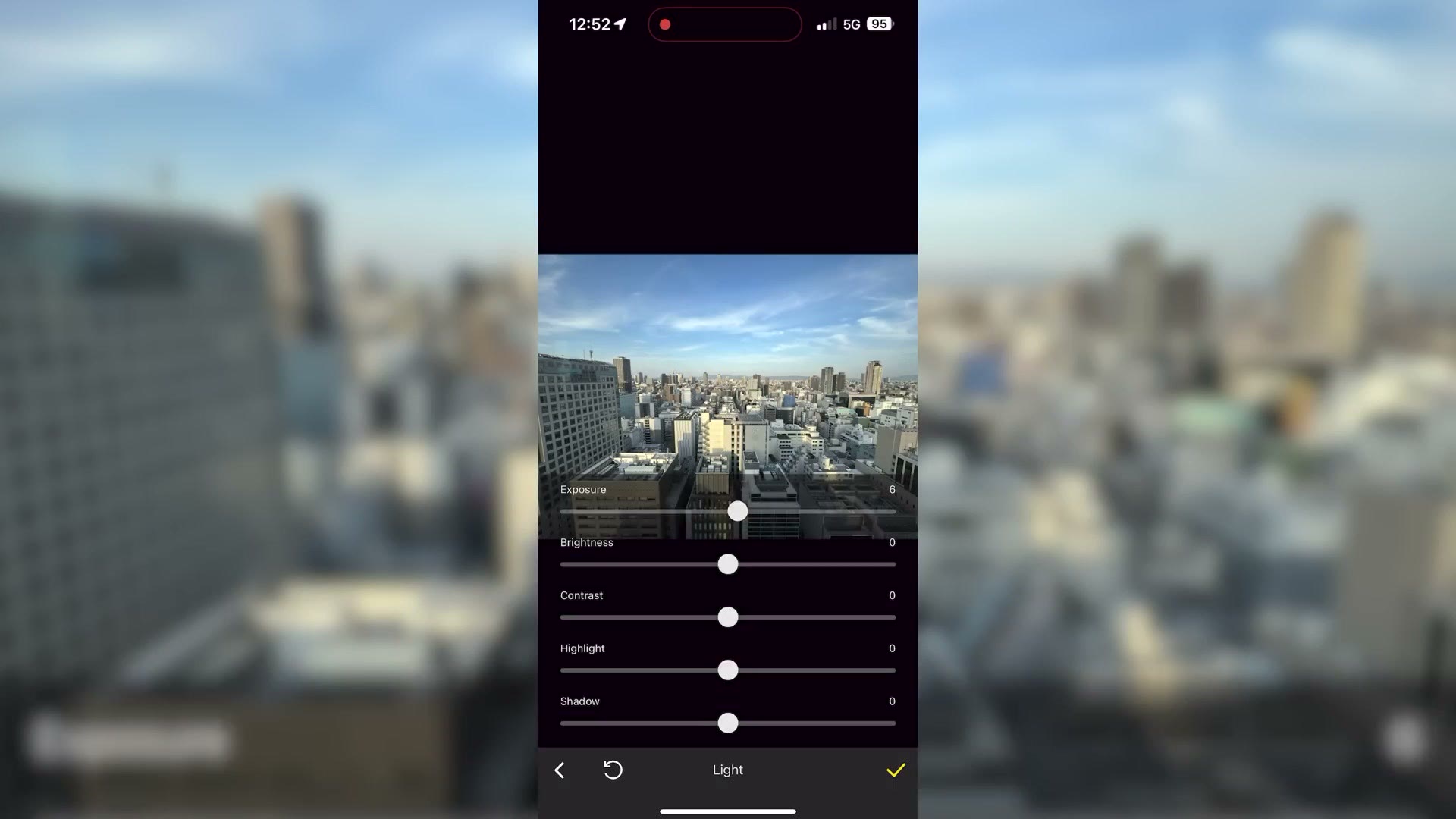
This app is the coolest, in my opinion, because it lets you create custom LUTs that you can then seamlessly transfer to your camera. You can literally customize a preview with sliders to control the contrast and saturation and exact colors that you want on your phone, and then transfer that as a LUT to your camera. It’s pretty wild.
Now are you starting to catch on to why Lumix added a dedicated LUT button? Because with it you can press that button and immediately access any of your up to 39 saved LUTs. There are plenty of camera manufacturers that have gone halfway with this, letting you copy LUTs to your camera, but none of them have this simple a wireless transfer from your phone to your camera, and definitely none of them have this level of LUT customization.
So I think this is really exciting. Even if you don’t love all of the other features of this camera, or you’re upset about some of the missing ones, which we’re going to talk about very soon, this is still a very interesting preview of what Panasonic has coming down the pipeline. For future cameras I would love to see this capability. I don’t know that they necessarily need a dedicated LUT button, but the option to go into a menu and add and customize LUTs is something I would love to see on every single camera from every single manufacturer. It’s a no brainer.
And while we’re talking about LUTs, I want you to know I’ve created a set of LUTs that work fantastic with this camera if you want to check them out.
6K Open Gate
Let’s talk about other features of the S9 that aren’t necessarily new but are really impressive to see in such a compact form factor at this price point.
The first thing you need to know is that the S9 is essentially a stripped down S5II. Panasonic has removed features from it to hit a cheaper $1,500 price point, and if you’ve used an S5II you know that’s a very capable camera. Here’s what the S9 has brought over from it.
First off, you get a full frame sensor, which is fantastic to see in such a compact body. This sensor can record everything from full HD at up to 120 frames per second all the way up to 6K at up to 30 frames per second in open gate, which is really impressive.
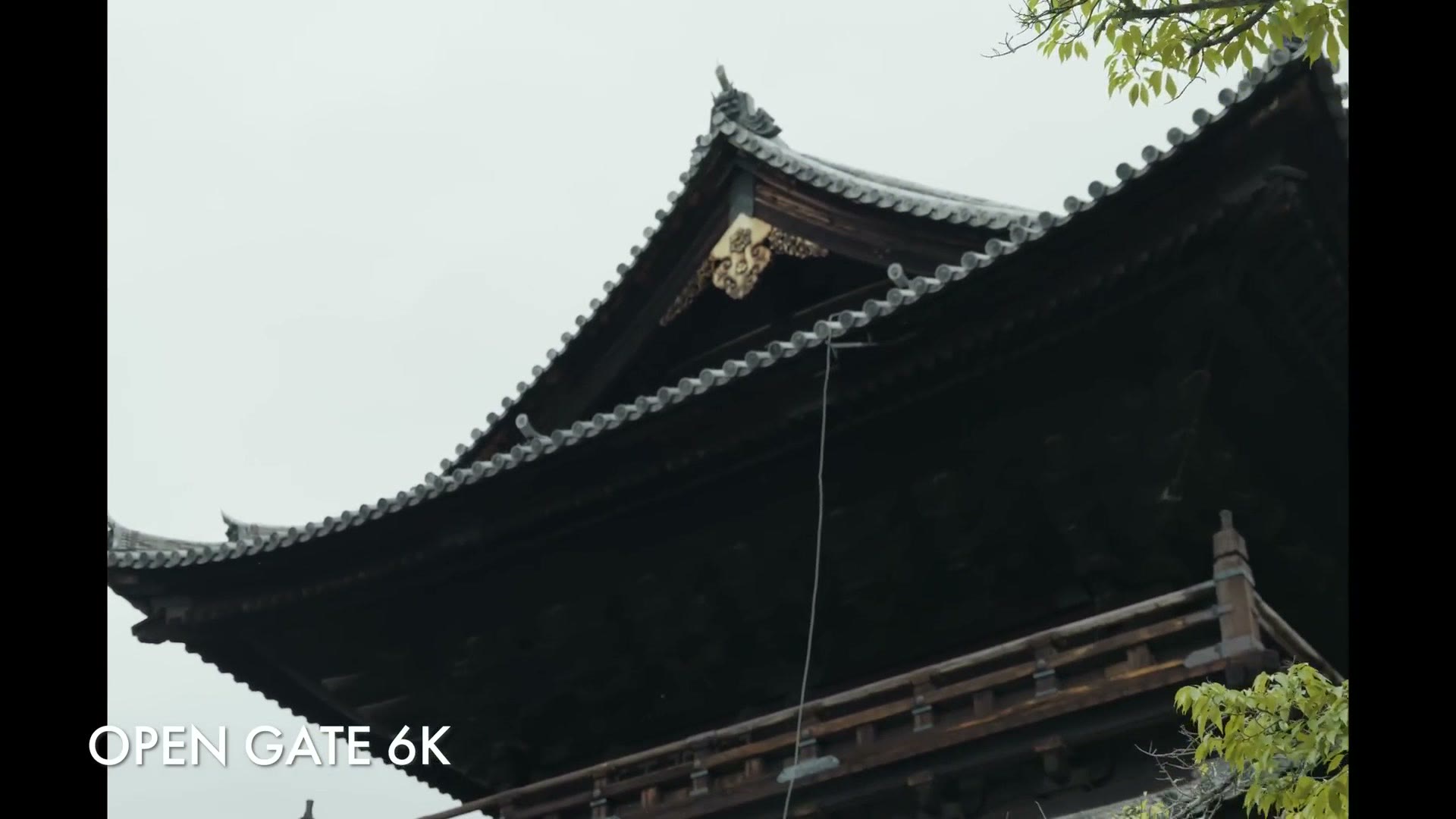
If you don’t know what open gate is, it’s an aspect ratio with a much greater amount of vertical information than your typical 16 by 9 frame. The camera uses the full height and width of the sensor to record video, which essentially gives you the ability to very easily reframe when editing. If you’re exporting in 4K, you can reframe your video with a lot more information at the top and bottom.
But where open gate really shines is if you need to deliver your video vertically as well as horizontally. With a non open gate camera you essentially have to film a clip horizontally and then turn your camera vertically and film it again as a completely different shot. With an open gate sensor, because you’re recording a lot more vertical information, you can much more easily crop your horizontal video and make it vertical, and that just makes everything easier. I really want to see all camera manufacturers adopt open gate recording in the future. I’m looking at you in particular, Sony.
The Crop In 4K60
If there’s one con the S9 has inherited from the S5II, it’s in the area of crop, because whenever you record 4K at 60 frames per second you get a 1.5 times crop that brings the sensor down to APS-C size.
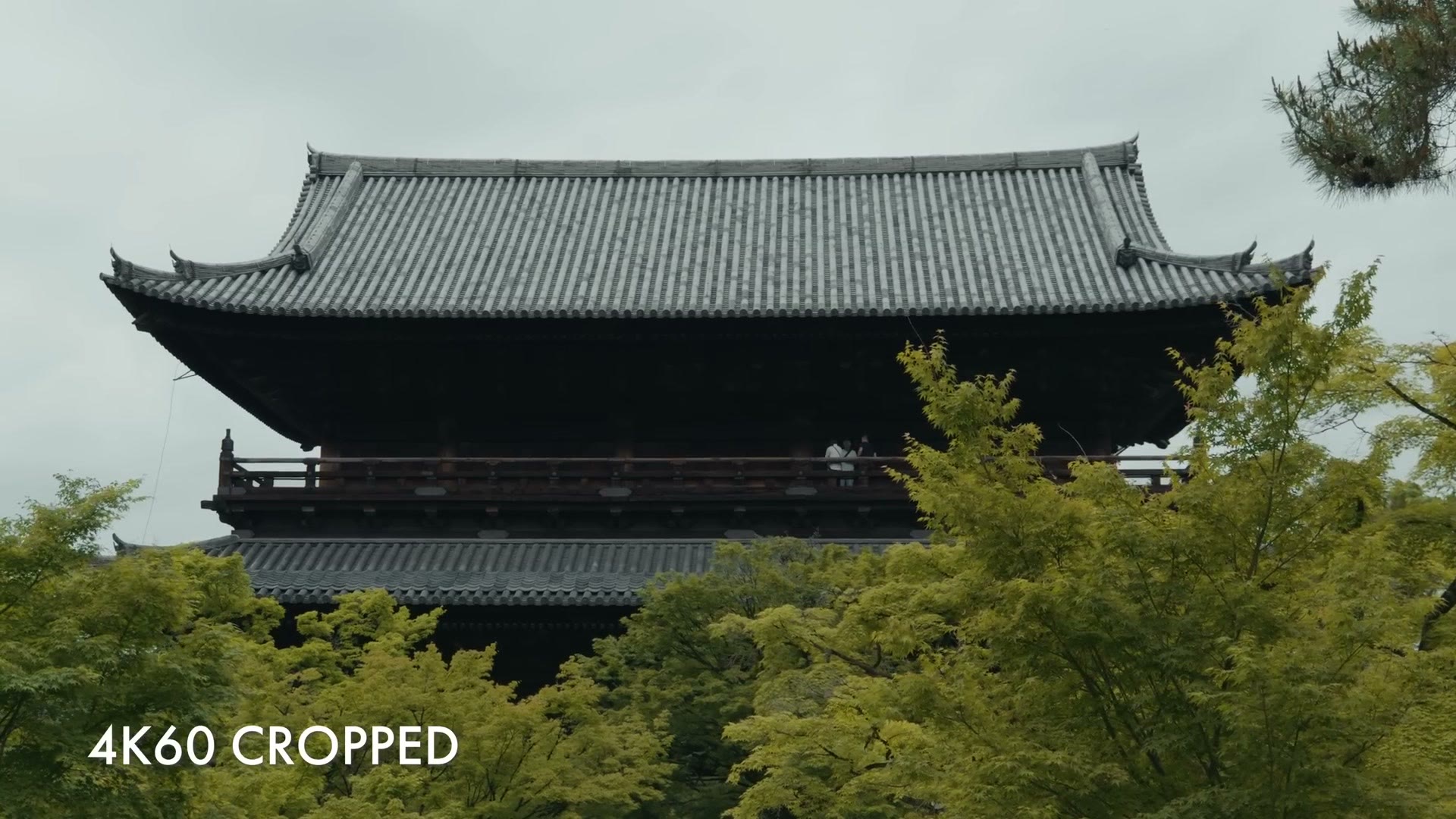
Unfortunately I don’t see this changing until an S9 Mark II is released at some point in the future. But I will say that in terms of that baseline I mentioned earlier, recording full frame 4K60 is something I really think is the minimum most cameras should be striving for in this day and age.
Rolling Shutter
Speaking of sensor capabilities, I also want you to know that in my rolling shutter test, which was super scientific and consisted of me pointing the camera out the window of a bus while riding down the highway at high speed, I noticed a pretty large amount of rolling shutter.
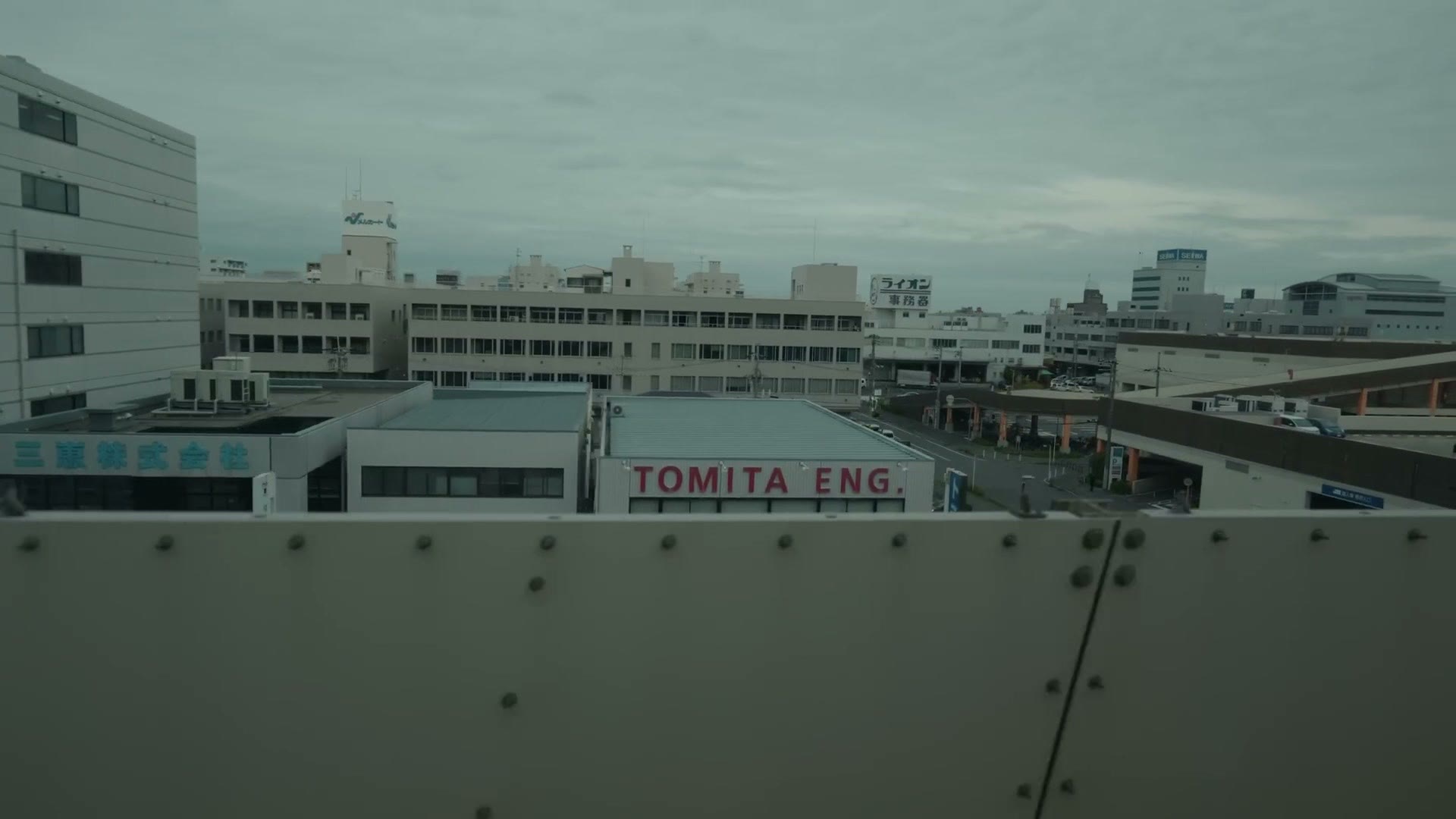
Which, hey, I realize this is a 6K image being recorded in a very compact body. But what I want you to be aware of is that you may end up seeing some rolling shutter, especially if you whip your camera back and forth, or you’re leaning out the window on a highway like me.
Autofocus
Panasonic has put the same autofocus system from the S5II into this camera, and that’s a really good autofocus system. For the most part I found it very accurate at tracking and holding onto me as I was filming myself and other people. I did notice that once or twice it lost it, so I don’t think it’s quite as rock solid as a Sony autofocus system, but it’s still very usable and light years ahead of the last time I used a Panasonic autofocus system, which was the contrast based one in the GH5. That was pretty rough.
IBIS
What else do we get with the S9 that I love? We get Panasonic’s legendary in-body image stabilization. You know it’s good. You know it’s incredible. I’m sure you’ve seen other tests of it online. It’s, in a word, fantastic.
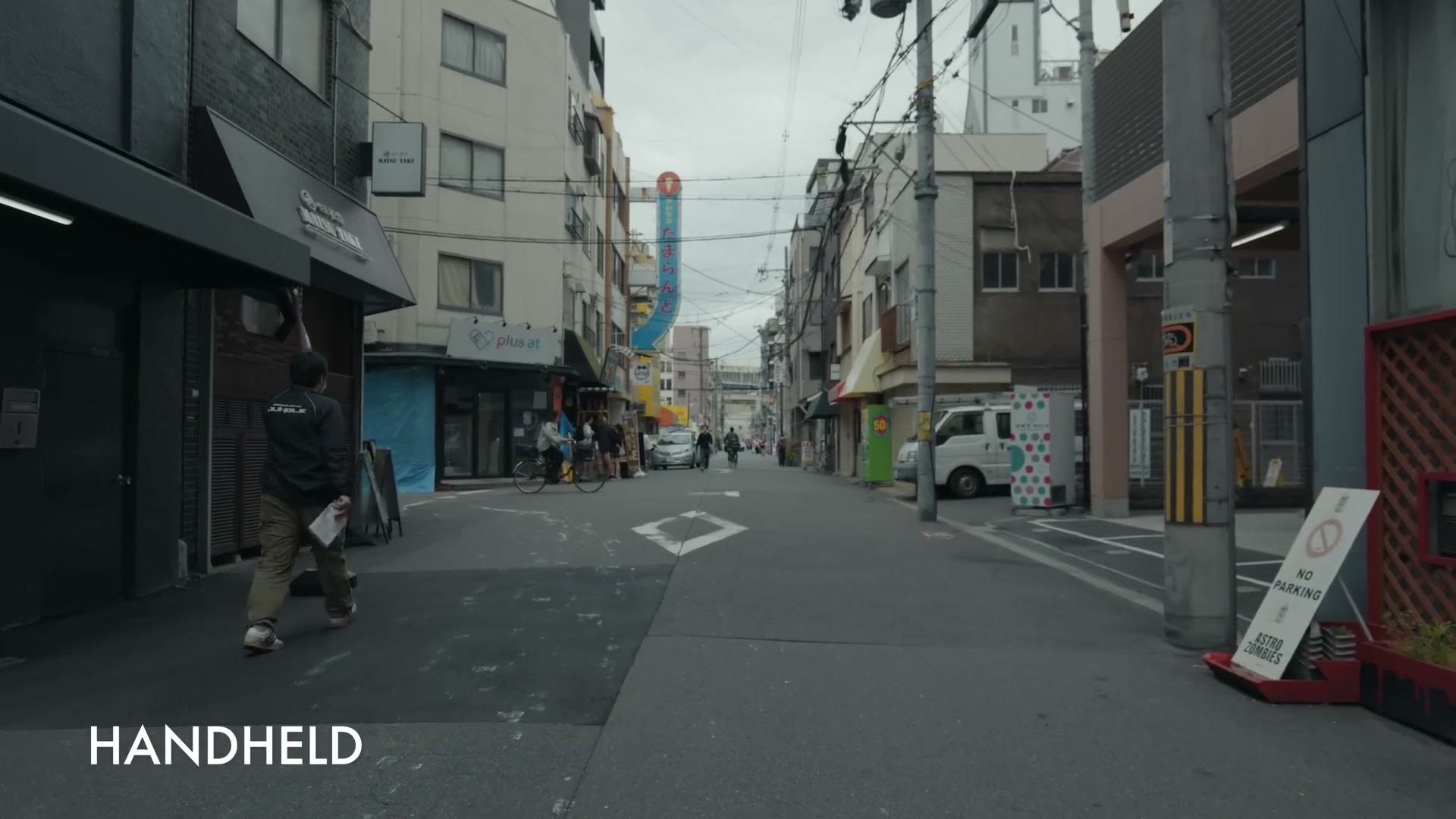
You don’t need to completely get rid of your gimbal, but if you film some handheld stuff, this is a great camera to do it with. And considering how small this camera is, I was really impressed they were able to get that level of stabilization into it.
The New Hybrid Zoom Feature
Panasonic has also introduced another very cool new feature in the S9 called Hybrid Zoom. If you’ve ever used Clear Image Zoom on a Sony camera this is going to sound familiar, but I actually really love how Panasonic has implemented it more than Sony, and it’s super cool to see.
Hybrid Zoom is essentially a very high quality digital zoom that you can enable on the S9 to work in tandem with a normal zoom lens. So for example, with a Sony camera like the a7S III, you can zoom your lens all the way in and then you have to press a button to enable Clear Image Zoom, or use a zoom rocker if your lens or body has one, to zoom closer.
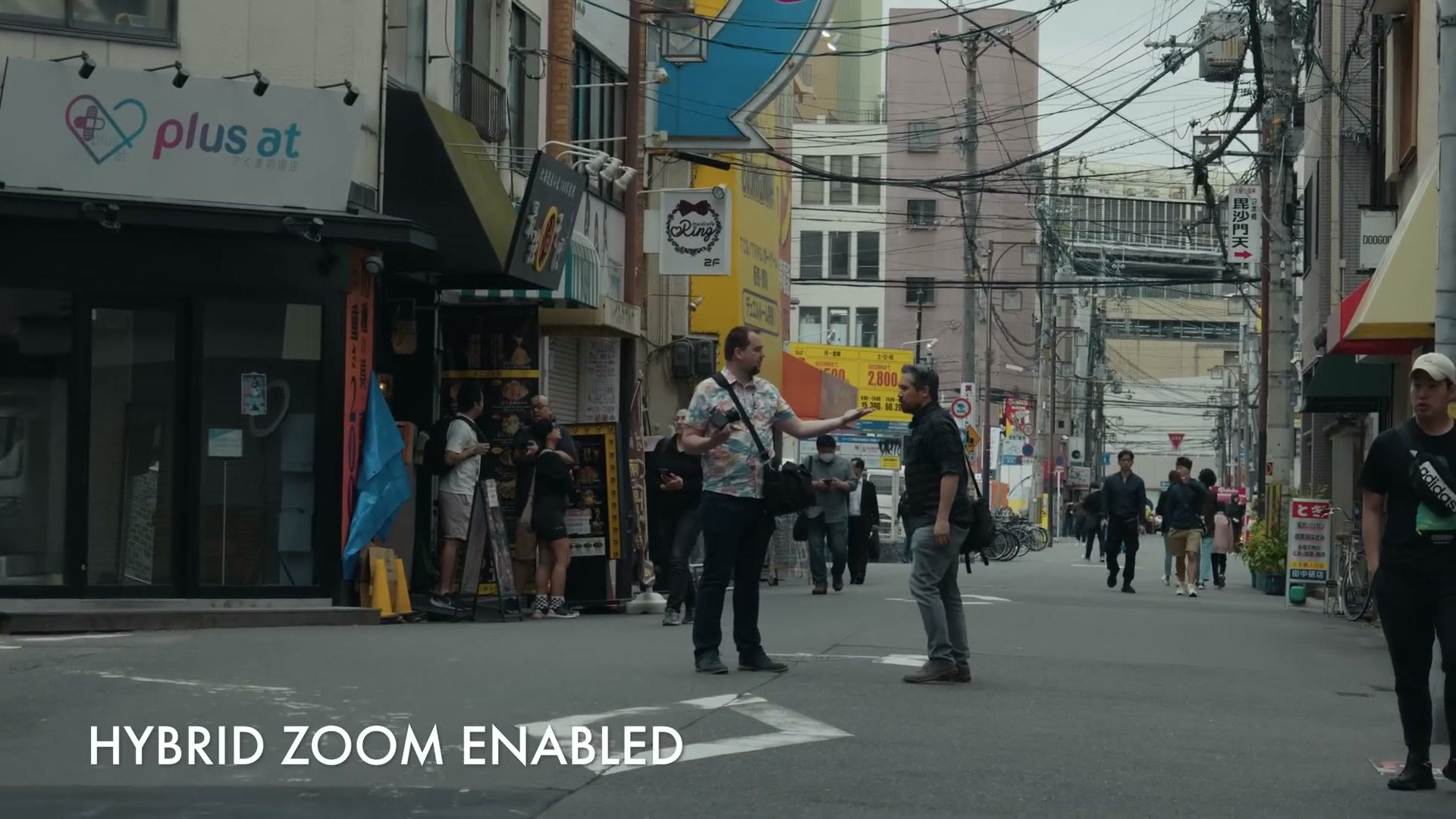
But with the S9 the way Panasonic has implemented it is super intuitive, and I really, really love it. It works in tandem with a zoom lens, so whenever you put a zoom lens on the camera and start rotating the zoom ring, if the feature is off it just zooms in normally. But if it’s enabled, as you zoom the lens the camera also starts to digitally zoom the image and gives you a lot more focal range, and it is really smooth as it does it. It’s super impressive to see.
What’s great too is that with this enabled you don’t have to think about it anymore. It works automatically out of the box. You’re not thinking, do I turn on the digital zoom? No, it’s already there and it’s just working.
As far as quality loss goes, I unfortunately haven’t had time to do any in-depth pixel peeping to dig into whether there’s any image quality loss. But just looking at it on my computer screen, I think the quality still looks really good. The main thing I’d keep in mind is that if this is anything like Sony’s Clear Image Zoom, as long as you have a lot of light you’re going to be fine. It’s whenever you start to crank the ISO that the camera is digitally zooming in on the noise you’ve created, and that can really make the image unusable.
Lacking Features
Talking about unusable, that’s a good segue into some of the cons of this camera. Because yes, while it does have many of the same capabilities as the S5II, it is also lacking many of its features as well. And this is where I want to turn back to my statement at the beginning, where I said I don’t feel like this camera hits the baseline required for any new video camera that’s ready to be used by professionals.
If you’re a wedding or commercial filmmaker and you’re brand new and looking for an affordable camera, and you see the price tag on this one, you’re thinking okay, that could work, and it’s going to get me into the L Mount lens system, which is really good and growing and getting better all the time. Or maybe you’re not brand new, but you’re looking for a B or C camera you could use at a wedding or to film an extra angle for interviews, and you’re like, dang, only 1500 bucks, maybe I should get this thing.
Well, this is where you need to listen up. And as I’m talking about all of this, I want you to remember, $1,500 camera. Keep that in the back of your mind, because I’ve had to keep it in the back of mine while spending time with this camera.
No Headphone Jack
Number one, this camera does not have a headphone jack. If you look around the side it has a microphone jack, which is great to see, so you can plug in a microphone. But a headphone jack? Nope. There’s no extra slot for that here. This entire side of the camera, aside from the mic jack, is bare.
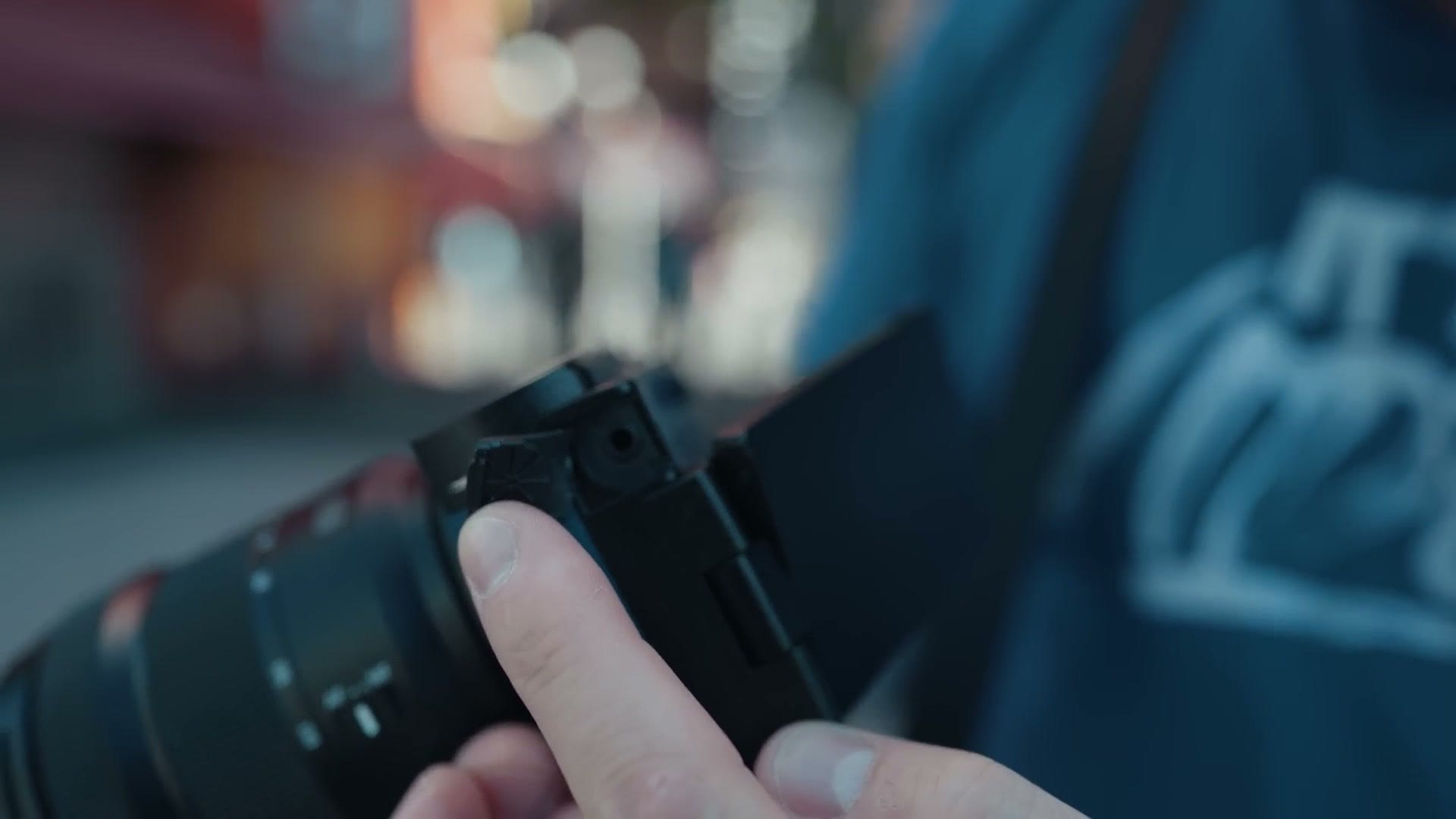
So if you want to plug in headphones to monitor your audio, whether you’re using a DJI Mic 2 or a Rode Wireless PRO or any other wireless microphone, sorry, you can’t do that with the S9.
No Hot Shoe
Next, this camera does not have a hot shoe. Take the cover off and all you see is a cold shoe, which means there’s no electronic connection if you plug anything in there.
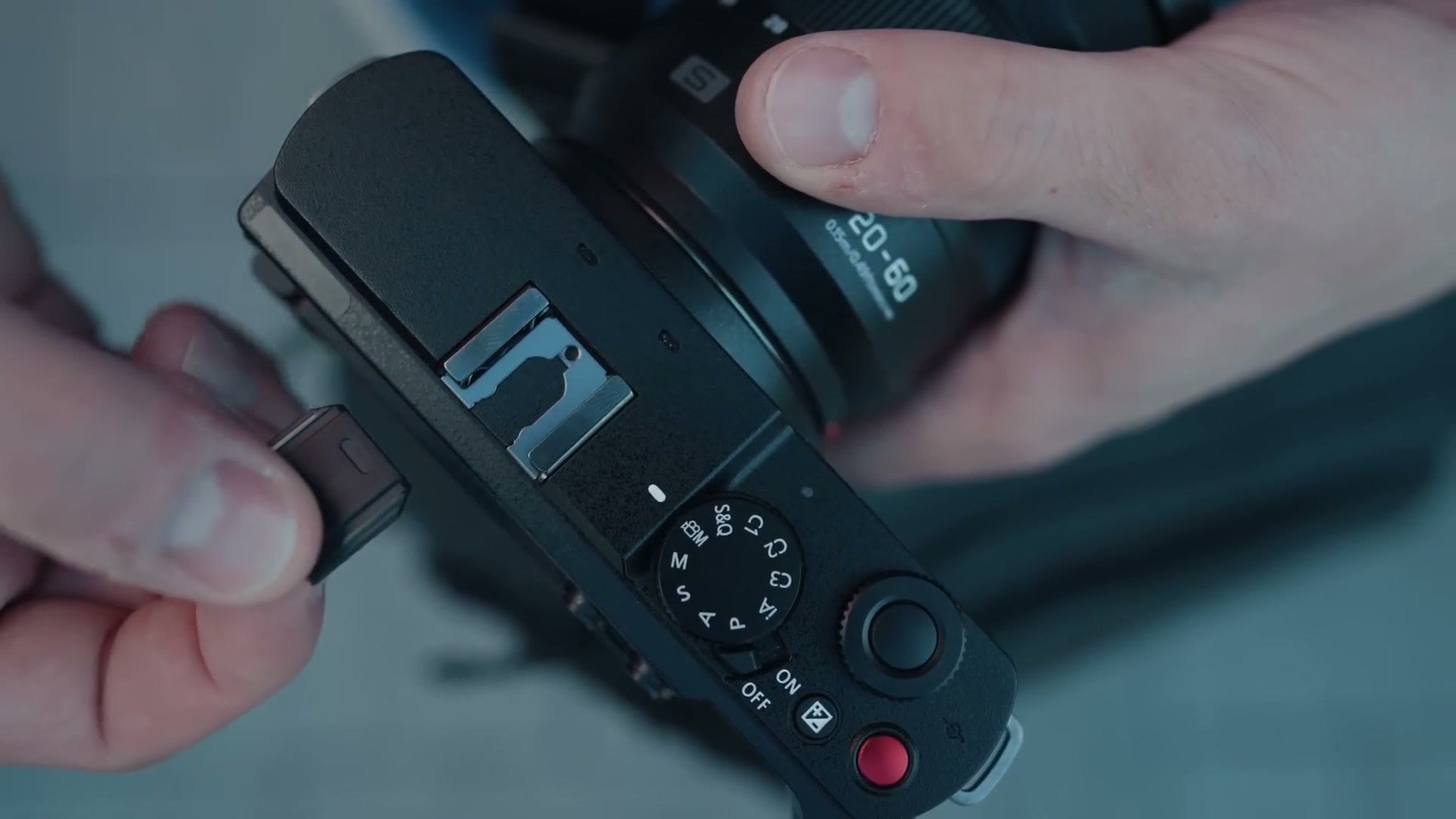
And while you may think that affects photographers more than videographers, what am I going to be putting in there, Matt, I’m not putting a flash on it, well, I would agree with you if DJI hadn’t recently released an adapter for Sony cameras that lets you plug in the DJI Mic 2 and use the hot shoe to digitally transmit audio to the camera without needing a 3.5mm cable. I love that feature. It’s super cool, and I would love to see something like it with Panasonic and the S9, but it’s not possible because this camera does not have an electronic hot shoe. This is another area where they were able to save a bit of money by using a cold shoe, so you can still put a microphone on it, you just can’t electronically connect it.
No Dual SD Card Slots
Next, and unfortunately this one is a little worse. You may be looking at the side of the camera and thinking, oh, is that the SD card slot? Nope. That’s a micro HDMI and a USB-C. If you want the SD card slot, you have to go down to the bottom, where the card is kept in with the battery.
I put together Aputure MC Pro – Compact & powerful Light for wedding filmmaking (Review), A Wedding Filmmaker’s Review Of The Panasonic Lumix GH7 – Checks ALL The Boxes, and COMPACT Wedding Lens! Sony 70-200 G F4 ii Review For Wedding Filmmakers as well, which cover the part I skipped over here.
And notice I said SD card, singular. Unfortunately this camera does not record to dual SD card slots. While I don’t think that’s a total deal breaker for using a camera in a professional setting, I really do prefer whenever camera manufacturers include dual slots. And if you’re someone who loves dual card slots and it’s a total deal breaker for you, then you should know right off the bat that the S9 has only one, so it may not be the camera for you.
The Biggest Con: The Recording Time Limit
But let’s get to the biggest enchilada now, and this is easily the biggest con of the S9. In my opinion this is essentially a deal breaker if you film with a camera in a professional capacity in any sense. If you film weddings, or corporate or commercial interviews, or heck, even YouTube videos, this is the deal breaker. The S9 has a recording time limit.
You may be thinking, I had a recording time limit with my old a7S II, that camera could only record for 30 minutes, how bad could it be? Well, it’s pretty bad. If you’re recording in 4K, the camera has a 15 minute recording time limit, and if you’re recording in 6K, it’s a ten minute limit.
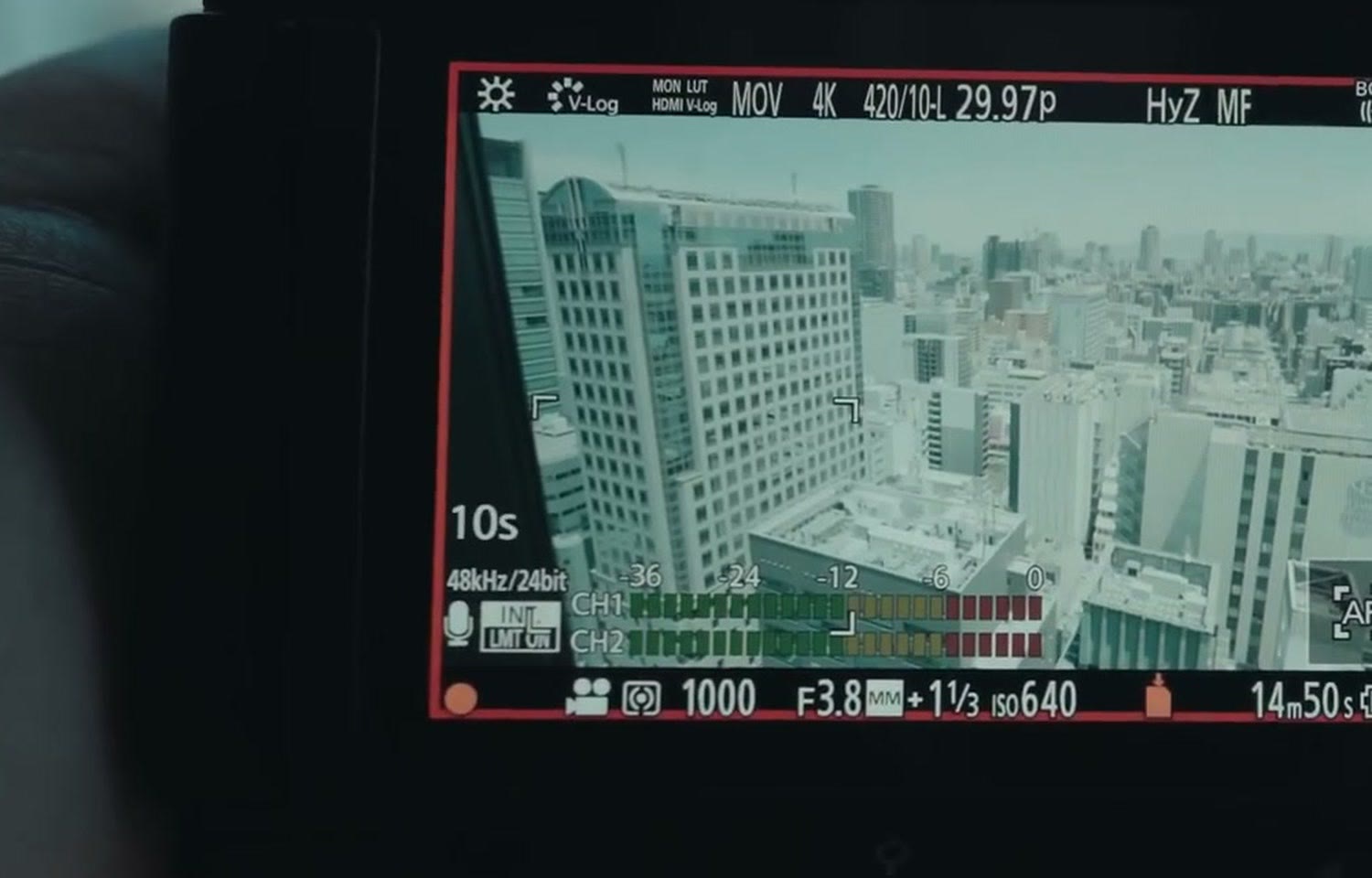
To be clear, this is not a rough time limit like you’d see with older cameras that could only record a four gigabyte file, which meant if your clip got somewhere between 11 and 13 minutes long the camera would just suddenly stop and you’d have to start recording again. And it isn’t like those older Sony cameras with a 30 minute limit, where the camera wouldn’t tell you, it would just hit 29:59 and stop, and you’d have to run over and start it again.
No, the S9 is actually way more honest about its recording time limit than either of those. If you switch the camera to video mode, in the bottom right hand corner of the screen you’ll see a timer appear, and that timer either says ten minutes if you’re filming 6K or 15 minutes if you’re filming 4K. Once that timer hits zero, the camera stops recording.
This is by far the biggest limitation of the S9 in my opinion, and it’s what prevents it from being usable by professional filmmakers, because unless you only film moments that are 15 minutes or less, or you only film interviews that are less than 15 minutes long, you’re going to hit it. Imagine someone mid sentence in an interview and you go, hey, by the way, can you stop for a second, I have to restart my camera, can you say that line again? That would be really, really rough. You don’t want to have to do that. So there’s your deal breaker.
Why The Limit Exists
You may be wondering why this camera has this limitation, and that’s why I’m so glad I was able to fly all the way out to Japan for the launch, because I was actually able to confront some Panasonic employees face to face and ask, hey, why does this thing have this limitation? Which, that’s such a clickable title, right? Like, I flew to Japan to confront the camera companies about overheating. Dang, that’s very clickable. I don’t think I can run with that, but it’s a good title idea.
Anyways, I’m happy to tell you that Panasonic was very open with me about why, and the answer is pretty much exactly what you’d guess. It all comes down to heat. You put a full frame sensor in a compact body and enable it to record in 6K and you’re going to generate a lot of heat, and it’s going to be very easy for the camera to overheat relatively quickly.
If you’re a company like Sony, you just slap a big warning label on the camera whenever you turn it on saying, hey, there’s a high heat mode, do you want to turn that on? The camera’s going to get hot, but it’ll help it not overheat, but eventually it’ll probably overheat anyway. You just warn people. And if you take the compact Sony a6700, not a full frame camera but very similar in that it’s very compact, whenever I tested that camera outside in the heat of Texas it didn’t even last 20 minutes before it overheated. Welcome to Texas.
Back to the S9. What I want you to remember above all is that Panasonic is a company that has really built a reputation around selling cameras that do not overheat when recording video. It’s like a badge of honor. And this fact has been repeated to me many times over by Panasonic fanboys in my YouTube comments. Any time I bring up overheating on a Sony camera they’re like, my G85 doesn’t overheat, my Panasonic never overheats, bro.
So Panasonic is really proud of that, and you can’t blame them. But what do you think is going to happen whenever you put a full frame sensor into a compact body like this without a fan to keep it cool, and then enable it to film in 6K? That really is a recipe for overheating. So what I think is that to avoid any chance of overheating, that’s why Panasonic has such a strict hard coded 10 or 15 minute recording limit. They do not want to risk the hit to their reputation as a company if they start making cameras that overheat.
Do I agree with that take? No, of course not. Because even whenever I tested this, as well as other people out here in Japan, a lot of us had it record for ten minutes and then pressed record again as soon as it finished, and did it overheat? No, it’s barely warm. I think it could last a lot longer. It probably could go for 30 minutes without overheating.
But I’ll tell you what, I was also not testing this camera in the blazing heat of Texas. Japan is much cooler than Texas this time of year, and that may be more of an issue if I get to test this camera back home.
Then I ran an actual overheating test, in a 69 degree hotel room with the camera in hot sunlight where it was much warmer. Recording in 6K open gate, where the camera has a ten minute limit, once it reached the end of that limit I immediately restarted the recording, and I was able to get the S9 to record for 25 minutes straight before it started flashing an overheat warning on the screen, and then approximately five minutes longer, at 29 minutes and 50 seconds of total recording time, the camera finally overheated and showed a screen saying it was incapable of recording any video until it had cooled off.
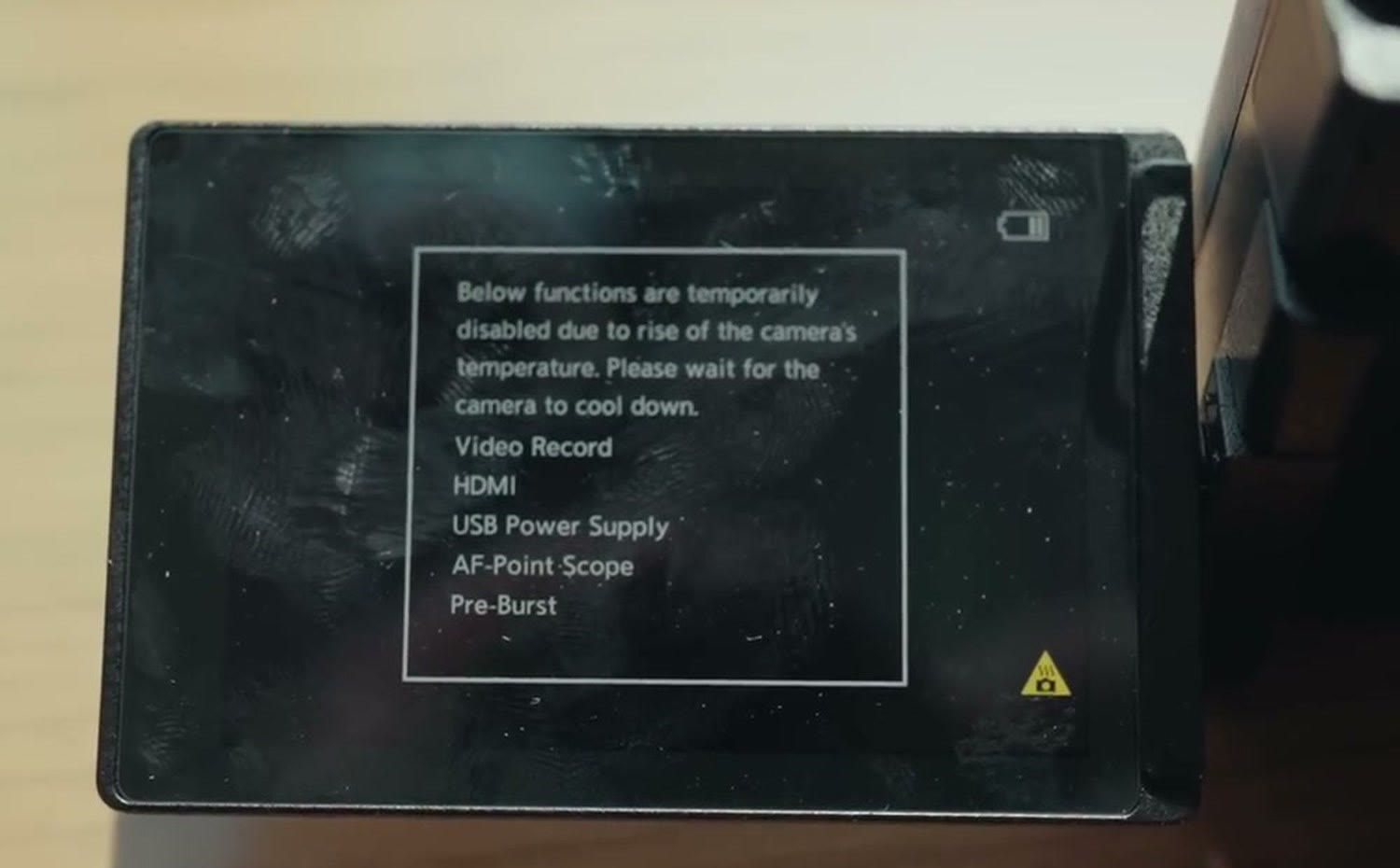
So now you have at least a rough idea of what to expect in regards to how long this camera will last before it overheats.
Here’s my overall point. I can understand why Panasonic gave this camera a time limit to prevent overheating, but at the same time I really do wish they gave us as filmmakers the opportunity to make it optional. Don’t make it a hard coded number. Let there be a setting where we can disable it and let the camera record longer with the knowledge that, hey, it probably will overheat at some point. Put the risk on us as filmmakers and let us judge. In a nice air conditioned cool room, I know it’ll probably last for quite a while. That’s how other camera manufacturers do it, and I think I prefer that.
Because 10 to 15 minutes is not very long at all. If you’re mid recording and you’re not paying attention because something else is happening at the wedding ceremony, 15 minutes is not a ton of time before you need to run back over and check. Oh crap, is my camera still recording? Especially if you’re distracted getting another angle, or if someone’s mid interview. 30 minutes would have been so much better in my opinion, and I really don’t think many people would be complaining if it were 30, because we’re used to a lot of cameras having that. It’s whenever you get shorter than that, 15 or ten minutes, that you go, oh, this is not long at all.
The S9 Doesn’t Hit The Baseline
So as you can see, the S9 is really a bit of a mixed bag. On the one hand you’re getting what is essentially an S5II sensor, which is very good, in an ultra compact body that’s only 1500 bucks. But at the same time, Panasonic has had to make some pretty significant compromises to hit that price point.
Like I said at the start, there is now in my opinion a baseline level of features that new cameras need to offer if they want professionals to be able to use them. That baseline includes a headphone jack, dual card slots, a full size HDMI port, a hot shoe, being capable of recording 4K at higher frame rates without a crop, and above all, not having a hard coded recording time limit.
There are too many cameras out there that now hit all of these, so it’s really hard for me to recommend the S9 if you’re a wedding filmmaker or a professional.
That said, if you’re brand new to filmmaking in general, and you’re not planning on filming anything you’re getting paid for, and instead you just want a fun camera that’s super compact that you can run around and film videos with, even in 6K open gate, which is kind of crazy in a camera like this, at that point I don’t think the S9 is a bad choice for you. You can grab it at B&H or at Amazon.
But for the majority of professional filmmakers out there, if you want a camera capable of filming a wedding or a corporate or commercial video, and you want a lot of these missing features, and you don’t want a recording time limit, well, I have good news for you. Panasonic already makes a camera that uses basically the same sensor. It’s called the S5II, and at the time of writing this it’s only a few hundred bucks more. I’d buy that, and I think you’re going to be really happy with it.
Speaking of being really happy, I mentioned earlier that I’ve created some LUTs that work fantastically with the S9, as well as the S5II or any other Panasonic camera, especially the ones that film in V-Log, which I think is all of them now.
And if you’re a newer wedding filmmaker and you’re considering getting into wedding filmmaking and making money doing it, and we’re talking serious money, thousands of dollars on the weekends, I’ve created a free workshop appropriately titled How To Book Your First Wedding In 30 Days Or Less. It takes you through all the steps you need to book your first wedding easily, and heck, even if you’ve already filmed some weddings it’s still going to be really helpful with future bookings.
Thanks so much for reading, and have a great day!