
The Panasonic Lumix GH7 checks literally every single box you could ever want in a modern camera. As a wedding filmmaker, if you want that feature, it’s in this camera. It’s insane.
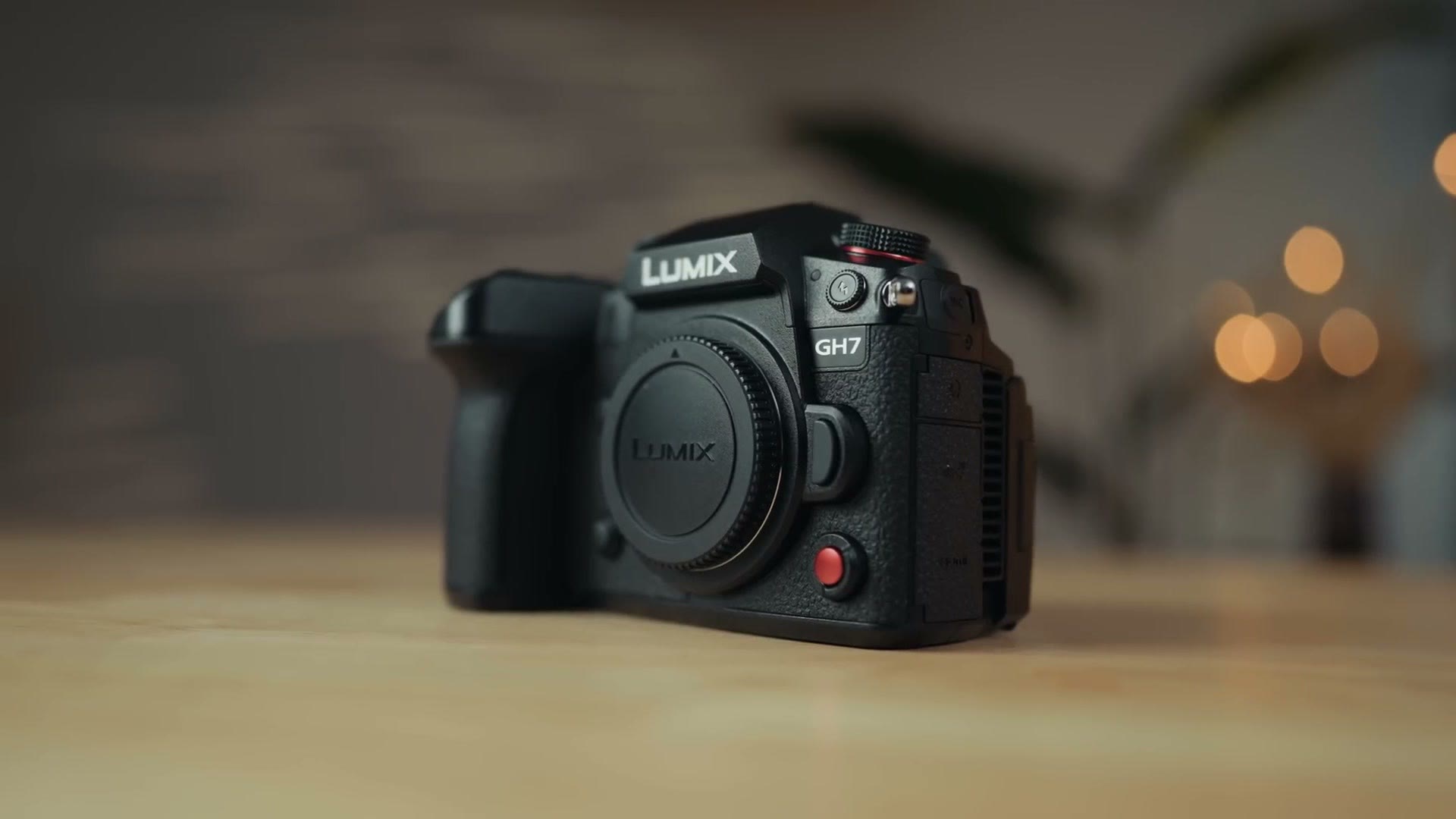
I’m reviewing the GH7 from the perspective of a wedding and professional filmmaker, because the GH series of cameras has always been so loved by wedding filmmakers for so long as a high quality and affordable option. So if you film weddings, or corporate, or commercial videos, or documentaries, this is the review for you.
To be clear though, this is just an early review, because I’ve only had several days with this camera and I’m sure there may be things I’ve missed, so please read and watch more reviews than just mine if you’re thinking about buying it.
Also, for the sake of ethics, I want you to know this review is not paid or sponsored by Panasonic. The camera is on loan from them and I’ll return it whenever they ask for it. Regardless, Panasonic has no say in this and they aren’t seeing it before it’s posted.
I’m also planning on making a much more in-depth guide for how to use the GH7 for filmmaking, and if you want that, you can grab my GH7 camera guide here.
The Most Feature Packed Camera I’ve Reviewed
Like I said, this is easily the most feature packed camera I have ever reviewed. It builds on the success of other legendary cameras like the GH5, and to a slightly lesser degree the GH6, which I say is to a lesser degree because I remember there not being nearly as much hype around the GH6 as there was the GH5.
If I had to guess one reason for that, it would be that the GH6 was still using Panasonic’s older contrast based autofocus at a time whenever their full frame cameras were about to switch to phase detect autofocus, which is significantly more accurate.
Autofocus Quality
So right off the bat, I’m pleased to tell you that the GH7 has a brand new backside illuminated sensor that supports phase detection autofocus, and this is Panasonic’s best implementation to date. It works very well. Plus it can now recognize not only people, animals, cars and motorcycles, but trains and airplanes too. So if you’ve been using the GH series and you want an upgrade with better autofocus, this is the camera to buy.
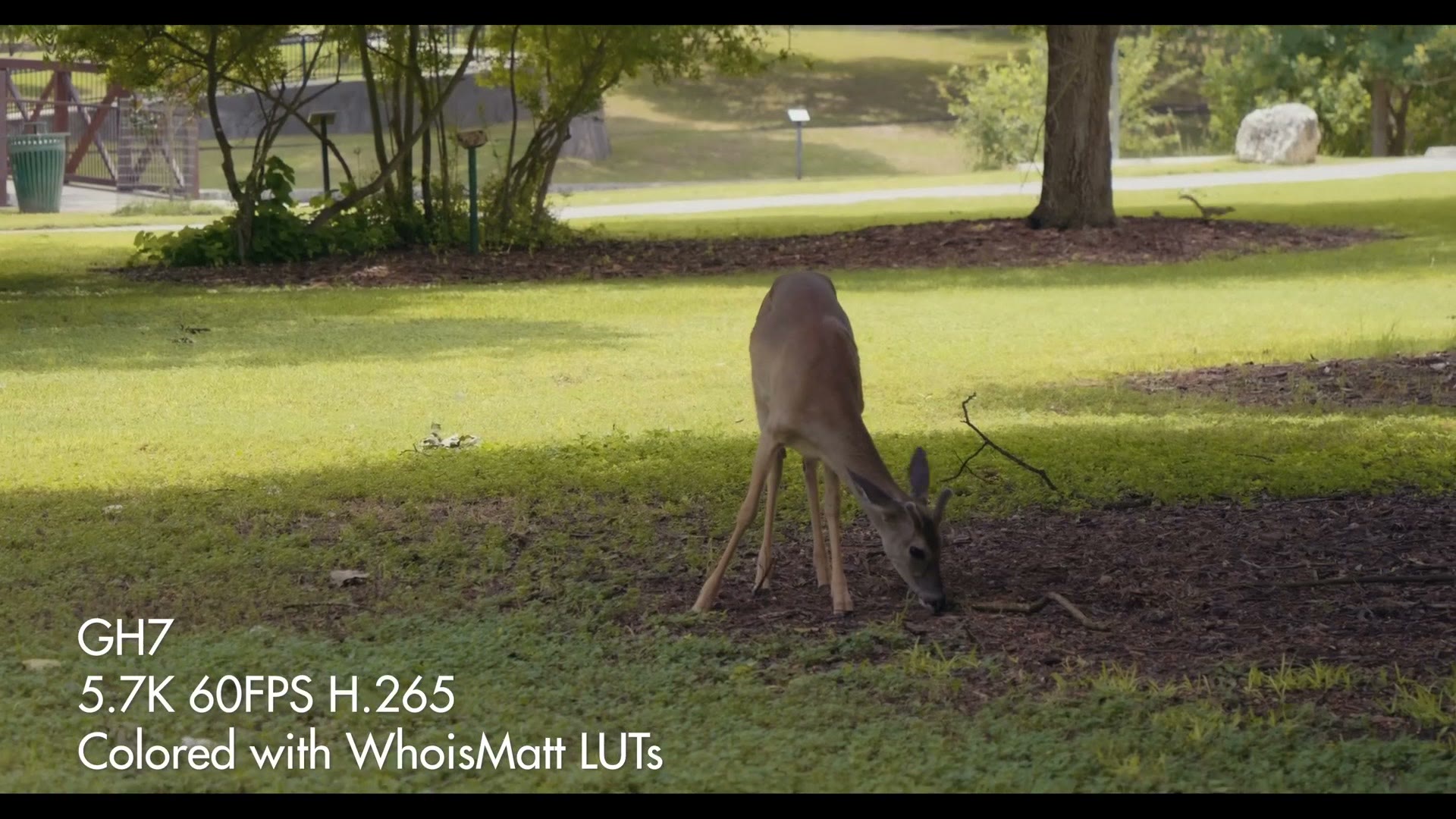
That said, as great as the autofocus is, there is one con I could find, and that’s that autofocus does not work when filming at 300fps VFR, which yes, this camera does do 300. In addition, while autofocus will work at 120fps, face detection will not. Keep that in mind if you’re filming at high frame rates, so I think there’s still some room for improvement in the area of autofocus support for higher frame rates.
But once the camera locks onto a face, it will stay locked onto it, which is great. Compared to the old contrast based autofocus that was all you got on the GH5 and GH6, this is dramatically better.
It’s Micro Four Thirds
It’s really important to note that this camera is Micro Four Thirds, meaning it has a smaller sensor and it takes Micro Four Thirds lenses. This is important not only because fractions are confusing and what the heck is four thirds, but also because I’m always seeing and hearing rumors that Panasonic is going to abandon this line of cameras and sensors and switch to only their full frame line.
But that’s not the case. You can think of the GH7 as almost a line in the sand from Panasonic saying, no, we’re in this for the long haul, baby. If you want the best video camera in the Micro Four Thirds ecosystem, we’re going to make it. And boy did they make it.
Build Quality And The Screen
If you’ve used previous GH series cameras, this is going to feel very familiar to you. The GH7 is comfortable to hold with great ergonomics, and you have all of the buttons you’d expect, including a dedicated red record button that pops. It looks so good on the camera.
Now check out the screen. To be clear, if you’ve already used the GH6 this won’t be anything new to you, but hey, I’m coming from the GH5 and it’s pretty darn revolutionary. Panasonic took a page from the S1H and put what is, in my opinion, the best type of screen on the back of this camera, because it’s a hybrid screen that not only flips out so you can see yourself whenever you’re filming, but also gives you all of the tilt controls you’d expect from a non flip out screen as well.
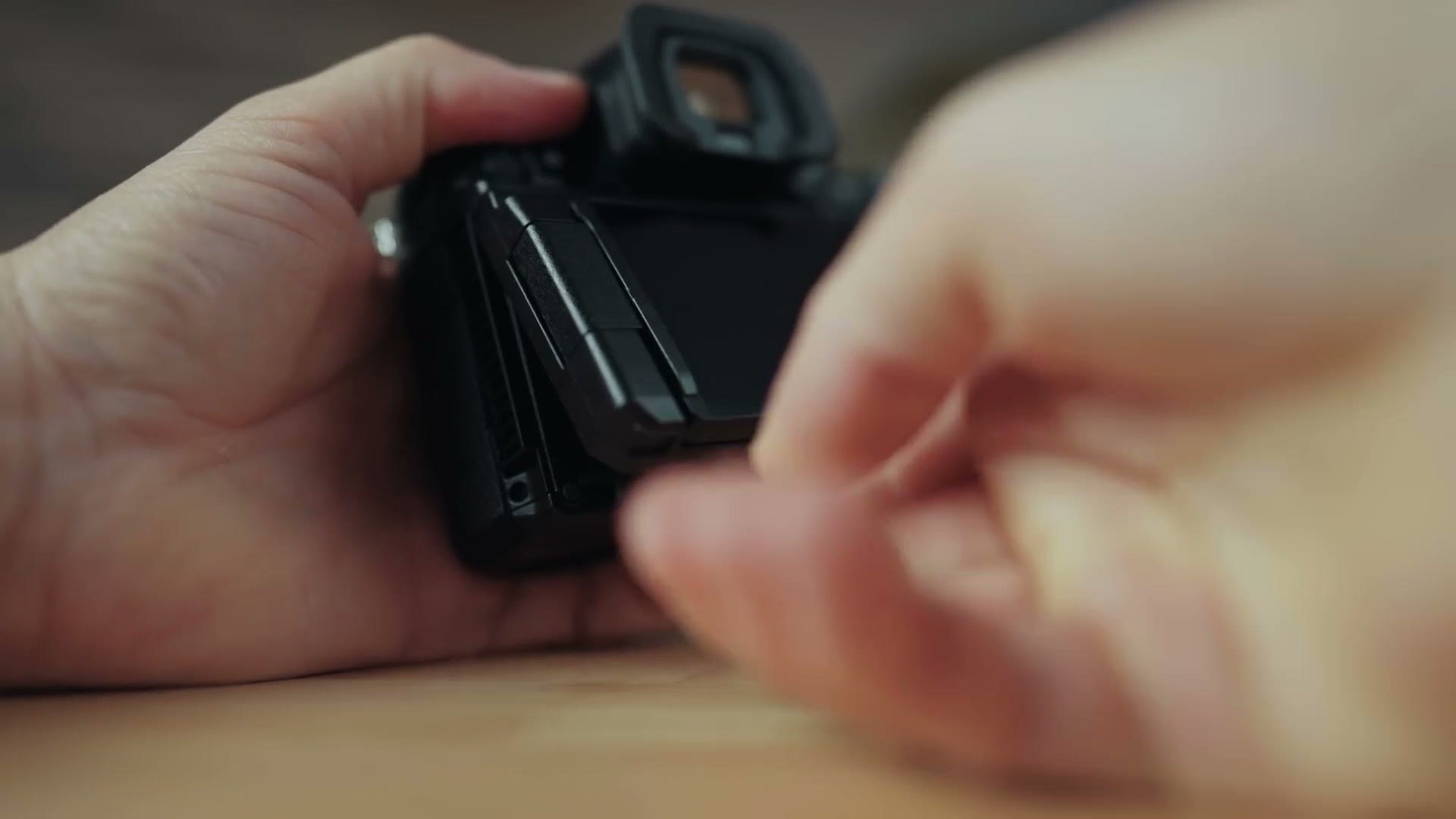
It really is the best of both worlds and I’m so completely thrilled with it. Look, I’m someone who used a Sony a7S II for five years filming weddings, and I loved how compact the tilt screen was on that camera. It didn’t flip out, and it was so nice for filming because it made the camera feel more compact. Even though I make YouTube videos and I need to see myself, I did find myself missing that tilt screen whenever I upgraded to the a7S III. But now with the GH7 I get both. It tilts, it flips out, it does it all.
A Fan Means You Can Film Hot Weddings
Looking at the back of the GH7 again, what’s this on the left? Yes, a slot for a fan. Which means that regardless of what you’re filming, no matter the resolution or frame rate, up to 60fps they say, you shouldn’t have to worry about overheating. I’m sure it’s going to last a long time at 120fps too, I’ve just not had a chance to test that yet. But don’t you worry, it’s getting into the heat of the Texas summer, so I’ll do an overheating test at some point.
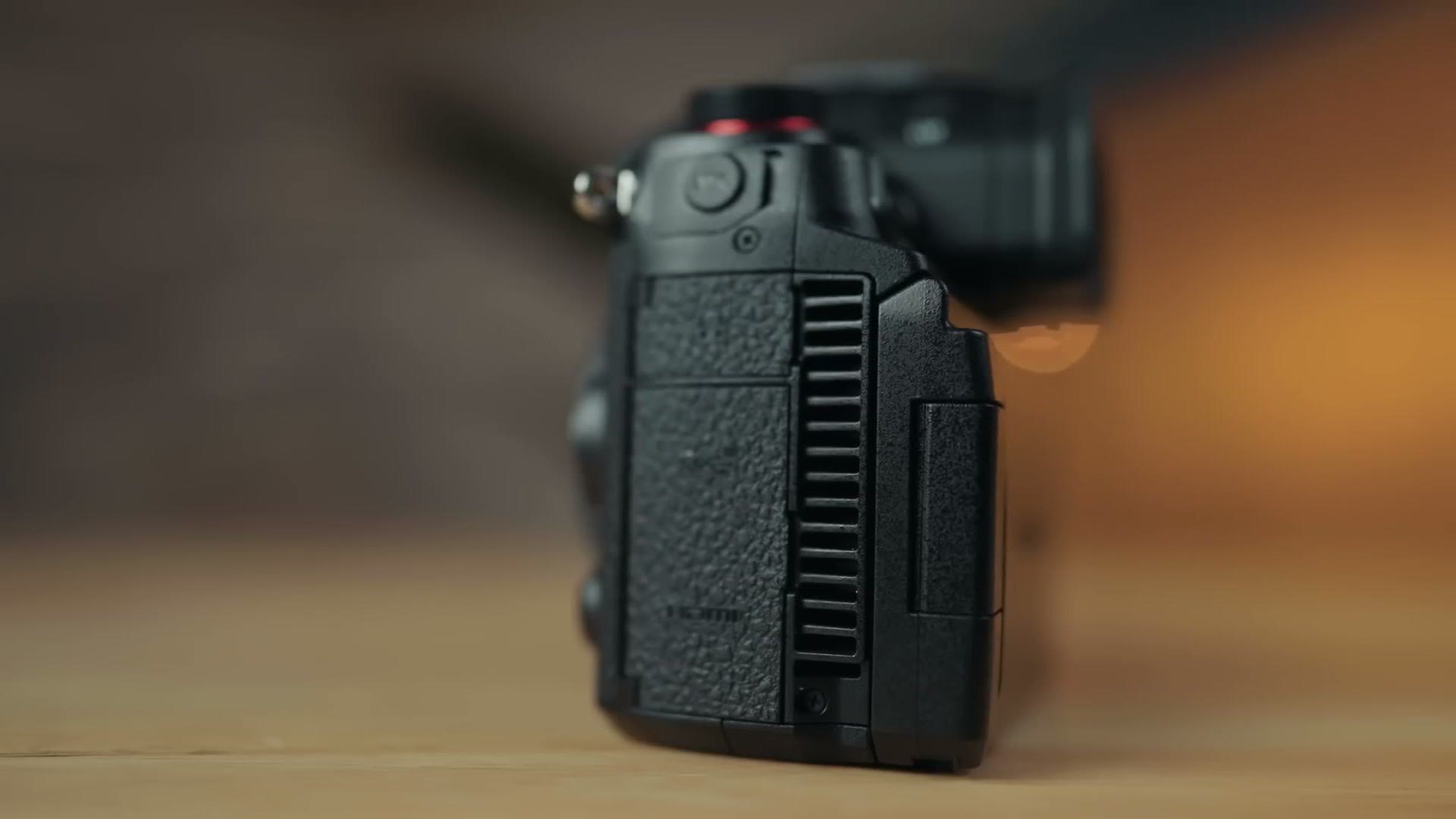
If you’re a wedding filmmaker and you commonly find yourself filming outdoors on hot days like I do in Texas, a camera with a fan is a great way to guarantee that you don’t deal with overheating, even on those hot outdoor wedding ceremonies.
Memory Cards And Dual Recording
Pop out the memory card door on the side and you’ll see there are two memory card slots, which is a great thing to see. Just like the GH6, the GH7 has one SD card slot and one CFexpress Type B card slot, and the reason for that is of course all of the high resolutions and frame rates this camera can film.
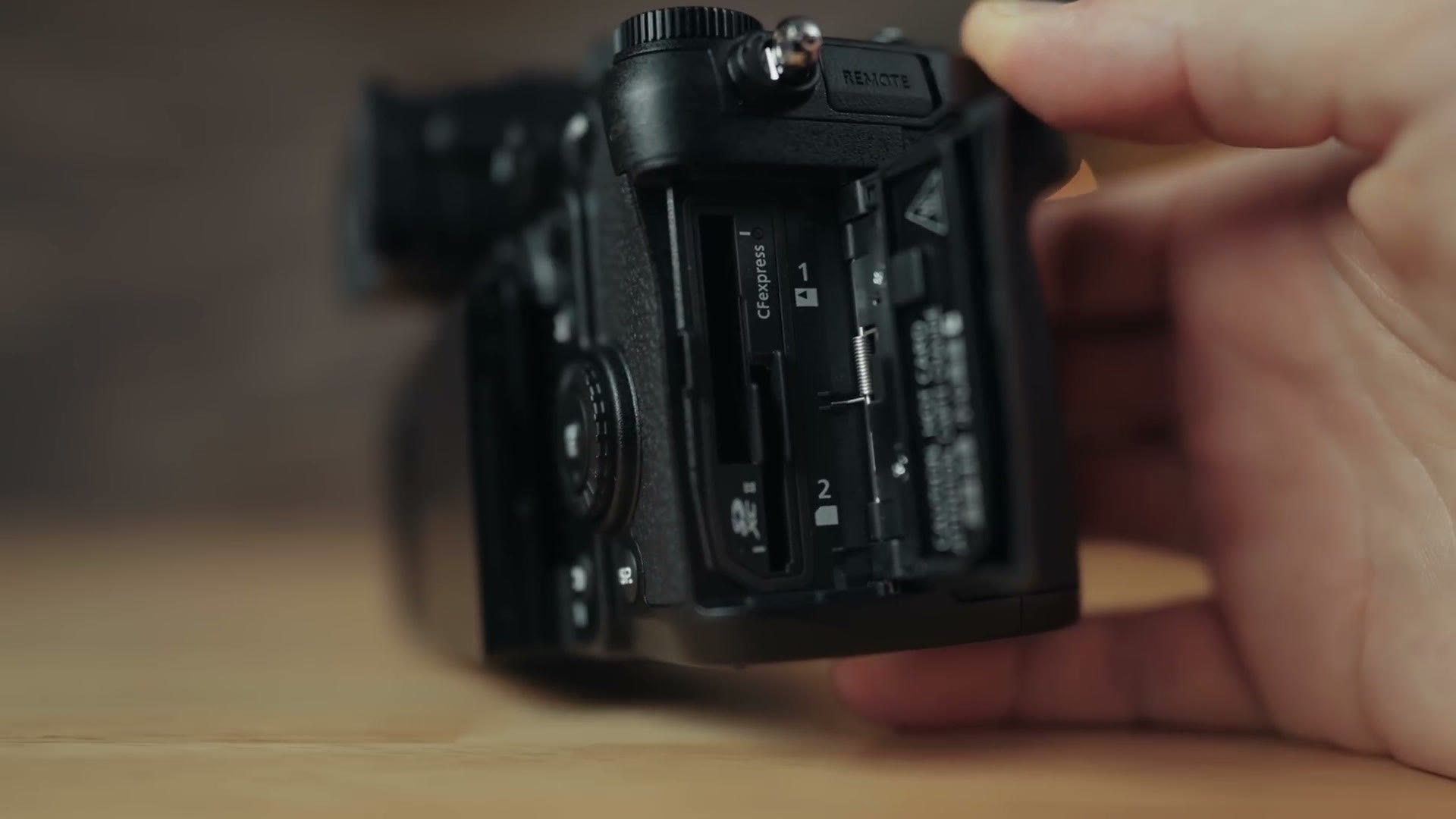
Before we get into the specifics, I want you to know that I’ve confirmed with Panasonic that you can dual record video to both of these memory card slots, and if the cards you’re using are fast enough, you can record full resolution and frame rate video to both of them. But if you’re recording video that has too high a bitrate for the SD card, as a fallback the camera can be set up to record the full resolution video to the CFexpress Type B card and a smaller proxy to the SD card. That’s better than nothing, and I feel like it’s the best compromise Panasonic could make while still supporting the very popular SD format.
One last very cool feature of these dual slots that I want you to be aware of: there’s a setting in the menu that lets you record the full resolution video in the flat V-Log picture profile to the CFexpress Type B card while simultaneously recording a proxy file with a custom LUT already applied to it. Which means that if you’re on a time crunch and you need to record very high quality footage you can use later, but you also need social media ready footage that’s quicker to edit, you’re good to go, because the camera gives you both at the same time. The GH7 is checking boxes you didn’t even know you wanted checked.
Resolutions And Frame Rates
Now let’s talk frame rates, resolutions and video quality, because this is a total doozy.
To start, this sensor is capable of recording anywhere from full HD VFR at 300 frames per second all the way up to a maximum of 5.7K at up to 60 frames per second, all in 10-bit. Oh, and it will also do 5.8K open gate at up to 30 frames per second. So if you’re filming a wedding and the couple is asking for vertical videos for Instagram and TikTok, switch to that and you’ll be set, because the image is large enough for you to do both.
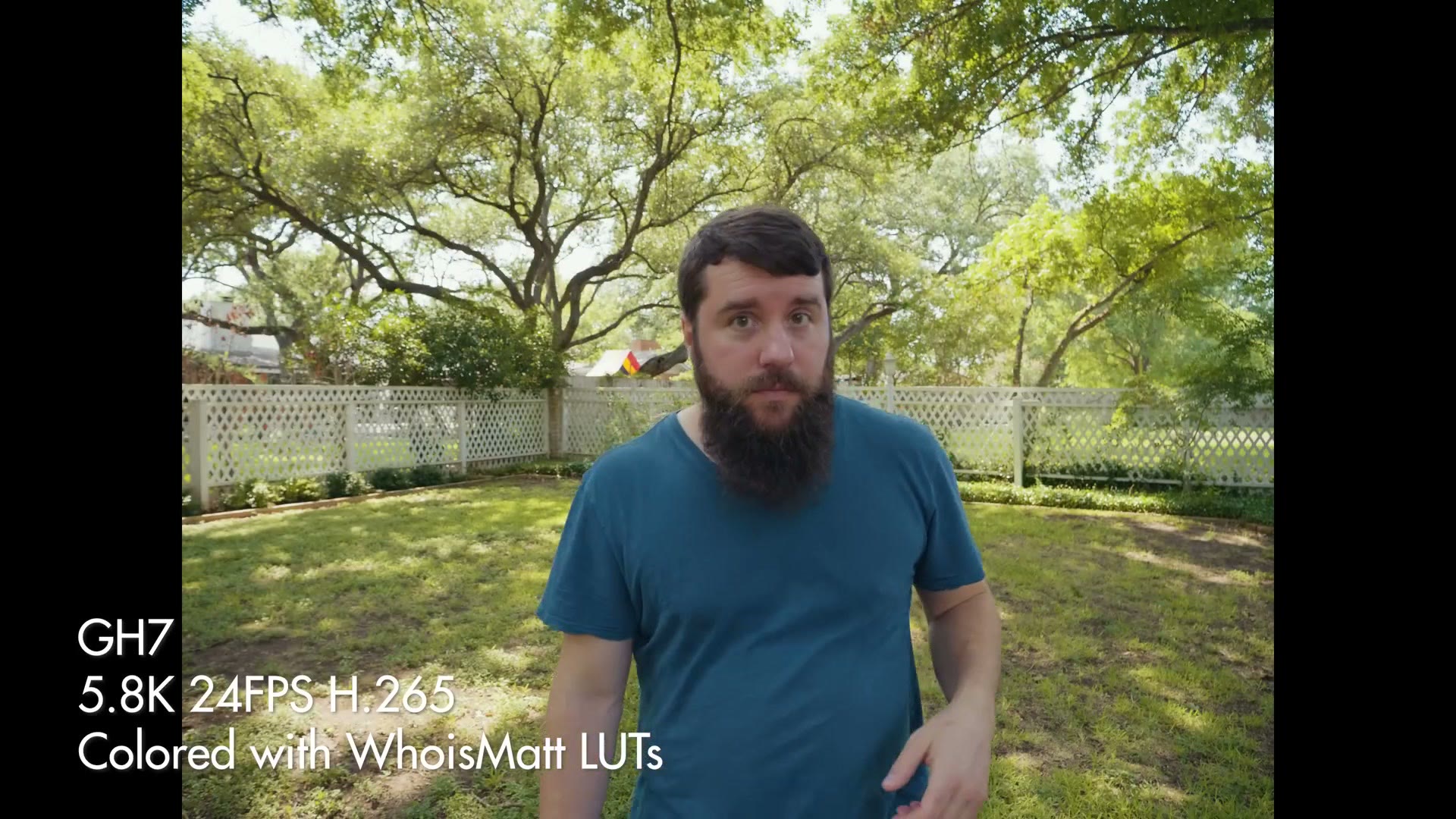
But I hear you saying the GH6 could also do 5.8K open gate at 30fps, and you wish the GH7 could do open gate 60. Good news. It can. Yes, you’ll have to drop the resolution from 5.7K down to 4.4K, but the GH7 will record an open gate 4:3 image at up to 60fps at that resolution, which is great to see as an option.
The GH7 can do most of these frame rates and resolutions in ProRes too, just like the GH6, which is great to see, especially if you want to have an even easier time editing. The only limitation I was able to find for ProRes is that it doesn’t support open gate, which means ProRes is limited to a maximum of 5.7K at 30 frames per second, or cinema 4K if you want to drop to 60 frames per second.
Internal ProRes RAW
But things aren’t crazy enough, because there’s more, and this is arguably one of the big ones about this camera. Not the biggest in my opinion, but one of the big ones. The GH7 can also record most of those same ProRes frame rates and resolutions in ProRes RAW and ProRes RAW HQ internally.
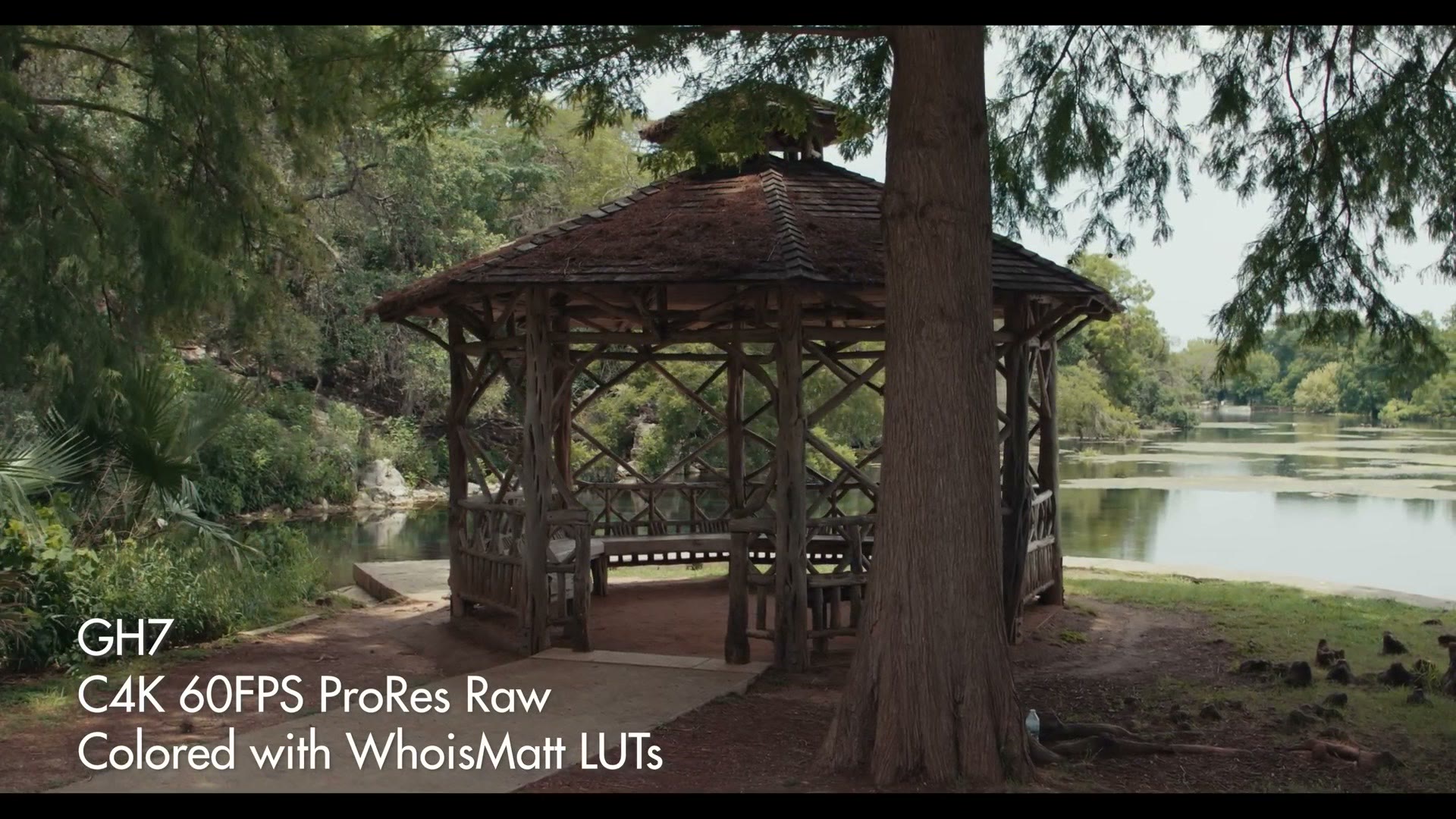
So if you want to record in cinema 4K and RAW, you can do it. In 5.7K RAW, you can do it too, with the only limitation I’m seeing being a crop to the sensor when filming RAW in cinema 4K at 24, 30 and 60, but no crop at 5.7K.
It’s still internal raw, and this is fantastic news. I feel like we’re finally starting to see the floodgates open and all of these camera manufacturers are starting to allow raw internal recording. I was surprised and delighted to see this camera was capable of it as well.
The Problem With ProRes RAW
Now that said, if I did have one complaint about the internal raw recording of this camera, because hey, even whenever camera manufacturers give us something like internal raw recording we can still find something to complain about, right? Is that just me? No, you’re going to be in the comments. Hopefully it’ll be you too.
Anyways, this specific complaint is about the ProRes RAW codec that Panasonic chose to use. To be clear, this complaint isn’t directed so much at Panasonic as it is at Adobe and Blackmagic, because while it’s fantastic to see Panasonic implement internal ProRes RAW recording in the GH7, this is a raw format that is woefully unsupported in two out of the three most popular video editing programs.
To quickly sum up the state of ProRes RAW support today: Blackmagic does not support it at all in DaVinci Resolve, and it unfortunately doesn’t look like they have any plans to, considering they have their own flavor of raw with Blackmagic RAW. Buy our cameras and use that, you don’t need ProRes RAW with your other camera, what are you doing?
Alternatively you have Adobe, where Premiere Pro does support ProRes RAW, in that you can actually import the clips and play them back. But the big con is that Premiere Pro does not give you nearly the same level of control you get with other kinds of raw. So while you can change the metadata for exposure, for example, you can’t change the white balance. It’s more like Premiere treats ProRes RAW clips as regular ProRes clips, and that’s a bummer.
Unsurprisingly though, considering Apple makes not only ProRes RAW but also Final Cut, I’m happy to tell you that if you buy a GH7 and you edit in Final Cut and you decide to film in ProRes RAW, congratulations, Final Cut is going to recognize that you filmed in a raw video format and give you all of the raw controls you’d expect, like the ISO controls and the white balance controls.
Please, Adobe. I’ve told them directly. I’m like, can you guys do this? Maybe not? Oh yeah, we should consider that. I’m like, come on.
Anyways, there’s the current state of ProRes RAW support. If you edit in Final Cut you’re going to love this feature of the GH7, and the rest of us who edit in DaVinci Resolve or Premiere Pro are going to be like that meme of John Travolta holding our jacket, looking around, wondering if someone could give us better ProRes RAW support. Hello?
SSD Recording Via USB-C
Are you seeing now why they had to include a CFexpress Type B slot in this camera? An SD wouldn’t cut it. Type B is the only card fast enough out there to support recording these frame rates and resolutions, especially in raw.
But I have good news for you. I’m sure you may be concerned about the price of CFexpress Type B cards, but there’s no need to stress, because the GH7 also supports recording directly to an external SSD over the USB-C port. It’s right here on the side next to the full size HDMI port, which is also great to see, since you can record raw externally over HDMI as well.
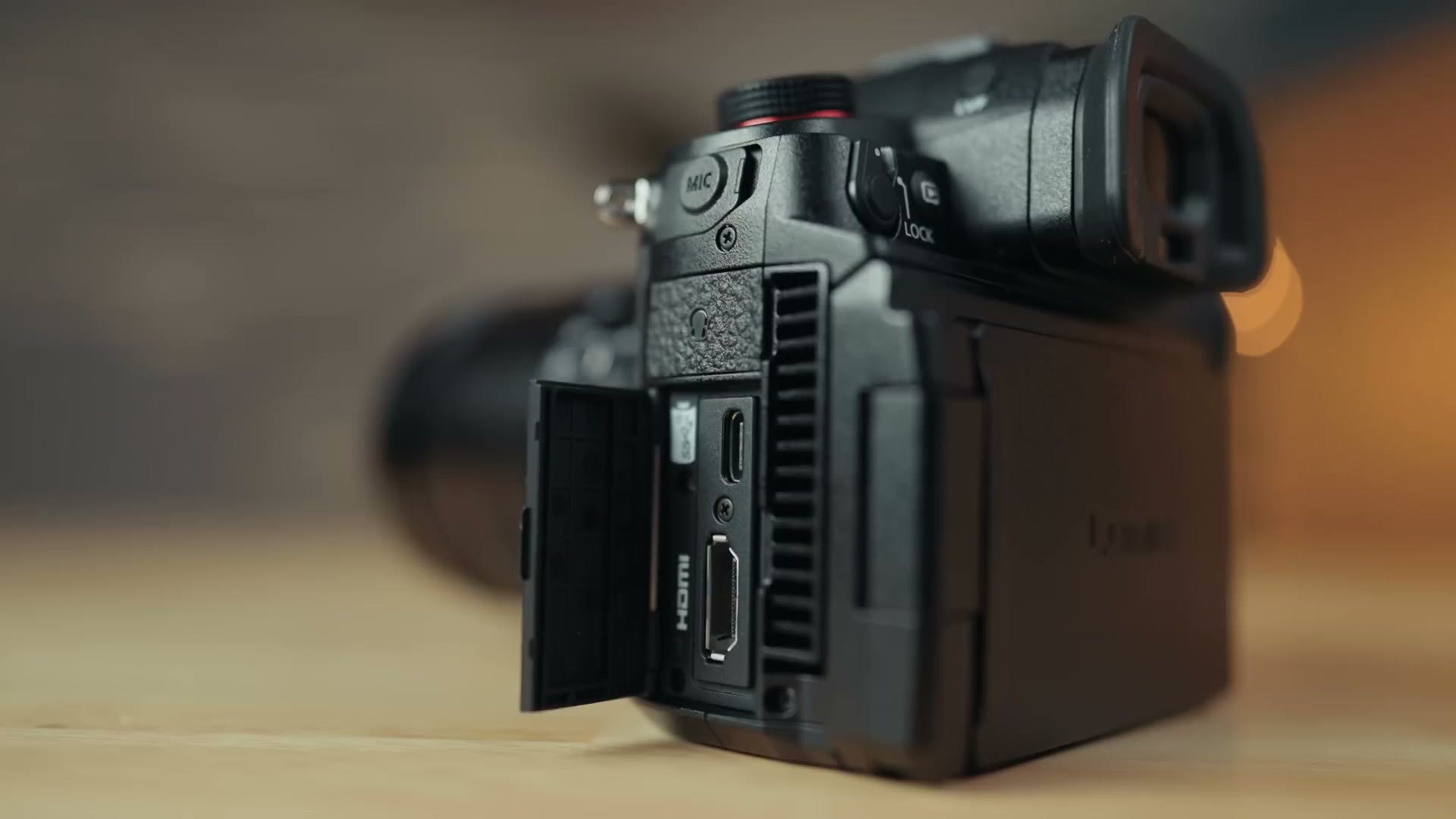
Plug an SSD into that USB-C port and you can use an SSD up to two terabytes in size, at the time of writing this, to record all of your footage up to 60fps. That will not only save you time, it’s significantly cheaper as well. I’m looking forward to testing this feature more in the future.
32-Bit Float Audio, Internally, Finally
We’re not done talking about revolutionary stuff, because there’s actually one other revolutionary thing about this camera, and it’s a feature that no other camera from literally any manufacturer has at the time of writing this. Are you intrigued? I told you internal raw is not the headline feature to me. This one is, because whenever they told me this, my jaw was literally dropped. I was salivating. I’m like, are you seriously putting this in a camera? Holy crap, that’s amazing.
As someone who cares about audio a lot, and I have a lot of audio tutorials on my YouTube channel and I sell audio cables with Kondor Blue, I am so excited to tell you that the GH7 supports up to four channels of 32-bit float audio recording at up to 96kHz natively in camera, if you use Panasonic’s DMW-XLR2 accessory.
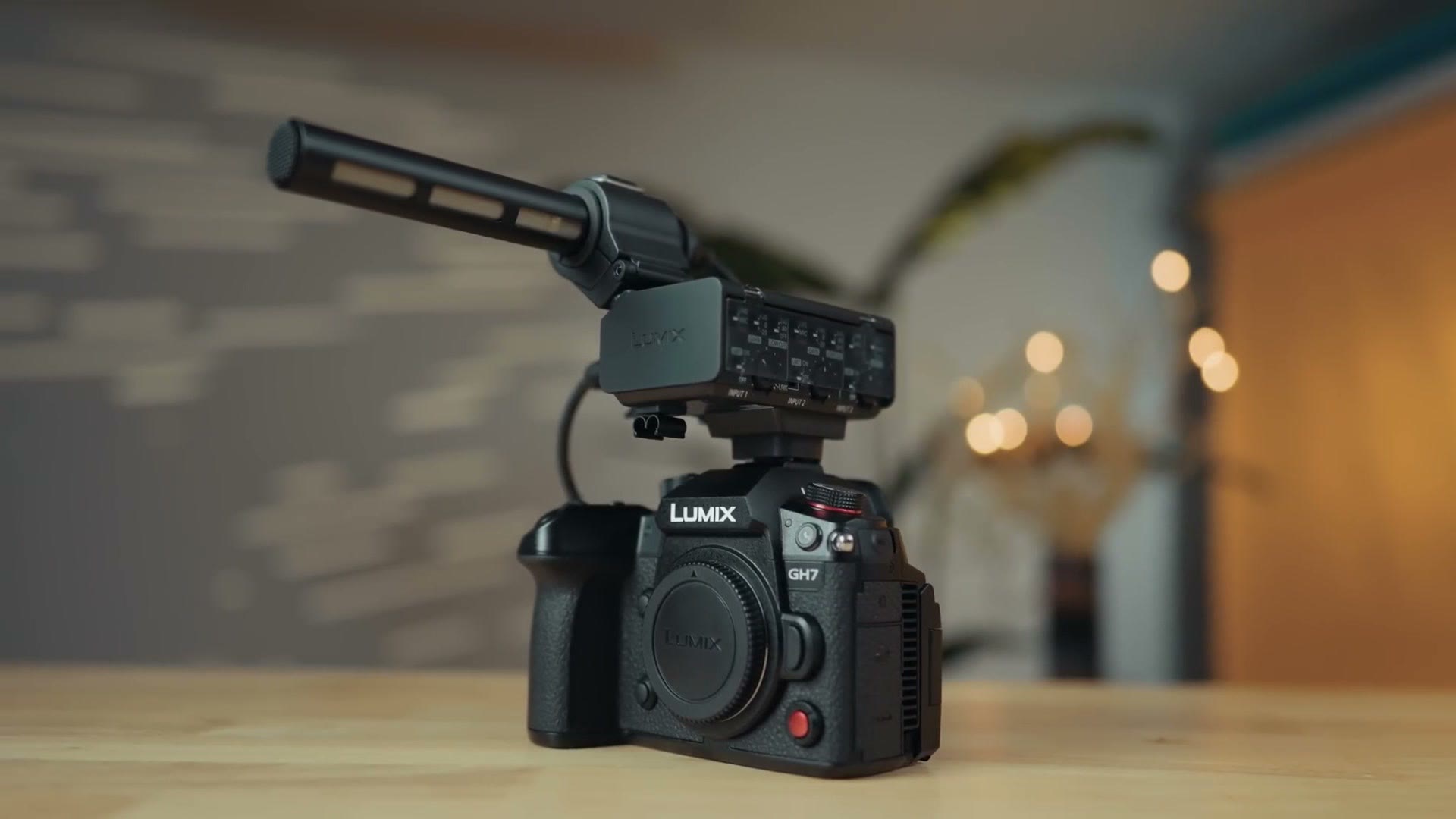
This is the first camera that supports 32-bit float audio internally. And if you don’t know what 32-bit float audio is or why it’s so revolutionary, 32-bit float audio is to audio what raw video is to video. With it you have a ton more latitude to adjust the volume of your audio, so if it’s clipping and too loud you can bring the levels down and still recover it, and if it’s too quiet you can bring the levels up without introducing noise.
Up until this point, 32-bit float recording has been available in completely standalone audio recorders like the Zoom F3 and the Tascam Portacapture X8, but not in an actual camera. Which meant that if you wanted to synchronize your 32-bit float audio and video, you’d have to use your editing software to do it, because you had a separate audio file and a separate video file that had to be merged together, usually using waveforms or timecode. It was kind of a pain. What’s great about the GH7 is that you’re not going to need to do that anymore, because the audio and video are synchronized into one file in camera.
That said, I do have one caveat about this feature, and that is that to properly use it you’re going to need Panasonic’s separate audio input, the DMW-XLR2 accessory that slides into the hot shoe, locks into place, and then gets powered and sends all the audio data through the hot shoe. Unfortunately you are not going to be able to just plug a microphone into the 3.5mm jack on the camera and record 32-bit float. Which, I mean, it’s a great little mic jack, right? Looks great. Doesn’t support 32-bit float though. You’re going to have to run it through this separate accessory, which also gives you two XLR inputs and a 3.5mm microphone input.
So if you were thinking that the mic jack down here is useless, yeah, it’s kind of useless. Don’t use it. Use the one up top so you get 32-bit float.
The great news is that you can literally plug an XLR shotgun mic into this accessory, mount it right on the mounting point, and it will record audio through the camera’s hot shoe without you needing to run a cable down to the 3.5mm jack, and the audio recorded along with the camera’s video file will be 32-bit float.
Now for weddings in particular, don’t get rid of your standalone 32-bit float recorder like your Tascam or your Zoom F3. You’re still going to want those, unless you want to run a really long XLR cable across the venue’s reception room to your camera and hope nobody trips on it. You’re still going to want a separate recorder to plug into the DJ or venue soundboard.
Speaking of cables, my WhoisMatt audio pack that I made in collaboration with Kondor Blue works fantastically with the GH7’s XLR inputs. I’ve tested them, and with any other audio recorder for that matter.
Timecode Support
Speaking of cables again, this camera comes with another cable in the box, and this will be really interesting to you if you use timecode, because it’s a BNC conversion cable for timecode. I believe this was also included with the previous GH series cameras, but it’s great to see it here.
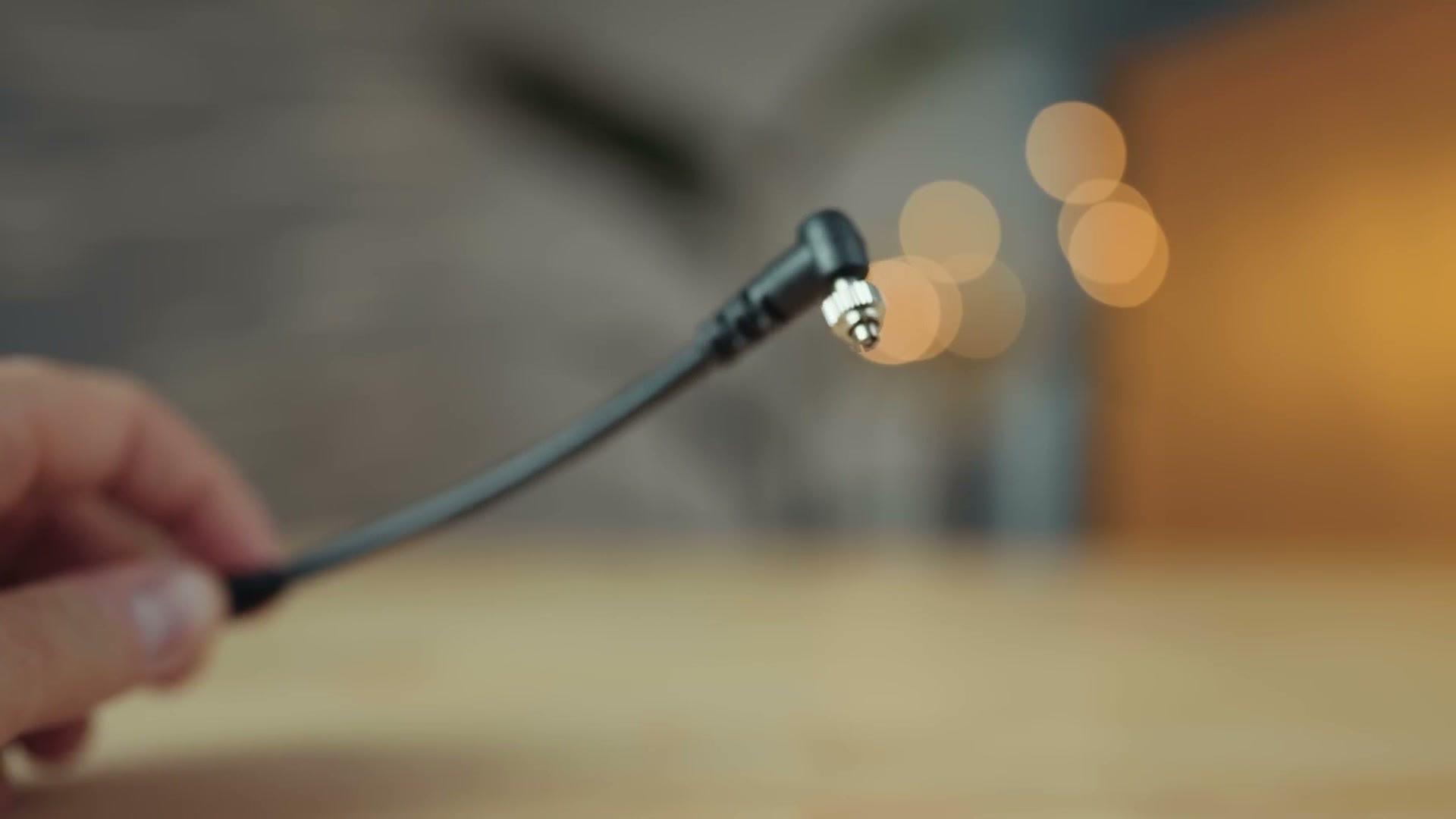
In my experience timecode is just getting more popular, and especially if you’re filming a wedding or another event where you have a lot of microphones, having built in timecode support in camera is fantastic. I’ll tell you, the audio suite on the GH7, I want this to be in every single camera. There’s a dedicated audio button you press and you can see all your audio settings. It’s beautiful. I love it.
Battery Life
In my testing, the battery on the GH7 lasted for about one hour and ten minutes recording 5.7K H.265 at 24fps, which isn’t bad, but it’s still a far cry from the legendary battery life of something like the GH5. Unfortunately we saw the battery life drop with the GH6, and it looks like this is the new normal with the GH7.
Thankfully, when I tested recording in the lower 3840 by 2160 4K UHD resolution, still in H.265, that performed better at one hour and 33 minutes. So you can expect about 20 more minutes if you don’t go for the full fat 5.7K. This is still not nearly as good as the two plus hours you could expect from the GH5, but if you’re filming a wedding you should be able to get through the day with a few batteries, which is still quite decent.
IBIS Is Stellar
The in-body image stabilization is excellent on the GH7, and you get an active mode to boost it with electronic stabilization as well. It’s super smooth, and I’m not saying you should throw away your gimbal, but you have a ton of versatility here if you want to film handheld and incorporate a bit of motion without breaking out the gimbal.
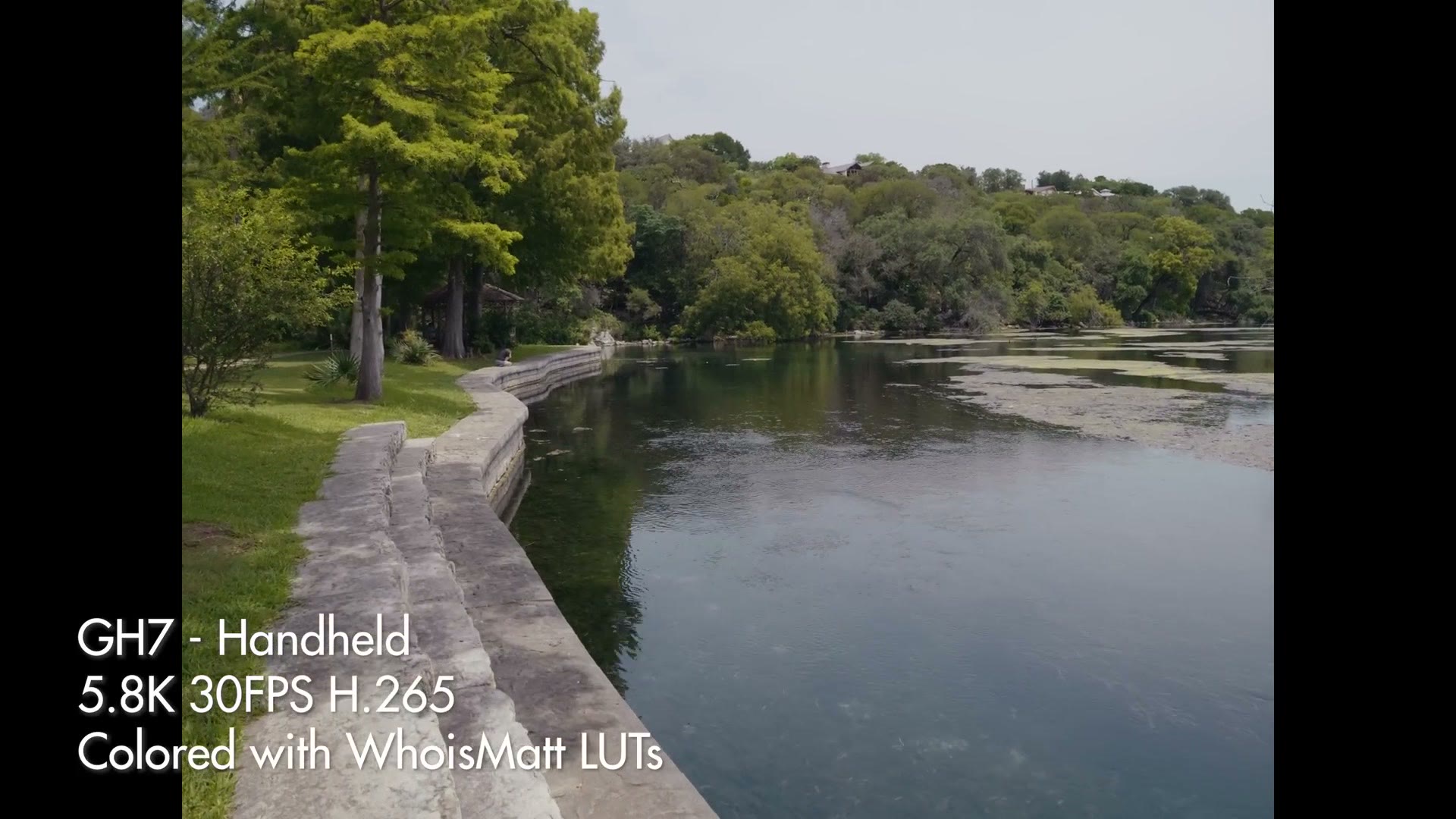
It’s just great to see. Every camera needs IBIS this good. It’s magical.
Low Light At All The ISOs
Now let’s talk about something I was a bit worried about. Mentioning the GH5 again, you’ll know that one of my biggest criticisms of that camera was low light performance. I spent a long time complaining about that in my review, because if you’re a wedding filmmaker you undoubtedly know that weddings are one of the most challenging scenarios to film in when it comes to light. You rarely have full control of your lighting, and that’s where a camera that can hit higher ISOs is so important, because even if you bring lights you may not have time to set them up.
Well, here we are, many years after the GH5 and two generations later, and I’m happy to tell you that while the low light performance isn’t as good as, say, a full frame camera like the a7S III, it is still significantly better than the GH5, especially considering this is a much smaller than full frame Micro Four Thirds sensor. Panasonic is really doing some magic to get the low light performance to look as good as it does.
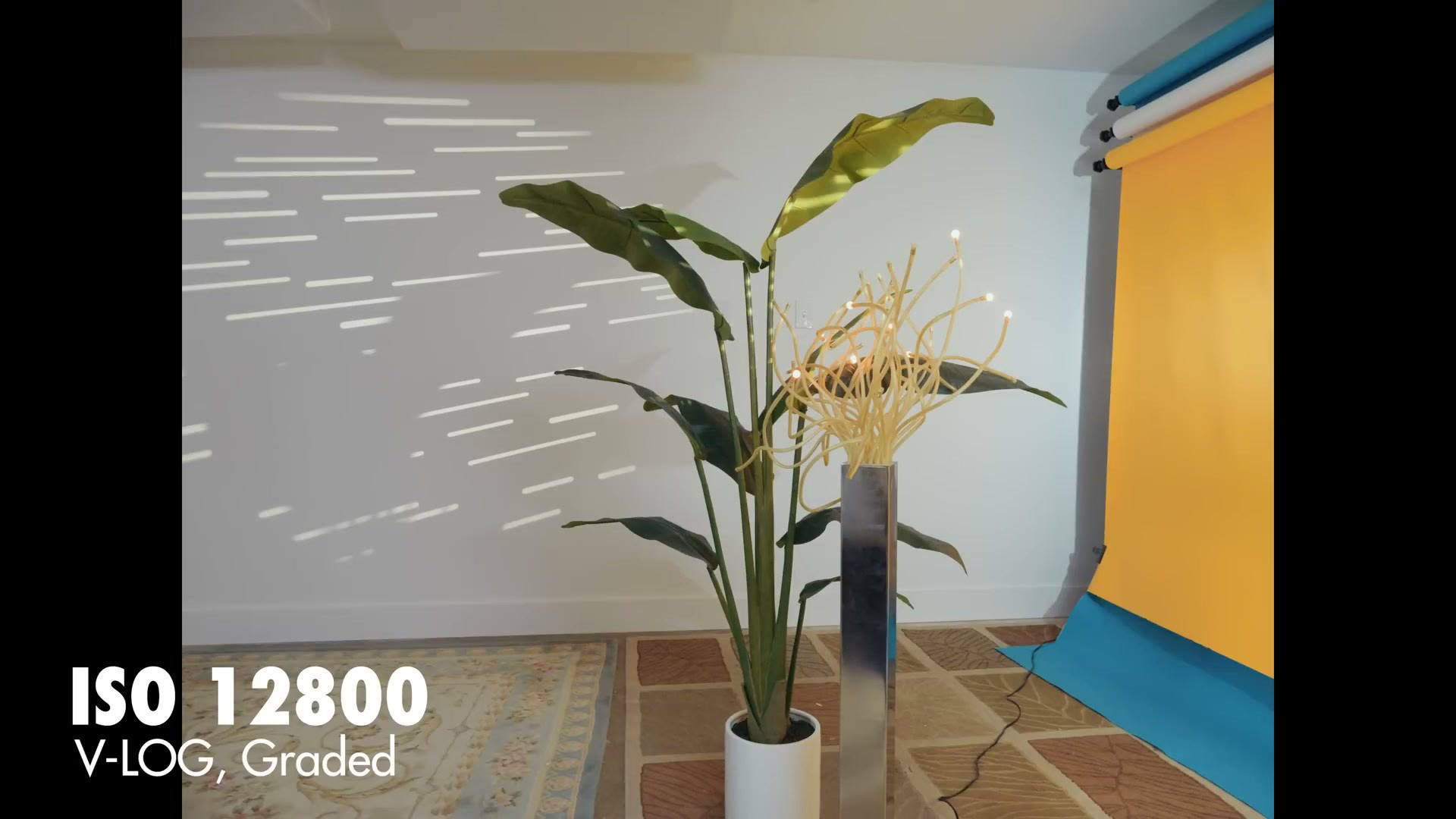
The first thing you need to know is that this is a brand new backside illuminated sensor from Panasonic, so if you’re coming from the GH5 or GH6, the GH7 should be better in low light than both of those cameras because of the sensor design. Side note, you can decrease the ISO lower than 500 if you enable the extended ISO mode in the camera’s menu, but I haven’t tested whether that drops the camera’s dynamic range like it does on my Sony a7S III.
The GH7 is noticeably improved from the GH5 when it comes to noise, because I remember with that camera I was terrified to go even above ISO 1600, with the highest I could ever recommend being 3200, due to how quickly noise would appear. It even led me to recommending that if you filmed a wedding with the GH5, you film the first, well-lit half of the day with it and then switch to a full frame camera like an a7S II for the reception, because it was so much better in low light.
Thankfully with the GH7 I’d feel comfortable saying you can go to much higher ISOs, let’s say about 6400 to 8000, without introducing too much noise. So this is definitely an improvement. To be clear, the GH7 still maxes out at only ISO 12,800, which also happens to be the second dual gain ISO level of the a7S III, where that camera has the least noise. So hopefully that helps put in perspective just how great the a7S III is for low light. But that camera is also significantly more expensive than the GH7 and doesn’t have features like internal raw recording, or IBIS this good, or 32-bit float internal.
Last thing on low light. I’ve only tested this camera with a lens that had a maximum aperture of f/2.8, but Micro Four Thirds is great because it supports a lot of lenses with much wider apertures like f/1.4, f/1.2 or f/0.95. There’s a lot of math involved converting from Micro Four Thirds to full frame and the physics of light going in, but my main point is that if you invest in other lenses you can find yourself getting dramatically better low light performance.
I put together Panasonic Lumix S9 Review For Pro Filmmakers: Powerful, Compact, Limited as well, which covers the part I skipped over here.
In addition, you can negate a lot of the laws of physics around how the GH7 struggles with its sensor size compared to full frame if you choose to buy a speed booster. A speed booster gives you a boost to the width of your lenses and will also dramatically improve the low light performance of the camera.
So my point is that I tested the GH7 with a relatively average lens and no speed booster and I still thought the low light performance wasn’t bad, and there are definitely ways to significantly improve it. I would not immediately write off this camera due to it not being full frame, because you can work around a lot of those noise limitations from the smaller sensor very easily. I think you’ll be perfectly fine using it to film a wedding, especially if you pair it with some brighter glass and maybe a speed booster. And of course, bring lights. You should always bring lights regardless of the camera you’re using or what you’re filming.
Image Quality And LUTs
The first thing you need to know is that in my testing the colors from the GH7 look fantastic and the footage from this camera looks really great. I’m very, very impressed by it.
I also want to take a moment on dynamic range, because while I’m not doing any in-depth test here with an Xyla chart or anything like that, this camera of course supports filming in the flatter V-Log picture profile, which according to Panasonic will give you a dynamic range of about 13 plus stops.
In addition, Panasonic has also included all the new LUT features we saw from the Panasonic S9. There’s no dedicated LUT button on the camera, you won’t find that here, but you can access the Real Time LUT feature, you can use the Lumix Lab app to create your own LUTs and transfer them to and from the camera wirelessly, and you can store up to 39 LUTs on the camera. You can even combine two LUTs at the same time and adjust their opacity.
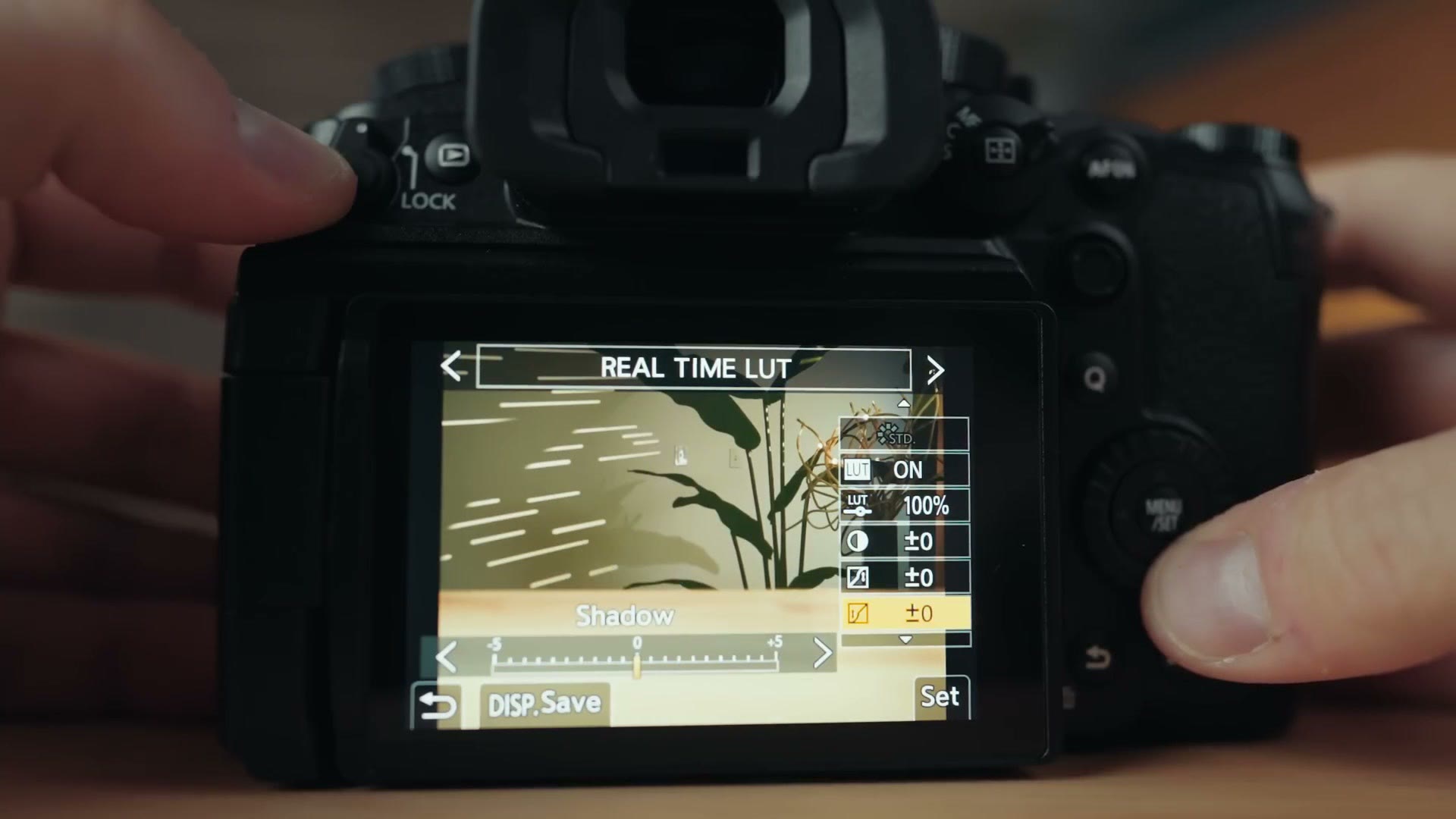
There’s a ton of features here from the S9, and I’m so glad to see Panasonic put them in a camera that’s more focused on filmmaking. Panasonic is the only company giving you this level of control over color in camera, and it’s amazing.
By the way, if you want some LUTs that look incredible and work fantastically with the GH7, or any other camera for that matter, I’ve tested them, and I would love for you to check out my WhoisMatt LUTs.
Frame.io And Wireless Live Streaming
While we’re talking apps and wireless capabilities, I also want you to know that the GH7 supports Frame.io integration, so you can upload your clips to the cloud right as you’re filming them.
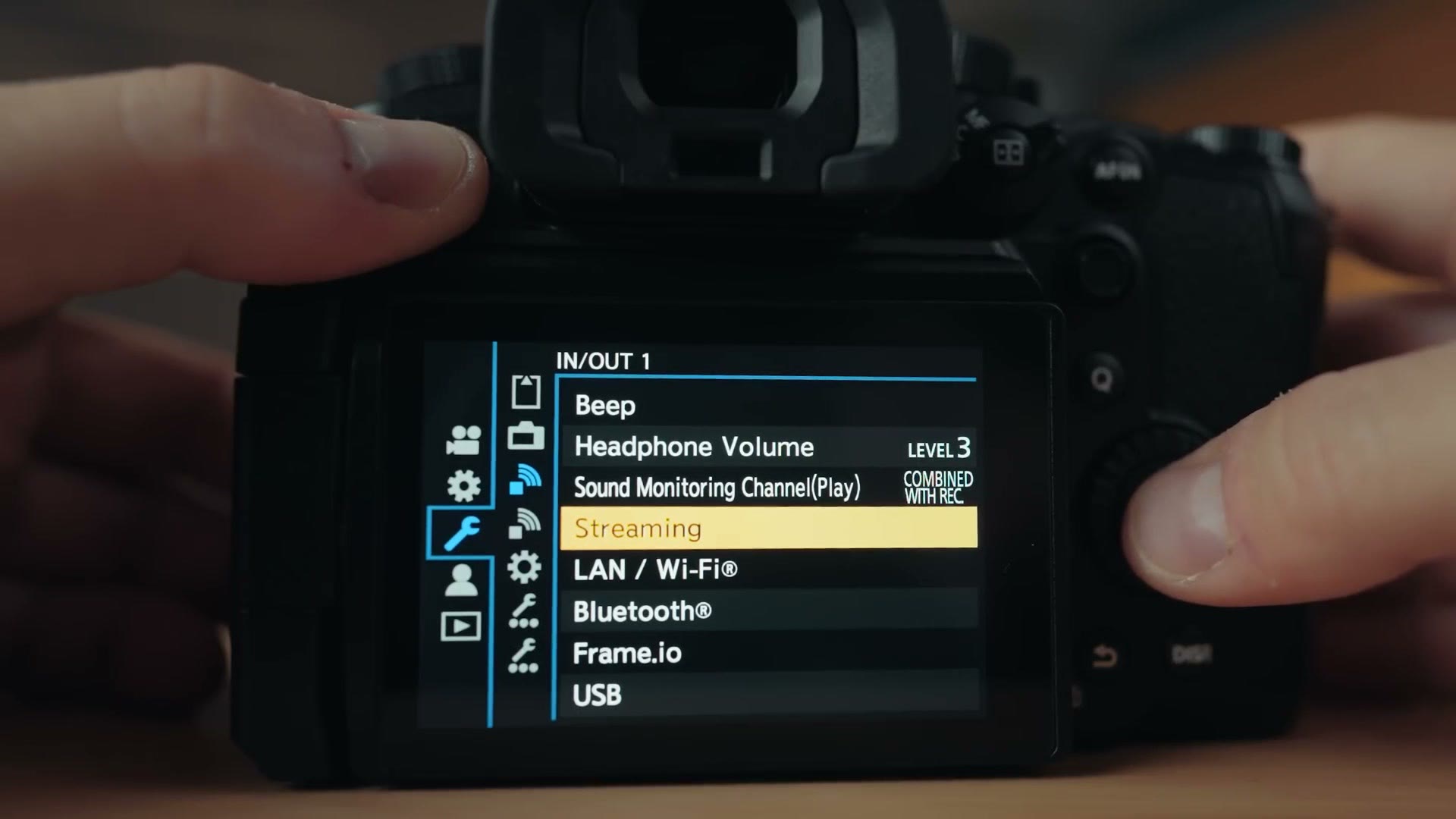
But what’s more interesting to me as a wedding filmmaker is the camera’s internal support for live streaming. Directly from the camera you can tether the GH7 to your smartphone or laptop and stream to the internet, and if you’re filming a wedding and the couple wants their ceremony live streamed, the GH7 offers a really streamlined way to do it. I haven’t had time to test this feature in depth yet to see how rock solid it is, but regardless, I think it’s a really great feature to have.
ARRI LogC3
Whenever Panasonic announced this camera, they also shared a big surprise, which is that they have collaborated with ARRI to license the LogC3 profile from their Alexa cameras and bring it to the GH7, and to the GH6 as well. You can enable this log profile if you pay a $200 licensing fee.
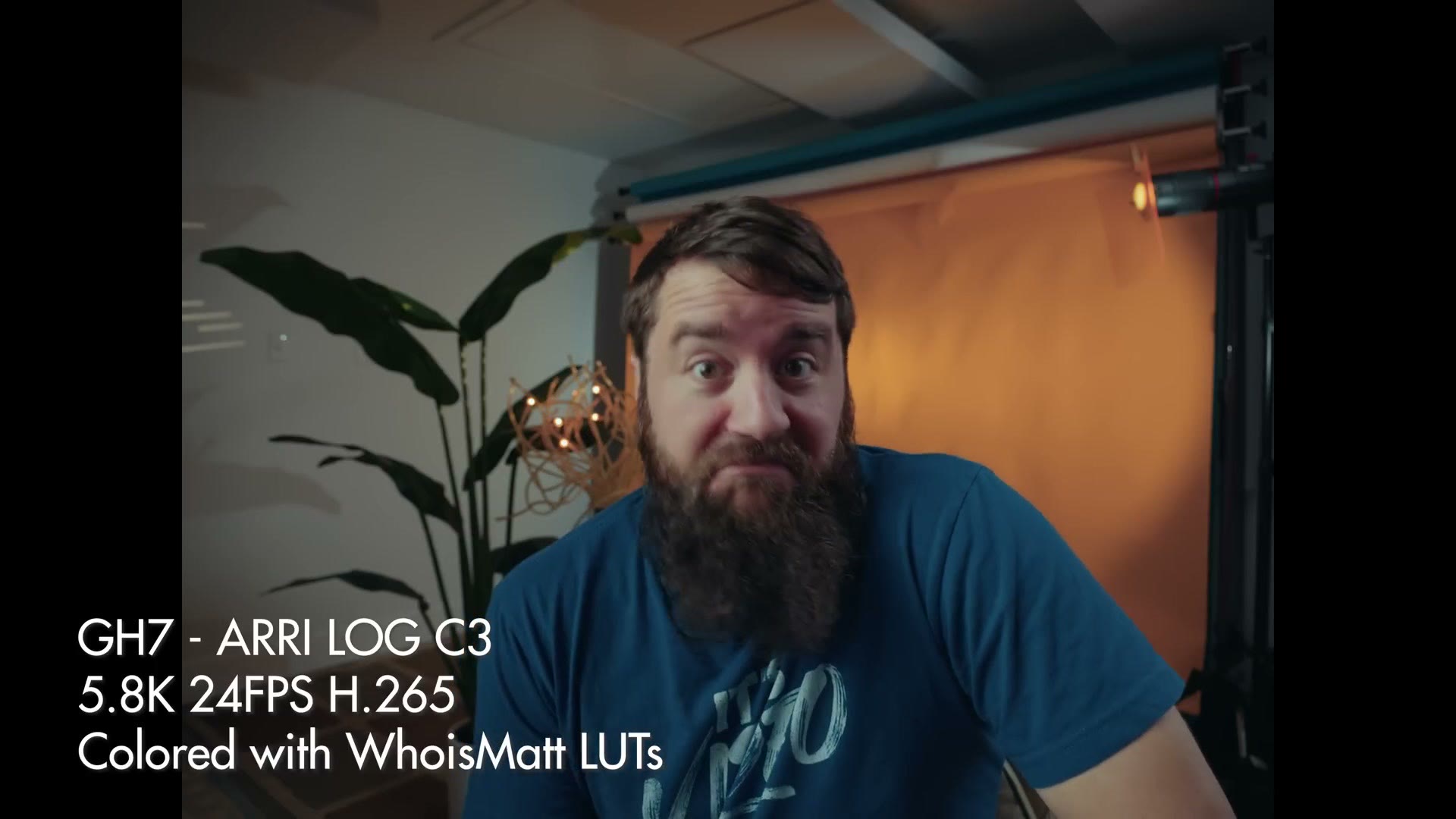
I haven’t had time to test this profile in depth yet, but as you can see it’s really cool, and while I wouldn’t say it turns your GH7 into an Alexa necessarily, if you’re someone who’s already filming with an Alexa and you want to be able to easily match it, you can now do that with the GH7.
In addition, this ARRI log feature also gives you access to ARRI’s look library, with LUTs that are custom tuned for that log picture profile. And remember, the GH7 supports up to 39 internal LUTs, so I can think of no better way, other than putting my own WhoisMatt LUTs in there, than to also put ARRI’s LUTs on this camera and have them work with the ARRI log profile. It’s pretty cool.
Dynamic Range Boost Is Much Improved
Now we need to talk about another feature called Dynamic Range Boost, which was a feature you could enable in the menu on the GH6. As the name implies, it boosts the camera’s dynamic range by essentially having the camera record a darker image and a brighter image and merging them together to give you better detail in your shadows and highlights.
The GH6’s Dynamic Range Boost did have some compromises though, namely that whenever you enabled it, the camera would default to a minimum ISO of 2000, which made it a bit of a pain to film on a bright sunny day. ISO 2000 gives me flashbacks to earlier Sony cameras which had your ISO cranked really high to film in S-Log3, and it was so hard, and then they finally brought it down to 800 and now it’s more usable.
Well, that brings us back to the GH7, because whenever you open up the menu, there’s no Dynamic Range Boost option. The first time I was like, where is it? Is it not in here? What is happening? Did Panasonic remove this feature? Did they say we don’t need extra dynamic range, who cares?
No. Don’t worry, they did not get rid of it. Instead they improved it. They removed that pesky ISO 2000 minimum and made Dynamic Range Boost on by default. So it’s always enabled on your GH7 if you’re filming anything up to 60 frames per second. Anything at 24, 30, 40 or 60fps will have it enabled. And if you go beyond 60fps to 120, 240, 300 and so on, that’s when it turns off.
If you’re wondering how much dynamic range you get with the boost on and off, Panasonic says with it you can expect over 13 stops, and with it off you can still expect over 12. Like I said, I haven’t done any in-depth dynamic range tests, but to my eye I can confirm it looks quite competitive with other cameras like my a7S III filming in S-Log3.
Overall this is really great to see, especially from a Micro Four Thirds camera. Typically on a wedding day I don’t find myself filming at 120 frames per second, but if you’re someone who does it often, keep in mind you’re going to have slightly less dynamic range at that frame rate.
And back to the base ISO discussion. Remember the GH6 with Dynamic Range Boost had a minimum ISO of 2000. With the GH7, the base ISO when filming in V-Log with Dynamic Range Boost is now 500, which is much more usable. Now you don’t have to think about whether you want to boost your dynamic range or not. It’s just always enabled for most frame rates, and it’s great.
The Price
So as you can see, the GH7 is a really full featured camera that literally checks all of the boxes I’ve basically ever had for a modern camera with good autofocus, plus the addition of things I always dreamed of but wasn’t sure I’d ever see, like 32-bit float internal recording and internal raw video, all in one camera at a price of only 2,200 bucks.
That is very competitive with other cameras, and it checks the price box as well. The quality and the features are all there, and it would make an excellent choice as an A camera. Or heck, if you already have something like an S5II and you want a B or C camera to complement it, let’s say for filming wedding ceremonies, the GH7 would be an excellent choice there as well.
The One “Con” Of The GH7
All that said, I do think there is one thing many filmmakers may consider a con of this camera. To be clear, this is not me saying it. I don’t think it’s a con, but other people do, so I’m betting I’m going to hear it in the comments. And it’s unavoidable with the GH7. This supposed con is that the sensor is not full frame.
Sorry. The GH series is still, at its heart, a Micro Four Thirds camera system, which some people think is a con, but I think it’s a good thing. There are still a ton of Micro Four Thirds filmmakers out there who are going to be super excited about this camera, and excited that they don’t need to sell all their lenses and switch to a larger and more expensive full frame system.
Micro Four Thirds offers a lot of strengths, with not only cheaper prices for the camera but more affordable lenses as well, and a ton of adaptable lenses. The mount is small enough that you have a ton of lenses you can throw onto this thing with a speed booster, which is awesome. Sure there’s a crop, but I just mentioned a speed booster. Throw one on and that’s not an issue anymore. You’ve eliminated a lot of the crop and gotten better low light performance.
And heck, I can think of plenty of situations I’ve filmed, like wedding ceremonies and conferences, where having a crop sensor means I can get away with buying a cheaper zoom lens that still gets me significantly closer to what I’m filming, thanks to the 2x crop. It’s a great choice for events like that.
What About Panasonic’s Full Frame Cameras?
At the same time, if you’re someone who uses the Panasonic Lumix S5II or S5IIX or another full frame Panasonic camera, I want to give you some hope as well. I don’t want you to think Panasonic is going to leave all these fancy new features with the GH series and never bring them to their full frame cameras. It’s not like that.
Remember, because the GH series has a smaller sensor, the entire camera can be kept smaller and generate less heat. So the way I think of the GH series is almost as a test bed, a preview of what is going to eventually arrive in Panasonic’s full frame cameras.
This is just an educated guess, but you cannot tell me Panasonic isn’t working on an S5III that has all of the features of this camera, like internal raw recording and 32-bit float, but in a full frame body with an L mount on the front of it. You may have to wait a couple of years, but I’d bet that’s coming, and that’s pretty exciting. We’re seeing a literal preview of the future of Panasonic’s full frame cameras in the GH7, and they’re going to be pretty darn great.
Where To Get It
You can grab the Panasonic GH7 at Amazon, at B&H or at Adorama, and if you want to get the most out of it, I put together a GH7 camera guide as well.
And I want to tell you about another pretty great thing, which is my free workshop called How To Book Your First Wedding In 30 Days Or Less. This is going to be super helpful to you regardless of whether you’re brand new to filming weddings or you’ve been filming them for a while. The things I teach in there are going to be incredibly helpful whenever it comes to booking your weddings, and remember, it’s free.
Thanks so much for reading, and have a great day!