
The iPhone 16 Pro has eight upgrades for filmmakers, and I am going to be sharing them all with you. Heads up: this link goes to the newer iPhone 17 Pro. I am betting you did not know number five.
Also, I want you to know that I have a set of color presets that I made that work fantastically with the iPhone 16, especially with the ProRes video and Apple Log you can film with the 16 Pro.
Upgrade 1: 4K At 120 Frames Per Second
Let’s start with the biggest upgrade, and you can probably guess it. I am not going to keep you waiting for it. That is the addition of 4K recording now at 120 frames per second. In years prior, iPhones only supported 4K at up to 60fps, so it is really nice to see them now capable of double that frame rate.
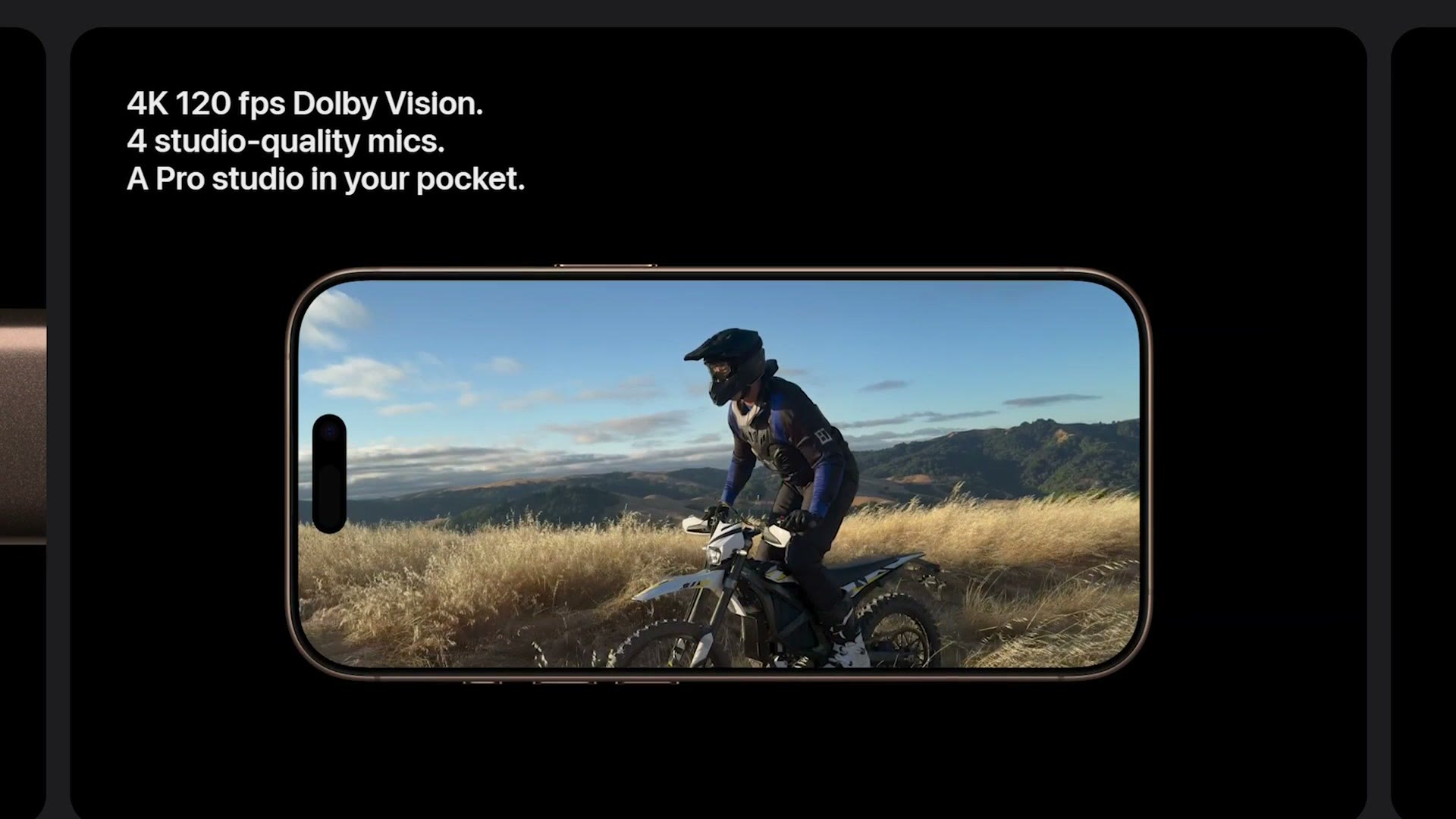
And as a plus, because I know you are probably wondering, this 4K 120fps frame rate and resolution is also supported when recording in ProRes to an external SSD. So all of the benefits you got last year with the iPhone 15 Pro still apply, benefits like a dramatically higher quality image with less oversharpening in camera, the Apple Log picture profile with its higher dynamic range, and a much more easily editable ProRes codec, which admittedly does have a much larger file size, hence the external SSD requirement to use it at higher frame rates.
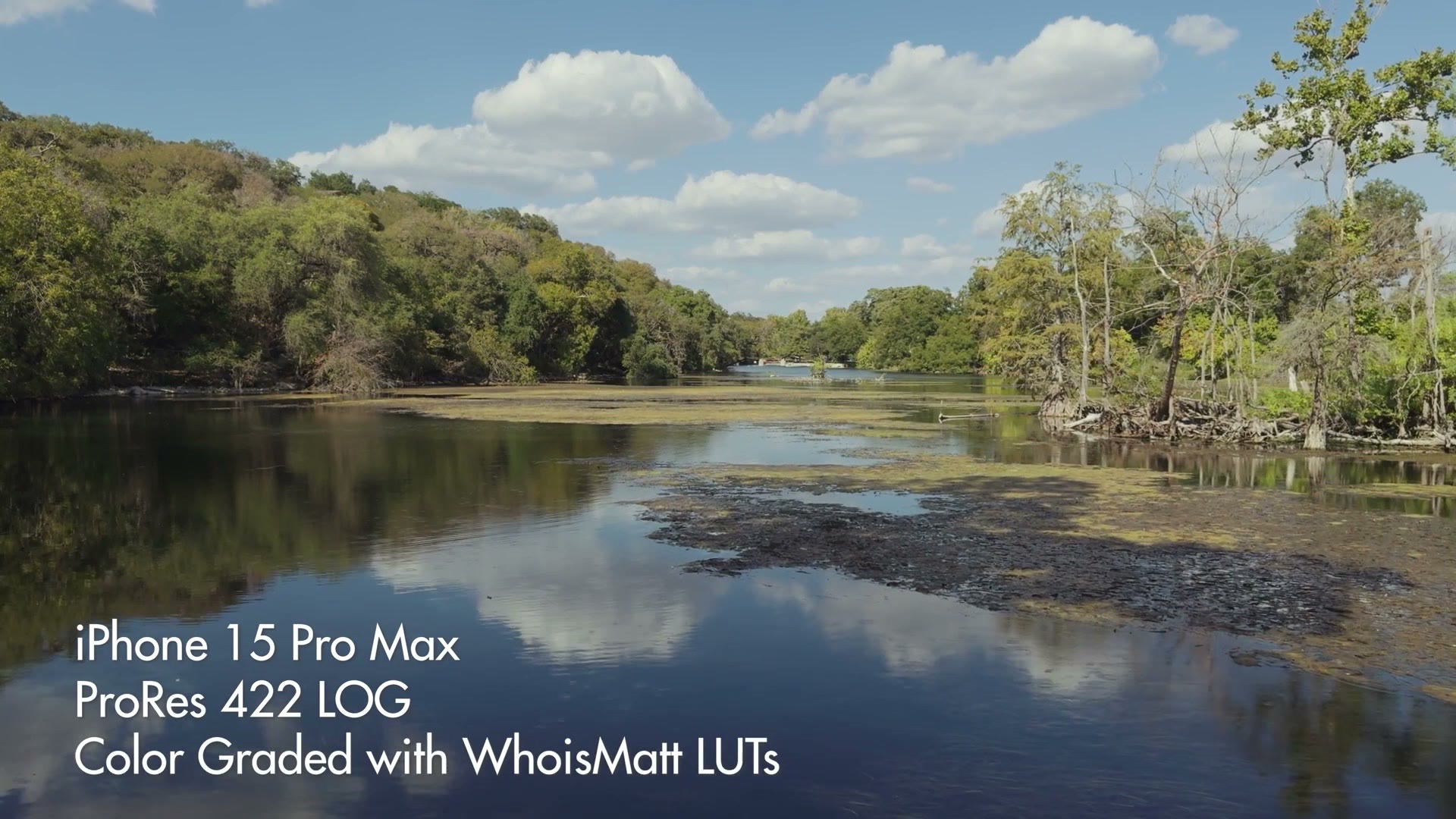
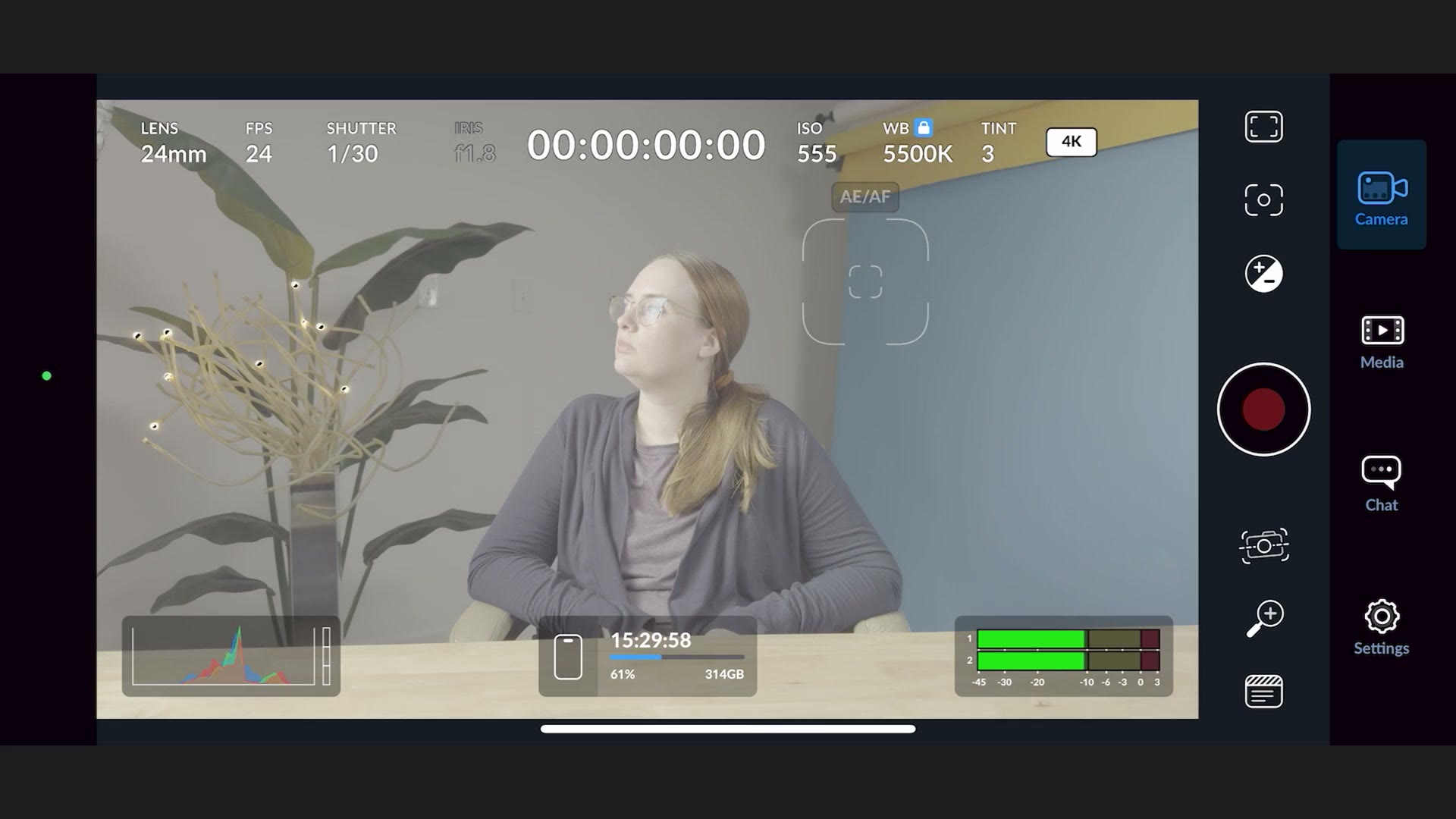
Now there is a workaround for needing to use that external SSD at higher frame rates, and that is to use a separate app from the native camera app, something like the Blackmagic Camera app that supports recording ProRes internally at all frame rates. No SSD required. Side note, I have a video showing the best Blackmagic Camera app settings for the iPhone 15 Pro, and you can let me know if you want me to make an updated version for the iPhone 16 Pro.
Upgrade 2: A Dedicated Camera Button
The second big update is actually something that is on the regular iPhone 16 as well, but I want you to remember that Apple is still locking the use of ProRes and Apple Log behind the Pro tier of their iPhone. So if you buy a regular iPhone 16, you are not going to be able to record in ProRes or Apple Log, and that is a big bummer. Trust me, you are going to want to be able to do that. You want the Pro.
Anyways, this new feature is the addition of a new button. Yes, after decades of not adding new buttons, and actually removing buttons with the iPhone X, remember that, Apple added the Action button with the iPhone 15 Pro, and now with the iPhone 16 they are adding a dedicated camera button.
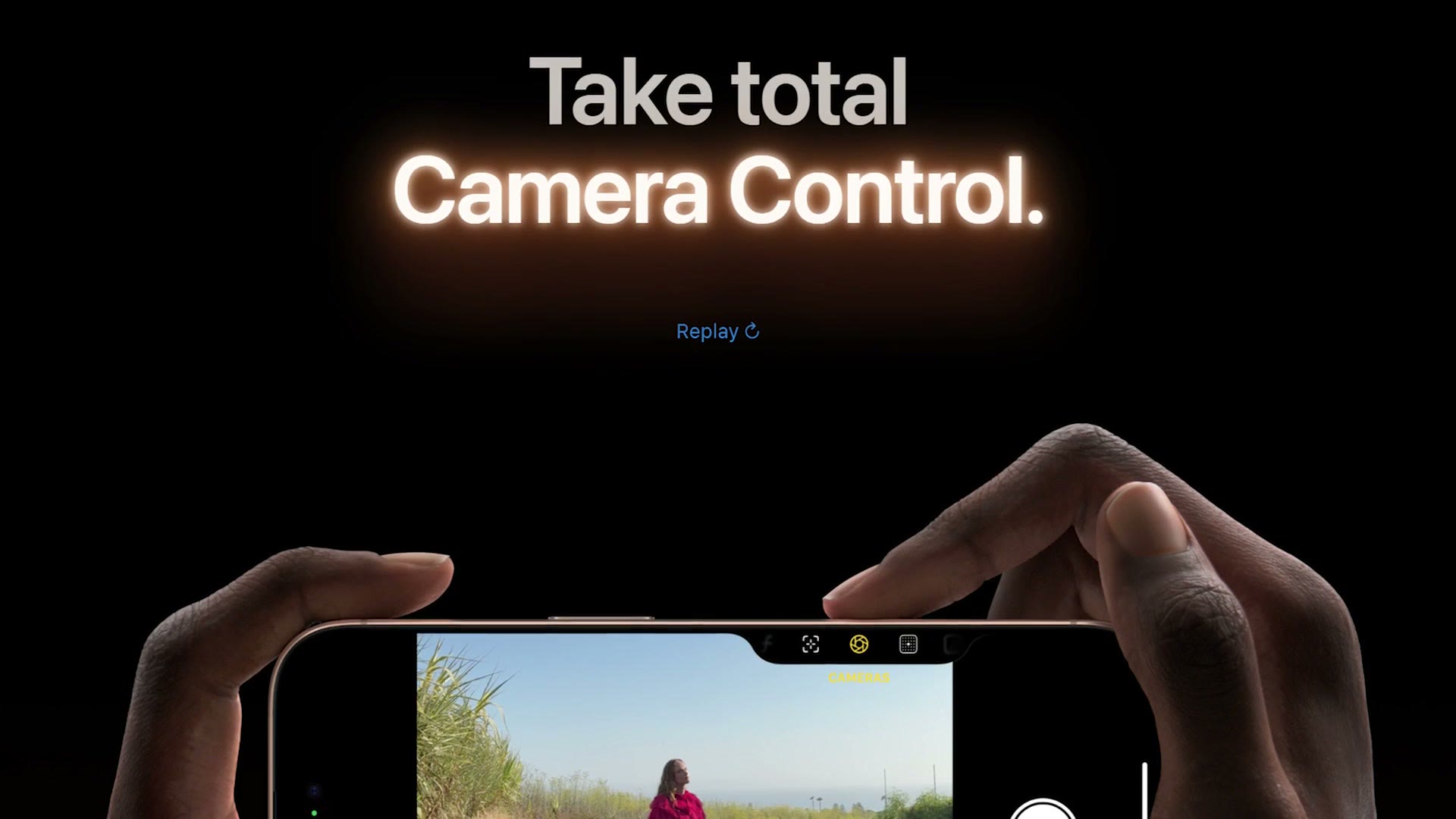
This is not just a button, though. It also has a touchpad on it, so you can swipe your finger across it to adjust settings. For filmmakers I think this is going to be so powerful, because the examples Apple showed included the ability for the button to be half pressed to lock things like exposure and focus, and because you can swipe it as well, Apple showed that you could change between camera lenses and other settings too.
I am sure we are just scratching the surface here, but can you imagine pulling out your phone, not needing to mess with any of the settings on the screen, but instead pressing the camera button to bring up the camera, holding it to lock your exposure and focus, and then fully pressing it to start recording? You would not need to mess with the touchscreen or dive into settings while you are missing a moment happening right in front of you. You would be able to film even faster.
Look, there is a reason manufacturers like Sony and Panasonic have not gotten rid of all the buttons on their cameras and gone to touchscreen. Can you imagine that? It would be terrible. We as humans love buttons, and I am really glad to see Apple adding buttons to the iPhone that will specifically help us as photographers and filmmakers work better and faster.
Upgrade 3: A 48 Megapixel Ultrawide Camera
Apple has dramatically increased the resolution of the ultrawide camera, making it 48 megapixels, which, spoiler, would mean it is capable of recording 8K video if they chose to enable that. They could also enable that on the main camera as well, because that is also 48 megapixels. But considering that they probably do not want the camera to just melt in your hand, 4K resolution is fine in my opinion.
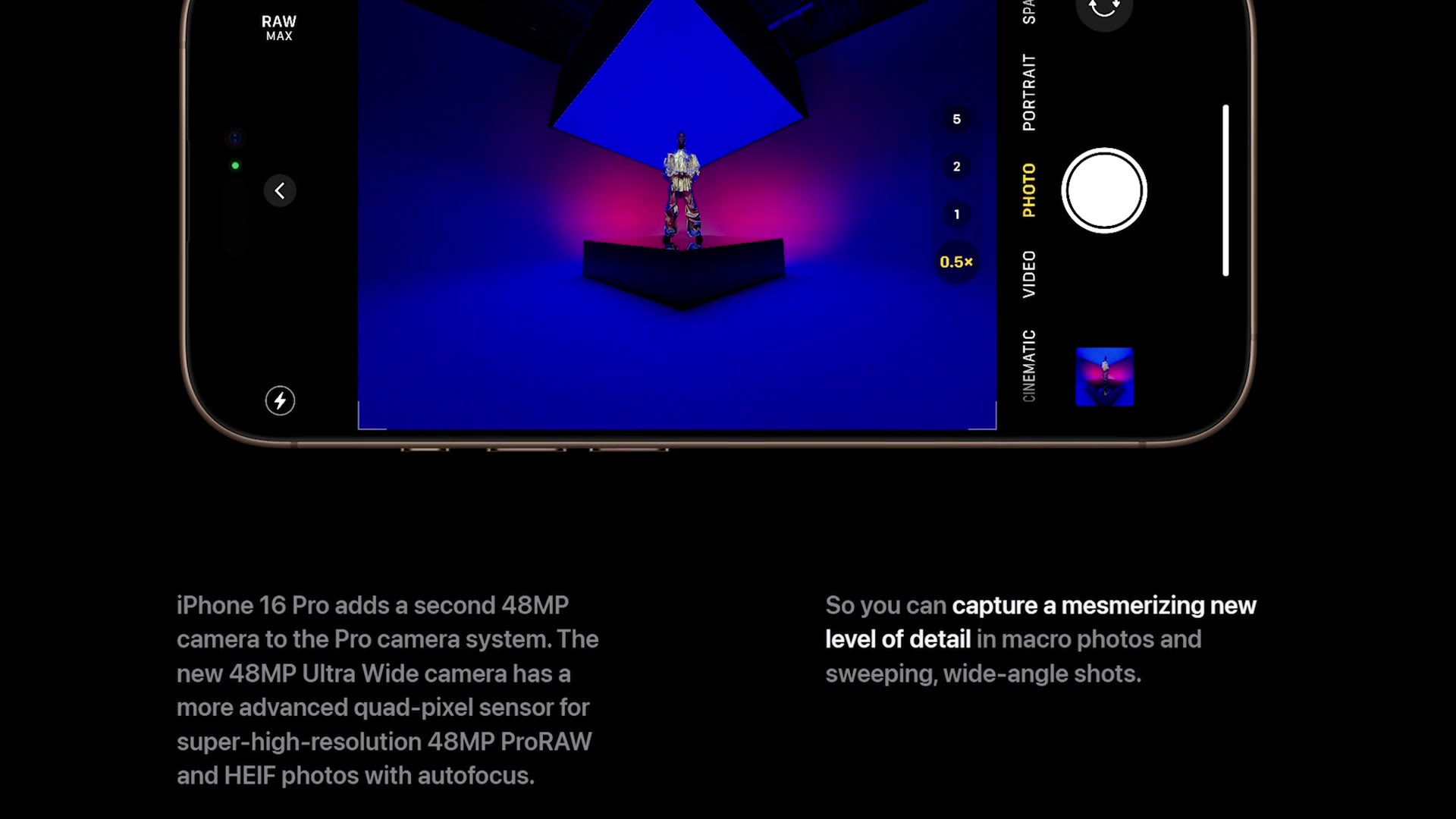
What I am hoping this upgraded resolution is for is better image quality, and I have been wanting this for a while, because while the ultrawide camera has worked fine in the past for photo, when it comes to video quality it is just a bit too low in my opinion. The footage has always reminded me of an older GoPro, back whenever GoPro was only known as the company that made a cam with a fisheye lens and the quality was not there yet. Do not get me wrong, GoPro cameras are great, especially now, but back in the day the footage from them was a little rough, and that is how I have felt about the iPhone ultrawide camera. I generally avoided using it.
Upgrade 4: Second Generation Optical Image Stabilization
Sticking with the cameras, Apple says the main camera has a second generation optical image stabilizer system, which hopefully means we can expect even smoother and more stable footage from the phone. Of course, iPhones have already included an action mode that heavily stabilizes the footage using software, but I have always preferred optical image stabilization, where the sensor of the camera is actually moving, not just software. So this is hopefully going to be a good benefit for us as filmmakers, giving us smoother footage that feels natural and not artificially stabilized like you sometimes get with software.
Upgrade 5: A Graphite And Aluminum Heat Structure
Number five is a bit of a secret one, and this is the one you are probably not going to be aware of, but it is arguably one of the biggest upgrades of this phone because it has the potential to dramatically improve the usability of your iPhone, especially whenever you are recording for a long time at higher frame rates. This upgrade is the addition of a graphite and aluminum substructure to the phone, which dramatically improves heat dissipation. And what creates a lot of heat? Filming in high resolutions at high frame rates. So this upgraded structure means you should be able to record video for even longer without the phone overheating, which is great to see.
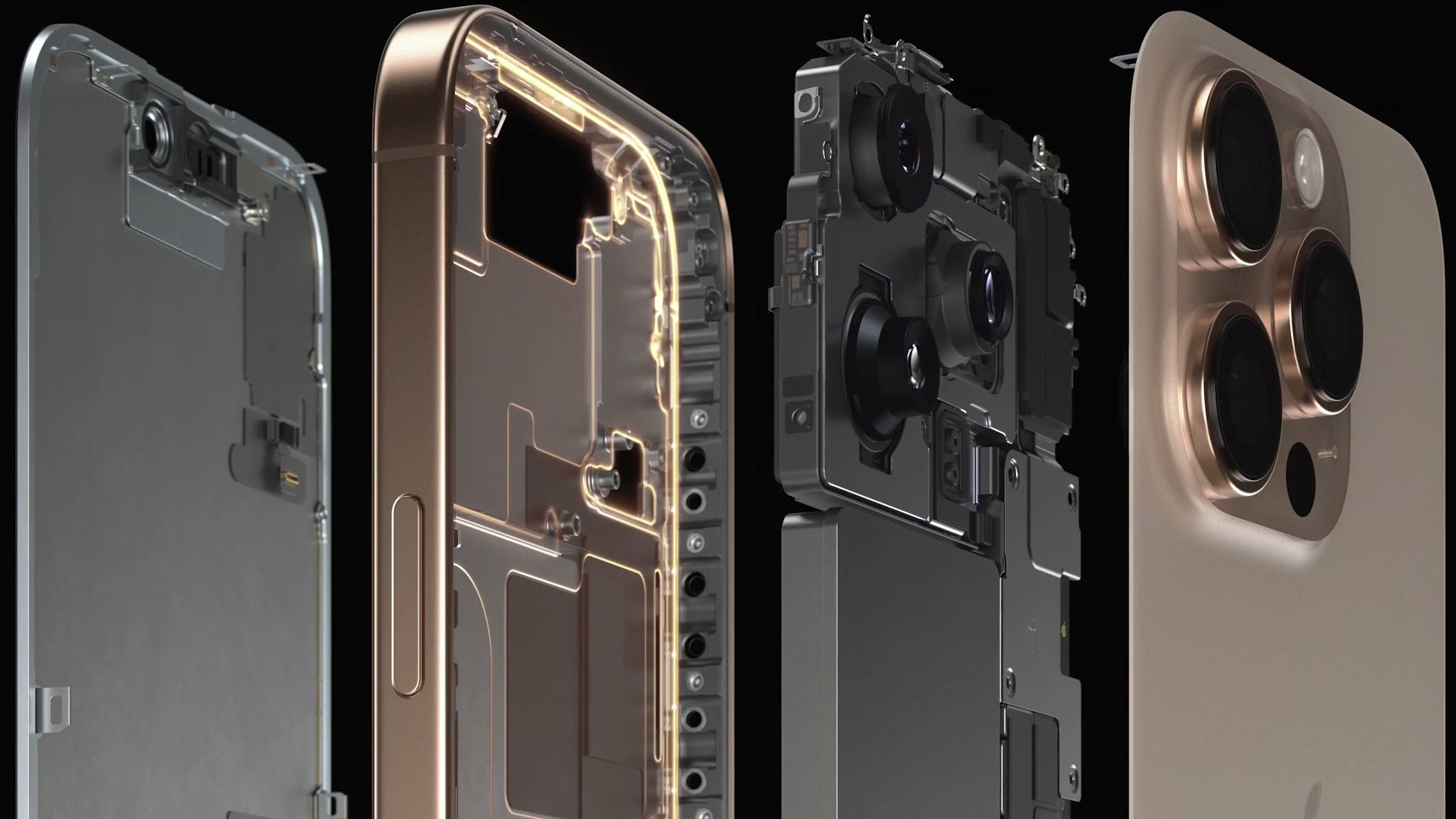
The reason I am excited about this heat dissipation upgrade is that Apple is not the first company to do it. In fact, it was Sony who I first heard of implementing tech like this, in their a7S III, which, if you remember, came after Sony had struggled, let’s say, with overheating for a long time in their cameras. But whenever the a7S III came out it was extremely resistant to overheating, even filming outdoors at very high temperatures at high frame rates. I did a whole overheating test of that camera in 100 plus degree, surface of the sun temperatures here in Texas, and it was fine even without the camera having a fan, all thanks to the graphite heat dissipation technology Sony had implemented internally.
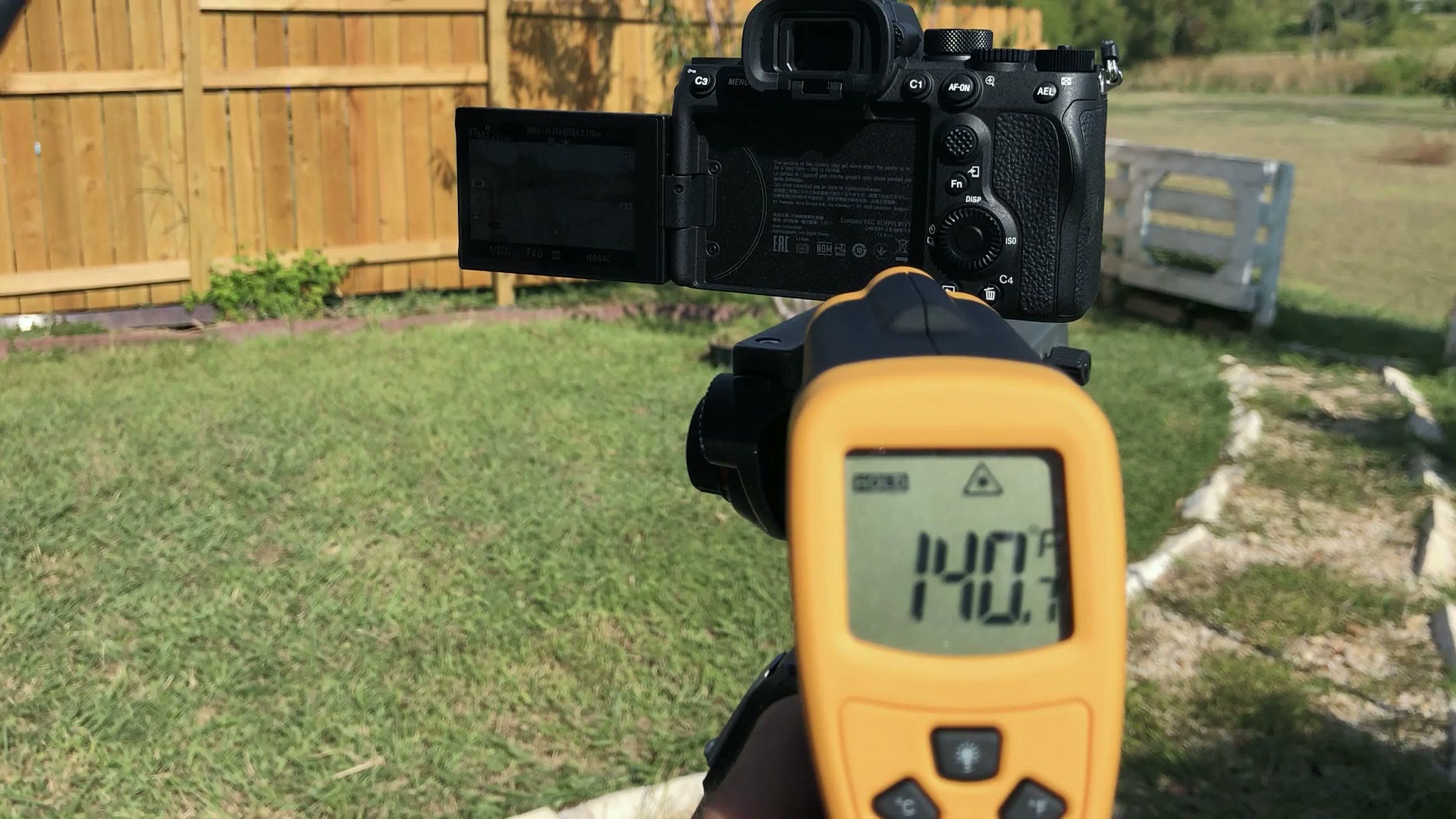
All that to say, I have very, very high hopes for overheating performance with the iPhone 16 Pro, and if you have dealt with overheating on a previous iPhone, you may want to consider upgrading.
Upgrade 6: Four “Studio Quality” Microphones
Last but not least in terms of hardware upgrades, what is the most important part of any video? The audio. Which is why I was very excited to see that Apple says they have upgraded the microphones on the iPhone 16 Pro, and there are now four studio quality microphones included on the phone. Notice the big air quotes around the words studio quality, because that is a direct quote from Apple. Hopefully that means the audio quality with the built in mics is improved. Apple says these mics have a lower noise floor and better wind noise reduction, which should result in better quality, so we will have to see how they do whenever I actually get the phone in my hands.
If you want to go deeper, I’ve also got RED & Nikon’s First Cameras Are Here! …With BIG Upgrades! and BIG Update For Sony A7S III Is Here For Filmmakers!.
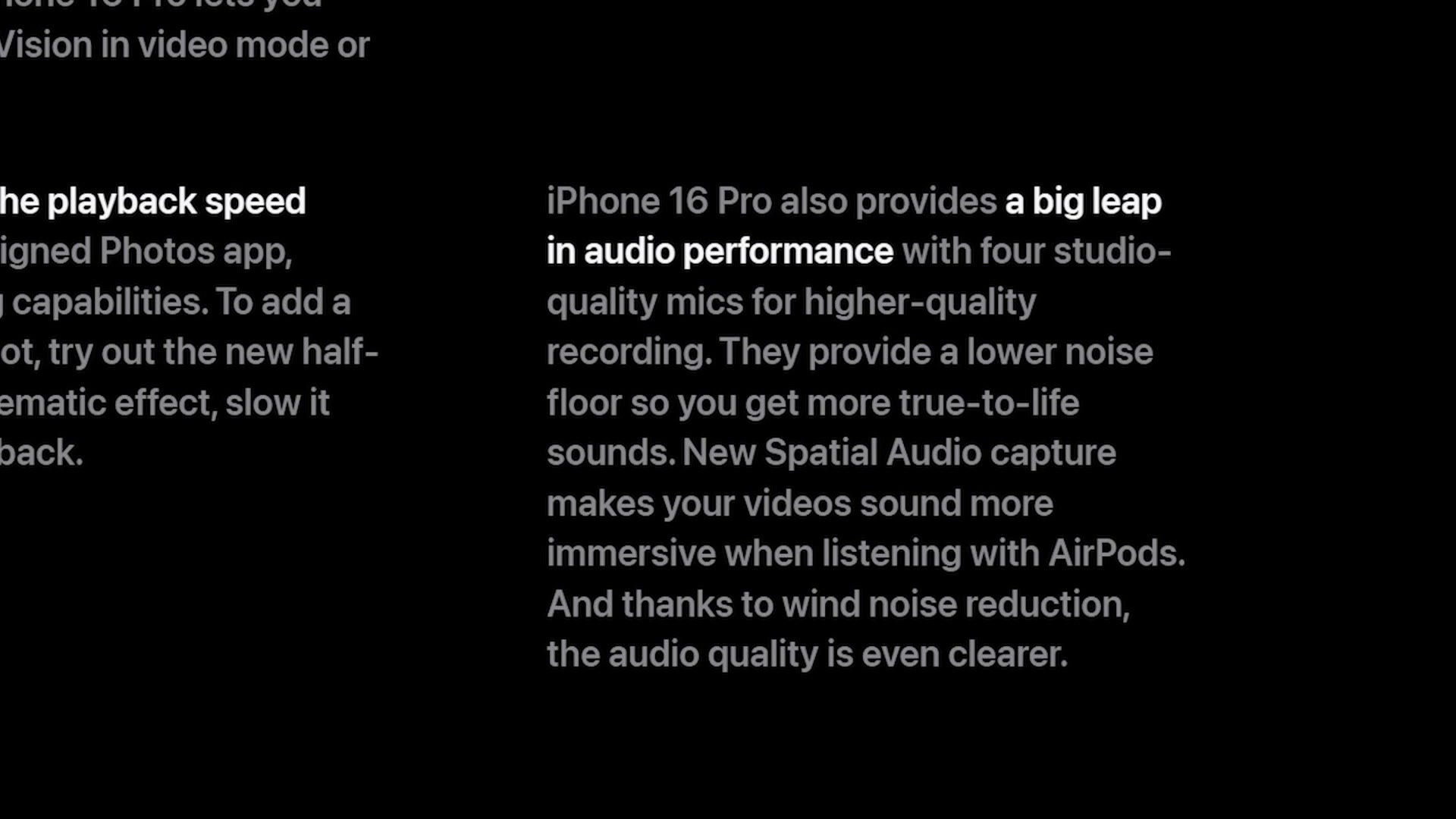
Do not get me wrong, there are a ton of companies out there making external microphones for the iPhone, and I have reviewed a decent amount of them on this channel. But as someone who films a lot of Instagram Reels, I am often in a rush and I am just using the built in microphones on the phone. So if you are like me and you film a lot with the built in mics, any upgrade we can get to improve the quality is a great thing, and I am really interested in seeing what studio quality means. Can we record a podcast now with our phone? I highly doubt that, but still, any improvement is great to see, because audio quality is so important to any video.
Upgrade 7: Audio Mix
Keeping on the audio trend, Apple says they have added a new Audio Mix feature you can use to isolate the audio of people speaking, and to me this sounds like a feature reminiscent of Adobe’s Podcast AI tool or the Voice Isolation effect in DaVinci Resolve, which will clean up background noise and make anyone speaking sound better.
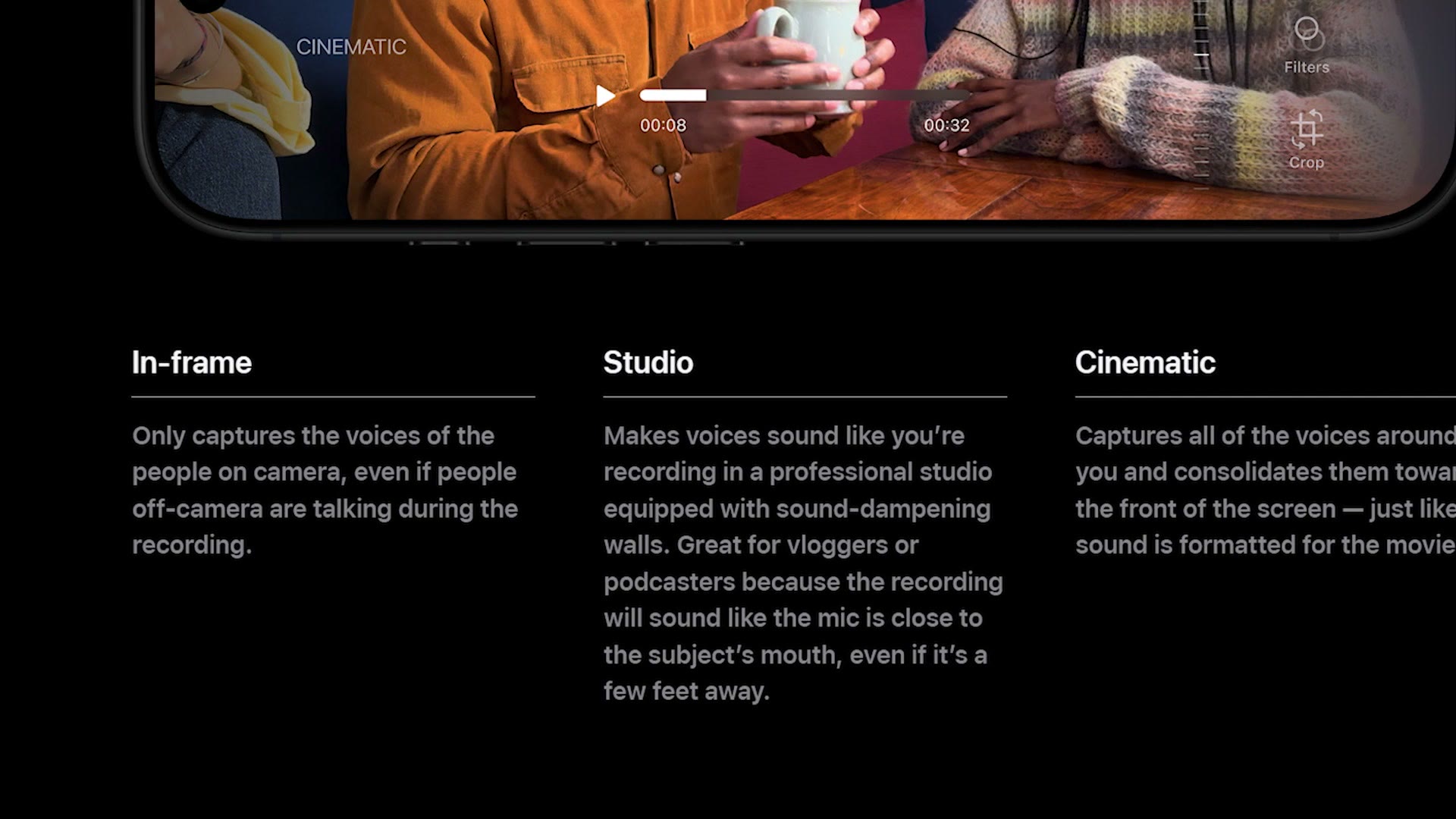
On the iPhone you can choose to have the audio focus only on people who are in the frame, make it sound like you are in a studio, or even focus all the sound being recorded around the camera toward the front of the screen, like how a movie’s surround sound audio is formatted. Tools like this can work really well, but they can also make people sound like robots very quickly if they are not tuned properly, so I am cautiously skeptical of this new Audio Mix feature and very excited to test it.
Upgrade 8: Slow Down Footage On The Phone
By the way, some of these features may be coming to previous iPhones as well through iOS 18, but I still think it is good to cover them here. This last one is so great to see, let me just say, because I have had to use separate apps in the past to do this. The iPhone 16 now includes the ability to slow down high frame rate footage on the phone after you have recorded it.
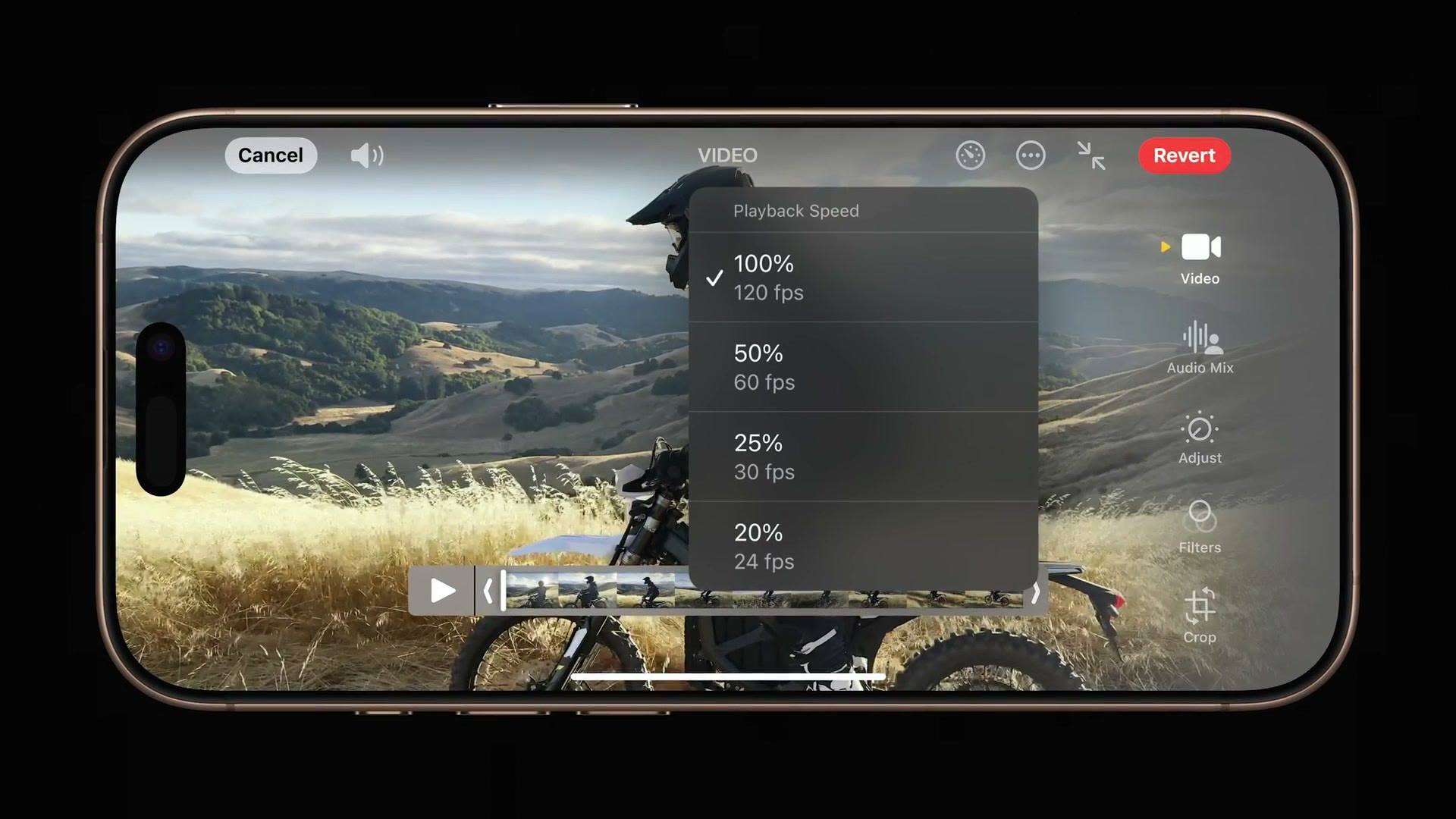
You no longer need to copy your high frame rate footage to your computer or into a video editing software to slow it down. All you have to do is go into the playback screen for your video on your phone, and then you will be able to change the frame rate your video plays back at. It is awesome, and it is one of those features that a lot of us are surely wondering, why the heck has this taken so long to implement? Thank you for at least getting it done now, Apple. This is great!
Is The iPhone 16 Pro Worth The Upgrade?
So as you can see, Apple has added a ton of video centric features to the iPhone 16 Pro. Eight by my count. And I think this year is a really solid upgrade on the filmmaking front.
That said, I can completely understand where other reviewers are coming from, because whenever you look at the iPhone 16 Pro overall it is not as exciting as previous years when it comes to general upgrades. But the main thing I would keep in mind is that if Apple was still sticking to their older iPhone naming system, where they would release a new phone and then an S version of that phone that had improved internals but less major changes, the iPhone 16 Pro would actually be the 13S, which kind of helps explain why it is not a massive upgrade. Maybe the bigger changes will come next year.
Regardless, like I said at the start, if you are a filmmaker I think the iPhone 16 Pro is a really solid upgrade, especially if you are not coming from the iPhone 15 Pro, because if you are coming from the 14, 13, 12, or anything earlier, even an Android phone, once you get access to Apple Log with ProRes this is some of the best quality video you can record from any phone, and I think you are absolutely going to love it.
I have since had the phone in my hands and put it through everything above, so if you want the answers to all the questions I was asking here, go read my full filmmaker’s review of the iPhone 16 Pro.
And if you have been considering getting into wedding filmmaking, I would highly recommend checking out my free workshop that shows you how to book your next wedding in 30 days or less.
Thanks so much for reading and have a great day!