
Today I want to review this tiny little fella, the Instamic Pro, and tell you why I think it’s a great backup mic to use at a wedding whenever you need an extra source of audio for your films.
To be clear, this is not a paid review. I backed two of these recorders on Indiegogo and then waited over two years for them to be manufactured and delivered. The good news is that the campaign is long over, so you can buy one directly now without waiting two years like I did.
What The Instamic Actually Is
Start with the name. Instamic. That sums the thing up pretty well, because it’s exactly that, a quick to set up microphone and recorder.
If I had to pick a comparable product, I’d say it’s most similar in philosophy to a GoPro. At its best a GoPro is a compact camera with a pile of mounts that’s meant to be stuck somewhere weird, on your head, on a stick, underwater, somewhere you wouldn’t normally put a camera, so you can record a new perspective. The Instamic applies that exact same idea to a microphone.
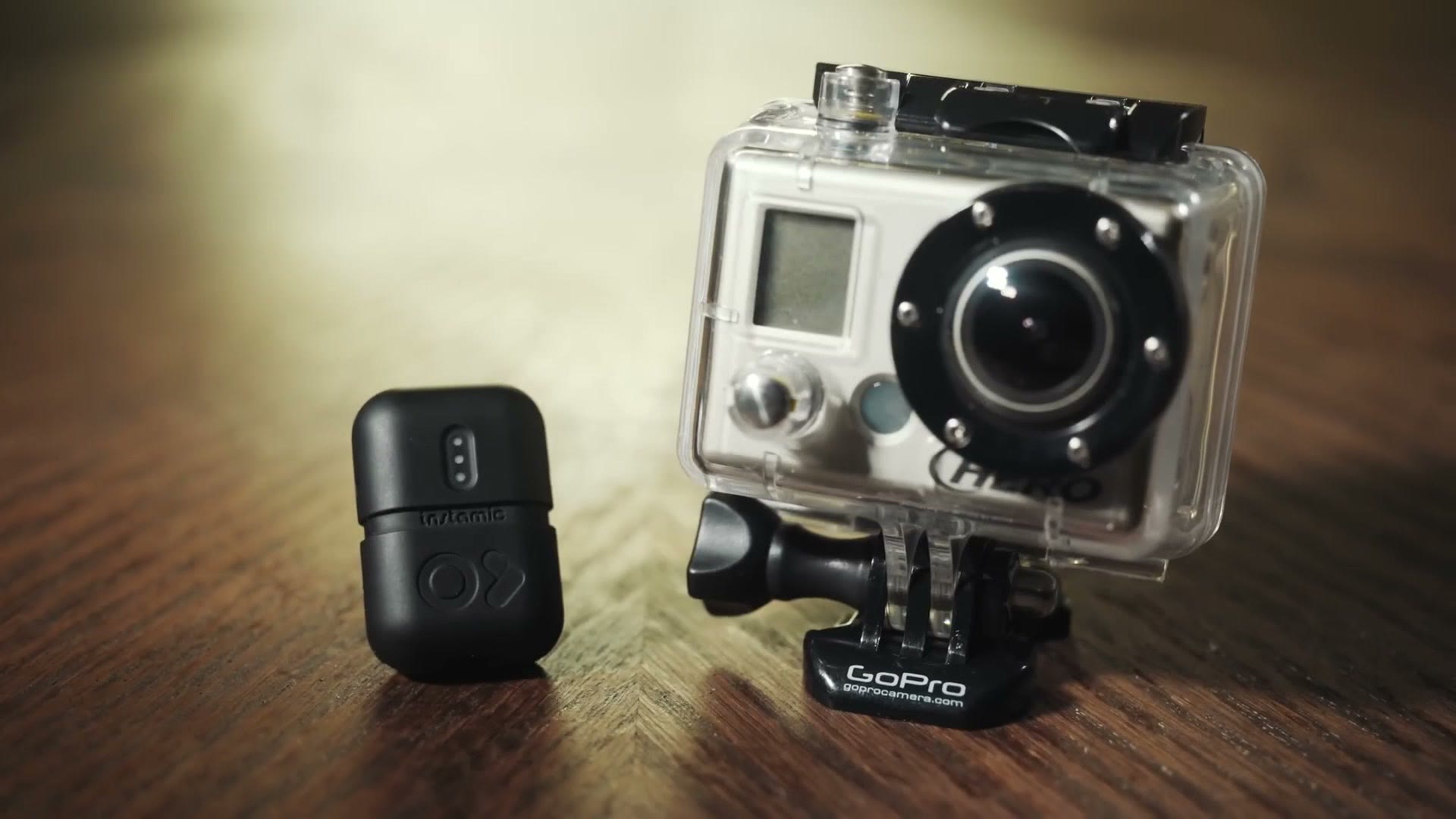
It’s a tiny recorder with a variety of mounts that’s meant to be stuck on a guitar, attached to a speaker, in a washing machine. Okay, that last one is weird, but you see my point. It’s a mic you put where you normally wouldn’t put a mic. And for a wedding, where you have no control over the location, or what your characters are wearing, or the weather, a microphone like that starts to make a lot of sense.
Before we go deeper, the audio samples in the video above are completely unedited, so you can hear what the Instamic actually sounds like rather than taking my word for it.
Features
First off, colors. You can have any color you want as long as it’s black or white. They also make windshields, which I’d highly recommend if you film outdoor weddings, and covers in a range of colors so you can camouflage the thing against your talent’s clothing. I like that.
Here’s where it gets funky. Going back to that GoPro comparison, you get a set of quick release mounts. There’s a 3M sticker if you want to attach one more permanently, velcro with a 3M sticker on the back if you need to attach and reattach often, and my personal favorite, magnets that are quite strong.
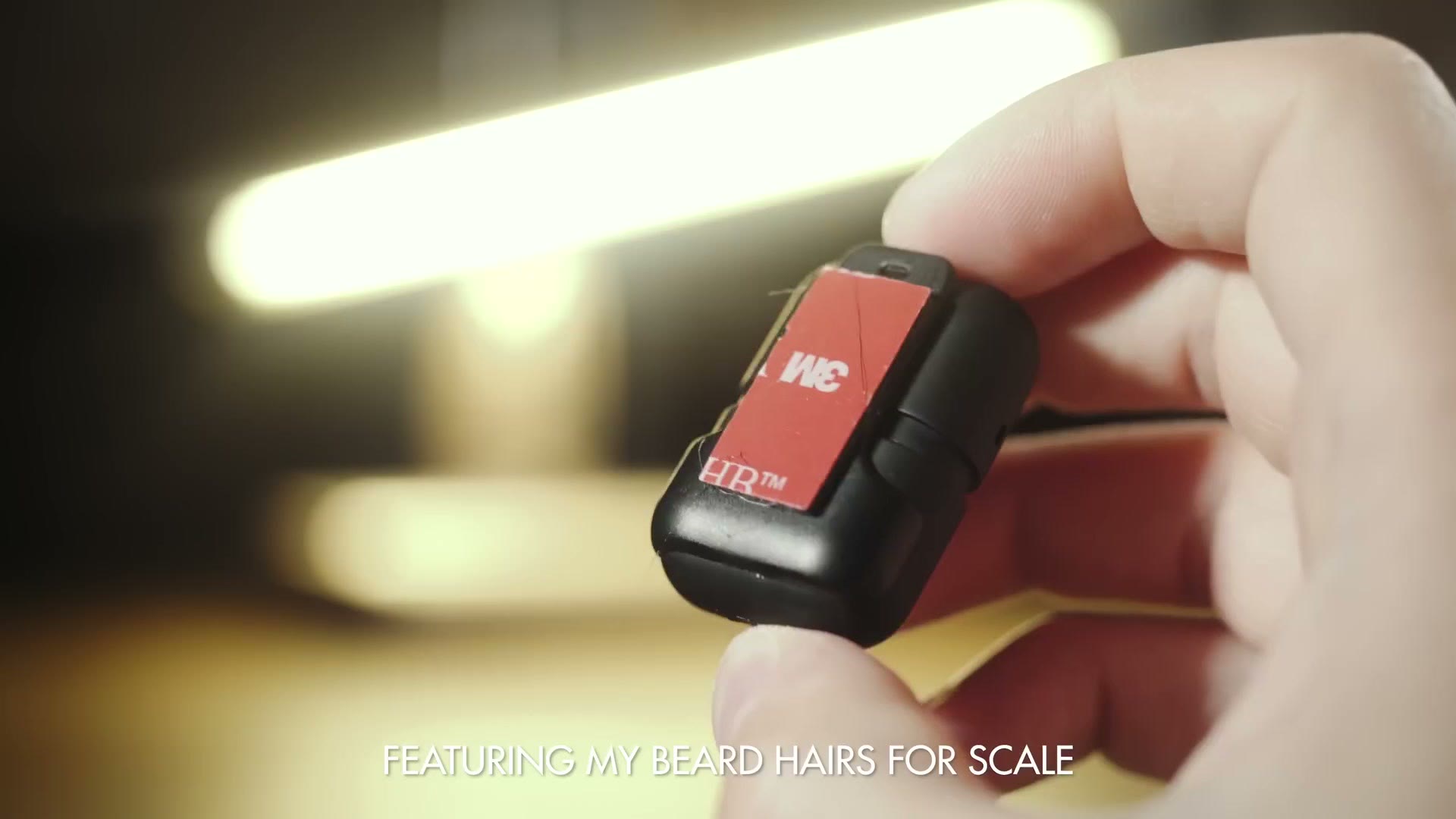
There’s no memory card slot. The Instamic records to 8GB of internal storage, which gets you about 16 hours of recording time at 48 kHz, 24-bit, in mono. Those are the settings I use. Sixteen hours sounds pretty great, right?
Well, hold on one second. The battery is only rated at 3.5 to 4 hours depending on whether Bluetooth is on. This is not the Tascam DR-10L, where you drop in a lithium AAA and record for ten hours straight. Heads up: the Tascam DR-10L has been discontinued, so this link goes to its replacement, the Tascam DR-10L Pro. The Instamic’s battery is great for a ceremony, or a toast, or another smaller moment. It is definitely not a set it and forget it all day device.
The Pro model has six microphones, four on top and two on the sides for stereo. And if you’re like me when I first got it, you may be wondering how the thing turns on, because there’s no clearly labeled power button anywhere. The secret is you press the O.
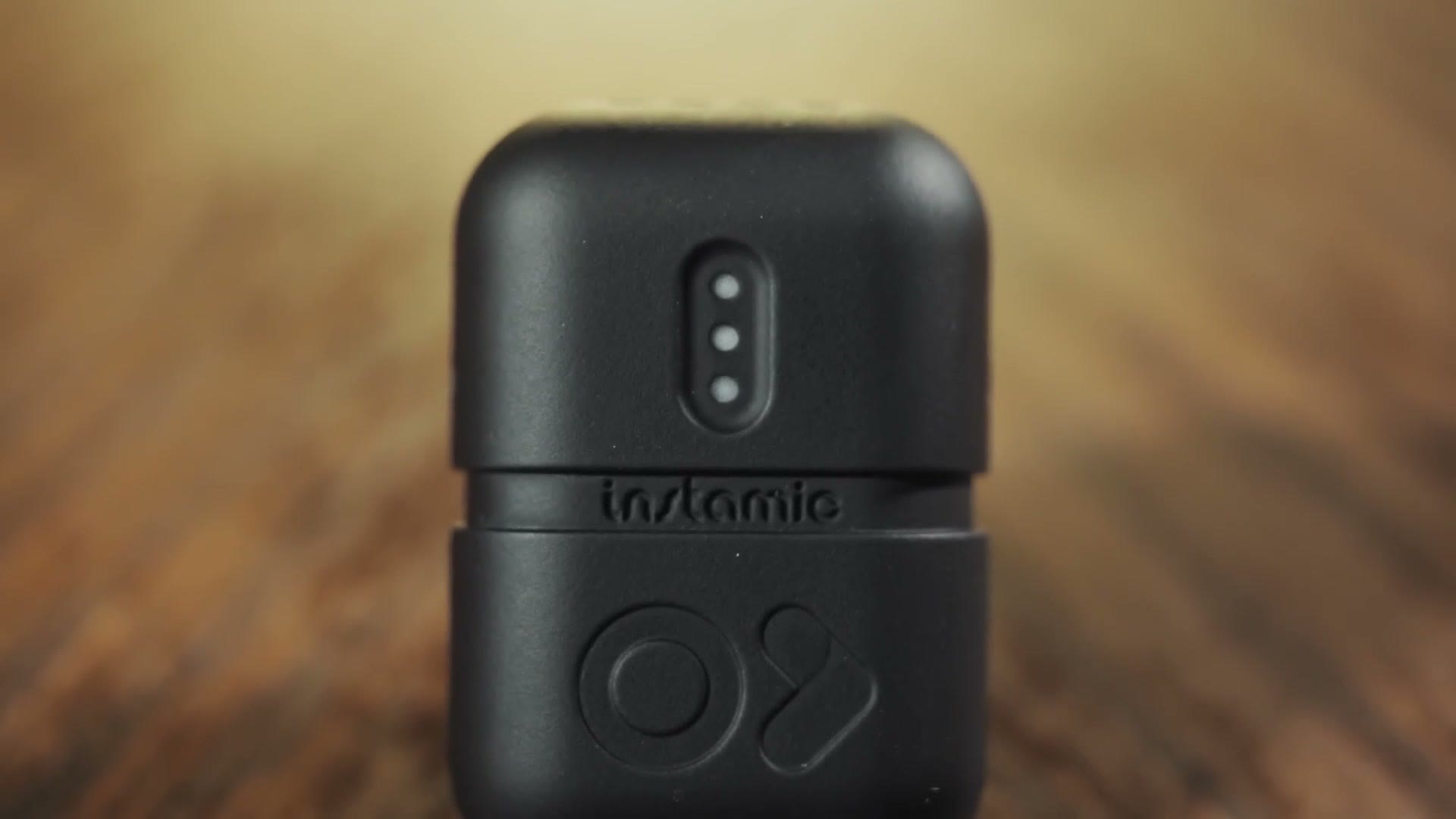
That’s the only button on it. Press once to turn on, press again to start recording, press again to stop, press and hold to turn off.
The App
Of course it has an app. Everything has an app these days, you silly goose. iOS and Android, and you can connect up to ten Instamics to your phone over Bluetooth.
From the app you can start and stop recording remotely, set gain manually or leave it on auto, change the sample rate, switch between stereo and mono, and rename each unit if you own more than one. In my case I have one black and one white. Black to match a tuxedo, white to match a wedding dress.
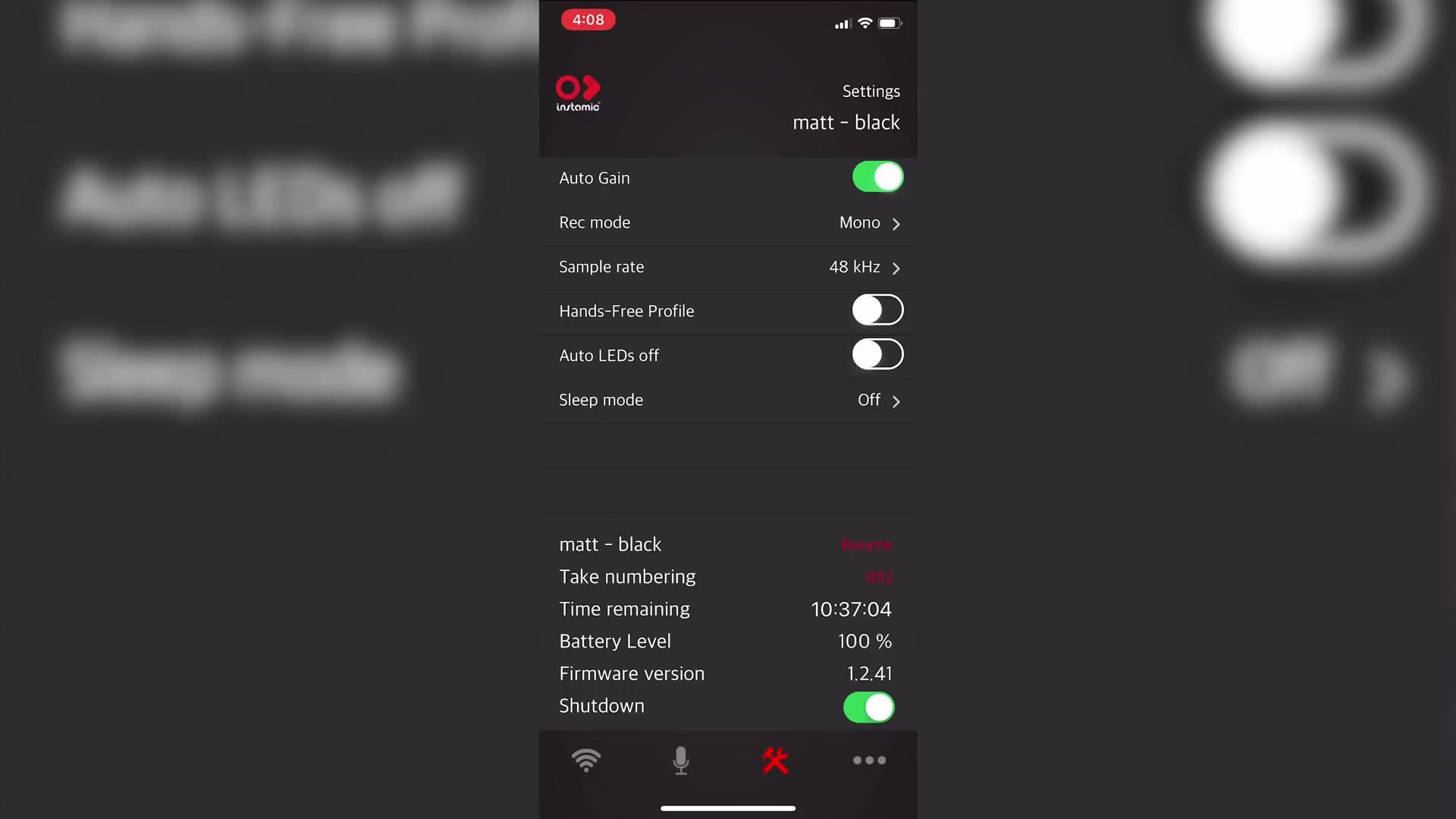
The feature that gets the most attention is remote monitoring. You can listen to your audio through your phone and a pair of headphones. Anybody who owns a Tascam DR-10L just sat up and took notice. What? Remote monitoring? Tell me more.
There’s a catch. You cannot monitor and record at the same time. My understanding is that this is a Bluetooth limitation rather than Instamic deliberately crippling it, but the practical effect is the same. Monitoring works great for testing a mic you’ve just put on a groom. It does not help you whenever the ceremony is underway, the groom is up front and you’ve already hit record, at which point you’re trusting the app that says it’s recording. You can still adjust levels while it records, you just can’t listen. You also can’t play anything back from the app, so files have to come off to a computer before you hear them.
Sorry to burst your bubble there, but if you were hoping for a recorder that records internally while also transmitting that audio wirelessly, this isn’t it.
Mounting It At A Wedding
With the technical stuff out of the way, here’s how you actually use one on a wedding day.
Starting tame. One of my go-tos is the magnet mount, stuck to a bride’s dress or a groom’s jacket while they’re reading a letter. It’s quick, it’s discrete, and it’s small enough that you can get it close to their mouth without being distracting.
If you’ve watched my wedding films you know I’m a huge fan of micing the bride’s dress to get really clear, crispy audio of her vows. I usually use a Tascam DR-10L for this, with a thigh strap and a lav run up the dress. It works well, but there are dresses that are sheer enough that the lav cord shows through. I haven’t had to do it yet, but the white Instamic could be a great option there, because it’s such a small self-contained unit.
Getting weirder. You could mic the groom during the ceremony with it. Matt, that doesn’t sound weird at all. What if it’s raining though? The Instamic Pro is waterproof to five feet, and I’ve used it to mic a groom when a couple wanted their ceremony outdoors even though it was pouring rain. If you’ve got a very wet ceremony and you’re nervous about your normal mics, this may be the one that survives.
In their Indiegogo campaign Instamic semi-jokingly used the example of putting one inside a closed washing machine to record it. Well, I have a friend, and I promise I am not telling you a story about myself to save embarrassment, who left his in his pants pocket and ran it through the wash. It survived. Still working great.
Now the creative mounting. With the magnet you can stick this straight onto the metal mesh on the front of a DJ or band’s speaker to record the toasts.
Speaking of which, SMALLEST 32 Bit Float Audio Recorder! Instamic Pro Plus C Review is worth a look too.
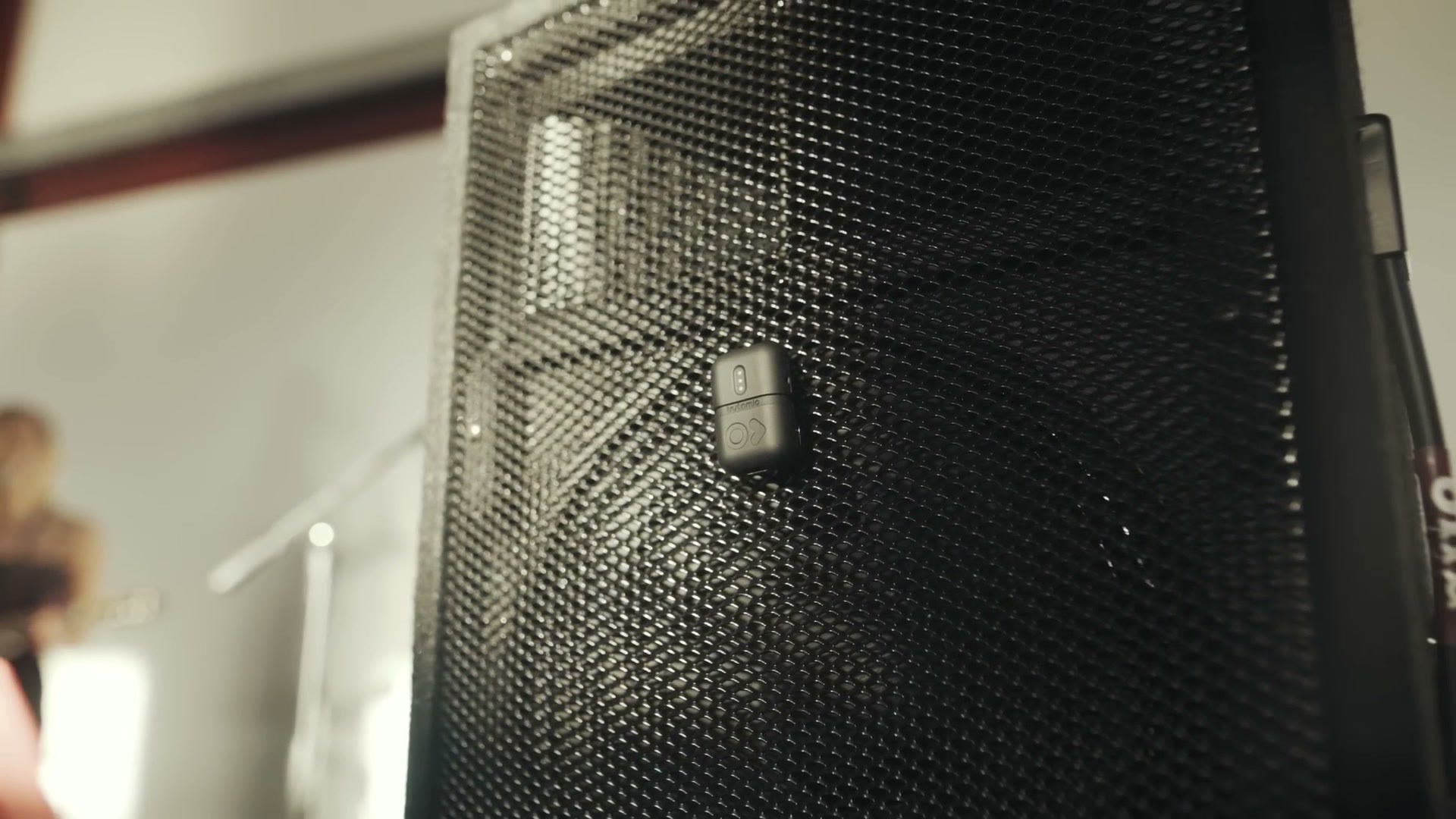
Don’t worry about the magnets. Speakers use magnets too, and theirs are significantly larger than these tiny ones, so you shouldn’t have interference or damage to worry about. If you are worried, or the DJ is, gaff tape it to the front of the speaker instead. Either way, an Instamic on a speaker is completely usable as a backup.
Speaking of backups, one of my favorite methods is a neoprene mic sleeve with a voice recorder inside, attached to the handheld mic people are giving toasts into. With the Instamic your recorder footprint gets significantly smaller than the Sony voice recorder I normally recommend, and I’m a big fan of making my recorders look as discrete as possible.
Those are just examples. Put it on a mic stand near the string quartet to record them during the ceremony. Put it on the podium for a scripture reading. Run up and magnet it onto someone who has started an impromptu speech at the reception. Really the only limit is your creativity.
Price
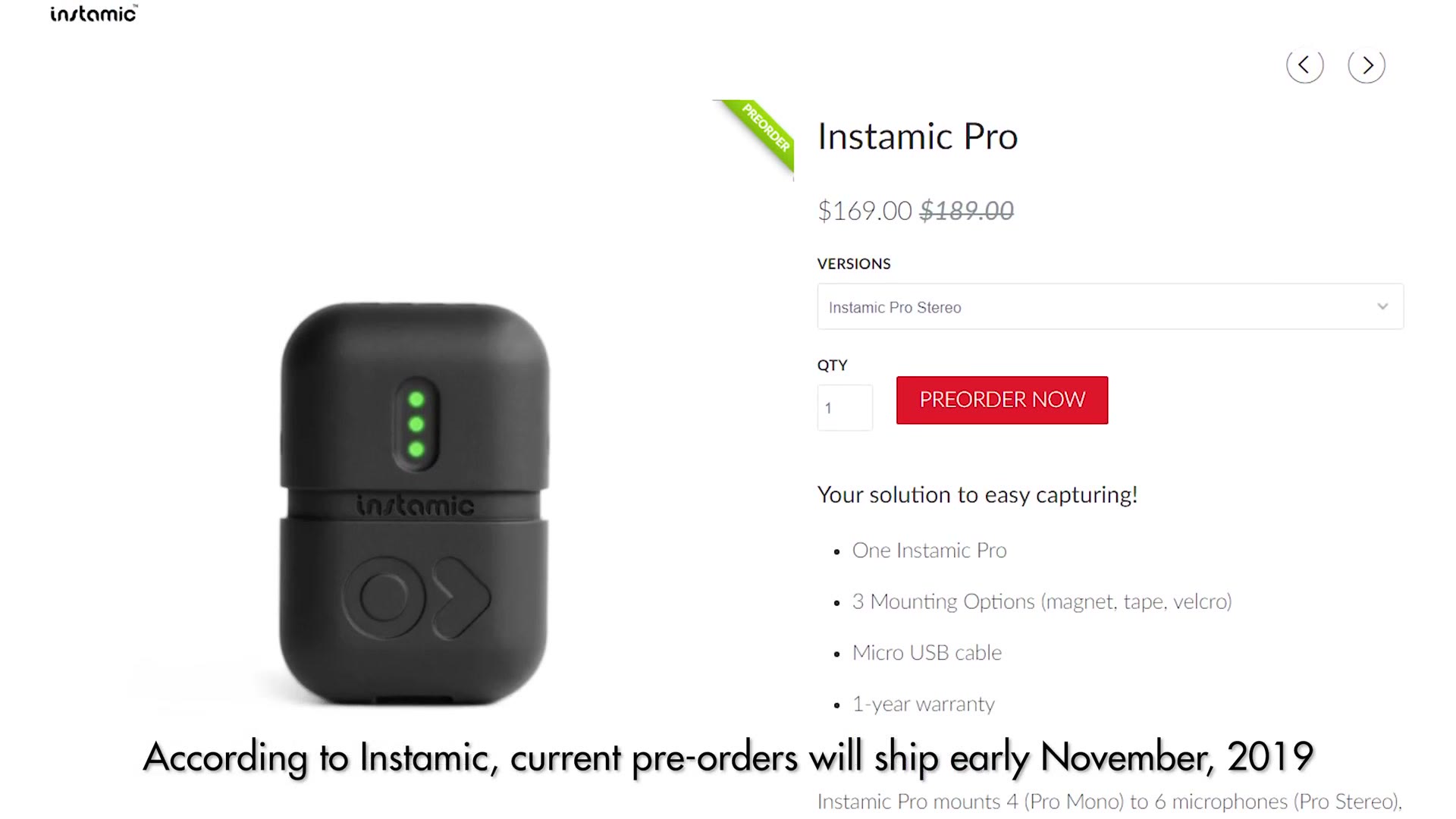
At the time I made this review the Instamic Pro with stereo recording was on sale for $169. They also sell a mono version for $149, but I’d spend the extra twenty bucks for the versatility of stereo. And even off sale, I think the regular price is still great for what you’re getting.
Should you buy one if you film weddings? That comes down to how much audio equipment you already own. I think the Instamic is a great backup recorder, but I would not use it as my primary audio recording device for a wedding.
In your audio kit you should ideally have a Zoom H4n or a Tascam DR-40X plus cables, so you can plug into house audio at any venue. You should also have at least two Tascam DR-10L recorders you can put on the officiant and on the bride or groom. Those are my first choices for recording high quality audio at weddings, and I’ve written about the DR-10L accessories worth owning and about how the DR-10L compares to the Zoom F2 if you’re building that kit out. Heads up: the Zoom H4n has been discontinued, so this link goes to its replacement, the Zoom H4essential.
Four Reasons It Isn’t My First Choice
So why isn’t the Instamic one of my first picks? Four quick reasons.
First, the single button setup makes it arguably too simple. The power button is hard to press, but I have had it get pressed accidentally in my bag on the way to a shoot, and arrived with the battery already partly drained. The single press to start and stop recording makes me nervous too. My DR-10L has a hold function that locks the buttons while it’s running. The Instamic doesn’t, so if a groom is wearing one and he bumps the button, it stops recording.
Second, battery life. Four hours isn’t enough to get through a full wedding day. With the DR-10L and a lithium battery I can record from the first look through even the longest ceremony without thinking about it.
Third, size. It is quite small, but it’s still significantly larger than a lav. Because I want my equipment as discrete as possible, I’ll default to a recorder with a lav before the Instamic every time.
Fourth, the app. The DR-10L has a screen that tells you it’s on and recording. The Instamic has three lights, and it can be hard to confirm it’s rolling without opening the app. I ran into this at an event where my app was out of date and kept crashing when I opened it. I couldn’t trust the Instamic as a primary recorder because I couldn’t even tell whether it was recording.
So if you’re just getting started filming weddings, I think those are four pretty compelling reasons not to make the Instamic your first audio investment.
But if you already own a Tascam DR-40X and a DR-10L, and you’ve already made some investment in audio, I think the Instamic is a fantastic backup. Heads up: this link goes to the newer Tascam DR-40XP. That near infinite flexibility, for the day the DJ decides they hate you and won’t let you plug into their soundboard, or one of your recorders fries, and you can put this basically anywhere and get good quality audio out of it, is really awesome.
Everything I mentioned is linked above, and if you want to hear one for yourself before you spend anything, the raw samples are in the video. My full list of wedding audio gear is here too, and if you want to go deeper on the editing side, that’s what I teach inside Wedding Film Framework.