
I am about to show you three easy techniques you can use to transition between songs and mix them together in your video edits and wedding films, because the odds are that if you are creating a video, especially a wedding video, you are probably going to need to use multiple songs, and transitioning from one song to the next can make or break the pacing of your video. So if you want the people watching your video to stay engaged and not click away, keep reading.
Also, this is all about editing, and I want you to know that my editing friends at Bride&Groom Video are sponsoring this one, and they would love to help you out with editing your wedding films and photos. They are super affordable and have a very fast two week turnaround time, and I will tell you more about them at the end.
Technique 1: Match The Key
To start, we are not even going to open up our video editing software, because believe it or not, you can actually figure out a lot of the mixing of the songs in your videos before you ever get to the editing stage. Yes, really.
The first way you can mix your songs together is by choosing music that is in a similar key. And if you do not know what a key is, to explain it as quickly and easily as possible, songs are written around a specific key, which is a specific tone that is played by instruments or sung by a musician. Here is where key can help you as an editor, because if you are trying to mix two songs together, one of the easiest ways to do that is by selecting two songs that are in the same key. Even if they are performed by completely different musicians, and even if they are completely different genres, because they share that key they can harmonize together, and whenever you switch from one song to the next it is going to sound very pleasing to your audience’s ears and they are going to want to keep watching.
Doesn’t that sound great? Well, I have more good news. A lot of music licensing websites out there let you search for songs by the specific key the music is in, so you do not need to spend time learning what the heck different keys sound like and then playing through a ton of songs hoping they match. You can let the licensing site do the work for you.
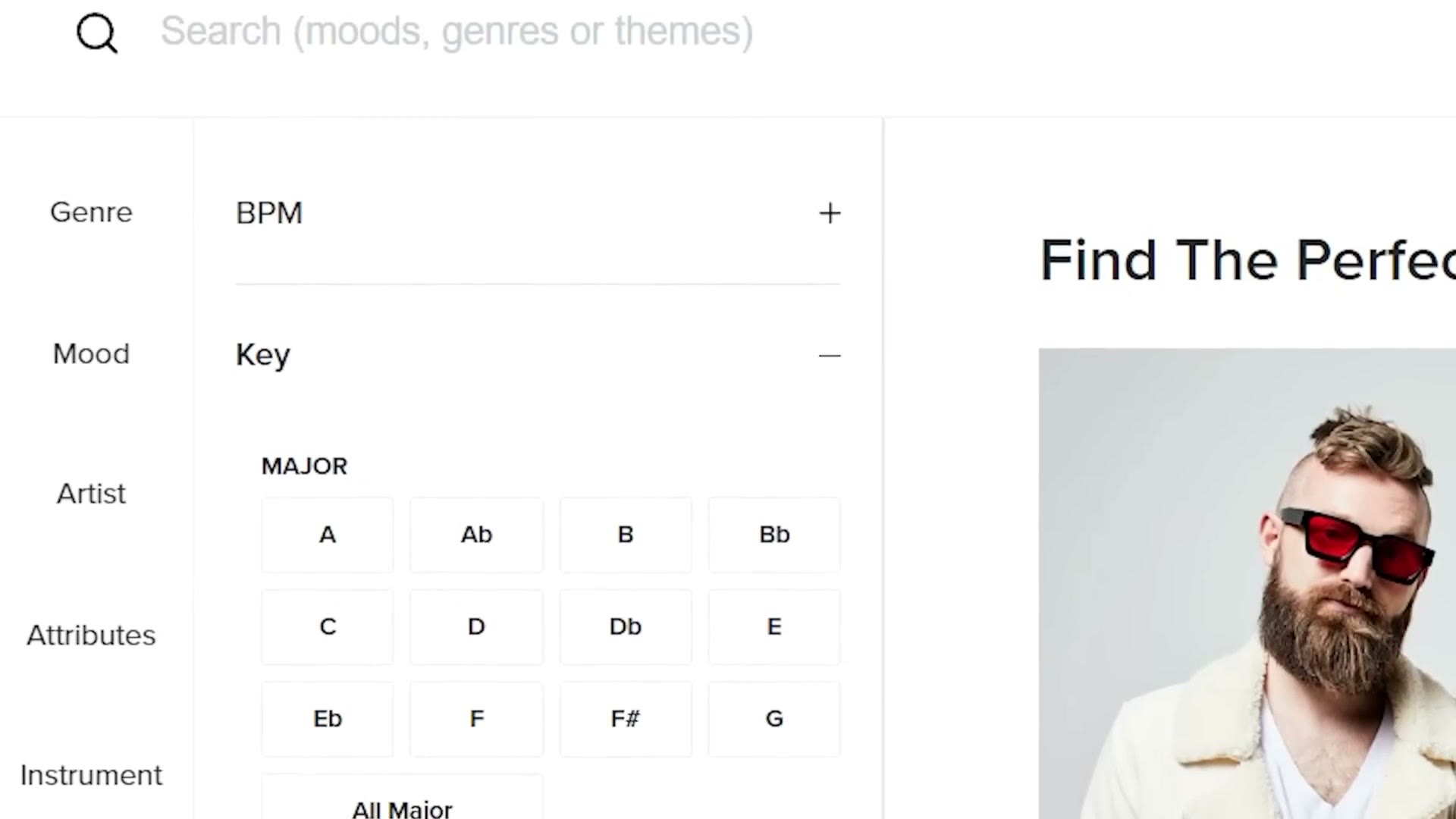
For this example we are going to be using Musicbed, because they have a very helpful key search feature, but to be clear they are not sponsoring this. You can search by key on other music licensing sites as well, like Soundstripe. To look at songs in a specific key, go over to the browsing tools on the left, go down to Advanced, and there you will find Key, with all the major keys and the minor keys. Then you can select the key you are looking for.
But hey, if you are not a musician you are not going to know what the heck certain keys sound like, so my recommendation is that you search for a song you like, ideally one you already had in mind for your video, and then look at the specific key that song is in.
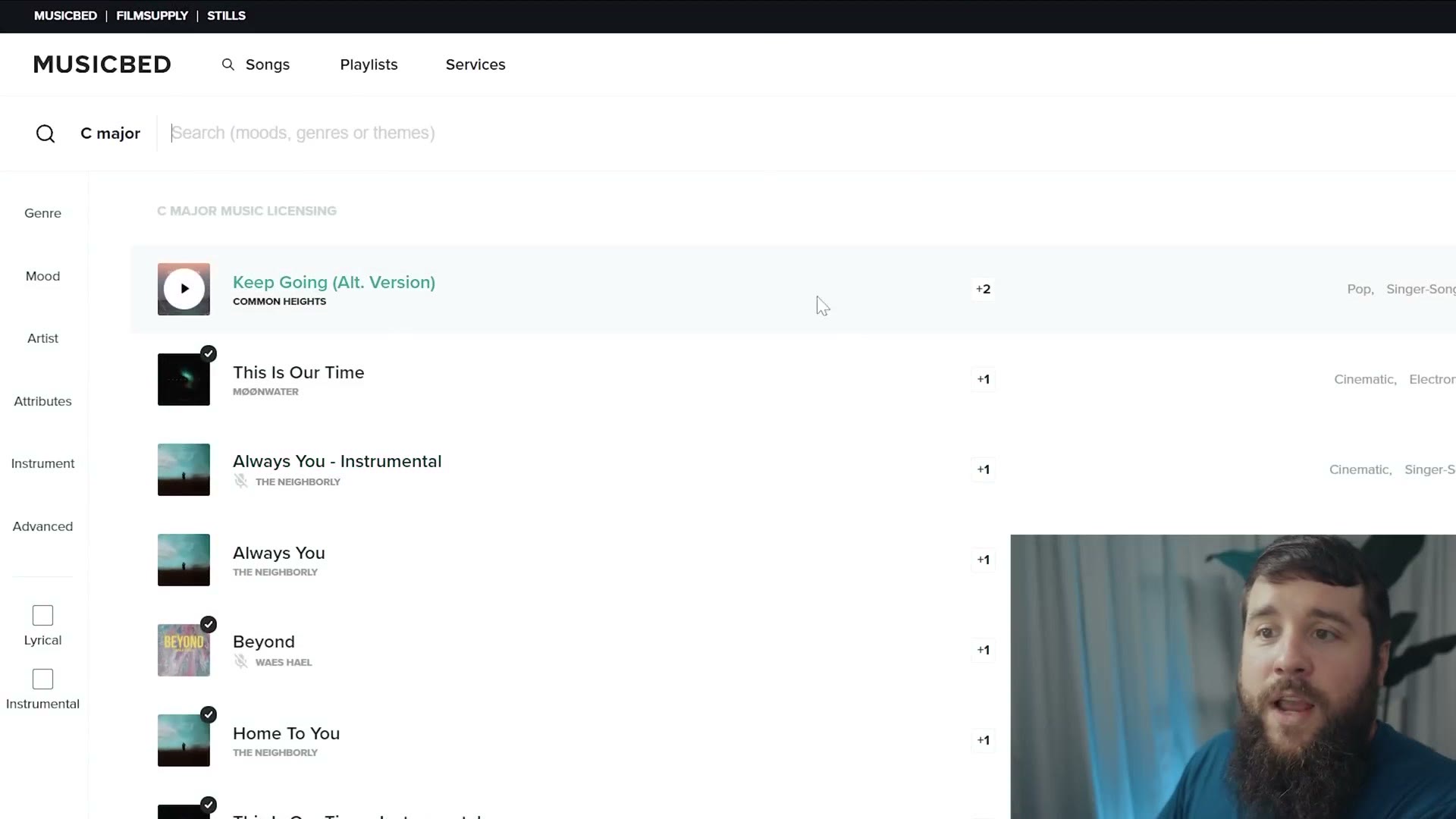
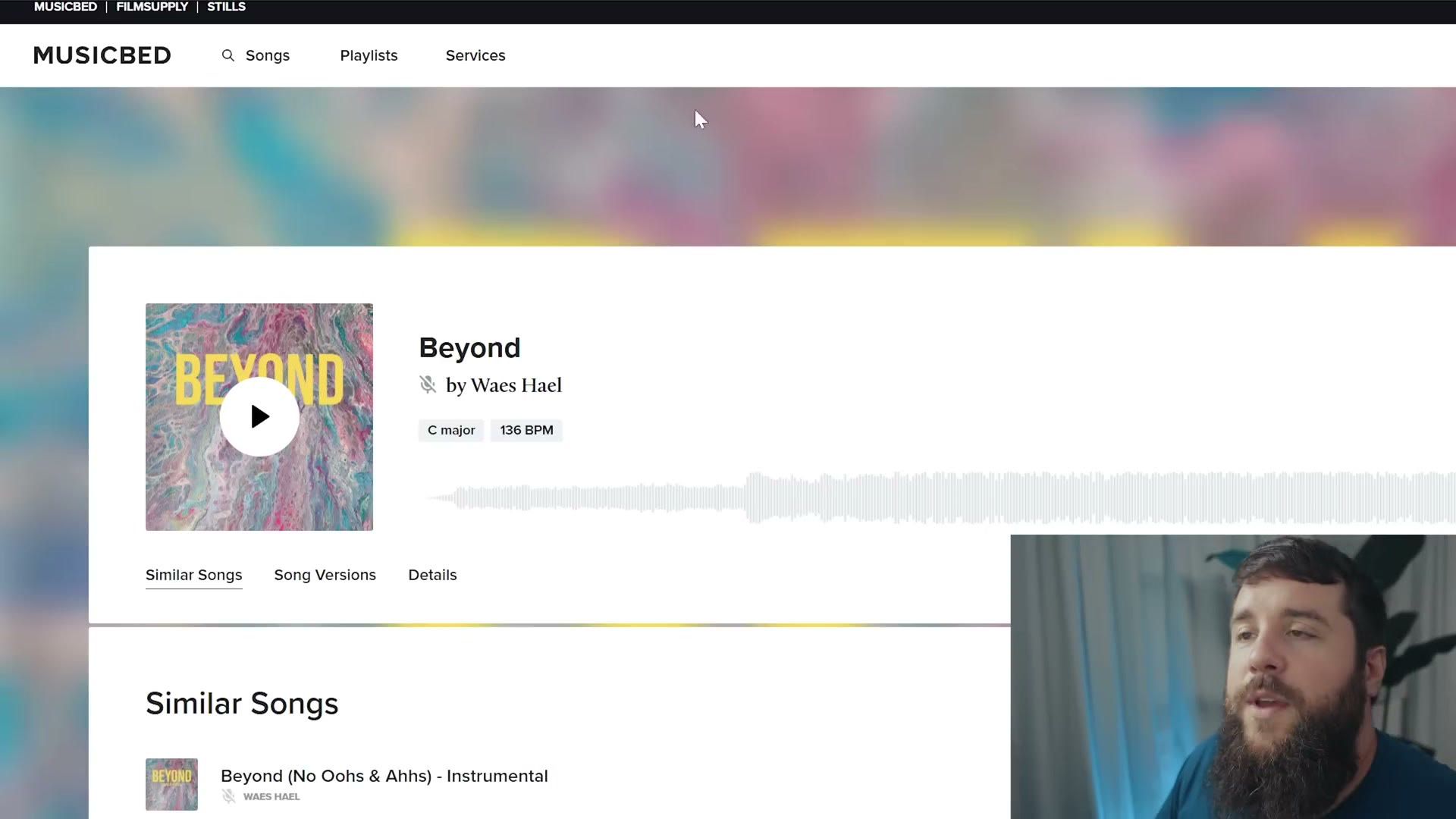
So if we go up to this song here, you can see Beyond by Waes Hael is in the key of C major. What is great is that if you want to find a matching song, all you have to do is click on that key and it is going to bring up all of the other songs in the same key. Then you can play through them to see how they sound, download them, and import them into your video editing software.
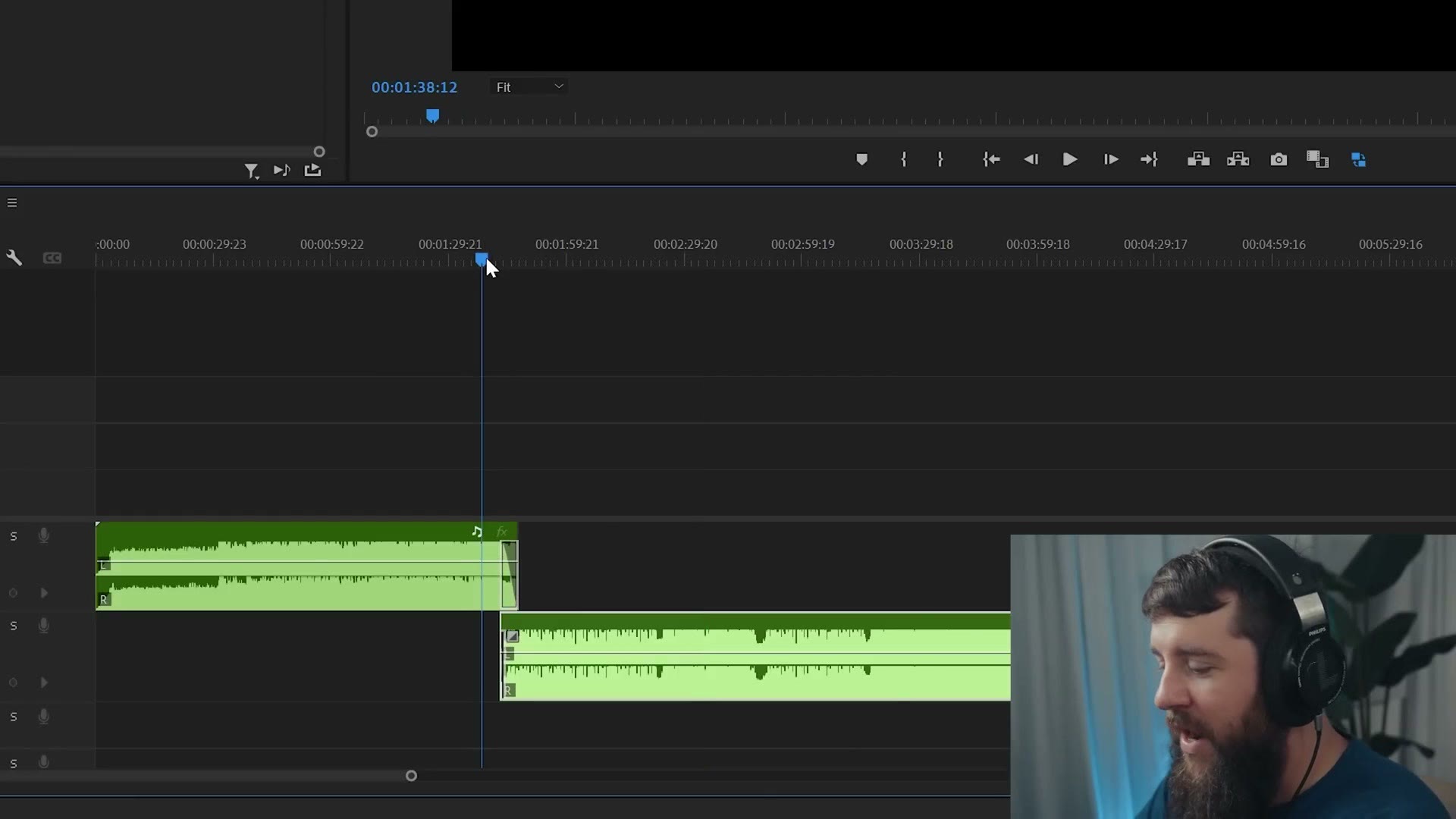
Here in Premiere Pro I have two songs that share a key, and look at the transition I have done. All I have done here is two simple fades, and that is really it. That is how smooth a song transition can be when the two songs are in the same key. This is such a powerful effect. I love it.
Technique 2: Match The BPM
The next easy technique is just as powerful as matching songs by key, but it is arguably even easier to understand, because instead of searching for songs that match by key, you are going to search for songs that match by beats per minute. Beats per minute, or BPM for short, is another building block for any song, just like a key is. But unlike a key, BPM does not care what specific notes you are using. BPM has to do with the tempo, or how quickly or slowly the song is being played.
Every single song is going to have a consistent tempo or beat that its notes are played with throughout, and like the name indicates, beats per minute indicates how many beats are played every minute. A song with a higher BPM is going to have higher energy and be played faster, while a song with a lower BPM will have lower energy and be played slower.
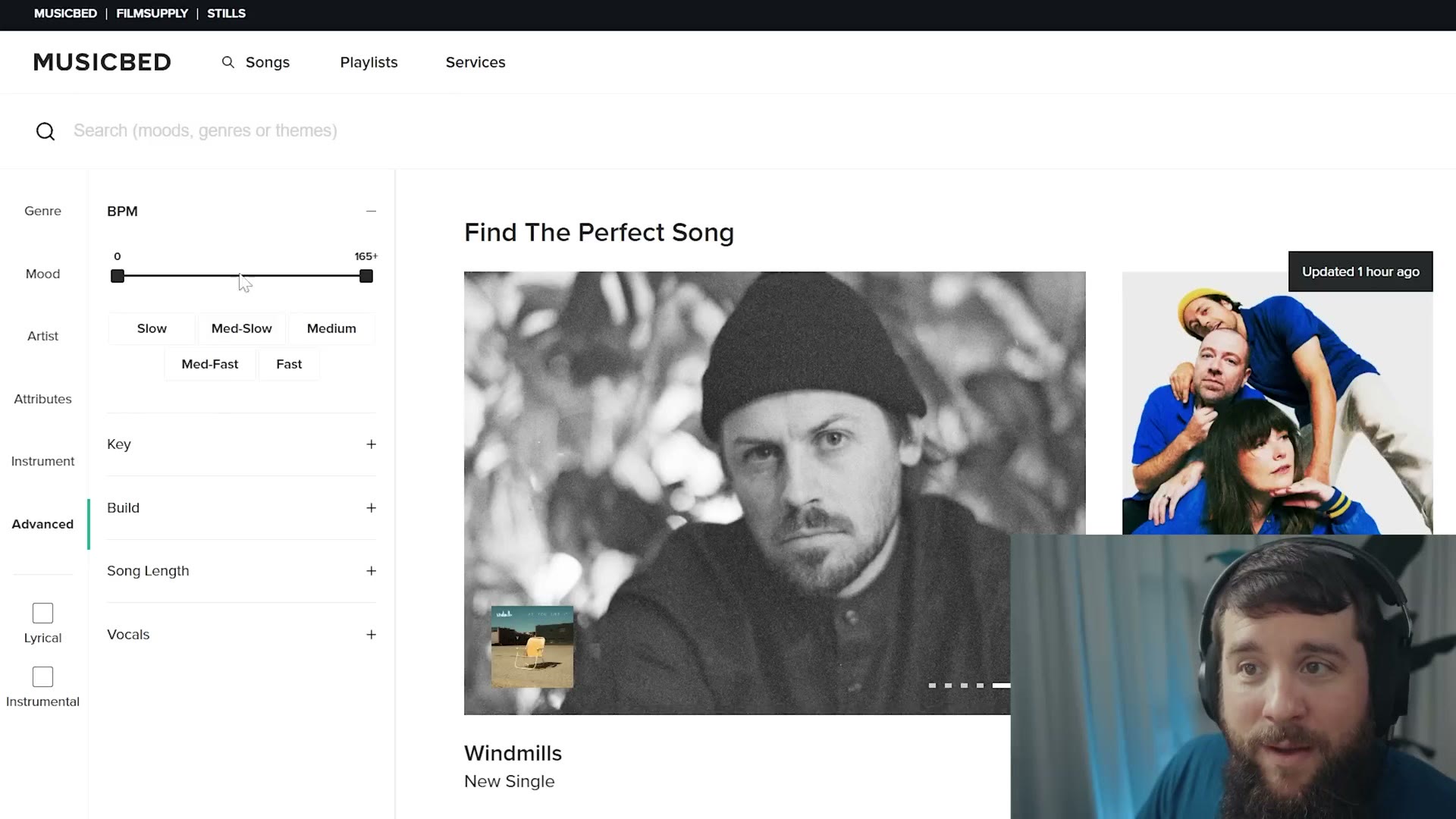
And I have more good news. Just like how you can search by key on many music licensing sites, you can also search by BPM. Go back to Advanced and there you have BPM, and you can either drag the range to be as precise as you want, saying you want songs specifically between 45 and 59 beats per minute, or you can go down and just say hey, I want a song with a slow BPM, medium, medium fast, or fast, and it will pull songs at those speeds.
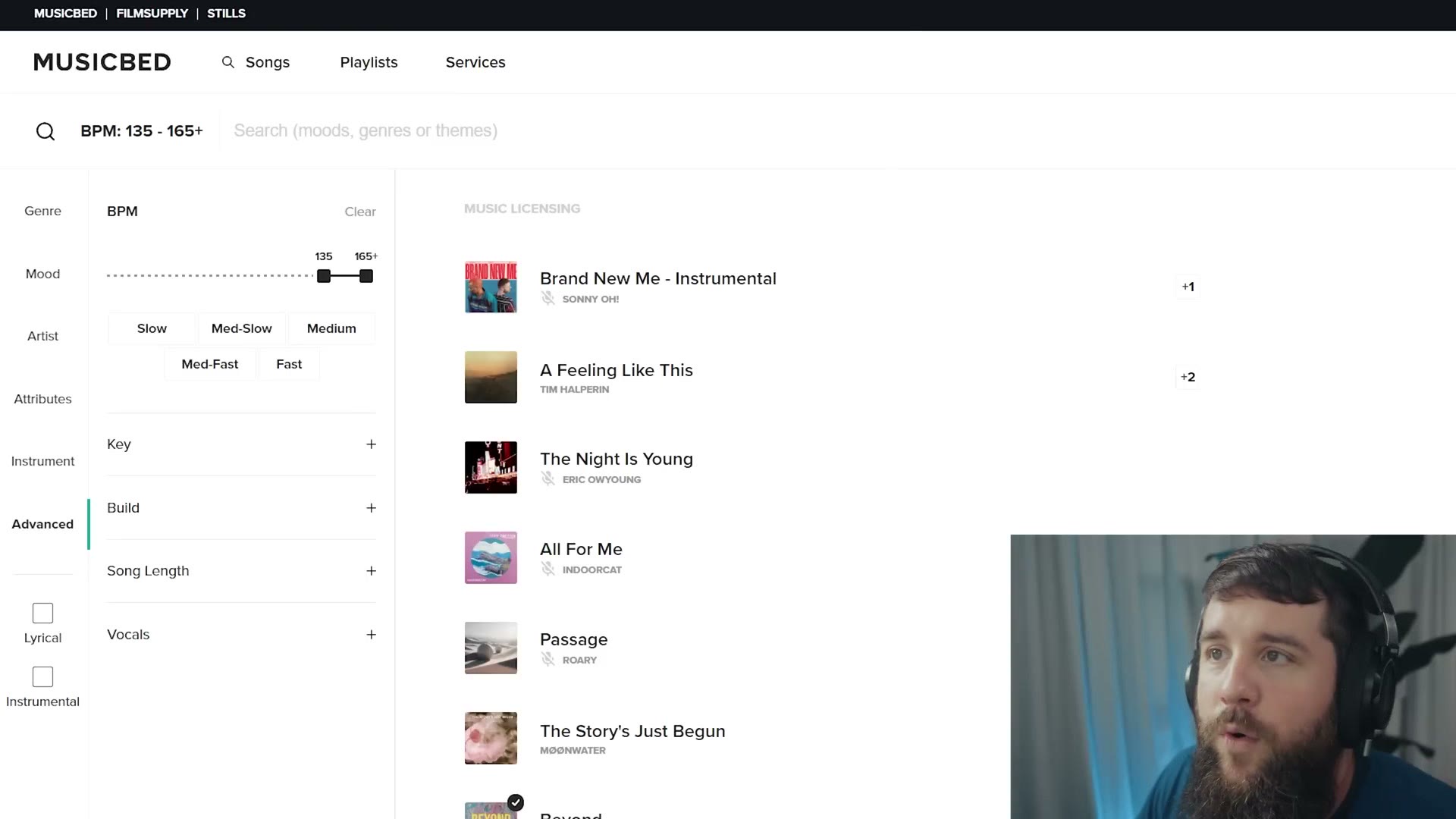
Just like searching for key though, I actually recommend doing the same thing we did before, which is finding a song you like and then matching to its BPM. In this example both of my songs sit at 128 beats per minute, and I went pretty precise here on purpose to show you how it works.
Whenever you want to mix two songs with identical or similar BPMs together, this is actually a super simple process, because all you do is open your video editing software, listen to the two songs, and then align the two of them on separate tracks so that the beats for each of them are synced up. Then all you have to do is cut both of the songs, add a slight fade, and you have a really pleasing harmonizing transition.
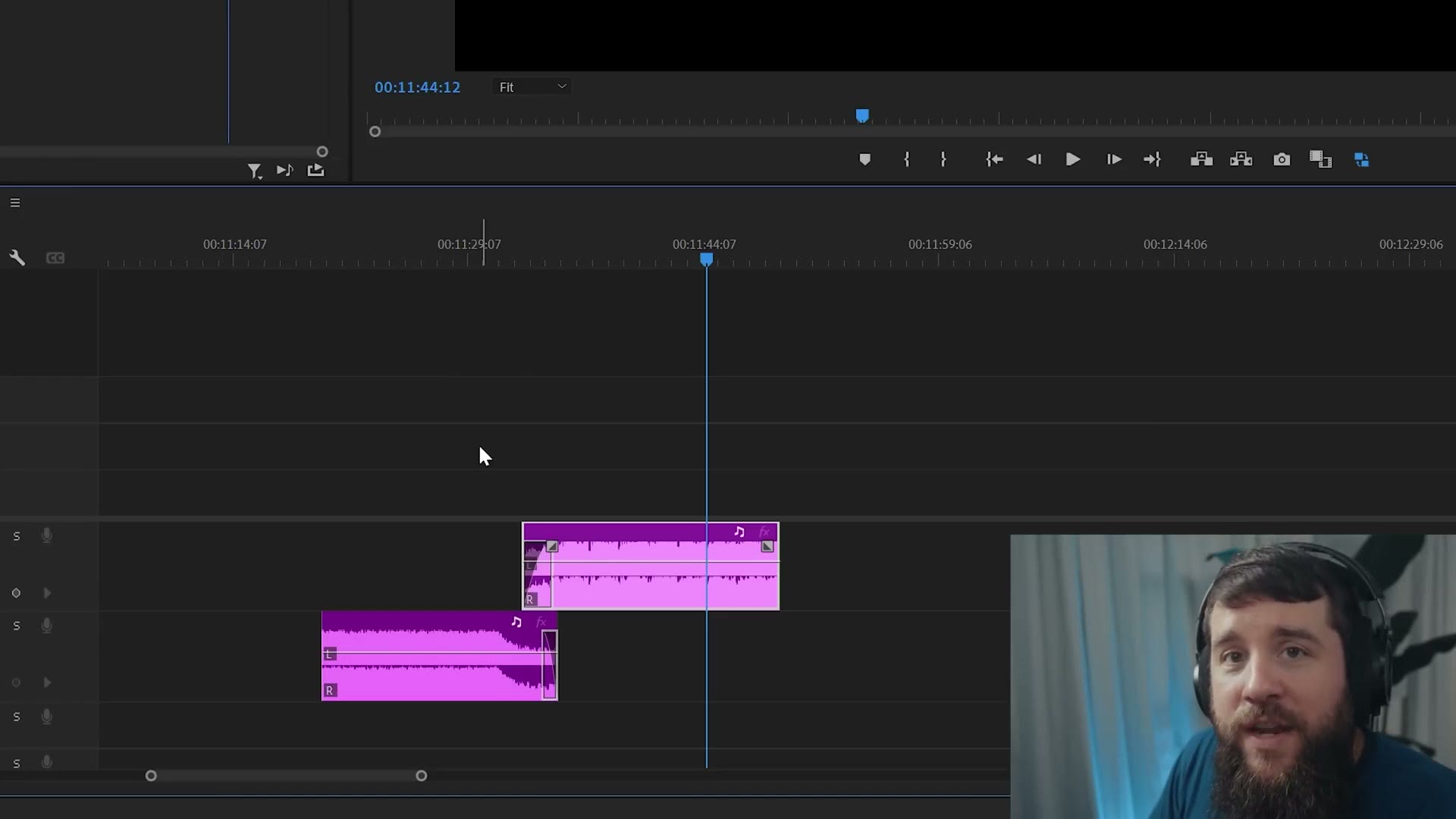
Do you see how easy that is? Because we matched the beats per minute, it just sounds really, really good.
Keep in mind too that you do not necessarily have to use two songs with a matching BPM. You can mix songs that have wildly different BPMs, as long as you can make them hit on the same beat at least once. I have had great success mixing two very different BPM songs whenever I found a hit at one point of a song that matched up decently well with the hit point of another. So when in doubt, listen for the bigger moments in a song where a beat really starts to hit, and you can mix there as well.
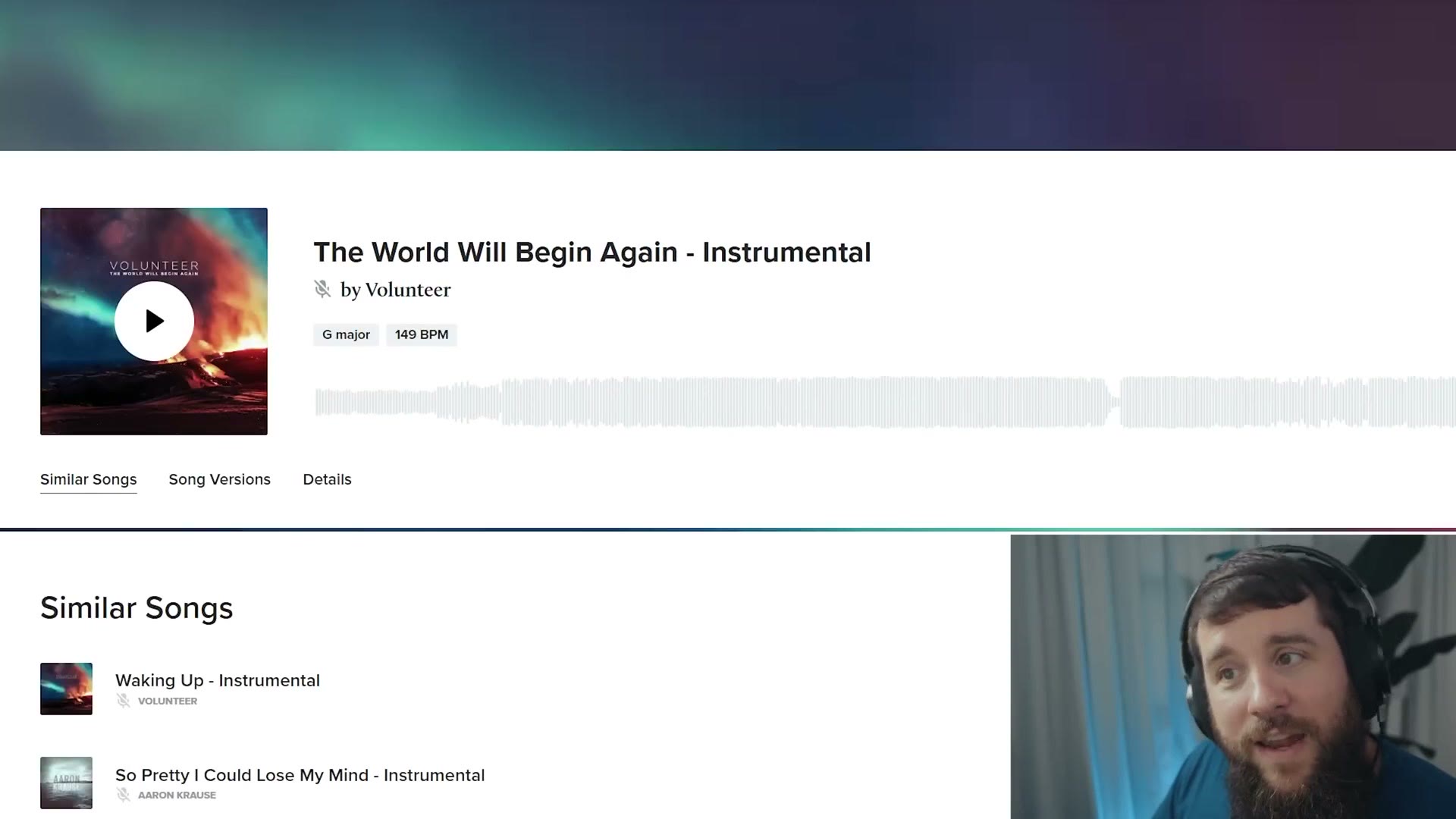
For an example of that, here I have one song at 98 beats per minute and The World Will Begin Again by Volunteer at 149 beats per minute, so significantly faster. Remember, we are going to be cutting where the beat really starts to hit.
Technique 3: Give Your Fades Room To Breathe
As easy as finding songs with matching keys or BPMs is, sometimes you are going to have two different songs you want to use but no matter what you do you cannot seem to match them up. This will most often happen whenever you are trying to do a big tonal shift in your video, say going from a really heartfelt romantic moment to a wild and crazy dance party. In a situation like that you actually may want completely different songs that do not match on key or BPM, because you want the audience to recognize that the song is changing, and that the tone and mood of your video is changing too.
But that does not mean you can just slap two songs down on your timeline, put them right next to each other, and expect it to sound good. No. So this final technique is simple but super important, because one of the best ways to mix two songs together is to simply use fades, having one song go from loud to quiet while the next song goes from quiet to loud.
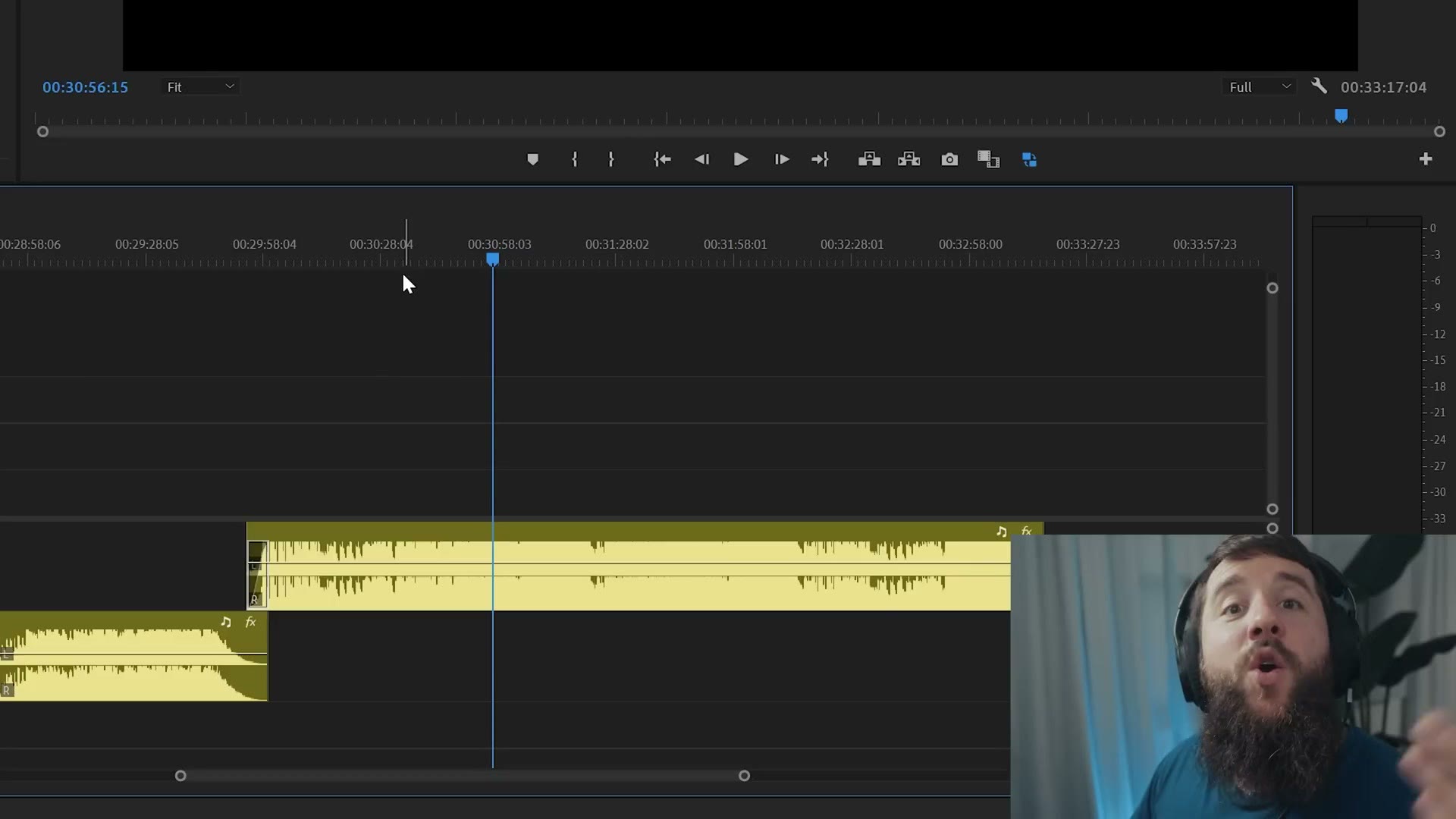
If I have one critique from the literally thousands of wedding films I have watched over the years, it would be that many filmmakers do not let their songs fade long enough. You will try to mix two songs together with a quick fade, oftentimes just the default amount of time the editing software gives you for a fade, like in Premiere Pro. But the issue is that the default fade is almost never long enough, and whenever a video editor is in a rush to get to the next song they do not give the songs enough time to breathe in between, which can lead to the transition being very jarring to the audience and really taking them out of enjoying the video.
All this means is that you need to be very careful whenever you are trying to fade two songs together. If you think you can do it in a few seconds, you probably need to take even longer, especially if the songs sound very different. So do not be afraid to have a five second or a ten second fade between songs. Let your video breathe a little bit, and that is okay. It is going to make for a smoother transition and the audience is going to appreciate it more.
In my example here I take a very soft, romantic, heartfelt song, fade it all the way down to black, and only then bring in the second song. It works because we gave the two songs enough time to breathe and let the audience realize, oh, we are doing a big transition here, okay, I am ready for it now.
Once you start implementing these song transitions, using songs in the same key, choosing songs with the same BPM and cutting between them on the beat, and giving yourself longer fades for bigger transitional moments, your videos are going to look and sound better than they ever have before, and your audience is going to love them and hopefully want to pay you more as your editing quality improves.
A Bonus Way To Increase Your Editing Quality
Speaking of improving your editing quality, what if you had access to an entire company worth of very skilled video editors who could help you edit your wedding videos and photos? Well, that is where the sponsor comes in. This video is sponsored by my video and photo editing friends at Bride&Groom Video. For over a year now they have been editing all of my wedding films and YouTube videos, including this one.
So if you want a highly skilled editor who can match the style of your wedding films, and even your photos as well, culling them, color matching them with your videos, and retouching them as needed, they have you covered. Heck, they can even edit your social media videos for you too. No need for you to put together those TikToks and Instagram Reels yourself anymore. They can follow your content plan.
You really need to check them out, because not only are they offering all of these services, they have also recently updated their entire client side interface, which puts them leagues ahead of any other outsourcing company. The first time you log in you can add all of your brand information and examples of your work so they can learn your style, and then whenever you go to add a new project most of that info is already filled out. All you have to do is link to your footage, include a few notes, and they are ready to edit. You can then see the current status of all your edits, watch previews of finished edits, leave corrections, and download your finished files, all from the same easy to use interface that works on desktop and mobile.
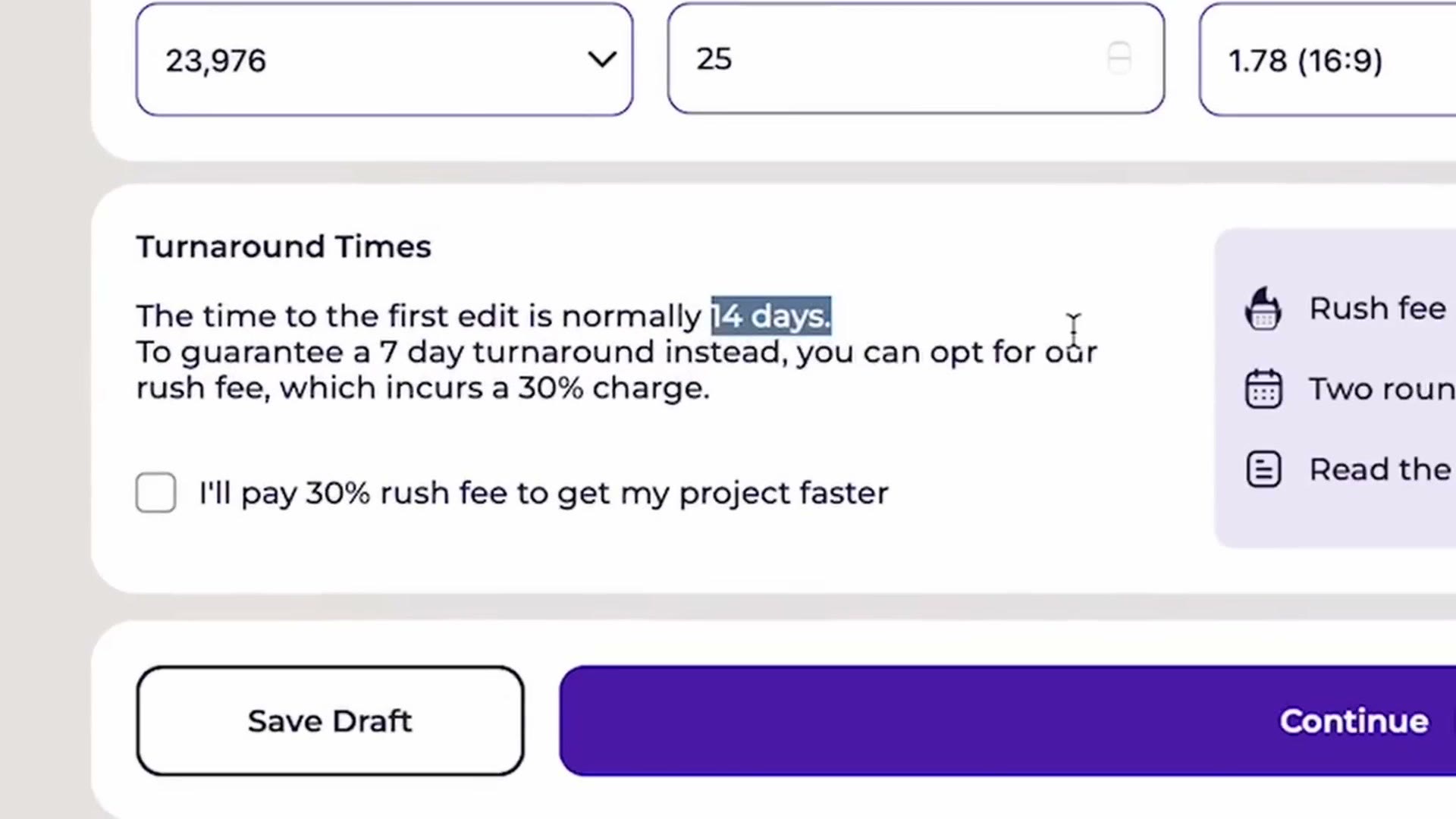
Do not waste any time, because the busy season is approaching and everyone is going to want their videos finished in time for the holidays, and you will not be able to find a good editor. Once you reach out you can add all of your upcoming weddings to their client area and they can guarantee they will be able to edit them very quickly.
Here is the mind blowing thing. Bride&Groom Video guarantees you a two week turnaround time. You can literally send them a wedding and you will have a finished film back in 14 days. It is awesome. And with prices starting at only 165 bucks for a teaser, they are extremely affordable as well. Plus, because I want to help you save even more money, if you use the coupon code MATT100 you can get $100 off your first order of $400 or more. This is a crazy deal, and once you start using them you are going to love them as much as I do. Check them out at bridengroom.video/matt.
And if you are interested in booking more weddings and getting paid more for them, I would highly recommend checking out my free workshop. It is going to show you how to book your next wedding and turn that into recurring, consistent income that has the potential to make you thousands of dollars every month. For real. This workshop is completely free.
Thanks so much for reading and have a great day!