
The DJI RS4 Mini builds on everything I loved about the RS3 Mini with some key improvements, and if you’re a filmmaker who wants to use a gimbal but does not want to carry around a really heavy setup all day, I think you’re going to absolutely love this thing. That’s a bit of a spoiler for how I feel about it, out of the way.
I’m reviewing the RS4 Mini from the perspective of a wedding slash commercial slash documentary filmmaker. So if you want to use this gimbal for wedding videography, or corporate, or commercial videos, or documentaries, basically anything where you’re making money with filmmaking and you need a super lightweight setup, this review is for you.
Also, for the sake of ethics, I want you to know this video is not paid or sponsored by DJI, but they did send me this gimbal early so I could make this review.
And because I want to help you out even more, I’ve got my Wedding Filmmaker Gear Guide that’s going to show you all of the equipment I recommend you purchase to film a wedding, not just a gimbal like this one. It’s completely free. You can also see my full list of filmmaking gear here.
The RS3 Mini Has Been My Go-To Gimbal
Getting right into it then. I absolutely love the DJI RS3 Mini, and it’s been my go to for wedding filmmaking because it’s just so compact and lightweight, meaning that even if you’re filming with it for eight, ten, twelve plus hours on a wedding day, your arms are not going to be tired.
And even though it’s small, the motors are still strong enough to hold a mirrorless camera and lens. Heck, I filmed an entire wedding with the RS3 Mini, a Sony a7S III with a 24-105mm on it, which is definitely not a small or light lens. That was pushing the payload capacity of the gimbal right to its limits, and it still worked great.
That brings us to the RS4 Mini, because, well, I still love the RS3, but there were certain updates I would have loved to see DJI take from their flagship gimbal, the RS4 Pro. Features like the much loved auto locking and unlocking arms, for example. To be honest, I wasn’t sure that was even going to be possible considering how much smaller the RS4 Mini is. Could you cram a feature like that in?
Auto Locking Arms?!
I have good news. The answer is yes. They did squeeze in the auto locking arms, meaning any time you want to use the gimbal you can turn it on and it will be active. Press the lock button and the arms are locked. It just works, just like the big gimbal. It’s so awesome!

I know gimbals have had this capability for years now, but I’ve never seen it in this small of a package. This gimbal is so cute and magical, more so than ever before. The RS4 Mini really feels like DJI took most of the features, buttons and interface from the RS4 Pro and shrunk them down to fit.
Vertical Filmmaking Is EASY Now
Take another example. The RS3 Mini supported vertical filmmaking, but it was a bit clunky and not super intuitive to set up. Thankfully, whenever DJI released the RS4 Pro, they designed a really simple horizontal to vertical swap system where you use one knob and press one button, and that’s it.
Keeping on this miniaturization trend, the RS4 Mini uses the exact same system. You loosen one knob, press one button, and you detach the entire base of the arm that connects to your camera. Then you reconnect it vertically, tighten it in, and your camera is ready to film vertically.
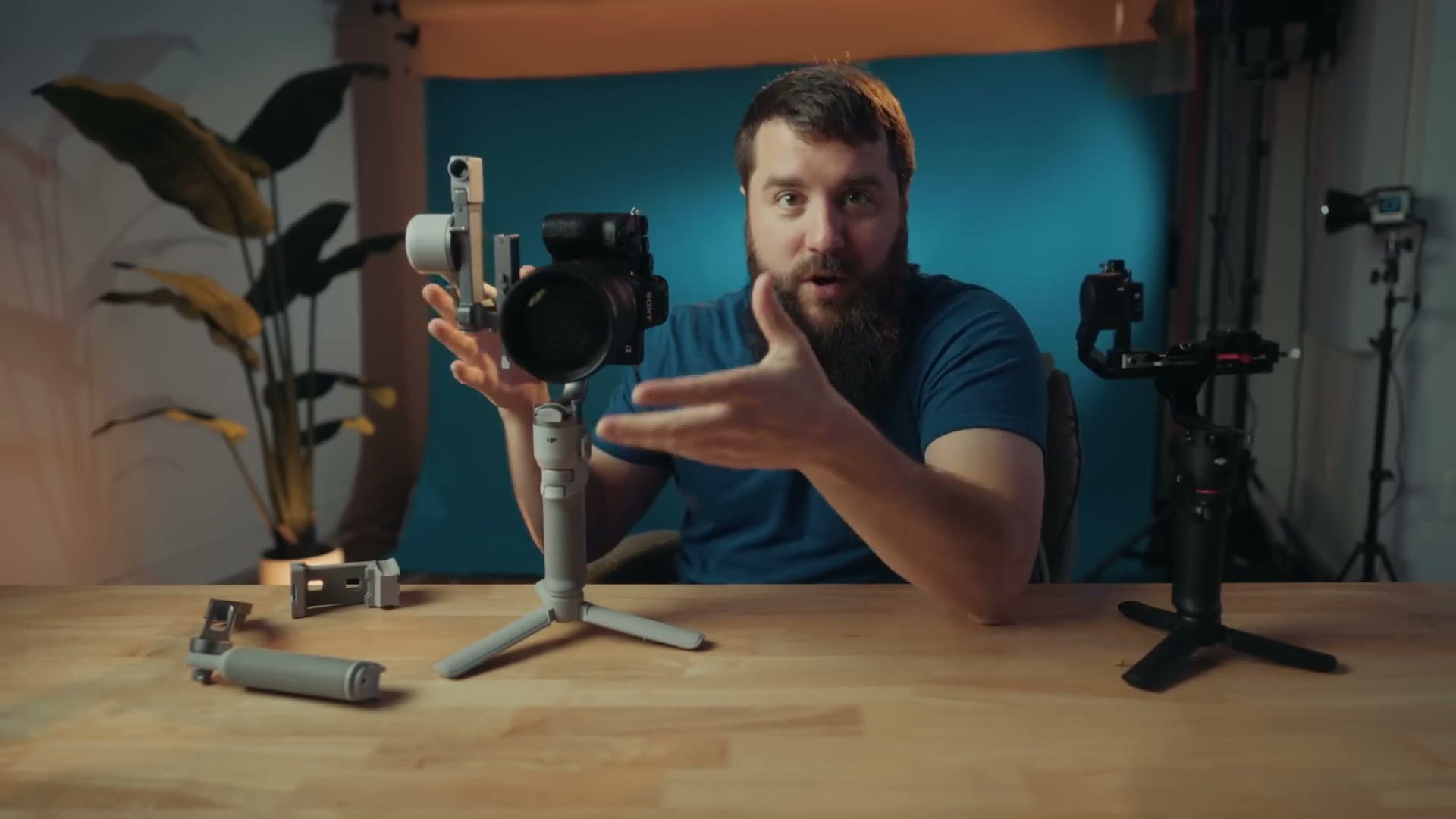
It’s really quick and easy to swap between horizontal and vertical, and I’m so glad to see DJI has added this to the RS4 Mini. Of course, you do also need to rebalance it afterwards, so make sure you do that.
Payload Capacity (it’s better!)
Now let’s talk payload capacity, because I feel like gimbal manufacturers spent years touting just how much weight their motors could handle, and then a few years ago they started to brag significantly less about it. You don’t really see it nearly as much any more. And in the case of the RS3 Mini and the RS4 Mini, DJI does not publicly give an exact payload capacity. Thankfully, I did some testing, and I have some results for you.
First, I want you to know I’ve filmed multiple weddings and other events with the RS3 Mini for over two years now, and that gimbal has proven itself time and time again that even though it is small, it is still mighty. It handles smaller primes like a 24mm or a 50mm with ease, and if you push it, it will even handle larger lenses like a 24-105mm.
That said, if you were using larger and heavier lenses like a 24-70mm, or possibly something like Sony’s new 28-70mm, which is even larger and heavier, that’s where the RS3 Mini could handle it, but you’d be pushing right up against the payload capacity. That wasn’t a huge issue for me, but I know a lot of filmmakers who love their 24-70 and a smaller gimbal pushed to its limits would have made them nervous.
Thankfully, with the RS4 Mini, DJI made some subtle but noticeable changes to the size of the gimbal, and even though they’re still not publicly stating a payload capacity, in my testing it does look like it’s now built to handle larger setups like a 24-70mm f/2.8 or even a 28-70mm f/2.

Here’s what I mean by subtle changes. Look at these two gimbals side by side and you’ll notice the RS4 Mini is slightly taller and has larger tripod feet, which makes it more stable even with a bigger camera and lens on it. The motors are now larger in diameter than the RS3 Mini too, but keep in mind they also have to have the hardware in there to auto lock and unlock. So while I’m not certain the motors themselves are actually stronger, what I can tell you is that the overall size of the arms is larger.
For example, if I put a rather large and heavy Sony 135mm on an a7S III and put that on the RS3 Mini, I have to move the camera all the way back on the arms to get it to stabilize, and while it works, you can definitely hear the motors grumbling a little bit as you use it. Put that same camera and lens setup on the RS4 Mini and it handles it easily, with room to adjust the camera even further back if I needed to.

That tells me the RS4 Mini can easily handle a larger lens setup like a 24-70 or a 28-70 if needed. And if you’re wondering the total weight of that camera and lens setup, it’s about 1650 grams, or 3.6 pounds, which considering the size of this gimbal is impressive. Remember, I would consider that to be the maximum the RS3 Mini could handle. The RS4 Mini looks like it can take even more.
How Much Does It Weigh?
While we’re talking about weight, I want you to know that even with the added size and payload capacity, the overall weight of the gimbal has barely increased. Whenever I weighed the RS3 Mini it came in at 988 grams, while the RS4 Mini came out at 1054 grams. So it only weighs 66 grams more, which is a pretty negligible amount, and after holding both of these a lot they feel basically identical.
Of course, if we’re talking about future wishes for an RS5 Mini, I would naturally love it if the gimbal had carbon fiber arms like the RS4 Pro, which would make it even lighter. And heck, while we’re dreaming, I’d also love a swappable grip like the RS4 Pro has, for extra battery life.
Battery Life
Speaking of battery life, remember that I filmed an entire wedding day on one of these, something like fourteen hours, and I was still sitting at 50% battery at the end of it. In my testing the RS4 is pretty darn competitive with what came before it, so I would not stress about battery life with either of these gimbals. They should get you through even a rather long day of filming.
Plus, they have power delivery, so you can plug a USB-C battery pack in and charge the gimbal while you’re using it if you need to, and that works really well.
Switches & Interface From The RS4 Pro
Keeping on this trend of the RS4 Mini being a miniaturized RS4 Pro, look at the side of the RS4 Pro. DJI took the same pan, tilt and follow switch from the larger gimbal and put it on the small one, as well as another switch on the other side of the handle for zooming and for panning and tilting the gimbal.

These are all welcome changes that make these gimbals feel really cohesive overall.
Dedicated Smartphone Mount
While the RS3 Mini was capable of stabilizing a smartphone if you brought your own phone holder, DJI now makes a dedicated smartphone holder built for the RS4 Mini that you can purchase separately. This adapter is pretty cool because it combines a phone mount and a base plate all in one, and in my testing it works really well.

So if you’re someone who films with a bigger camera but likes to film with your phone on occasion, it’s nice that DJI is turning the RS4 Mini into a gimbal with the versatility to be used with a phone as well, with an official accessory.
Base Vs Combo Pack
Sticking on this accessories trend, and taking a page from a lot of their other products, DJI chose to offer two flavors of the RS4 Mini. One is a more basic option that just includes the gimbal and the feet. Then they also sell a version called the DJI RS4 Mini Combo, which includes not only the gimbal and feet but two accessories, one of which is very interesting.
The first and less interesting accessory is a very lightweight stabilizer arm you can mount to the side of the gimbal to add extra stability. Just slot it in, tighten it up, and now you have two hand grips.
I put together THE Gimbal To Buy For Vertical Filmmaking – DJI RS4 Pro Review for Wedding Filmmakers and DJI RS3 Mini Review – Perfect TINY Gimbal For Wedding Filmmaking as well, which cover the part I skipped over here.
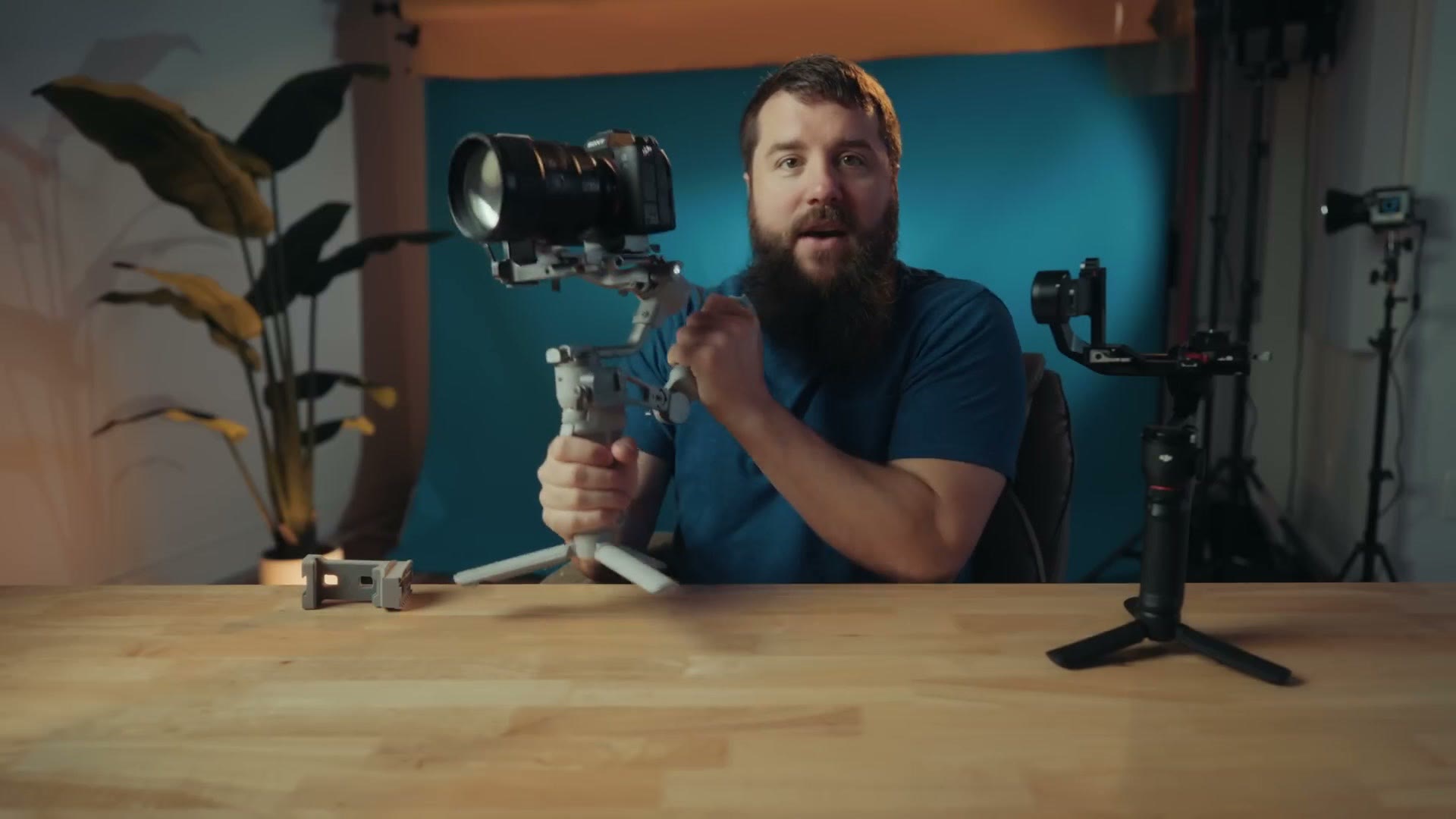
This is something I’ve seen from a lot of gimbal manufacturers, and I know some filmmakers love having an extra arm. For me personally though, if I’m filming with a gimbal as small as the RS4 Mini, I’m filming with it because I want the smallest and lightest footprint possible, and whenever you add an extra arm that just adds size and weight, which I’m not necessarily a fan of. But hey, if you love an extra arm, feel free to get the combo. It’s a very lightweight arm, which I appreciate, but I don’t find it to be a compelling reason on its own to buy the combo.
RS Intelligent Tracking Module Is SO GOOD
That said, the second accessory DJI includes is far more compelling, and I think a lot of filmmakers are going to be intrigued by it. It’s called the RS Intelligent Tracking Module, and if you’ve used any of DJI’s drones or their mobile gimbals, or you have an RS4 Pro and you bought their LiDAR rangefinder, you can probably guess where I’m going. This module lets you track people in the frame and keep them in the shot.
To be clear, this module is not going to add autofocus capabilities to manual lenses the way the LiDAR module does. Sorry! That module on its own costs more than this entire gimbal setup, and it also requires a follow focus, which is probably too heavy a setup for a gimbal this size anyways.
Regardless, this tracking module is still very cool, because it’s very easy to use and it’s integrated so well into the gimbal while still being an optional accessory, so you don’t have to use it if you don’t want to. Take it off and your setup is as light as possible.
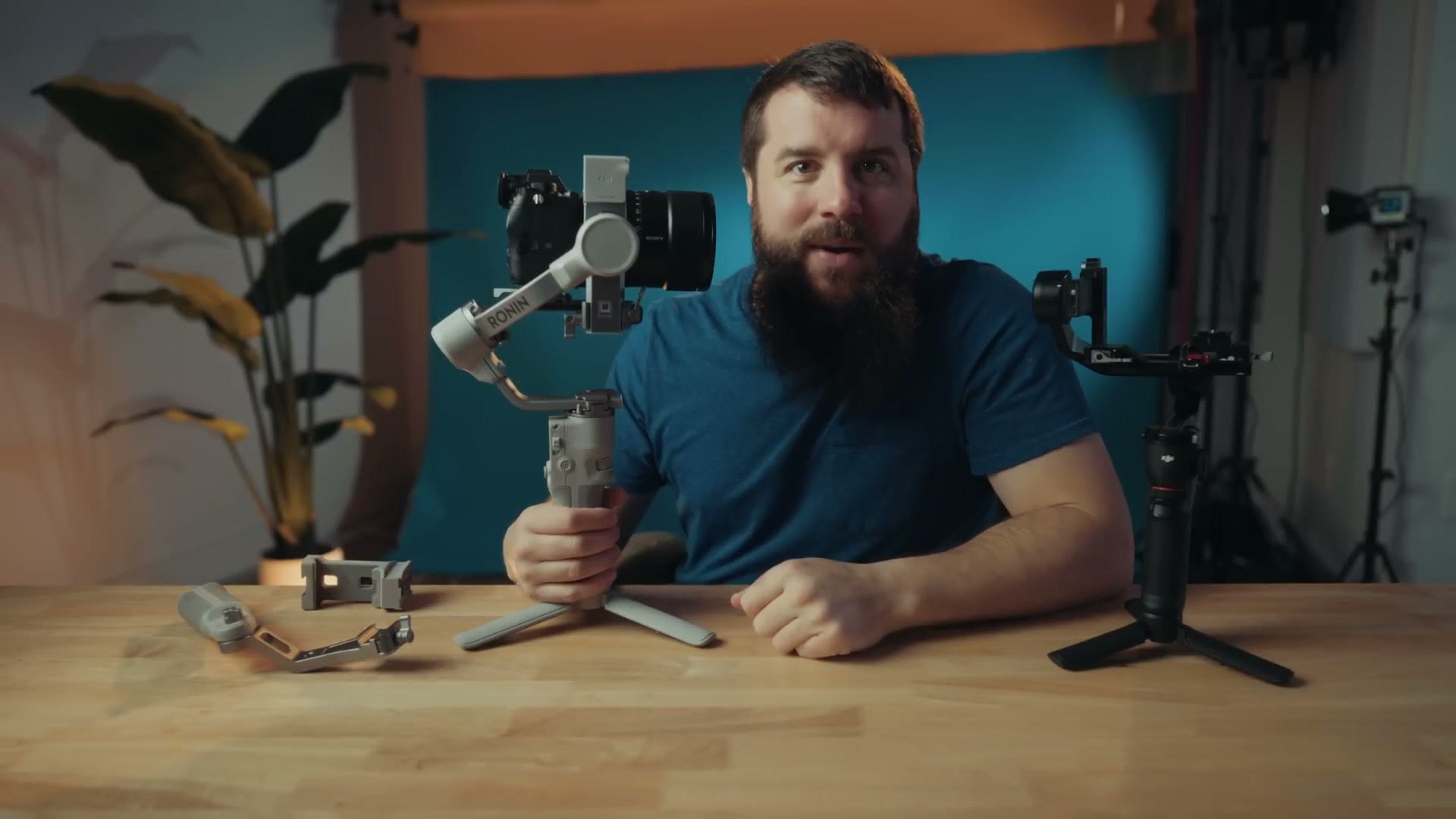
Whenever you look at how small this tracking module is, and you see how the gimbal was built to accept it, you don’t need any extra wires to make this work. It mounts magnetically, clicks in firmly, and receives power from pogo pins directly from the gimbal. Boom. Connected and powered. Pop it off, pop it back on whenever you need to.
Then whenever you want to track someone, let’s say you’re filming yourself and you don’t have an extra person available to film you, all you have to do is unlock the arms and point it at yourself. You’ll see a tracking ring light that glows red whenever tracking is disabled. Hold up your hand to indicate you want it to focus on you, the camera recognizes you, the light turns green, and it starts following you.
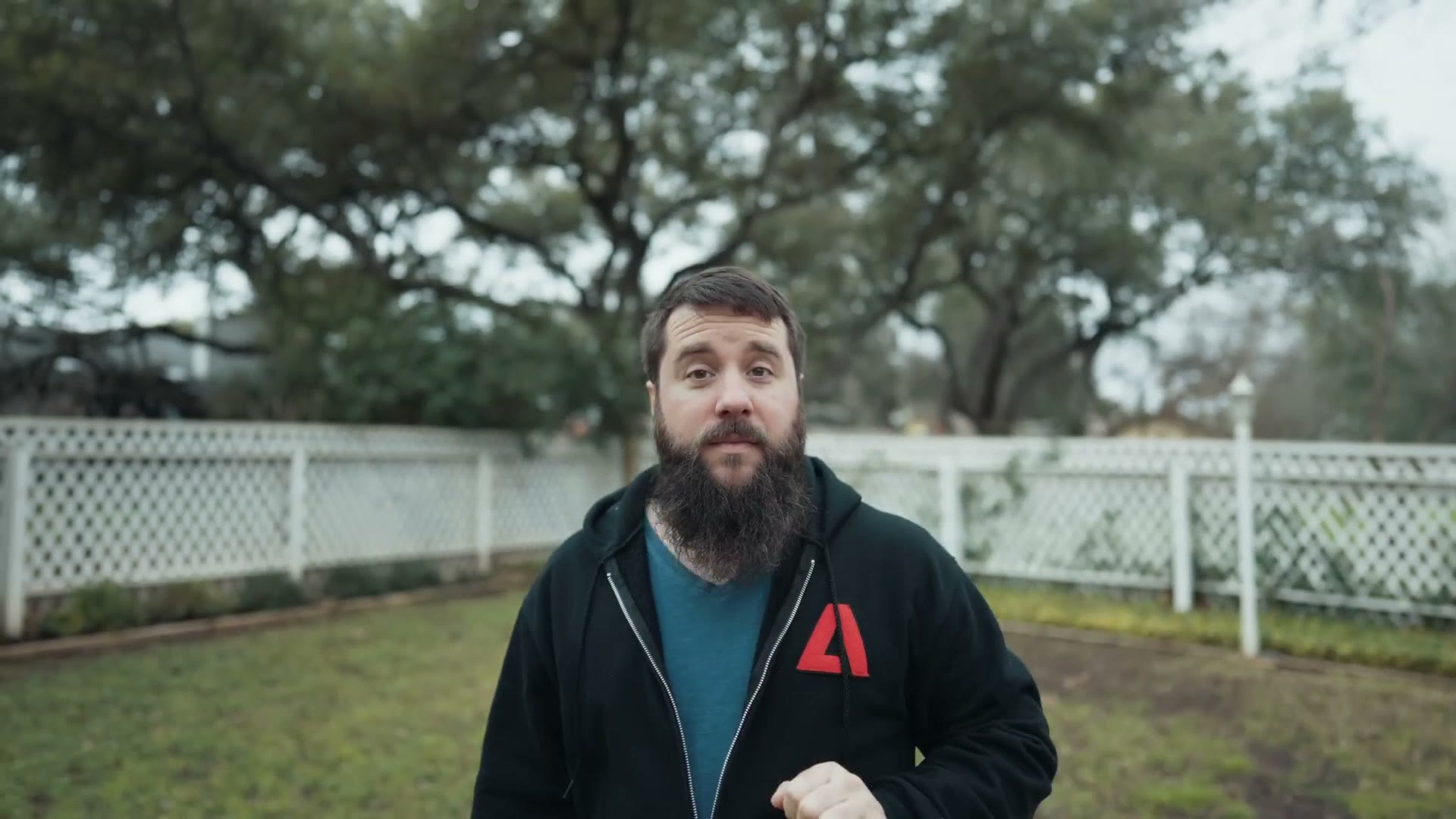
And suddenly I’m in the frame. Whoa! This is so cool. You can start to walk around and the gimbal will follow you wherever you go, up and down, side to side. What’s cool is that in the settings you have the ability to control the responsiveness, so you can turn it up to make sure the gimbal keeps up with you even if you’re moving very quickly. I feel like Justin Porter right now doing a light test. Maybe we should have a sprint off. That’d be a lot of fun.
Anyways, I hear you now telling me, Matt, I don’t want a giant green light shining off my gimbal, or red, especially if I’m using it to track a client as they’re moving. Well, don’t sweat it. You can go into your settings and disable these lights completely if you want to, and the tracking module will still work.
So as you can see, I think this is a super cool accessory. And if you’re someone who films yourself and you want the added control and benefit of being able to track yourself rather accurately, then purchasing the combo version of the RS4 Mini is a no brainer in my opinion.
Should You Buy The RS4 Mini?
Here’s what it all comes down to. If you’re a filmmaker who likes the features and capabilities of the RS4 Pro gimbal, but you don’t commonly find yourself using a heavier camera setup like a cinema camera or something rigged out with a lot of accessories, and instead you’re commonly using a mirrorless camera with some sort of lens and maybe a monitor mounted to the side, then this is your gimbal.
You’re getting many of the features of the class leading RS4 Pro shrunk down into a smaller, more lightweight size that’s going to be much easier on your arms and back all day. Auto locking arms, a very similar control interface with nearly identical switches and buttons, the same system to swap between horizontal and vertical, and then you throw in tracking with a module that’s very well integrated. That’s where the RS4 Mini starts to make a lot of sense.
This gimbal has a lot less compromises than the RS3 Mini had. And personally, as someone who loved filming with the RS3 Mini, let me just say I’m going to love filming with the RS4 Mini as well, and I’m planning on it being my go to gimbal going forward.
I think you’re going to find it really compelling too, especially whenever you consider the price. For context, I bought my RS3 Mini new for 369 bucks with my own money, back in January 2023, because I like this gimbal. So stinking cool. I love it. So I was pleasantly surprised to see DJI targeting a similar price for the RS4 Mini as well, and probably around 450 bucks for the combo with the intelligent tracking module.
Don’t quote me on the exact numbers, DJI hasn’t told me exactly, so here is the RS4 Mini if you want to see the current pricing. But regardless, this price feels really aggressive in a good way, and whenever you consider that an RS4 Pro is still 800 plus dollars, this RS4 Mini is basically half the price for many of the same capabilities, which is super cool.
Speaking of super cool, if you want help booking your next wedding, and keep in mind I reviewed this gimbal from the perspective of a wedding slash commercial slash documentary filmmaker, or anybody who’s making money with their camera, I would love to help you out. I have a free workshop that’s going to show you how to book your next wedding in 30 days or less, guaranteed. If that is intriguing to you, I highly recommend watching it.