“You are the Joni Mitchell to my James Taylor” | Emotional Countryside Wedding Film in Johnson City, TX

"You are the Joni Mitchell to my James Taylor" | Emotional Countryside Wedding Film in Johnson City, TX

My wife Rachel had three roommates in college, and as of this wedding I have now filmed two of their weddings. Still holding out hope for number three, Mattie-Ruth.

Normally whenever we film a wedding, we sit down with the couple over dinner and hear the whole story of how they met, how they fell in love, and how they decided to get married. For Lauren and Matt things were a little different, because we were already there for the entire relationship. We watched the whole thing happen. And we absolutely saw it coming, by the way.
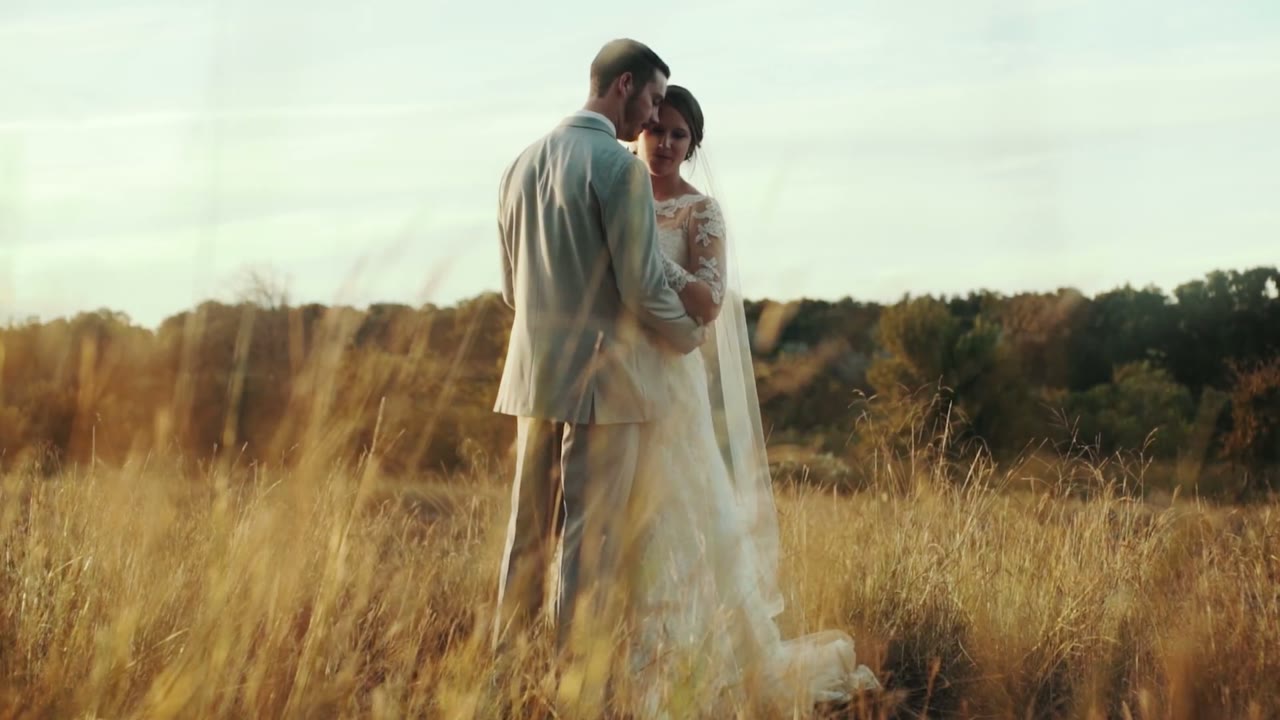
Bride and groom embracing close together in a golden field of tall grass, foreheads together, backlit by low sun

To sum it up: they wrote and performed songs together, which basically requires you to fall in love. I have citations. See Tim McGraw and Faith Hill, Johnny Cash and June Carter Cash, Sonny and Cher, Jay Z and Beyonce, and, unfortunately, Avril Lavigne and Chad Kroeger.

Getting to witness two of our good friends join their lives together, in a moment all of us had been hoping and waiting for, made their wedding day that much more special for us to film.

Johnson City, Texas

Johnson City sits right in the middle of the Hill Country, about an hour west of Austin, and in the fall it does this thing where everything goes gold and the light gets low and soft about two hours before it has any business doing that. Tall dry grass, live oaks, a windmill turning against a completely empty blue sky. It is a gift to a wedding filmmaker, and honestly you just try not to get in its way.
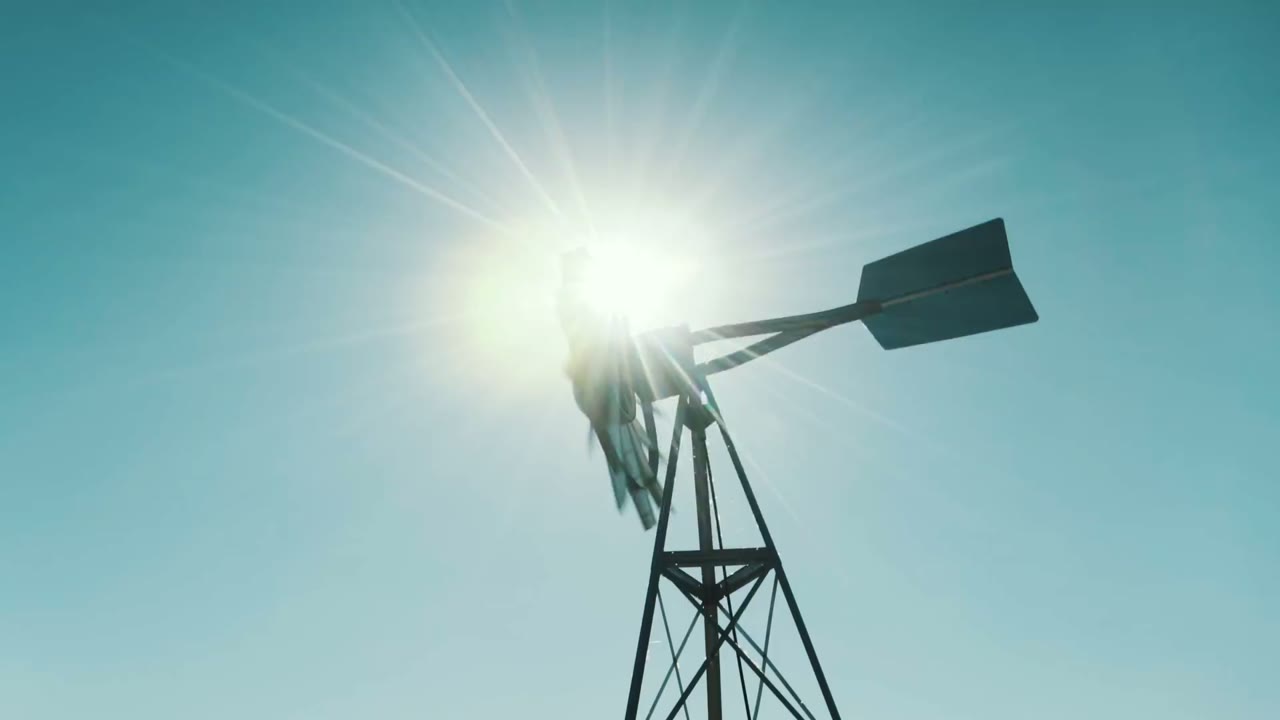
Silhouette of a windmill against a bright sunburst sky over the Texas hill country

The whole day lived outside, which meant the ceremony had the hills behind it and the reception ran right into the dark, and it gave the film a natural arc without me having to build one.

Getting Ready

Getting ready is my favorite part of a wedding day to film, and it’s the part couples most often assume isn’t worth covering. It is. It’s the only stretch of the day where nobody is performing yet. Somebody’s mom is buttoning the back of a dress she has been thinking about for a year, and her hands are doing something she will not remember doing, and that’s the shot.
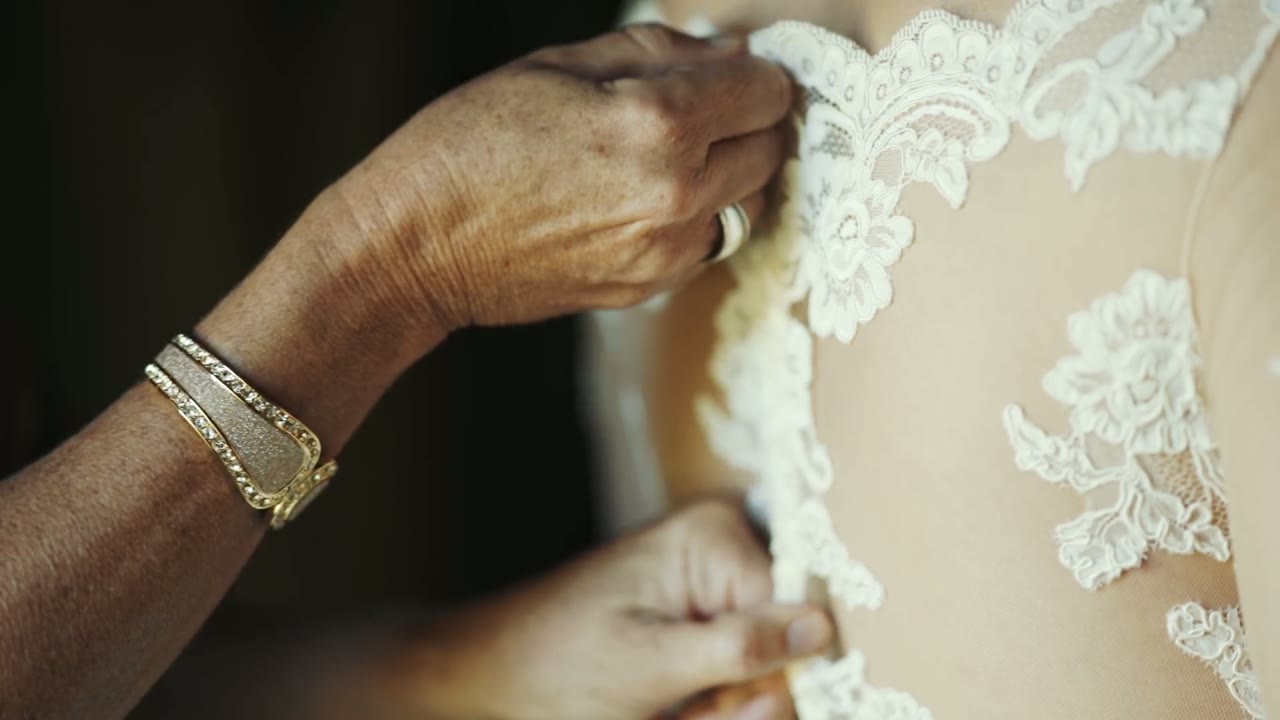
Close-up of hands buttoning the lace back of the wedding dress, a gold bracelet and ring visible

Lauren and Matt also wrote letters to each other and read them before the ceremony, which is one of the best decisions a couple can make for their film. You get their actual voices saying their actual words, and it gives the whole thing a spine to hang on instead of just pretty pictures set to music.
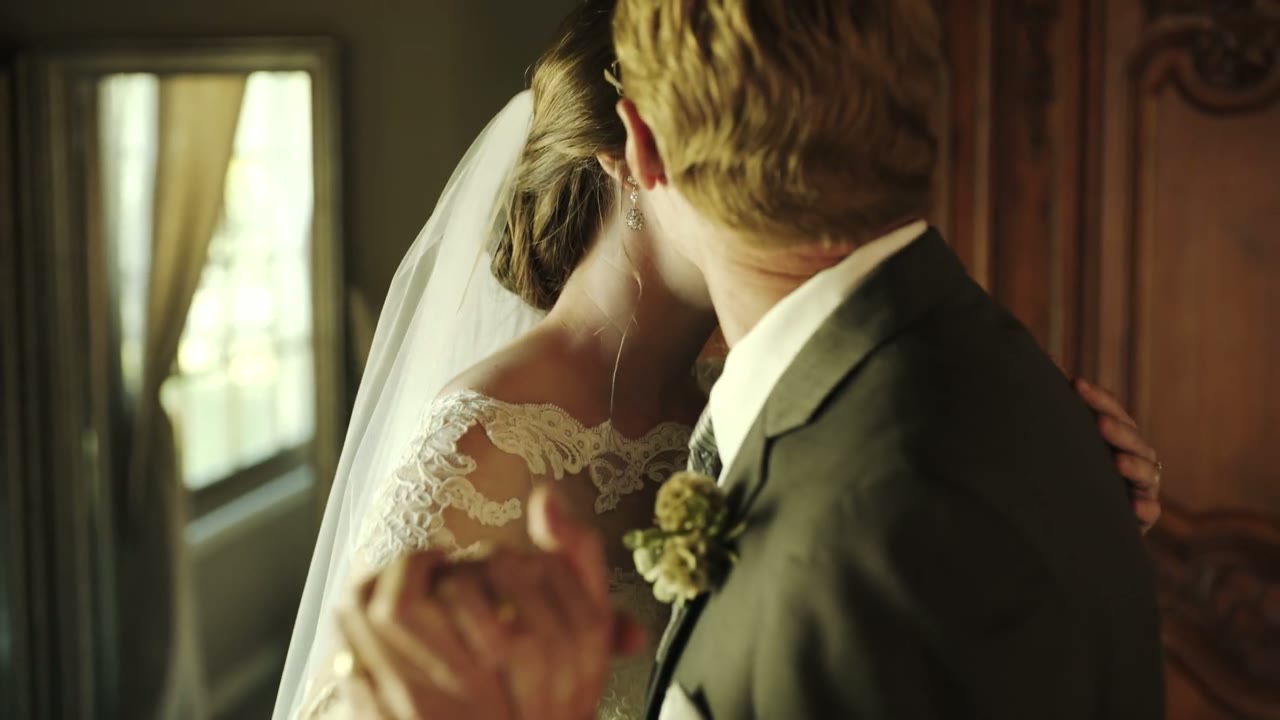
Bride and groom embracing from behind, veil and lace sleeve visible, in a wood-paneled room with a mirror

The Ceremony

Their pastor knew them, which changes everything. He opened by telling the story of their first date in Austin, a round of putt-putt at Peter Pan Mini Golf, where Matt parked in the wrong lot and got his car towed while they were somewhere around the 18th hole. Most expensive first date ever. Worth it, clearly.
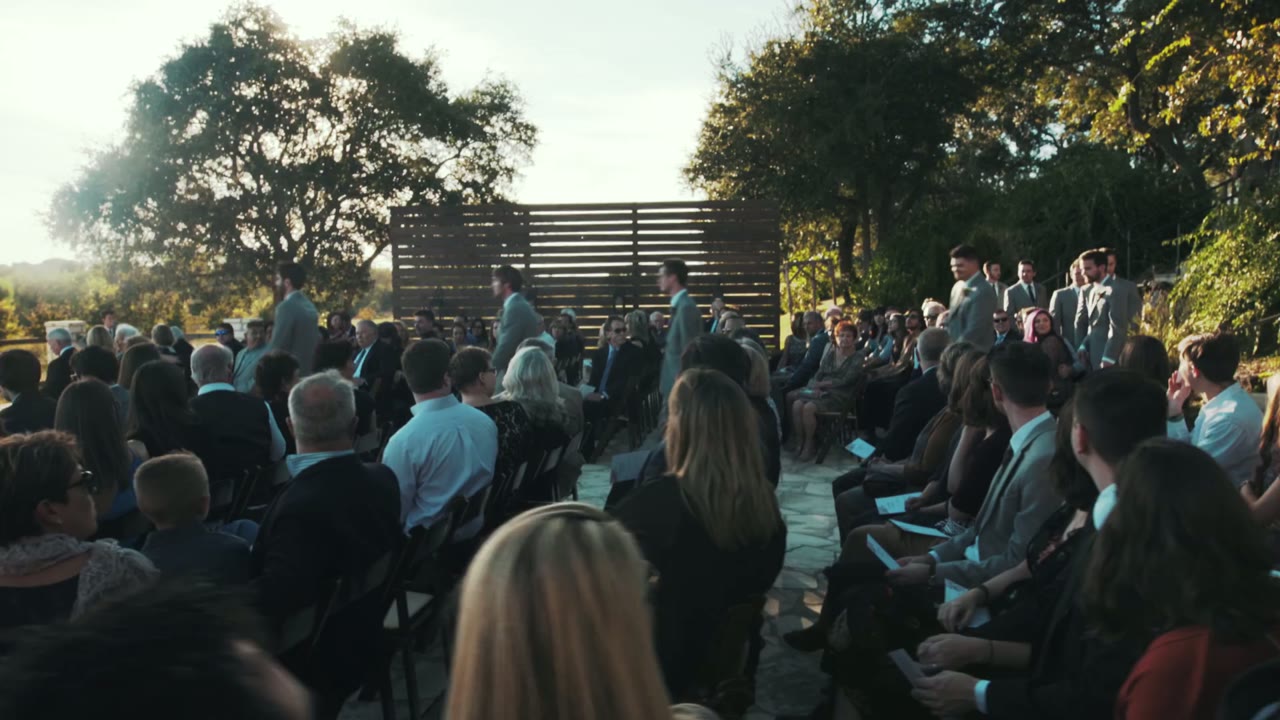
Outdoor hill country ceremony with rows of seated guests and the wedding party gathered under a wood-slat arch

Whenever the person officiating actually knows the couple, the audio you get is better than anything you could have planned for, and a room full of people who love them laughs in the right places. You can hear it in the film.
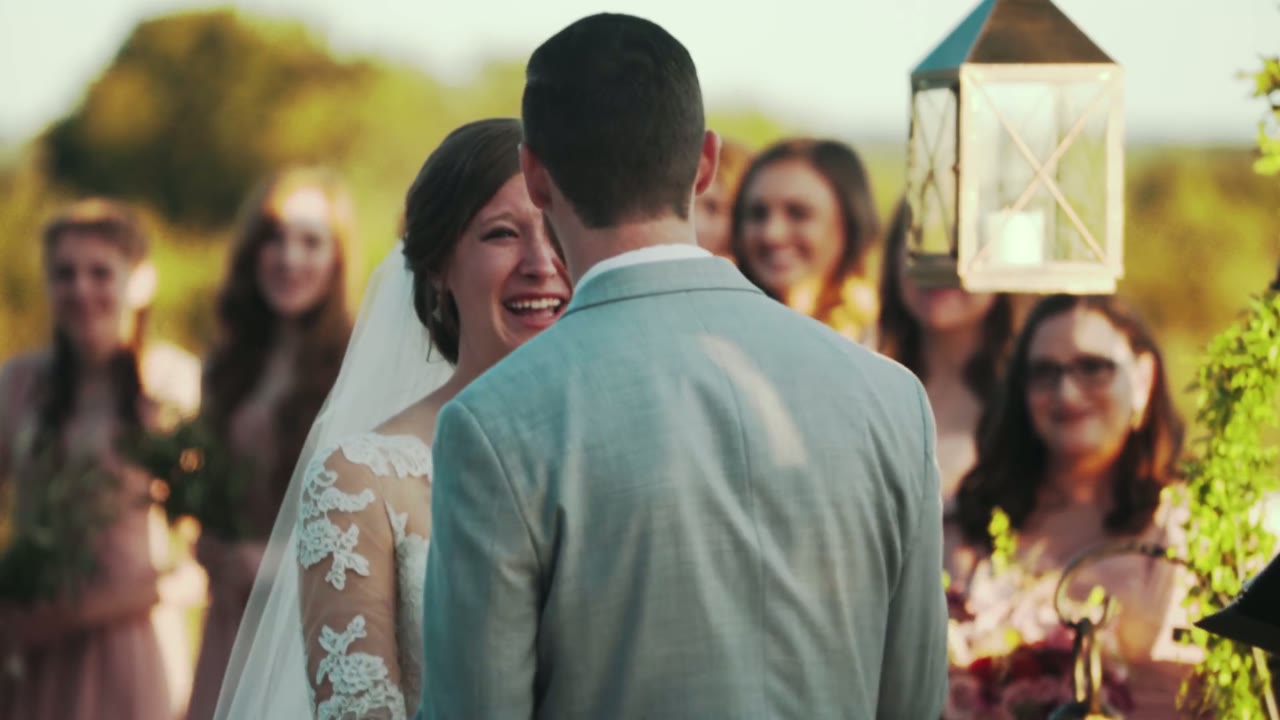
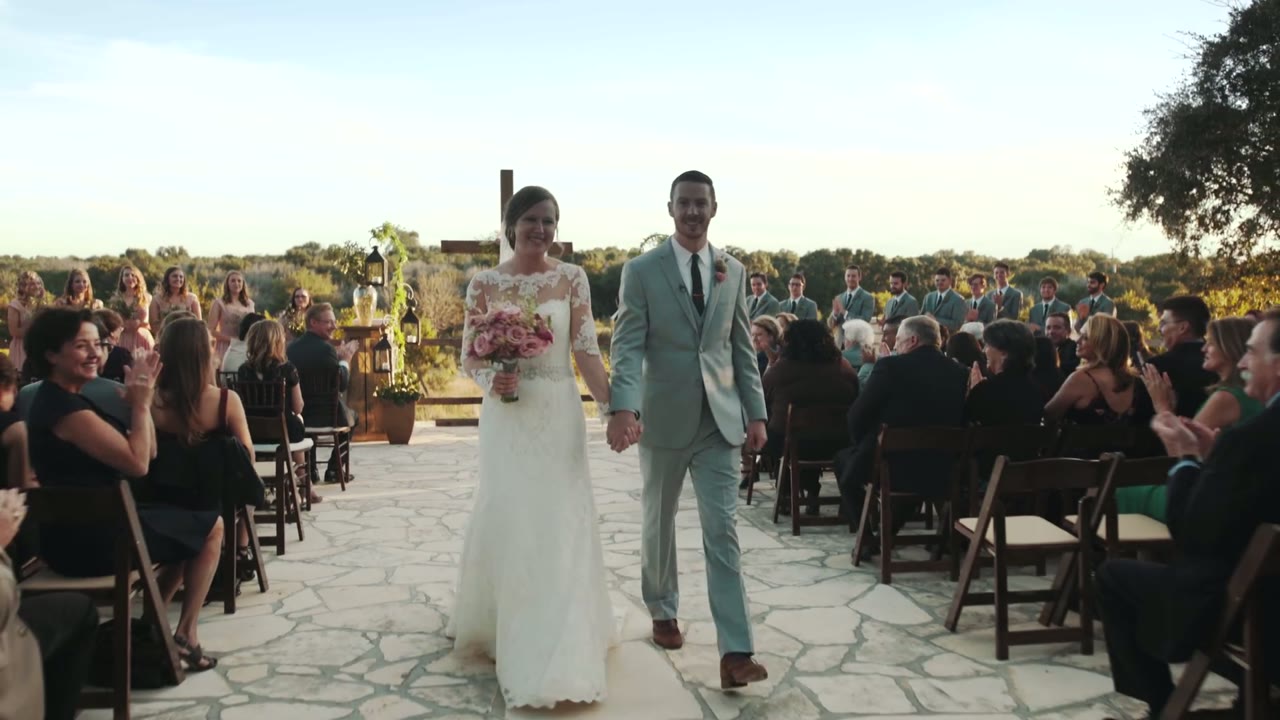
Bride laughing with the groom's back to camera, bridesmaids smiling behind her, a lantern hanging beside them
Bride and groom walking hand in hand back down the aisle, guests clapping on both sides

“You Are The Joni Mitchell To My James Taylor”

That line is from the toasts, and the second I heard it in the edit I knew it was the title of the film. It’s the whole relationship in one sentence: two people who make music together, who are better at it because the other one is in the room.

This is the argument for recording speeches properly, by the way. Put a recorder on the officiant, put one near the toasts, and get the audio clean. The single best line in almost every wedding film I’ve ever made was something somebody said out loud that day, not something I found in the footage.
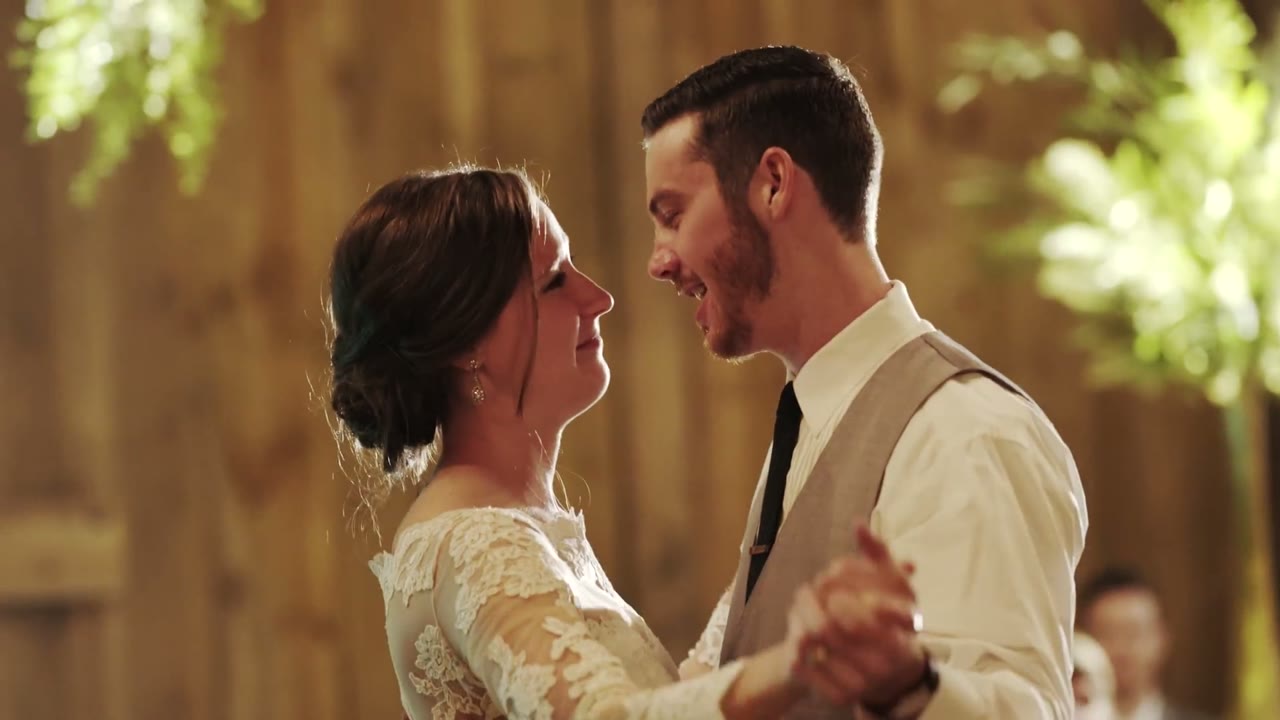
Bride and groom slow dancing in a wood-paneled barn, foreheads close, warm greenery lit behind them
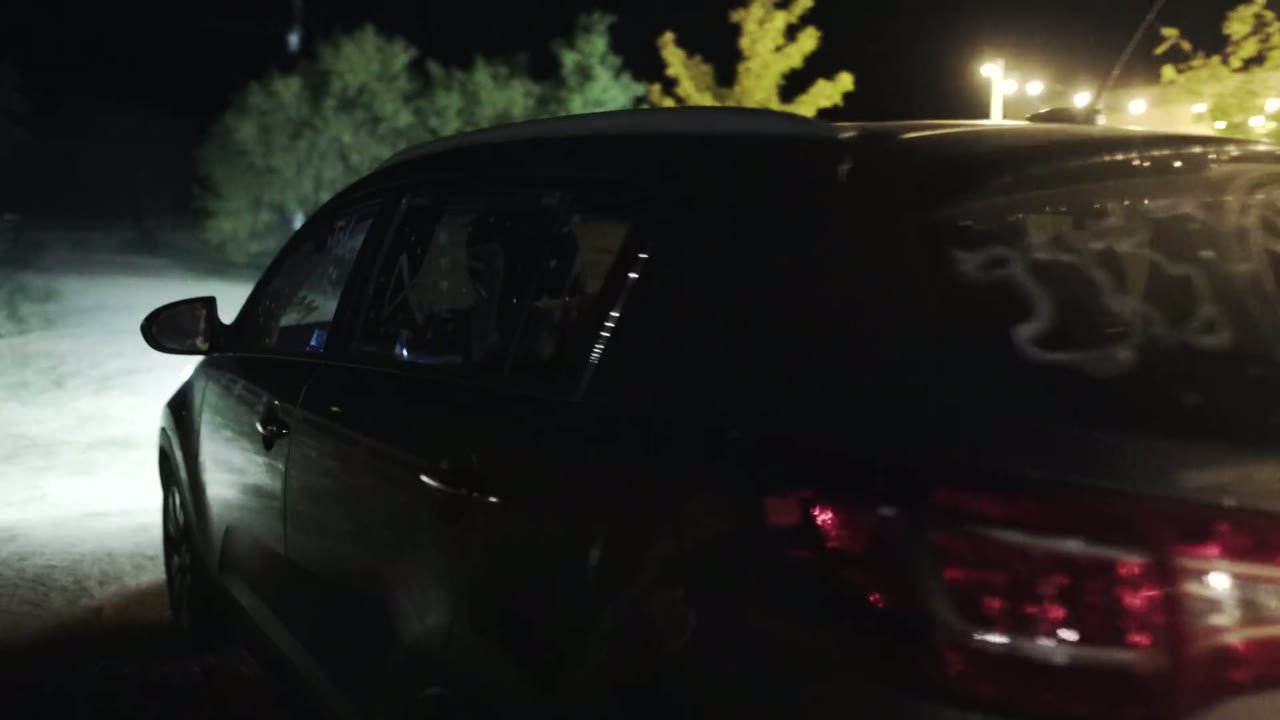
Dark getaway car at night with writing scrawled on the rear window, string lights glowing in the background

The Gear I Filmed This With

📷 The full list of what I carry to a wedding lives here: my wedding filmmaking kit. A few of the pieces that did the most work on this day:

Cut in Adobe Premiere Pro and graded with my LUTs.

Are You Marrying Your Best Friend?

Even if the two of you don’t make beautiful music together, we would love to film your wedding. 🎥 Get in touch with us at FilmStrong.

And if you’re the one holding the camera: 🎬 my wedding film editing course is where I teach how a film like this gets built, ►► my free guide to booking more wedding clients is yours to download, and ✌ the Learn Wedding Filmmaking Facebook Group is where the rest of us hang out.

5 years together, going on 50 | Downtown Austin Wedding

5 years together, going on 50 | Downtown Austin Wedding

Five years ago, at a small Catholic college in St. Louis, Missouri, Kathleen met Michael. A chance meeting at a sorority party their senior year led to dates, competitive Catan game nights, and an eventual move for Michael from St. Louis to Texas so they could be together. It was this move across state lines that made them both realize they were ready to spend the rest of their lives together.

This May, they made it official, with an unmistakably Texas wedding, set in the heart of Austin. For another one near Austin, this fairytale wedding was in a pine forest at sunset. They said their vows barely a stone’s throw away from the Capitol, and proceeded to dance the night away with both a Texas Country band and a DJ flown in from Los Angeles.

Getting married in Austin or anywhere else? We would love to film it! Please get in touch.

One day ago was the last time we won’t be married | Gorgeous outdoor country club wedding in Dallas, Texas

One day ago was the last time we won't be married | Gorgeous outdoor country club wedding in Dallas, Texas

Our friends Sarah and Chris are what Rachel and I like to call “undercover awesome”.  I first experienced this phenomenon when I met Sarah my sophomore year of college. She’s one of those people that once you meet them, they keep popping up in conversations until it reaches the point that you wonder if they know everyone on the planet. True story: there were times on campus that I would name-drop Sarah when I met someone new, thus instantly befriending them. Undercover awesome.

Years after college, Sarah met Chris, and then Rachel and I had the pleasure of meeting him too. Put a saxophone, guitar, piano, accordion, or Microsoft Excel in front of him and he will quickly prove he can make music (or spreadsheets) with all of them. Undercover awesome.

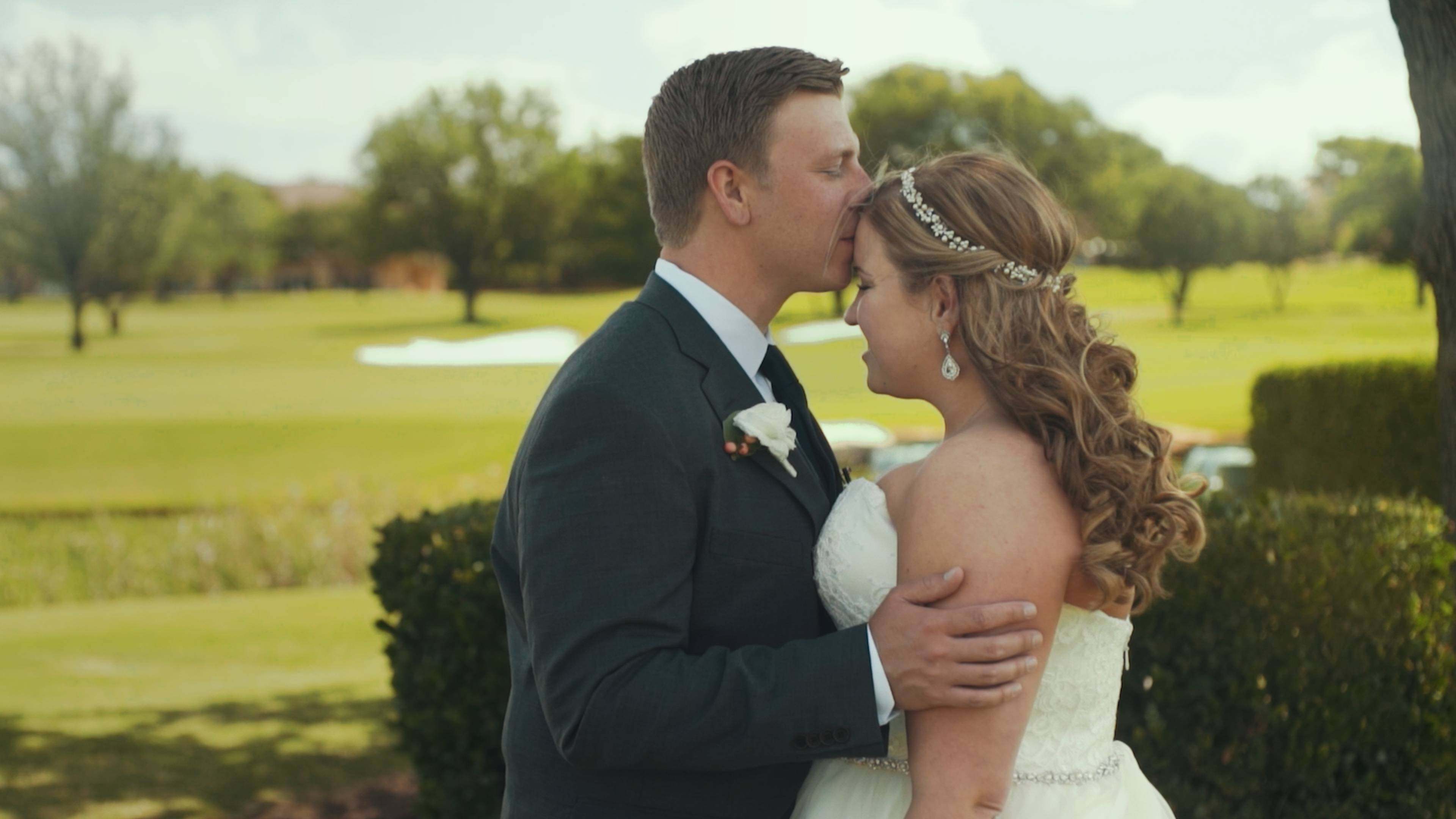
Groom kissing his bride's forehead on a country club lawn, her hand resting on his chest
Undercover Awesome.

If you’re at a party with them, you won’t see them as the center of attention, dancing on tables, or causing any sort of scene. But if you mention their names to anyone, there will immediately be a glow of recognition, a story about them, and lots of laughter. Their laid-back vibes, insurance sales, and accounting lifestyle belie two of the coolest people in the room, and two of the coolest people Rachel and I have had the pleasure of filming. I guess this film means their awesomeness isn’t quite so undercover anymore.

If you’re getting married (and especially if you are undercover awesome), we would love to film it, please get in touch.

Remember Who You Are | Iceland Cinematic Drone and Timelapse Travel Film

Remember Who You Are | Iceland Cinematic Drone and Timelapse Travel Film

Iceland is a country that even after visiting, I still have difficulty believing exists. Snow-capped volcanoes piercing the skies, centuries-old glaciers covering the landscape like a quilt, dark water the color of ash folding up onto a black sand beach, and don’t even get me started on the sunsets that last for hours.

While incredibly harsh, this land is also graceful, full of quiet moments where all you hear is the tiny whisper as snowflakes fall on your face and melt, all you feel is the gentle spring of the moss that covers everything beneath your feet, and all you see is the Aurora Borealis dancing overhead. These and hundreds of other experiences are what I attempted to capture in this film of one of my favorite countries on Earth.

For me, Iceland is a reminder that God created a jaw-droppingly beautiful world, full of moments that are constantly reminding us of himself. When I traveled across this country I remembered who I was, his child. I hope you get to travel there as well one day and share the same experiences.

I’m also very excited to announce that I filmed a behind-the-scenes of this film, showing exactly how I captured the shots that you see in it. So if you’ve ever wanted to film a travel video yourself, I hope you will find it helpful! I’ll be posting the behind-the-scenes soon.

Many of the sound effects used in this film were either used with permission from Freesound.org (credits below), or from the amazing Archetype Sound Effects package from Lens Distortions.

The narration was handled expertly by Holly Lindin. She’s an amazingly talented voice-over artist from Canada, that I would highly recommend for any of your video projects.

I would also like to thank my wife Rachel for traveling to Iceland with me, putting up with my needs for “one more drone shot!”, and feeding me snacks throughout this trip.

Sound Effect Credits – Licensed under the Creative Commons Attribution License

Aspen Tree In Strong Wind by juskiddink on Freesound

Riviere-river by Glaneur de songs on Freesound

Seagulls by inchadney on Freesound

Waves Crashing On Stone Jetty by juskiddink on Freesound

Pink Lakes Wind From Inside A She Oak by kangaroovindaloo on Freesound

Horse Nicker 2 by GoodListener on Freesound

Svalbard_recherche_glacier_20060904 by jeo on Freesound

My Favorite Picture Profile for the DJI Mavic Pro

My Favorite Picture Profile for the DJI Mavic Pro

As promised in my Mavic Pro review, here is my favorite picture profile for the DJI Mavic Pro. This is the exact profile I use for filming weddings, travel videos, and any other professional shoot, and with a bit of color grading I find it gets genuinely beautiful footage out of this tiny drone.

I’m putting all the settings right at the top, because I hate whenever I’m watching a picture profile video and it’s fifteen minutes long and fourteen of those minutes are somebody talking about their cat, with one minute of actual settings buried in the middle, and heaven forbid they put it in the description. It bugs me to no end. So here it is, and if that’s all you came for, you’re done.

My Mavic Pro Settings

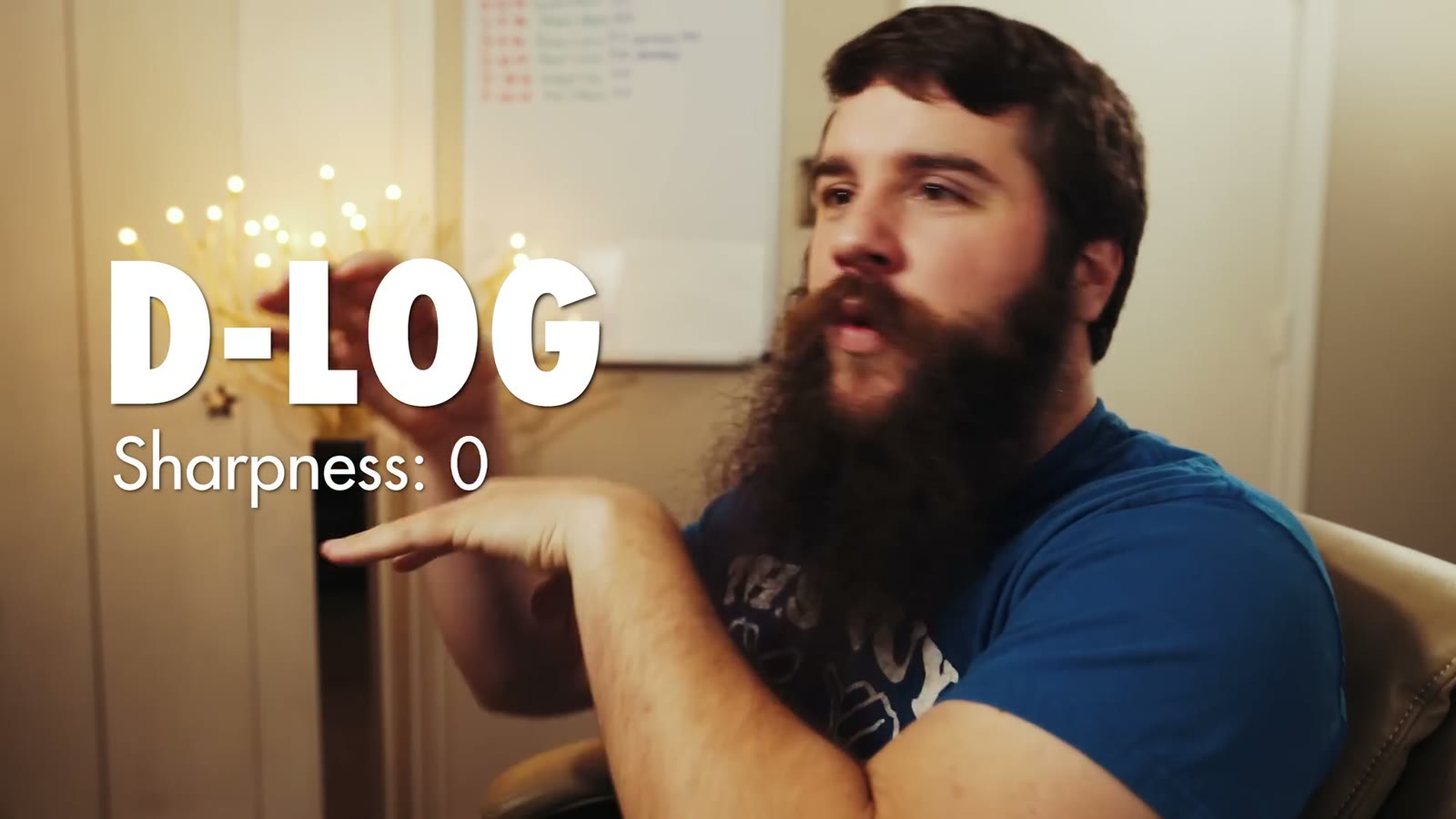
Matt gesturing to on screen text reading D-LOG, Sharpness 0
The whole profile, on screen, in the first thirty seconds. D-Log, sharpness 0.
  • Picture profile: D-Log, sharpness 0, contrast -1, saturation -1. (Sharpness goes to +1 in a very high dynamic range scenario. More on that below, because it matters.)
  • Video format: MP4, not MOV
  • Resolution and frame rate: 4K at 30fps, conformed in post to 24fps
  • Shutter: 1/60th, which I can hold even on the brightest day using PolarPro’s Cinema Series Vivid Collection of ND filters with polarizers
  • Overexposure warning (zebras): on
  • EV meter: hold it at 0.0, or +0.3 or +0.7, never below zero
  • White balance: manual, using Custom and dialing in a Kelvin value. Usually 7000K on a bright to partly cloudy day.
  • ISO: 100 wherever possible
  • Recording mode: Manual

That’s the whole profile. The rest of this is the why, so you’re not emailing me asking why I picked any of it.

Why D-Log

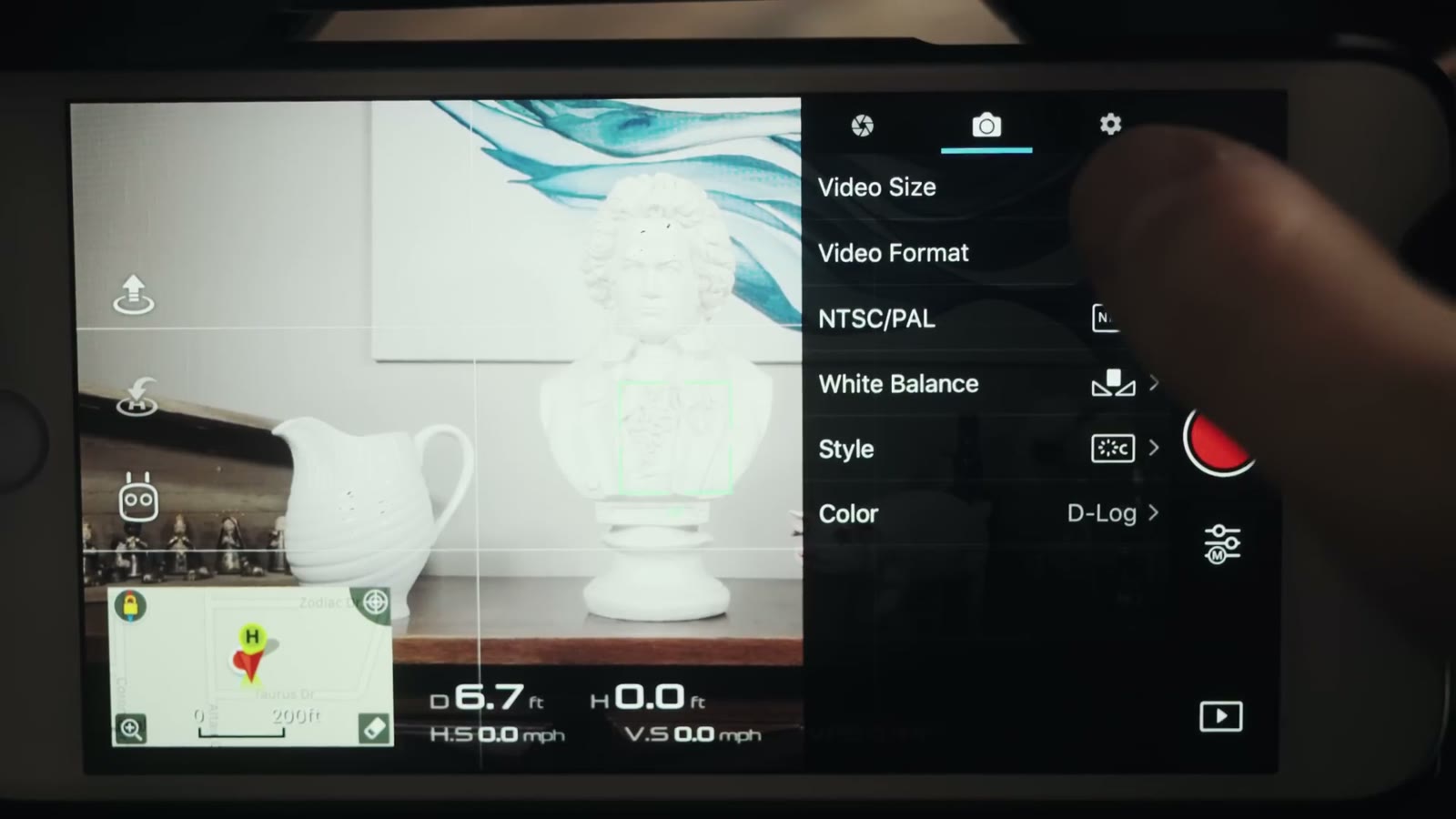
The DJI Go camera menu on a phone showing Video Size, Video Format, NTSC slash PAL, White Balance, Style, and Color set to D-Log
Color is set to D-Log. That is the setting everything else in this post is built around.

D-Log gives the best dynamic range and the most flexibility when it comes to color grading. The sensor on the Mavic Pro is really tiny, so any chance I get to boost dynamic range and image quality, I’m taking it.

Worth knowing: DJI put out a firmware update that made D-Log look substantially better than it did at launch. So if you bought your Mavic early, tried D-Log, and decided it looked gross, go try it again. It’s a different picture now.

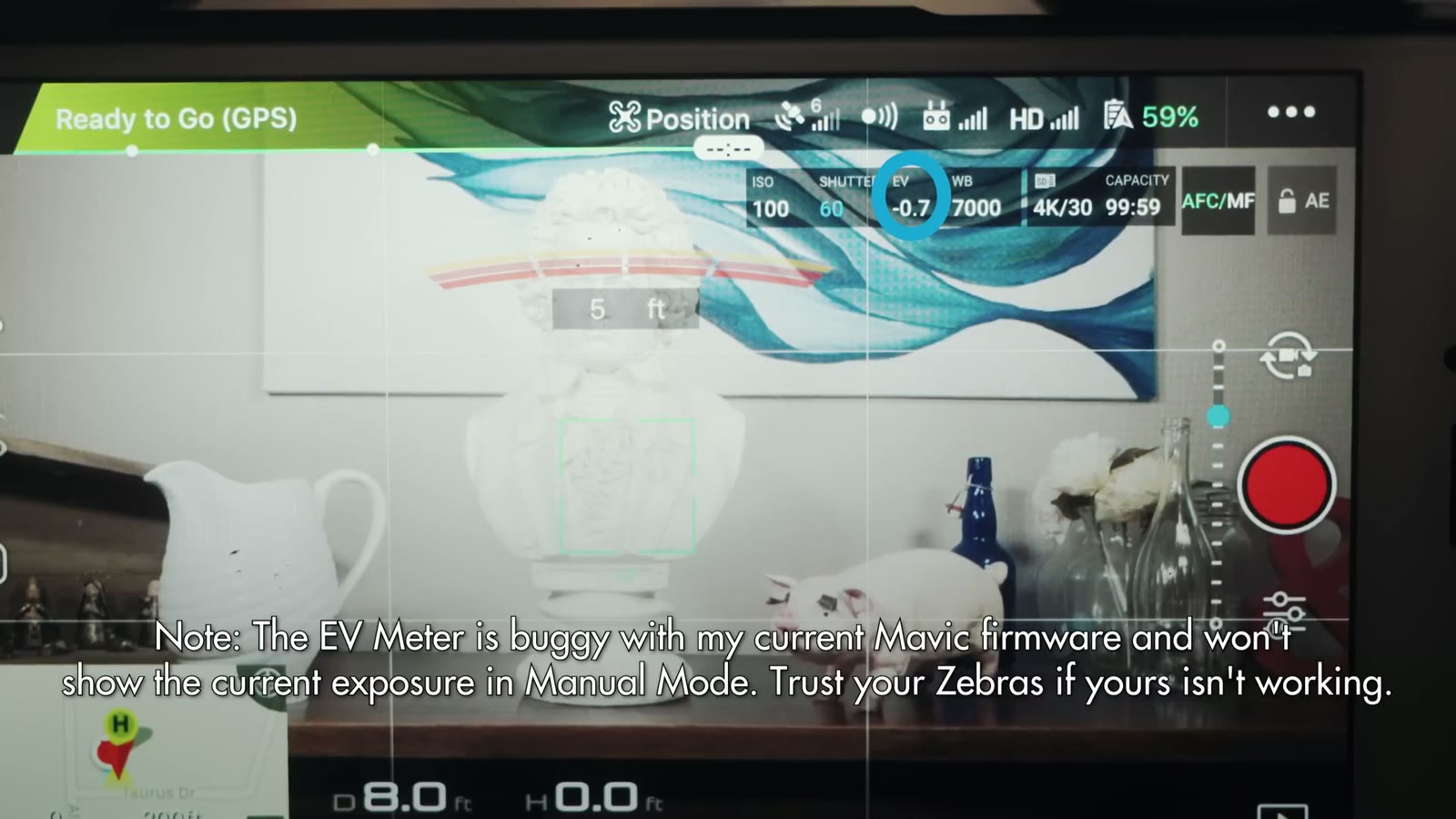
A DJI Go flight screen showing ISO 100, shutter 60, EV minus 0.7, white balance 7000 and 4K 30, with a note that the EV meter is buggy on this firmware
The EV meter is buggy on my firmware and will not show current exposure in Manual. Trust your zebras if yours is doing this too.

Quick warning while we’re in the app: on my firmware the EV meter is buggy and doesn’t show the current exposure in Manual mode at all. If yours isn’t working either, trust your zebras instead.

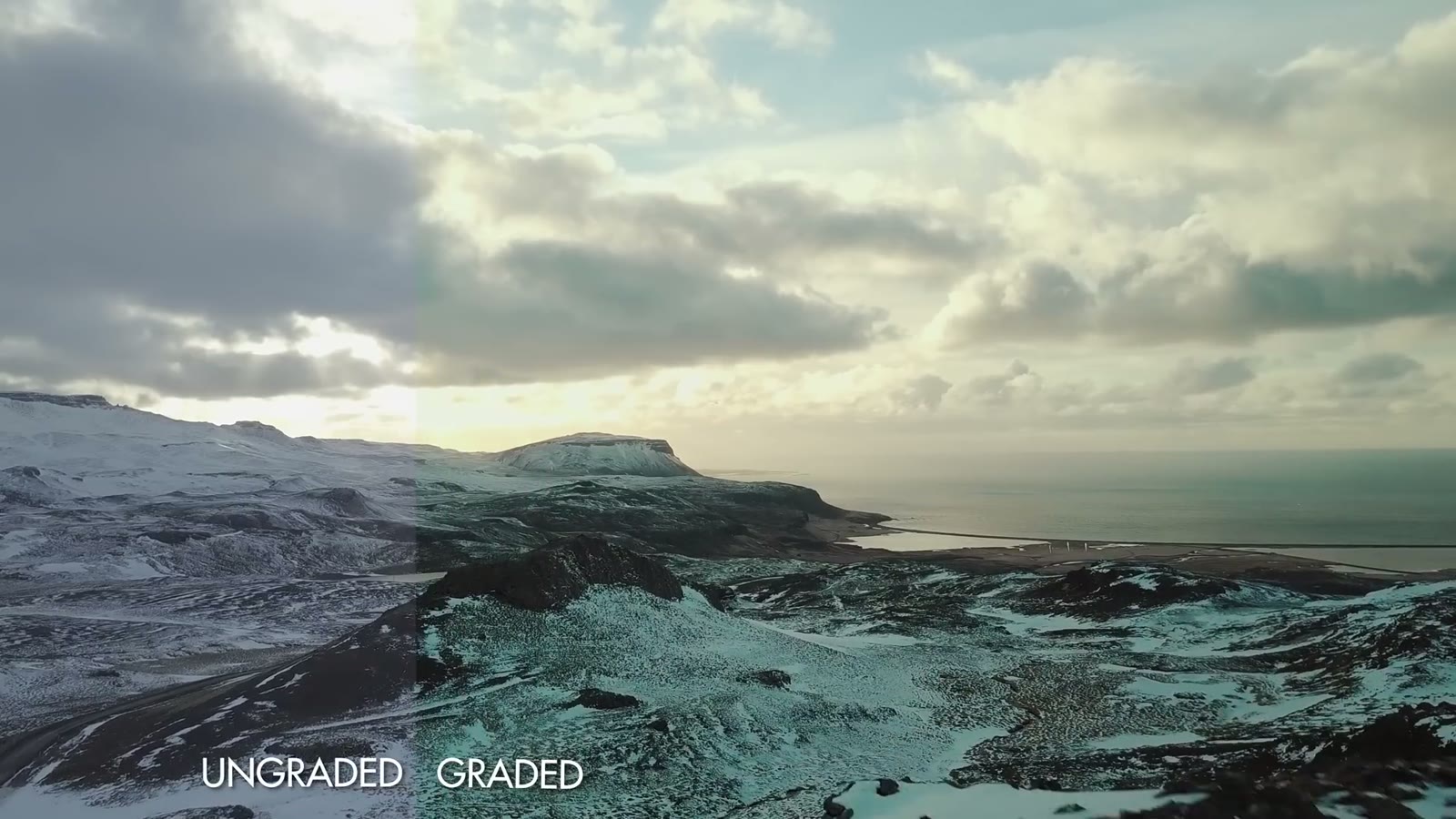
A split aerial shot of a coastline under cloud, labelled UNGRADED on the left and GRADED on the right
D-Log ungraded on the left, graded on the right. That is the range you are buying.

Sharpness, And The Noise Reduction Trap

In most shooting situations I keep sharpness at 0. I never take it to -1, -2, or -3, because that starts making all the colors run together and you get the watercolor effect people complain about. At 0 I don’t deal with that at all.

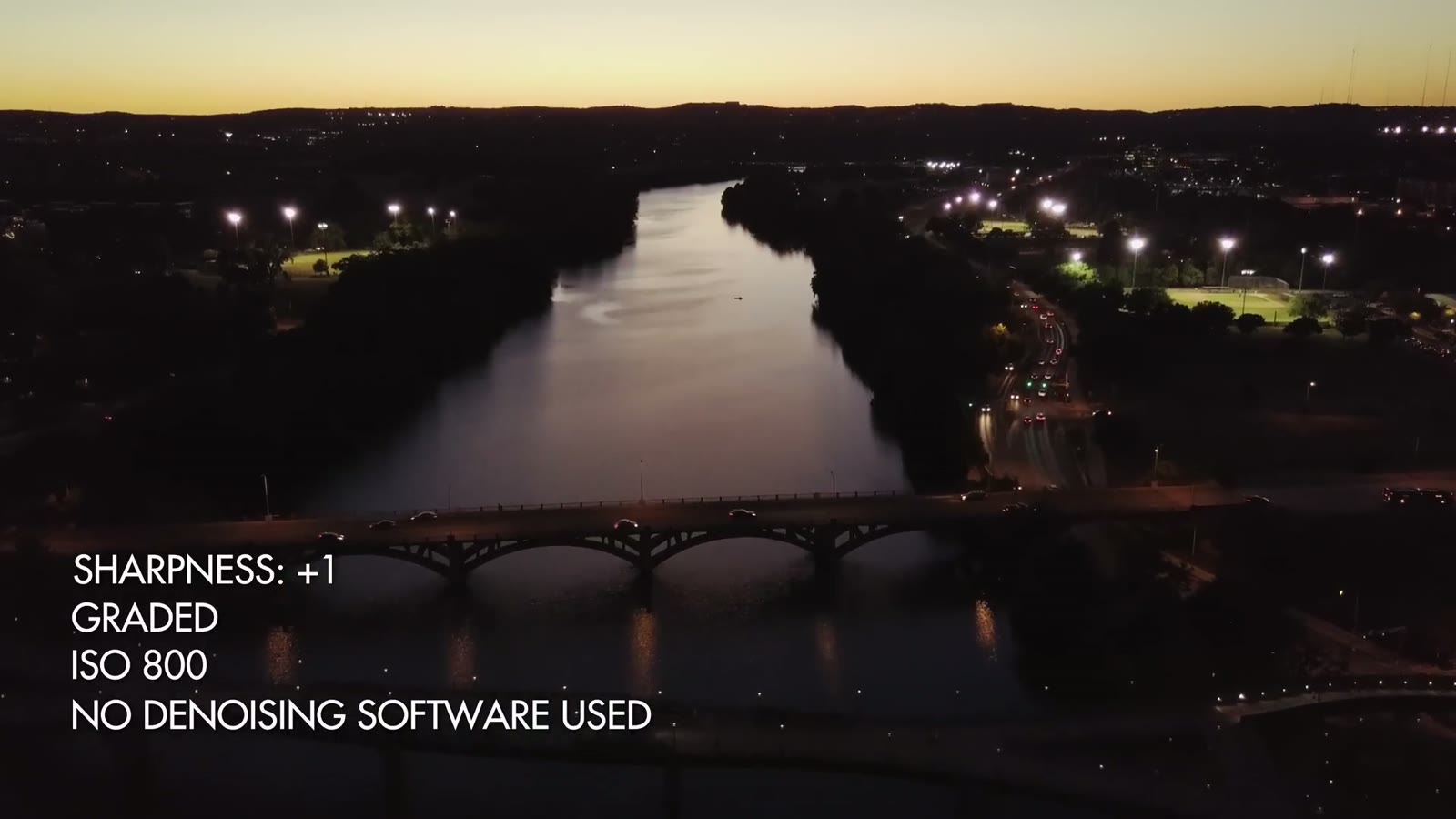
A dusk aerial of a river and lit bridges through a city, labelled Sharpness plus 1, graded, ISO 800, no denoising software used
Sharpness at plus 1 and ISO 800, with no noise reduction applied. This is why I do not go negative on sharpness.

The one time I go to +1 is a very high dynamic range scene, say flying toward a bright sunset with shadowy trees underneath. Here’s the reason, and it is not obvious: DJI built in a noise reduction algorithm that is active from -3 all the way up through 0 on the sharpness scale. In a high dynamic range scene that algorithm makes some things look sharp while muddying everything else, and you end up with a weird image that just doesn’t look right. Setting sharpness to +1 turns the algorithm off.

I only know that thanks to another filmmaker also named Matt, who runs The Film Poets. He made a great video demonstrating it with exactly that sunset and trees scenario, and I’d highly recommend watching it.

Contrast And Saturation At -1

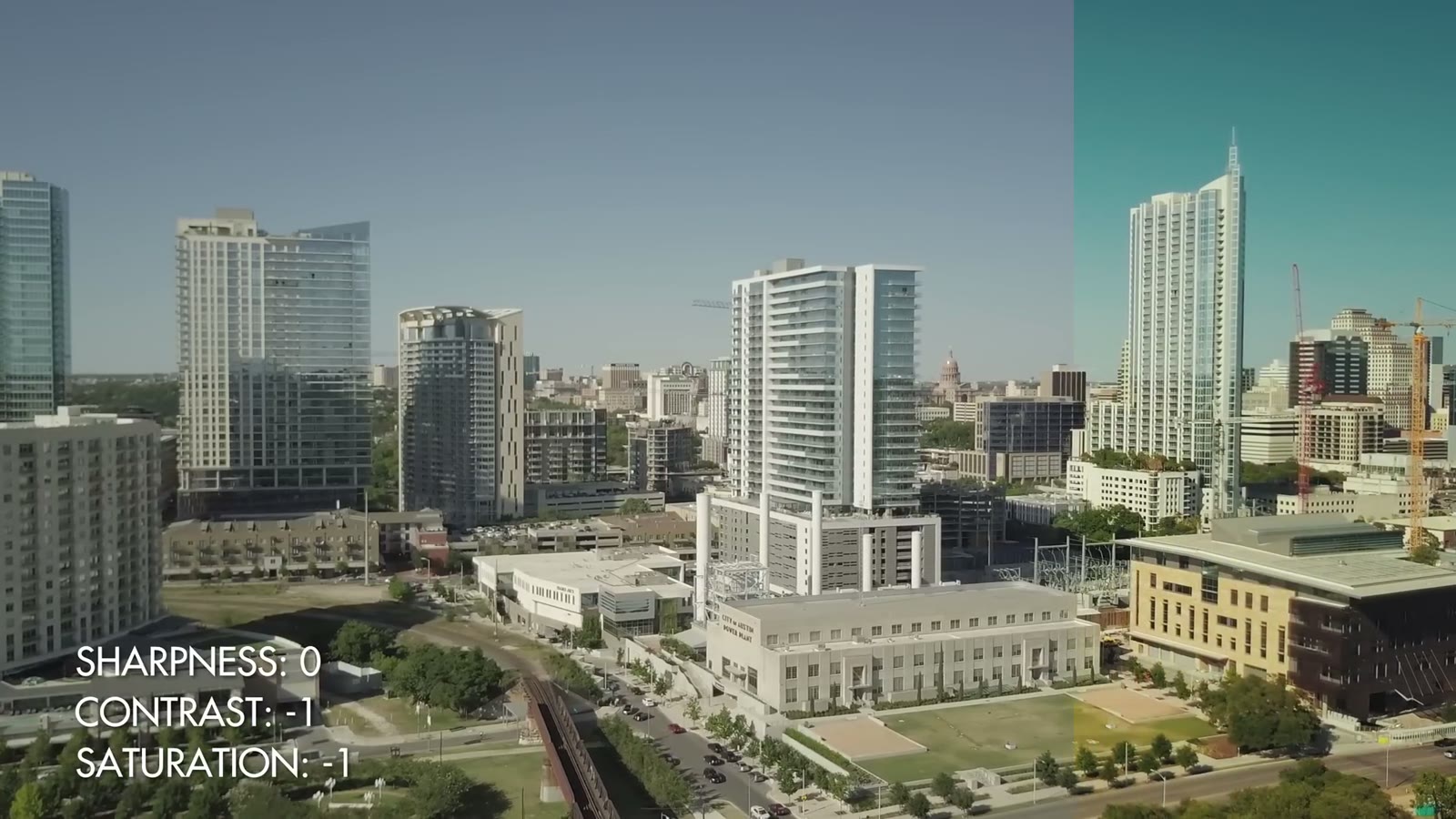
A daylight aerial of a city skyline, labelled Sharpness 0, Contrast minus 1, Saturation minus 1
Sharpness 0, contrast minus 1, saturation minus 1. Flat enough to grade, not so flat that it falls apart.

You’re probably wondering why I don’t push these to -2 or -3 and go as flat as possible. The answer is that D-Log is already really pretty flat and it doesn’t need to be flatter. At -1 I still have plenty of range to grade the image however I want, without giving up so much contrast that I’m fighting to build it back.

MP4, 4K, And Why Not 1080p

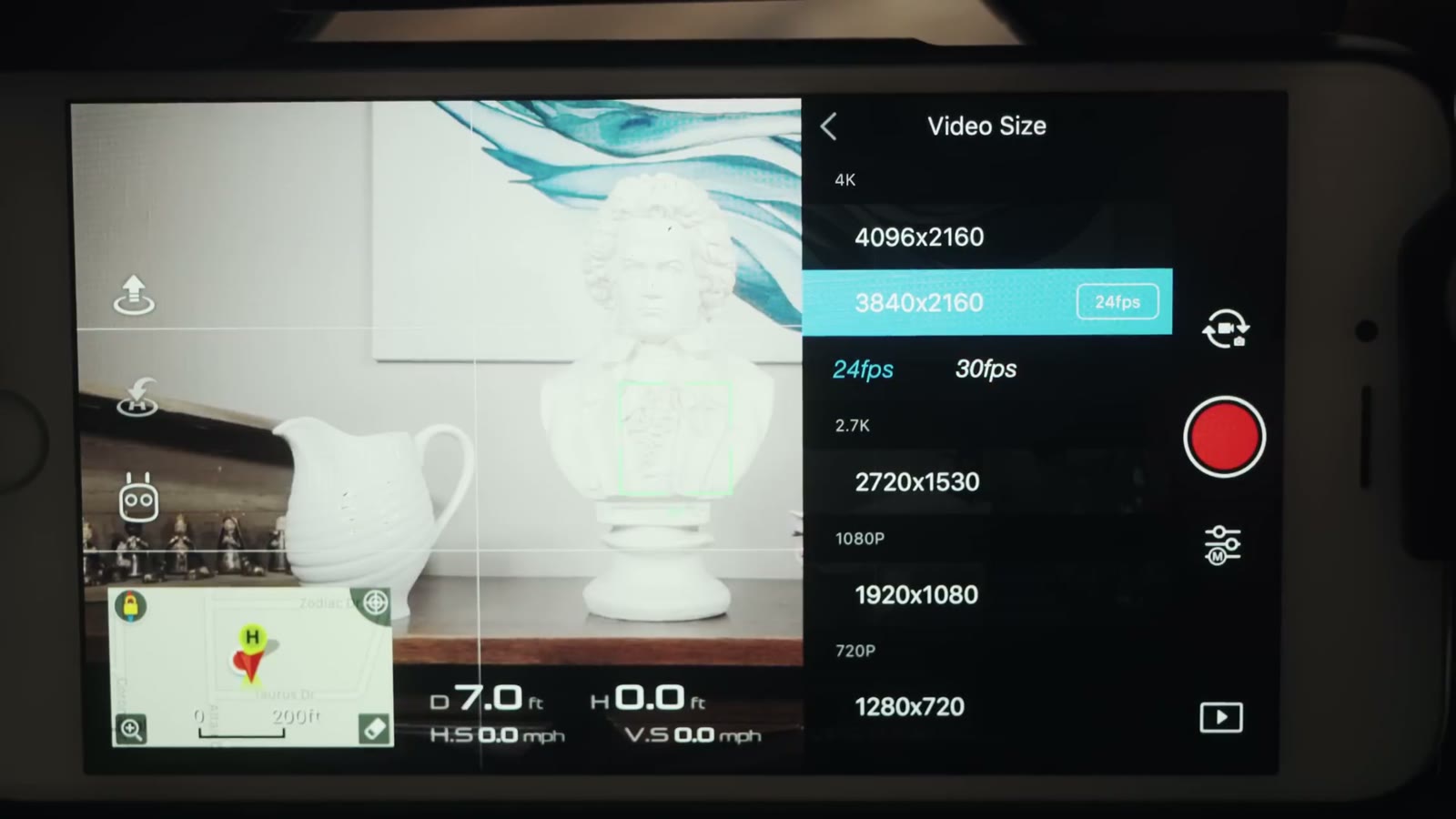
The DJI Go Video Size menu with 3840x2160 selected at 24fps, and 4096x2160, 2720x1530, 1920x1080 and 1280x720 listed
3840 by 2160. Do not shoot this drone in 1080p, at any frame rate.

I shoot MP4 rather than MOV, mostly because I read a few forum posts with horror stories about MOV files and figured MP4 works fine for me. I see no quality difference between them.

I shoot 4K because I shoot 4K with everything and I’m uploading in 4K. You’ve probably seen the forum posts arguing 2.7K is better. Through all my own testing and all the videos I’ve watched about it, I do not see a real quality difference between 2.7K and 4K, so I stay in 4K to maximize what I’ve got. If you’re delivering in 1080p, 2.7K might genuinely suit you better. Test it yourself.

What I will say without hedging: do not record with this drone in 1080p. Not 1080/24, not 1080/60. The bit rate isn’t high enough and the image falls apart fast, watercolor effect everywhere. This drone is not built for 60fps. If you need that, buy a Phantom 4 Pro. Keep the Mavic at 2.7K or 4K.

30fps Conformed To 24

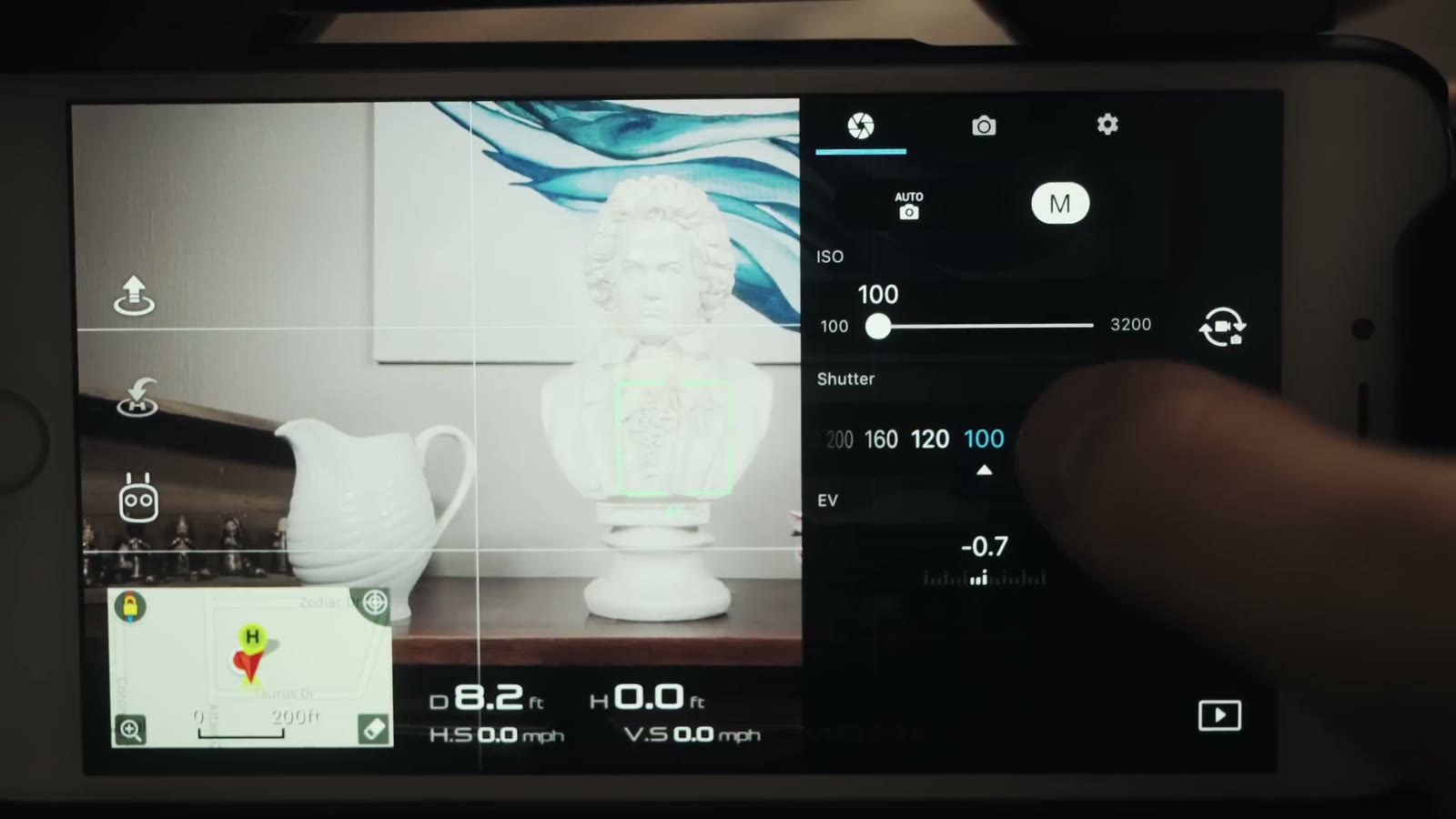
The DJI Go manual exposure panel showing ISO 100 and a shutter row with 200, 160, 120 and 100, and EV at minus 0.7
Manual mode, ISO pinned at 100, shutter set by hand.

You’re thinking that’s weird, shouldn’t cinematic be 24, that’s what the movies are. I still export at 24. I shoot at 30, import at 30, conform in Premiere to 24, and export.

The reason is that the roughly 20 percent slowdown you get going from 30 to 24 smooths out any little gimbal shakes and general weirdness. Everything still reads as real time, you genuinely can’t tell it’s slowed, but the motion is a little cleaner. That’s the whole trick.

1/60th Shutter And ND Filters

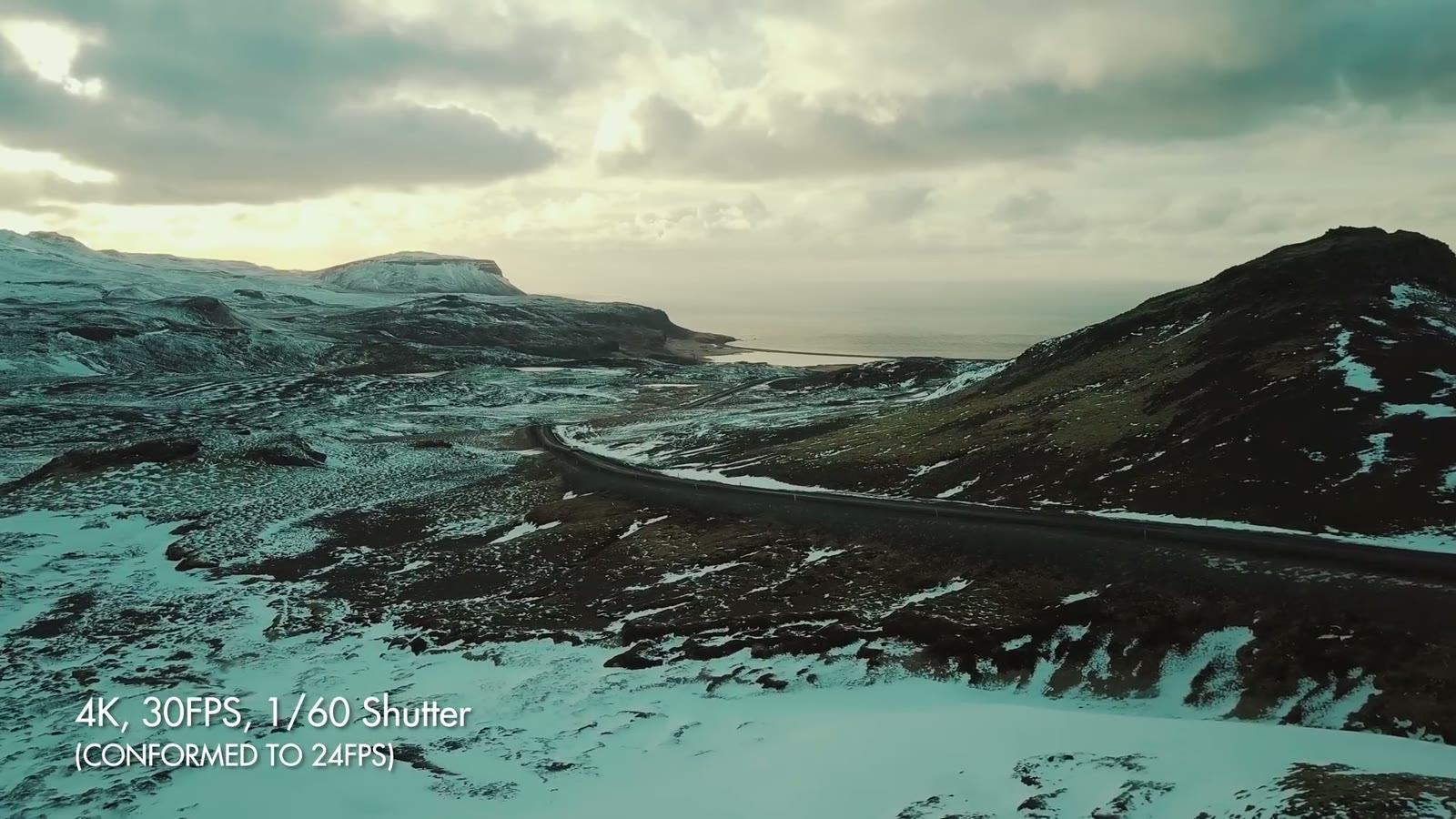
An aerial of a mountain road along a coastline, labelled 4K 30FPS 1/60 shutter, conformed to 24fps
Shot at 30 and conformed to 24. The roughly 20 percent slowdown irons out the small gimbal shakes.

1/60th is double my 30fps frame rate, which is the shutter rule, and I can hold it in bright sun because of the PolarPro Cinema Series ND filters with polarizers. That’s the second time I’ve mentioned them and it won’t be the last, because on a drone with a fixed aperture, NDs are your only exposure control.

The reason I care about 1/60th is motion blur. Shoot at 1/1000th and you get a jagged, sharp looking image where you can practically see every individual frame. At a lower shutter it just looks right to the human eye.

Speaking of which, A Wedding Filmmaker’s Review of the DJI Mavic 2 Pro: Time to Upgrade? is worth a look too.

Zebras And The EV Meter

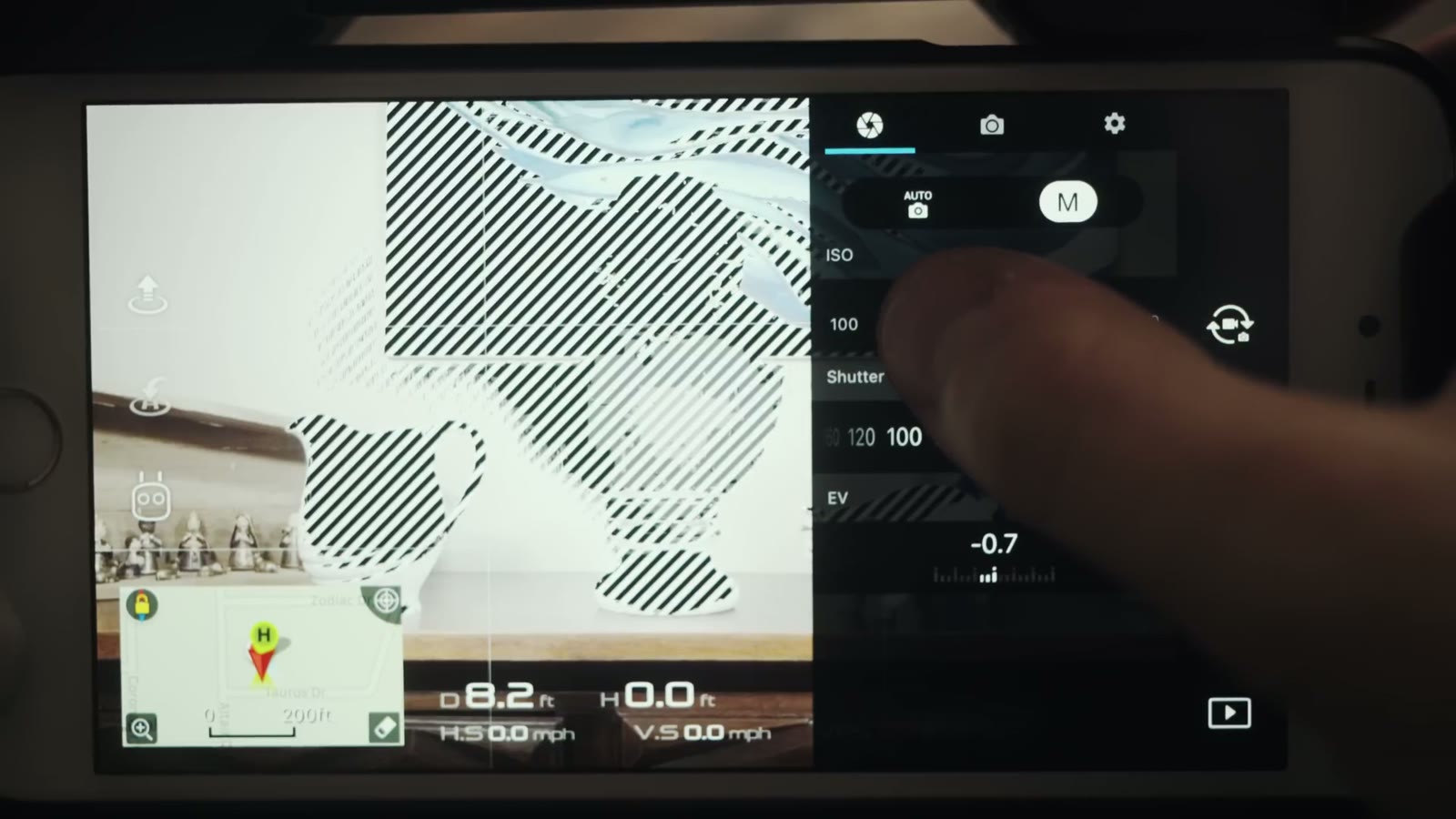
The DJI Go screen with zebra stripes covering the blown out highlights of the frame, beside the manual exposure controls
Zebras. When the EV meter will not tell you the truth, these will.

Turn the overexposure warning on. It puts zebra stripes over anything blown out, so at a glance I know where I stand. Sometimes I want that, filming straight into the sun for example. Filming ground and landscape, I definitely don’t.

Alongside the zebras I watch the EV meter, and I want it at 0.0, maybe +0.3 or +0.7. The reason is that log formats are hungry for light. They want a bright image that you then grade back down. What I never want to see is EV in the negatives, because once you introduce darkness into a log image, pulling those levels back up is so much harder and so much uglier.

So in practice: expose almost to the point where zebras appear, then back off just below that. That’s your level. And since the Mavic has a fixed aperture, the way you get there is with ND filters, not by opening up.

ISO 100, And What The Mavic Can’t Do

ISO 100 whenever possible. The moment you start climbing, 200, 400, 800, you’re introducing noise, because the sensor is just so gosh darn tiny. In a twilight situation, if you can keep it under 400 you’ll be okay. Past 800 it gets muddy fast, you’re reaching for denoising software, and it still won’t be as sharp as you wanted.

So let’s be straight about it: this drone does not excel in low light. If you need to shoot at night, get something with a bigger sensor, a Phantom 4 Pro or an Inspire. But for daylight shooting, I love the Mavic. It looks so great and it makes me so happy.

More

Some of the b-roll in this video doesn’t look very Texas, and that’s because I took a trip to Iceland and could not help sharing a few of the clips.

If you want the full verdict on the drone itself, here’s my Mavic Pro review, where I answer whether it’s good enough for professional and commercial work. Here’s all my favorite drone video gear, and everything here gets graded with my LUTs.

Want more help? Download my free quick tips guide to booking more wedding film clients, take a look at my wedding film editing course, or come join the Learn Wedding Filmmaking Facebook group. Everything gets cut in Adobe Premiere Pro.

This was filmed in May 2017 on the original Mavic Pro and the DJI Go app of the time, so menu names and firmware behavior have moved on, and the EV meter bug I mention was fixed in later firmware. The reasoning holds: shoot log, protect the highlights with zebras, keep ISO down, and control exposure with NDs rather than with the shutter.

I’m required to state that I’m part of affiliate programs for Amazon, B&H, Soundstripe, Artlist, Musicbed, and Adobe, and that some of the links above are affiliate links.