
Apple just fixed the worst part of using an iPhone for video, and they kind of slipped it in there like it was nothing.
This WWDC keynote was not that long by Apple standards. They have gone two and a half hours before, and this one was just over an hour. That is fine, because the focus was really two things: refinements, and AI. A whole lot of AI. It felt like Apple saying hey, all those promises we made two years ago, we are finally delivering on them, here is the new Siri AI, and honestly it is pretty impressive.
But that is not what I want to talk about. I want to talk about the refinements, because those are the ones that hit us directly as filmmakers and photographers.
Refinements That Make Video & Photo WAY Faster
Getting a little technical for a second. Apple says they have a new improved CPU scheduler for performance intensive workflows. What the heck is that, Matt? Basically they went behind the scenes and sped up the backend of the system, so all those moments that felt slower than they should have are now fixed.
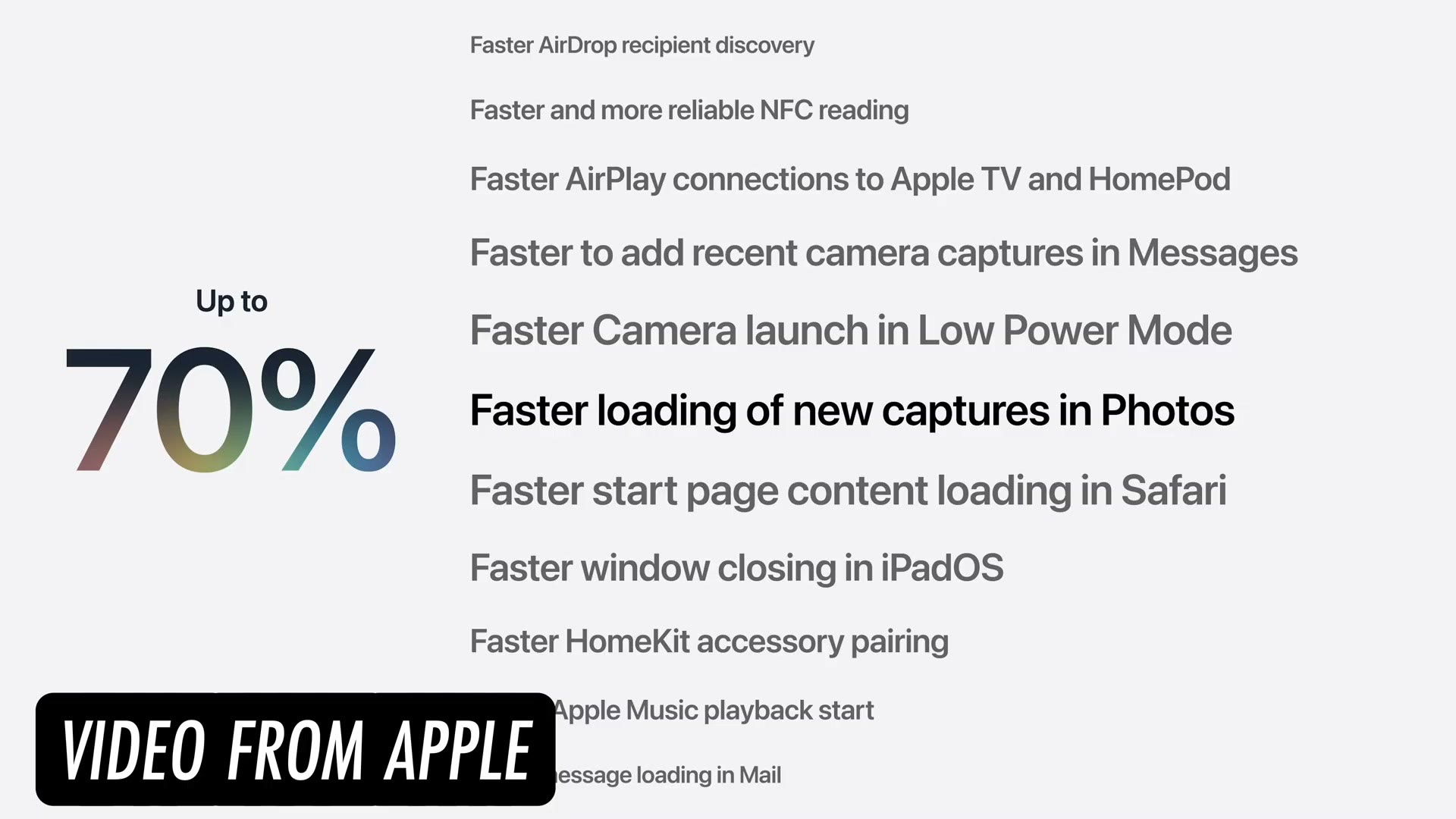
The headline number is up to 70% faster, and the list of things it applies to is long. Faster loading of new captures in Photos, faster AirDrop recipient discovery, faster Camera launch in Low Power Mode, faster start page loading in Safari, faster HomeKit accessory pairing, faster message loading in Mail, faster PDF saving, and on down the page. Take a photo and it can now appear in your library up to 70% faster. I will take that.
But here is the one that actually matters. What is the biggest annoyance for filmmakers using a phone for professional video? Recording high quality ProRes RAW and then getting those files off the phone and onto something else.
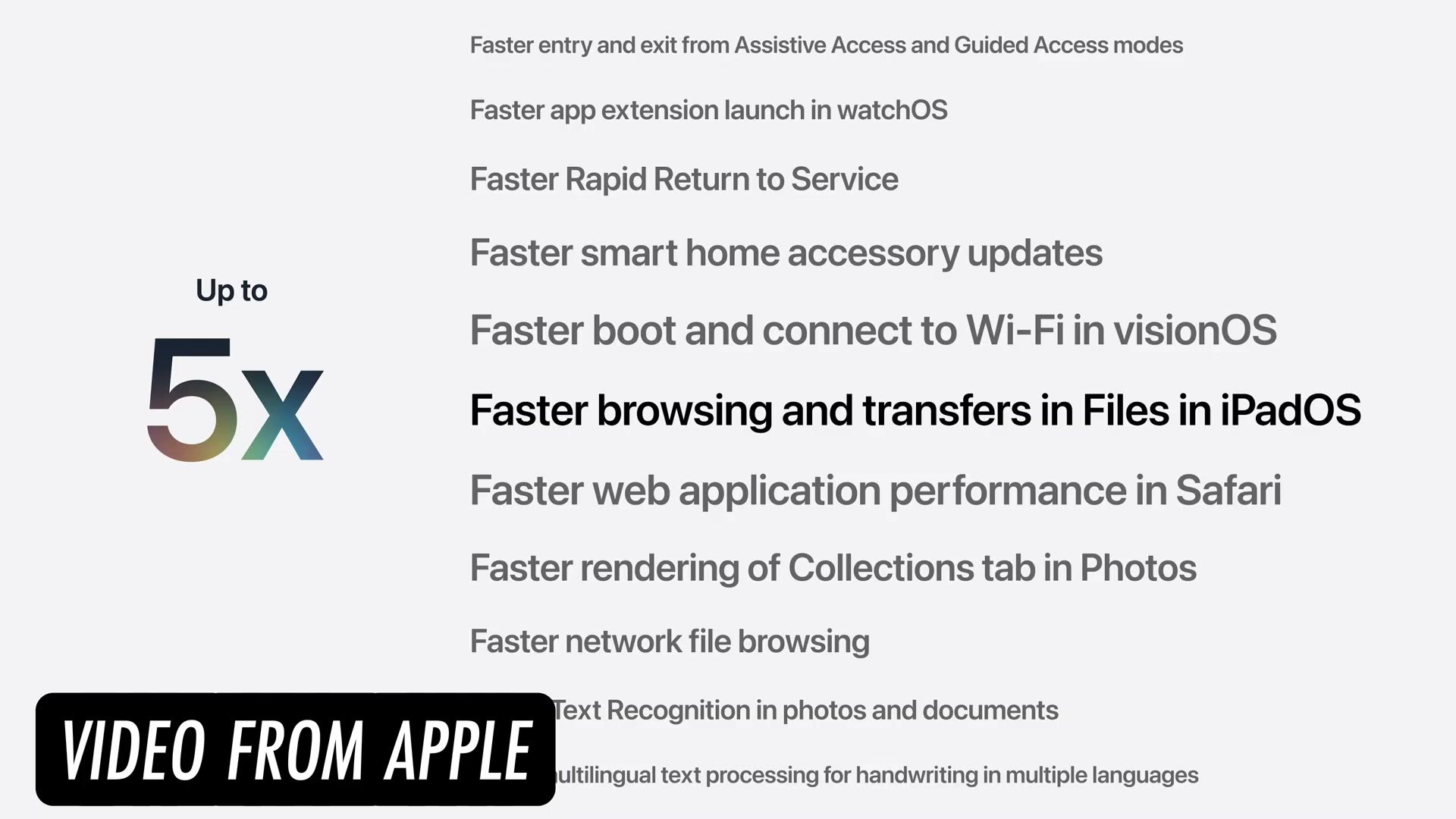
Apple says AirDrop transfers are up to 80% faster, which is amazing if you are moving one or two clips. But if you have a lot to copy, you plug in an external drive and you just sit there going come on, copy faster, please. Apple’s claim is that transfers to external drives are now up to five times faster. Read the slide carefully though, because the highlighted line says “Faster browsing and transfers in Files in iPadOS.” I am betting hard that this comes to iPhone too, but that is a bet, not a promise.
If that number holds up in the beta, it is an insane improvement, and it is the single thing that has been keeping the iPhone from being a real professional capture device for a lot of people.
WILD AI Photo Editing Updates
That is it for the speed stuff, so let’s shift to AI, because of course Apple is cramming AI into everything now like every other tech company. That said, I think they are going after some genuinely useful things here.
First up, a new and improved image cleanup using the new AI. You should be able to remove things from images much better than the current version, which to be honest kind of sucks. I try it, I go ooh, that’s bad, nevermind, don’t bother. The new one should be significantly better.
Next there is a new Extend feature, which you can think of as a content aware uncrop. Take a photo that is framed too tight, hit Extend, and generative AI fills in the rest of the image. Very similar to what you can already do in Photoshop, and it looks genuinely useful.
But the biggest one is spatial reframing. Remember that anytime you take a photo or video with your iPhone it is recording spatial data too, which is what makes those immersive Vision Pro photos work. This new spatial reframing analyzes the image, turns the people in it into what are essentially 3D models, and then lets you rotate the camera around after the fact.
There are some serious Minority Report vibes here. They are taking a 2D image and making it 3D and letting you reframe how a photo was shot after you shot it. Which does bring up the question of what a photo even is anymore, and I do not think we are ever going to know again.
But in pure usability terms? I have done this so many times, where I take a photo and then think, hmm, this would look better shifted a little to the side. Now you can just do that on your phone. That is wild. I am excited and scared at the same time, and I suspect that is the general vibe most people are going to land on.
AI Limitations
On usage limits, I was surprised how much of this is happening on device, which is great. It saves us uploading everything to data centers around the world. Some things do have to go to the cloud though, and Apple said there would be usage limits.
I was wondering whether they were going to sell credits or do something like that. No. On the free version you get a limited amount, and with an iCloud+ plan you get more access to the online models. That makes sense to me.
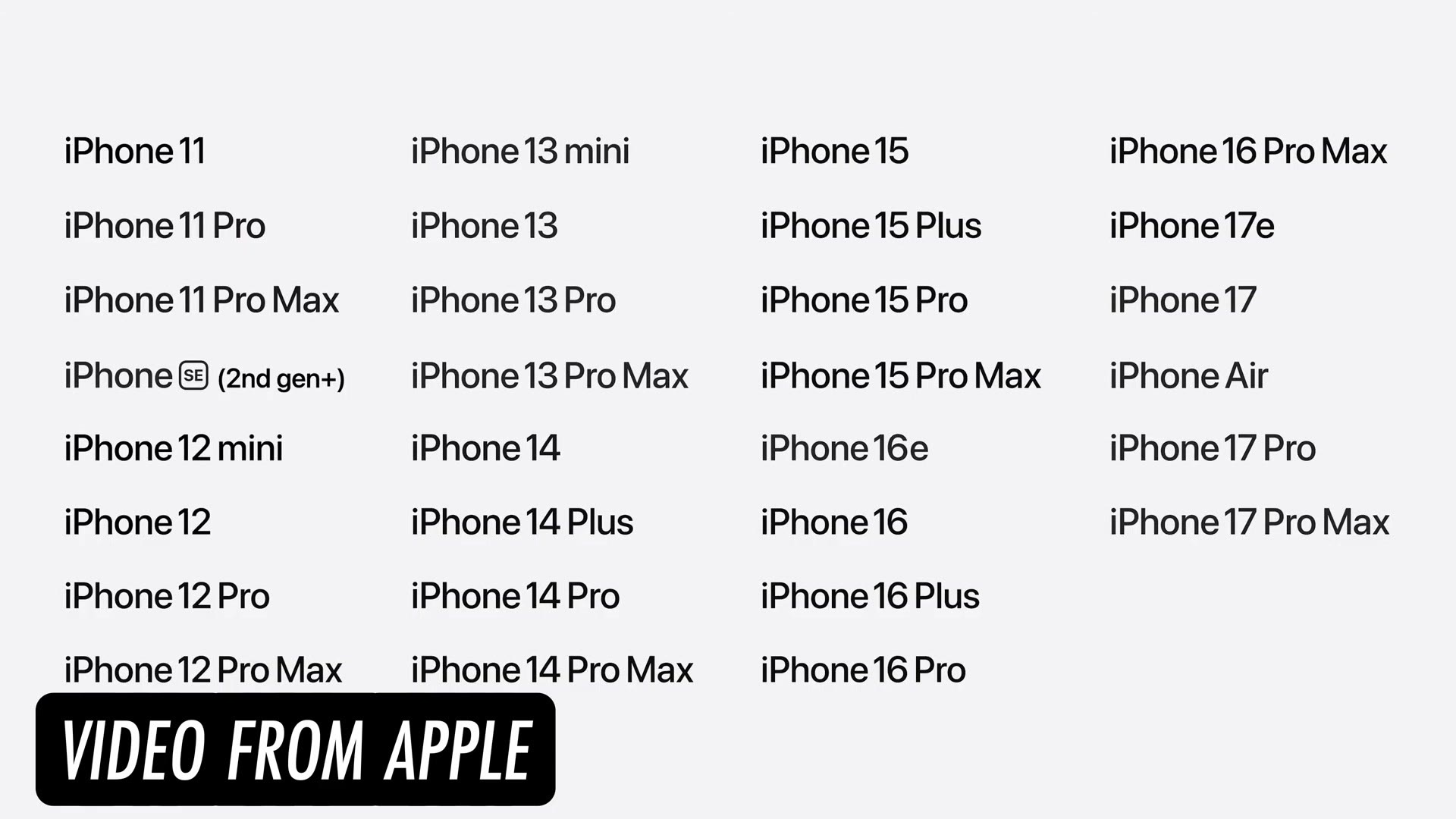
I was also pleasantly surprised at the support list. This update goes all the way back to the iPhone 11, which is impressive, and every device that supports Apple Intelligence gets the full set of features. The compatibility slide runs from the iPhone 11 and the SE 2nd gen right through the 15, 16 and 17 lines, plus the iPhone Air, the 16e and the 17e.
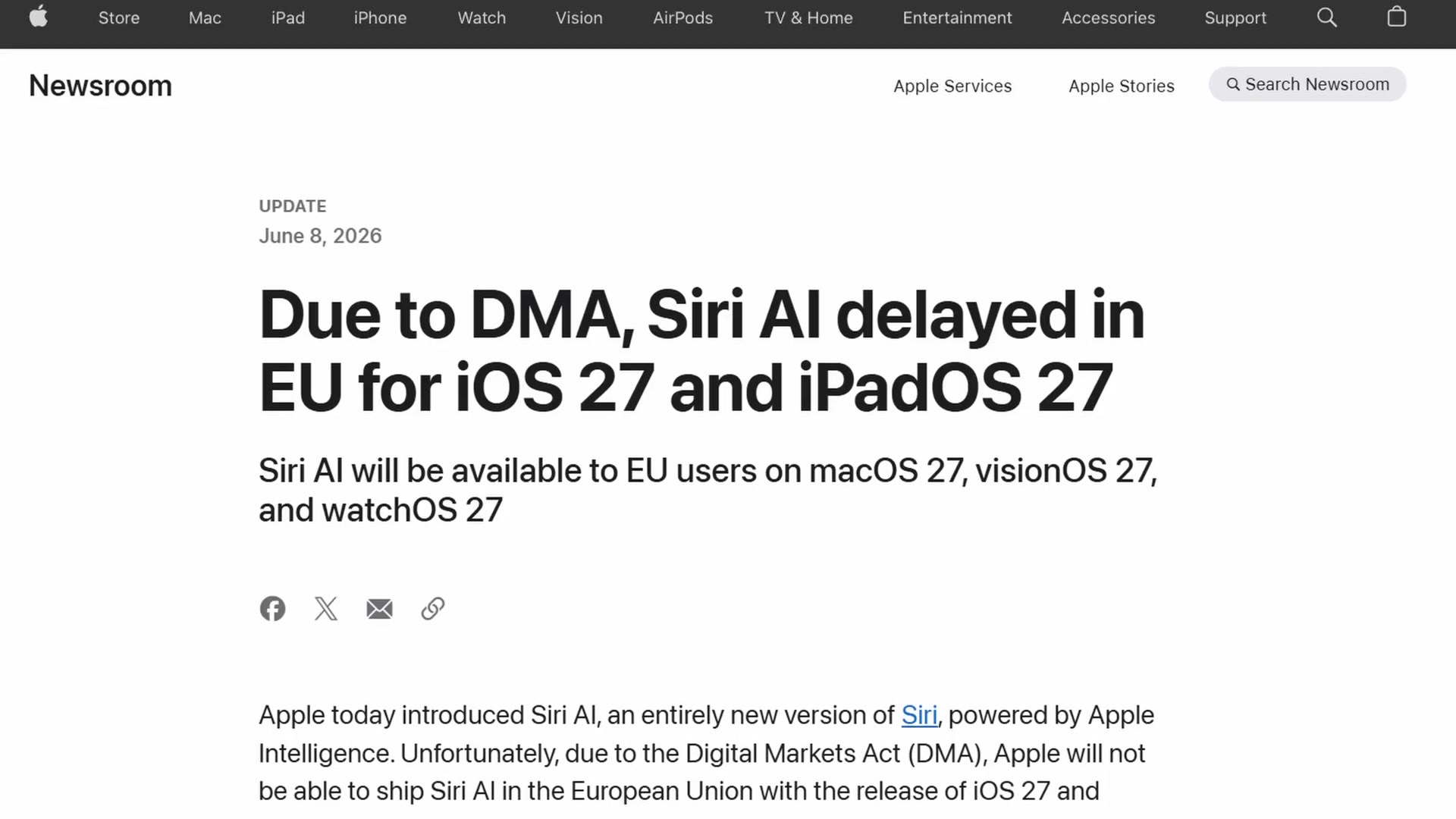
There is one con. Siri AI is not coming to Europe on iOS. Apple’s own newsroom update, dated June 8, says the Digital Markets Act means they cannot ship Siri AI in the European Union with the release of iOS 27 and iPadOS 27. EU users do get it on macOS 27, visionOS 27 and watchOS 27, which is an odd split, but there you go. Not completely surprising given how much more regulation there is over there.
Future Updates We All Want
The thing I was really hoping for and did not get was camera app updates. They pointed at all the new camera stuff, but I feel like they are going to tie the real camera changes to hardware.
One thing another creator I follow was hoping for, and I am completely with them on this, is a Log preview in Rec.709. So instead of staring at a flat Log image while you shoot, you would get a proper color preview, and maybe even the ability to load LUTs into the regular camera app. That is not coming yet. Maybe with the next iPhone. We will see.
That is everything from WWDC that stood out to me on the photo and video side. If you want help with your editing, my Edit Videos Like A Pro guide walks through the biggest rules I follow as an editor, and it is completely free to download.