
Zoom’s H4essential gives wedding filmmakers everything you need to record high quality 32-bit float audio at a wedding for a very affordable price, and because I respect your time I’m going to get my spoiler out of the way right at the top: I like this thing a lot. I’m reviewing it from the perspective of a wedding filmmaker, so if you film weddings or corporate videos or commercial videos, or anything where you need a high quality 32-bit float recorder that will not break the bank, this one is for you.
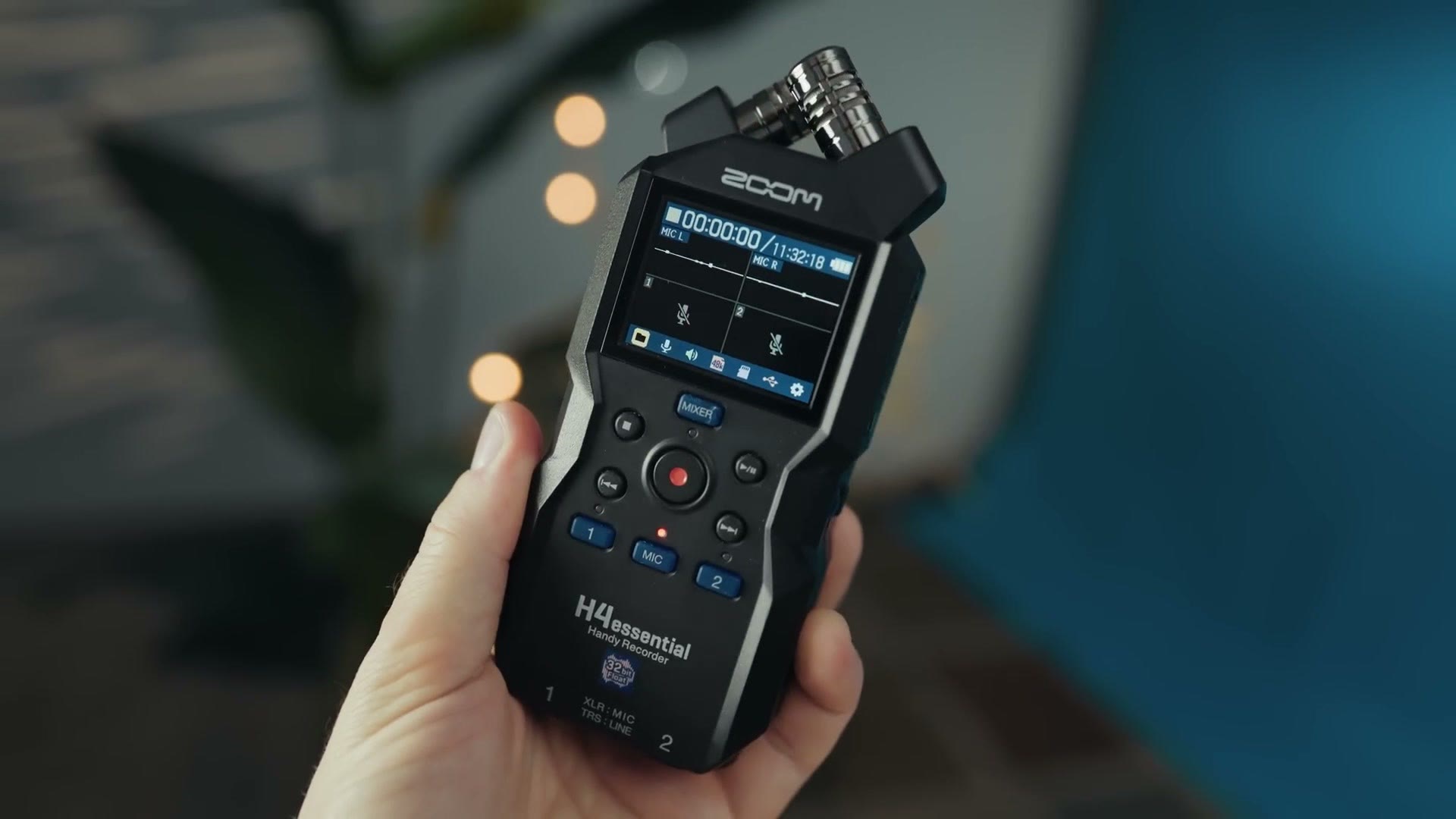
Also, for the sake of ethics, I want you to know this video is not paid or sponsored by Zoom, but they did send me this recorder so I’d be able to make this review.
The video does have a sponsor though, and it’s my friends at MediaZilla. If you’re a wedding filmmaker who wants a beautiful way to share your wedding films, the kind of delivery that makes your couples feel like they’re watching something on Netflix, you have to check them out. It’s a massive step up from handing your couples a YouTube or Vimeo link, and there’s no ads and no copyright claims to worry about. Use my link and you’ll get two months free, or 20% off the cost of any annual membership.
The Latest In A Long Line Of Recorders
Before we get into the new one, I want to show you a piece of history. This is the first audio recorder I ever purchased, a Zoom H4n, and while it has plenty of scuffs and scratches and the buttons are a little sticky at this point, it still works just as well as it did whenever I bought it way back in 2009.
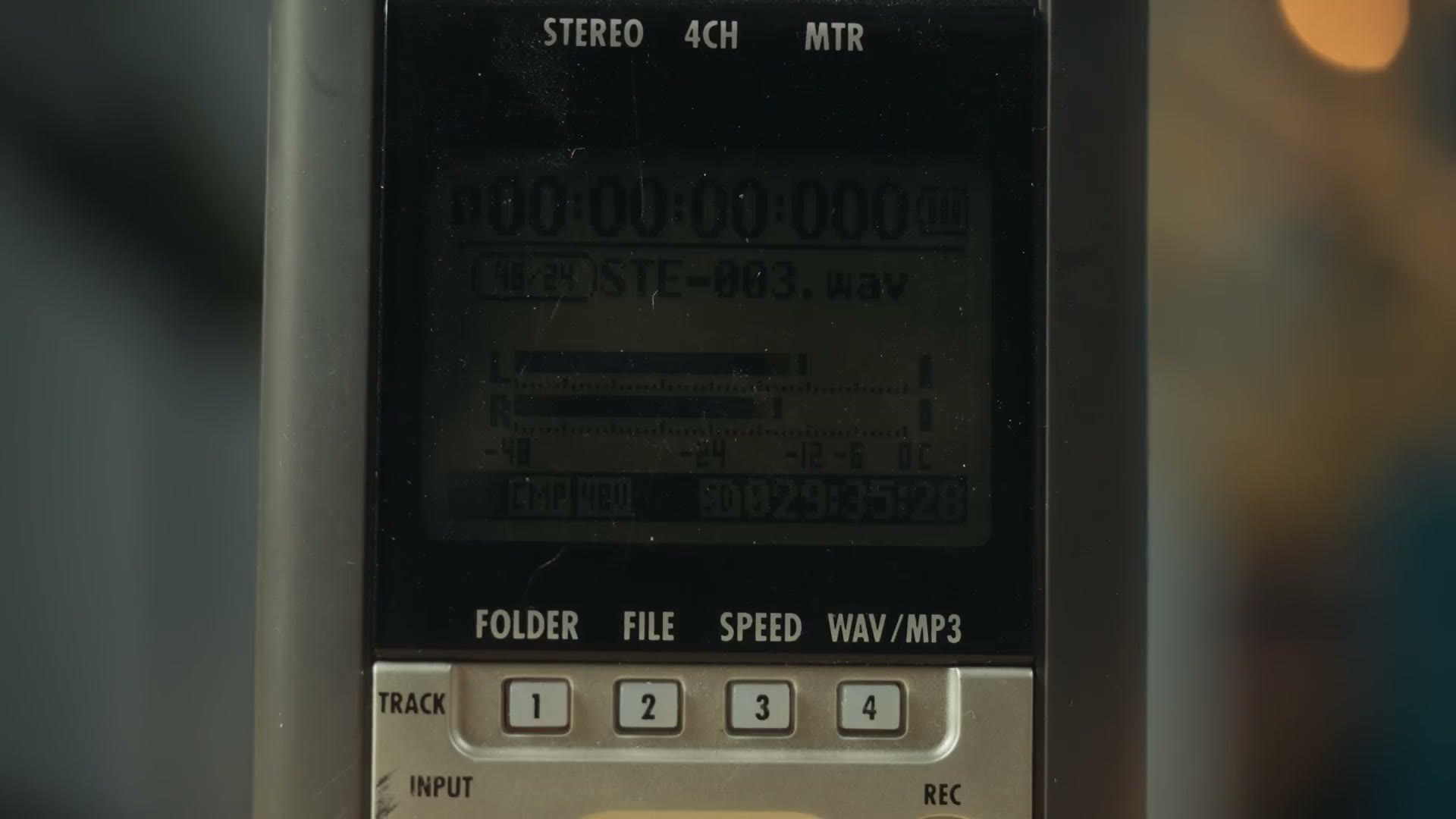
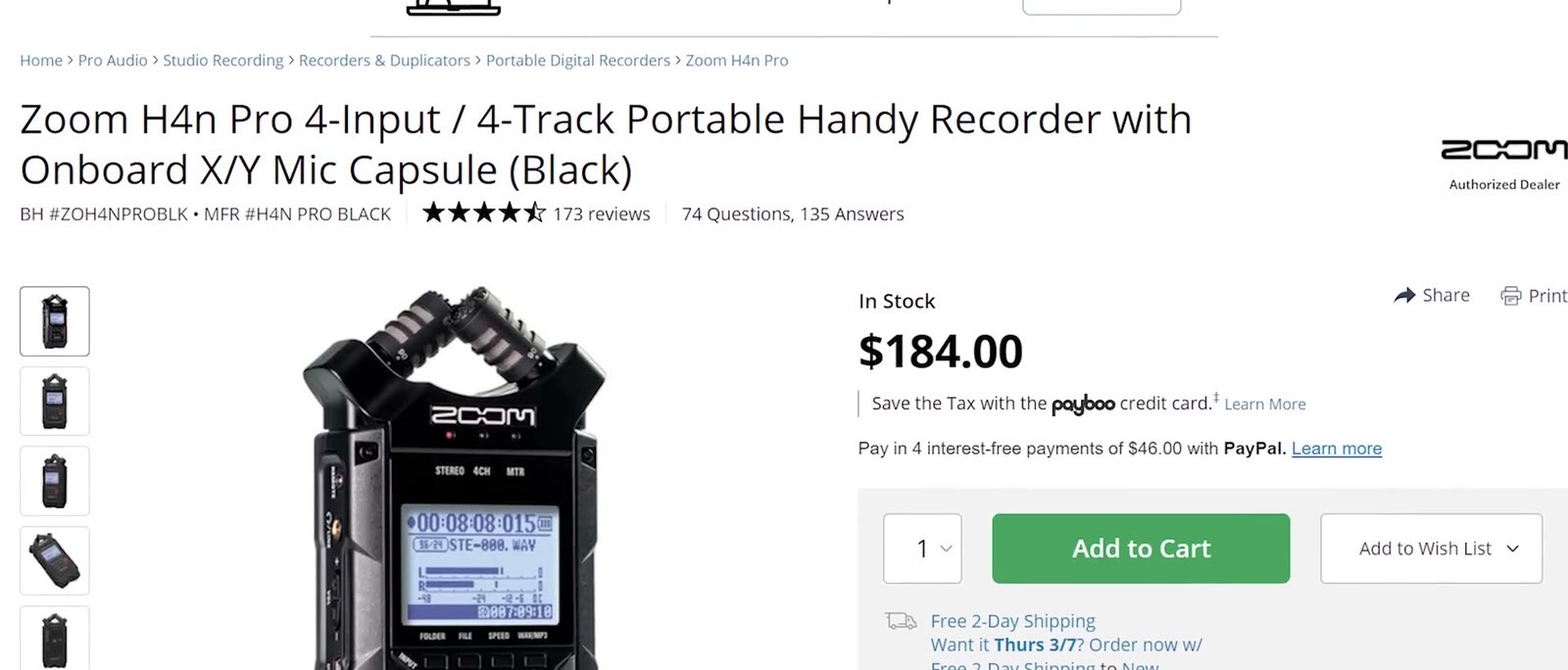
Zoom has updated that recorder over the years, the most notable being the H4n Pro that added locking input jack connectors and some other quality of life improvements. Heads up: the Zoom H4n Pro has been discontinued, so this link goes to its replacement, the Zoom H4essential. But here we are with the H4essential, which is easily the biggest upgrade this line of recorders has ever seen. It keeps all the old features but streamlines the entire setup in a way that gives you the features you actually need while also cutting costs.
32-Bit Float Changes How You Record
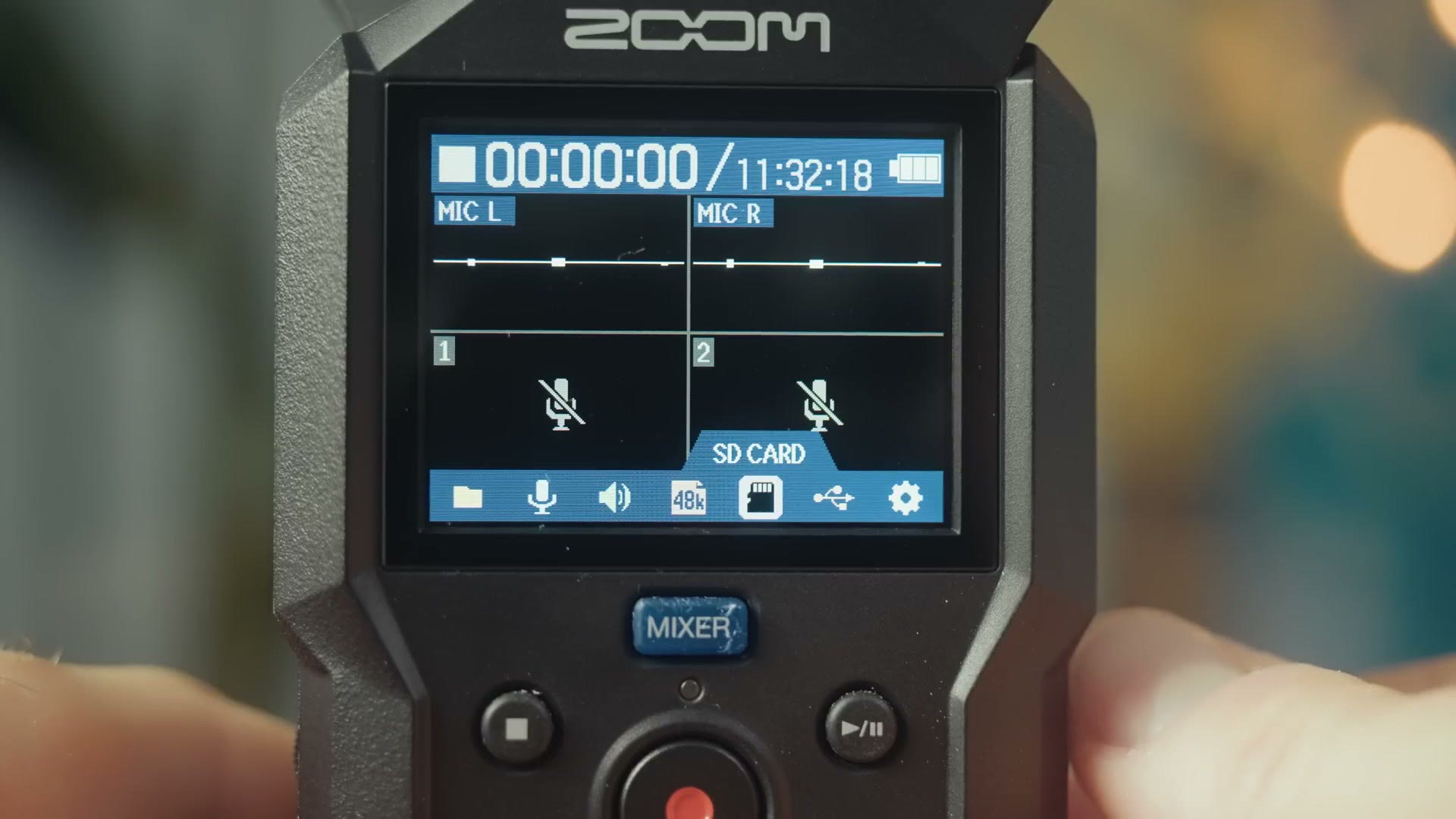
If you’ve used Zoom’s F3, the H4essential is going to feel very familiar, because Zoom has gone all in on 32-bit float recording here just like it did with the F3. What I mean by that is whenever you turn this recorder on it shows you waveforms indicating the audio is recording, and you can press the MIXER button to adjust the audio volume up and down.
But here is the critical difference between this recorder and Zoom’s previous recorders like the older H4n. With any non 32-bit float recorder, you wanted to monitor your audio meters throughout the recording to make sure they ideally hit between -20 and -12 decibels, because your goal was always to get your audio loud enough but not so loud that it would peak and be ruined. On some recorders that peaking was accompanied by a bright red light that would flash if the gain was too hot.
With the H4essential, you’ll still see the waveforms and you can still get at the mixer. But because it’s recording in 32-bit float, any adjustment you make to the gain on that mixer screen only affects the preview you’re hearing in your headphones. Those adjustments do not show up in the final audio file. So there’s no worrying about your gain being too loud or too quiet, and there’s no peaking light or warning either. You turn the recorder on, confirm the waveforms are showing up, press record, and then if things end up too loud or too quiet you fix them in your editing software.
Keep in mind the one time you may not be able to fix it is if you’re running your audio through something like a DJ soundboard and the audio is already peaking coming out of that soundboard. If you record audio that has already peaked, you’re not going to be able to magically recover it the way you would if you were recording straight from a microphone receiver.
And I know I just said there’s no peaking, but I do want you to know the recorder will warn you if the audio signal is too powerful, which is kind of like a peaking warning, and I know people might call me out about that so I’m just letting you know it has that. For 99.9% of your recordings you’re not going to need to worry about it.
Audio Quality
If you’re wondering how the audio quality is, I’m happy to tell you I used the H4essential to record the video this post is based on. So if you think that sounds good, you should be good to go.
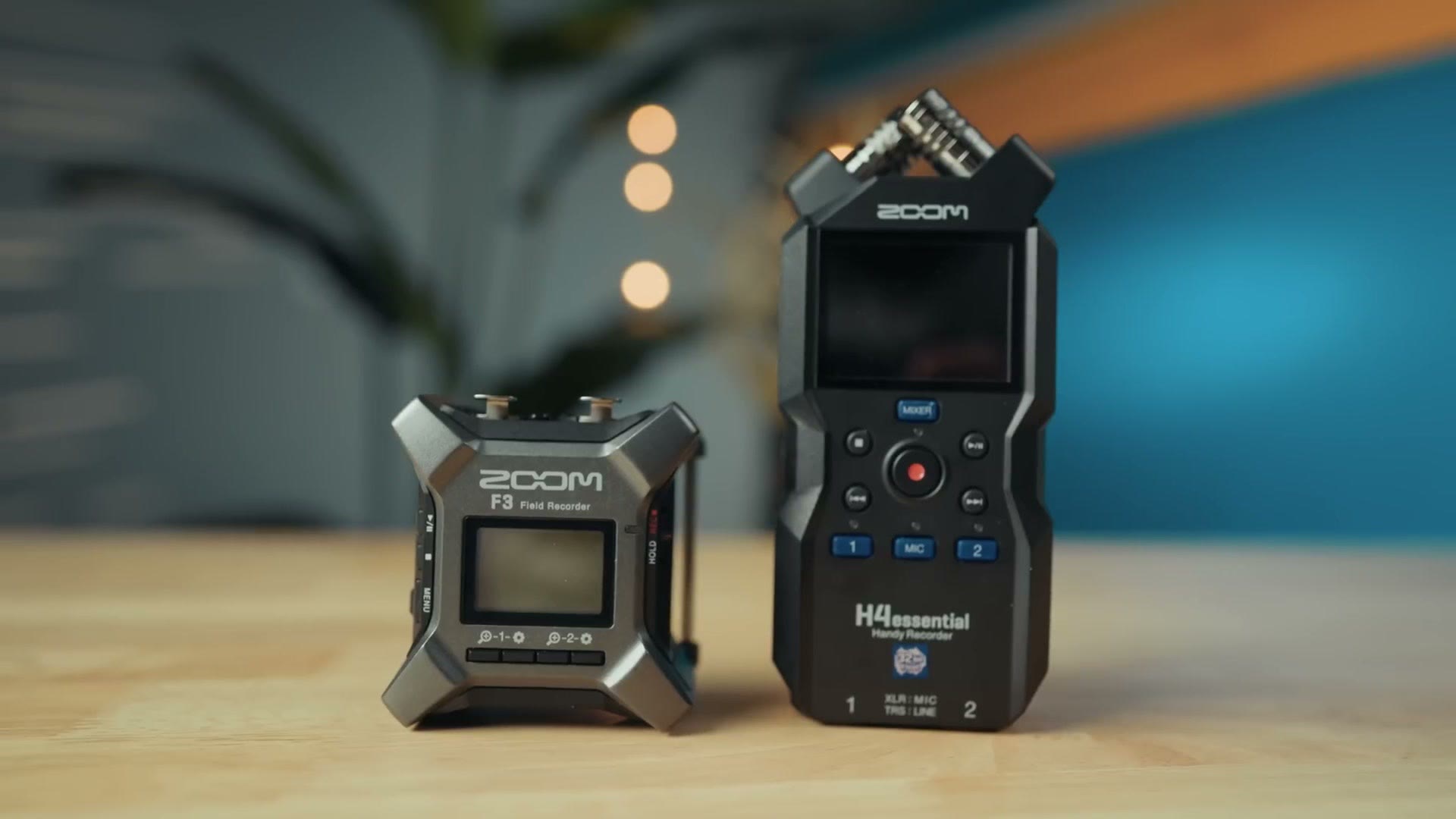
That said, after testing the H4essential side by side with recordings from the Zoom F3, it sounds to my ears like the preamps in the H4essential are a bit worse than the F3, and I found myself needing to boost the gain of the H4essential by about six decibels more to compensate for that difference. To be clear, once I did that the audio quality was great, especially for a recorder at this price point. But I want you to be aware that it might not be at the level of the F3 and you may need to work with it more in post to make it sound as good.
I’d also be aware that your audio quality is going to be heavily influenced by the quality of microphone you use, so use a good mic if you want your recordings to sound their best. And to my ears I did not hear any buzzing or humming or other distortion out of this recorder at all.
Simplified Buttons And Menu
Zoom simplified setting your gain levels, but they’ve also simplified a lot more than that. Let’s start with the buttons, which all have a soft touch feel that keeps them quiet, so you won’t hear any clicking button press sounds whenever you press them. They remind me of the start and select buttons on my Super Nintendo from way back in the day. They feel great.
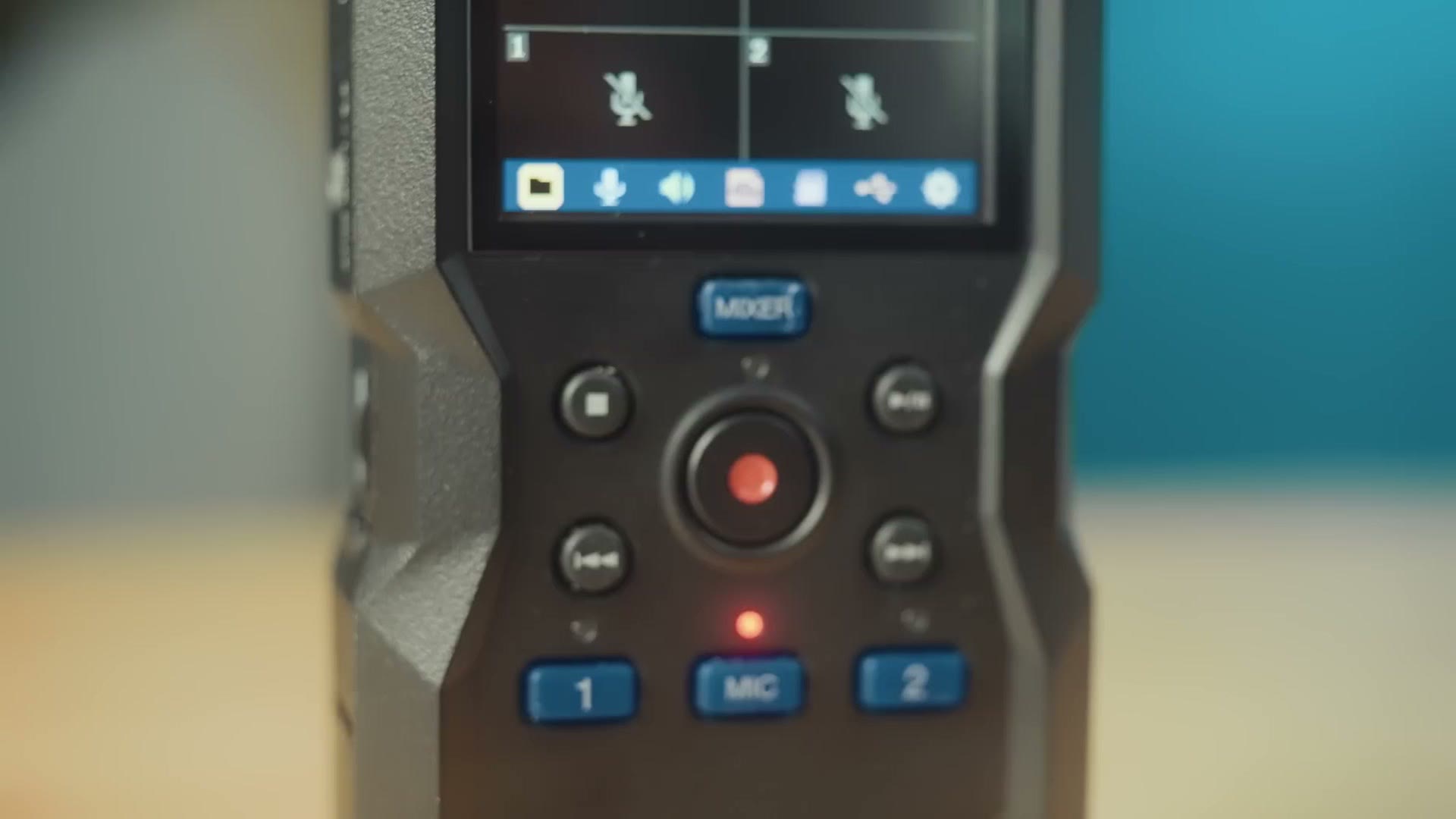
You can tell the recorder which audio input you want to use by simply pressing the 1 or 2 or MIC button, that last one being for the microphones on top of the recorder. You have a giant record button which, as the name implies, records. You have stop, play and forward and back buttons. On the left side you have line in, line out and volume control for headphones.
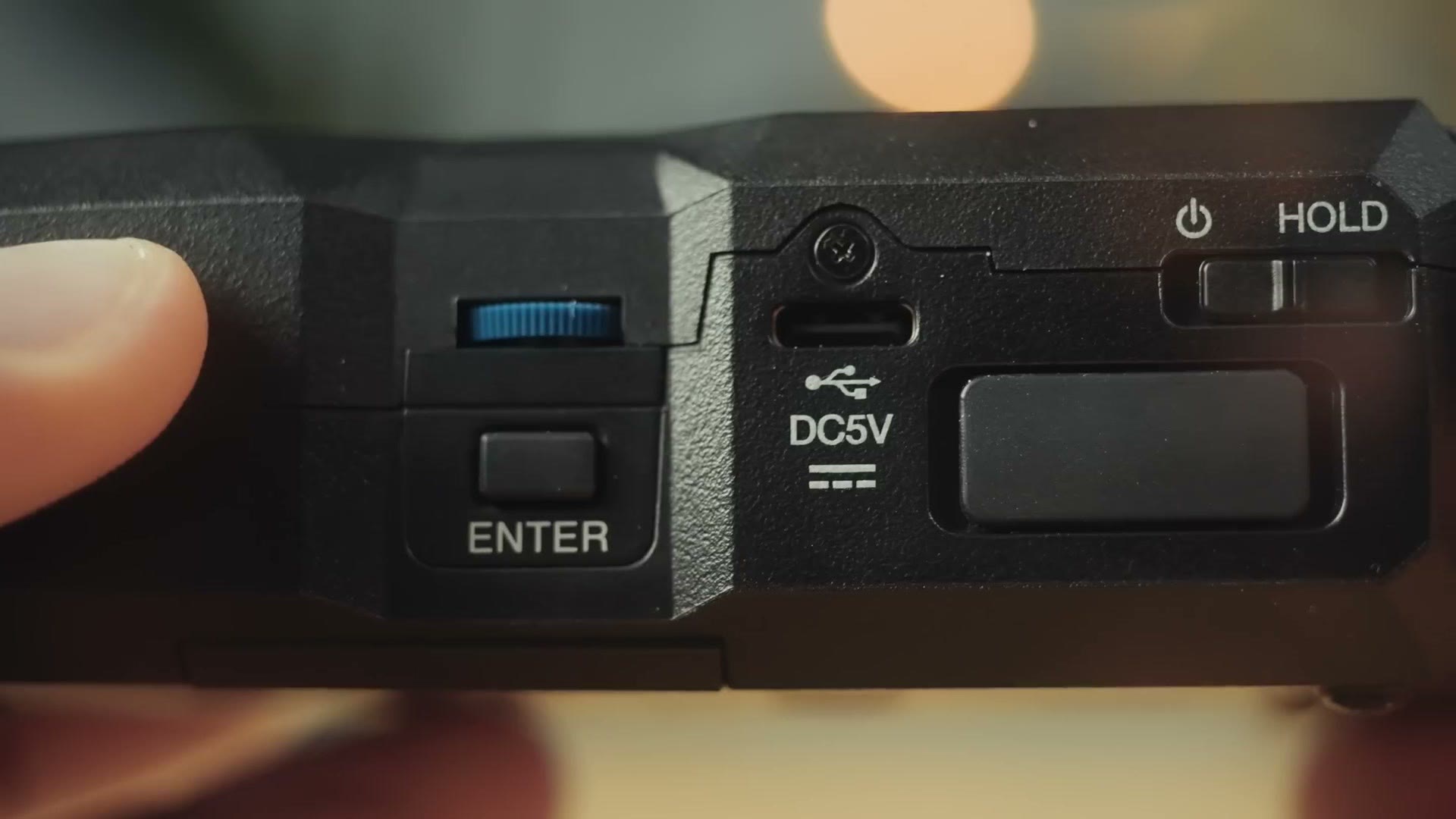
And on the right you have a scroll wheel and button to change settings, a USB-C port for charging that can also be used as a USB-C audio interface, the power and hold switch, and a slot for Zoom’s Bluetooth adapter, which will let you control the recorder remotely and use it with timecode. Which, incidentally, if you want to use this recorder with timecode, I’ve made a step by step tutorial showing you how to use timecode with any Zoom or Tascam audio recorder and I highly recommend watching it.
As you can see there aren’t a ton of buttons on this thing. What’s funny is that whenever I first used it, I went searching around for a menu button of some sort that would let me access more settings. Then I realized, wait a second, the menu is always present on the recorder and it’s accessible using the scroll wheel that very comfortably happens to be right where your thumb is already resting. So if you want to get at any of the settings, all you have to do is scroll and press the inner button.
In that menu you can look at your previous files, change the settings for the built in microphones as well as the XLR inputs, change the sample rate, and handle basic stuff like time and date and language. What’s great is that if you’re a wedding filmmaker, or anybody who finds themselves recording the same thing over and over again, you should not need to dive into those menus often at all. Setting up to record is as simple as selecting your input and pressing record. It’s very quick, and it’s a streamlined process overall that I really like.
Battery Life At A Wedding
Zoom says that using the built in mics, this recorder is capable of recording up to 9 hours on alkaline or rechargeable batteries and 19 hours on lithium. Keep in mind though that for a wedding you most likely aren’t going to be using those built in mics, and instead you’ll be plugging into a soundboard or a microphone via the XLR or quarter inch inputs.
So to test the battery life in a way that simulates using it at a wedding, I plugged in a microphone that did not require phantom power, put some fresh alkaline batteries in, and recorded until they died. In total the batteries only lasted two and a half hours that way, which is not a very long time, but also not very surprising considering the recorder needs more power to record like that than it does with the built in mics.
The main thing you need to keep in mind is that if you’re recording a long reception, I would either use lithium batteries, which would probably get you close to 5 hours of recording time, or plug the H4essential into a power source, either a wall outlet or a USB-C power brick. Any of those options should leave you with plenty of power for a whole wedding, and I always recommend plugging in for power if you can.
The Weird Audio Input Quirk
There is one interesting quirk of the H4essential we need to talk about, and that’s the XLR and quarter inch inputs on the bottom of the device. Thankfully these are both quarter inch and XLR, which gives you a ton of versatility if you’re plugging into any soundboard. But the quirk is identifiable right here by the text printed at the bottom of the recorder.
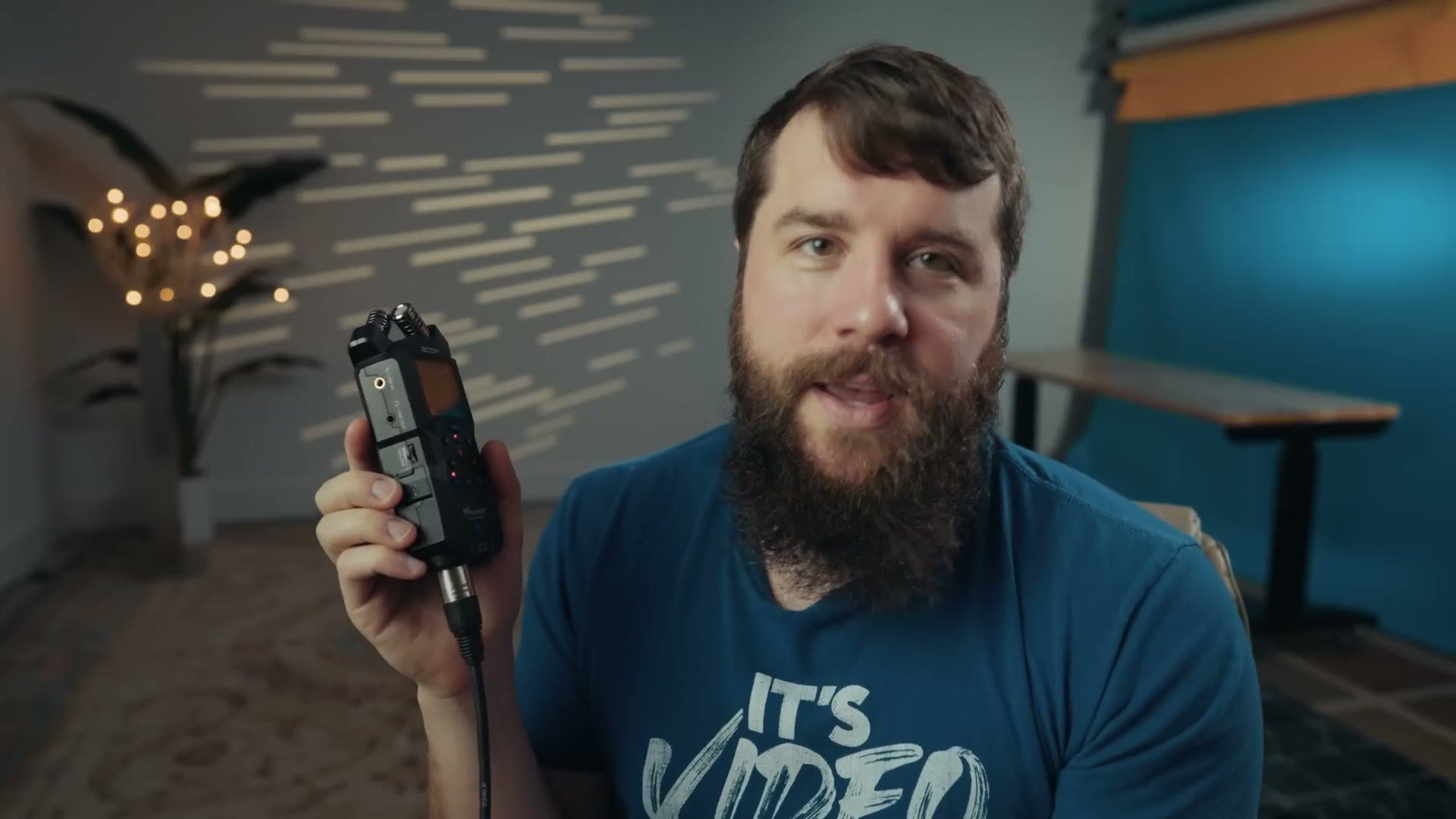
XLR : MIC. TRS : LINE. Here’s what that means. If you’re recording from a soundboard, that soundboard is usually going to be set to mic level, which in essence means it’s not pushing out a super loud audio signal to your recorder because the audio has already been processed through the board. Alternatively, if you’re plugging into the back of a speaker, that signal is usually going to be line level, which is significantly louder because the soundboard knows it needs to pump the volume up a lot to drive that speaker.
If you want to go deeper, I’ve also got CHEAPEST 32 Bit Float Audio Recorder… But Who Is It For?! – Zoom H1Essential Review, SMALLEST 32 Bit Float Audio Recorder! Instamic Pro Plus C Review, and Best Settings For The Zoom F3 Audio Recorder.
The issue you can run into is that if you plug an audio recorder into a line level output, the recorder won’t be able to handle that volume and it will peak. Now, I know I just said this recorder records in 32-bit float so peaking is most likely not going to be an issue. But to prevent it from ever happening, what Zoom is essentially saying with that text is that if you’re plugging into a mic level input, use an XLR cable, and if you’re connecting to a line level input, use a quarter inch, also known as a TRS cable.
This isn’t a big deal, because I always recommend having both of those cables anyway and you can even get adapter cables that will work between the two. But what makes it weird is that most modern audio recorders I’ve used have a simple setting in the menu where you choose whether the input is mic level or line level. You do not need to use a different type of cable to change the setting.
Which takes me right back to the premise I have for the H4essential, that Zoom is going to give you the features you need while also cutting costs. That line of text at the bottom of the recorder summarizes that premise well, because I’m betting Zoom was able to save some money doing it this way instead of using a different component for both the XLR and quarter inch that could handle mic and line level.
Build Quality
Whenever you take it out of the box you’re going to see it’s essentially the same size as the H4n and the H4n Pro, so much so that it actually fits into the case that came with my H4n, which is where I’ll most likely be storing this recorder going forward because it does not come with a case of its own.
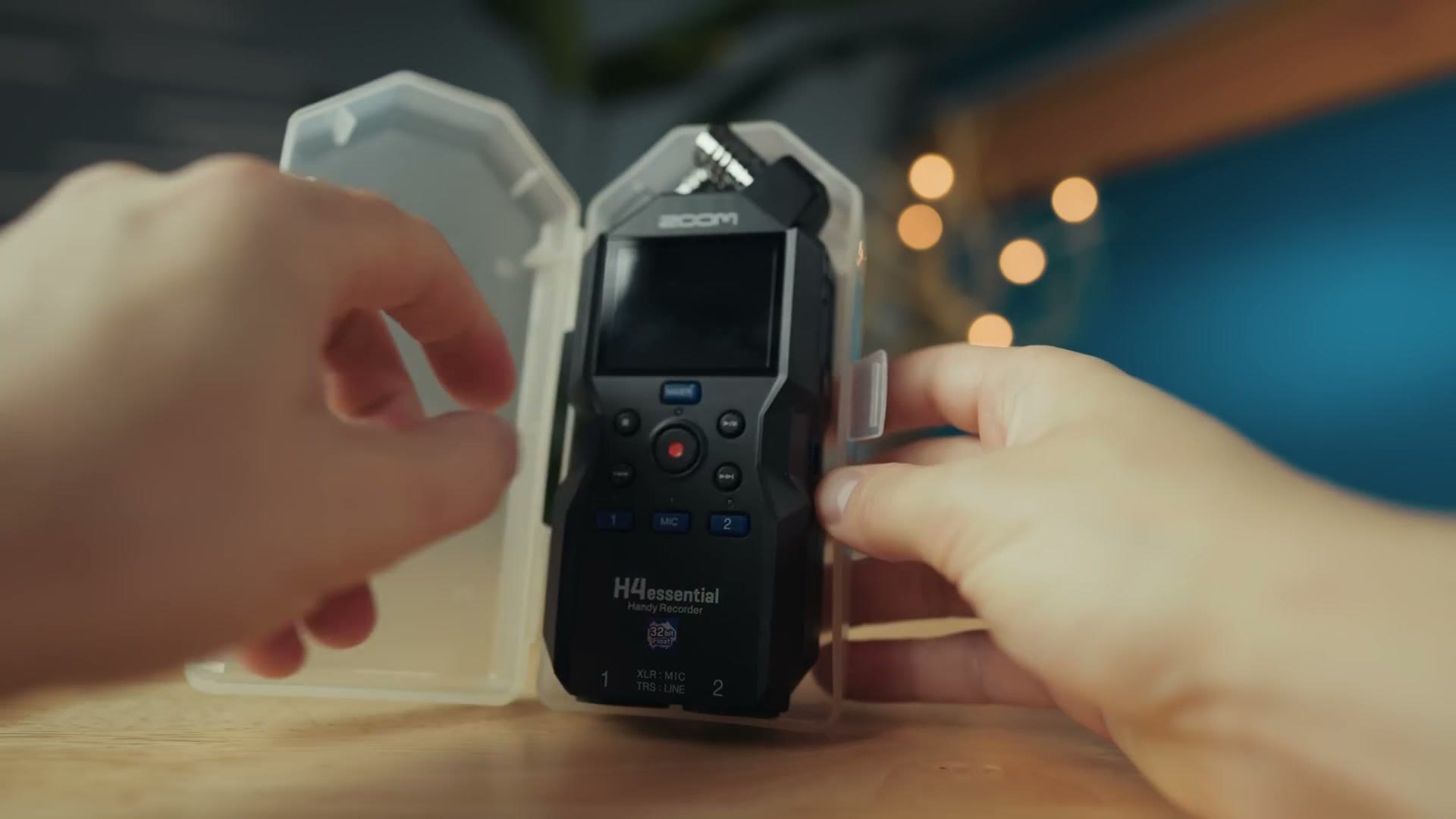
I believe that with this naming system Zoom is saying they’re giving you everything you need to record high quality audio while also trying to make the recorder as affordable as possible, which means you’re not going to get things like a case.
If I had to describe the overall build quality, this recorder feels a good bit lighter than other audio recorders I’ve used, including the older H4n, the Tascam Portacapture X6 and even Zoom’s own F3. Yes, the F3 is significantly smaller than the H4essential, but it’s also more dense and it feels more premium. So it’s clear Zoom tried to save money on the manufacturing here, and that’s especially apparent not only in the lightweight plastic construction but also in the crooked 32-bit float sticker on the front of mine. It came like this from the factory, and it’s not bothering me enough that I want to take a razor blade to it and reattach it lined up correctly. But I did clearly consider it.
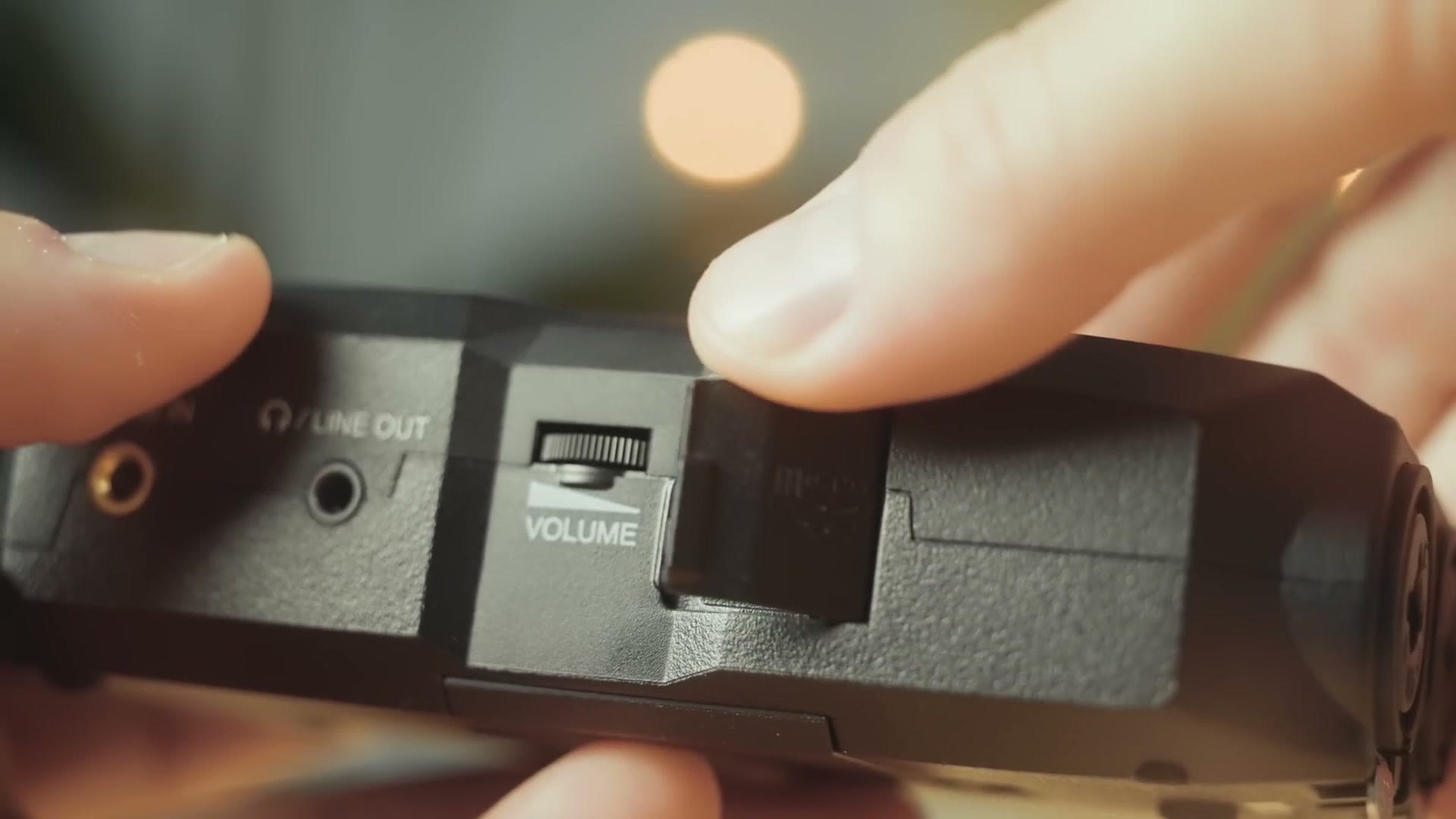
It’s almost a meme to me at this point, but whereas I thought we’d gotten away from flimsy SD card door covers with the Zoom F3, the H4essential’s SD card door feels especially flimsy, and I’m sure a lot of filmmakers are going to have this break off relatively quickly.
All that said, while this recorder does feel cheaper, I would not expect that to affect the audio quality in any way, and as long as you’re not throwing it or dropping it from a significant height you should be fine. Or to put it another way, with the Tascam Portacapture X8 I felt like I was holding a more premium device that was heavier and better put together, but it also came with a massive glass touchscreen, and if you dropped that there was a good chance it could crack. So basically what I’m saying is don’t drop the H4essential or the Portacapture X8 and you should be fine. Just don’t drop your audio, of course.
The Very Interesting Price
I’ve saved the most interesting part for last, because that is the price. For context, I bought my old trusty and reliable Zoom H4n in 2009 for $300. It was literally the first purchase I ever made from B&H. And now here we are 15 years later, and considering all that time has passed and inflation has run rampant and prices have gone up on everything, how much do you think this new recorder costs?
This is where things get mindblowing, because at the time I made this video Zoom was pricing the H4essential at $200. Yes. A hundred dollars cheaper than what I paid for one in 2009. What? Are you serious? Yes, I’m serious. It’s kind of freaking me out here. Zoom is making inflation resistant audio recorders that actually go down a third in price over the previous version. Who could have guessed?
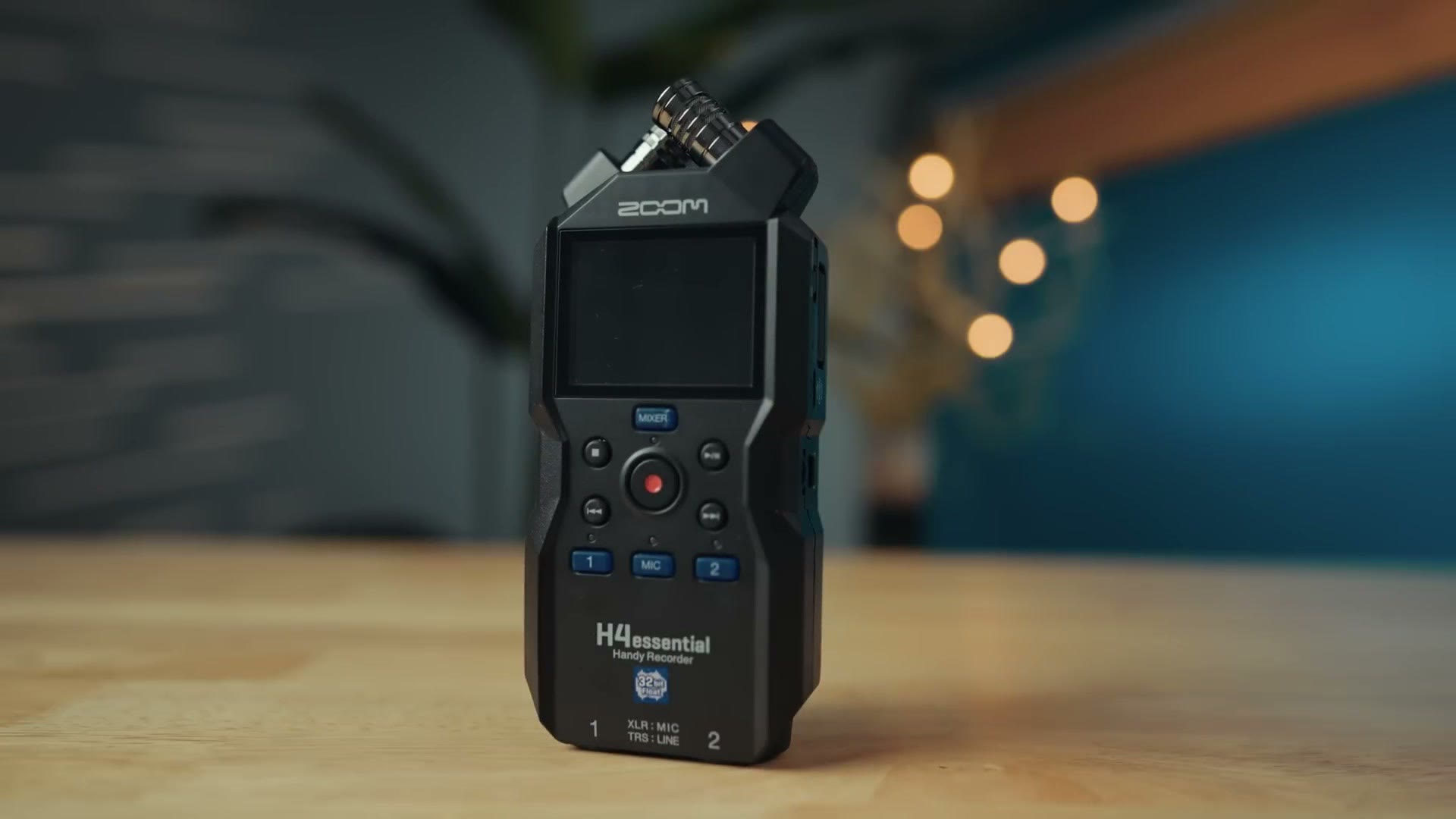
So here’s my point. After testing the H4essential extensively, I think this is a great recorder that lives up to the essential name they’ve given it. Zoom is giving you a ton of power and 32-bit float recording while cutting the costs in a lightweight plastic housing, and as the name implies, that’s really all you need. If you’re a wedding filmmaker who has been looking for a 32-bit float audio recorder that is not going to break the bank, I think the H4essential is a great choice.
Where To Get The Zoom H4essential
- Buy the Zoom H4essential at Amazon
- Buy the Zoom H4essential at B&H
- Buy the Zoom H4essential at Adorama
I’m also going to point you at my free gear guide for wedding filmmakers. If you’re wondering what gear to buy, not just audio but any gear, you’re going to love this guide, because it shows you everything you need as well as the links for where to get it. It’s going to save you a ton of time, and most importantly, it’s free.
Zoom also released two other recorders alongside this one, the H1essential and the H6essential. Which one do you want to see a review of? Let me know in the comments down below, because I don’t want to make those reviews if you don’t want to watch them.
Thanks so much for reading, and have a great day!