
You are about to see all of the audio gear I use and recommend for filming a wedding. Literally everything, from the equipment you need to record the sound of the couple getting ready in the morning, all the way through recording the ceremony with the officiant, to the toasts during the reception. When I say everything, I mean everything.
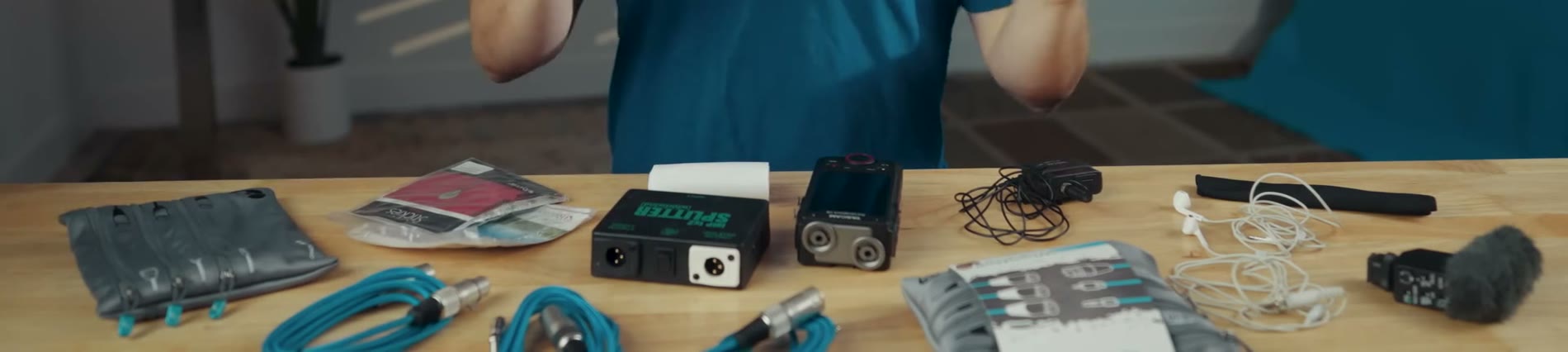
Also, because I am all about saving you time, I have created a free wedding filmmaker gear guide that lists all of this audio equipment in a handy PDF for you to download.
Get My Audio Cables And Organizer Bag
Considering this is all about audio, I want to point you to the WhoisMatt audio pack I made in collaboration with Kondor Blue. You get three of the most important cables you need for filming a wedding, plus a convenient carrying bag to keep them all organized.
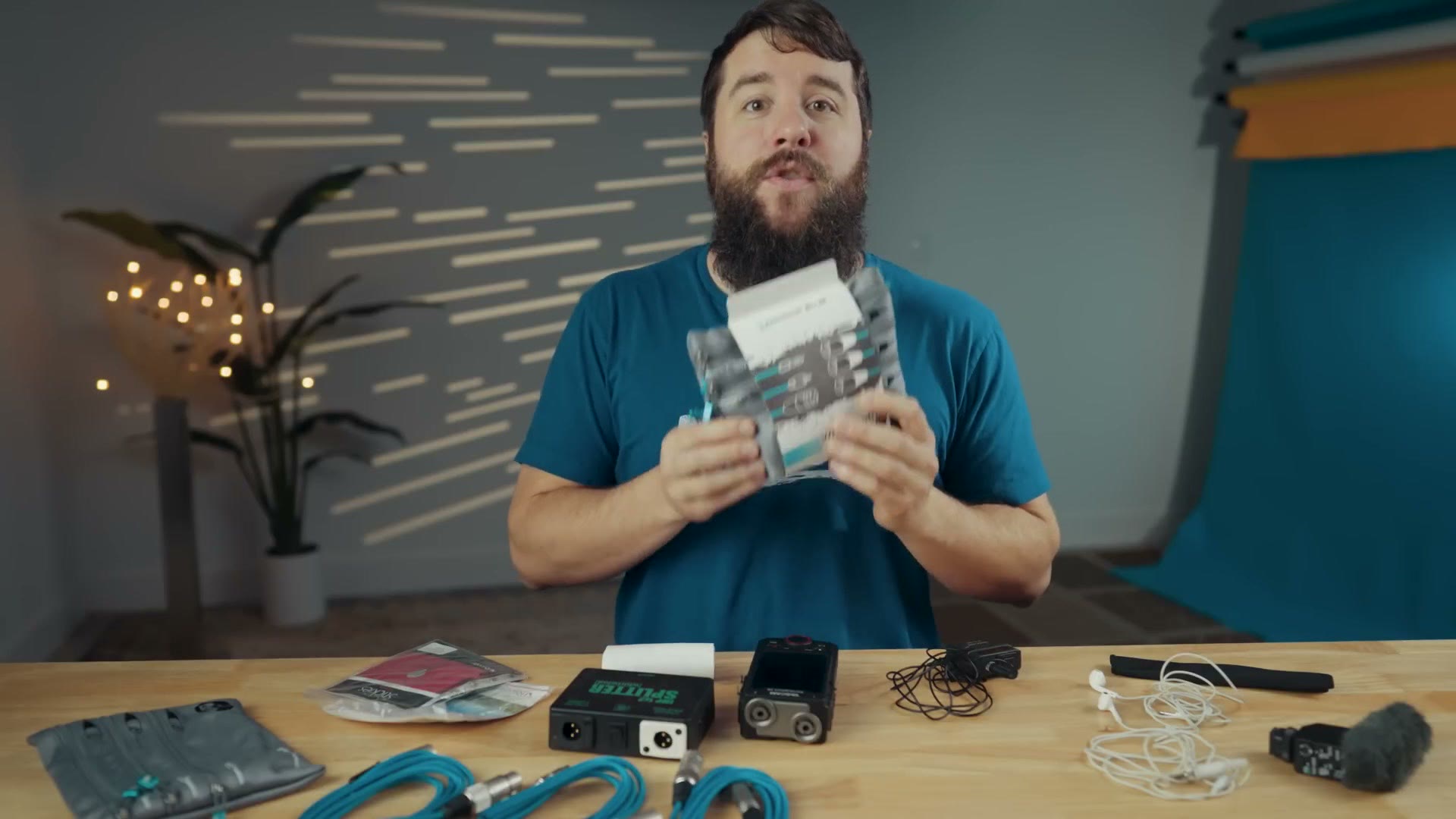
But I have a really big update for you. Both I and Kondor Blue heard from many filmmakers saying, hey, this audio pack sounds really cool, but I already have some of those cables and I do not want to buy them again. So here is the news. Kondor Blue and I have worked together so you can purchase any of these cables, or the organizer bag, separately. If you just want the XLR, or the quarter inch, or the RCA cable individually, you can do that. Or if you already have all of those cables and you just want a convenient way to keep them organized, you can buy just the bag.
Audio Gear For Letter Readings And Interviews
The way we are going to approach this is that I am going to walk through a wedding day from beginning to end, so we will start with the couple getting ready and end at the reception. That should help keep you from getting lost about where we are.
The beginning of the wedding day is typically where you are filming the couple getting ready, the groom putting on his suit and tie and the bride getting her hair and makeup done. You are not usually going to need a ton of audio equipment for this. You can usually get away with on camera audio, but if you want to enhance that, I would recommend investing in a shotgun microphone, which will give you more directionality as well as reducing wind noise.
If you use a Sony camera like me, I would highly recommend the Sony ECM-B1M, which records directly into your camera’s hot shoe and keeps you from having to run an extra 3.5mm cable. Heads up: this link goes to the newer Sony ECM-M1. This microphone is going to give you super clear audio and it has a ton of cool tricks, like letting you adjust how directional it is. I love it. Alternatively, if you do not have a Sony camera, I would look at the Rode VideoMic NTG, which, because it has a 3.5mm mic jack, is going to work with virtually any camera, and it sounds great.
After you have filmed the couple getting ready, this is where you start breaking out other audio recorders, because this is typically when the bride or groom are going to read letters they have written, or be interviewed by you, or have a first look. From an audio perspective it does not matter which, because you are going to be using the same microphone and recorder for all of it.
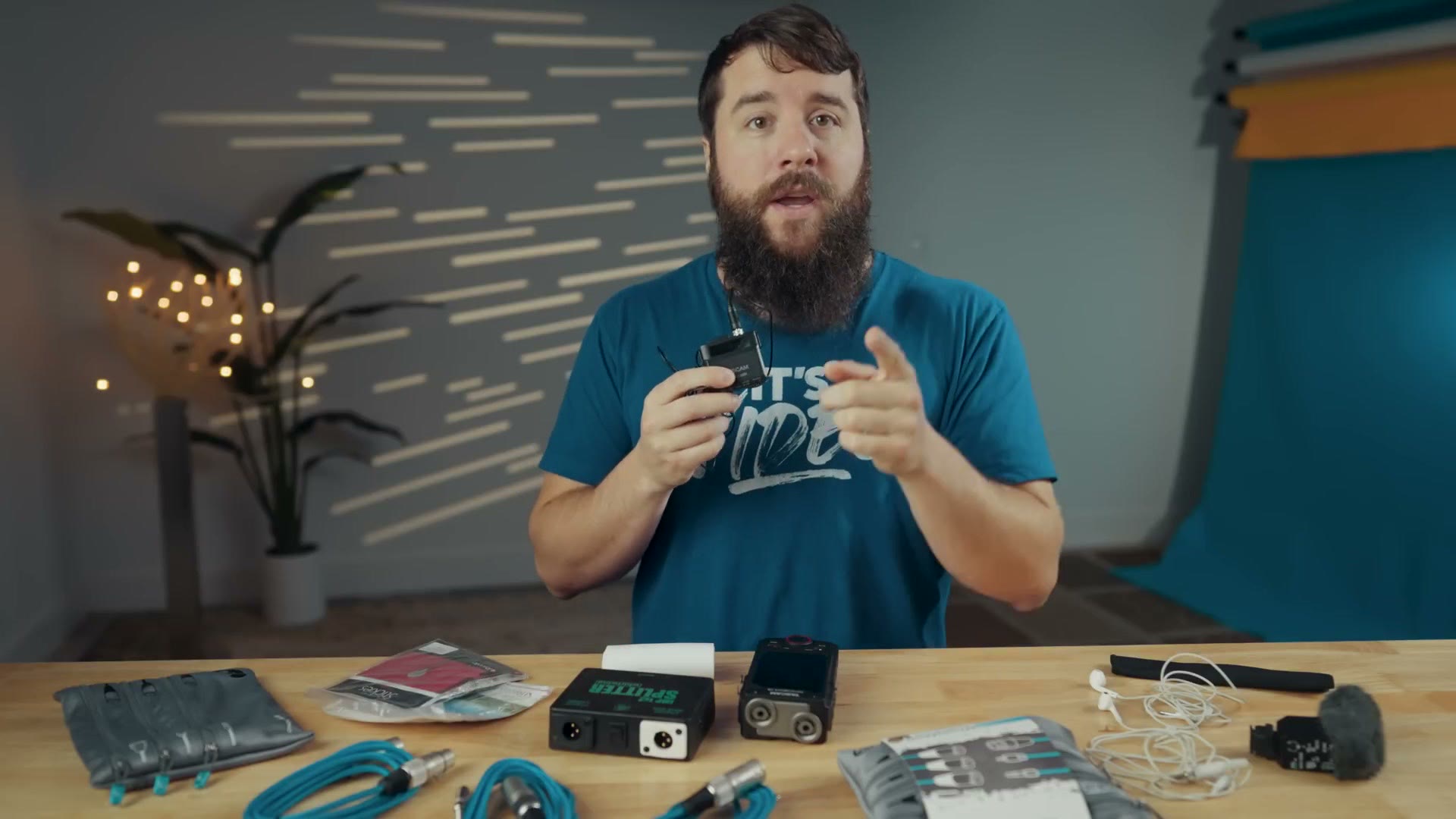
The microphone and recorder I recommend is the Tascam DR-10L Pro. This is the successor to the extremely popular original DR-10L, and it has been upgraded with Bluetooth so you can control it wirelessly from your phone, as well as 32-bit float audio recording, which essentially gives you a lot more leeway if someone speaks too quietly or too loudly, because you can bring the levels up if they are too quiet and bring them down if the audio starts to peak.
Considering that you are filming a wedding where you are putting microphones on people who are not paid actors and most likely have no experience speaking on camera, a recorder capable of 32-bit float is really nice to have, which is why almost all of the recorders I am going to recommend here are 32-bit float. You’re welcome.
This recorder comes with a lavalier microphone in the box, meaning you do not have to purchase one separately, and all you are going to have to buy is a memory card and a set of batteries. For the card I would recommend a 32GB microSD, and for batteries I would get AAA lithium batteries. Personally I like the Energizer lithiums. They work great, and using lithium you are going to get approximately 28 hours of recording time. If you have a wedding over 28 hours long, wow. First of all, you have got me beat. My longest was 19 hours.
How Many Mics Do You Need?
As far as how many DR-10L Pros you should buy, this is where things get a little crazy, because in a perfect world I would recommend that you buy six of them. I am sure you may be thinking that I am crazy, but I have my reasons.
If you film weddings for even a short while, you are going to come to appreciate the B word. And no, not bridezilla. The B word is backups. For a wedding you need as many backups as possible, because anything that can go wrong will go wrong, and especially whenever you are filming a one take event where you do not get any do overs. You cannot go up to the front of the ceremony and say, excuse me, can you guys get married again, my audio recorder was not working. You do not really have that option.
Typically, whenever I am filming the bride or groom read a letter or being interviewed, I am only going to put one recorder on them, because I can look at it, confirm it is recording, put it on them, and then check immediately after. Worst case, if it turned off for some reason or the battery died, I could have them do the interview or read the letter again.
But once we get to the first look and the ceremony, this is where I am always going to recommend that you put two microphones on at least one of them if possible. That way, in the event that one of the microphones fails or runs out of battery or gets hit by a solar flare, it does not matter. Things break all the time, and whenever you have something like a first look where the couple is only going to have that emotional reaction once, you want to make sure you get good audio of it.
Where And How To Place Mics On People
If the groom is wearing a jacket, simply clip the microphone onto the lapel. They are called lapel microphones, after all. Then you can put the recorder into his jacket pocket or clip it onto his belt. There is more detail in how I mic a groom on a wedding day.
For the second, backup recorder on the groom, I always recommend putting that microphone underneath his jacket or shirt, in case things get windy or the couple hug weird and she pulls the lav mic off. Believe me, crazy things can happen. You cannot really mount that with the lapel clip, so to work around it you are going to want to invest in a pack of Rycote Stickies and Overcovers.
These are fantastic little accessories you can use to mount a microphone pretty much anywhere. They stick to fabric, and they stick to skin without being irritating. What you do is take the lapel clip off your microphone, stick it onto one of the Rycote Stickies, and then stick that onto the inside of the groom’s jacket or shirt. The Overcovers are also fantastic, because you get these little fuzzy discs you can place on top of the microphone. It is kind of hideous, but that is why it goes underneath the jacket, and it is going to help prevent even more wind noise.
For the bride, on the other hand, it is going to be enough work putting one microphone on her, so I would not push things by asking if you can put two mics on her. Just use one. And as a helpful tip, those Rycote Stickies are going to pull double duty, because they are also what you are going to use to attach the mic onto the bride’s dress. So get a big bag of them. They are cheap. I think this is a 100 pack.
I always recommend putting a mic on the bride, and I realize that may be really intimidating if you have not done it before, but please do not stress. I have an entire video showing you exactly how to do it, and it is not nearly as hard as you may think. The quality of audio you get from her is completely worth it in my opinion.
To help you with that, Tascam does not sell a white version of the DR-10L Pro, but what they do sell is a white lavalier mic, which gives you a nice white cable that blends in with her dress. I would highly recommend picking one of those up. And as far as where to put the recorder on the bride while she is wearing her dress, considering most wedding dresses do not have pockets, it is a blessing when they do, you are going to be using a thigh strap. Specifically this one is from a company called Ursa Straps, and it works great, because it completely hides the black recorder and the white microphone cable runs up the dress.
Wedding Ceremony Audio Gear
Remember how I just said you only have one chance at a wedding and you do not get any do overs? That mentality is nowhere more encapsulated than during the ceremony. This is where you are going to see all six of those recorders in full effect.
To start, you are going to want two DR-10L Pro recorders on the groom, one as the main and the other as the backup. Your third goes on the bride. Then, just like with the groom, you are going to want to put two of them on the officiant, one as the main and the other as the backup. If the officiant is wearing a suit with a jacket, you can mount them the same way you did the groom, but if they are wearing robes or a dress you may need to get more creative and use the lapel clip or the Rycote Stickies. For an officiant wearing a dress in particular, I have had good luck clipping the recorder to the back of the dress and running the microphone cord around under their armpit to the front.
If you have been counting, you have probably noticed there is still one more recorder that has not been used, and you can think of this last one as a backup for the backups in case the wedding throws you a curveball. The reason you want it is just in case the ceremony has an additional person speaking. You may laugh, but I have had multiple weddings where the couple had two officiants, one who was a friend sharing a message during the ceremony and another who stepped in and handled the vows and rings and all the formal stuff. Or you may have a ceremony where someone is doing a lengthy scripture reading who is not the officiant. In situations like that, having a spare recorder you can run over and put on someone before they speak is only going to help you.
Recorders For Sound Boards
We are not done with the ceremony yet, because remember, I love backups. Most ceremonies, be it at a church or a venue, as long as they are not an elopement out in the woods in the middle of nowhere, are going to have an amplified speaker system of some sort as well as a soundboard. As a wedding videographer it is going to be really important for you to have a recorder you can plug into that soundboard, because oftentimes during the ceremony the couple have music playing that is important to them, or they have a string quartet they want recorded, or other people speaking in minor roles that you do not have enough individual recorders for.
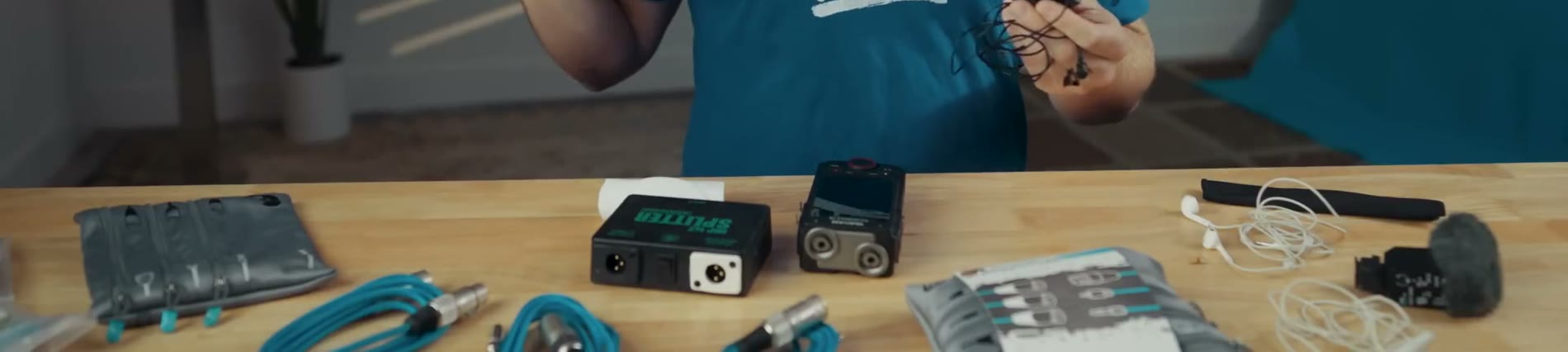
My goal is to recommend 32-bit float recorders as often as possible, and I am happy to tell you this next one is 32-bit float as well. It is the Tascam Portacapture X8, and it is an incredibly powerful recorder, with its main claim to fame being four, count them, combo XLR and quarter inch inputs, as well as detachable top microphones, which means you can plug it into virtually any soundboard no matter what output it uses and get great sounding audio.
We are not done talking about it though, because as it is, it does not work well unless you have accessories. First, you are going to need a microSD card, and just like the DR-10L Pro I would recommend a 32GB card. That will easily last you for multiple weddings. You are also going to need batteries, and I recommend lithium because they last significantly longer. As an alternative, the X8 is powered by USB-C, so if you want to use an external power bank or plug it into a wall outlet you can do that as well.
Lastly for small accessories, I would highly recommend investing in a cheap pair of headphones. You do not need to go super fancy. You do not need over-ear headphones. Just buy a cheap set of earbuds. The main purpose is so you can plug them into your recorder and confirm the audio is recording properly. We are not listening for fidelity here. For editing rather than monitoring on the day, these are the budget headphones I recommend.
This is actually really important, because you do not want to just plug into a soundboard, see some waveforms, and think, oh, looks good to me, let’s hit record and go. There is no guarantee that the waveforms you are seeing are actually the audio you need. Fun fact, I plugged into a soundboard once in my second year of filming weddings and did not check the audio, and I assumed it was recording properly. But whenever I got home I realized I had recorded an entire collection of Michael Bublé’s greatest hits that were playing quietly over the speakers during the ceremony, and I did not get any audio of the actual ceremony. So do you see why I like backups? Yeah. Buy some headphones.
Audio Cables You Need
Now the big accessories, and these are really important, because if you just have the recorder you have no way of plugging it into a soundboard. So you need cables.
These three cables happen to coincide with the three main audio outputs you are going to come across at 99% of weddings. Most soundboards are going to have an XLR output, so you plug your cable into that and run it to your recorder. So the first cable I recommend you purchase is at least a six foot XLR to XLR.
Next, some soundboards are going to have all of their XLR outputs taken by speakers, so in that case you want a quarter inch to XLR cable, and you plug the quarter inch into the soundboard and the XLR into your recorder. Lastly, some soundboards are not going to have quarter inch, but they will have an output labeled record out or tape out, and those use RCA. So you plug the RCA into the soundboard and the XLR into your recorder.
As long as you have those three cables, you are covered for plugging into virtually any soundboard at a wedding. This is exactly why I made the audio pack with Kondor Blue. These cables are incredibly high quality and they have a lifetime warranty, so if they break Kondor Blue will replace them for free.
I put together The Tamron 28-75 Is All That You Need For Filming Weddings! as well, which covers the part I skipped over here.
Wedding Reception Audio Gear
If you are thinking, I have all of these recorders and microphones and cables, do I really need more for the reception, the answer is yes.
A reception is going to be similar to a ceremony, in that 99% of them are going to have an amplified speaker system as well as a soundboard, and most of those soundboards are going to be run by a DJ. That soundboard is what you are going to plug into to record the toasts. I would not be concerned with recording music at the reception, unless it is a very important song the couple are using for their first dance that they wrote themselves. Your focus is getting high quality audio of the toasts.
Just know that if it is a rare wedding where there is no DJ or speaker system, or the DJ is a bit hostile and does not want you plugging into the soundboard, which has happened to me multiple times, then because you have all of those DR-10L Pro recorders you can put them on anyone giving a speech and record high quality audio that way. I have had that happen before, where I could not plug into the soundboard, but it was okay, because I went over to the three people speaking and gave each of them a mic. Got great audio that way.
As for plugging into the DJ soundboard, good news. You are going to use the exact same setup you used for the ceremony. The Portacapture X8 with those three audio cables, and you are set.
Backup Audio Recorders For Sound Boards
We are not done yet, and I am sure you may be thinking we have covered plugging into the DJ soundboard. But remember, I love backups. So strap in.
If you are plugging into a DJ soundboard to record audio for toasts, or this could also apply to the ceremony, oftentimes the DJ is going to be using a wireless microphone receiver of some sort, and the back of that receiver usually has an XLR and a quarter inch output. The DJ will usually use the XLR, leaving the quarter inch as a place where you can plug in an audio cable and run it to your recorder.
My recommendation is that you plug into both the DJ soundboard with one cable and the microphone receiver with another. Plugging into the microphone receiver gets you an untouched audio feed directly from the microphone, and in the event that the DJ goes a little crazy and starts adding music in the background during the toasts, which has happened to me before, or they start adding echo or reverb to the toasts, which has also happened to me before, having that extra cable can be a huge lifesaver.
But I hear you typing in the comments. Matt, I have bad news, every single wedding I have been to, I go back and check that microphone receiver and it only has an XLR output, and the DJ is already using it. Well, I have a fantastic workaround for you. This is a device called a Whirlwind XLR splitter, and its entire purpose is to let you split an XLR audio connection from one output into two. You run an XLR cable from the back of the wireless microphone receiver into the input on this box, and then you have two outputs. Plug one XLR cable in and give it to the DJ, plug the other into your recorder.
This is a solid device. It does not require any external power, and it is well built and shielded from interference, so you can tell the DJ they do not need to worry about it screwing up their audio quality. They are going to appreciate that, believe me.
The Final Backup Audio Recorder
We have another recorder to talk about, which means another backup, and this is one of my favorites by far. Truthfully you may end up using this source of audio over the one you record from the DJ soundboard. As one final backup, in the event that the DJ’s wireless mic begins to cut out because of interference, which you would be surprised how often happens, I am going to recommend you purchase one last audio recorder.
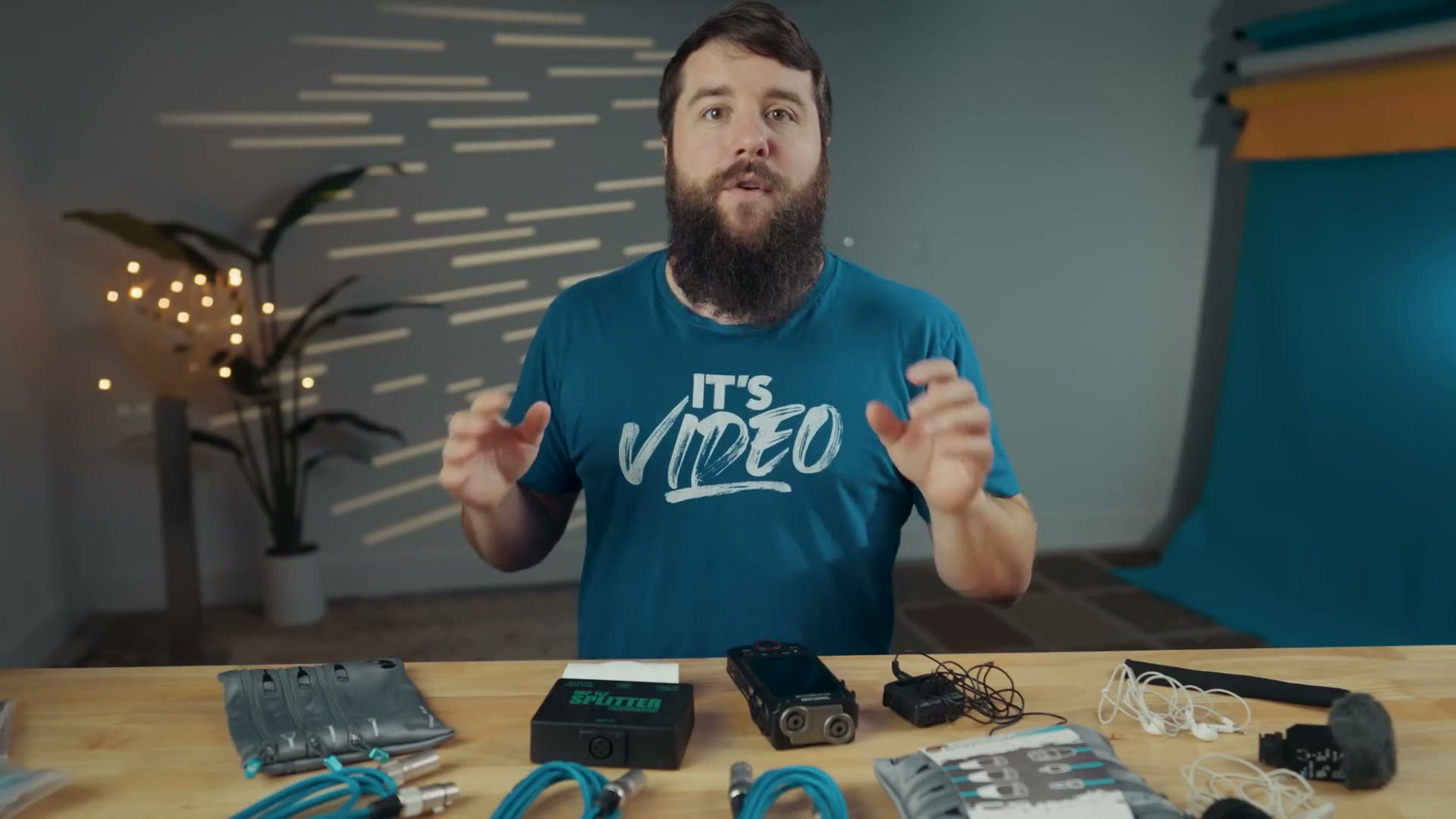
This recorder is actually a voice memo recorder, but it works amazingly for recording professional wedding audio. It is the Sony ICD-TX660, and it unfortunately does not record 32-bit float, but it is fantastic in virtually every other way. It is tiny, it is slim, look at how thin this thing is. The microphone is on top, you have controls, USB-C charging, a 22 hour battery life according to Sony, which I have not officially tested, and 16GB of internal memory. This thing is such a beast. It really is the ultimate audio backup in my opinion. Did I mention it has a microphone input jack? It has that too. It does it all.
So how do you use it at a reception? Do you just have the person speaking hold it like a microphone? No. What you are going to do is pair it with a special microphone sleeve custom made for it, and that sleeve slides over the DJ’s microphone. There is a little pocket, and you slide the recorder into it. Now you have this really compact all in one setup where the person speaking holds the microphone and the recorder is right there by their mouth, so it is going to pick up great audio.
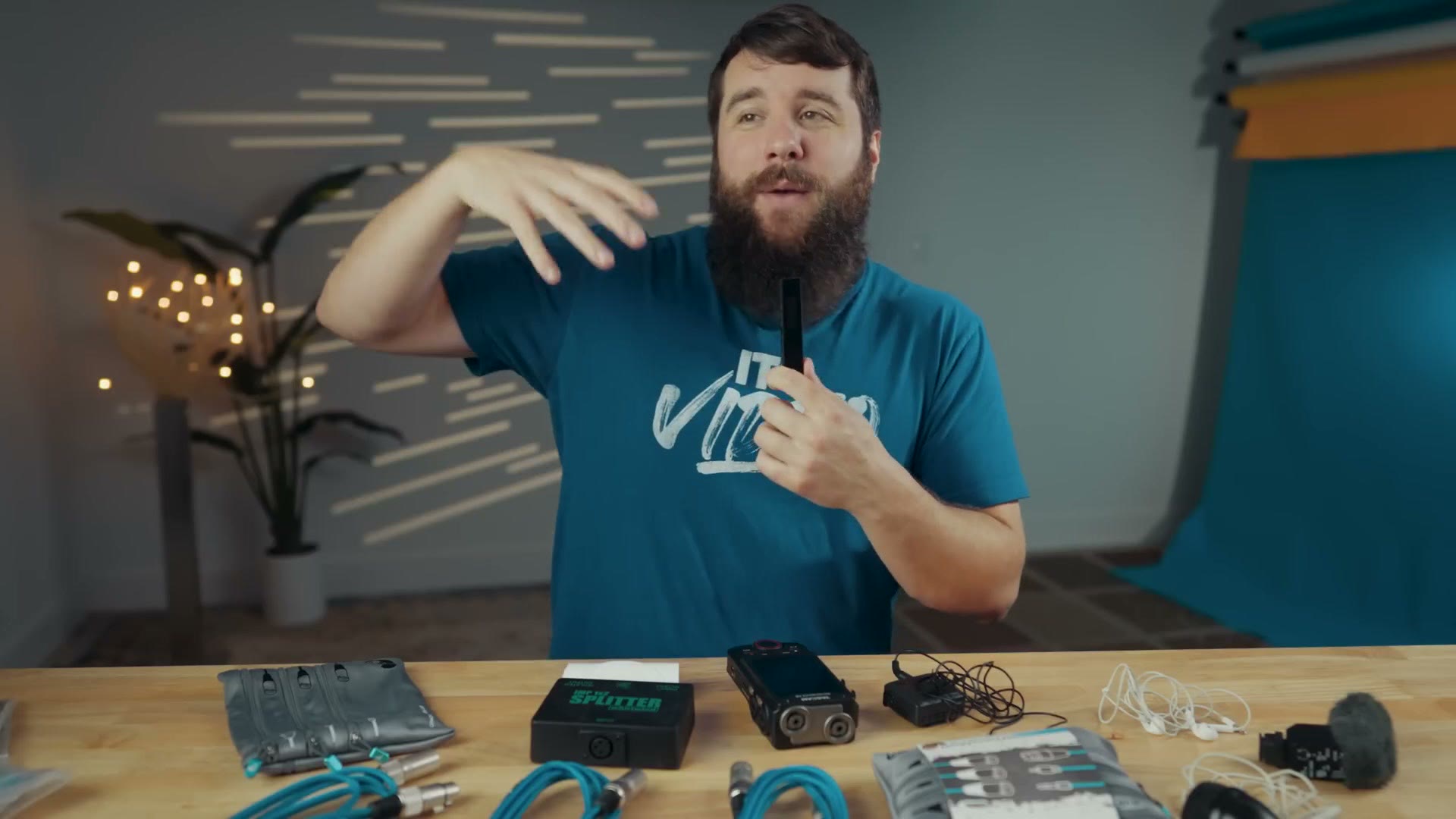
As far as which sleeve, there is a surprisingly large amount of options on Amazon these days, because companies have realized videographers are using these as wedding backups. I will link to some of them in my gear guide, but just know that if one is out of stock, search for a TX660 mic sleeve on Amazon and you will see plenty. As an alternative, if you want fuller coverage, I am going to recommend the same sleeve I recommended whenever I made another audio guide seven years ago. Yeah, it has been a while. That is the basic black microphone sleeve from a company called Mic Effects. This fully covers the microphone, so it looks a little cleaner in my opinion than some of the sleeves made custom for the TX660, and it is really stretchy.
Regardless, I highly recommend using an external recorder like this any time you are recording toasts at a wedding, and like I said, you may end up liking the audio you get from it better than the audio you get from the DJ’s microphone, because a voice recorder like this picks up a lot more of the ambient sound of the room, gives you a fuller sounding voice, and lets you hear the crowd laughing or cheering in the background, which can really add to the ambiance of the wedding film.
What is great too is that in a pinch, if you are at the ceremony and someone is doing a scripture reading that is really important, you can take this recorder and put it up on the podium next to where the person is speaking. It is a super discreet way to make sure you get audio. So do not be afraid to use it as an extra backup whenever you need it.
Download My Free Gear Guide
If you have not downloaded my wedding filmmaker gear guide, which lists all of these recorders and microphones and cables, what are you doing? It is completely free. And while you are at it, check out the audio pack I made with Kondor Blue, and get the pack, or some individual cables, or the organizer bag, whatever you need.
And if you have made it all this way because you are a brand new wedding filmmaker just getting started and you want to know what audio gear to buy, I want you to know I have created a free workshop called How To Book Your First Wedding In 30 Days. As the name implies, it is going to show you the exact steps to take to book your first couple getting married. And spoiler, even if you have already filmed some weddings, it is still going to be super helpful for future bookings.
Thanks so much for reading and have a great day!