
If you’ve been wanting to buy an M4 iMac for video editing, I have a few recommendations for you at a few different price points to help you save money and get the best bang for your buck. I’ve linked to every computer down below, plus the mice, keyboards and external SSDs that I recommend, because I respect your time. Some of those links also go to the places where I found the absolute cheapest prices on these machines, so I’d definitely check them before you buy anything.
Option 1: Save Money And Buy A Mac Mini
This one may be a little bit controversial, because whenever it comes to the best budget M4 iMac at the absolute cheapest price, and if we’re going to define an iMac as a desktop computer that comes with the screen, my recommendation is that you skip buying an iMac altogether and instead buy a base M4 Mac mini, which you can get for 600 bucks, or possibly even cheaper with an education discount. At that price you have a ton of money left over to buy a very high quality screen that will not only look as good as the screen that comes with an iMac, it’ll probably be a lot larger too.
Let’s do the math. A base M4 iMac costs $1,300 at the time of writing, and for that you’re getting a 24 inch screen, an M4 chip with an 8 core CPU and an 8 core GPU, 16GB of memory, 256GB of storage, plus an Apple mouse and keyboard.

Alternatively, you could buy a Mac mini for $600, which comes with a more powerful M4 chip with a 10 core CPU and a 10 core GPU, the same amount of memory, and the same amount of storage. And then even if you spend an extra $100 on an Apple Magic Mouse and another $200 on an Apple keyboard, which, to be clear, I think there are very good mice and keyboards you can buy for significantly less than $300 total, you’re still looking at a grand total of only $900. That leaves you with $400 to buy a much larger screen that is still very color accurate for video editing.

A screen that is not 24 inches like the iMac, but 27, or possibly even 32. And this is something you’re really going to appreciate as a video editor, because unless you’re editing in a very small cramped space, maybe you’re editing in a closet or something like that, the larger the screen you can edit on, the better. What’s funny too is that Apple sort of standardized 27 inches as the optimal screen size with their earlier iMacs, and then they moved away from it whenever they introduced their M series chips and brought it back down to 24. In my opinion they really need to go back to 27.
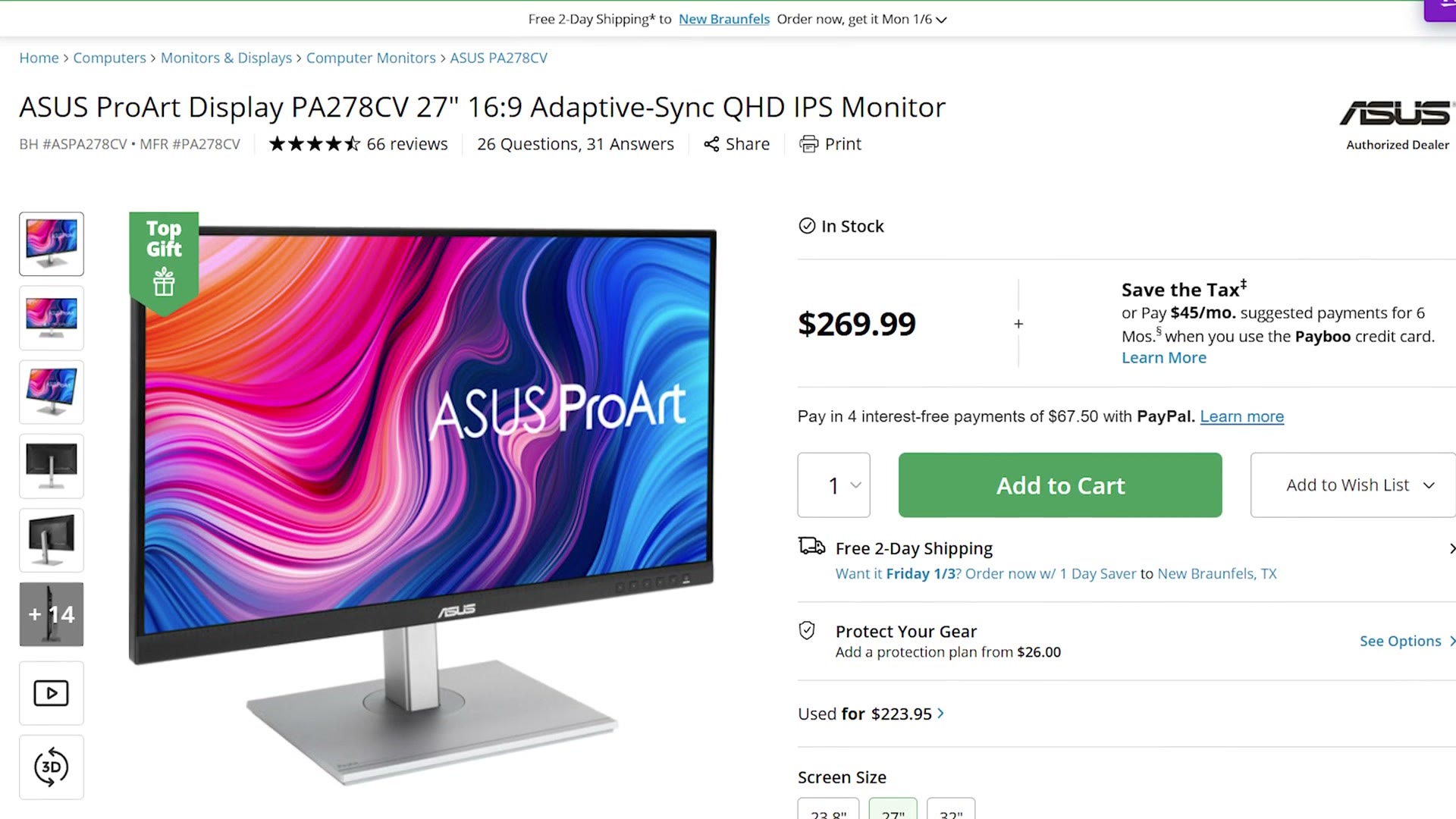
Anyways, I hope I’ve shown you that if you want a desktop Mac for video editing, the best budget option is to skip the iMac entirely and go with the Mac mini. And if you decide to go that route, I also made a full M4 Mac mini buyer’s guide that walks you through all the best specs to choose, so I’d highly recommend watching that one next.
Option 2: The M4 iMac You Should Buy
Anyways, I hear you telling me “Matt, that’s great, I’m sure I could save some money, but my heart is really set on an iMac.” And I totally get that, which is why I made this in the first place. So if you have already made up your mind that you want that ultra slim all in one display with the cool colors, and you don’t care that you could save some money with a Mac mini, here’s the iMac you should buy for video editing.
First, completely ignore the base M4 iMac that’s available for $1,300. You may think you’re saving some money with it, but you’re not only getting a slower M4 chip with an 8 core CPU and an 8 core GPU, you also have to pay an extra $30 if you want an Ethernet port. And arguably most importantly for you as a video editor, that base model only comes with two high speed Thunderbolt 4 ports. All of the other ports are slower USB. Apple really stripped a lot of features out of this iMac to hit that $1,300 price point.

So instead, if you want a capable video editing iMac, go for the $1,500 upgraded option. It comes with a faster chip with a 10 core CPU and a 10 core GPU, 16GB of memory and a 256GB SSD, plus you get Ethernet and four full speed Thunderbolt ports included, which makes it a real no brainer of a purchase if that’s the style of computer you want.

Of course, if you’ll allow me to go back to my Mac mini argument for just a second, I do want you to be aware that for only $1,400 you could get a dramatically more powerful Mac mini with an M4 Pro chip inside that is going to be significantly faster for video editing. That said, that Mac mini does not come with a screen, a mouse or a keyboard, so you’ll probably end up spending more than the $1,500 the iMac costs. Just keep that in mind.

Otherwise, from a performance perspective, I think you’re going to be really happy with this iMac for video editing, because it’ll have plenty of memory and processor speed for 4K. Just keep in mind that it only has a 256GB SSD, and while you could upgrade that to 512GB if you wanted to, my recommendation is that you instead invest in an external SSD and edit all of your footage off of that drive, because you can get one for significantly cheaper than the $200 Apple charges for the upgrade.
Apple also offers a nano-texture glass display upgrade, which cuts the majority of reflections, for $200. Whether that one is worth it really depends on where you’re editing. For a MacBook Pro that’s getting carried to a bunch of different locations, a non-reflective screen makes a lot of sense, because you don’t have much control over reflections. But for a desktop like an iMac that’s going to sit in the same spot and never move, I’d look at the room you’re planning to put it in, check it for reflections, and only then decide if you want to spend the extra $200.

Option 3: A Much More Powerful Option For A Bit More
One final warning for you. If you’re starting to spend even more money on upgrades, so you’re going from $1,500 up to $1,700 and getting close to $2,000, I would hold up on the iMac. Because once you’re that close to $2,000 you can also look at an older M2 Max Mac Studio, which doesn’t have a screen, but it is still a desktop and it is going to be incredibly powerful for that price. Dramatically more so than the iMac. So keep that in mind.

Where To Find The Best Prices
If you want to save even more money on an iMac, I’d be sure to check Costco as well as B&H, because they run sales often. If you’re a student, check Apple’s education store, that’s another place you can save some extra cash. And if you happen to live near a Micro Center, they’re very competitive on pricing too and are definitely worth checking out.
- Budget M4 Mac mini: Amazon | B&H | Costco
- The M4 iMac I recommend: Amazon | B&H | Costco
- The more powerful alternative: Mac Studio at B&H
Mice, Keyboards And External SSDs
The iMac does come with a mouse and a keyboard, but if you want alternatives, because I know the Apple mouse is a bit polarizing, let’s say, here are the budget options to keep your price as low as possible plus the upgraded ones that are my personal favorites.
- External SSD for video editing: on Amazon
- High quality monitor: on Amazon
- Budget keyboard: on Amazon | my favorite keyboard: on Amazon
- Budget mouse: on Amazon | my favorite mouse: on Amazon
Download My Free Edit Videos Like A Pro Guide
I also put together a guide called Edit Videos Like A Pro, which shows you the most important things that took me literally years to learn as a video editor. Regardless of which editing software you use, I know this guide is going to help make you better. You can check it out completely for free right here. Thank you so much for reading, and have a great day!