
ProRes RAW sucks in most video editing software, and in this article I’m going to tell you why. So if you are a filmmaker thinking about filming in ProRes RAW, either because you have a camera that supports recording it internally like a newer Panasonic, or you are getting ready to drop some cash on an Atomos monitor recorder to record ProRes RAW externally, hold up a second, because you’re going to need to be aware of how your editing software is going to handle, or not handle, your footage.
Final Cut Pro Support For ProRes RAW
Right off the bat, if you edit videos using Final Cut Pro you’re probably very confused about the title of this article and why the heck I’m complaining about ProRes RAW support. And that’s because Final Cut has basically zero issues supporting ProRes RAW, and it’s a fantastic experience all around.
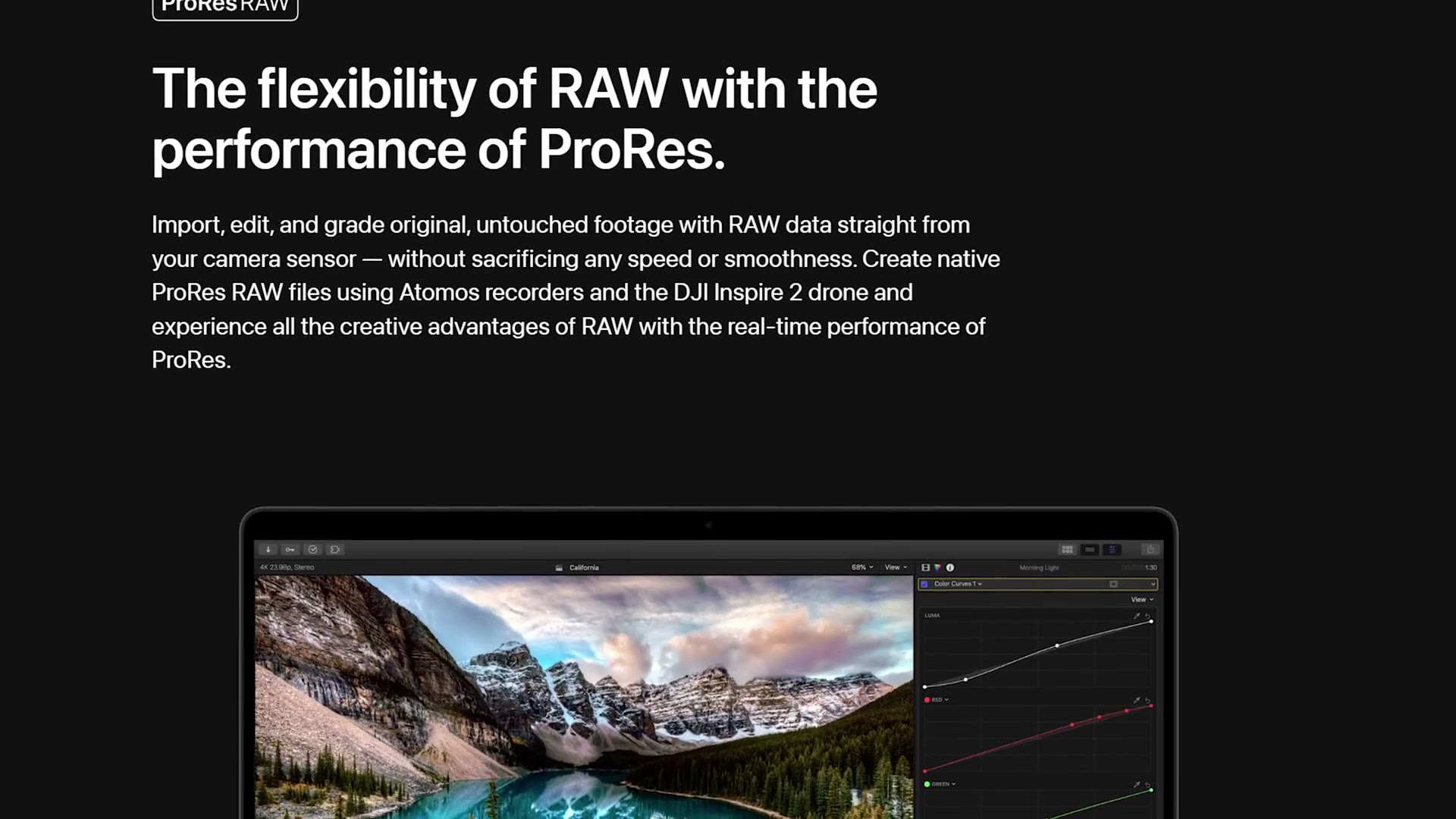
If you use that software to edit your videos, you can import any footage you filmed in ProRes RAW and you’re easily able to do everything you would expect to do editing a raw video, including adjusting your video’s ISO to raise and lower the exposure, and changing the white balance with a great level of precision.
Final Cut is a fantastic experience when it comes to editing ProRes RAW, and that’s no surprise considering Apple makes Final Cut as well as the ProRes RAW codec. So that’s really all we’re going to talk about when it comes to Final Cut, because it’s great and I don’t think anyone has any complaints. Enjoy your life and your editing experience.
DaVinci Resolve Support For ProRes RAW
Now if you are ready to not enjoy your life, you’re probably editing ProRes RAW video in DaVinci Resolve. And here’s where things start to get more interesting, because ProRes RAW support in DaVinci Resolve is essentially non-existent. Meaning if you film something in ProRes RAW and then attempt to import it into Resolve, you drag your clip over and, oh look, it is a beautiful audio file.
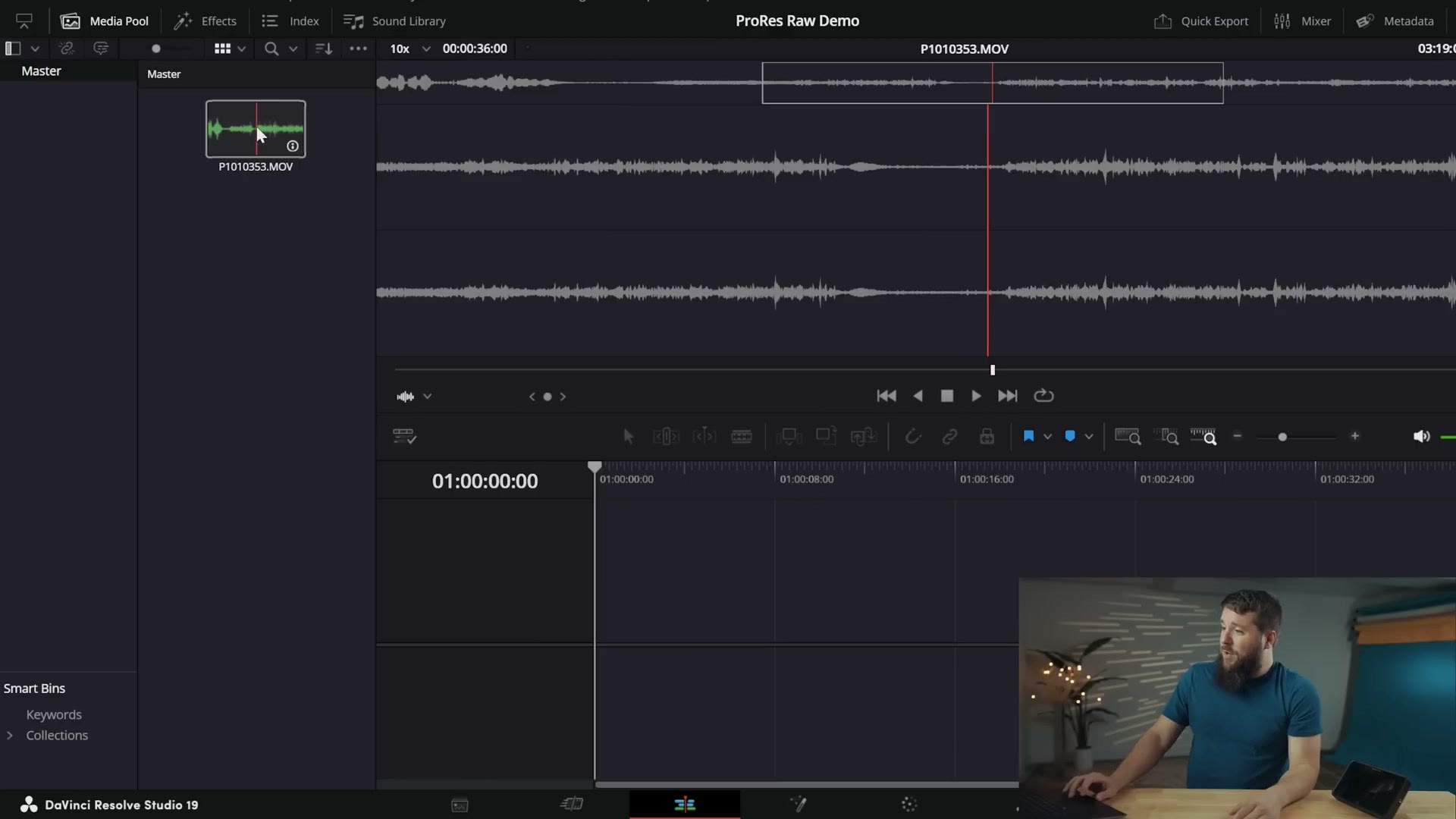
And that’s it. Just an audio file. If you import a ProRes RAW clip, all you’re going to see is a waveform of the audio that was recorded, making DaVinci Resolve a glorified audio editing program for ProRes RAW files.
Well, that sucks.
And this may seem a bit weird, right? Because over the last ten years or so Blackmagic Design has worked really hard to make DaVinci Resolve one of the best ways to edit video, with support for a ton of different formats and codecs, not to mention repeatedly upgrading their tools in the software. So to see Resolve just outright not support ProRes RAW at all is kind of shocking.
Theory One: Blackmagic Already Has Their Own RAW
We do not have a definite answer from Blackmagic on why they are avoiding supporting ProRes RAW. But here’s the theory I’ve settled on after doing a lot of research and talking to other filmmakers.
The first thing you need to know, and this is something you’re probably already aware of, is that Blackmagic already offers their own flavor of raw video called Blackmagic RAW. All of their cameras are capable of filming in it, and Blackmagic has done a ton of work to make sure Resolve handles editing Blackmagic RAW very well and that it’s a smooth, easy process.
So one argument I’ve seen from filmmakers and editors is that because Blackmagic already supports their own version of raw, why would they need to support someone else’s? And I can see where that argument’s coming from. But it also feels really short sighted, because it’s not like DaVinci Resolve is only capable of editing videos filmed with Blackmagic cameras.
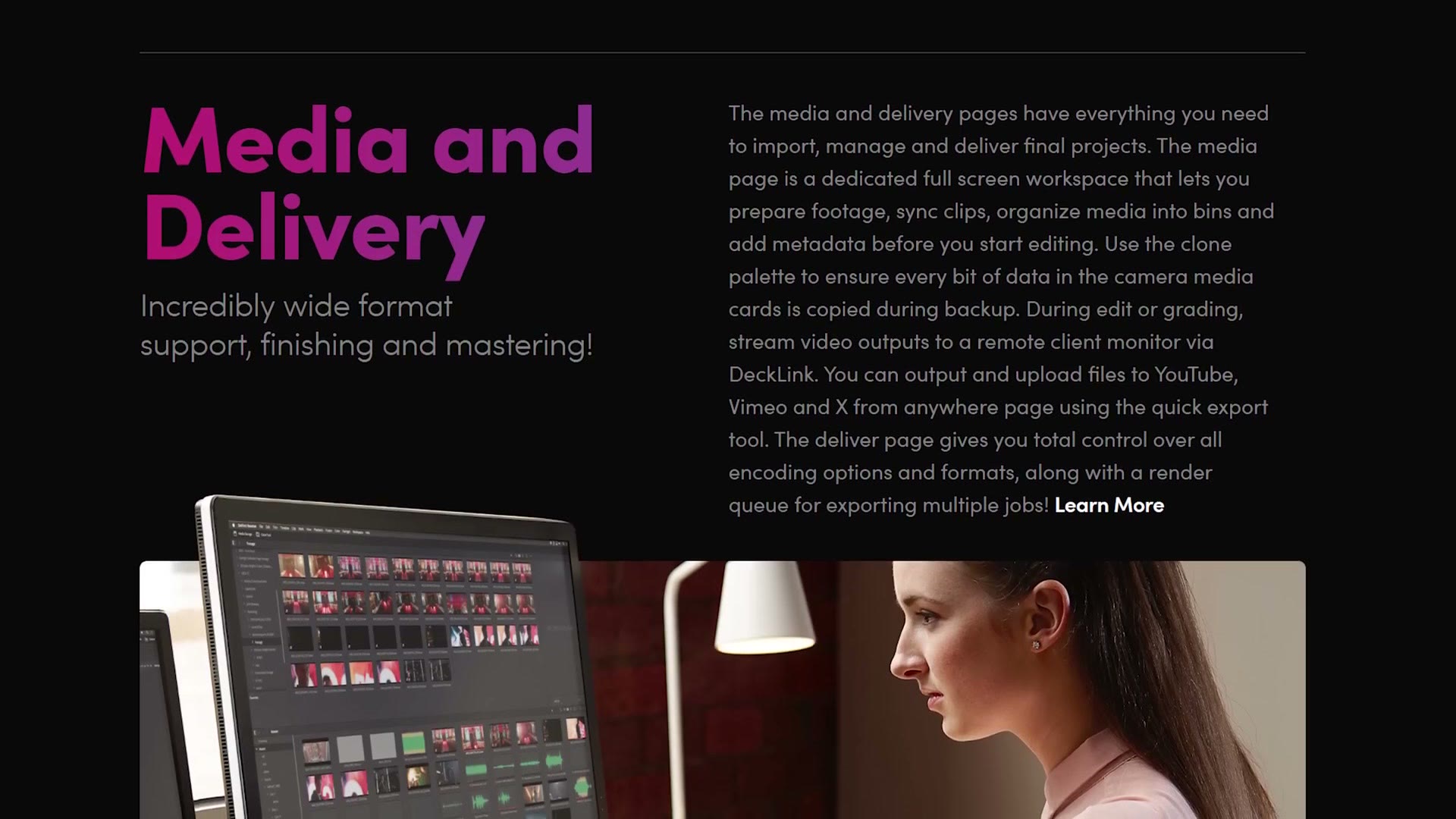
No, you can edit video from the vast majority of cameras in a huge amount of formats. H.264, H.265, DNxHR, you name it, DaVinci Resolve can edit it. That is, except for one codec. And can you guess what it is? Of course, it’s what we’re talking about in this entire article. It’s ProRes RAW. Heck, Resolve supports editing regular ProRes 422, LT, 444, all of those flavors of ProRes. Just not ProRes RAW.
So if Blackmagic has already shown they’re willing to essentially allow editors to use basically any other video format, what is it about ProRes RAW that keeps it from being supported?
Theory Two: It’s Business Politics
That leads into my second theory, which, spoiler, I believe is the accurate one. But I’m going to warn you now, it’s a bit messy. See, my theory for why DaVinci Resolve doesn’t support ProRes RAW has to do with politics. And no, not governmental politics. We’re talking business politics, specifically between three companies and how they feel about each other.
Three companies, Matt? Wait a second, I thought we were talking about Blackmagic and Apple. Who is the third company? Don’t worry, we’re getting to it.
Let’s set the stage first. Look at Blackmagic and Apple. They seem to get along fine on the software front, right? Blackmagic makes DaVinci Resolve for Mac as well as iPad, they update it all the time, it runs really well. There’s no bad blood to be seen between Blackmagic and Apple in this area. So why the heck would they not work together with Apple to support ProRes RAW?
Well, my theory is that it all comes down to external video monitors. And notice I said video monitors. We are not talking about Apple Studio Displays or anything like that. We are talking about monitors you plug into your camera to give you a bigger preview of what you’re filming than the tiny screen on the back.
There are a lot of companies that make external video monitors, but we need to talk about two of them. One of them is Blackmagic, who make their line of Video Assist monitors, and these support recording Blackmagic RAW directly from some cameras via the HDMI port. It’s awesome.
And this is where we need to bring in the third company. This third company makes monitors and also has a lot to do with raw video recording, which ties all of this together. This third company is Atomos, and I’m sure you’ve heard of them if you have filmed video for even a short while, because they make a lot of high quality external monitors, monitors like the Shogun Ultra I have right here.
More importantly though, Atomos as a company was also one of the pioneers of enabling you to record raw video externally over HDMI. Many cameras support this these days. And what is the main raw format you can record with using these Atomos monitors? Why, yes, it is ProRes RAW.
And here is the smoking gun, as it were. You may be surprised to learn that Apple did not create ProRes RAW on their own. ProRes RAW was co-developed by Apple working with Atomos, which you can hear confirmed directly from the CEO of Atomos in videos on YouTube, and it’s why the Atomos monitors were some of the first to support recording in ProRes RAW. They helped create the format with Apple.
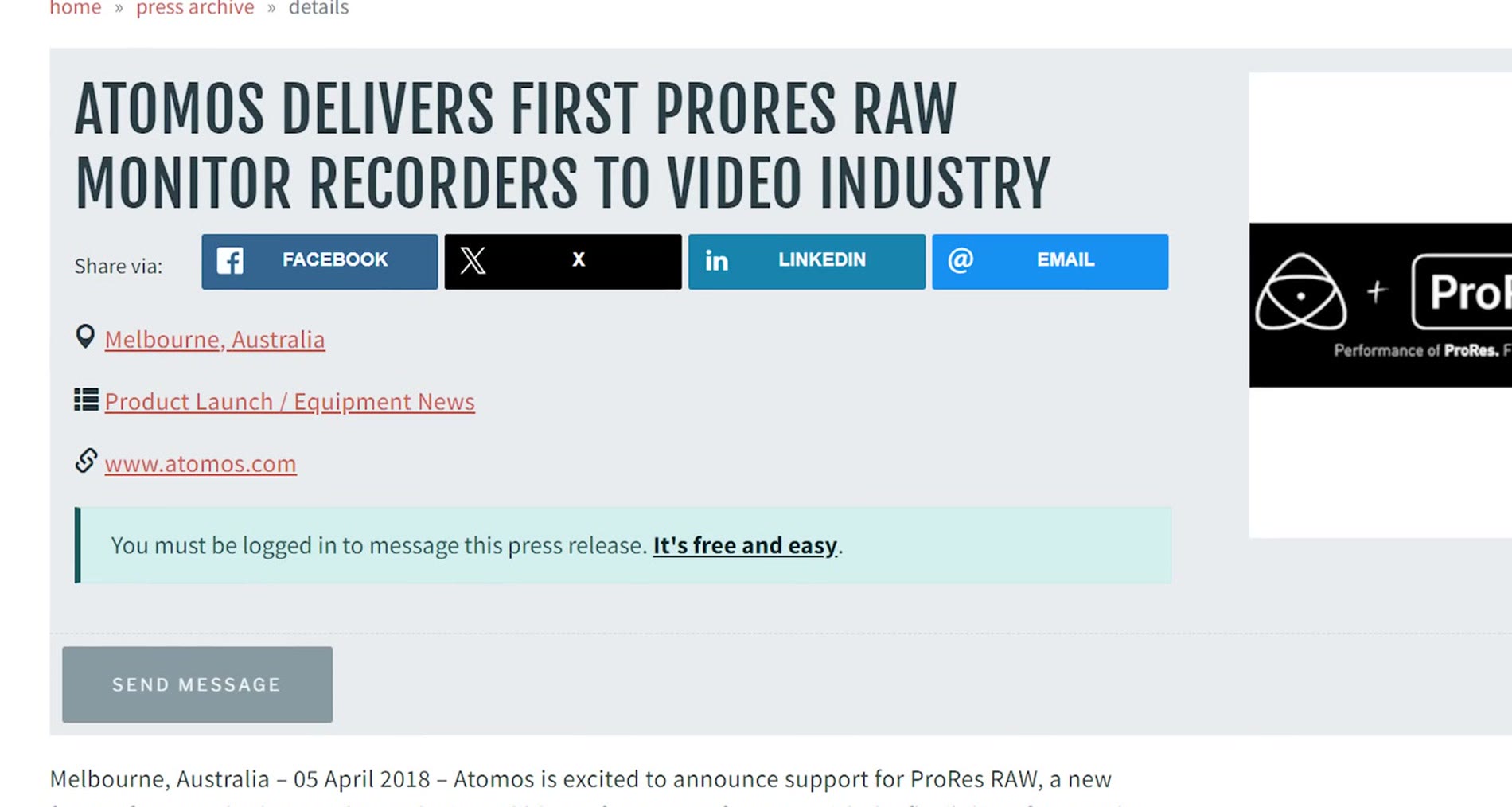
Now, while it’s hard for me to believe that Apple and Blackmagic could somehow have a weird relationship where they work together on every aspect of DaVinci Resolve being supported on all Mac computers and iPads except, strangely enough, ProRes RAW, whenever you consider that Atomos is a direct competitor to Blackmagic, that they both make video monitors capable of recording raw video, and that Atomos helped create ProRes RAW, suddenly things start to line up. Oh, and toss in the fact that Blackmagic Design and Atomos are both headquartered in Melbourne, Australia, making things even more competitive.
So my theory is that Apple has some sort of exclusivity deal with Atomos because they co-developed ProRes RAW, and because of that Blackmagic, as one of Atomos’s competitors, is prevented from enabling ProRes RAW support in DaVinci Resolve.
Like I said though, it’s just a theory. And here’s the bottom line. Regardless of whether I’m correct in this theory or there’s some other issue preventing Blackmagic and Apple from working together, at the end of the day this all just feels anti-consumer. Whether these companies like it or not, some filmmakers are going to be using software and hardware from their competition, and if they are artificially limiting things, we as consumers are the ones that suffer because these companies can’t seem to make a deal.
Premiere Pro Support For ProRes RAW
Let’s start with the good news. I’m happy to tell you that Premiere Pro does support ProRes RAW. Kinda. It’s honestly the bare minimum level of support in my opinion, and Adobe could do so much better.
To be clear, unlike DaVinci Resolve, if you import a ProRes RAW clip into the software it will work, and Premiere will actually show you the video clip, let you move it around, cut it, play through it, all the normal video editing things. But whenever it comes time for you to use any of the benefits of this being a raw file, remember how Final Cut lets you do things like adjust the ISO and white balance? Well, this is where you start to run into difficulties.
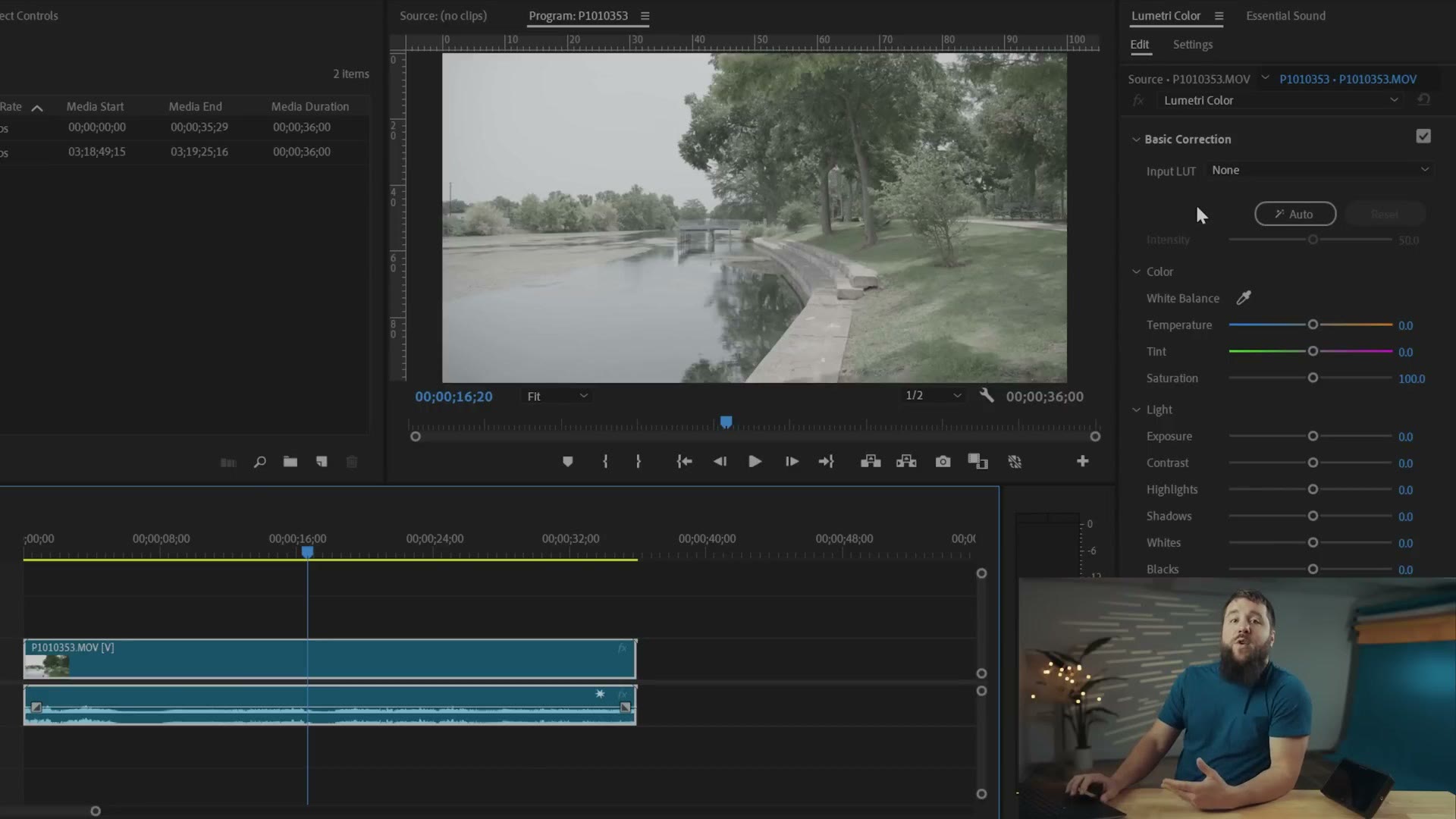
Whenever you get over to the color panel, there are no special raw video editing tools. You’re just presented with the regular old color grading tools you’d see whenever you have a non-raw video clip.
Instead, the only unique raw editing features Premiere Pro supports for ProRes RAW are the ability to adjust the exposure and the color space of your clip. And it does this in the most hidden, barebones and convoluted way possible.
Where Premiere Hides The Raw Controls
Start by ignoring the color panel over there. Nothing you need is in that panel. Instead, select the video clip you want to edit, then go up to the Effect Controls panel, which is where you would commonly modify things like the scale and position of a clip, rotation and so on.
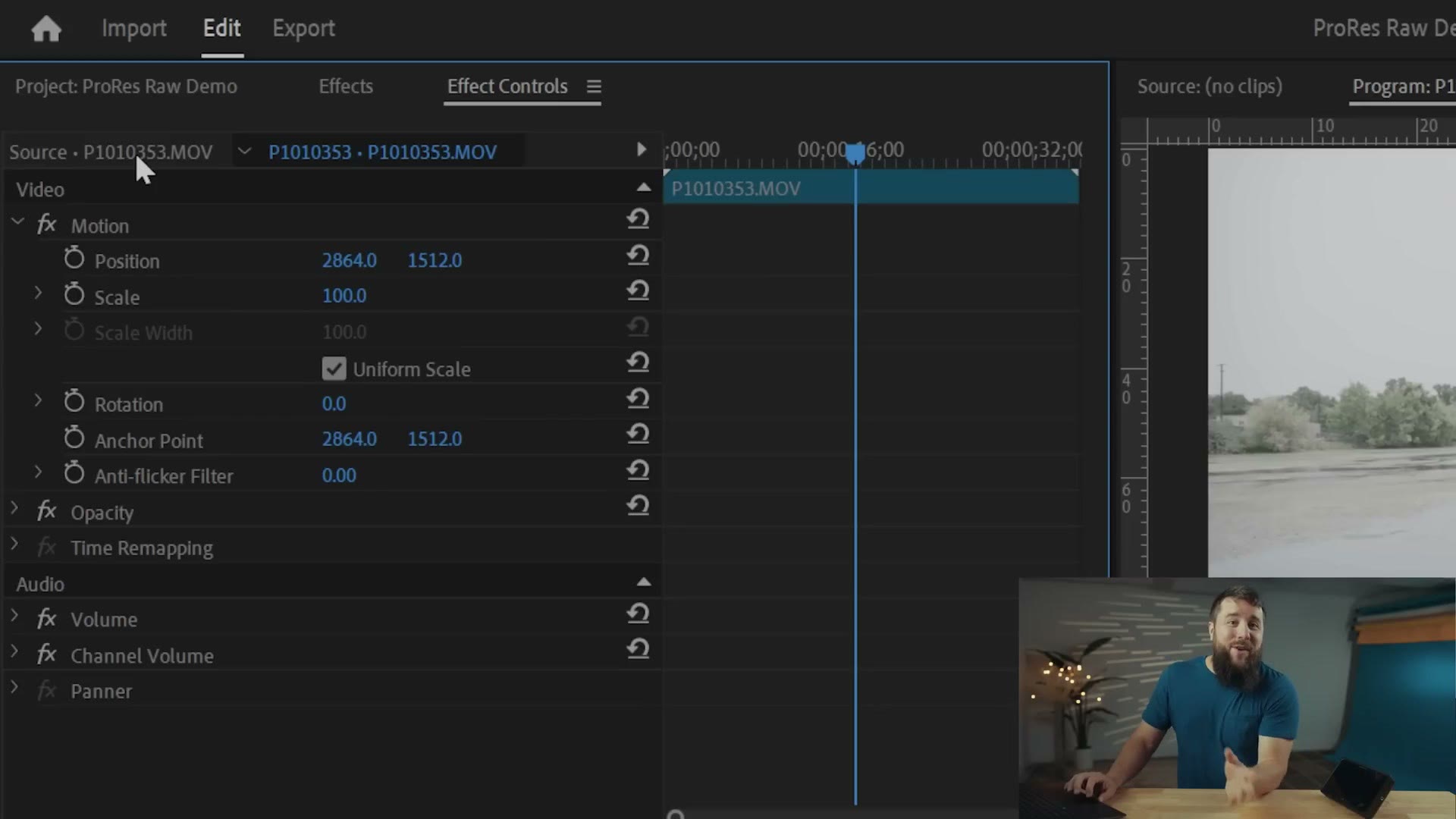
Then here’s where it gets really tricky. You’re going to click on the Source button up here, which to be clear, you may not even know is a clickable option in Premiere because you’ve never actually used it.
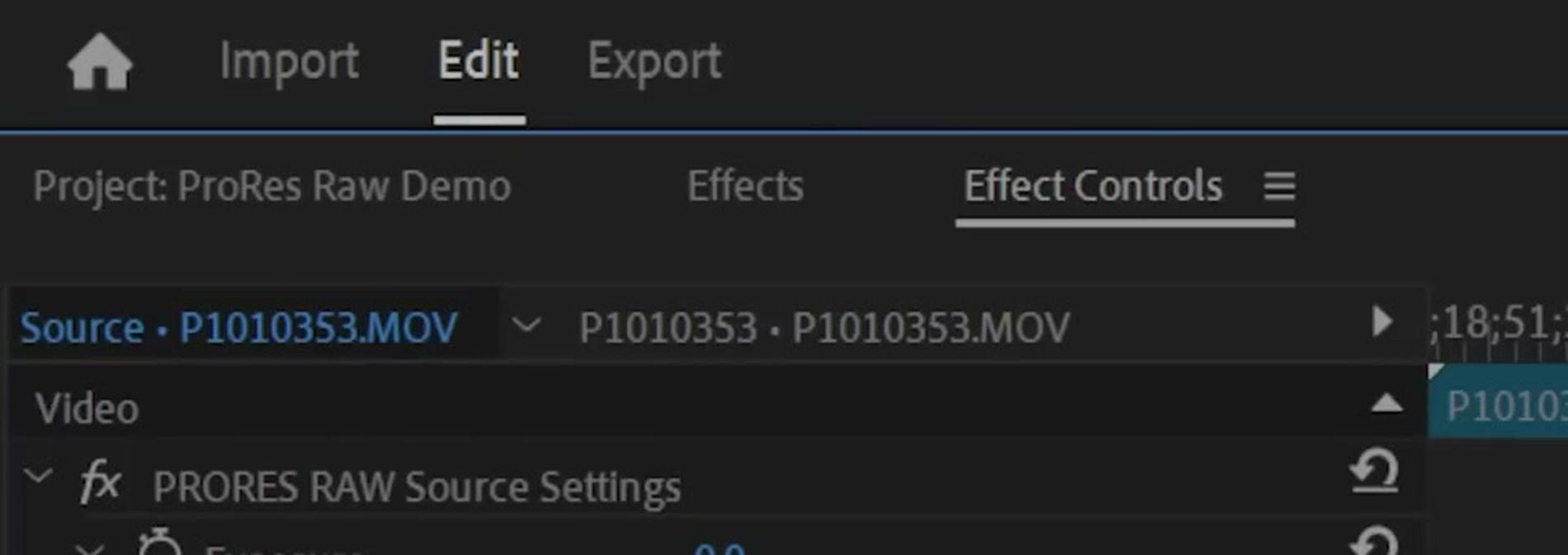
And then right here in this arguably secret menu are two barebones settings that will appear if you’re editing a ProRes RAW clip. First you can click the Color Space dropdown and change the color space of your clip. And second, you have this exposure slider. Drag it to the left to lower the exposure, and to the right to raise it.
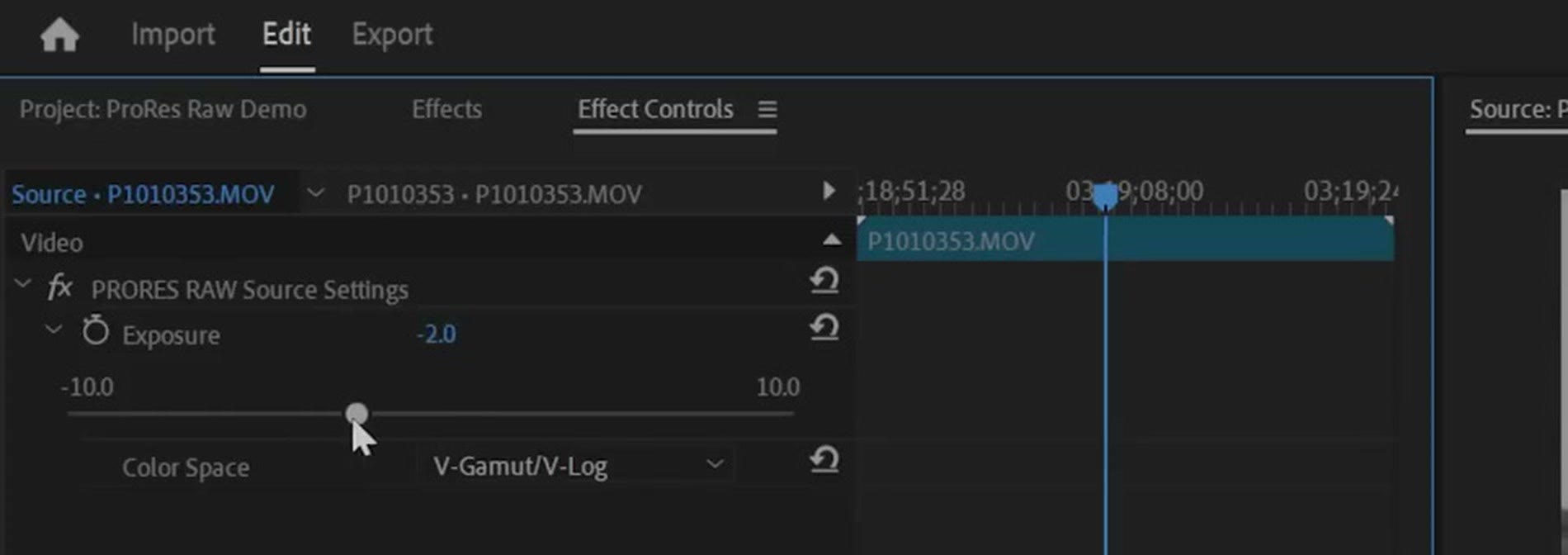
And while it’s great to be able to essentially adjust the ISO of a clip after you have filmed it, notice that there’s no specific ISO value indicator for the amount of exposure being adjusted, and you don’t have nearly as much control as you would if this tool wasn’t hidden over here and was instead in the color panel.
It really feels like Adobe did the bare minimum with this feature to be able to say yes, we support ProRes RAW. Notice you can only adjust the exposure. There is no feature to control white balance like you would expect with a raw video clip. It all just feels really half baked. And while ProRes RAW does work better in Premiere Pro than in DaVinci Resolve, that’s an extremely low bar, because it doesn’t even work in Resolve at all. So I think this could be dramatically improved.
Where That Leaves You
That is the current state of ProRes RAW support across the major video editing software companies. If you use Final Cut, continue living your happy ProRes RAW editing life. But Blackmagic needs to make some big changes, and Adobe needs to start doing more than just the bare minimum.
My Edit Videos Like A Pro guide is completely free and it’s going to help you be a better video editor, regardless of whether you film in ProRes RAW or not.
Thanks so much for reading, and have a great day!