
My name is Matt Johnson, and in this video I am going to show you how to get started filming stock footage for passive income. So if you want to make money selling videos online but you are not sure what to film for stock video, or how to film it, what resolutions or frame rates to use, model releases and all of that, this is going to cover everything about filming stock video.

To save you time, I have put together a free Stock Footage Jump Start Guide that shows you literally everything you need to know to get your first clips uploaded and have you making money in your first 30 days. If you want a huge shortcut to passive income, check that out.
Film In High Resolution
The first thing you want to do whenever you are filming stock footage is film in as high a resolution as possible. Most stock footage sites will still accept 1080p HD, but they all ideally want higher resolution footage if you have it, like 4K, 6K or 8K.
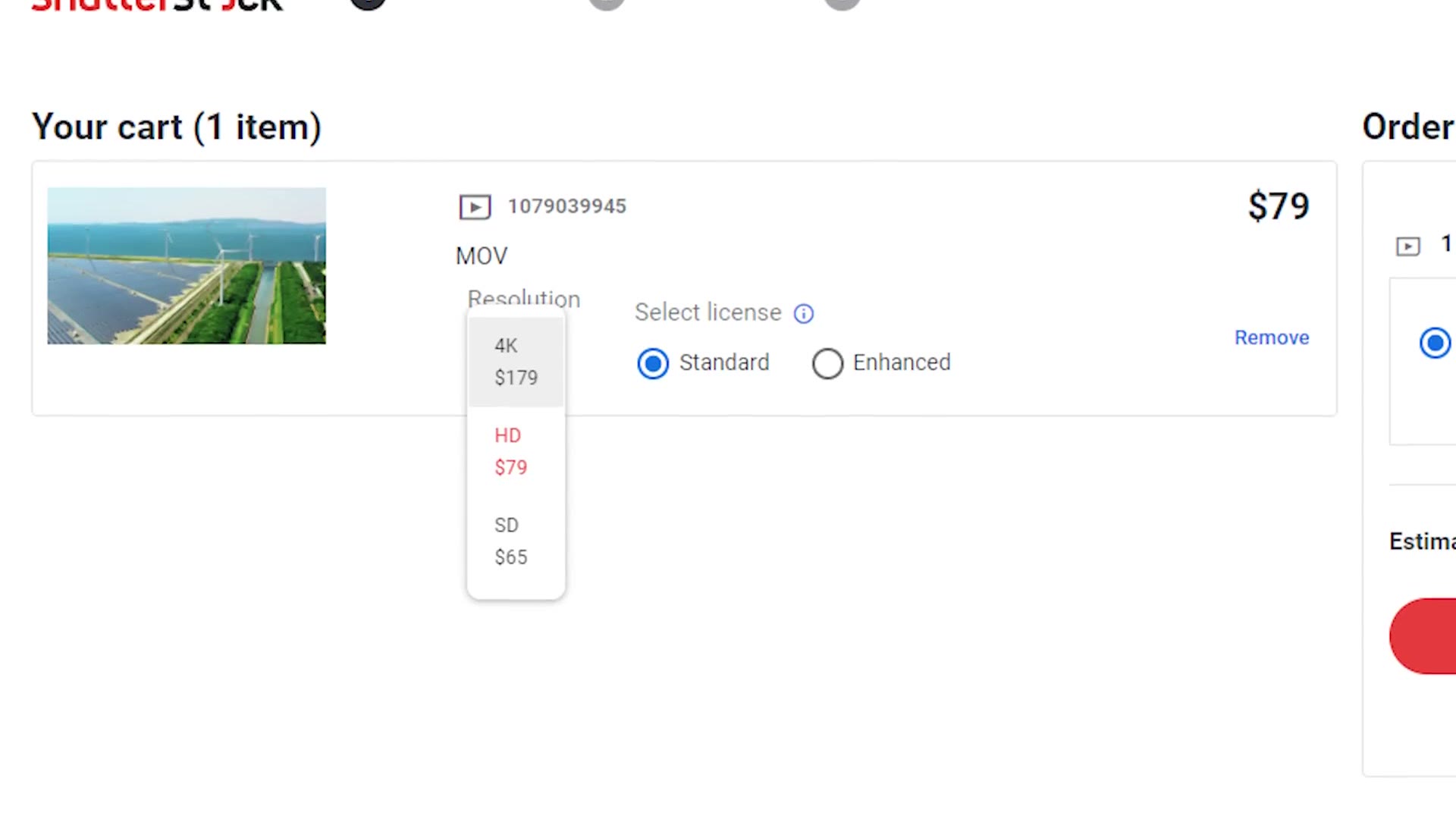
Some of these sites are actually going to charge people more for higher resolution video, which means you could potentially make more money selling higher resolution clips. So film in high resolution.
Film In High Frame Rate
Closely related to resolution, you have frame rate. While the frame rate you film in does not matter as much from a sales perspective, personally I always try to film at 60 or higher, and I recommend you do too.
Filming in slow motion gives people purchasing your clips more versatility whenever they are editing, because they can always speed the footage up if they need to. And for you, filming and uploading in slow motion makes your clips smoother and removes any shakiness you may have had, which means the footage is far more likely to be accepted by the licensing sites.
Should You Film In Log?
At this point you are filming in 4K or higher if you can, and you are filming in slow motion. But should you film in a flat log picture profile like S-Log3 or C-Log or V-Log? In most situations the answer is yes, but you do not have to if you do not want to.
Let me make this decision easy for you. Every single stock footage site out there is going to want you to upload your clips already color graded, meaning saturated, contrasty and colorful. So if you want to save time, or you do not feel confident filming in log, just film in a standard picture profile that is already saturated and contrasty and you are good to go.
That said, if you want to make more money and maximize your stock footage revenue, it really is in your best interest to film in log. Not only will the dynamic range of your footage be better, which can result in prettier footage and more people wanting to buy it, but more importantly, there are certain stock footage sites that also want you to upload the log version.
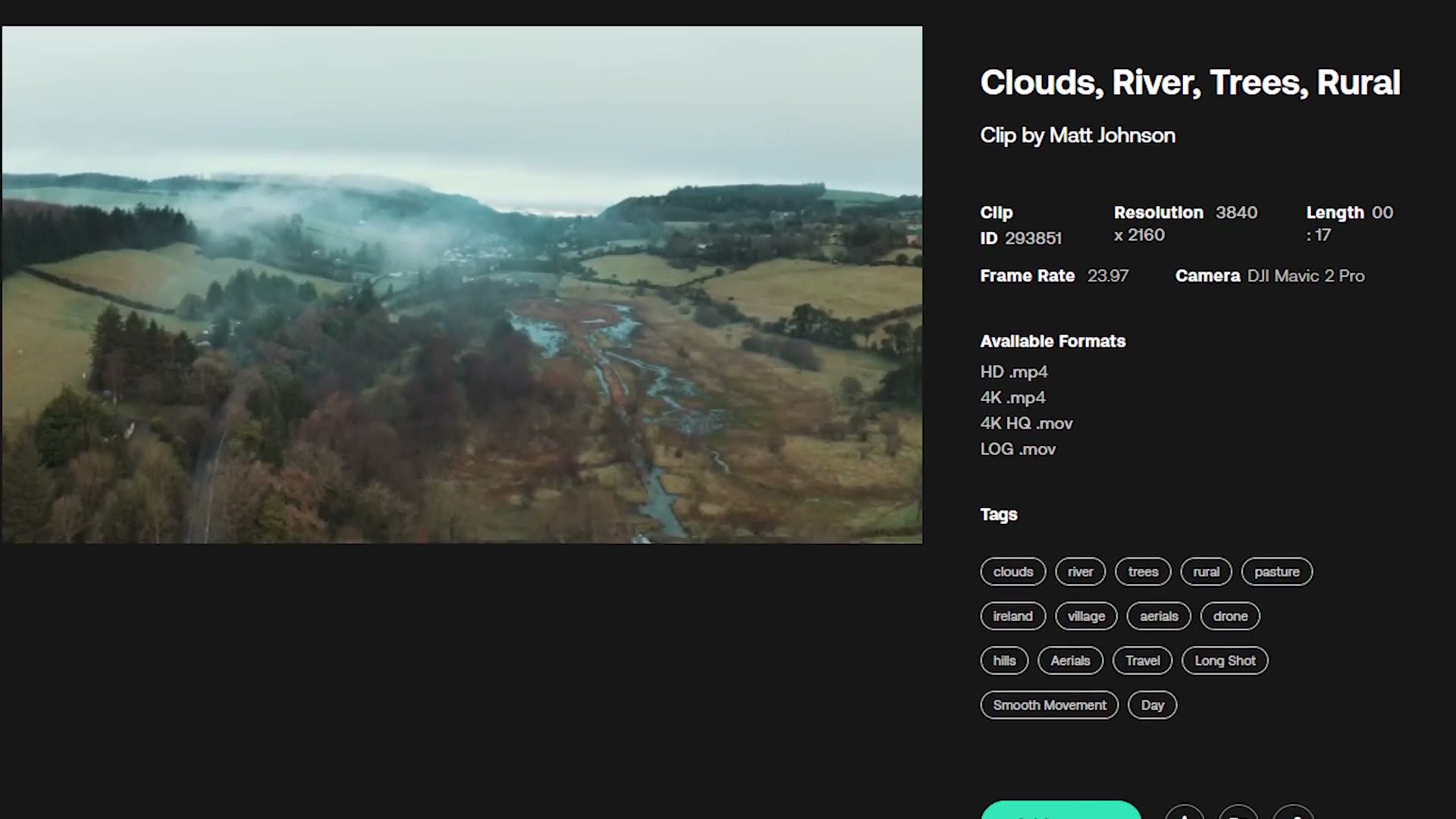
For example, sites like Artgrid prefer if you upload two versions of your clips, the log and untouched version straight from your camera, plus those same clips color graded. That gives their users more choice whenever they are downloading, and it gives you twice the opportunities to make income, because if someone does not like the color grade you applied, they can just download the unedited log clip and grade it themselves.
Lastly on log, I also want you to be aware that certain sites will accept raw footage too. So if you film with an external recorder like an Atomos, or you film with a RED camera, certain sites will want you to upload that raw footage in addition to the color graded version. That is just another way to offer more variety and make more money.
Clip Lengths
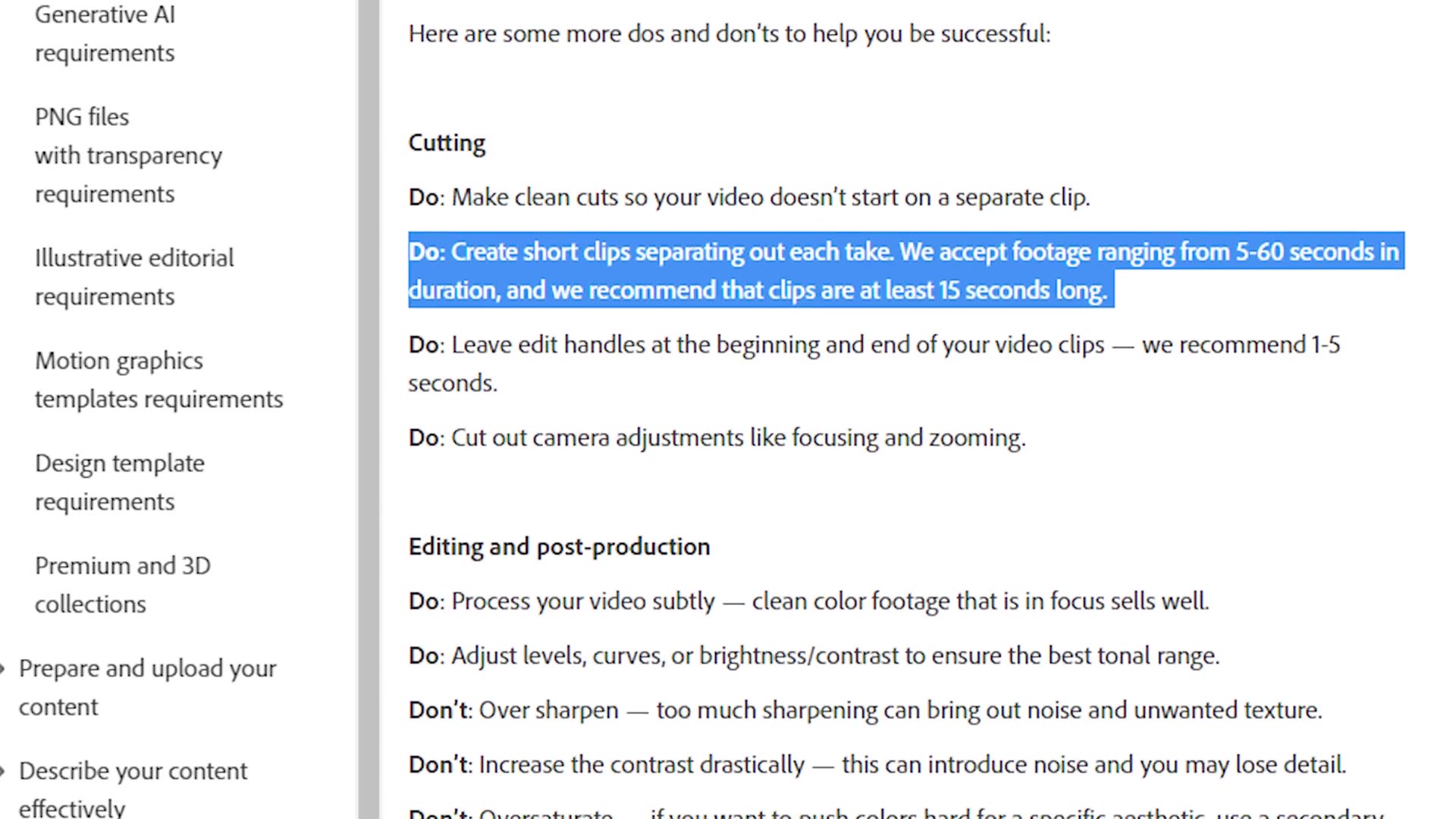
Next you are probably wondering how long your clips should be. Most stock footage websites have a minimum clip length of 3 to 5 seconds, so in general I try to target my clips to be around 5 to 10 seconds long at minimum.
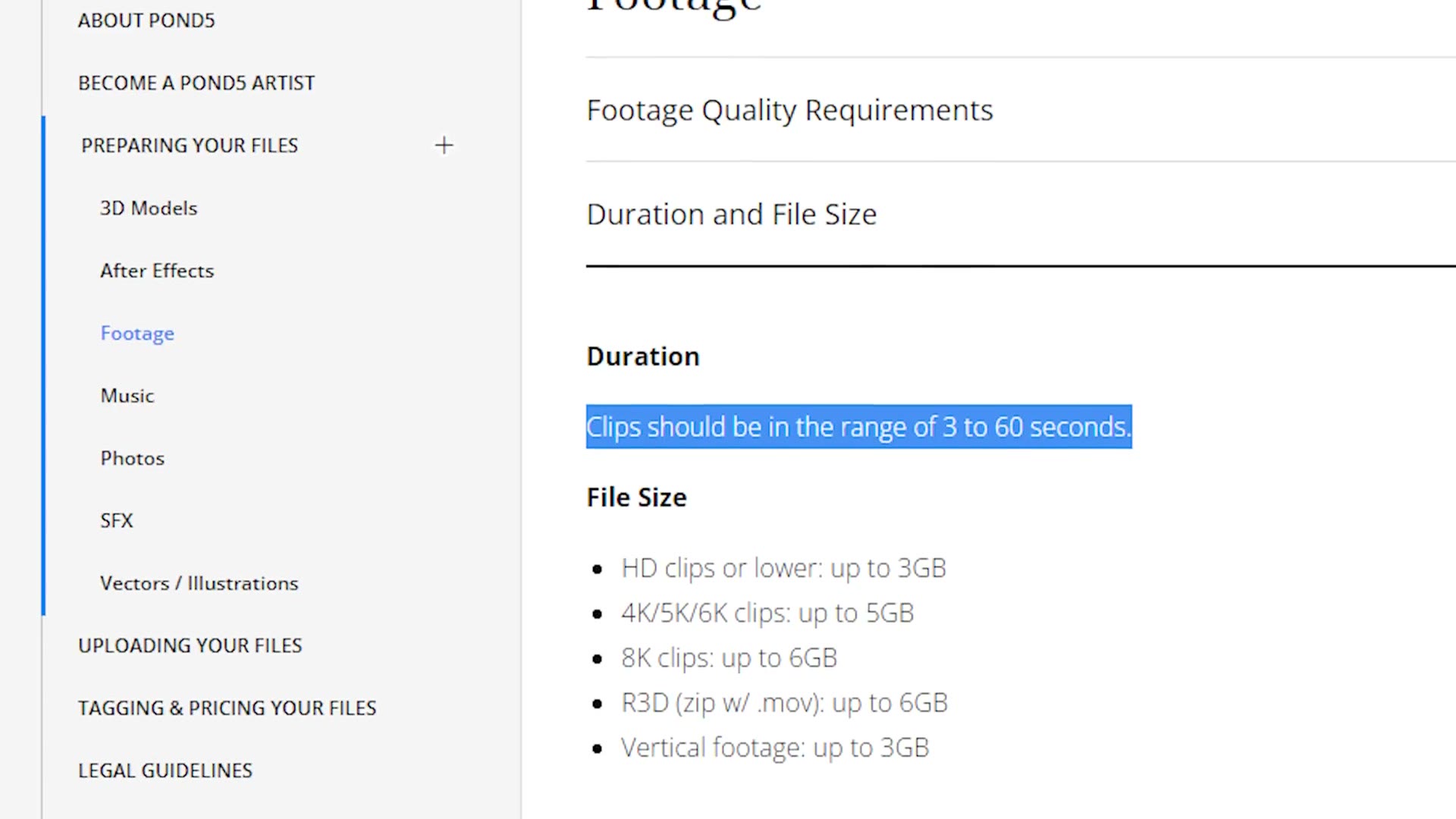
As far as maximum length goes, all stock footage sites have limitations, with the vast majority limiting you to one minute clips at most, while some sites will allow up to 90 seconds. Because of that, I would always target a maximum of 60 seconds. And keep in mind that if you are filming in slow motion, you really do not have a ton of time before you are going to need to stop recording and start another clip.
Filming Techniques
That clip length limitation leads us into general filming technique, because we have covered a lot of the technical nitty gritty and now we need to talk about how you should specifically be filming.
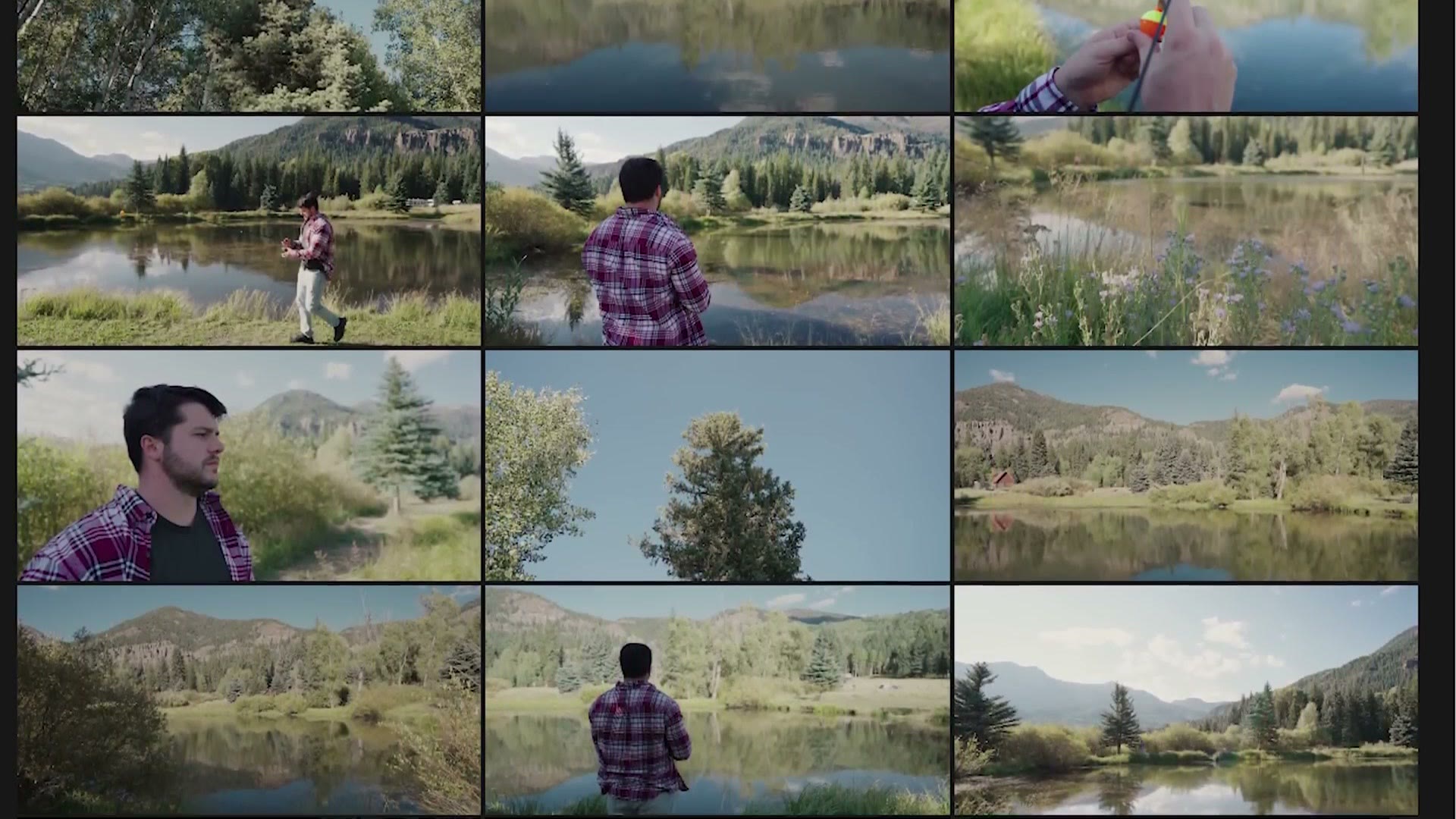
The main thing I would keep in mind is that your goal should be to get as much variety of whatever you are filming as possible. Take, for example, this footage I filmed of my brother fishing while we were vacationing in Colorado.

At its most basic, whenever you think fishing you may think of a guy casting a rod into the water and then reeling in a fish. But there is so much more you can film. Film the ambient area, the trees, the pond, the weather overhead, multiple wide shots, multiple tight shots, casting the rod from multiple angles, reeling the rod in, moving around the pond to different locations, catching a fish, reeling in the fish, holding up the fish.

From that one video idea of a man fishing, I recorded over 40 video clips that I now have for sale online as stock footage. So do not be afraid to go crazy and film a ton, because you need to remember that most people are going to want more than one clip to edit with. They are going to want multiple. So if you can offer them multiple clips of the same thing occurring, the odds are they are going to buy more than one clip from you, which can make you significantly more money.
Skip The Audio
I want you to notice two things about these clips. First, there is no audio in any of them, and that is intentional. The vast majority of stock footage websites are not interested in you including audio with your footage, so I would pretty much always remove it. The only time you would not remove audio is if it was absolutely integral to the clip, at which point you can upload it and make a case for why it should be included. But otherwise, for the vast majority of stock clips, I would not include audio.
If you want to go deeper, I’ve also got Film THIS Stock Footage To Make The Most Passive Income In 2024, How Much Passive Income I Made Selling Stock Footage In 2024, and Make Money With Stock Video! How Many Clips You Need To Film To Start Making Passive Income.
Do Not Forget Releases
The next thing I want you to notice about this footage is arguably the most important, and that is that there is a person in it. Any time you include people in your stock footage you need to be very mindful of exactly who you are including, because if a person in your footage is recognizable, you need to make sure they sign a model release form.
Now, every single stock footage site out there is going to have different model release forms they want you to fill out. If you are planning on uploading to just one site, say Artgrid, you can just download that site’s specific release form, have whoever is in your video fill it out, and upload it along with your footage.
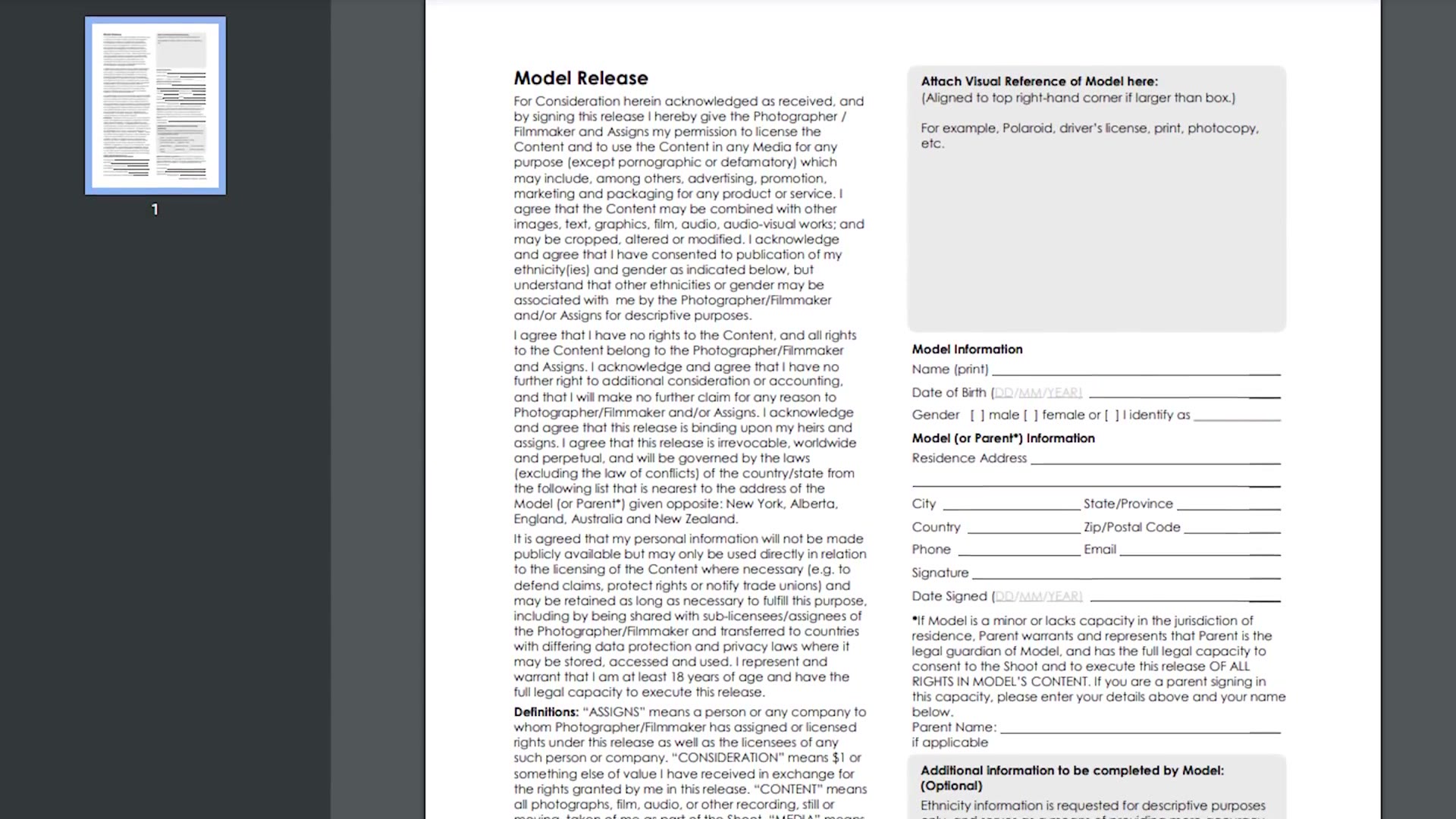
Where things get complicated is that just because you have someone sign a release form from one website, that does not necessarily mean the form is usable on other websites. This is really annoying. So my recommendation is that if you are going to use a release form, use a more generic one that will be accepted by multiple websites. Personally I have had good luck with the Getty Images model release.
Closely related to model releases, you also have property release forms. Most stock footage websites are also going to want property releases for any recognizable property in your footage. As for what counts as property, the definition is pretty broad, but in general if you are filming an iconic structure like the Golden Gate Bridge, or a custom built sports car at a car show, or a painting in a museum, if these things are super recognizable you are going to want a property release from the owner. It is a form very similar to a model release, just for an object instead of a person.
Get Creative
I realize this may discourage you a bit, because you are thinking, dang it, all this paperwork and these release forms sound annoying. I get it. But if you are creative about what you film, I promise you there is still a ton of stuff you can shoot that does not require a release form at all, and you can make money from it.
Guess what my most popular, most downloaded clip I ever filmed is? It is a drone shot of some pine trees in a forest. No model release or property release required, because there is nothing unique about those trees. So get creative. You can do it.
Want To Edit Stock Footage?
At this point you now know how to get started filming stock footage, but we are not done yet. The next one in this series shows you how to easily edit your stock footage in a way that will be accepted by all of these different websites, and how to do it fast.

I also have a video about exactly how much money you can expect to make from selling stock footage, including the hard numbers I have personally made.
Download My Free Stock Footage Jump Start Guide
Lastly, if you are interested at all in stock video and you want a shortcut to selling it, you need to check out my Stock Footage Jump Start Guide. This guide walks you through the exact steps to take, not only to film stock footage like we covered here, but also how to edit and upload it. It also shares the exact sites I recommend when you are getting started, and if you follow the steps in it you will be making money selling stock footage in no time, oftentimes within a month. Did I mention this guide is completely free?
I colored everything you see here with my color presets. If you want to go deeper, I have filmmaking courses here, and here is my full list of filmmaking gear.
Thanks so much for reading, and have a great day!