
This is the DJI Mic 2, and today I’ll be reviewing it for wedding filmmakers. So if you’re a wedding filmmaker, or you film corporate or commercial videos or anything like that, this one is for you.
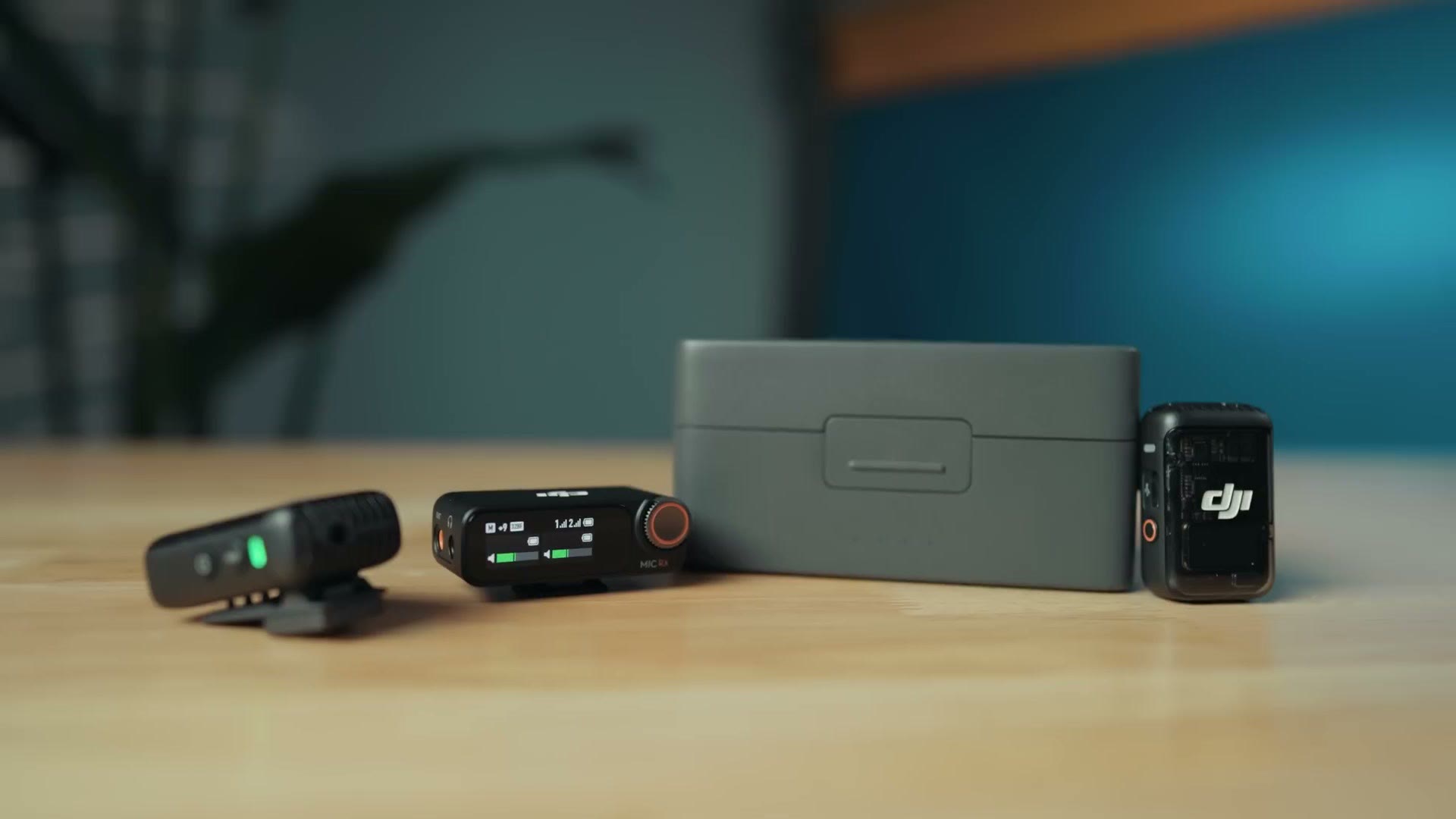
And to spoil the conclusion right up front because I want to save you time: I think this is a great mic for content creators and YouTubers, but for wedding filmmakers it’s lacking in a few key areas, and something like the Rode Wireless PRO or the Tascam DR-10L Pro would probably serve you better.
Also, for the sake of ethics, I want you to know this video is not paid or sponsored by DJI, but they did send me this microphone so I’d be able to make this review.
A bit of context. I have personally never owned the DJI Mic 1, but I’ve had a bit of experience with it, and considering how much competition there has been in this tiny wireless microphone space between DJI, the Rode Wireless PRO, Hollyland and the rest, I’m really interested to see how these stack up.
The Case
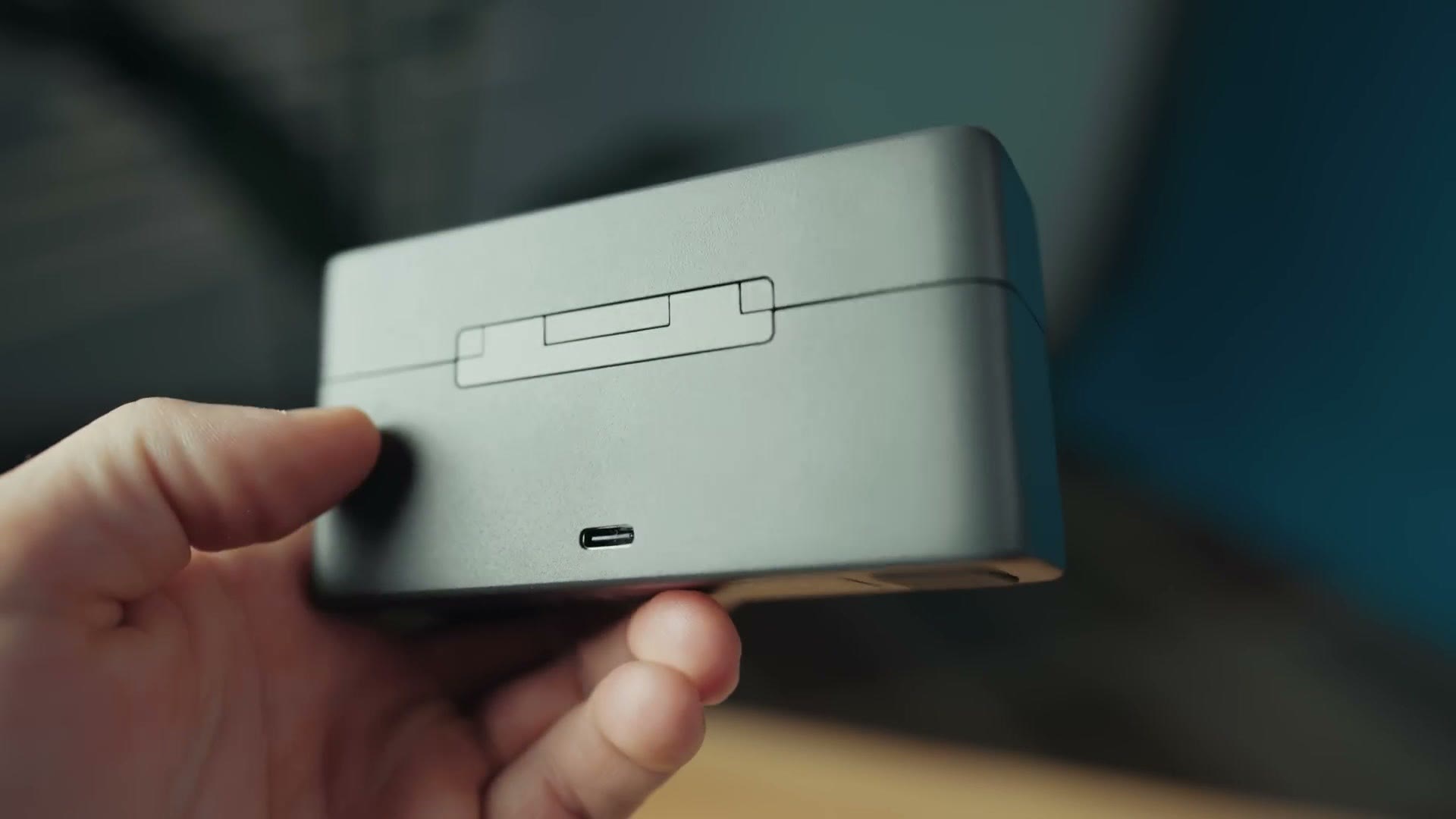
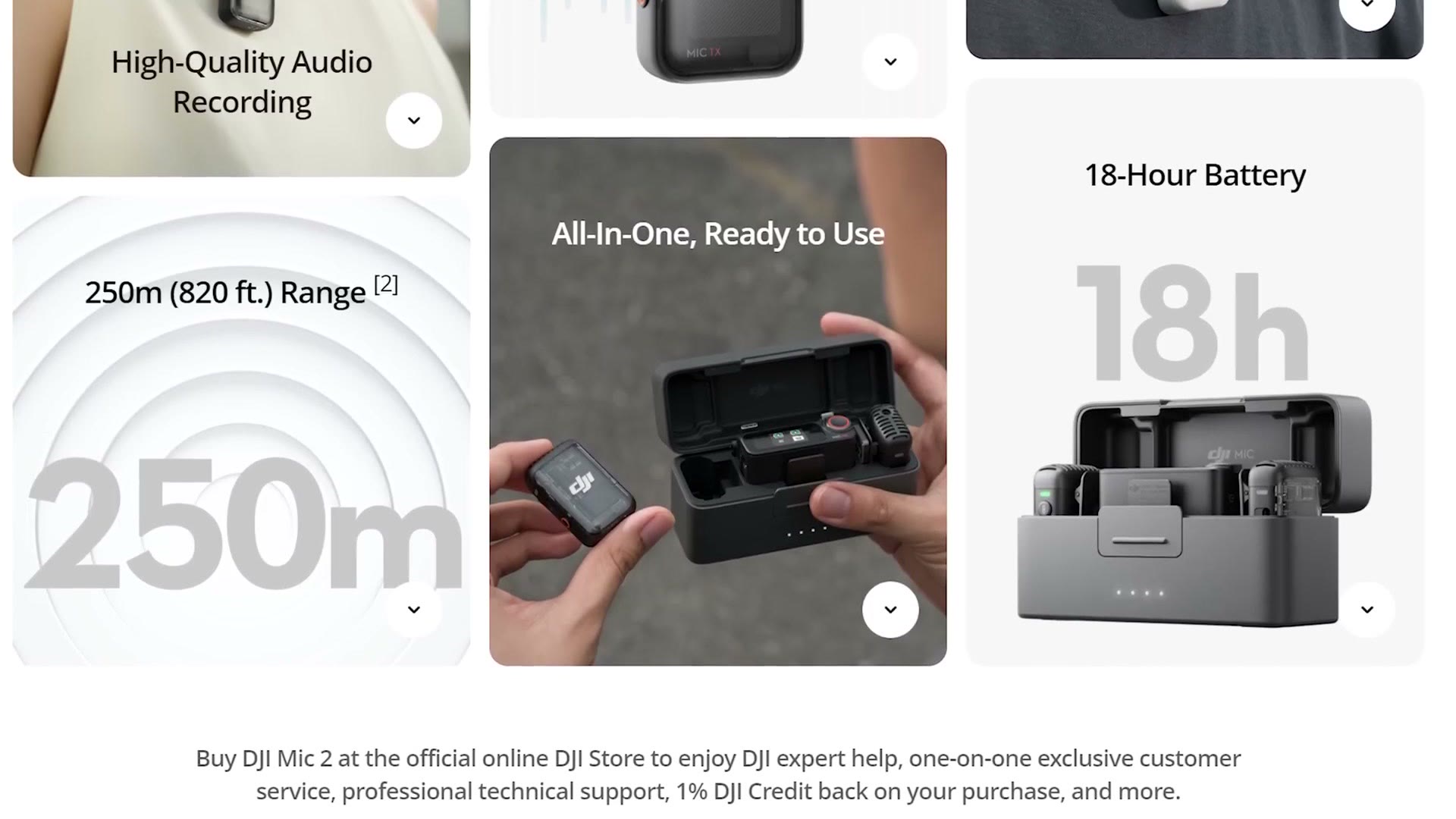
The first thing you’re going to notice about the DJI Mic 2 is that the case is fantastic. It’s made of metal, it can charge the transmitters and receiver twice over from its internal battery, and you get charge lights on the front and a charging port on the back.
But the opening and closing mechanism deserves its own paragraph. The closest comparison I have is the charging case for AirPods, and if you have one of those you know exactly what I’m talking about. It’s a very satisfying open and close, and it feels like DJI managed to replicate that in a larger, more metal body. This case is basically a fidget toy for me. Closing it is the most satisfying clicking sound I’ve heard in quite a while.
Translucent Transmitters
Once you get past opening and closing the case ten times to hear the click one more time, you get to the transmitters and receiver, which are definitely a unique look. The dual transmitters have this really cool transparent plastic on the front that lets you see the circuit board inside.
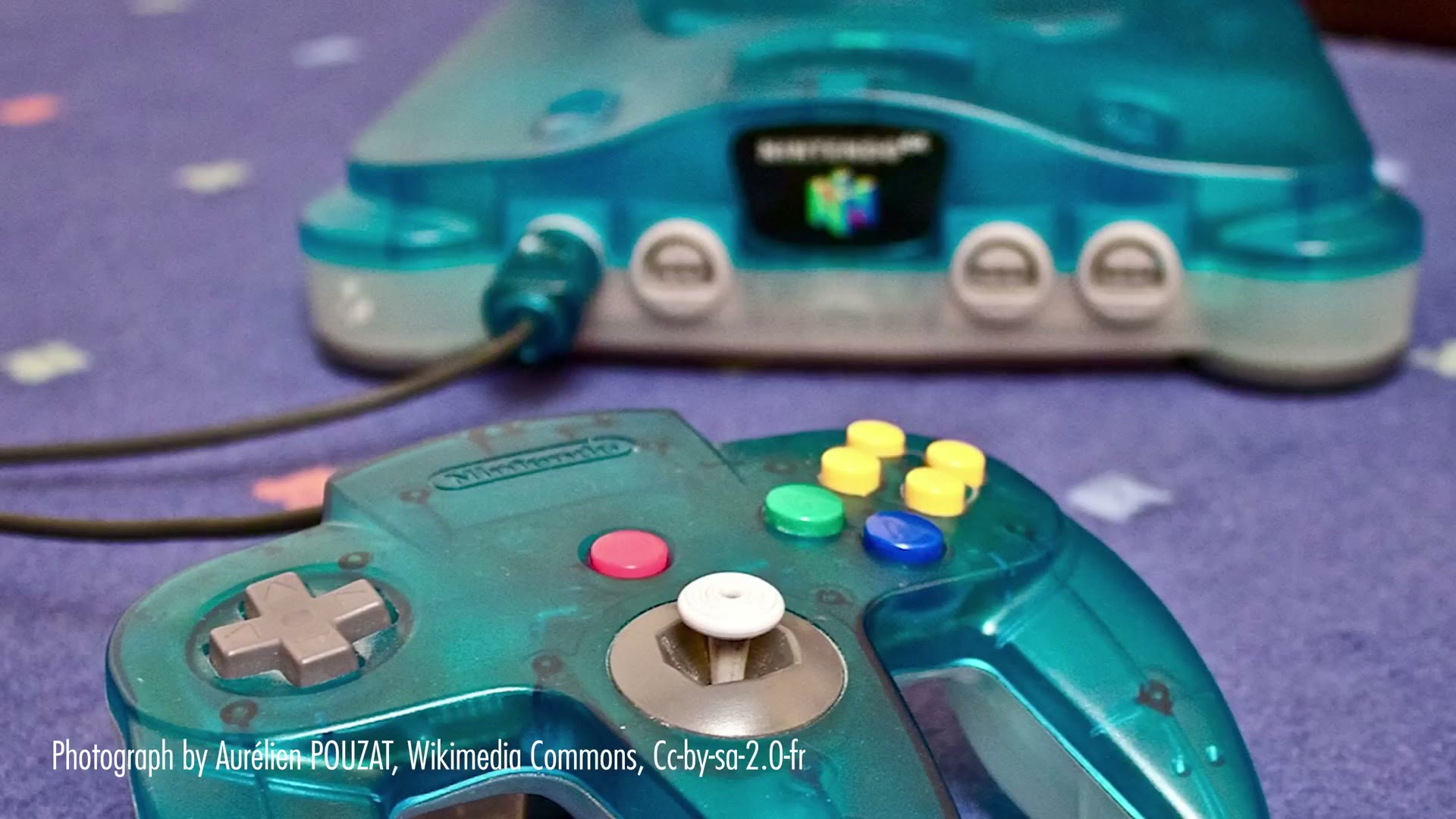
It brings me right back to the early 2000s when everything was translucent, like the early iMacs, or even better, the translucent Nintendo 64. Do you remember how cool that thing looked? Yes. It was awesome.
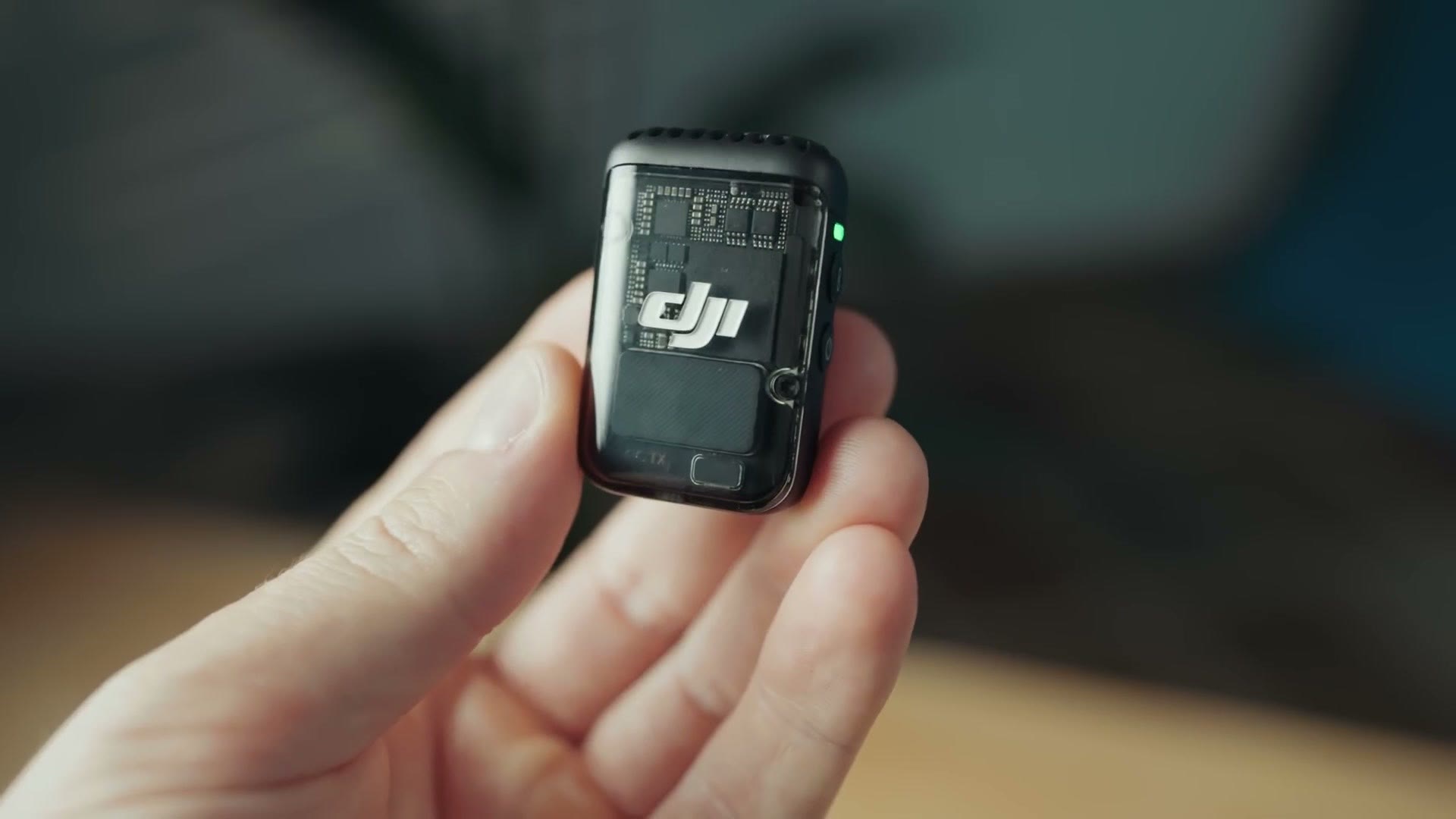
That said, once you get past the coolness you start to realize that this plastic is kind of shiny. And if you’re using this microphone in a professional setting where you’re trying to hide it, which is 99% of pro filmmakers out there, a shiny transmitter is harder to hide. If it isn’t in a pocket or under a shirt with the lav, it’s going to stand out a little more, and that’s a bummer.
Thankfully you have clips on the back of the transmitters as well as magnetic attachments that help you hide them, and those magnets are super strong. Just keep in mind you’re definitely going to want to keep these hidden. In short, if you’re creating a video for YouTube and you want to show off the microphone, the design is cool. If you’re using it in a more professional sense, it’s not quite as cool.
The Receiver Touchscreen
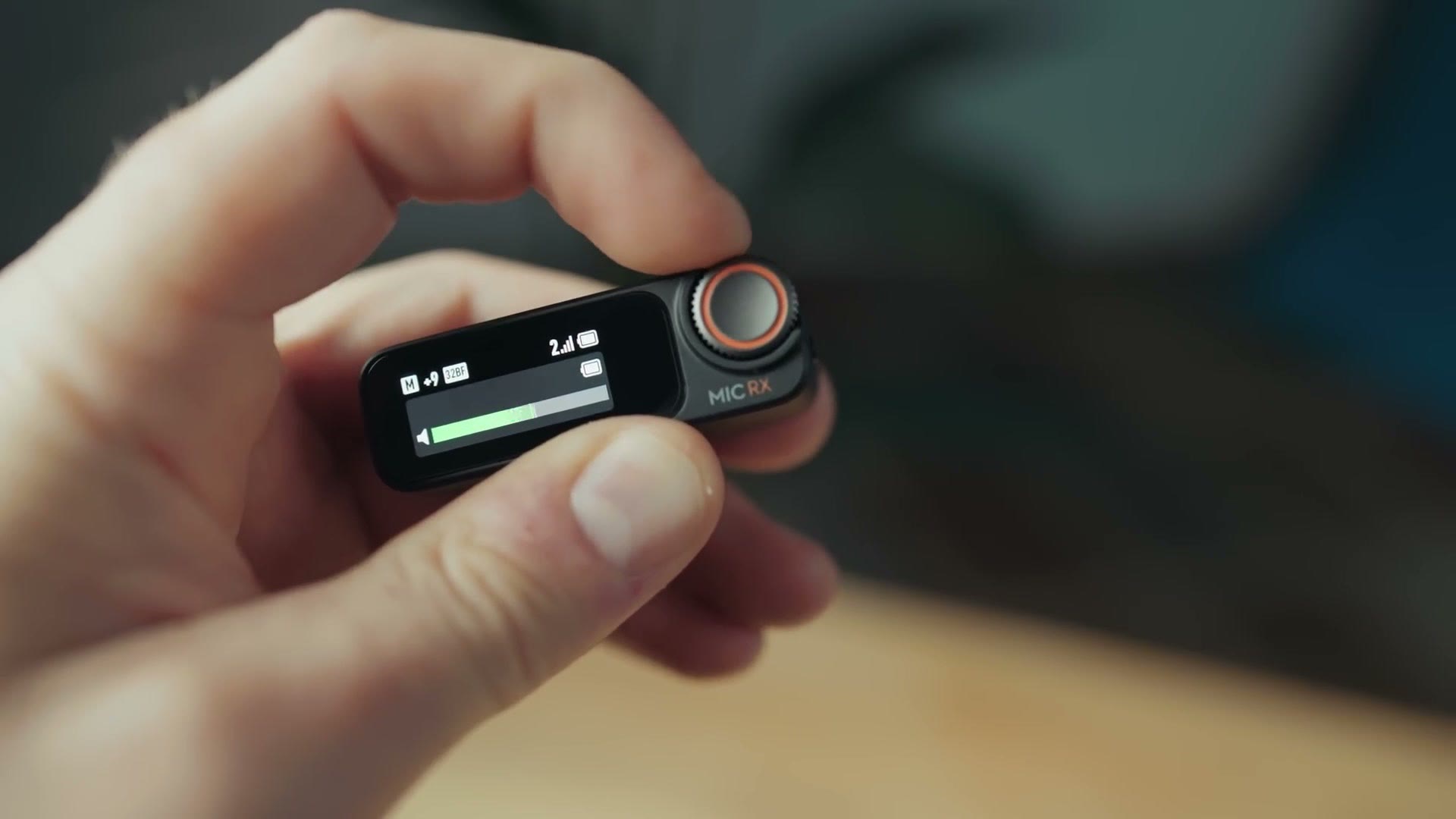
The touchscreen on the receiver is a total win in my opinion. It gives you a ton of useful information, and more importantly it lets you change settings without needing to mess around with an app or press tiny buttons. They even added a dial that looks like something off an Apple Watch but bigger, which makes changing settings really easy. I’m very happy with how DJI has built this receiver.
The Biggest Con Of The Transmitters
Sorry, we’re going back and forth between pros and cons here. This is the big one, and I’ve already seen a lot of people talking about it online, so you probably know where I’m going. Don’t worry, there’s another con later that I’ve seen almost nobody talking about.
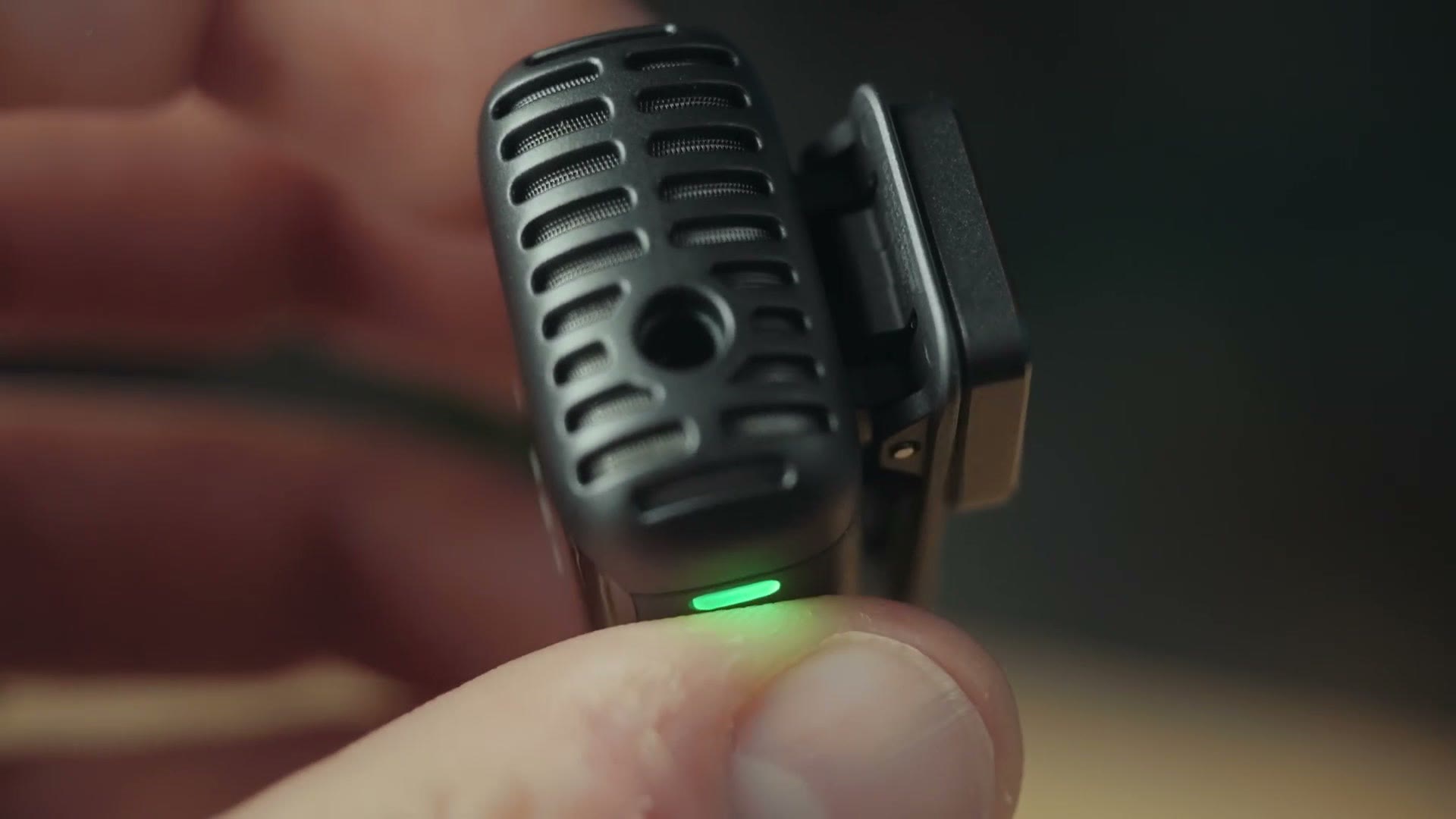
Both transmitters have dedicated microphone jacks so you can plug in an external lav, which is great. Unfortunately, neither one has a locking microphone connector that screws the lav into the transmitter. So there is a definite chance the mic could get pulled out. DJI has included the ability to thread the mic cord around underneath the back clip to make it more secure, but that isn’t a replacement for a locking jack in my opinion.
This is a big bummer, because most other microphones and recorders I can think of these days have locking mic jacks. It’s almost become standard, and a lot of filmmakers appreciate it.
The main thing to keep in mind is that if you’re filming something where you can keep a close eye on your talent and monitor the audio as you record, you’re probably going to be all right without a locking jack. But if you’re filming a wedding and you can’t keep an eye on the person wearing the lav, and they’re a groom or an officiant with it on their jacket, and they take that jacket off to go to the bathroom before the ceremony, or they’re stretching, or people just do weird things, the lav could get pulled out and you would basically not be recording good audio. Which would suck.
To be fair, the receiver will show you a little icon telling you whether a lav is plugged in or whether it’s using the built in mic on the transmitter. But if you’re filming a wedding and you aren’t watching closely, you might not notice. And even if you did notice, it’s not like you’re going to yell stop the wedding, get up from the balcony, run to the front while the couple stares at you, and plug the mic back in. I mean, you could. But people would hate you.
This may be a deal breaker for you. If you want a microphone with a locking jack you have plenty of options from other companies, so it’s hard for me to recommend this one.
All that said, I do remember back in the day that a lot of my wedding filmmaker friends were recording audio on a Zoom H1, which was pretty darn bulky, like four of these DJI transmitters stacked together, and it didn’t have a locking jack either. Heads up: this link goes to the newer Zoom H1essential. You had to stuff that thing in a groom’s jacket somehow. I had a friend who would gaff tape his microphone plug into the recorder to make sure it wouldn’t come out, and he was brave, because I definitely knew other filmmakers who lost audio because their mics got pulled out of the H1.
32-Bit Float And Its Quirks
I’m so glad to tell you that DJI has included 32-bit float recording in the Mic 2, which means you don’t have to worry about your audio being too loud or too quiet. You can adjust the level in post and recover it if it peaks, which is fantastic.
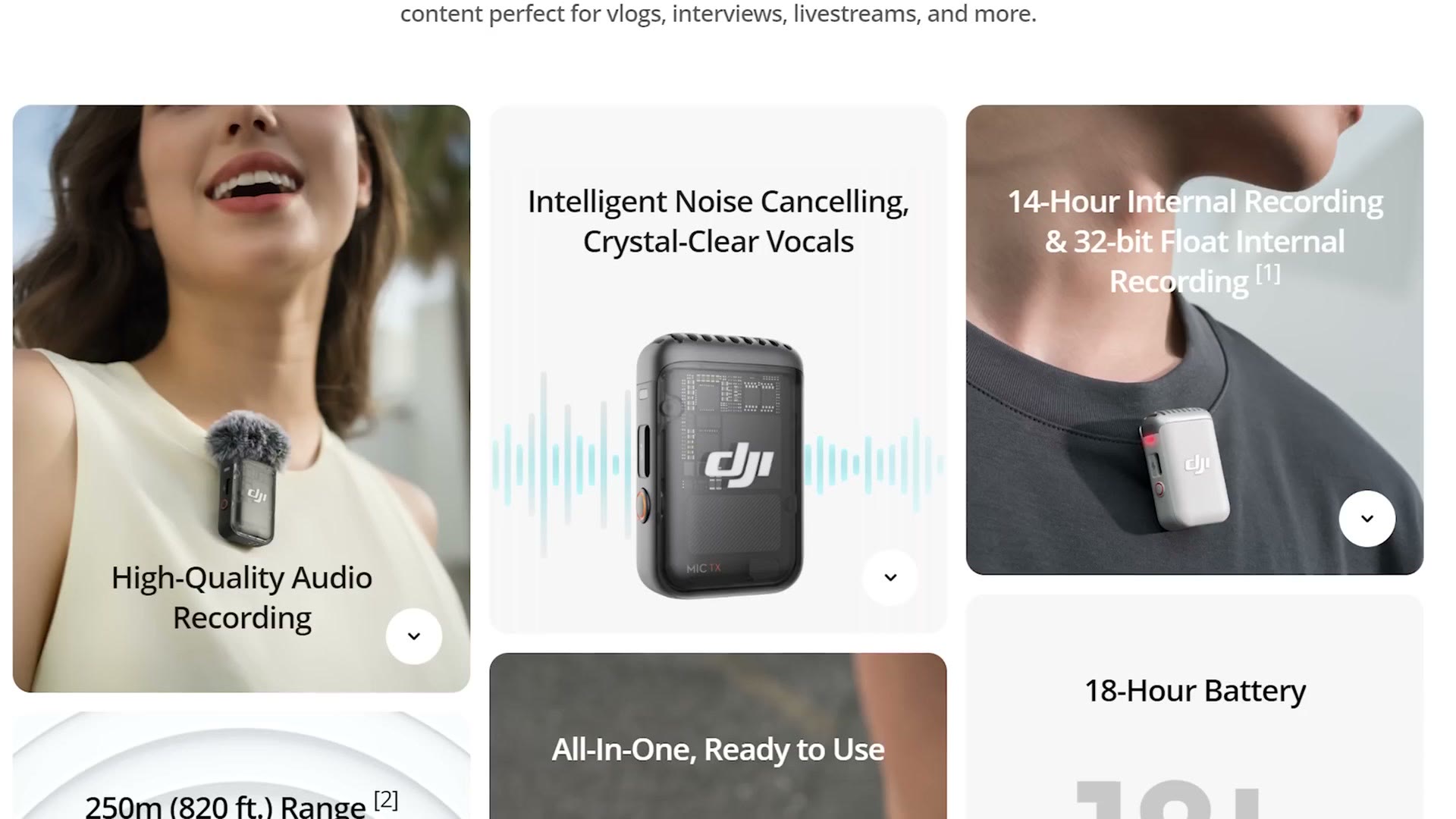
Because people have asked, that 32-bit float audio is only saved to the transmitter’s internal 8 GB of memory, which is about 11 hours of recording time. DJI says the mic will record 14 hours on their site, but that is only for 24-bit audio. If you want 32-bit float, it’s 11.
This also means that if you plug the receiver into your camera and record audio that way, what lands on your camera is not going to be 32-bit float, because at the time of this review I don’t know of any camera that supports internal 32-bit float recording. I would love to see it. So if you want the 32-bit float files you’ll need to connect the transmitters to your computer, copy the audio off, and then sync it up to your camera footage. It is a bit of extra work, but in my opinion it’s worth it for the quality.
One more wrinkle. When recording in 32-bit float, these transmitters record in 23 minute segments, so every 23 minutes it cuts and creates a new file. That isn’t a big deal and you won’t lose any audio in the handoff, but it does mean you’ll end up with a lot of files rather than one long one if you’re recording all day.
Audio Quality
All of the audio in this video was recorded with the DJI Mic 2. I’m wearing one, using the DJI lav specifically, recording 32-bit float internally, because that sounds better than the audio transmitted wirelessly. So if you like how the audio sounds here, you’ll probably like the DJI Mic 2.
I compared three ways of recording with it in the video: the lav recorded internally at 32-bit float, the transmitter’s own capsule recorded internally, and the wireless signal recorded straight to the camera. In my opinion the lav recording internally to the transmitter sounds best, and that’s how I’d recommend using it.
Battery Life
If you look at DJI’s website they proudly proclaim that the Mic 2 has a battery life of 18 hours, which sounds fantastic. But that is a little misleading.
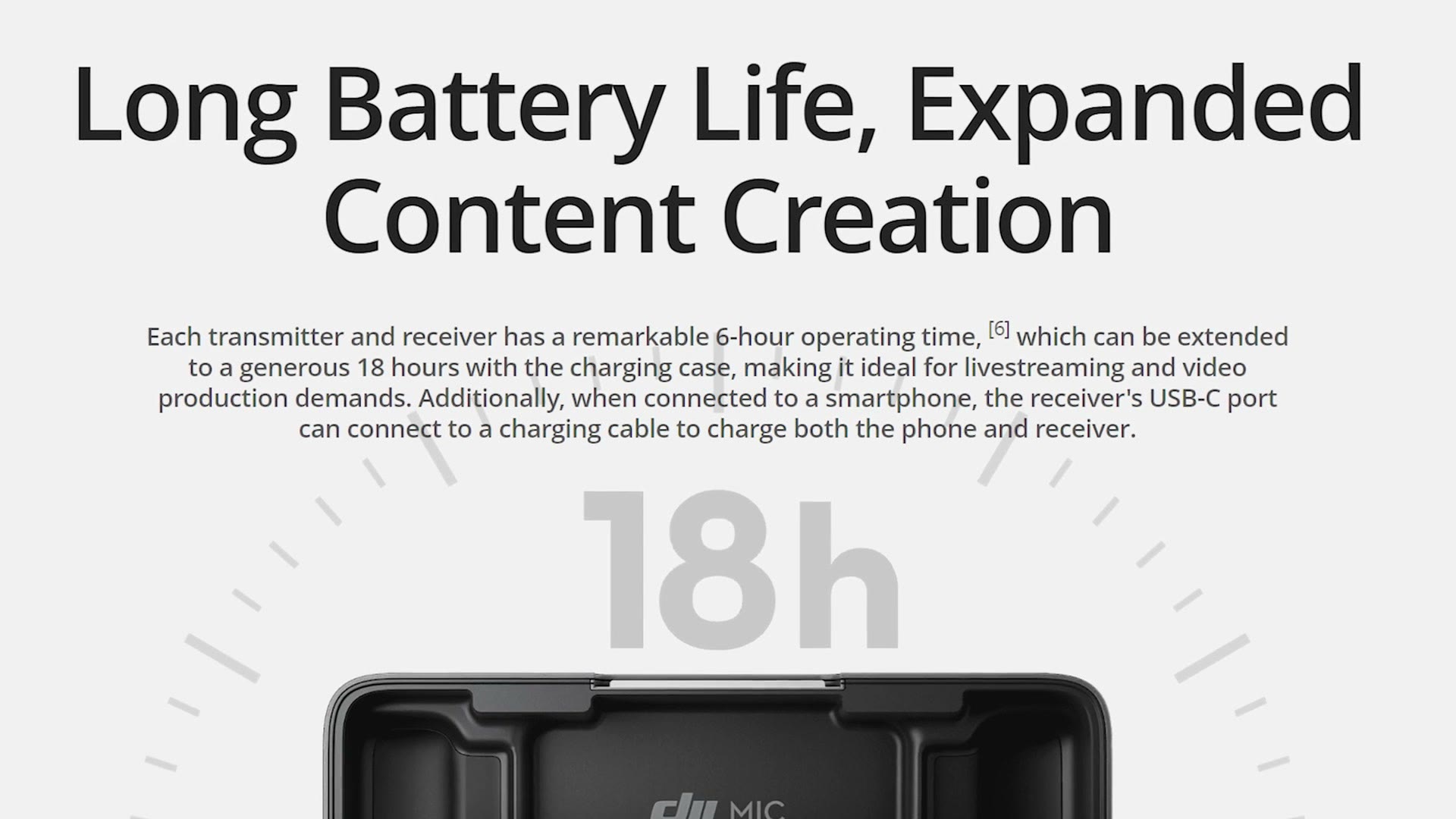
That’s the battery life you get if you stop and put the transmitters and receiver back in the charging case to recharge them once the batteries die. You have to read the smaller text, which tells you each transmitter has a 6 hour operating time.
And here’s the kicker. That 6 hours is only if you have turned off internal recording and are only using the audio being sent wirelessly to your camera. Whenever you turn on 32-bit float internal recording, which I definitely recommend you do, battery life drops to closer to 5 hours in my tests.
I put together This mic looks big, right? – Sony ECM-G1 Review as well, which covers the part I skipped over here.
This feels very similar to my Rode Wireless PRO review, which had about six and a half hours, so I’ll repeat what I said there. If you’re a filmmaker who records shorter pieces, say you only put the mic on someone for an interview, five hours is going to be fine unless you’re recording the world’s longest interview. But if you’re the kind of filmmaker who puts a mic on someone for the entire day, showing up to a wedding, miking the couple, and recording them hanging out with friends and family plus the first look and the ceremony and the reception, five hours is not going to cut it.
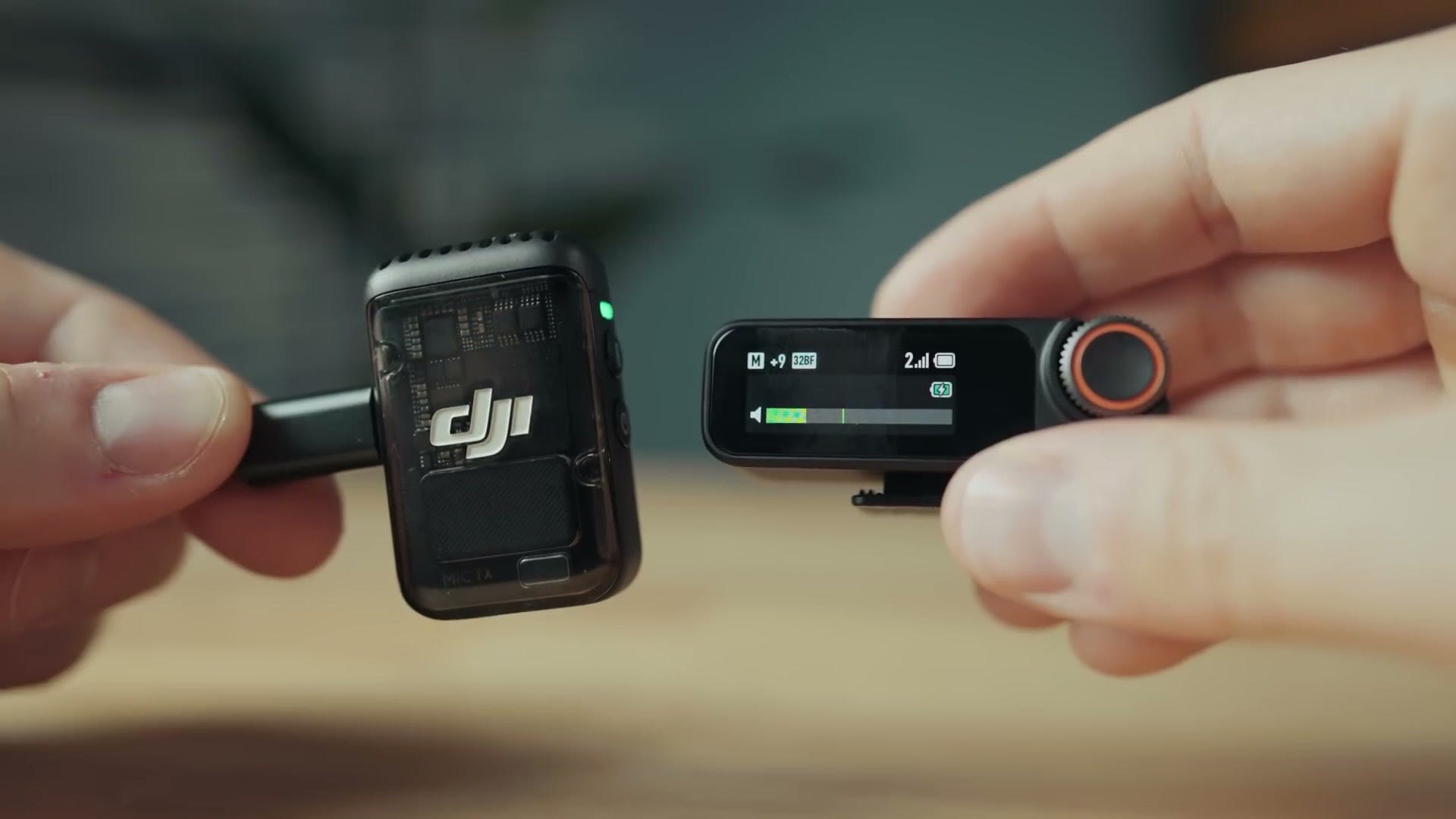
One area where the DJI is different from the Rode is that it can receive external power and keep recording. So if you rig a transmitter and the receiver to a USB-C battery pack, you could feasibly run them much longer. Keep in mind though that if you’re recording 32-bit float internally you’re still capped at 11 hours before the storage fills up. So it’s a nice workaround, but it isn’t going to let you record all day the way something like the Tascam DR-10L Pro would.
Bluetooth
Bluetooth is new to the Mic 2 and wasn’t on the original.
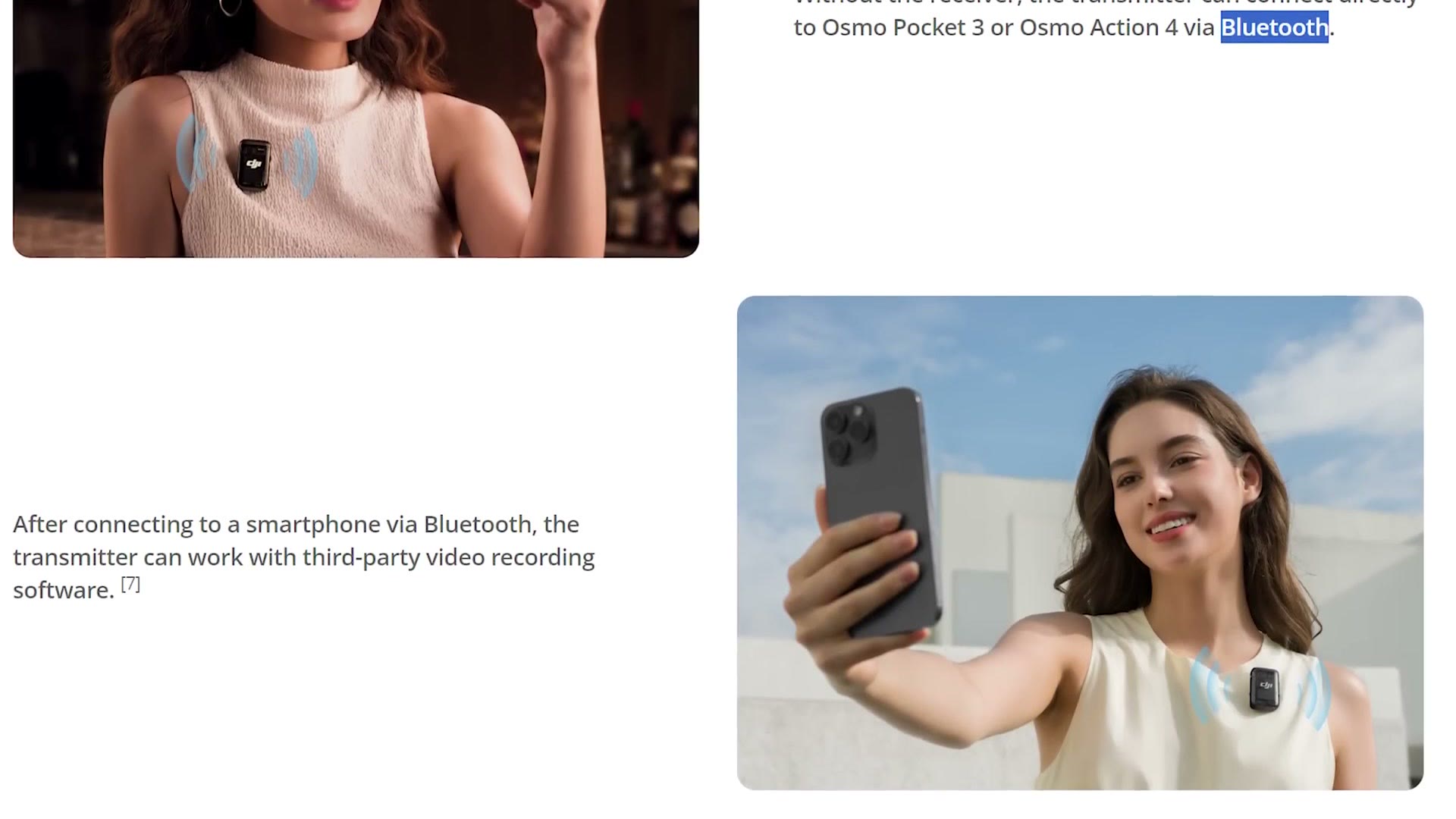
With it you can now connect the transmitters directly to some of DJI’s other cameras, like the Osmo Pocket 3 and Osmo Action 4, and it can also connect to your smartphone as a wireless microphone, which is great.
As for range, Bluetooth is Bluetooth, so I wouldn’t expect magic. Don’t leave the room your mic is in. For the transmitters and receiver themselves, DJI says the range is about 250 meters with no obstructions. Let’s be honest, if you’re filming a wedding in a church or another venue there are going to be obstructions, but I’d expect you’ll be all right on range at a wedding. And if the signal does pick up interference, you can always fall back on the audio recorded internally to the transmitters, which I recommend using anyway because it’s 32-bit float and it sounds the best.
The Con Of Noise Cancellation
Some people will consider this a pro. In my opinion it’s more of a con.
Automatic noise cancellation is enabled by pressing the power button on the transmitter while it’s recording. Just press it once, and if you’re filming in a noisy environment the transmitter will do its best to remove some of that noise and make the audio sound cleaner. It works with both the transmitter mic and a connected lav. Sounds great, right?
Here’s the issue, and it comes right back to my central premise about this mic. To enable or disable noise cancellation, all you have to do is quickly press the power button. And at the time of this review there is no way to disable that button, so it can’t be stopped from toggling the feature, and it also doesn’t stop the transmitter from powering off entirely if someone holds it down too long.
So if you put a transmitter on someone at a wedding and they accidentally press the power button, either by sitting on it or by messing with it, and you would be surprised how many people mess with the microphone, you end up in one of two situations. Either they’ve turned the microphone off completely, or they’ve enabled noise cancellation. Both of those could ruin your audio.
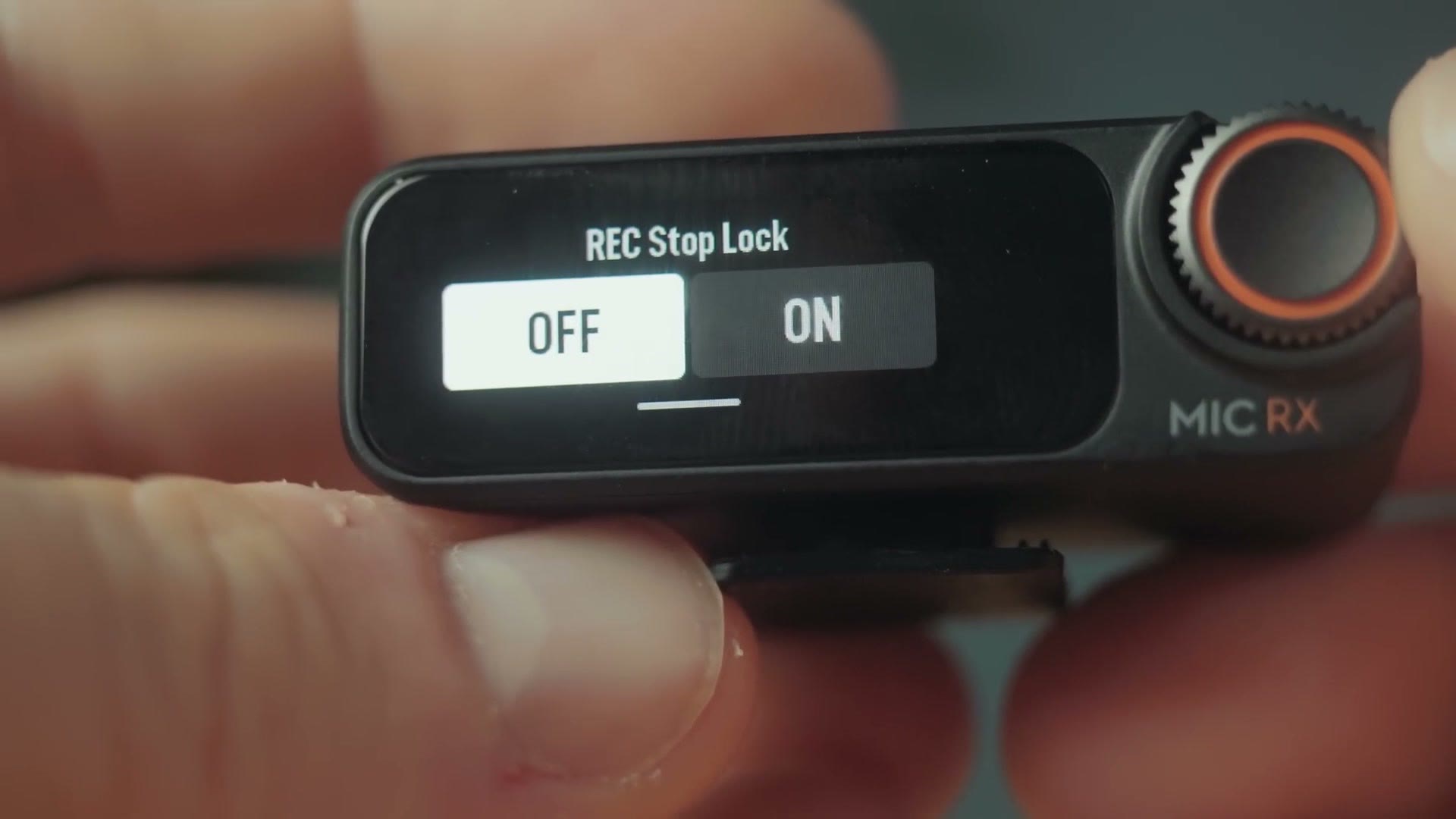
There is a setting on the receiver called REC Stop Lock, which locks the record button on the transmitter and prevents the person wearing it from accidentally stopping the recording. But there isn’t one for the power button. That feels like a bit of a miss. I’d love to see DJI release a firmware update that lets you lock all of the buttons remotely while the recorder is rolling.
Timecode
Let’s talk about the T word. No, it’s not tacos. I love tacos though.
As we see more and more audio recorders released, a lot of manufacturers have been adding timecode to help you synchronize your audio in post. Unfortunately, if you want timecode you’re going to have to wait for the DJI Mic 3, because the Mic 2 doesn’t have it. So you’ll need to use your editing software’s built in sync tools instead.
Incidentally, if you want to learn how to use timecode and you’re on a Tascam or Zoom recorder, I have an entire video explaining how to do that easily.
Should You Buy The DJI Mic 2 For Weddings?
So for $350, should you buy it, especially if you’re a wedding filmmaker or you film corporate or commercial work?
I think this mic is great for anyone recording themselves, or putting it on a client they can closely monitor. But without a locking microphone jack, and with the chance that automatic noise cancellation gets switched on by a press of the power button, or the transmitter just gets turned off by the same button, it’s a little too dangerous to have on a client you cannot keep an eye on. Like someone walking around at a wedding.
For that reason I think the DJI Mic 2 is a great microphone for YouTubers and content creators, but if you’re looking for a mic for filming weddings, I would sooner recommend something like the Rode Wireless PRO or the Tascam DR-10L Pro.
Where To Get The DJI Mic 2
- Buy the DJI Mic 2 at Amazon
- Buy the DJI Mic 2 at B&H
- Buy the DJI Mic 2 at Adorama
- Buy the DJI Mic 2 at Sweetwater
Speaking of recommendations, have you downloaded my wedding filmmaker gear guide yet? It’s a free guide that shows you literally every piece of gear I recommend for wedding filmmaking, including audio gear, plus links to all of it so you don’t have to go searching.
Thanks so much for reading, and have a great day!