
I recently made a video all about why filmmakers are leaving Adobe Premiere Pro for DaVinci Resolve, and that video ruffled some feathers at Adobe. Not a day later I had multiple emails in my inbox from multiple employees at the company, which ultimately resulted in Adobe inviting me, along with some other video editors, out to their headquarters in San Francisco to talk to them about Premiere Pro and how they can improve.
So if you have been wondering whether Adobe is actually listening to creators, and whether they are working on making changes to be competitive with DaVinci Resolve and Final Cut, this should hopefully help answer those questions.
Off To Adobe HQ
As I said, it was not just me that Adobe flew out. They brought in video editors from around the world, including Javier Mercedes, a fellow Texan, and someone I had not had the chance to meet yet but was so excited to meet, Justin Odisho.
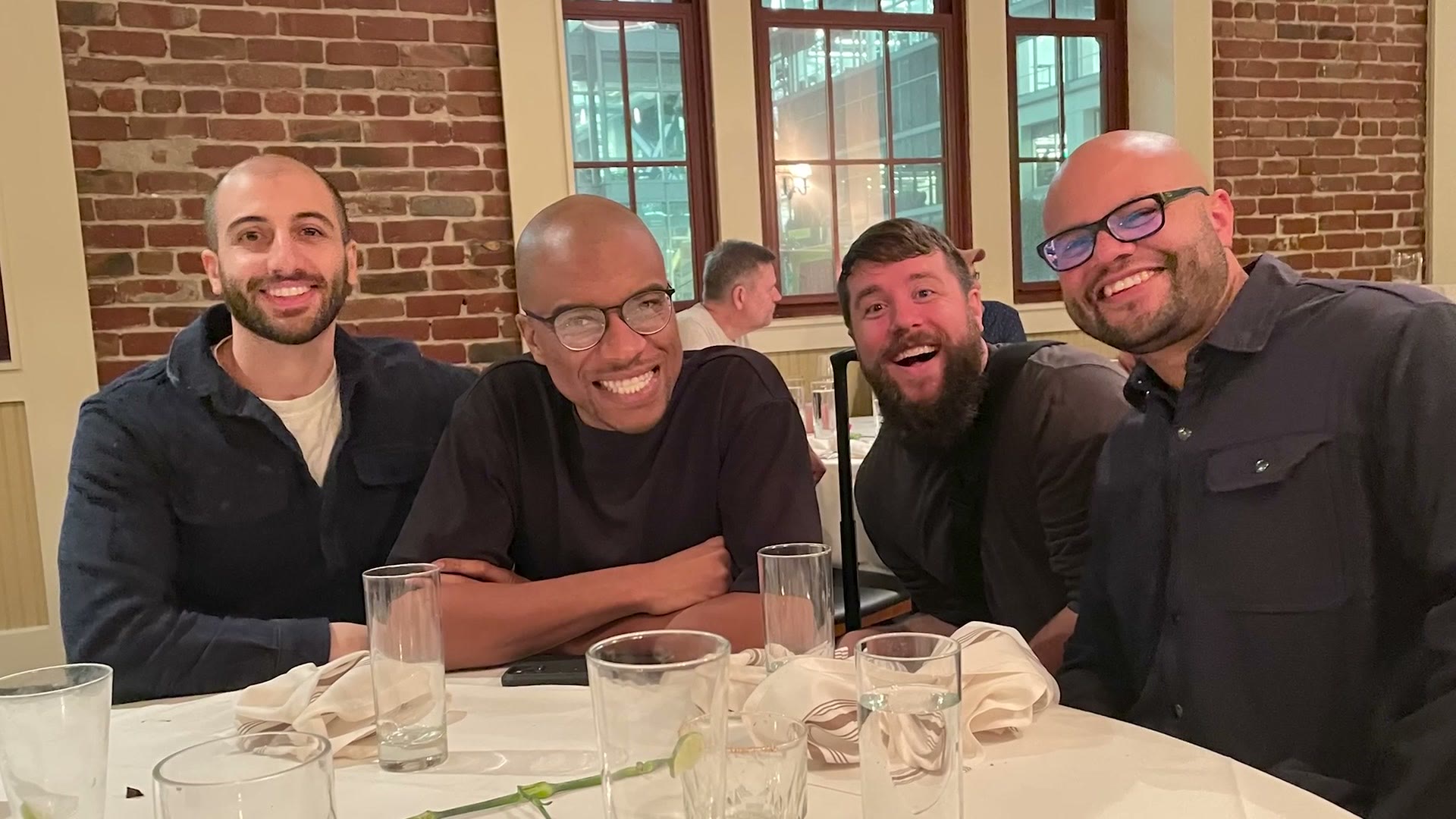
Once we got to Adobe’s headquarters and got settled, Adobe explained why they wanted to bring us out to San Francisco. In short, they wanted to reaffirm their commitment to the pro video community and show that they are listening and want feedback to improve Premiere Pro and make it more competitive.
If I was to sum up this event, it was essentially an open forum where we were able to air our grievances about Premiere Pro directly to Adobe. It was like Festivus.
More seriously, if I do compare this moment to something, I would compare it to what Apple had to do some years ago whenever they had not released a new Mac Pro in many years. They had to have an event and reaffirm their commitment to the pro community and say they would be releasing a new Mac Pro with expandability for professionals. I see this event as the start of Adobe reaffirming their commitment to video editors.
What I Told Adobe Was Wrong With Premiere Pro
Just because Adobe paid to fly me out to San Francisco does not mean I want you to think I went easy on them, because I definitely did not. Just like in the video I made about why filmmakers are leaving Premiere Pro, I did not want to sugarcoat anything with Adobe whenever I was talking to them face to face. I wanted them to know exactly what filmmakers are going through and the issues they are experiencing, in the hopes that they will make changes and improve the software.
So for that entire day, essentially to any Adobe employee I spoke to, and I spoke to a lot of them, I took the opportunity to reiterate the four points I made in my video. Filmmakers want Premiere to crash dramatically less and be more stable overall. They want the program to be significantly faster, both on the timeline and when rendering, so it is competitive with DaVinci Resolve and Final Cut. And they do not want Adobe changing features like the import and export panels for no reason.
Now I know I said four points and I only talked about three. My fourth point in that video was price, and how Final Cut is only $300 and DaVinci Resolve is essentially free, or at most $300 as well, while Premiere is a monthly subscription that is significantly more expensive. But considering how many billions of dollars Adobe made last year with their Creative Cloud subscription, I do not really see them competing with Resolve and Final Cut on price any time soon. I can dream, of course, but I do not really see it happening.
That said, I did tell Adobe that what I would really like to see is their software be as good as the price they are charging for it. Meaning, going back to those first points from my previous video, I want to see them work to make Premiere Pro world class whenever it comes to stability and editing speed. I am betting that if Premiere Pro were more stable and faster overall, there would be way fewer editors considering leaving for other software.
Adobe’s Response
Everything I have told you up to this point is essentially my complaints and feedback to Adobe, because that is largely what this event was. Me and other video editors giving Adobe feedback while they listened. But after our feedback, Adobe did respond, and here is what they had to say.
My complaints, as well as yours, have not been ignored. Adobe is aware of these complaints, especially in the areas of stability and speed, and they have told me they want to fix them and they are working to fix them.
I had the opportunity to speak to the head of software engineering for Premiere Pro and tell him point blank that they were in third place behind Resolve and Final Cut on stability and speed, and then ask him what his team is going to do about it. He told me they are completely aware of this and they are working hard to make improvements specifically to stability and speed.
As for when Adobe will act on these changes, I do not know, but I am hoping we see updates relatively quickly, because as I said in my previous video, more and more editors are leaving for other video editing software.
Actions are always going to speak louder than words, and I really want to see Adobe take action on these issues. But for me, I will say I was reassured by the fact that they were actually willing to bring me, someone who made a video that did not talk about them in the best light, out to speak to them and hear my feedback.
What I Want You To Do
Me going out and speaking to Adobe about these issues was just the start. Now here is what I want you to do.
At this point I have Adobe’s ear. They are listening to the feedback I give them about Premiere Pro. So if you have feedback you want me to pass on to Adobe, leave me a comment. I read all of them, and I am more than happy to pass your feedback along to their team, in the hopes that they will put all of it into action and make improvements to Premiere Pro.

I colored this video with my color presets. If you want to go deeper, I have filmmaking courses here, and here is my full list of filmmaking gear.
Thanks so much for reading, and I will see you in my next one real soon.