
The Rode Wireless PRO is worthy of the “PRO” title for filmmakers, and save for a few quirks in how you control it, this compact wireless audio system is a great choice if you film weddings, commercial work, or anything else where you need a reliable wireless system with onboard backup recording in the event of signal loss.
With the conclusion of this review out of the way, because I like to save you time, I’m going to be reviewing it from the perspective of a wedding filmmaker. But pretty much all of my conclusions apply to you if you film corporate or commercial videos too.
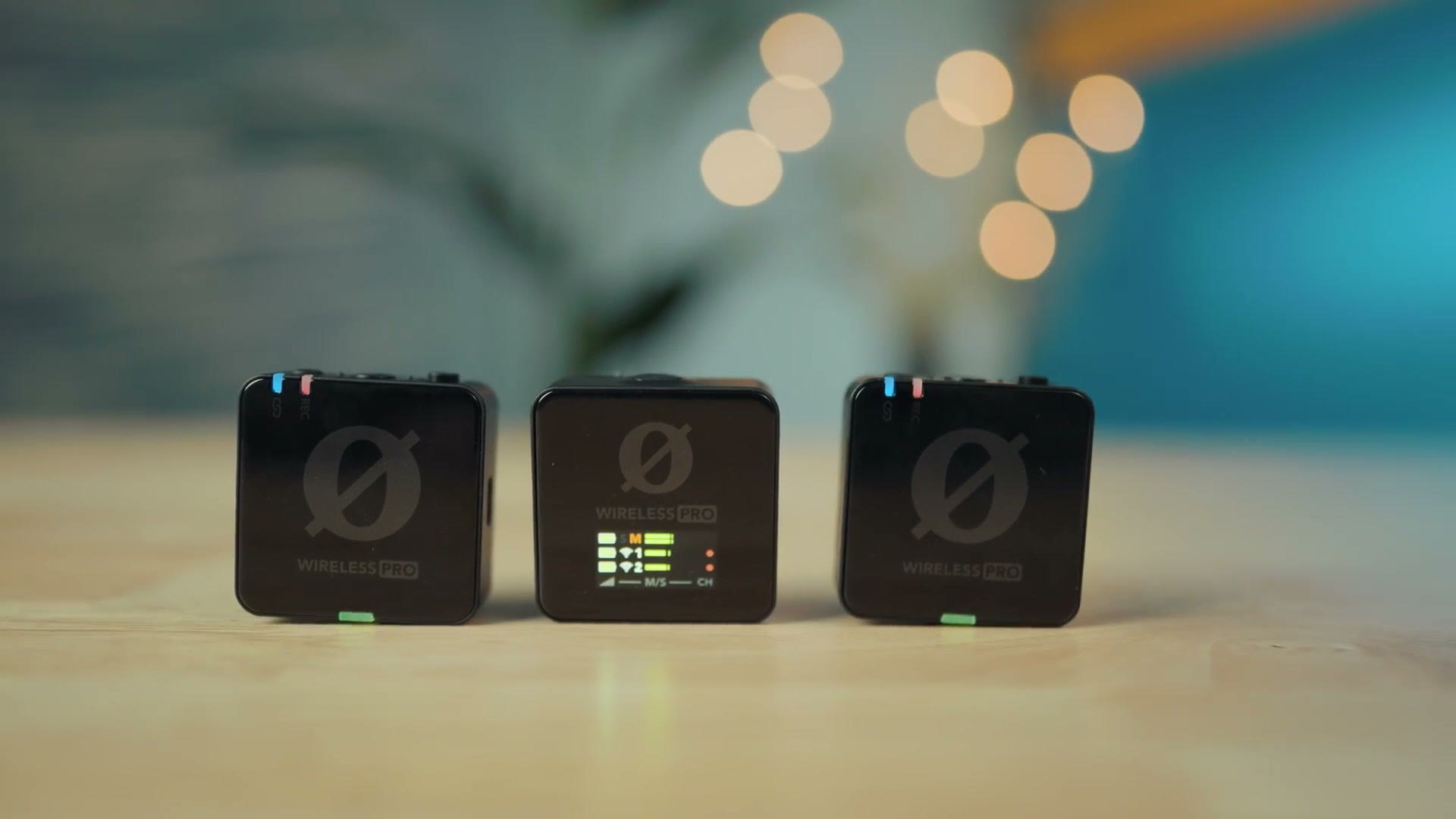
Also, for the sake of ethics, I want you to know that this video is not paid or sponsored by Rode, but they did email me out of the blue asking if I wanted them to send me one of these Wireless PROs to review, and I said yes, because so many people have been asking me to review it.
- Rode Wireless PRO at B&H, Amazon, Best Buy, Sweetwater and Adorama
Size & Build
The first thing you’ll notice is that from a size and shape perspective, these share a lot of the DNA of Rode’s previous first and second generation Wireless GO. I own the first generation Wireless GO, and you can see just how similar they are. Basically the same size, with a solid plastic build quality.
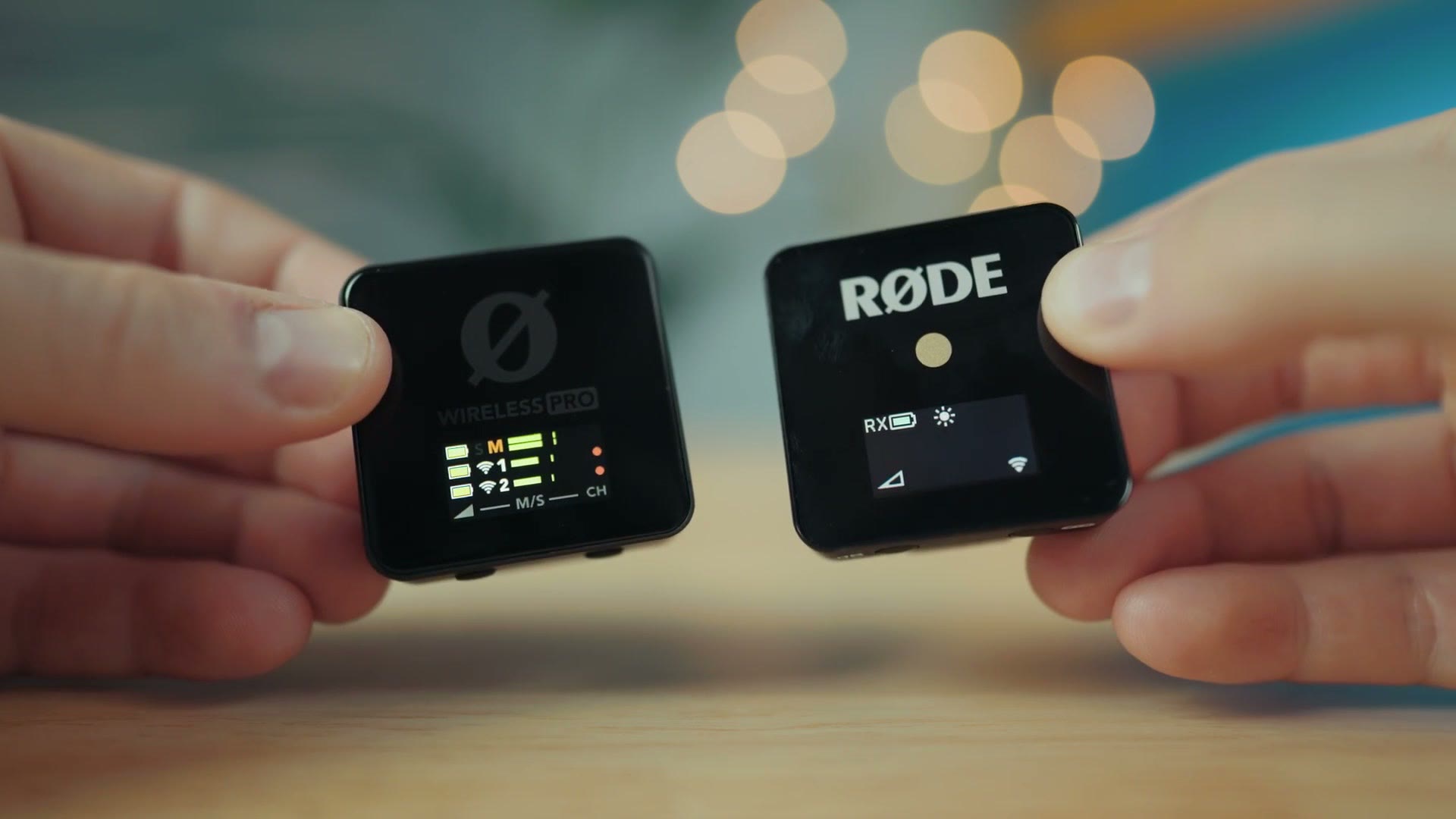
Aside from size and build, that’s about where the comparisons end, because the Wireless PRO has been significantly upgraded over the previous generations in nearly every aspect. And that’s a great thing, because as I said at the start, this is a wireless recorder that finally feels worthy of the PRO title.
1st And 2nd Gen Compromises
In the past with Rode’s wireless recorders, it always felt like they were targeted more at consumers than at pros, and each generation came with its own compromises.
With my first gen Wireless GO, I felt like it had a pretty limited transmission range, and if you were filming in a more professional setting like a wedding, you couldn’t trust it not to lose signal and ruin your audio. That’s the reason I never really recommended it for pro work.
Likewise with the second gen Wireless GO. I don’t have personal experience with that one, but I didn’t like that it lacked a locking 3.5mm jack for the microphone. And soon after launch I heard criticism about how Rode claimed it offered internal 32-bit float recording, when in reality it recorded 24-bit and you could technically export 32-bit from the recorder using Rode’s software. That wasn’t true 32-bit float audio and it wasn’t giving you the benefits of 32-bit float.
So both generations of the Wireless GO didn’t feel like something I could fully recommend to professional filmmakers who are making money from the videos they create. Thankfully the Wireless PRO builds on those, correcting or working around all of these issues.
Charging Case
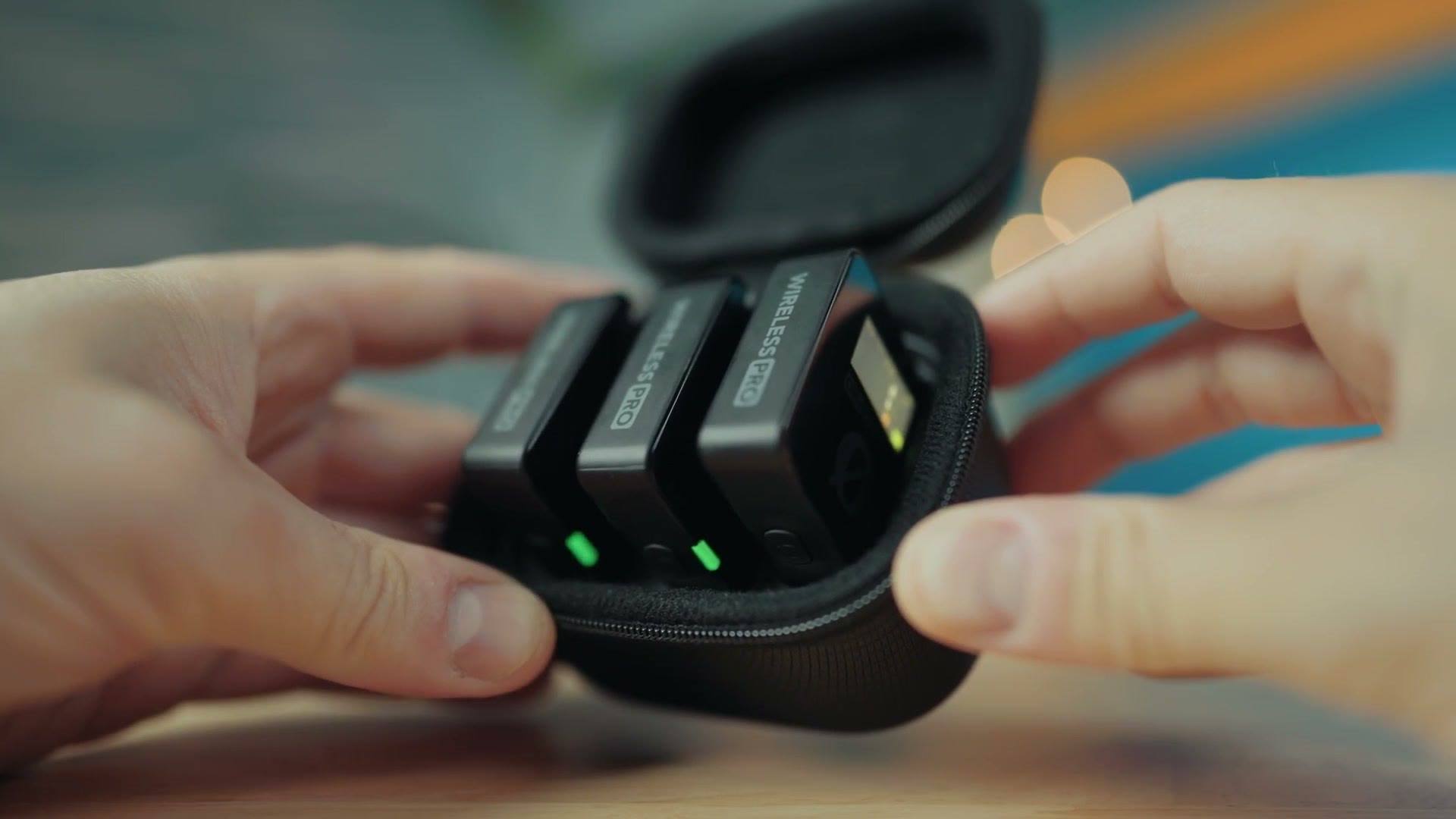
Out of the box, the Wireless PRO comes in two separate cases. One is a charging case that holds the receiver plus both transmitters, and the other holds all the accessories.
The charging case has a pretty beefy battery inside, capable of recharging the transmitters and receiver two full times. And as a plus, you can plug the charging case into your computer and use it to copy any recorded 32-bit float backup audio off the transmitters, which saves you plugging each of them in individually.
Accessories Case
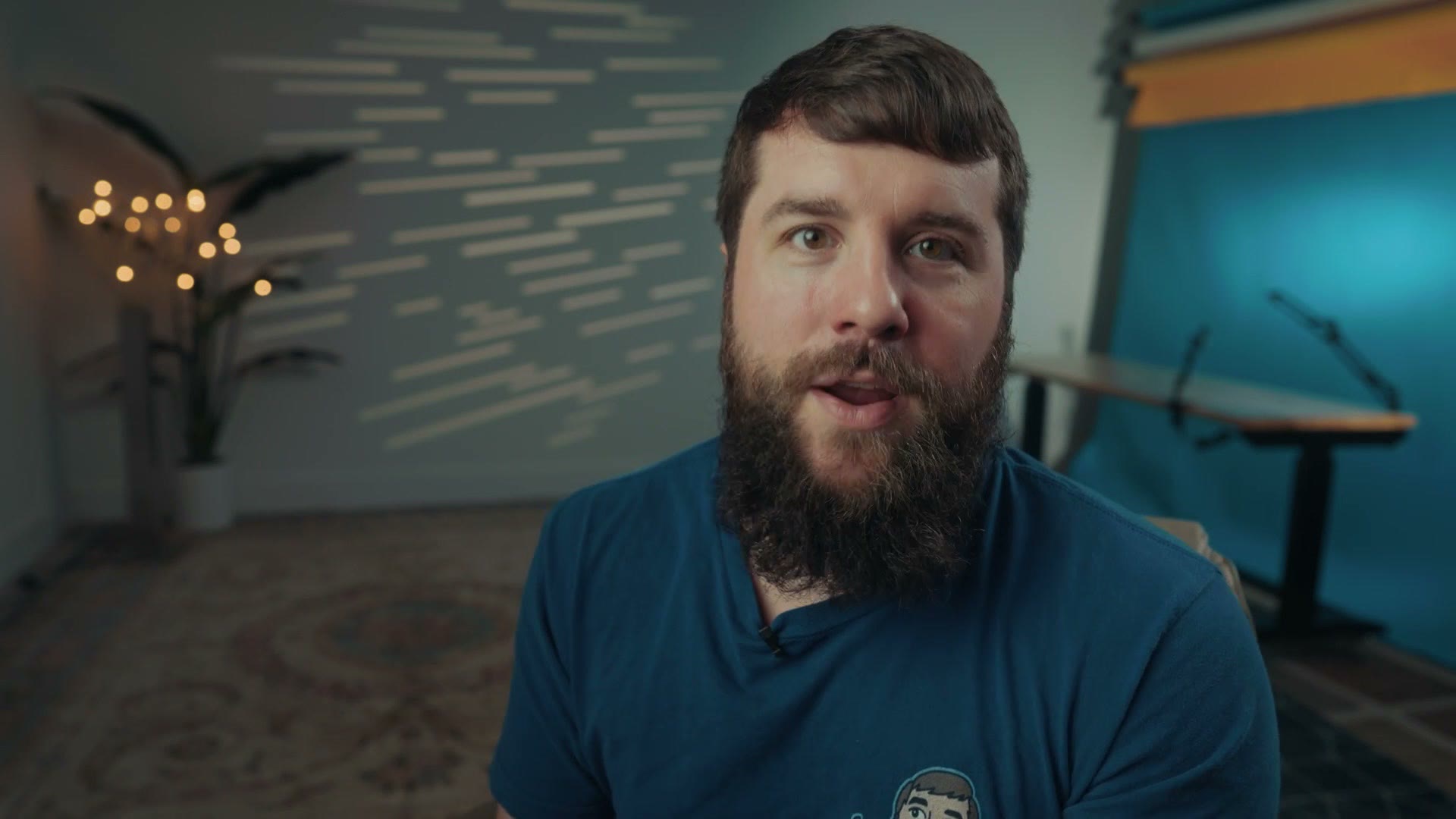
Inside the other case you’ll find two Rode lav mics with clips and locking 3.5mm jacks, which is great, plus magnetic attachments and multiple windscreen options.
Quality wise, I really like how these lavs sound. Keep in mind that the transmitters also have microphones built in, so you could use those if you wanted. Personally I’m someone who wants to hide the transmitter packs, especially at a wedding, so I’d always recommend using the lavs and hiding the transmitters. But in a pinch, the built in mic is there.
The Lav Mic Isn’t My Favorite
I do want to cover one con of these lav mics, and that is the clip they come with.
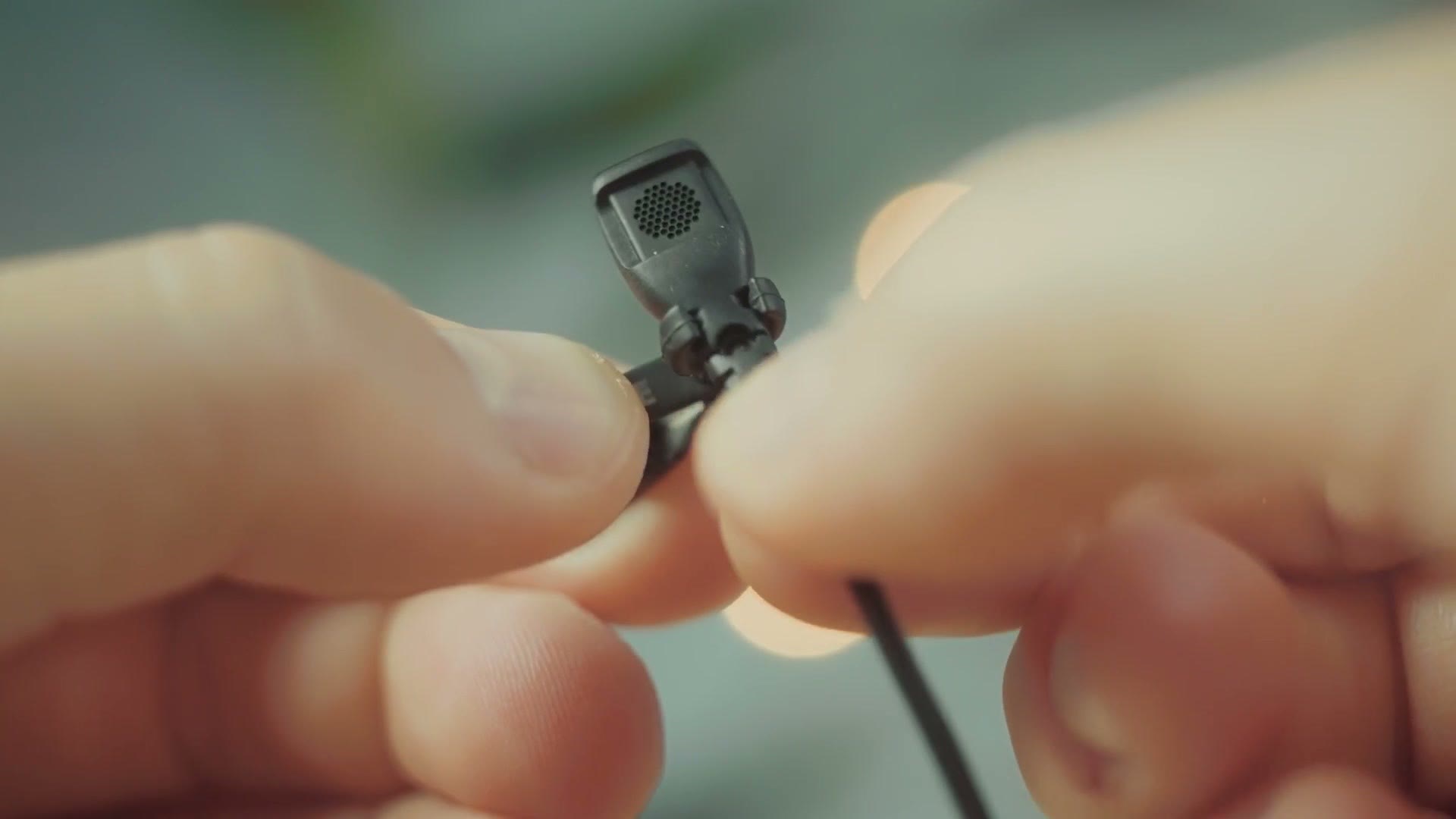
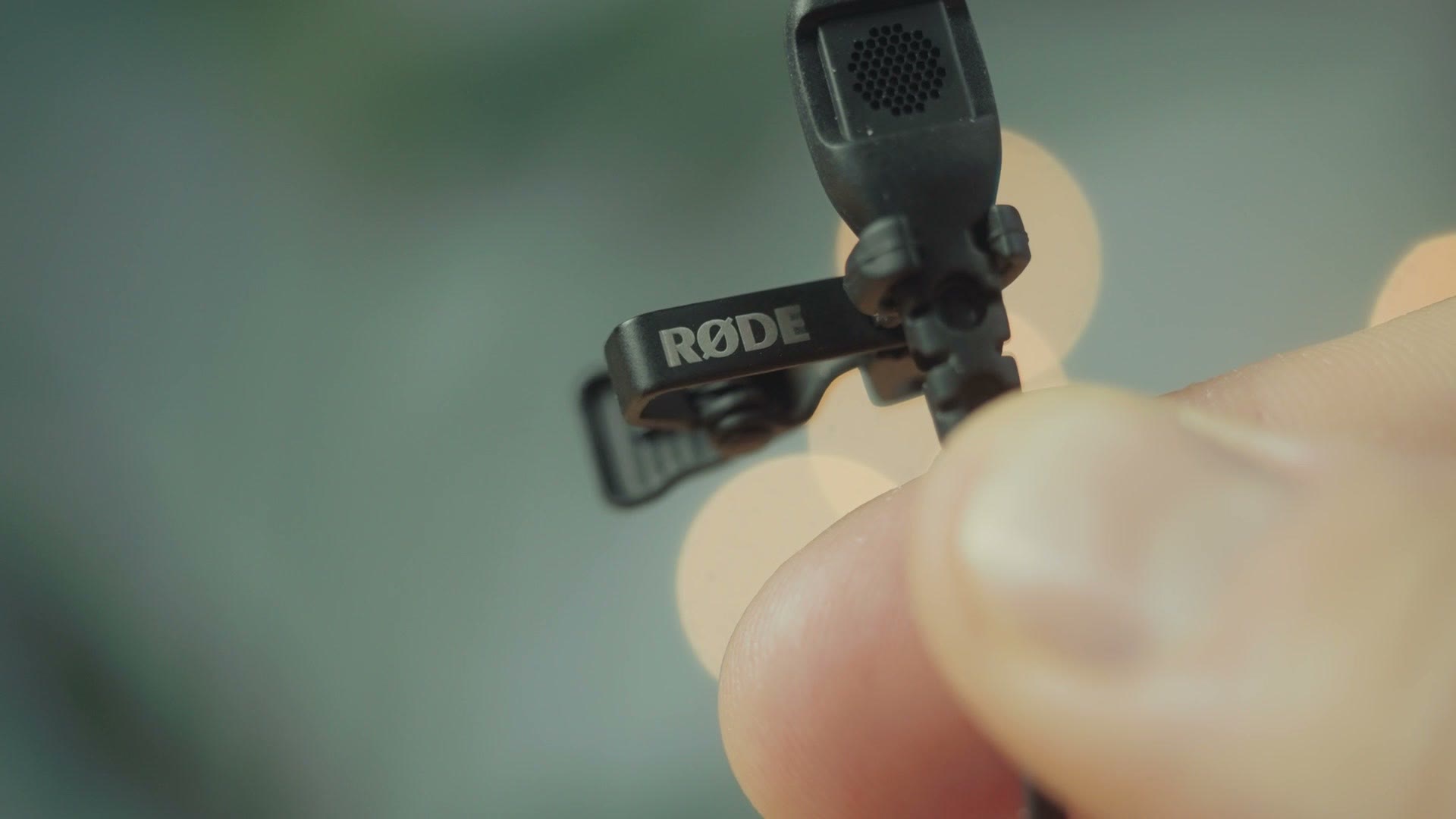
I’m someone who really prefers a sturdy microphone clip, and whenever you consider that Rode did a really great job with the connector on this microphone, it makes it all the more obvious how poor the clip is in comparison.
This clip is a little bit better than the one that comes with the stock lav for the Zoom F2, but that’s hardly praise, because it’s still quite a cheap clip. It’s a mix of metal and plastic, and my biggest complaint is that it’s relatively easy for the lav to come loose from it. If it gets pulled on at all, it doesn’t take much force to dislodge the mic, and then it’s flopping around picking up who knows what sort of rustling noise. It’s just not optimal.
Compare it to my go-to recommendation for years, the stock lav that comes with the Tascam DR-10L and DR-10L Pro, and it’s a stark difference, with no plastic on the Tascam’s mic in sight. It’s a bummer, and this is one area where the Wireless PRO doesn’t quite live up to the PRO name.
Also, while I’m complaining about the clip, I want to draw your attention to the rather gaudy white Rode logo on it, which makes it way more noticeable in videos. I highly recommend putting some gaff tape over it, or maybe a sharpie. I really hate it.
One more nitpick about the accessories. While the foam wind covers are quite compact, the fuzzy ones are massive and they make the microphone extremely noticeable if you have to use them. I can’t help but wish Rode could have made them a little smaller and more discreet. But like I said, I’m really nitpicking.
Lastly, you get a variety of connector cables that let you connect the receiver to your camera’s 3.5mm mic jack, or an iPhone via lightning, or an iPhone or Android via USB-C. A ton of connection options, which is great.
Transmitter And Receiver Quirks
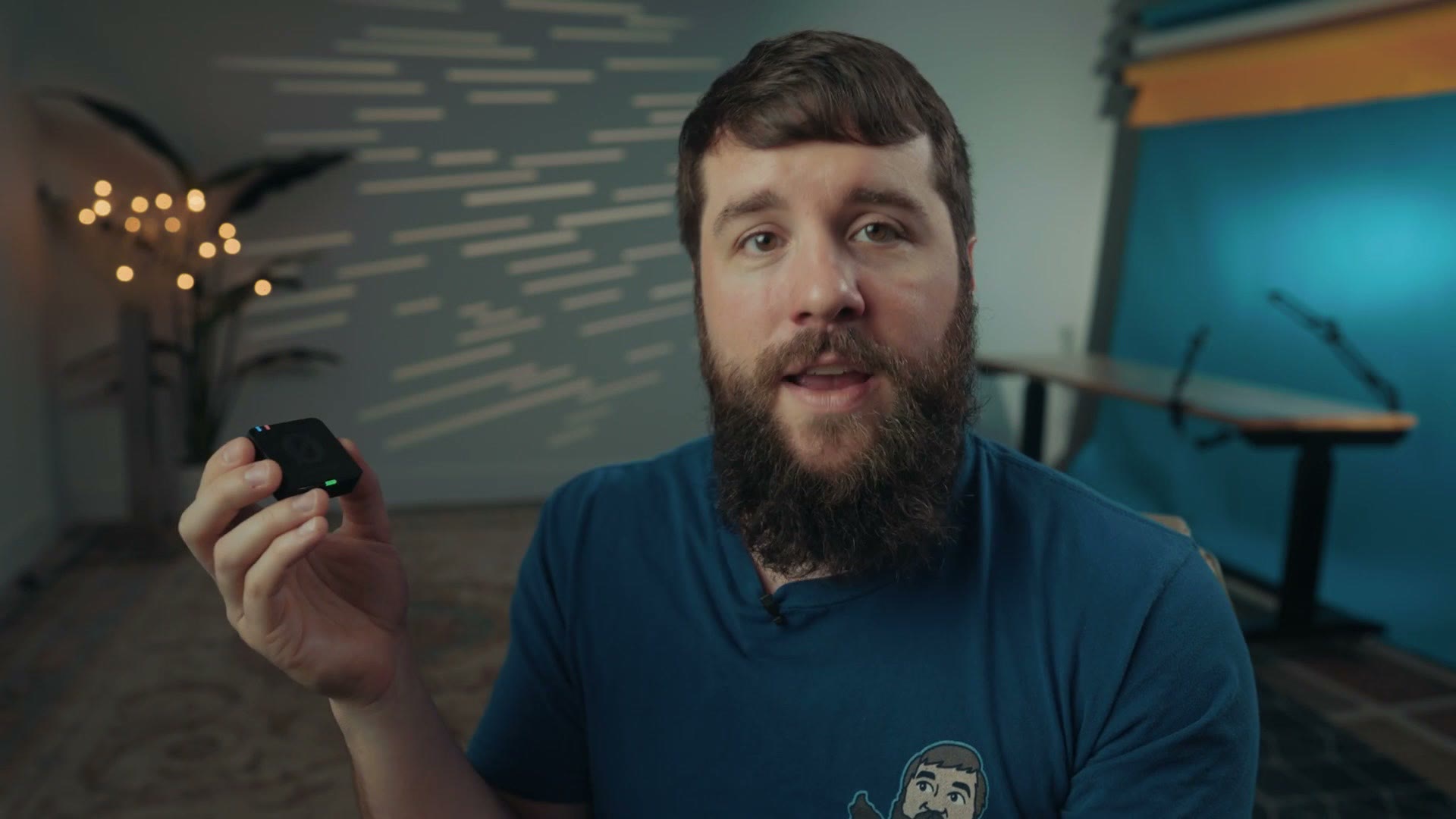
These are very similar in style to the previous Wireless GO, and in my experience this is one area where they have some quirks. Don’t get me wrong, they’re still good, but they’re quirky.
They’re compact, they have a nice clip, but when I first used them I found myself rather confused about what each button does. Unlike other wireless microphones I’ve used, neither of the two buttons on the transmitter is labeled, though thankfully two of the three on the receiver are. It just makes things a little confusing when you’re first setting up, especially when you consider there’s no instruction manual in the box and you have to look it up online. Hey, I’m all for saving paper, but make sure you read that manual before you show up to a shoot with these things.
Once you get past the initial confusion it’s pretty simple overall. Take the transmitter and receiver out of the case, they immediately power on and pair, screw in a lav if you want to use one, plug the receiver into your camera, set your levels, and you’re good to go.
Rode Central Is NECESSARY
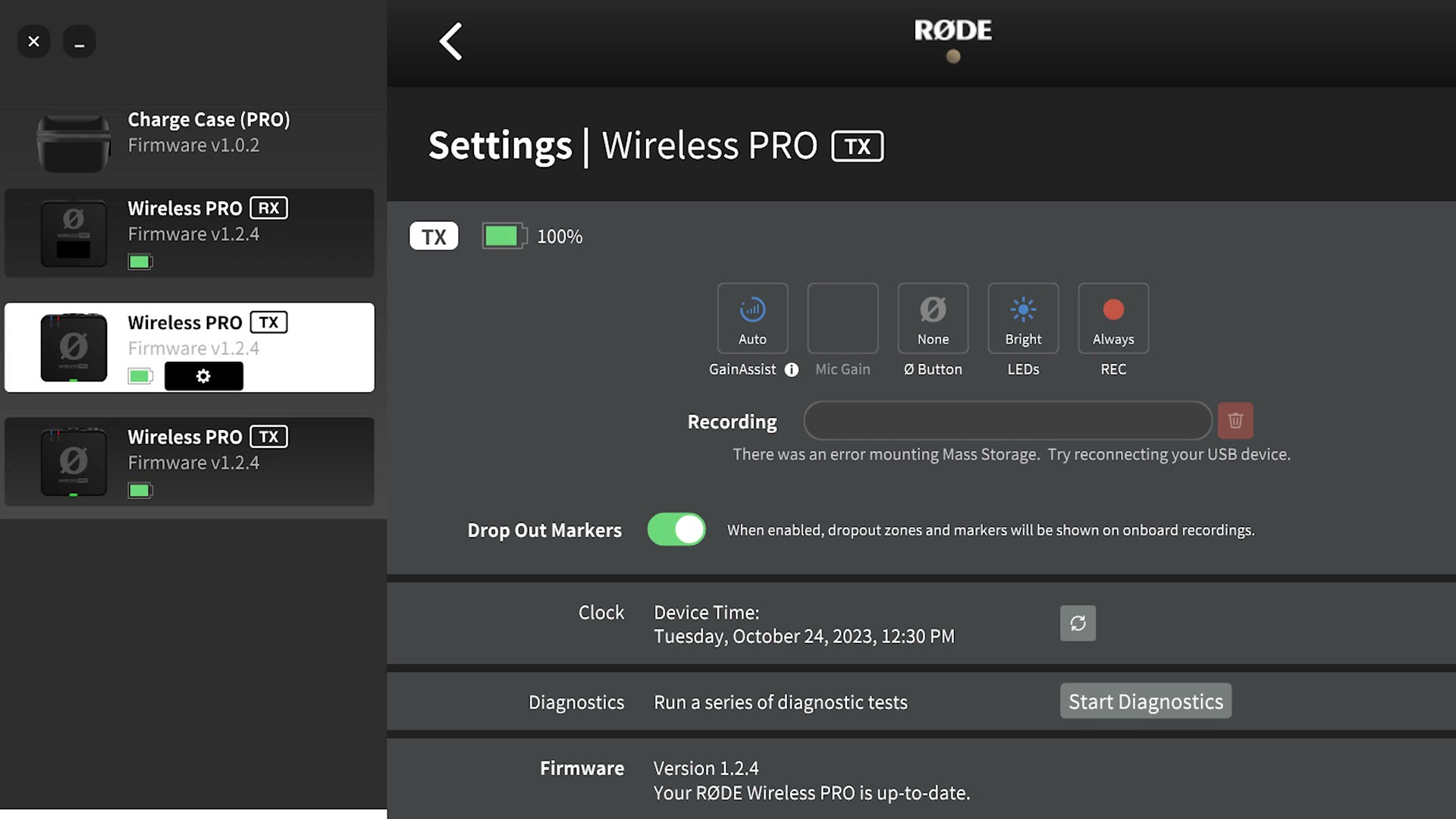
If you really want to unlock the full power of these, you need to use the Rode Central app, which is available on your phone or your computer.
Beware though, the Wireless PRO does not have Bluetooth, so you either plug the charging case into your computer with everything inside, or connect each unit individually. You can do it from your phone instead, but you’ll need to run a cable from the phone into the case to make it work.
Once you’re past that, Rode Central is quite useful. It lets you select presets for your specific camera, and most importantly, it lets you choose whether the transmitters should be constantly backing up your audio to internal storage in 32-bit float.
Backup 32-Bit Float Track (When You Enable It)
Let me explain how this works.
The audio recorded to your camera from the receiver is not going to be 32-bit float, because I don’t know of any camera at the time of recording this that records 32-bit float internally. So you’re limited to the highest quality your camera supports.
As a backup though, in the event the transmitter loses signal with the receiver, or there’s interference, the transmitters have internal storage that records your audio in 32-bit float. That gives you much more flexibility in post, so you really do want this backup, because it’s what you may prefer using over the audio that went into your camera.
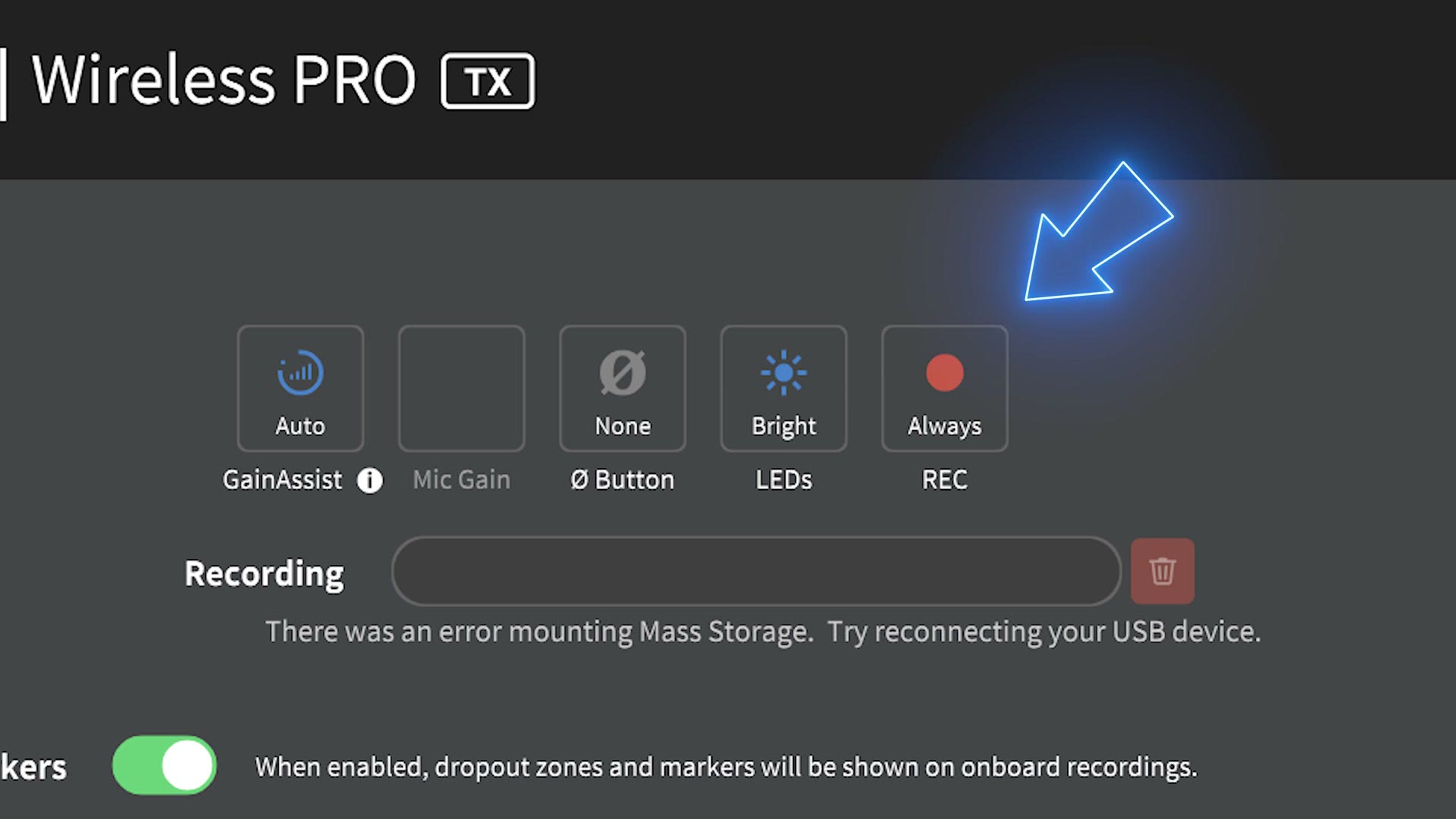
To get that backup to record, you need to do one of two things. Either press the unlabeled record button on the transmitter, which lights the record light red to indicate it’s recording the backup track, or put your transmitters and receiver in the charging case, plug that into your computer or phone, and set the backup recording setting to Always.
The first option is a pain, because you have to remember to go over to the transmitter and start and stop it every single time. So I recommend the second, setting it to Always, which means that as soon as you take a transmitter out of the case it turns on and starts recording. And it cannot be stopped by pressing the button on top, only by powering the transmitter off, which is great, because it helps prevent the person you’re filming from accidentally stopping it.
You’ll end up with some extra unused audio, but in the event you lose wireless signal, your audio keeps recording.
The last thing to know about the backup track is how much space these hold and how you clear them. Unlike other recorders, these transmitters have built in storage, there’s no memory card to pull. Rode doesn’t give a specific number of gigabytes, but they do say each transmitter records approximately 40 hours of backup audio. And most importantly, it’s a rolling backup, meaning that once those 40 hours fill up, the recorder automatically deletes the oldest files as you record new ones.
So remember to copy your backup files off after you’re done filming, because otherwise, if you go out on more shoots and forget, eventually your audio gets overwritten. Which is a little terrifying.
Audio Quality Test
I promised we’d talk about the audio quality, so I’m happy to reveal that I recorded all of the audio for this video with the Rode Wireless PRO. If you like how it sounds, I think you’re going to be really happy with the quality you can get.
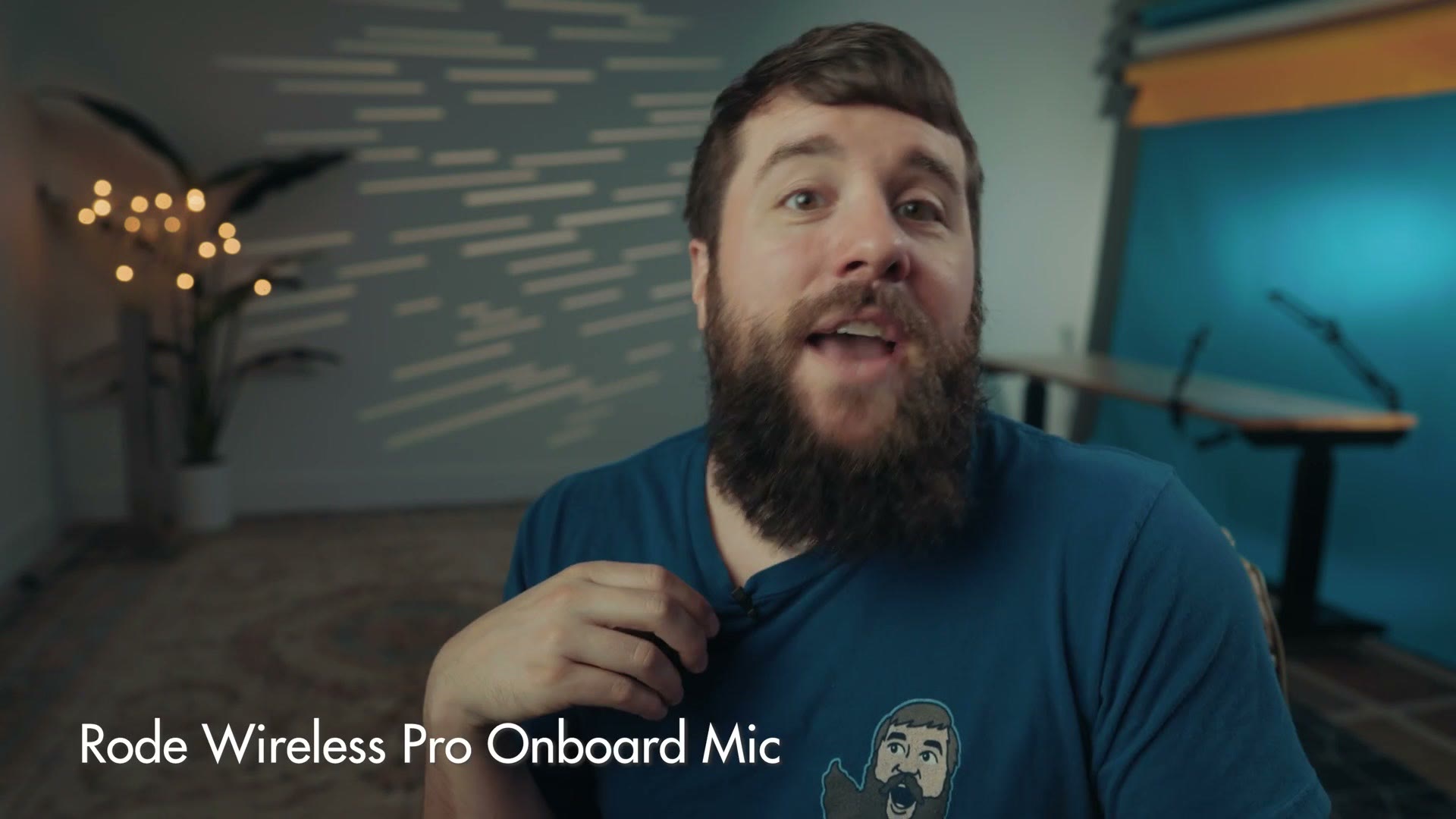
I also tested it using the built in microphone on the transmitters. It’s decent, but not as good as the lav that comes with the recorder, and I’d really only use it if you’ve forgotten your lavs. To my ear, recording with the lav sounds great, on par with other lavs I’ve used, like the one that comes with the Tascam DR-10L.
Wireless Transmission Range
Of course, none of this audio quality would matter if the wireless signal wasn’t strong or had limited range, and if you remember, that was one of my complaints about the original Wireless GO.
Two things to keep in mind. First, as we talked about, this recorder does record backup tracks, so you’re safe even if the wireless drops out. And more importantly, the range is good. In my testing, walking through my house with four walls between me and the receiver, it still transmitted great quality audio. And with fewer obstructions I got several hundred feet away before I noticed any signal loss.
So if you’re planning on using this to film weddings, or anything where you’re a good distance from the person you’re recording, say you’re filming in a very large church where they’re at the front and you’re stuck up in the balcony, you should still get high quality wireless audio.
Battery Life
These are quite small transmitters and receivers, so what sort of battery life can you expect?
Rode claims about 7 hours of recording time, and whenever I tested them at a wedding I found I was getting approximately that, maybe a bit shorter.
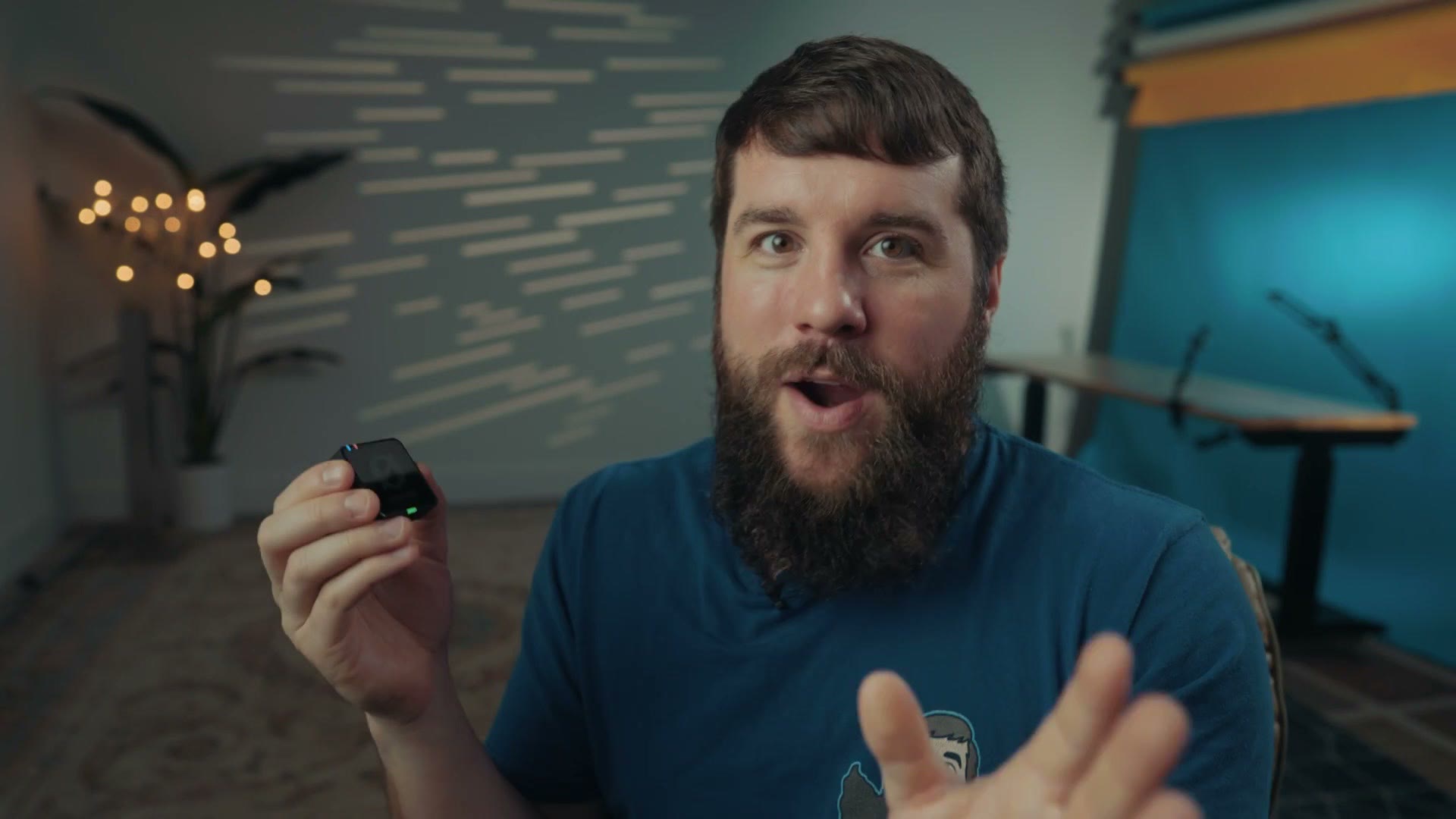
The thing to keep in mind is that if you’re someone who likes to put a microphone on someone and leave it there all day, maybe you’re filming a long term documentary, or a wedding where you want audio from your couple throughout, this is one area where the Wireless PRO may not be the best choice.
It offers better battery life than some of its wirelessly transmitting competition, like DJI’s wireless mic system at approximately 5 hours. But whenever you compare it to standalone recorders that don’t transmit wirelessly, like the Tascam DR-10L Pro, which lasted over 28 hours when I tested it, that’s a different conversation. You don’t get wireless audio, but you can put that on someone in the morning and know it will still be recording at the end of the day.
The main thing is that because the Wireless PRO does not have swappable batteries, you have to put everything back in the charging case to recharge, and Rode says that takes about two and a half hours to fill.
I know it’s a contentious topic, but I’m actually a fan of using AAA and AA batteries with my audio equipment, because if I’m filming something like a wedding and my batteries die, I don’t have the option of stopping the wedding to recharge my gear. Can you imagine? I’ll just hold the ceremony for an hour, I’ve got to recharge my wireless transmitter. No. I need batteries that are fully charged and ready to go.
So I don’t think the battery life is a dealbreaker, I just want you to be very aware of what you’re getting. If you record for longer than six or seven hours at a time, you might want to look into something else.
Timecode
Yes, the Wireless PRO features timecode support, and it actually gives you quite a few options for how to set it up.
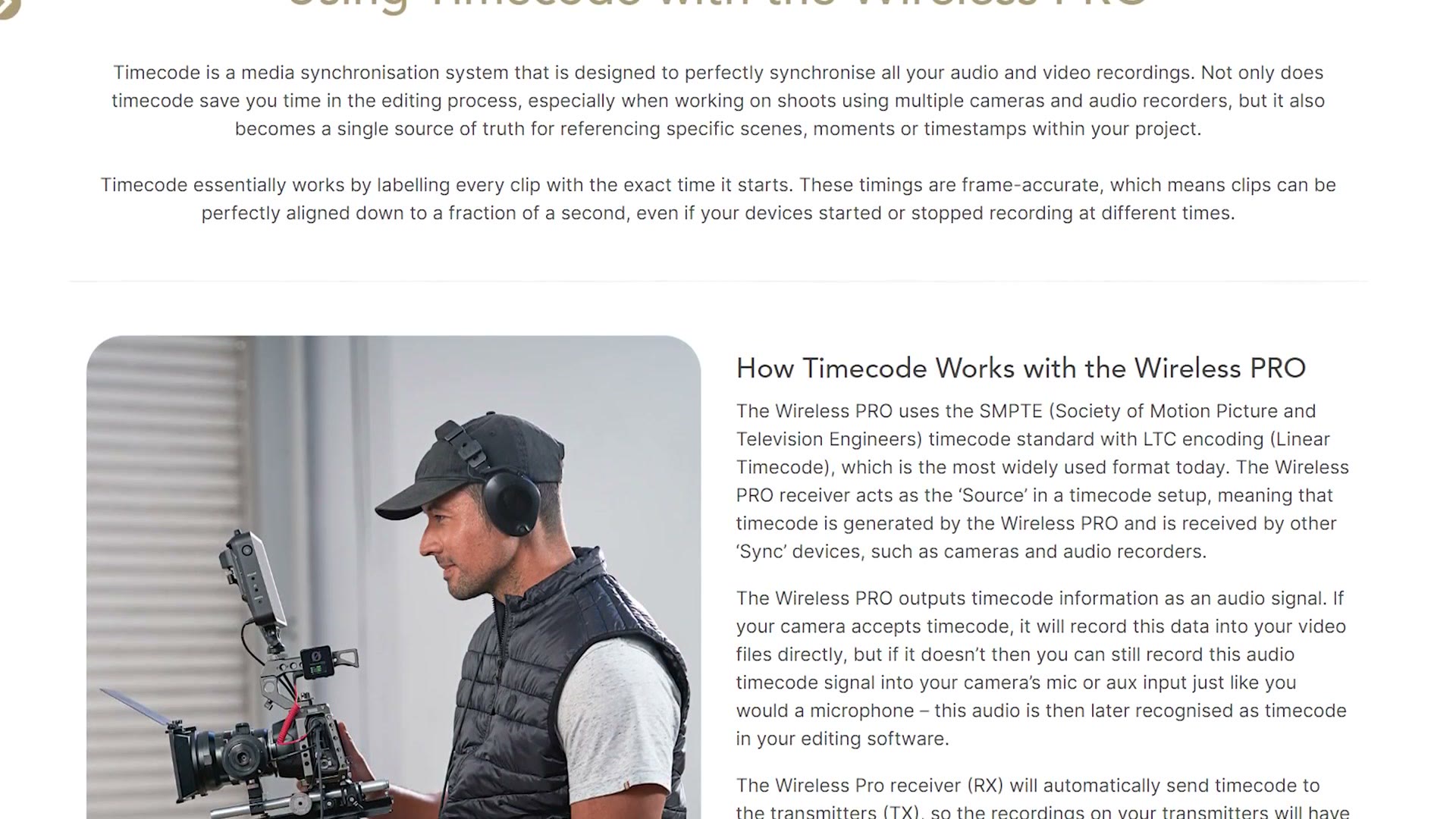
Rode has tried to make this as easy as possible by publishing guides on their website where you select the camera you’re using and see all the different ways to use timecode from the Wireless PRO with it. They have both text and video guides, which I love to see.
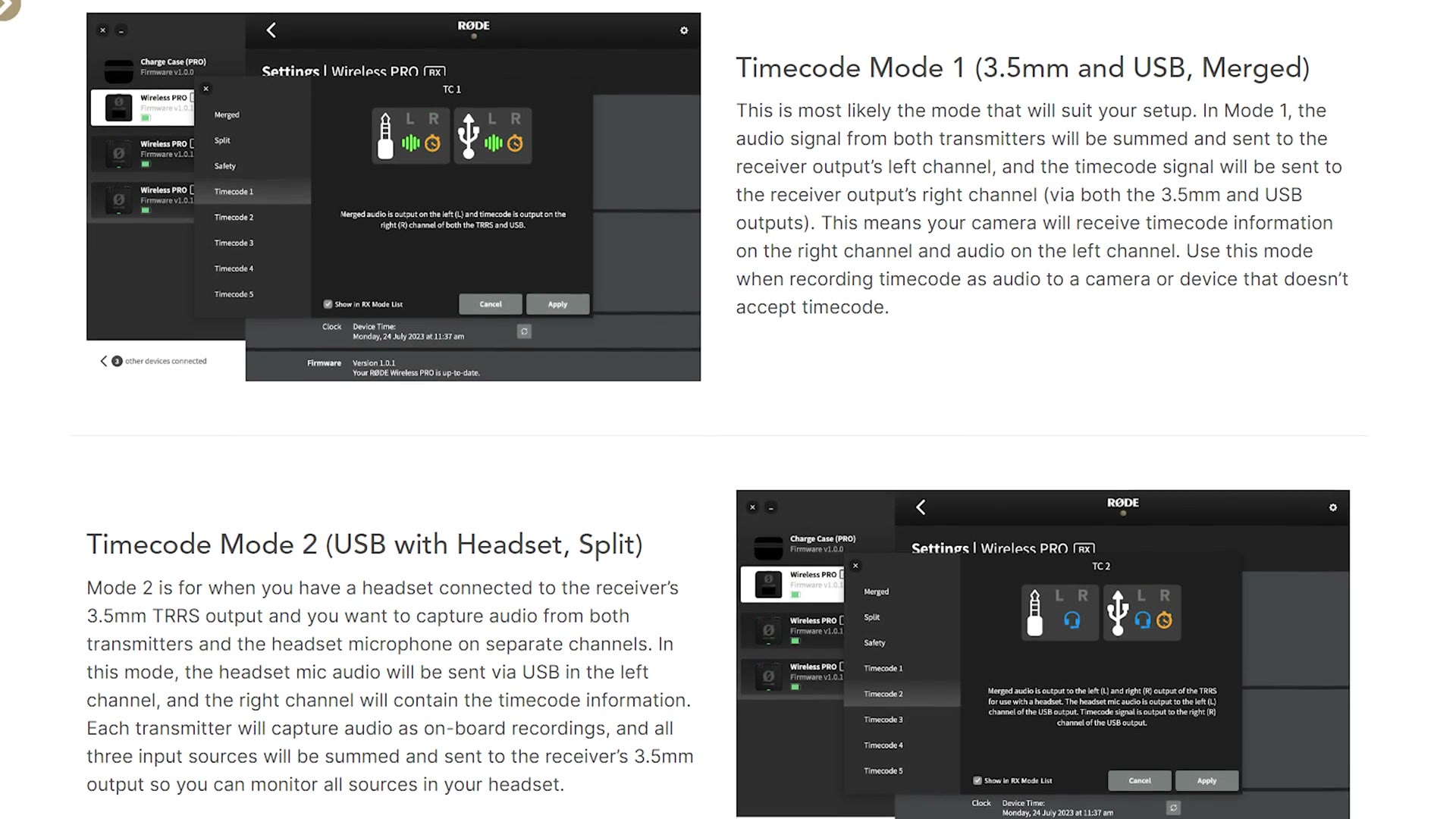
In short, you can send timecode over the 3.5mm jack or over USB, with the most popular option being the mode where the audio from the transmitter goes to the left channel of your recorder while the timecode signal goes to the right, which you then use to sync everything in post. You have other options too, and if your camera has a dedicated timecode input you can use that and embed timecode directly into your video files for even easier syncing.
The main thing to keep in mind is that you cannot jam timecode into the Rode from another device. So you could not have a Tentacle Sync or a Deity timecode device jamming into the Wireless PRO. That said, you can jam from the Wireless PRO to another device. So if you wanted to build out an ecosystem of timecode devices around it, you should be able to, though I have not personally tested that yet.
Which means if you’re a wedding filmmaker filming a ceremony with multiple cameras and you want to sync them all with timecode, it should be possible, but it may take a bit of work.
Should You Buy The Rode Wireless PRO?
Looking at it as a whole, it does feel like a significantly more pro focused device than any of Rode’s previous wireless recorders. They’ve looked at many of the features pros were asking for and included them, and overall I feel like they’ve succeeded in creating a very versatile and capable wireless audio system that should work great for you if you’re filming weddings, documentaries or commercial work.
The main thing I’d keep in mind is that this recorder, like all recorders, is not without its quirks. If you can get past the learning curve on the buttons, you’re okay with sometimes having to plug it in to change settings, and you don’t need to record for longer than six to seven hours at a time plus recharge time, I think Rode is offering a really compelling option here.
Personally, I’ve found myself recording audio for longer and longer on a wedding day, moving toward putting mics on the couple and leaving them on all day to catch genuine moments. So for me, I’m going to stick with recorders that offer longer battery life. But if you don’t need that, and you’re just putting mics on your couple during the ceremony and maybe for a letter reading, or you’re filming interviews that run an hour or two, the Rode Wireless PRO is a fantastic choice.
Download My Free Gear Guide
If you’re a wedding filmmaker and you’re wondering exactly what gear I recommend, check out my wedding filmmaking gear guide. It breaks everything down into categories and shows you exactly what to buy, with links, which is going to save you a ton of time. And it’s completely free.
I’ll also point you to my color presets, which are not free, but which will help you get amazing colors in your videos no matter what camera you use or whether you film in a log profile.
Thanks so much for reading, and have a great day!