
The Deity PR-2 is the most feature packed tiny audio recorder you can buy today, with the best timecode ecosystem that works with the rest of your camera gear, and I think you are absolutely going to love it.
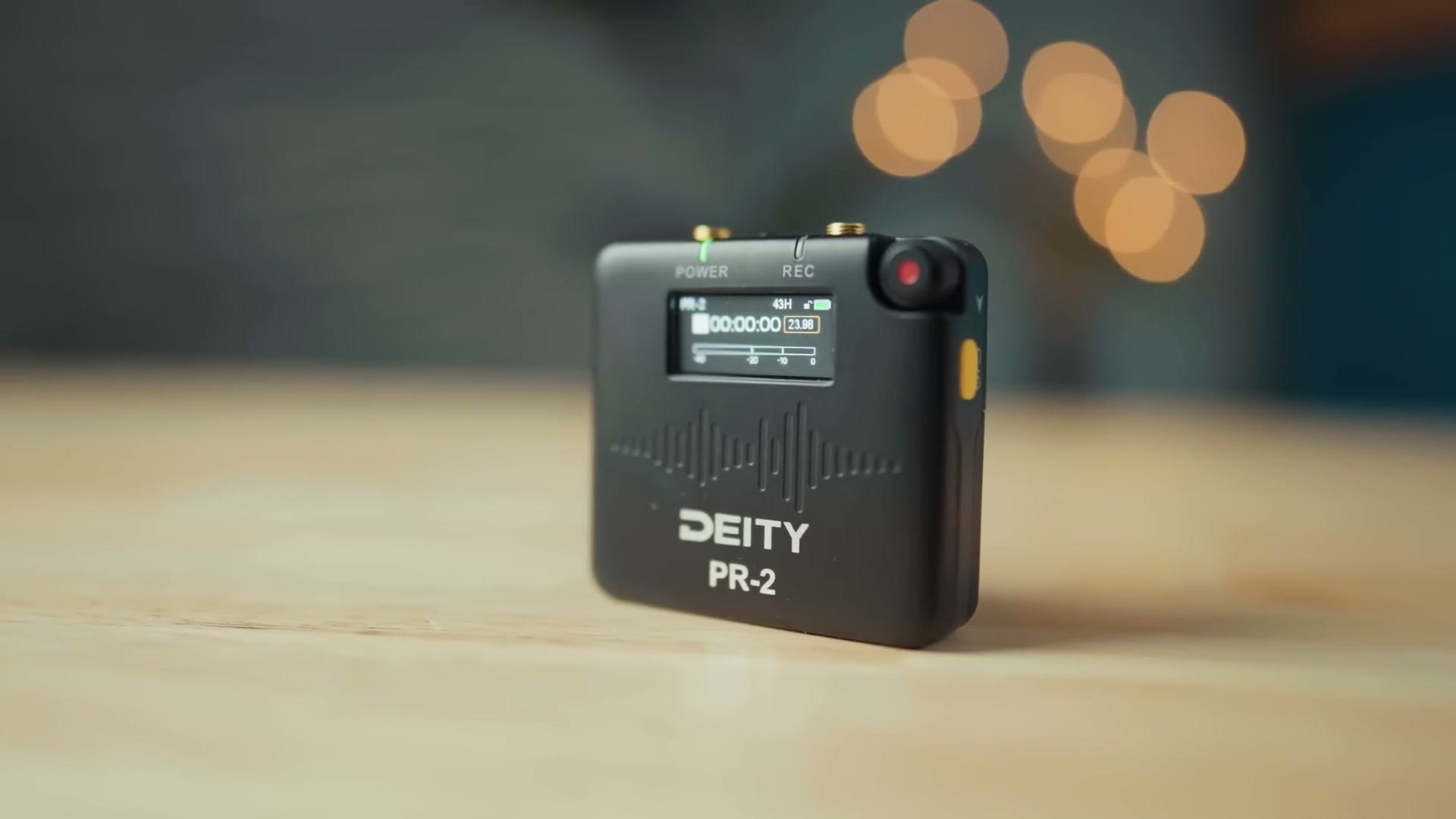
I am going to be reviewing the PR-2 from the perspective of a wedding filmmaker, so if you film weddings or corporate or commercial videos or anything where you need to put a microphone on someone, this should be really helpful to you. In addition, for the sake of ethics, I want you to know this video is not paid or sponsored by Deity, but they did send me two versions of this recorder so I could make this review, and we are going to talk more about the differences between those two versions later on.
A Crowded Audio Recorder Market
The first thing you need to know is that the PR-2 is entering a pretty crowded market, with much of its competition offering similar recorders and capabilities. You have Zoom with their F2, Tascam with their DR-10L Pro, and Tentacle Sync with their Track E, all of which offer great standalone 32-bit float audio recording. Not to mention even more competition from the likes of Rode with the Wireless PRO and DJI with the Mic 2, both of which are considered more affordable wireless microphone systems but also happen to be capable of not only transmitting audio to a receiver but recording a 32-bit float backup track.
So as you can see, there are a ton of options out there for you to consider as a filmmaker, and pretty much all of them across the board are going to record high quality audio, which means your choice is not going to come down to which one is better quality, because they are all good quality. Instead, it is really going to come down to the ecosystem built up around the recorder and how well it works with the rest of your camera and audio gear.
That is one of the reasons I find the PR-2 so compelling, because Deity has built up a reputation for creating a very solid ecosystem of microphones, recorders, and timecode generators, but up until this point they have not had a small, affordable 32-bit float recorder like this in it. I think the PR-2 works really well and is worth you considering, especially if you use timecode or you want to use timecode.
Build Quality And Size
Like all of its competition, the PR-2 is built of a high quality plastic, and it is a bit larger than something like the Tascam DR-10L Pro, but not massively so, so you should not have any issue hiding this recorder on someone, slipping it into their jacket or into their back pocket.
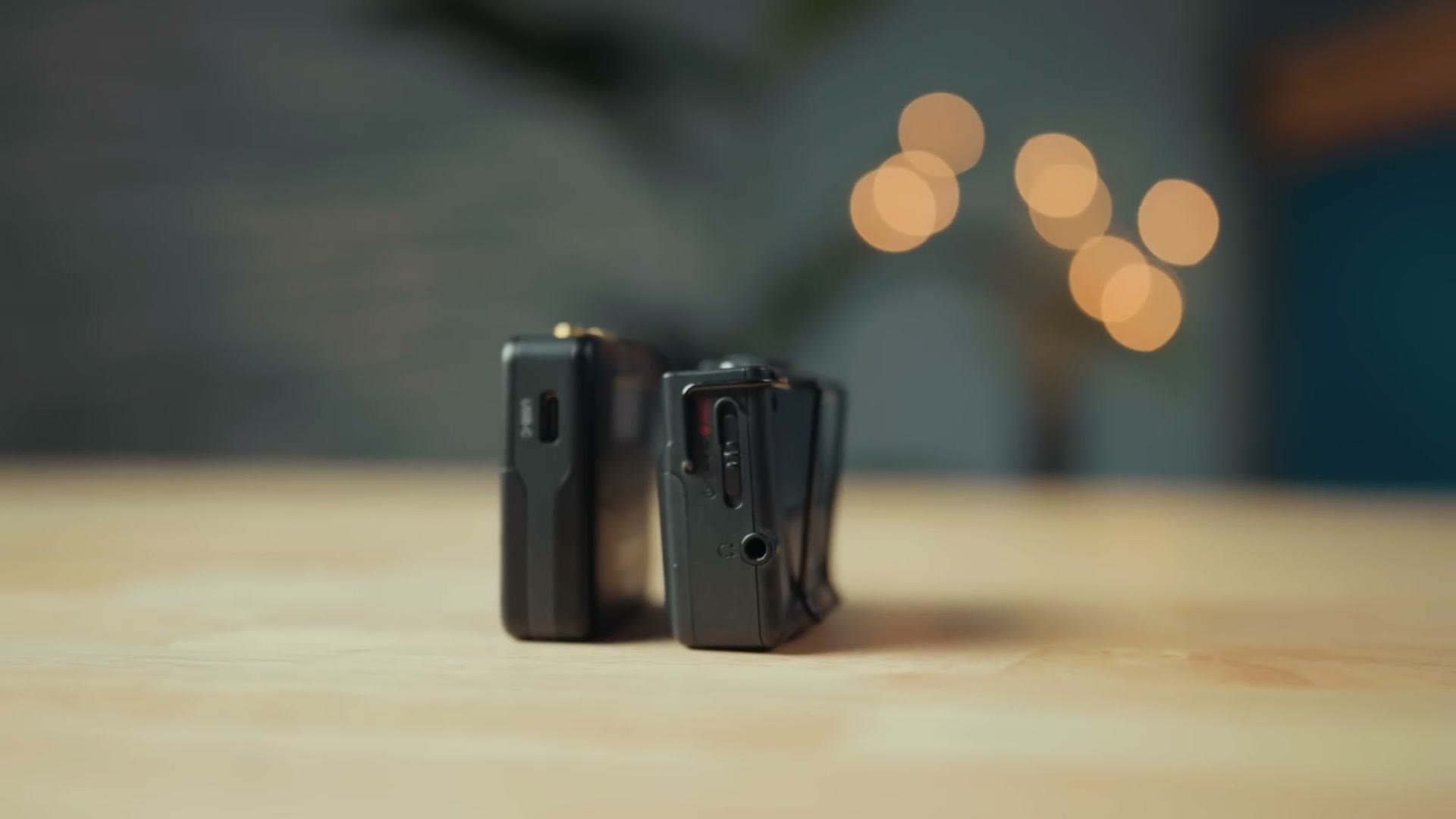
One interesting accessory is the belt clip, which you can easily slot the recorder in and out of. Whenever I am filming weddings I do not usually use a belt clip, I will just slip the recorder into someone’s pocket, but there are occasional weddings where they do not have pockets and I need a clip. So I like that this is optional, because it can help keep the footprint of the recorder smaller, but it is also another piece of equipment you are going to have to remember to bring along just in case. Be sure you do not lose it.
Impressive Battery Life Test
One of the benefits of this larger recorder size is that Deity was able to fit two AA batteries inside, giving it incredible battery life, better than any of its competition. Deity claims on their website that this recorder has a 30 hour battery life, and whenever I tested it I am happy to tell you that this was accurate, with the batteries lasting for 30 hours and 43 minutes.
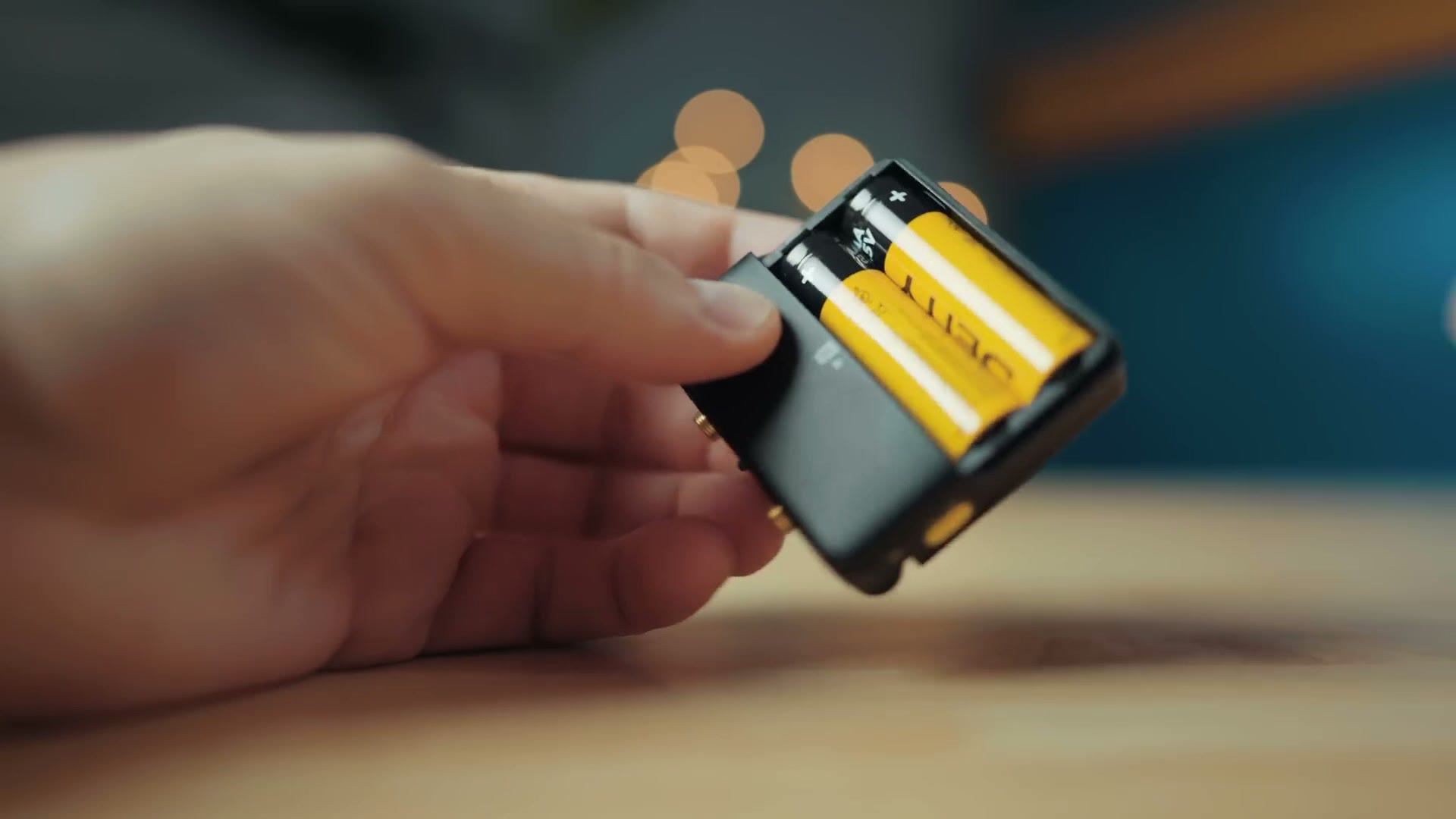
So if you are someone who oftentimes finds yourself filming all day, let’s say you put a microphone on the bride or groom at the beginning of the wedding day and leave it on them throughout and do not take it off until the end, you can trust one of these recorders to last even the longest wedding day. Heck, it might last two or three wedding days, depending on how long you leave it running.
Battery Fight
Because I know I am going to get comments about the battery options for this recorder, since I do every single time I make a small audio recorder review like this, you should be aware that there are really two camps when it comes to how recorders like these should handle batteries. One side says they should have an integrated battery that recharges, like the Tentacle Sync Track E, while the other side says you should be able to swap the batteries out and use AAs or AAAs.
I personally am more on the side of AAs and AAAs, because you can still use rechargeable ones if you want to, and in addition, if you get to a wedding or another shoot and you forgot to charge your recorder, you are in big trouble, because you have to wait for it to charge. Like, hold on, my lithium is not charged, let me plug this in, can you wait two hours, delay the ceremony? You do not have that option. With interchangeable batteries you can just pop in a fresh set if they die and you are good to go. If you disagree, that is okay, you can argue with me in the comments.
Memory Cards And Recording Time
The PR-2 does not have any internal storage, but instead it takes a microSD card, and what is nice is that it comes with the card already in the recorder, so you do not have to spend any extra buying one. And I do mean inside. Unlike something like the Tascam DR-10L Pro, which has a little microSD slot on the side, with the PR-2 you are going to need to take off the battery cover to access the memory card slot.
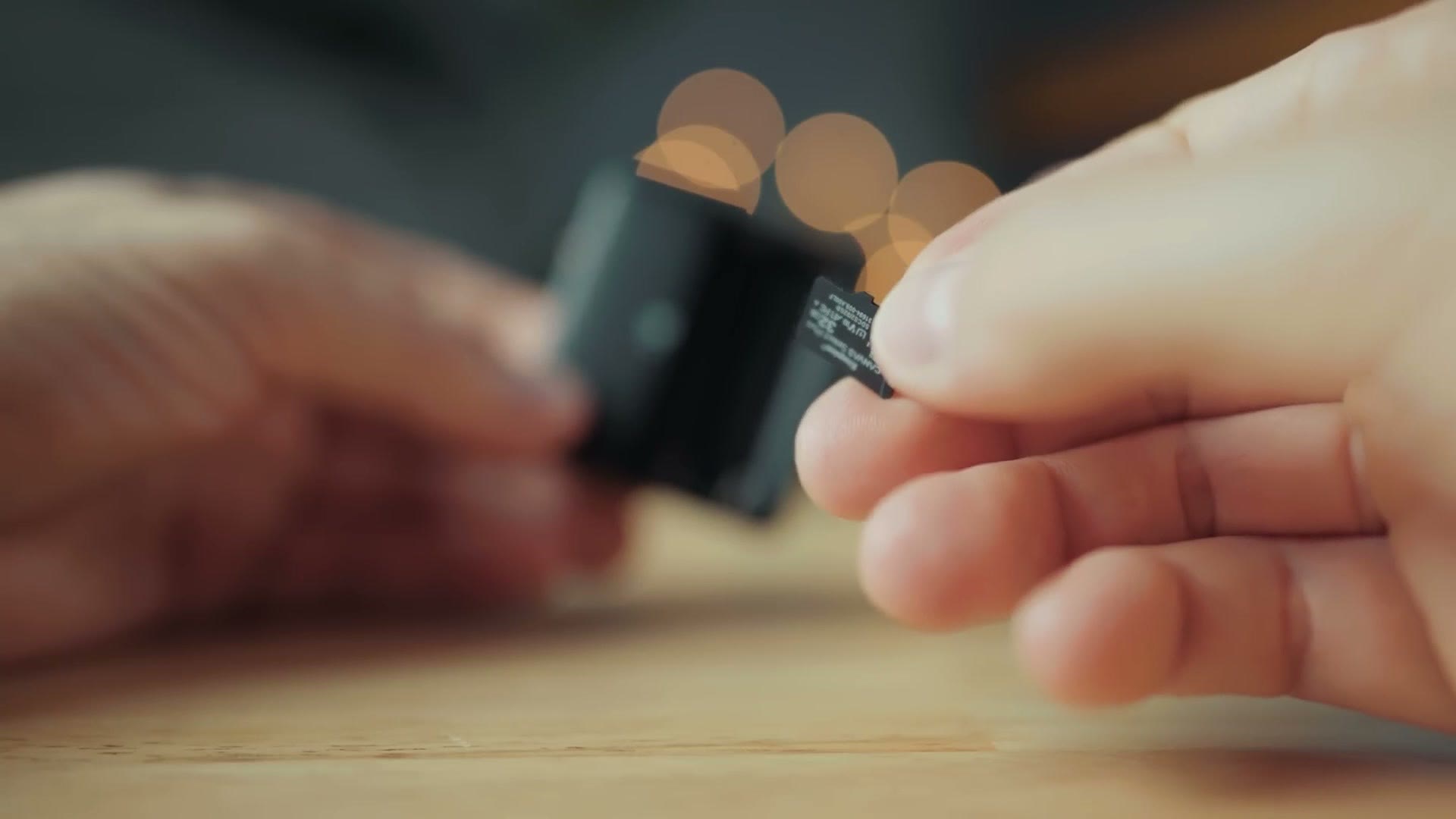
In addition, it is very snug up against the batteries, and while it is possible to take it out without removing them, I find it much easier to take out the batteries first and then remove or insert the memory card.
The PR-2 comes with a 32GB microSD card, but it can take cards up to 128GB, which is plenty large even for 32-bit float. For context, the recorder says the included card still has a recording time of 43 hours, so I would not stress. You are going to be fine on space with what comes in the box. Feel free to expand if you want to though.
Full Color Screen And Controls
Another benefit of this recorder being a bit larger, in my opinion, is that Deity was able to pack a decently sized full color screen on the front, which can give you a ton of information. I greatly prefer being able to see the settings on a screen versus something like a Zoom F2, a Rode Wireless PRO, a DJI Mic 2, or a Tentacle Track E, where the recorders do not have a screen and you just have a light telling you if they are working or not. More information is pretty much always better in my opinion.
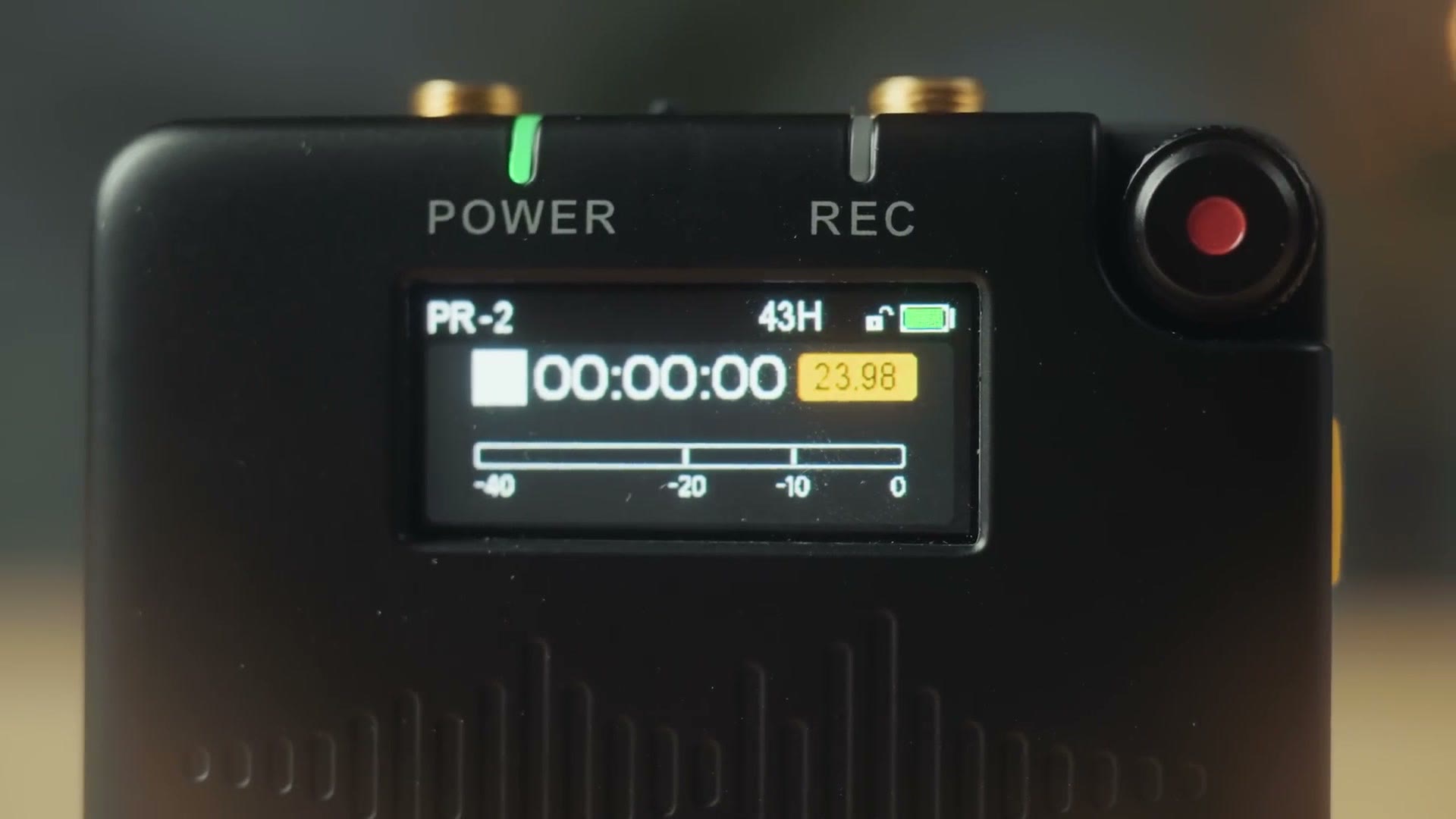
The controls are interesting too, because they are simple while still being really easy to use and letting you control all of the recorder’s features. You have a power button on the side, which also doubles as a back button if you need to go out of a menu, and then the record button does double duty as a select button if you short press it, while holding it down for a few seconds starts and stops recording. You can also rotate the record button, because it is a dial, to scroll through all of the different settings. Once you get it, it works really well, and it is actually really comfortable to hold the recorder and scroll at the same time.
By default the recorder is set to a record mode called Always, which means any time you turn it on it is going to instantly start recording to help save you time, which is not a bad thing. You can change this to Manual in the settings and then start and stop recording by holding the button down for a few seconds.
Locking And Unlocking Buttons
Here is a very important feature that is not super intuitive. Across all of Deity’s audio products, they all have the ability to lock and unlock the buttons on their devices in the same way. So if you do not want anyone trying to turn off your audio recorder while it is running or change any settings, all you have to do is triple tap the power button on the side to lock it, or triple tap it again to unlock it, and you will see a little lock and unlock icon appear next to the battery life indicator.
I do not think this is quite as intuitive as something like the Tascam DR-10L Pro, which has a locking feature built in essentially by virtue of how the power and record slider on its side is designed, but I still think this lock and unlock method is complicated enough to prevent you from accidentally triggering it. Also, you can go into the menus and turn on an auto lock feature that will lock the recorder after 15 seconds or one minute, so you do not have to remember to triple tap to lock it. You just have to remember to do that to unlock it. I would definitely turn that on.
Digging more into the settings, you can press the record button once to access the main menu, and here you can change the gain, access a lot of timecode settings, switch between mic and line input if you want to plug this recorder into a soundboard or the back of a speaker, format the memory card, and access the USB settings. Because yes, you can send a timecode signal over USB, which is great. Oh, and the USB-C port on the side will also power the recorder while it is recording, so if you want to use it with an external battery pack and get even longer battery life you can do that. Though it already has really good battery life, so that is up to you.
Dual 3.5mm Inputs And Outputs
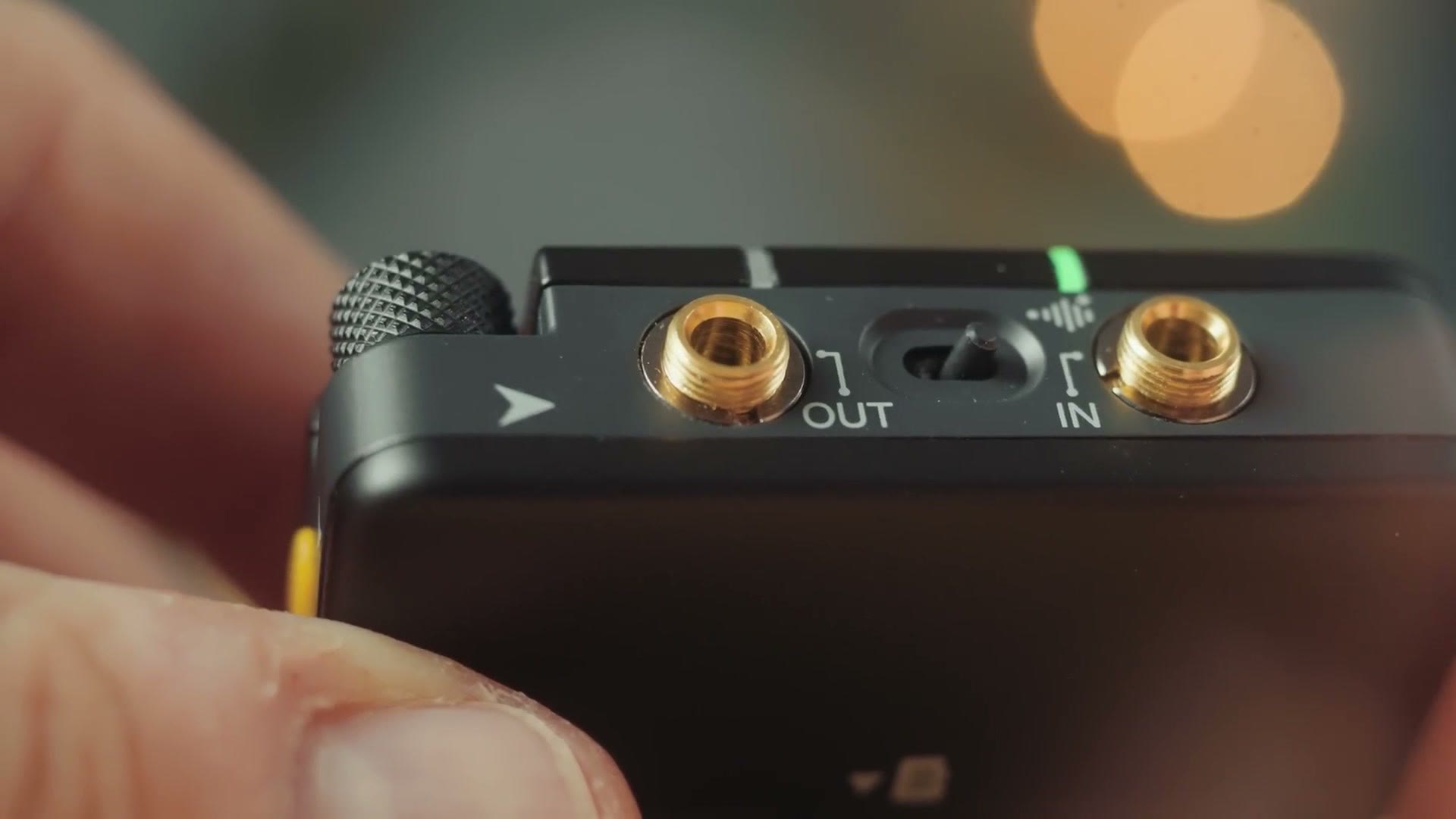
On top of the recorder there are two locking 3.5mm jacks. One input, like you would expect, so you can connect a lav mic, but also a 3.5mm output, which of course you can use to plug in headphones and monitor your audio. But notice that it is a locking connector, meaning it is designed to let you send a timecode signal out from this recorder to another device if you wanted to use the PR-2 as a timecode generator.
Why The PR-2 Has Two Versions
Between these two 3.5mm jacks you have a switch that toggles between two settings on the recorder, and this is not super intuitive. There is nothing on the menu that pops up telling you what it does, and you are like, what the heck, how does this work? Well, the settings this switch changes are actually going to depend on which version of the PR-2 you own.
You may be confused, thinking there is only one PR-2, right? Technically the answer is yes and no. There is one PR-2, but there are two versions of this recorder. One version sold in the United States, and another global version sold in the rest of the world. What the heck? Why do they have two versions?
On the global version, if you have the switch turned to the left, the recorder is going to let you plug headphones into the 3.5mm output and listen to your audio, or you can even connect that output jack to another recorder to record a backup track. Then if you turn the switch to the right, that will bypass the microphone powering system, and you can essentially plug something like a Sennheiser G4 transmitter into the output, piggyback it onto the PR-2 using its microphone, and record a 32-bit float backup track that way. Heads up: this link goes to the newer Sennheiser EW-D ME2 SET. It is pretty cool.
Alternatively, and unfortunately, on the US version with the switch turned to the left it works just like the global version, where you can monitor the audio with headphones. But if you turn the switch to the right, all it does is mute the audio from the output. And it actually gets worse. Flip the switch back to the left and you can monitor the audio with your headphones whenever the PR-2 is powered on, but the instant you start the recorder recording, it is going to mute that 3.5mm output. You cannot turn it back on, even in the settings, because it is disabled. You cannot monitor the audio with your headphones, and the output essentially becomes useless.
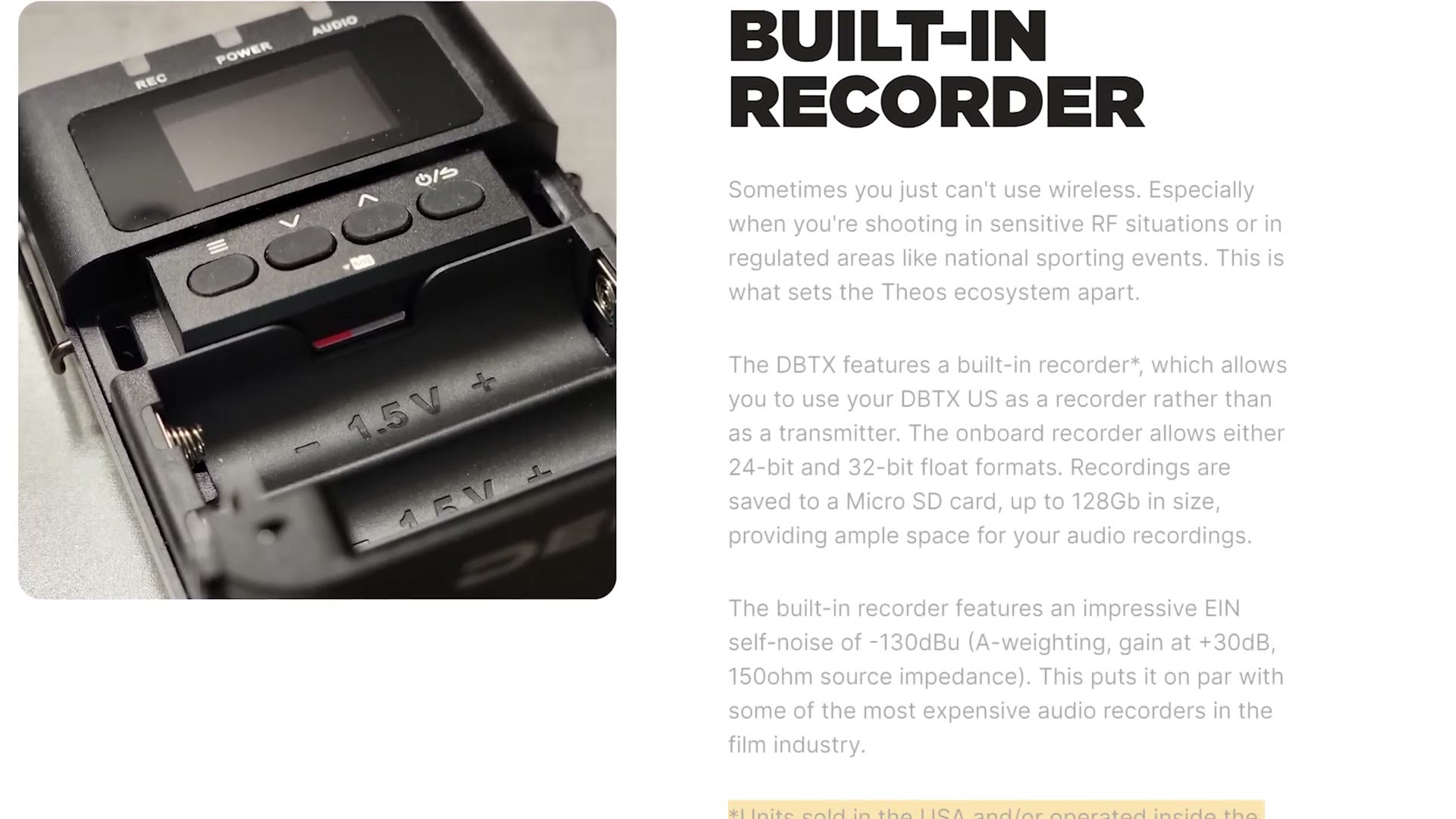
So why is this, and why the heck does Deity have to make two different versions of the PR-2, one for the world and a more limited version for the United States? Well, it all comes down to patents and lawsuits. In the United States there is a company called Zaxcom, and they currently hold a patent on any wireless audio recorder that can record audio internally while transmitting it at the same time. Basically, at least at the time of this review, in the eyes of the United States government Zaxcom is the only company able to make an audio recorder that also wirelessly transmits its audio simultaneously.
Now I hear you saying, what about the Rode Wireless PRO and the DJI Mic 2? Those are both wireless microphone systems that can transmit audio while also recording internally. And you are right. And guess what? Rode is currently being sued by Zaxcom for patent infringement.
I am not a patent lawyer, so I am not going to get into whether this patent should or should not have been granted in the first place. But what I will say is that it looks like Deity wants to follow the rules and does not want to deal with a lawsuit, which is why they are not enabling this ability for you to use the audio output while the PR-2 is recording. I do not think this is a technical limitation. I think it is that they do not want to be sued.
If you want more evidence pointing to this, all you have to do is look at Deity’s Theos wireless microphone system, which is very advanced, but they are selling two versions of that as well, a global version and a United States version. While the global version is capable of recording a backup track internally to the wireless transmitter, the United States version has that feature blocked, and you can only use the Theos as either a recorder or a transmitter, but not both at the same time. It is legal stuff and patents keeping you from this cool feature, but that is how it is in the United States at least.
32-Bit Float Audio Quality Test
Back to more positive things. You should know that the PR-2 is capable of recording 24-bit audio as well as very high quality 32-bit float, which is going to give you dramatically more control, especially if the audio is too quiet or too loud, because you will be able to recover it.
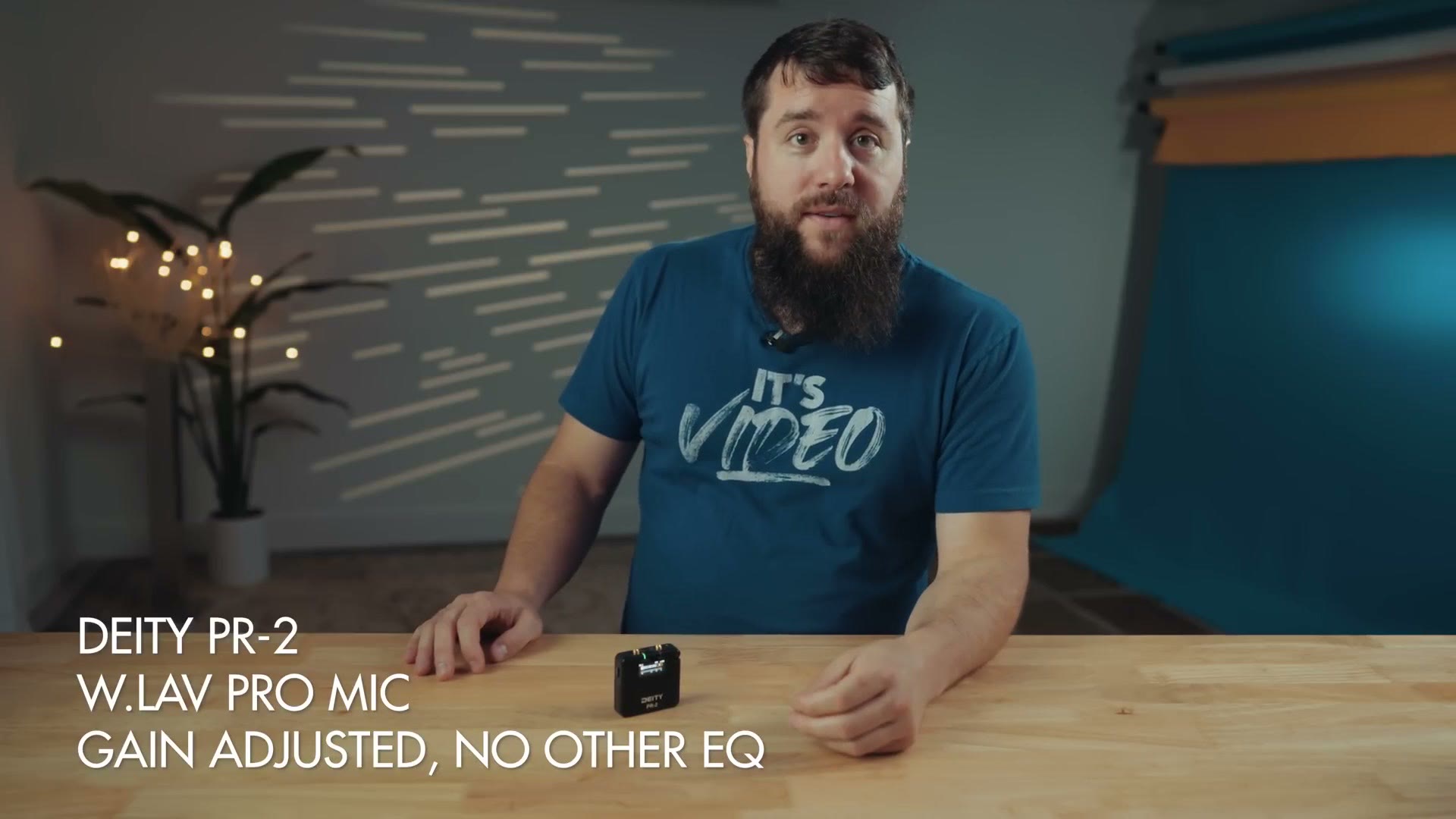
In my test I recorded with the included lav running down my shirt into my pocket, and I think it sounds really great. Whenever I talk quietly, one nice benefit of 32-bit float is that you can bring up the gain and make somebody sound louder without introducing a lot of noise. Alternatively, if I am a really loud, exuberant dude, it does not matter, because 32-bit float is going to protect those high peaks and let me bring them down in the editing software. Pretty good audio quality in my opinion.
Stereo Audio Limitation
That said, there is a 32-bit float limitation of this recorder you should be aware of, and that is that while the PR-2 is capable of recording stereo audio, if you switch to stereo it is going to switch back to 24-bit. You can only record 32-bit float if you are recording in mono.
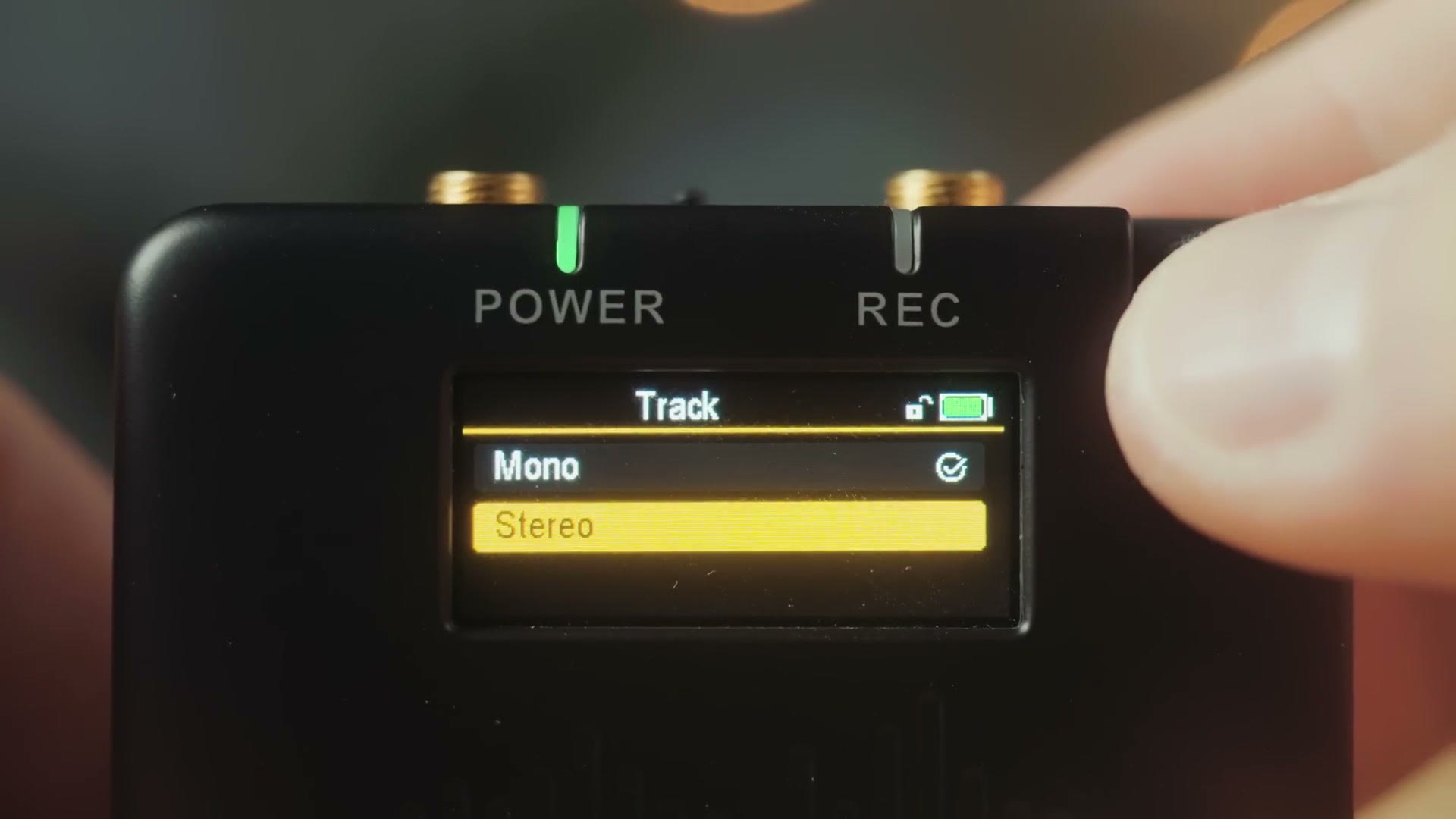
Personally I do not find this to be a big deal, because whenever I am using a lav mic on someone I do not want the audio to be in stereo. I just want very high quality audio of them speaking from the left and right channel. But if you are planning on using this recorder for some form of stereo recording, I would just be aware of the limitation.
High Quality Stock Lav Mic And Accessories
Every PR-2 comes with an included lavalier microphone and clip. This is their W.Lav Pro microphone, and it not only sounds better than the stock lavs that come with the competition, Deity have modeled it after the Sanken COS-11D, a very well loved lav microphone. So this mic is very compact, with a very small capsule that is very easy to hide. Look at that thing, it is so tiny. I love it.
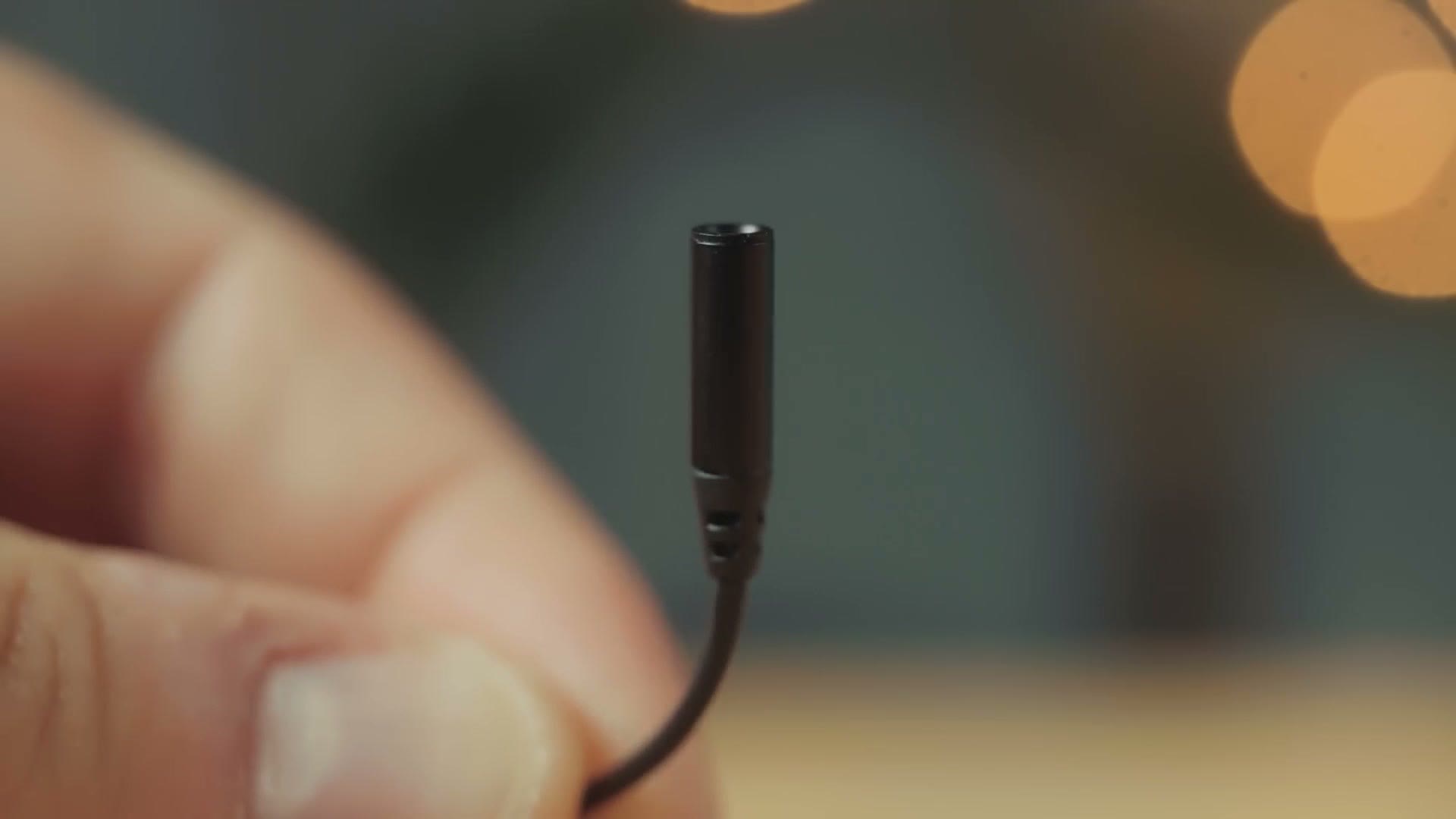
There is more good news too if you want to upgrade your microphone. This recorder is capable of providing up to five volts of power, which is significantly more than something like the Tascam DR-10L Pro, for example, which can only provide 2.3V, meaning you can use a wider variety of lav mics with this recorder. In addition, with the release of the PR-2, Deity has also released an accessories kit that comes with stickies to hide the lav mic on people, wind mufflers, extra windscreens, and extra lapel clips. Really nice stuff.
Timecode, And It Is Awesome
Going back to what I said at the start of this review about how this recorder has such a great ecosystem built up around it, we need to talk about timecode, because over the past several years Deity has built one of the easiest to use and most robust timecode systems, and it works with a variety of audio recorders and cameras.
Back in 2022 Deity released the TC-1 timecode generator, which is super compact, versatile, and very affordable, and it works with devices that have dedicated timecode inputs like the Sony FX3, FX30, and a7S III, which all work over USB with an adapter, or many other cameras that have dedicated timecode inputs, or even cameras that do not have a dedicated input, by sending a timecode audio signal that can be recorded to one of the audio channels.
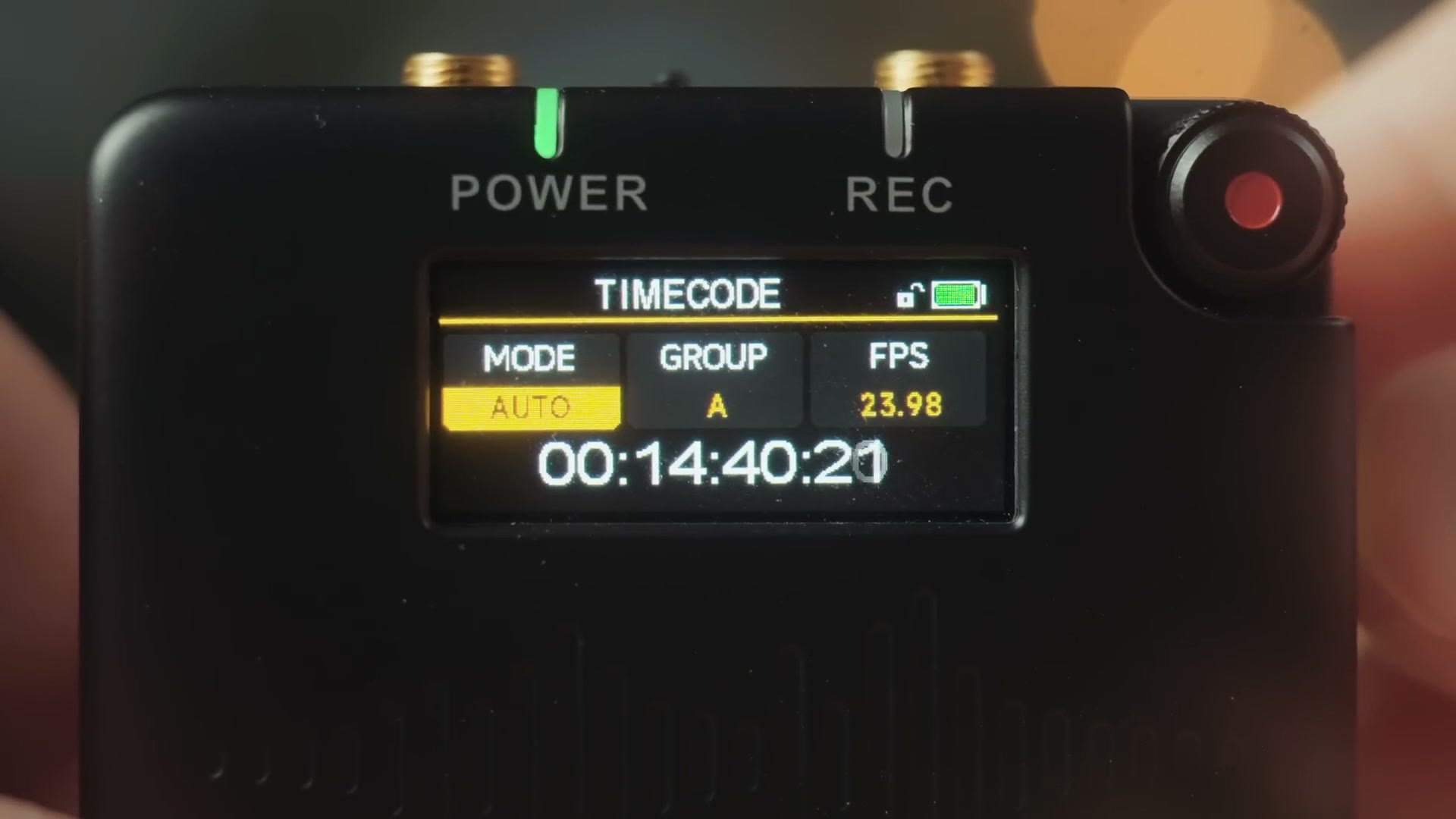
The TC-1 was just the start though, and since then they have released more and more devices, like their Theos line of wireless microphone systems that also support timecode, a timecode slate, and now the PR-2. The best thing is that their system is not proprietary, so you can get it to work with a very wide range of cameras and audio recorders, and you can connect it in a lot of ways, including wirelessly transmitting the timecode signal, connecting a timecode cable to the 3.5mm out jack on top of the recorder, which does work on the US version even while it is recording, you just cannot listen to it with headphones, or sending timecode over USB. You name it, you can pretty much use it to send or transmit timecode to or from this device.
The Fantastic Sidus Audio App
To make all of this timecode setup even easier between all your devices, they have the Sidus Audio app. If that name sounds familiar, that may be because you probably already use the Sidus Link app if you have any Aputure or Amaran lights. You can basically think of Deity as the audio arm of Aputure and Amaran.
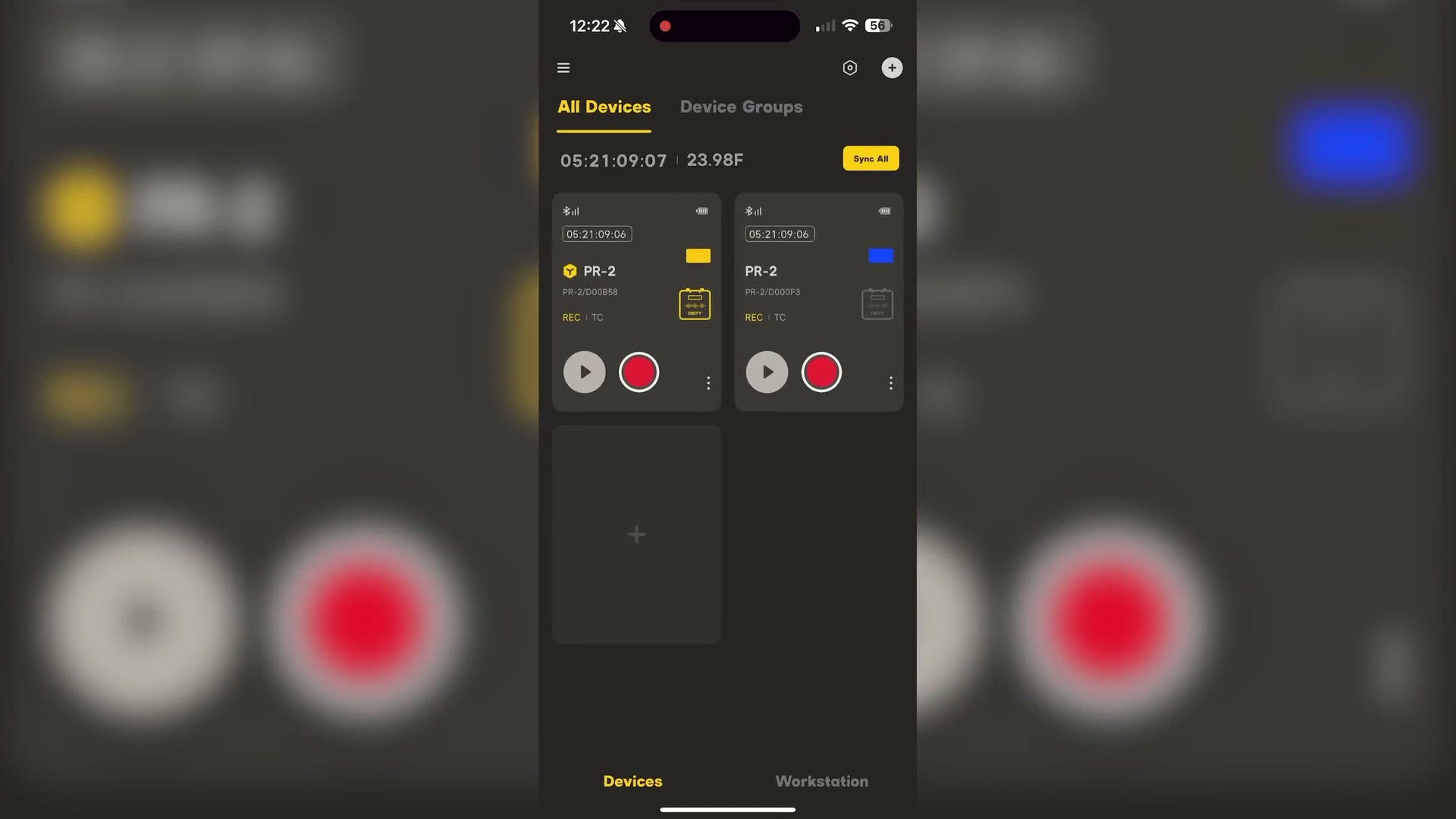
This app is really stellar. You can wirelessly connect to your PR-2 as well as any of these other audio or timecode devices. Deity says it has a Bluetooth range of 250ft, and what is great is that if you want to buy a lot of PR-2s you can connect a ton of them with this app, a maximum of 48, which should cover most people. As long as your name is not Justin Porter.
In the app you can see the status of all your PR-2 recorders at the same time, start and stop them recording, and change a ton of settings including the gain. And as we talked about earlier, you can sync all of your recorders with your TC-1 timecode devices and any other Deity timecode devices using this app. Going back to that ecosystem, the app really ties everything together and helps you keep track and make sure everything is working and recording properly.
Wireless Audio Monitoring Through The App
As a bonus, and this is a really big bonus because not every standalone audio recorder supports it, I am so happy to tell you that the PR-2 will let you wirelessly monitor the audio from any of your recorders on your phone.
Now, to avoid a lawsuit by Zaxcom, which remember, we talked about earlier, you have to press the monitoring button in the app and there is a big popup on the screen saying the audio is being transmitted, and you are not able to record this audio to your phone or anything like that. All you can do is press the big quit button to stop the audio transmitting after you have listened for a bit to make sure it sounds good.
In my opinion this is still a great feature to have, because you can not only look at the audio meters to make sure the audio is being picked up, you can also listen to the sound being recorded over Bluetooth and just confirm that it sounds good.
Price Versus The Competition
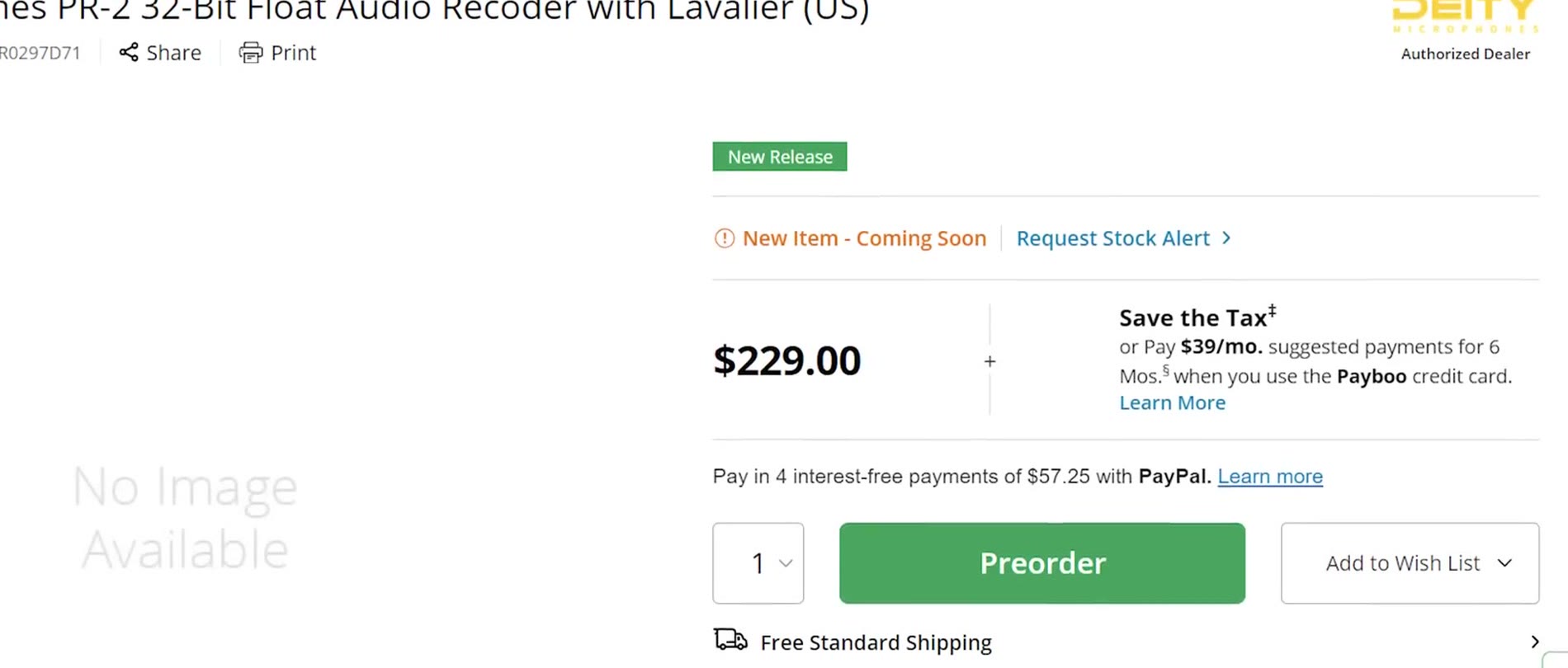
At the time of this review the PR-2 retails for 230 bucks, and if you compare that to the Tascam DR-10L Pro at 220, the Tentacle Track E at 350, and the Zoom F2 at 200, I think this is a very well priced audio recorder, considering it comes with a very high quality microphone, has phenomenal battery life, and, like I have said repeatedly, you are buying into an ecosystem that Deity has created.
So if you care about timecode and it is something you have wanted to start using, I would recommend the PR-2, because it so easily works with their TC-1 timecode generators, and those work in turn with a huge variety of cameras and audio recorders, which really makes the timecode investment worth it.
Remember, all of the audio recorders I have talked about here are great, and they are going to give you fantastic sounding audio, so I would not necessarily recommend you sell everything you have and buy a pile of PR-2s. But if you have not upgraded to a 32-bit float recorder yet, or you are building out your audio kit for the first time, I would heavily consider the PR-2, especially if you are interested in timecode, because it is just so easy to implement.
If you want to see how that timecode workflow actually looks once the footage hits your timeline, I walked through syncing audio and video with timecode in Premiere Pro using this exact recorder.
Speaking of being easy to implement, I would highly recommend checking out my free workshop that is going to show you the exact steps to book your next wedding. So if you have been filming weddings and you want to book more, or you have never filmed a wedding before, I would highly recommend checking it out.
Thanks so much for reading and have a great day!