

If you’re trying to record 4K at 120fps in XAVC S-I on the Sony a7S III and you cannot figure out how to get to that frame rate, here’s how to do it in four steps. And if you’ve already been through the menu twice and 120p simply isn’t there to select, skip down to the troubleshooting section below, because there’s a really good chance it’s your memory card and not you.
The four steps
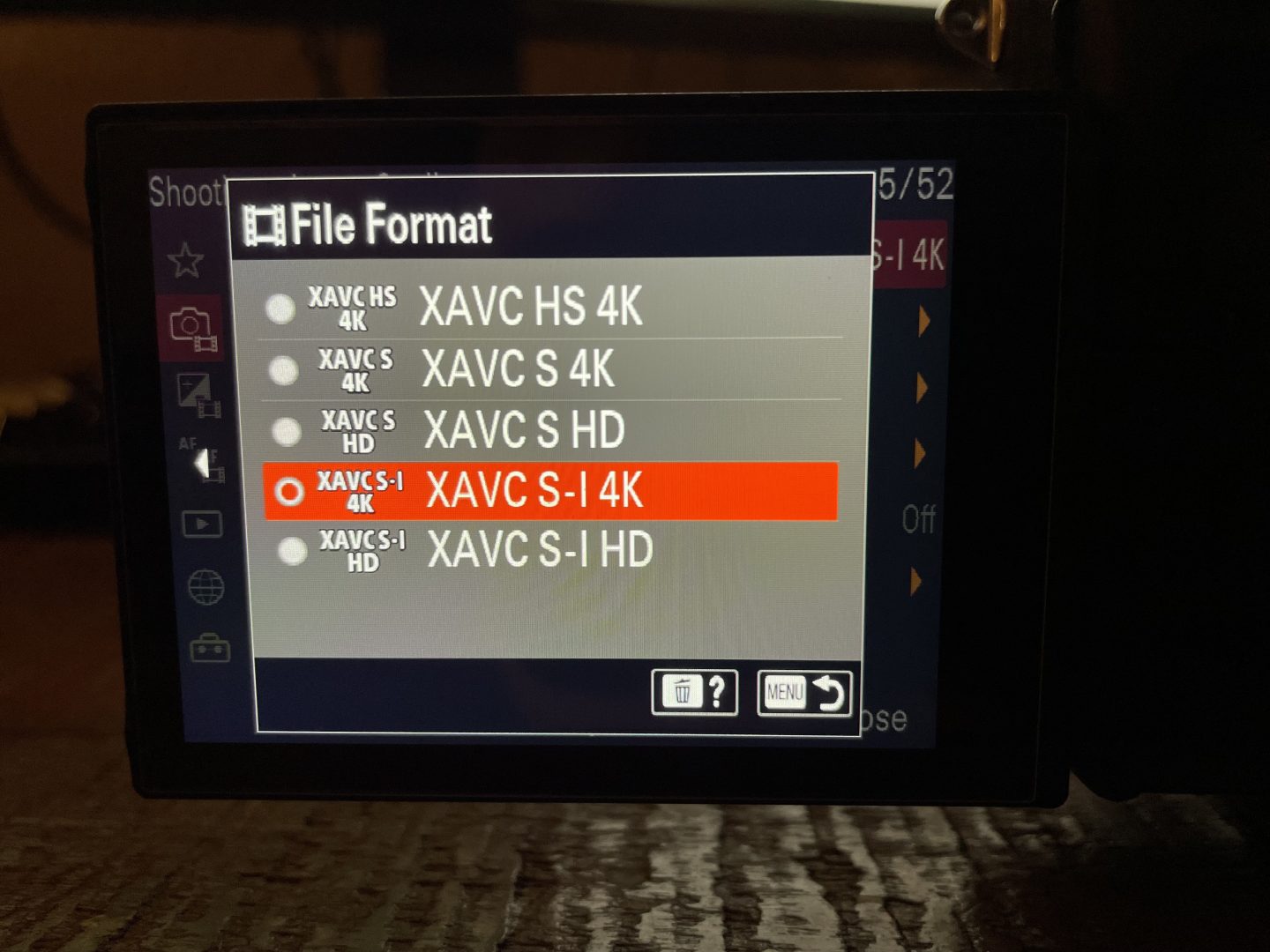
1. Open your a7S III’s menu and for File Format, select XAVC S-I.
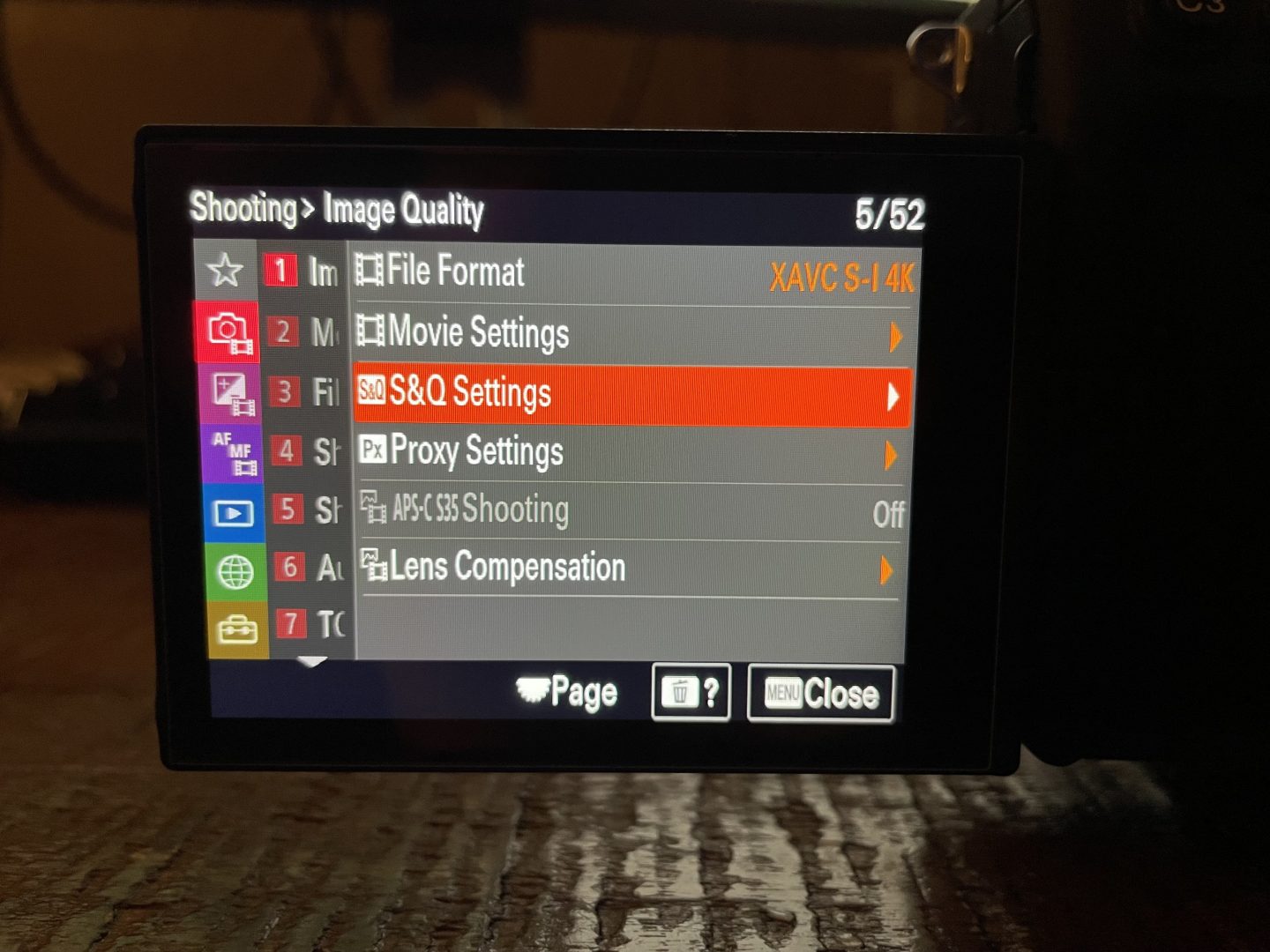
2. Navigate to the S&Q Settings menu.
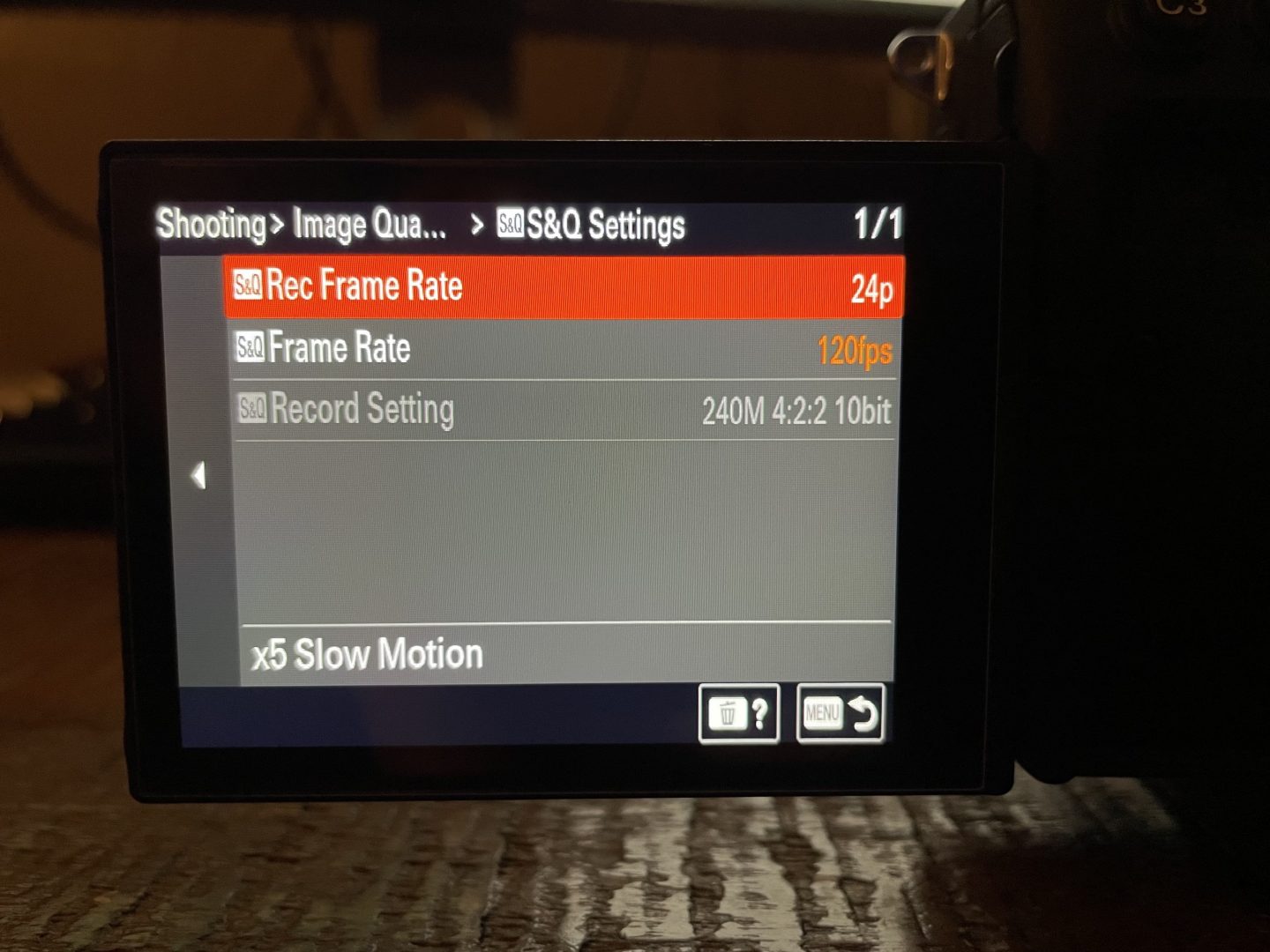
3. Set your S&Q Frame Rate to 120fps. For your S&Q Record Frame Rate, select the final frame rate you want the finished video to play back at. I usually use 24p.
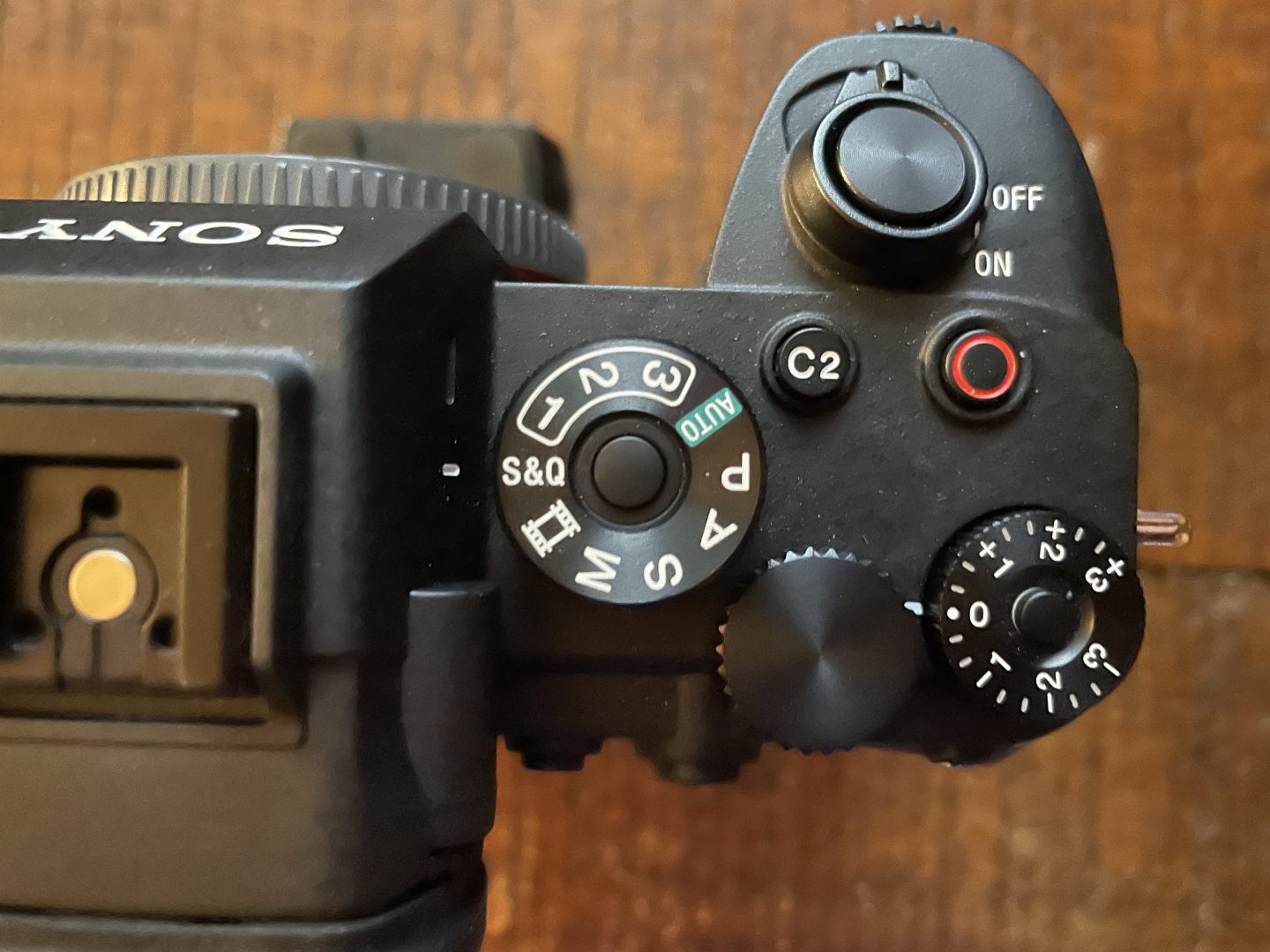
4. Set the mode dial on top of the camera to S&Q and start recording. Anything you film is now 4K 120fps in XAVC S-I!
Why can’t I select 120p at all?
Here’s the one that catches most people, and it caught plenty of people on the forums too. XAVC S-I at 4K 120p only works on a CFexpress Type A card. It will not record to an SD card, not even a fast V90 UHS-II one, because that combination of All-Intra compression and 120 frames per second needs somewhere around 1200 Mb/s of sustained write speed and SD simply cannot keep up.
So whenever you’re staring at that menu wondering why 120 isn’t there, or why it’s greyed out, check what card is in the camera before you check anything else.
The good news is you have options. A V90 SD card will shoot 4K 120p perfectly well if you switch the file format to XAVC S or XAVC HS instead, because those are compressed far more efficiently. You lose the All-Intra benefits, and honestly for a lot of work you won’t miss them. And if you do want XAVC S-I but not at 120, a V90 card handles XAVC S-I at 24p and 60p just fine in normal recording mode.
I wrote up the whole card situation separately, including which cards I actually buy and what you can get away with: Sony a7S III memory cards guide: CFexpress vs SD.
What is XAVC S-I, and do you even want it?
XAVC S-I is Sony’s All-Intra codec, which means every single frame is compressed on its own as a complete picture, rather than the camera storing one full frame and then only the changes for the frames after it. That’s what the “I” is doing in the name.
What that buys you is an easier time on the timeline, because your editing program never has to reconstruct a frame from its neighbors, it just reads the frame. On a slower computer that difference is very noticeable when you’re scrubbing through slow motion. What it costs you is file size, and I mean a lot of file size. Fill a card with 4K 120p All-Intra and you’ll be looking at your storage drive differently.
So should you use it? If you’re on a CFexpress card and you’re editing on a machine that struggles with 120p, yes. If you’re on SD, or your computer handles regular XAVC S 120p without complaining, you’re not missing much by staying where you are.
Two things nobody tells you before you hit record
S&Q does not record audio
The moment you flip that dial to S&Q, the camera stops recording sound. All of it. That’s normal and every camera that does this works the same way, because there’s no such thing as sound played back at a fifth of speed that anyone wants to listen to.
Where this bites you is whenever you forget you’re still in S&Q, and you swing the camera around to grab something someone is saying, and you get a beautiful silent clip of them talking. I have done this at a wedding. Don’t be me! Get in the habit of flicking that dial back to Movie the second you’re done with your slow motion shot.
4K 120p is not quite full frame
The a7S III is rightly famous for having no crop, and up through 4K 60p that’s true. At 120p though you pick up a slight crop of about 1.1x. It’s small, and you’d struggle to spot it side by side, but whenever you’re filming in a tight space with a wide lens it’s enough to change your framing a bit. Just know it’s coming so you’re not confused about why your 16mm suddenly feels a touch longer.
How slow is your slow motion, actually?
The two settings in that S&Q menu confuse people, so here’s the simple version. S&Q Frame Rate is how fast the camera captures. S&Q Record Frame Rate is how fast it plays back. Divide the first by the second and that’s your slow motion factor.
- 120fps captured, 24p playback = 5x slow motion. This is what I use most.
- 120fps captured, 30p playback = 4x slow motion.
- 120fps captured, 60p playback = 2x slow motion, which is nice for subtle work where you don’t want it to look obviously slowed down.
The camera does this in-camera, so what lands on your card is already slowed down and ready to drop on the timeline. You don’t need to conform anything in post, which is genuinely lovely.
One last thing worth remembering: 120fps needs light. You’re keeping your shutter around 1/240 to stay in the neighborhood of a natural motion blur, and that’s roughly two stops darker than the 1/50 you’d use at 24p. Outdoors in daylight you’re fine. In a dark reception hall, plan for it.