
You are filming a wedding and you have two minutes to get your drone up before the ceremony starts. With a traditional drone, you are lucky to come away with one or two usable shots. You have to take off, dial in your settings, get the angle and the position just right, then record for all of about a minute before you need to land again.
I have lived that scramble on plenty of wedding days, and it is the reason the Antigravity A1 caught my attention. It went on sale in late 2025 as the world’s first drone with an 8K 360 degree camera, which means you fly first and handle all of your framing and composition later in post. I have been putting it through a professional workflow, the kind of fast-moving wedding and corporate shoots where you rarely get a second take, and Antigravity has shipped some big firmware updates in the six months since launch that make it a noticeably better drone than the one many early reviews were based on.
The old drone workflow
Most drones you have flown have one to three cameras on a gimbal, all facing a single direction. That means you are constantly framing the shot, thinking about composition and angle while you fly, and it takes real precision. Tell me if this sounds familiar. I have had to repeat the same shot over and over on other drones because I was trying to orbit an object while tilting the camera at the same time, and there is so much room for error. One slipped finger and you are flying the whole thing again. If you want to see how a more traditional camera drone handles by comparison, I got into that in my SkyRover X1 review.
Fly first, frame later
With the A1 the workflow flips into something that is honestly easier on your brain. A 360 camera drone is liberating. You can completely reframe your shots in post, so there is no gimbal to keep pointed in the right direction and no angle to nail in the moment. The only two things you think about while flying are how close you want to be to your subject and the direction you want to travel. Everything else gets decided later when you edit.
On this drone the camera is one of the things you think about least. The first few times I flew it I caught myself rotating my head inside the goggles, hunting for the best angle, because that is the habit a normal drone builds. Then I had to keep reminding myself that it does not matter if the framing is not perfect. The camera is recording everything, in every direction, the whole time, and it can always be reframed.
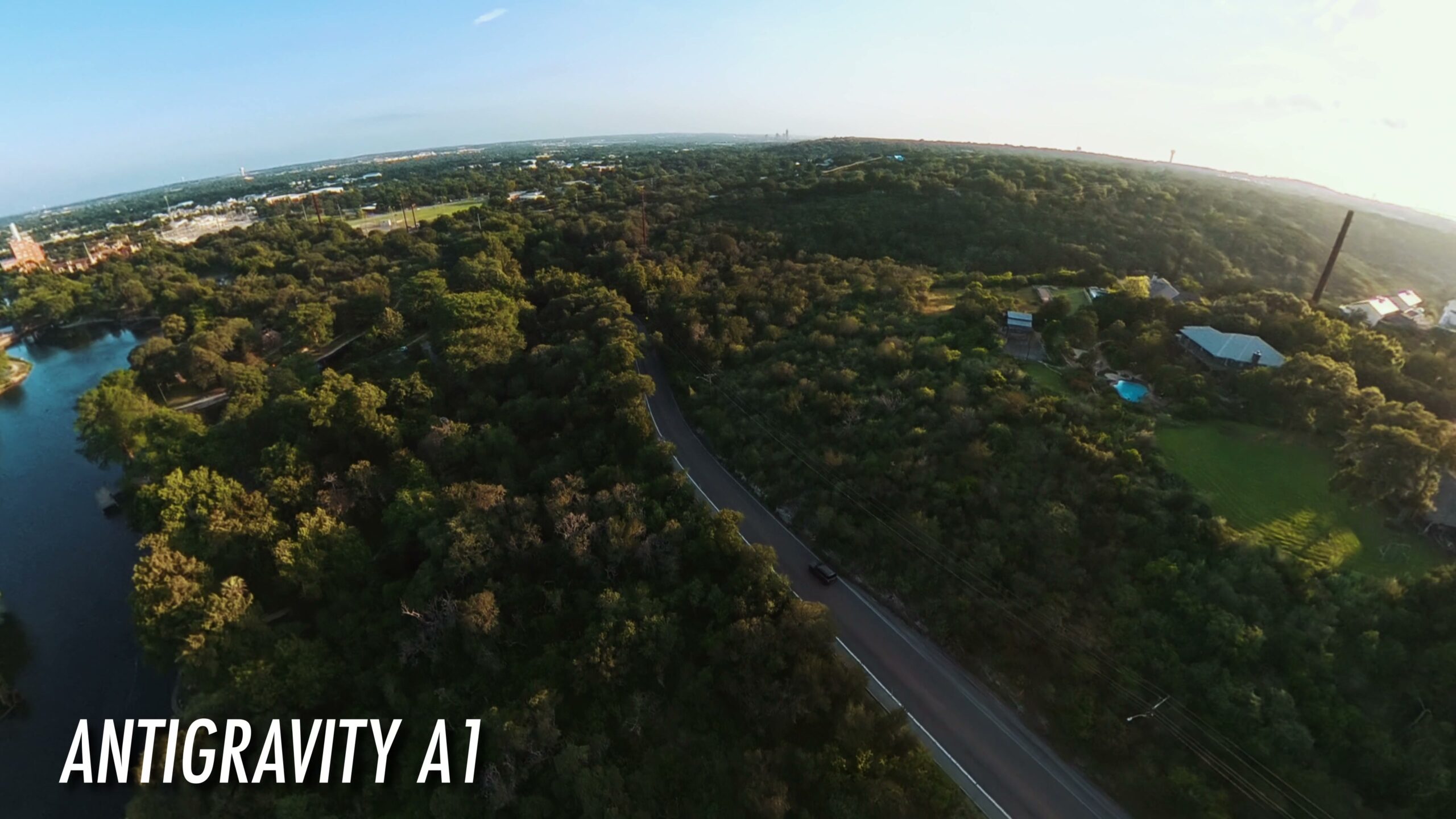
The obstacle avoidance finally goes all the way around
When the A1 launched, one of the loudest criticisms was that it only had forward and downward obstacle sensing, which is a strange omission on a drone built around 360 degree cameras. In April 2026 Antigravity fixed it with a firmware update that adds full omnidirectional obstacle avoidance. No matter which way you fly, the drone either brakes automatically before it gets too close to something or navigates around it, which keeps your shots smooth.
I tested this flying close to some trees, and it was very good about warning me and it stopped every time before hitting anything. On a wedding, corporate, or commercial shoot where you need to take off and fly fast, that safety net lets you get the shots quicker without white-knuckling it. And if you do crash, the A1 has replaceable lenses, and Antigravity runs US based repair centers with a solid return and repair service.
It is genuinely fun to fly
All drones are fun, but this one is something else with the immersive goggles. Flying it, I kept forgetting I was standing in a field. The headset is comfortable and it takes over your senses enough that it actually feels like flying. If you are less interested in the professional side and just want a drone to bring along while traveling for fun shots, it is a great pick for that too.
Battery life holds up. The standard batteries get you about 24 minutes, and the high capacity batteries push flight time to 39 minutes, though those take the drone above 249 grams. Because the 360 camera means you spend less time chasing shots, I never once wished for more battery, even on the standard packs.
Left-handed controls and voice commands
A confession: I am left-handed, which is my cross to bear. Like most camera gear, the A1 is built with right-handed people in mind first. If you are right-handed, every button on the controller is easy to reach. If you are left-handed like me, your hand covers up some of them, like the sport mode switch, which is a small bummer. To be fair, once you get past that right-handed layout, the controller is a joy to use.
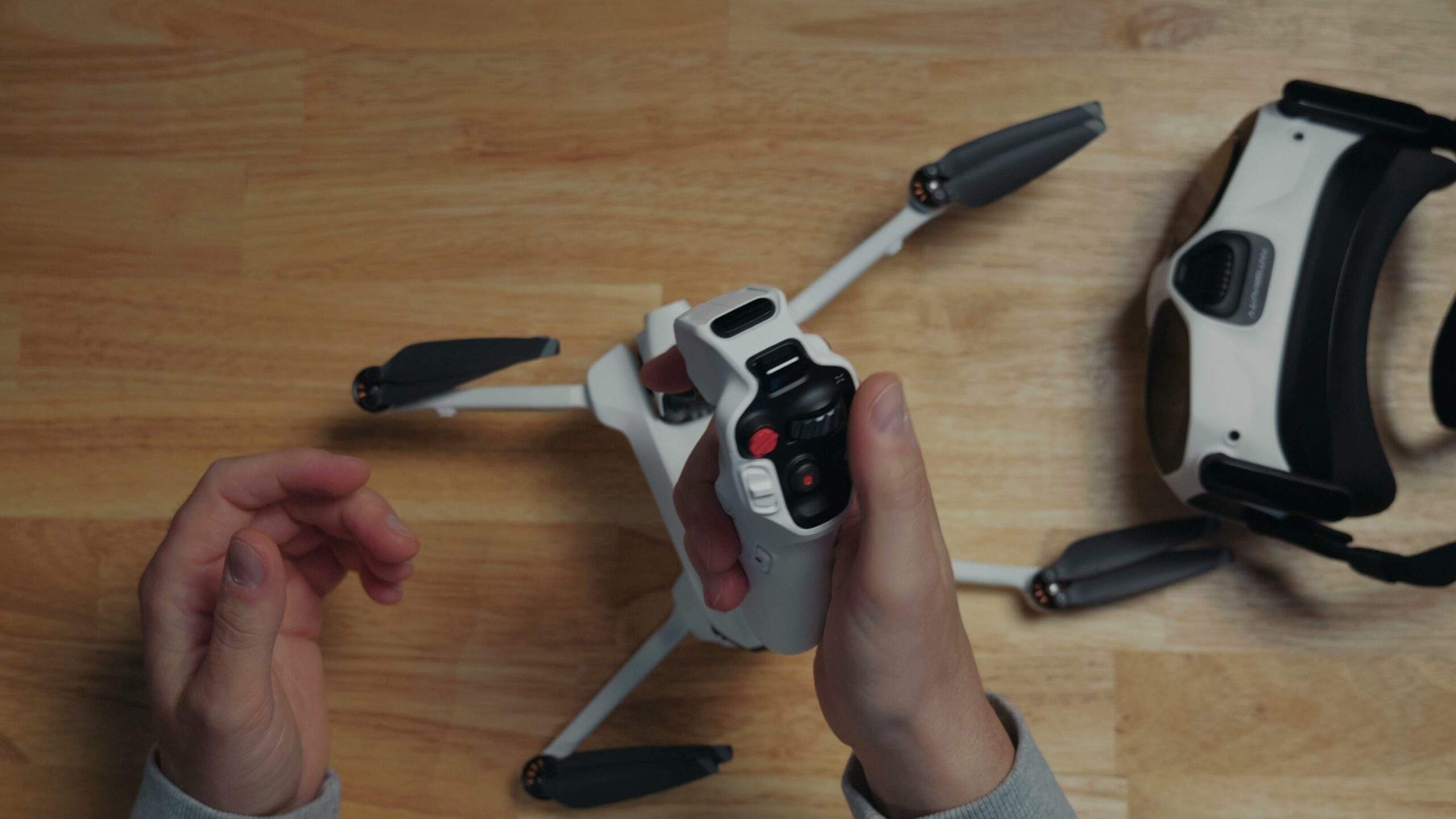
The other good news, and this is another April update, is voice control. On most cameras voice control is a gimmick. Plenty of mine have it and I never touch it. It is different here, because this is a drone you fly with a headset on, and wearing the goggles cuts off your vision. Being able to press the home button, which is easy to find by feel, and then tell the drone to start or stop recording, or even to take off, is genuinely useful rather than a novelty.
Image quality and the one real drawback
None of the flying or the features would matter if the image looked bad. It does not. The A1 records in 8K, though keep in mind that is split across two sensors and stitched together, so it is not the ultra crisp oversampled look you get from something like the Sony a7R VI. Even so, it is sharp and very usable, especially with enough light. The sunrise and sunset footage I shot with it looks gorgeous, and it cuts in well next to the footage from my other cameras.
The one drawback on the video side is that there is no log profile of any kind. I am hoping a future firmware update adds one, because it would make matching this footage to my main cameras even easier.
Editing the footage
If you have used a 360 camera from someone like Insta360, this will feel familiar. The drone records a proprietary 360 degree format that needs specific software to edit. You can do it on your phone or your computer, and for professional work I use the Antigravity Studio app on the computer. It gives you a huge amount of control over the final look. You can adjust width, angle, and zoom, and use intuitive keyframes and presets to pull off some genuinely creative shots.
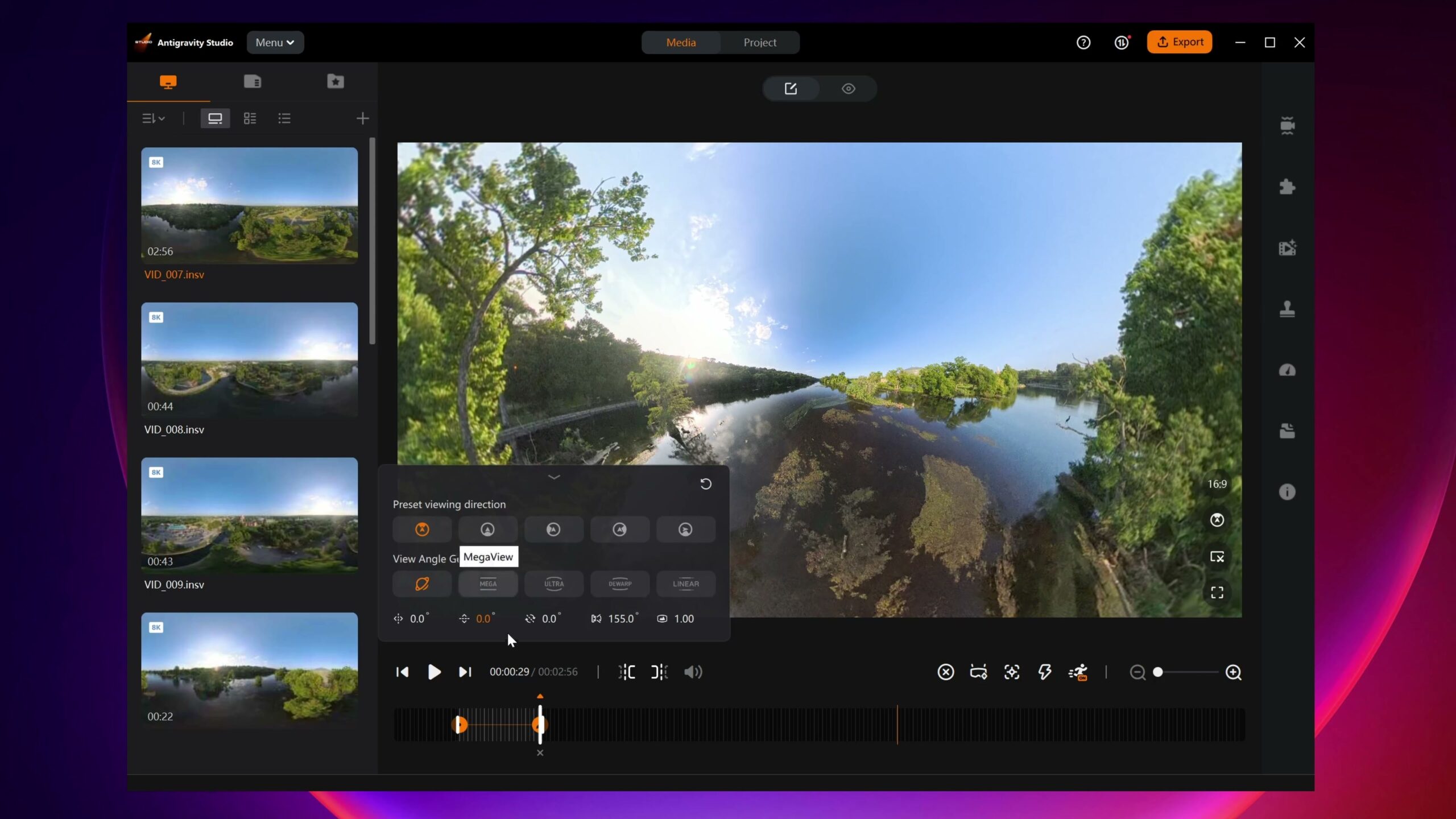
You can also export in full 8K in ProRes 422, which gets you the highest quality version to work with in your editor. If you want that same level of control over the rest of your edit, my Edit Videos Like A Pro guide walks through the rules I follow on every project, whichever software you cut in. Let me know if you want to see my full A1 export workflow too, because I have it down to something fast and repeatable now.
Does it belong in a professional kit?
Back to that two minute window from the start. Combine how easy the A1 is to fly, the added safety of full 360 obstacle avoidance, and how many shots you can pull out of a single flight because you reframe everything in post, and it makes a lot of sense to consider working this drone into a professional setup. For a wedding day especially, where time is never on your side, being able to fly first and frame later changes how much coverage you walk away with. If you want a sense of everything I try to capture on a wedding, my wedding video shot list lays it all out.