
The drone market has changed, and not in DJI’s favor
If you haven’t been paying attention to the drone market in America lately, it’s getting harder and harder to actually get a DJI drone thanks to a bunch of government restrictions. That’s a real problem if you shoot weddings or travel and you’ve come to rely on a small drone in your bag. SkyRover drones are still available, and after several months of flying the SkyRover X1, I think they’re offering a genuinely compelling alternative to DJI at an even better price.
The headline is simple. The X1 is $499, it has a similar sensor to the drones you’re used to, it still records 4K at up to 100 frames per second in 10-bit color, and it has 360-degree obstacle avoidance. And almost nobody is talking about it.
Image quality that punches above the price
The first time I flew the X1, I was genuinely impressed by the image quality coming out of such a small drone. It’s summer here in Texas, all the trees have their leaves and everything is colorful right now, and the drone really captured that color. It looked great.
I want to be clear about expectations. The image quality is not going to be at the level of something like a Mavic 4 Pro. But considering the price and the size, the X1’s 1/1.32 inch sensor gives you some great looking footage, especially when you film in the new SR-Log picture profile.
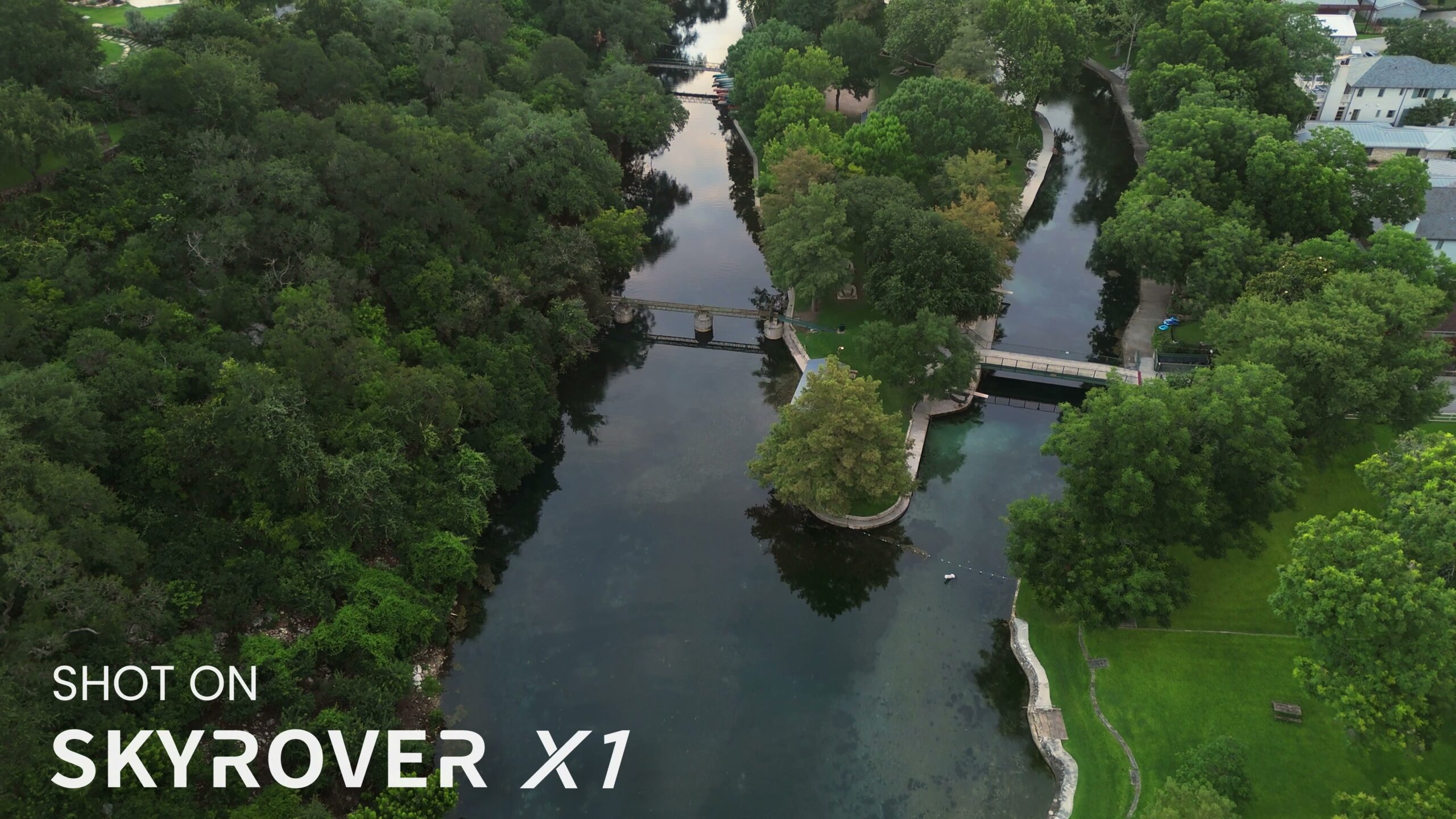
SR-Log was added in a firmware update, and it gives you a lot more flexibility when color grading. It expands the dynamic range of the 10-bit image while keeping it from looking over-sharpened, which is something that really happens with other small camera drones. In short, I would always recommend filming in SR-Log. As a bonus, SkyRover has a set of LUTs you can download from their site completely free that are built to convert this log footage straight to Rec 709 and save you time when grading. If you want to go deeper on grading log footage, my own LUTs live here.
For a $499 drone, if you’re a beginner wedding filmmaker looking for a budget option, this is a really solid pick. In my opinion it’s much higher quality than the DJI Mini 4K and on par with the DJI Mini 4 Pro, but for a much more affordable price.
Low light and AI Night Mode
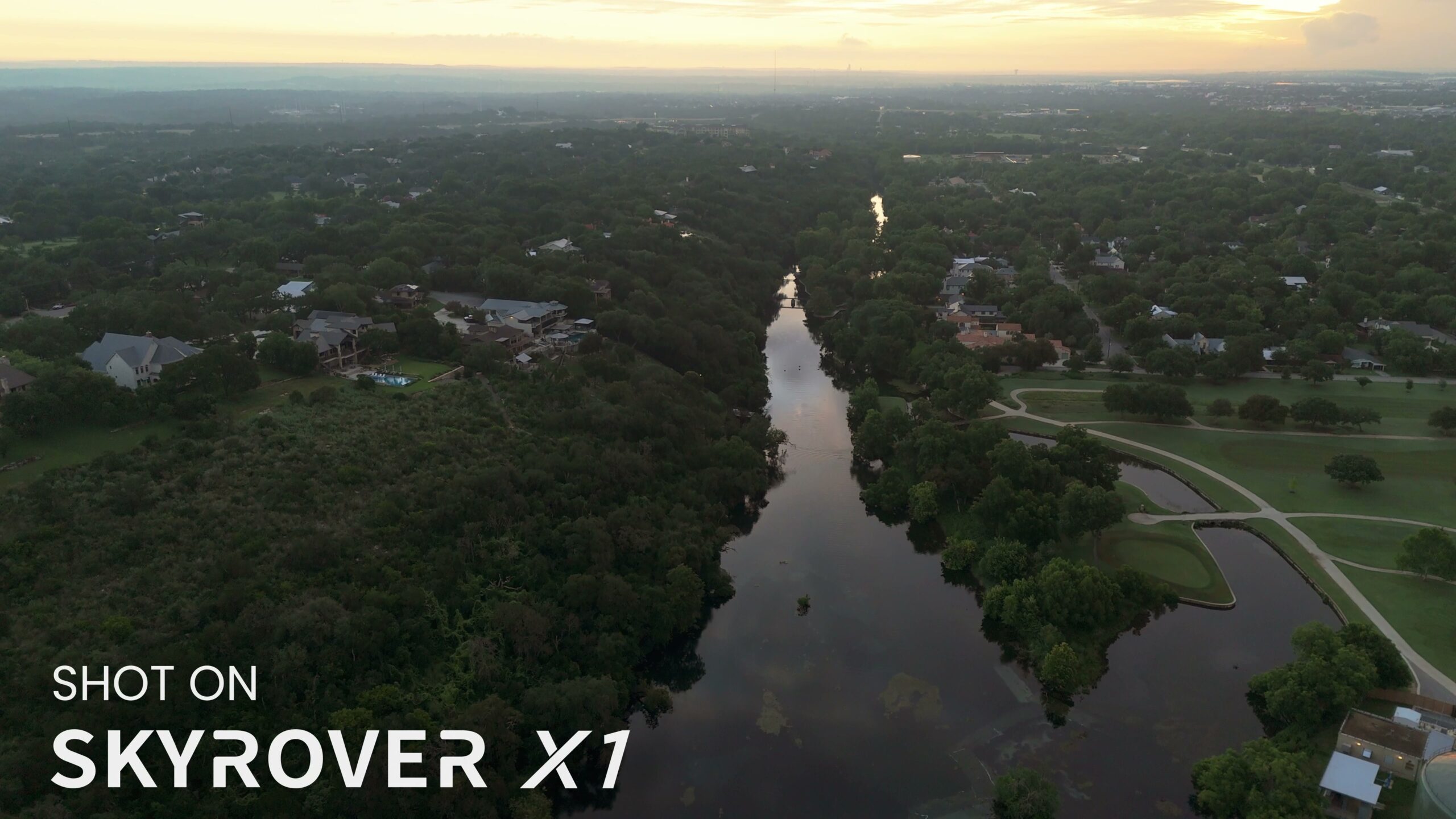
Let’s talk low light. The X1 has a feature called AI Night Mode that removes noise from low light images while still keeping them sharp. It makes twilight shots look far better than you would normally get from a drone this size.
I took the X1 out at sunrise and was pleasantly surprised by how good the colors looked even though it wasn’t very bright outside. Everything was still sharp and, most importantly, usable. If you’re filming a wedding and you want sunset shots of the couple, you’ll be able to get them with this drone.
True vertical 4K
Here’s my favorite camera feature. The X1’s gimbal can also rotate vertically, which gives you very high resolution, true 4K vertical video. No need to crop into a horizontal shot in post and lose pixels.
More and more clients and wedding couples these days want vertical video for TikTok and Instagram reels. I still deliver horizontal, but couples often want vertical edits too, and being able to actually film vertical makes it much easier to capture those moments. Because of the smaller sensor size, rotating the gimbal vertically means you’re capturing all of the pixels and keeping your footage sharp.
This is a drone you can genuinely bring to a wedding. It’ll easily fit into one of the dividers in your camera bag and the controller fits in another. Film some horizontal and vertical establishing shots, film the couple during golden hour, and wrap it all up with an exit shot of the couple’s car driving off. Your couples will love the footage and you’ll love how easy it was to capture. If you want a full breakdown of the coverage I’m describing, here’s every shot you need to film a wedding.
The new controller with a screen
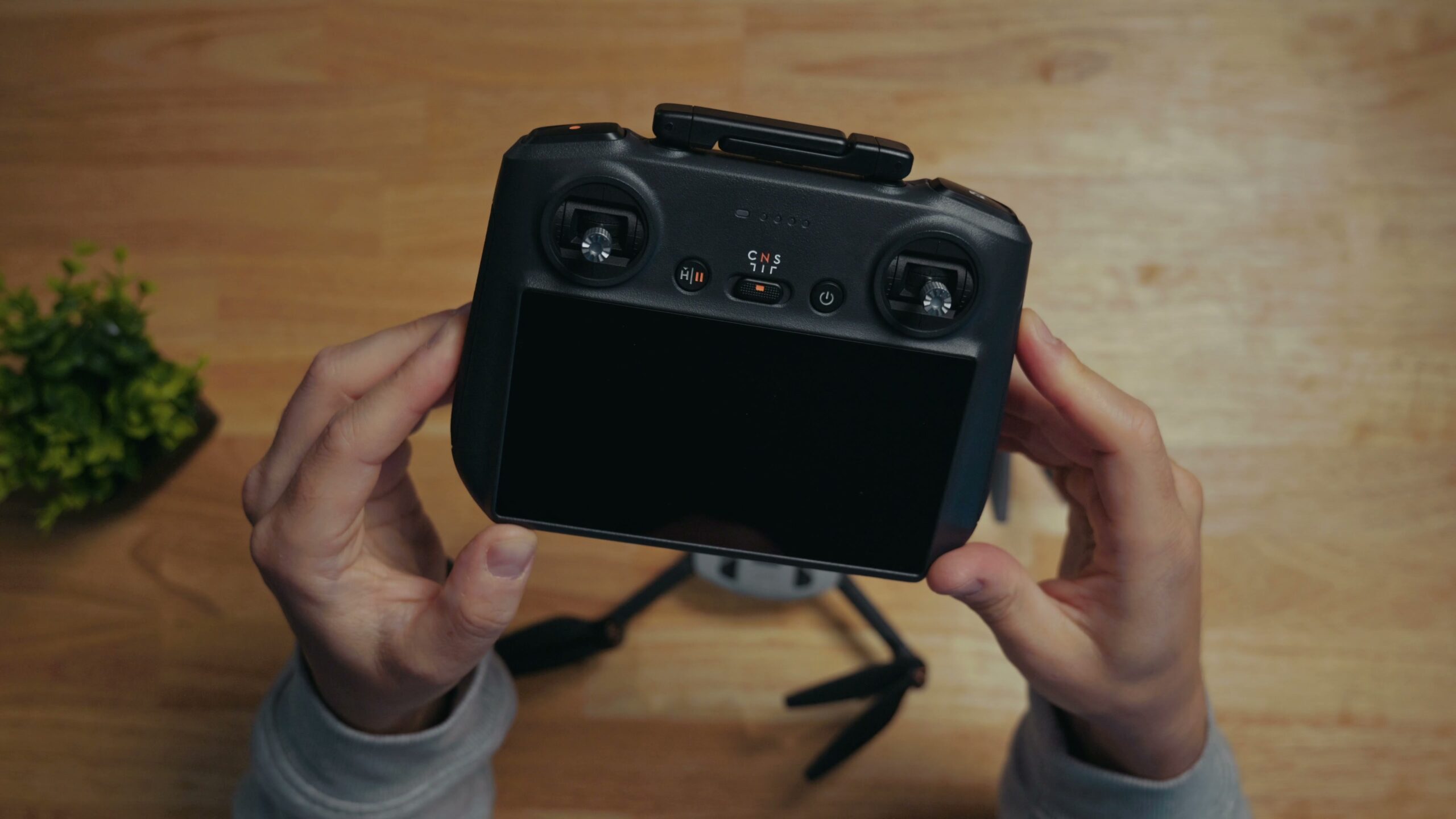
SkyRover just released a new accessory, a controller with a built-in screen. This will bump up the price of the overall drone package, but once you switch to a controller with a screen and don’t have to keep plugging in your phone, you won’t ever want to go back. I’ve lost track of the number of times I accidentally got a phone call while I was using my phone and it messed up my drone app. Trust me, a built-in screen is the way to go.
360-degree obstacle avoidance that actually works
Another thing I was very surprised to see on a drone of this size and price was 360-degree obstacle avoidance. I was flying at the park navigating through some trees and I was very pleasantly surprised by how well the drone detected tree branches and other obstacles and avoided hitting them.
The downward obstacle avoidance sensors are great too, because where are you most likely to crash your drone? Taking off or landing. The app shows you warning lines if you start to get close to an object, and those lines turn red if you get too close, meaning you can fly really precisely through very tight spots without worrying you’re going to hit something.
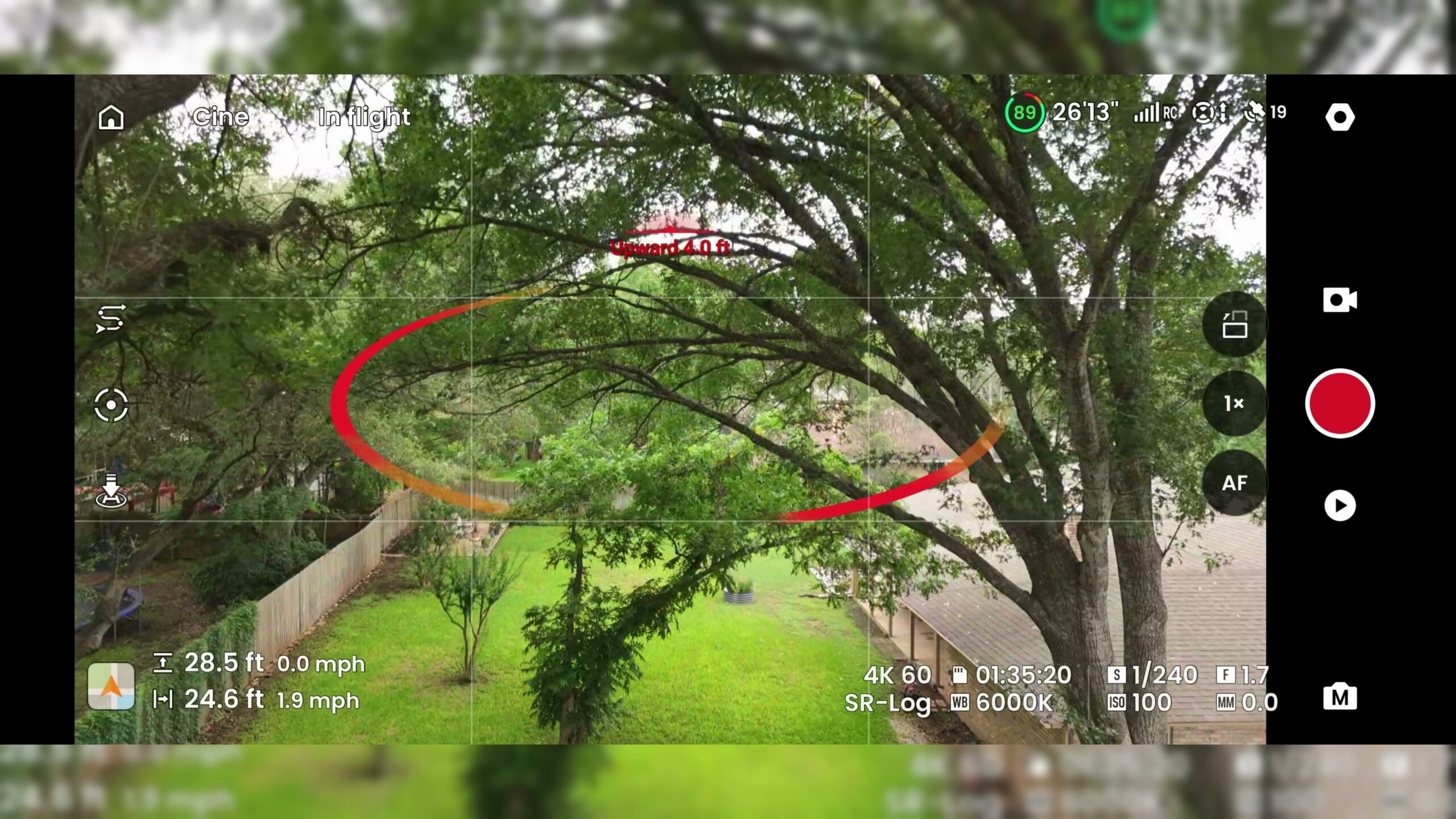
I still remember crashing my Phantom 4 Pro onto a frozen lake in Iceland before a destination wedding when I wasn’t paying attention. Don’t make my mistake. Keep your obstacle avoidance cameras turned on and you’re going to be extremely happy with how safe and easy this drone is to fly.
Smart features that don’t feel like gimmicks
Just like a lot of larger drones, the X1 has a very useful tracking mode that makes following people or other moving objects easy. All you have to do is tap on what you want to follow, and the drone will automatically keep it in frame while you focus on flying smoothly. Want to film a couple driving off after their ceremony? You can track it easily with this drone.
There’s also hyperlapse mode, dolly zooms, dronies, and a smart return-to-home feature that uses the drone’s obstacle avoidance cameras to return to its original landing spot without crashing if it loses signal. I was genuinely surprised to see that a budget-friendly drone like this has these kinds of smart features, and even more importantly, they all seem to actually work.
I’ve used cheaper budget drones from Amazon and those really feel like toys that happen to have a camera. The SkyRover drone is budget, but it feels like an actual filmmaking tool. The phone app and controller work without bugs, the signal transmission is very solid even hundreds or thousands of feet away, and everything is responsive. It feels like a genuinely usable tool, not a gimmick or a waste of money.
The price is the whole argument
Like I said, the quality isn’t going to hit the peaks of the higher end drones today, but the price more than makes up for it. If you want a convenient drone you can throw into a tiny pocket in your bag of gear and actually use at a wedding or while traveling for a destination wedding, I think the SkyRover X1 is a great choice.
Plus, unlike DJI, SkyRover offers US-based tech support. If something goes wrong and you have an issue or crash the drone, they’ll get back to you fast, and they offer drone care too.
Let me put it this way. The DJI Mini 4 Pro at the time of making this video is about $760. The SkyRover X1 is $260 cheaper at $500. For that price you’re getting an incredibly similar sensor, 4K up to 100fps, 10-bit color, SR-Log video, 360-degree obstacle avoidance, and tracking. Basically the same features as DJI, but for a dramatically cheaper cost. If I was DJI, I would be scared. And if I was you, the SkyRover X1 is the drone I would buy.
Where to get it
If you want to check out the X1 for yourself, I’ll link where you can find it for the absolute best price down in the video description. They ship from a US warehouse so it comes fast, or you can run down to Best Buy if you want to see and buy one in store. That’s where I got mine. Personally, I’d recommend the combo, because it comes with three batteries and a charging hub. And if you want to get fancy, there are ND filters I’ll link to as well.
While you’re at it, my Edit Videos Like A Pro guide is completely free and it covers the most important rules I follow as an editor, the stuff that took me years to learn. These rules apply whether you’re using Premiere Pro, Resolve, or Final Cut. Thanks so much for reading, and have a great day.