
📷 The whole audio kit, with pictures, is on my gear page here.
This is a big one. I’m giving all my audio secrets away. For over a year the single most requested topic has been audio: how I approach recording it for a wedding film, the exact gear I use for the notes, the ceremony, and the toasts, and how I make it all sound good. Today’s the day I reveal it all.
Why Audio Matters More Than You Think
Audio is one point of what I’m going to call the triangle of power, which is a completely made up term I invented about four seconds ago.
Point one is your visuals, the beautiful imagery your camera is recording. On its own it’s pretty, but it isn’t compelling. Point two is music, which adds emotion, and now the viewer feels something. Point three is live audio, somebody speaking, somebody telling a story. Put all three together and it becomes genuinely compelling: people see something beautiful, feel something because of the music, and hear a story at the same time.
For a wedding I’d argue audio is the most important of the three. Without it you’ve made a pretty music video montage. With it, your couple gets to relive their day exactly as it happened.
One more thing before the gear. Audio comes in two parts, just like video does. Your recorder captures raw audio the same way your camera captures ungraded footage, and it hasn’t been improved in any way yet. Whenever I was starting out I’d edit the picture until it looked great and then just drop the audio on a track and call it done. Take the time to learn to edit audio as well as you edit picture and suddenly the lows sound better, the highs are clean, and people actually respond to your work. I did eventually make that video, and here it is.
Recorders
Zoom H5
This is what I reach for first on a wedding day. It has a ton of inputs and, more importantly, physical dials, so I can watch and control my levels while I’m recording. Anything I’m monitoring live goes through this: the couple reading their letters, a message one of them wants to record, anything I’ve put a mic on before the ceremony.

The one drawback is that it has no auto gain control. So the H5 is fantastic whenever you can watch it and terrible whenever you can’t. It’s a special-use recorder for me, not a set-and-forget one.
Zoom H4n
You probably recognize this one, because who doesn’t. I’ve owned mine since 2009 and it’s still going strong. It has been the workhorse of my entire audio life and it has auto gain control, so I can press record, walk away, and it handles the levels itself.

Two drawbacks. The nitpicky one: you have to press record twice. The first press just starts monitoring, the second actually records, and I have absolutely stood there having pressed it once. The H5 doesn’t do that. The real one: battery life. This thing sucks down batteries like nothing else, so on a wedding day I bring the AC adapter and keep it plugged in, because I am not risking losing a ceremony to a dead cell.
Why own both? Because I shot a wedding that had two soundboards at the reception, on opposite sides of the room, and they were using both for toasts. I needed a recorder in each one. Now if that happens again I’m covered.
Three Small Voice Recorders
Three little Olympus voice recorders, which I pair with three lav mics as three completely standalone units. No wireless signal, no interference, nothing to go wrong between the mic and the card. Battery life is great, they run for hours and hours, and they take a micro SD card so recording time is basically a non-issue.

(Those exact models are discontinued now. The Sony ICDUX560 is the current stand-in. And yes, people ask why I’m not using one of the fancy Tascam DR-10L systems: at the time of this video I simply hadn’t bought one yet.)
Five Recorders Is Not Crazy
At this point you’re going “Matt, five recorders?” I believe in backups, and I believe in backups for the backups. I have had a DJ tell me he has never once had an audio problem, everything is always perfect, trust him completely, and I say that’s great, I don’t trust you at all. I’ve been at weddings where the entire house system died mid-ceremony and the minister was up there talking to a room that couldn’t hear him.
I want their audio and my audio. Minimum three sources, ideally five, because the quality varies and having options guarantees the film sounds as good as it possibly can. And remember: this is a wedding. There are no do-overs. Nobody is going to run the ceremony again because you weren’t rolling.
Microphones
Sennheiser Wireless Lav
The transmitter and receiver are both small enough to clip onto a belt or drop in a pocket without anybody noticing. Sound quality is great and the battery life is outstanding, hours and hours, straight through the longest ceremony I’ve ever filmed, and I’ve never had to swap one mid-day.
I use it first thing in the morning for the letters, running straight into the Zoom H5 so I’ve got manual gain and can ride the level as they read. During the ceremony it goes into the XLR inputs on my camera, which means audio and video arrive already in sync. Without a camera with XLR in, I’d run it into the H5 and keep that on me so I can keep monitoring while I move.
Microphone Madness Matchstick Lapel Mics
I have three of these, one for each voice recorder. They are about the size of a match, which makes them brilliant for hiding in awkward places.

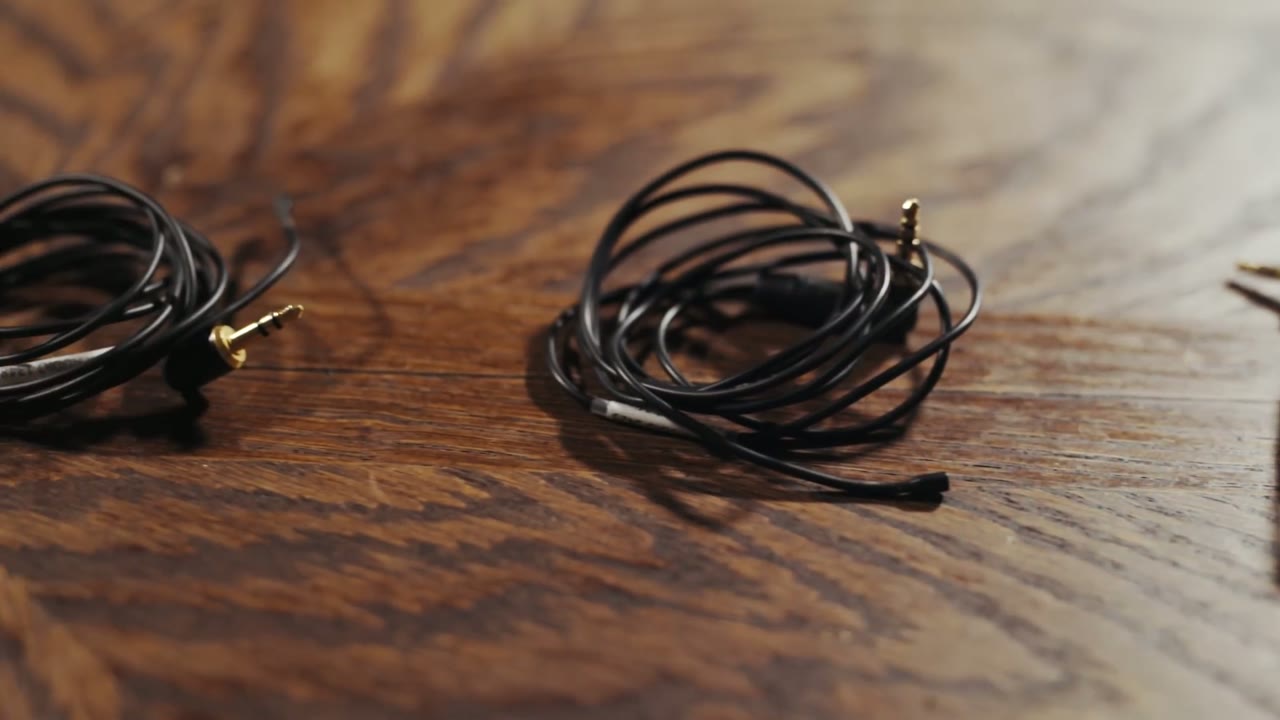
The connector is an L bracket rather than a straight plug, which means it does not come loose whenever somebody pulls at it sideways. Between that and the hold switch on the recorders, I have never lost a recording to somebody bumping a cable or tangling it in a shirt. One setting to change: these mics are very sensitive, which is good, but set the recorder’s mic sensitivity to low or you’ll peak.
Rycote Stickies (Skip The Clip)
These mics come with a clip. The clip is terrible and flimsy and will break or fall off in roughly ten seconds. Use Rycote Stickies instead, which sound kind of gross and are genuinely great. Peel one off the sheet, press the mic onto the sticky side, peel the backing off the other side, and now you’ve got an adhesive mic.
Stick it just inside the inner lapel of a jacket, where it isn’t visible but is almost visible. You get clean audio without wrestling anybody’s shirt, and nobody in the room can tell the person is wearing a mic at all, unlike a clipped-on lav which is obvious to everybody.
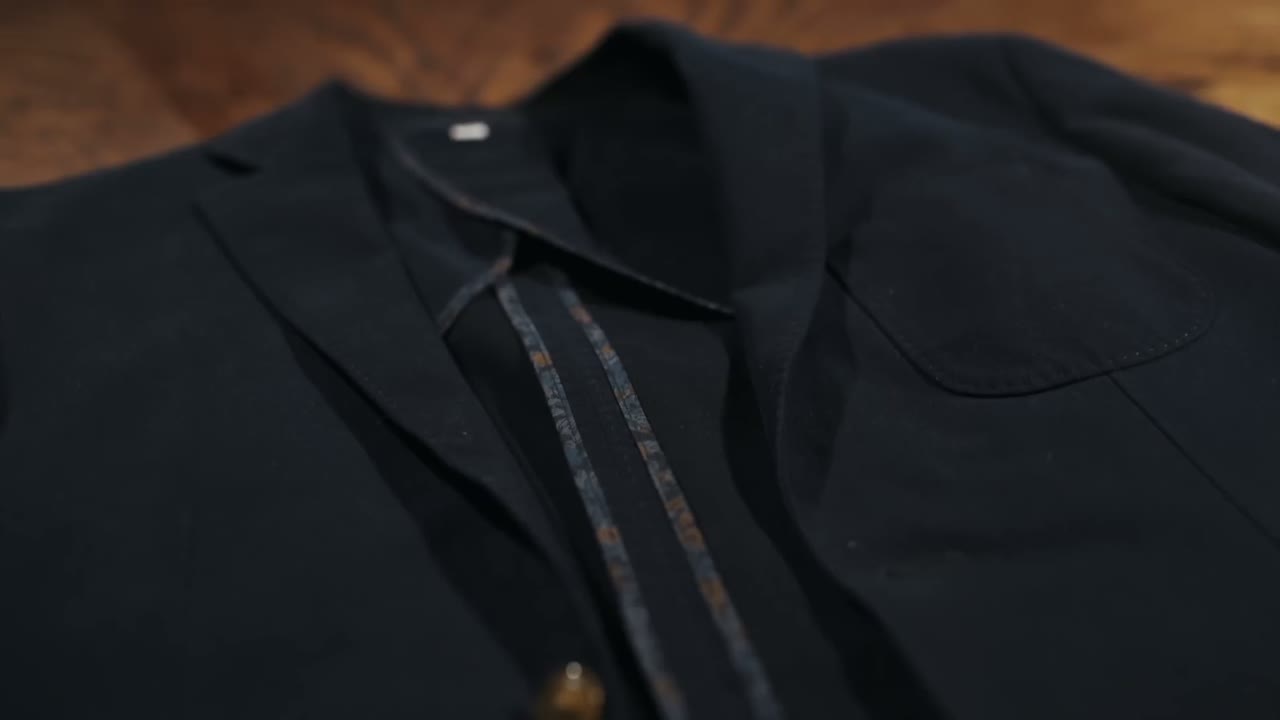
If it’s a windy day, Rycote also makes Overcovers, which go over the other side of the mic and block wind. Sticky on one side, cover on the other, and you’re well protected.
Who Gets Miked At The Ceremony
- The groom gets the wireless lav and a voice recorder with a matchstick mic. The recorder backs up the wireless, so if there’s any transmission issue at all I still have clean vows. Both mics are omnidirectional and the bride is standing two or three feet away, so I’ve never had trouble picking her up as well.
- The minister gets another recorder and mic, so the message is covered.
- Wherever else matters gets the third. A podium if there’s a scripture reading. And at one wedding, a full mariachi band that nobody had thought to mic, presumably because they were already ear-splittingly loud. I set a recorder in front of them and now I have great mariachi audio.
Add the house audio going into the H4n on auto leveling and that’s three sources minimum, four or five if I can get into the board. Yes, it’s probably overkill. Whenever disaster strikes I’m glad I’m prepared.
Cables, And Talking To The DJ First
These are all for plugging into somebody else’s soundboard, which is the operative point: it’s their equipment. Exactly like I’ve said about getting along with the photographers, reach out to the venue and the DJ ahead of the day. What board are you running? I have these cables, can I plug in to record the ceremony? Who are you miking, and can I get into it for the toasts?
I put together Record PERFECT Audio In Your Wedding Films! – B&H’s Depth of Field Conference Keynote as well, which covers the part I skipped over here.
Once you have the green light, there are really only three cables you need. All of mine are Hosa, bought on Amazon, cheap with good reviews, which are my main criteria for basically anything I have ever purchased.
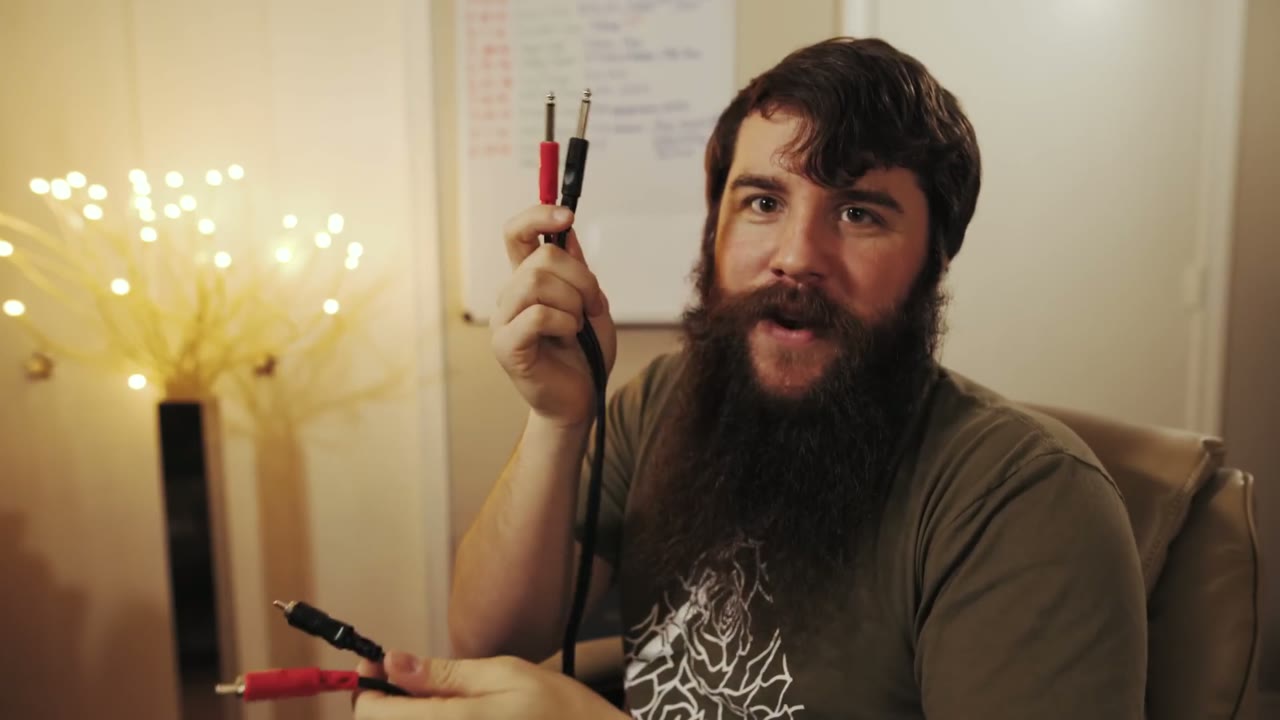
- XLR. The most ubiquitous connector in sound. If your DJ doesn’t have XLR you should seriously question whether he’s just running an iPod. It plugs straight into the bottom of either Zoom. Bear in mind he may already be using all his XLR for speakers.
- Quarter inch to quarter inch. Nearly as universal. Most boards have a quarter inch output somewhere, even if it’s only headphone monitoring, which I have absolutely recorded from before.
- Quarter inch to RCA. And yes, I just said they might not have quarter inch, but that’s not the point: the RCA end goes into the board, the quarter inch end goes into your recorder. In my experience every DJ has at least one of these three.
Plan B: The XLR Splitter
If none of those three outputs exist, I’m sorry, all hope is lost, you should quit filming weddings. Kidding. I have another option, and honestly it might be better than plugging into the board anyway.
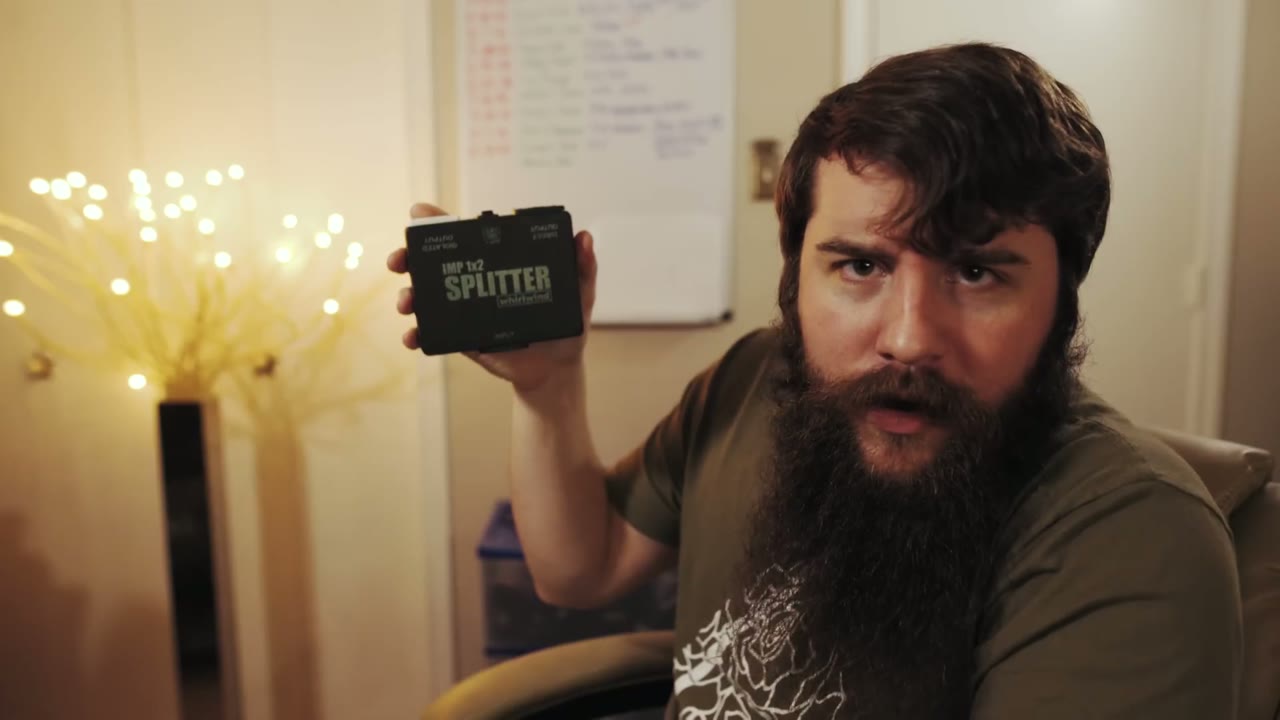
The Whirlwind IMP 1×2 splitter, a name that tells you nothing about what it does. It’s an XLR splitter: one cable in, two out. You put it in between the DJ’s wireless microphone base station and his soundboard.

What that buys you is clean, direct audio straight off the wireless mics, with none of the board’s mixing, none of the reverb, and none of the background music the DJ decides to play under the toasts, which I have absolutely had to deal with. You will need to go beg a little, and bring at least three XLR cables, because this thing needs them.
Plan C: The Trick That Always Works
So the board has no usable output, and the DJ won’t let you near his wireless receiver because it’s weird. Help me, Obi-Matt Kenobi, you’re my only hope.
Don’t worry. This one I can pretty much guarantee, and it has saved my bacon more times than I can count. It’s a microphone sleeve. Get the black one. It works with any microphone, wireless or stationary.
Stretch it, slide it over the handheld mic, and you’ve now created a stretchy pocket around the mic body. Slide one of your voice recorders down into that pocket. It holds both easily.

Now you have your own source, inches from the speaker’s mouth, with almost no room echo or reverb. I’ve filmed weddings out in the Texas countryside where the soundboard was either broken or so ancient you couldn’t plug into it, and this is what got me flawless toast audio. I put it on the mic even whenever everything else is working, because house mics cut out, and it has caught that too.
Power And Headphones
Everything in this kit runs on AA or AAA. Get rechargeable AAs and rechargeable AAAs in the high capacity version, which hold more and last longer. Get a charger, and get a battery case. My system: charged batteries live in the case, used ones go loose in the bottom of the bag, and at the end of the day I fish them out and charge them. Budget about a hundred bucks purely on batteries and chargers and you’re set.
For headphones I use a cheap pair of earbuds, about twenty bucks. They sound fine and, importantly, they’re black. I have plenty of white phone earbuds and they read as unprofessional on a wedding day. These are not studio grade, but they don’t need to be. Their entire job is answering “is this recording, and is it clean?”
The Complete List
📷 Everything below, with pictures, on my audio gear page.
- Zoom H5
- Zoom H4n
- Sony ICDUX560 (replaces the Olympus WS-822)
- Tascam DR-10L
- Sennheiser G4 (the G3 was discontinued)
- Microphone Madness Matchstick Lapel
- Rycote Stickies
- Rycote Overcovers
- Hosa XLR cable
- Hosa 1/4 inch to 1/4 inch
- Hosa 1/4 inch to RCA
- Whirlwind IMP 1×2 XLR splitter
- Eneloop AA rechargeable batteries
- Eneloop AAA rechargeable batteries
- AmazonBasics battery charger
- Battery case
- SanDisk 32GB SD card
- SanDisk 16GB micro SD card
- Cheap earbuds
- MicFX microphone sleeve (they sell them in black now, no turning inside out required)
One More Thing
I hope my extensive use of backups hasn’t scared you off building an audio kit of your own. I really do believe in them. This kit is versatile enough to handle the wide variety of situations you’ll run into, and whenever you’re walking into a church or a DJ you know nothing about, it is genuinely great to know you can go in blind and still come out with the audio.
I’m also now offering personal one-on-one hourly filmmaker consulting. Want me to critique your latest wedding film? Need recommendations on cameras, lenses, or lighting? Want to chat about beard maintenance for an hour? I would love to talk with you, so please get in touch and schedule a consult.
🎬 My wedding film editing course · ✌ The Learn Wedding Filmmaking Facebook Group · ►► My free guide to booking more wedding clients